You take an evening off, but a routine customer question still lands on your phone. The answer exists somewhere between an old email, a document and your memory. Finding it takes longer than answering it.
That same gap shows up when you hand work to a contractor or try to automate a task. The instructions cover the easy part, but the decisions still come back to you.
Each interruption makes it harder to step away or hand off the work. Here’s how to turn scattered business know-how into searchable instructions people can use when you’re unavailable.
What Is a Business Knowledge Management System?
A business knowledge management system combines reusable answers, a place to find them, and a clear process for keeping them useful.
The knowledge base is the collection of procedures, policies and reference pages inside that system. The wider system includes who checks those pages, how people use them and what happens when an answer is wrong.
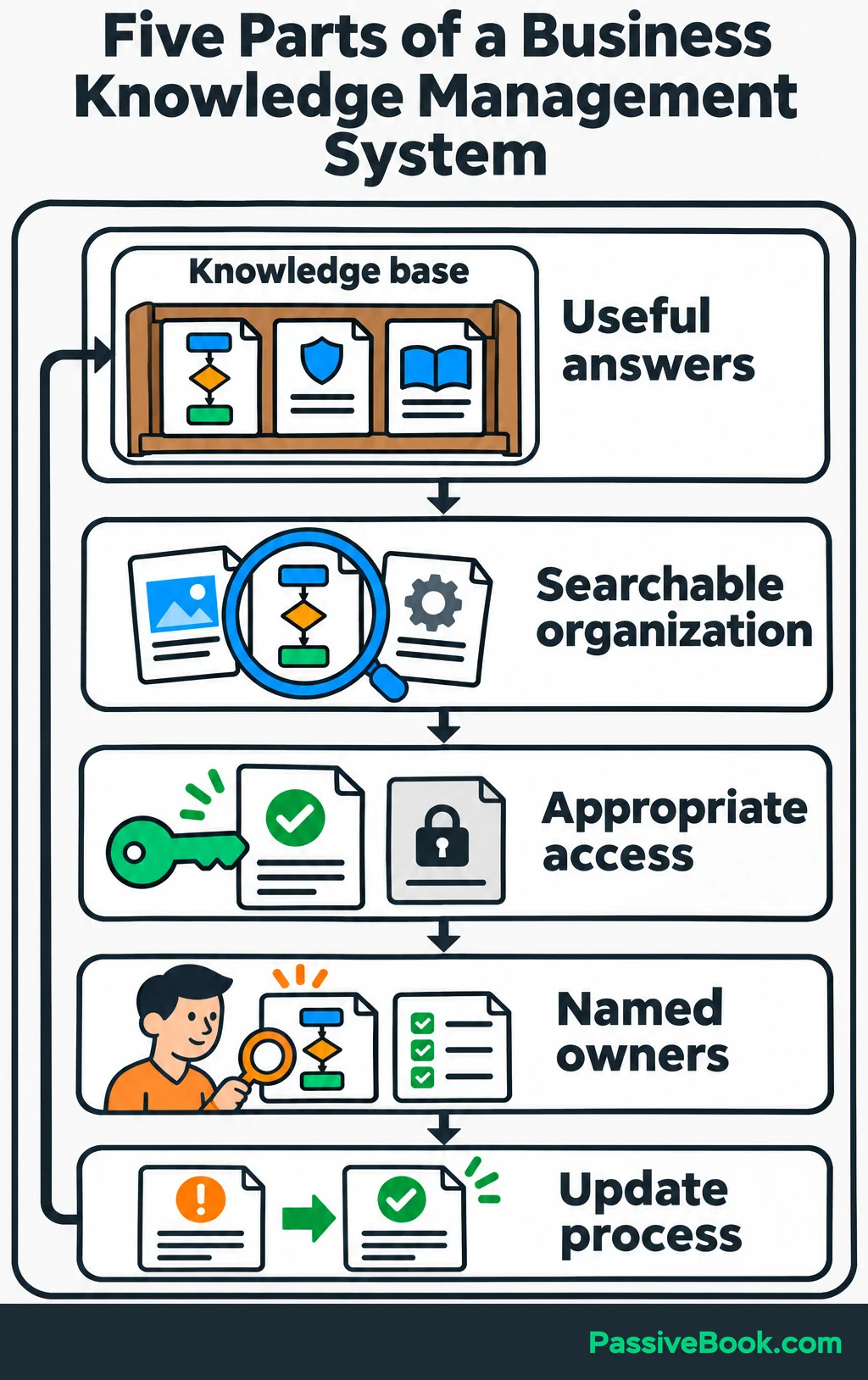
Your first version needs five things:
- Useful content: Instructions and answers for work you actually do.
- Searchable organization: Clear titles, sensible categories and links between related answers.
- Appropriate access: People can reach what they need, and restricted information stays private.
- Named owners: Someone can confirm whether each answer is correct.
- An update process: Changes to the business lead to changes in the instructions.
An existing document workspace can house this first version. You can test the workflow there before paying for another platform.
Start with internal guidance. Later, you can turn approved answers into customer help pages while keeping internal checks and escalation instructions private.
Throughout this guide, imagine you run a shop selling downloadable beginner sewing patterns. We’ll build its missing-download support workflow. The shop and its figures are illustrations.
1. Choose One Workflow to Improve
Start where missing knowledge causes repeated work.
Look through recent tasks and questions. Which ones make you search old messages? Where do people wait for your approval because the rule lives in your head? Which mistakes force you to redo work?
Choose the first workflow using three checks:
- Frequency: How often does it happen?
- Consequence: What goes wrong when someone makes a mistake?
- Knowledge risk: Could the answer disappear when someone leaves or changes responsibilities?
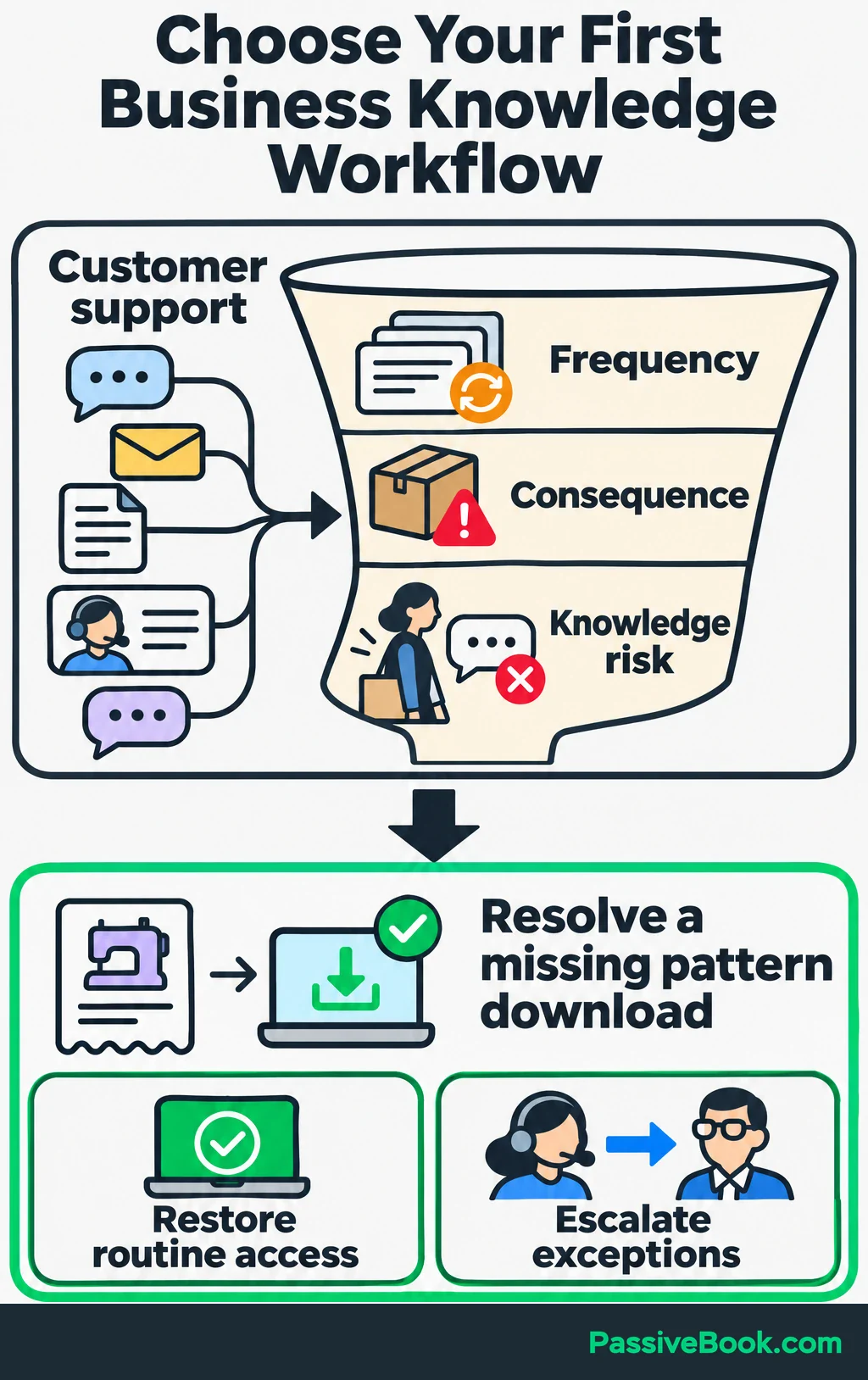
I would start with a frequent, contained task that has a clear finish. “Document customer support” is too broad. “Resolve a missing-download request” gives you something you can finish and test.
Write the intended outcome before collecting documents:
Someone handling a missing-download request can restore access for routine cases and recognize when to ask the owner for help.
That sets the boundary for the sewing-pattern shop. Product development and marketing can wait.
Name a process owner who can confirm the rules and approve changes. If you work alone, that person is you.
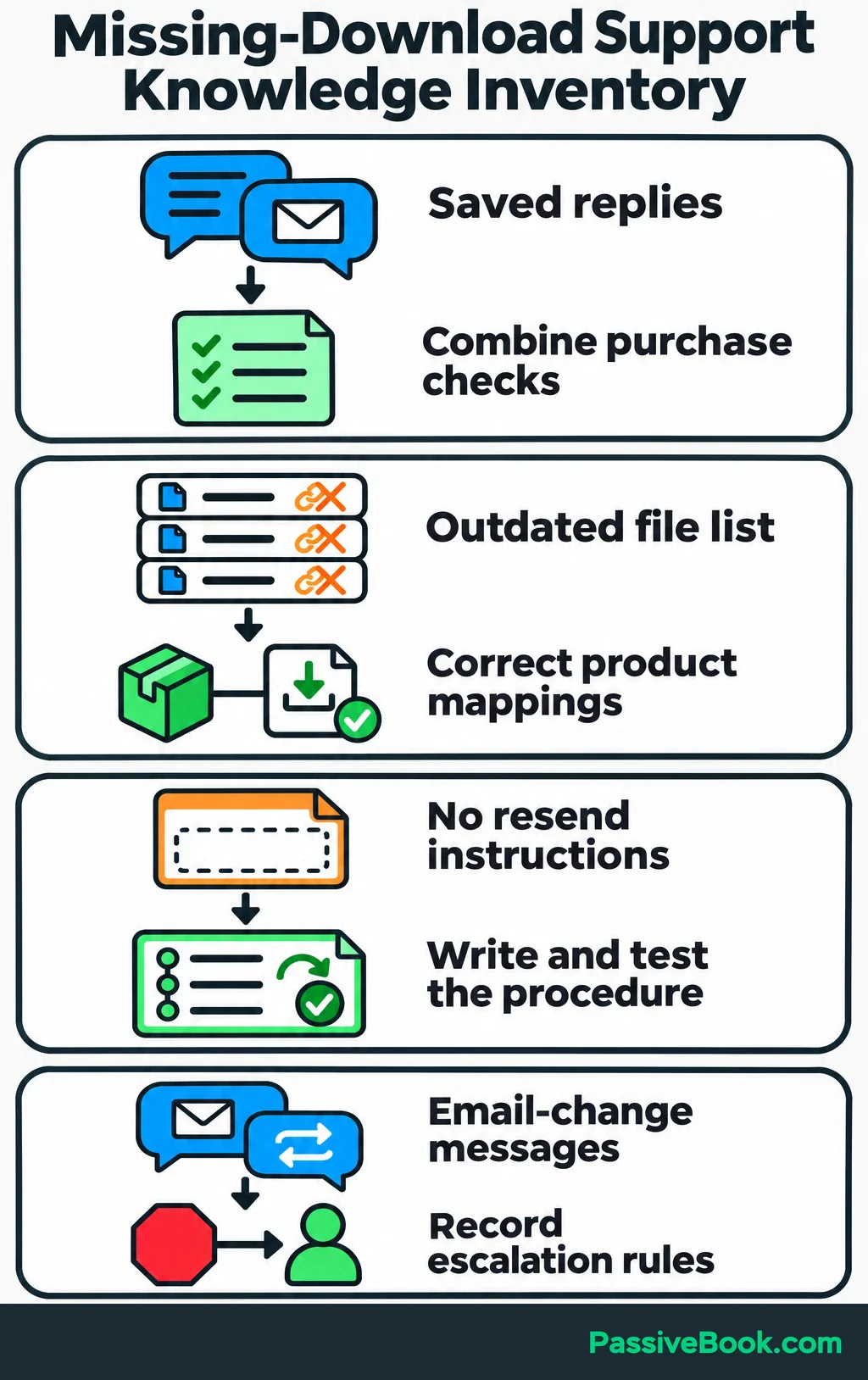
Next, inventory the knowledge needed to complete the task. Look through saved replies, documents, messages and recordings, and ask whoever handles the work.
| Support question | Existing material | Action needed |
|---|---|---|
| How do I confirm a purchase? | Saved replies asking for the order number and purchase email | Combine the checks into one verification policy |
| Which file belongs to this purchase? | Product-file list with outdated names and links | Correct the list and link each product to its download record |
| How do I resend access? | No written instructions | Write and test the resend procedure |
| When should I ask for help? | Messages about requests to change the delivery email | Record when support must stop and contact the owner |
Before changing anything, record what happens on several comparable requests. Note the time spent finding instructions, the total hands-on time, whether help was needed, and any mistakes or rework. Keep customer waiting time separate from hands-on work.
If someone is about to leave and holds essential knowledge, capture it now. Organizing it neatly can come afterward.
2. Organize Knowledge Around Business Tasks
Group pages by the work people recognize.
“Customer support” is a useful category. “Operational excellence resources” is a phrase someone will forget before finishing their coffee.
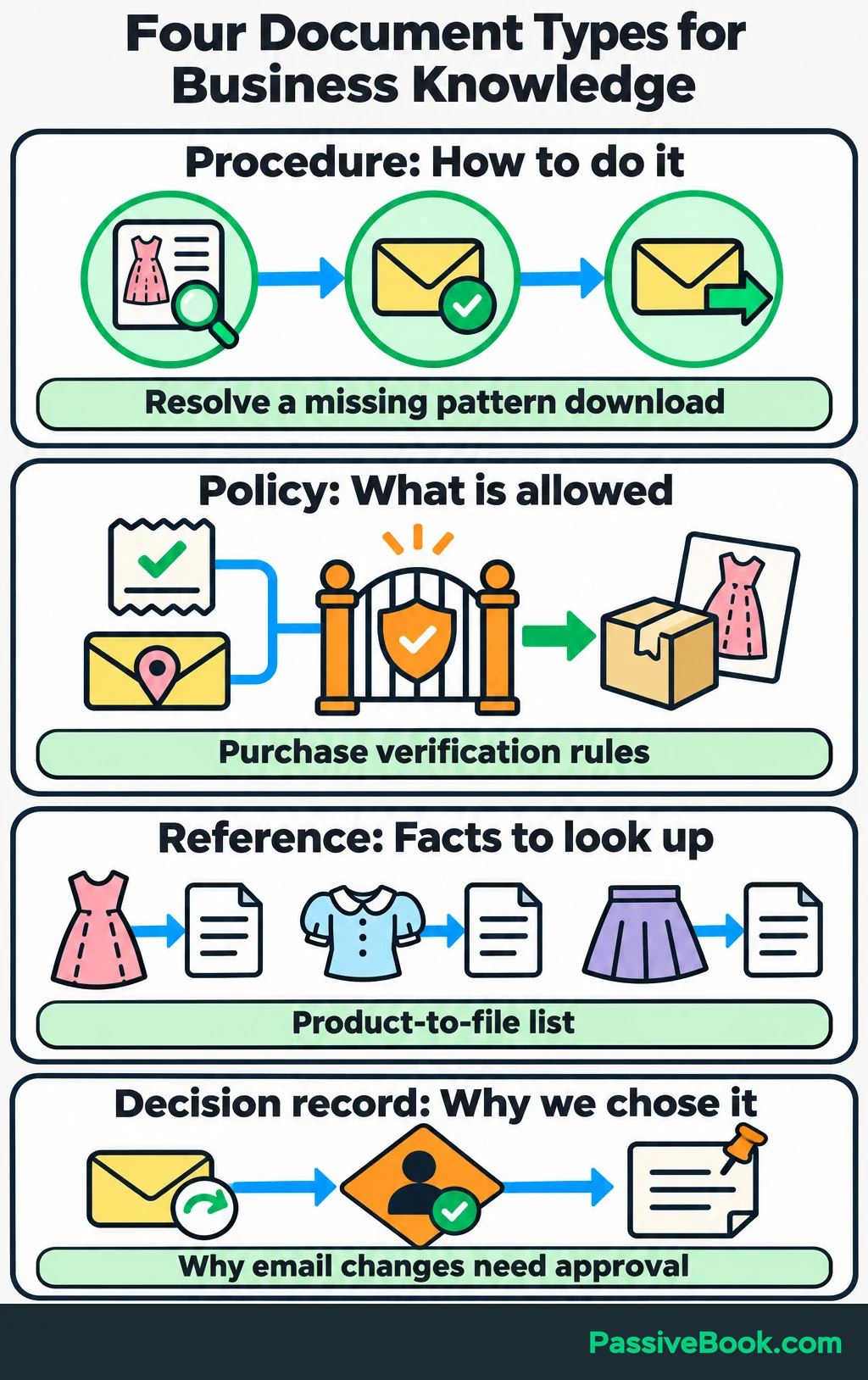
Start with a few categories and add more when they help people find answers. Within them, separate different kinds of information:
| Document type | What it does | Sewing-pattern shop example |
|---|---|---|
| Procedure | Explains how to complete a task | Resolve a missing pattern download |
| Policy | States rules and boundaries | Purchase verification and delivery rules |
| Reference | Holds reusable facts | Product names and their matching download files |
| Decision record | Explains an important choice | Why requests to change a delivery email need owner approval |
Create only what the first workflow needs. A decision record earns its place when the reason behind a choice would otherwise get lost.
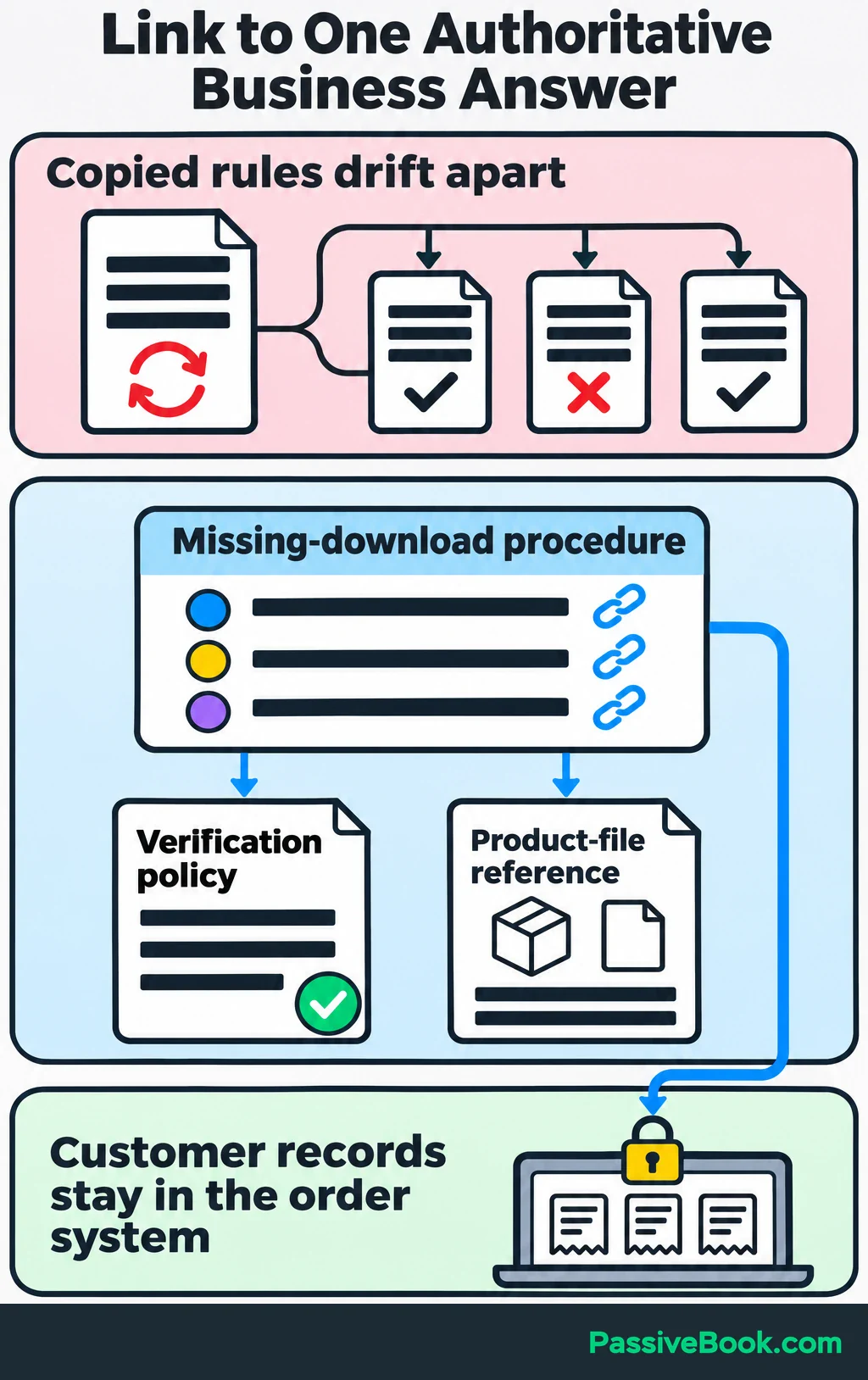
Give each answer one authoritative location. A support checklist should link to the purchase-verification policy rather than repeat it. Otherwise, the policy changes and yesterday’s copied version keeps giving orders.
Use titles that match what someone would search:
Resolve a missing pattern download
That title is more useful than “Digital delivery SOP v3.” Include common phrases such as “pattern email” and “find purchase” naturally in the page.
Keep individual customer records in your order-management system. The knowledge hub should explain how to find and interpret an order, rather than collect copies of customers’ purchase details.
3. Choose the Simplest Tool That Meets Your Needs
Test your current workspace first. Moving documents is work, and it needs to solve a problem worth having.
Compare tools against the same requirements:
- Search finds information inside pages.
- People can edit or suggest corrections easily.
- Related answers can link to each other.
- Access controls fit the work.
- Previous versions can be recovered.
- Exports preserve useful content.
- The workspace works on the devices people use.
For a small first system, I would compare these two approaches:
| Approach | Use it when | Check before committing |
|---|---|---|
| Linked documents and folders, such as Google Docs and Drive | You need a small collection of procedures and reference files | Existing access and storage may cover the pilot. Check whether people can find the current answer and whether file ownership survives a handover. |
| A wiki-style workspace, such as Notion | You need connected pages, reusable templates and lists of owners or review dates | An existing workspace may cover the pilot. Check member, permission, upload and recovery requirements, then test whether connected pages make upkeep easier. |
If your business uses Google Workspace, check whether its edition supports shared drives. Files there belong to the organization and remain when their creator leaves. That makes them useful for business guidance that must survive a handover. Google explains shared-drive ownership and availability here.
I use Notion for planning, project management, content calendars and knowledge-base work. I would choose it when linked pages and reusable templates make the work easier to maintain. A handful of existing documents may need only a better index.
Before choosing Notion’s Free plan for a team, check its limits on content blocks and file uploads. A block is an item on a page, such as a paragraph or image. Those limits can affect a shared knowledge base, especially one containing recordings. The plan comparison lists the current allowances.
Calculate cost using the people and features you need, then add storage, migration and administration time. A cheap subscription can still create an expensive maintenance job.
Finally, put the same sample procedure in each shortlisted tool. Find an answer, suggest an edit, recover a change and inspect an export. Choose based on that test. I would skip paid AI search until ordinary search can find the approved instructions.
4. Build a Searchable Knowledge Hub
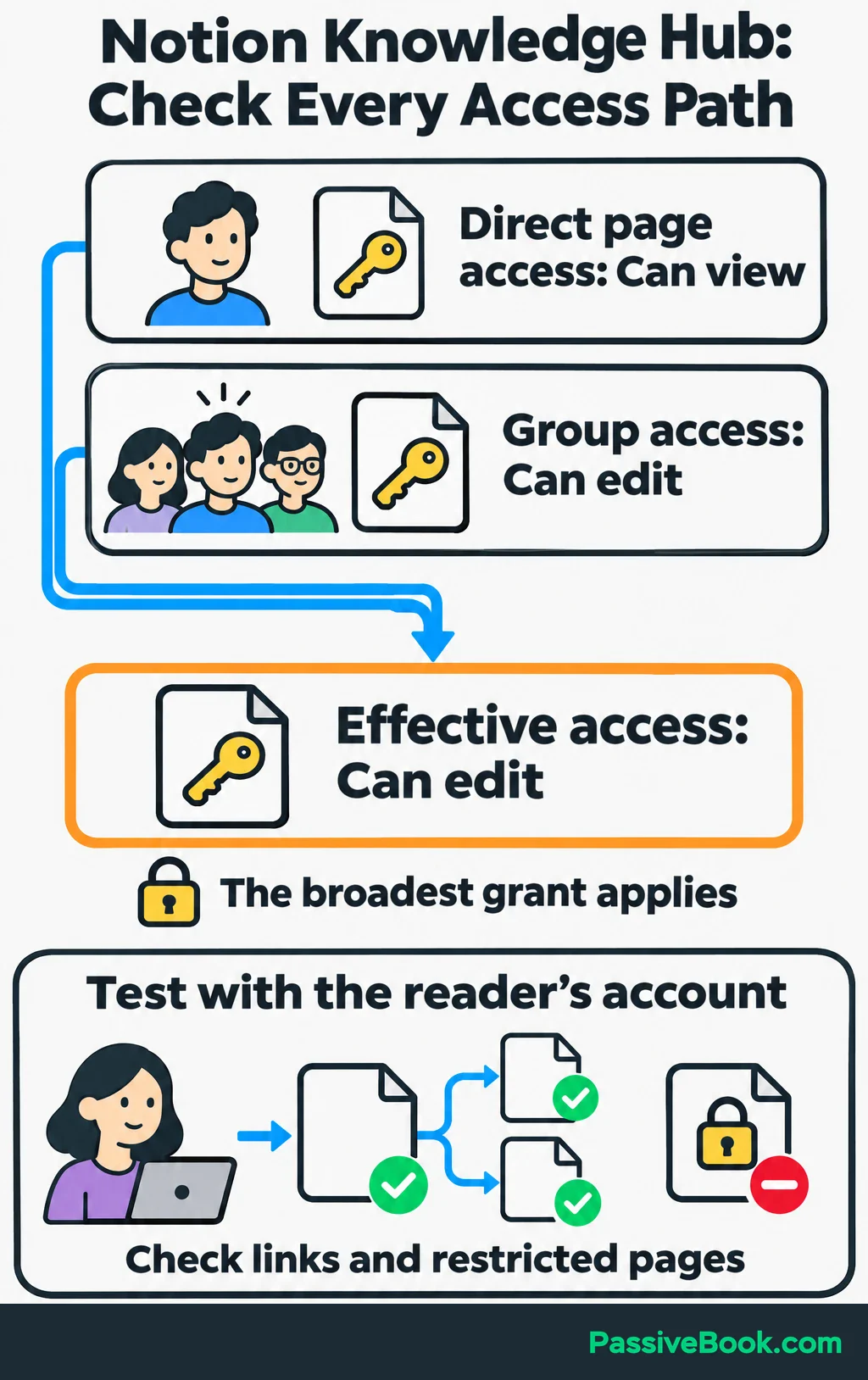
Create one home page that answers three questions: where do I start, which guidance is current, and how do I report a problem?
For the sewing-pattern shop, that page can be small:
- Start here: Resolve a missing pattern download.
- Supporting references: Purchase verification rules and the product-file list.
- Ask for help: The owner’s contact and escalation instructions.
- Report a problem: One correction form or page-comment process.
Set access before importing documents. Decide who can read approved guidance, who can edit it and where restricted material belongs. Keep internal instructions private, and give customer-facing help its own approved pages.
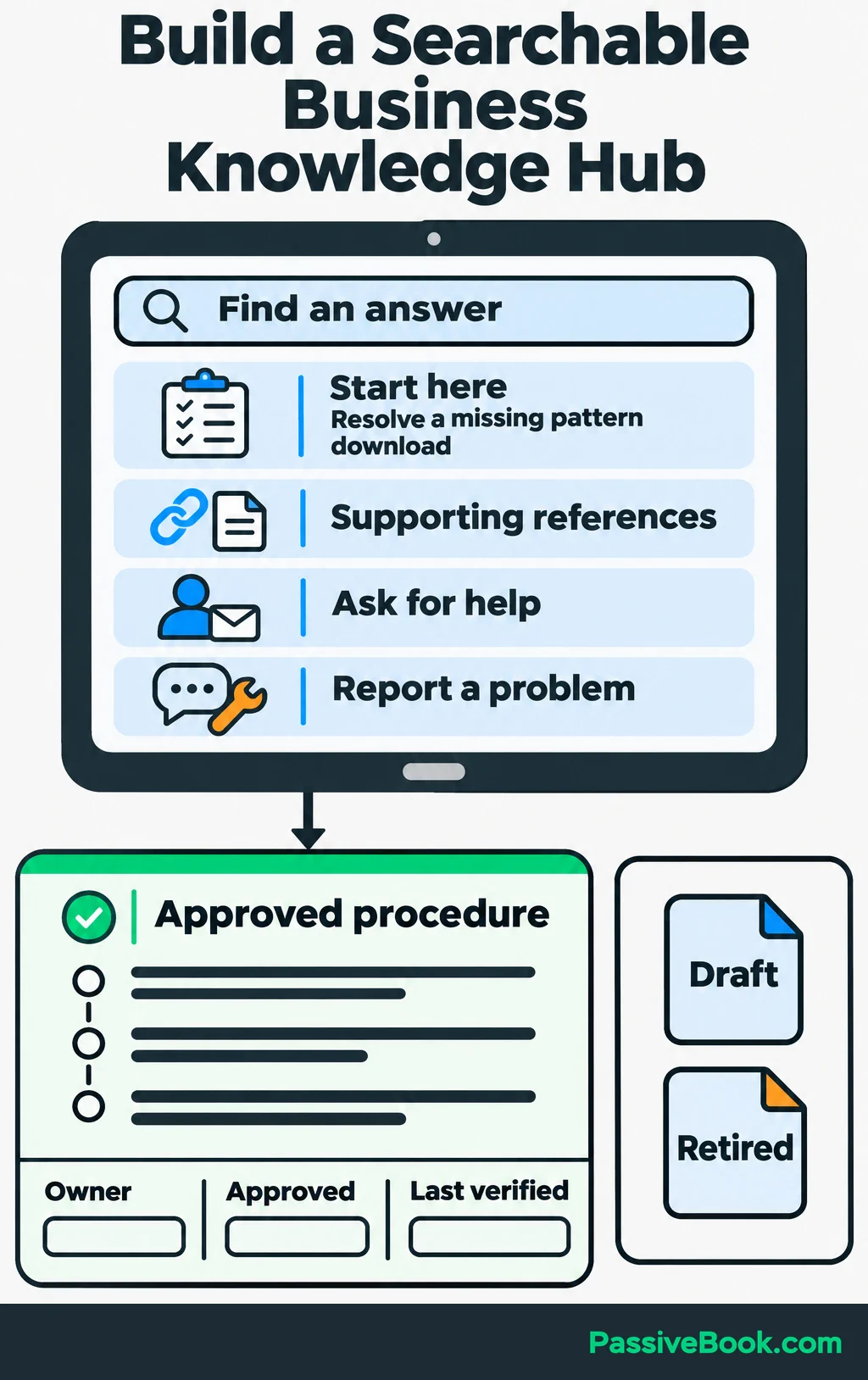
Check permissions inherited from folders, parent pages and groups. In Notion, the broadest permission granted to a person applies, so a restrictive page setting cannot cancel broader access granted elsewhere. Notion’s permissions guidance explains this behavior.
Test with the intended reader’s account. Confirm that they can open the procedure and its linked references, and that they cannot reach restricted material.
Give every page an owner, a status and a last verification date. “Draft,” “Approved” and “Retired” are enough to start. Verification means someone checked the instructions against the work; fixing a typo should not reset that date.
You can copy Business Knowledge Hub instead of building these pages and connections from scratch. Start with one answer you already use, then keep its corrections and ownership in the same workspace.

Free Business Knowledge Hub




Link approved pages from the home page so readers reach current guidance first. Import only material needed for the chosen workflow, and resolve conflicting instructions before publishing. If you cannot confirm an answer, keep the page in Draft status and assign its owner to check it.
Keep essential instructions in searchable text. A screenshot can clarify a button, but it should not be the only place that explains what happens next.
Then create a recoverable copy and open it. Check that essential pages and attachments are included. With Notion, an export preserves content, but reuploading it cannot instantly recreate the workspace. Treat it as a recovery resource and plan how you would rebuild essential guidance. Notion explains its export limitations here.
5. Turn Business Know-How Into Usable Instructions
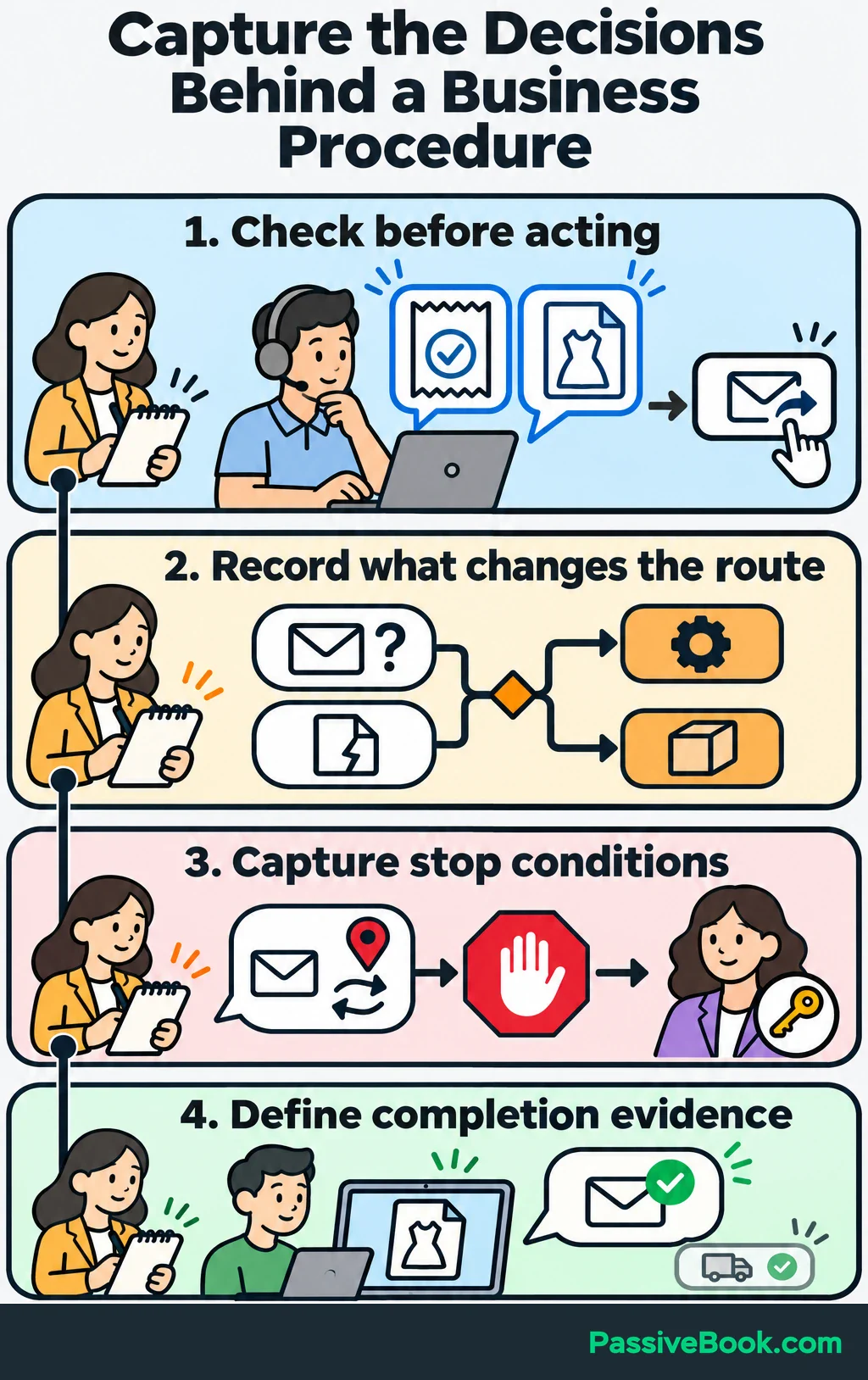
Capture the Decisions Behind the Work
Watch someone complete the task and ask them to explain the choices they make.
A recording of clicks may show how to resend an email. It may miss the reason they refused to resend one in a different case.
Ask:
- What do you check before taking action?
- Which details change your next step?
- What tells you to stop and ask for help?
- How do you know the task is complete?
Capture the original question and relevant conditions while handling the work. The Consortium for Service Innovation recommends making knowledge capture part of the interaction, when that context is available. Its capture guidance explains this practice.
I once wrote a publishing checklist with the instruction “upload the final PDF.” When I followed it later, I found two files that both looked final. I had documented the action and left out the decision. I added the approved file’s location and the check that identified it.
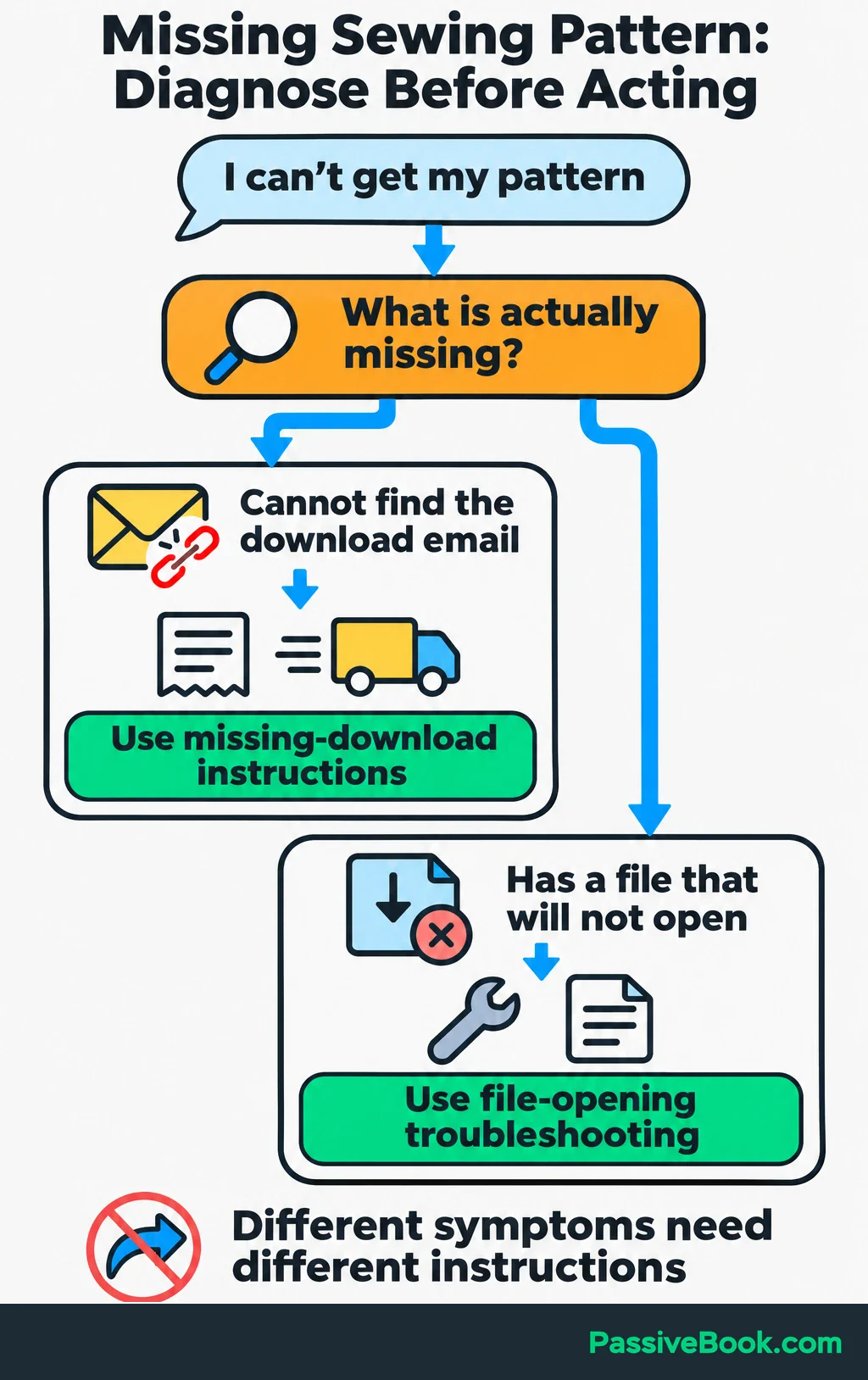
For the sewing-pattern shop, “I can’t get my pattern” also needs a decision. Does the buyer lack a download email, or have they downloaded a file that will not open? Those symptoms need different instructions.
Capture that distinction before writing the steps.
Use a Consistent Procedure Template
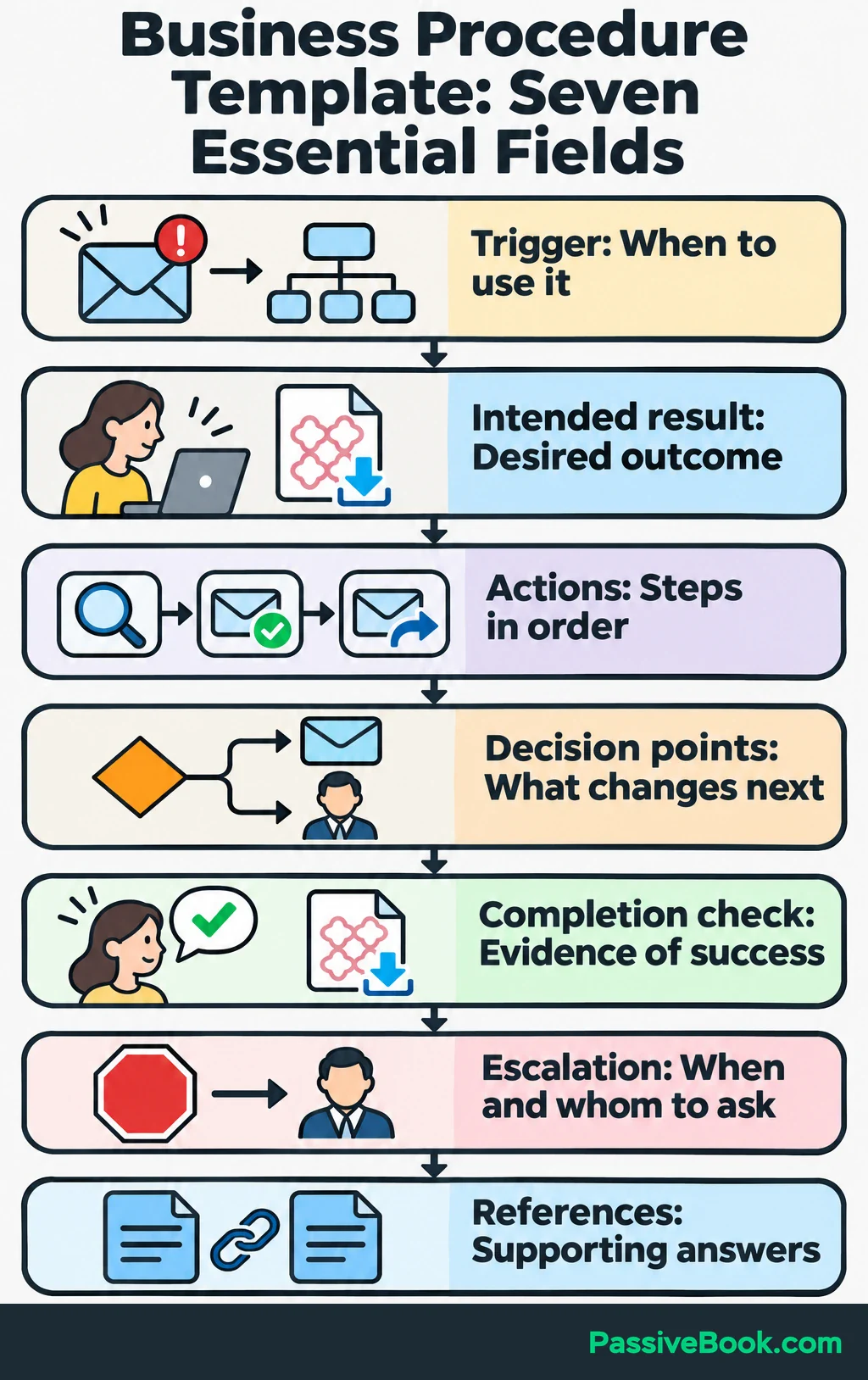
Use the same basic structure for each procedure:
- Trigger: When should someone use this page?
- Intended result: What should be true afterward?
- Actions: What should they do, in order?
- Decision points: Which conditions change the next action?
- Completion check: How do they confirm success?
- Escalation: When should they stop, and whom should they contact?
- References: Which policies or facts support the work?
Put prerequisites immediately before the action that needs them. Someone should learn that they need order-system access before reaching the instruction to search orders.
Here is a filled example. For this shop, routine requests require a paid order and confirmation through the email address recorded on it. Requests to change that address go to the owner. These are example shop rules.
- Title: Resolve a missing pattern download.
- Trigger: A buyer reports that they have not received or cannot find their download email.
- Intended result: The buyer can access the pattern included in their paid order.
- Owner: Shop owner.
- Required access: Permission to view orders and resend existing download access.
- Ask whether the buyer is missing the download email or already has a file that will not open. Route file-opening problems to the separate troubleshooting procedure.
- Ask for the order number and purchase email address. Find the order in the order-management system.
- Check that the order is paid and includes the requested pattern. If you cannot find the order, it is unpaid or it does not include that pattern, stop and send the case to the owner.
- Send a verification message to the email address recorded on the order and wait for the buyer’s reply before resending access. If the buyer cannot use that address or wants delivery elsewhere, stop and ask the owner to handle verification.
- Match the purchased product to its download record using the product-file reference. If the file mapping is missing or unclear, ask the owner rather than choosing a similar file.
- Use the shop’s delivery system to resend that order’s download access to the recorded purchase address.
- Ask the buyer to confirm that they can reach and download the purchased file. If the delivery system reports success but access still fails, pass the case and error details to the owner.
- Completion check: The buyer confirms access to the purchased file. A successful resend alone does not close the request.
- Escalation route: Send the owner the order reference, symptom, checks completed and any error message through the private support task.
- Supporting pages: Purchase verification and delivery rules; Product-file reference; File-opening troubleshooting.
In your workspace, link those supporting page titles to their authoritative answers. Add a screenshot or short recording only where it makes an action easier to follow.
AI can help structure non-sensitive notes. Try: “Use only the supplied facts. Turn these notes into a procedure and list missing instructions as questions.”
Then have the process owner follow and check the draft. Keep unknown steps as questions until someone answers them.
If the steps are still in your head, AI Operations Writer can help flag the open decisions and turn your notes into a draft. Check it against the work before anyone relies on it.

Free AI Operations Writer
6. Test the System in Everyday Work
Check Retrieval and Task Completion
Publish enough verified guidance to complete the chosen workflow. Leave unrelated inventory items in the backlog.
Give someone unfamiliar with the documentation a realistic task:
A buyer says they cannot find their sewing-pattern download. Find the instructions and work through the case.
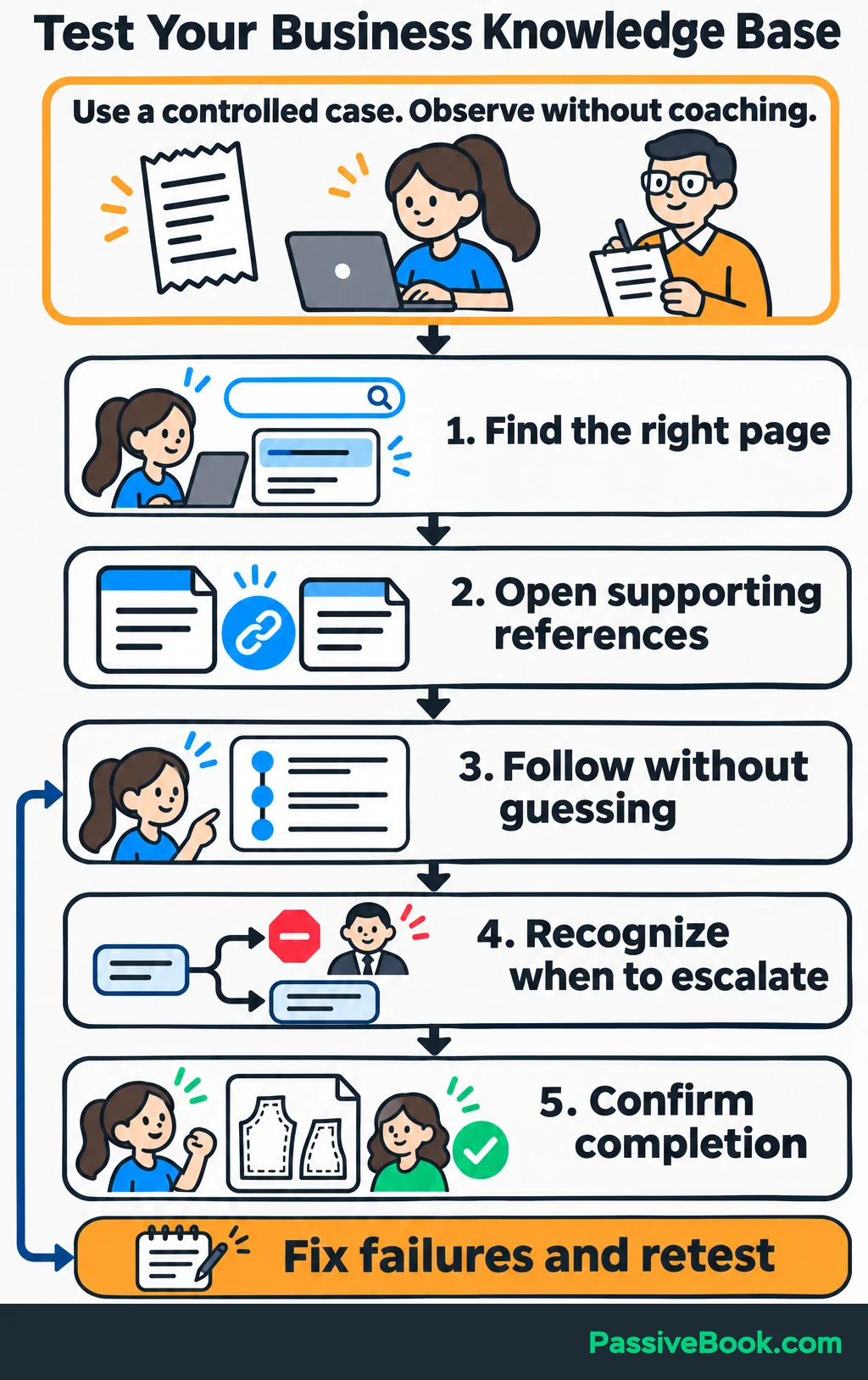
Use a test order or a controlled practice case so the test does not accidentally send a real customer an email. Explain the task, then resist coaching.
Watch whether the person can:
- Find the right page using their own search words.
- Open the linked references.
- Follow the instructions without guessing.
- Recognize conditions that require the owner.
- Confirm completion.
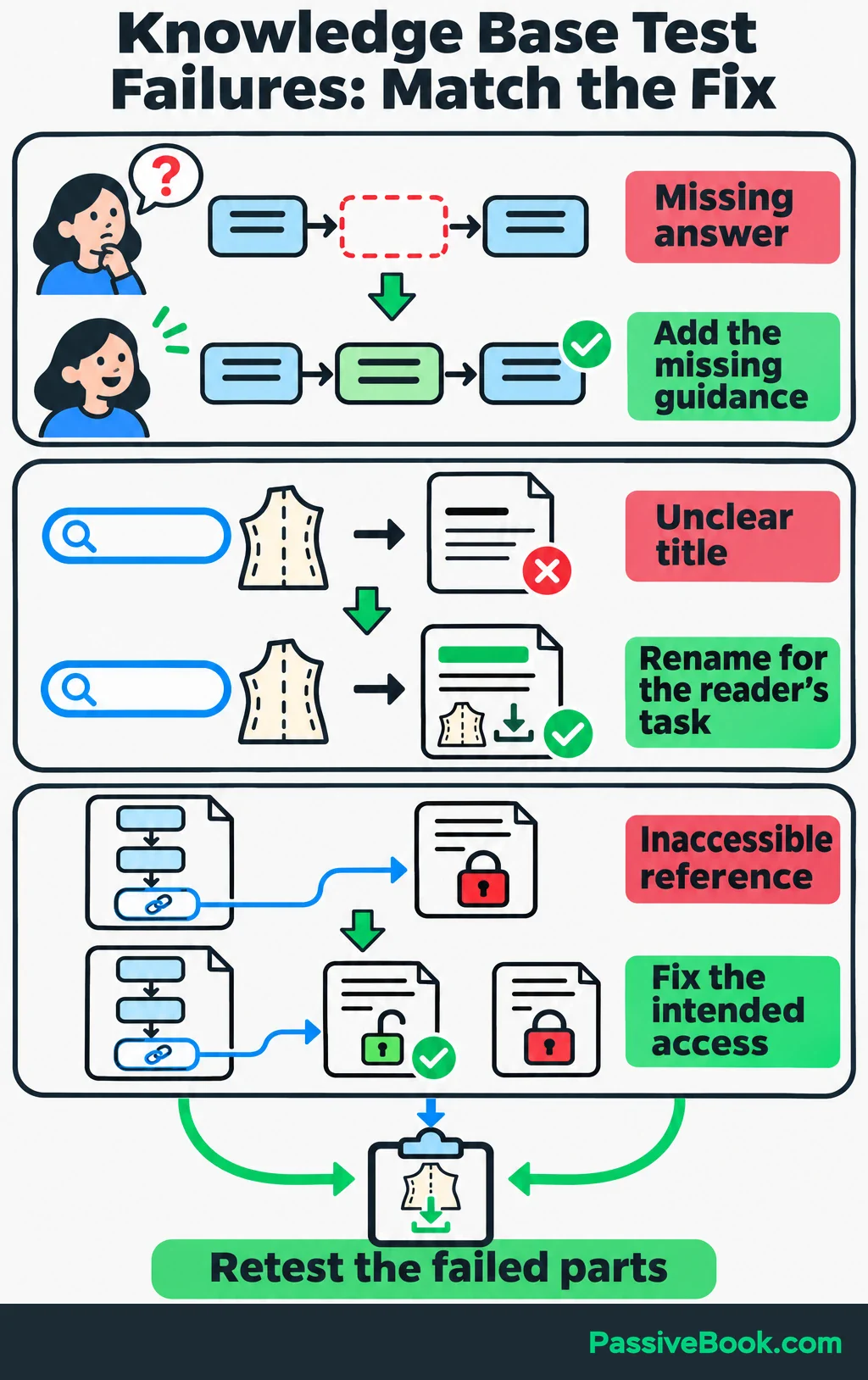
Record where they get stuck. A missing answer needs new content. An unclear title needs renaming. An inaccessible reference needs a permission fix. Buying another search tool will not repair all three.
Fix the failed parts and retest them.
If you work alone, return to the task later and follow the written procedure. Mark every point where your memory supplies a missing instruction.
Make Using and Improving Answers Routine
Give users a short walkthrough of the home page, search, approved guidance and correction process. Then put the procedure where the work begins.
For the sewing-pattern shop, link it from the support checklist or task template used for incoming requests. That gives people a reason to open it.
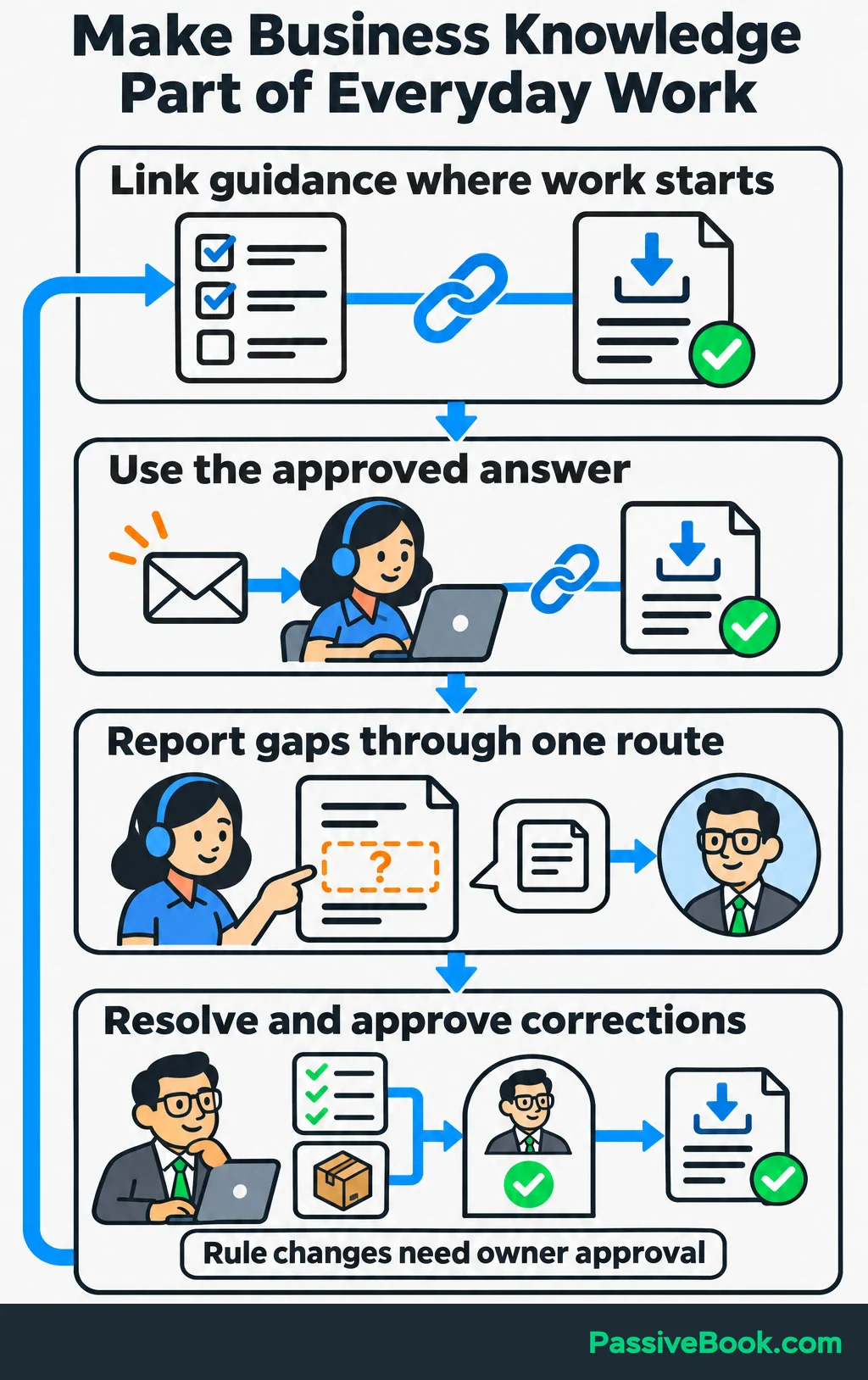
When a recurring question arrives, send the relevant page and check whether it answers the question. If you still need to explain a missing detail, improve the page.
Use one route for corrections. Page comments are enough if the owner sees and resolves them. Changes to verification or delivery rules need owner approval before becoming approved guidance.
7. Keep the System Accurate and Useful
Maintain Answers as the Business Changes
Make documentation part of finishing a change.
If you replace the download-delivery tool, update and test the resend instructions before treating the move as complete. If someone takes over support, transfer page ownership during the handover.
Check answers while using them. Fix a clear error or flag it for the owner. This follows the Consortium for Service Innovation’s “reuse is review” practice, which makes everyday use part of improving knowledge.
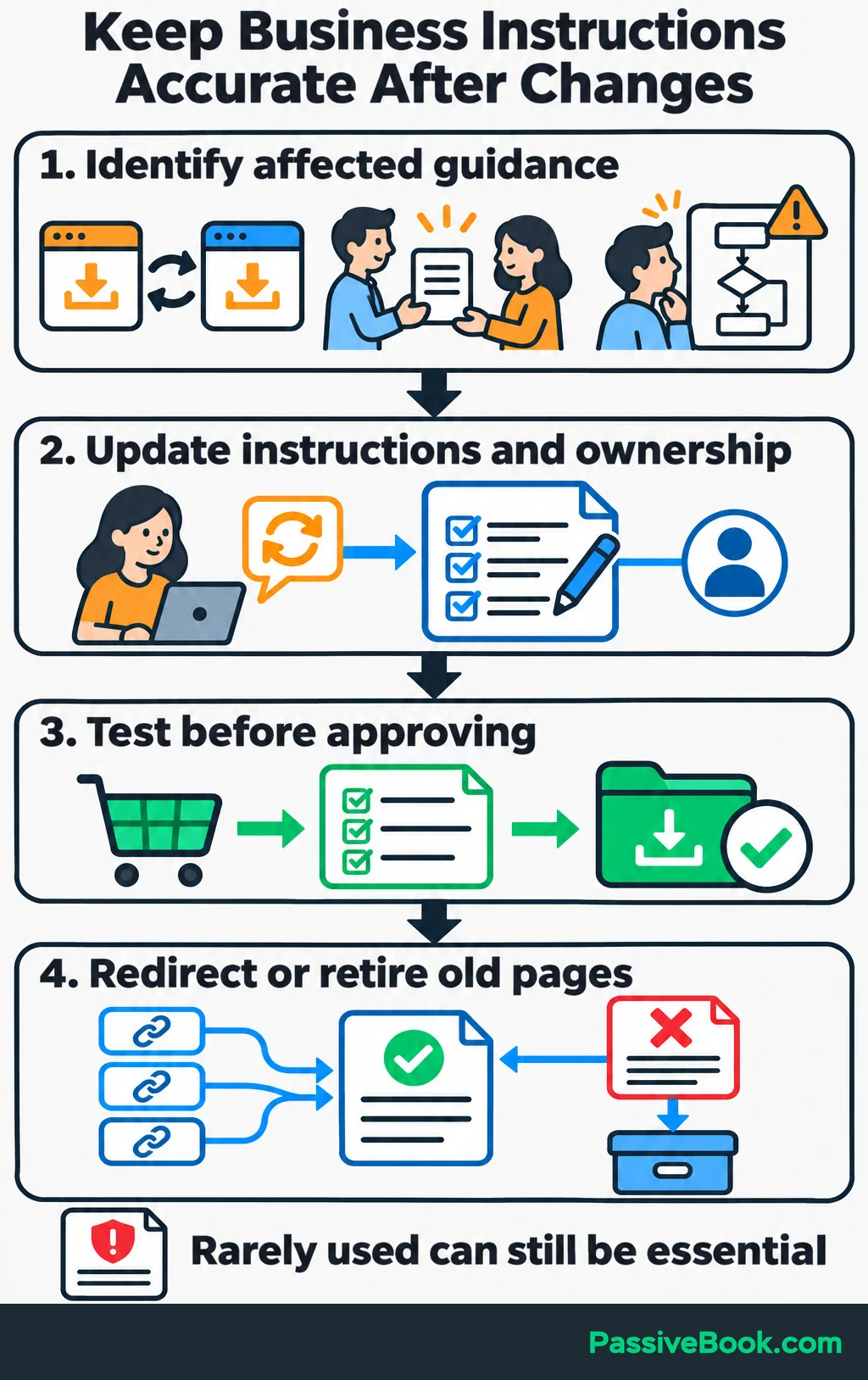
Add scheduled reviews where they serve a purpose. Review frequently changing instructions more often, and give extra attention to rules where mistakes have serious consequences.
Once owners and review triggers are clear, automation tools such as Make or n8n can send reminders and create review tasks. I would automate those handoffs before attempting automatic rewrites of approved policies.
Merge duplicates, point old pages to their replacements and archive obsolete instructions. Keep rarely used guidance when it still matters. An emergency procedure does not need weekly traffic to earn its place.
Measure Whether Work Becomes Easier
Repeat the checks you recorded before the pilot, using comparable requests. Look for correct resolutions, less hands-on work, fewer interruptions and less rework.
Page views can show that people opened the hub. Document counts show that you wrote documents. Neither proves that work became easier. The Consortium’s guidance on outcomes and activities explains why activity targets can distract from useful results.
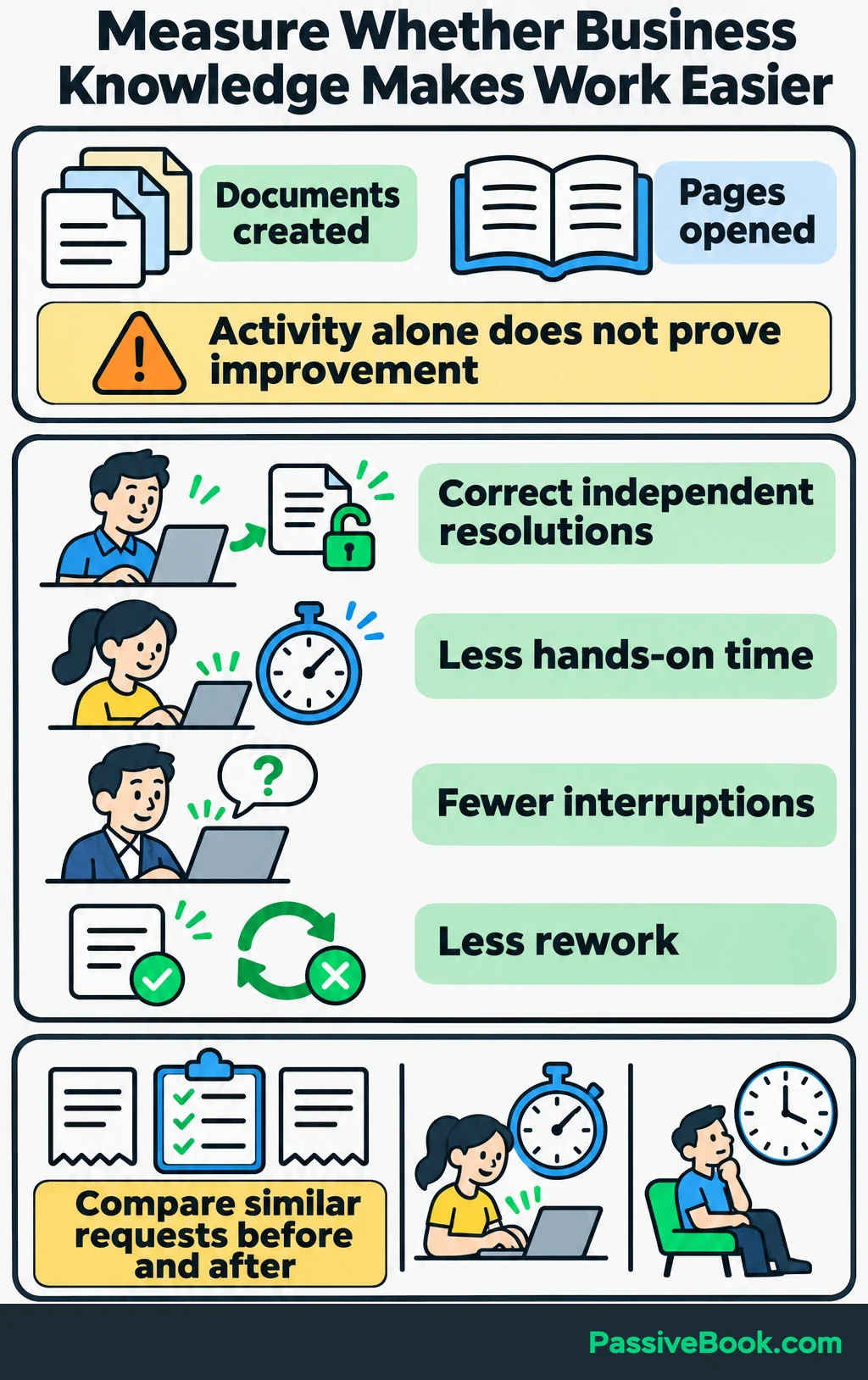
To estimate time saved, count the reduction in hands-on time for comparable completed requests, then subtract the time spent creating and maintaining guidance during the same period.
For illustration, suppose the shop completes 20 routine missing-download requests in a week, saving an average of five minutes on each:
- Time saved on requests: 20 × 5 minutes = 100 minutes.
- Documentation and upkeep that week: 30 minutes.
- Estimated net time saved: 100 − 30 = 70 minutes.
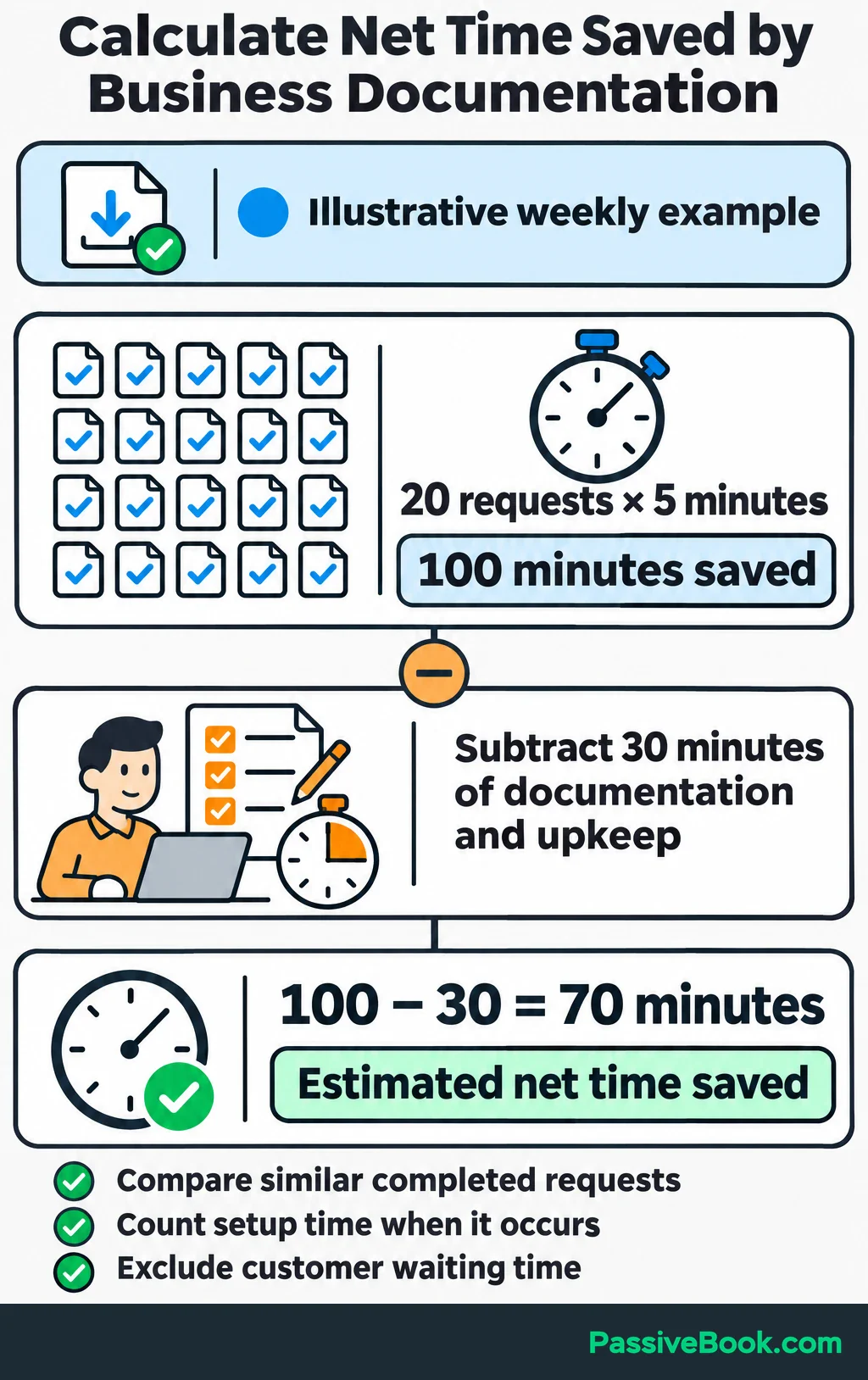
Count the initial setup time in the period when you do it. Keep unusual cases separate so a change in request difficulty does not look like an improvement.
Use remaining failures to choose the next fix. Add an unanswered question, rename a confusing page, repair a step or simplify navigation.
Expand to another workflow when the first supports independent completion and its upkeep fits your schedule. Reuse the structure that worked.
What Next?
Choose one task you had to explain twice recently. Write its intended result, name its owner and gather the sources needed to complete it. That is a practical place to start creating a knowledge management system.
Use the social buttons to share this guide when repeated explanations are eating into time you could spend improving the business.
Which task would you most like someone to complete without asking you for help? Tell me in the comments, and bring any setup questions with it.
Share this post with your friends & followers:

