Your customers have paid, but you still have receipts in your inbox, fees to enter and a bank balance that doesn’t tell you what you can spend.
Leave that work until the weekend and you lose part of your break. Leave it until tax time and you have a much larger sorting job.
The useful goal is a system that keeps records moving and brings problems to your attention. This guide shows how to automate online business finances while keeping a clear view of upcoming bills, money owed and transactions that still need your judgment.
What Should You Automate First?
Start with work that happens often and follows clear rules: importing transactions, collecting receipts, categorizing familiar expenses and reminding customers about unpaid invoices.
I would automate those before allowing software to move money.
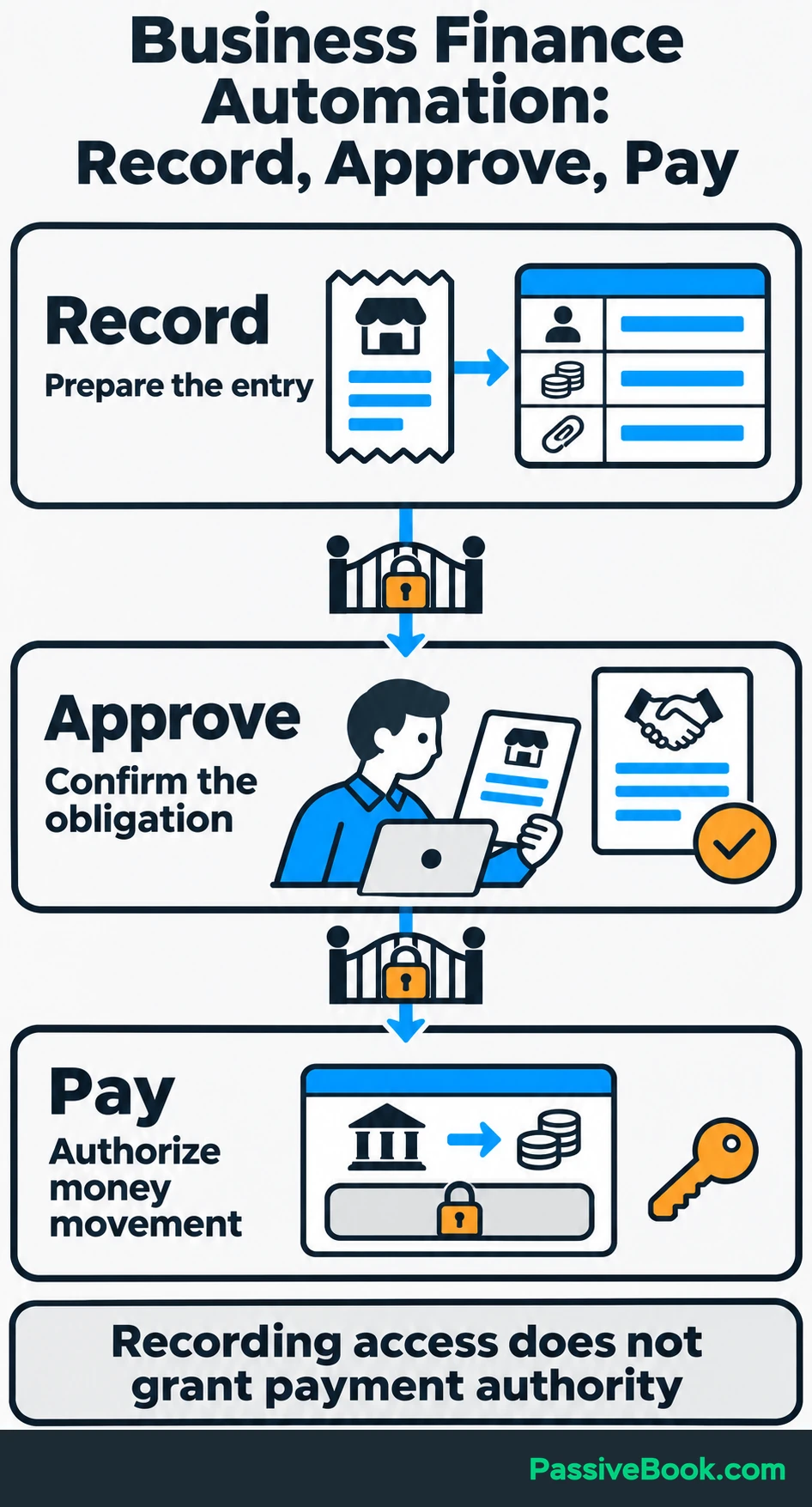
Recording a transaction, approving it and paying it are three separate actions. Your system can prepare a bill without having permission to pay the supplier.
| Task | Automated Action | Human Checkpoint |
|---|---|---|
| Transaction imports | Bring bank and payment activity into the books | Check missing entries, duplicates and unmatched deposits |
| Receipt capture | Extract document details and attach receipts | Confirm the amount, supplier and matching transaction |
| Billing reminders | Follow up on overdue invoices | Review disputes and confirm reminders stop after payment |
| Recurring bills | Prepare scheduled payments for familiar suppliers | Approve changed details, unusual amounts and larger payments |
| Cash-flow alerts | Flag a projected shortage or failed update | Decide which receipt, payment or spending plan needs attention |
Build one workflow at a time. Write down what starts it, what it should produce and what should happen when something goes wrong. Test an ordinary transaction and a relevant failure before leaving it unattended.
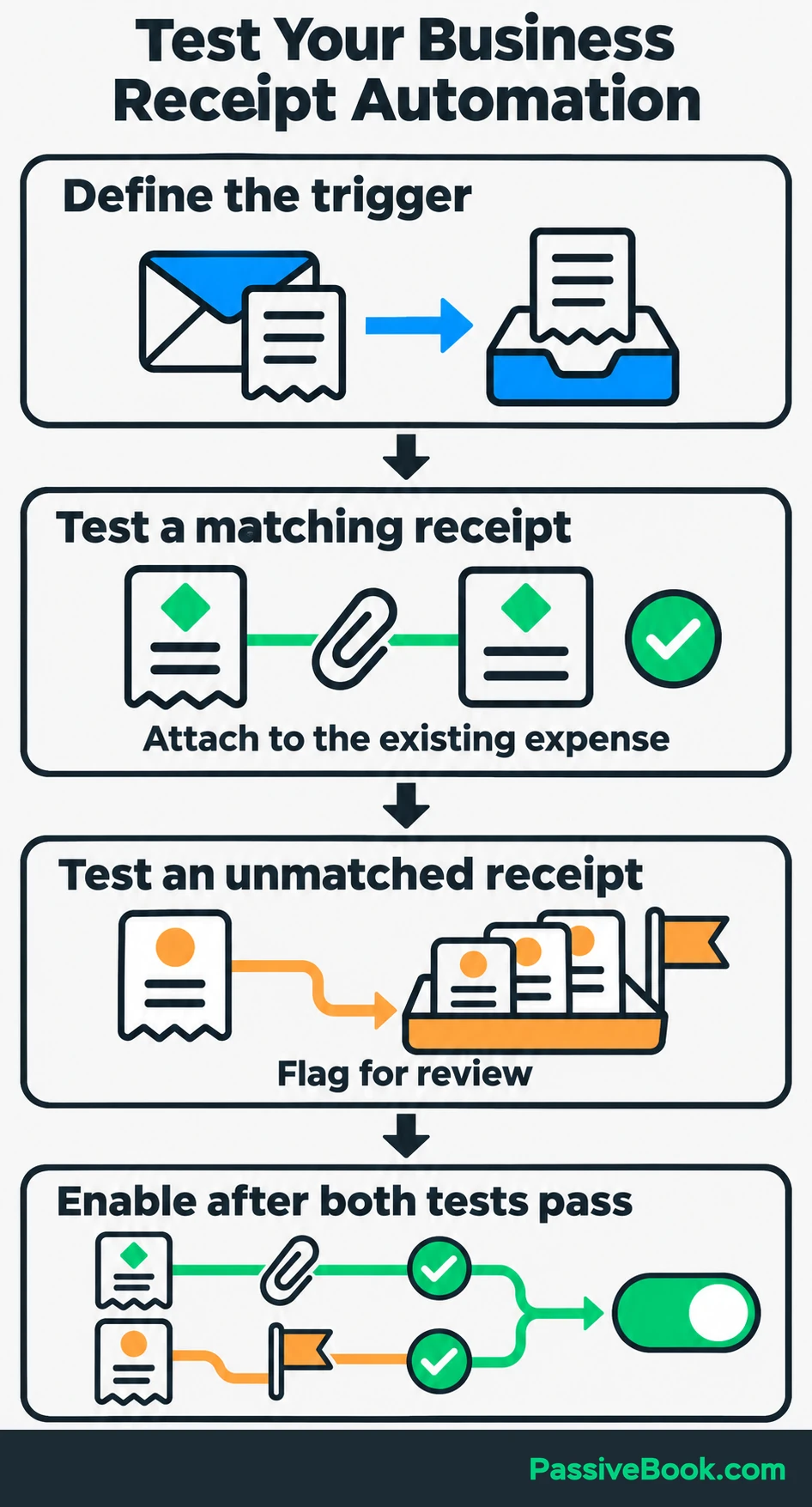
For example, a receipt workflow should attach the document to the right expense. It should also flag a receipt it cannot match.
We’ll follow an example shop selling downloadable sewing patterns, with Stripe handling checkout payments.
Start with features already available in your payment and accounting tools. Another subscription should solve a named problem, not celebrate your enthusiasm for automation.
1. Establish One Reliable Set of Books
Separate Business Money and Set Your Starting Rules
Route business income and spending through dedicated bank and payment accounts. Mixing personal purchases with business expenses gives every categorization rule more work to do.
Record money you put into the business separately from customer sales. Treat withdrawals separately from operating expenses, using the appropriate owner accounts for your business structure.
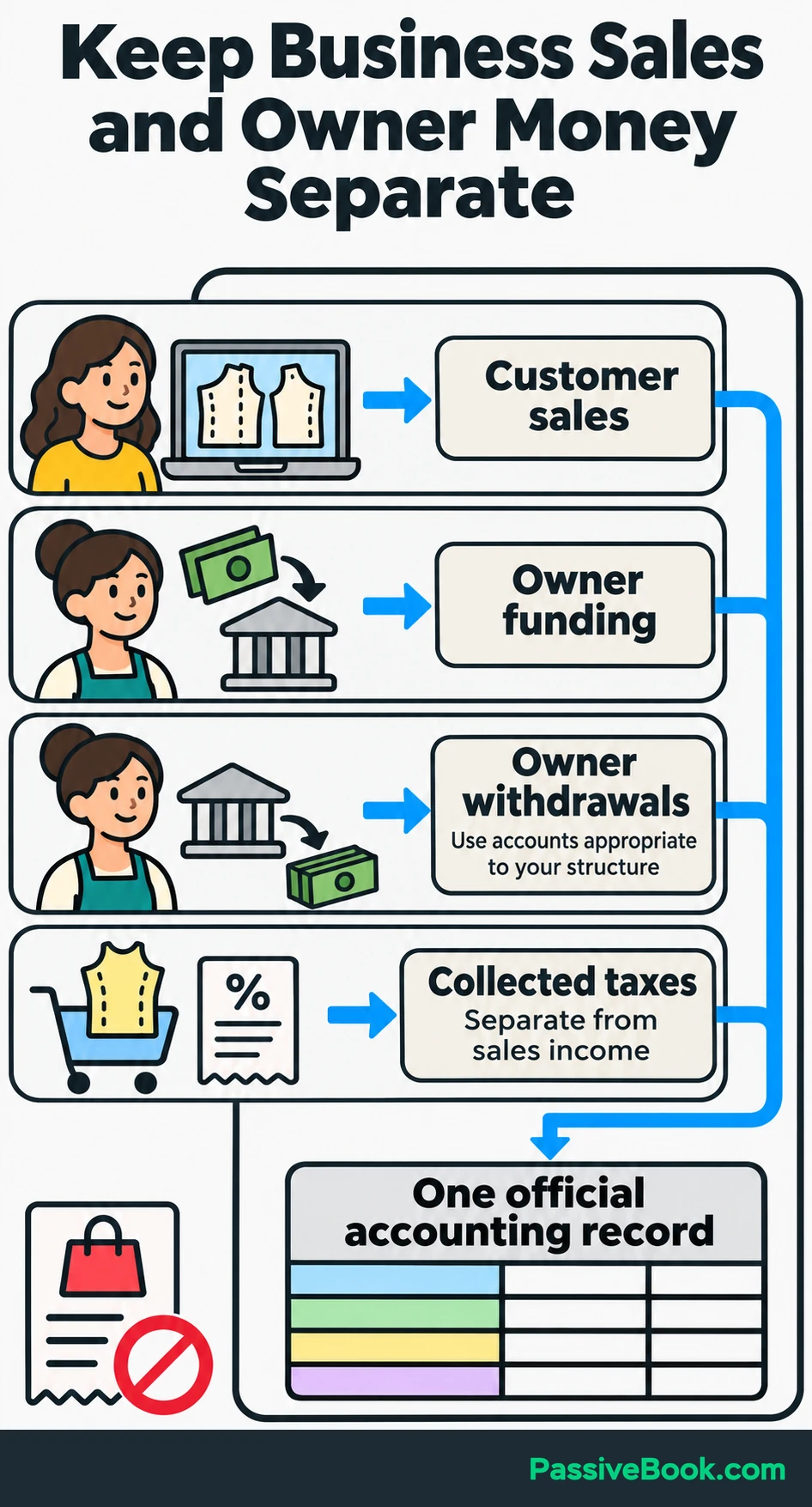
Then choose one accounting system as the official record. A spreadsheet can help you plan spending, but it shouldn’t quietly become a second set of books.
Before importing anything, confirm:
- Your reporting currency and financial year.
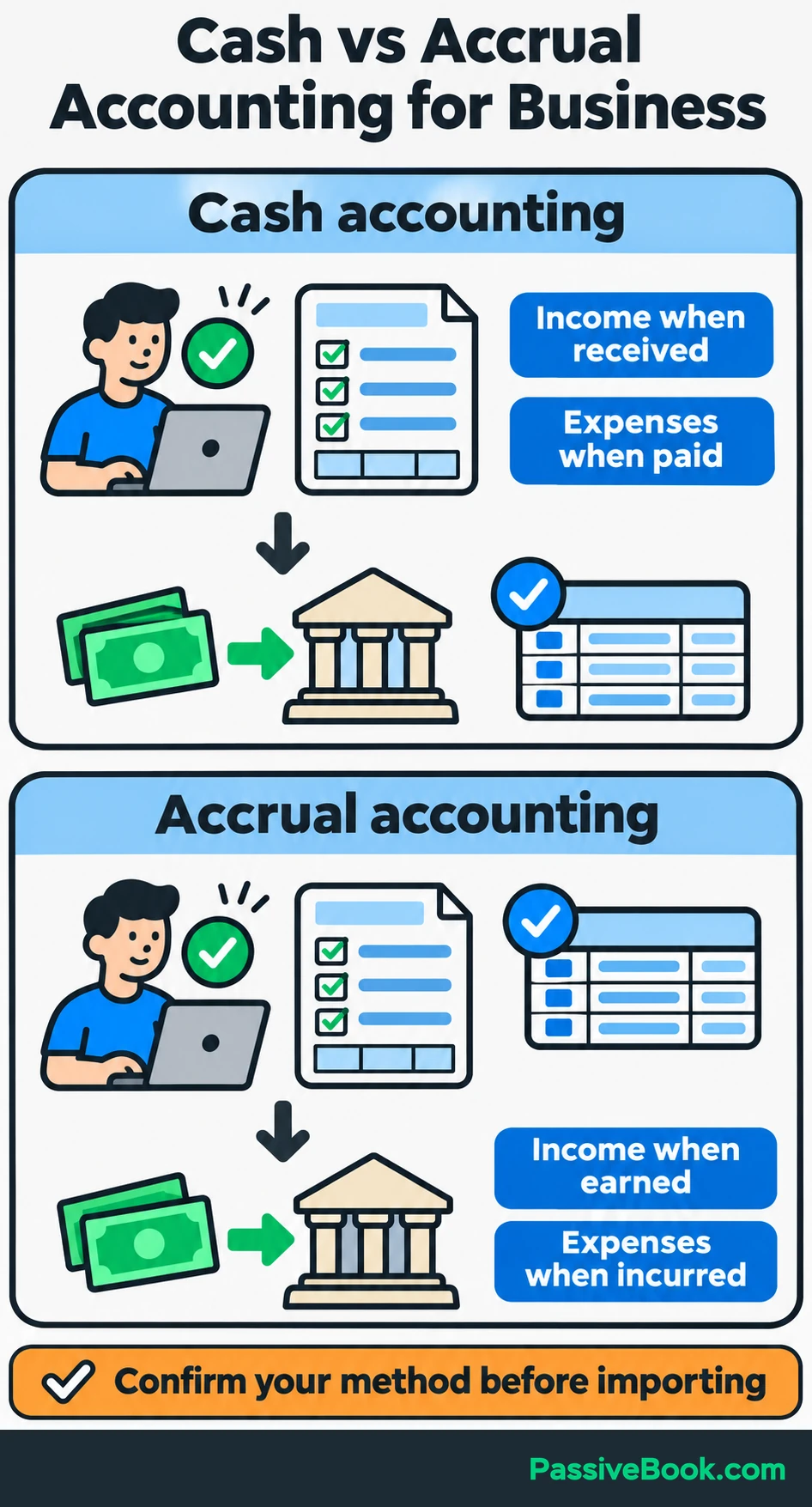
- Your accounting method: cash or accrual. Cash accounting generally records income when received and expenses when paid. Accrual accounting generally records income when earned and expenses when incurred, even if payment happens later.
- The date each connection should start importing.
- Opening balances that agree with bank, card and payment-processor statements.
If the balances disagree, resolve that before adding more activity. A short bookkeeping session at this point can prevent a long cleanup later.
Create categories around transactions you actually have. For the sewing-pattern shop, the starting list could include pattern sales, refunds, processing fees, hosting, design software and owner transactions. Keep collected taxes separate from sales income.
Choose Software Around Your Accounts and Sales Channels
The first requirement is that the software works with your actual accounts.
Before subscribing, check country availability, bank support, currencies and storefront connections. The software should let you compare records with bank and processor statements, attach receipts, export records and give a bookkeeper or accountant access.
These are reasonable options to investigate:
| Software | Why It Belongs on the Shortlist | What to Check Before Choosing |
|---|---|---|
| QuickBooks Online | Rules categorize familiar bank transactions | Bank support, sales integration, required plan and available rule conditions |
| Xero | Imports bank activity and suggests transaction matches | Bank support and whether your sales connector transfers the records you need |
| Wave | Basic bookkeeping in Starter; automatic bank imports and receipt capture in Pro | Limited to Canada and the United States, excluding U.S. territories; check plans and supported-bank conditions |
I would choose the simplest option that handles the full transaction flow. Compare the accounting plan, connectors and add-ons together, along with any limits and manual work left over.
Prefer a supported direct connection when it transfers the required records. If you need an alert or data transfer it doesn’t provide, Make can connect the apps through a hosted service. n8n can do the same, with a self-hosted option if you’re comfortable maintaining it.
I use n8n in my broader business automation work. That doesn’t mean every finance task needs a custom workflow. Start with the accounting features you’re already paying for.
2. Connect Sales, Payments and Bank Activity
Record Sales Without Double-Counting Payouts
Map the events before connecting the tools.
An order, a successful payment and a bank deposit describe different parts of a purchase. A refund and a processing fee add further records. Decide which connection creates each one.
For the sewing-pattern shop, a workable arrangement would be:
| Event | Assigned Route |
|---|---|
| Successful purchase | The sales connection creates the sale, and the payment connection records payment against it |
| Refund | The payment connection records the refund against the original payment and adjusts the sale |
| Processing fee | The payment connection records the fee separately |
| Stripe payout | The payment connection records a transfer from the processor balance to the bank |
| Bank deposit | The bank feed matches the existing payout transfer |
Some connectors handle several of these together. Check their behavior so two connections don’t both create the sale or record the refund.
For affiliate income, use network payout statements to explain bank deposits and keep expected payouts separate from money already in the bank. If you sell physical products, include inventory purchases, shipping charges and returns in the records your connections transfer.
Before enabling tax collection, confirm where you have obligations and which product tax codes apply. Registration, collection, filing and paying the authority are separate jobs. Stripe’s tax workflow makes those stages explicit; establish which ones your chosen service handles.
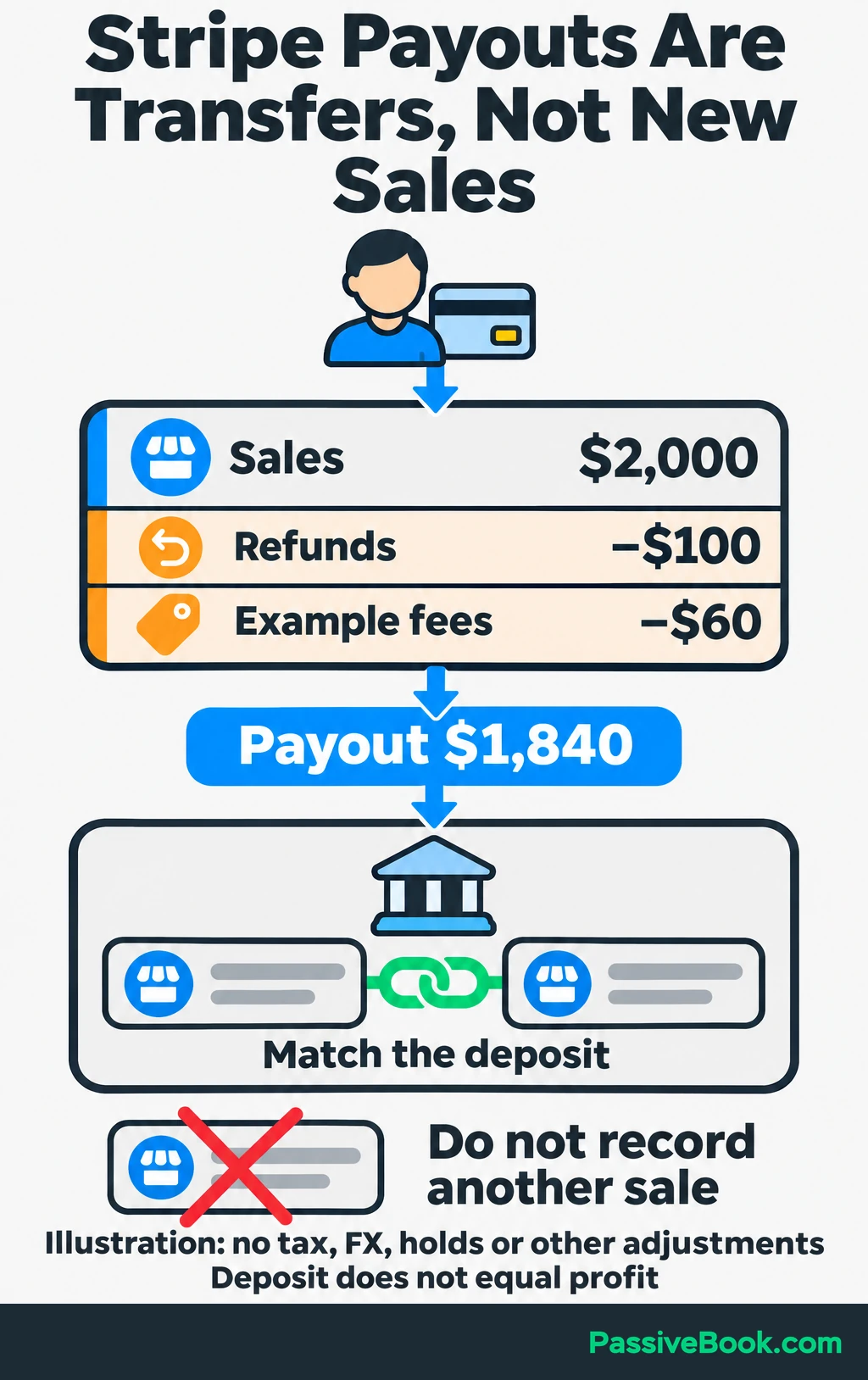
Connect your bank and sales or payment sources using the agreed import dates. Preserve transaction IDs, dates, currencies and refund references. Give each connection only the permissions it needs, and keep payment authority separate from access used to import records.
Use a processor clearing account to track money held by Stripe. Think of it as a place in the books for customer funds that haven’t reached your bank. Successful customer payments add to it, while refunds, fees and payouts reduce it.
Here is how one settlement could work. We’re counting customer sales, then subtracting refunds and assumed processing fees to explain the deposit:
| Component | Illustrative Amount |
|---|---|
| Sales | $2,000 |
| Refunds | −$100 |
| Processing fees | −$60 |
| Bank deposit | $1,840 |
This assumes everything settles together, with no collected tax, currency conversion, holds or other adjustments. The fees are example figures, not Stripe’s published rates.
Record the components separately. The $1,840 deposit is neither gross sales nor profit, and recording it as another sale would overstate income.
For Stripe automatic payouts, the itemized payout reconciliation report identifies the payments, refunds, fees and other transactions included in each payout.
Test a sale, a refund and a repeated import. Each should produce the intended records once. Money still held by the processor should remain visible even when it crosses into the next reporting period.
Automate Billing and Payment Follow-Up
Choose billing that matches how customers buy.
The sewing-pattern shop normally collects payment at checkout, so it doesn’t need an invoice-chasing workflow for those purchases.
If the shop later sells pattern licences to sewing schools on credit, invoices become useful. Define the event that creates an invoice, the agreed amount, its due date and the reminder schedule. Confirm the customer’s email address and send the invoice before reminders begin.
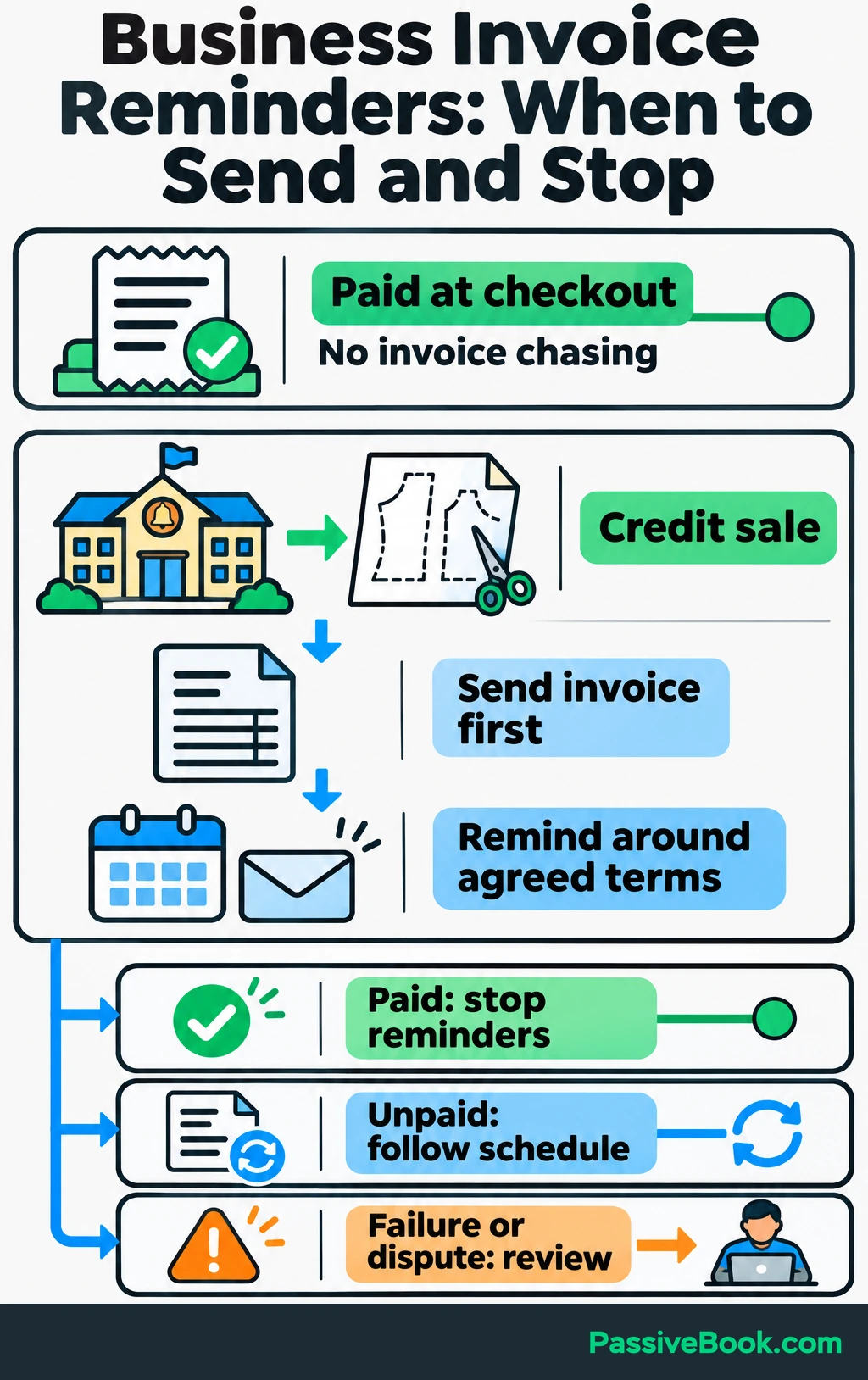
A simple schedule might send a reminder shortly before payment is due and another after it becomes overdue. Choose the timing around your terms and customer relationship.
Match successful payments to the correct invoice and stop reminders once payment is recorded. Send failed payments and disputes for review rather than continuing the same sequence.
Test both an unpaid invoice and a paid one.
Also distinguish a recurring invoice from an automatic charge. Sending a new invoice each month doesn’t itself collect payment. Charging a saved payment method requires the customer authorization specified by the provider. For Stripe, that includes agreement covering the intended future charges and a retained record of that agreement. Stripe’s saved-payment guidance
3. Automate Bookkeeping Records
Capture Receipts and Categorize Familiar Transactions
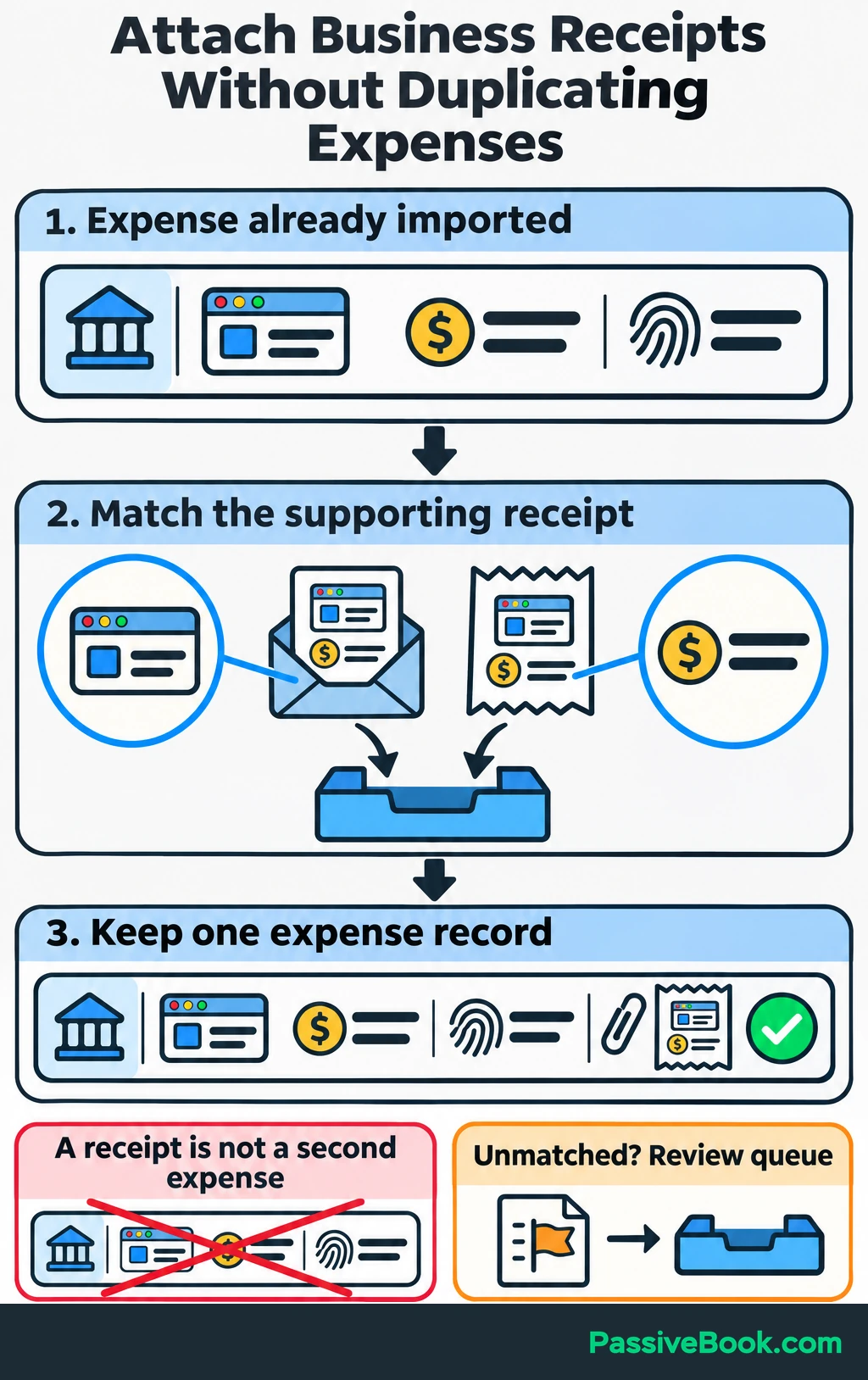
Give receipts one place to arrive. Use your accounting system’s receipt inbox or a dedicated collection folder, and forward emailed invoices there. Photograph paper receipts while you still have them.
The next step is matching. A receipt should support the expense already imported from your bank or card account. It shouldn’t create a second expense.
Build narrow categorization rules using information you can verify:
- The account the charge came from.
- The supplier description.
- The expected amount or amount range.
- The appropriate expense category.
For the sewing-pattern shop, a verified monthly design-software charge could go into the software category. A rule that sends every purchase containing “design” into software would be much less dependable.
Run rules in review mode first. Check which transactions they catch and which they miss. Only enable automatic posting for predictable transactions you can clearly identify. Automatic posting accepts matching entries into the books without another review.
Send unfamiliar suppliers, unexpected amounts, missing documents and unclear purchases to one exception queue. That can be the accounting system’s review list. You don’t need a separate app to maintain a list of things you haven’t dealt with.
Keep supporting documents for the period required by your tax authority. For U.S. businesses, the IRS recordkeeping guidance explains which documents support entries and confirms that electronic records must meet the same basic requirements as paper records.
Use AI to Prepare Entries for Review
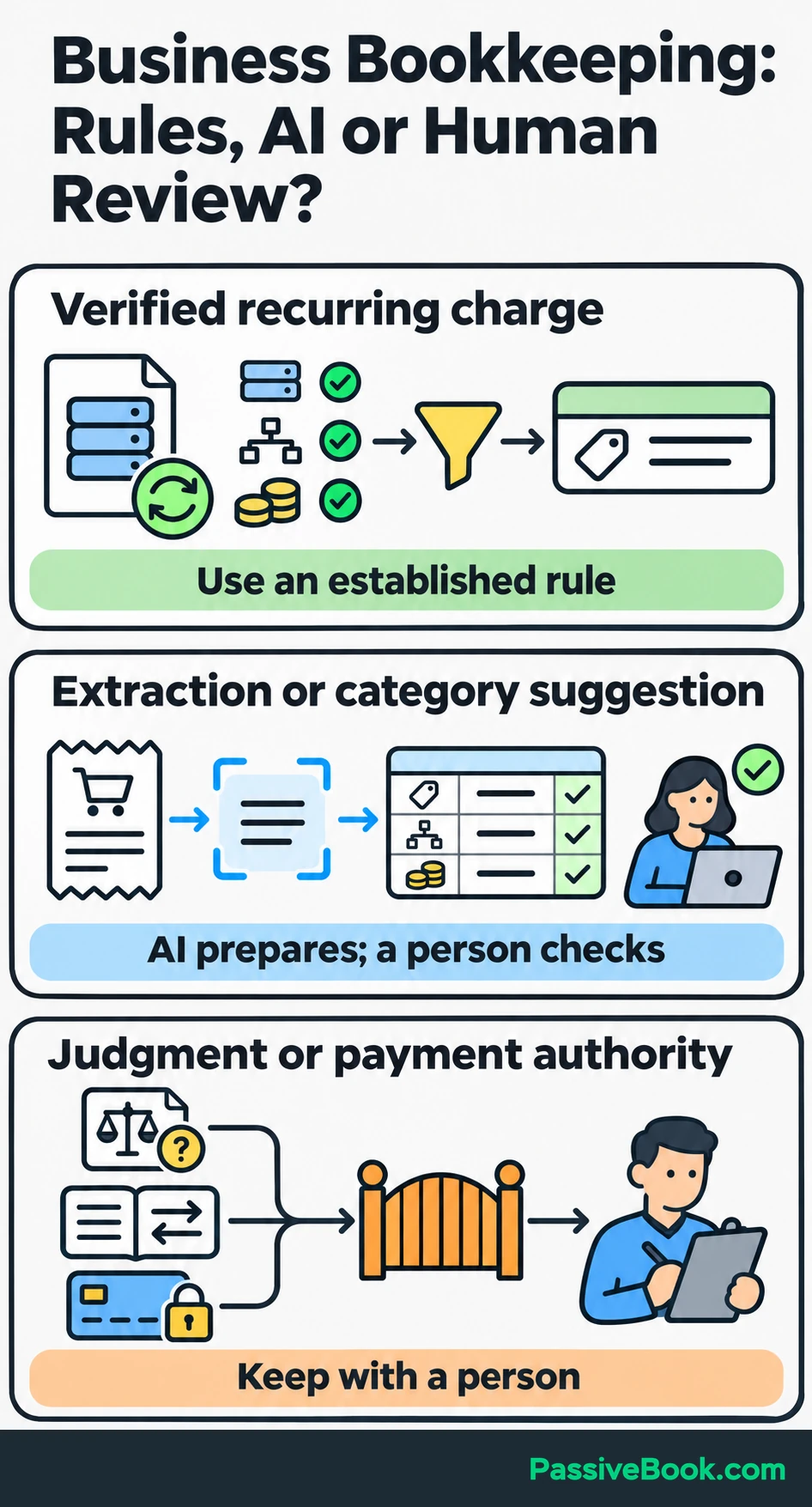
I would give AI a small, clearly defined job: extract receipt details, suggest categories from an approved list or summarize unresolved transactions.
Use established rules for predictable recurring charges. There’s little value in asking AI to reconsider the same verified hosting bill every month.
A useful instruction is:
Suggest categories using only this approved list: [insert categories]. Preserve transaction IDs, original amounts and currencies. Flag uncertain entries instead of guessing. Return totals separately for each currency so I can compare them with the source records.
Before posting, compare extracted amounts, currencies, dates and supplier names with the documents. Check the category suggestions too. A correctly copied amount can still belong in the wrong account.
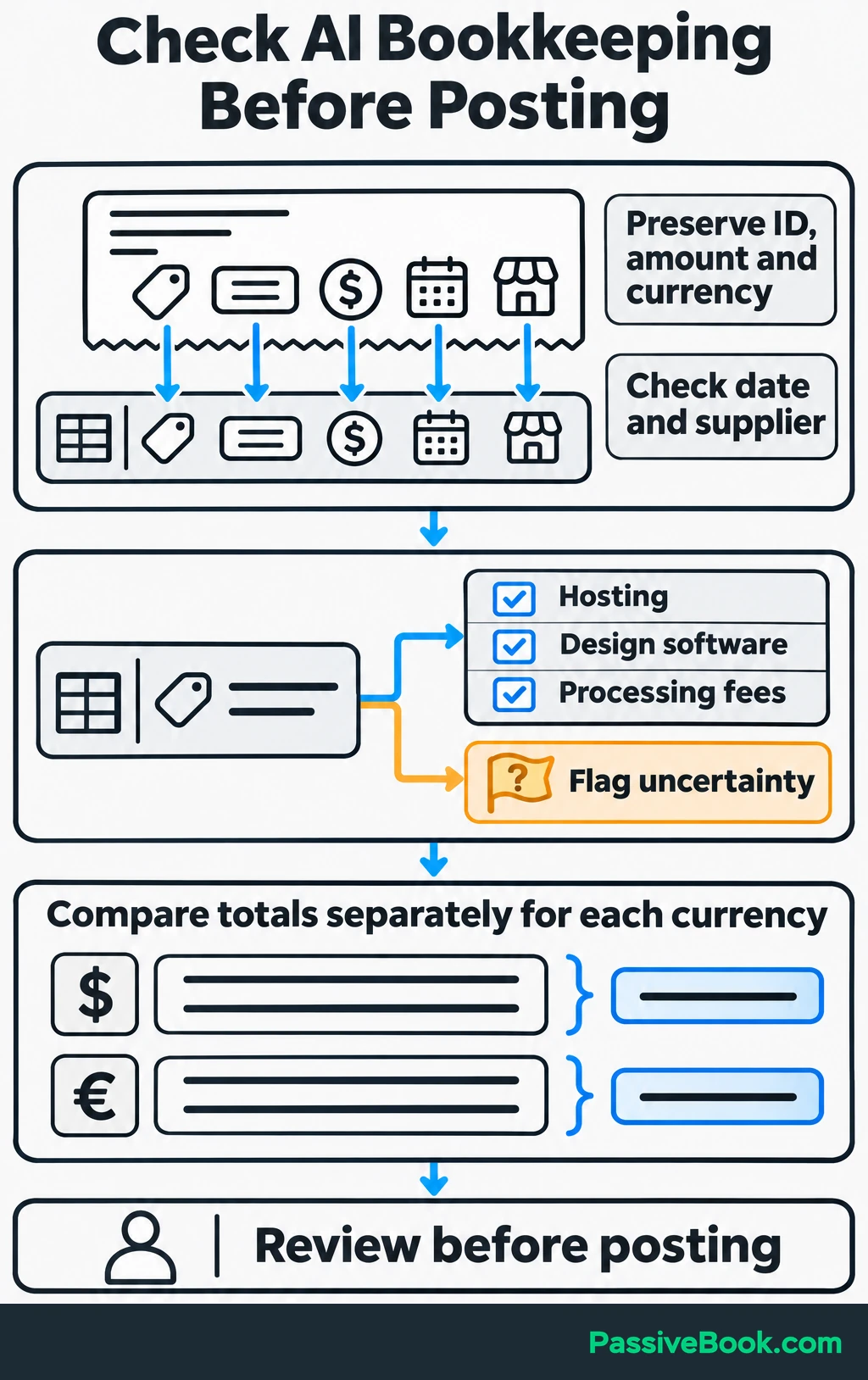
Keep payment authority, unusual accounting adjustments and uncertain tax classifications with a person. Bring in a bookkeeper or accountant when the decision needs expertise.
Before uploading financial documents, check the service’s storage and data-use terms. Prefer a tool approved for the information you’re sharing, and provide only what the task requires.
4. Turn Financial Records Into Cash-Flow Alerts
Once records are flowing reliably, use them to answer a practical question: can you cover what comes next?
Build a short cash view showing:
- Operating cash available now.
- Unsettled processor funds and expected arrival dates.
- Customer receipts you expect to collect.
- Upcoming bills and scheduled payments.
- Tax reserves.
- Unresolved transactions and the last successful data update.
Keep reserved money outside the amount shown as spendable operating cash. Count each expected receipt once: a Stripe payout already includes the customer payments it settles.
Forecast by expected receipt and payment dates. Start with available cash, add incoming money and subtract outgoing payments. The closing balance becomes the next period’s opening balance, following the structure in Business Queensland’s forecasting guidance.
For the sewing-pattern shop, let’s count operating cash available at the start of the week, its expected Stripe payout and payments scheduled during that week:
| Cash Movement | Illustrative Amount |
|---|---|
| Opening operating cash | $1,000 |
| Expected Stripe payout | +$1,840 |
| Scheduled outflows | −$2,200 |
| Projected closing operating cash | $640 |
Suppose the shop sets an $800 cash floor. The forecast is $160 below that floor, so it should trigger a review before more discretionary spending is approved.
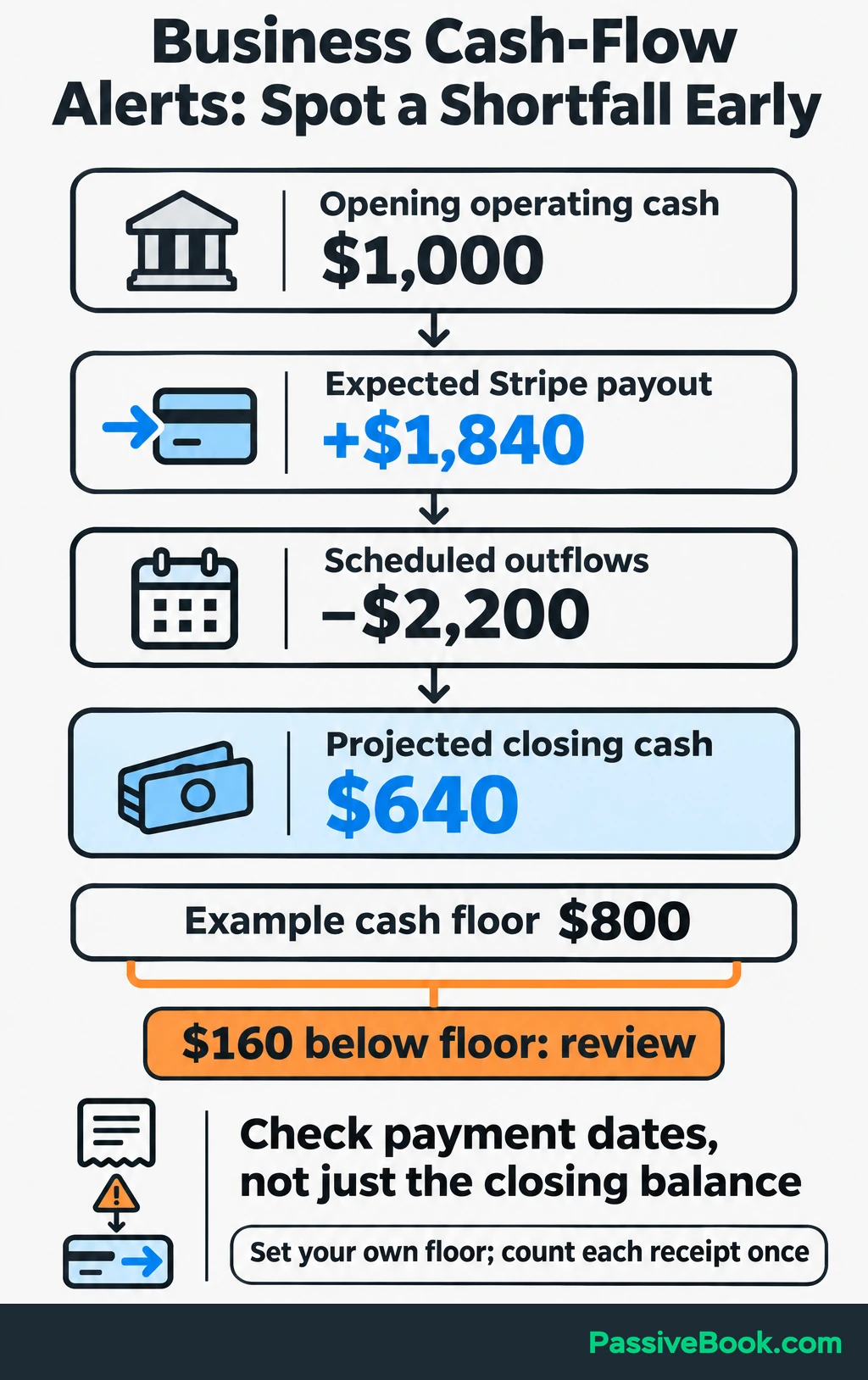
Choose your floor around commitments due before the next reliable inflow and how long you need to respond. Don’t copy the example’s $800.
Timing matters within the week too. A positive Friday balance won’t cover a bill due Tuesday if the payout arrives Thursday. Check balances around payment dates and test what happens if the payout arrives late.
You can use our Business Cash Planner to check the dates as well as the totals. It shows when your cash could fall below your floor and whether a planned purchase still fits if receipts arrive late.
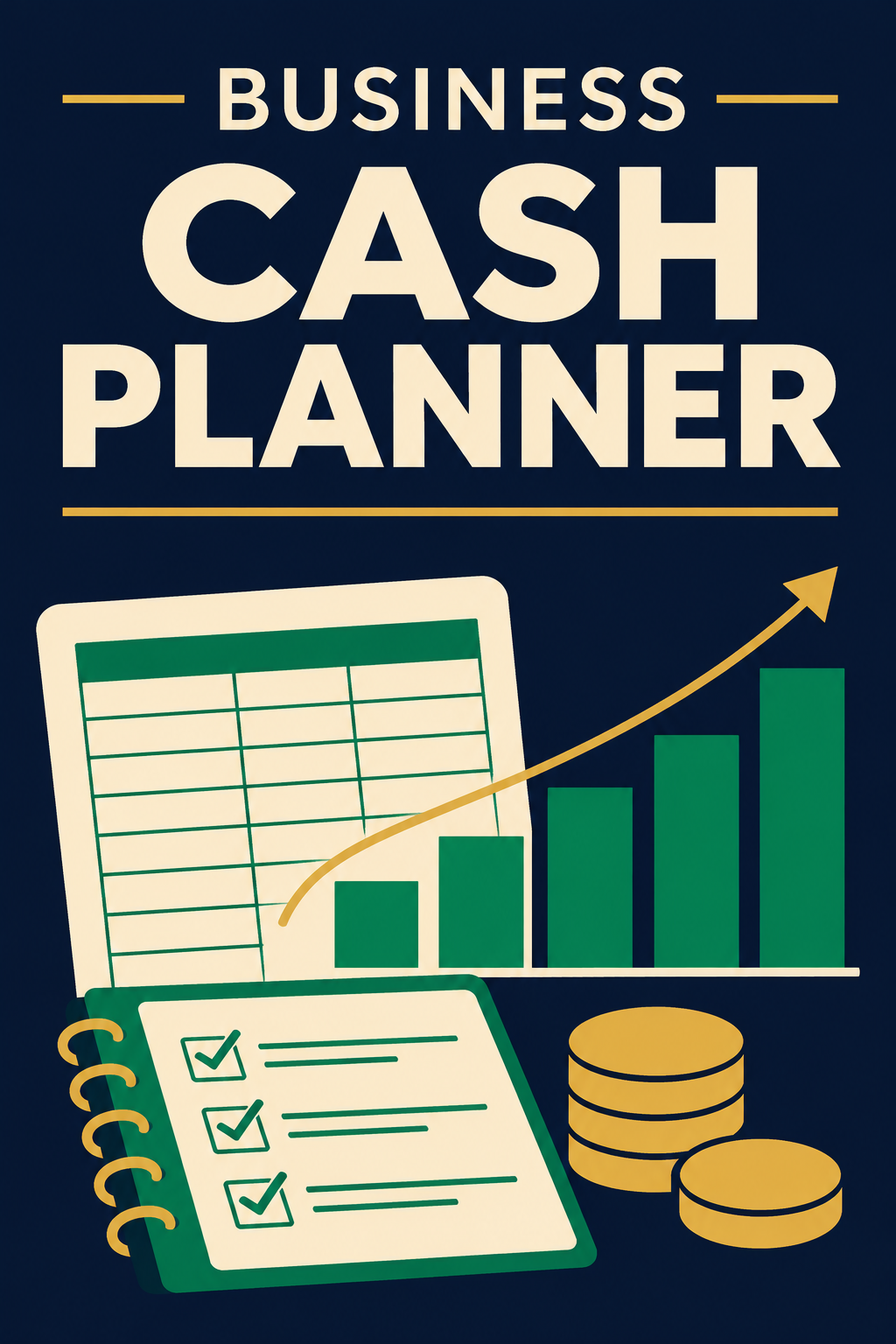
Free Business Cash Planner




For an operating-account forecast, count transfers into a tax-reserve account as outflows. Don’t subtract the same reserve again from the closing operating balance.
If your accounting tool can refresh this forecast and send threshold alerts, use that feature. Otherwise, use Make or n8n to update a spreadsheet from your accounting records and expected payout dates each day. Use formulas to calculate the running balance by date, and have the workflow alert you when it falls below your floor.
Also flag failed payments and stale connections. Each alert should point to an action: investigate a payout, follow up on an invoice, defer optional spending or review a scheduled payment.
A warning that the bank connection stopped updating deserves attention even when the last reported balance looks comfortable.
5. Schedule Bills and Tax Reserves With Approval Limits
Start by capturing each bill’s supplier, amount, due date, payment account and supporting document. Keep a bill awaiting payment distinct from money already withdrawn.
I would begin autopay with familiar, predictable expenses, such as the sewing-pattern shop’s hosting subscription. Check the forecast first, then turn on upcoming-payment and failed-payment alerts.
Set approval rules before expanding:
| Payment Condition | Required Action |
|---|---|
| Familiar supplier and expected charge within your limit | Allow the approved payment schedule |
| New payee | Review the supplier and payment instructions |
| Changed bank details | Verify through a previously trusted contact method |
| Unexpected amount | Check the bill and underlying agreement |
| Amount above your chosen threshold | Require explicit approval |
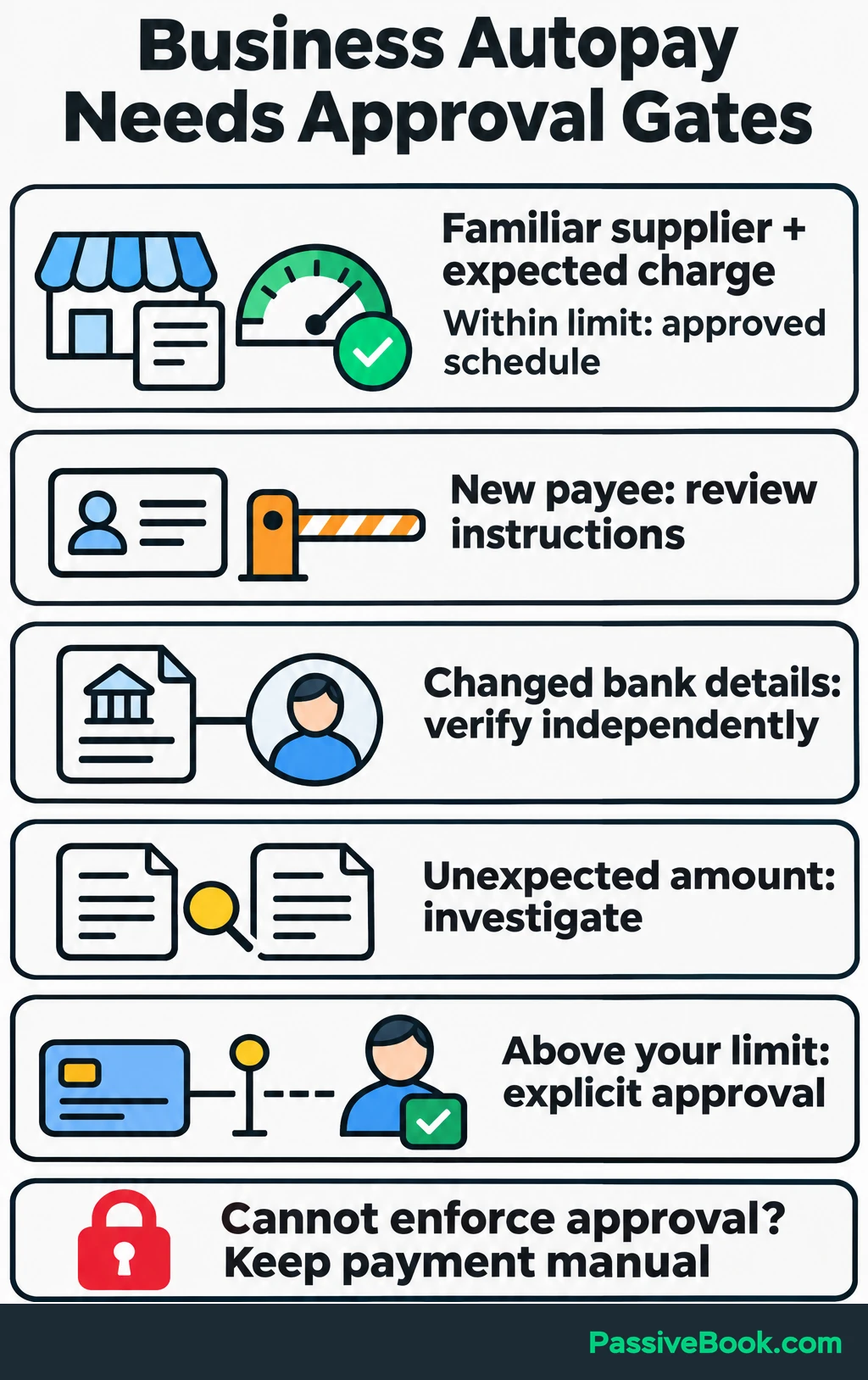
Choose a threshold that reflects how much an incorrect payment would hurt the business. If the tool can’t enforce the approval you need, leave that payment manual.
Test duplicate-bill handling. If an action fails, check the payment’s actual status before submitting it again. A workflow error doesn’t always mean the money stayed put.
For tax reserves, use an informed estimate of your likely liability. Schedule transfers from cleared funds and check them against the cash floor. If the transfer would create a shortage, raise an alert and review the funding plan before the tax deadline.
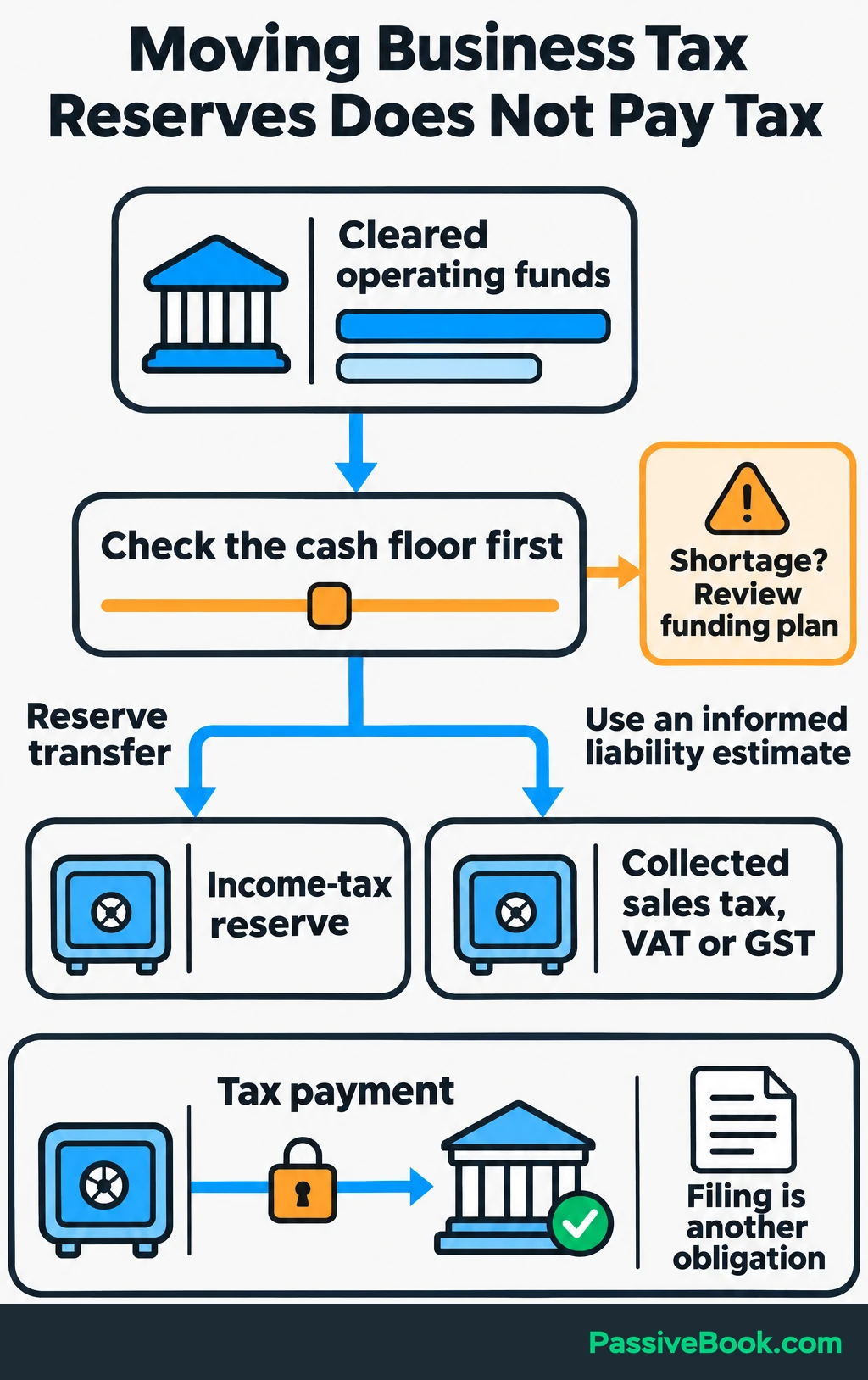
Track income-tax reserves separately from sales tax, VAT or GST collected for payment to the relevant authority. Moving money into a reserve account doesn’t pay any tax bill.
Add confirmed filing and payment deadlines to recurring reminders. U.S. owners can use the IRS estimated-tax guidance to determine payment needs, including how employment withholding affects their position.
I would skip a universal “save this percentage of every sale” rule. Your margins, location and other income matter, so the transfer amount needs a basis beyond a tidy number.
6. Review Exceptions and Reconcile Regularly
Automation should leave you with a focused review routine.
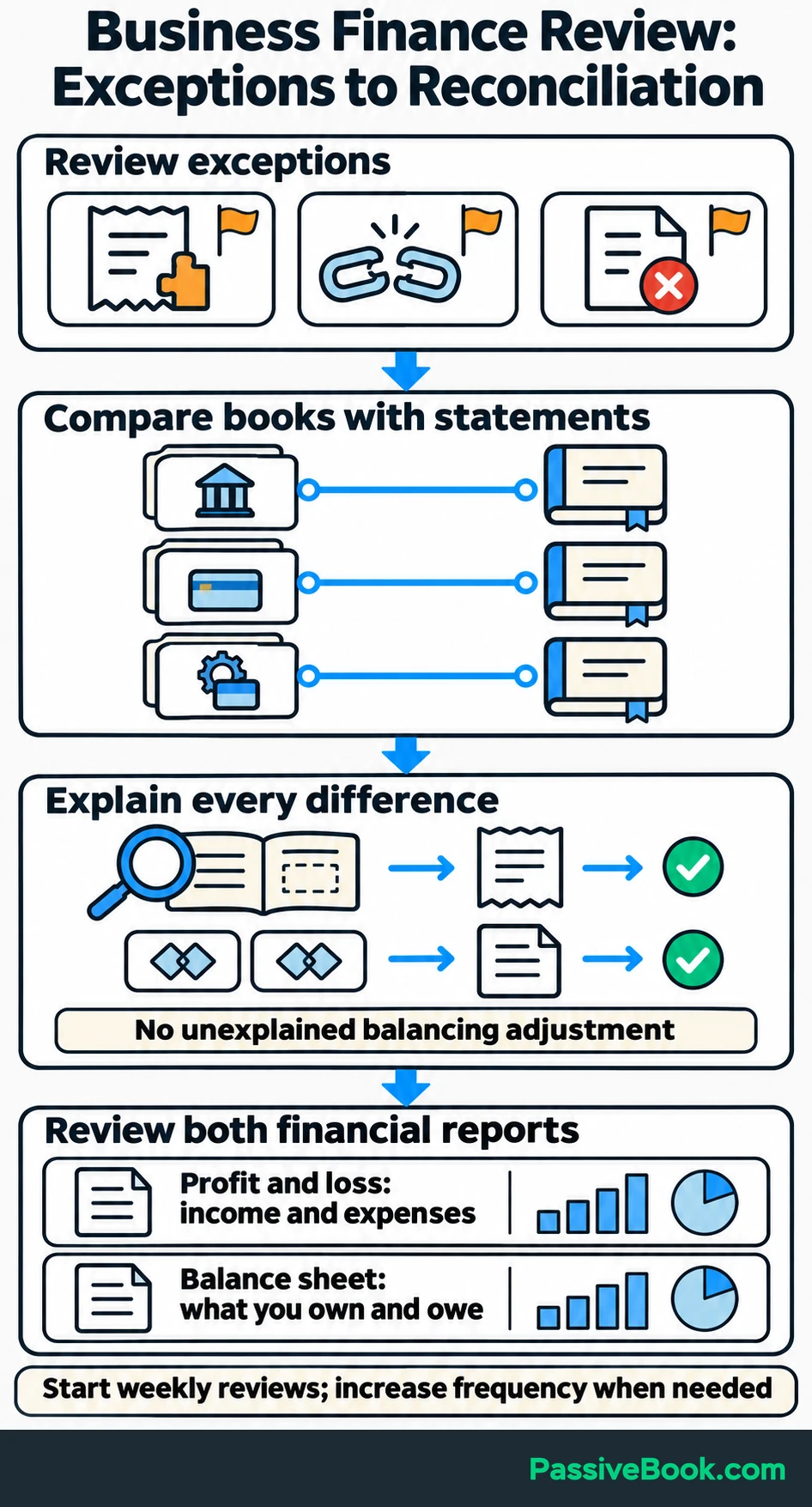
I would start with a weekly check of the exception queue, upcoming payments and cash forecast. Increase the frequency when transaction volume or payment deadlines require it. Resolve missing receipts, unmatched payouts and failed imports before they accumulate.
Reconcile bank, card and processor accounts to their statements. Reconciliation means comparing your records with those statements and explaining the differences.
For the sewing-pattern shop, that includes checking that Stripe activity explains the processor balance and that payouts match bank deposits. Investigate missing, duplicate or incorrectly matched entries. Don’t force an unexplained adjustment just to finish.
After reconciliation, review the profit-and-loss report and balance sheet. The first shows income and expenses over a period; the second shows what the business owns and owes at a point in time. Together, they provide context a bank balance cannot.
In my content automation work, I once connected a new step before deciding what should happen if the same item arrived twice. I ended up cleaning up repeated work by hand. That experience is why I would define retry behavior before using a custom connection for financial records.
For a partially completed run, check whether the destination record already exists before trying again. Use the original transaction ID to help identify it, and send execution failures to your exception queue. n8n supports error workflows that can send failure notifications.
Keep recoverable exports of transactions, supporting documents, processor statements and tax-payment confirmations. Write down how to pause each connection and handle its task manually during an outage.
Finally, compare the total work before and after automation. Include setup maintenance, review time and corrections when comparing similar tasks and periods. A workflow that saves entry time but creates more cleanup needs fixing before you expand it.
Bring in a bookkeeper or accountant when differences persist or new obligations exceed the setup. You can automate routine work and still get help with the decisions that need it.
What Next?
Pick one recurring task today and write down its trigger, expected result and human checkpoint. Test it with one ordinary transaction and one failure before switching it on.
Use the social buttons to share this guide when you’re comparing ways to cut finance admin while keeping bills and records under control.
Which finance task takes the most time in your business, and what would you need to check before trusting it to run automatically? Share your answer—or any other questions—in the comments.
Share this post with your friends & followers:

