A customer wants to call about an order, but the only number you can offer is your personal mobile. Share it and business calls follow you everywhere. Leave it off your website and customers have one fewer way to reach you.
A separate business number solves that problem without requiring another phone. The harder part is choosing a service that rings reliably, supports the messages you need, and doesn’t hide extra costs behind a cheap starting price. Here’s how to make that choice and get your number ready for customers.
How Does a Virtual Business Phone Number Work?
A virtual number connects to a provider’s service instead of one fixed phone line. Customers dial it like any other telephone number, but you decide where calls go.
Many services use VoIP, which means Voice over Internet Protocol. It carries calls over the internet, so you can answer through an app on your phone or computer using Wi-Fi or mobile data. Some services also forward calls to an existing mobile or landline.
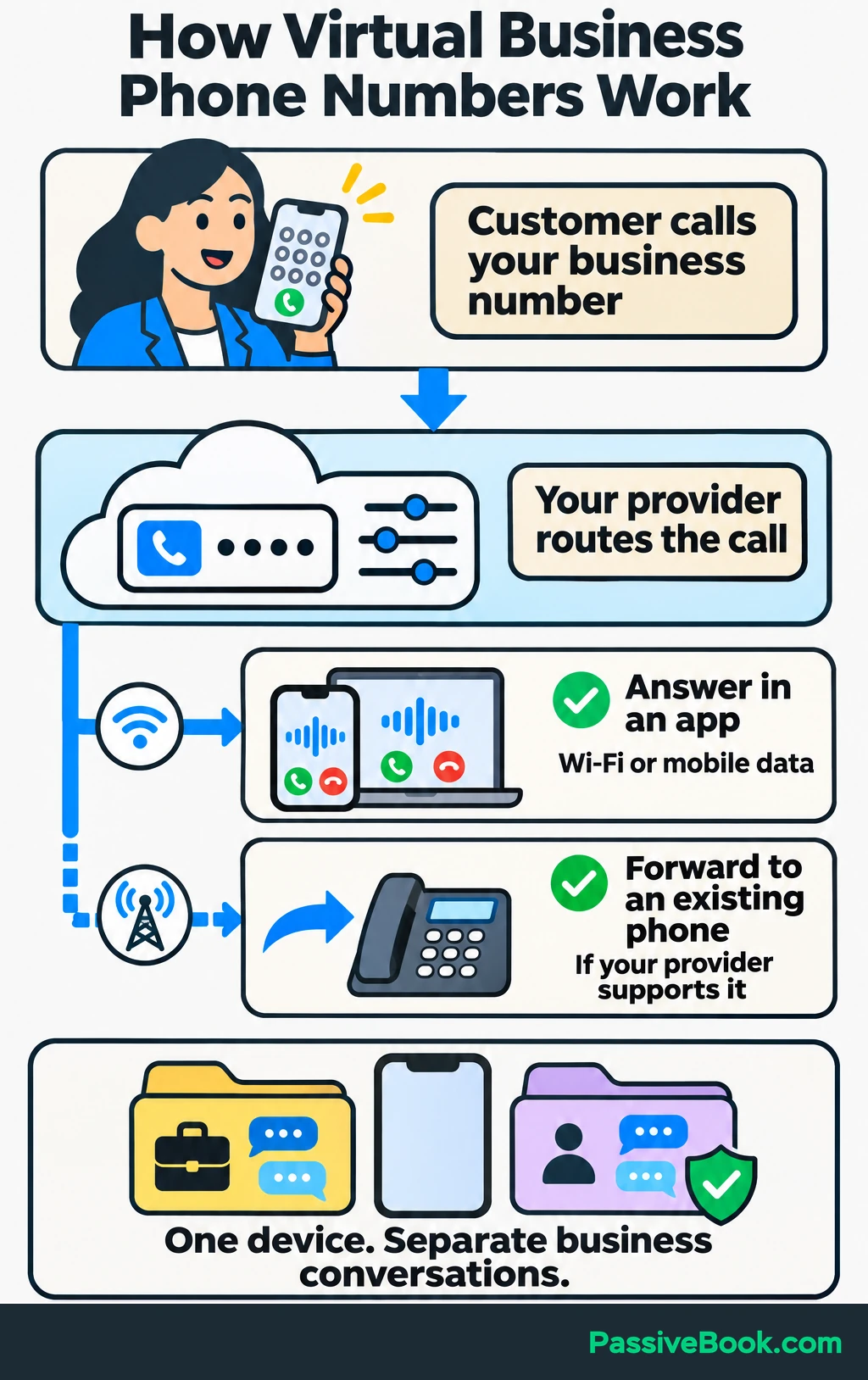
That lets you keep your current phone while separating business calls, messages, and voicemail from personal conversations.
A virtual number can serve as the customer contact line for an LLC or online business. Don’t assume it will also work for every bank, filing, or verification code. Check the receiving organization’s requirements before relying on it for those purposes.
Throughout this guide, we’ll follow Trail Pocket Bags, a US-based online bicycle-bag shop that also offers local pickup. It needs a number for product questions and order support. Its choices and costs are illustrations.
1. Choose Your Business Number
Before browsing available numbers, write down three things:
- The country where you need a number.
- The country where you or your business will open the account.
- The countries your customers will call from and where you’ll call or text.
A provider offering US numbers may still have account restrictions that affect an owner elsewhere. Confirm all three before comparing prices.
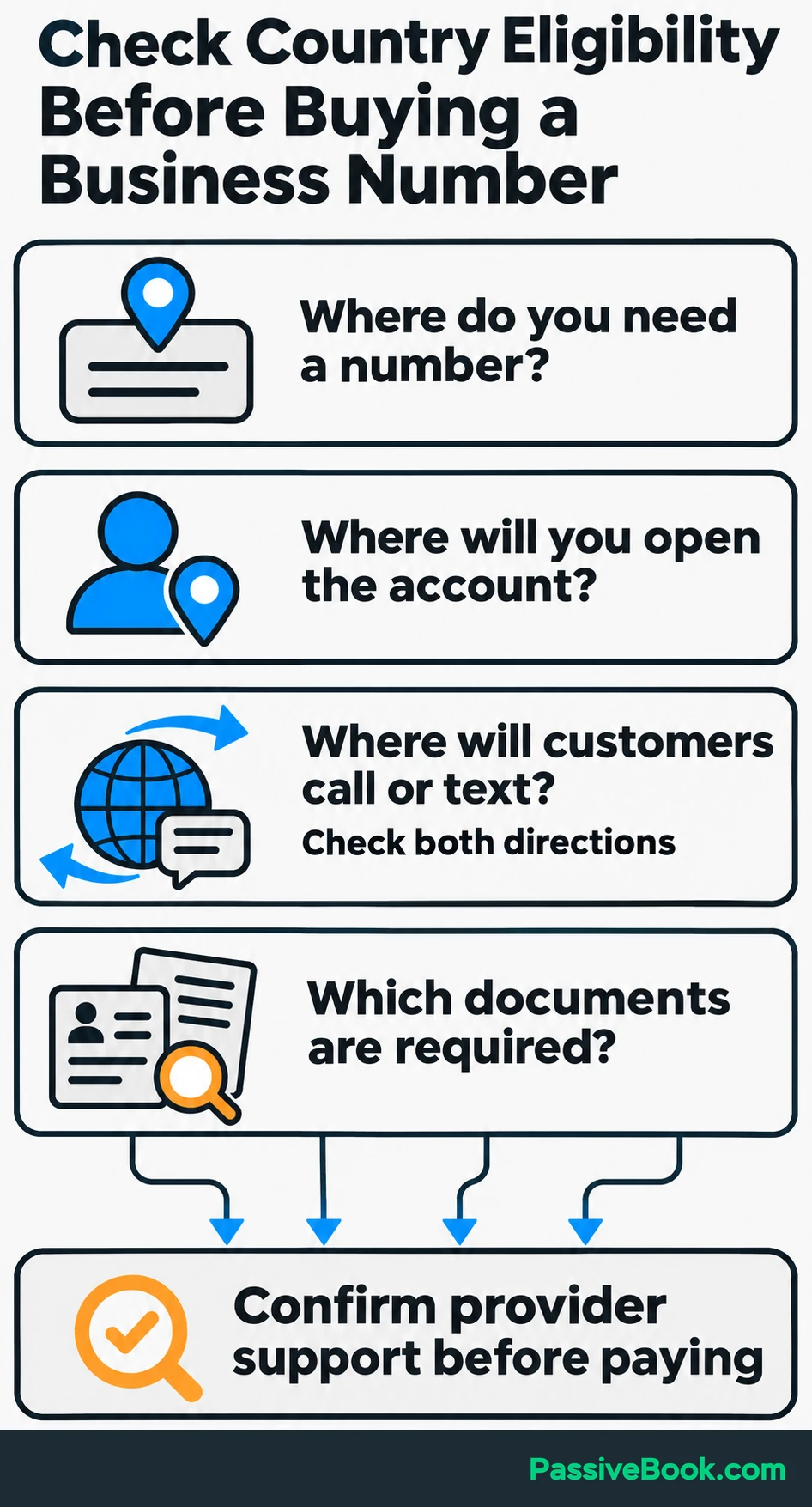
Also check which identity and address documents you’ll need. Requirements vary by country and number type, as Twilio’s country-by-country guidelines show. Ask your chosen provider what it requires before paying.
Then choose between a local number, a toll-free number, or transferring a number you already use.
| Number Choice | When I Would Choose It | What to Check |
|---|---|---|
| Local number | A recognizable area code suits your customer base. | Availability in that area and support for your calling and texting destinations. |
| Toll-free number | Customers across its supported region need to call without toll charges. | Incoming-call allowances, charges to your business, and access from customers’ countries. |
| Existing business number | Customers already have it saved or it appears on your packaging and website. | Whether the new provider can accept the transfer. |
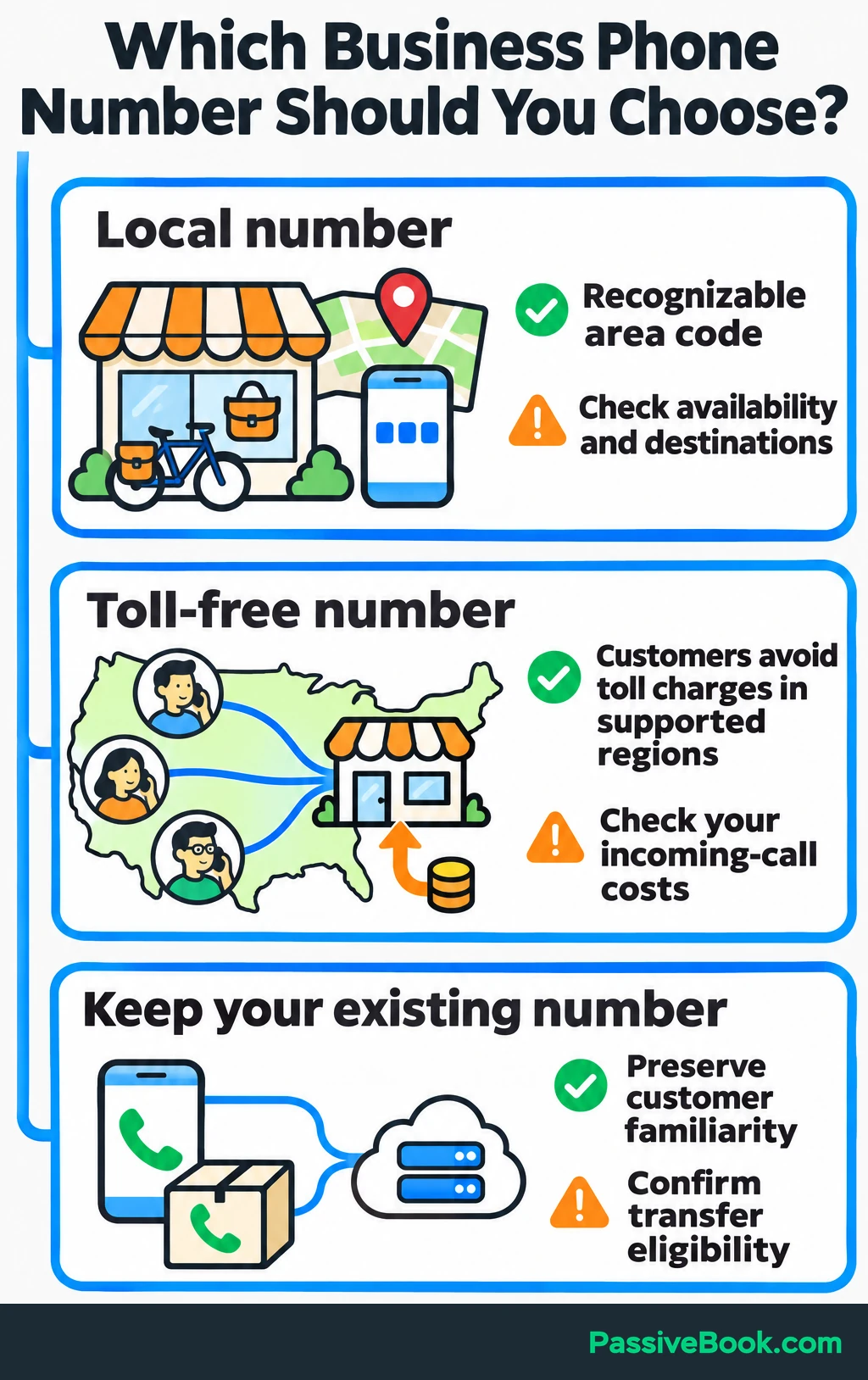
For Trail Pocket Bags, I would start with a local number because local pickup is part of the shop’s service. I wouldn’t pay extra for a toll-free number just to look bigger.
If the shop already had a widely used business number, keeping it would matter more than choosing a nicer-looking one.
2. Choose a Provider That Fits Your Needs and Budget
When comparing virtual phone numbers for business, start with the conversations you need to handle. A long feature list won’t tell you whether the service fits your day.
Write a short requirements list:
- How many people need to answer calls or messages?
- Will they use phones, computers, or both?
- Do customers need ordinary texts, picture messages, or calls only?
- What should happen when nobody answers?
- What should happen when another customer calls while you’re already talking?
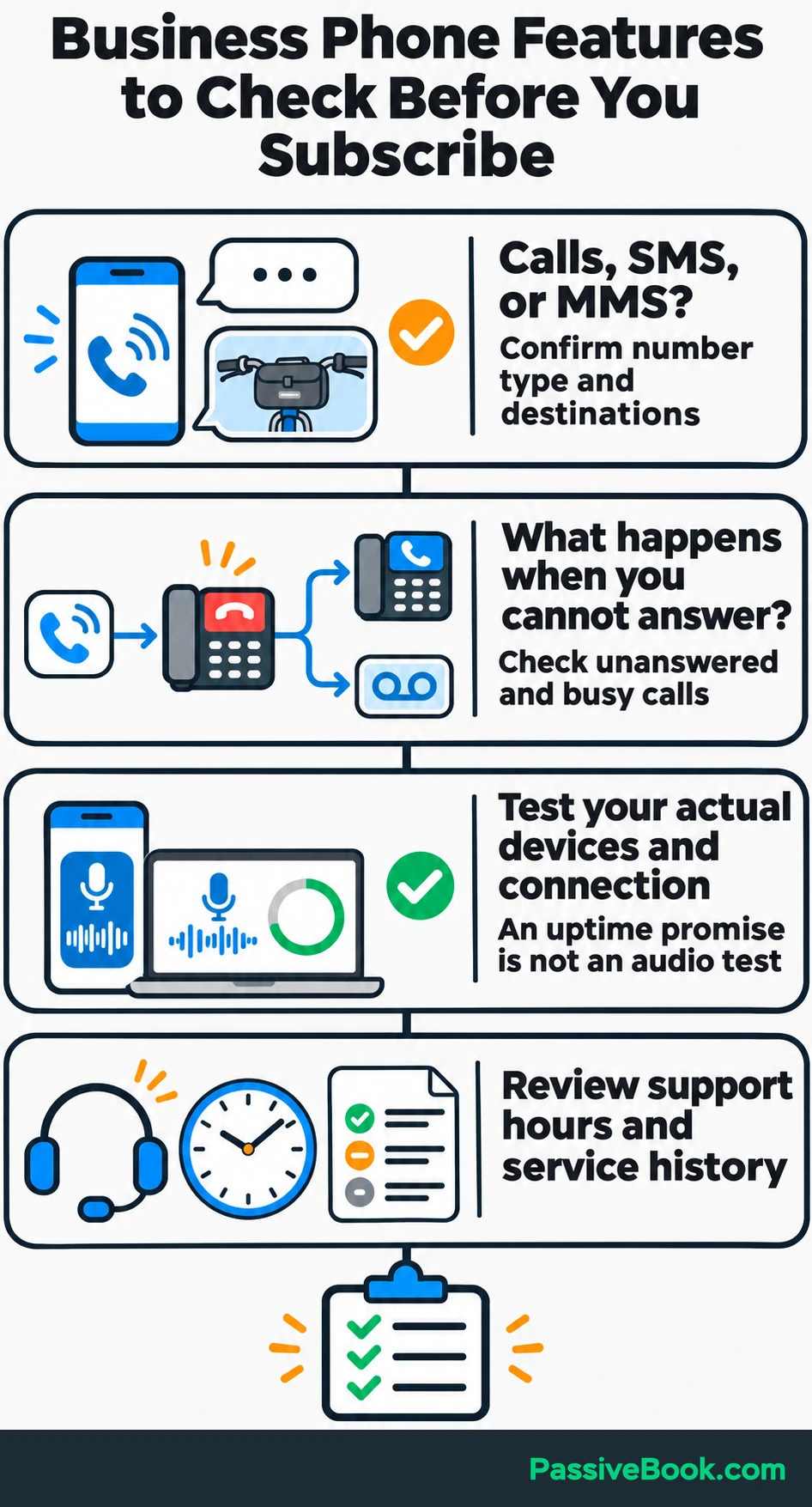
Ordinary text messages are usually called SMS. Picture messages use MMS, and support can differ by number type and destination. If customers will send product photos, confirm that exact use.
Count people separately from devices. One person answering on a laptop and a phone may need only one user license. An extension is an internal number for reaching a person or group, such as order support. It doesn’t automatically give you another user account or public number.
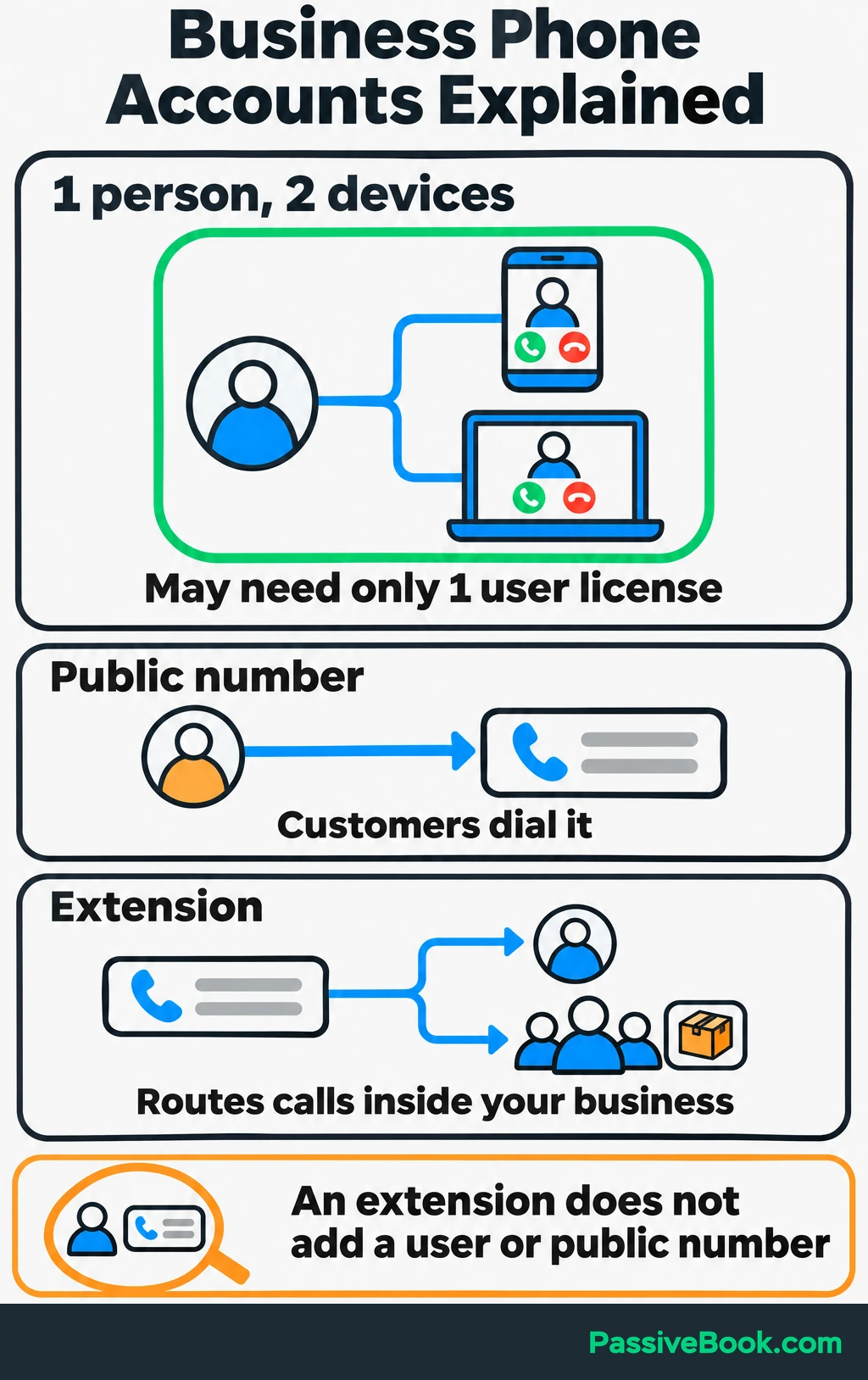
For Trail Pocket Bags, the starting requirements are simple: one person, one number, phone and computer access, voicemail, and customer texting. Shared access becomes necessary when another person starts helping.
I would also review the provider’s support hours and public service-status history. Those are useful checks, but an uptime promise doesn’t prove calls will sound clear on your home Wi-Fi. Test the service where you’ll actually answer.
Can You Get a Free Virtual Business Number?
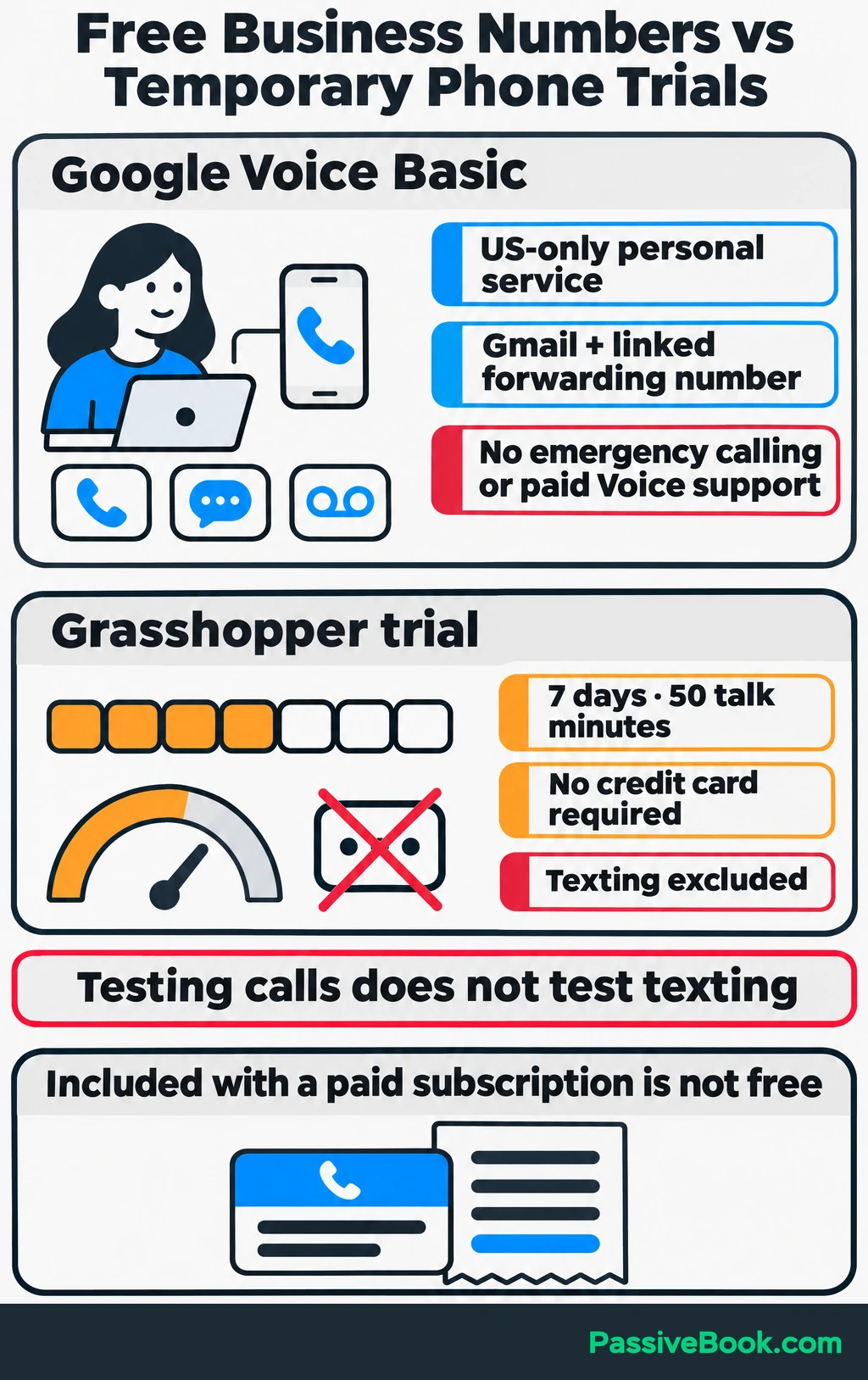
Yes, but distinguish an ongoing free plan from a temporary trial. A number included with another paid subscription isn’t free either.
Google Voice Basic is a no-charge, US-only personal consumer service. It requires a personal Gmail account and a linked forwarding number. It includes calling, texting, and voicemail transcription, but lacks emergency calling and paid Voice support. Those distinctions appear in Google’s subscription comparison.
I’d consider a free service only if I’m eligible, control the account, and can handle customer calls and messages on the devices I use. Include your existing mobile service and data costs in that decision.
A trial serves a different purpose: it lets you check whether answering calls feels manageable.
For example, Grasshopper’s seven-day trial requires no credit card and includes 50 talk minutes, but excludes texting. Trail Pocket Bags could test ringing, audio, and voicemail with it. That trial wouldn’t establish whether customer texting works.
Before sharing any trial number publicly, check when it expires, whether billing starts automatically, and what happens to the number if you don’t subscribe. I would keep a trial number off packaging and other materials that are expensive to change.
Compare a Small Shortlist of Paid Services
These options are useful starting points for US or Canadian number needs. Confirm account eligibility separately, especially if you operate from another country.
The table shows standard subscription prices in USD before taxes and additional fees. Annual payment means the amount paid for the year, rather than an advertised monthly equivalent. Follow the provider links for current terms.
| Provider and Plan | Suitable Use | Monthly Billing | Annual Payment | Included Users and Numbers | Device Access | Important Feature Restrictions |
|---|---|---|---|---|---|---|
| Google Voice Starter standalone | One eligible US user needing a basic paid line | $10 | No separate annual offer listed | One user and one number | Mobile app and computer browser | Personal Gmail required; no paid Workspace subscription needed. Shared ring groups aren’t included. |
| Grasshopper True Solo | One person handling a business line | $18 | $168 | One user, one number, one extension | Mobile and desktop apps | One-user plan; texting requires registration. |
| Grasshopper Solo Plus | Several people sharing one business number | $32 | $300 | Unlimited users, one number, three extensions | Mobile and desktop apps | Extra users don’t mean extra public numbers; texting requires registration. |
| Quo Starter, formerly OpenPhone | A small team sharing customer calls and texts | $19 per user | $180 per user | One local or toll-free number per user; a shared number supports up to 10 paid users | Mobile, desktop, and browser | Phone menus and call transfers require Business; messaging registration and fees apply. |
Google’s standalone plan is US-only. Its multiuser Workspace editions require a paid Workspace subscription, so don’t use the standalone price to budget for a team.
For the shop’s one-person setup, I would compare Google Voice Starter and Grasshopper True Solo first. If shared customer texting were already essential, I would add Quo to that comparison. If several people mainly needed to share one line, Grasshopper Solo Plus would deserve a closer look.
Calculate the Full Cost Before Subscribing
Count everything needed to run your chosen setup, including charges that sit outside the subscription.
Your recurring bill may include:
- Licenses for everyone who needs access.
- Extra phone numbers.
- Calls outside included destinations or allowances.
- Messaging fees and required add-ons.
- Taxes and other service charges.
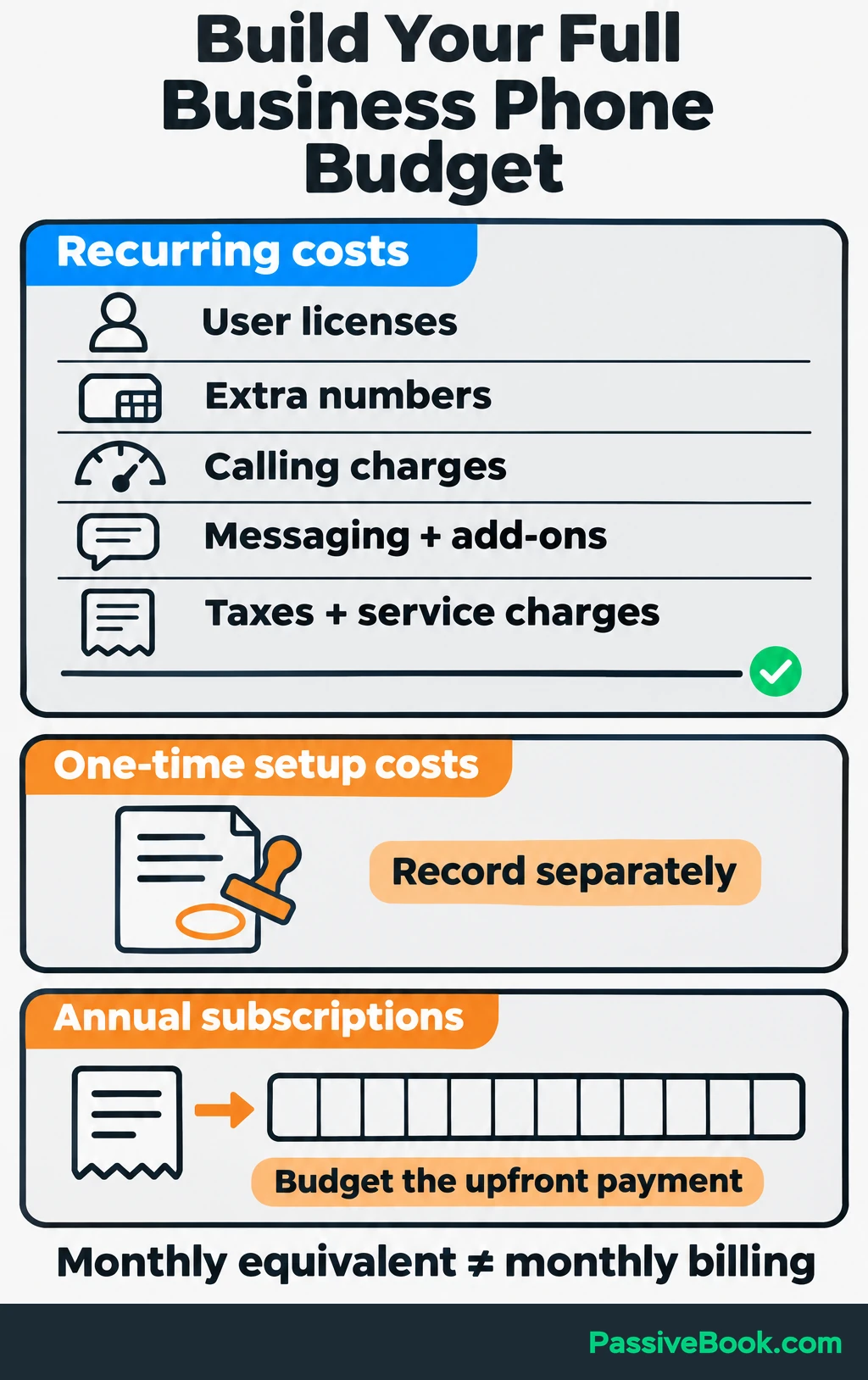
Keep setup charges separate, and record annual subscriptions as upfront payments.
For example, Quo lists a one-time messaging registration charge of $19.50 and a recurring messaging fee of $1.50–$3 per month on its pricing page above.
Suppose Trail Pocket Bags chooses one monthly Starter subscription and qualifies for the $1.50 messaging fee. The example counts one user, one included number, and that messaging charge:
- Subscription and messaging: $19 + $1.50 = $20.50 per month.
- First month with registration: $20.50 + $19.50 = $40.
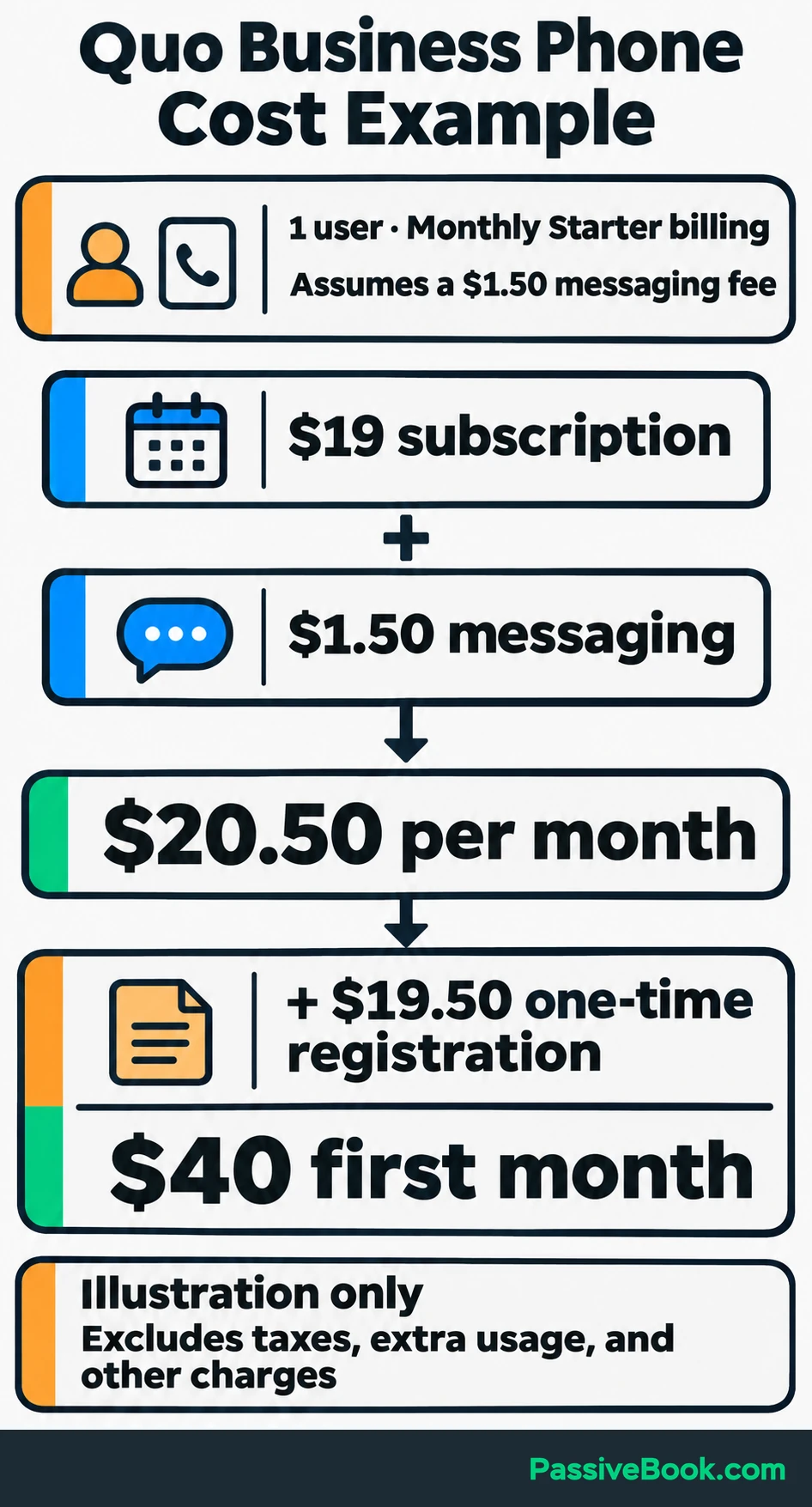
Those totals exclude taxes, additional usage, and other charges. They show how a subscription price becomes a working budget.
Before committing, check cancellation terms, destination rates, toll-free allowances, and transfer-out requirements. I would choose annual billing only after testing the workflow. A discount is less exciting when you’re stuck with a service you avoid using.
Once two services pass your tests, compare what you’ll actually pay over the same period. Include the setup and messaging charges you’ve confirmed, not just the advertised subscription.

Free Software Cost Calculator




3. Activate a New Number or Transfer Your Existing One
Create the account with an email address you control for the business. Secure the login, enable two-factor authentication where available, and save the recovery details.
Treat calling and texting as separate setup tasks. A number receiving calls doesn’t prove it can send customer messages.
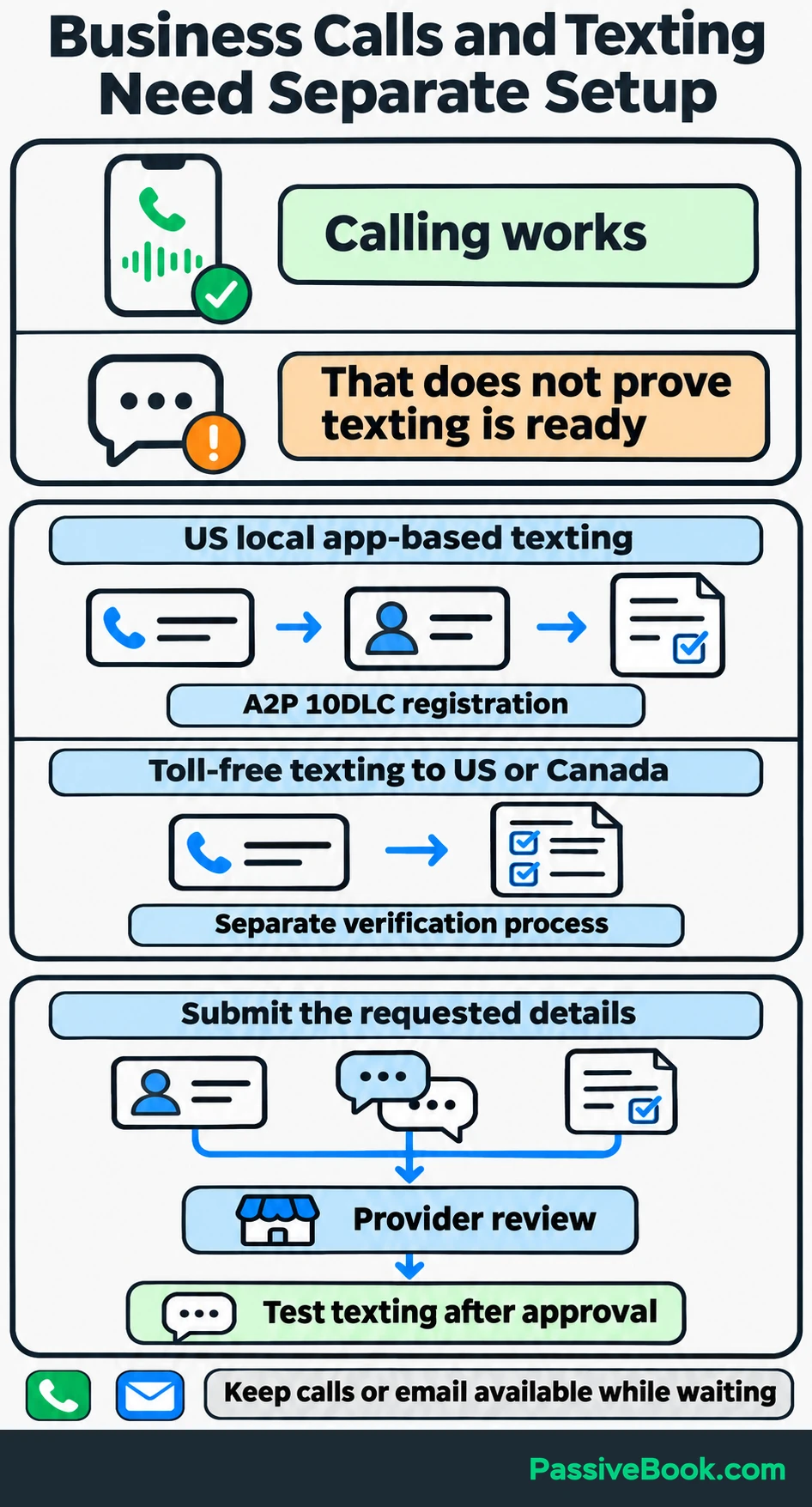
For US local app-based business messaging, providers use a registration process called A2P 10DLC. It identifies the business and how it will use texting. Toll-free messaging to the US or Canada uses a separate verification process. Twilio’s registration overview explains that distinction.
Complete your provider’s requested business details, message examples, and information about how customers agree to receive texts. Keep calls or email available until messaging is approved and tested.
Get a New Number
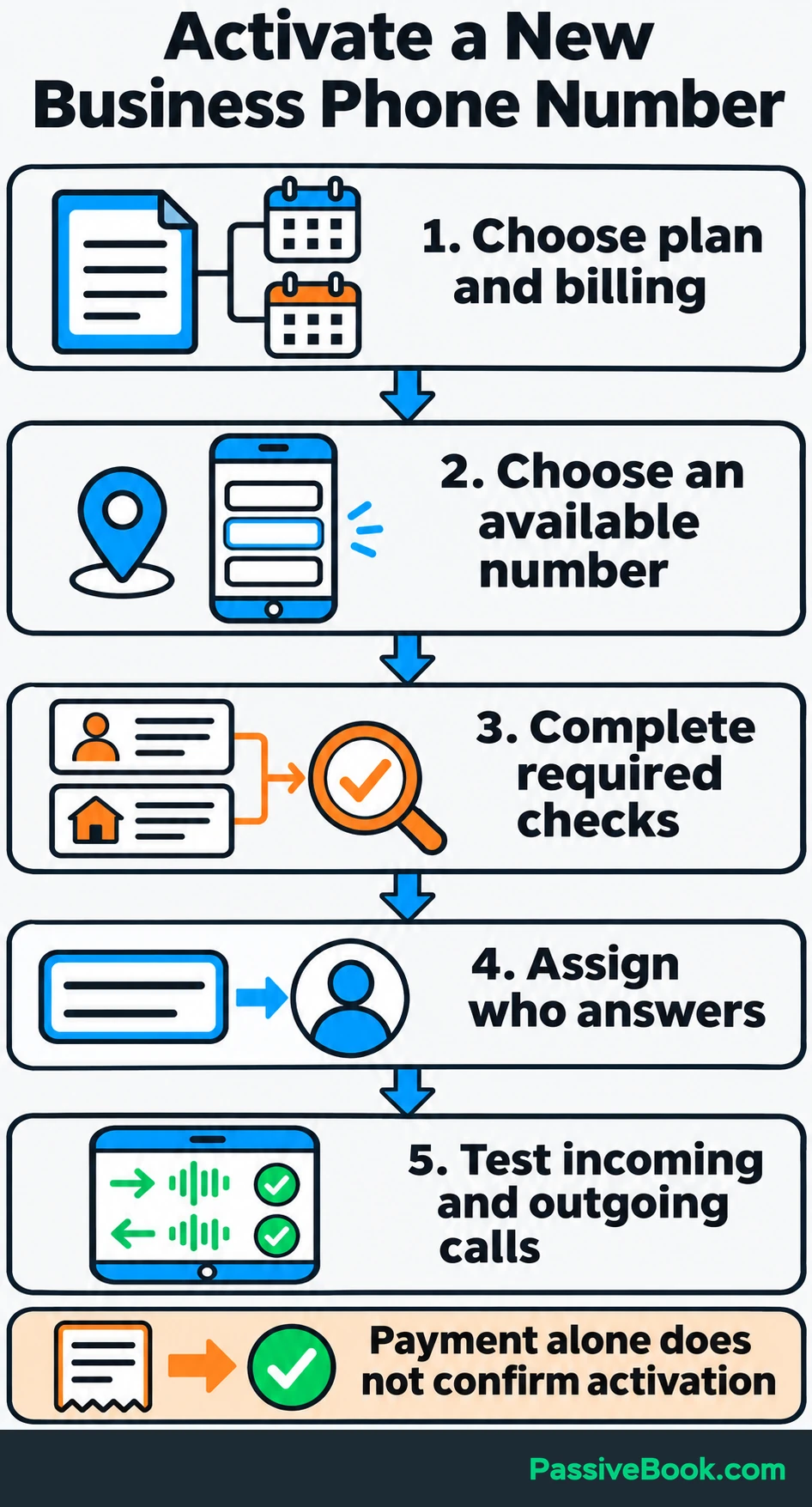
The signup process usually follows this order:
- Select your plan and billing commitment.
- Choose an available number in the area or number type you need.
- Complete the required identity and address checks.
- Assign the number to the person or shared line responsible for answering.
- Confirm that incoming and outgoing calls work.
For Trail Pocket Bags, that means assigning the local number to the owner’s account first. Customer-facing greetings and hours come next.
Ask the provider when the number will be ready to use. Payment alone doesn’t confirm that activation and the required checks are complete.
Transfer an Existing Business Number
Moving your number between providers is called porting. Ask the receiving provider to confirm eligibility before subscribing.
Start the transfer through that provider and gather whatever it requests. This may include your current account number, a recent bill, a transfer PIN, and signed authorization. Use details that match the existing account.
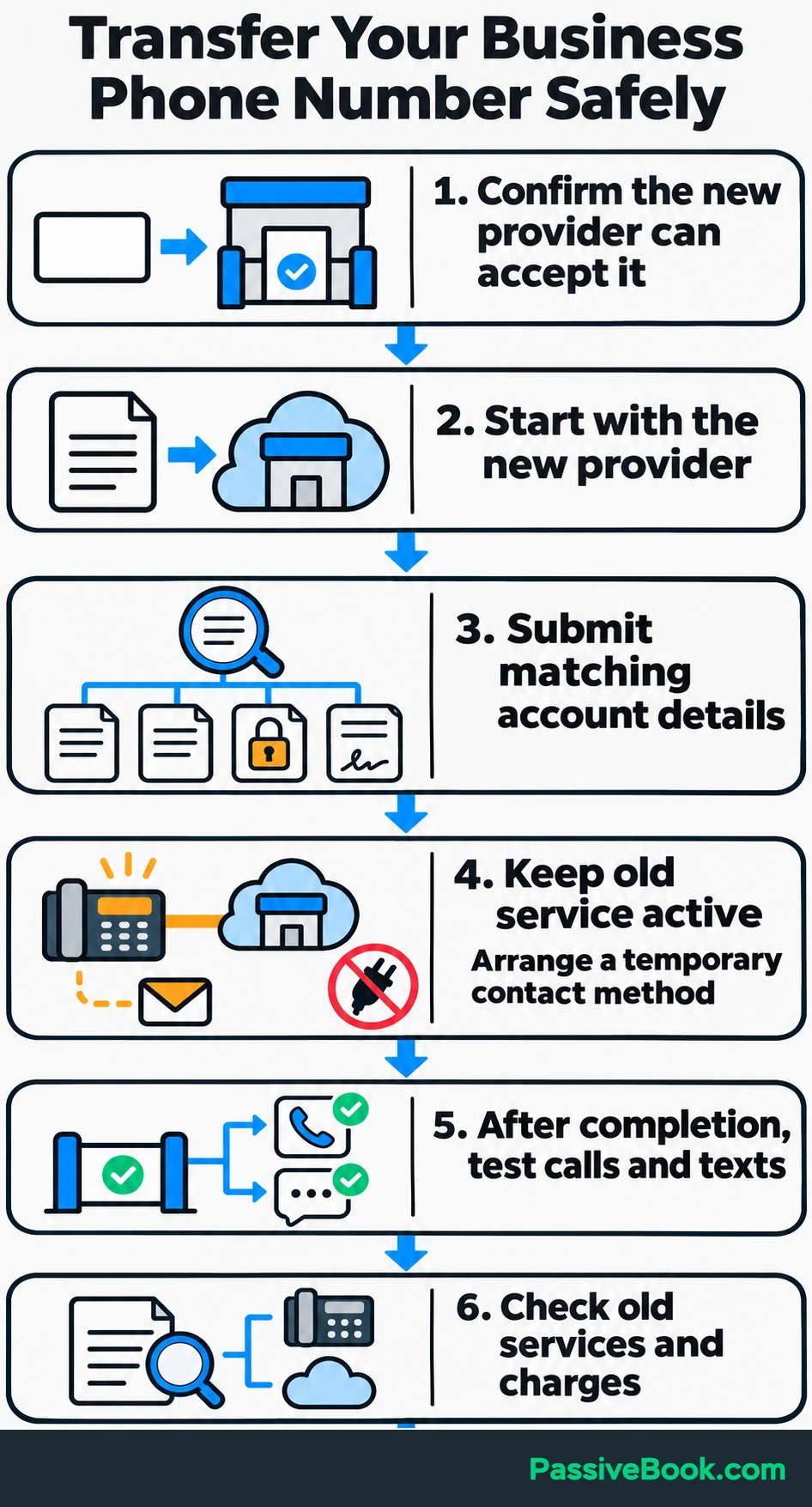
Keep the old service active until the transfer is complete. The FCC’s number-porting guidance advises starting with the new provider before terminating the existing service.
Get an expected completion date and arrange a temporary contact method, such as your support email, for any interruption. Transfer timing varies, so schedule around your provider’s confirmed information.
After completion, test calls and messages. Then check the old account for remaining services and charges instead of assuming the transfer closed everything.
4. Connect Your Phone and Computer
Install the supported apps or sign in through the supported browser. Allow microphone access and incoming-call notifications on each device.
Then make a call from each one. Check that you can hear the other person clearly and that they can hear you.
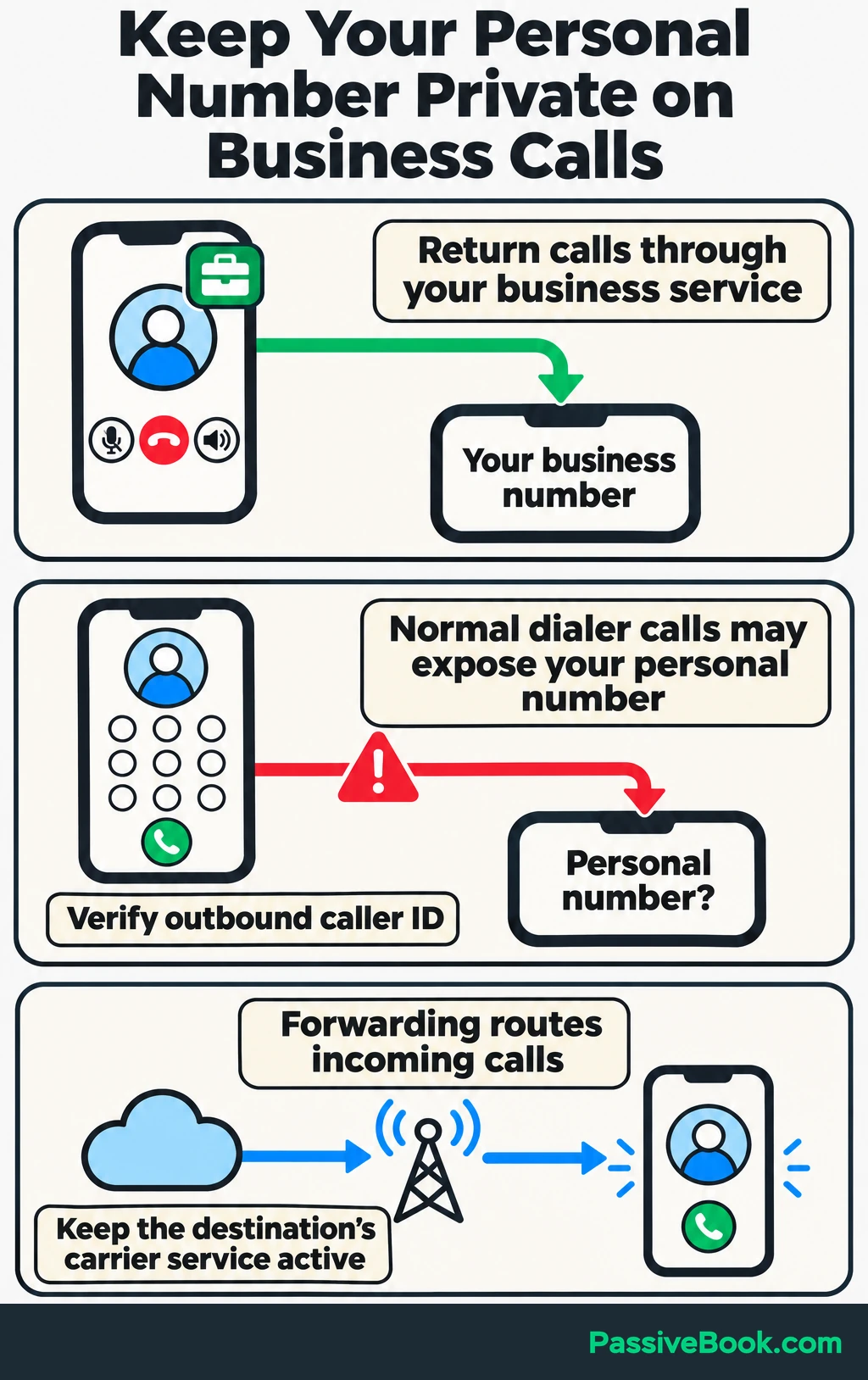
If you want calls to ring an existing mobile or landline, configure forwarding and keep that destination’s carrier service active. Its charges still belong in your budget.
Return customer calls through the business app or the provider’s supported outbound calling method. Calling directly from your phone’s normal dialer may expose your personal number.
For Trail Pocket Bags, I would connect the phone for answering away from the desk and the computer for handling calls while checking orders. Both need testing; signing in successfully isn’t enough.
Also confirm emergency-calling support. For US VoIP services that require a registered emergency address, enter the correct physical location and update it when you move. 911.gov explains why location registration matters. Keep another way to contact emergency services.
5. Set Business Hours and Call Handling
Choose hours you can consistently cover and set the correct time zone. Send unanswered and after-hours calls to business voicemail.
On one of my digital-product sites, I promised “quick support” while fitting replies around my day job. I kept checking for messages because I hadn’t defined what “quick” meant. That experience changed how I write support promises: the hours and wording must fit the time I can actually give.
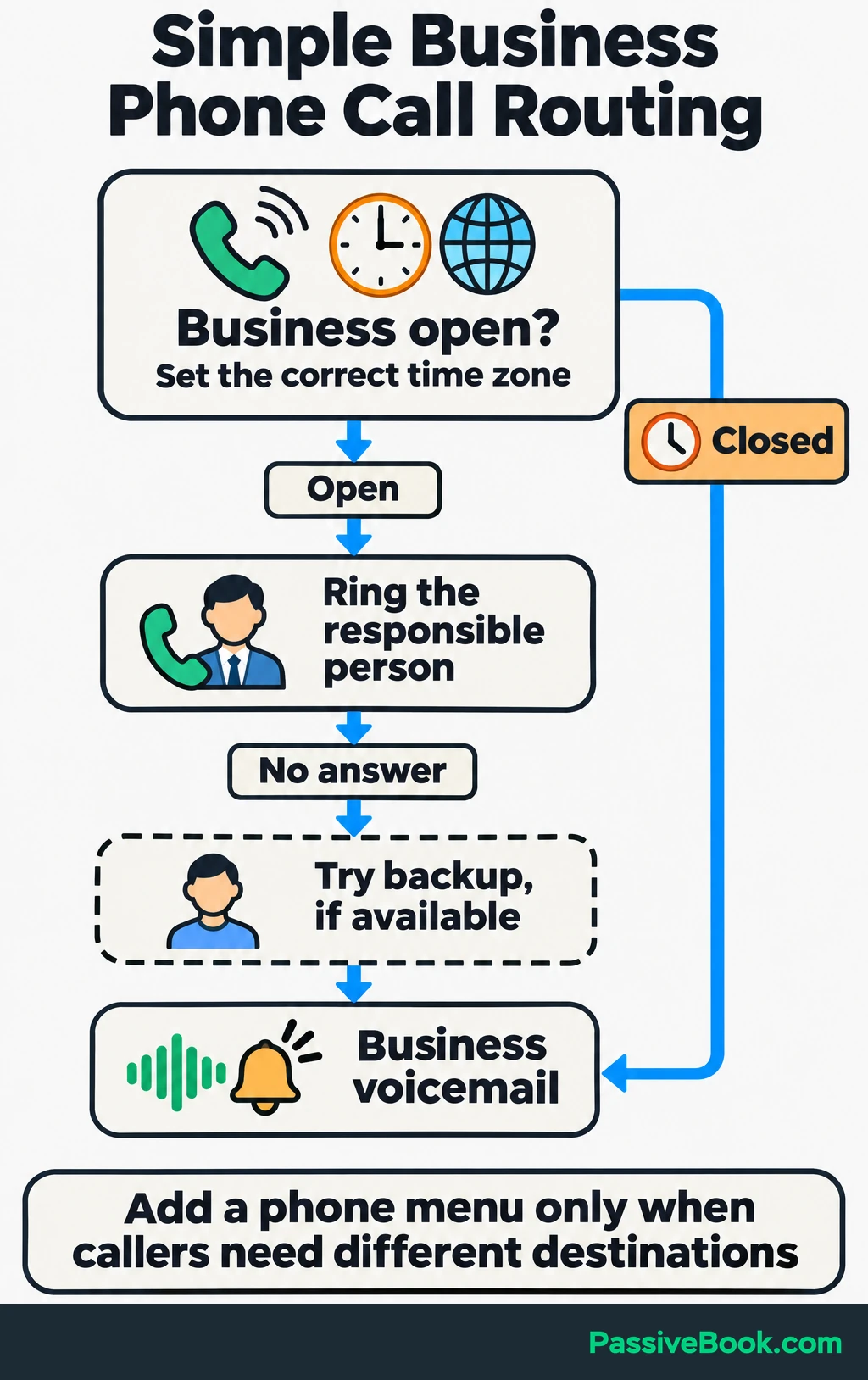
For your phone line, start with a simple route:
- Ring the person responsible for answering.
- Try a backup person if one is available.
- Send the call to business voicemail when nobody answers.
I would skip a phone menu until callers need different destinations. A one-person business rarely needs to make customers press buttons to reach the same person.
Record a short greeting that names the business and tells callers what to leave. Trail Pocket Bags could use:
You’ve reached Trail Pocket Bags. Please leave your name, phone number, and a brief message about your order or product question. We’ll return your call during business hours.
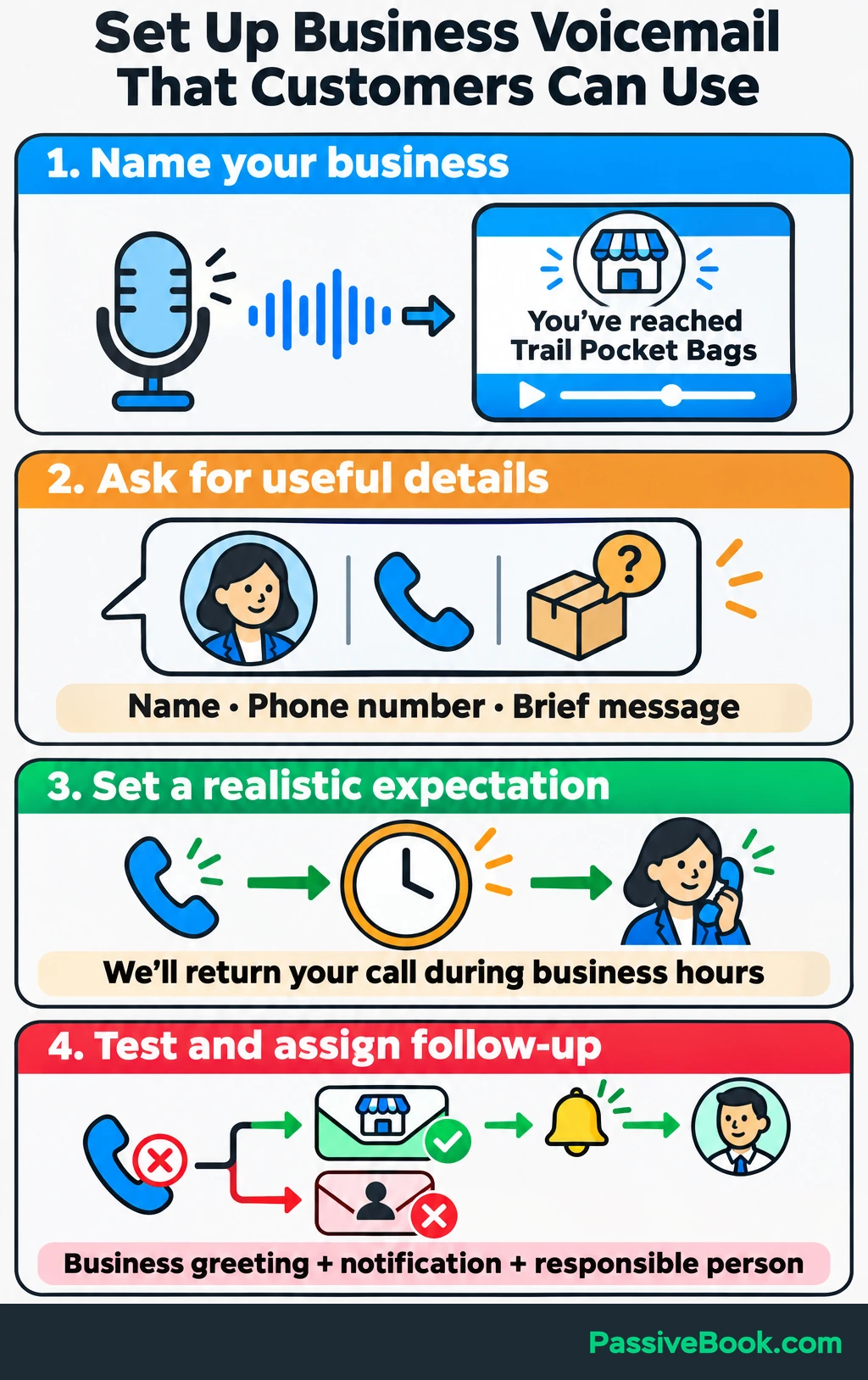
Add a specific callback promise only when you can reliably meet it.
If calls are forwarded, let one go unanswered and listen to the greeting. It should reach business voicemail rather than your personal mailbox.
Finally, enable voicemail notifications and decide who checks missed calls and messages. When another person joins, give them individual access instead of sharing your password.
6. Test the Number Before Publishing It
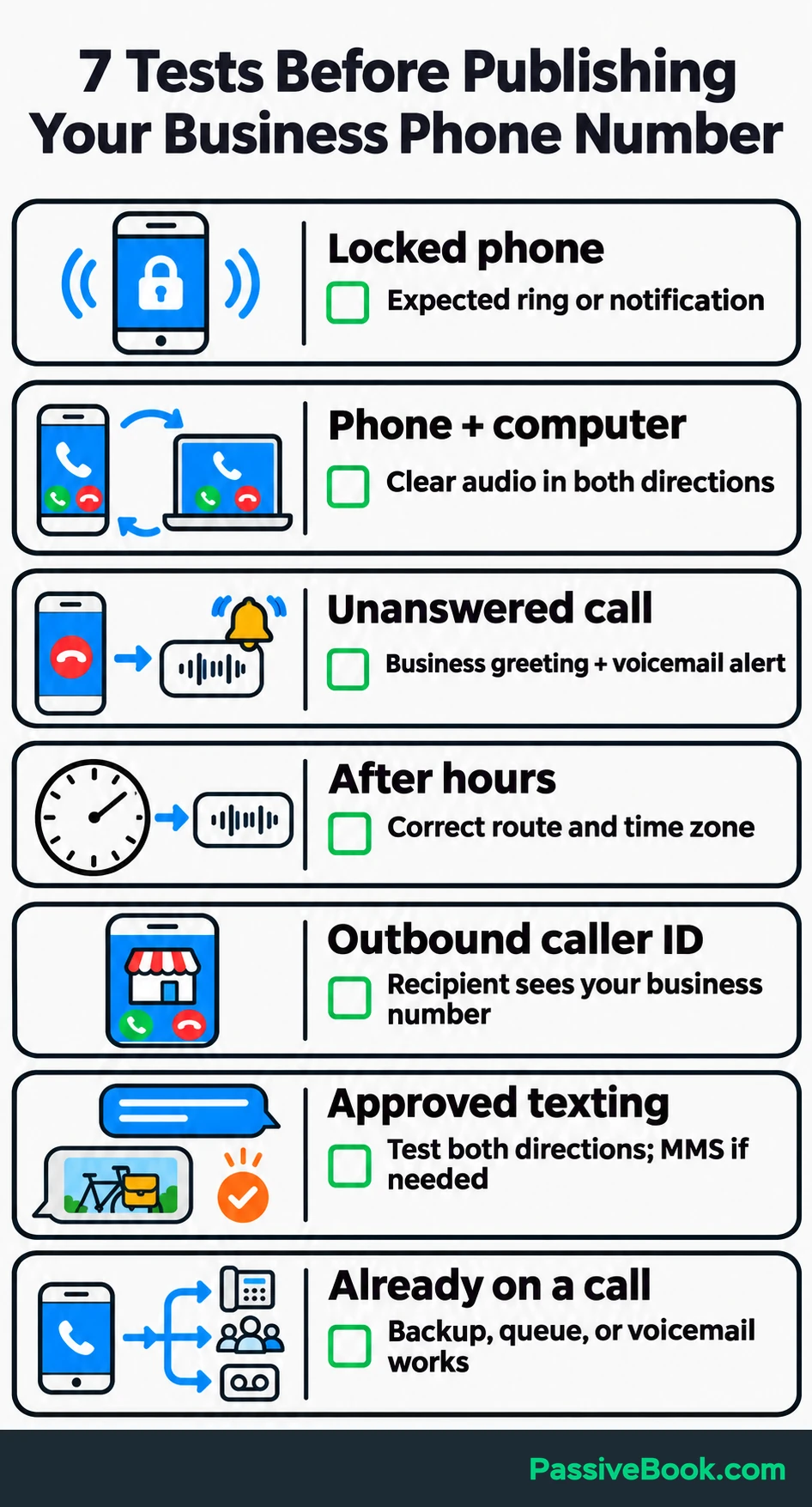
Use another phone to test the service as a customer would. Run the checks during business hours and again after hours.
| Test | What Should Happen |
|---|---|
| Call while the receiving phone is locked | The intended device rings or shows the expected notification. |
| Answer on your phone and computer separately | Both people hear clear audio in each direction. |
| Leave a call unanswered | The correct business greeting plays and the voicemail notification arrives. |
| Call outside business hours | The after-hours route works in the chosen time zone. |
| Return the call through the business service | The recipient sees your business number. |
| Send and receive texts after approval | Messages arrive in both directions; test a picture if MMS matters. |
| Call while another call is active | The second caller reaches the intended backup, queue, or voicemail. |
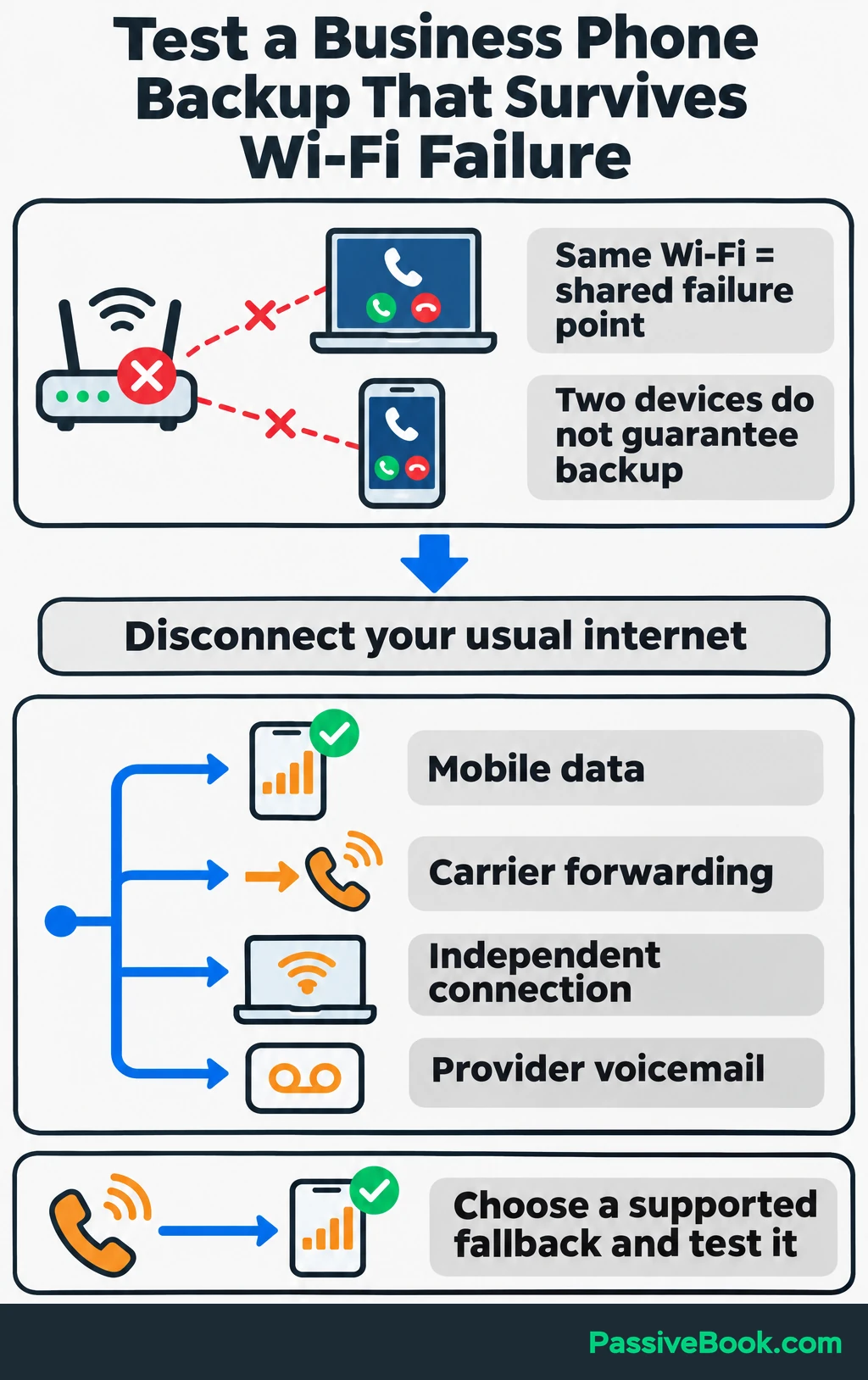
Next, disconnect your usual internet connection and test your fallback. That might be mobile data, carrier forwarding, another device on an independent connection, or the provider’s voicemail.
A laptop and phone on the same Wi-Fi don’t provide much backup when that connection fails.
If calls don’t ring, check notification permissions, silent or focus settings, internet access, and routing destinations. When contacting support, provide the call time, affected number, and what happened. That gives them something specific to investigate.
Once the tests pass, publish the number on your contact page, order emails, and relevant business listings. Trail Pocket Bags would add it wherever customers look for product and order help.
Watch missed calls and unread messages after launch, and compare the first bill with your calculation. Fixing an unexpected charge or missed notification early is easier than discovering it after customers complain.
What Next?
Write down your required number country, answering devices, and whether customers need texting. Use that short list to choose two services worth testing before you commit.
Use the social buttons to share this guide and make the setup checks easier to find when it’s time to launch a business line.
Which part of your current call setup most needs fixing: privacy, missed calls, or sharing access? Leave your answer—and any other questions—in the comments.
Share this post with your friends & followers:

