You know a product is in your store, but searching for its size brings back three guides and the wrong item. A visitor has no reason to keep digging just because you know where it is.
Buying another search tool could fix that experience, but it could also leave you paying for the same poor results inside a nicer box.
The useful question is whether a replacement can handle your visitors’ tasks better at a cost you can justify. This guide shows you how to test that before signing a contract, and how to check whether the improvement survives launch.
1. Define What Your Search Must Do
Start with failed searches on your current site. Find out what went wrong before deciding you need new software.
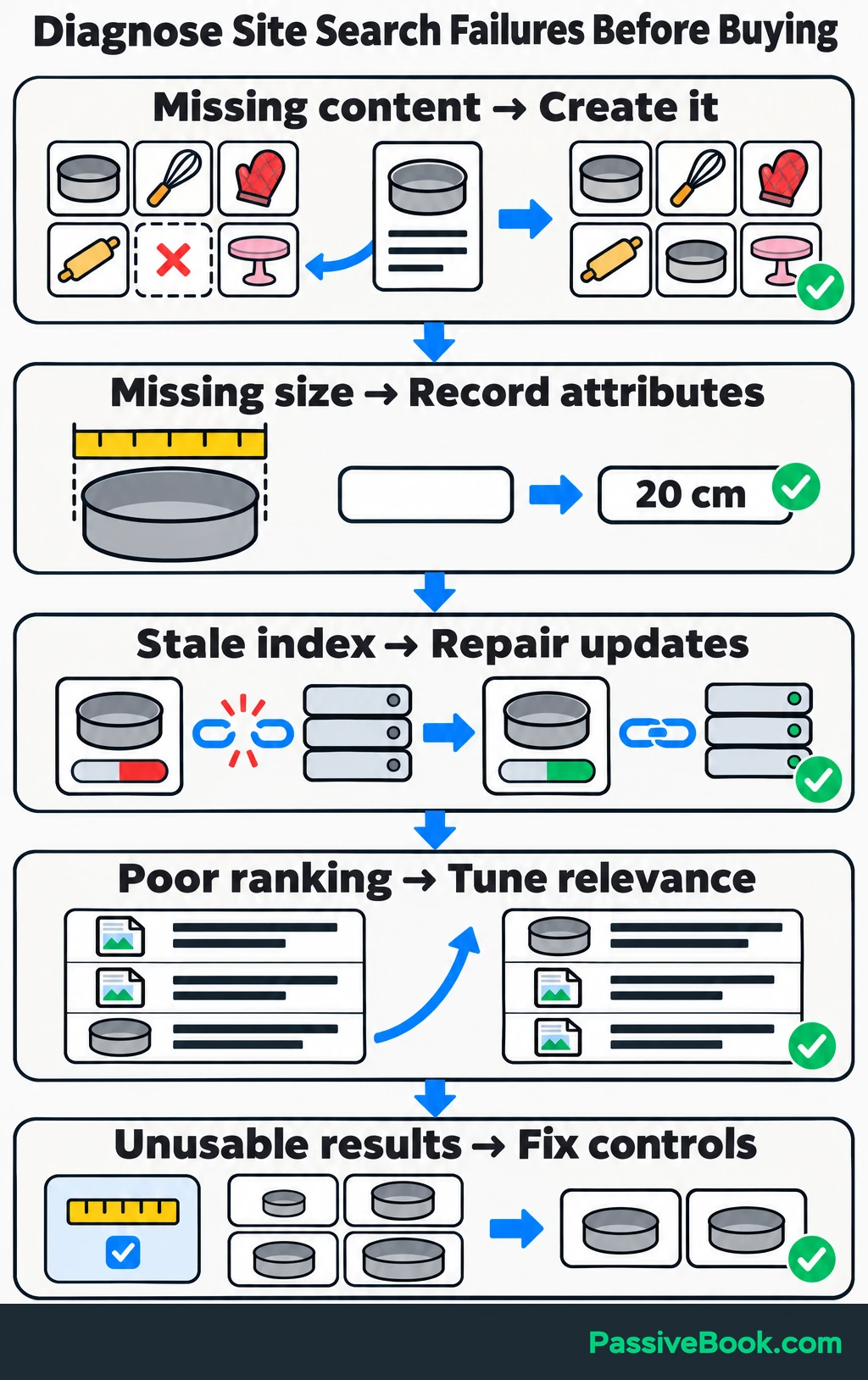
Search software collects product or content data into an index, which is an organized collection it can search quickly. It then ranks matches and displays results. A failure can happen at any point:
- The answer or product does not exist on your site.
- The product exists, but its size or other useful details are missing.
- The index has not picked up a change.
- A useful result appears below irrelevant matches.
- The results are correct, but the visitor cannot use the filters or understand the page.
Those problems need different fixes. A new search engine cannot filter products by a size you never recorded.
I once checked search on one of my sites by entering article titles. Everything looked fine because I already knew what to type. Then I tried questions in the wording visitors used, and useful pages slipped below weaker matches. I changed the test list before changing any software. Knowing your own website is a terrible substitute for testing how other people find things.
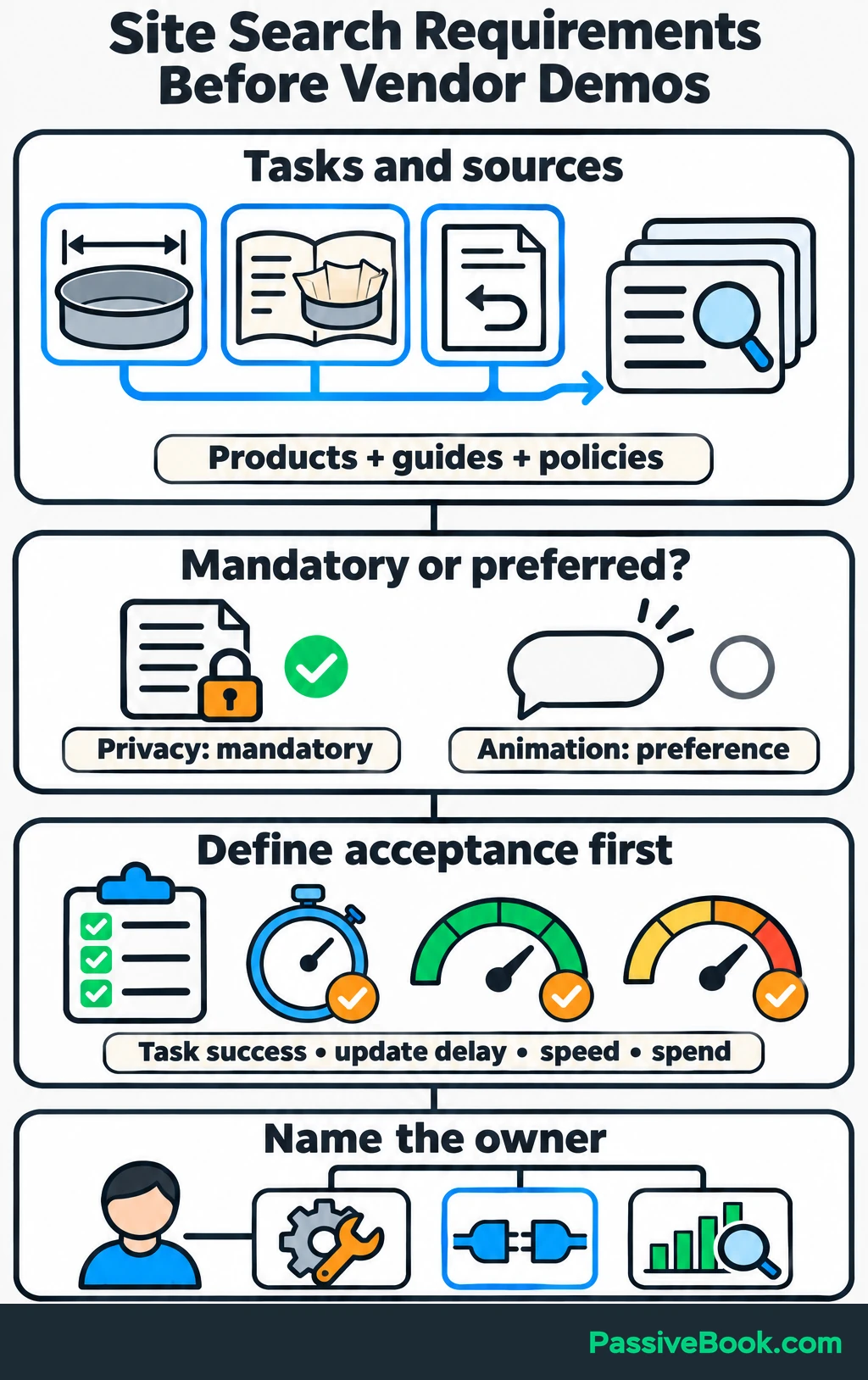
Write a one-page requirements brief before booking demonstrations. Include:
- Searchable sources, such as products, their size or color variants, articles, help pages and documents.
- Required fields, languages and any content that needs restricted access.
- Important visitor tasks and what successful completion looks like.
- Your website platform, theme, analytics and other required integrations.
- Current item counts, update frequency, search usage and expected busy periods.
- Available setup time, technical help, monthly budget and ongoing owner.
Separate mandatory requirements from preferences. Private content staying private is mandatory. An animated suggestion box probably is not.
For the running example, imagine you sell baking equipment alongside baking guides. Visitors need to find a correctly sized cake tin, read how to line it and check your returns policy. Search that covers only the product catalog leaves two of those tasks unfinished.
Save a baseline from your existing search: common queries, failed tasks, empty results, result clicks and purchases or other useful actions after searching. If tracking is missing, record manual task results while you arrange it.
Set acceptance thresholds before seeing vendor results. You might require every critical task to pass and stock changes to appear within an agreed delay. Choose response-time and spending limits too.
If turning those notes into a vendor brief is slowing you down, the AI Skill below drafts it with you. You also get an email asking vendors to show how they would meet your requirements and what the work would cost.

Free AI Provider Buying Assistant




Keep website visits, visitor searches and software requests separate. They measure different things, and confusing them can distort both your requirements and your quote.
2. Choose a Deployment Model Your Team Can Maintain
Make two decisions separately: who runs the search infrastructure, and how search connects to your website.
With managed cloud search, the vendor runs the servers. With self-hosting, your team runs them.
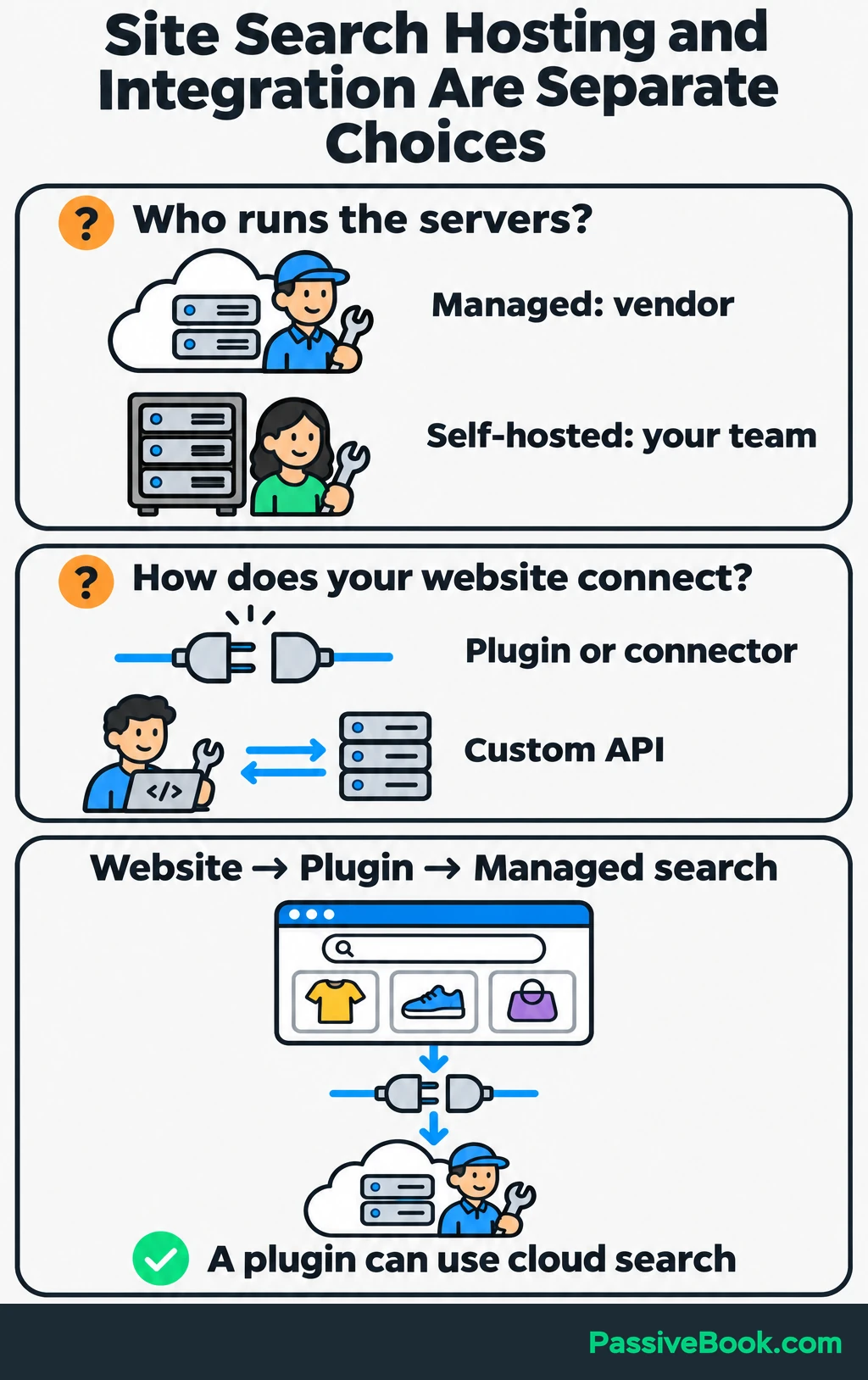
Plugins, widgets and connectors offer ready-made ways to add a search box or send content to the search service. For a custom connection, a developer can use an API—a way for software systems to exchange data and requests.
A plugin can connect your site to a managed service, so “plugin versus cloud” is not a useful comparison.
| Hosting Model | Integration Method | Setup Work | Customization | Maintenance Responsibilities | Required Technical Skills |
|---|---|---|---|---|---|
| Managed cloud | Ready-made plugin or connector | Connect sources, map fields and configure results | Usually through provided settings and templates | Vendor runs infrastructure; your team checks synchronization, interface and tracking | Website administration; developer help for unsupported changes |
| Managed cloud | Custom API integration | Build data feeds, results interface and event tracking | Extensive within the service’s capabilities | Vendor runs infrastructure; your team maintains integration code and search settings | Development, testing and monitoring |
| Your existing website hosting | Search plugin using local resources | Install, configure and test against your site | Depends on the plugin | Your team manages updates, compatibility, backups and hosting capacity | Website administration and access to technical support |
| Your own server | Search engine connected through an API | Deploy the engine and build or adapt the integration | Extensive, with more work under your control | Your team owns infrastructure and integration | Server administration and development |
Meilisearch’s self-hosting and managed-service explanation makes the responsibility split clear: self-hosting leaves upgrades, backups, scaling and on-call work with you.
For a small team, I would first test a ready-made integration that covers the required content and fields. I would choose custom development only when the trial shows a valuable task that the simpler option cannot handle.
I like owning my systems, but ownership comes with chores. A server does not care that you have a day job.
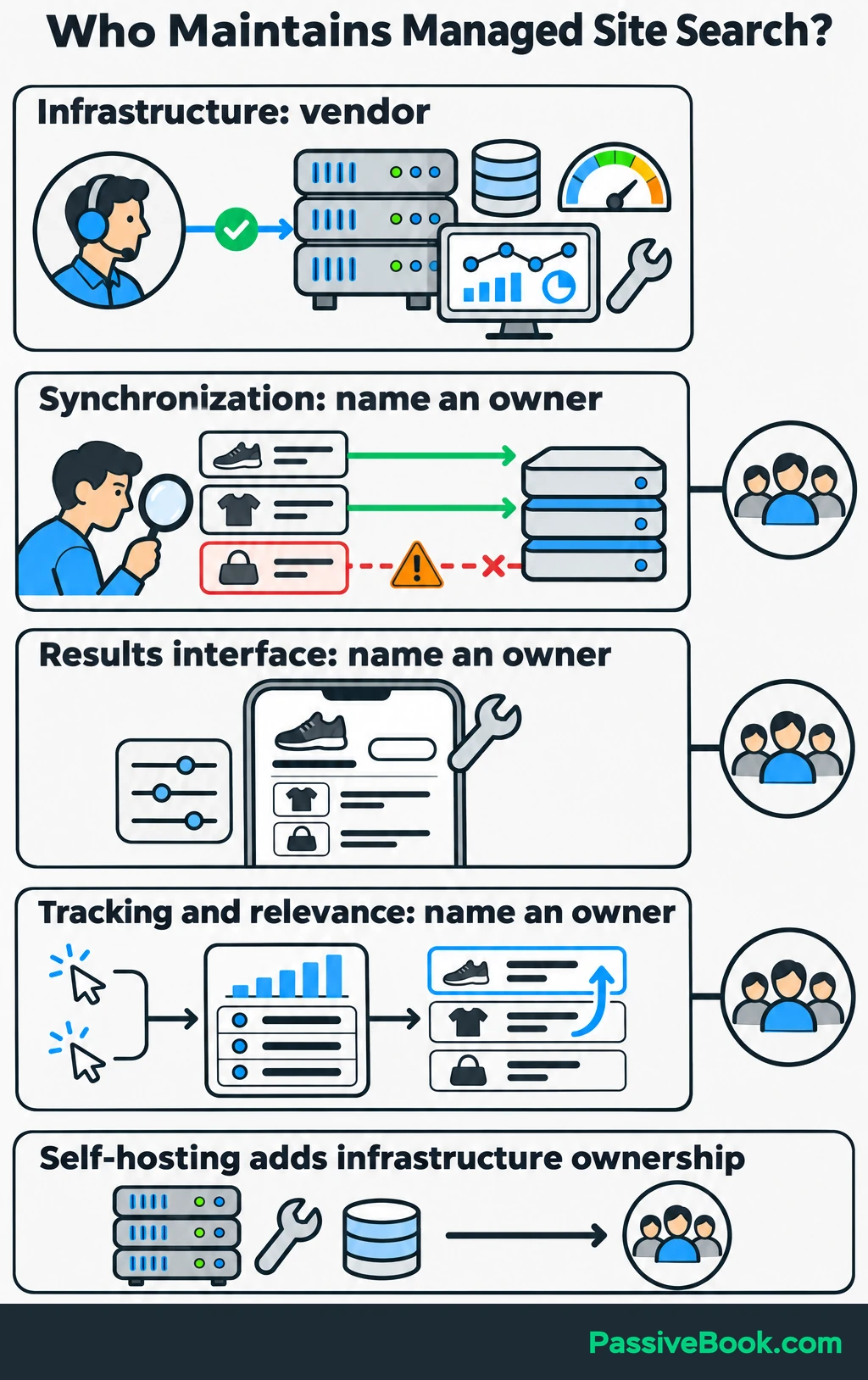
Under every option, name who maintains synchronization, the results page, analytics and relevance settings. “Managed” answers who operates the infrastructure. It does not assign all the other work.
3. Run the Same Practical Trial for Each Finalist
Shortlist two or three candidates that meet your mandatory requirements and initial budget. Give them the same content, query list, acceptance thresholds and time for tuning.
Use a staging site—a separate test copy—or another controlled installation with your real platform, theme and tracking setup. Include awkward content, unusual variants and custom fields. A clean vendor sample catalog tells you little about your own integration.
Relevance and Search Controls
Build the query list from search logs, customer questions and important tasks. For a content site, include article titles, readers’ questions and searches that need filters such as topic or document type. Write down the expected outcome before looking at vendor results.
Cover exact names, product codes, categories, attributes, spelling mistakes, alternative wording, descriptive requests and information searches. Baymard’s ecommerce search research documents these varied needs, including visitors searching for policies and other non-product information.
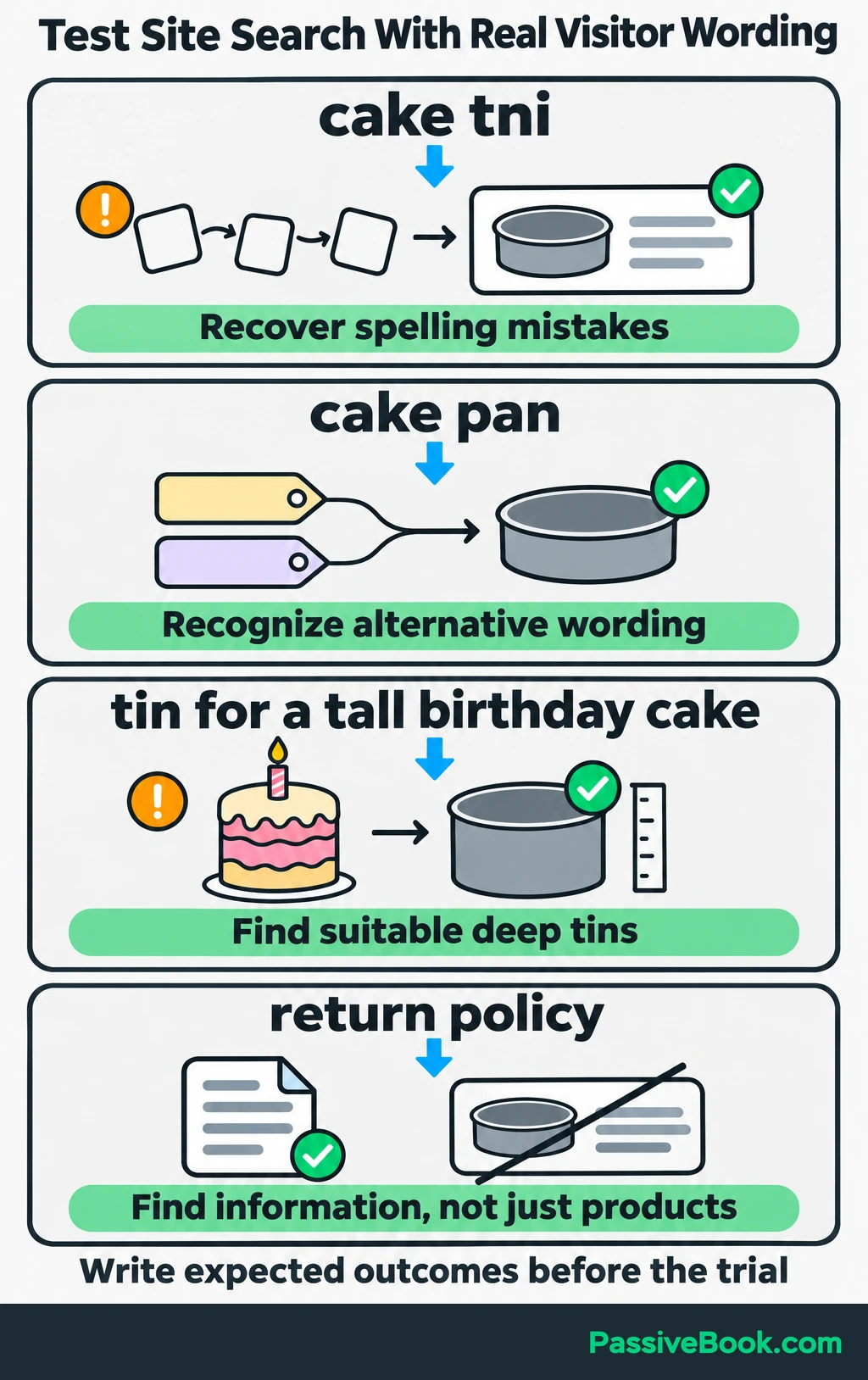
For the baking shop, a compact test set could include:
| Query | Useful Outcome |
|---|---|
| “20 cm cake tin” | Shows tins with that diameter, with size visible |
| “cake tni” | Recovers from the spelling mistake and finds cake tins |
| “cake pan” | Finds relevant tins despite the different wording |
| “tin for a tall birthday cake” | Surfaces suitable deep tins with clear dimensions |
| “how to line a cake tin” | Makes the relevant guide easy to find |
| “return policy” | Finds the actual policy page |
| A product code from your catalog | Finds the correct product directly |
| An item you genuinely do not sell | Explains the lack of a match without presenting unrelated items as answers |
Score each task consistently:
- 0: The visitor cannot complete it.
- 1: The visitor completes it with extra searching or effort.
- 2: The visitor completes it easily.
Record critical failures separately. A good average cannot excuse a search that repeatedly sends visitors to the wrong product.
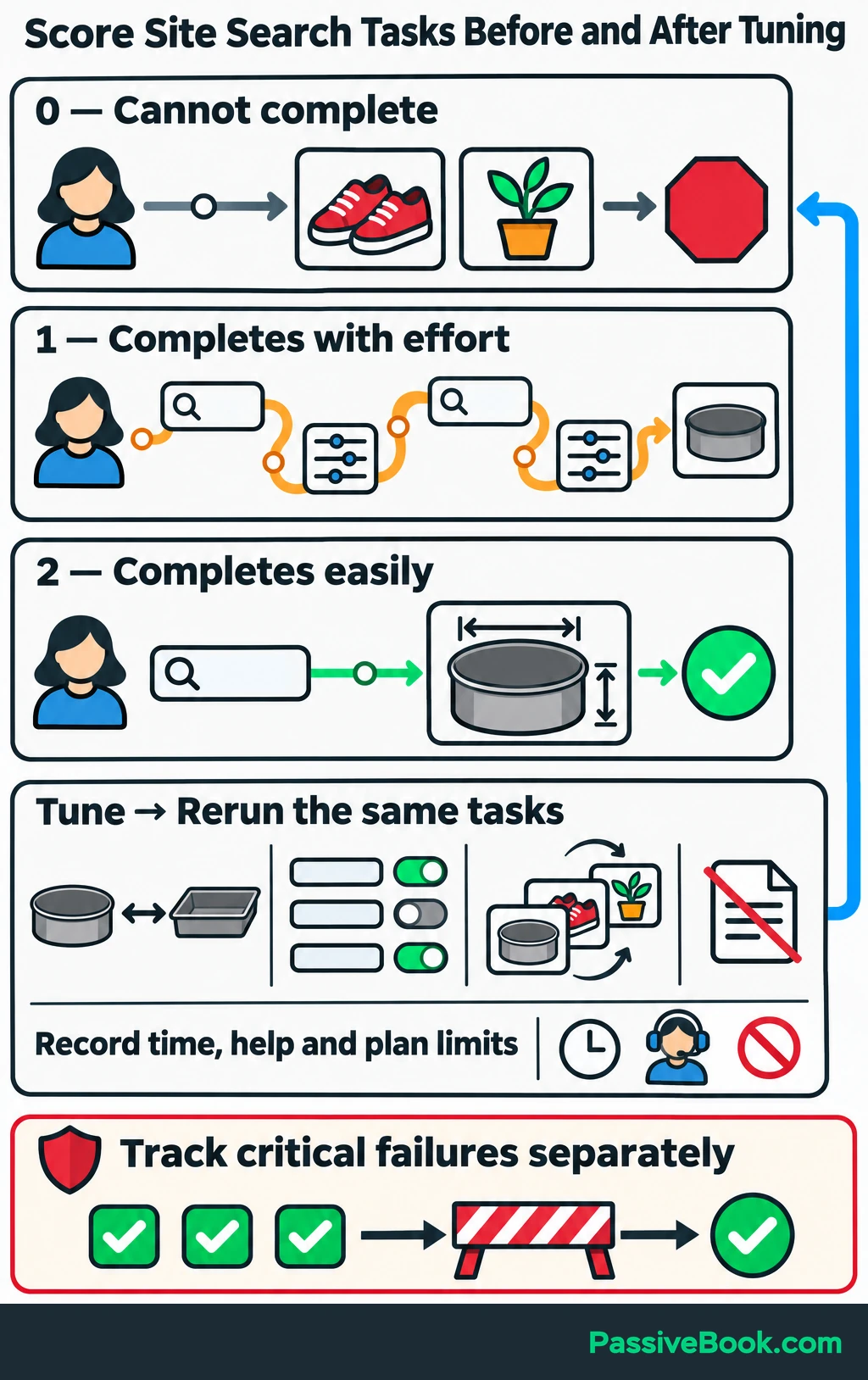
Compare results before and after tuning. Ask the future operator to add a synonym, change which fields are searched, adjust ranking and exclude an unwanted page. Record the time, developer help and plan restrictions involved.
Also test whether more advanced search earns its cost. Keyword search matches words and phrases. Semantic search retrieves by meaning, and hybrid search combines keyword and meaning-based approaches. Elastic’s search documentation explains those distinctions.
I would pay for semantic features when they improve important descriptive searches in the trial. I would skip the upgrade if the main failures come from missing size fields or stale stock data. An AI label does not fill in your catalog.
Index Coverage and Freshness
Check whether each candidate can collect every required source, format and field. If your useful content includes PDFs or pages assembled by JavaScript, include those in the trial.
Then test changes rather than accepting “automatic updates” as an answer:
- Add a product.
- Change its stock status.
- Delete it.
- Update a guide.
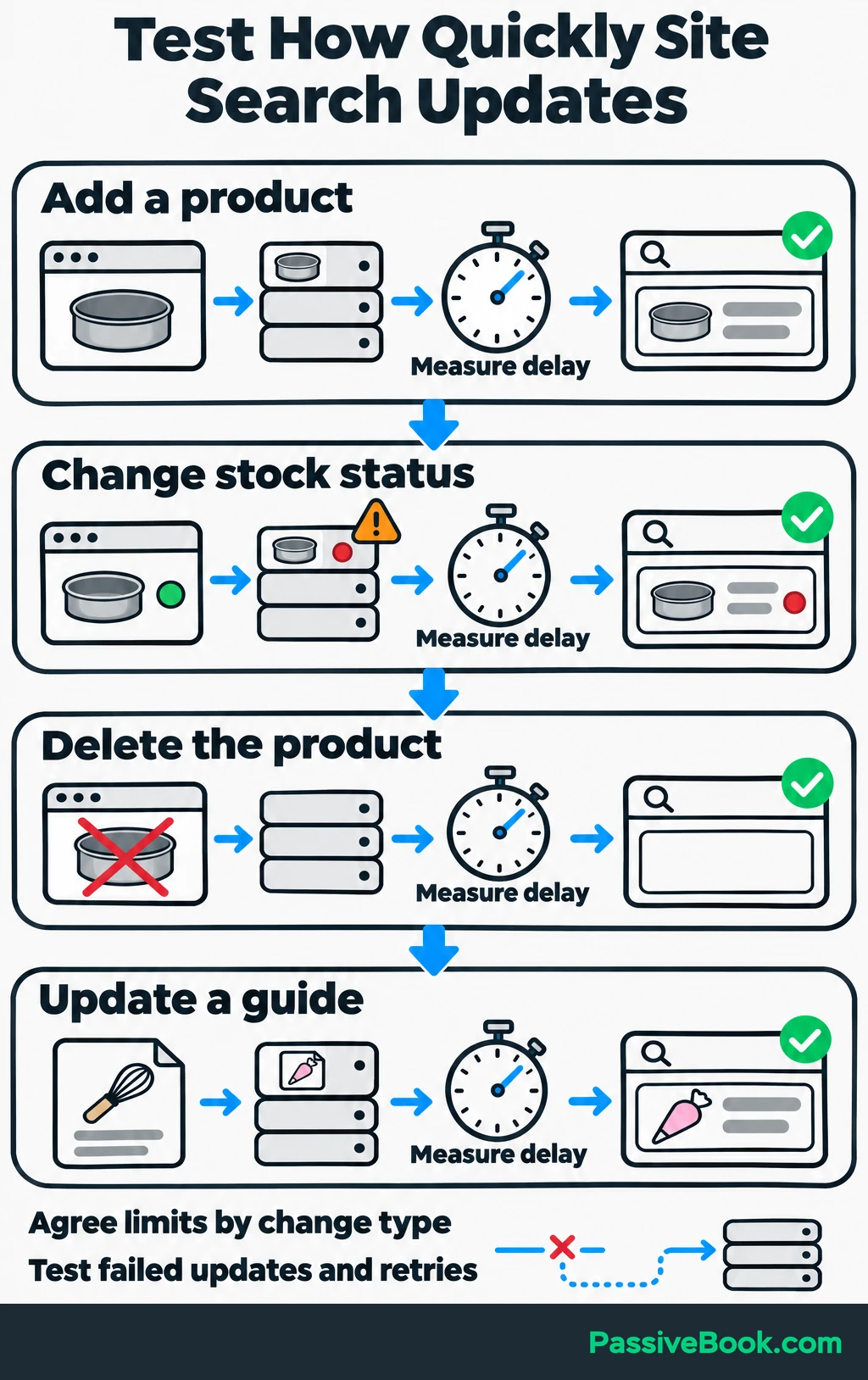
Measure how long each change takes to appear correctly in search. Use different requirements where necessary. A guide edit may tolerate a longer delay than a product becoming unavailable.
Ask how updates arrive. A crawler visits pages to collect content. A connector synchronizes data from a platform. An API feed sends records directly. Whichever method applies, check what happens after an update fails and how the operator retries it.
Inspect variants and duplicates too. Several sizes should not become indistinguishable results, and the same guide should not appear three times because it exists under several URLs.
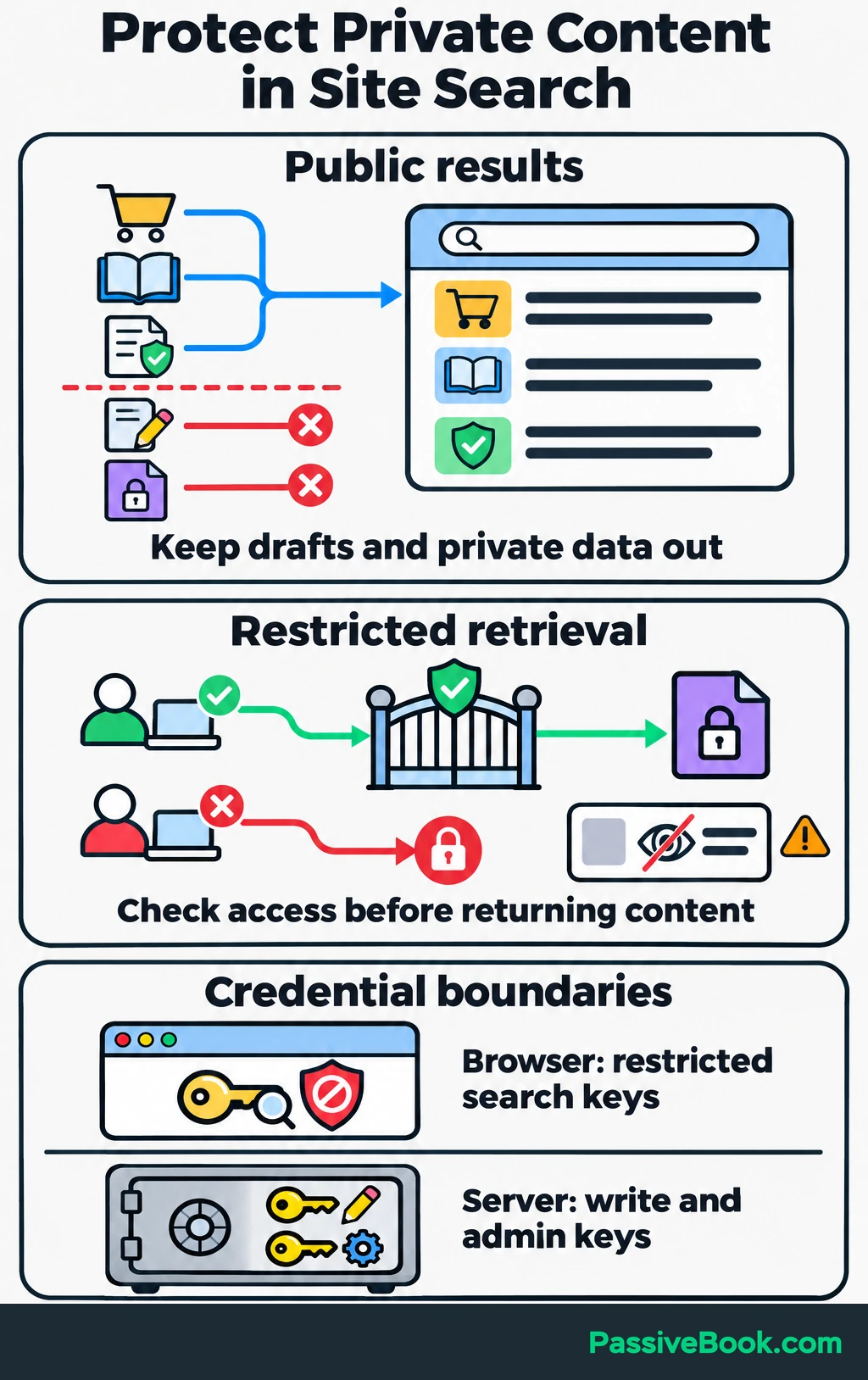
Keep drafts and private data out of public results. Restricted content needs access checks that prevent unauthorized retrieval, not merely hidden result cards. Keep credentials that can change data or administer the search service out of browser code, where visitors can inspect them. Algolia’s API-key guidance explains which keys must stay confidential and how to restrict keys used for searching.
Search Usability and Performance
Run the important tasks on both desktop and mobile. Check suggestions, result cards, filters, sorting and what happens after an unsuccessful search.
For the baking shop, visitors should be able to filter by tin size and distinguish a product from a guide. Showing both is useful only when the page makes their roles clear.
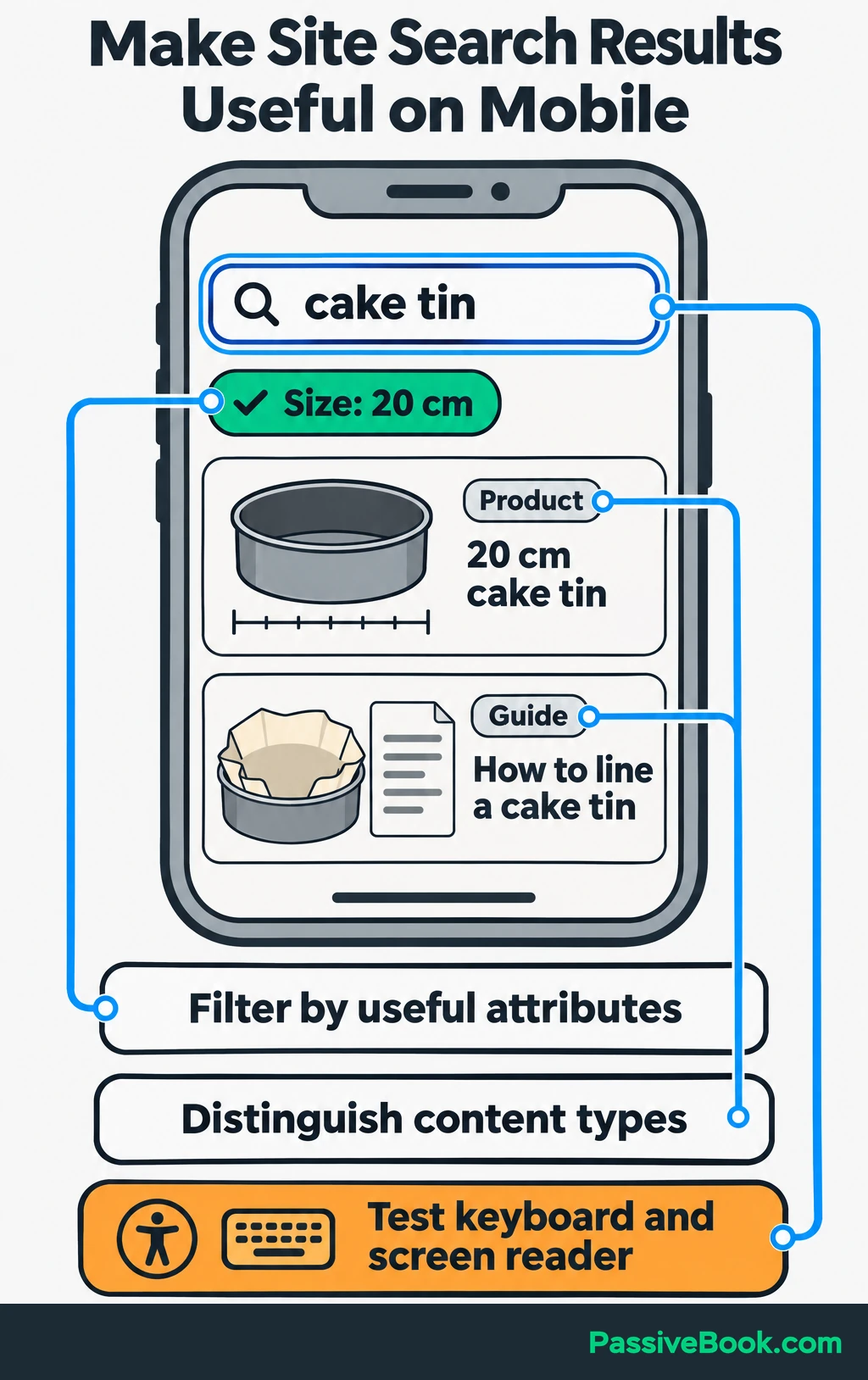
Have the future operator change a result card and add a filter. Record whether either task requires code, vendor assistance or another plan.
Test the controls with a keyboard and a screen reader. Suggestions should have meaningful labels and predictable interaction. The W3C combobox pattern provides a concrete reference for autocomplete behavior.
Measure the time until visitors can use the results. Include the network journey and page rendering, rather than relying only on the search engine’s reported processing time.
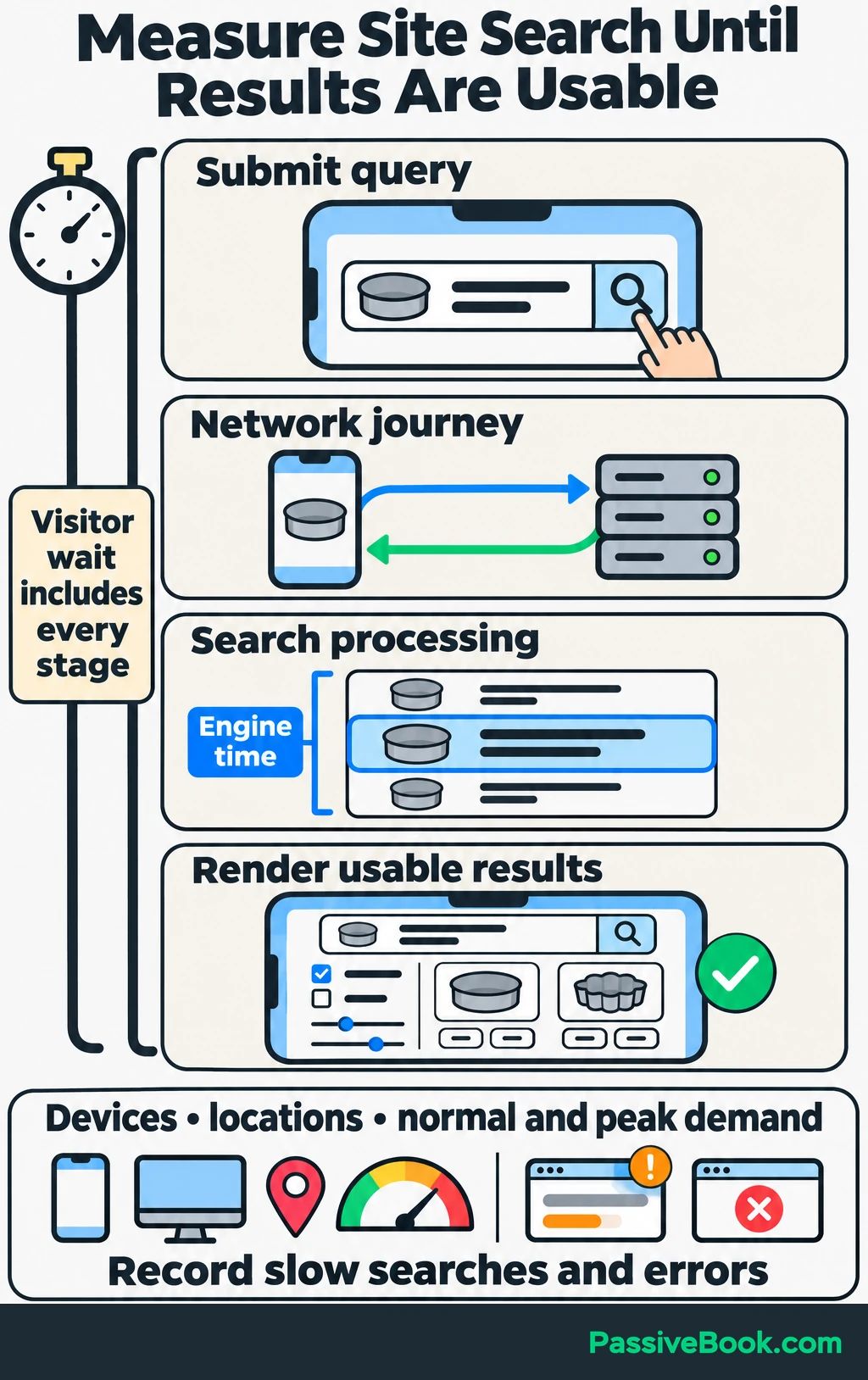
Repeat the test from relevant visitor locations and devices, at normal demand and expected peak demand. Note slow responses and errors, because an average can hide the searches that feel broken.
Finally, test failure handling:
- What does the visitor see when search is unavailable?
- Do request limits cause delays, errors or additional charges?
- Who receives an alert when synchronization stops?
- Can the operator identify and recover a failed update?
Let the future operator investigate one failure using the documentation and support available on the proposed plan. That reveals more than a feature checklist.
Analytics You Can Use to Evaluate Results
Require reports for queries, empty results, result clicks and downstream actions such as purchases, signups or downloads. Check export options and whether data stays available long enough for your review cycle.
Some tracking may come from the search product and some from your existing analytics. If you use Google Analytics, confirm how search and completion events will connect. Assign the setup work before buying.
Define your measures in writing. A search session is a visit in which someone uses search. For click-through rate, restrict both counts to searches with click tracking enabled. These definitions provide a useful starting point:
| Measure | What to Count |
|---|---|
| Zero-result rate | Measured searches returning no matches, divided by all measured searches, multiplied by 100 |
| Search click-through rate | Measured searches receiving at least one result click, divided by all measured searches, multiplied by 100 |
| Search-session conversion rate | Measured search sessions completing the chosen action after searching, divided by all measured search sessions, multiplied by 100 |
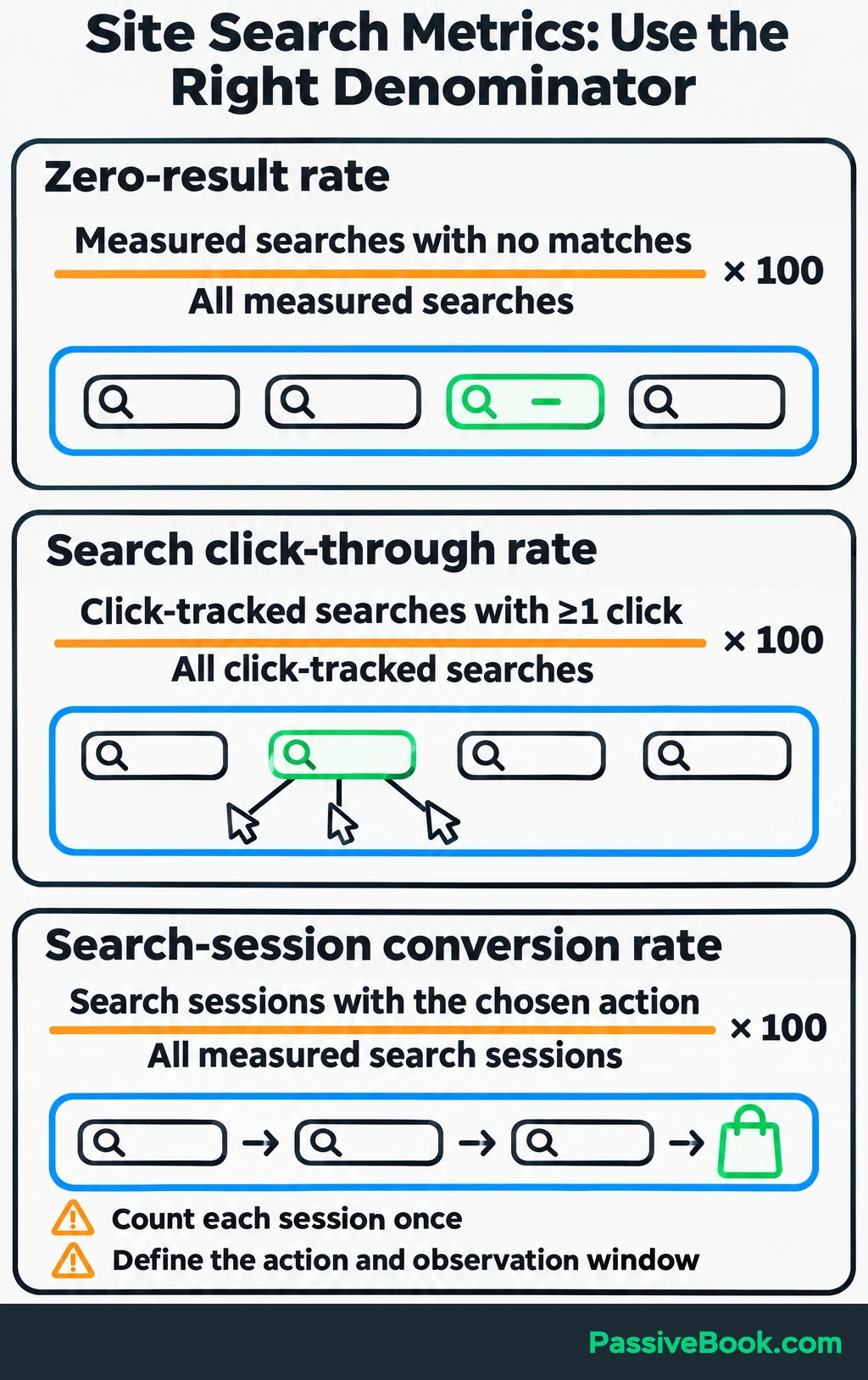
For the session measure, specify the action and observation window—for example, a purchase after searching within the same measured session. Count each session once even if it contains several searches or orders.
For the search measures, decide how you count submitted searches, autocomplete activity and repeated queries. Exclude bots and internal tests consistently.
Check which searches each vendor includes in its reports. Algolia’s analytics reference, for example, distinguishes overall search counts from searches enabled for click tracking.
Before trusting a dashboard, perform known searches, click results and complete a test action. Verify that the expected records appear. A chart with no verified events is decoration.
4. Compare Total Cost at Realistic Usage
Compare the cost of delivering and operating the search experience you tested.
For the first year, count the work needed to launch plus the costs of running it:
First-year cost = implementation, migration, integration and training + annual subscriptions, usage charges, infrastructure, support and maintenance labor.
Show the expected recurring cost separately so you can distinguish a difficult setup from an expensive ongoing commitment. Include your own maintenance time, even if nobody sends you an invoice for it.
Request written quotes using the same two scenarios: current demand and a realistic growth or busy-period scenario. Include required features, indexed content, test environments and support.
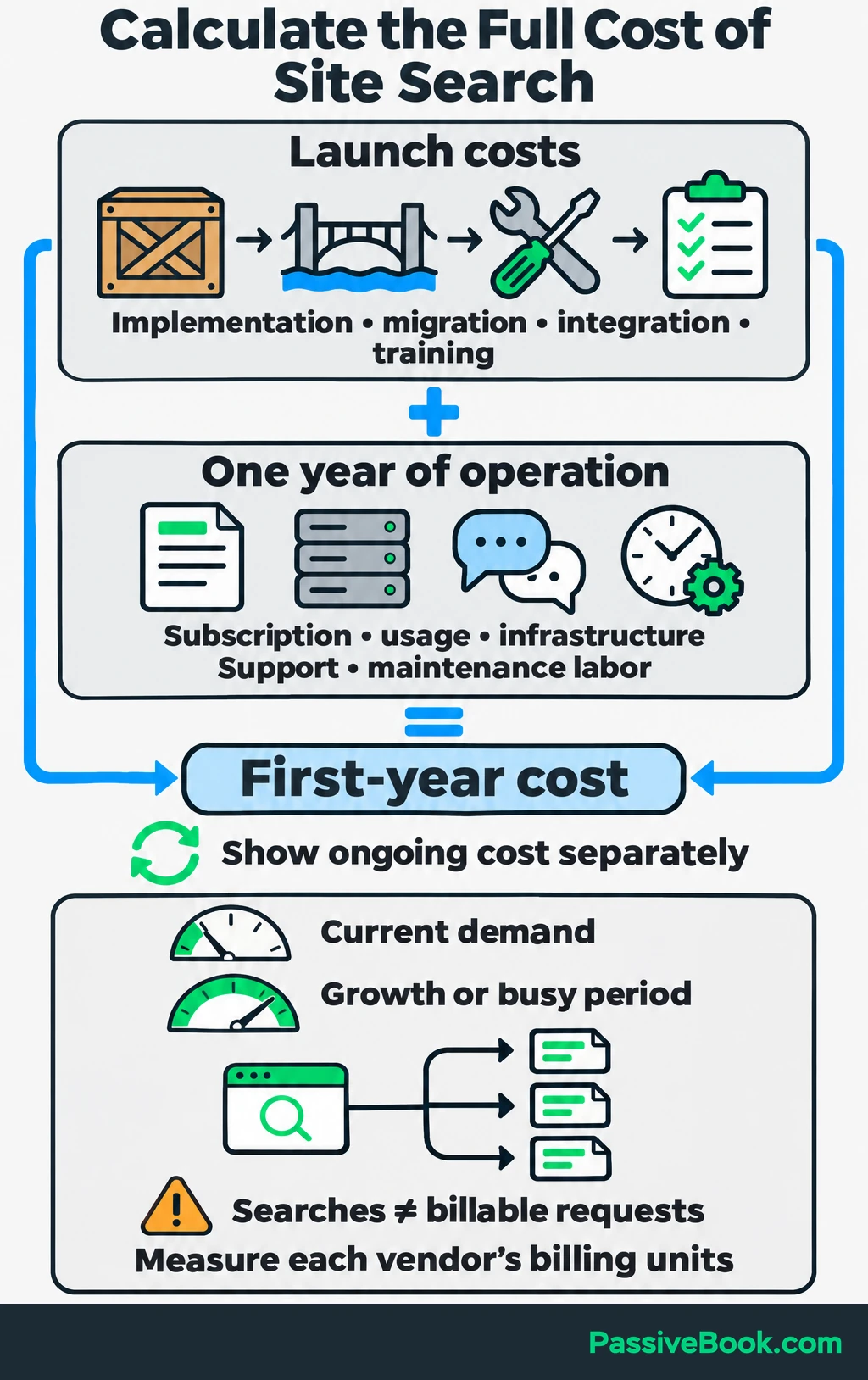
Measure billable activity during the trial. Search-as-you-type can produce several requests while a visitor enters one query. Stored copies used for different sort orders can also increase record counts. Algolia’s pricing definitions illustrate both distinctions; use each finalist’s own billing rules in its estimate.
Ask specifically about:
- Product variants, additional sources and indexing charges.
- Optional AI features and required upgrades.
- Usage overages and peak-demand capacity.
- Spending alerts and enforceable spending controls.
- Whether exceeding a limit causes extra charges, delays or failed searches.
Then calculate how much improvement would cover the added cost.
For a store, use contribution profit per additional order: the amount left after the variable costs of fulfilling that order. Do not use sales revenue as though it were profit.
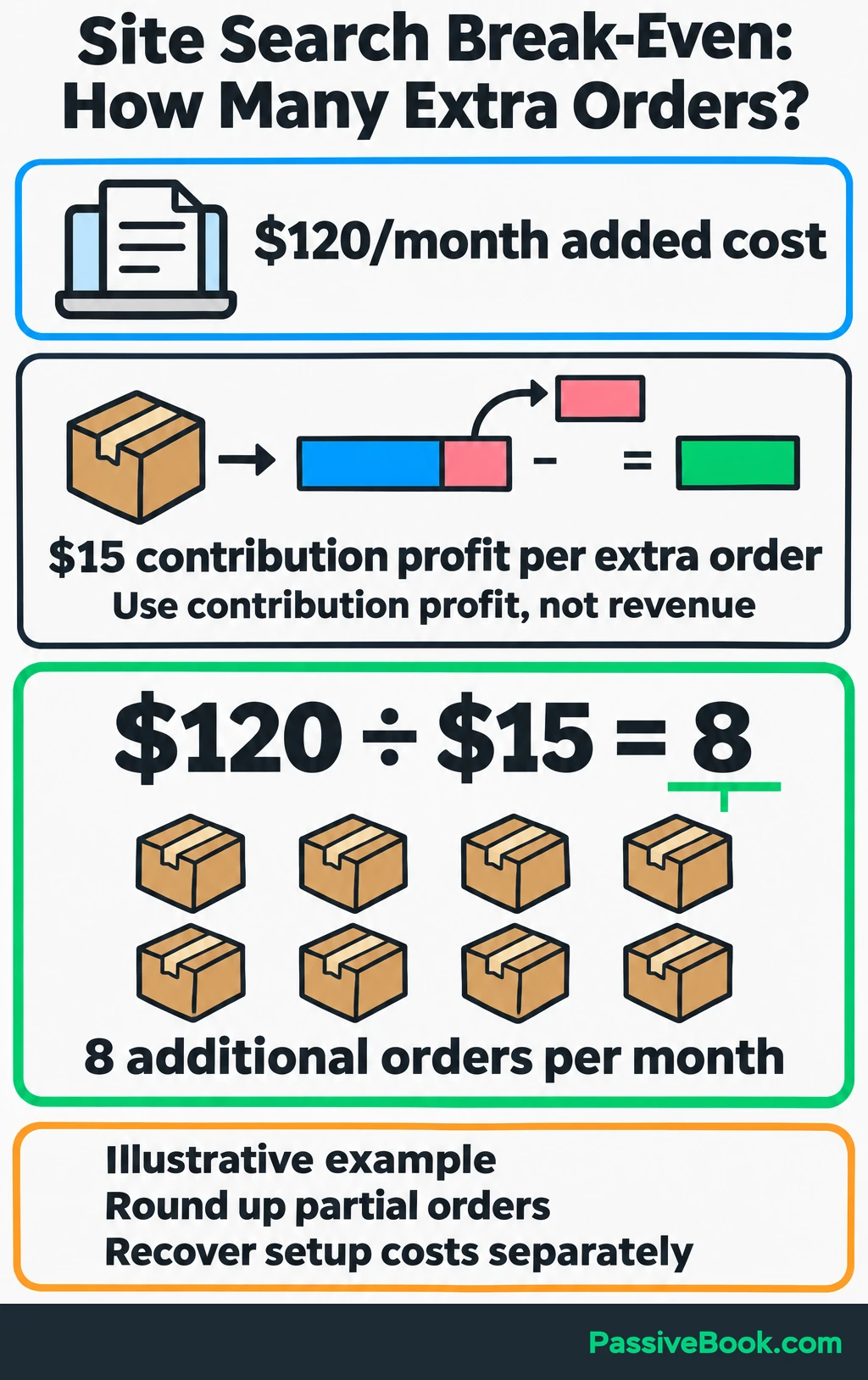
Suppose, purely for illustration, the baking shop’s ongoing search cost rises by $120 a month and each additional order contributes $15.
$120 ÷ $15 = 8 additional orders per month to cover the recurring increase.
Round up when the result is not a whole order. Setup costs still need to be recovered separately.
For a content site, use the value of the outcome you can reasonably measure, such as qualified leads or product sales. If you cannot support that value yet, compare costs against verified time savings and task improvements without inventing a revenue figure.
I would treat break-even as a hurdle. The trial should show improvements that make the required gain plausible, but it cannot promise those extra orders.
5. Check Support and Exit Terms
Test support while you still have a choice. Submit a real integration problem and assess whether the answer helps your operator resolve it.
Confirm what the quoted plan includes:
- Who handles onboarding and which tasks remain yours.
- Support hours, contact channels and escalation routes.
- Initial response commitments and any separate resolution commitments.
- Help with integration failures, rather than infrastructure failures alone.
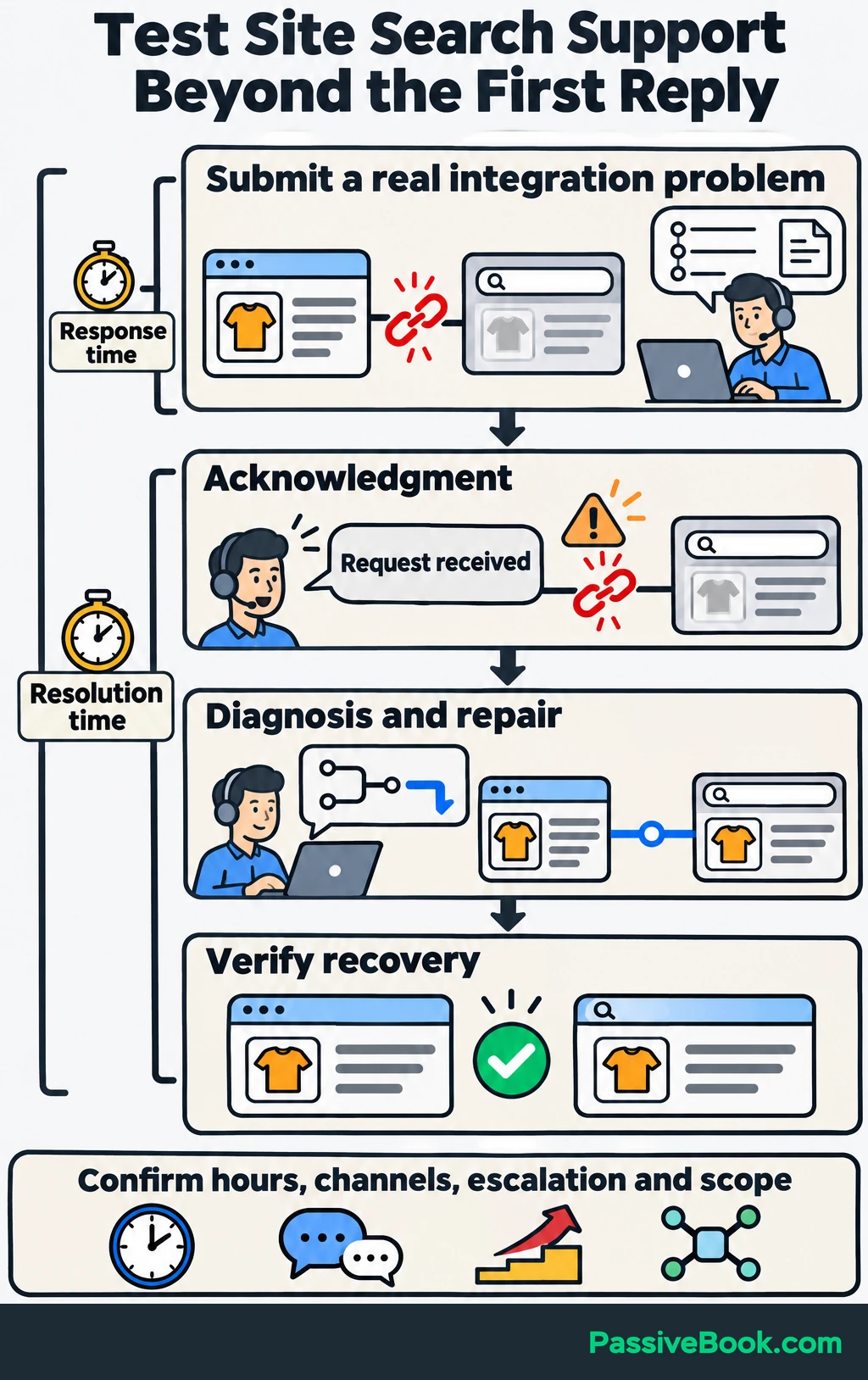
A reply saying “we received your request” is a response. It is not a repair.
Ask for a customer reference with similar content, platform and implementation needs. A large brand using a heavily customized setup may tell you little about the workload for your team.
Review contract length, renewal terms, cancellation, uptime commitments and service credits. Confirm which failures those commitments cover.
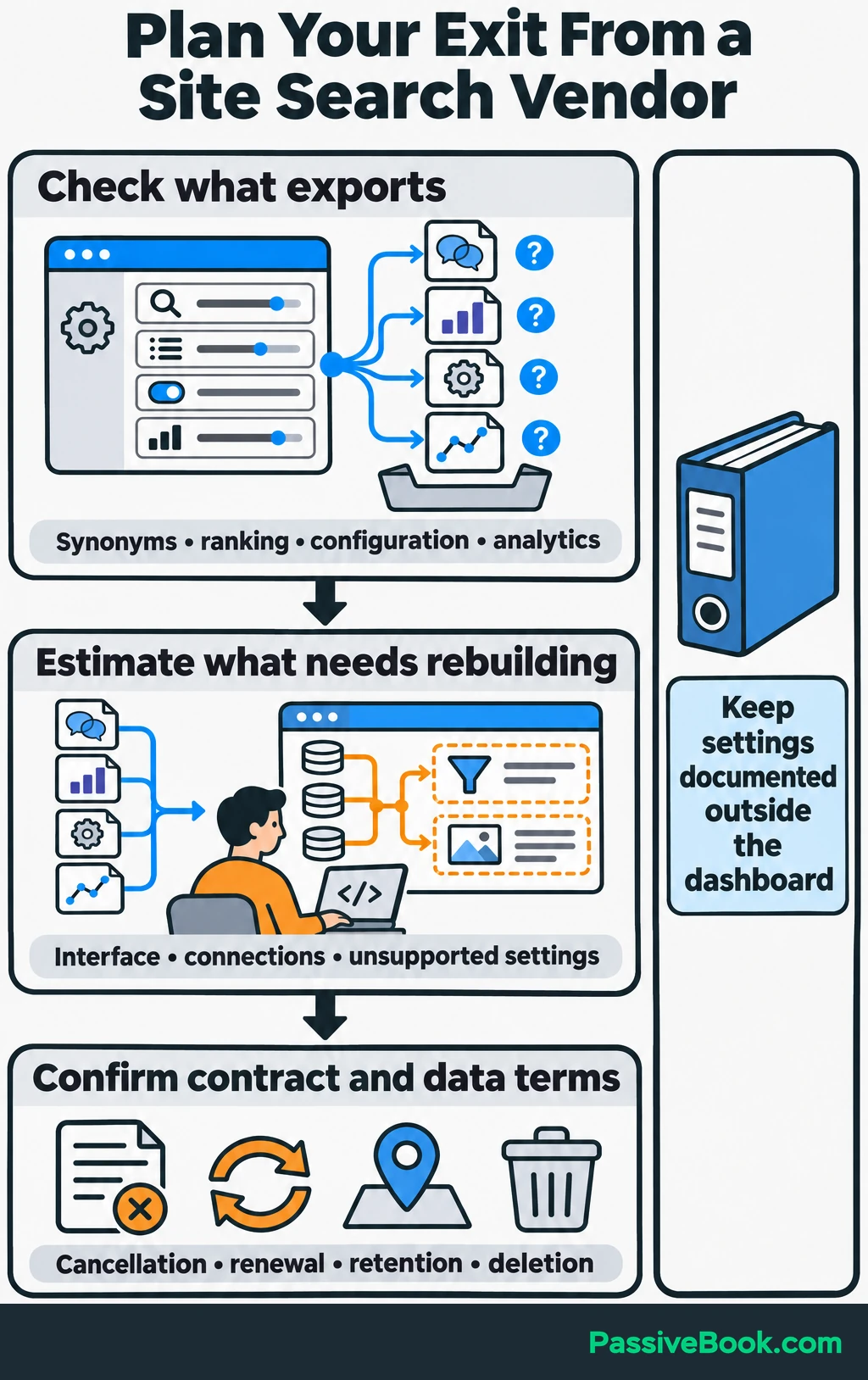
Also work out how you would leave. Can you export synonyms, ranking rules, configuration and analytics? Which settings would need rebuilding elsewhere? Estimate the effort to replace the interface and reconnect your original content.
Keep search-specific settings documented outside the vendor’s dashboard where practical. Owning the source content helps, but it does not make migration effortless.
Finally, check search-log retention, data location, deletion and contractual data-handling terms against your site’s needs.
6. Select the Vendor With the Strongest Demonstrated Fit
Remove candidates that fail mandatory requirements before comparing optional strengths. A low price cannot compensate for missing required content or broken access controls.
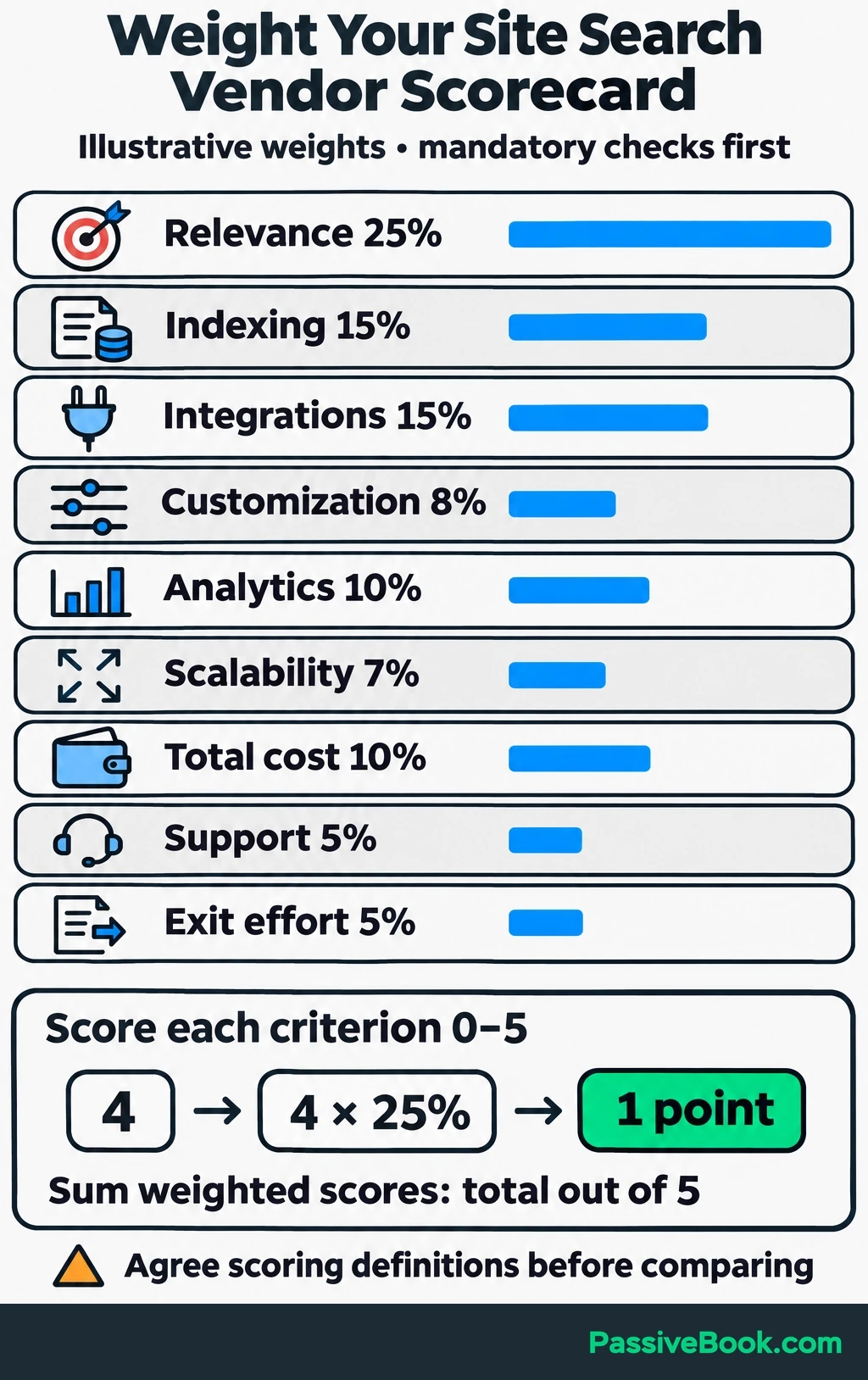
Use the priorities from your brief to create a scorecard. The following weights are an illustrative starting point for the baking shop:
| Criterion | Acceptance Requirement | Importance Weight | Evidence to Collect |
|---|---|---|---|
| Relevance | Critical tasks pass and agreed overall task score is met | 25% | Saved results and task scores before and after tuning |
| Indexing | Required content is covered and changes meet agreed delays | 15% | Timed addition, edit, stock-change and deletion tests |
| Integrations | Required platform, fields and tracking work together | 15% | Working staging installation with custom fields |
| Customization | Operator can maintain required filters and result cards | 8% | Completed filter and template changes, with time recorded |
| Analytics | Known searches, clicks and completion events reconcile | 10% | Trial event records and exported reports |
| Scalability | Expected peak demand meets performance requirements | 7% | Load-test timings, error counts and limit behavior |
| Total cost | Current and growth scenarios fit the budget | 10% | Written quotes checked against measured usage |
| Support | Help is available when the team needs it | 5% | Trial support exchange and written commitments |
| Exit effort | Required data can be exported and replacement work is acceptable | 5% | Sample exports and a migration estimate |
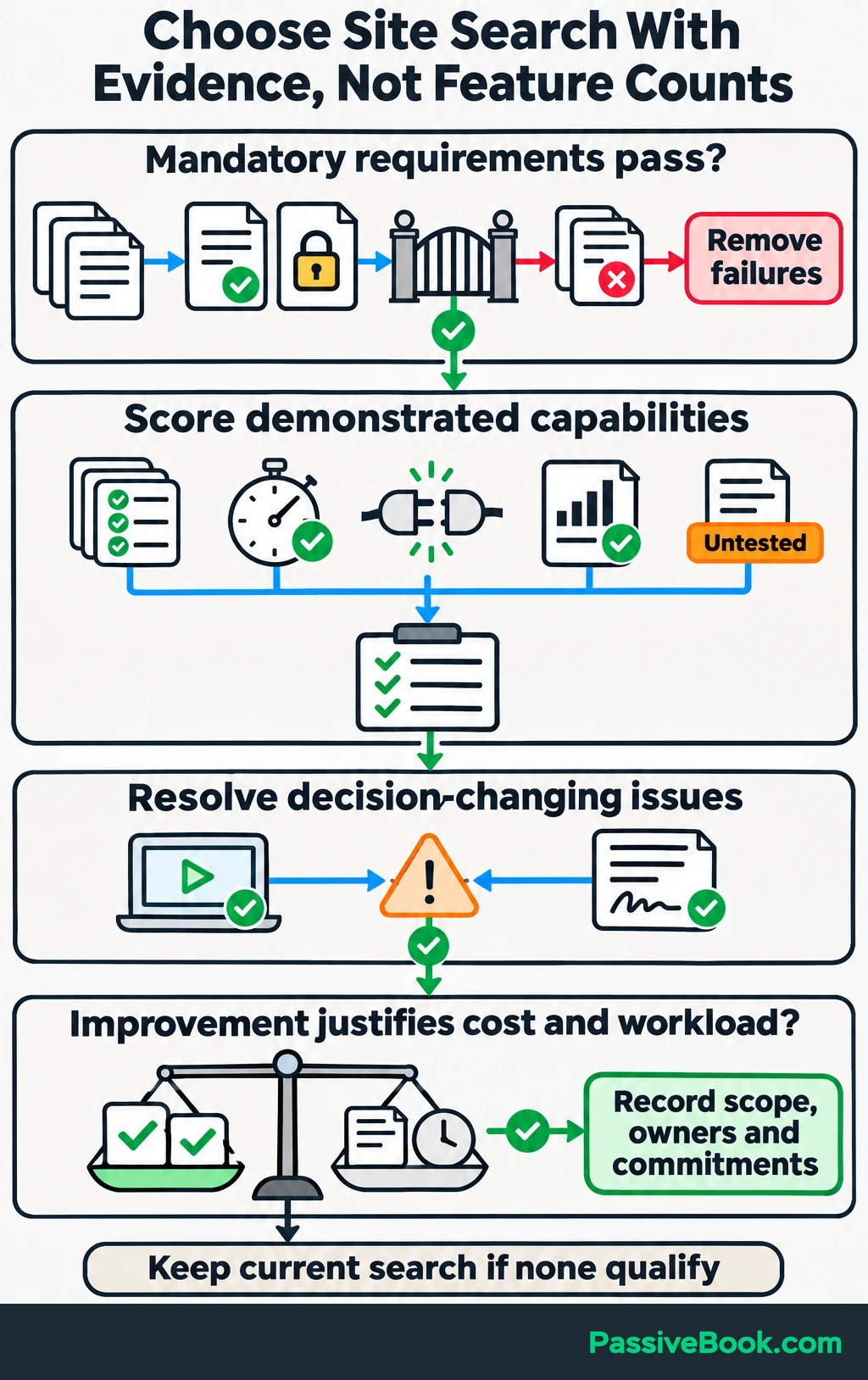
Add columns for trial score, implementation effort and unresolved issues. Until you have the evidence, mark the capability as untested.
For candidates that pass the mandatory checks, score each criterion from 0 to 5 using definitions agreed in advance. Use the earlier task scores to judge relevance and the other trial evidence to judge the remaining criteria.
Multiply each criterion score by its percentage weight, then add the results for a total out of 5. For example, a relevance score of 4 contributes 1 point at a 25% weight. Use consistent evidence standards across finalists.
The total helps organize judgment. It should not conceal an unresolved issue that could change the purchase decision. Get a demonstration or written commitment for that issue before signing.
Choose the candidate whose demonstrated improvement justifies its cost and operating workload. Keep your existing search if no replacement clears that threshold.
Record the final scope, owners, acceptance criteria, price and support commitments. Those are the terms you are buying, not everything shown during the sales call.
7. Verify the Choice After Launch
Before switching, repeat the core tasks and check content coverage, synchronization and tracking. Keep a tested way to restore the previous search.
Assign owners for failures, relevance changes and spending. One person can own several areas, but each area needs a name.
Compare launch results with your baseline over a defined review period:
- Task completion and search-session conversion.
- Zero-result rate and result click-through rate.
- Time until usable results appear and search errors.
- Actual software spending and maintenance time.
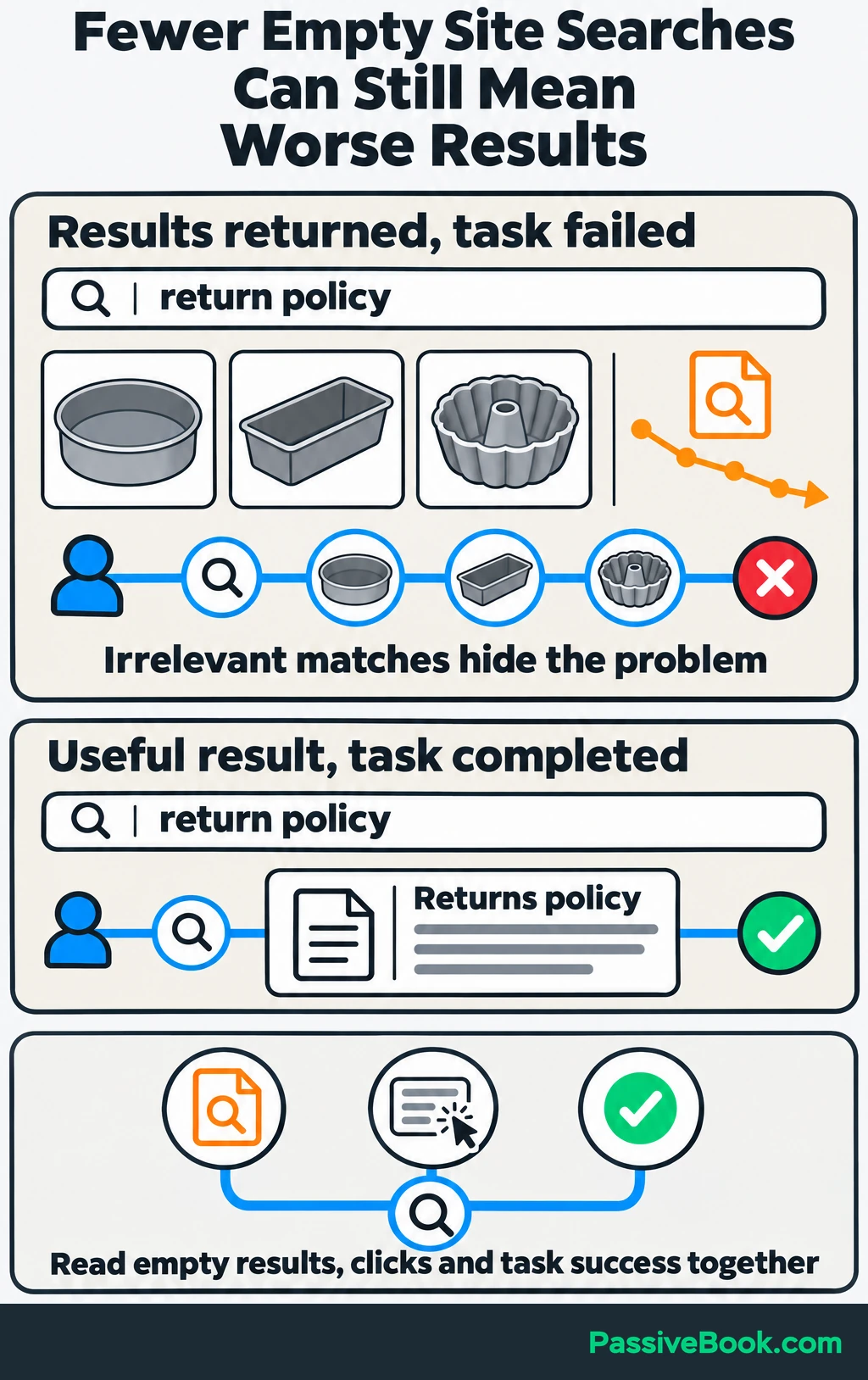
Interpret these measures together. Fewer empty results help only when the new matches are useful. Returning cake tins for every query could make the zero-result chart look wonderful while making search worse.
Review unsuccessful queries and fix the cause. That may mean adding missing content, completing attributes, repairing synchronization, adding a synonym or changing ranking. Rerun the affected trial tasks after each meaningful change.
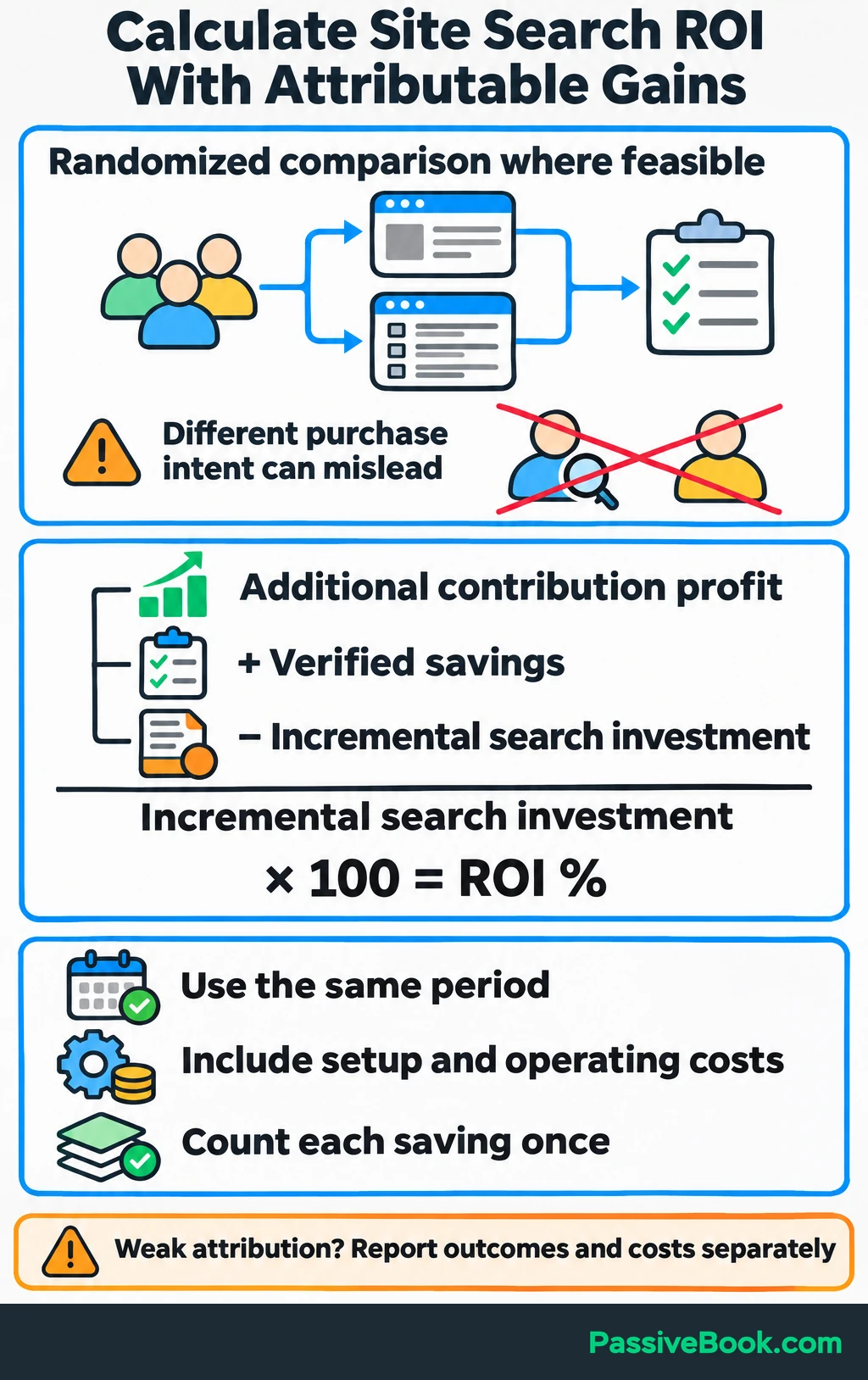
Where feasible, compare the old and new search with randomly assigned visitor groups. Search users may already have greater purchase intent, so comparing them with non-search users does not show the value created by the software. A before-and-after revenue increase alone does not establish that search caused it either.
To calculate ROI, choose a period and count attributable additional contribution profit, verified savings and the incremental search investment for that same period. Include setup and operating costs, and avoid counting one saving twice.
ROI = (attributable additional contribution profit + verified savings − incremental search investment) ÷ incremental search investment × 100
If attribution is weak, report the observed improvement and costs separately. I would rather have an honest task-success report than a precise ROI figure built on guesswork.
What Next?
Write down ten searches your visitors should be able to complete, and test them on your current site. That gives you the first evidence for deciding whether to improve what you have or trial a replacement.
Use the social buttons to share this guide when a search-software discussion needs a practical comparison process.
Which search task does your current site handle worst, and what would a useful result look like? Share it in the comments, along with any other questions about choosing or testing a tool.
Share this post with your friends & followers:

