A member pays their dues, then emails because their account still looks expired. You check the payment, update their record and send another message. One renewal has become three jobs.
When payments, member records and access live in separate places, you become the connection between them. That takes time, and it makes mistakes harder to catch.
The right membership management software can connect those jobs, but the best choice depends on what members actually buy. This comparison will help you choose a sensible shortlist, work out the full cost and test what happens when a renewal goes wrong.
Match the Software to Your Membership Model
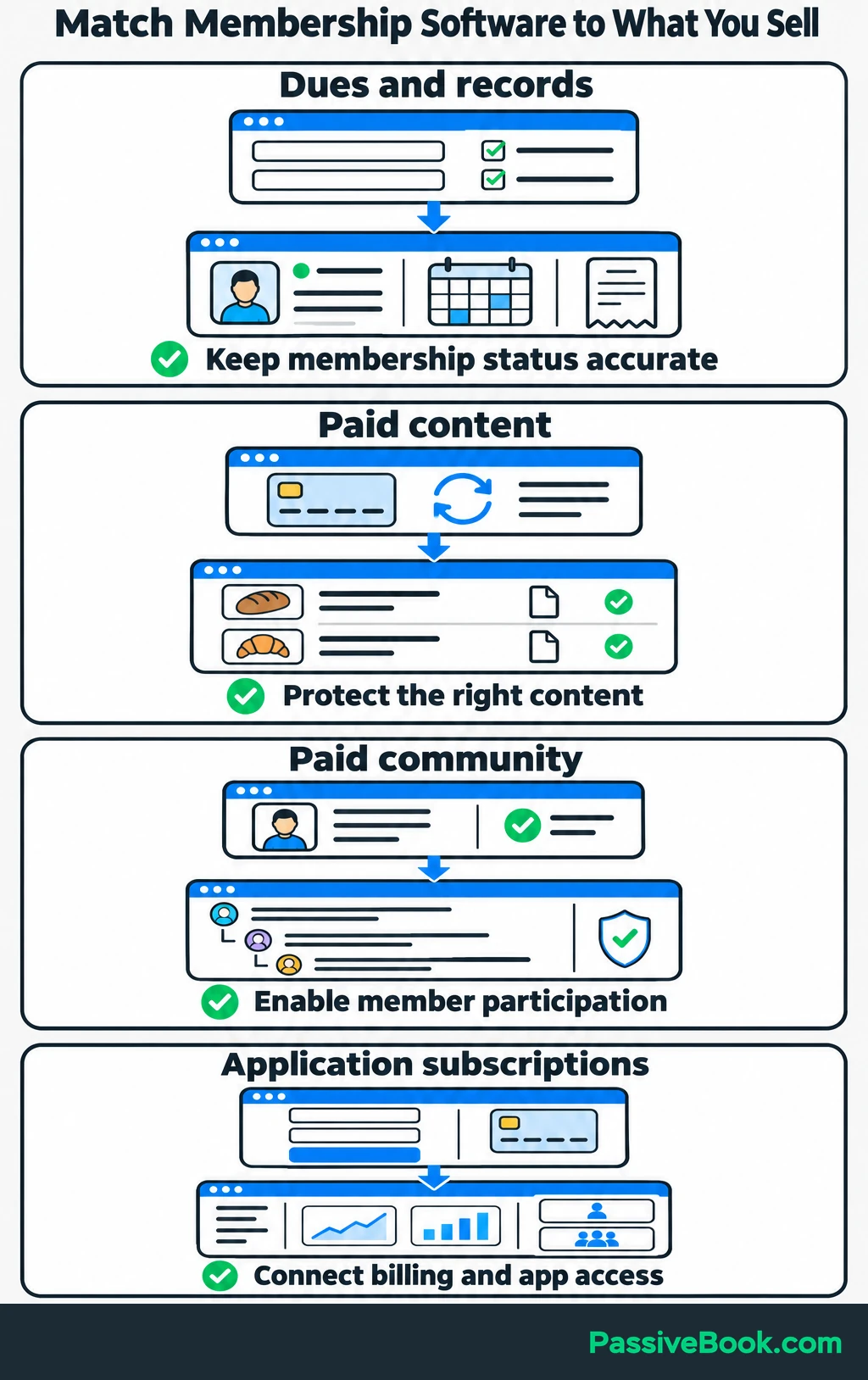
Start with the main job you need the software to do. A platform built for annual dues may be a poor fit for a paid discussion community, even when both advertise “membership management.”
| Your main job | What the software must handle |
|---|---|
| Collect dues and maintain records | Applications, membership types, approvals, payments, renewal dates and member self-service |
| Sell access to content | Recurring billing, protected pages or files, account access and cancellation |
| Run a paid community | Discussions, moderation, events, member profiles and paid access |
| Manage subscriptions inside an application | Sign-in, billing, individual or team accounts, and connections to your application |
These needs can overlap. The question is which job would cause the most trouble if the software handled it badly.
Next, write down your essentials. Include billing schedules, approval rules, member benefits and tools that must stay connected. Add household accounts, directories, events or membership cards only when you need them.
A feature you never use is still allowed to appear in a sales demo. It doesn’t need to appear in your budget.
For the running example, imagine you sell a home bread-baking membership with a recipe library and private member discussions. This is an illustrative business, and its figures below are assumptions.
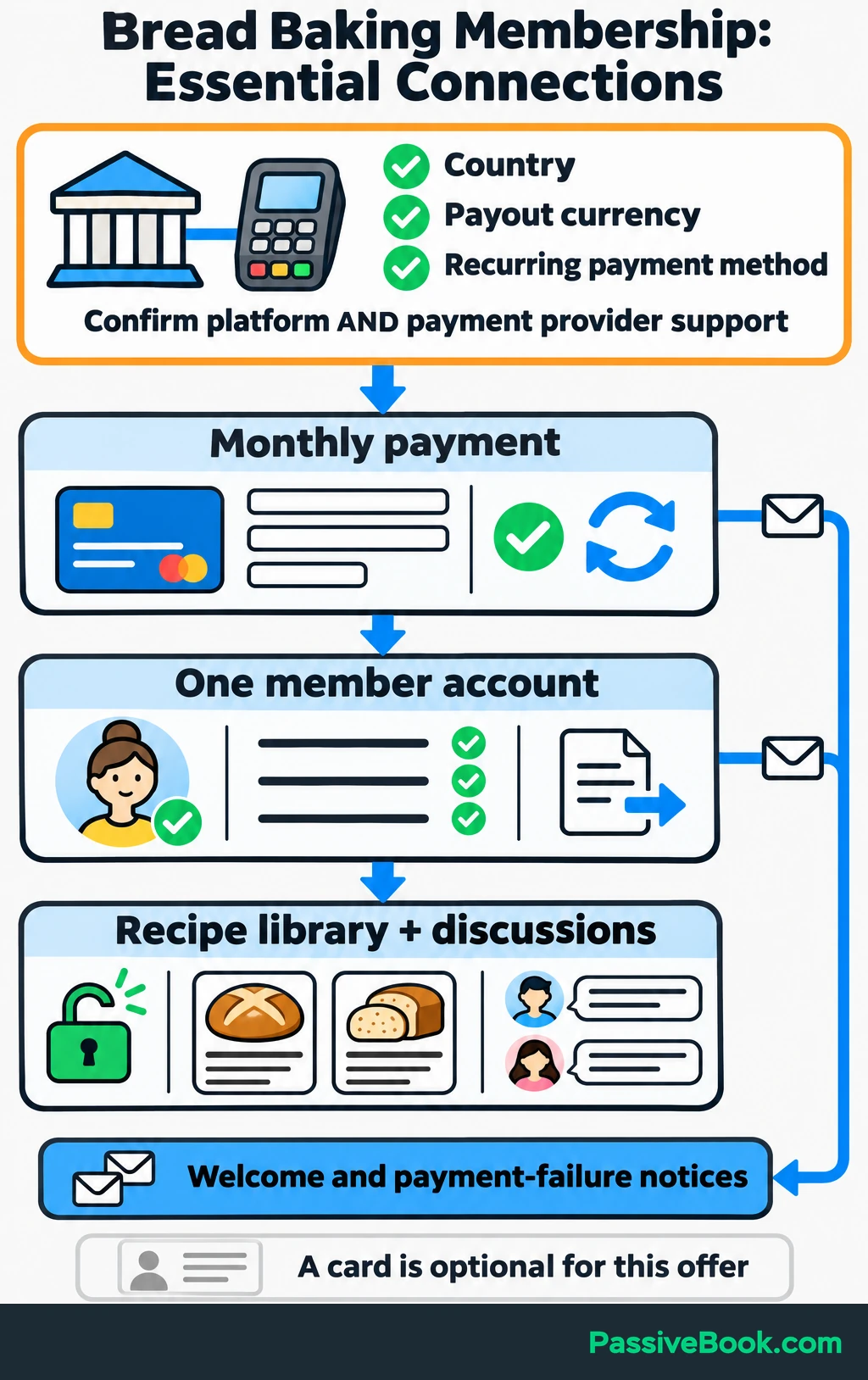
Your essential requirements might be:
- Payments: Monthly recurring billing and a way for members to update their payment method.
- Access: One account that unlocks the recipe library and discussions.
- Communication: A welcome message and useful notices when payments fail.
- Administration: Clear member status, payment history and usable exports.
A digital membership card adds little to that offer. Reliable access matters much more.
Before shortlisting anything, confirm that both the platform and its payment provider support your organization’s country, the currency you want paid into your bank account and the recurring payment methods you need. Ask about your exact setup; processor availability alone does not establish that a particular platform supports it.
The Best Membership Management Software by Use Case
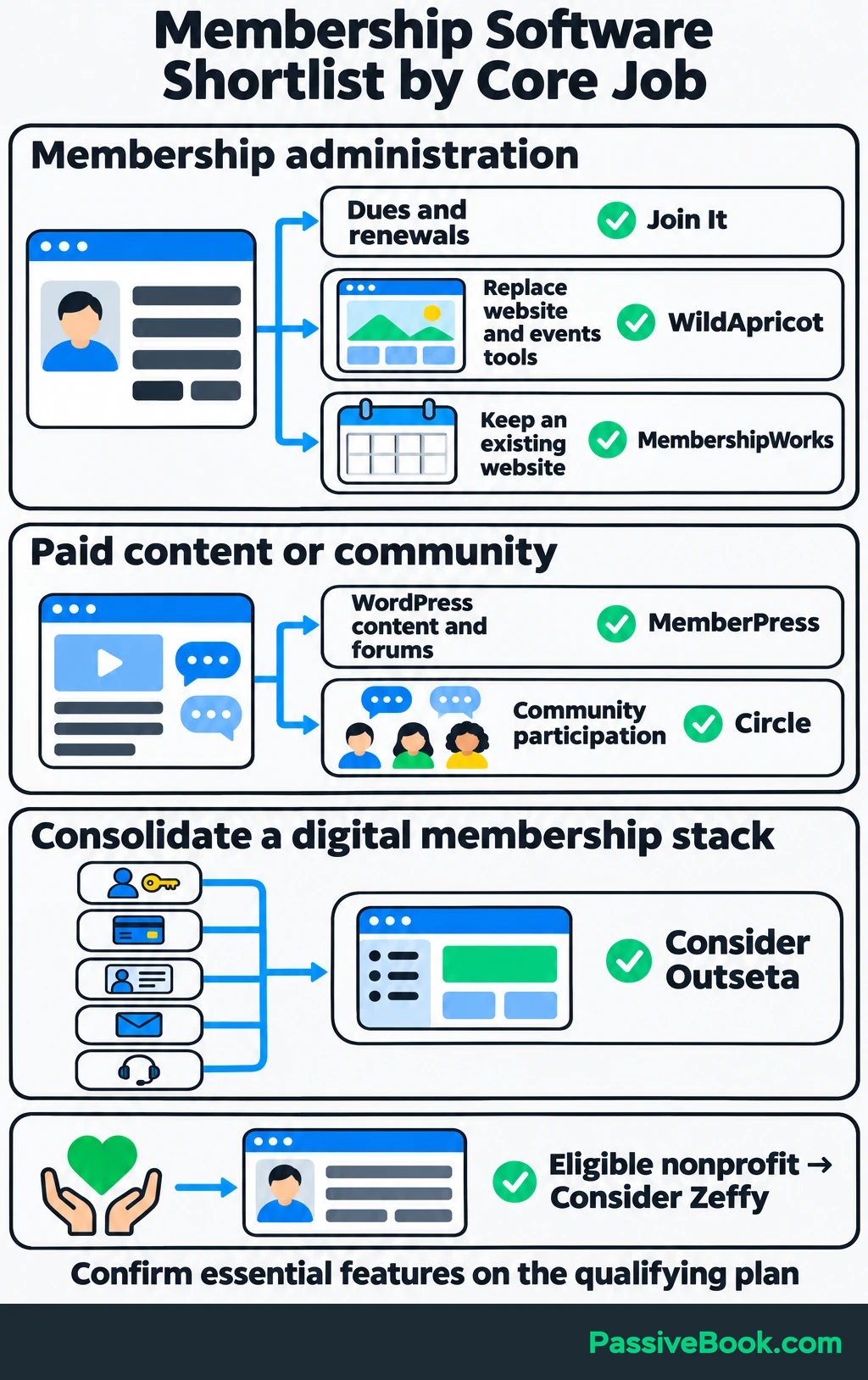
I would start with Join It for straightforward dues administration, MemberPress for a WordPress content membership, and Circle for a community-led offer. WildApricot deserves a look when membership records, events and a website all need replacing.
These recommendations interpret vendor documentation. Use the workflow tests later in this article to check how the software handles your own rules.
Prices below are in USD. Annual commitments and introductory offers are marked, and the linked pages provide current terms. Platform payment fees are separate from processing charges unless stated otherwise.
If you need another app to read or update member records, check for API access. Webhooks let a platform notify another app when something happens, such as a payment succeeding.
| Platform | Best-Fit Model | Website Arrangement | Entry Price and Billing Commitment | Payment Fees | Essential Features Requiring an Upgrade | Evaluation Option |
|---|---|---|---|---|---|---|
| Join It | Dues, renewals and member records | Hosted membership pages; embedded purchase widget on Total | Starter from $29/month; Total from $99/month. Capacity affects pricing | Starter: 3%; Total: 2%; Stripe processing additional | Total adds digital cards, directory, check-in and API access | No-card free trial |
| WildApricot | Membership administration, website and events | Website builder included; existing-site integration available | From $66/month for 100 contacts, or $59.40/month with one year prepaid | Processor charges; conditional servicing fee explained below | Core features are shared across paid plans; contact capacity drives upgrades | 60-day no-card trial; online payments excluded |
| MembershipWorks | Membership administration on an existing website | Integrates with WordPress, Squarespace, Wix and other supported sites | Free for up to 50 accounts; $35/month for 300; $59/month for 600. No contract | No platform transaction fee; gateway charges apply | Paid plans add features including multiple administrators, event registration and general forms | Free plan; 30-day money-back guarantee on paid subscriptions |
| Zeffy | Eligible nonprofit memberships | Membership forms linked from your site | Free for eligible organizations | No platform, transaction or card-processing fees; optional supporter contributions fund the service | No paid upgrade; forms, renewals and cards are included | Free account |
| MemberPress | Paid WordPress content and courses | Plugin on your own WordPress website | Launch: $199.50 introductory year, then $399/year; annual renewal | Launch: 4.9% plus processing; Growth removes the MemberPress transaction fee | Growth adds native forums and more payment options; Scale adds API and webhook access | Purchase required; 14-day money-back guarantee |
| Outseta | Digital memberships needing billing, contact records (CRM) and email together | Connects to your website or application | Start: $47/month for 1,000 contacts; Scale: $127/month for 10,000, on monthly billing | Start: 2%; Scale: 1%; Stripe charges additional | Listed core functions are included; capacity and fee differences drive plan choice | 14-day trial; human support and free data migration advertised |
| Circle | Memberships built around community participation | Hosted community and website tools | Professional: $89/month; Business: $199/month, both billed annually | Professional: 2%; Business: 1%; Stripe processing and applicable billing charges additional | Business adds workflows, custom profile fields and API access; Email Hub has separate contact-based pricing | 14-day no-card trial; migration scope depends on plan and eligibility |
Join It: Best for Dues, Renewals and Membership Cards
I would shortlist Join It when your recurring work is collecting dues, checking membership status and answering renewal questions.
Starter includes custom fields, recurring payments, renewal reminders and three administrator seats. That gives you a useful starting point without buying a larger website system.
Cards change the decision. If members must show a digital card, check in or appear in a directory, compare Total from the start. API access also requires that tier.
For the bread-baking membership, I would look elsewhere first because the recipe library and discussions are the main product. Join It becomes more compelling when membership administration itself is the difficult part.
During the trial, test member self-service and send support a real billing question. Free member imports, email support and live chat are listed, while a dedicated account manager requires Extra.
WildApricot: Best for Membership Administration With a Website and Events
WildApricot is worth considering when several administrative tools need replacing together. Applications, dues, email, event registration, a directory and a member website sit within the same system.
I would compare it closely if event bookings and member records currently require repeated copying between tools.
Watch the contact count. Nonmembers, including event registrants, count toward capacity when they have non-archived contact records. A hundred paying members can therefore require more than a hundred-contact plan. You also need a paid plan to use a custom domain; see the plan limits.
There is another material cost: US and Canadian accounts enabling Stripe, PayPal or Authorize.net incur a servicing fee equal to 20% of the software subscription price, separate from processing charges. It can apply before you collect a payment. Check the servicing-fee conditions against your intended gateway.
Use the trial for administration, and request a guided billing demonstration.
MembershipWorks: Best for Adding Membership Management to an Existing Website
I would consider MembershipWorks when your website already works and the membership administration needs improving.
It supports member records, directories and membership functions within supported website builders. You still need to budget for the website and its maintenance.
Its billing options include recurring card payments, offline payments, renewal notices and membership changes. If accounting transfers matter, inspect the actual files: its QuickBooks and Xero connections use exports, so don’t budget on the assumption of continuous synchronization.
The account-counting rule can help when you run public events. Attendees and donors do not count toward capacity unless accounts are created for them.
Start with the free plan to inspect the member experience, then evaluate the paid features your operation needs. I would particularly test forms and staff access before treating the free tier as a permanent solution.
Zeffy: Best Free Option for Eligible Nonprofits
Zeffy deserves an early look if your organization qualifies. Its membership tools include forms, tiers, contact profiles, renewals, reminders and exportable lists without charging the organization platform or processing fees.
Eligibility comes first. Zeffy serves eligible nonprofits and registered charities in the US, Canada, UK, Ireland, Australia and Germany. An organization bank account and local verification requirements apply. The commercial bread-baking membership would not qualify under these eligibility rules.
Inspect the optional contribution request during checkout so you understand what supporters see.
If cards matter, test the delivery format too. Zeffy’s scannable membership cards arrive by email; Apple Wallet and Google Wallet passes are not supported.
I would run an application, renewal and export before asking support to demonstrate the organization’s most complicated membership rule.
MemberPress: Best for Paid Content Memberships on WordPress
MemberPress is my first shortlist choice when the membership mainly unlocks content on a WordPress site.
You keep the site under your control, but hosting, updates, backups and maintenance remain part of the job. I prefer WordPress for that control, provided someone owns those responsibilities.
For the bread-baking membership, Growth is the relevant starting point because it includes native community forums alongside protected content. Launch’s lower license price does not meet that requirement.
Payment choice can also determine the tier. Launch uses Stripe, while PayPal, Square and offline payment options require Growth or Scale. The payment documentation explains those restrictions.
Evaluate the installed plugin during the refund window. Test it with your theme, checkout and existing email system before spending time polishing the member area.
Outseta: Best for Combining Digital Membership Administration With CRM and Email
Outseta is worth testing when your membership stack has become a collection of tools that constantly need updating together.
It combines sign-in, protected content, Stripe subscription billing, a CRM for contact records, email and a help desk. Individual and group memberships, team seats, webhooks and API access are included.
Your website or application remains a separate part of the setup. Test how Outseta connects to it and whether the access rules match what you sell.
I would choose it for consolidation only after checking what can actually be retired. Paying for bundled email while keeping your existing email platform produces a larger bundle of bills.
Use the trial to test billing, onboarding and support together, and get the advertised migration scope in writing before counting it as work removed.
Circle: Best for Memberships Built Around Community Participation
Circle is the stronger shortlist choice when interaction is the product: discussions, events, courses and members helping one another.
For the bread-baking membership, I would favor it when troubleshooting dough and sharing results matter more than browsing the recipe archive.
Professional covers the core community offer. Business becomes relevant when your required workflows, profile fields or API connections need it.
Check the complete payment cost. Circle uses Stripe Billing for subscriptions and installments, so basic card-processing rates alone understate the charges. Its paywall fee breakdown explains the layers.
During the trial, test posting, finding older discussions, moderation and mobile use. A community can look lovely in a demo and still make members work too hard to find the recipe they wanted.
Calculate the Full Cost at Your Size
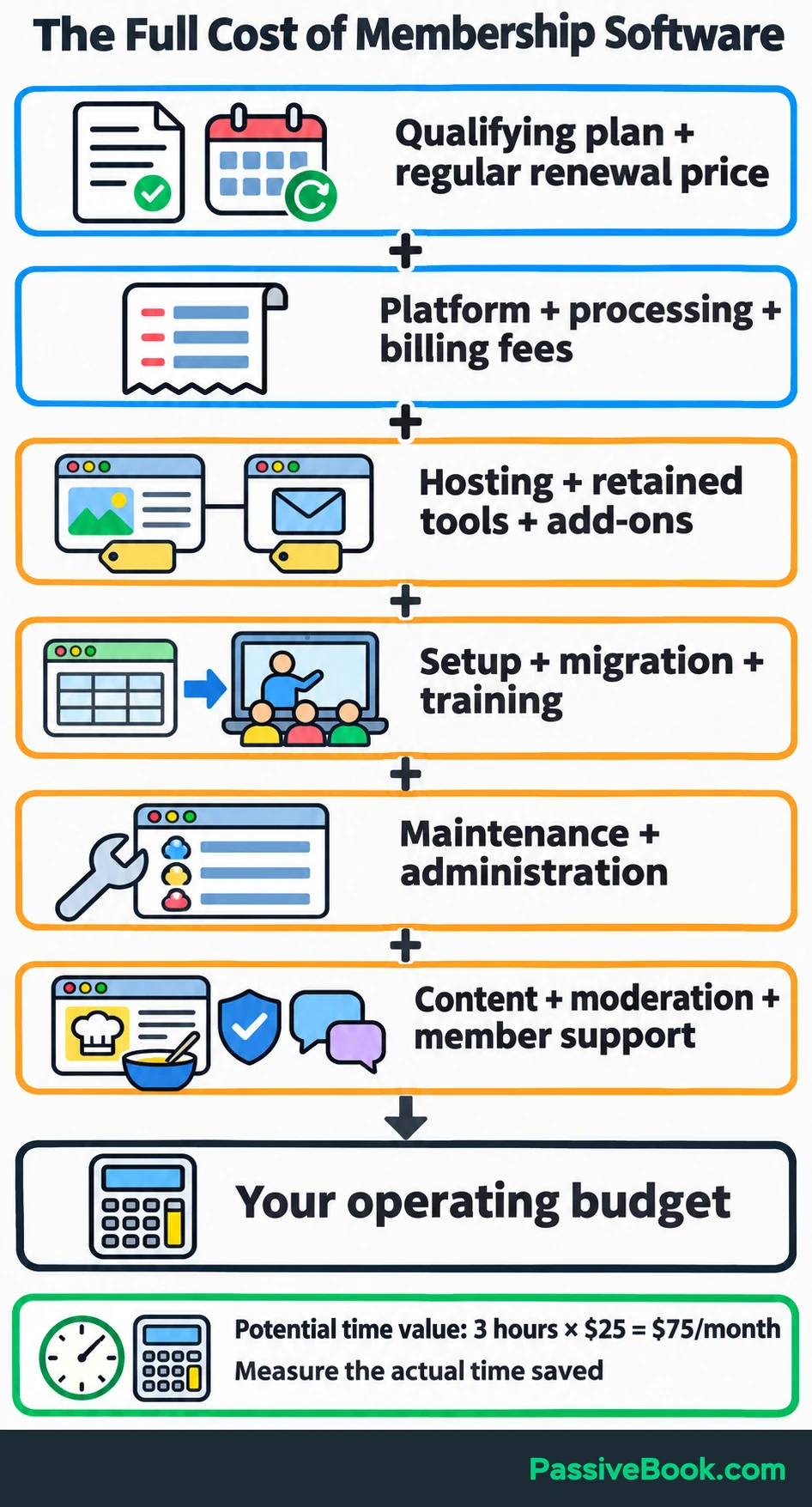
Compare the lowest plan that meets every essential requirement. Then add everything needed to keep it running:
- Software: Subscription or annual license, including the regular renewal price.
- Payments: Platform fees, processor charges and any required subscription-billing charges.
- Other tools: Website hosting, email, connectors and paid add-ons you must retain.
- Implementation: Setup, migration, training and any paid help.
- Maintenance: Updates, troubleshooting and recurring administrative work.
Check capacity using each vendor’s definition. Members, contacts and accounts are different billing units. Administrator limits and integration access can force an upgrade before member growth does.
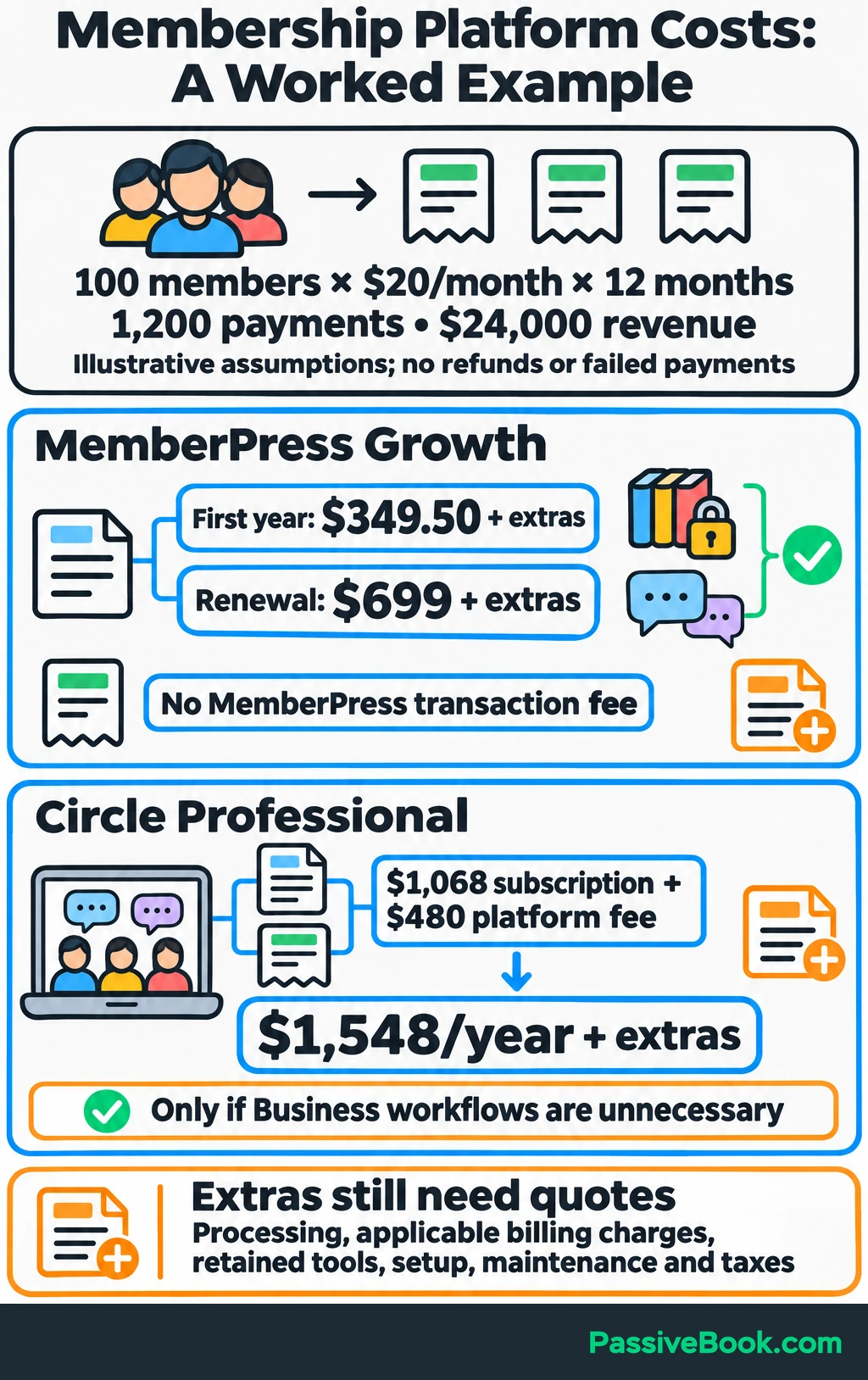
For the bread-baking example, assume 100 members each make one successful $20 payment every month for 12 months. That means 1,200 payments and $24,000 collected, with no refunds or failed payments included in this illustration.
The worksheet below compares two possible fits. “Extras” means the platform-specific processing, retained tools, implementation, maintenance and applicable taxes still awaiting a quote.
| Qualifying Plan | Billing Commitment | Current and Projected Capacity | Fixed Charges | Payment Fees | Required Extras | First-Year Total | Ongoing Annual Total |
|---|---|---|---|---|---|---|---|
| MemberPress Growth | Annual license | 100 members now; planning for 200; no per-member license tier | $349.50 introductory year; $699 at renewal | No MemberPress transaction fee; processor charges extra | Hosting, maintenance, email connections and setup | $349.50 + extras | $699 + extras |
| Circle Professional, if Business workflows are unnecessary | Annual payment | 100 members now; planning for 200; unlimited members listed | $1,068 annually | $480 Circle fee on the assumed revenue, plus Stripe processing and Billing | Retained email, setup and any required add-ons | $1,548 + extras | $1,548 + extras at the same revenue |
The MemberPress amounts follow its Growth purchase terms. These are cost expressions, not complete quotes; fill in the extras before choosing.
The cheaper-looking MemberPress Launch plan illustrates why this matters. On the same revenue, its platform fee alone would be:
$24,000 × 4.9% = $1,176 per year.
Adding the license produces $1,375.50 in the introductory year and $1,575 at renewal, before processing, hosting and other extras. Its Launch purchase terms also confirm annual renewal at the regular price. Growth costs less in this example and meets the forum requirement.
Next, estimate the value of administration removed. If a workflow would save three hours a month and you value that time at $25 an hour, that is $75 of potential monthly value. Treat those as your assumptions until you measure the work.
I learned to include another line in this budget: delivering the membership itself. I spent six months building a membership site while working a corporate job, then abandoned it because producing continuous premium content was unsustainable. My evenings still had the same number of hours.
Software can handle renewals. It cannot make an exhausting member promise cheap to deliver. Include content, moderation and member support when deciding whether the operation will fit your week.
Test the Workflows Behind the Feature List
Shortlist two or three qualifying platforms and run the same scenarios in each. Record pass or fail, every manual intervention and anything still unanswered.
Use test records and vendor-approved payment testing. When the trial excludes a workflow, request a guided demonstration.
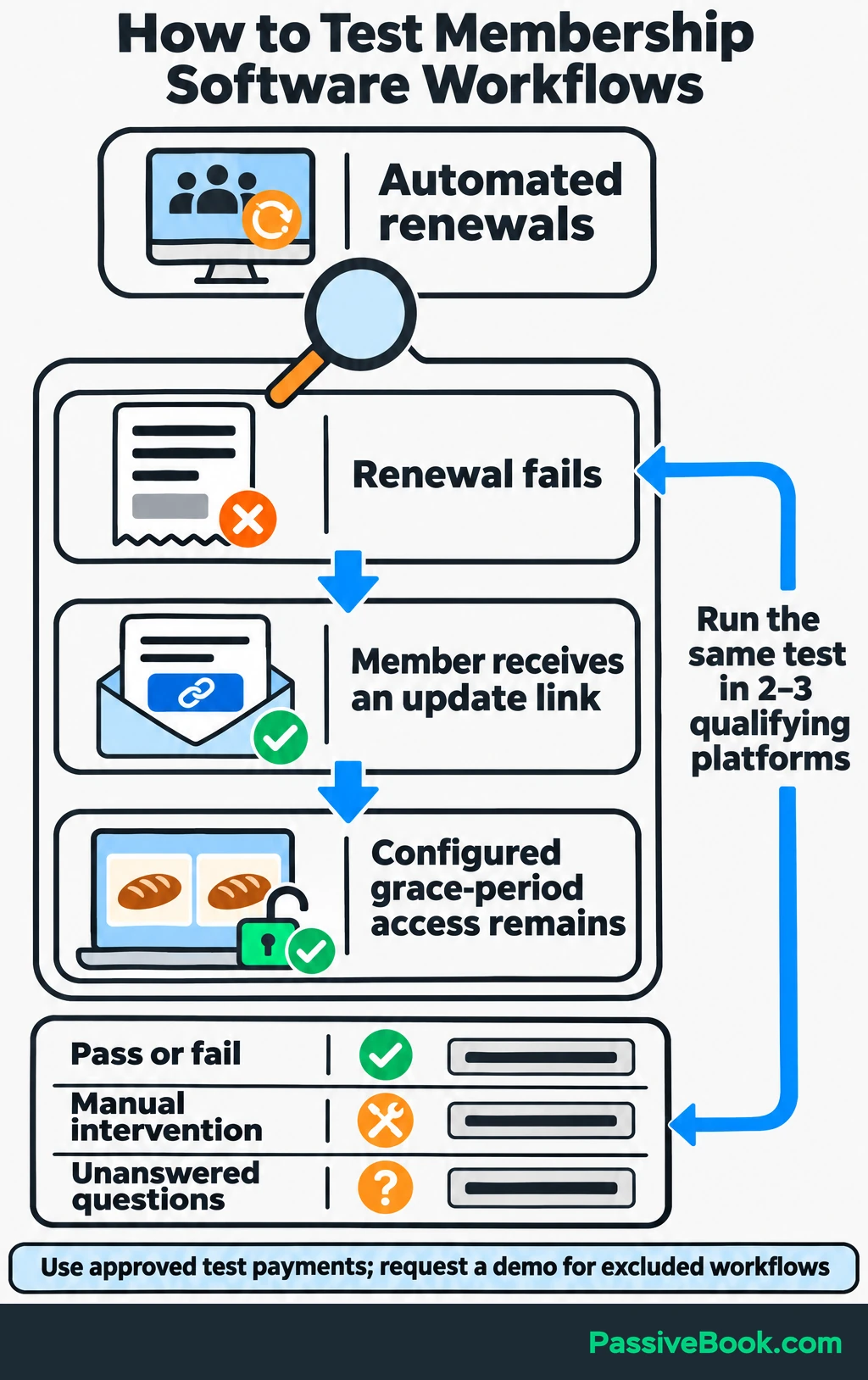
A useful result sounds like this:
“The renewal failed, the member received a payment-update link, and access remained available during the grace period we configured.”
“Supports automated renewals” tells you much less.
Applications and Member Records
Submit an application with the fields and membership type you need. If approval is required, check what happens before approval, including whether payment is collected or access granted.
Then inspect the record:
- Identity: One usable record exists, with the right name, email and member identifier.
- Status: Pending, active and expired states match what happened.
- Membership: The correct tier, start date and renewal date are stored.
- Shared accounts: One payer can cover several people when your model requires it.
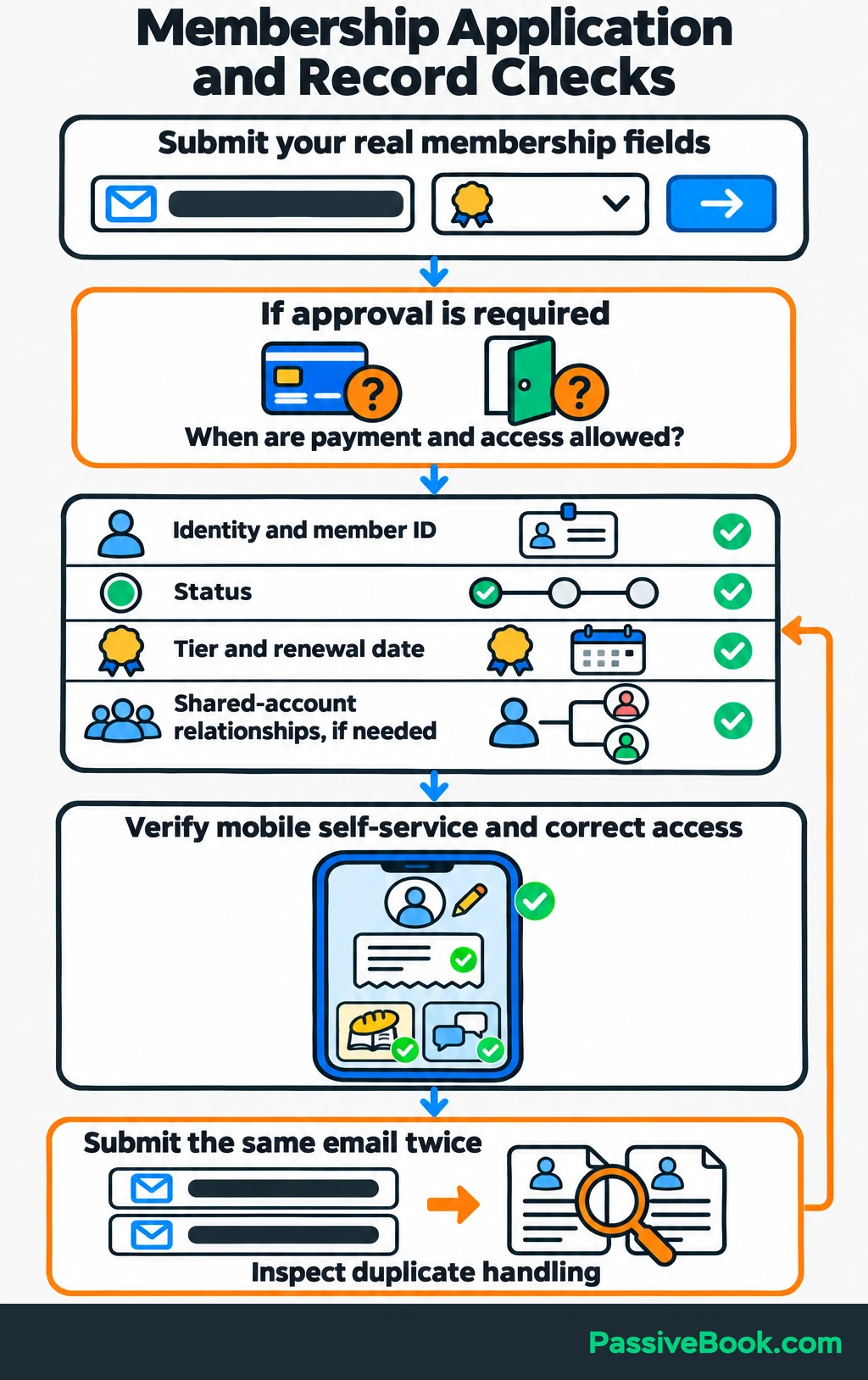
For the bread-baking membership, join as a new member and check that the account opens the right recipe library and discussion area.
Repeat the member tasks on a phone. Update a profile, retrieve a receipt and find the benefits. Test directory visibility and card issuance if either is essential.
I would also submit the application twice with the same email. Duplicate records are much easier to investigate with two test accounts than with a live membership list.
Payments, Renewals and Access
Follow one member through the whole billing cycle:
- Join and make the initial payment.
- Renew successfully.
- Encounter a failed payment.
- Update the payment method.
- Recover the payment or reach expiry.
- Cancel and reach the end of paid access.
At each stage, inspect the member’s messages, invoice, status and access.
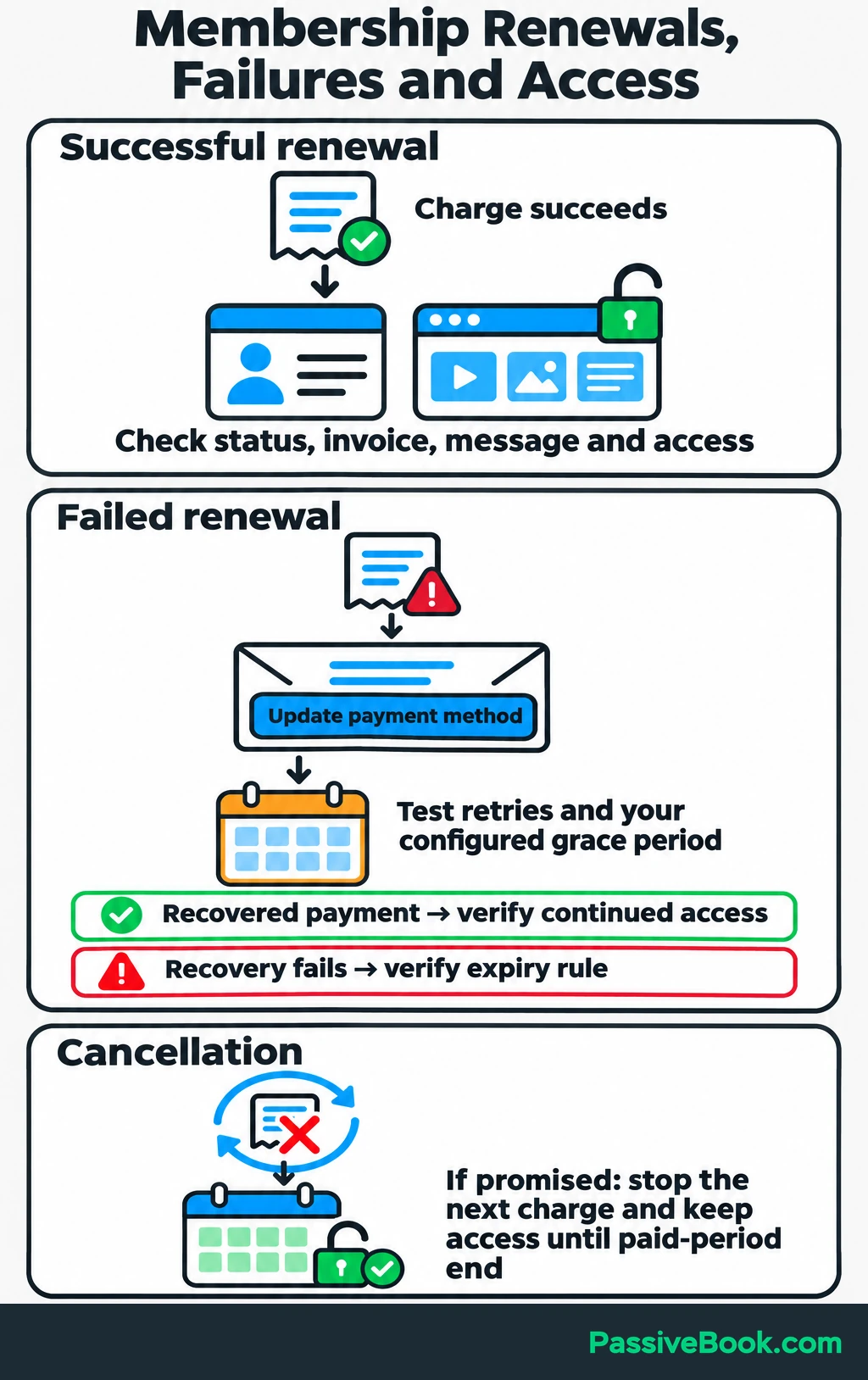
Automatic charging and renewal reminders are different features. A reminder asks the member to pay. Automatic billing attempts the charge. Verify which one your plan supports and how failed attempts are handled.
Check retry rules, grace periods and the point when access ends. For the bread-baking membership, decide whether a failed renewal should temporarily preserve access, and test that exact rule.
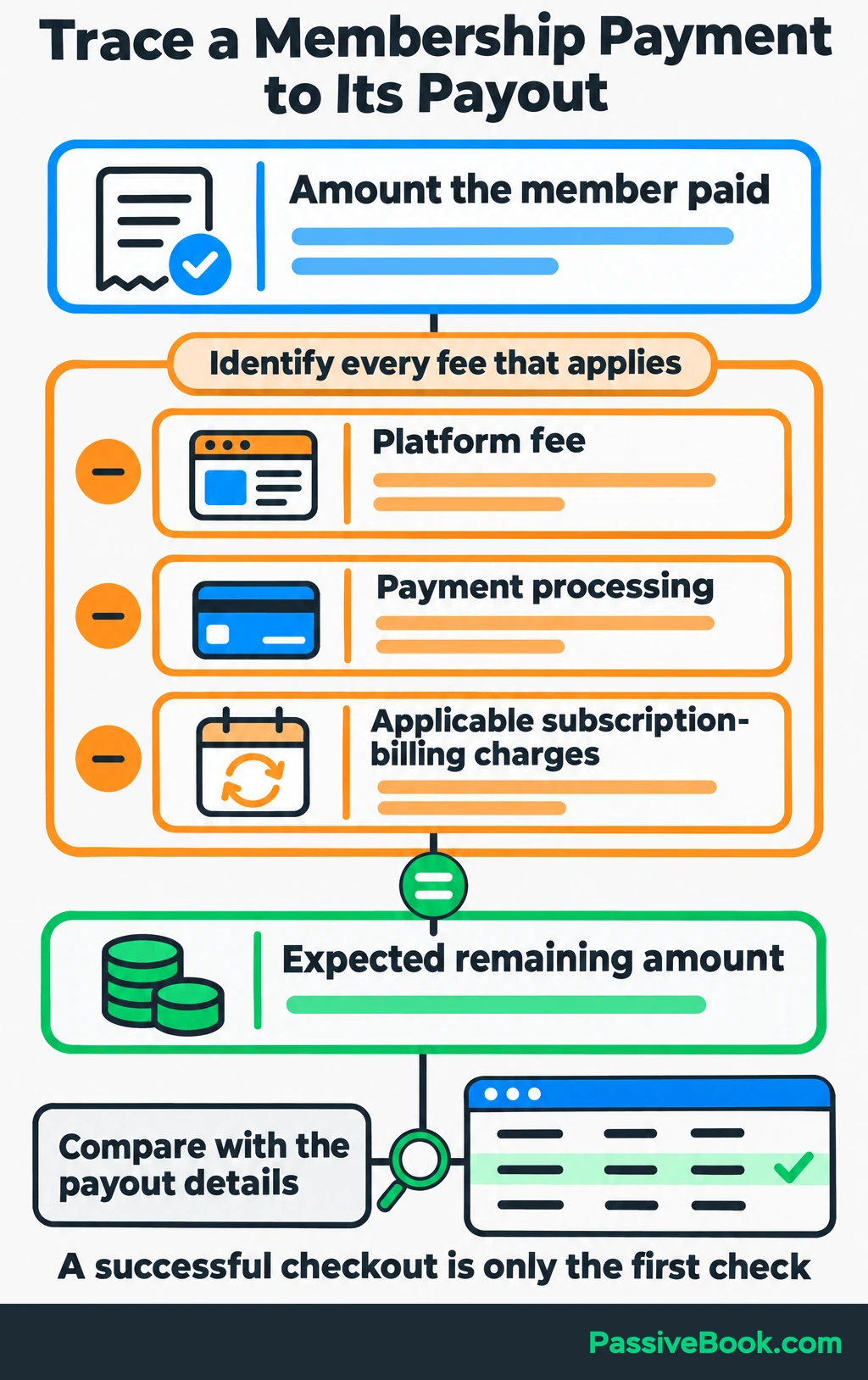
Cancellation needs equal attention. If your promise allows access through the paid period, confirm that cancellation stops the next charge while preserving that remaining access.
Test refunds, upgrades and offline payments when you use them. For an upgrade, check whether the price difference is charged immediately and whether the renewal date changes.
Finally, reconcile a payment. Start with the amount the member paid, identify each fee and compare the remaining amount with the payout. A successful checkout is only part of a successful payment workflow.
Automation, Integrations and Reporting
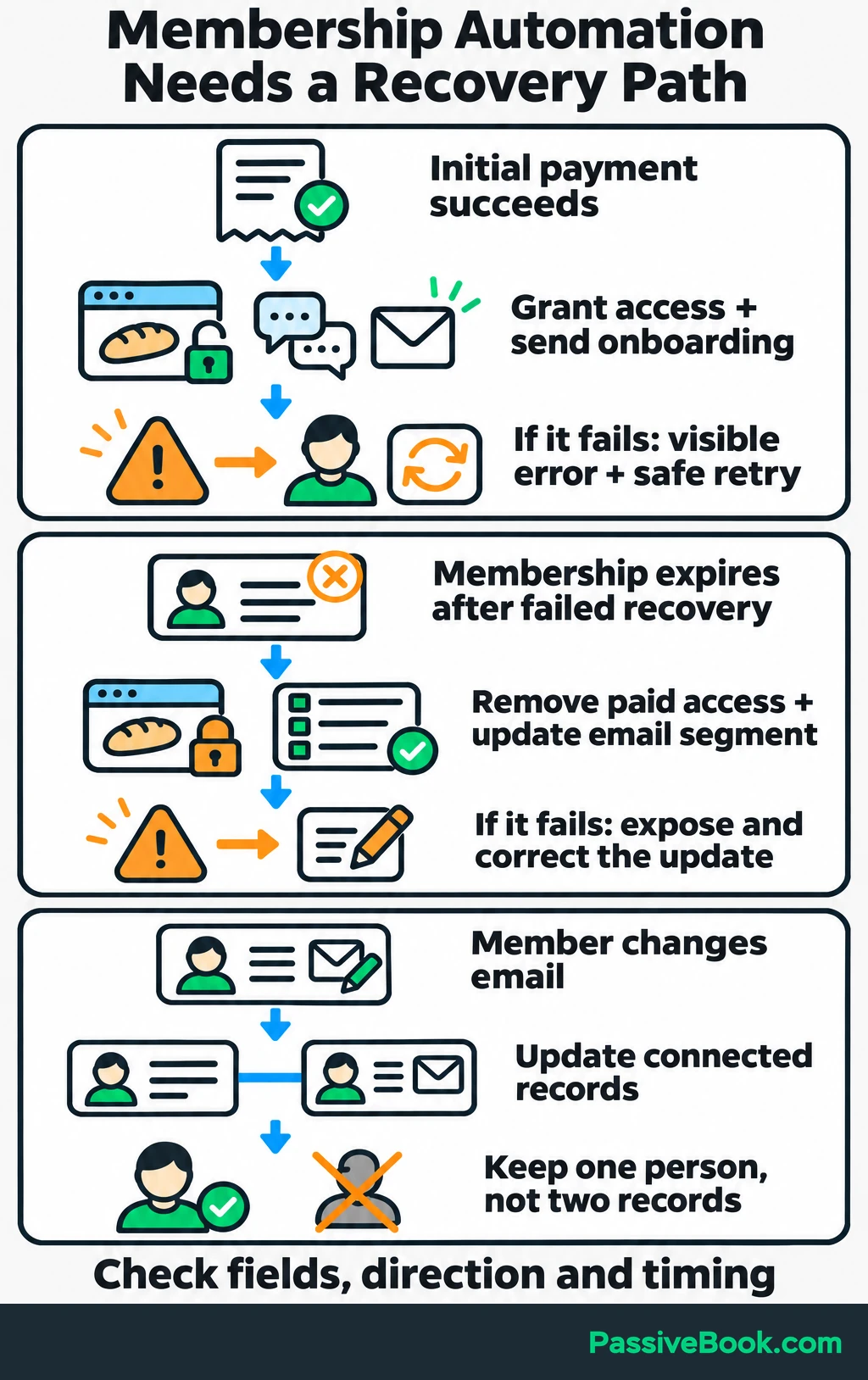
Write each essential automation as an event, an action and a response when something fails.
For the bread-baking membership, that could look like this:
| Event | Required Action | What to Check if It Fails |
|---|---|---|
| Initial payment succeeds | Grant library and discussion access; send onboarding | An administrator sees the error and can safely retry |
| Membership expires after unsuccessful recovery | Remove paid access and update the active-member email segment | The failed update is visible and can be corrected |
| Member changes email address | Update the connected member and communication records | The connection avoids creating a second person |
For each integration, check which fields move, in which direction and how quickly. An export, a one-way update and continuous two-way synchronization solve different problems.
Make and n8n connect apps so a change in one can trigger an action in another. I would start with Make for a straightforward connection and use n8n when I need more control. Check that the tool supports your membership platform and the actions you need. Include connector costs and any higher plan required for API access.
For an existing WordPress setup, I would also test whether FluentCRM, a WordPress email tool, can send the required member messages before replacing your email system.
Reporting should match your test records. Compare active members, overdue accounts, renewal dates, collected revenue and refunds with what you deliberately entered. Then export the results and confirm that the dates, identifiers and custom fields remain usable.
Check Migration and Exit Options
Ask for a written migration scope before importing the live list. It should name the records and rules being moved, who moves them and how you will check the result.
Include membership types, custom fields, renewal dates, shared accounts, payment history and communication preferences. Test a representative sample containing awkward cases, such as an overdue account or a member on an older price.
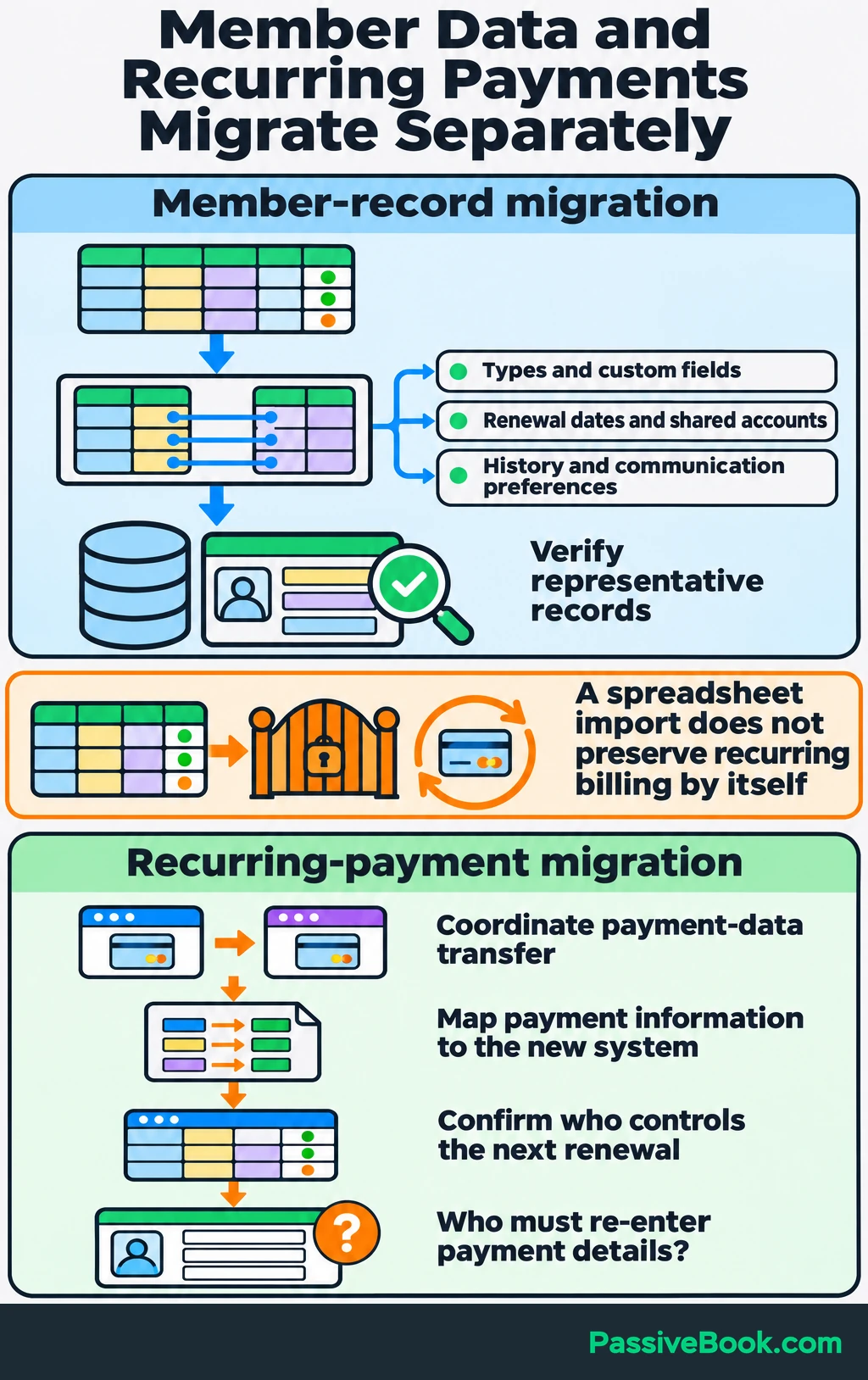
Contact migration and payment migration are separate jobs. Importing a spreadsheet does not, by itself, preserve recurring billing. Stripe’s payment-data migration process involves coordination and mapping payment information to the receiving system.
Get clear answers to these questions:
- Who will control the next renewal charge during changeover?
- How will duplicate charges be prevented?
- Which members, if any, must enter payment details again?
- What happens if the new system fails its final checks?
- When can the old system safely be retired?
A rollback plan needs a named person and a usable route back. “We’ll sort it out” is a fairly expensive migration method.
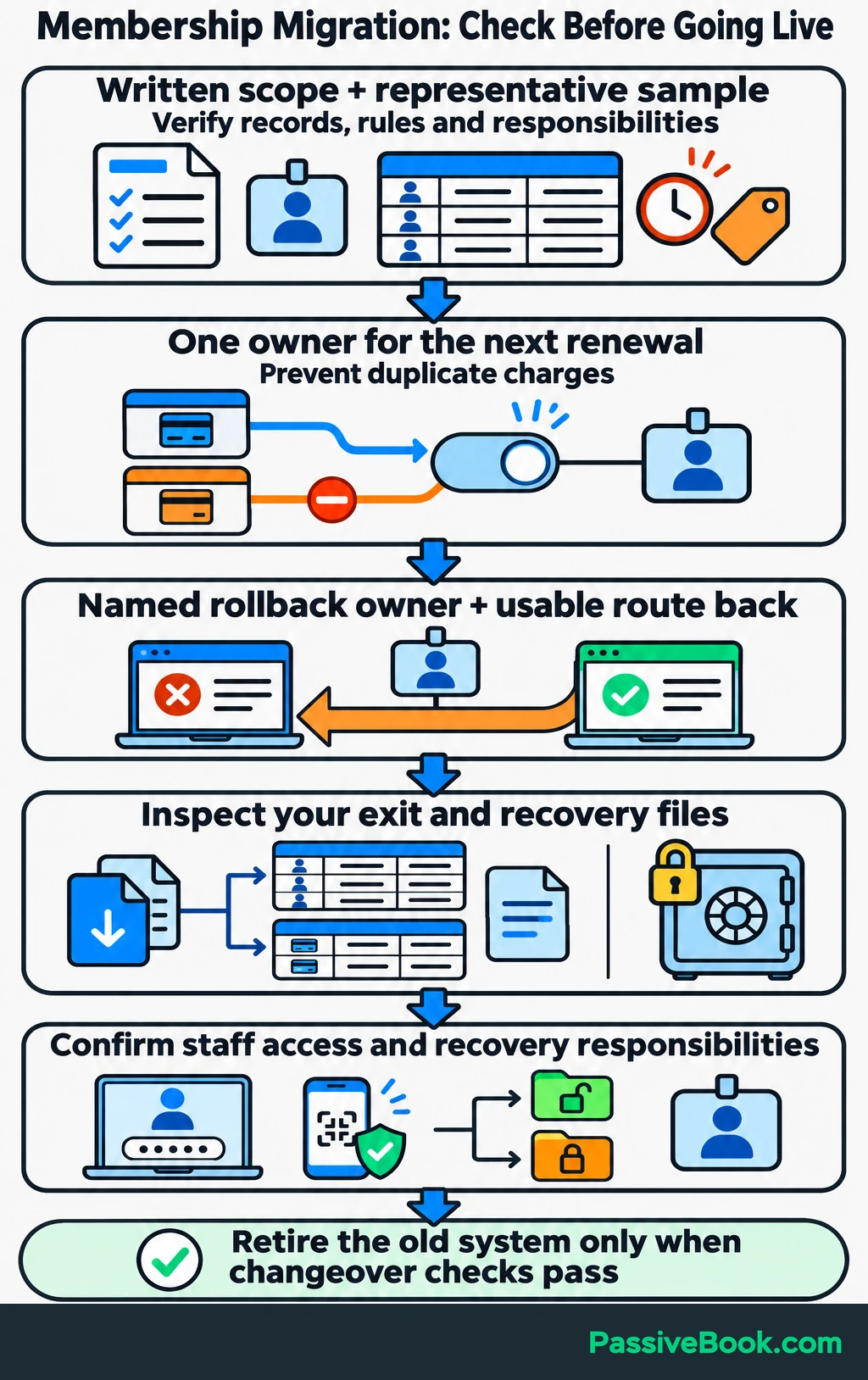
Check the exit route too. Export member records, transactions and content where applicable, and inspect the files before committing.
Provider backups may serve a different purpose from your own recovery needs. For example, WildApricot says its system backups are unavailable to clients and describes client-managed exports for preserving data.
Before importing live records, review the vendor’s data-processing terms and confirm who restores data after a loss. Ask whether administrators can use two-factor authentication, which adds a second sign-in check such as an authenticator code. Check that each staff member can receive only the access their work needs.
Choose Between Your Finalists
Eliminate any platform that fails an essential payment, membership, integration or migration requirement. A lower price cannot rescue a system that cannot run your offer.
It helps to record each essential as verified, unverified or failed, and to put your finalists’ quotes on the same basis before you compare them. The Software Cost Comparator handles both in one workbook, including platform selling fees and first-year versus renewal pricing.

Free Software Cost Comparator




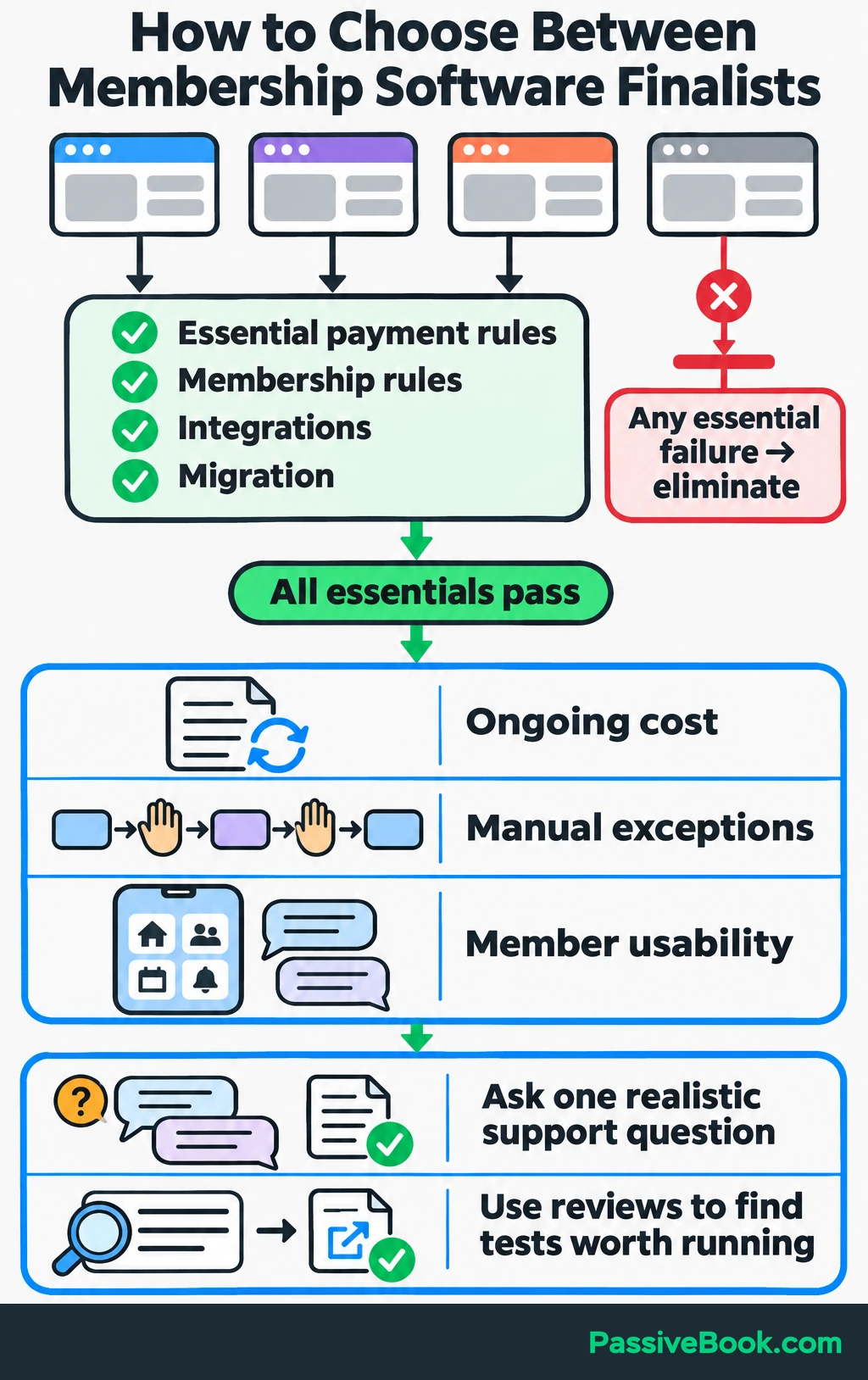
Then compare the remaining options on three things: ongoing cost, manual exceptions and member usability.
I would use recent customer reviews to find questions worth testing. Look for accounts from organizations with similar membership rules and size. A complaint about exporting payment history is useful when it leads you to request that exact export.
Send each finalist one realistic support question. Assess whether the answer resolves it, then confirm support hours, escalation options and included onboarding. Do that before accepting an annual commitment.
For the bread-baking membership, my final choice would usually come down to MemberPress Growth for a WordPress library with forums, or Circle when community participation is the main benefit. Outseta earns a place when consolidating billing, contact records, email and support is the larger need.
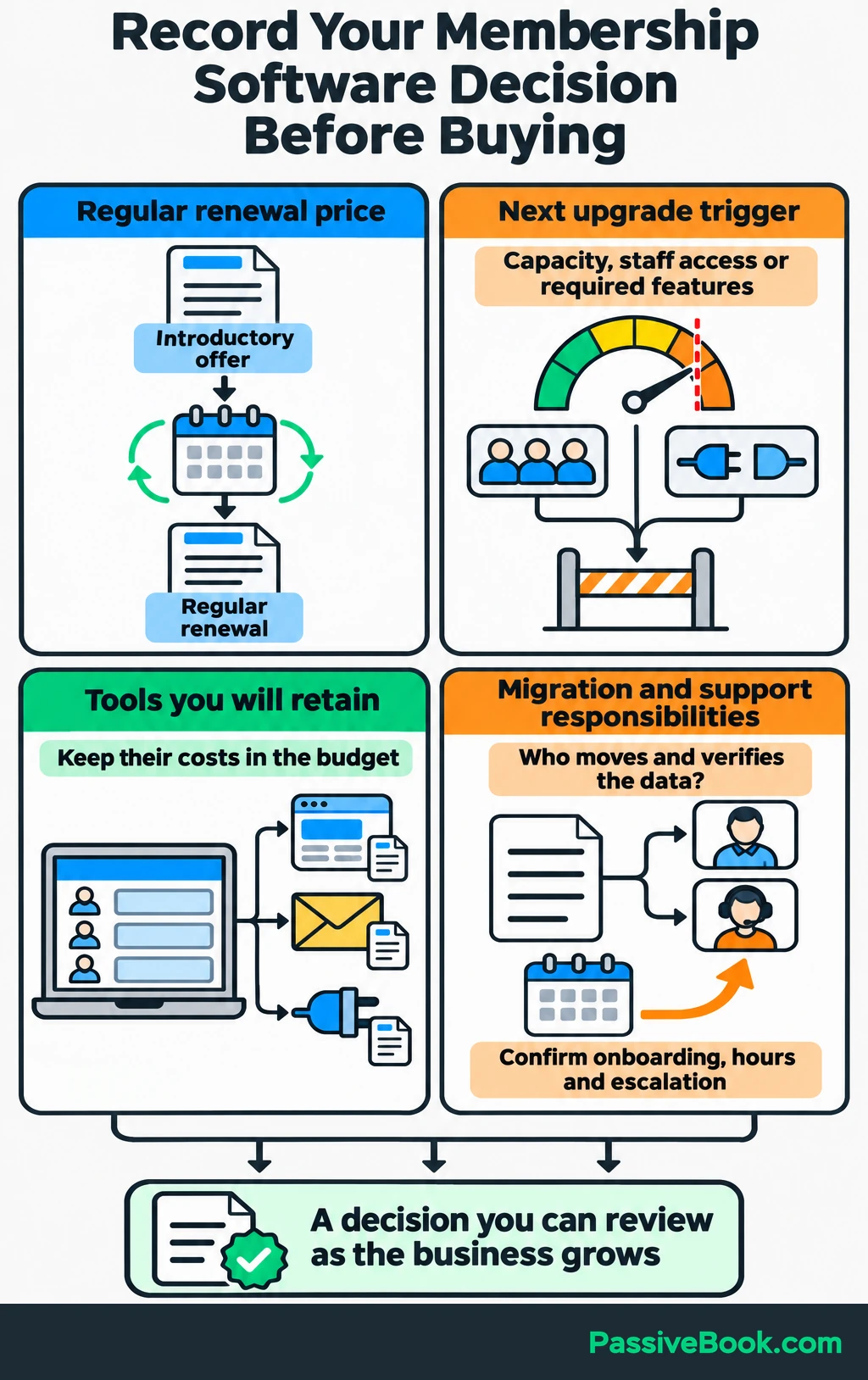
Before purchasing, record the renewal price, the next upgrade trigger, tools you will retain and migration responsibilities. That makes the decision easier to review when the business grows.
What Next?
Write down your five essential membership requirements and use them to eliminate platforms from the comparison table. Book a trial or demonstration with the two strongest fits, and make a failed renewal part of the test.
Use the social buttons to share this comparison when a software decision needs a clearer view of fees and daily work.
Which membership task would you most like to stop handling manually? Tell me in the comments, and bring any other questions about choosing your platform.
Share this post with your friends & followers:

