A customer forwards a review of your product, and it has been online for a week. Now you’re wondering what else you missed: a complaint, a competitor’s launch, or a useful request from a journalist.
Checking every website yourself would become another job. Buying a large monitoring platform before you know what you need could become another wasted subscription. To avoid both costs, this guide walks through a monitoring setup you can maintain on a small budget—one that catches useful coverage and gets urgent mentions to someone who can act.
Step 1: Define What You Need to Track
Media monitoring means finding and reviewing mentions of your business, competitors, and relevant topics across selected publications and public channels.
Start with the decisions those mentions should help you make. Do you need to resolve customer problems, find reviews worth sharing, follow competing offers, or spot questions your products should answer?
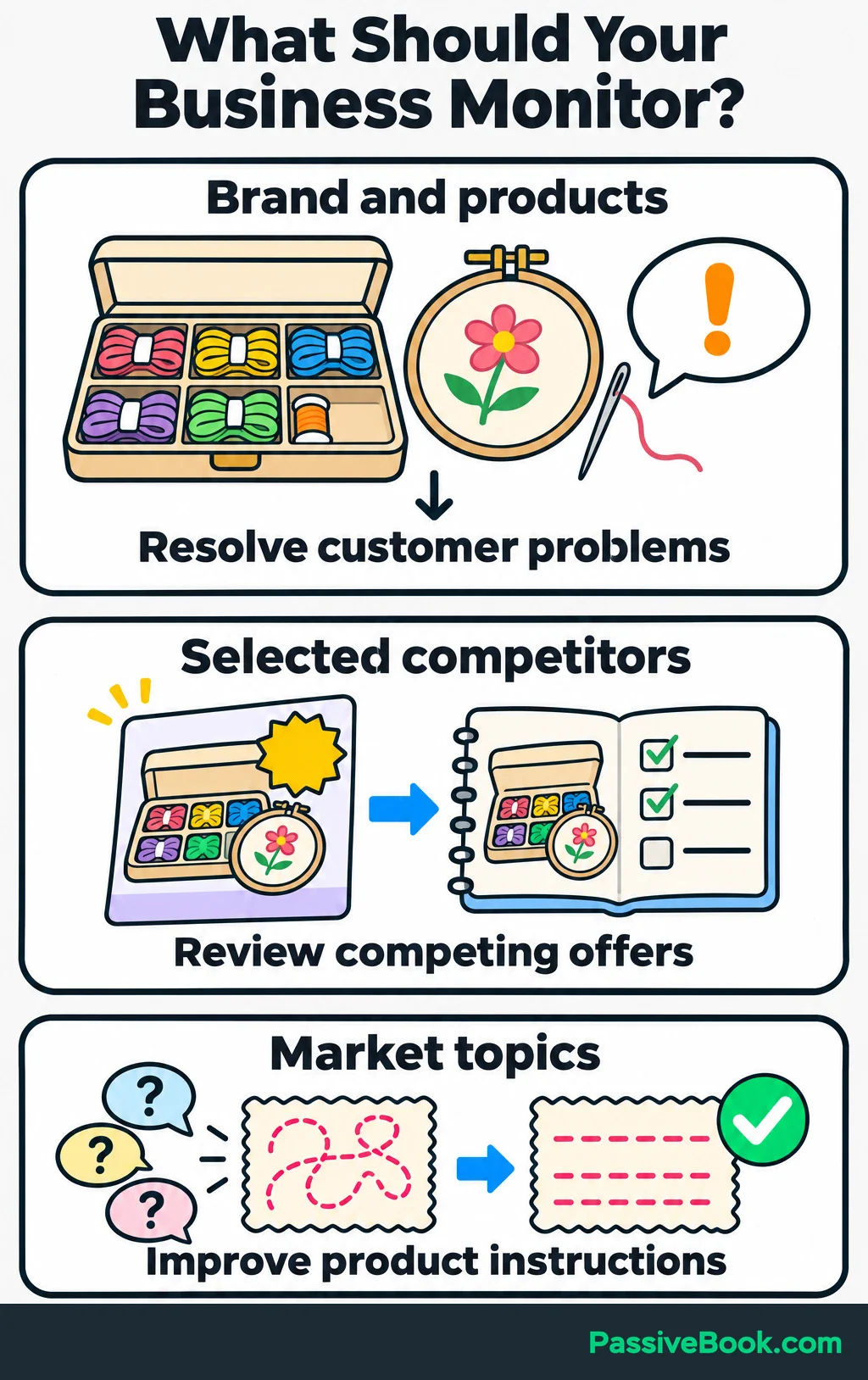
Divide your searches into three groups:
- Brand and products: Your business name, product names, and direct feedback. Give these first attention.
- Competitors: A few businesses whose launches, offers, or coverage could affect your decisions.
- Market topics: Customer problems and changes that matter to what you sell.
Throughout this guide, we’ll use Cedar Loop, an online shop selling beginner embroidery kits.
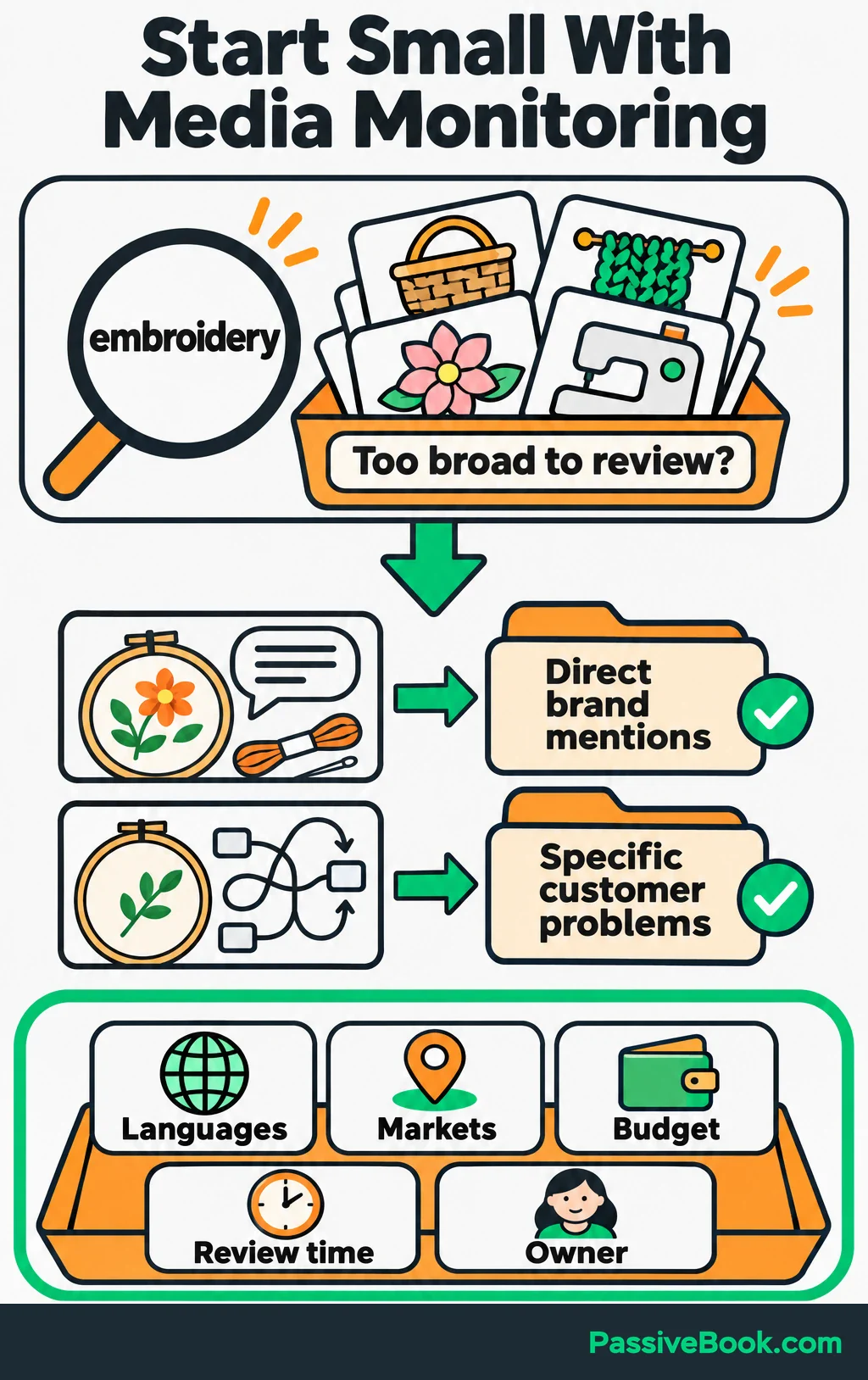
For Cedar Loop, the three groups would cover kit feedback, competing kit announcements, and problems beginners have with instructions.
Record each group’s purpose and owner in a short scope sheet. Then add the languages and markets you serve, your subscription budget, and the time you can spend reviewing results.
I would begin with direct brand mentions and a narrow set of customer problems. A broad “embroidery” search can wait. You need information you can use, and you still have orders to fulfil.
Step 2: Identify the Sources That Matter
List the places where useful mentions could appear before choosing software. Start with sources you already know: publications that cover your niche, review sites customers mention, and communities where people ask buying questions.
Give each source a collection method: keyword alerts, publication feeds, account notifications, or manual searches. RSS feeds bring new posts from selected websites into one reading app, so you can follow a publication even when it doesn’t mention your brand.
For Cedar Loop, a starter checklist could look like this:
| Source | Purpose | Collection Method | Coverage Gap | Check Frequency |
|---|---|---|---|---|
| Craft publications and kit-review blogs | Find independent coverage | Keyword alerts and available RSS feeds | Outlets not returning results need direct checks | Daily digest |
| Public embroidery communities | Find kit feedback and beginner questions | Saved searches and community notifications | Replies may require opening the discussion | Twice weekly |
| Cedar Loop’s social accounts | Catch direct questions and tags | Native account notifications | Untagged mentions need another method | Each working day |
| Thread Harbor’s blog and newsletter | Follow a selected competitor’s launches | Direct subscription | Shows what the competitor publishes, not independent opinion | Weekly |
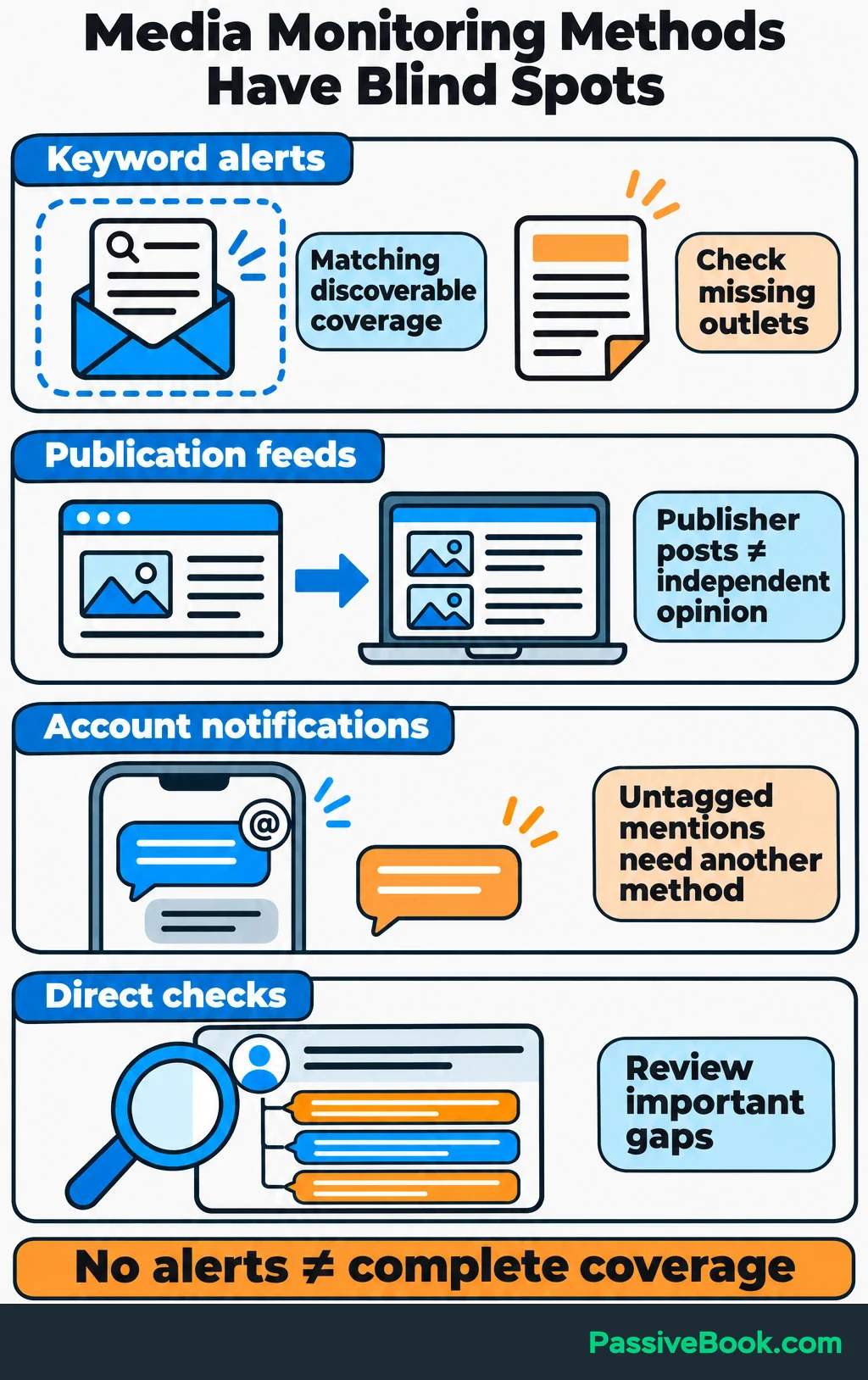
Label competitor announcements separately from independent coverage. A business calling its own kit “the easiest ever” tells you about its positioning, not whether customers agree.
Add podcasts, video, print, or broadcast only when those sources matter to your goals. Specify what you need captured. Searching a video description is a different requirement from detecting a spoken brand name.
A quiet alert inbox proves only that no alerts arrived. Your source checklist helps you decide whether anything important still needs checking.
Step 3: Choose Tools Around Your Source List
I would start with alerts, direct notifications, and one spreadsheet. Add software when that setup leaves a specific problem unsolved.
Use this comparison to understand what each part contributes:
| Tool or Method | What It Collects | Delivery | Cost and Record Keeping | Manual Work Remaining |
|---|---|---|---|---|
| Google Alerts | New matching results found in Google Search | Email at the selected frequency | Free; save useful links in your log | Check relevance and sources outside the results |
| Talkwalker Alerts | Matching items from its supported web sources | Email or RSS | Free alerts; RSS can feed a reader | Test whether it adds useful mentions |
| Publication feeds and account notifications | Selected publishers’ posts and direct account interactions | Feed updates or platform notifications | Native options; reader costs vary | Search important communities and review conversations |
Start With Alerts and a Shared Log
Google Alerts emails you when new results matching your topic appear in Google Search. It is a useful starting point for discoverable web coverage.
Combine it with the feeds and account notifications from your source checklist. Put routine emails in one folder, and save useful mentions in a spreadsheet or a shared workspace you already use.
Talkwalker Alerts is a free alternative with email and RSS delivery. I would test it against the same searches before maintaining both services. Keep both only if the second finds useful items the first misses. Talkwalker Alerts capabilities
You do not need a new project-management subscription to store a URL and a next action.
Pay for a Specific Coverage or Workflow Gap
A paid tool earns consideration when you can name the gap:
- An important source is missing.
- Useful mentions arrive too late for the response you need.
- Sorting and assigning results takes too much time.
- Reporting requires exports your current setup cannot provide.
Compare candidates using the same queries and known relevant mentions. Record source coverage, delivery timing, search controls, query and mention limits, exports, subscription commitment, and review time.
Price the plan that supports the whole workflow. For example, Awario’s pricing FAQ places CSV exports on Pro and Enterprise, so an export-dependent workflow needs that tier comparison. Check its pricing page for current terms. Awario plans and export eligibility
If you need licensed news, print, or broadcast monitoring, ask the provider to confirm the specific outlets included in the proposed subscription.
Step 4: Build Searches That Capture Relevant Mentions
List Names and Variations
Write down the names people could use when discussing your business:
- Business identifiers: Your spaced and joined brand names, domain, and public handles.
- Product identifiers: Distinctive product names and common abbreviations.
- Known variations: Misspellings you have actually seen.
- People: A founder or spokesperson, when their coverage matters to your goals.
For Cedar Loop, start with “Cedar Loop” and “CedarLoop,” then add its actual domain, handles, and distinctive kit names.
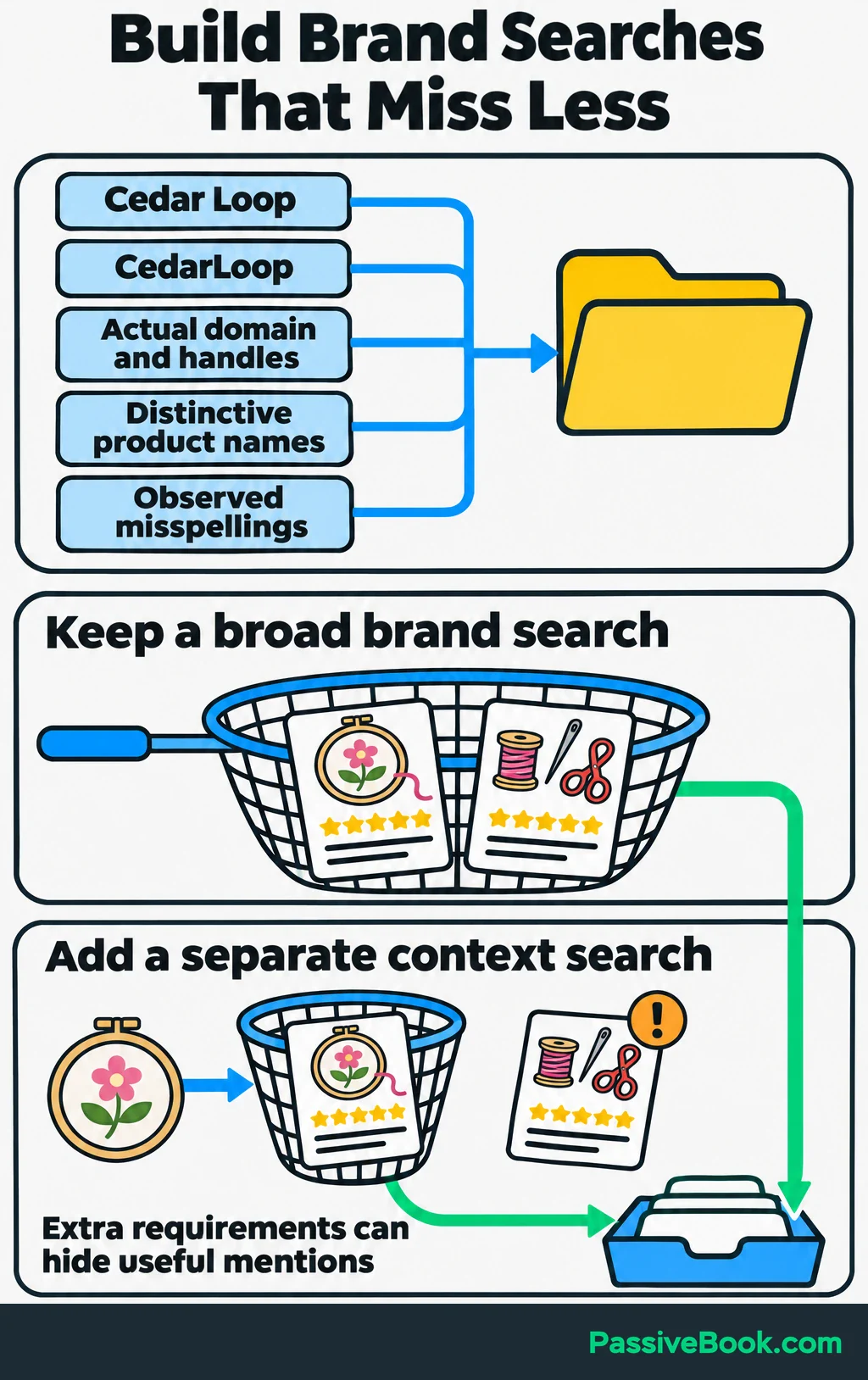
Keep brand, competitor, and market searches separate. They need different priorities and filters.
If a name has other meanings, add context to a narrower search. But keep a broader brand search alongside it. Requiring “embroidery” in every Cedar Loop result could hide a review that calls the product a sewing kit.
The same applies to complaint searches. Track known issues without making those issues a condition for finding every brand mention.
Apply Search Logic and Preview the Results
Search logic lets you specify exact wording, alternative names, required context, and exclusions. Tools differ in how they accept those instructions.
These examples use Talkwalker Alerts’ search syntax. Quotation marks match an exact phrase. Boolean operators connect terms: AND requires both, while OR accepts either. Parentheses group alternatives.
| Purpose | Example Query | What It Looks For |
|---|---|---|
| Brand variations | "Cedar Loop" OR "CedarLoop" | Either spelling of the business name |
| Competitor coverage | "Thread Harbor" AND (embroidery OR stitching) | Thread Harbor’s name alongside embroidery or stitching |
| Customer problems | "embroidery kit" AND ("missing thread" OR "unclear instructions") | Either problem alongside the product category |
For a simpler Google Alerts setup, create separate alerts for "Cedar Loop" and "CedarLoop".
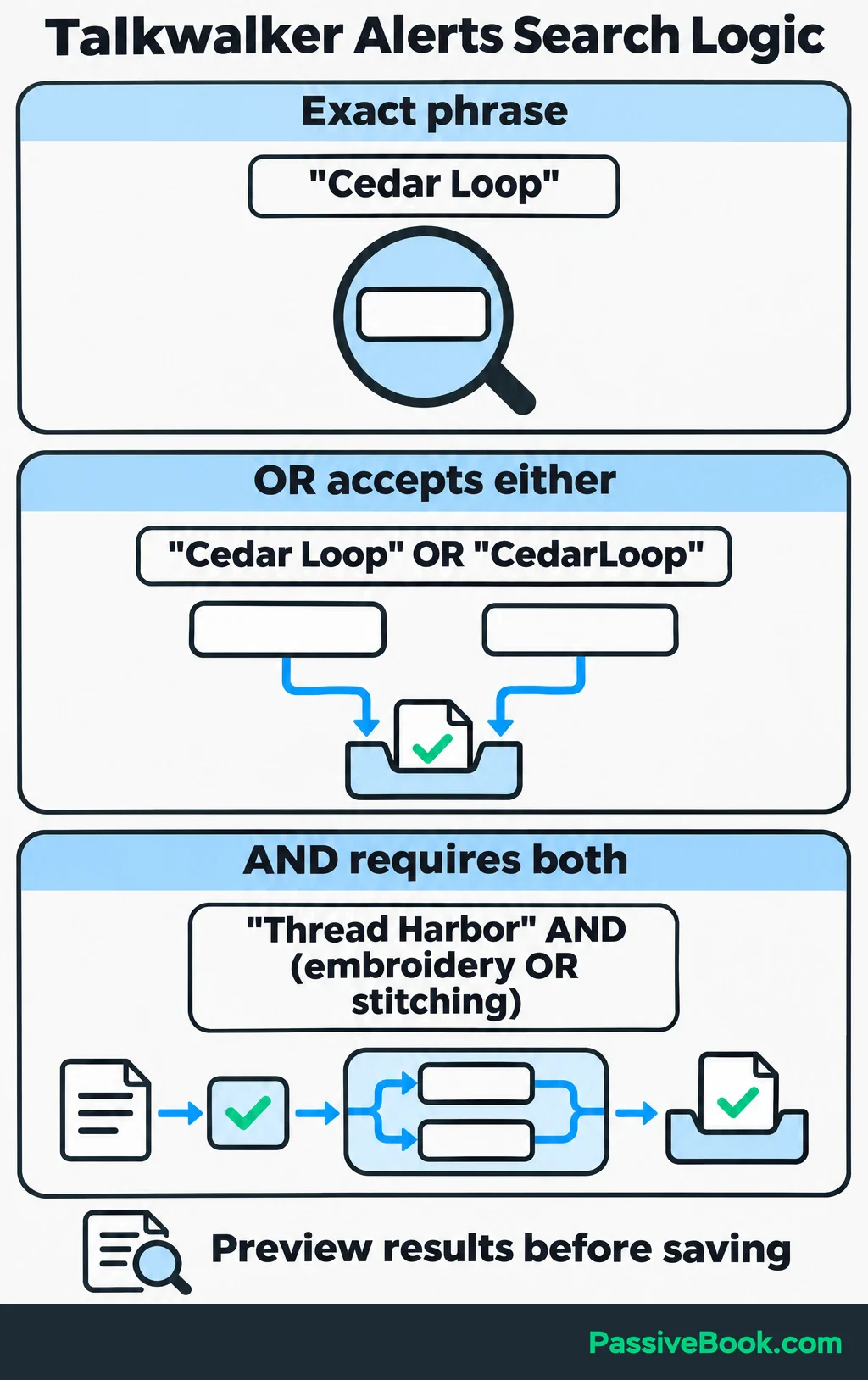
Preview each search and open sample results. Check whether they discuss the right business or problem, rather than judging the search by its result count.
Add exclusions after you identify a repeated irrelevant pattern. Then recheck useful results to make sure the exclusion did not remove them too.
If choosing the wording is holding you up, the AI Skill below can draft your searches from a few business details. It also gives you assumptions to confirm before you narrow a search or add an exclusion.

Free AI Media Monitoring Studio




Keep a small search register containing the query, purpose, filters, and last revision date. When results change, you will have somewhere to start investigating.
Step 5: Configure Alert Delivery and Ownership
Create alerts from your tested searches, then choose the settings each tool supports.
For Cedar Loop’s first Google alert:
- Enter
"Cedar Loop"in Google Alerts. - Open “Show options” and choose the relevant language, region, source types, frequency, and result volume.
- Select the email destination, check the preview, and create the alert.
- Repeat for
"CedarLoop"and the other tested searches.
For a distinctive brand name, I would initially include all available results and choose the fastest delivery option. Send broader market searches as a daily digest. Keep brand alerts out of any email rule that hides routine monitoring messages until your scheduled review.
Set delivery around the action required:
- Prompt review: Credible safety concerns, serious customer problems, or opportunities with a deadline.
- Scheduled review: Ordinary coverage, competitor announcements, and recurring market questions.
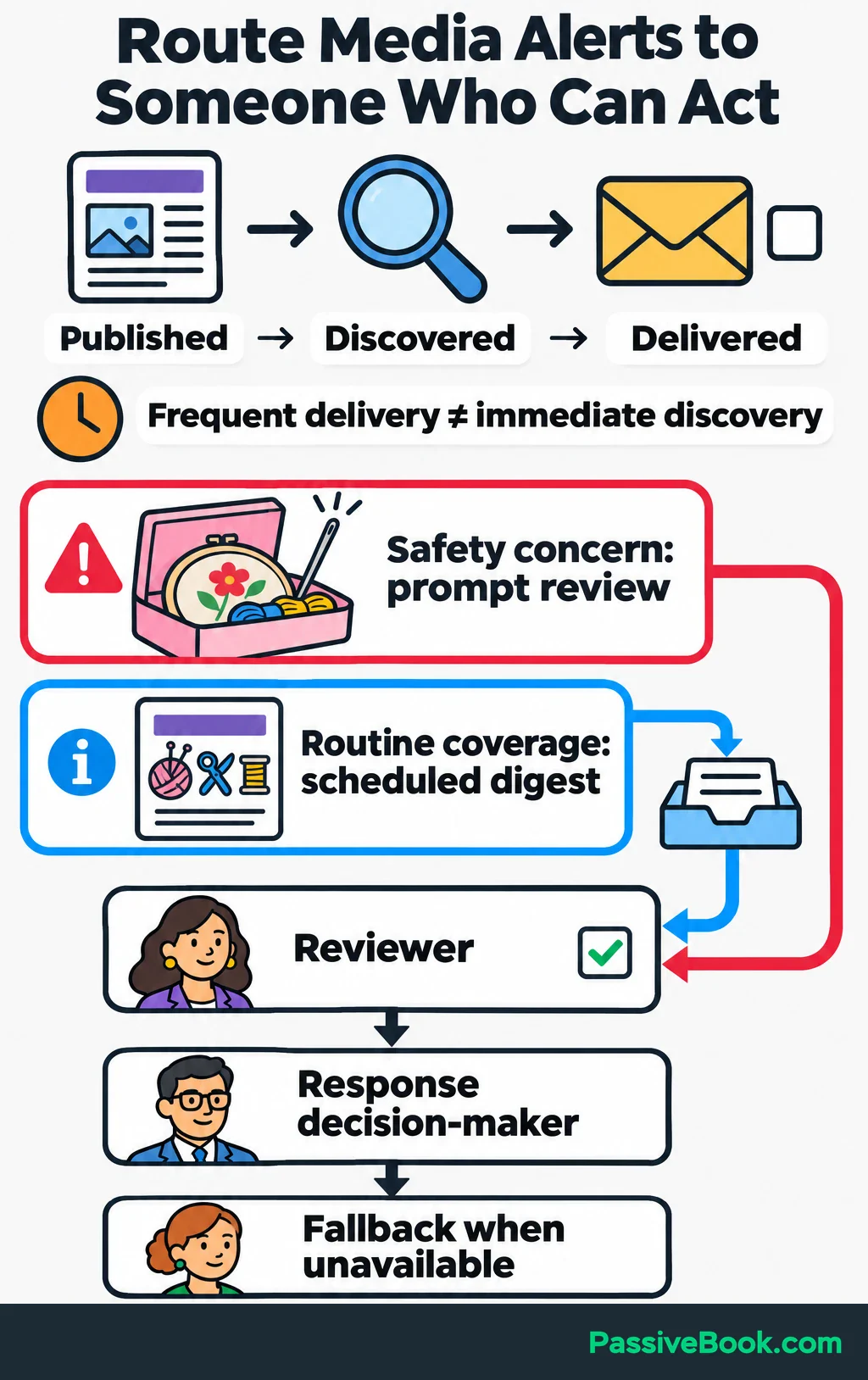
For Cedar Loop, a report that a needle pierced the kit packaging deserves prompt investigation. A general roundup of beginner crafts can wait for the digest.
Delivery frequency is not the same as time since publication. Google Alerts sends notifications after it finds matching Search results, so even a frequent setting does not guarantee immediate discovery. How Google Alerts delivers results
Name the reviewer, the person who can decide on a response, and the fallback when that person is unavailable. A solo operator can hold the first two roles, but should still set a realistic checking schedule.
Finally, confirm that alerts reach the right inbox. Check spam folders, routing rules, and notification permissions before trusting the setup.
Step 6: Test Coverage and Reduce Noise
Test two things separately: whether the search finds useful mentions and whether notifications reach the intended person.
First, collect a few known relevant URLs from your source list. Check whether each item matches the query and falls within the tool’s source coverage and available date range. An older article missing from a new-results alert is not enough to establish a failure.
When an eligible mention is missing, check:
- Wording: Did it use a spelling or product name you missed?
- Search restrictions: Did required context or an exclusion remove it?
- Source access: Can the tool collect from that source?
- Delivery: Was the result collected but filtered out of the inbox?
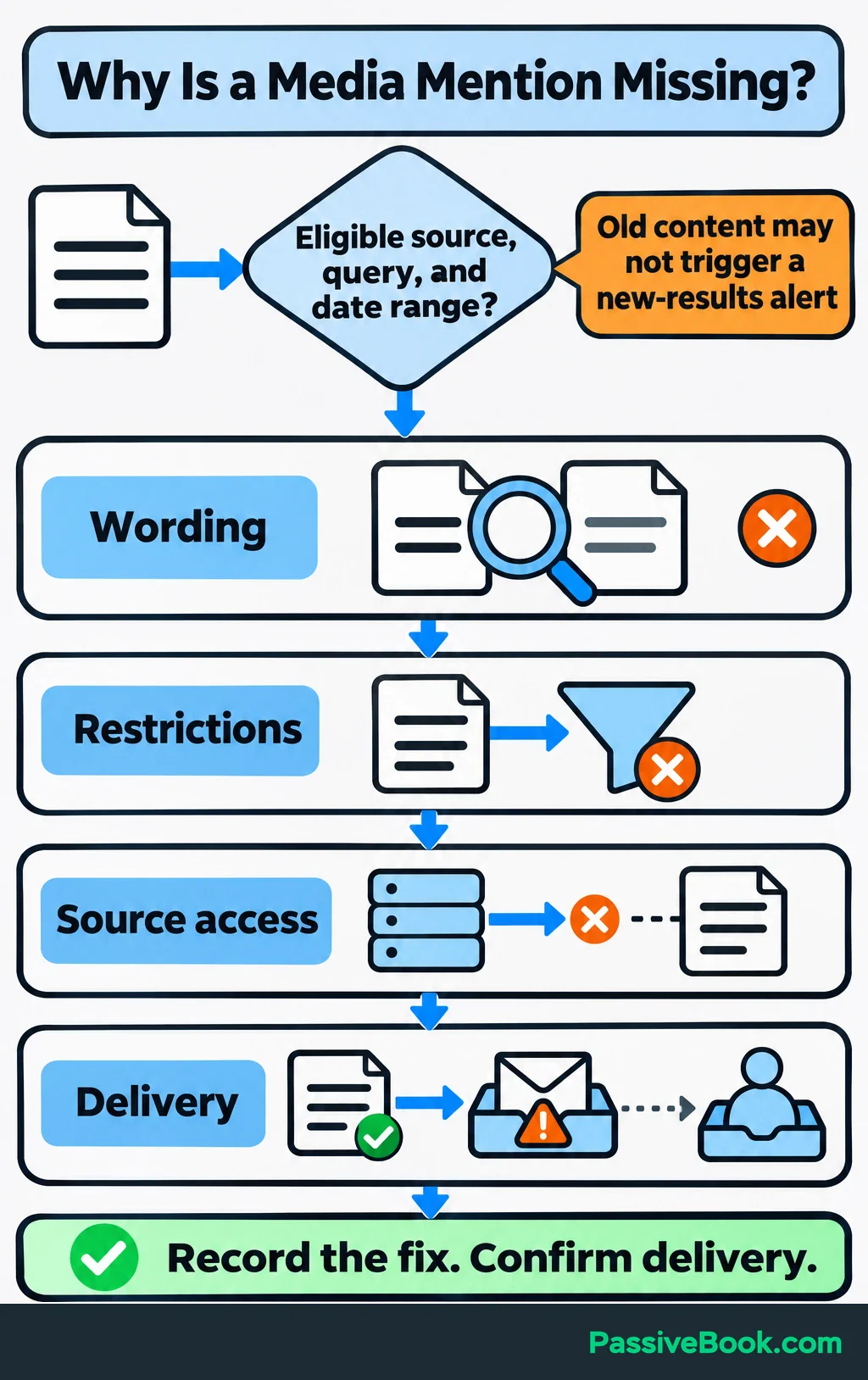
Record the missed URL and the change you made. Then confirm that a newly collected result reaches its recipient.
Next, review an initial batch and mark each item as relevant, irrelevant, or duplicate. Change one search condition at a time so you can see what helped.
To measure relevance, count the useful items among all reviewed items after removing duplicates. If 12 of 20 reviewed results are relevant, the relevance rate is:
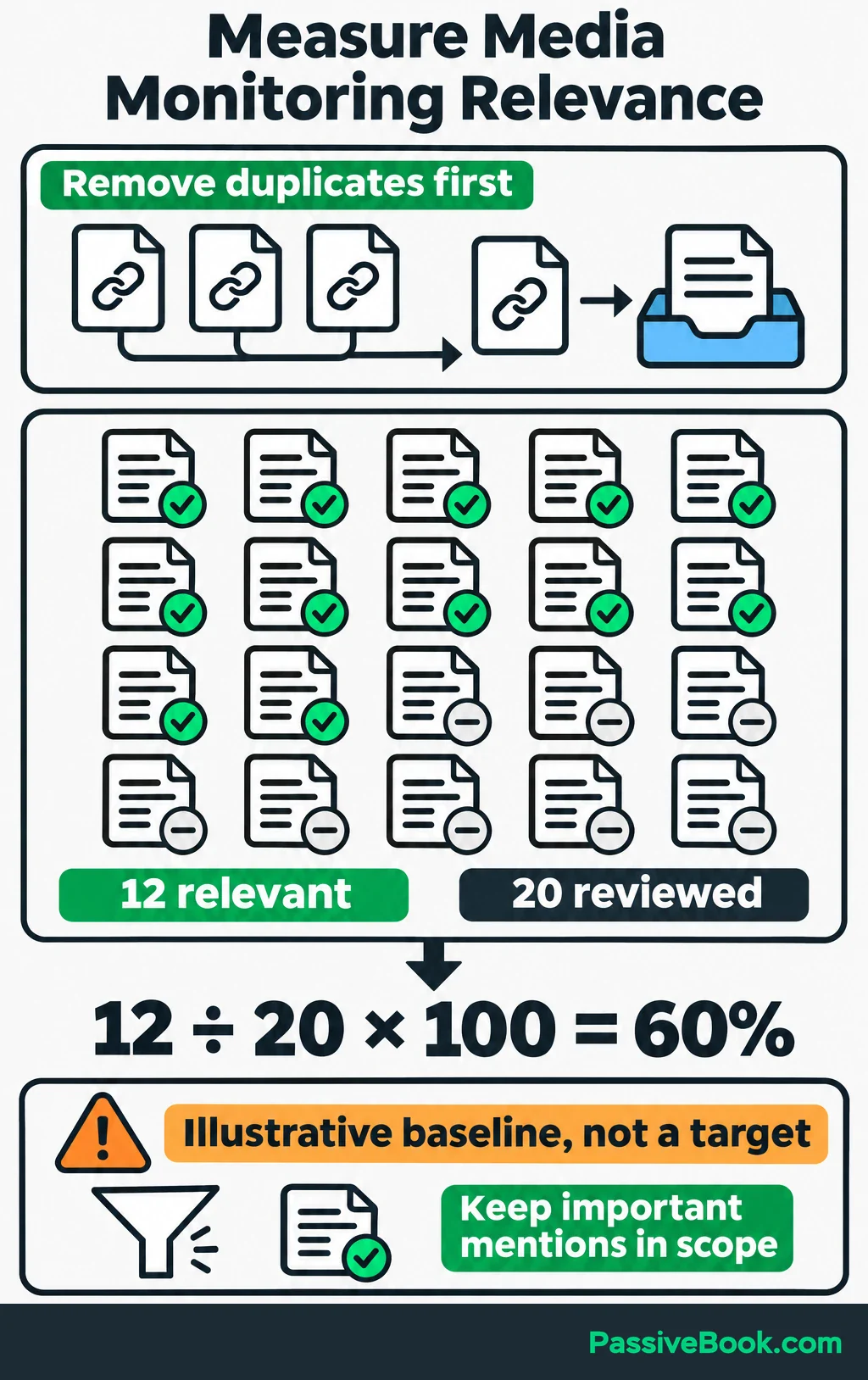
12 ÷ 20 × 100 = 60%
That is an illustrative baseline, not a target. A higher rate helps only if you still capture the mentions you need.
Merge repeated collection of the same URL, and group syndicated copies of one story. Keep separate customer comments or new developments when they need their own action.
Step 7: Turn Useful Mentions Into Actions
Open the original item before deciding what to do. Confirm that it concerns your business, read the surrounding discussion, and assess urgency.
If your software labels sentiment as positive or negative, check consequential items yourself. Meltwater notes that slang and sarcasm can affect automated sentiment judgments. A label should help sort the queue, not decide your public response. Meltwater’s explanation of sentiment limitations
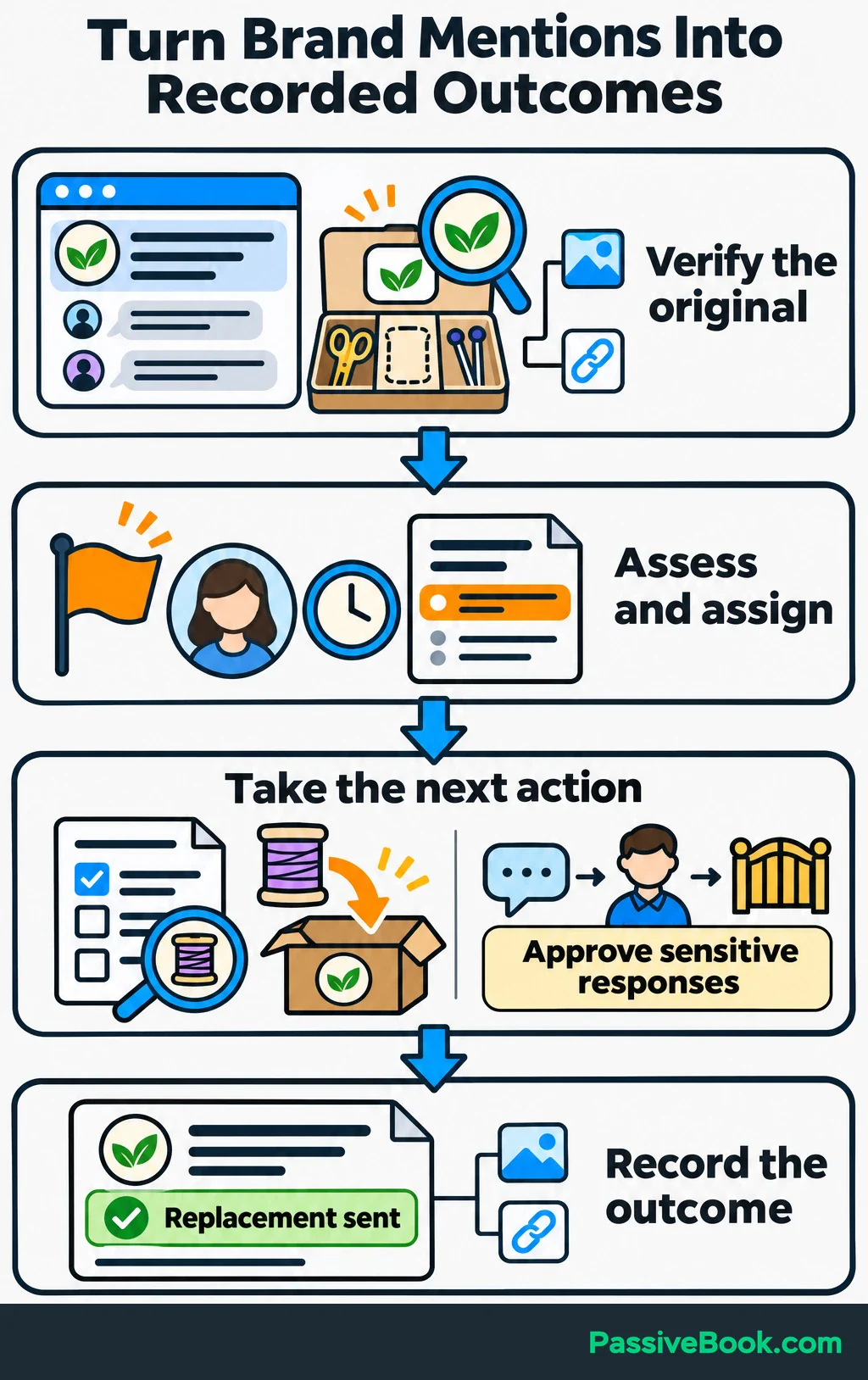
Give each useful mention a next step. Cedar Loop might:
- Investigate a missing-thread complaint and arrange the appropriate support.
- Follow up on a favourable kit review and check permission before reusing an excerpt.
- Group repeated stitch-diagram questions into an instruction-improvement task.
- Record a competitor’s launch for the next product review.
- Mark a passing mention “no action” when nothing useful follows.
I would ask whether a repeated question points to a problem inside the product before turning it into another blog post. A customer who cannot follow the included diagram needs a clearer diagram.
Use one coverage log with these fields:
- Mention details: Original URL, source, publication date, discovery date, and tracking group.
- Assessment: Issue, priority, and owner.
- Follow-through: Next action, deadline, status, and outcome.
Close actionable items with a recorded result. “Replacement sent” is more useful than “handled.”
Require human approval for sensitive public responses. Automation can collect and route a complaint while you check what happened.
Step 8: Report Findings That Support Decisions
Review results weekly against the objectives in Step 1. Summarise useful coverage by tracking group, recurring problems, opportunities, actions taken, and unresolved items.
Mention counts show coverage volume. They do not establish business impact. AMEC’s Barcelona Principles 4.0 recommend reporting what communication produced, how audiences responded, and its wider effects. For your report, I’d pair coverage with referral visits or enquiries when you can trace those responses to it.
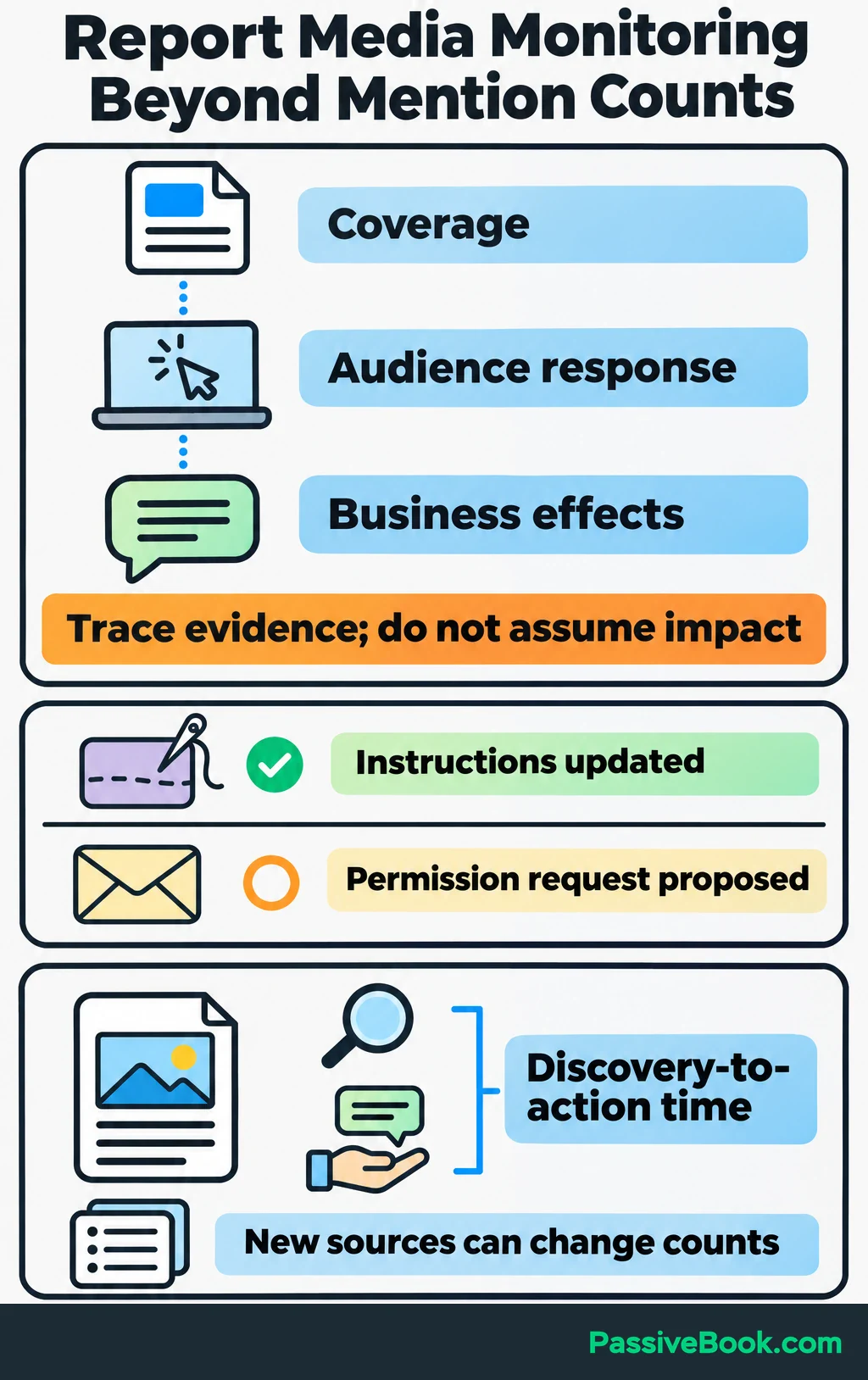
Cedar Loop’s owner could use this report and handle each next step. Source links aren’t supplied here; a working report should link each finding to its original discussion or review:
| Finding | Decision | Status | Next Step |
|---|---|---|---|
| Repeated stitch-diagram questions | Clarify instructions | Diagram and included instructions updated | Check later feedback for the same confusion |
| Missing-thread complaint | Check the order and packing process | Replacement arranged; packing check open | Confirm delivery and finish the packing check |
| Favourable kit review | Consider sharing an excerpt | Permission request proposed | Contact the reviewer |
Keep completed work separate from proposed work. A task on a list is not yet a result.
Also record review time, subscription costs, and discovery-to-action time for priority mentions. Measure that last interval from when your system found the item to the first useful action.
Note changes to searches and sources beside the report. Adding a new source can increase mention counts without any increase in attention to the business.
Step 9: Keep the System Useful With Less Manual Work
Schedule a recurring maintenance review. Update searches after launches, name changes, or market expansion, and retire searches that no longer support a decision.
When you miss a useful mention, revisit the source checklist. Sometimes the answer is a spelling variant. Sometimes it is a direct subscription to one publication.
Across my website workflows, I have caught myself adjusting automation when the real problem was an inconsistent label in the input. Fixing the label removed the need for another workaround. I apply that same rule here: make the collection and routing clear before adding more machinery.
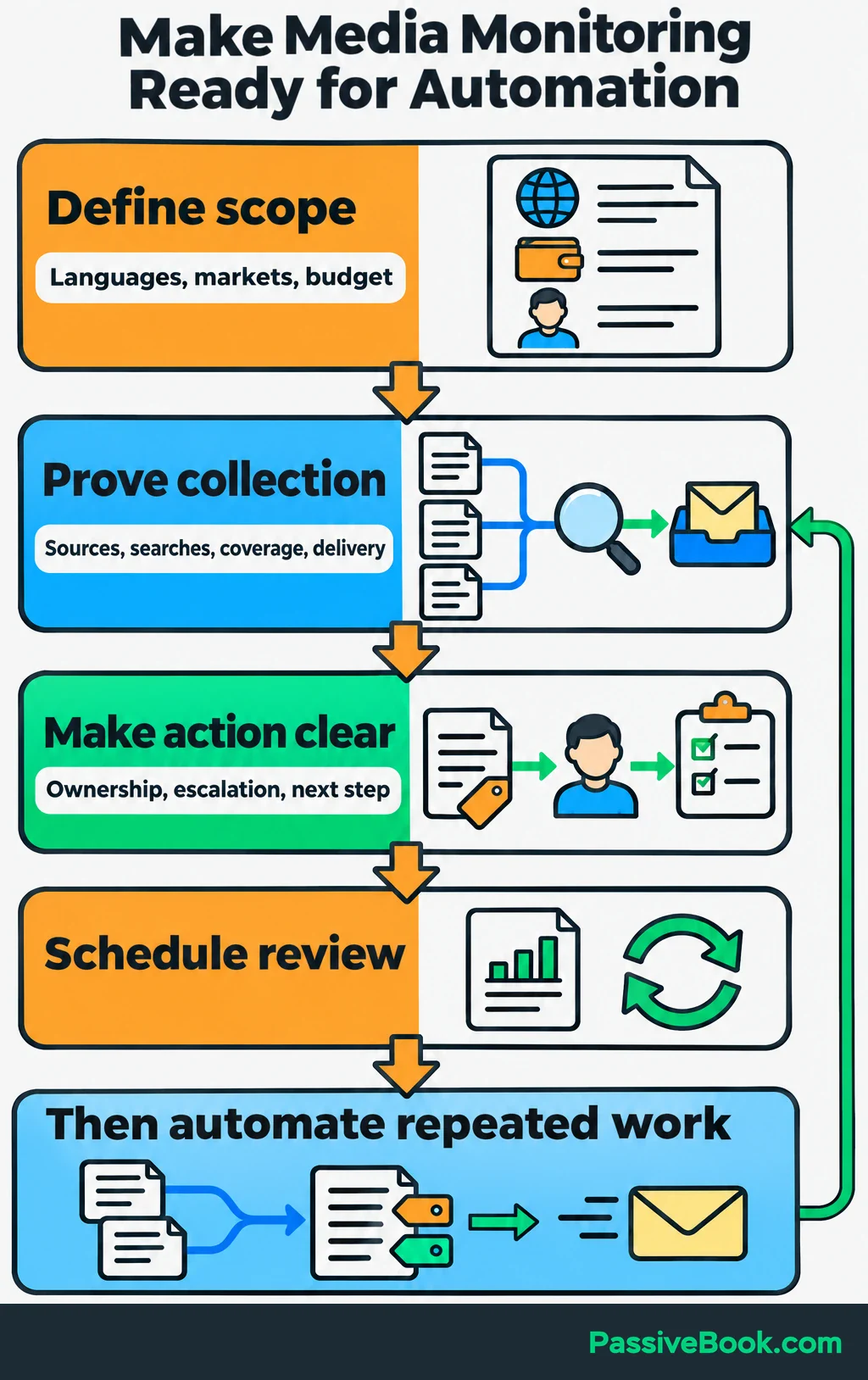
Once searches and ownership work, automate repeated collection, duplicate handling, tagging, and digest delivery. Make can connect apps through a visual workflow, while n8n suits the self-hosted approach I use across my businesses.
I dislike paying another SaaS bill for work an existing tool already handles. Keep an additional subscription when its useful coverage or time savings justify the cost.
Before calling the setup ready, check that:
- Scope, languages, markets, and budget are recorded.
- Each important source has a collection method.
- Searches have been previewed and useful matches checked.
- Coverage gaps and delivery have been tested.
- Review ownership and escalation rules are documented.
- Useful mentions have a log and a next-action field.
- The first report review is scheduled.
What Next?
Create one alert for your exact business name and list three sources you would most regret missing. Give each source a collection method before considering a paid subscription.
Use the social buttons to share this guide when a practical monitoring setup could save your network another round of manual searches.
Which missed mention would matter most to your business, and why? Leave your answer—or any setup questions—in the comments.
Share this post with your friends & followers:

