A client says yes to your proposal, but the agreement still needs signing. Now you’re checking email, sending reminders, and wondering which copy belongs in the project folder.
Electronic signature software should take that work off your plate. But extra requests, required seats, and paid automation can turn a cheap plan into a larger bill. This comparison shows what the shortlisted tools include, where their limits matter, and which are worth testing to get an agreement signed and filed without chasing every step yourself.
How to Compare Electronic Signature Software
Start with the work you need the software to complete. A signature box is only one part of it.
For a recurring client agreement, your checklist might be:
- Reuse an approved agreement.
- Fill in the client’s details and project terms.
- Assign each person’s signature fields.
- Send the request and remind anyone who hasn’t signed.
- Confirm that every required signer has finished.
- Save the signed document and its audit record—the log showing who signed and when.
For illustration, imagine you run a web design business serving independent bakeries. You reuse a website project agreement, change the scope and payment terms, and collect signatures from the client and yourself. The completed copy belongs in that bakery’s project folder.
That last step matters. During freelancing, I sometimes spent more time finding the agreed version in an email thread than making the requested change. I learned to decide where the finished agreement belongs before adding another tool to the process.
My preference for affordable software and repeatable workflows comes from that experience and running online businesses. The recommendations here use documented plans and capabilities, rather than claims of firsthand testing across these platforms.
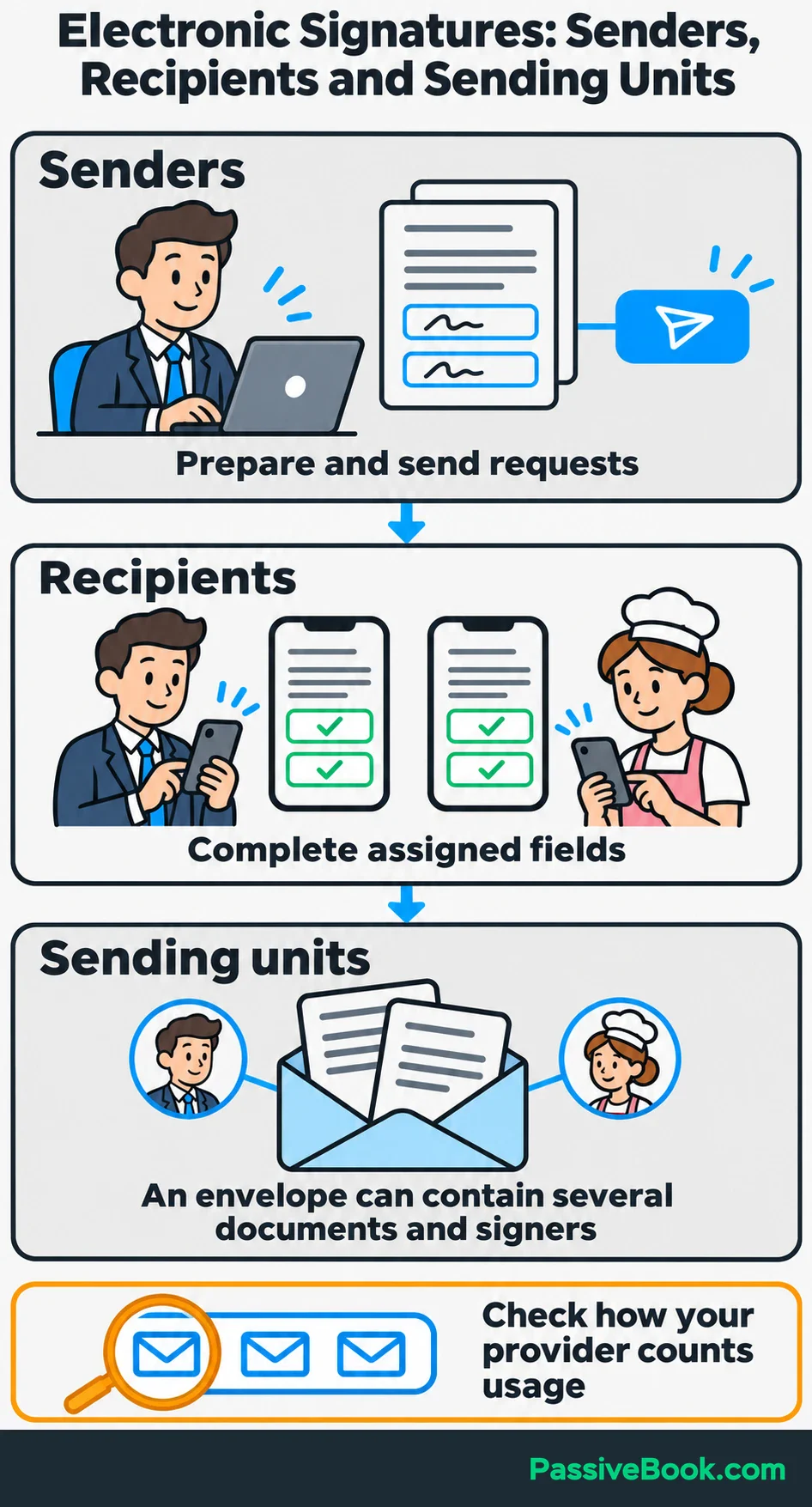
Before comparing subscriptions, separate three things that vendors often present together:
- Senders: People who prepare and send requests from your business.
- Recipients: People asked to sign or complete fields.
- Sending units: The documents, requests, envelopes, or transactions your plan counts.
An envelope can contain several documents and signers, but providers define their units differently. Count the requests you expect to send in a busy month, including replacements when an agreement changes.
Next, compare the full bill. Include required seats, extra requests, signer verification, integrations, and any API charges. An API lets another application create or manage requests automatically, and its usage allowance may differ from sending inside the signing app.
Also distinguish annual prepayment from an annual commitment paid monthly. A monthly charge does not necessarily mean you can cancel next month.
Legal requirements deserve the same care. For covered US transactions, ESIGN prevents a contract or signature from being rejected solely because it is electronic. It also includes requirements around certain consumer disclosures and retained records. That protection does not make every document suitable for every signing method. US ESIGN requirements.
In the EU, qualified electronic signatures meet stricter requirements for identifying the signer and protecting the signature. They have the equivalent legal effect of handwritten signatures across member states. Other electronic signatures can still have legal effect, but they do not automatically have that same status. Match the signing level to the document and applicable law before choosing a plan. European Commission guidance.
For security, check the controls on the plan you intend to buy:
- Document protection: Encryption during transfer and storage, plus evidence of changes after signing.
- Account protection: Two-factor authentication for your sender account.
- Signer checks: The verification method your agreements require, whether email access, a passcode, or stronger identity checks.
- Access and records: Appropriate team permissions and downloadable signed documents and audit records.
A free plan can be a sensible business choice when it covers these needs. Just confirm that “free” includes ongoing requests to other people, rather than a temporary trial or permission to add only your own signature.
The Best Electronic Signature Software Compared
These are the plans I would shortlist for the stated uses. Prices are standard US list prices in USD, excluding taxes and introductory discounts. The table distinguishes annual commitments from subscriptions you can cancel monthly. Check the linked pages for current prices and limits.
| Software and Recommended Plan | Best Fit | USD Price and Billing | Included Senders | Sending Allowance | Principal Limitation |
|---|---|---|---|---|---|
| BoldSign Essential | Regular free sending | $0; ongoing free plan | 1 | 25 envelopes/month; personal-email signups get 5 until business verification | Two templates; no additional senders |
| SignWell Light | Affordable unlimited requests | $10/month equivalent, paid as $120 yearly; or $12/month with no annual commitment | 1 | Unlimited web-app documents | Five templates per sender; separate API allowance |
| Google Workspace eSignature | Existing eligible subscribers; Business Standard if buying new | $0 extra on eligible plans. New Standard: $14/user/month with an annual commitment, or $16.80/user/month flexible | Each eligible licensed user | Google’s signing guide does not publish a numerical request quota | Organizational accounts need administrator enablement; annual payment options depend on how the subscription is purchased |
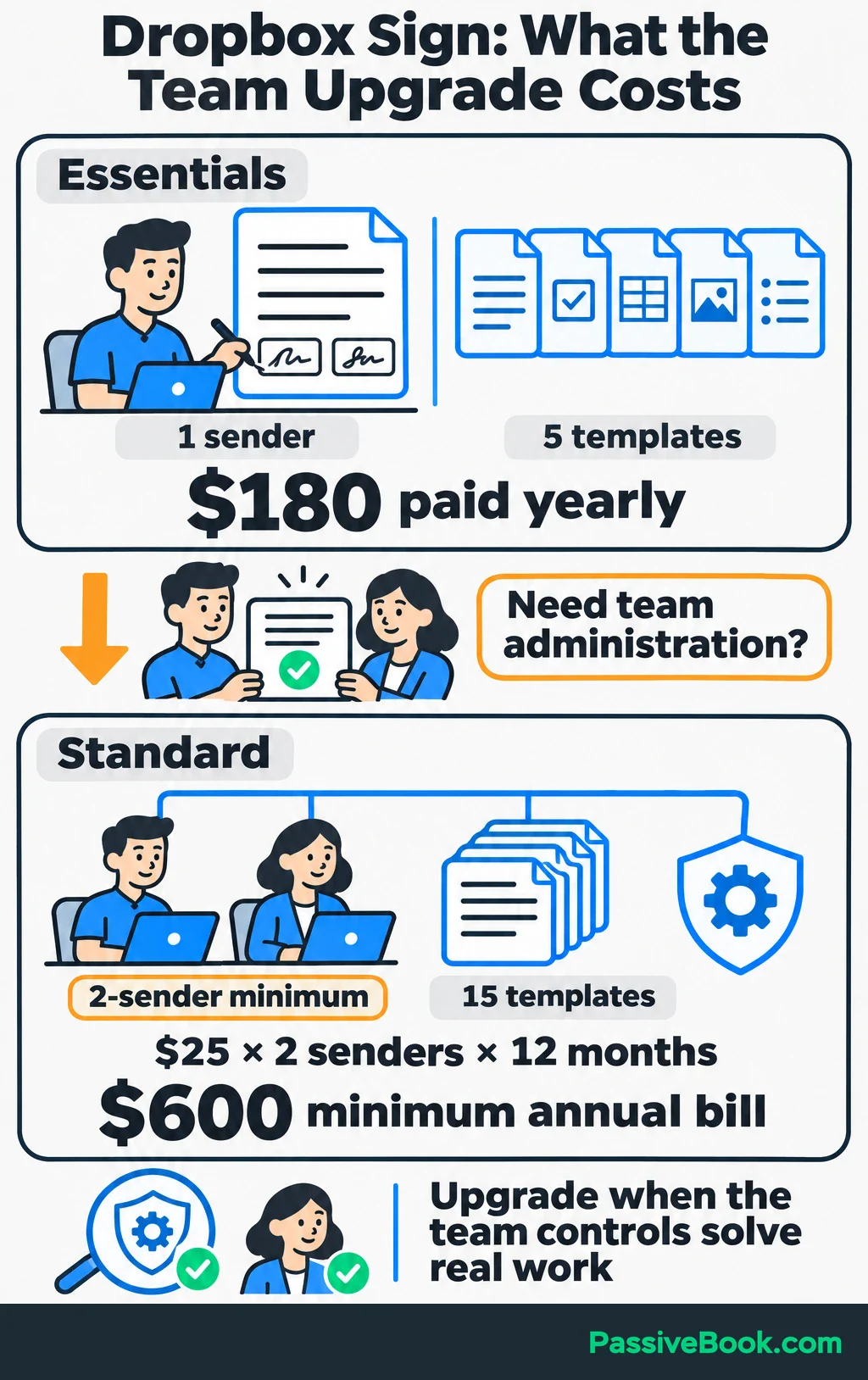
| Dropbox Sign Essentials | Recurring agreements in an existing document workflow | $15/month equivalent; $180 paid yearly | 1 | Unlimited signature requests | Five templates; team features require an upgrade |
| Adobe Acrobat Standard | Editing PDFs before sending | $14.99/month; annual commitment, billed monthly | 1 | Unlimited signature transactions, subject to document and sending-rate limits | Early cancellation can carry a fee |
| PandaDoc Business | Building proposals and collecting signatures | $49/user/month equivalent, paid yearly; or $65/user/month with monthly billing | 1 per paid seat | Unlimited documents sent through the web app | Automated creation uses credits; ongoing usage costs extra after included credits |
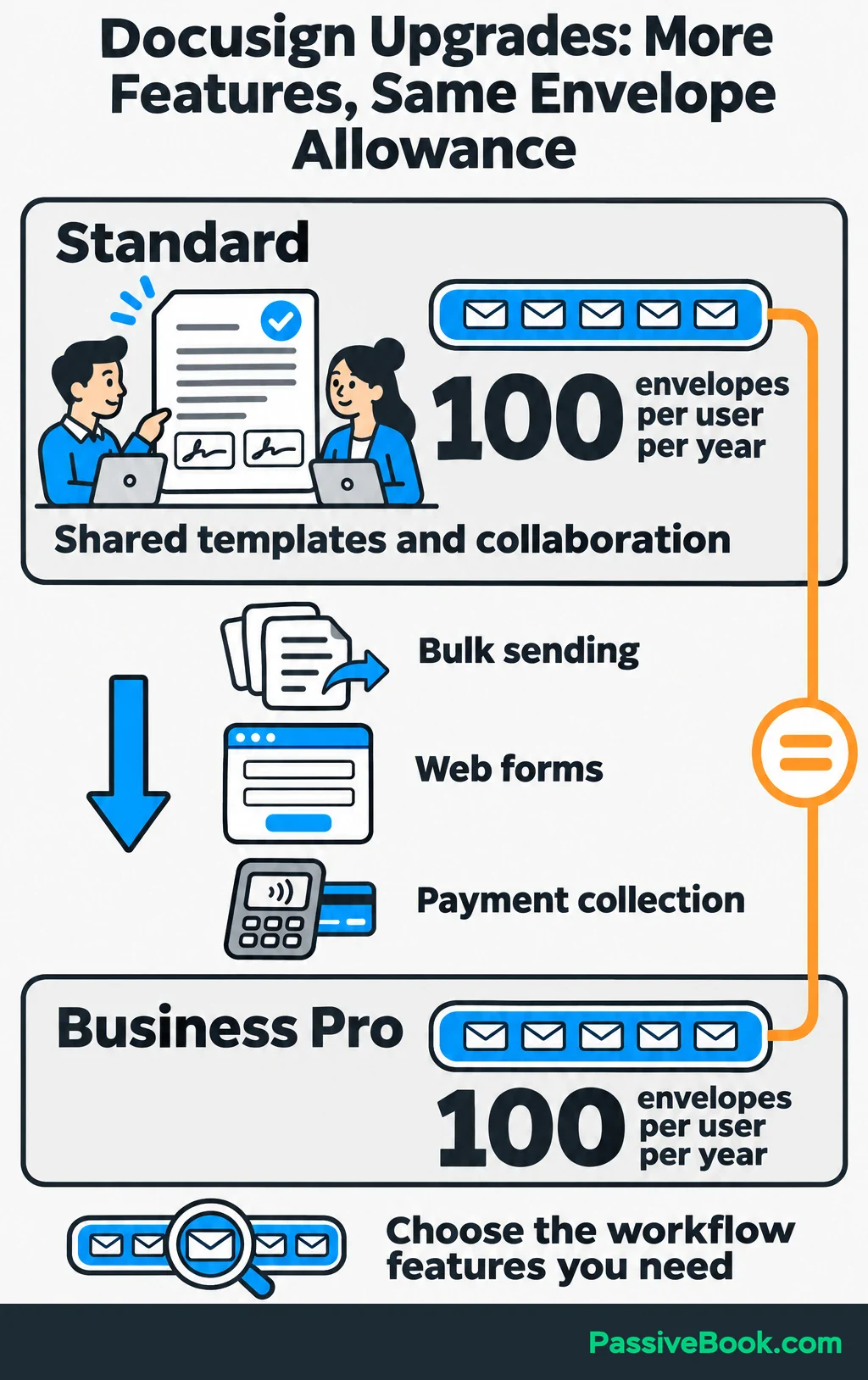
| Docusign Standard | Shared templates and team collaboration | $30/user/month; annual commitment of $360/user, billed monthly | 1 per paid seat | 100 envelopes/user/year | Business Pro retains the same envelope allowance |
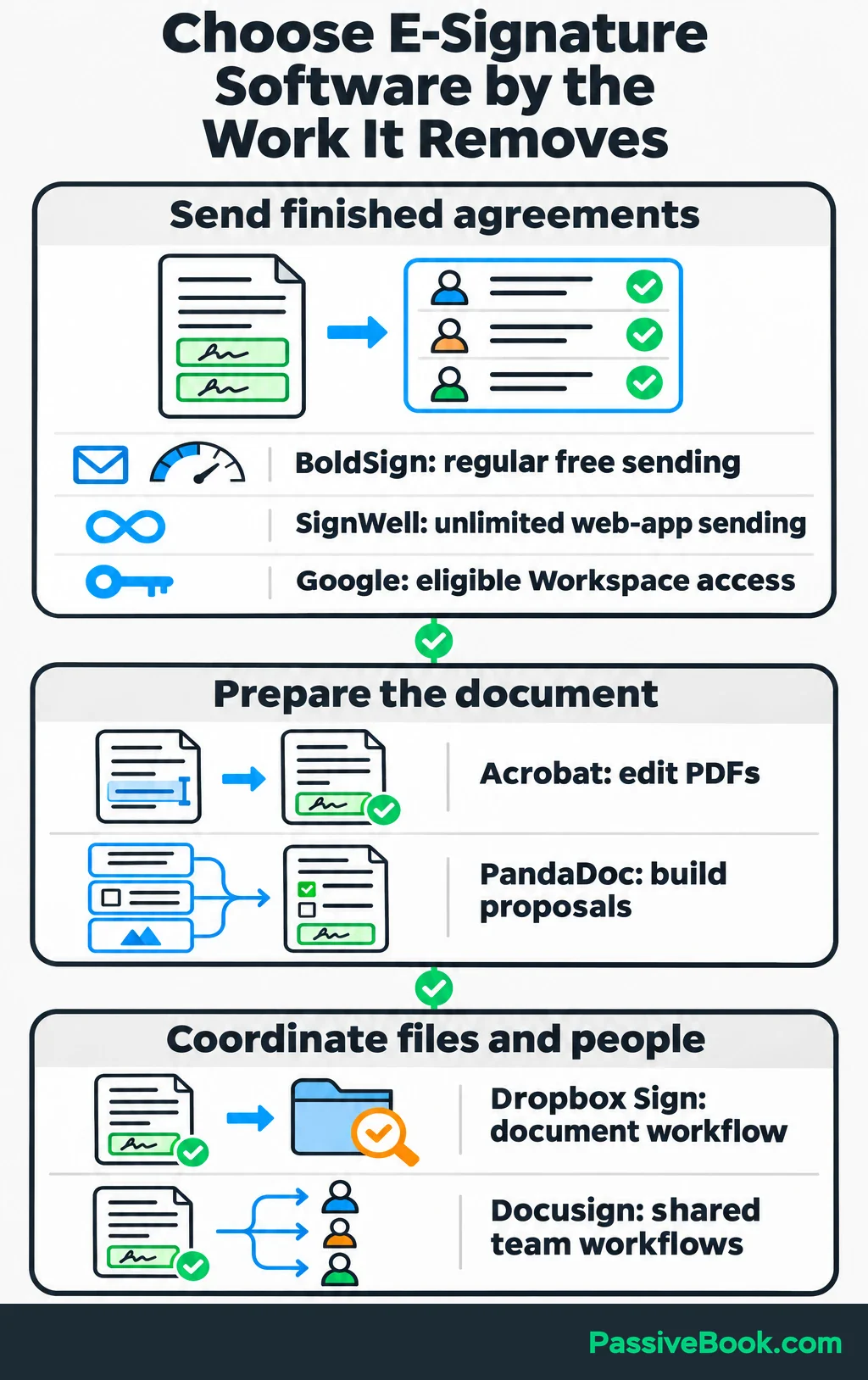
For a new solo setup, I would compare BoldSign and SignWell first. If you already pay for eligible Google Workspace access, test that before buying another subscription.
The other platforms earn their place when they remove work beyond collecting a signature: preparing PDFs, building proposals, or coordinating agreements across a team.
BoldSign: Best Free Option for Regular Sending
BoldSign Essential is my first pick when one person sends agreements and two reusable templates cover the work. It includes automated reminders and an audit trail, so free sending does not mean you must handle every follow-up yourself.
Its personal-email restriction matters. Complete business verification before relying on the larger allowance in the table. Otherwise, a busy month could exceed your available requests sooner than expected.
For the bakery website agreement, I would use one template for the initial project and keep the second for a separate maintenance agreement. There is little reason to upgrade while that setup covers the work.
Growth costs $5 per user per month billed annually and provides 50 monthly envelopes per user and ten templates. Business costs $15 per user per month billed annually and includes unlimited envelopes and templates.
Choose Growth when you need more templates or shared sending. Consider Business when volume makes unlimited sending worthwhile. Price API access and paid add-ons separately before assuming the web-app subscription covers your automation.
SignWell: Best for Affordable Unlimited Sending
I would choose SignWell Light when you already have an agreement and want predictable costs for recurring requests.
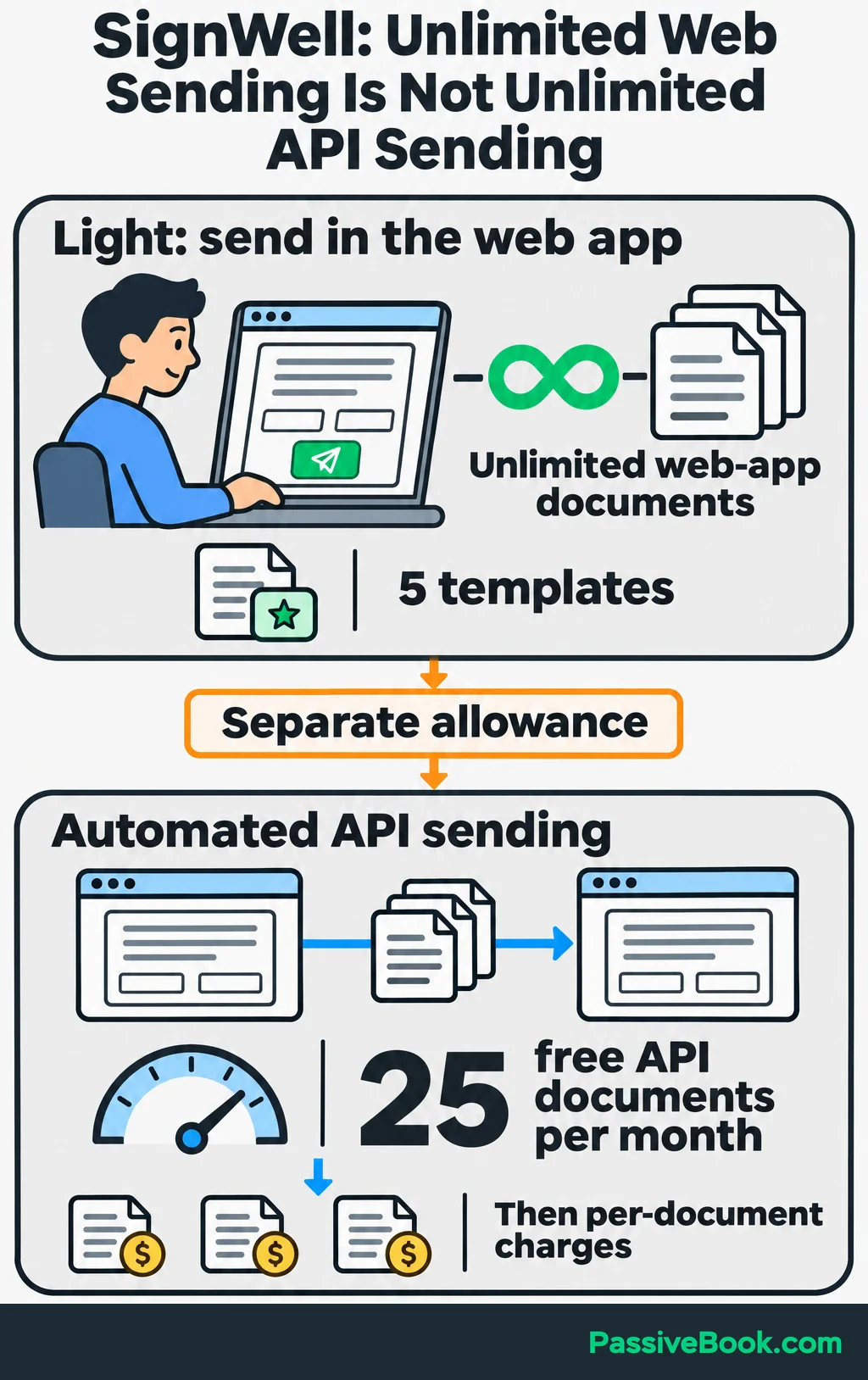
Light includes five templates, reminders, and audit trails. For the bakery workflow, that leaves room for the website agreement, maintenance agreement, and a few other documents without moving straight to a larger plan.
SignWell also has a permanent Free plan with one sender, one template, and three documents per month. That is enough to start if your agreement volume is genuinely occasional.
Business includes three senders, unlimited templates, and custom branding. I would compare it with adding senders to Light when more people need to prepare agreements. A team plan can make sense before its extra features do.
The main cost distinction is automated sending. SignWell lists 25 free API documents per month, followed by per-document charges. Unlimited documents in the web app do not mean unlimited documents created through the API.
If your main requirement is sending prepared agreements without watching a request counter, Light is the paid option I would test first.
Google Workspace eSignature: Best for Eligible Workspace Subscribers
Check what you already pay for before buying another tool.
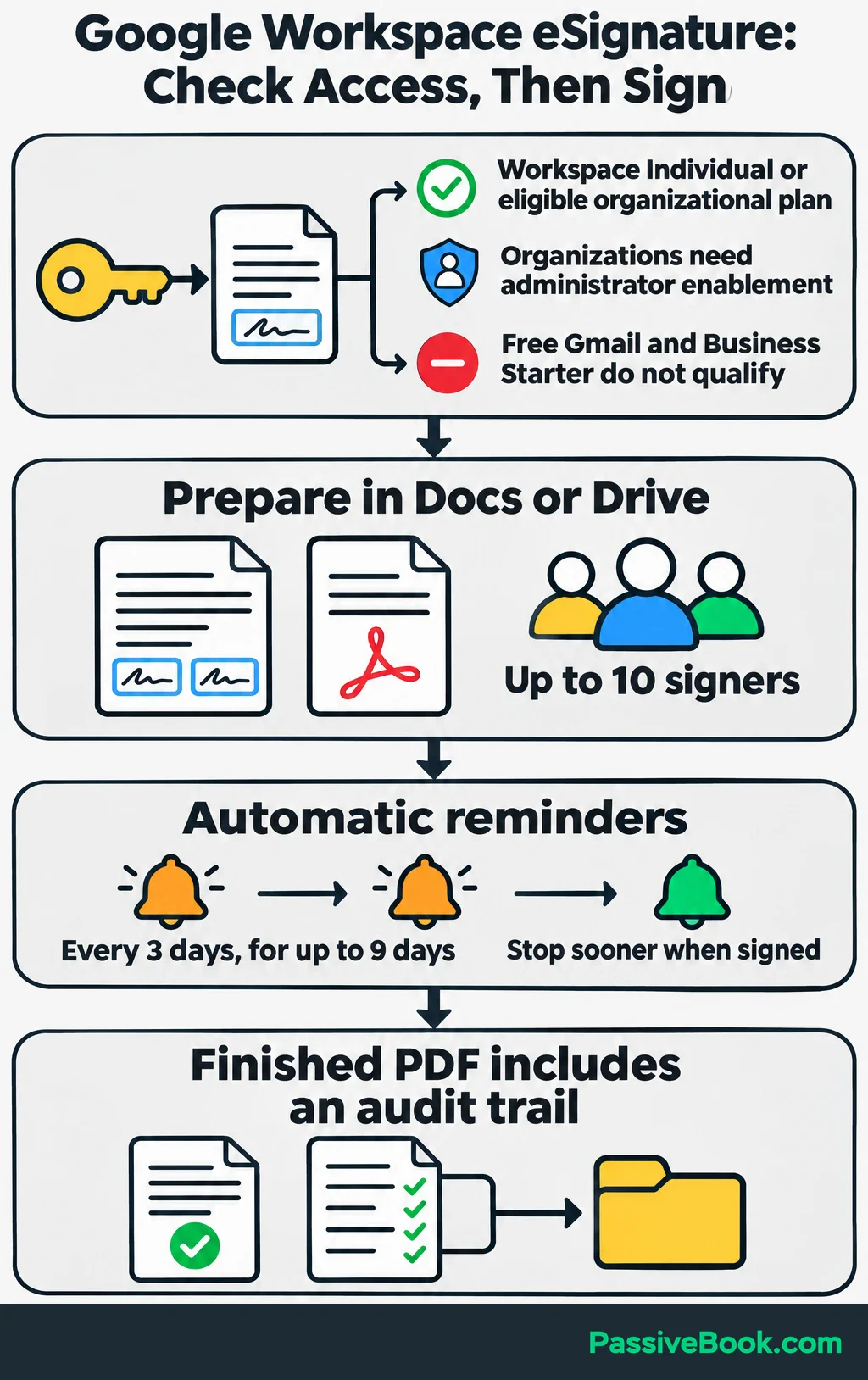
Google includes eSignature with Workspace Individual and eligible organizational plans, including Business Standard and Business Plus. Organizational access requires administrator enablement. Free Gmail and Business Starter do not qualify.
You can request signatures from Google Docs or PDFs in Drive, reuse saved signing fields, and track progress. Automatic reminders run every three days for up to nine days, stopping sooner if the document is signed. Requests support up to ten signers, and the finished PDF includes an audit trail. Google’s eligibility and signing capabilities.
For the bakery agreement, I would try keeping the source document and signing process in Drive. That could remove a separate upload-and-download routine.
If you need a new subscription, use the Business Standard prices in the table. Google’s annual commitment and flexible billing work differently, and an upgrade may affect several seats. Compare the total increase across those seats with a separate signing subscription. Google’s billing comparison.
I would move to a dedicated platform when a required authentication method or automated handoff goes beyond Google’s documented signing features.
Dropbox Sign: Best for Recurring Agreements in a Dropbox Workflow
Dropbox Sign Essentials makes sense when its connection to your existing document workflow saves enough work to justify the subscription.
It includes unlimited signature requests, five templates, automatic reminders, and audit trails. Its published integrations cover Dropbox, Google, and Microsoft tools.
For the bakery agreement, the useful test is specific: can you send the prepared document and place the signed copy in the correct project folder with less handling?
An integration logo alone does not answer that. Check which actions the connection supports and whether the plan includes them.
Standard adds team administration and increases the template allowance to 15. It costs $25 per user per month billed annually, with a two-sender minimum, so the starting annual bill is $600.
I would pay that increase when another person needs to send agreements and the team controls solve a real problem. For one sender uploading an occasional PDF, I would try the cheaper options first.
Adobe Acrobat: Best for Editing PDFs Before Requesting Signatures
Adobe Acrobat is worth considering when preparing the document takes as much effort as collecting signatures.
Standard lets you edit PDF text, convert files, organize pages, and request signatures. If the bakery agreement arrives as a PDF that needs changes, combining preparation and signing can save you from moving between applications.
Pro adds tools such as redaction and turning scanned pages into editable PDFs. It costs $19.99 per month on an annual commitment billed monthly. Adobe says early cancellation can incur a fee of up to half the remaining annual commitment after the applicable 14-day period. Acrobat Pro features and subscription terms.
Individual Acrobat Standard and Pro subscriptions include unlimited signature transactions, subject to document and sending-rate limits. Separately sold Acrobat Sign business subscriptions have different allowances, so check the exact product name when comparing offers. Adobe’s transaction-limit policy.
I would choose Acrobat for recurring PDF work. When the agreement is already ready to send, a simpler signing tool is usually the better fit.
PandaDoc: Best for Creating Proposals That Need Signatures
PandaDoc earns its higher price when you need to build and revise proposals as well as collect signatures.
Starter includes an editable document builder and five templates. It costs $19 per user per month billed annually or $35 on monthly billing. Business adds unlimited templates, tracking of how recipients interact with proposals, and automatic reminders. It also connects to supported customer relationship management (CRM) tools, which hold client and sales details. The Salesforce connection costs extra.
I would use Business as the comparison price when automatic follow-up is required. Choosing Starter because its headline price looks better would leave out part of the workflow.
For the bakery project, PandaDoc becomes useful when you regularly revise the proposed pages, services, and project options before the client signs. If you upload the same finished agreement each time, much of that document-building capability goes unused.
Free supports five documents monthly with two recipients per document; older annual Free accounts have a 60-document annual allowance.
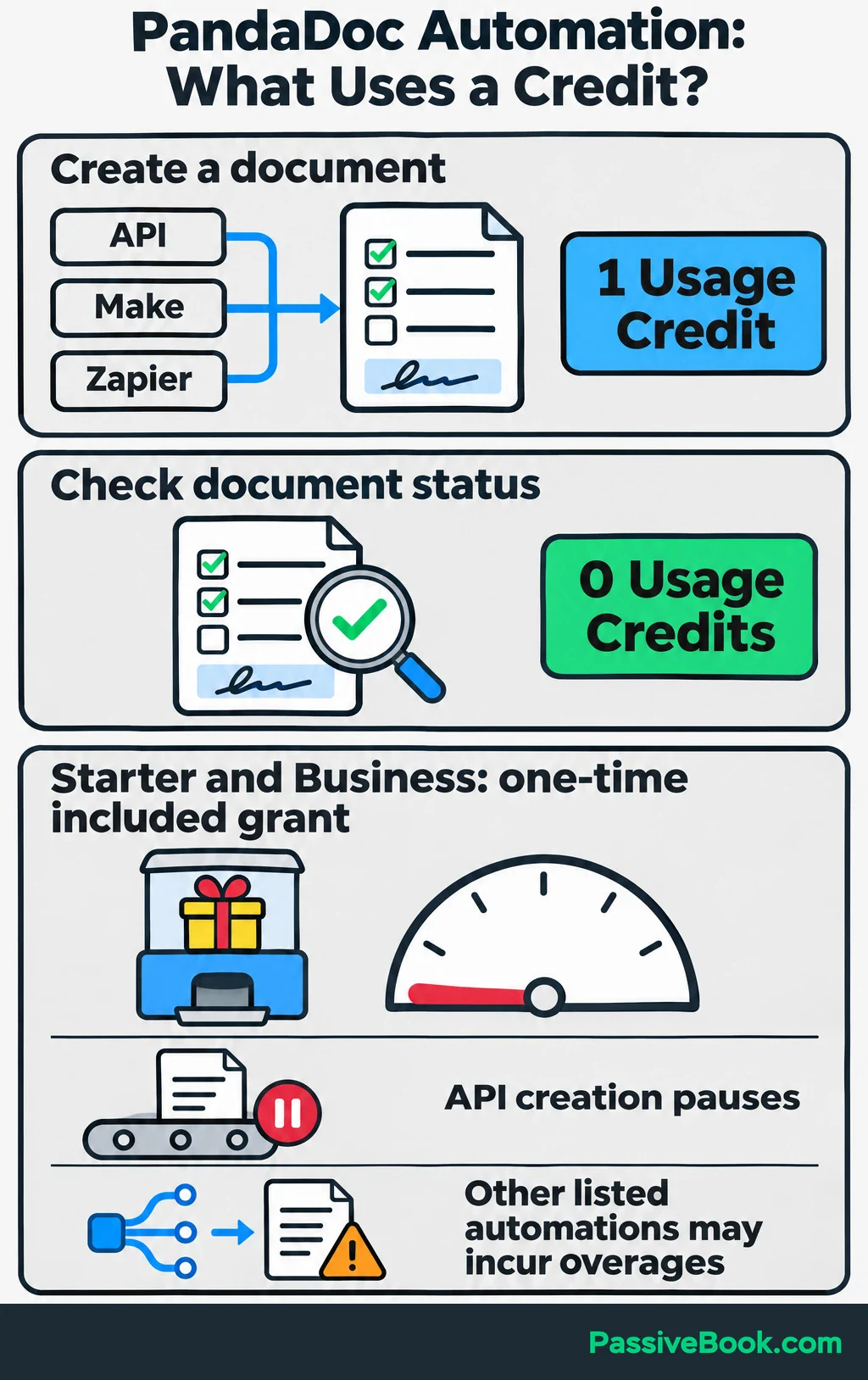
PandaDoc counts automated document creation separately through Usage Credits. Creating a document through the API, Make, Zapier, or its other listed automation features uses one credit; checking document status does not. Starter and Business include a one-time credit grant, so ongoing automation needs its own budget. Once credits run out, API creation pauses on those plans, while other listed automations can generate overage charges. PandaDoc’s Usage Credit rules.
Docusign: Best for Shared Agreement Workflows
Docusign Standard is worth comparing when several people need shared templates, collaboration, and consistent branding.
For the bakery workflow, that might mean one person prepares the agreement while another reviews its terms before sending. Shared templates become more valuable when they prevent different team members from using different versions.
The sending allowance deserves attention. Standard includes 100 envelopes per user annually. Business Pro adds bulk sending, web forms, and payment collection, but retains that same annual envelope allowance.
Personal costs $11 per month on an annual commitment billed monthly and includes five envelopes monthly. Business Pro costs $45 per user per month on the same billing basis.
I would choose the tier for the agreement process it supports. A higher subscription price does not automatically buy more routine sending.
If you mainly need one person to send prepared agreements, compare Docusign’s total cost and allowance with SignWell Light. Team features are useful when your team uses them. Otherwise, they are an expensive decoration.
Test Your Top Two Choices Before Subscribing
Use the same sample agreement in both tools so you can compare the work fairly. Remove real client information and make the test request clearly recognizable as a test.
For the bakery website project, prepare a short agreement with a scope, fee, payment schedule, and signature fields for both parties. You are testing the signing process, so there is no need to build a complete proposal from scratch.
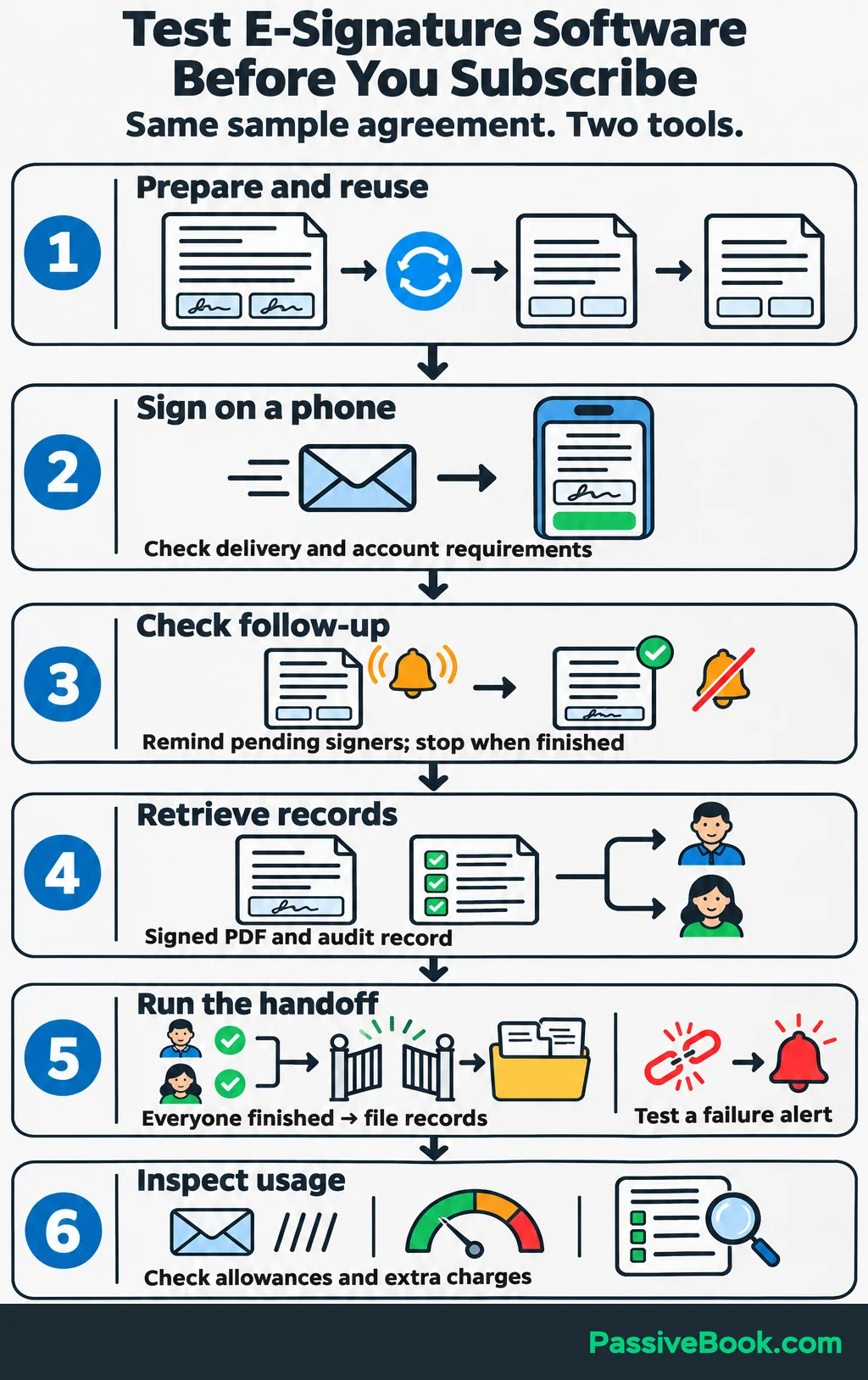
Work through these checks:
- Prepare and reuse: Upload the agreement, assign each party’s fields, and save a template. Create a second request from it and check how much you must enter again.
- Sign on a phone: Send to an external email address you control. Check delivery, readability, account requirements, and whether the next action is clear.
- Check follow-up: Leave one request unfinished long enough to observe a reminder. Finish another and confirm that follow-up stops.
- Retrieve the records: Download the signed PDF and audit record. Check that both parties can access their completed copy.
- Run the handoff: Test the exact connection that should populate client details, detect completion, or file the finished agreement.
- Inspect usage: Check which allowance the test consumed and whether it created a separate charge.
For the filing step, define success before connecting anything:
When everyone has signed, save the completed agreement and audit record in this bakery’s project folder.
“Someone signed” is a different event from “everyone finished.” Make sure the workflow waits for the latter.
If a direct connection covers the job, I would start there. Otherwise, Make and n8n can connect the signing platform to your other apps. I would start with Make’s visual workflow builder and consider n8n when I need more control. Before building, confirm that the signing platform lets either tool detect completed agreements and retrieve the files you need.
Also test a failure. Use a temporary destination folder, then remove the connection’s access and check whether you receive a useful alert. A failed filing step should give you something to fix.
After testing, compare the total subscription cost for your required senders over twelve months, then add expected usage and integration charges. Include every seat affected by a Workspace upgrade and any minimum seat purchase.
Once both tools pass the workflow test, put their costs side by side. Use the billing terms and required extras for your setup, rather than just the advertised monthly price.

Free Software Cost Calculator




Finally, check support access and document export before paying annually. I would choose the least expensive plan that completes every required step with acceptable effort for the recipient. A longer feature list does not compensate for an agreement that is awkward to sign or hard to find later.
Frequently Asked Questions
Does Microsoft Have an Electronic Signature Tool?
Yes. Microsoft 365 eSignature lets you request signatures from people inside and outside your organization and keeps a digital audit trail. Its native service uses pay-as-you-go billing at $2 per request, in addition to your Microsoft 365 subscription. Microsoft’s service and pricing overview.It requires administrator setup and an Azure subscription linked to billing. For external signers who are not already guests, the organization must also configure the required guest-sharing access. Microsoft’s licensing and external-sharing requirements.I would consider it when your agreements already live in Microsoft 365 and that setup is manageable. For the bakery agreement, test the external recipient’s experience before choosing it solely because your files are already there.Pay-as-you-go can suit occasional requests. As volume grows, compare the accumulated request charges with an unlimited signing subscription.
What Next?
Pick one agreement you send repeatedly and test it in two shortlisted tools. Follow it all the way from preparation to a signed copy in the right folder before committing to an annual plan.
Use the social buttons to share this comparison when your next tool discussion gets stuck on headline prices. The request limits and billing terms may settle it faster.
Which part of your signing process needs the most attention: preparation, reminders, or filing? Share it in the comments, and bring any other questions too.
Share this post with your friends & followers:

