A customer asks where their order is. You search your store, check an earlier email and start replying—just as someone else sends a different answer.
Sorting out crossed replies takes time, but buying software brings another uncertainty. A platform can add another inbox to monitor, rules to maintain and charges you did not expect. The cost comparisons and trial cases below help you judge whether a tool makes support easier at a cost you can afford, with setup work you can handle.
Decide What Kind of Customer Service Software You Need
Customer service software gives you a place to receive requests, assign responsibility and follow each request until it is resolved.
You may not need a separate tool yet. Keep your existing inbox while you can reliably see what needs answering, who owns it and what happens next. Consider dedicated software when messages disappear, replies overlap or finding customer information becomes a repeated job.
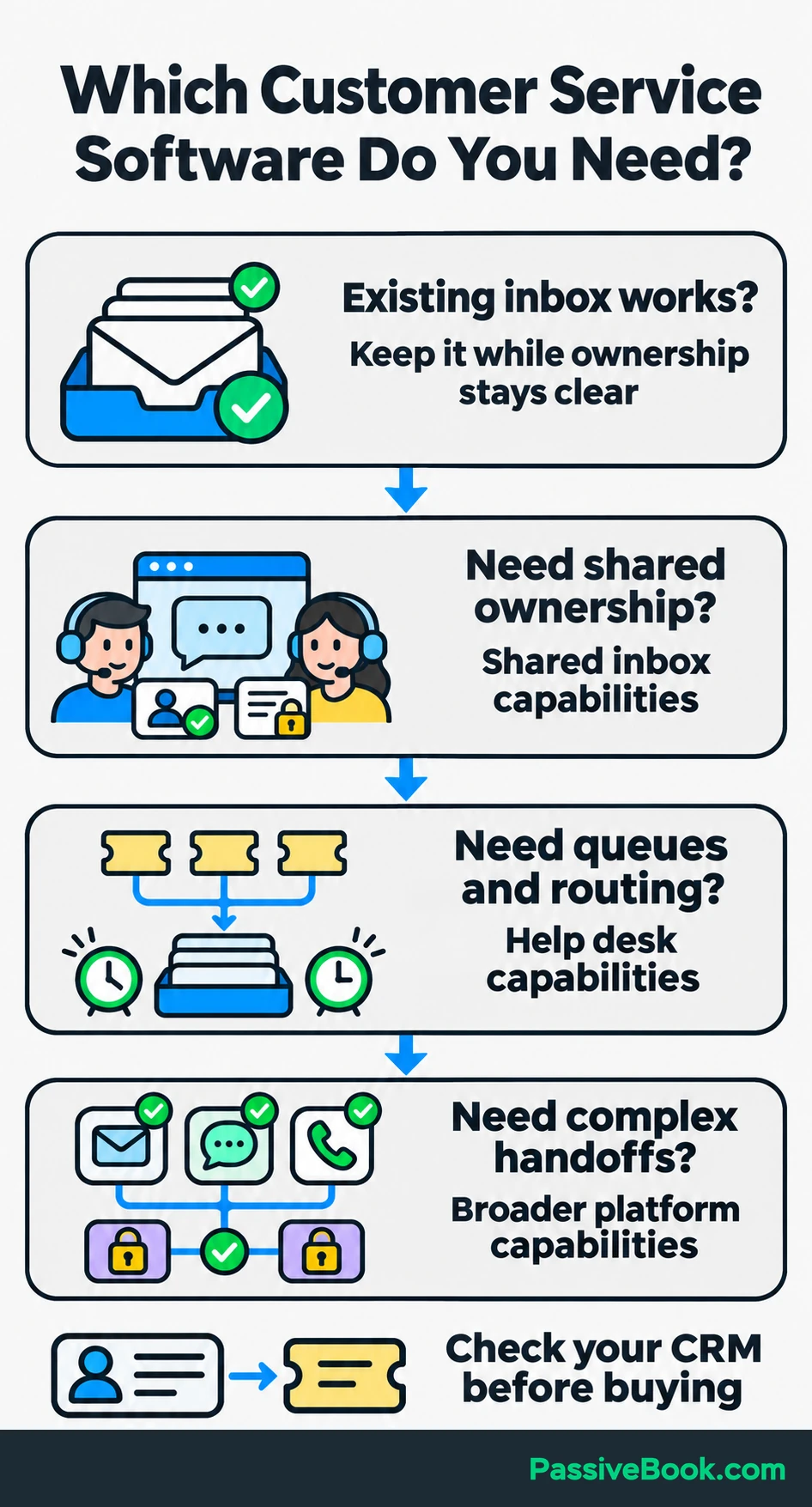
Compare capabilities rather than product labels:
- Shared Inbox: Organizes conversations and lets people assign messages, leave private notes and avoid duplicate replies.
- Help Desk: Usually adds structured queues, routing, reminders and reports. Many shared inboxes offer some of these features too.
- Broader Service Platform: Connects more channels and supports complex handoffs or detailed permissions. Choose it when those features solve a problem you already have.
A CRM, short for customer relationship management software, has a broader focus. It manages relationships with customers and prospects, including their interaction history. Support software focuses on resolving requests. Some products combine both, so check whether your existing CRM already handles the support work you need. Salesforce explains the broader role of a CRM here.
For the running example, imagine you sell cat scratching posts through WooCommerce, software that adds a store to a WordPress site. Customers ask about dimensions, deliveries and returns. You need clear answers and order context, but that alone does not justify an enterprise platform. The store and all example figures below are illustrative.
Turn Your Support Problems Into Buying Requirements
Start with recent inquiries, including ordinary weeks and a busy period. For each request, record:
- Where it arrived and what the customer wanted.
- Which information you needed.
- What action you took and who handled it.
- Where the work stalled.
Also count monthly inquiries, note seasonal peaks and record how many people handle support. These figures will help you compare usage charges and capacity later.
Then turn each recurring problem into something you can test. “Better collaboration” is vague. “A second person can see that I am already replying” is a requirement.
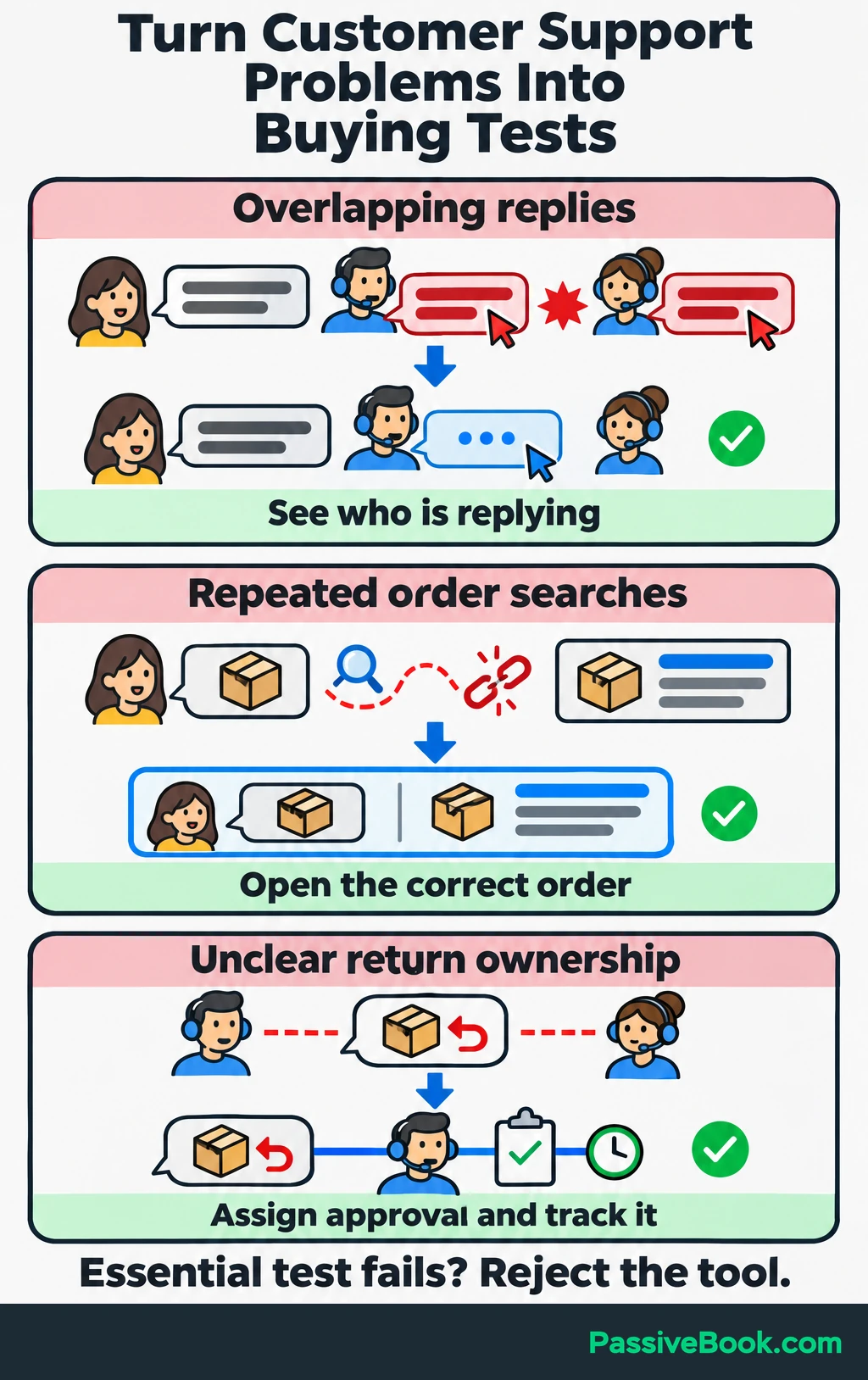
For the scratching-post store, your list might look like this:
| Customer Task | Current Problem | Required Capability | Priority | Acceptance Test |
|---|---|---|---|---|
| Check product dimensions | Answers vary between replies | Saved answers based on approved product details | Essential | Find and send the correct dimensions without rewriting them |
| Ask about delivery | Each reply requires a separate order search | Customer and order details beside the conversation | Essential | Open the correct order from an incoming delivery inquiry |
| Request a return | Nobody knows who should approve it | Named owner, private notes and reminders | Essential | Assign approval and keep the request visible until a decision |
| Find assembly instructions | The same instructions get sent repeatedly | Searchable help content or saved reply | Optional | Send the correct instructions from the conversation |
Reject tools that fail an essential requirement, even if they have attractive extras.
I learned a related lesson while selling digital products. I kept rewriting download instructions because I remembered answering the question but could not find the wording I had used. Saving one clear answer helped more than polishing each new reply. That experience shapes my buying rule: identify the repeated work before shopping for features.
Choose channels the same way. Support the ones customers use and that you can maintain. If you add live chat, decide when someone will staff it and how offline messages and unfinished conversations will get a reply.
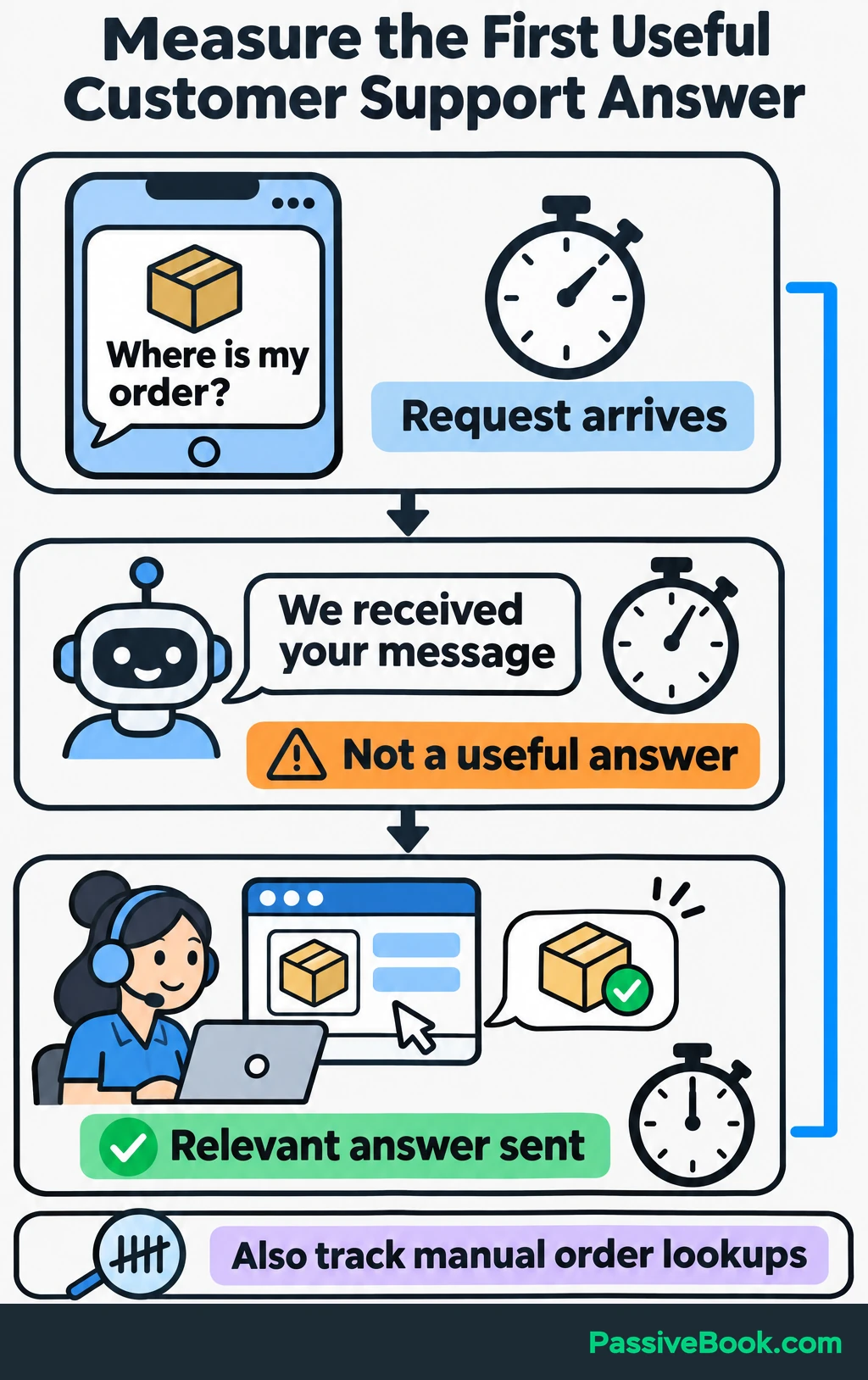
Finally, record a baseline for your main problem. That might be time to the first useful answer, unresolved requests or manual order lookups. An automatic “we received your message” does not count as a useful answer.
For the example store, I would make fewer manual order searches the first target. Choose that target before a vendor demonstration gives you twelve new priorities.
Verify the Integrations Your Support Workflow Needs
List the information and actions support needs from each connected system. “Works with WooCommerce” is too broad.
Viewing an order, changing its address and issuing a refund are three separate requirements. Decide which must happen inside the support tool and which can stay in your store.
For each essential connection, check:
- Supported Work: The exact information you can view and actions you can perform.
- Data Updates: Which direction information moves and how long changes take to appear.
- Plan and Cost: The subscription required and any separate connector charge.
- Maintenance: Who fixes the connection when it stops working.
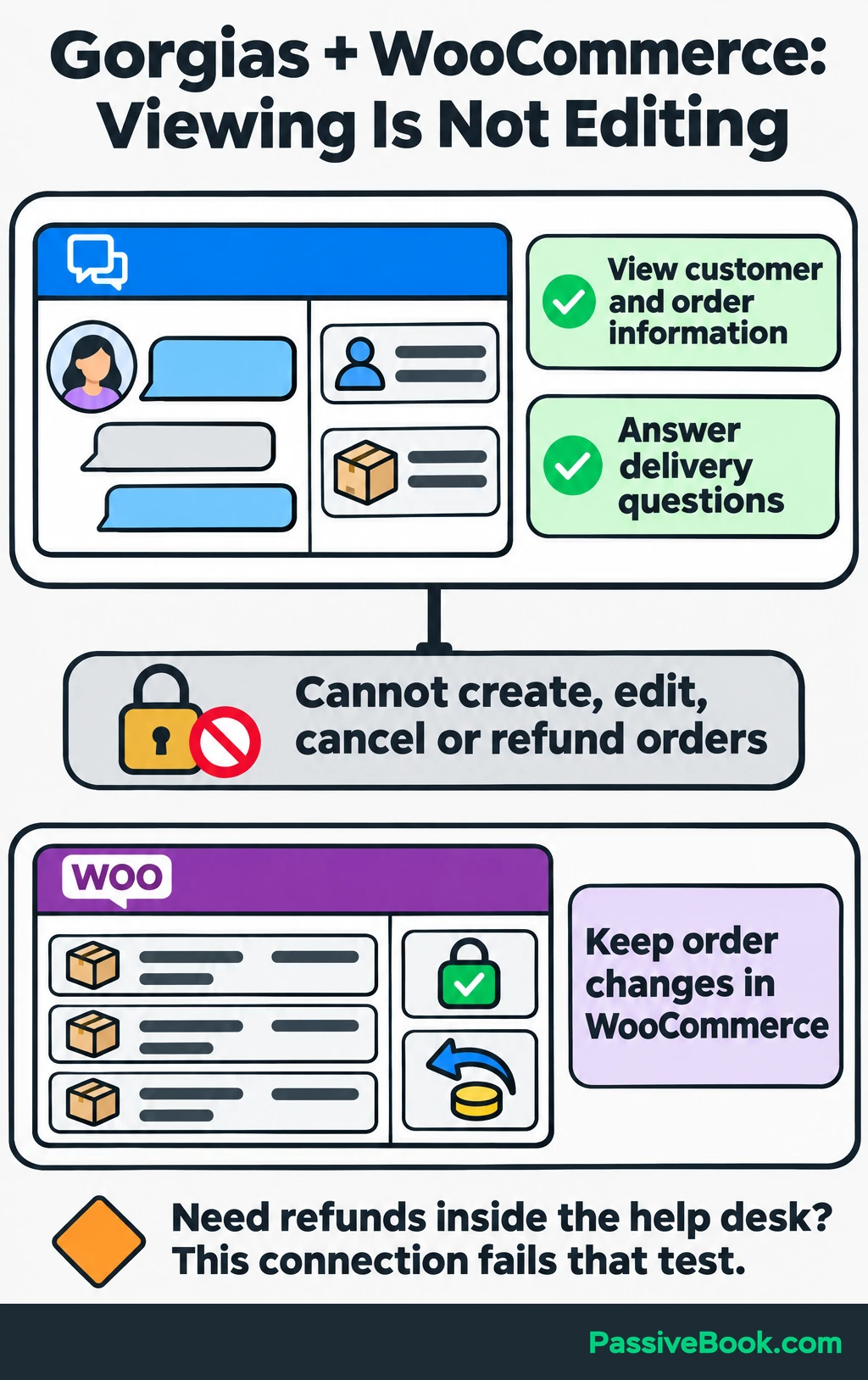
Gorgias, an ecommerce help desk, shows why the exact actions matter. Its WooCommerce integration displays customer and order information, but it cannot create, edit, cancel or refund WooCommerce orders. Gorgias documents those capabilities and restrictions.
For the scratching-post store, that may be enough: you can answer delivery questions from the support screen and keep refund approval in WooCommerce. If refunds inside the help desk are essential, the same integration fails your requirement.
I would prefer a direct connection that passes the tests. If you need a separate workflow, Make can connect apps through a visual builder, and n8n is an option when you can manage a more involved setup. Include the work of monitoring either connection in your comparison.
Before importing customer data, check access permissions, multifactor authentication, retention, deletion and the vendor’s processing terms. If the UK’s data protection law, UK GDPR, applies and the vendor processes personal data on your behalf, you need a written contract with the required data protection terms. The ICO explains this requirement.
Calculate the Total Cost Now and as You Grow
Compare the Complete Operating Cost
Set two budgets: a recurring spending ceiling and a separate setup allowance.
Compare the plans that meet your requirements. A cheap entry plan is irrelevant if order access or essential reporting requires an upgrade.
Your recurring total should include the subscription, required users, usage charges, add-ons, connectors and any paid support. Read what triggers a charge: users, tickets (tracked support requests), messages, contacts, AI outcomes and channel usage are different billing units.
Also check included allowances, overage rates, minimum commitments, renewal terms and whether the advertised monthly figure requires annual payment.
One request can sometimes trigger more than one charge. Under Gorgias’s billing model, a conversation resolved entirely by AI Agent without human intervention can incur both a helpdesk ticket charge and an automation charge. Legacy accounts may have different terms. Its billing definitions explain the distinction.
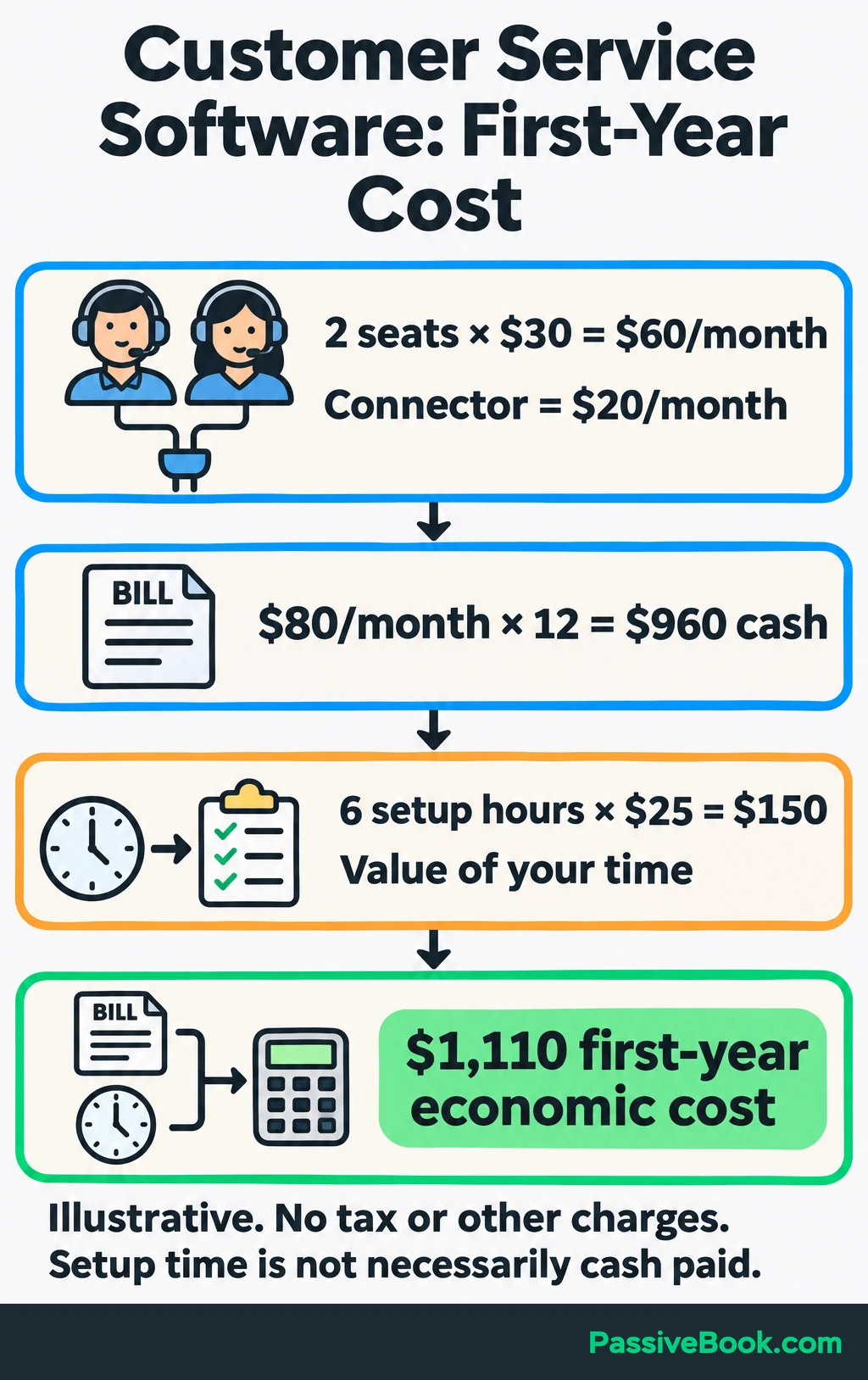
For a simple cost example, count two paid users and one connector for a full year. Then value the hours spent setting up the system separately.
| Cost Item | Illustrative Calculation | Total |
|---|---|---|
| Two user seats | 2 × $30 per month | $60 per month |
| Required connector | $20 per month | $20 per month |
| Recurring cash spending | $80 × 12 months | $960 per year |
| Your setup time | 6 hours × $25 | $150 |
| First-year economic cost | $960 cash + $150 time | $1,110 |
This assumes constant monthly pricing, no other charges and excludes tax. The $150 values your time; it is not necessarily money paid to anyone.
Estimate migration, configuration and training time, then allow for ongoing administration. A lower subscription can still be the expensive choice if you spend every Friday repairing it.
Check the Upgrade Path
Use one plausible growth scenario and apply it to every candidate.
For the scratching-post store, suppose you grow from two support users to three and from 300 monthly inquiries to 600, while keeping email as your only channel. Check the bill under those exact conditions.
If the same illustrative seat rate and connector charge still apply, recurring spending becomes $110 per month. But use that figure only if the qualifying plan supports the higher volume without extra charges.
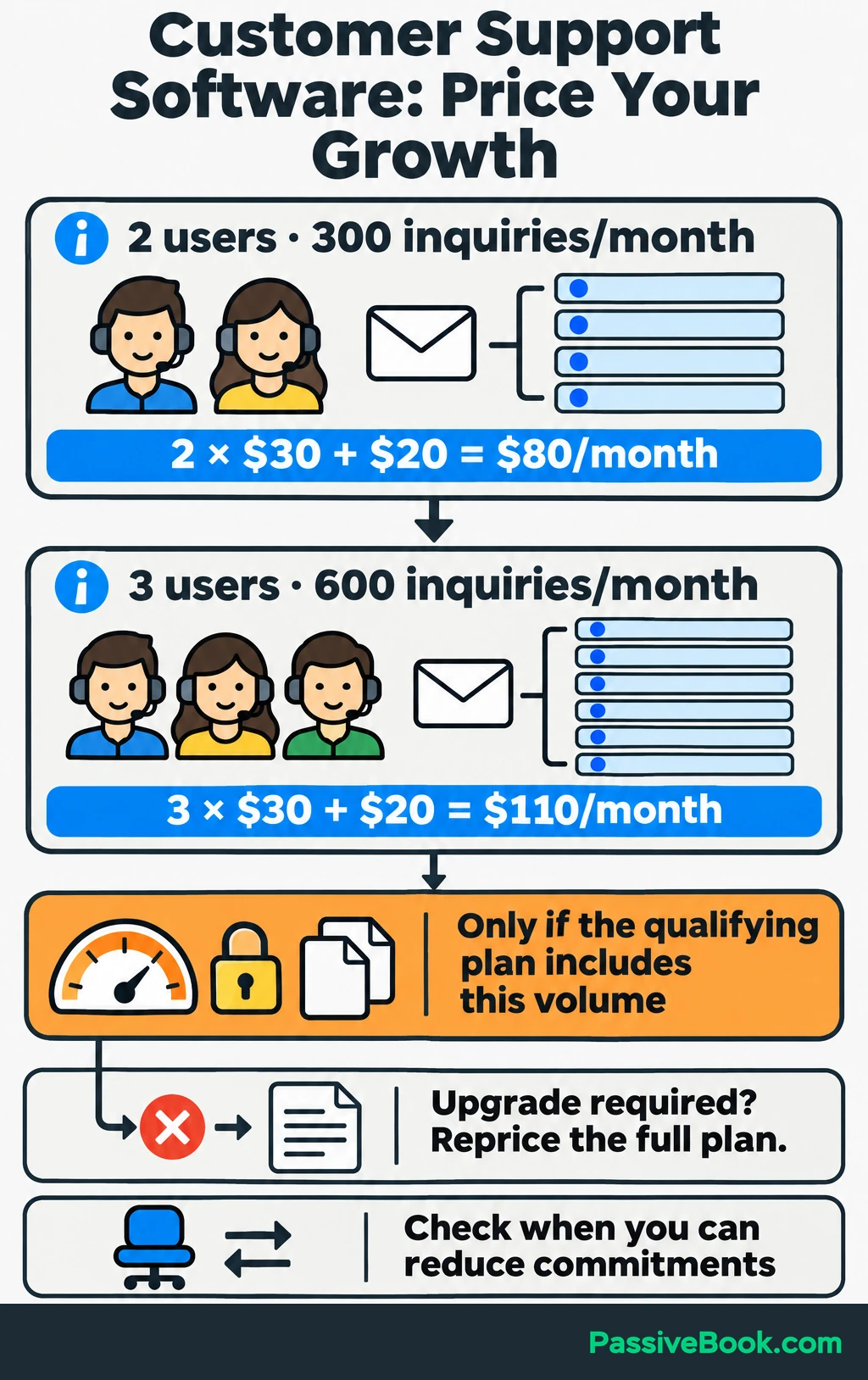
Find the first change that forces an upgrade. It might be another user, more conversations, additional permissions, reporting or access to the API—the connection software uses to exchange data.
Price the whole required plan after that change. Also confirm when you can reduce seats or commitments if demand falls. I would pay for an affordable route to growth and leave unused capacity for later.
A higher bill can be worthwhile if it removes enough work. Use your own prices and estimates to see the cost difference and how much time the switch would need to save.

Free Software Cost Calculator




Build a Shortlist That Passes Your Essential Requirements
Shortlist two or three candidates whose specific plans meet your workflow, integration and budget needs.
For the example store, I would compare an email-focused shared inbox with an ecommerce help desk. A broader platform earns a place only if a smaller option cannot meet an essential requirement.
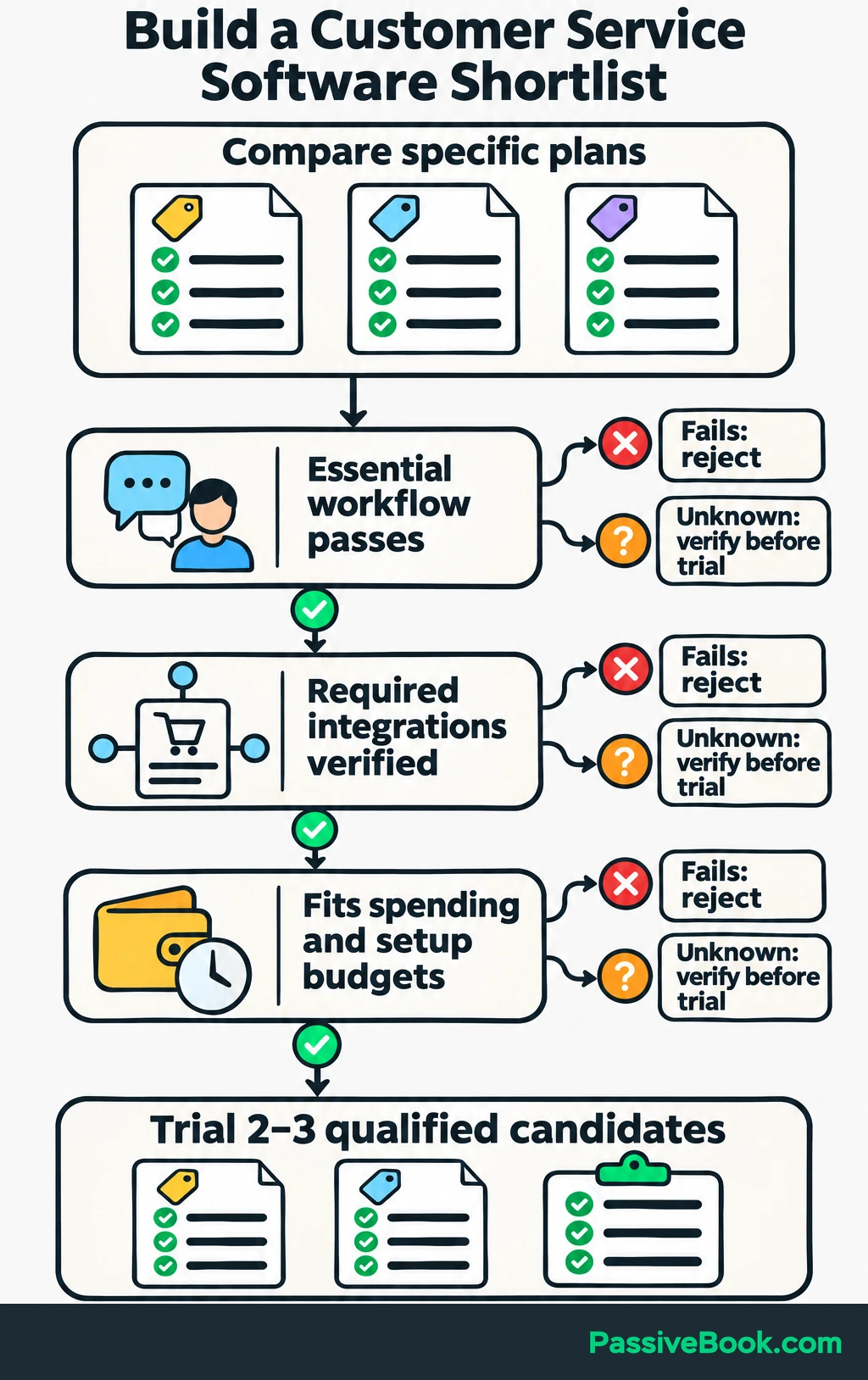
Resolve unknown essentials before investing time in trials. Use documentation or ask the vendor for a written answer describing your exact workflow.
Keep one comparison sheet with a row for each candidate and qualifying plan. Include:
- Workflow Fit: Which essentials pass and what evidence supports that judgment.
- Integration Fit: Verified actions, restrictions and connector requirements.
- Cost: Current and growth totals using your shared assumptions.
- Setup Effort: Migration, configuration, training and maintenance work.
- Trial Findings: Tasks completed, errors encountered and help needed.
- Open Questions: Anything still unverified, with essential gaps clearly marked.
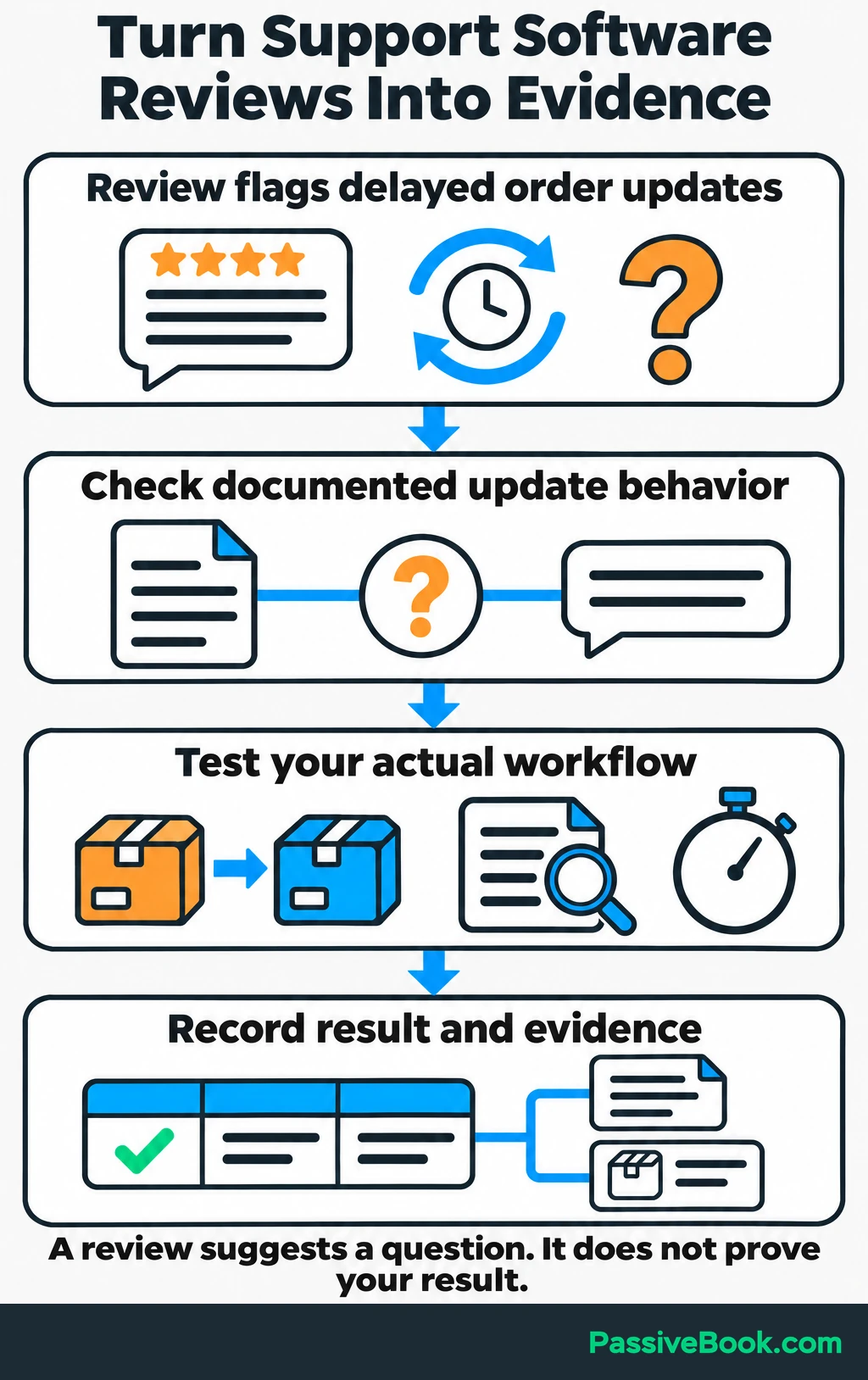
Recent reviews from businesses doing similar work can reveal useful questions. Repeated complaints about delayed order updates, confusing bills or slow support should become things you investigate. A review is a lead to check, not proof that your experience will match it.
Choose your comparison priorities now. For the scratching-post store, reliable order lookup deserves more weight than a messaging channel you have no plans to use.
Run the Same Trial in Each Shortlisted Tool
Trial the plan and integrations you intend to buy. Extra features in an unrestricted demonstration can make a cheaper plan look more capable than it is.
Prepare the same anonymized customer cases and expected outcomes for every candidate. Ask the people who will handle support to do the work themselves.
Test Everyday Support Work
Follow a request from arrival to completion. Receive it, assign it, answer it, add a private note, transfer it, close it and reopen it.
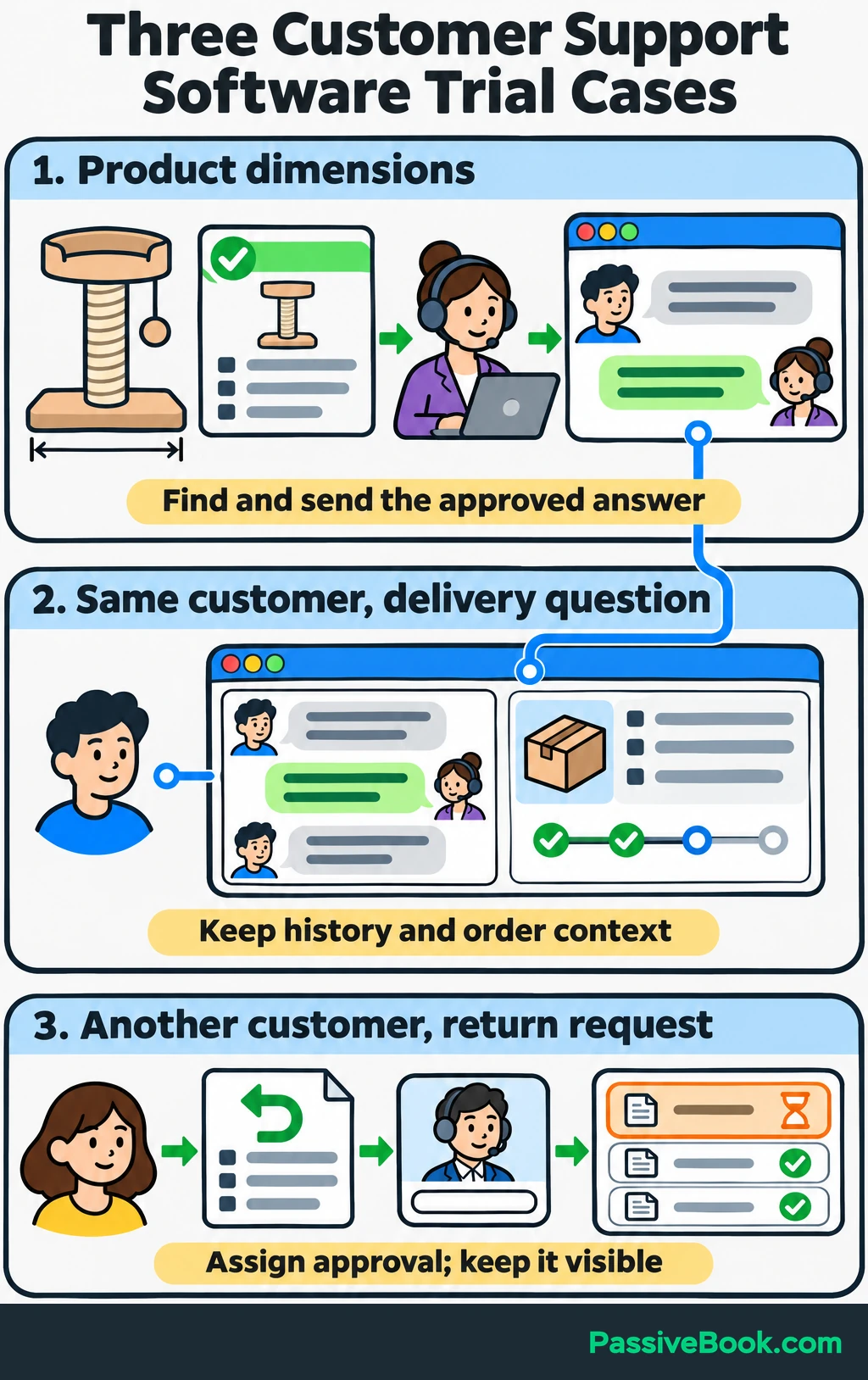
Record errors, unnecessary steps, missing information and moments when someone needs help.
Use these linked cases for the scratching-post store:
| Test Request | What Should Happen |
|---|---|
| “How wide is the base of this scratching post?” | Find the approved dimensions and send the correct answer |
| The same customer later asks, “Has my order shipped?” | Find their conversation history and correct order without starting a separate customer search |
| Another customer asks to return a post | Find the return policy, assign approval and keep the request visible while it waits |
Then test the awkward details: two people replying at once, attachments, notifications and messages received outside staffed hours.
Check the customer’s side too. Send a message from a phone, navigate the chat or form with a keyboard and continue an existing conversation. Confirm that the customer does not have to explain everything again.
Test Automation and Human Handoff
Start with repeated tasks whose correct outcome is easy to recognize: tagging delivery questions, assigning returns, inserting saved replies and reminding someone about an unanswered request.
Measure the work removed alongside the effort needed to maintain the rules. An automation that needs constant attention has applied for a job as your new manager.
Before testing AI answers, supply approved product information, assembly guidance and policies. Then test questions that require different behavior:
- “What are the base dimensions?”
- “Where is my order?” with no order number.
- “It arrived damaged. What should I do?”
- “Can I get a refund outside your return window?”
- “I want to speak to a person.”
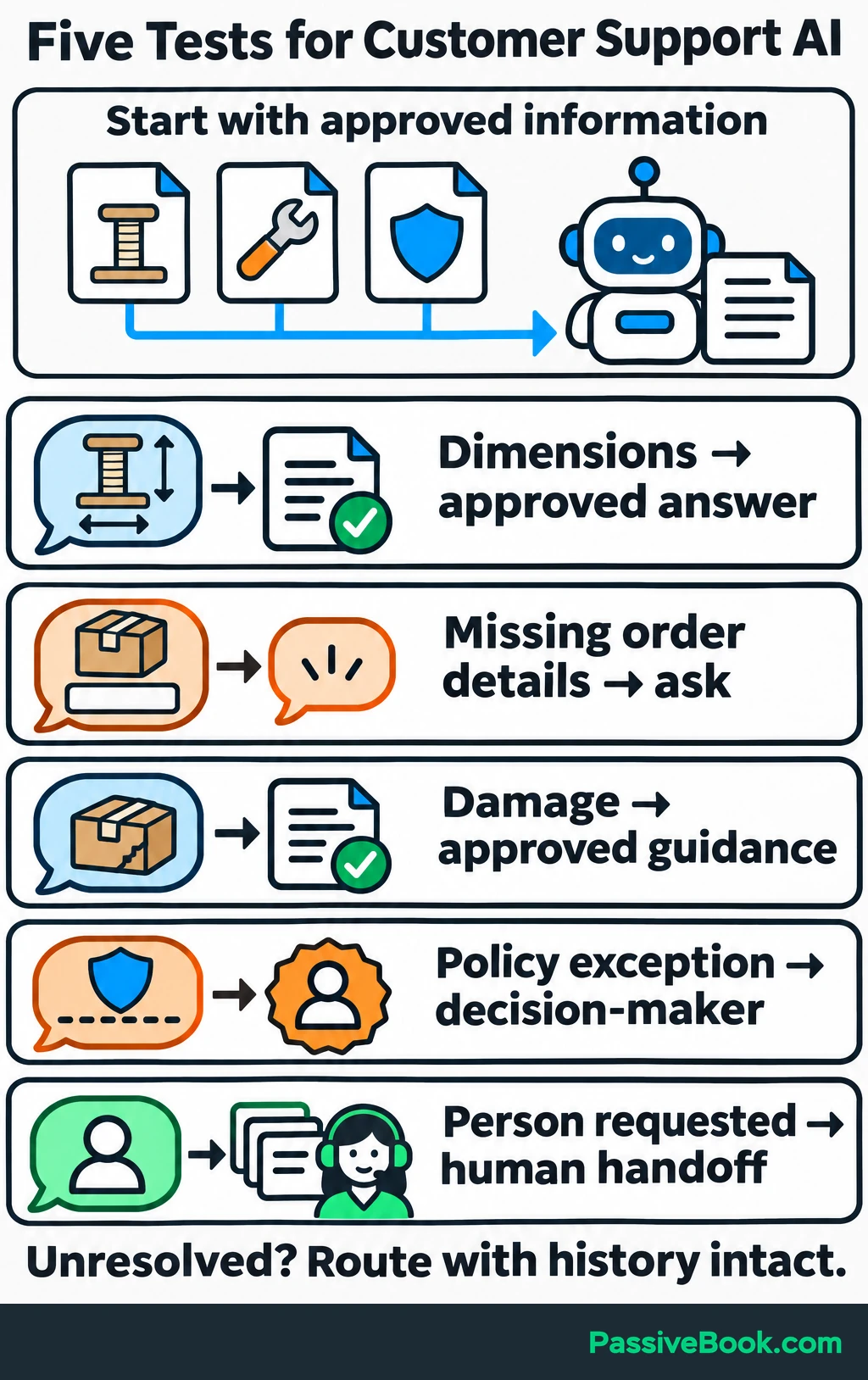
The dimensions question should produce the approved information. Missing order details should trigger an appropriate request for information. An exception to the return policy should reach whoever can decide it.
Verify that unresolved requests and requests for a person reach a responsible person or queue with the history intact. This needs configuration, not just a promise of “human handoff.” For example, Intercom’s guidance for its Fin AI support agent explains how workflow settings control when conversations pass to a person.
Judge automation by accurate answers, completed tasks, repeat contacts and staff effort. Inspect conversations marked resolved when the customer never confirmed the answer helped.
I would use a successful trial to justify a controlled rollout. It does not establish lasting savings or justify removing support capacity.
Check Reporting and Reliability
Compare several test conversations with the reports. Check how the software defines a first response, a resolution and a reopened request, and which requests it counts as still waiting.
Check whether business hours affect the timing and whether an automatic acknowledgment counts as a response. Otherwise, a faster-looking report may simply be measuring something different from your baseline.
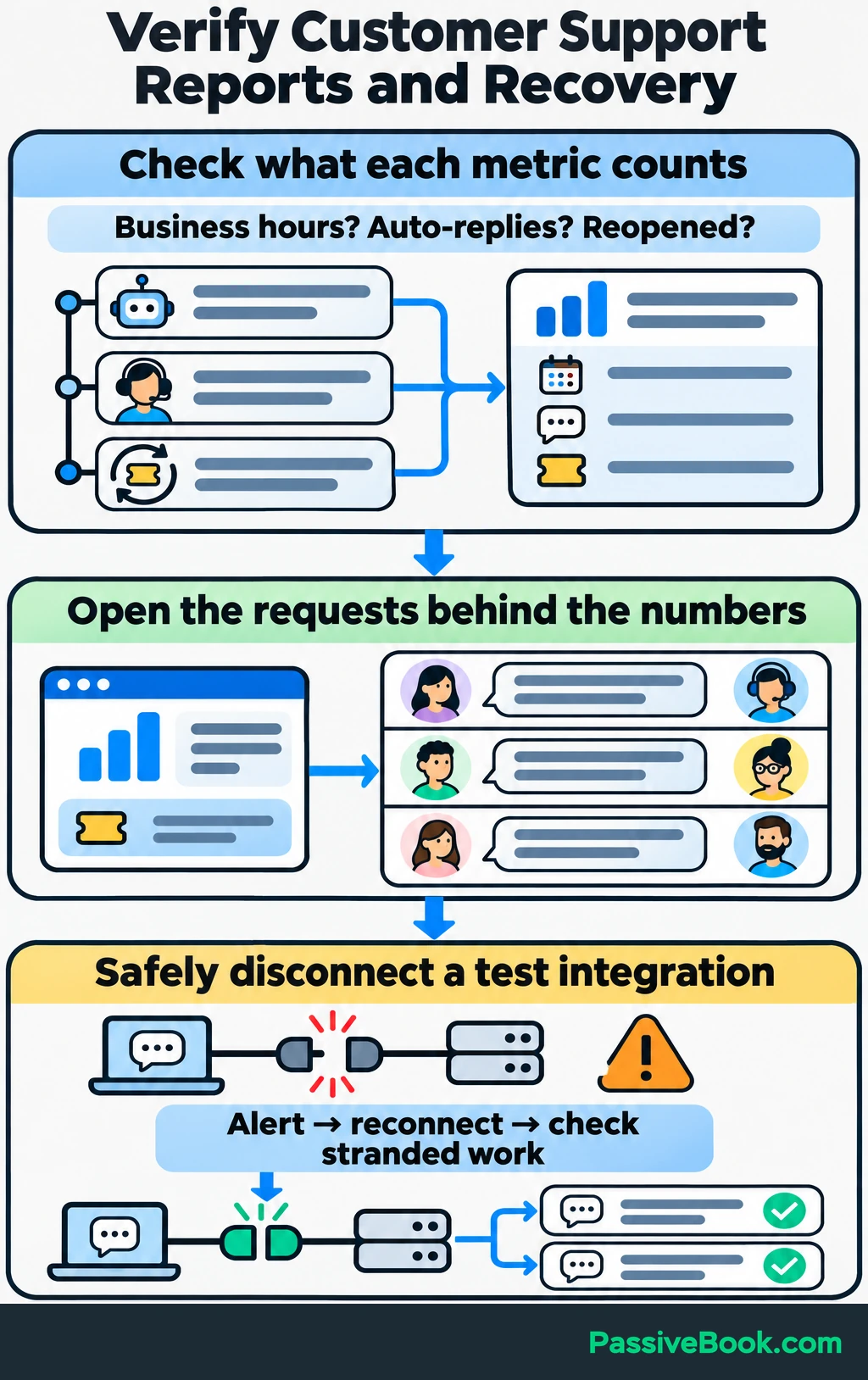
You should also be able to open the conversations behind the numbers. A backlog count is more useful when you can see which customers are waiting and who owns each request.
For reliability, review documented capacity limits, the vendor’s public incident history and any contractual availability commitment. Compare them with your expected workload.
Ask how you will notice a failed integration or undelivered message and what recovery involves. During the trial, check a safe failure case, such as a disconnected test integration. Confirm that the problem becomes visible and that reconnecting does not leave requests stranded.
Test the Vendor’s Support
Submit a real configuration or integration question during the trial.
For the scratching-post store, you might ask how to give someone order visibility while keeping refund approval restricted. Assess whether the answer solves that problem and whether follow-up is practical.
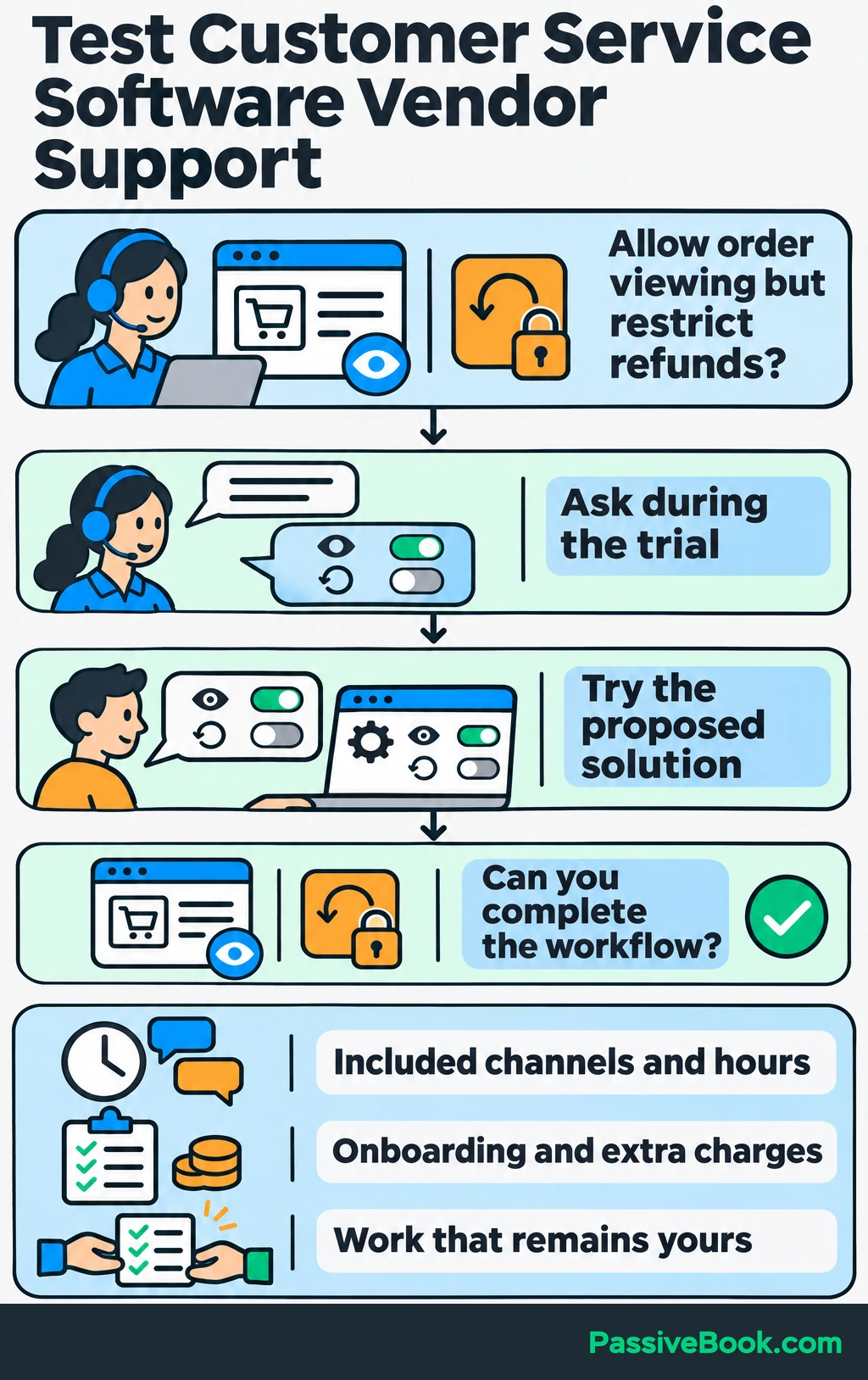
Confirm the support channels and hours included in your chosen plan. Check what onboarding covers, what costs extra and which tasks remain yours.
Use the trial to estimate who will configure routing, maintain saved answers and train another user. A system that fits your budget but exceeds your available time still fails the fit test.
Check Whether You Can Leave With Usable Data
Test your exit before committing.
Import and export a small sample containing customer records, conversations, private notes, attachments and any custom information you need. Inspect whether the links between them survive.
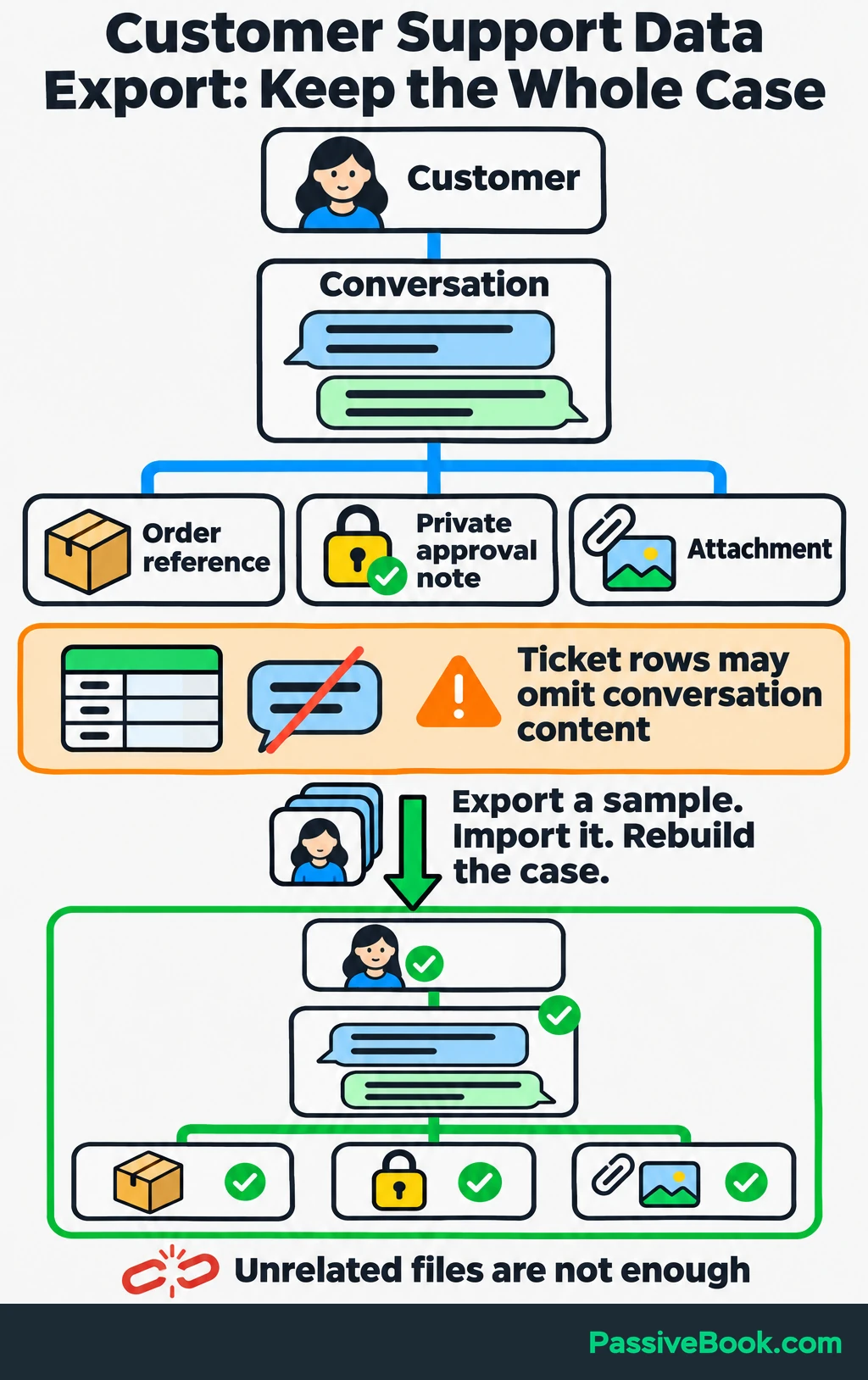
A downloaded spreadsheet may contain ticket numbers and dates without preserving what the customer said. Zendesk’s CSV ticket export, for example, excludes comments and descriptions. Keeping that content requires another export method, and available methods have different restrictions. Zendesk explains its export formats and limitations.
Confirm export eligibility, file formats, charges, API requirements and access after cancellation. If another tool is a likely destination, try importing the sample there.
For the example store, you should be able to reconnect a return conversation to the customer, order reference and approval note. A folder full of unrelated files would leave important work for your future self.
Choose the Best Fit and Confirm the Switching Effort
Eliminate candidates that fail an essential requirement. Compare the survivors on demonstrated workflow fit, ease of use, total cost, administration effort and vendor support.
I would choose the lowest-complexity option that passes those tests and fits both budgets. If two tools are close, use improvement in your main bottleneck to decide. For the scratching-post store, easier order lookup should beat a longer list of unused features.
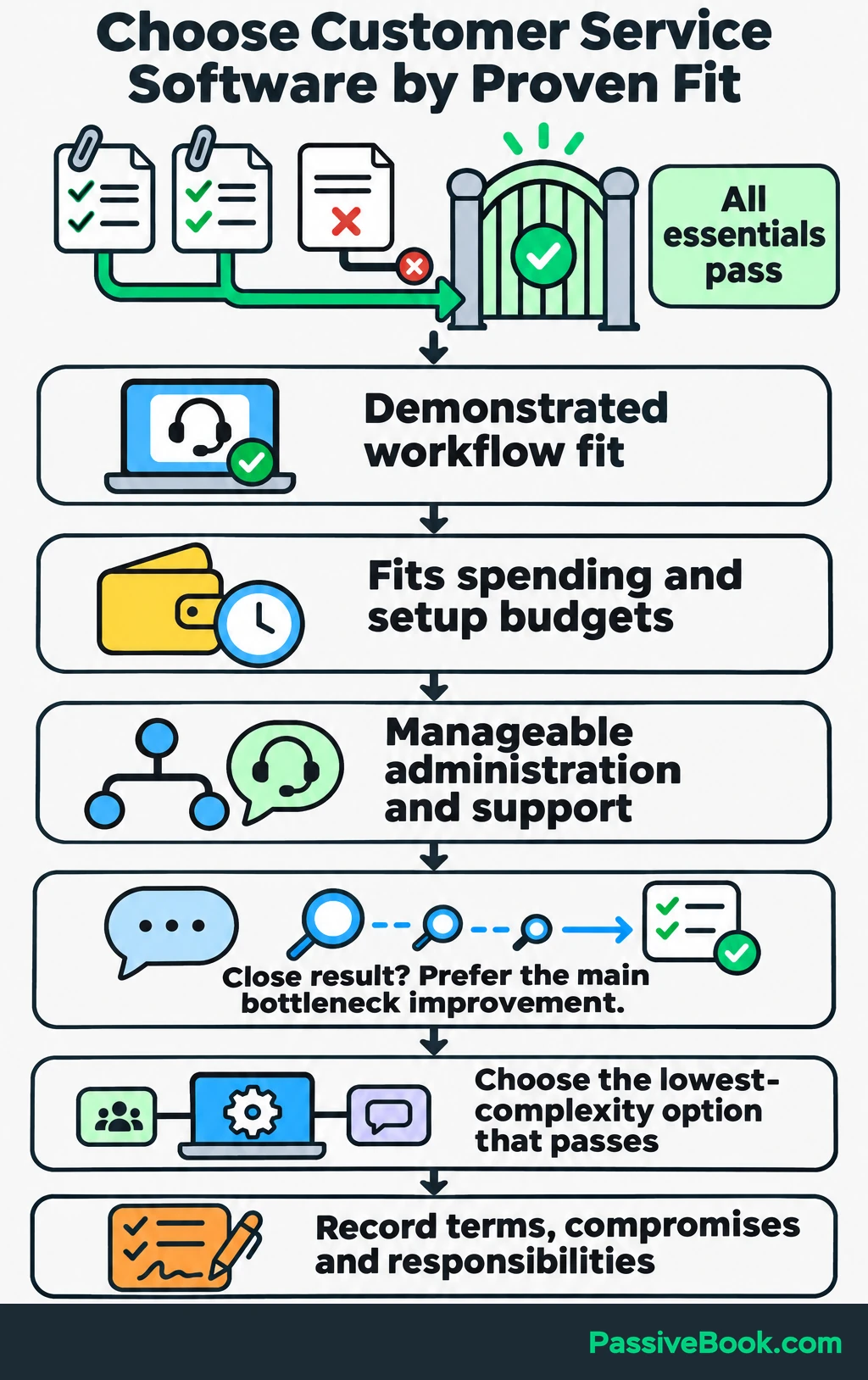
Before signing, record the purchased plan, accepted compromises, setup responsibilities, integration scope, support terms, renewal conditions and cancellation process.
Then give the switch a clear owner and a manageable sequence:
- Preserve existing records and validate a small migration.
- Configure ownership, permissions, saved answers and essential connections.
- Train users on the requests they handle.
- Test incoming and outgoing messages from the customer’s side.
- Redirect customer traffic and monitor new requests.
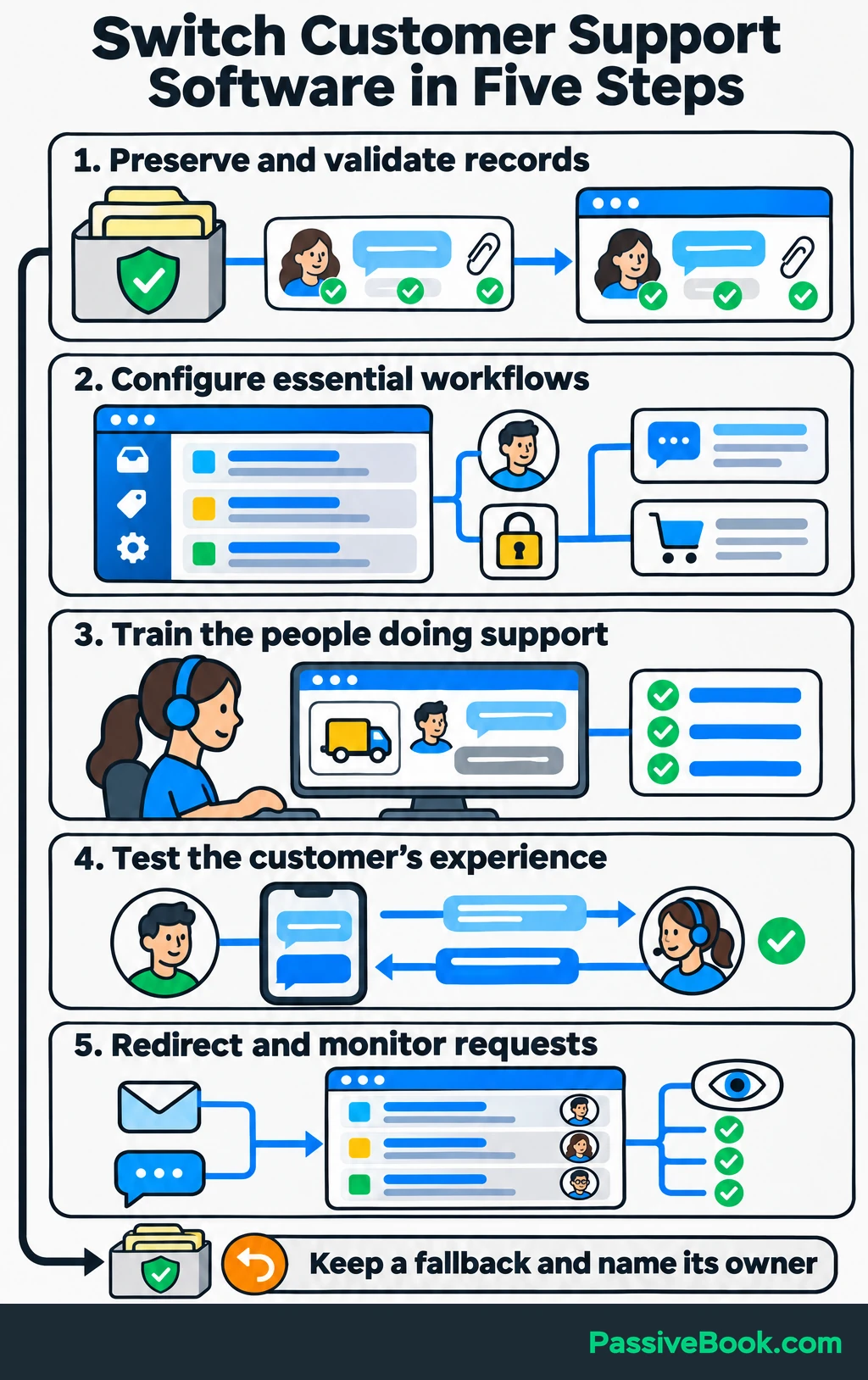
Keep the previous workflow available until essential functions work reliably, and decide who can restore it if the switch fails.
After the team has settled in, compare results with your original targets using the same definitions and a comparable period. Check whether order searches, waiting requests and useful response times improved.
If results disappoint, inspect routing, help content and training first. More features are worth buying when you can name the work they will fix.
What Next?
Pick ten recent customer requests and turn the three most repeated problems into requirements you can test. Use those requirements to rule out unsuitable plans before booking a demonstration.
If this guide would make a software discussion more useful, pass it along through the social buttons so everyone can compare tools against the same work.
Which support task would you most like to stop doing manually? Share it in the comments, and bring any other questions about choosing your system.
Share this post with your friends & followers:

