Your photos are ready, but delivery still means sending links, explaining downloads and digging through emails for image selections. Then a client asks about prints, and you have another task to handle.
A cheap gallery can become expensive if you keep working around its limits. But paying for a bigger subscription makes little sense when its extra tools duplicate what you already use. This comparison shows which galleries handle delivery, client feedback and print sales, and what those workflows cost once storage, fees and extra tools are included.
What Matters When Comparing Client Gallery Software?
Client gallery software gives clients a dedicated place to view, select and download photographs, and many platforms also let them buy prints. It sits alongside your editing and cataloging software.
The useful question is how much of your delivery process it can handle without extra work.
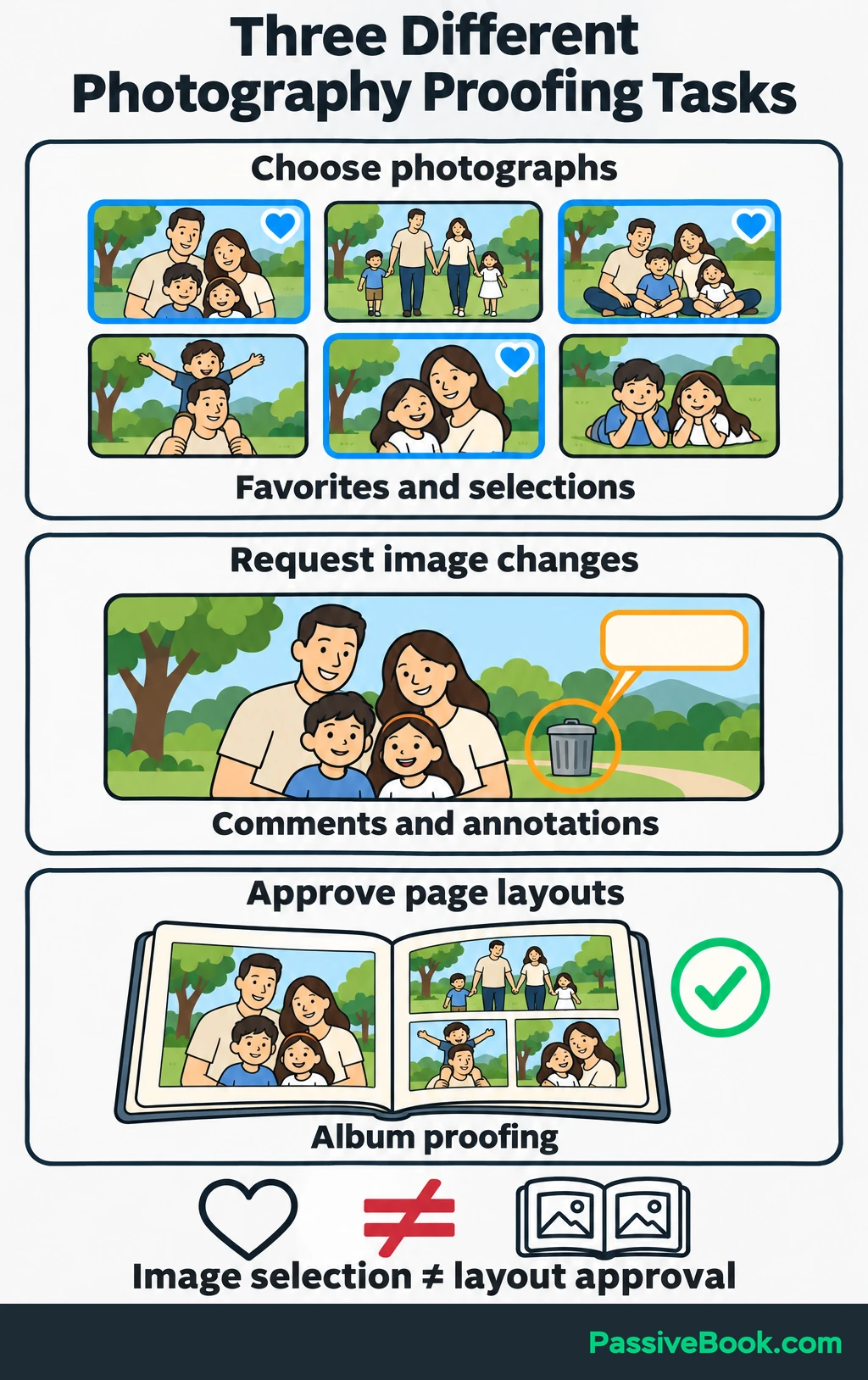
Start by listing what happens between finishing an edit and closing the job. That might include private viewing, image selections, final downloads and print orders. Then compare the subscription that completes that process.
Pay particular attention to what each provider means by “proofing.”
| Tool | What the client does | When you need it |
|---|---|---|
| Favorites or selections | Chooses individual photographs | Picking images for an album or a purchased collection |
| Comments and annotations | Explains a requested change, sometimes by marking the image | Pointing out a specific retouching request |
| Album proofing | Reviews page layouts and requests changes | Approving an album before production |
Selecting photographs for an album does not approve its layout. Those are separate jobs, and your subscription may support one without the other.
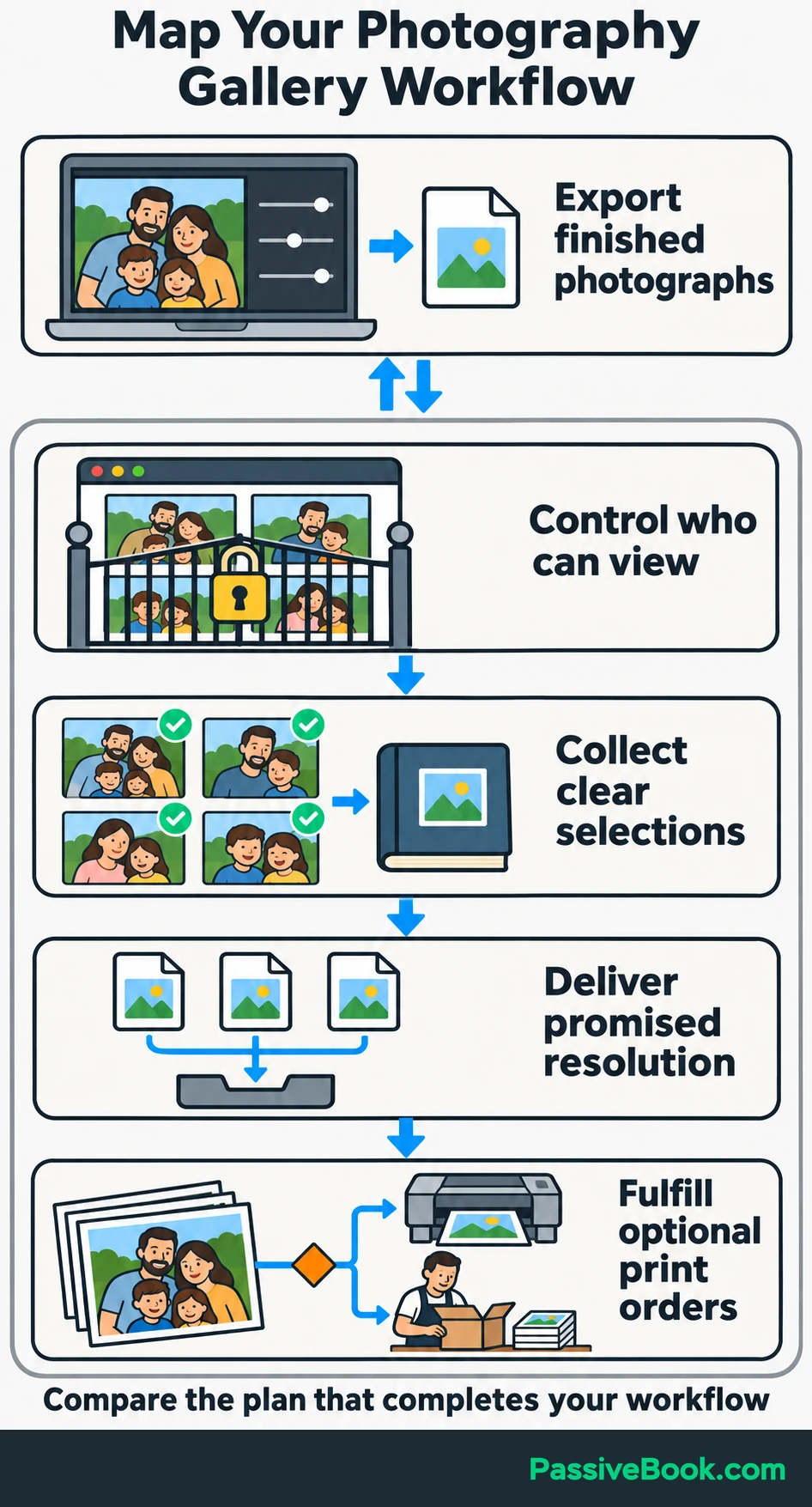
For the running example, imagine you offer outdoor family portrait sessions. You need private galleries, finished JPEG downloads, album selections and optional prints. The business and figures used below are illustrative.
Before looking at prices, decide:
- Delivery: What resolution will clients receive, and how long will galleries remain available?
- Access: Who can view the photographs, and who can download them?
- Branding: Do you need your own domain and logo, or can you accept provider branding?
- Sales: Will clients order through an integrated lab, or will you fulfill orders yourself?
- Connections: Can you upload, retrieve selections and replace edits using your existing tools?
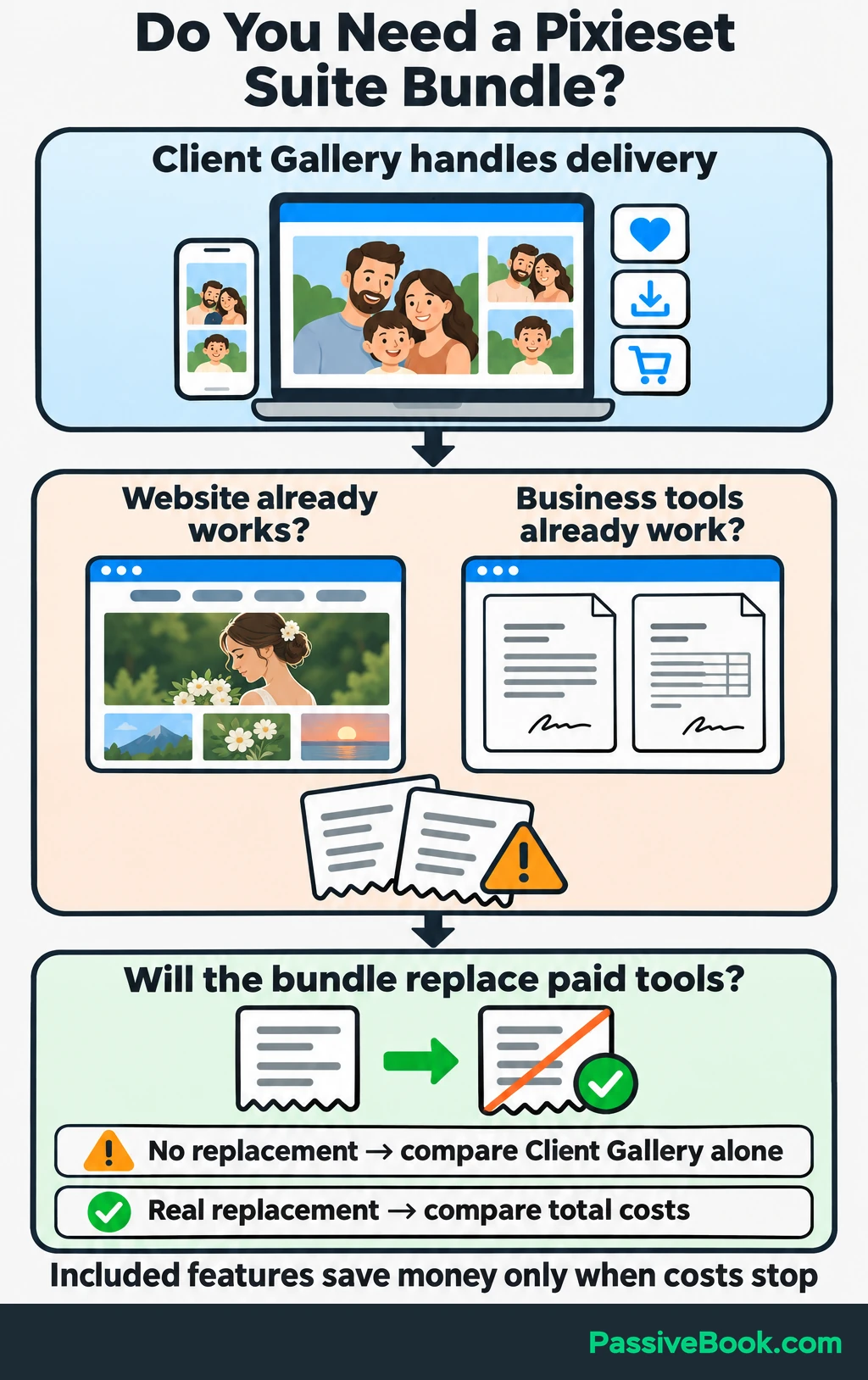
I once caught myself counting a bundled website builder as a saving for a digital-product site that already ran on WordPress. I removed it from my comparison because it would replace nothing. Apply the same rule here: an included tool saves money only when you can stop paying for something else.
The Best Client Gallery Software Compared
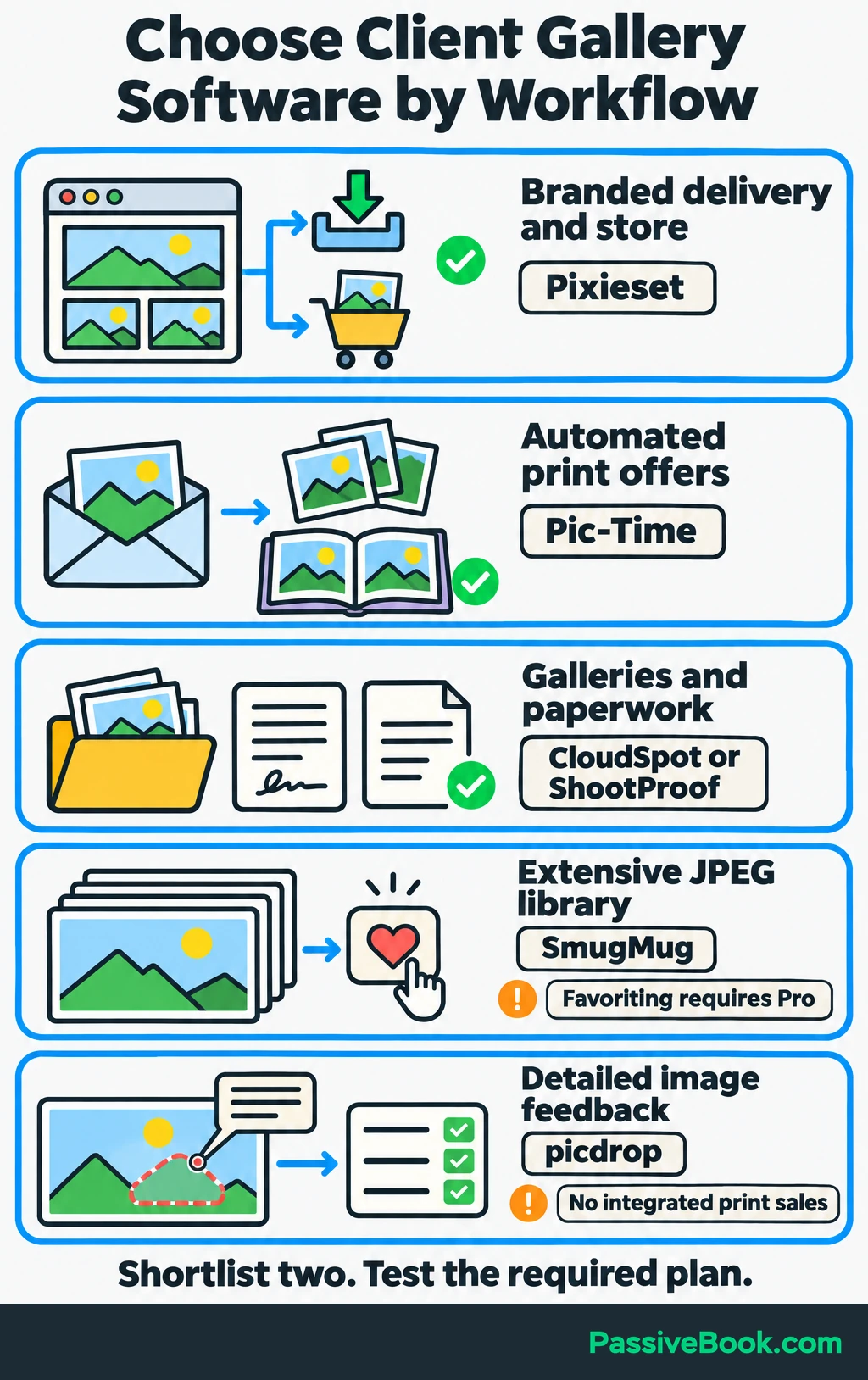
These recommendations are editorial judgments based on the providers’ official plan and feature documentation. I would use them to choose two platforms to try, then make the final decision through the delivery checks later in this guide.
The table keeps standard subscription prices together. Dollar amounts are USD, and ShootProof’s quoted rates apply to U.S. studios. Its figures come from the linked support page; its sales page shows different rates, so confirm the total at checkout. Annual amounts mean payment for the year, rather than twelve monthly payments. picdrop’s euro price excludes tax and should be compared in your own currency.
“Commission-free” means no platform sales commission. Payment processing, production and shipping can still cost extra.
| Platform | Best fit | Relevant paid plan and billing term | Storage | Proofing and delivery tools | Selling deductions and their calculation base | Main restriction |
|---|---|---|---|---|---|---|
| Pixieset | Branded delivery with an integrated store | Basic: $10 monthly or $96 annually; Plus: $20 monthly or $192 annually | Basic: 10 GB; Plus: 100 GB | Favorite lists, original-resolution collection downloads, custom branding and domain | Paid gallery plans: 0% platform commission; processing remains separate | Website and Studio Manager have free plans; their paid features require separate upgrades or a Suite bundle |
| Pic-Time | Automated print offers and album workflows | Professional: $25 monthly or $252 annually; Beginner: $8 monthly or $84 annually | Professional: 100 GB; Beginner: 20 GB | Professional includes client selections, album proofing, sales automations and automatic print fulfillment | Professional: 8% of order profit when Pic-Time collects payment, including payment handling; no platform commission when you collect payment yourself | Beginner excludes Professional’s client-selection and album-proofing tools |
| CloudSpot | Galleries connected to client documents | Lite: $17 monthly or $144 annually; Entry: $7 monthly or $72 annually | Lite: 100 GB; Entry: 15 GB | Lite includes Studio Manager and full-resolution delivery; clients can create multiple favorites lists | Lite: 0% platform commission; processing and fulfillment remain separate | Entry excludes Studio Manager; Studio invoicing and online payments are U.S.-only |
| ShootProof | Galleries with contracts and invoices | U.S. Starter: $9.99 monthly or $99.99 annually; Standard: $19.99 monthly or $199.99 annually | Starter: 20 GB; Standard: 100 GB; shared between photos and video | Favorites, selection labels, download controls, contracts and invoices | 0% platform sales commission; processing and fulfillment remain separate | Online booking carries a separate charge |
| SmugMug | Keeping a large library of finished JPEGs online | Direct: $240 annually; Portfolio: $282 annually; Pro: $444 annually | Unlimited full-resolution JPEG storage | Direct includes delivery and Lightroom integration; Pro adds client favoriting and customer download limits | Selling plans: 15% of markup above the base price, including card payment fees | Portfolio enables selling for profit, but client favoriting requires Pro; RAW storage costs extra |
| picdrop | Detailed image feedback and file delivery | Pro: €17.99 with monthly billing, excluding tax | 500 GB; unlimited galleries | Comments, image annotations, selection exports, collaboration and presentation modes | No integrated image sales or print ordering | You need another system to sell photographs or prints |
Pixieset: Best All-round Client Gallery
Pixieset would be my starting point when the main job is to present photographs, collect choices and deliver finished files under your own brand. Paid Client Gallery plans combine those tasks with an integrated store.
Ask clients to save their album choices in a favorites list, then use the selected filenames to find those photographs in your editor.
For the family session, a list called “Album selections” gives those choices a clear purpose. A short instruction helps:
“Add the photographs you want in your album to this list, then let me know when your selection is complete.”
That is more useful than asking clients to “favorite anything you like” and guessing what their hearts mean.
Basic can suit a small retained library, but the storage calculation below shows why Plus may be the relevant comparison. I would buy Client Gallery alone if your website and business tools already work well. A bundle needs to replace real costs before it earns its place.
Pic-Time: Best for Automated Print Marketing
Pic-Time is my pick when you want print offers to continue after gallery delivery without writing every follow-up yourself. Its sales automations connect marketing campaigns with the gallery store.
Choose the plan around both sales and feedback. Beginner includes sales automations, but Professional adds client selections and album proofing. For our family-session example, Professional is the better comparison if clients need to choose album photographs and review the finished layout.
I would begin with one useful print offer and inspect the message, timing and destination. More automated emails create more opportunities to send something unnecessary. They do not guarantee more orders.
Long-term access also needs attention. Photos uploaded during or after December 2024 move to archive storage after three years, and retrieval takes 4–15 hours. That matters if you promise clients immediate downloads for many years. Pic-Time’s archive policy explains the access conditions.
CloudSpot: Best for Galleries With a Client Portal
CloudSpot makes sense when clients need one place to return to for photographs and paperwork. Its client portal brings galleries, contracts, invoices and other project documents together.
For the family session, that means the client can return to the same portal rather than search for separate messages. Lite is the relevant starting point when Studio Manager is part of your reason for switching; Entry handles gallery delivery without those business tools.
Keep different choices in separate favorites lists. “Album selections” and “Print choices” describe different decisions, and CloudSpot lets clients maintain multiple lists.
The main buying restriction is location. Studio invoicing and online payments are available only in the U.S. Free and Entry also carry a sales commission, while Lite and higher tiers offer commission-free store sales. Check those conditions against CloudSpot’s plan comparison before counting the business tools or store as savings.
I would shortlist CloudSpot when it can replace several scattered steps. If you only need a delivery gallery, compare it on that narrower job.
ShootProof: Best for Galleries With Contracts and Invoices
ShootProof is worth comparing when you want contracts and invoices included with your gallery subscription. Paid plans also provide commission-free selling and download controls.
Its favorites and custom labels help distinguish different kinds of feedback. Establish what each selection means before inviting the client to use it. For the family session, album choices and retouching requests should remain separate, even when they concern the same photograph.
I would compare ShootProof with CloudSpot when replacing business software is part of the purchase. Recreate an actual contract and invoice in each before deciding. A feature being included does not tell you whether it handles your payment schedule or usual client process.
The free plan holds 100 photographs and excludes contracts and invoices, so it cannot demonstrate the full business workflow. Online booking is a separate paid feature. Include it in your cost comparison only if you need it; the ShootProof plans page lists that add-on alongside the gallery features.
SmugMug: Best for Extensive JPEG Storage
SmugMug deserves a place on your shortlist when keeping a large finished-image library online matters more than getting the lowest starting subscription.
Its unlimited allowance covers full-resolution JPEGs. RAW storage belongs to the separate Source add-on, so do not count those files as included.
The deciding detail is the feature tier. Direct supports digital delivery, and Portfolio enables selling for profit. But client favoriting and customer download limits sit on Pro.
That makes Pro the relevant comparison for the family-session workflow if clients need to choose album images inside the gallery. Comparing Direct with another platform’s selection-enabled plan would understate your cost.
I would choose SmugMug for a library whose size justifies it. I would skip paying for unlimited capacity simply because the word looks comforting. An empty storage allowance is still empty.
SmugMug offers a 14-day trial rather than a permanent free plan, so prepare your test session before starting it.
Picdrop: Best for Detailed Image Feedback
picdrop is the specialist I would consider when a favorite list does not explain enough.
Its annotations let clients mark the part of an image that needs attention. A comment such as “Please remove the bright object here” becomes clearer when it points to the object. Selection exports also help move approved filenames back into an editing workflow.
Test that feedback process on the device your client will use. Creating and changing annotations requires the desktop version; phones and tablets can display existing annotations and comments. That distinction matters when most feedback arrives from a phone. picdrop’s annotation guide confirms the device limits.
For our family session, this level of detail may help with a specific retouching request, but it may be unnecessary for ordinary album selections.
picdrop has no integrated image sales or print ordering. I would choose it when detailed feedback is the missing capability and an existing sales process already works. Otherwise, maintaining two systems could remove the simplicity you came here to buy.
How Much Will Your Gallery Software Actually Cost?
Calculate the Storage You Need
Estimate the space needed for the photographs you intend to keep available, then add files that sit outside a typical session.
Start with a representative export folder. Check its total size and image count, and use those figures rather than a provider’s estimated number of photographs.
The basic calculation is:
Sessions retained × images per session × average uploaded file size
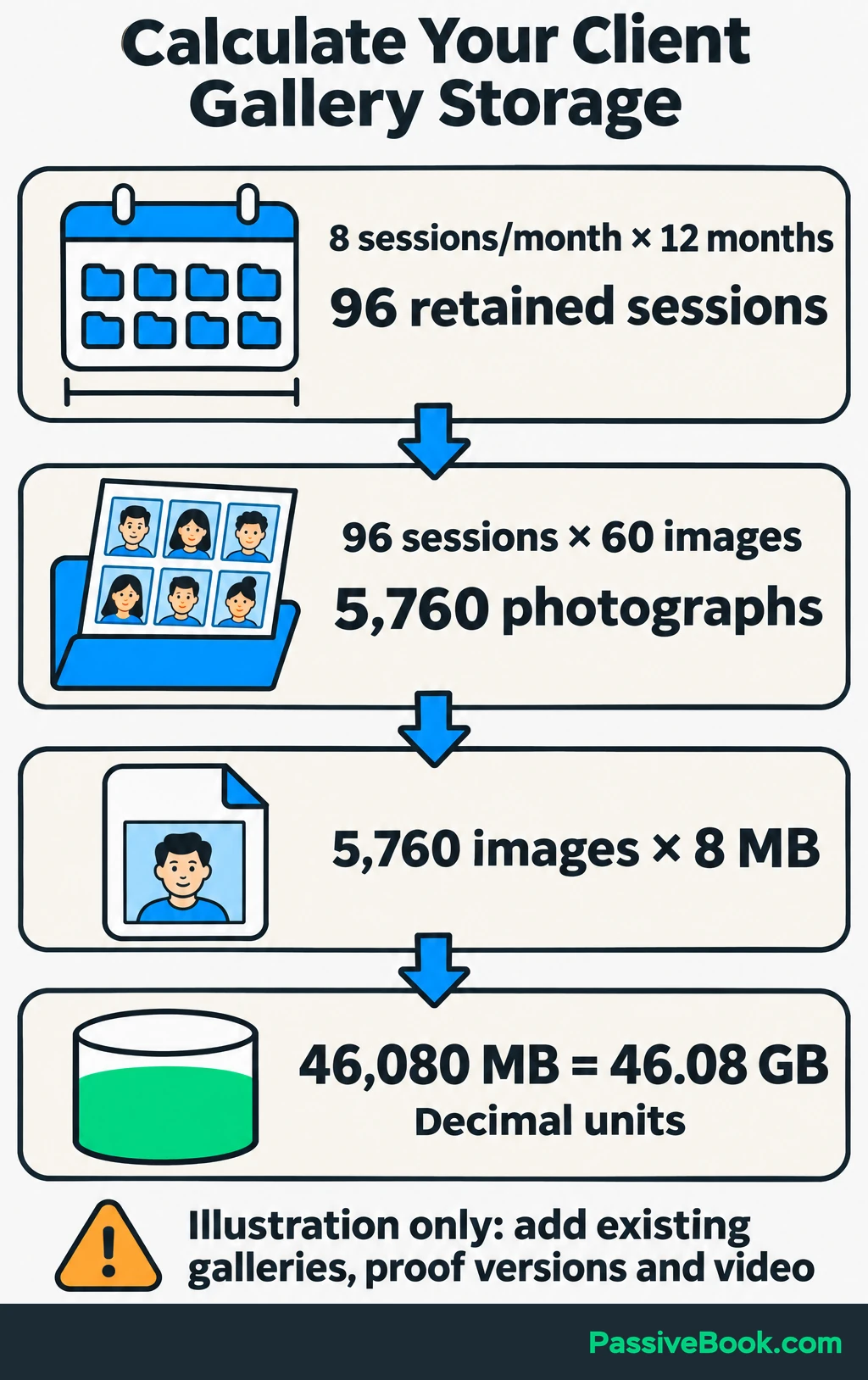
Suppose you upload eight family sessions each month, with 60 JPEGs per session averaging 8 MB. You promise twelve months of gallery access.
Over twelve months, you would keep 96 sessions, or 5,760 photographs:
96 sessions × 60 images per session × 8 MB per image = 46,080 MB
That is about 46 GB using decimal units. It excludes existing galleries, duplicate proof versions and video.
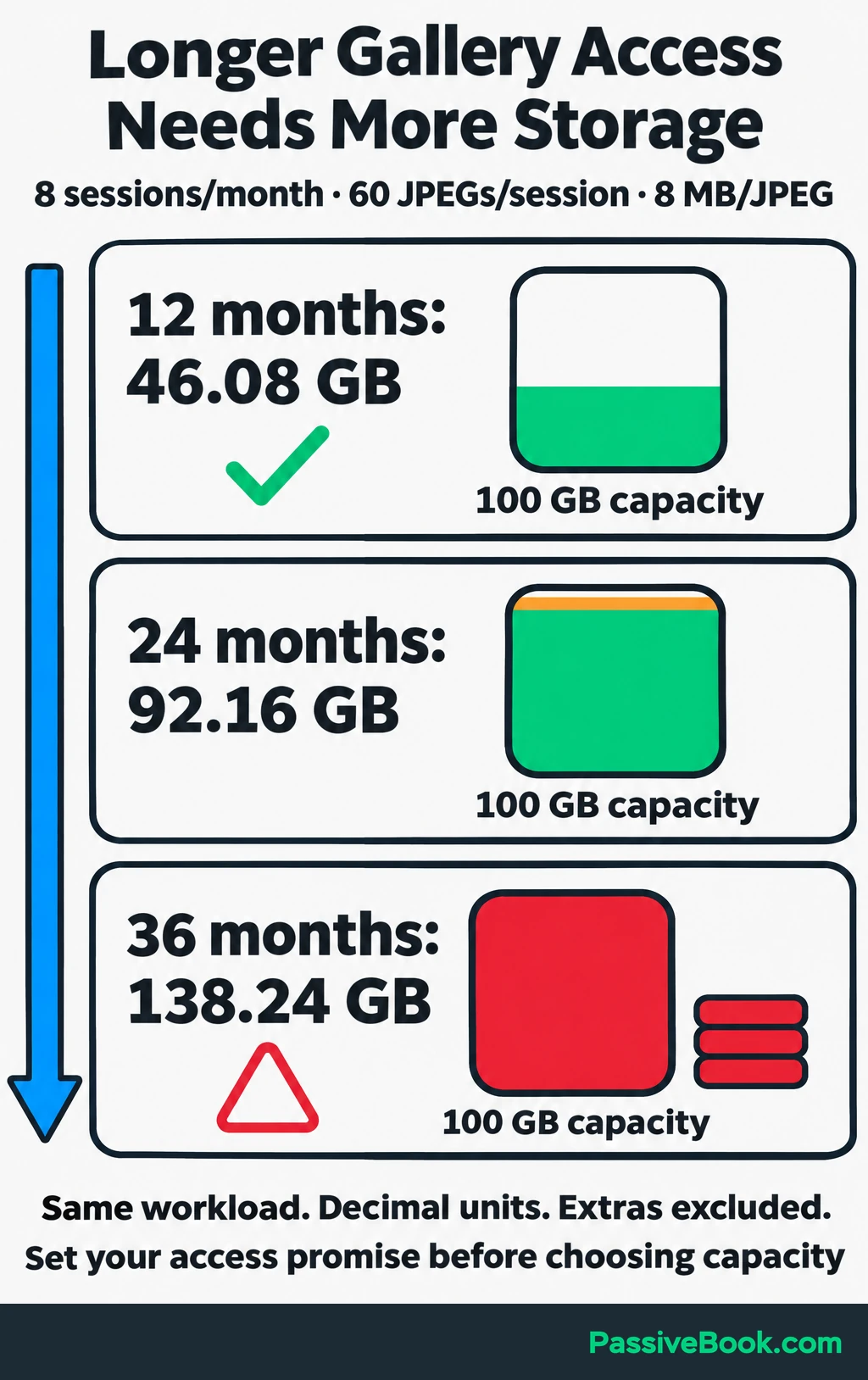
A 10 GB plan cannot hold that full year. A 100 GB plan gives the example room for the stated photographs and additional files, although you should still check your real exports.
Your access promise drives the storage requirement. Keeping three years of sessions available needs more room than keeping one. I would set that promise first, then choose the smallest plan that meets both the capacity and feature requirements.
Once two plans meet your storage and delivery needs, compare what you will actually pay. Include required extras, not just the advertised subscription.

Free Software Cost Calculator




Compare Sales Deductions on the Correct Base
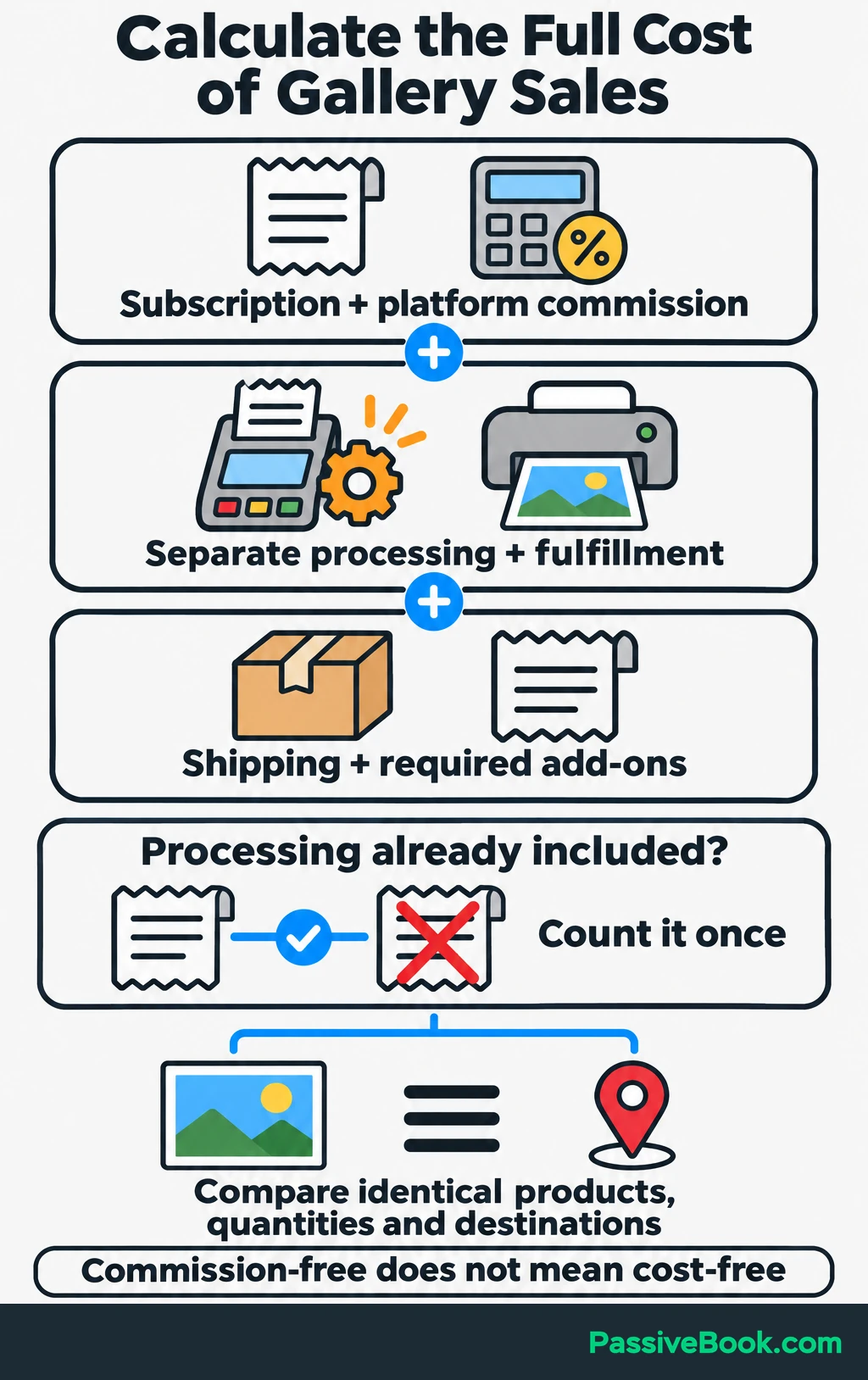
Count the full cost of delivering and selling through the platform:
Subscription + platform commissions + separately charged processing + fulfillment + shipping + required add-ons
Use the same print products, quantities and shipping destinations in each comparison. Otherwise, a cheaper lab product or different delivery charge can make the platform itself appear cheaper.
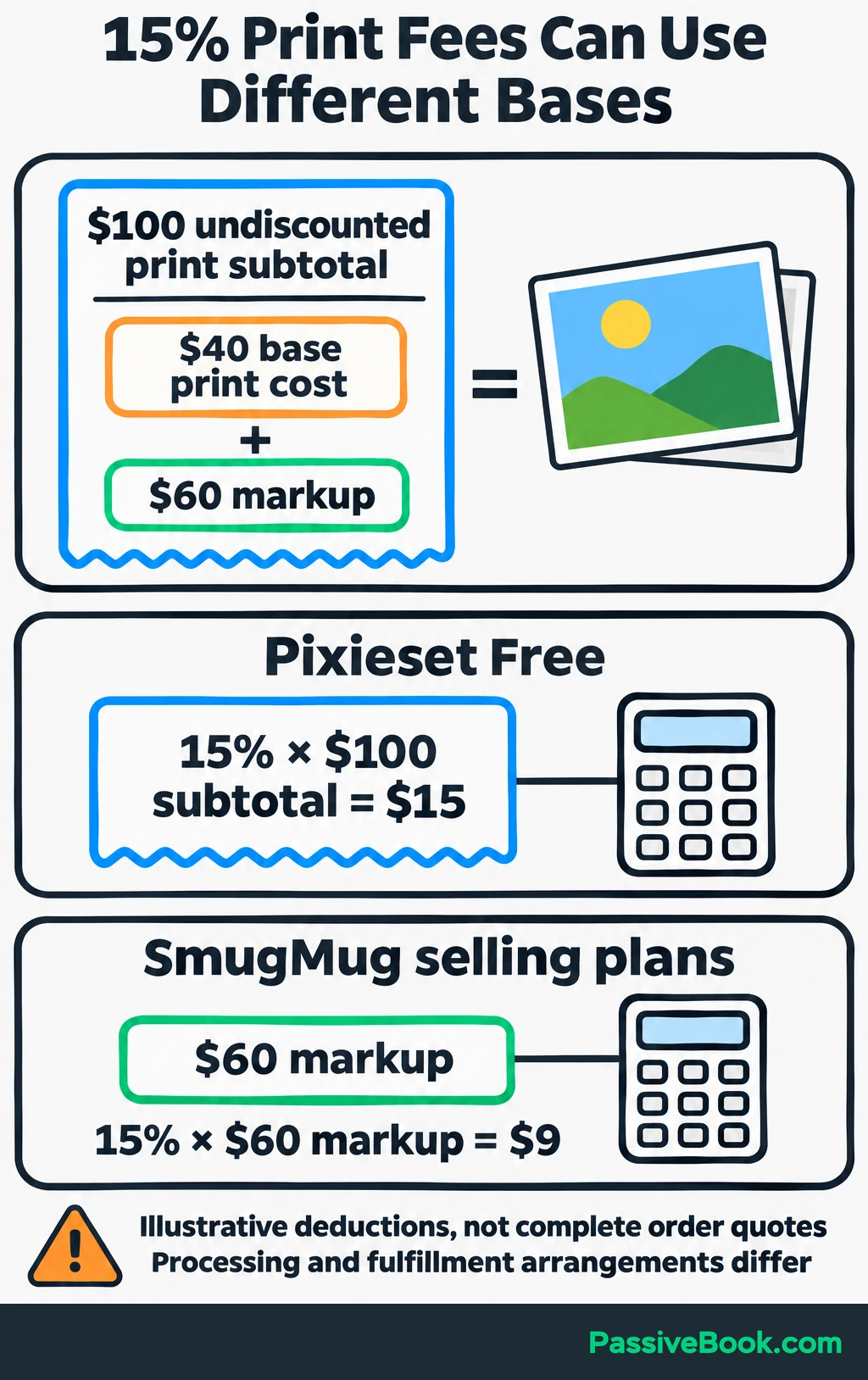
The percentage also needs a base:
- Pixieset Free: Its 15% commission applies to the order subtotal before discounts, coupon codes, taxes and shipping. Processing is additional. Pixieset commission rules
- Pic-Time: Professional charges 8% of order profit when Pic-Time collects payment, including payment handling. Collecting payment yourself removes that platform commission, but your processor still charges. Free and Beginner charge 15% of order profit regardless of the collection method. Pic-Time commission rules
- SmugMug: It retains 15% of the markup above its base price, including card payment fees. SmugMug profit calculation
For an illustration, assume an undiscounted print subtotal of $100 and a base print cost of $40. The markup is the remaining $60.
| Calculation | Platform deduction |
|---|---|
| Pixieset Free: 15% of the $100 subtotal | $15 |
| SmugMug: 15% of the $60 markup | $9 |
Those figures explain the different bases. They are not complete competing order quotes because actual lab costs and payment arrangements differ.
When processing is already included in a platform’s deduction, do not add it again. “Commission-free” and “no selling costs” are very different promises.
Decide Whether a Free Plan Is Enough
A free plan is enough when its lasting limits match what you promise clients. Check capacity, downloads, branding and sales terms together.
Storage alone gives an incomplete picture. Pixieset Free includes 3 GB, but original-resolution collection downloads require a paid plan; free collection downloads offer up to 3,600 pixels on the long edge. Pixieset download resolutions distinguish gallery delivery from store purchases.
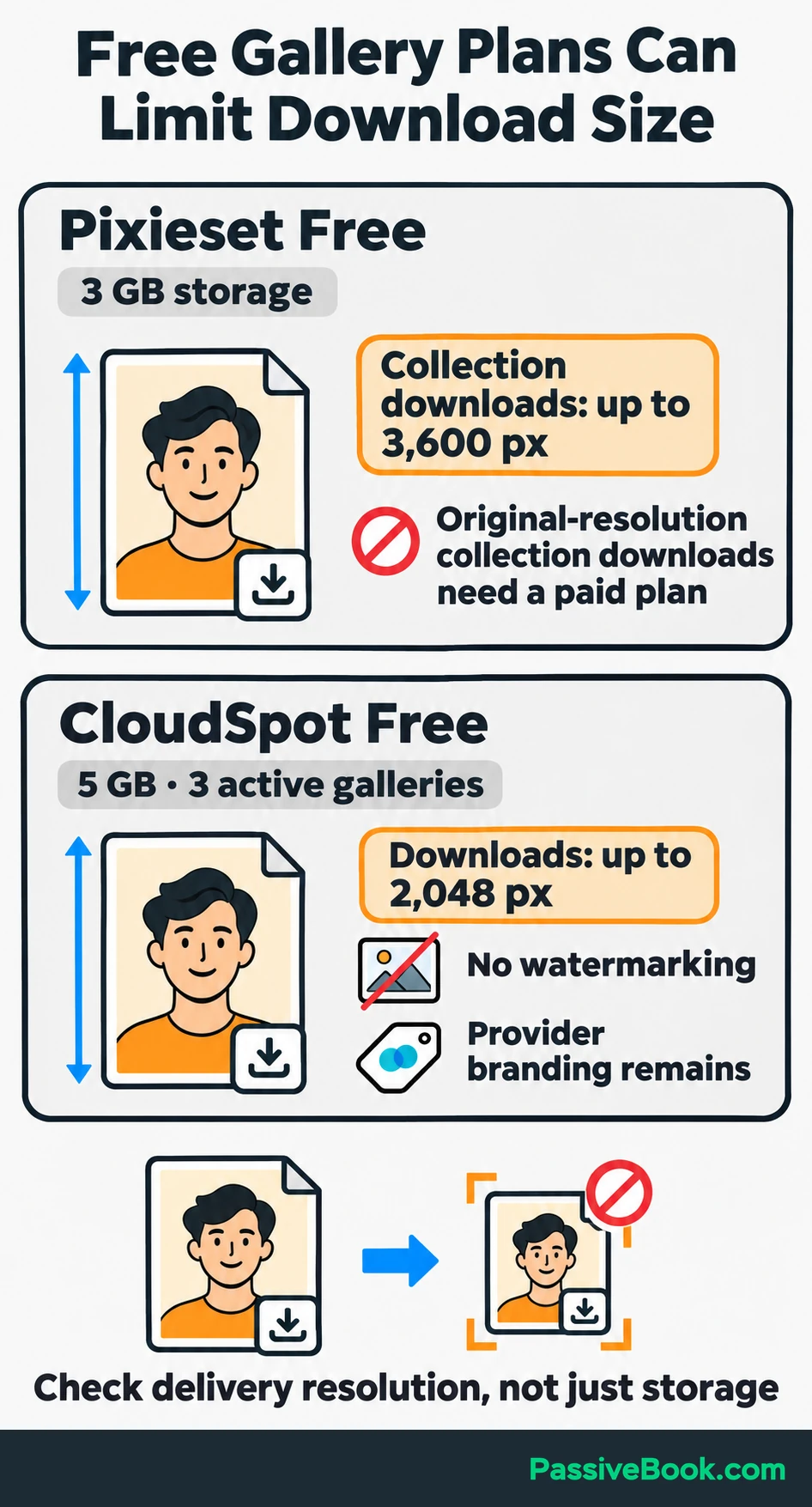
CloudSpot Free includes 5 GB and three active galleries, but downloads are limited to 2,048 pixels on the longest edge. Galleries retain CloudSpot branding, and watermarking is unavailable. Those free-plan restrictions matter if you promise original-size files or branded delivery.
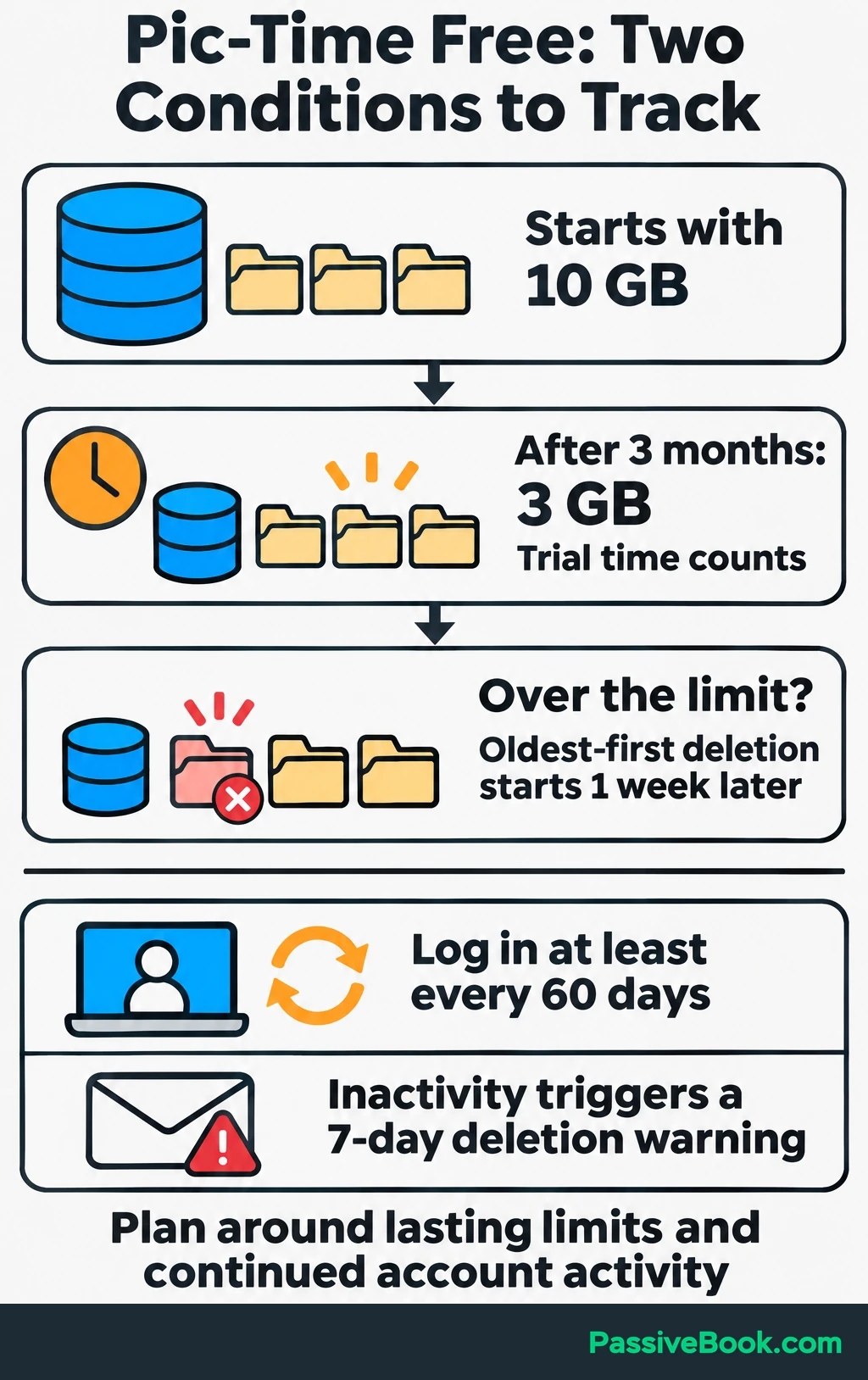
Pic-Time Free drops from 10 GB to 3 GB three months after account creation, including the trial. Galleries above that limit are deleted oldest first, starting one week after the change. Budget around the lasting storage limit. To keep free galleries available, you must also log in at least every 60 days; inactivity triggers a seven-day deletion warning.
I would use free plans to test the client experience or serve a small workload that fits their terms. I would upgrade when a required feature or capacity limit blocks the delivery promise.
Sending original files through a second service may avoid a subscription, but it adds another delivery task. Include that work in your decision.
Test Your Shortlist Before Subscribing
Check the Client’s Viewing and Download Experience
Upload one representative session to each of two shortlisted platforms. Use the same photographs so you can compare the experience fairly.
Start as the client, then return as the photographer:
- Open the invitation and gallery on a phone and computer.
- Save an album selection and submit it.
- Retrieve that selection from the photographer’s account.
- Download one photograph and the whole collection.
- Check the downloaded files against the delivery promise.
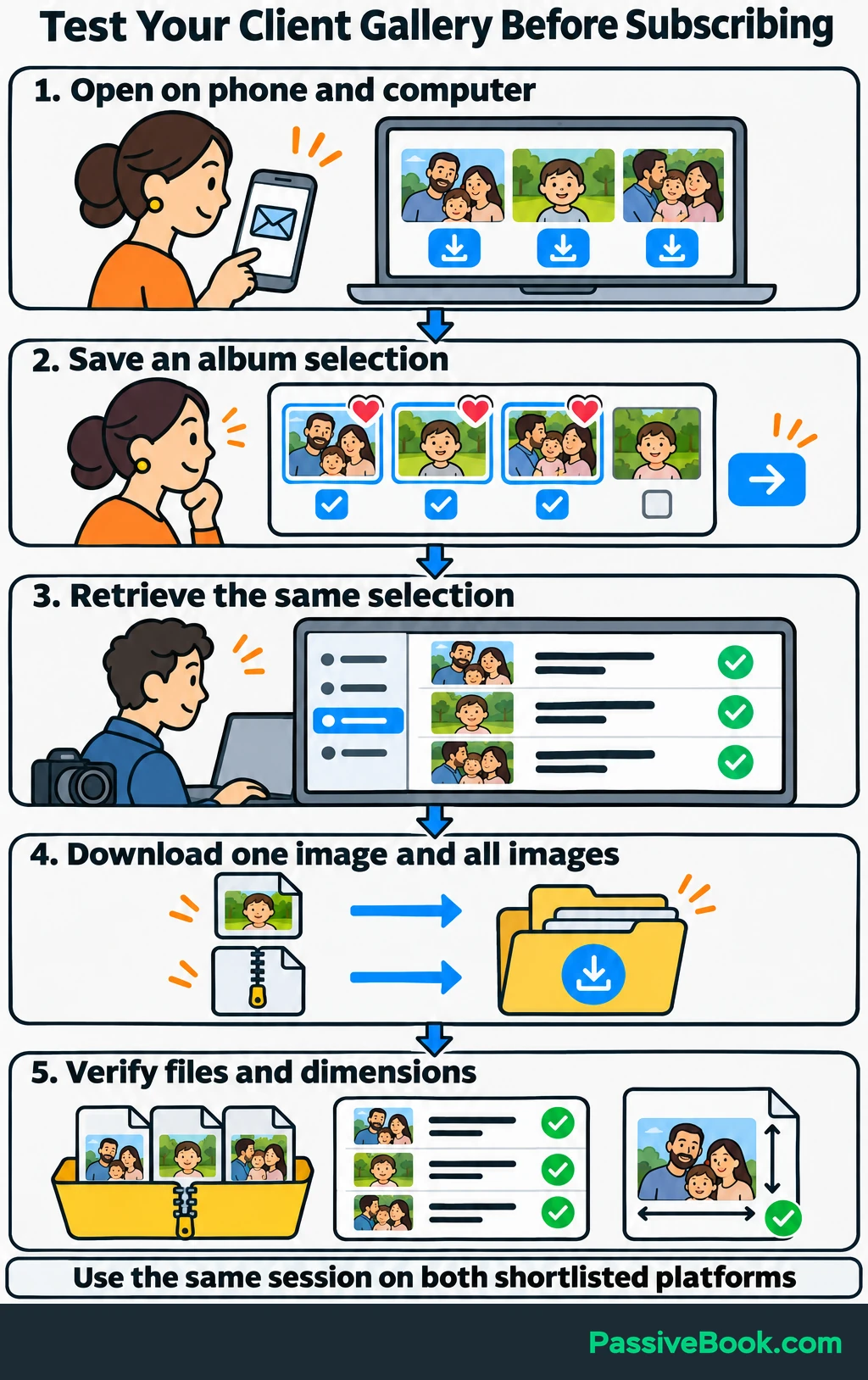
Look at pixel dimensions and filenames. Check how ZIP downloads open, where files land on a phone and whether the instructions make sense without your help.
For the family session, ask another person to select a few album images and download the collection while you stay quiet. Each point where they stop gives you something concrete to assess.
Preview the branding too, but keep your attention on actions. A handsome cover cannot compensate for a client who cannot find the download button.
Check Gallery Privacy and File Protection
Set viewing restrictions and download permissions separately, then test both in a signed-out browser.
These controls answer different questions. A viewing password determines who can enter. Download settings determine what an admitted visitor can retrieve.
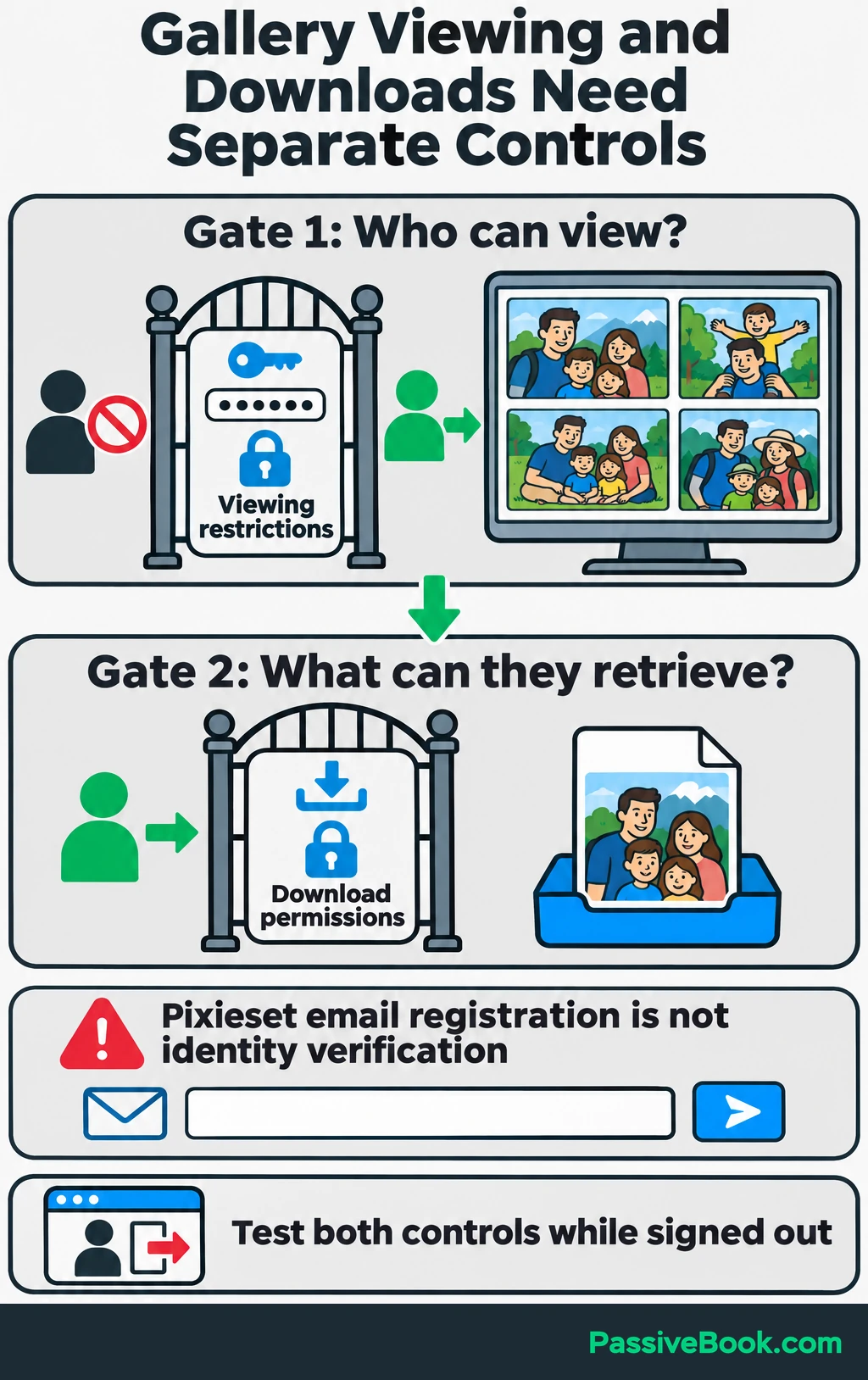
Do not assume that asking for an email address verifies someone’s identity. Pixieset explicitly says its email-registration feature is not a security feature. Use the appropriate viewing controls for private work. Pixieset’s email-registration guidance makes that distinction clear.
For the family gallery, check that an unintended visitor cannot view the photographs and that an allowed viewer receives only the download access you intended.
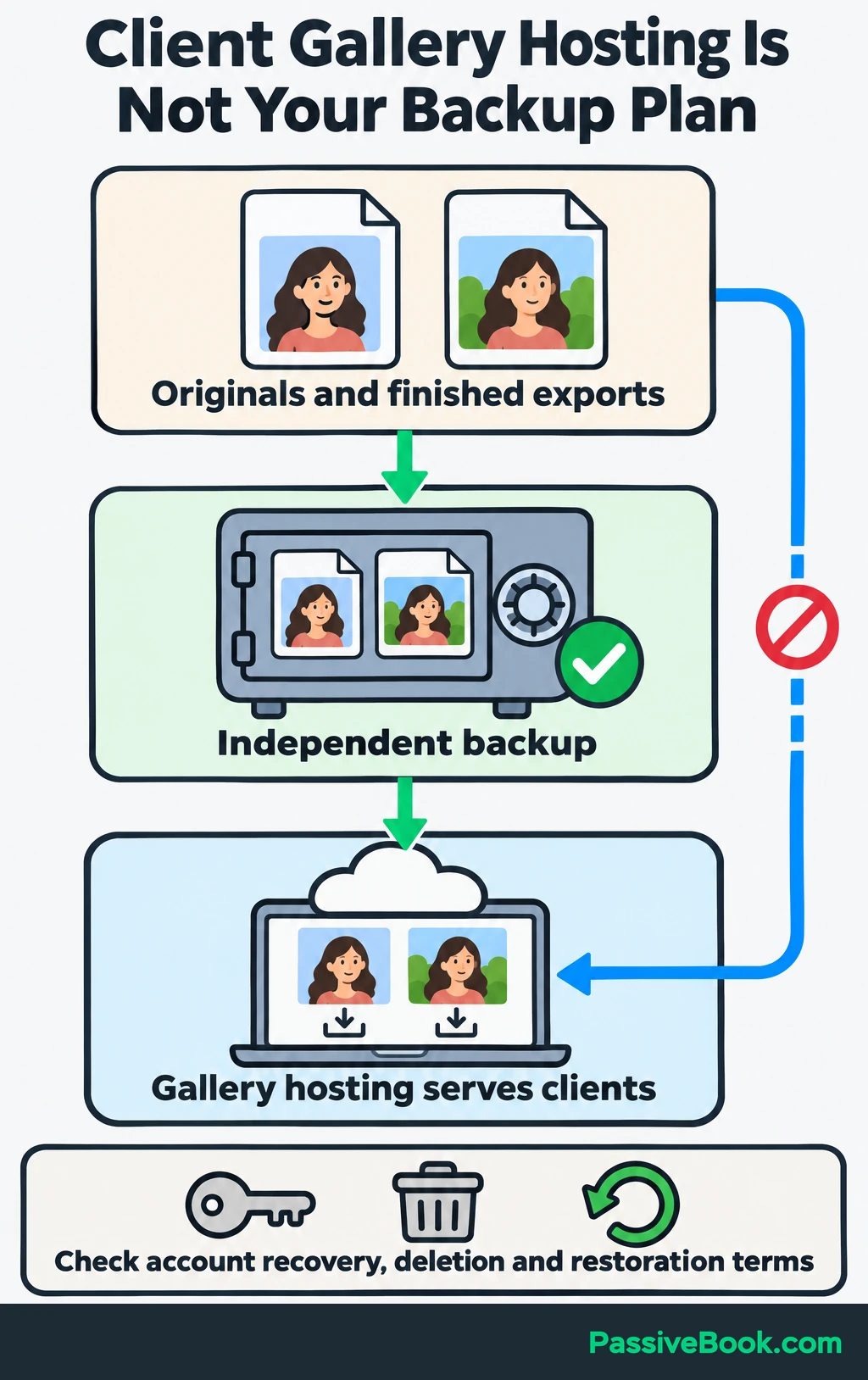
Before subscribing, also check:
- Account access: Available sign-in protections and the recovery process if you lose access.
- Deletion: What happens after cancellation, a downgrade or exceeding storage.
- Recovery: Whether deleted files can be restored and what the provider promises.
- Backups: Where you keep independent copies of originals and finished exports.
Keep those backups separate from gallery hosting. The gallery serves clients, and your backup protects your ability to deliver again.
Check Sales and Recurring Work
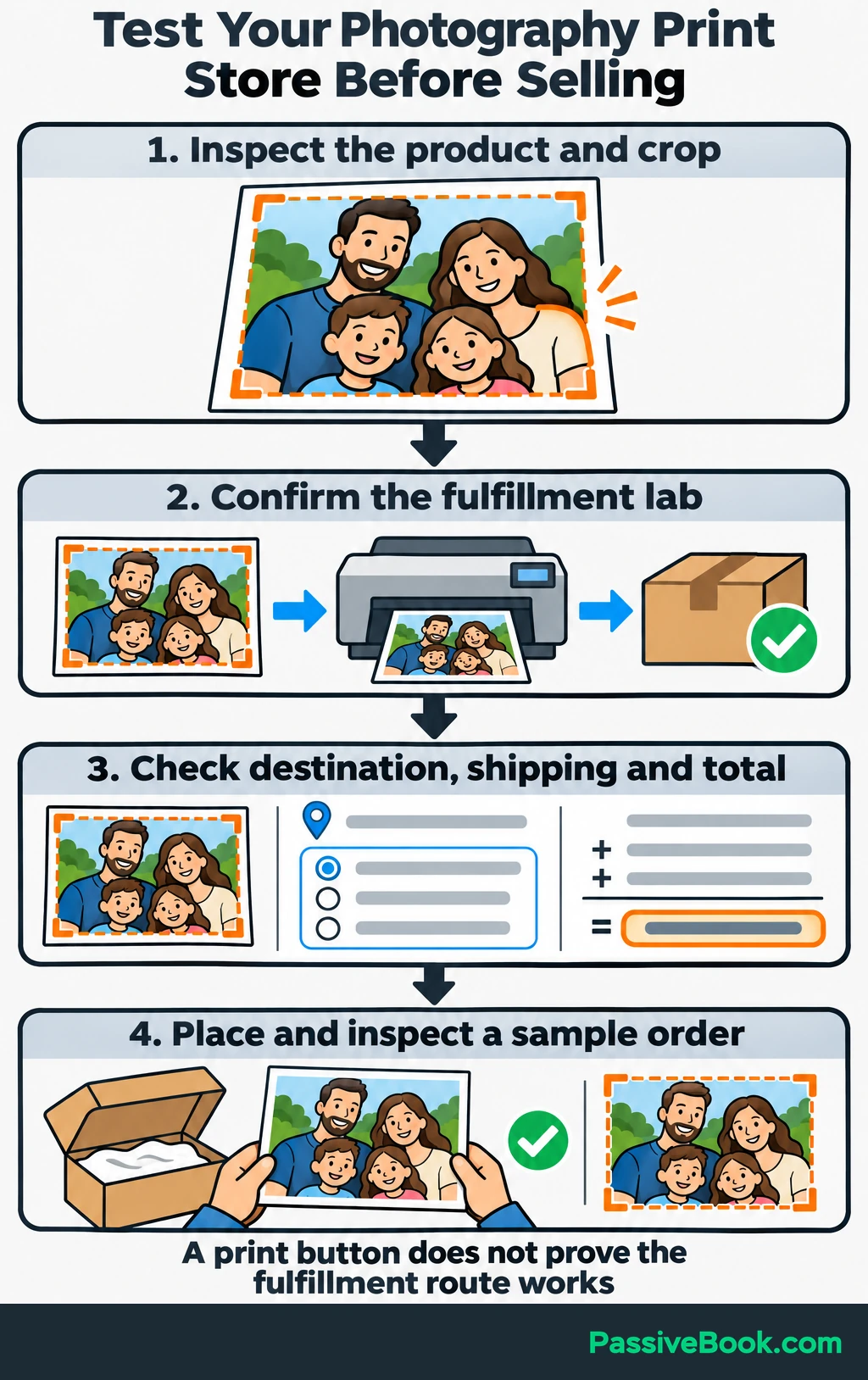
Test the store with the products and destinations you expect to offer. Look beyond whether a print button appears.
Choose an actual product, inspect its crop preview and proceed far enough to see the checkout total. Check the lab, shipping destination and available delivery options. Before including that fulfillment route in a client package, place a sample order.
Then recreate one complete delivery cycle:
- Export the finished photographs from your editor.
- Upload them and apply saved gallery settings.
- Send the client invitation.
- Retrieve the client’s selections.
- Replace an edited photograph.
- Confirm that the client sees the intended version.
This is where an integration earns its place. If it supports initial uploads but leaves your usual revision process awkward, include that friction in the comparison.
For larger event galleries, also test guest access and collection downloads. If album production matters, test layout feedback as well as image selection. These are extensions of the same delivery check, and they may require a different tier.
Ask support a practical question you could not answer from the documentation. Check published support availability and the provider’s service-status history.
I would choose the platform that completes this cycle clearly at an acceptable annual cost. I would skip extra automations until the basic handoff works.
Check What Happens When You Switch
Treat gallery files and gallery records as separate transfer jobs.
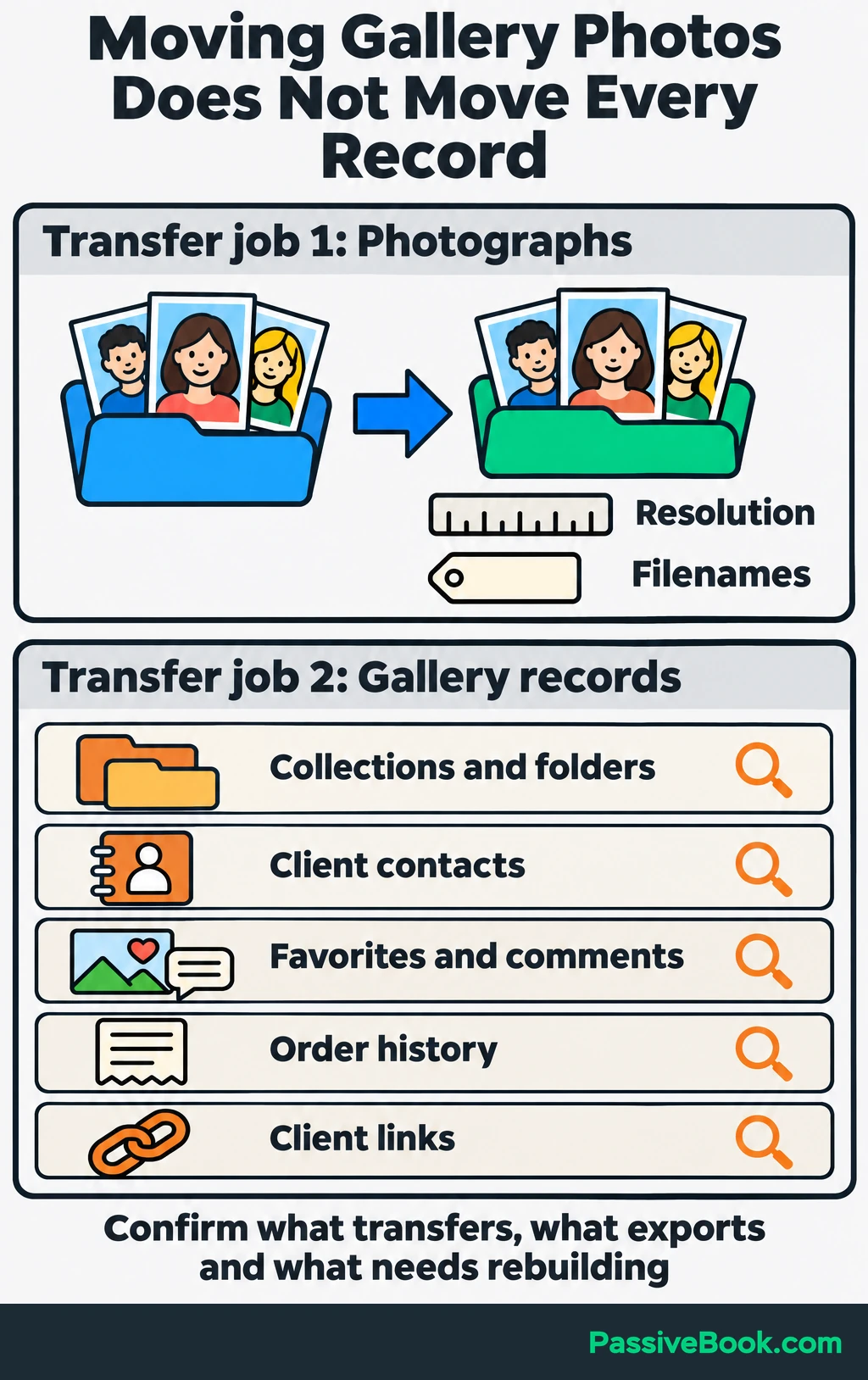
Moving JPEGs does not establish that client details, favorites, comments or order history will move with them. Before buying, ask what the migration includes and what you must export yourself.
| Item | What to confirm |
|---|---|
| Photographs | Files arrive at the intended resolution with usable filenames |
| Organization | Collections and folders transfer, or you know what needs rebuilding |
| Client records | Contact details can be exported and imported where needed |
| Feedback | Favorites and comments transfer, or you can save a readable record |
| Orders | You retain order details needed for outstanding work |
| Access | You know which client links must be replaced |
Move one gallery first. Compare its files, test access and download the collection from the new platform.
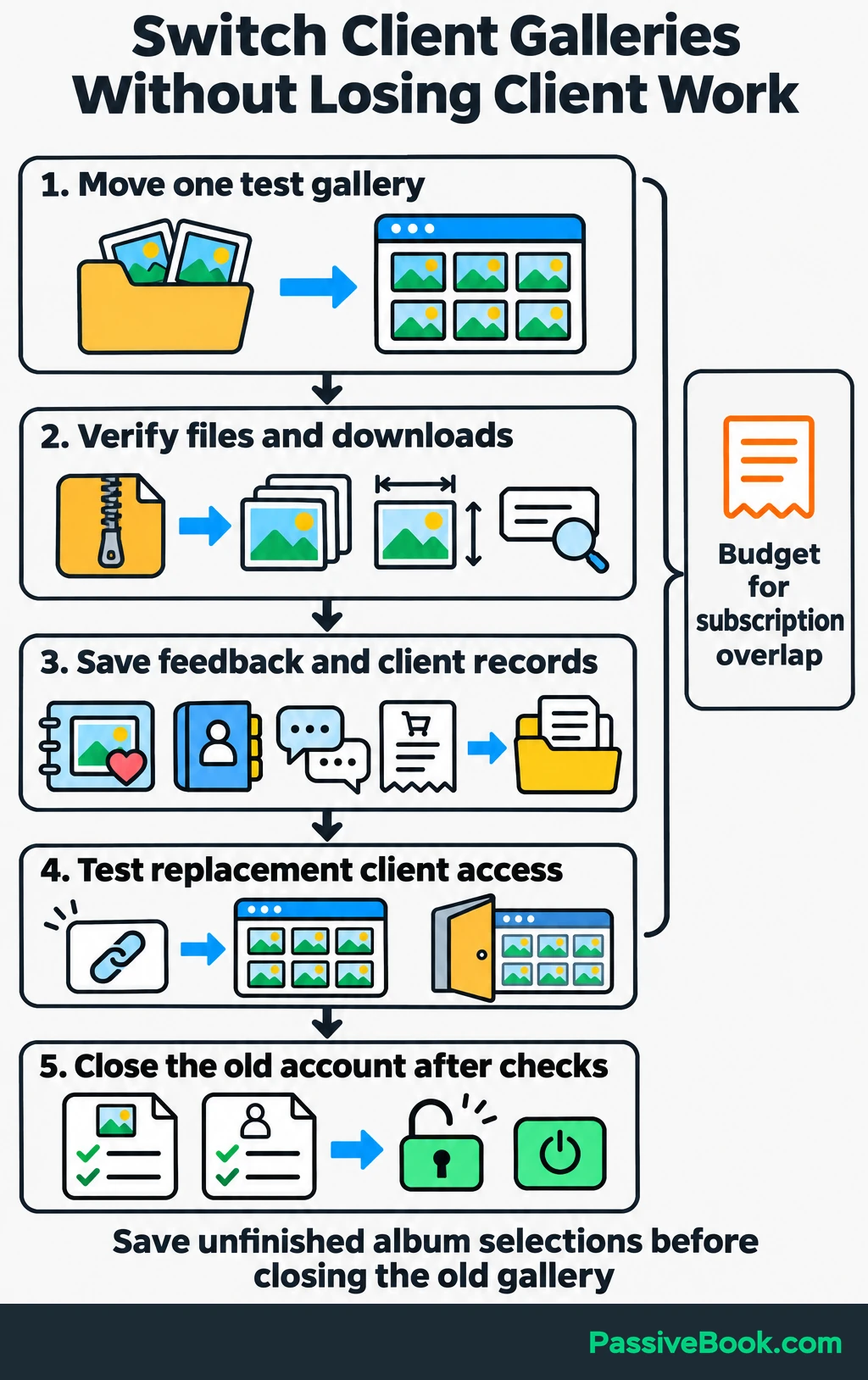
For the family-session example, save any unfinished album selections before closing the old gallery. Losing those choices would mean asking the client to repeat work.
Budget for some overlap between subscriptions, and keep the previous account until you have checked the transferred files and exported records. A small overlap is easier to manage than discovering that the missing information disappeared with the account.
What Next?
Choose one recent session and calculate how much storage twelve months of similar work would need. Then test it on two platforms whose plans include your required feedback and delivery tools.
Start with Pixieset for general delivery, Pic-Time when automated print offers matter, or CloudSpot when the client portal could replace scattered paperwork. Let the trial decide between them.
Use the social buttons to share this comparison when the discussion turns from attractive galleries to what they actually cost.
Which part of your current delivery process creates the most extra work? Tell me in the comments, and bring any other questions there too.
Share this post with your friends & followers:

