A customer paid for a download, but your shop is offline and you cannot check the order. You have a backup somewhere. You don’t know whether it includes the purchase or how to get the shop running again.
That uncertainty turns one outage into several jobs: finding files, recovering access and answering customers while sales are paused. The shop example and copyable plan below help you prepare for those jobs, budget for recovery and test whether customers can buy and download again.
1. Identify What the Business Must Recover First
Start with what customers need to do. “Restore the website” is too vague. “Let an existing customer download their purchase” gives you something you can check.
Backups preserve data you can recover. Disaster recovery restores the systems, access and workflows that use it. A temporary way to help customers keeps essential work moving while that recovery happens.
For the running example, imagine you sell downloadable beginner sewing patterns through a WordPress website, with WooCommerce handling checkout and downloads. The shop, targets, policies, budget and test results below are illustrative.
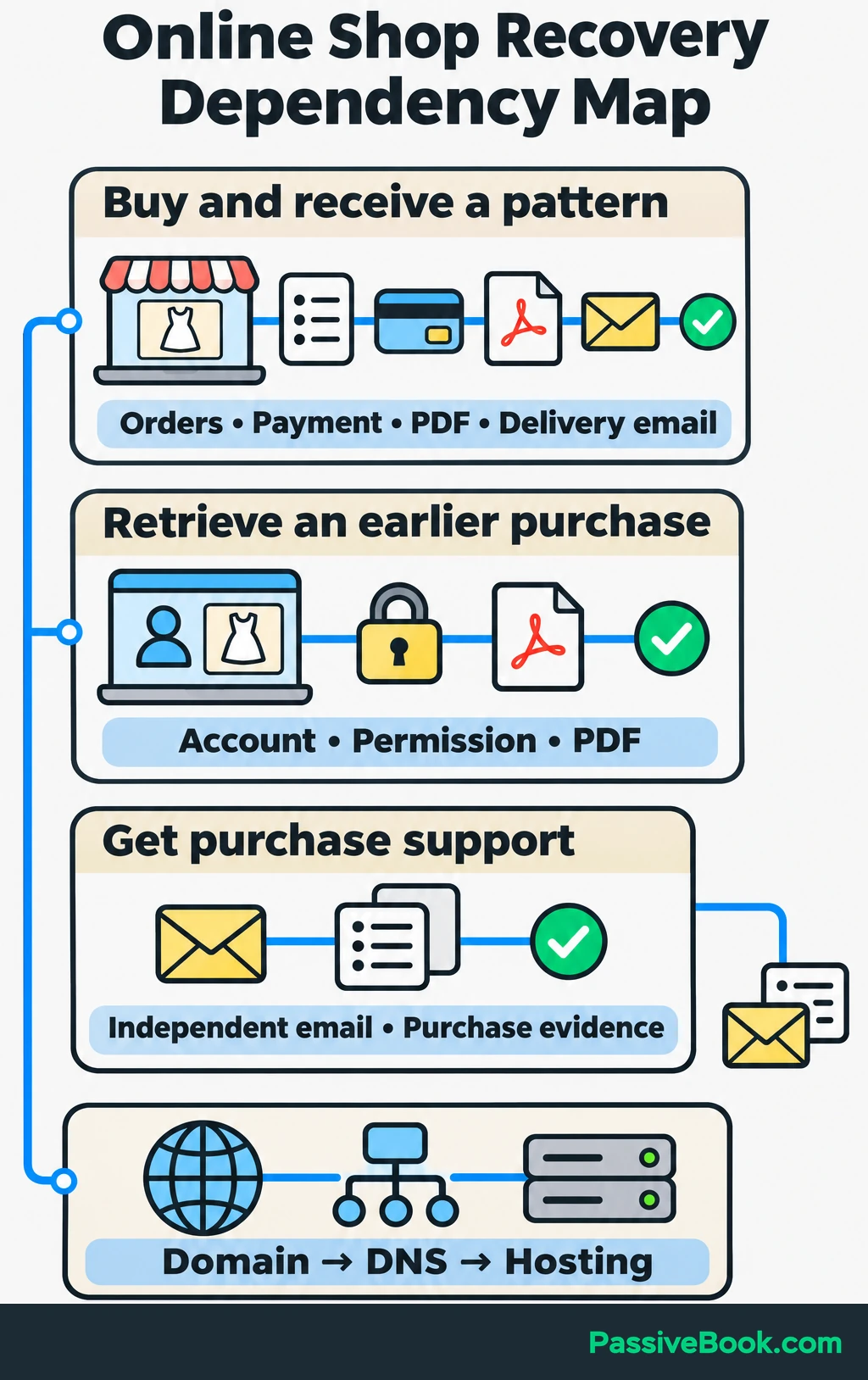
Your essential activities are:
- Buying a pattern and receiving the download.
- Accessing an earlier purchase.
- Getting help with an order.
Next, trace what each activity needs. A purchase might depend on your domain, hosting, website database, payment processor, pattern PDF and delivery email. Include DNS settings, which direct visitors from your domain to your hosting server. A working homepage proves very little about that chain.
Build an inventory like this:
| Operation | Required systems and data | Current location | Recovery dependency |
|---|---|---|---|
| Sell patterns | WordPress files, WooCommerce database, product PDFs, payment connection | Hosting account and payment provider | Domain, DNS, hosting and payment service |
| Restore existing downloads | Orders, customer accounts, download permissions and PDFs | Website database and protected file storage | Compatible database and product files |
| Answer purchase questions | Business inbox and surviving purchase records | Email provider and payment account | Independent access to both accounts |
| Update products | Editable pattern files and finished PDFs | Work computer and working-file storage | Replacement device and design software |
| Reconcile the business | Payments, refunds, accounting records and essential automation settings | Payment provider, accounting tool and website | Access to surviving records |
Add a named recovery owner, an alternate or agreed support route, the existing backup and a verified support contact for each entry. “The technical person” is not a name, especially when that person is you.
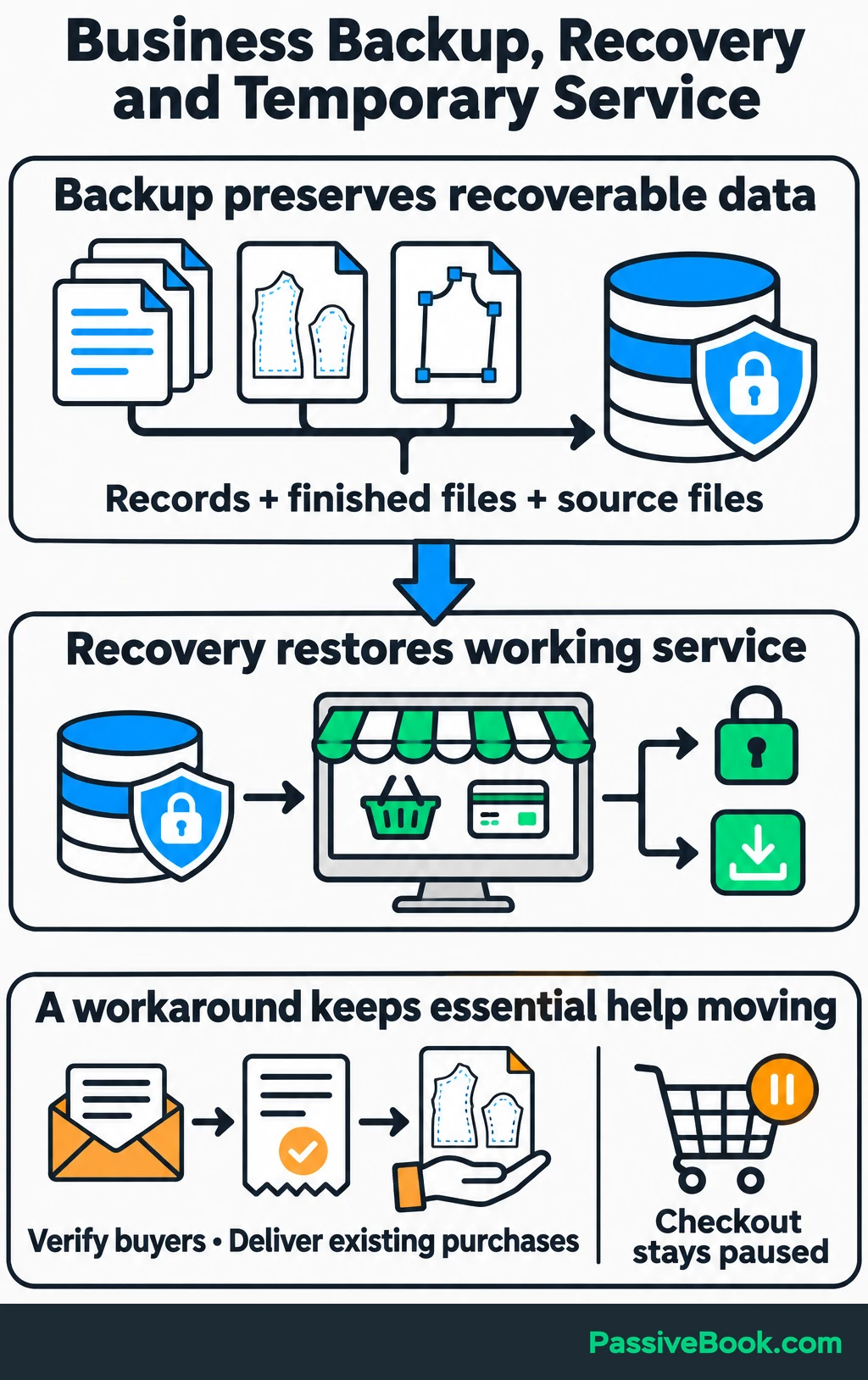
Reference a protected password vault instead of putting passwords in the inventory. Include the device and recovery method needed to open it.
I use self-hosted WordPress and sell digital products, so I would include the editable product files alongside the website. Recovering a finished PDF lets you deliver it. Recovering its source file lets you keep improving it.
Finally, mark what you control. You can restore your website onto replacement hosting. You cannot restore a payment provider’s infrastructure yourself.
For the sewing-pattern shop, minimum service could mean helping verified buyers obtain existing purchases through independent email while checkout stays paused.
2. Set Recovery Targets for Essential Operations
Decide How Much Recent Data You Can Lose
Your recovery point objective, or RPO, is the maximum acceptable period of data loss. It answers: how far back can your recovered records be?
Orders that change all day need a different target from a pattern file you update occasionally. Choose targets by the consequences of losing that work.
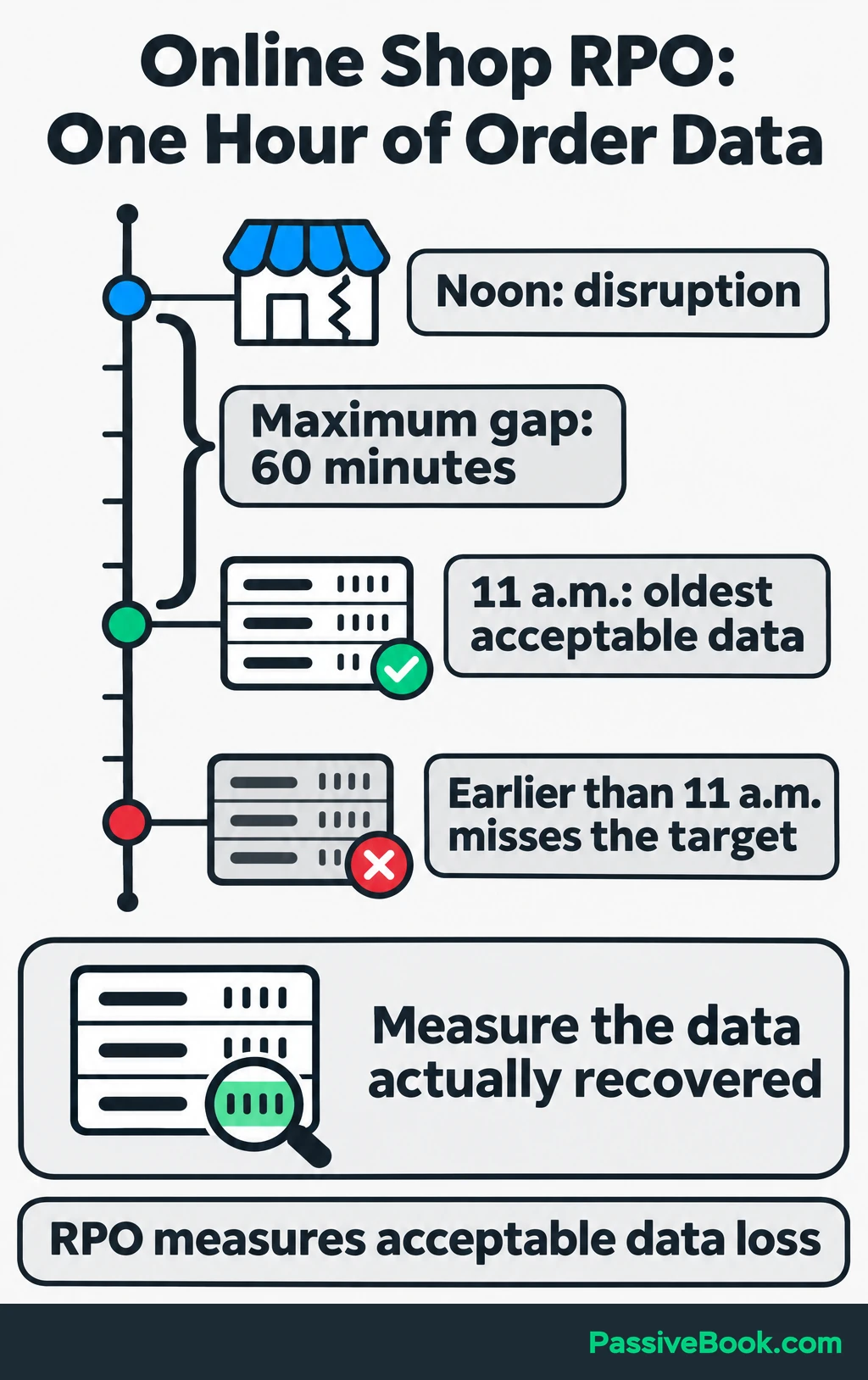
For the example shop, set a one-hour RPO for orders. After a disruption at noon, recovered order data must reach at least 11 a.m.
That does not mean “run a backup every hour and assume you’re covered.” The copy must finish, reach its protected destination and remain usable. A backup completed at 11:45 might contain data only through 10:30.
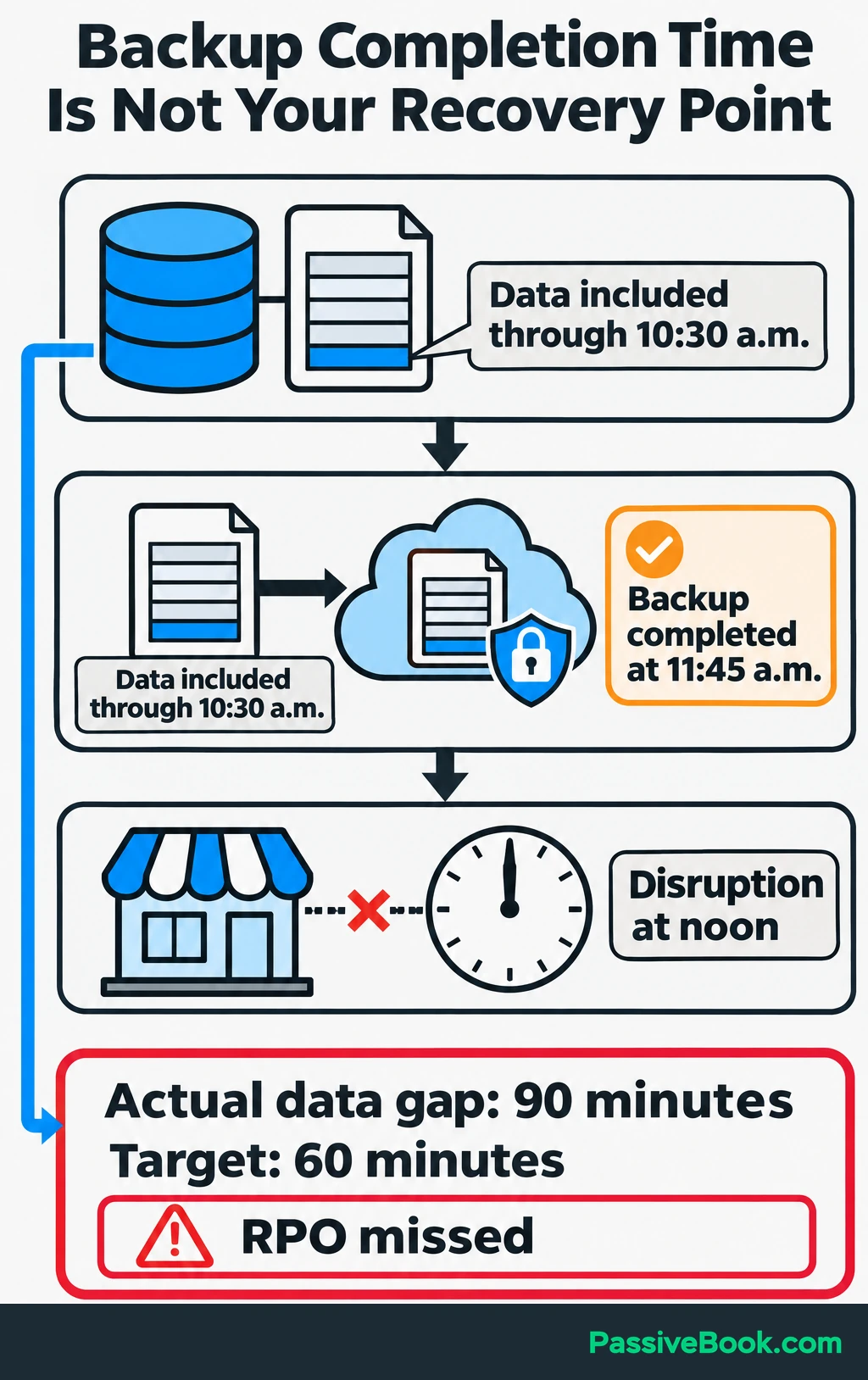
NIST’s contingency-planning guidance distinguishes this tolerable data loss from the time needed to recover service.
I would leave room for transfers and failed jobs rather than scheduling right against the limit. Then I would test the age of the data actually recovered.
Decide How Quickly Service Must Return
Your recovery time objective, or RTO, is the target maximum time a service can remain unavailable. Choose a target that leaves room before the outage becomes unacceptable.
For this plan, count from the disruption until the agreed service checks pass. Include:
- Discovering the problem and obtaining emergency access.
- Getting replacement infrastructure ready.
- Retrieving and restoring backups.
- Reconnecting required services and checking customer workflows.
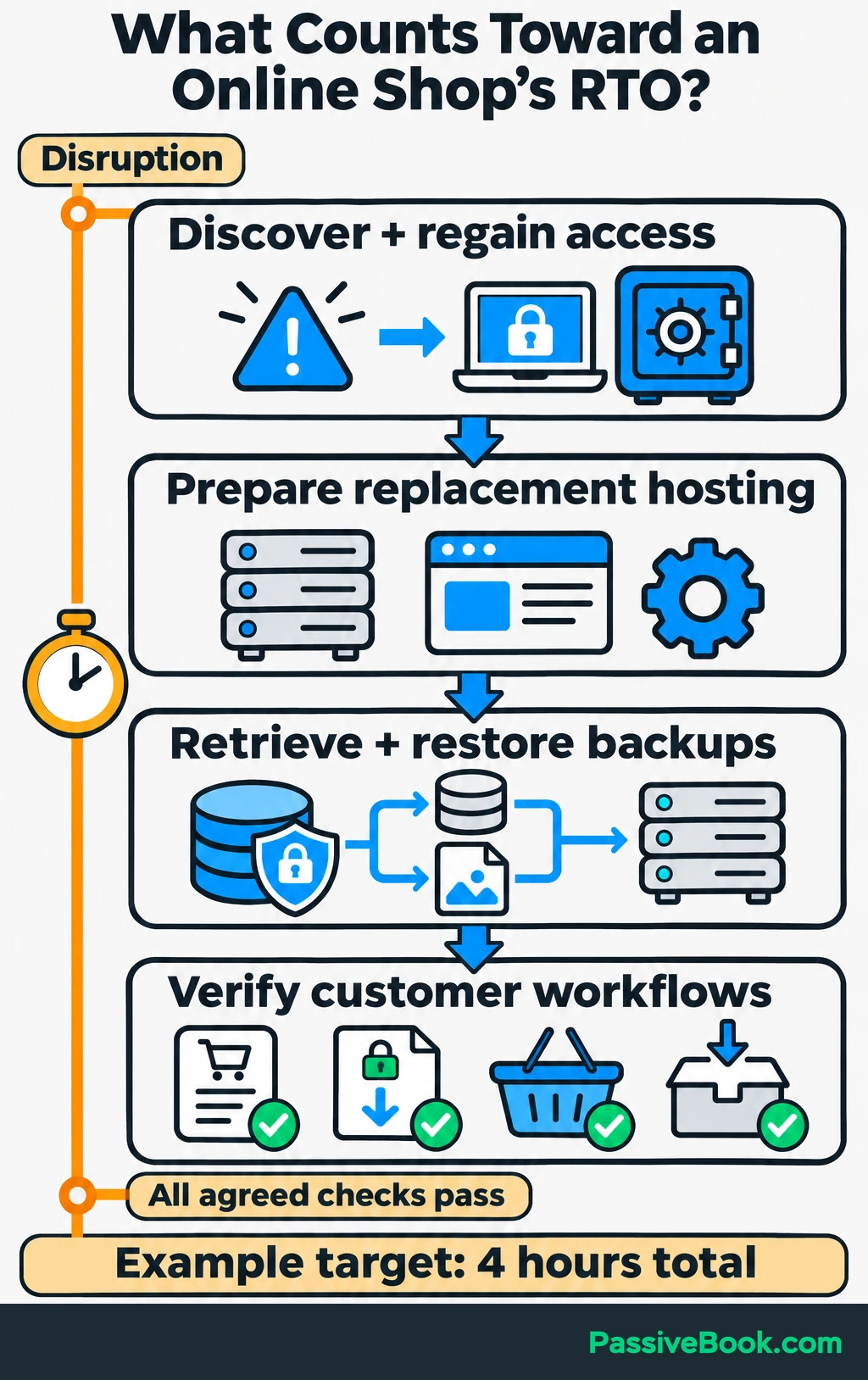
The example shop has a four-hour storefront RTO. Recovery is complete when purchase records, authorized downloads, checkout and essential delivery emails work.
Set separate targets for less urgent work:
| Operation | Outage impact | Data-loss target | Return target | Minimum service or workaround |
|---|---|---|---|---|
| Sell and deliver patterns | New purchases stop | Lose at most one hour of order data | Four hours | Pause checkout and publish an update |
| Help existing buyers | Customers cannot retrieve purchases | Lose at most one hour of order data | Independent support available within one hour | Verify purchases using surviving records and deliver manually |
| Edit the next pattern | Product development stops | Latest saved revision protected after each editing session | Two working days | Continue support and sales using finished products |
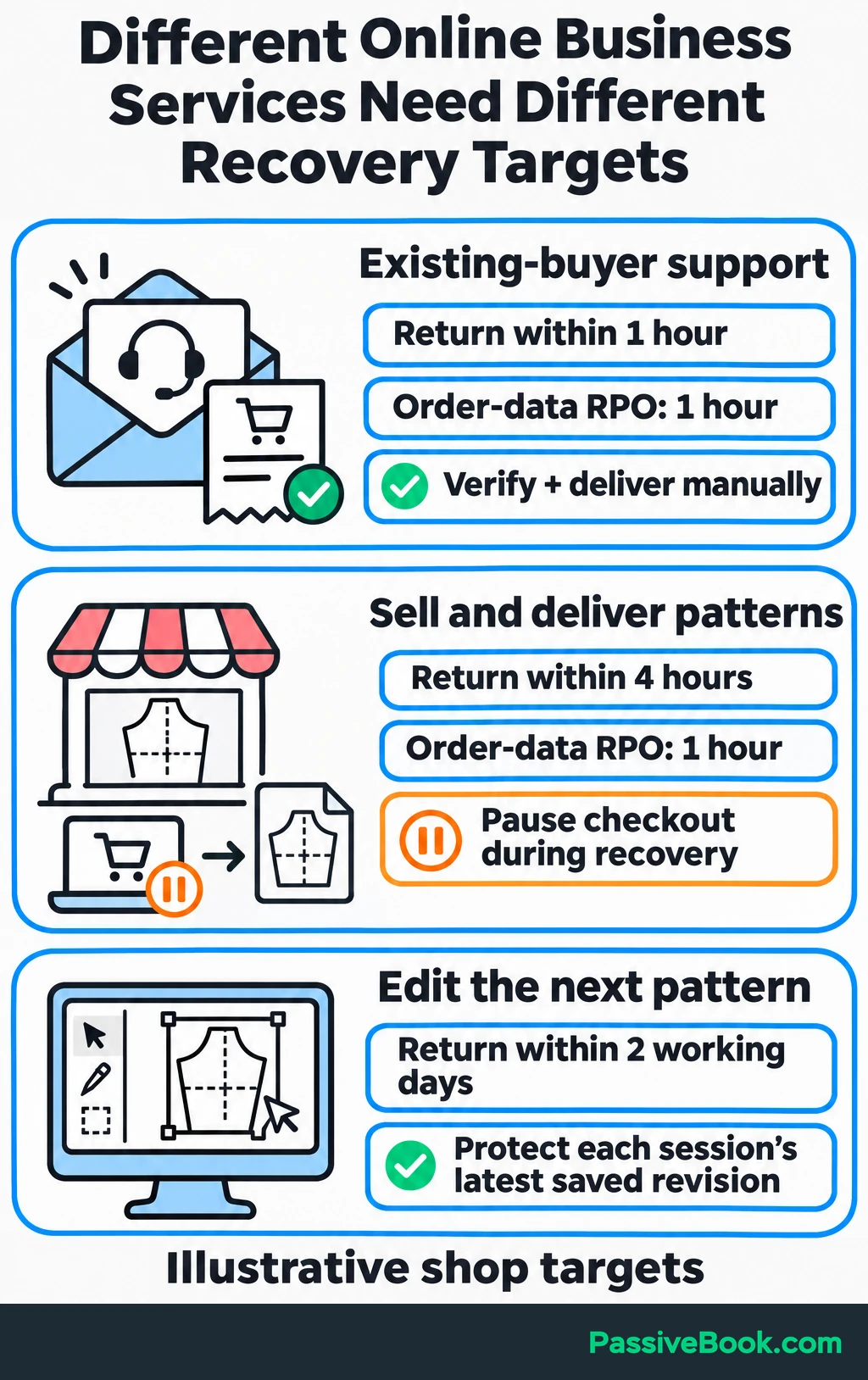
These are planning choices for this shop, not universal targets.
Recover shared dependencies first. Restoring WooCommerce is of limited use if you still cannot access the domain account or point customers to the replacement server.
3. Choose a Recovery Approach You Can Afford
Match Backup Coverage to the System
Choose the restore you need before choosing the tool.
For WordPress, protect both the database and website files as a compatible recovery set. The database contains records and settings, but it does not include themes, plugins, uploads or the configuration file. WordPress documents that distinction.
For the shop, coverage must include orders, download permissions and product PDFs. It must also include editable patterns stored outside WordPress.
For hosted tools, ask what the provider can restore and how far back recovery goes. Then check what your own backup or export preserves.
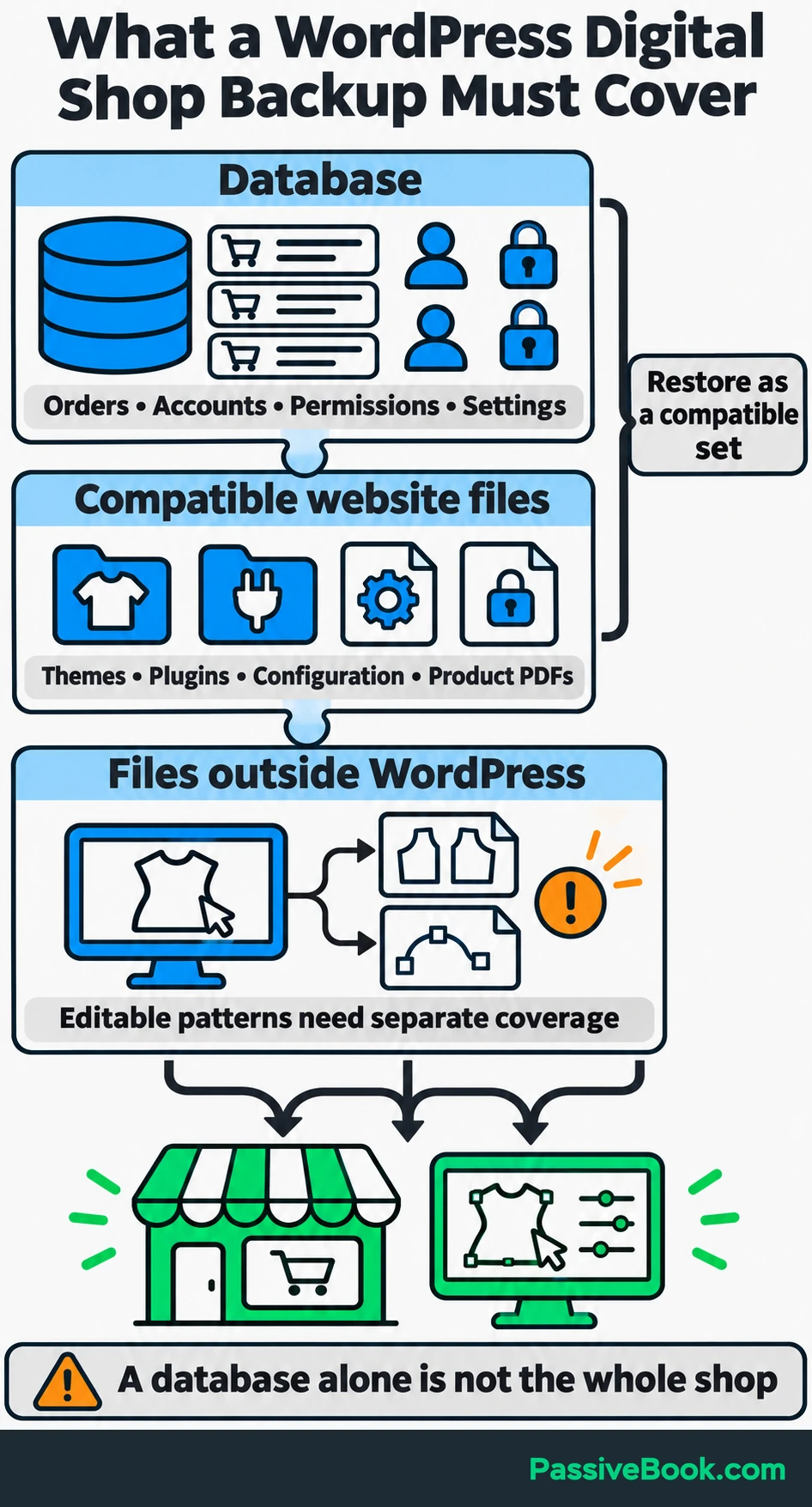
A spreadsheet of customer names may help you answer questions, but it may omit attachments, purchase relationships or automation settings. Ask how you would put the information back into a working service.
Different parts of the setup do different jobs:
| Component | What it does | What to check |
|---|---|---|
| Backup software | Creates and restores recoverable copies | Complete coverage, retained versions, selective restores and alerts |
| Cloud storage | Holds the copies away from production | Independent access, deletion protection and retrieval time |
| Hosting backups | Provide recovery options offered by the host | Recovery window, account access and ability to restore elsewhere |
| Recovery support | Helps perform or troubleshoot restoration | Availability, response commitment and work included |
For self-hosted WordPress, I would start with a backup tool that preserves a compatible set of website files and database records, a separately controlled cloud destination and a disconnected drive copy. I would also want a tested way to restore onto replacement hosting.
Before paying, confirm that the candidate can perform that restore. A long feature list does not answer the question.
Match the Recovery Method to Your Downtime Target
Rebuilding from backups is a sensible starting point when you can provision hosting, restore the shop and check it within your RTO.
If you cannot do that work yourself, arrange managed restoration support. Check support hours and response commitments. “Support included” could mean someone answers tomorrow, which is awkward for a four-hour target.
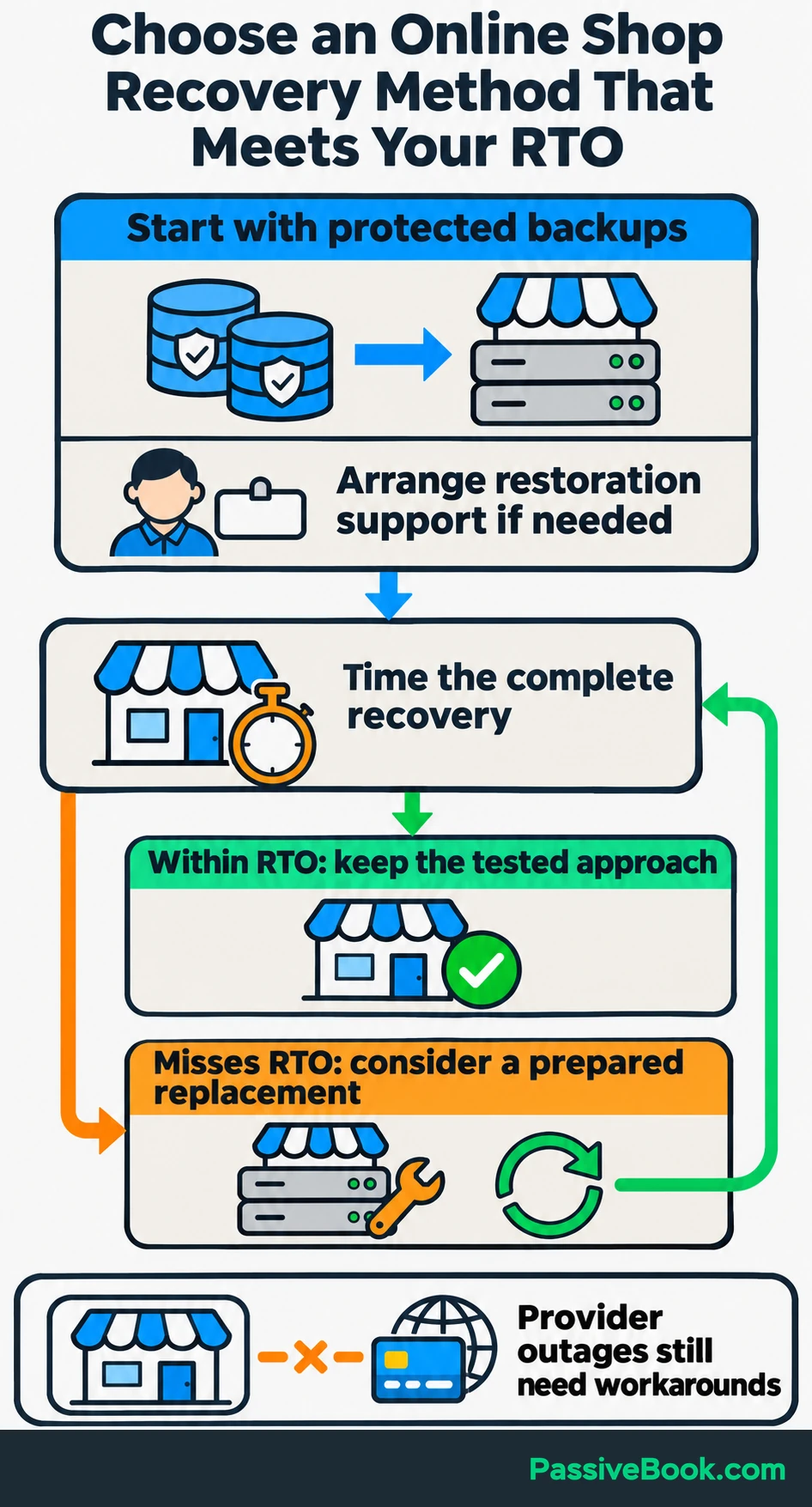
A prepared replacement environment becomes worth considering when a full rebuild takes too long. It costs more because someone must keep it current and test it.
For the sewing-pattern shop, I would begin with rebuilding from protected backups and a named support route. I would pay for a prepared replacement only if testing showed the simpler approach missed the target.
Provider outages also need a workaround. An email export preserves information, but it does not provide a working inbox. Likewise, a website backup does not replace an unavailable payment network.
Calculate Normal Costs and Recovery Expenses
Count the ongoing protection costs, the equipment you need and the money you might spend during an incident.
Here is an illustrative budget. These amounts demonstrate the arithmetic; they are not supplier quotes or a verified bundle.
| Item | Illustrative amount |
|---|---|
| Backup software | $10 per month |
| Separate cloud storage | $5 per month |
| Annual software and storage | $15 × 12 = $180 |
| External backup drive | $80 |
| First-year cash spending | $260 |
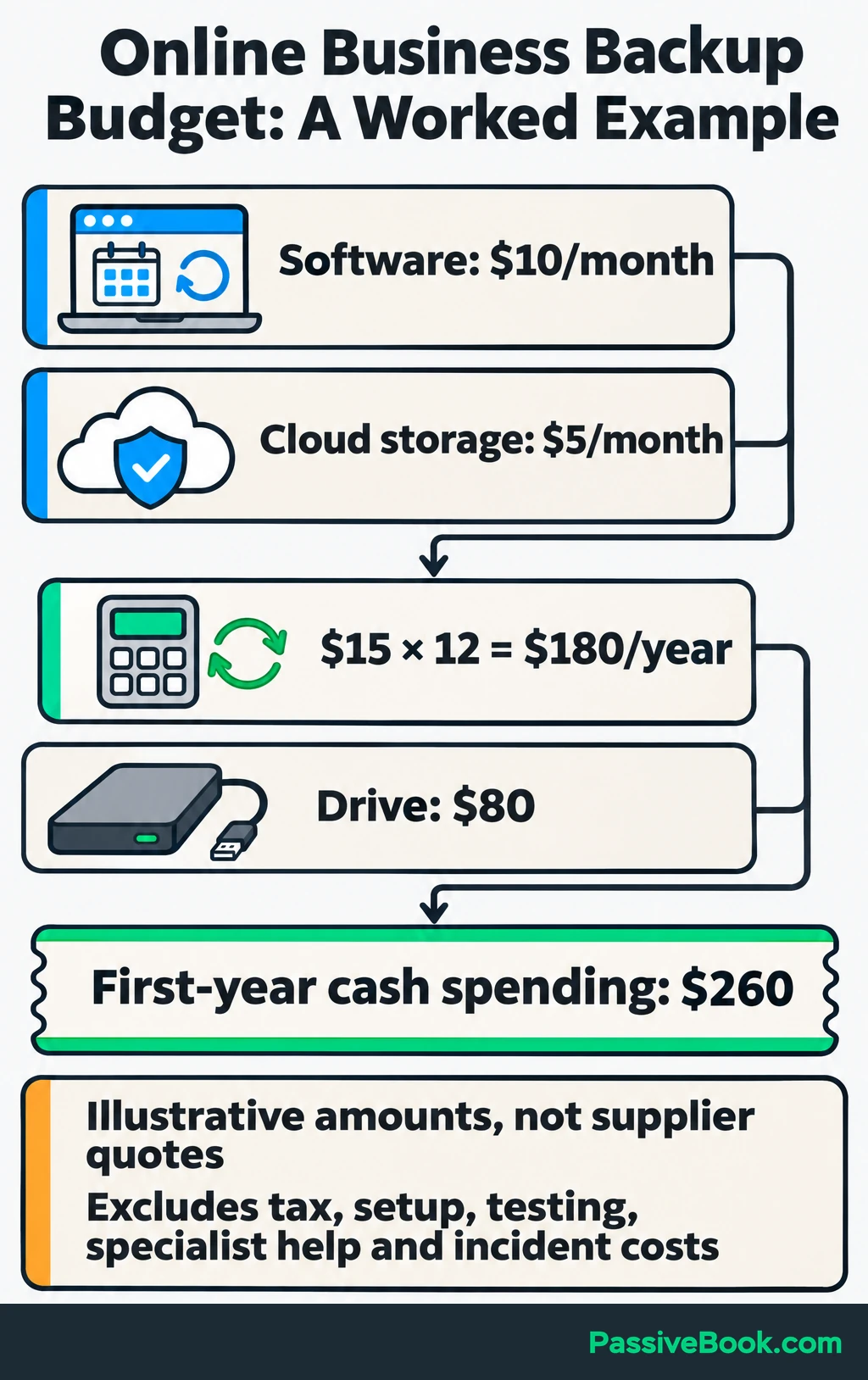
That total excludes taxes, setup, testing time, specialist help and incident expenses.
Estimate storage from retained versions and changing data. A small live database can produce substantial backup storage when you retain frequent copies. Compression and tools that store only changes affect the total.
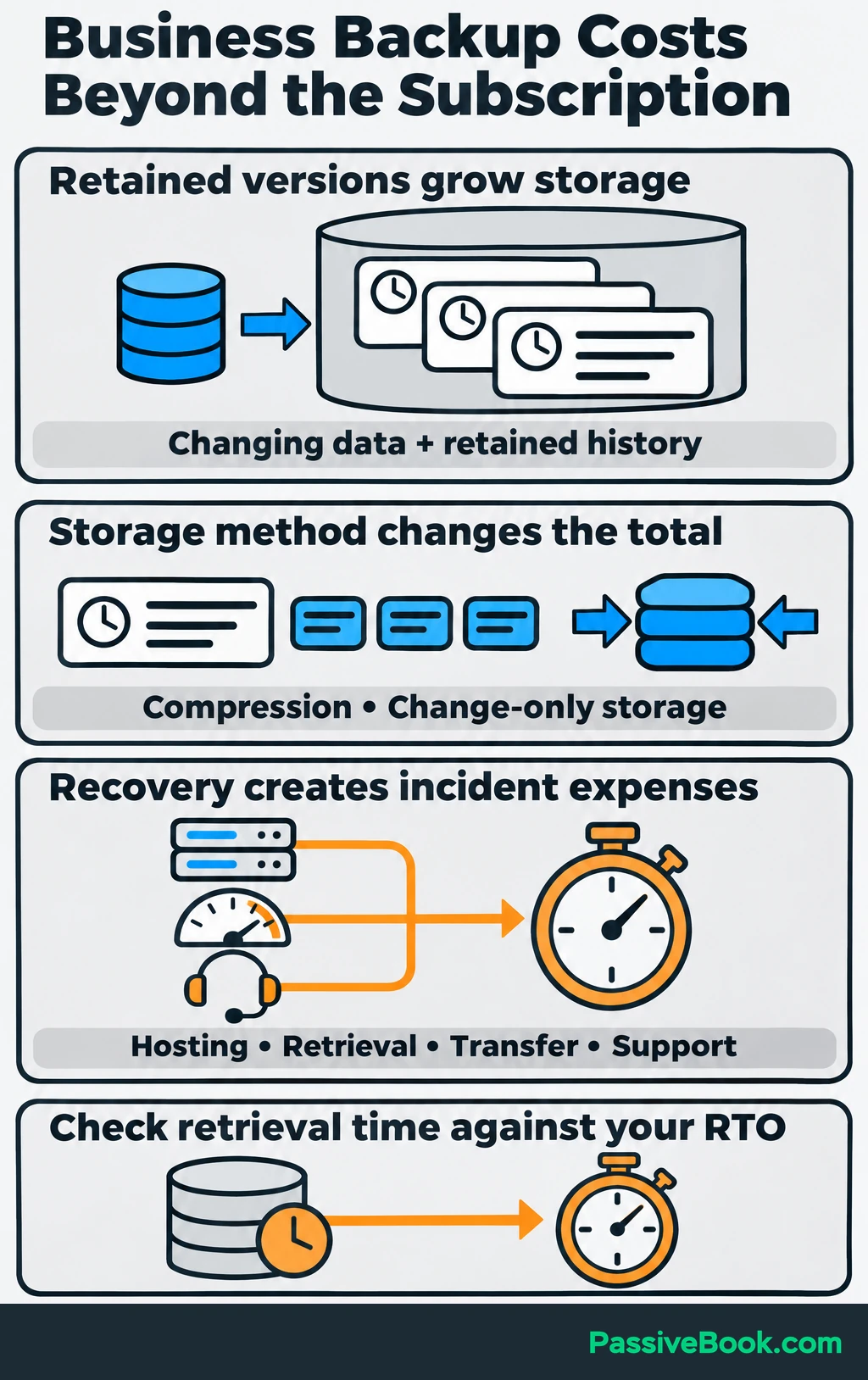
Also budget for replacement hosting, retrieval or transfer charges and recovery support. Compare retrieval time with your RTO before choosing cheaper storage.
I would fund independent backups and a real restore test before buying a second running server. The test tells you whether you need the extra server.
4. Configure Automated Backups That Survive Disruption
Apply the 3-2-1 Backup Rule
The 3-2-1 rule means keeping three copies of important data: the production copy and two backups, across two media types, with one copy offsite. This follows the Canadian Centre for Cyber Security’s backup guidance.
For the shop, map that rule to actual storage:
| Copy | Location and medium | Protection role |
|---|---|---|
| Production | Hosting server using SSD storage | Runs the shop |
| Backup one | Separately controlled offsite cloud storage | Holds frequent recovery points |
| Backup two | Encrypted external hard drive, disconnected after copying | Provides an offline fallback |
Include editable pattern files in both backup destinations, even though their production copy lives on your computer.
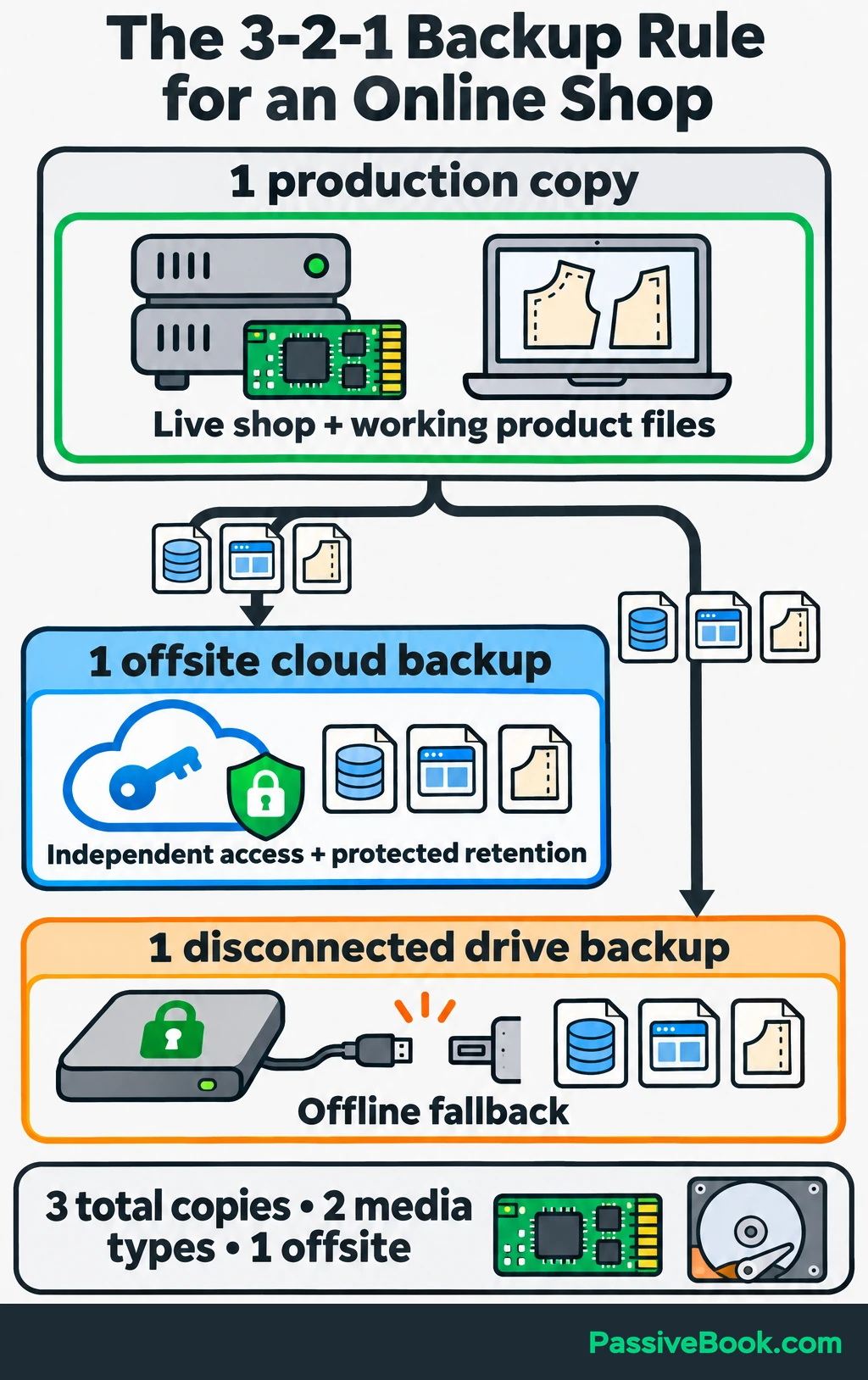
The copies must survive different problems. A backup available only through a failed hosting account may be unreachable when you need it.
For online copies, configure deletion-resistant retention: protection that prevents recovery copies from being removed during the chosen period. Test the settings with disposable data first. The joint StopRansomware Guide discusses protected cloud storage and warns that misconfiguration can add cost.
Keep historical versions alongside file synchronization. Sync can carry an unwanted deletion into another location. You need an earlier recoverable copy, not several matching empty folders.
Set Schedules, Retention, and Alerts
Schedule backups so the usable copies meet each dataset’s RPO. For live orders, choose a method that captures a consistent database state rather than copying database files while transactions change them.
Retain versions for long enough to discover mistakes. If a damaged pattern goes unnoticed for three weeks, seven days of history will not recover the earlier file.
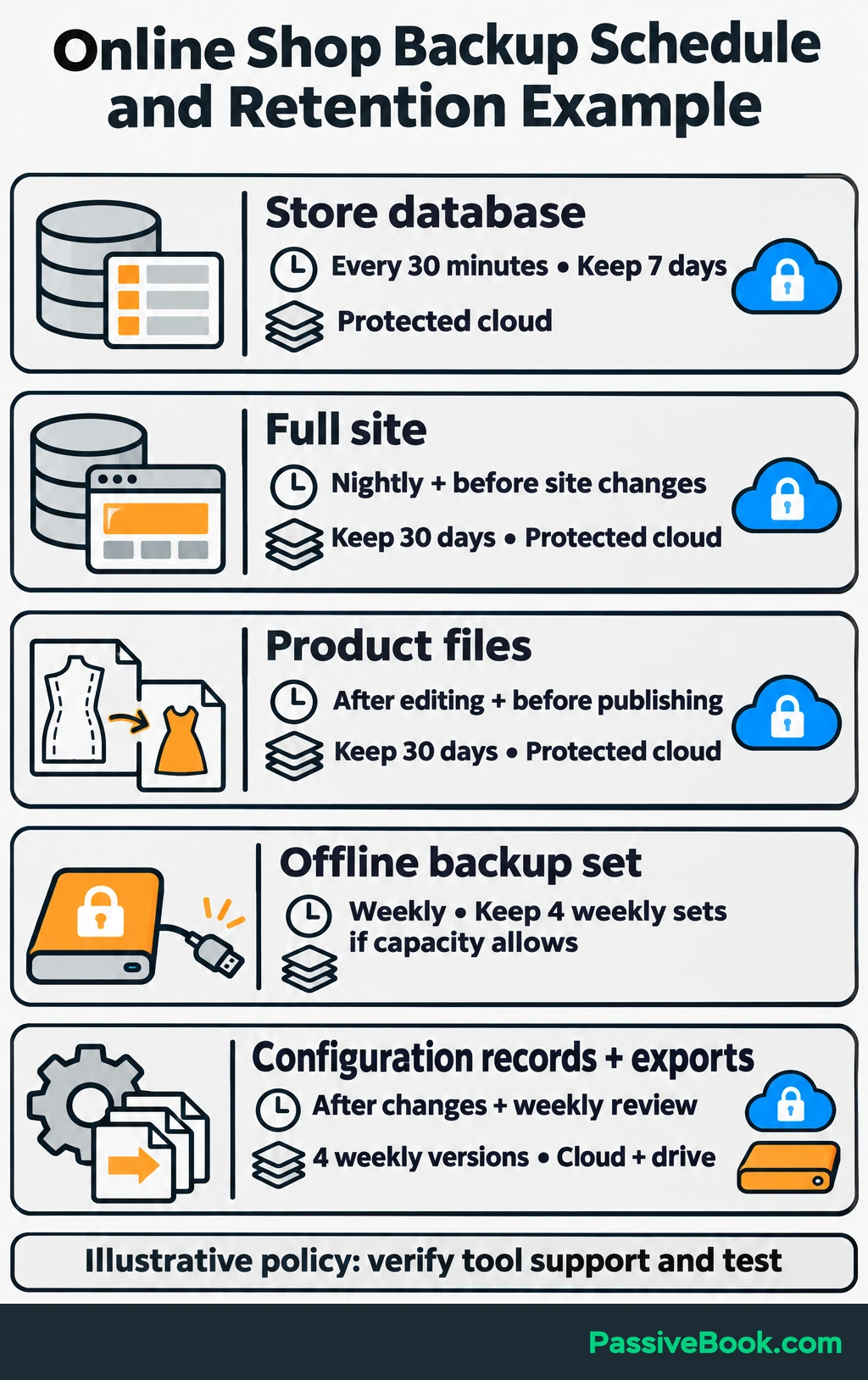
This starting policy is illustrative:
| Dataset | Frequency | Retention | Destination | Alert recipient |
|---|---|---|---|---|
| Complete store database, including orders and permissions | Every 30 minutes | Seven days of frequent points | Protected offsite cloud | Owner through independent email |
| Full site: database and compatible website files | Nightly and before site changes | 30 days | Protected offsite cloud | Owner through independent email |
| Editable patterns and finished PDFs | After editing sessions and before publishing | 30 days of revisions | Protected offsite cloud | Owner |
| Site backup set, product files and essential records | Weekly copy to drive | Four weekly sets, if capacity allows | Encrypted disconnected drive | Owner through a recurring task |
| Provider configuration records and essential exports | After material changes, plus weekly review | Four weekly versions | Protected cloud and drive | Owner |
Treat these settings as a starting point to test, not a guarantee that any particular product supports them.
With nightly file copies, back up new PDFs before listing them for sale. Take a fresh compatible set around plugin or application changes so newer order data does not depend on missing files.
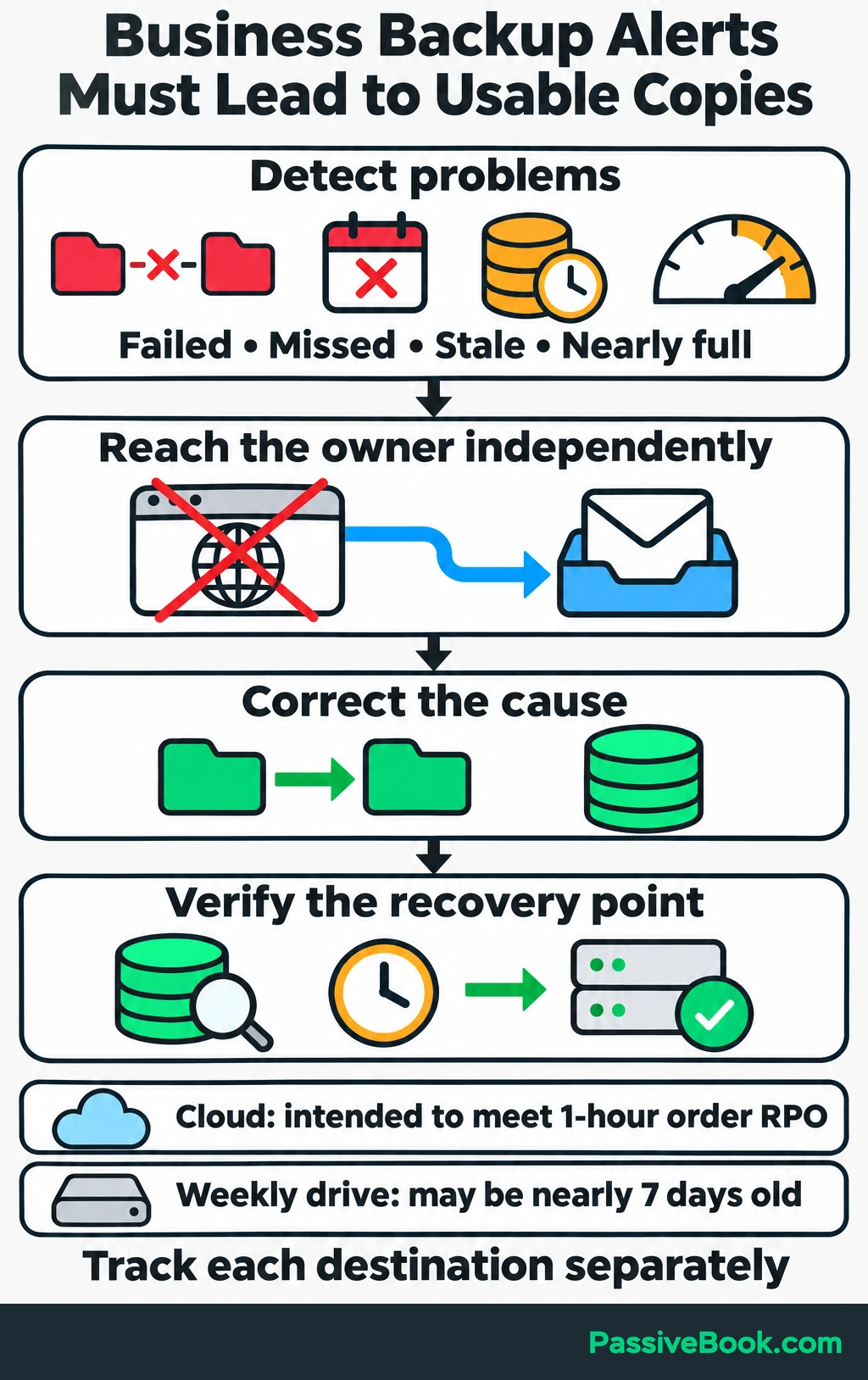
Record expected storage use after the initial backups, then set a capacity alert before the destination fills.
Send alerts for failed jobs, missed jobs, stale recovery points and storage problems to a channel you can access without the website. A success message should identify the recovery point and destination, not merely say the job ran.
Track each destination separately. The cloud copy is intended to meet the one-hour order target. The weekly drive may be nearly seven days old, so it provides an older fallback.
Keep Recovery Access Available
Encrypt sensitive backups, enable multifactor authentication and separate backup administration from production administration. Restrict who can delete recovery copies. The FBI recommends strong authentication and separate backup administrator accounts.
Store decryption keys and emergency recovery codes securely outside the device or account they unlock.
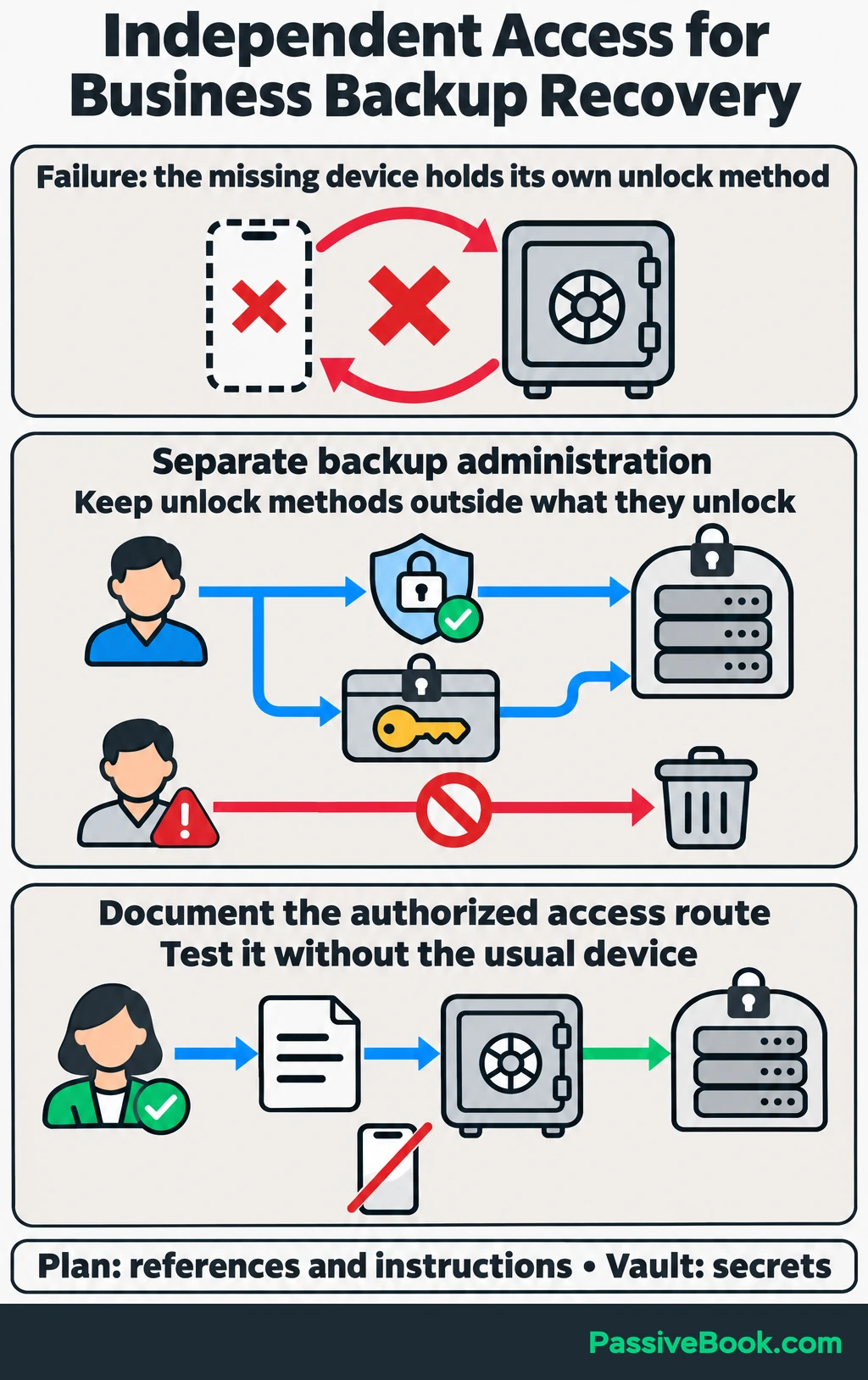
Write down how an authorized alternate obtains access, then test that process. They should not need your missing phone to open the instructions explaining what to do when your phone is missing.
Keep secrets in the protected vault. The general recovery document should contain references and access instructions.
5. Write the Recovery Playbook
Fill in Your Recovery Plan Template
Copy the template below and replace the brackets. Create a separate recovery sheet for each essential service, and use the earlier tables as your inventory and backup register.
- Plan Summary: Business: [name]. Owner: [name and contact]. Alternate or support route: [name and contact]. Provider support contacts: [verified details]. Activation triggers: [events or outage thresholds]. Minimum service: [customer activities to maintain]. Independent communication channel: [channel and access reference]. Emergency spending limit: [amount and who can approve it].
- Service Priorities: Operation: [activity]. Restore priority: [order]. Dependencies: [accounts, providers, applications and devices]. RPO: [acceptable data-loss period]. RTO: [maximum outage target and clock definition]. Temporary workaround: [action, owner and limitations].
- Backup Register: Dataset: [coverage]. Backup method: [tool and method]. Schedule: [frequency]. Retention: [versions and duration]. Destinations: [locations and independent access]. Expected storage: [measured amount]. Credential and key reference: [vault entry]. Alert recipient: [name and independent channel].
- Recovery Sheet: Service: [name]. Replacement destination: [environment]. Prerequisites: [access, software and dependencies]. Recovery-point selection: [how to choose a suitable copy]. Restore instructions: [numbered tool-specific steps]. Validation: [checks that must pass]. Reconciliation: [records to compare]. Rollback: [how to return to a safe paused state]. Reopening owner: [name].
- Incident and Test Record: Scenario: [incident or simulation]. Disruption time: [time and timezone]. Discovery time: [time]. Affected systems: [list]. Backup and recovery point: [identifiers and data timestamp]. Actions and timings: [log]. Functional results: [checks and outcomes]. Unresolved issues: [issue, owner and deadline]. Retest and next review: [dates].
Here is the shop’s completed service summary to show the level of detail:
Service: Sewing-pattern storefront.
Owner and reopening authority: Shop operator. Technical escalation: prearranged WordPress recovery support.
Dependencies: Domain and DNS access, clean hosting, WordPress and WooCommerce, payment processing and delivery email.
RPO: One hour for order data.
RTO: Four hours from disruption until storefront checks pass.
Recovery source: Protected offsite database backup with compatible website files and product PDFs.
Replacement: Clean hosting environment.
Temporary service: Independent purchase-support email, with manual delivery after purchase verification. Checkout stays paused.
Reopening checks: Expected orders and permissions exist; purchased PDFs open; unauthorized downloads remain blocked; checkout and delivery email work.
Reconciliation: Compare surviving payment records with restored orders and manual deliveries before restarting affected automations.
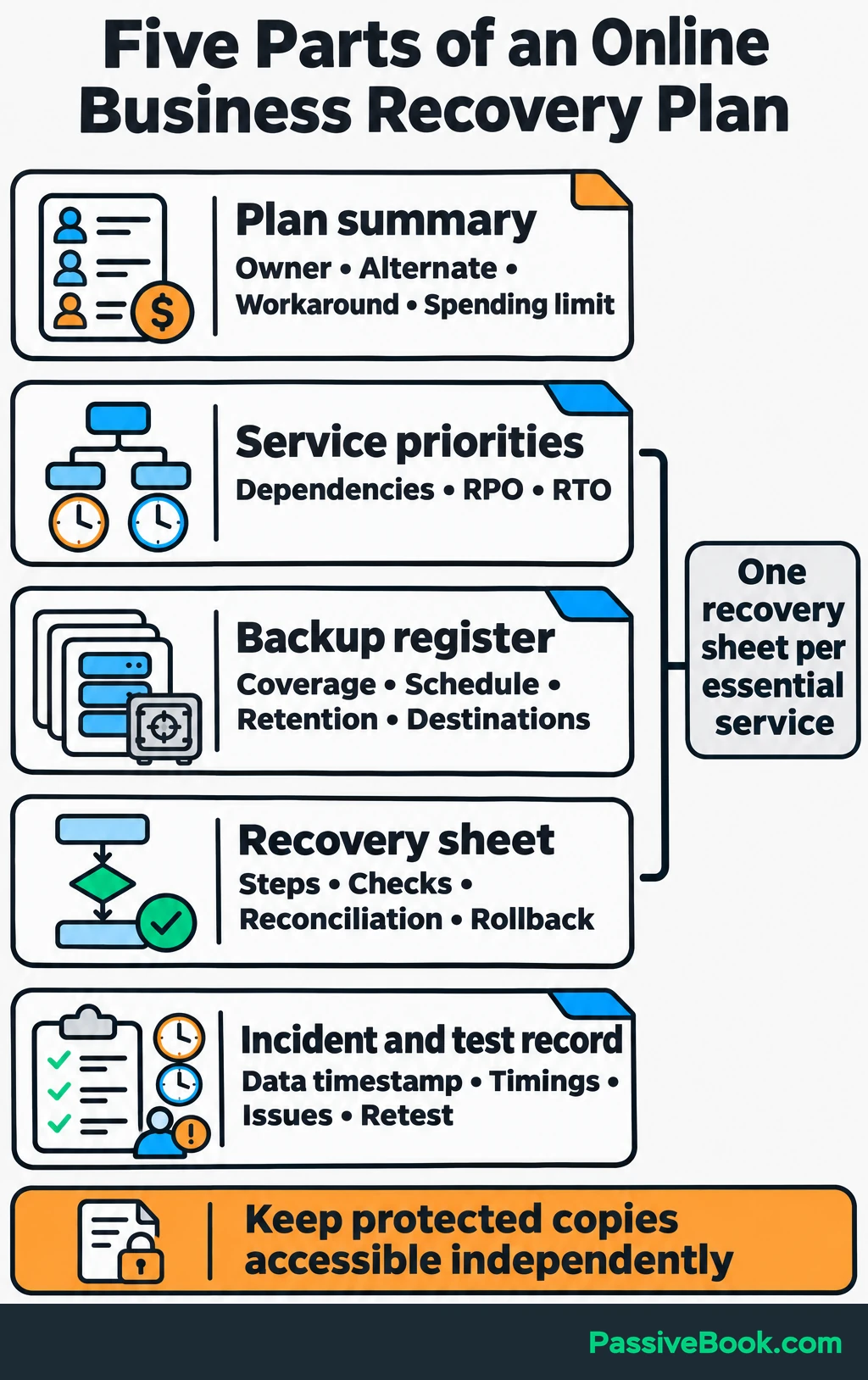
The summary points to detailed instructions; it does not replace them.
If the blank fields are slowing you down, the AI Recovery Planner can turn your notes into a first draft for one essential service. It also flags the details you still need to confirm before testing.

Free AI Recovery Planner




Keep protected copies of the plan accessible without your usual laptop, website or primary business login. An offline copy is useful when you cannot sign in anywhere.
Record the First Actions for Each Incident
Activate the plan when essential data becomes unusable, an outage threatens your target or suspected compromise interrupts operations.
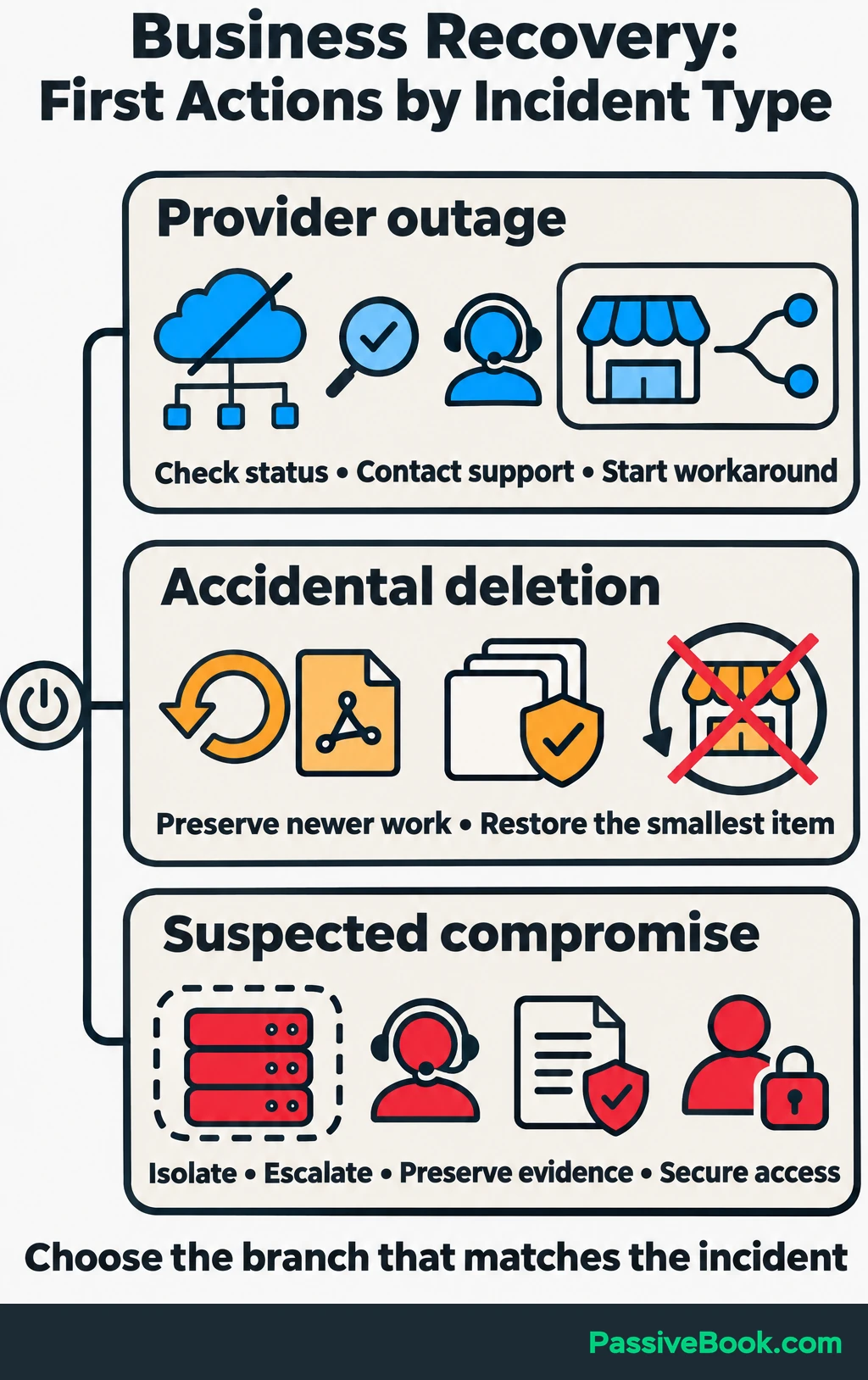
Then follow the branch that matches the incident:
- Provider Outage: Check the provider’s status and contact support. Start the documented workaround, and identify which functions must wait for the provider to recover.
- Accidental Deletion: Preserve newer legitimate work and restore the smallest necessary item. Avoid rolling back the whole shop to retrieve one deleted PDF.
- Suspected Compromise: Isolate affected systems, contact the designated specialist, preserve relevant evidence and secure administrative access before rebuilding. The joint StopRansomware Guide provides containment guidance. If customer information may be compromised, obtain qualified help with applicable notification duties.
Pause affected checkout and automations so they do not create more work to reconcile.
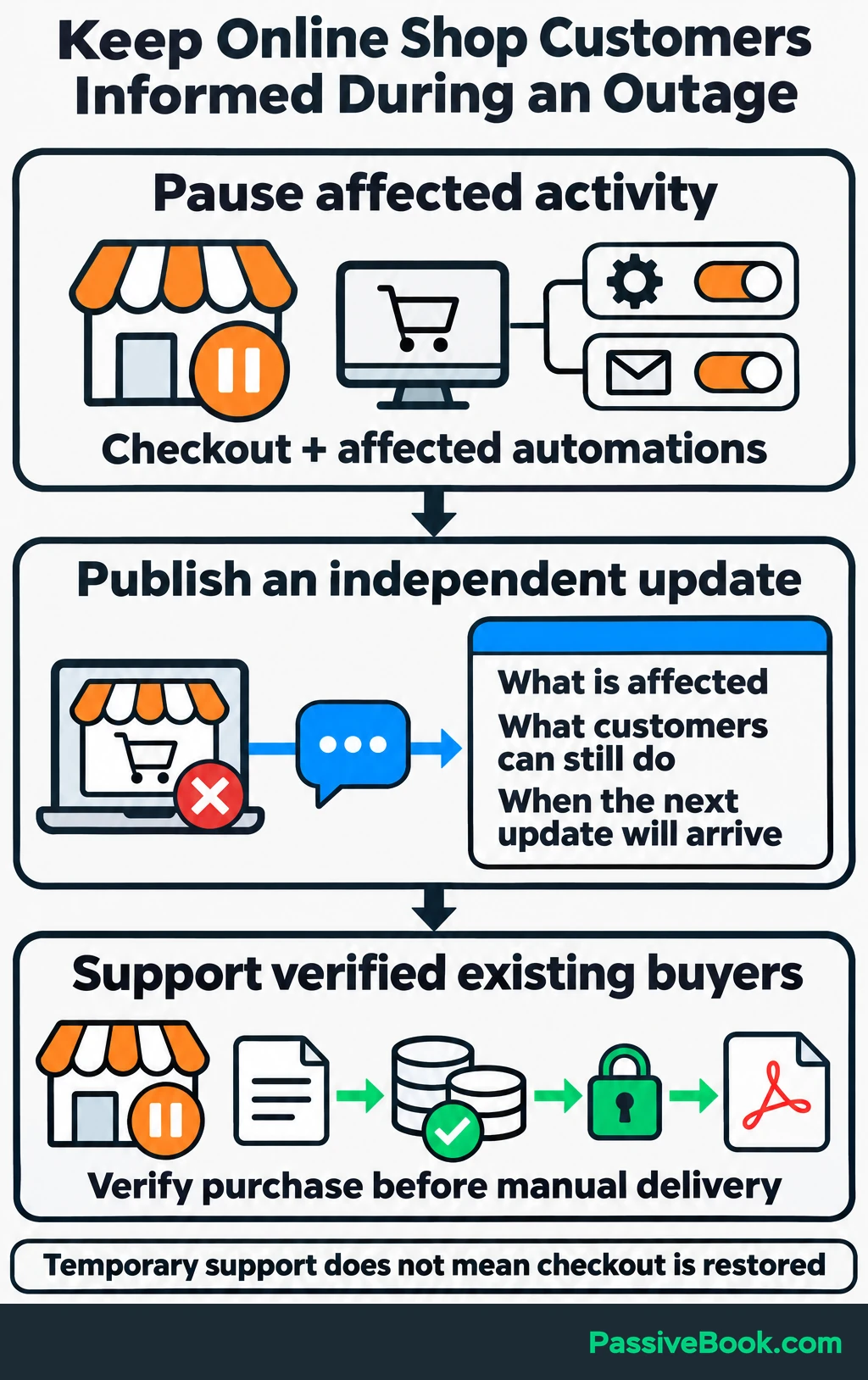
Tell customers what is affected, what they can still do and when you will update them. For the shop, a short notice could say:
New purchases are temporarily paused. For help accessing an existing pattern, email [support email address] with your order reference. We’ll post another update by 3 p.m.
Use a channel independent of the failed system.
Document Restoration Through Reopening
Choose a recovery point that suits the incident. The newest copy may contain the same deletion, corruption or compromise.
For compromised systems, rebuild in a clean environment and address the original access route before reconnecting services. This follows the reinfection precautions in the joint recovery guidance.
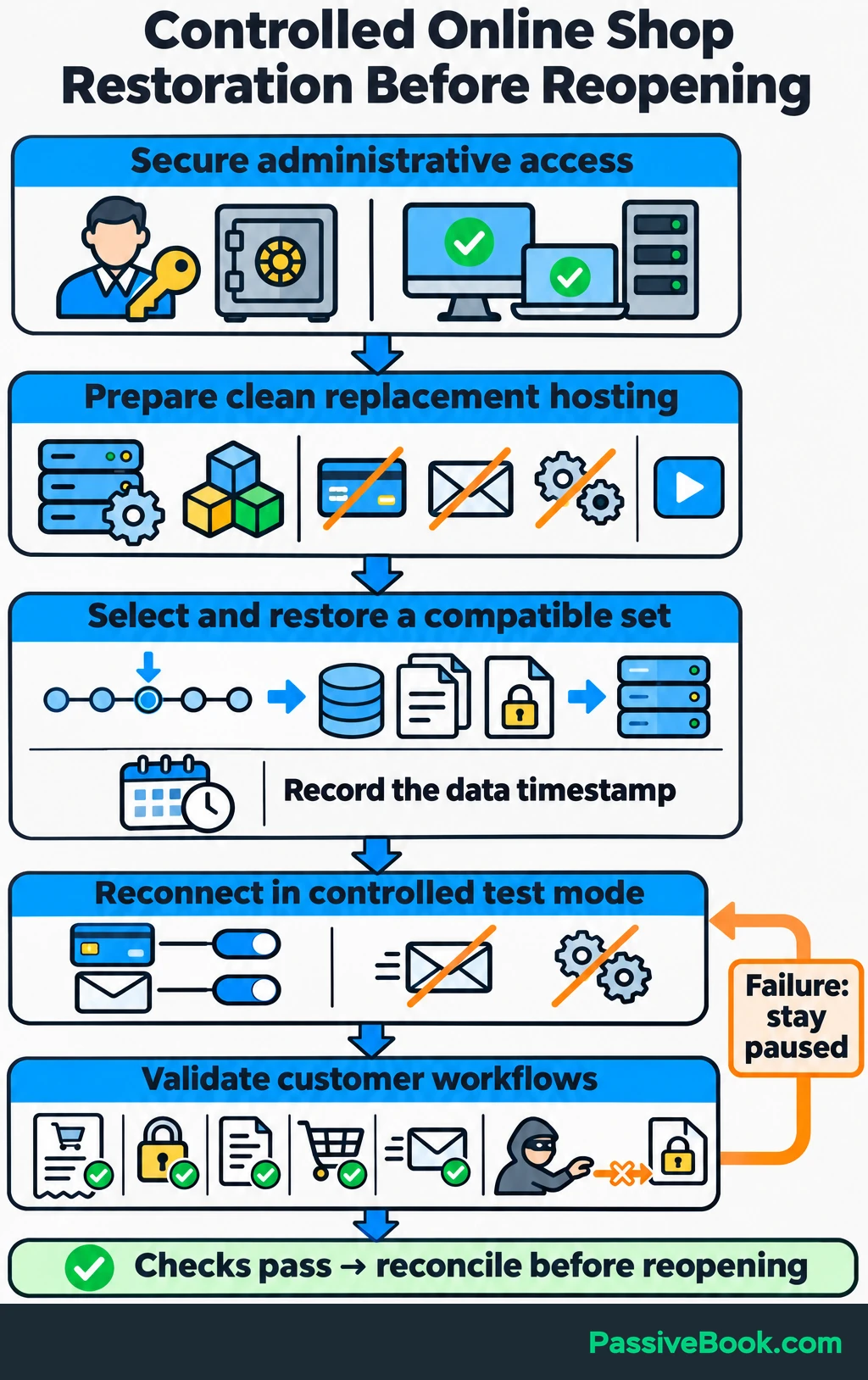
Write tool-specific instructions in dependency order. For the shop, I would use this sequence:
- Obtain secure administrative access and confirm which systems are safe to use.
- Prepare replacement hosting with the required software versions and configuration. Block live payments, customer emails and production automations before starting the restored site.
- Retrieve the selected backup set and record its data timestamp.
- Restore compatible website files, database and protected product downloads.
- Reconnect payment and email services in controlled test mode, with customer messages and automations blocked.
- Check representative orders, download permissions, PDFs, checkout and delivery emails. Verify that an unauthorized customer cannot retrieve a paid file.
- Reconcile activity after the recovery point using surviving payment records, refunds and manual-delivery notes.
- Make required DNS changes, verify the public service, obtain reopening approval and enable live processing.
- Restart backups for the recovered environment and confirm a new usable recovery point.
Add exact commands or interface actions for your chosen tools. Include what to do if a check fails: keep checkout paused, preserve the failed attempt and return to the last verified recovery step.
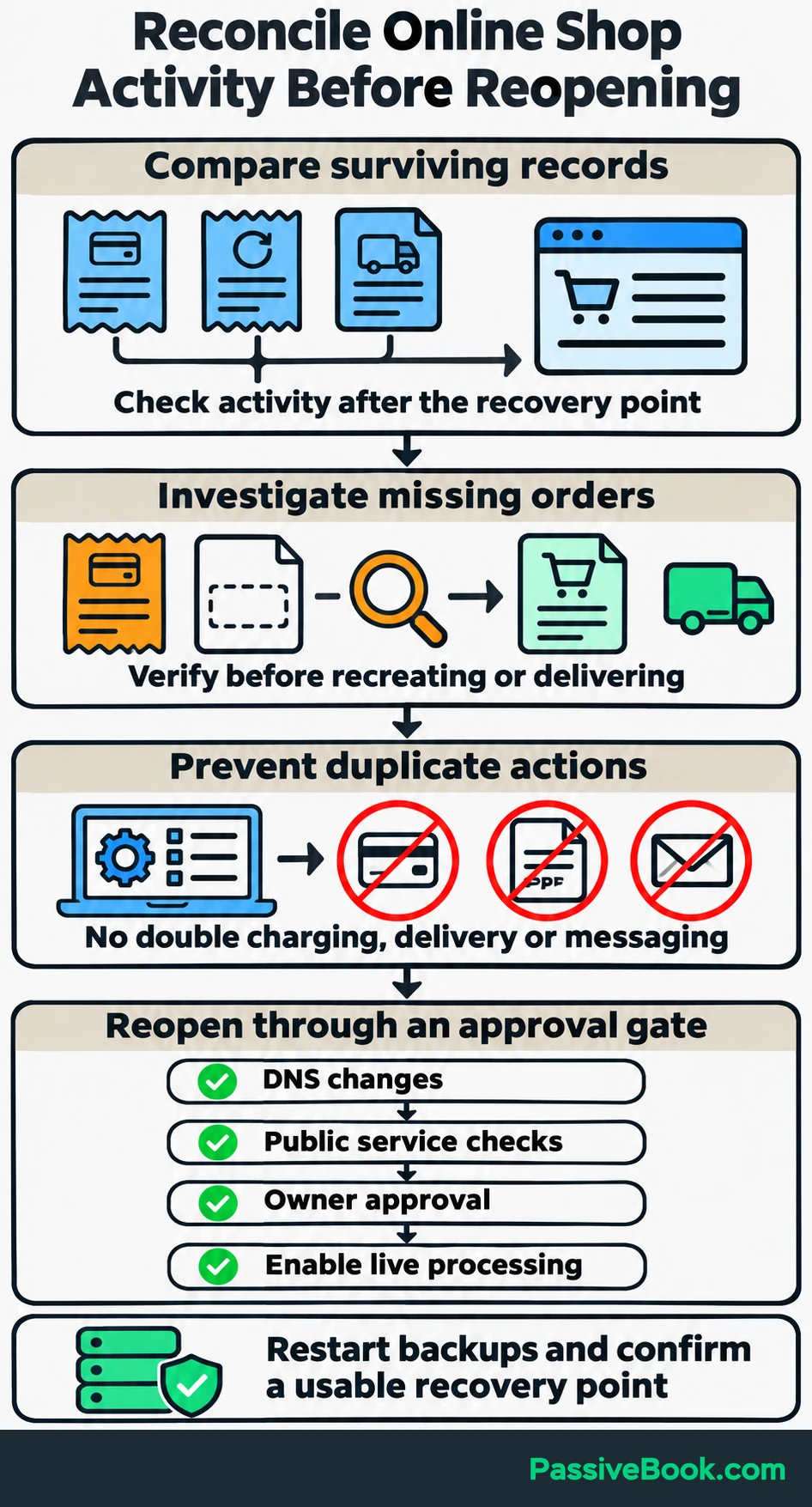
Reconciliation deserves its own attention. A payment may exist even when its WooCommerce order is missing. Verify it before recreating the order or delivering the pattern.
Also prevent queued jobs from charging, delivering or messaging twice. Reopening should end the disruption, not start a second one.
6. Test Recovery Against Your Targets
Test before relying on the plan. Restore both an individual item and a complete essential service into an isolated environment, including a restore from the offsite copy.
Block live payments, customer emails and production automations before starting the restored application. Use test transactions and controlled email delivery to check the purchase workflow.
Follow the written instructions using only what would survive the simulated incident. For a lost-laptop scenario, that means no convenient file sitting on the supposedly missing laptop.
Have the alternate follow the playbook where applicable. Missing steps become much easier to spot when someone else has to use them.
Check usable outcomes:
- Files open and contain the expected content.
- Orders and customer permissions match the selected recovery point.
- Authorized downloads work and unauthorized access stays blocked.
- Test purchases complete and delivery messages arrive.
- Required integrations work without duplicate activity.
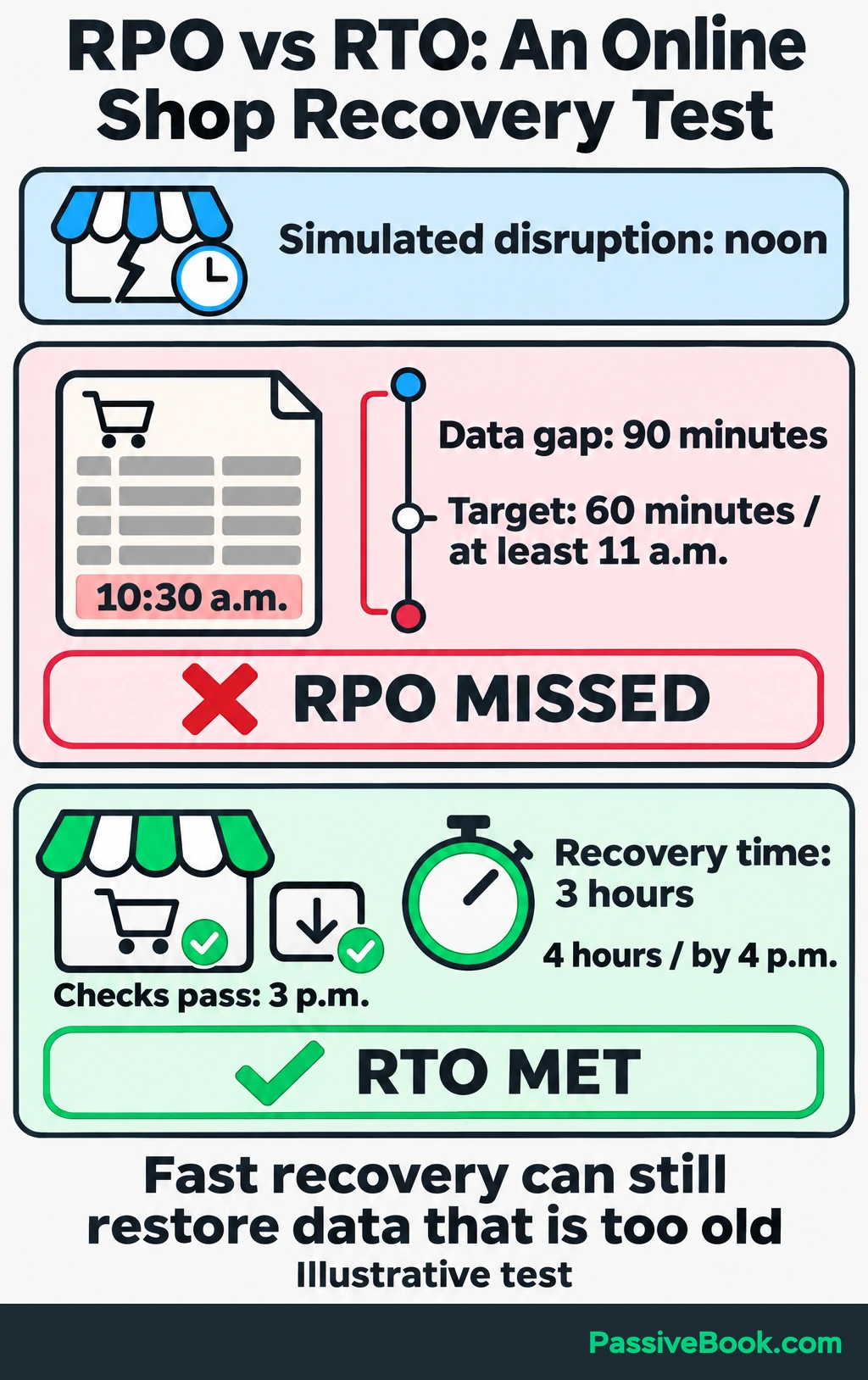
Measure two separate things. First, count the time between the simulated disruption and the data timestamp represented by the restore. Then count the elapsed time from disruption until all agreed service checks pass.
Suppose the shop’s test produces these results:
| Check | Illustrative result | Target | Outcome |
|---|---|---|---|
| Simulated disruption | Noon | Starting point | Recovery clock begins |
| Restored data reaches | 10:30 a.m. | At least 11 a.m. | 90-minute gap misses the one-hour RPO |
| Storefront checks pass | 3 p.m. | By 4 p.m. | Three-hour recovery meets the four-hour RTO |
The service returned quickly enough, but the recovered data was too old. Those are different results, and both matter.
Record the scenario, backup used, recovery point, elapsed time, functional checks, failures, corrective owner and retest result.
If transfer failures caused the old recovery point, fix the transfer and stale-backup alert. If missing credentials delayed restoration, repair emergency access. Repeat the affected test until the correction works.
A green backup dashboard is pleasant. A verified purchase and download tell you considerably more.
7. Keep the Plan Ready as the Business Changes
Assign someone to act on alerts. For a solo operation, that may be you, but the task still needs a place in your schedule.
I would use a short weekly review to check recovery-point freshness, retention, storage growth and unresolved failures. Check emergency access after changing devices, authentication methods or administrators.
Schedule quarterly sampled recovery tests as a baseline. CIS Safeguard 11.5 recommends quarterly or more frequent testing of a sample of covered assets. A sampled file restore does not replace the complete service test you need to verify your RTO.
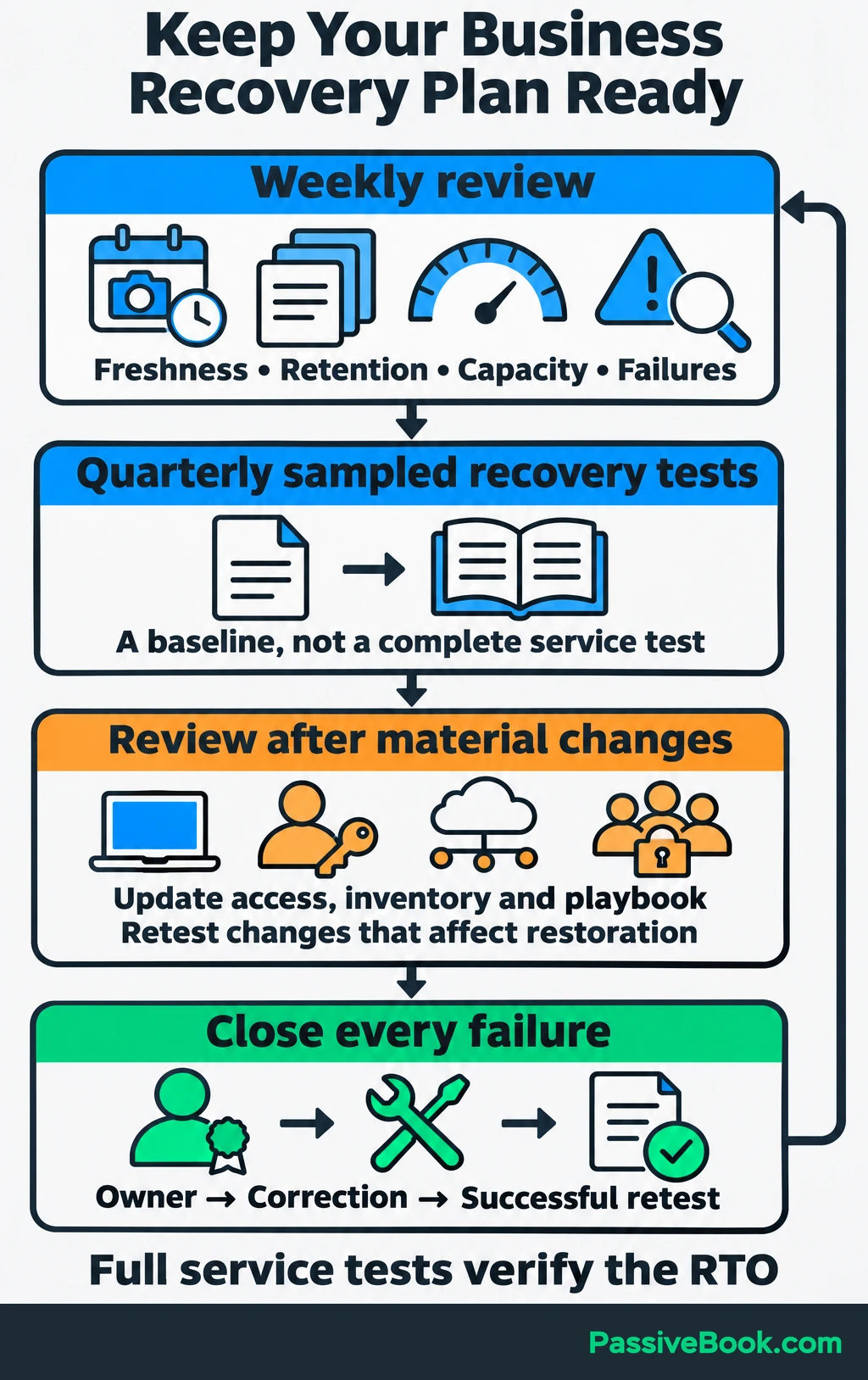
Rotate scenarios: accidental deletion, device loss, hosting failure and account compromise.
Update the inventory and playbook after changing providers, products, payment systems, automations or recovery targets. Test again when a change could affect restoration.
For the sewing-pattern shop, adding a membership area would introduce new access rules. A test that proves individual pattern downloads work would no longer cover the whole customer experience.
Close each failure with an owner and a successful retest, then record the next review date. Keep the instructions clear enough for another authorized person to follow without a guided tour of your memory.
What Next?
List the three customer activities your business must recover first, then identify the data and accounts each one needs. Use that list to start your plan before shopping for another tool.
If this guide helped turn “we have backups” into a recovery process you can check, pass it along using the social buttons.
Which customer activity would be hardest for you to restore, and what is missing from your current setup? Share it in the comments, along with any other questions.
Share this post with your friends & followers:

