A customer likes your product but has one question before buying. They leave your website to find the answer, and the purchase stalls.
WhatsApp can give them a direct way to ask. But a chat button brings another inbox to manage, and answering questions takes time away from the rest of your business.
That extra work needs to lead somewhere useful. This guide follows a customer’s question through to checkout, with sample messages, permission checks, and a simple way to see whether the resulting sales justify your time and costs.
Choose the Right WhatsApp Tool
I would use WhatsApp when your customers already use it and a conversation can resolve something that delays a purchase. If you mainly need to publish general updates, another content feed may be enough.
Throughout this guide, imagine you run Room Ready, an online shop selling ready-made curtains. A visitor wants curtains but doesn’t know which size to order. Your measuring guide starts the conversation. All example messages, products, and figures are illustrations.
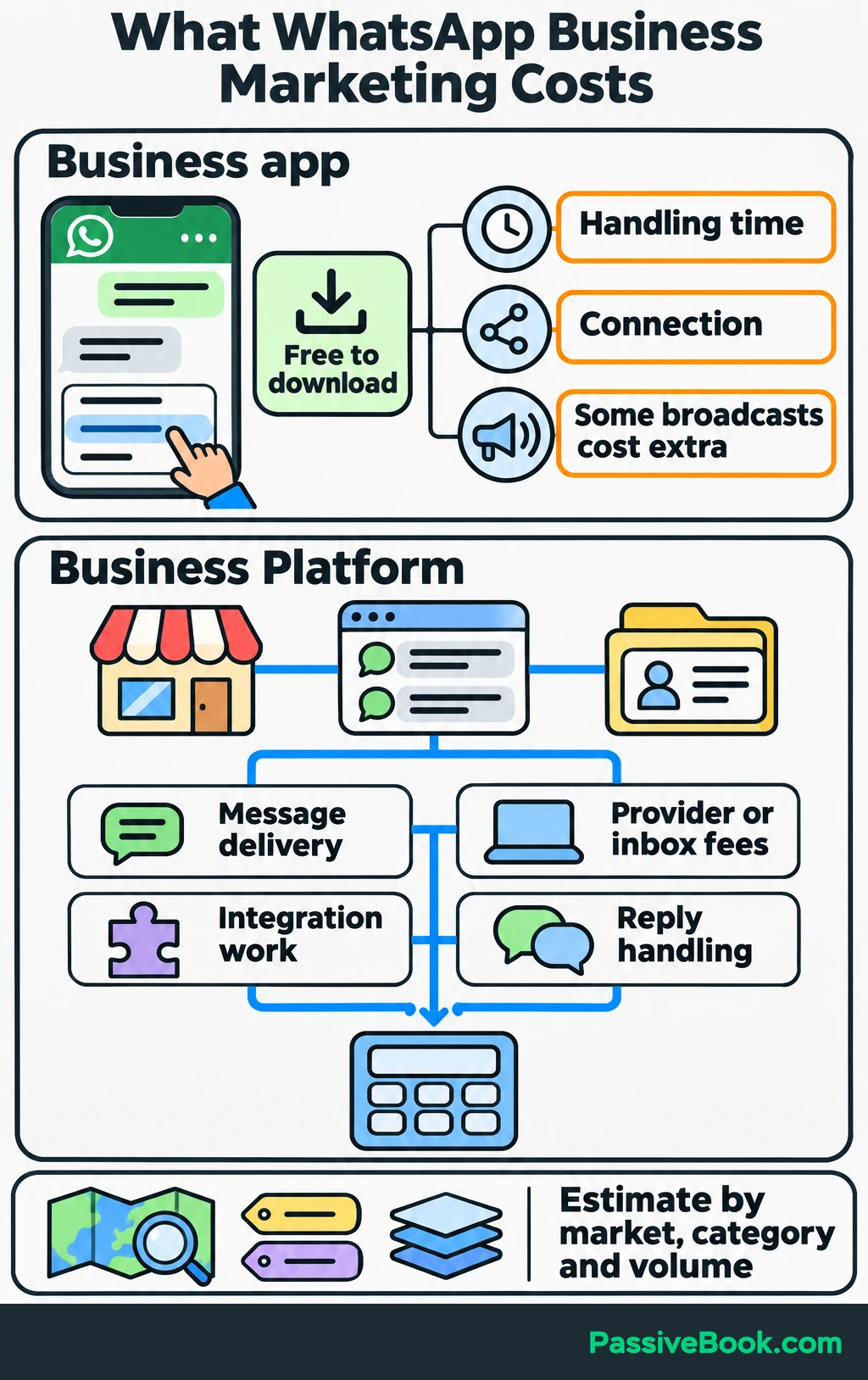
There are two main tools to consider:
| Tool | Suitable Workflow | Automation | Cost Components |
|---|---|---|---|
| WhatsApp Business app | You answer questions and recommend products yourself | Automatic greetings and away messages; saved replies you send manually | Free to download; your time and connection costs; some broadcast features carry charges |
| WhatsApp Business Platform | Store events trigger messages, customer records stay connected, or a team shares conversations | Connected workflows through software or a custom integration | Message delivery, provider or inbox fees, integration work, and reply handling |
The app includes a business profile, catalogs, labels, and messaging shortcuts. I would start there while you can comfortably manage the conversations yourself. WhatsApp Business app features
The Platform provides API access, which lets software send messages and exchange customer information. Most beginners will want a provider that supplies onboarding and an inbox. A direct integration needs development support. Platform integration options
Before choosing the Platform, estimate costs using your recipients’ markets, message categories, expected delivery volume, and provider charges. Under Meta’s service-message pricing effective October 1, 2026, each business phone number gets 1,000 free service messages monthly, with charges starting at message 1,001. An open reply window does not make every reply free. Meta’s pricing terms
There is also a major audience restriction: Platform marketing-template delivery to US recipients is paused, regardless of where your business operates. For those customers, I would use WhatsApp for customer-initiated conversations and email for ongoing promotions, with the appropriate permission. US delivery restriction
Set up a Business Account Customers Recognize
Use a business-controlled phone number you can keep. A temporary number becomes a permanent headache when customers save it.
For the app, download WhatsApp Business and verify the number. For the Platform, complete account setup, number registration, and billing through your chosen integration.
Fill out the profile so visitors can connect the conversation to your website:
- Business name and recognizable logo.
- A short description of what you sell.
- Website and support contact.
- Hours when someone handles messages.
Prepare the buying destination before inviting chats. Your product page should show the price, options, delivery terms, exchange terms, and a working checkout. Add relevant catalog items in the app so you can share them during conversations.
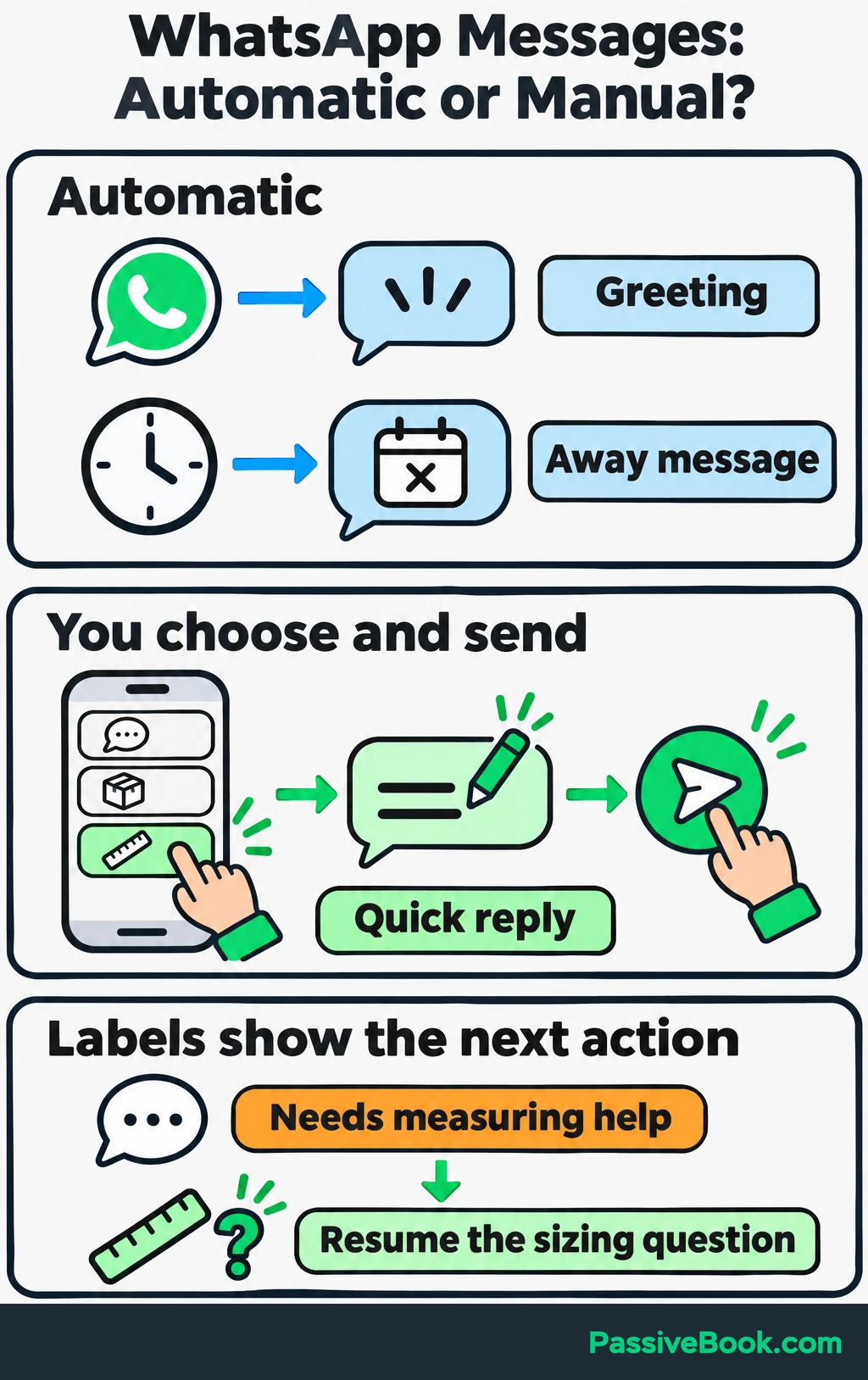
For Room Ready, prepare saved answers about measuring, fabric, delivery, and exchanges. These quick replies are shortcuts you choose to send. Greetings and away messages respond automatically.
An away message could say:
Thanks for messaging Room Ready. We answer messages Monday–Friday, 10 am–5 pm. We’ll reply during our next opening hours.
Use labels that tell you what happens next, such as “Needs measuring help,” “Ready to buy,” and “Purchased.” A label should help you act when you return to the inbox.
Invite Interested People to Opt in
Give people a specific reason to message you. “Chat with us” asks them to invent the conversation.
Place the invitation beside the question it answers. On Room Ready’s size information, that could be:
Unsure which curtain size to order? Message Room Ready for the measuring guide.
Use a chat link with a prepared message such as “Please send me the measuring guide.” The visitor still needs to send that message.
Start with one website placement so you can see whether it produces useful conversations. Then reuse the invitation in relevant emails and social content. You can begin without paid ads, but WhatsApp still needs people arriving from somewhere.
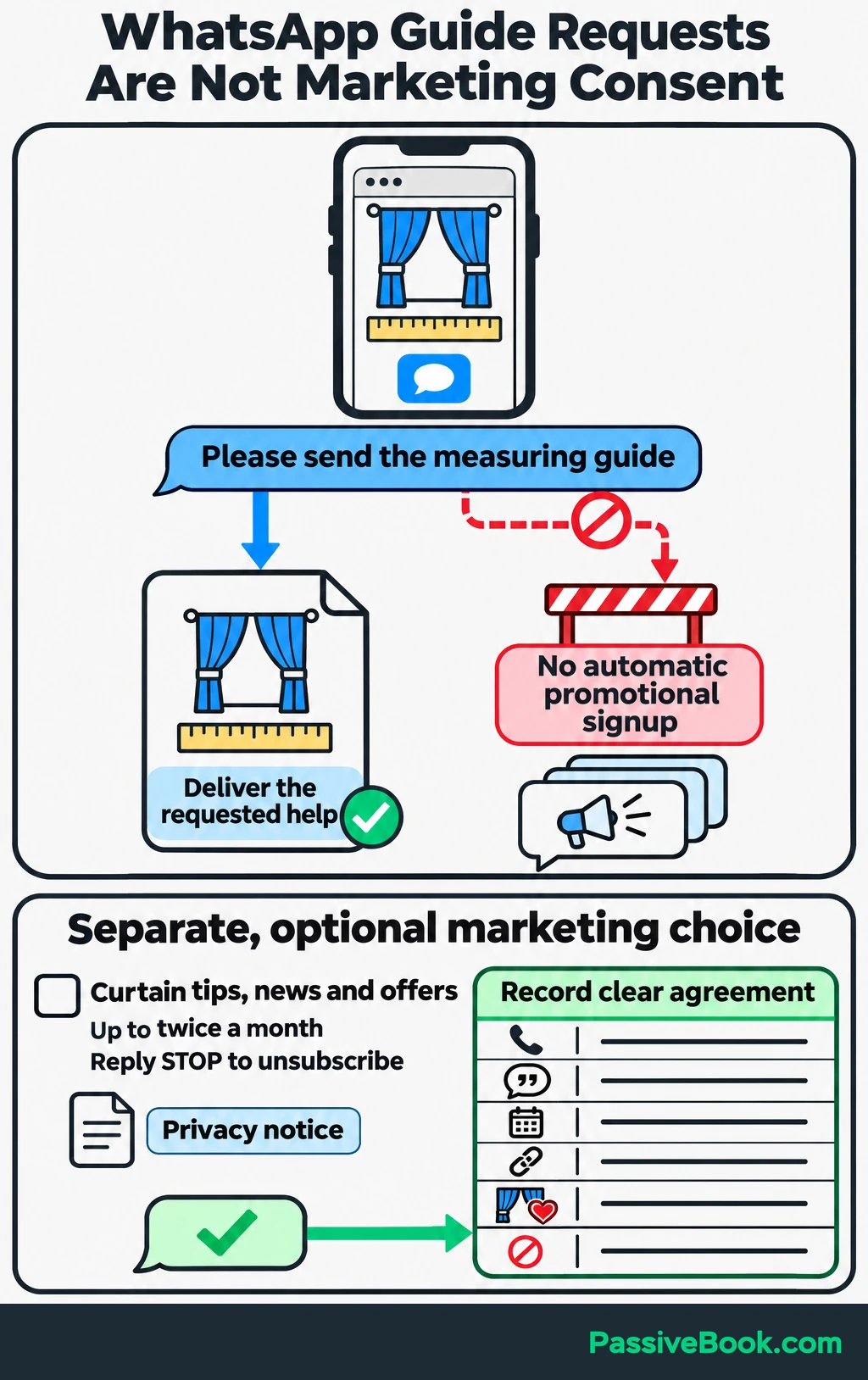
A guide request gives you a reason to deliver the guide. Keep ongoing marketing permission separate. WhatsApp requires opt-in for subsequent messages, respect for opt-outs, and appropriate privacy notices. Breaking its rules can lead to messaging restrictions or lost access. WhatsApp’s permission requirements
Offer an optional signup with clear expectations:
Yes, send me Room Ready curtain tips, product news, and offers on WhatsApp, up to twice a month. I can reply STOP to unsubscribe.
On a form, use a separate, unchecked checkbox. In chat, ask the question and record the customer’s clear agreement. Make your privacy notice available where people sign up.
Keep a simple permission record containing:
- The number and wording agreed to.
- The date and signup source.
- Relevant interests, such as measuring help or a particular product.
- Whether the person has opted out.
A checkout phone number, purchase, or support question alone does not establish promotional permission. Saving your number doesn’t replace it either.
Plan Your First WhatsApp Campaign
Choose one audience, one need, and one desired action before writing messages.
For Room Ready, the audience is interested prospects who requested measuring help. The goal is to help them choose a suitable size and buy. Any later promotional follow-up goes only to people who agreed to receive it.
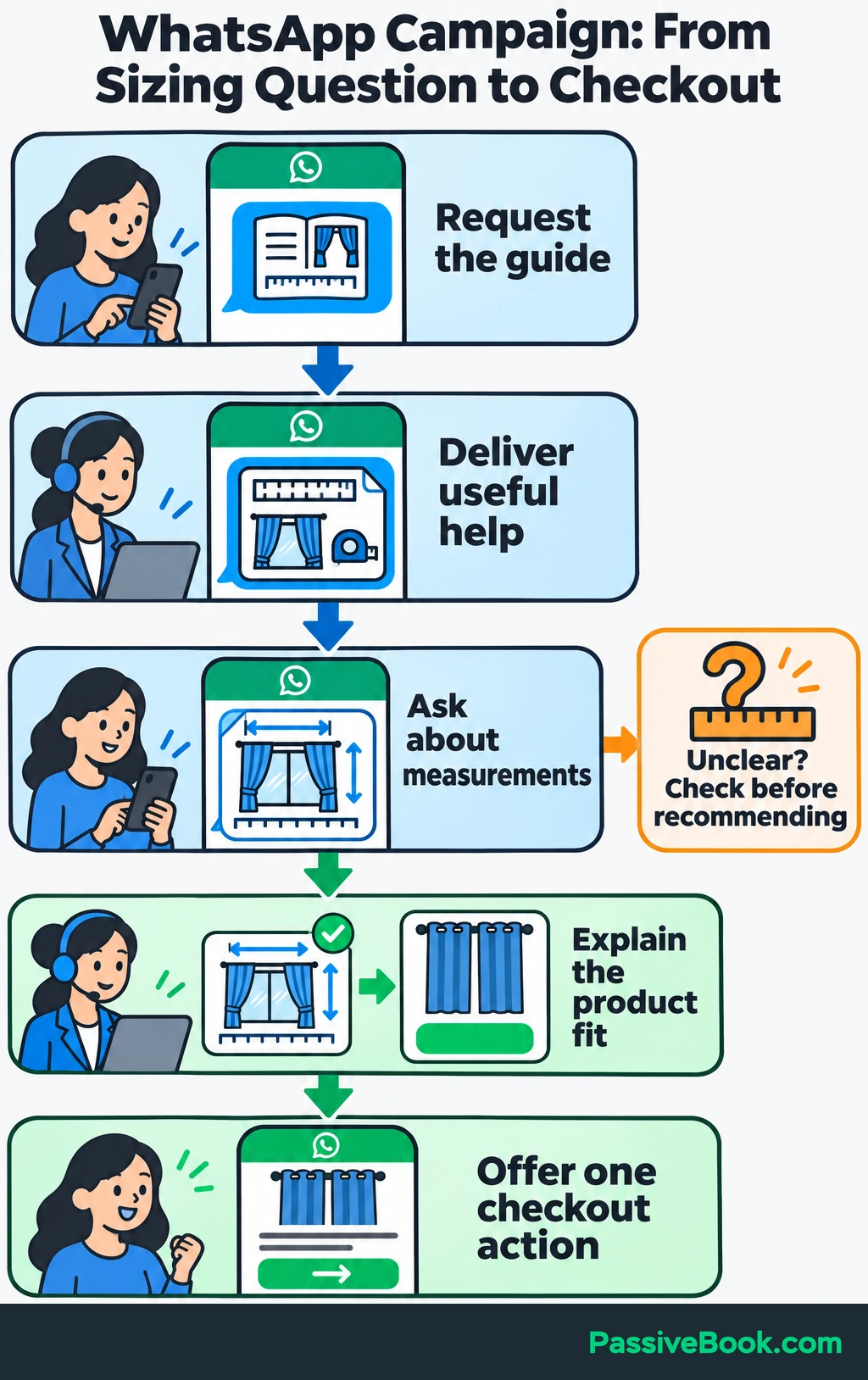
Map the conversation:
Guide request → guide delivery → measurement question → recommendation → checkout.
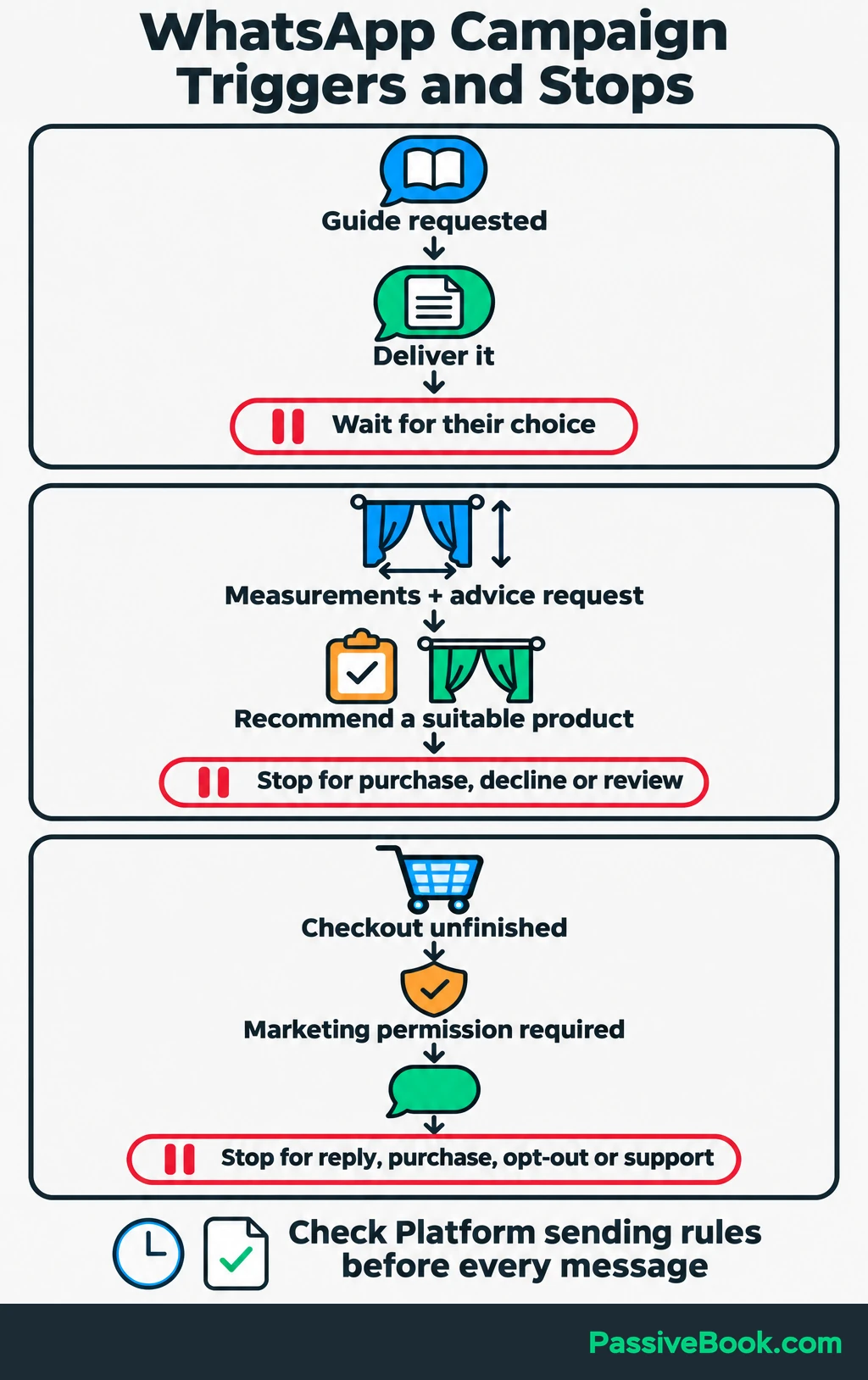
Then decide where it branches or stops. Someone who needs measuring help should receive a different answer from someone asking about delivery.
| Trigger | Eligible Audience | Message Purpose | Next Action | Sending Requirement | Stop Condition |
|---|---|---|---|---|---|
| Customer requests the guide | People who asked for it | Deliver the promised help | Offer help interpreting measurements | On the Platform, reply within the service window or use an appropriate approved template | Guide delivered; wait for their choice |
| Customer shares measurements and asks for advice | People whose needs you can match to a product | Explain the suitable size and price | View the recommended product | Check the Platform window before sending | Purchase, decline, or a question needing review |
| Checkout remains unfinished | Prospects with marketing permission who haven’t purchased | Offer help with the remaining obstacle | Reply or return to checkout | Check sending eligibility; use an approved marketing template outside the Platform window | Reply, purchase, opt-out, or unresolved support issue |
This prevents a useful conversation from becoming a fixed sequence that keeps selling after the customer has already bought.
You can use AI Messaging Studio to draft this conversation around your own products and customer questions. It keeps the helpful replies and the optional marketing signup separate.
Free AI Messaging Studio




Follow the Platform’s 24-hour Rule
On the WhatsApp Business Platform, a customer message opens or resets a 24-hour customer-service window. You can send free-form replies during that window. Outside it, you need an approved message template. Your outgoing message does not restart the clock. Customer-service-window rules
For example, a customer messages at 3 pm on Monday. Without another customer message, the window ends at 3 pm on Tuesday. Sending your own reply on Tuesday morning does not extend it.
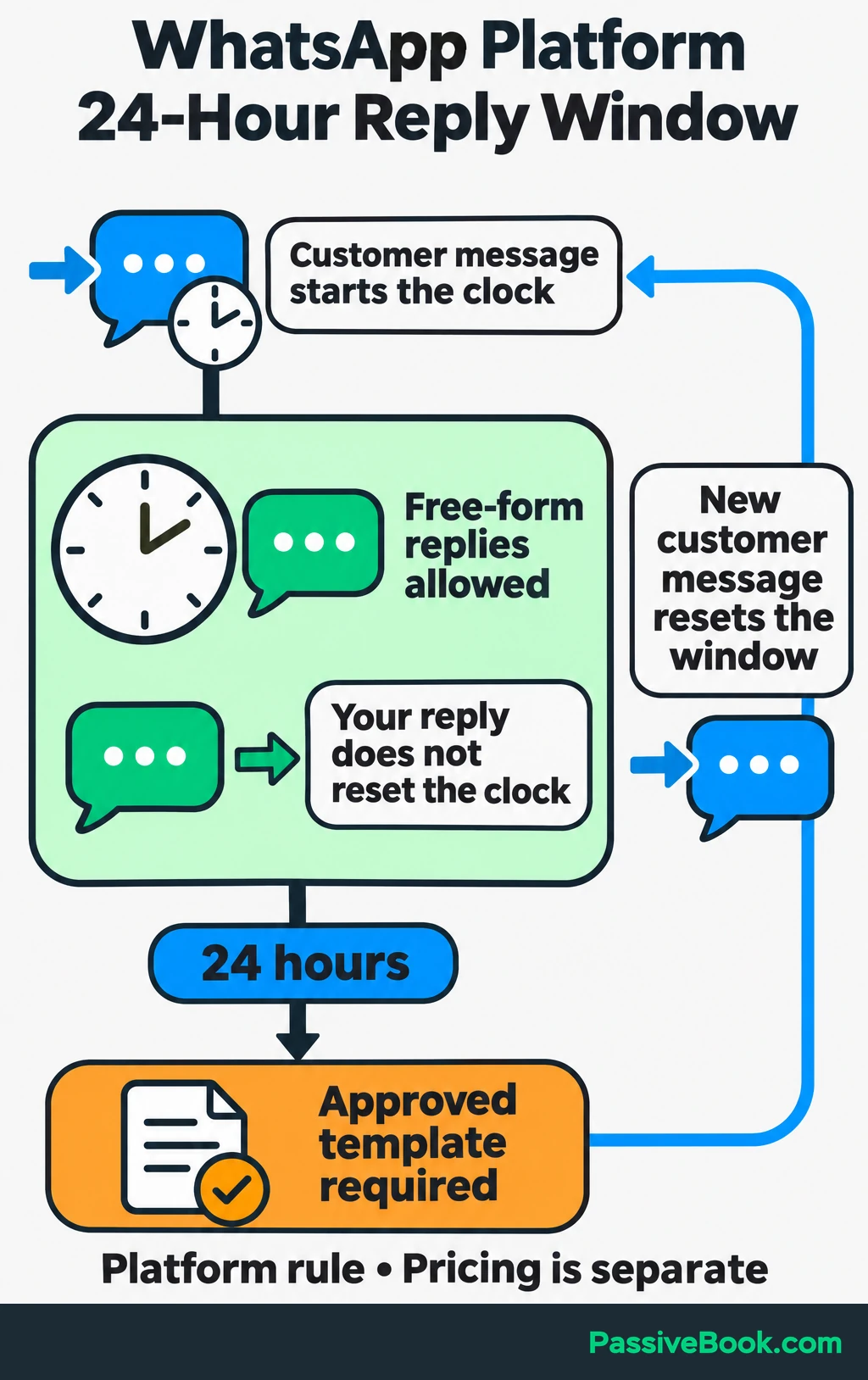
This template requirement applies to the Platform. Keep it separate from the app’s sending features and from the pricing rules covered earlier.
Promotional offers and abandoned-cart reminders belong in the marketing category. Nonpromotional order updates are different; adding a sales pitch changes the message’s purpose. Meta’s message categories
The sample messages below are original copy you can adapt. They are not approved Platform templates. Submit them for approval wherever a template is required, and check recipient eligibility before sending.
Welcome the Lead With Useful Help
Deliver what the person requested before asking them to buy or join a list.
Here is a complete guide-delivery message you can adapt by replacing the link:
Hi, here’s the Room Ready measuring guide you requested: [guide link].
Would you like help matching your measurements to a curtain size?
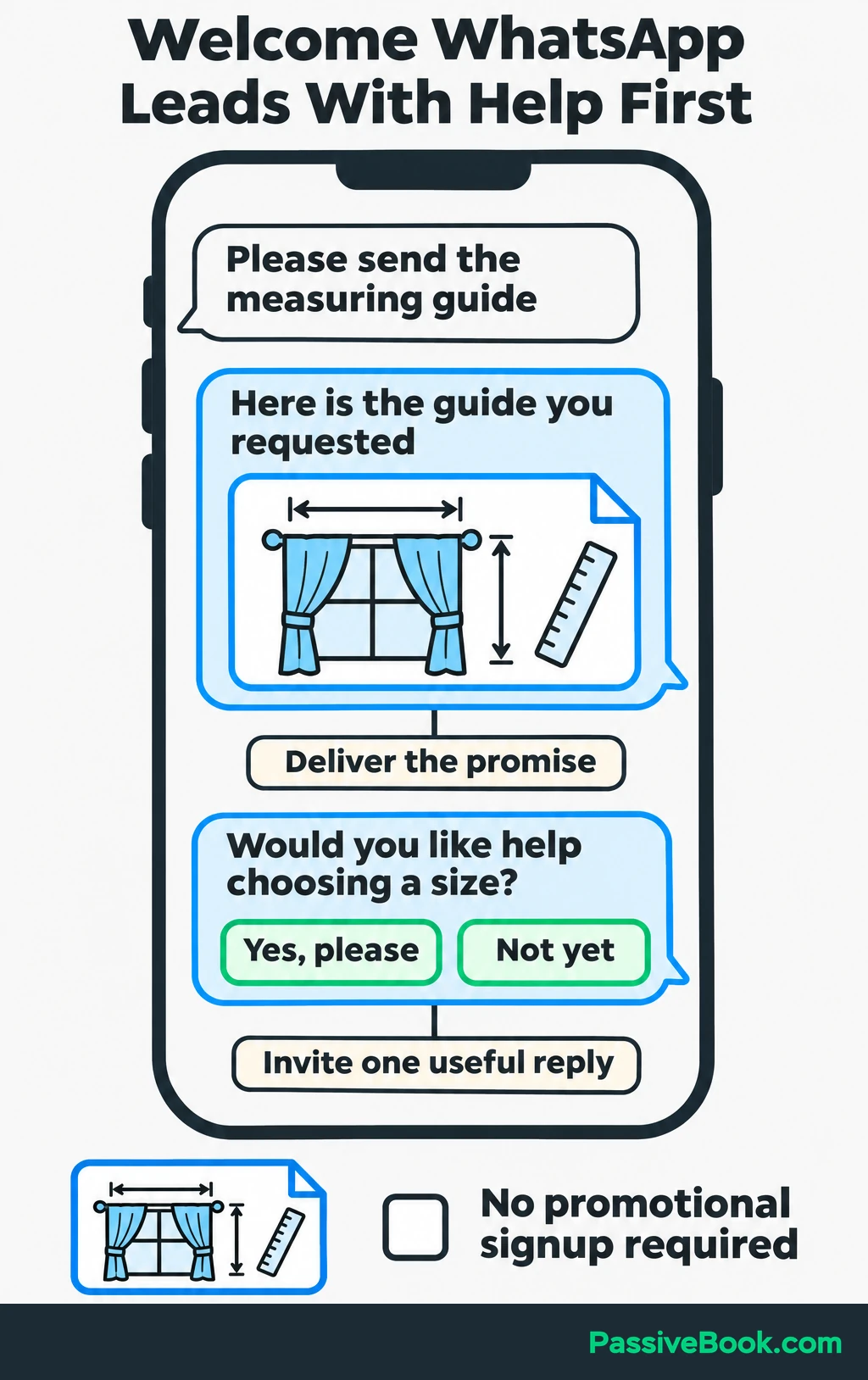
If they say yes, ask one useful question:
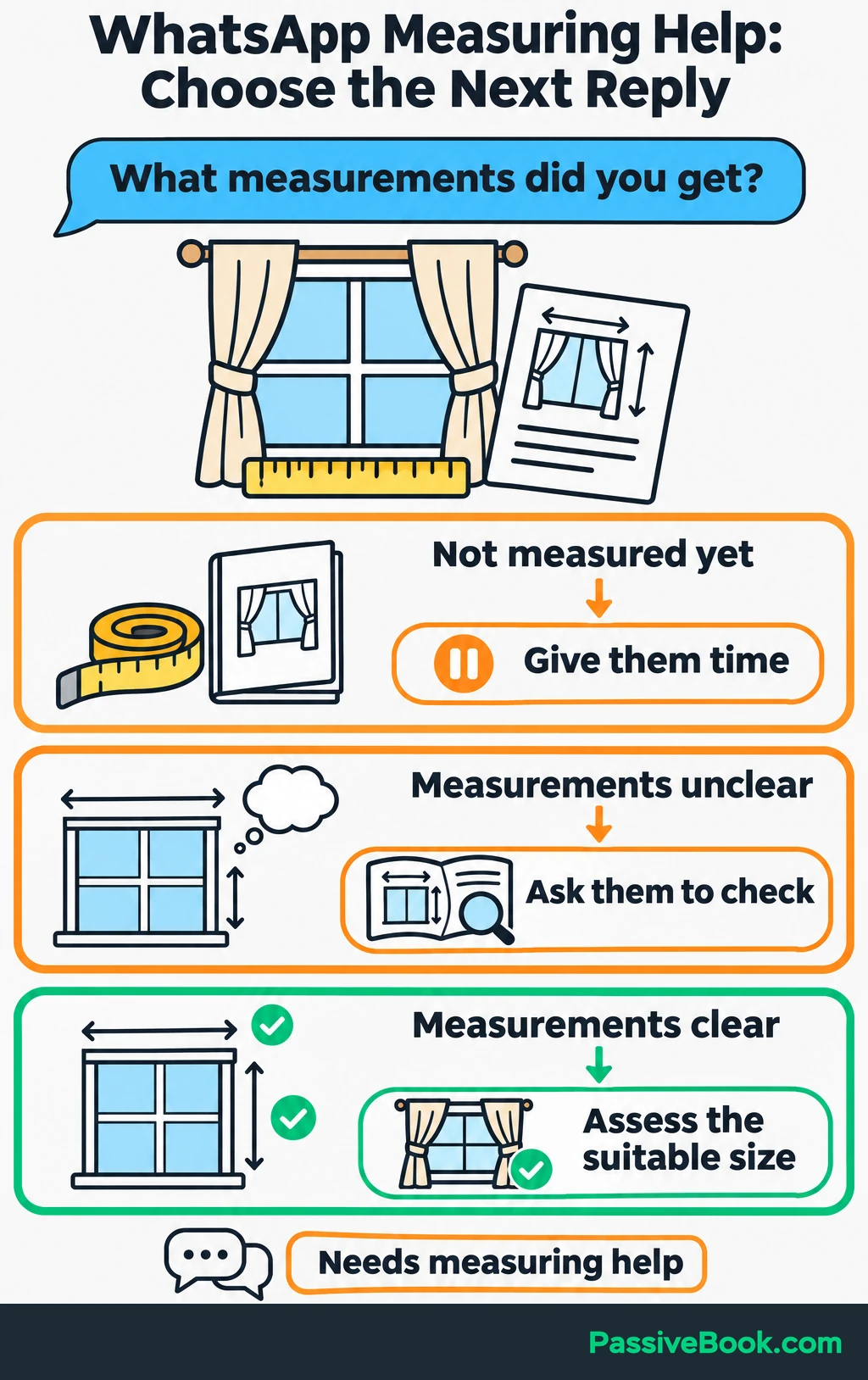
What measurements did you get using the guide?
That answer determines what comes next. If they haven’t measured yet, let them do it. If something looks unclear, ask them to check it before recommending a size.
Keep promotional signup separate from this exchange. The customer should be able to receive the guide without agreeing to future offers.
For your own inbox, update the conversation to “Needs measuring help” while the question is open. That gives you a useful place to resume when they reply.
Recommend an Offer That Fits the Conversation
A recommendation should explain why the product fits what the customer told you. Repeating the catalog description leaves them doing the same work they came to you to avoid.
Use their measurements, preferences, and questions to write something like:
Based on the measurements you shared, [size] matches our measuring guide. The [color] curtains cost $40 per pair, including two panels.
You can check the fabric, delivery details, and order here:
.
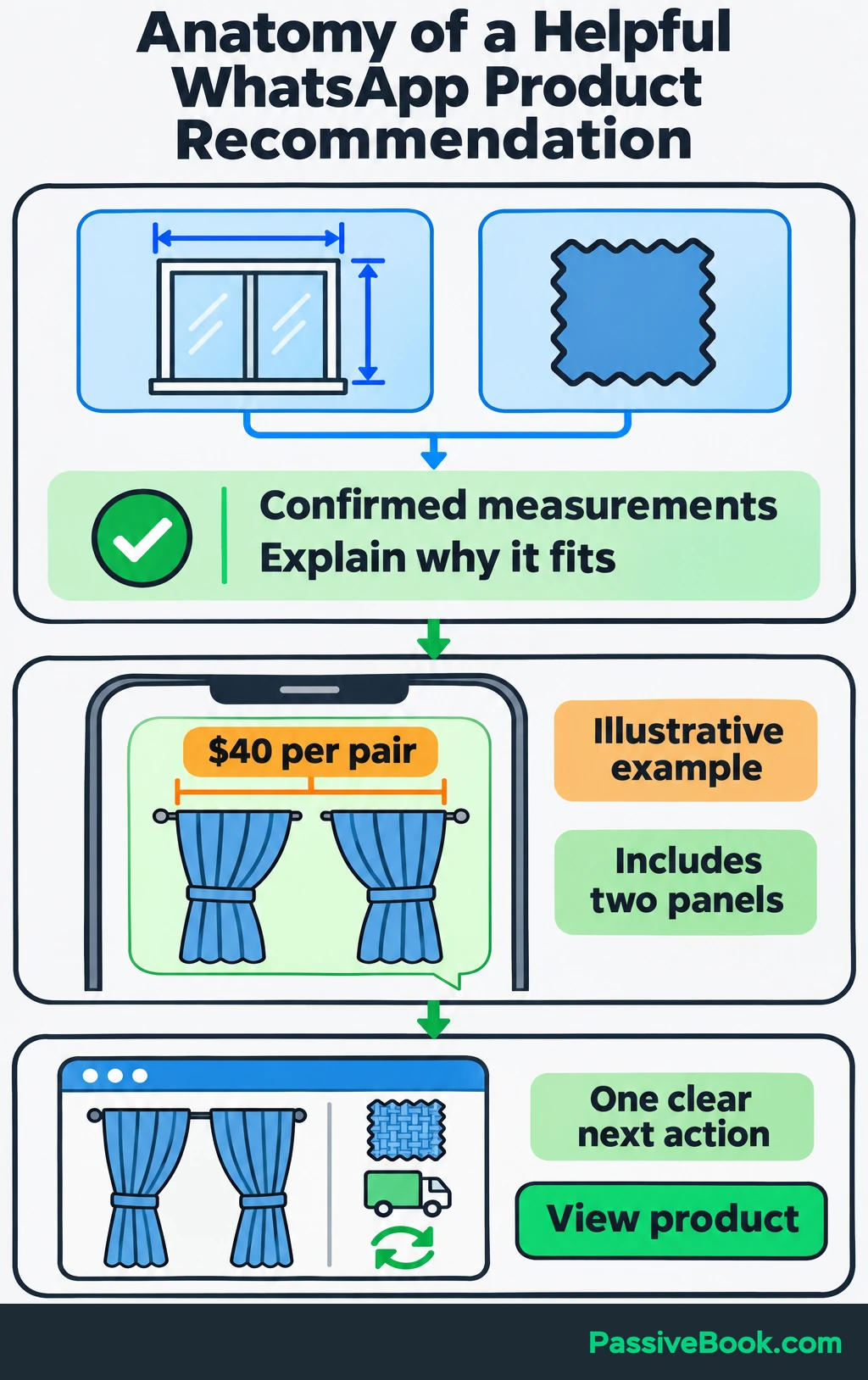
Replace the details with accurate information from your store. If the measurements don’t clearly match, resolve that before suggesting a purchase.
A product photo can help answer a fabric or color question. A short demonstration can clarify a measuring step. Send media when it answers the question in front of you.
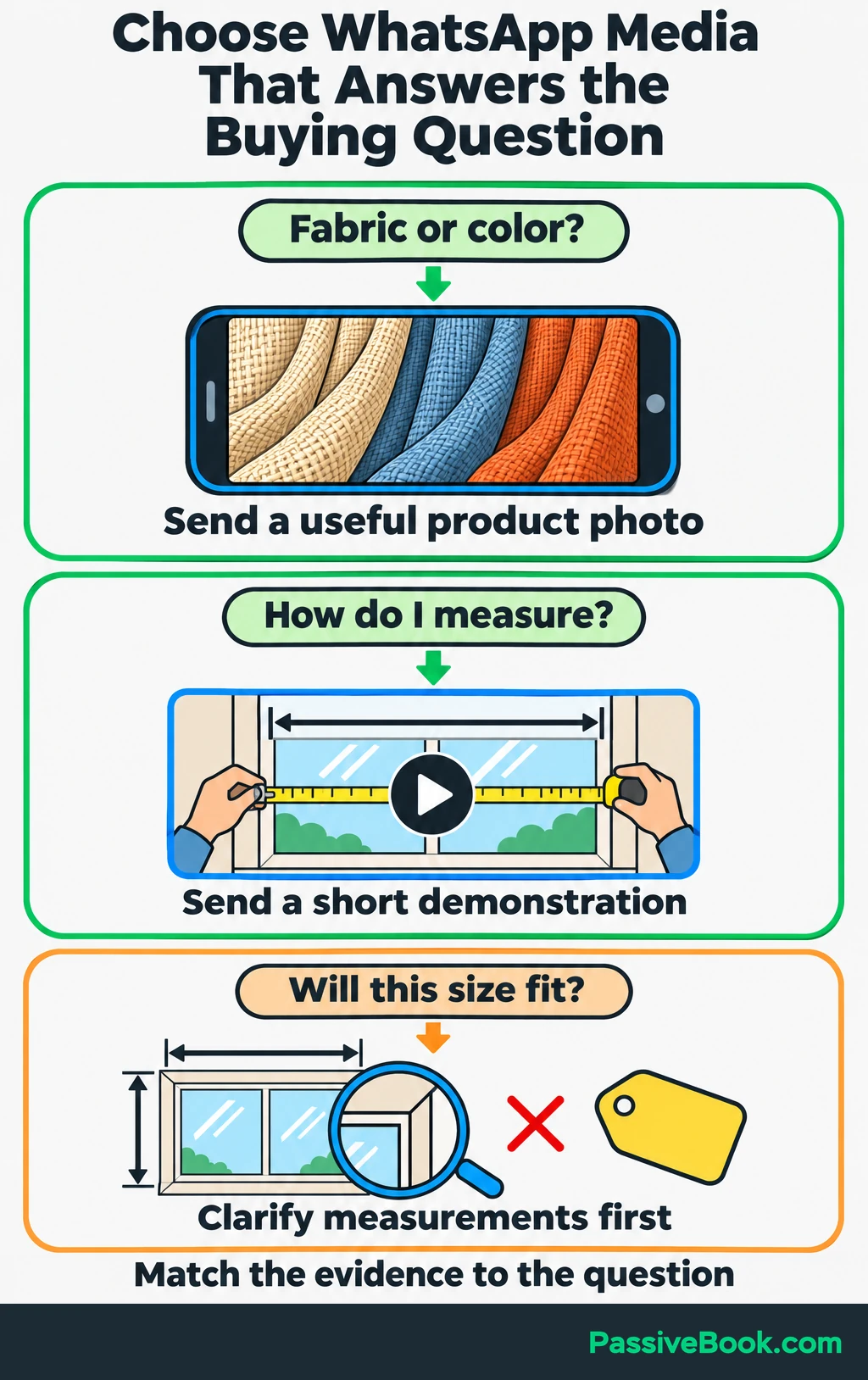
Give each message one main action. If the customer asks whether the price covers a pair, answer that directly before sending the checkout link again.
I would skip an automatic discount at this stage. A lower price won’t tell someone whether the curtains will fit.
For a puppy-care ebook, ask what the buyer needs help with and share sample pages that address that problem. For a service, use their answer to decide whether to recommend a booking.
Follow up on an Unfinished Purchase
For eligible prospects with marketing permission, send one reminder that offers help:
Still deciding on your Room Ready curtains? If measuring is holding things up, reply SIZE and we’ll help.
Or continue checkout here: [checkout link].
Reply STOP to stop offers.
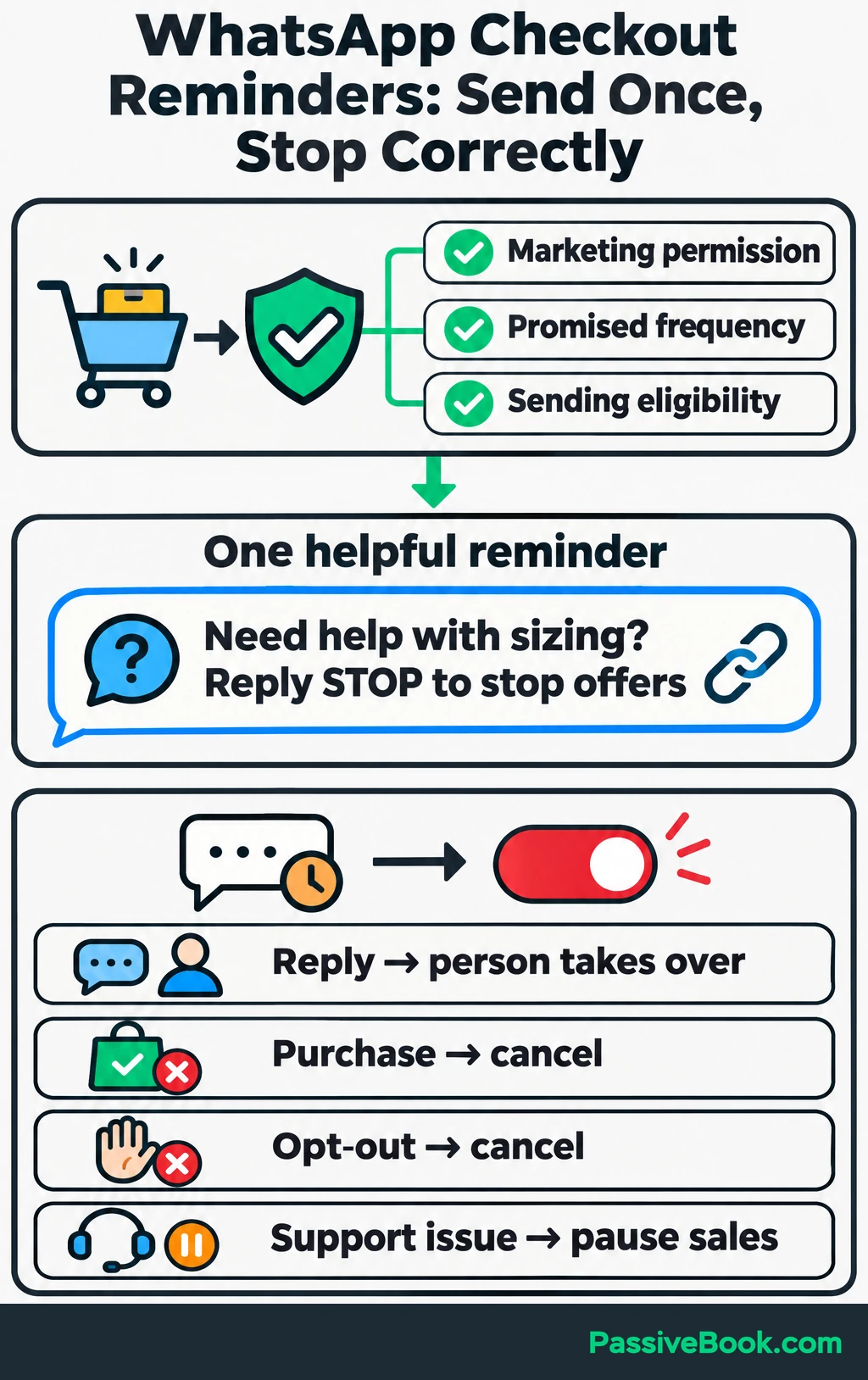
Choose a delay that gives the person time to decide and fits the frequency you promised. A same-day recommendation followed by several reminders is a lot of attention for a pair of curtains.
Cancel the reminder after a purchase or opt-out. Pause sales follow-up while a support problem is unresolved, and stop the reminder sequence when someone replies so a person can handle the conversation.
Send the Campaign and Turn Replies Into Sales
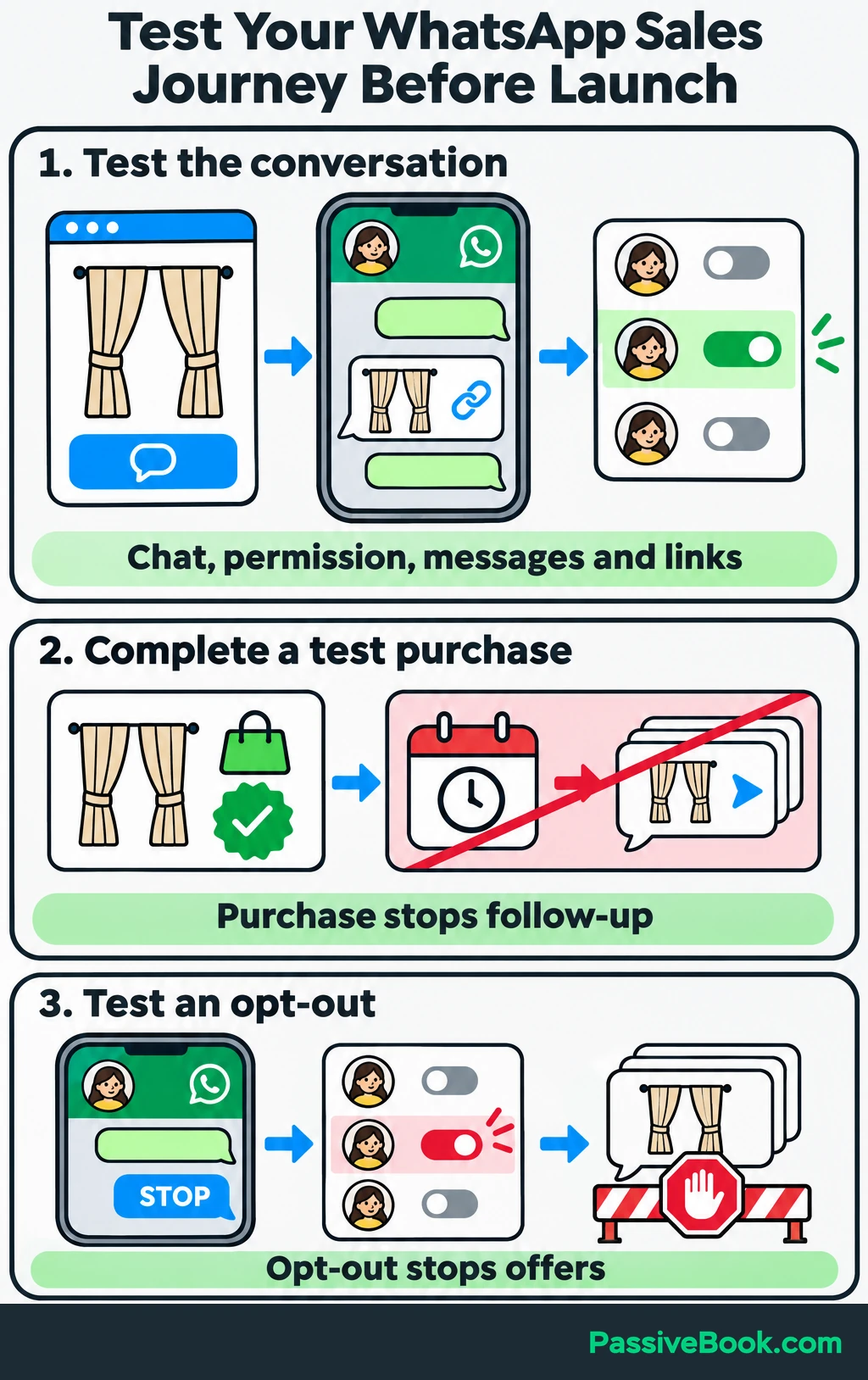
Test the full journey with a test contact before sending anything widely.
Check that the invitation opens the right chat, permission gets recorded, messages display properly, and links reach the right pages. Complete a test purchase and confirm that it stops follow-up. Test an opt-out too.
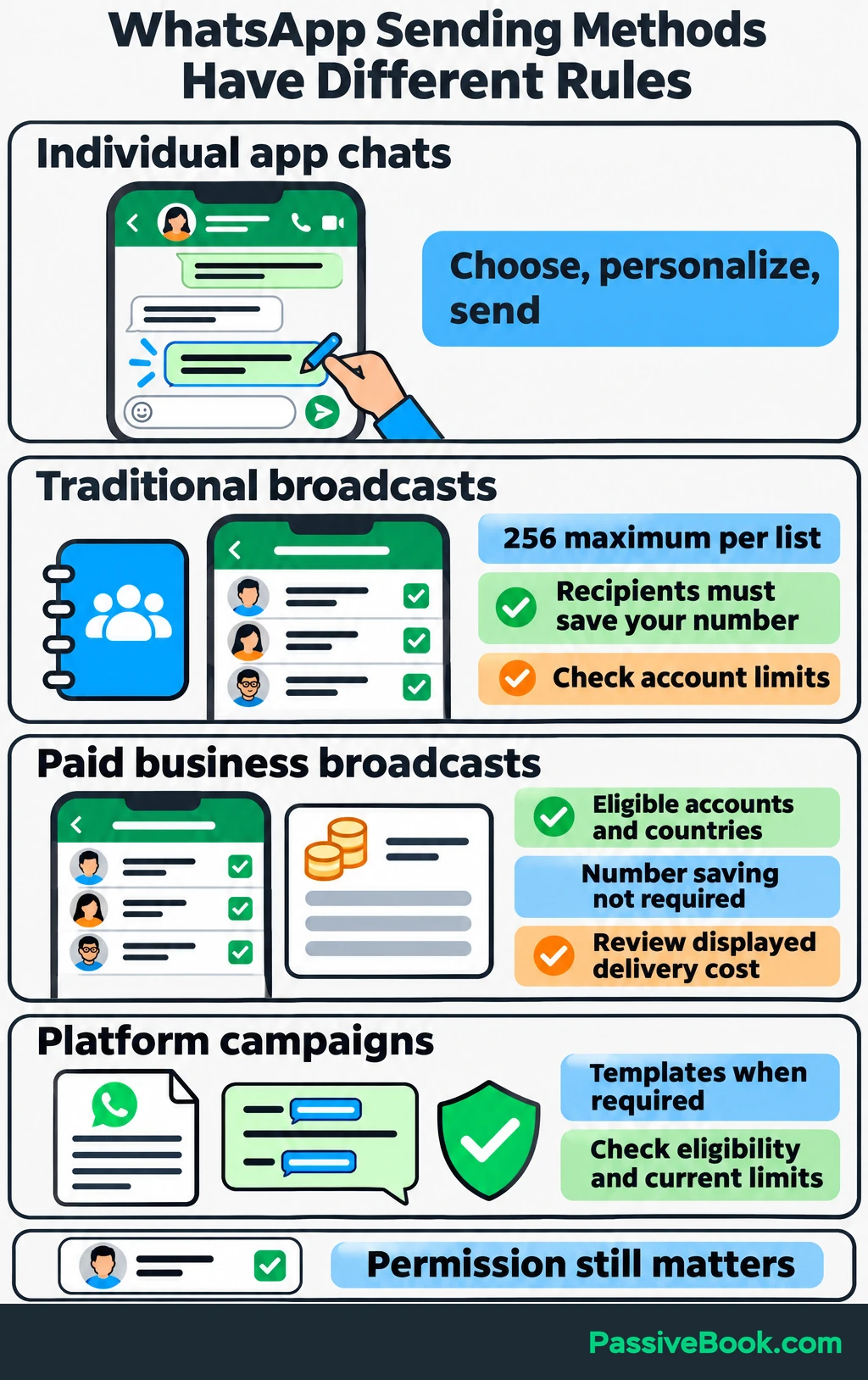
Your sending method changes the final checks:
- Individual app conversations: Choose a saved reply based on the customer’s answer, then adjust it before sending.
- Traditional broadcast lists: Include no more than 256 contacts per list, and recipients must have saved your number. Check any additional limits shown in your account. Traditional broadcast requirements
- Paid business broadcasts: This separate app feature is available to eligible users in selected countries and can reach people who haven’t saved your number. Review the audience and displayed cost before sending; charges depend on delivery and recipients’ country codes. Business broadcast pricing
- Platform campaigns: Confirm template approval where required, correct personalization, recipient eligibility, and your account’s current sending limits.
Start with a batch small enough that you can answer the replies during your stated hours.
As messages arrive, identify the buying question, answer it, and recommend the relevant product. Record the result so you don’t return tomorrow and start selling from the beginning.
Pause expansion if delivery failures, opt-outs, or unanswered chats rise. Repeated questions also tell you what to improve on the product page. If everyone asks whether the price covers two panels, fix the page and the saved reply.
Automate the Repeatable Follow-up
Run the conversation manually first. You need to see the common questions and stopping points before turning them into rules.
The app’s greetings and away messages cover basic automatic responses. Saved replies make manual answers faster. Move to connected Platform automation when store events need to trigger messages or update customer records.
I use n8n, a tool that connects apps and runs workflows, for broader business automation. In that work, I used to map the successful path first and leave exceptions for later. Then I found myself checking completed runs by hand because “finished” didn’t always mean the job was done. I now write down the stopping rules before connecting tools.
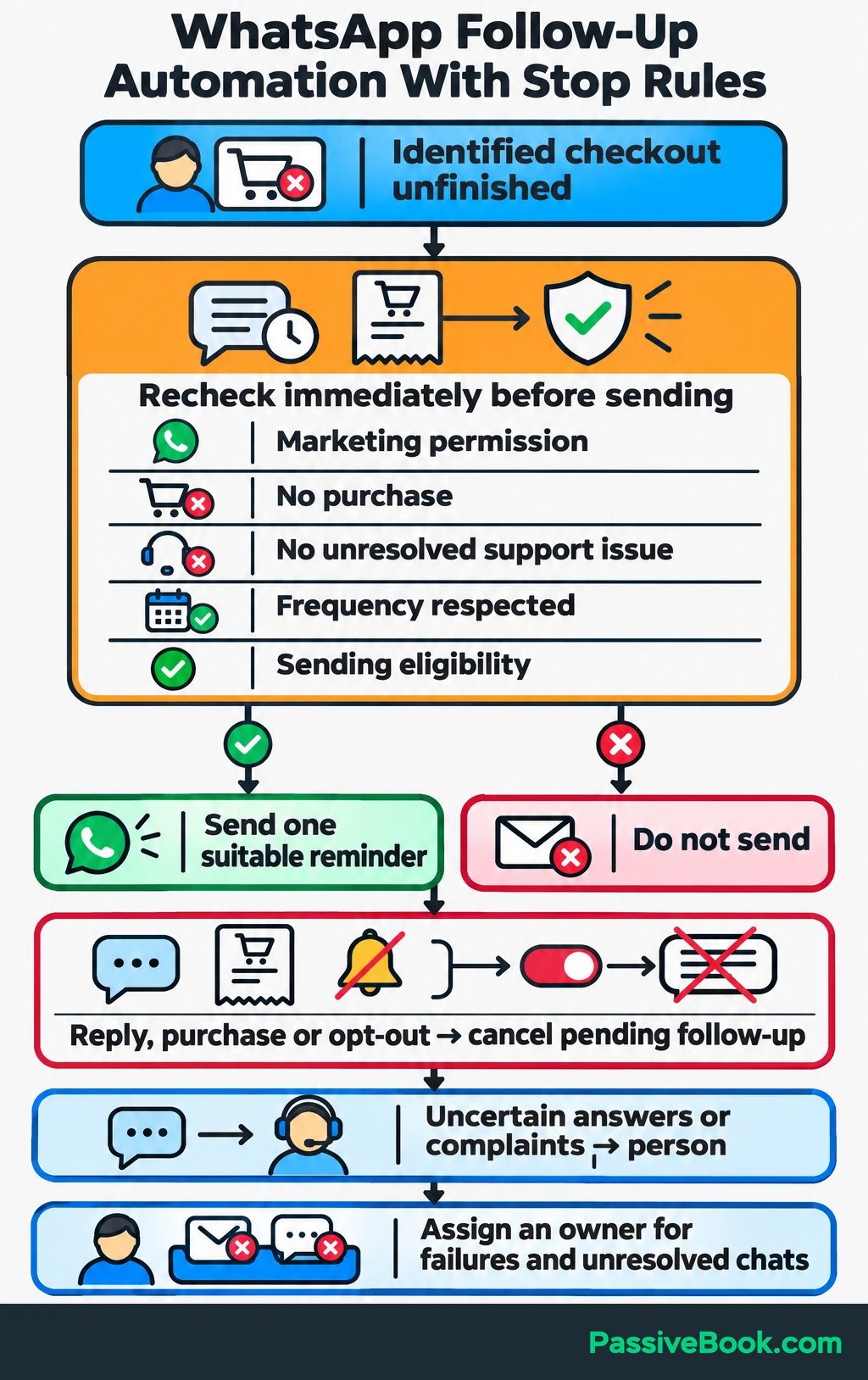
That is the approach I would bring to WhatsApp. Define each automation as:
Trigger → eligibility checks → action → stop condition.
For Room Ready, that becomes:
- An identified customer leaves checkout unfinished.
- Check marketing permission, purchase status, support status, frequency, and sending eligibility.
- Send one suitable reminder.
- Cancel any pending follow-up after a reply, purchase, or opt-out.
Check eligibility immediately before sending, even if the message was scheduled earlier. A customer may buy while it waits.
Route uncertain answers and complaints to a person. Platform automation must provide a prompt, clear way to escalate, such as human help in chat or a support contact. WhatsApp’s automation requirements
Test cancellation and opt-outs as carefully as delivery. Also assign someone to review failed sends and unresolved conversations. Automation still needs an owner.
Measure Whether WhatsApp Earns Its Time and Cost
Start with buying conversations and orders.
For Room Ready, a qualified lead could be someone who shares measurements and asks for a product recommendation. Define that before reviewing results so “qualified” doesn’t quietly become “anyone who replied.”
Add tracking tags, called UTM parameters, to the website links you send in WhatsApp. These tags identify the source and campaign in your website analytics so you can match visits with store order records. If someone buys through another route, record the connection only when you can establish it. Count each order once.
A simple tracking sheet can use these columns:
| Sheet Column | What to Record |
|---|---|
| Campaign | “Measuring-guide follow-up” |
| Segment | Opted-in prospects who requested the guide |
| Delivered recipients | Unique people who received the campaign message |
| Unique responders | Recipients who replied during the chosen measurement period |
| Qualified leads | Recipients who shared measurements and requested a recommendation |
| Unique buyers | Recipients who placed at least one attributed order |
| Attributed revenue | Order revenue after recorded discounts and refunds |
| Campaign costs | Messaging, provider fees, and allocated handling costs |
| Handling time | Time spent preparing, answering, and reviewing the campaign |
Choose a measurement period, such as seven days after delivery, and keep it consistent. Count responses and purchases from the same group of delivered recipients during that period.
The useful rates are:
- Reply rate = unique responders ÷ delivered recipients × 100.
- Purchase rate = unique buyers ÷ delivered recipients × 100.
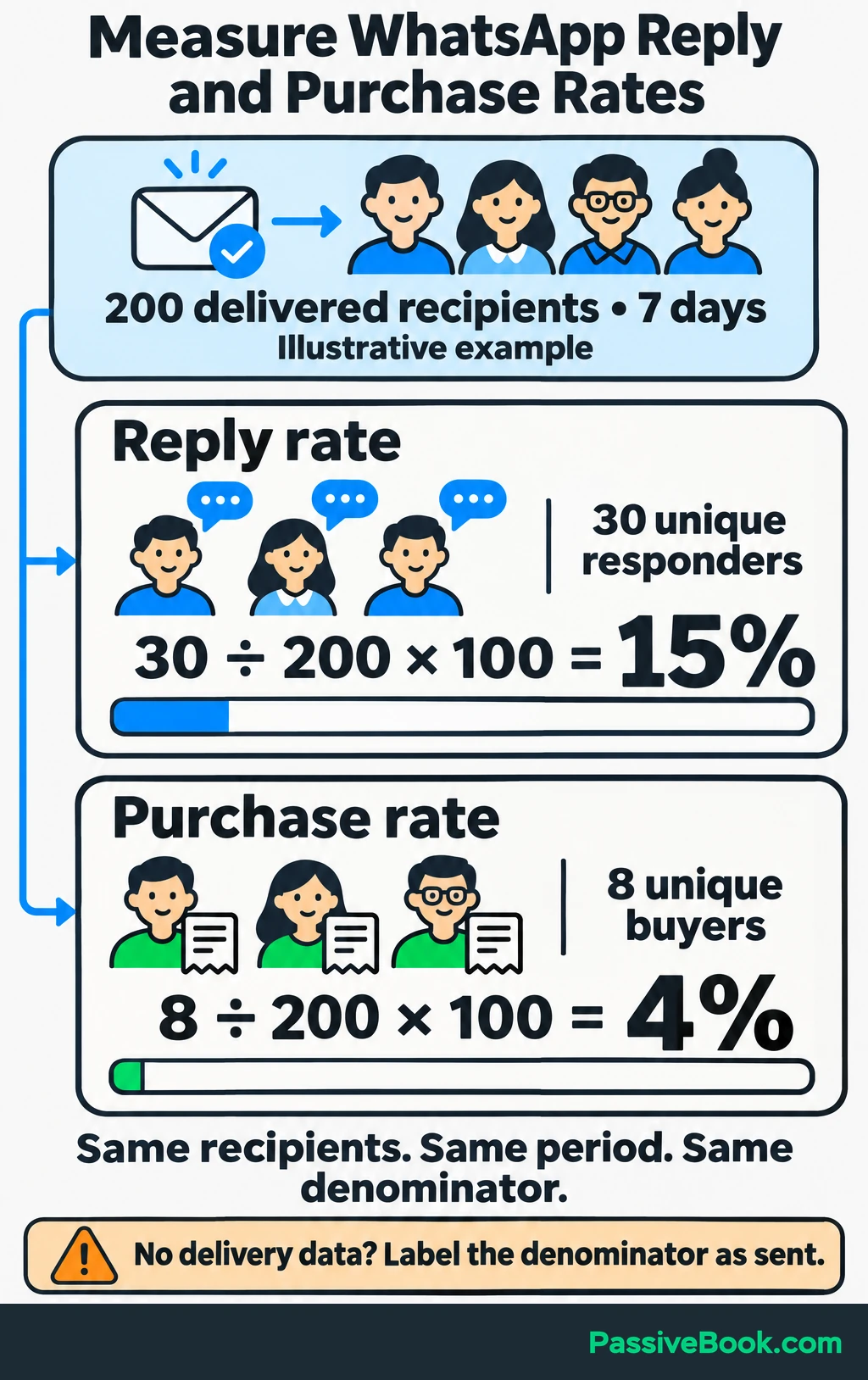
If delivery data is unavailable, use “recipients sent a message” as the denominator and label it clearly. Don’t switch between sent and delivered figures when comparing campaigns.
For an illustration, suppose 200 people receive the campaign message. Within seven days, 30 reply and eight buy:
| Measure | Calculation | Result |
|---|---|---|
| Reply rate | 30 ÷ 200 × 100 | 15% |
| Purchase rate | 8 ÷ 200 × 100 | 4% |
Now count what those orders leave after costs.
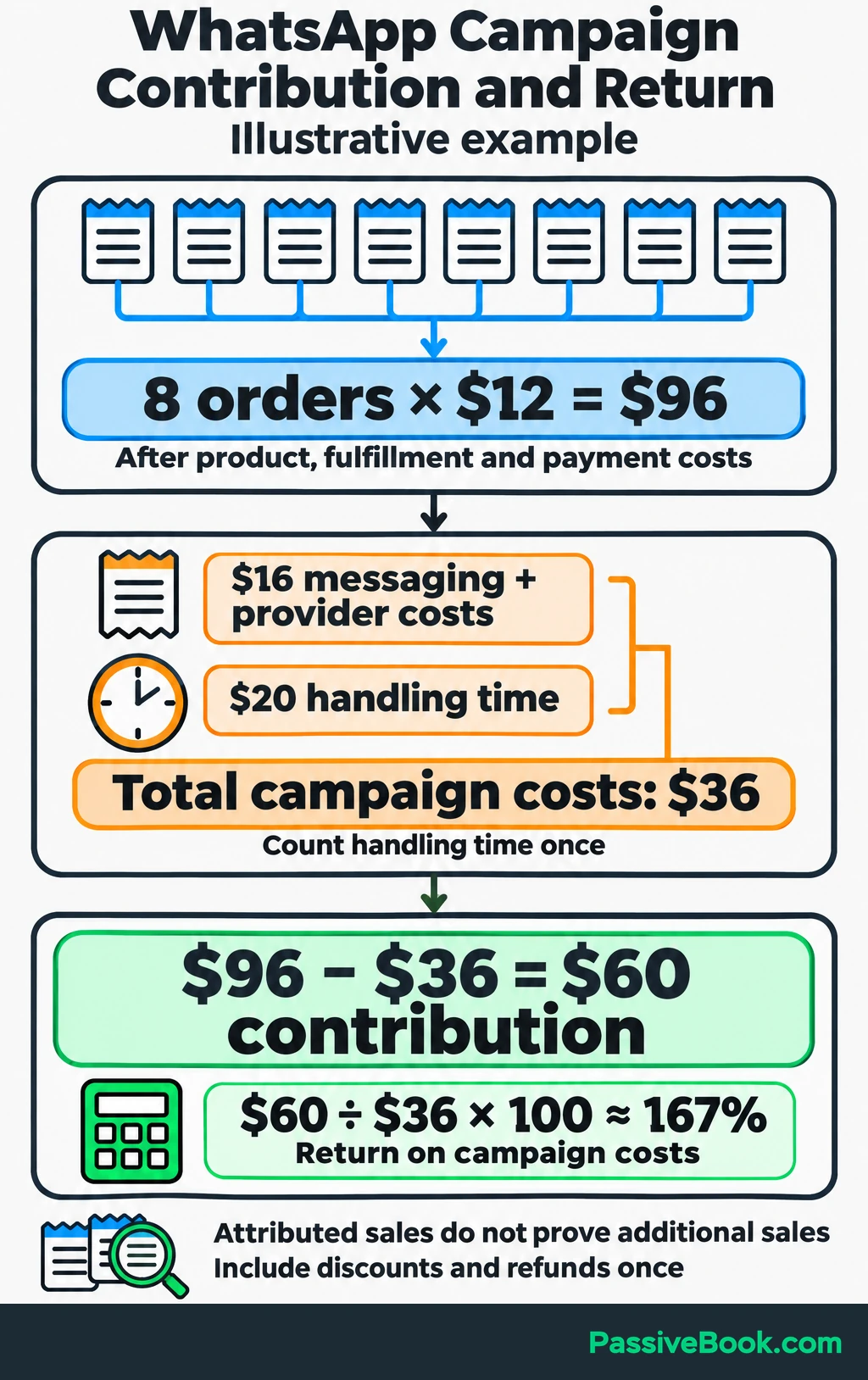
Suppose each $40 order leaves $12 after product, fulfillment, and payment costs. Eight orders contribute $96 before campaign costs. Messaging and provider costs total $16, and one hour of handling time valued at $20 brings campaign costs to $36.
That leaves:
$96 − $36 = $60 in campaign contribution.
The return on those campaign costs is:
$60 ÷ $36 × 100 ≈ 167%.
Deduct discounts and refunds too, unless they are already removed from revenue. Count handling time once; it shouldn’t appear as both a separate deduction and part of campaign costs.
These are attributed results. They don’t prove WhatsApp caused eight additional purchases, because some customers might have bought anyway.
Use the results to choose the next change:
- Few people start chats: make the invitation more specific or place it beside the relevant question.
- Few recipients reply: check whether the message matches their interest and asks an easy question.
- Useful conversations produce few sales: investigate product objections, delivery terms, and checkout problems.
- Sales leave little contribution: reduce handling work or reconsider the offer before sending more messages.
I would expand only when the contribution and reply workload both justify it. A full inbox is easy to mistake for progress.
What Next?
Write one WhatsApp invitation for the question customers ask most often, then place it beside the relevant product information. Test the conversation through to checkout before inviting more people.
Use the social buttons to share this guide when you want to turn a discussion about WhatsApp into a practical campaign.
Which buying question would your first WhatsApp conversation help resolve? Share your answer in the comments, and bring any other questions about setting it up.
Share this post with your friends & followers:

