You can show a product from every angle on a sales page and still get the same question: “Will this work for me?” Live video gives you room to answer, demonstrate, and let viewers ask the follow-up you didn’t expect.
But broadcasting takes time, and an active chat doesn’t tell you whether anyone will become a customer. This guide helps you judge whether likely buyers are on Twitch and choose broadcasts, creator partnerships, or ads that give them a clear route to your offer, so you can test whether sales justify the time and money.
Find Likely Customers on Twitch
Start with a buying question you can help someone answer live. Then look for communities where that question belongs.
Twitch includes creative work, cooking, education, and conversation alongside gaming. Its content category guidance shows that range, but a suitable category is only a starting point. You still need evidence that prospective customers participate there.
Throughout this guide, imagine you run an online shop selling handmade dog bandanas. The shop, sample copy, and campaign figures are illustrations.
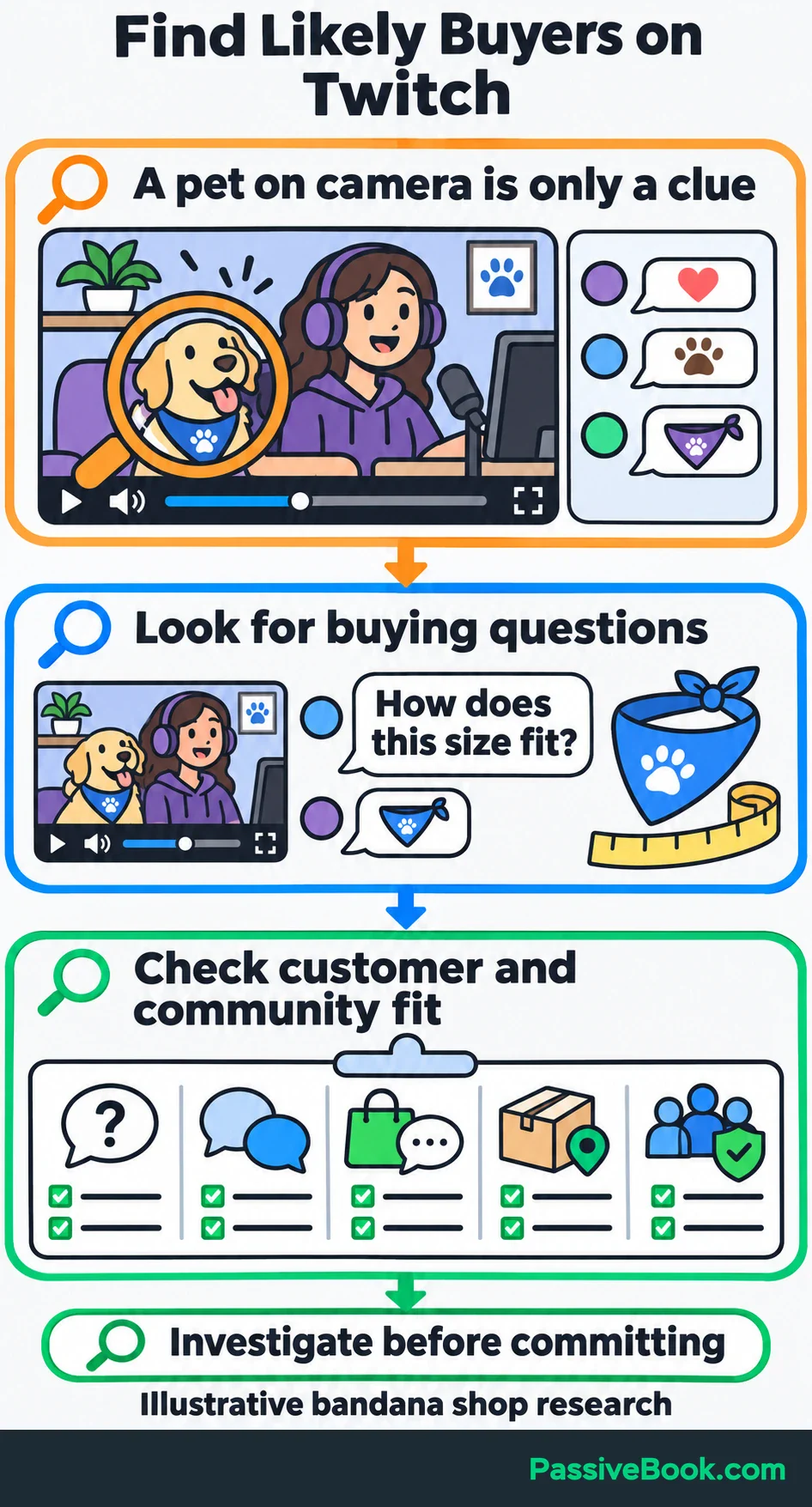
Your research question might be: Do viewers discuss dog accessories, confusing size charts, or personalized pet gifts?
Search relevant terms, browse categories and tags, and watch several creators at the times you could realistically stream. Keep a short research sheet:
| What to Record | Useful Evidence for the Bandana Shop |
|---|---|
| Recurring questions | Viewers ask how a particular accessory fits or whether it can be personalized |
| Audience language | People describe wanting a gift, matching colors, or a clearer size comparison |
| Buying context | The creator discusses pet purchases and viewers ask practical product questions |
| Customer location | Available audience information suggests viewers live where you ship |
| Community fit | Product demonstrations fit the conversation and promotional rules |
A dog appearing on camera is a reason to investigate. It isn’t proof that the audience wants dog accessories.
I would choose Twitch when viewers’ questions make the demonstration more useful and I can identify a relevant community. If neither is true, I would put the time into a channel where people already look for the product.
Choose Your Marketing Approach
You have three main ways to reach people on Twitch. Choose one for your first test so you can see what the work produces.
| Approach | Best Use | Work Required | Costs to Budget | Primary Business Outcome |
|---|---|---|---|---|
| Your own channel | Answer recurring buying questions and build direct relationships | Prepare, host, moderate, promote, and follow up | Your time, plus any missing audio or demonstration equipment | Relevant email leads or product sales |
| Creator partnership | Reach an established community with a suitable offer | Research creators, agree on a segment, supply products, and review results | Negotiated fee, samples, shipping, and reuse rights | New customers from a specific placement |
| Paid ads | Purchase reach for a defined offer | Produce the ad, configure the campaign, and monitor delivery | Media, creative production, and management | Awareness, leads, or customers, depending on the objective |
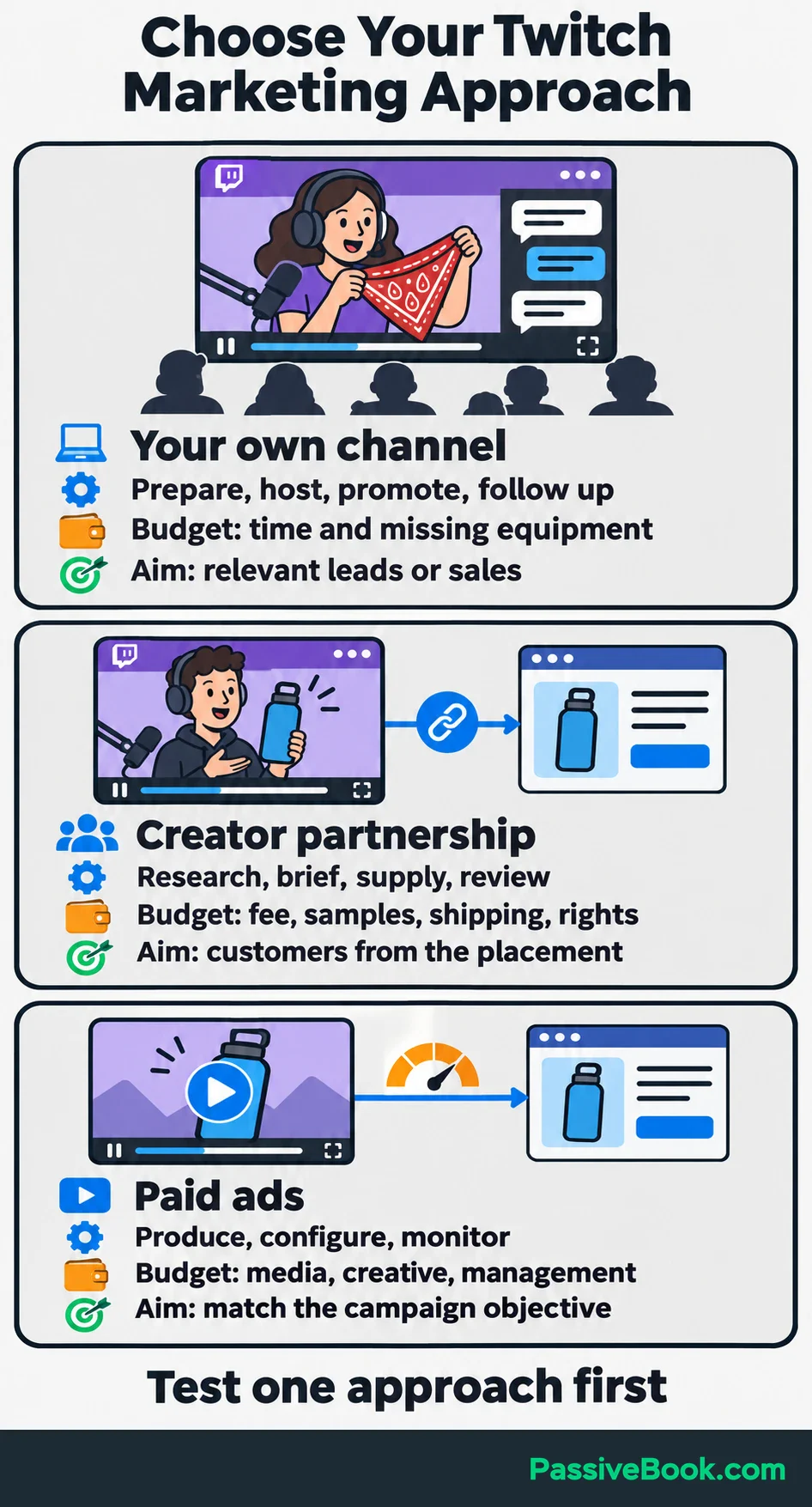
For a small budget, I would start with your own broadcasts if you already have people to invite. A focused creator partnership may make more sense when the relevant audience belongs to someone else and you don’t want to host.
Set limits before starting. For example, test four weekly broadcasts using existing equipment, with no paid promotion and a maximum of three working hours per week. Review results after the final stream’s follow-up has finished. These are planning limits, not expected performance.
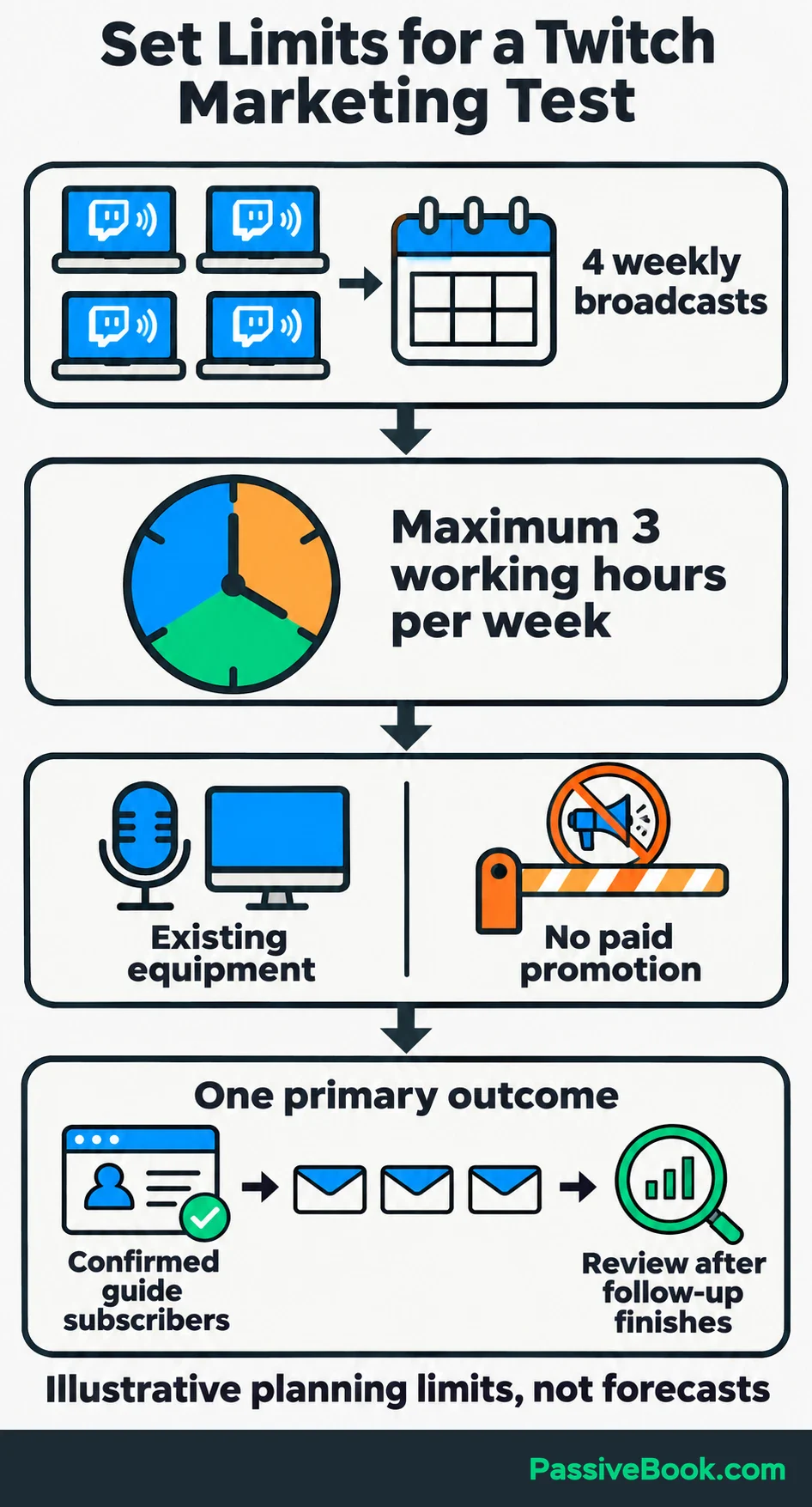
Choose one primary outcome, such as confirmed email subscribers requesting your sizing guide. Track sales too, but don’t keep changing the definition of success halfway through.
Also keep business sales separate from paid Twitch subscriptions, Bits (virtual goods viewers buy to support streamers), and creator advertising payouts. Those are ways to earn from a channel. Your marketing test asks whether Twitch brings customers to your offer.
Build a Path From Viewer to Customer
Match the Next Step to the Stream
Give viewers a next step that helps them use what you just showed.
If they need help choosing, offer a useful guide. If they are ready to buy, link directly to the product you demonstrated. Sending everyone to a general homepage makes them repeat the search.
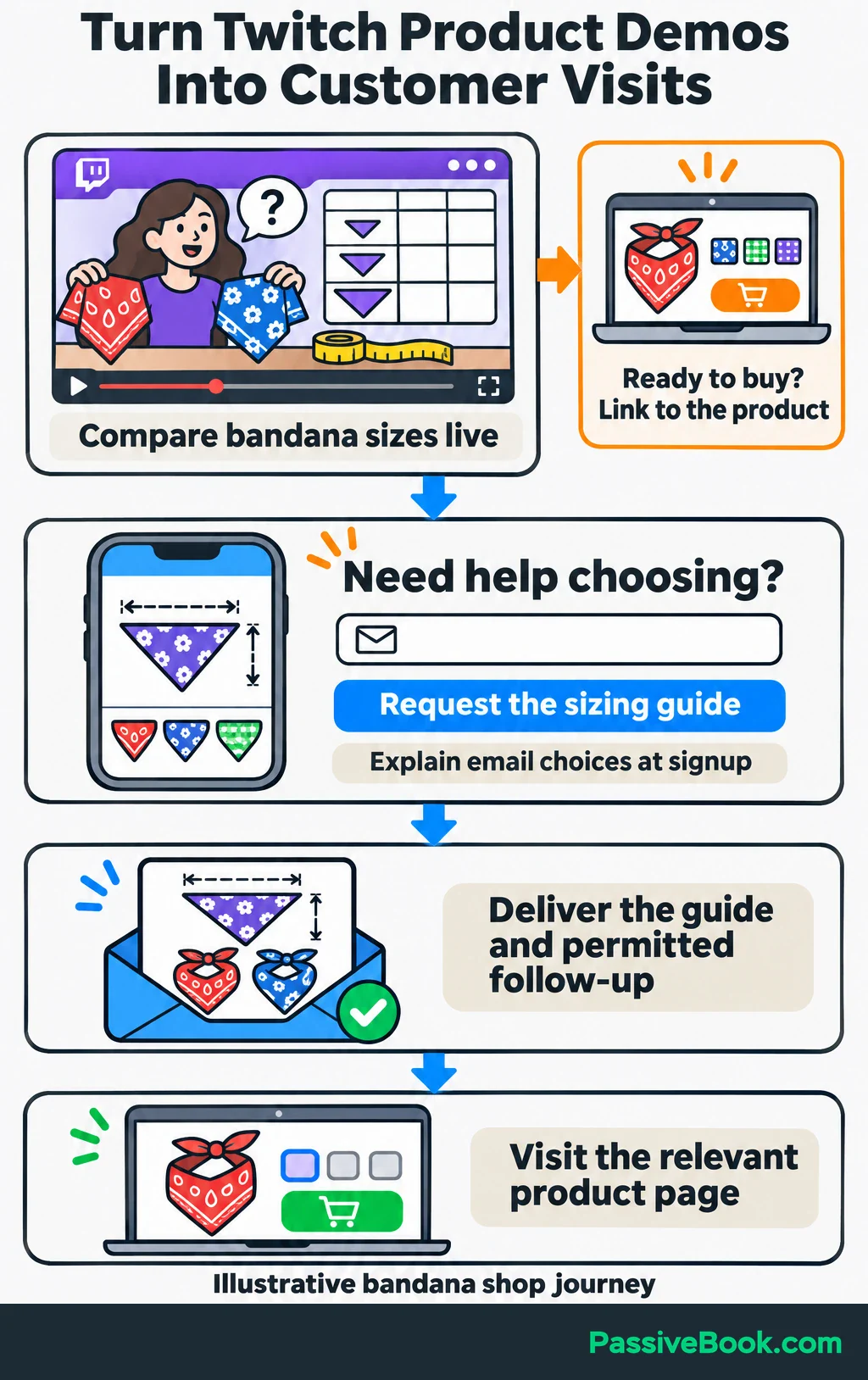
For the bandana shop, the path could be:
- A stream compares two bandana sizes and shows how to read the shop’s chart.
- Viewers request a free sizing guide.
- Follow-up emails answer a common sizing question and show the featured bandanas.
- Interested subscribers visit the relevant product pages.
Build one focused landing page for the guide. Explain what it helps people do, show a preview, and give it one primary action: request the guide. Test the page, signup, delivery email, and checkout on your phone before promoting anything.
On WordPress, I would use the existing site with Fluent Forms for signup and FluentCRM for follow-up. If you already have working email software, keep it. A Twitch experiment doesn’t need its own software collection.
Place the link in a channel information panel and share it in chat when it becomes useful. Say and display a short, memorable address too. A command such as !sizes only works after you configure a chatbot to answer it.
A short invitation is enough:
“The guide shows how these measurements match our size chart. You can get it through the sizing-guide link below the stream.”
Explain at signup whether viewers are requesting only the guide or also marketing emails, and collect separate marketing consent where required. The UK’s email marketing rules generally require consent for unsolicited marketing to individuals unless a limited exception applies. U.S. commercial messages must meet CAN-SPAM requirements, including accurate sender information, a postal address, and a working opt-out.
I learned the value of this path while running Instagram and Twitter/X accounts in another niche. After six months chasing followers, my bank balance was still around $47. When I reviewed the posts, I could see plenty of invitations to follow and very little connecting that attention to an offer.
That is why I would build the destination before scheduling the first broadcast. More attention doesn’t repair a missing sales path.
Set up Campaign Tracking
Give each broadcast, creator placement, and ad its own tracking link so you can tell which activity brings visitors and customers.
UTM tags are labels added to a URL so Google Analytics can identify the source and campaign. Add them to your guide’s address as shown in this unpaid-broadcast example:
https://yourshop.example/sizing-guide?utm_source=twitch&utm_medium=organic_social&utm_campaign=bandana_sizing&utm_content=size_comparison_01Keep names consistent and change utm_content for each broadcast or creator placement. For paid activity, change utm_medium to paid_social for a sponsored creator placement or video for a video ad.
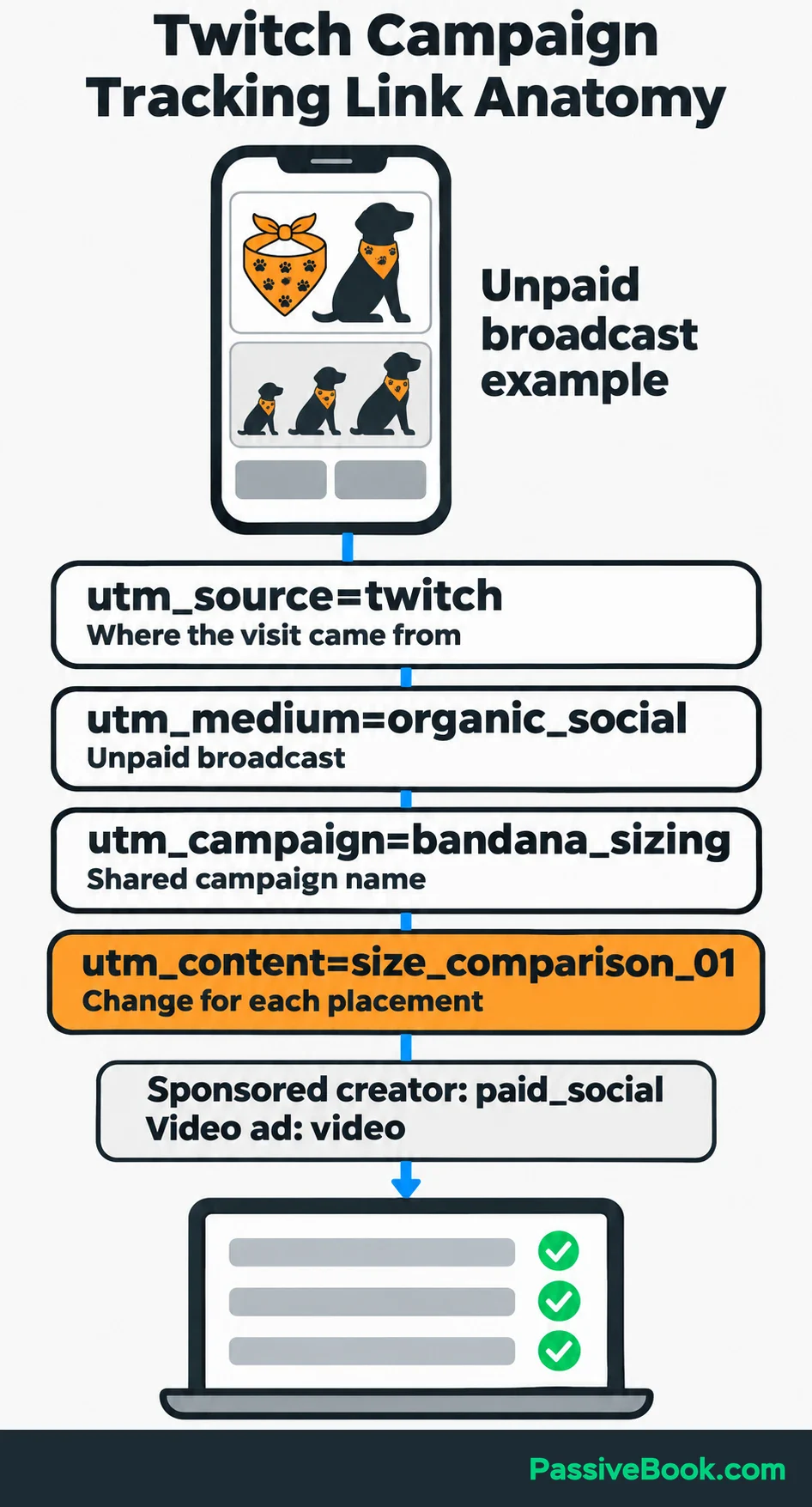
Before launch, follow a test link and confirm that:
- Analytics records the campaign and each completed signup once.
- The guide arrives and the permitted follow-up starts.
- A test purchase appears in your order records.
Choose a purchase window before launch, such as 14 days after signup. Give every lead that full window before comparing results.
Tracking can miss later or cross-device purchases. If you also ask customers how they found you, match their answers to order records to avoid counting anyone twice.
Create a Repeatable Livestream
Give Each Broadcast One Useful Promise
Build each session around one problem, one result, and one next step.
A demonstration suits physical products. A screen walkthrough suits software or digital products. A focused Q&A works when customers keep asking related questions.
For the bandana shop, “Compare bandana sizes before ordering” gives the broadcast a clear job. “Come hang out with our brand” gives the viewer homework.
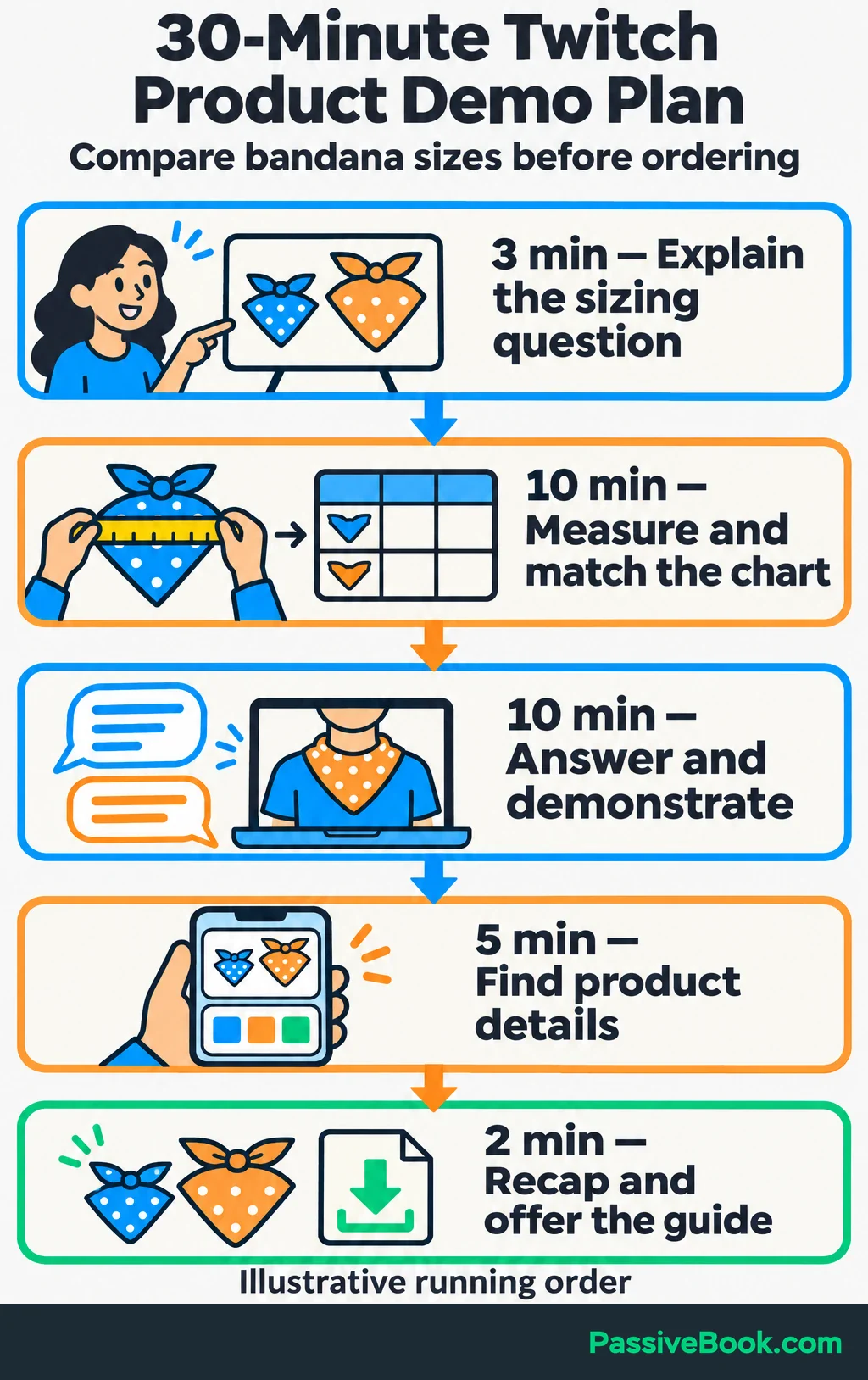
Here is a simple 30-minute running order:
| Time | What Happens |
|---|---|
| First 3 minutes | Explain the sizing question and show what viewers will be able to compare |
| Next 10 minutes | Measure sample bandanas and connect the dimensions to the product chart |
| Next 10 minutes | Answer questions and work through a prepared sizing example |
| Next 5 minutes | Show where size and fabric details appear on the product pages |
| Final 2 minutes | Recap the choice and explain where to get the guide |
Show the detail needed to make a decision. Hold the measuring tape where people can read it, explain what each measurement represents, and show the matching chart entry.
I would start with a short weekly session rather than promise long broadcasts several nights a week. Count preparation and follow-up before deciding what “consistent” means.
You now have a running order, but you still need words that fit your own product and next step. This AI Skill drafts the demonstration, transitions, and invitation together, including a version you can deliver without showing your face.

Free AI Live Event Writer




Prepare a Simple Broadcast
Start with your existing computer, a stable connection, and clear microphone audio. Record a rehearsal before buying equipment so you know what actually needs fixing.
You can stream without showing your face. Narrated screen demonstrations work for a size chart or product page, and a hands-only view can show fabrics and measurements. OBS Studio is free, open source broadcasting software that supports screen captures, images, microphones, and cameras.
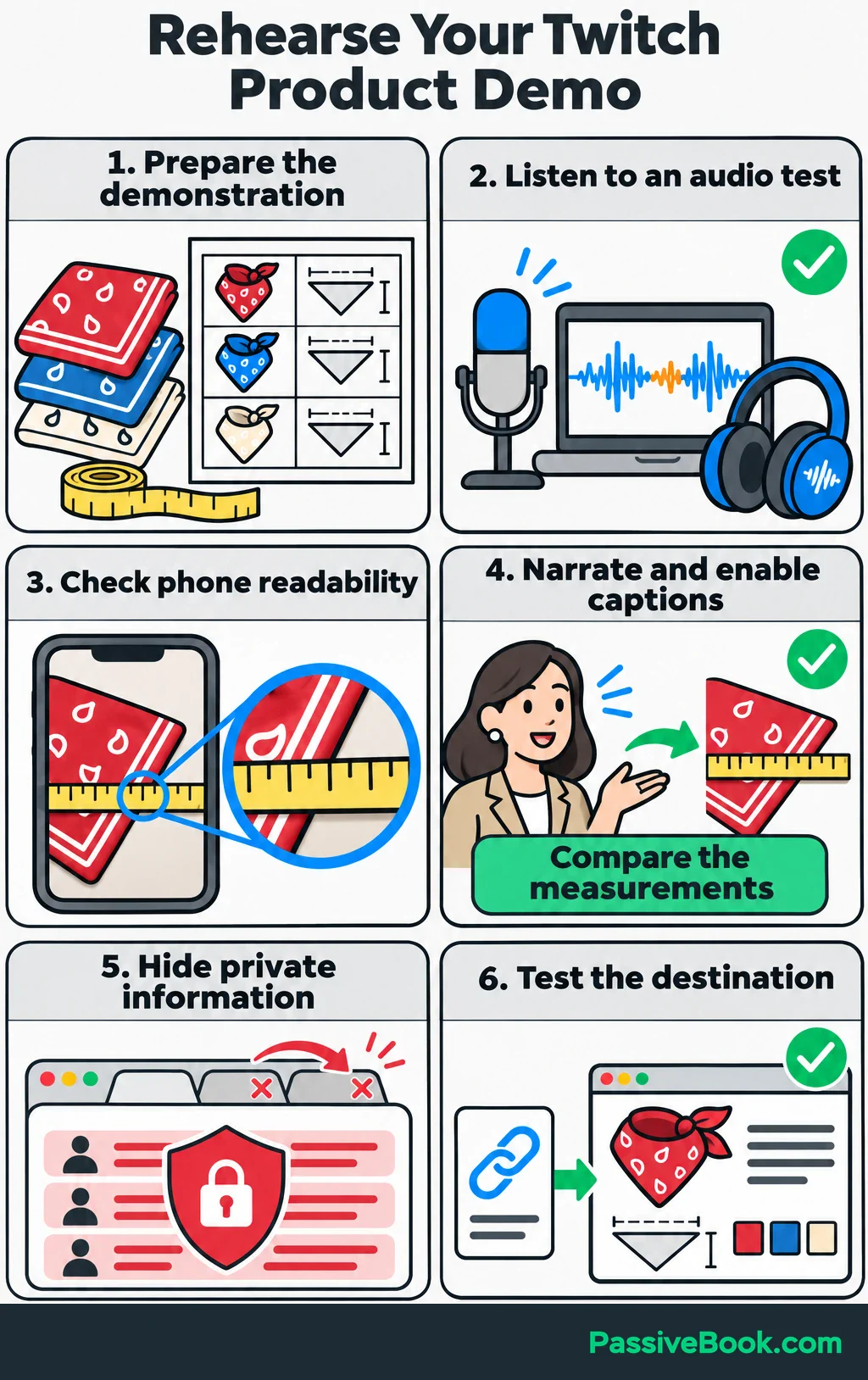
Keep the setup simple:
- Demonstration: Prepare the samples, chart, and product pages you will use.
- Audio: Record a short test and listen for room noise and unclear speech.
- Display: Check whether measurements and text remain readable on a phone.
- Accessibility: Narrate visual actions, use readable text, and configure captions.
- Privacy: Close unrelated tabs and hide customer details before sharing a screen.
- Destination: Open the guide link and confirm it reaches the correct page.
Create your Twitch channel, connect OBS, and prepare a few basic views: the demonstration, the product page, and a closing screen with the destination.
Enable past-broadcast storage before going live and keep a local recording. Twitch’s saved broadcasts expire, so keep your own copy of material you want to reuse.
Finally, describe the channel’s benefit, publish a schedule, and use a specific stream title. Choose a category and tags that accurately describe the broadcast.
Make Participation Part of the Lesson
Ask questions that help you teach:
“Which part of this chart is unclear: the neck measurement or the finished bandana size?”
That is easier to answer than “Any questions?” and it tells you where to slow down.
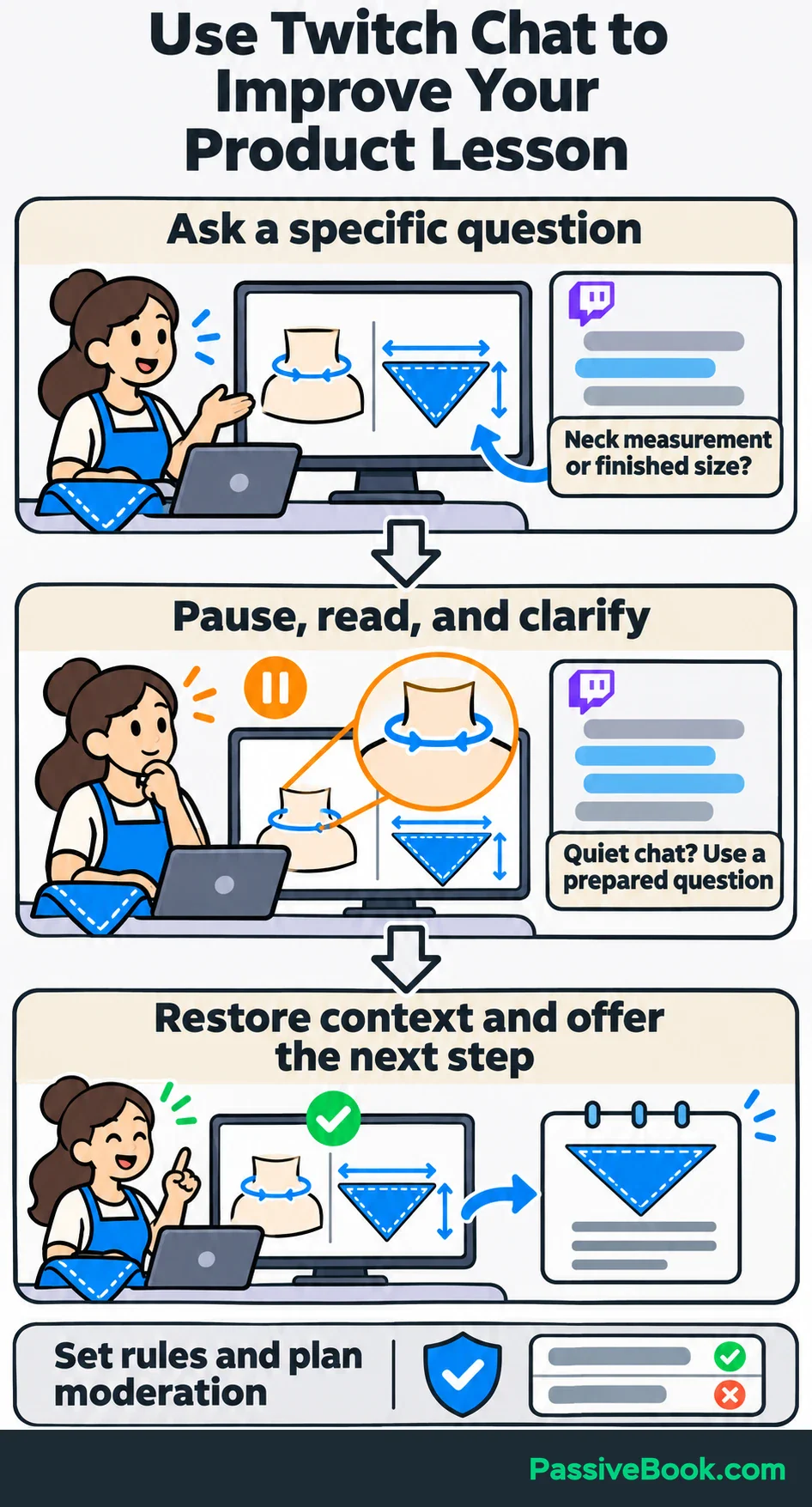
Prepare a few common questions for a quiet chat. You can still deliver a useful session without pretending that hundreds of people have been demanding your fabric comparison.
Before the broadcast, set rules against harassment, spam, and unwanted promotion. Decide who will moderate. AutoMod can hold potentially inappropriate messages for review, but a person still needs to approve or reject them. If you host alone, leave pauses to check chat rather than trying to demonstrate and moderate at once.
Briefly restore context for people arriving midway:
“We’re comparing the finished dimensions with the shop’s chart. I’ll show where to find both measurements next.”
Introduce the guide when it helps viewers follow the demonstration, then repeat the invitation during the closing recap.
Bring Relevant Viewers to Your Streams
Treat promotion as part of the broadcast workload.
An announcement should name the useful result, date, time zone, and chance to ask questions. For example:
“Unsure how our bandana sizes compare? Join Thursday’s live measurement demo at 7 p.m. Eastern. Bring your questions about the size chart.”
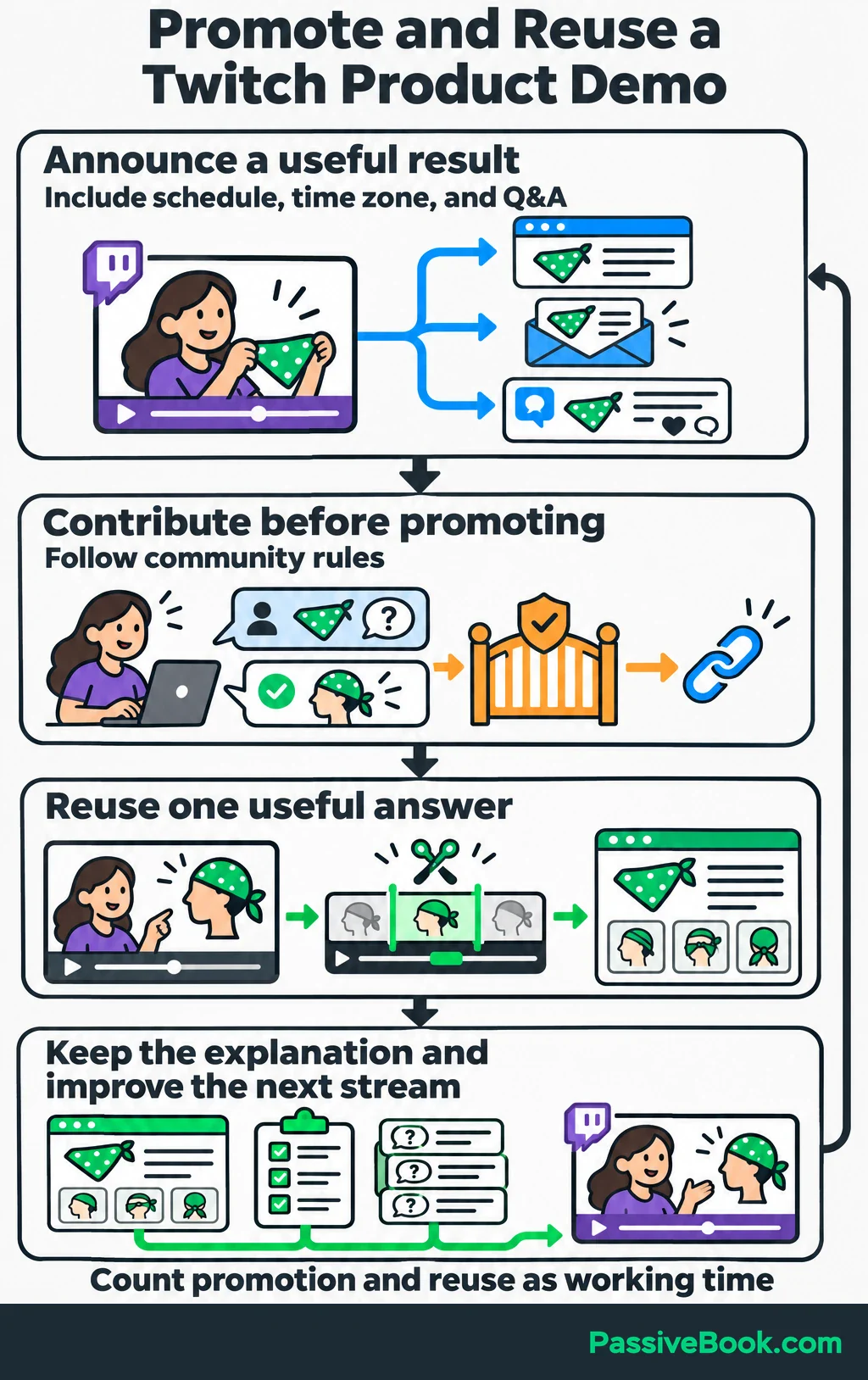
Share it through your website, email list, and existing social accounts. If you have little audience there, include that constraint in your channel decision. An empty calendar slot doesn’t supply viewers.
Spend time in relevant Twitch communities and contribute useful answers without dropping links. A guest demonstration or shared Q&A can be a better introduction than trying to pull people away from the creator they came to watch. Follow each community’s promotional rules.
Afterward, reuse one useful part of your own recording. A short excerpt answering a sizing question can point to the guide, and a website recap can keep the explanation available between broadcasts.
Save the preparation checklist and announcement format. Automate guide delivery and permitted follow-up, and use n8n for reporting if it already fits your setup. A spreadsheet is enough for the first test.
The part that can compound is the collection of demonstrations, customer questions, website answers, and email relationships. Hosting the next live session still takes your time.
Test a Focused Creator Partnership
Choose creators by audience fit and ordinary broadcast quality before looking at follower totals.
Watch several regular streams and previous sponsored segments. Check the audience’s interests, language, likely customer locations, and reaction to product recommendations.
For the bandana shop, a creator whose community regularly discusses their dogs could be worth investigating. A large gaming audience with no relevant conversation gives you less to work with.
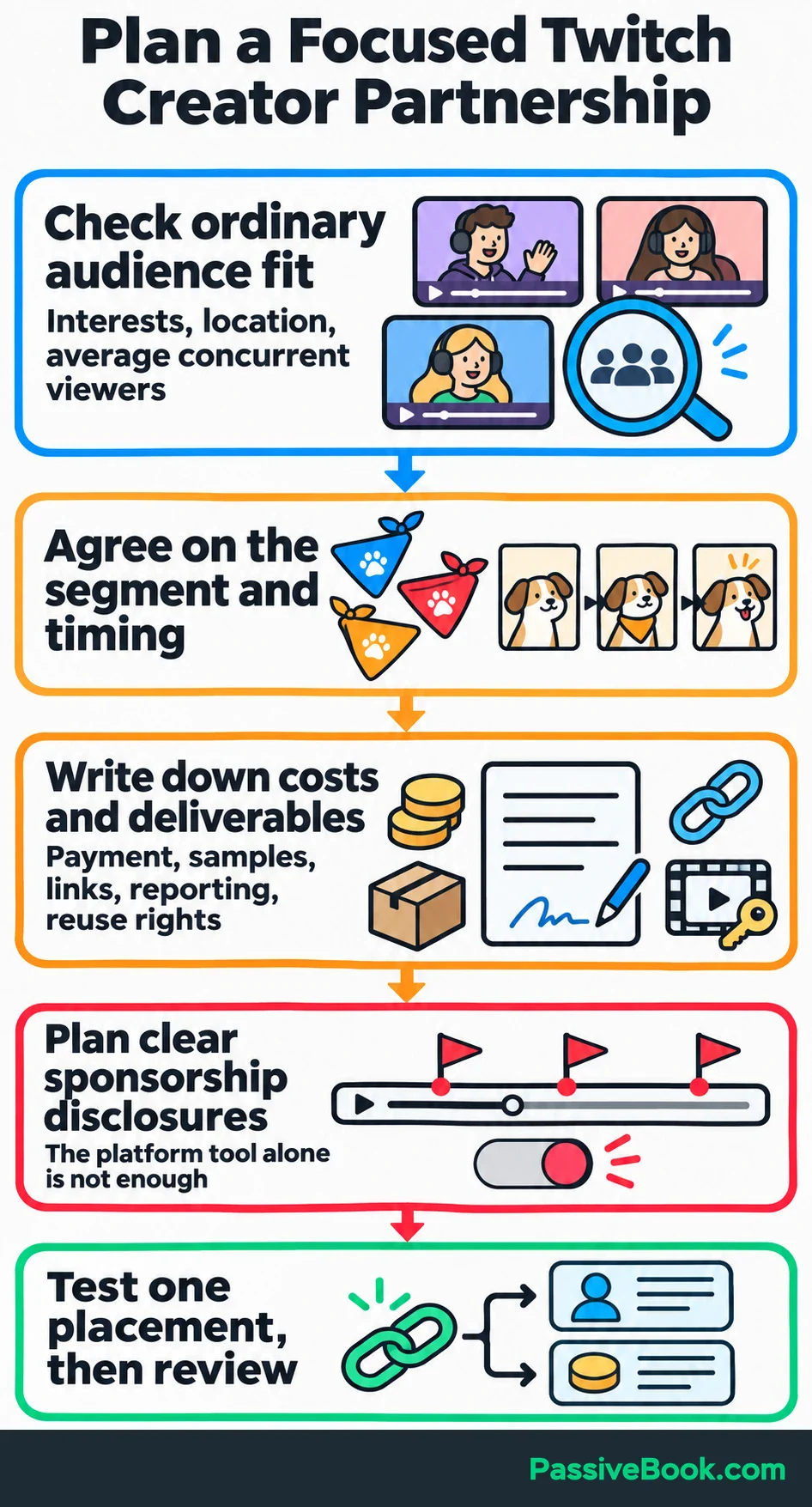
Request recent average concurrent viewership—the average number of people watching at once—along with available audience information and a sample campaign report. Use ordinary broadcasts as the reference rather than one unusually large event.
Pitch a segment that belongs in the show:
“Your viewers have asked about dog accessories. Would a sponsored size-and-fabric comparison fit an upcoming stream? We can provide samples and a guide viewers can use before ordering.”
Agree in writing on the segment, timing, payment, product delivery, link placement, reporting, and any rights to reuse the recording. Give the creator accurate product facts and room to speak naturally.
Require the creator to use Twitch’s disclosure tool for a qualifying sponsored livestream, as its branded-content rules require. For endorsements affecting U.S. consumers, the FTC advises repeating disclosures during livestreams so late arrivals receive them too. The platform tool alone doesn’t establish legal compliance.
Start with one limited placement and a distinct tracking link. Review what was delivered, the customer response, sales, and total cost before booking more.
Test Paid Ads Against Your Sales Economics
Work out what you can afford to spend on a new customer before buying reach.
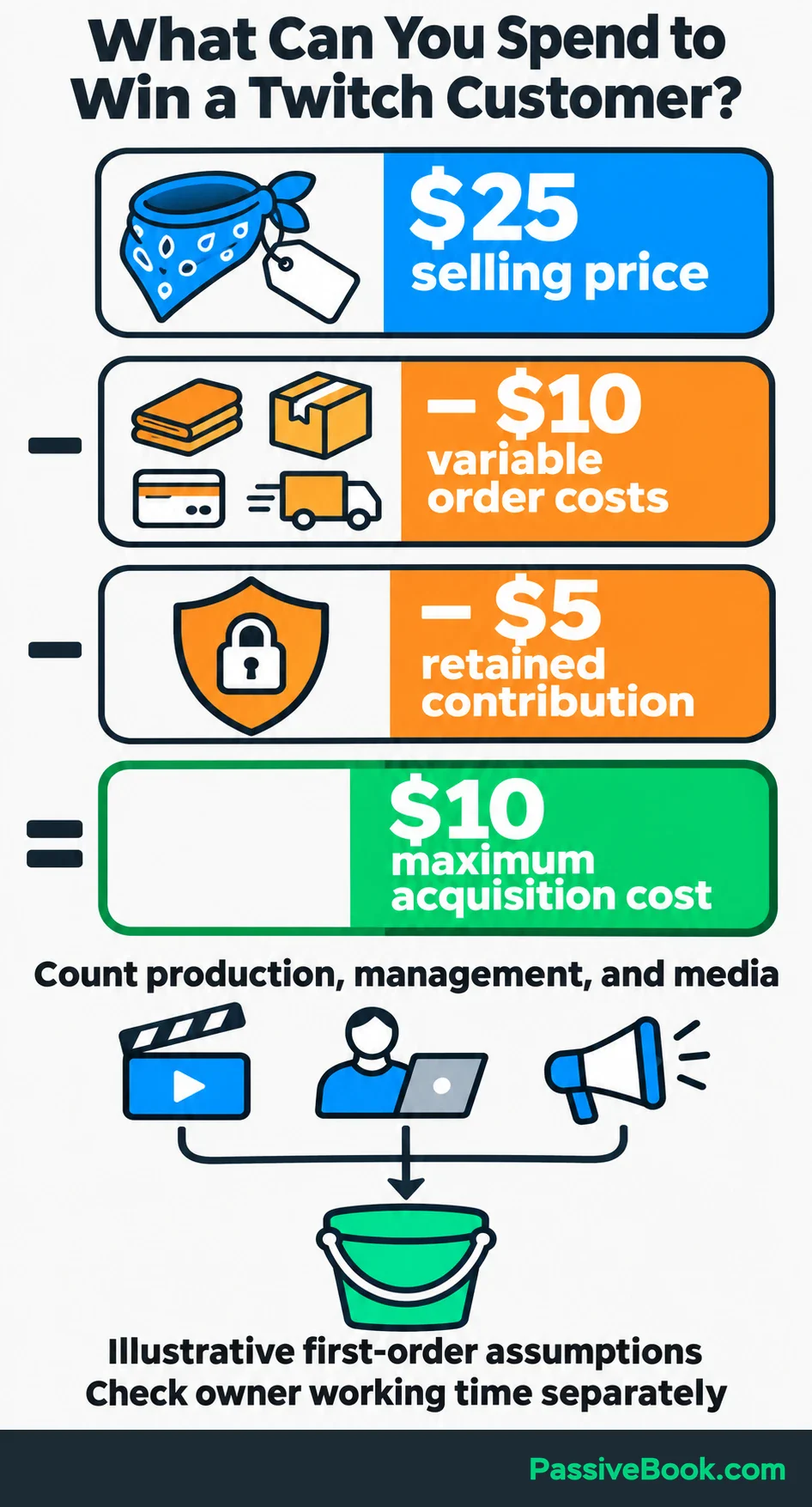
Start with the selling price, subtract the costs that come with fulfilling that order, and then subtract the amount you want to retain toward overhead and profit.
For an illustrative bandana order:
| Item | Amount |
|---|---|
| Selling price | $25 |
| Variable order costs, including materials, packaging, payment fees, and seller-paid shipping | $10 |
| Contribution you want to retain toward overhead and profit | $5 |
| Maximum acquisition cost under those assumptions | $10 |
The calculation is $25 − $10 − $5 = $10. Owner working time still needs a separate check. Use first-purchase economics until your own records support a repeat-purchase allowance.
The acquisition ceiling is only the first number. This planner works backward to the customer and traffic targets for your proposed test, including a separate check on your working time.

Free Marketing Campaign Planner
Amazon offers video and display advertising on Twitch through campaigns you manage yourself or services that manage them for you. You don’t need to sell on Amazon. Check its Twitch advertising options for availability in your market. Before buying, confirm where ads can appear, who you can target, the minimum spend, and total charges.
Match the objective to the question you need answered. Awareness reporting can show reach, but a customer acquisition test needs usable customer and cost reporting. I would skip an awareness-only purchase when the immediate goal is to prove affordable sales.
Keep the ad promise aligned with the destination. A size-comparison ad should lead to the guide or featured bandanas, not an unrelated sale.
Placement matters too. Twitch Premium Video runs ads before streams (pre-roll) and during them (mid-roll), but ads on consoles and streaming devices aren’t clickable. Include a memorable address for those viewers, as described in the Premium Video specifications.
Count the cost of making and managing the ad alongside the amount you spend to run it. If the available commitment exceeds your test limit, skip the purchase.
Decide What to Repeat
Calculate the Business Return
Keep one scorecard row per broadcast or placement. Record the approach, topic, offer, audience measure, landing-page visits, confirmed leads, new customers, sales revenue, marketing spending, variable order costs, and working hours.
Label website sales separately from any Twitch creator earnings.
For attention, Twitch’s average viewers measures concurrent viewership, while unique chatters counts distinct viewers who chatted during the selected period. Those analytics definitions help you interpret participation, but neither measure tells you how many customers you acquired.
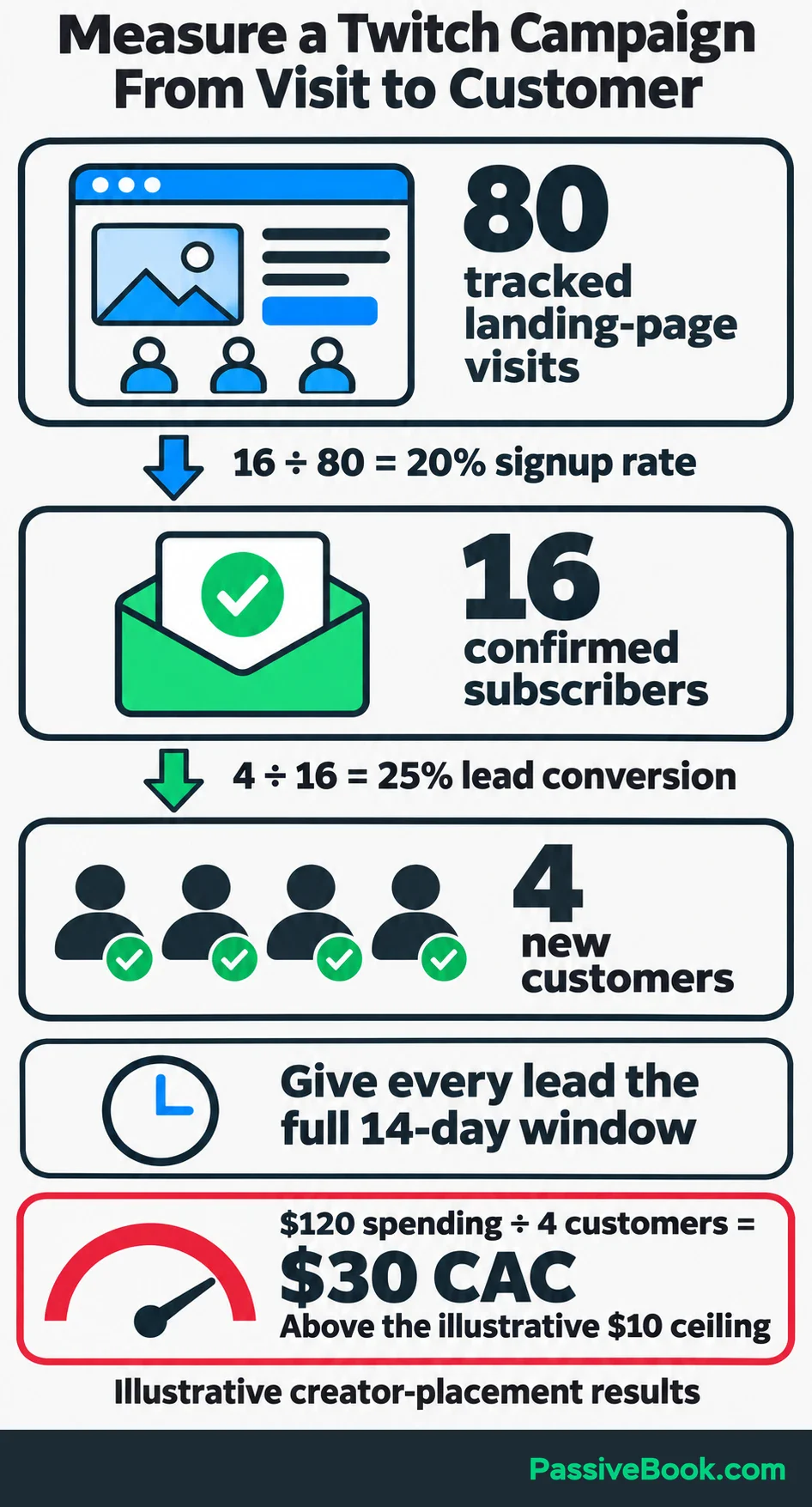
Here is an illustrative result for the shop’s creator placement. During the campaign, 80 tracked landing-page visits produce 16 new confirmed subscribers. Four of those subscribers become new customers within their 14-day follow-up windows, and each places one $25 order.
| Measure | Calculation | Result |
|---|---|---|
| Signup rate | 16 confirmed signups ÷ 80 landing-page visits | 20% |
| Lead-to-customer conversion | 4 new customers ÷ those same 16 leads, each observed for 14 days | 25% |
| Cash acquisition cost | $120 total marketing spending ÷ 4 new customers | $30 |
| Sales revenue | 4 orders × $25 | $100 |
| Variable order costs | 4 orders × $10 | $40 |
| Contribution before marketing | $100 revenue − $40 variable costs | $60 |
| Result after marketing | $60 contribution − $120 marketing spending | −$60 |
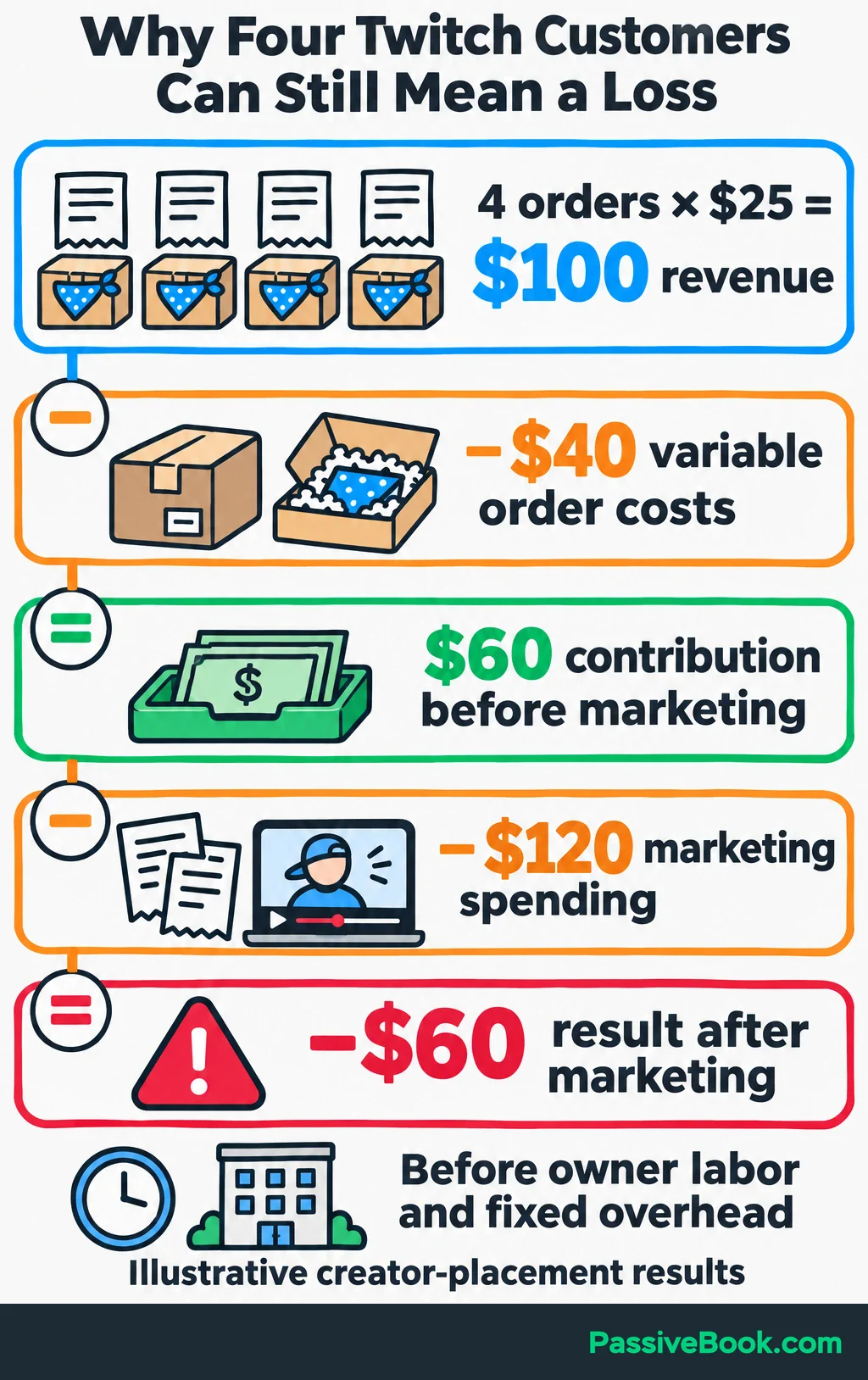
The placement loses $60 before owner labor and fixed overhead, despite producing four customers. Its $30 acquisition cost also exceeds the shop’s illustrative $10 ceiling.
Record the working hours beside that result. Low cash spending can still conceal a poor use of your week.
If no customers buy, report the spending and zero acquisitions. Acquisition cost cannot be calculated by dividing by zero.
Improve the Weakest Stage
Use the results to choose the next change.
| Where Progress Stops | What I Would Check First |
|---|---|
| Few relevant people watch | Audience fit, topic, promotion, and whether a suitable creator would reach buyers more directly |
| People watch but don’t visit | Whether the resource solves the question demonstrated and whether the invitation is clear |
| Visitors don’t sign up | The page’s promise, mobile experience, and signup friction |
| Leads don’t buy | Product relevance, sizing clarity, price, shipping, and follow-up |
| Customers buy but the test loses money | Acquisition cost, order margin, and the work required to repeat it |
Change one substantial element at a time. If you change the creator, offer, landing page, and product together, the next result won’t tell you much about what helped.
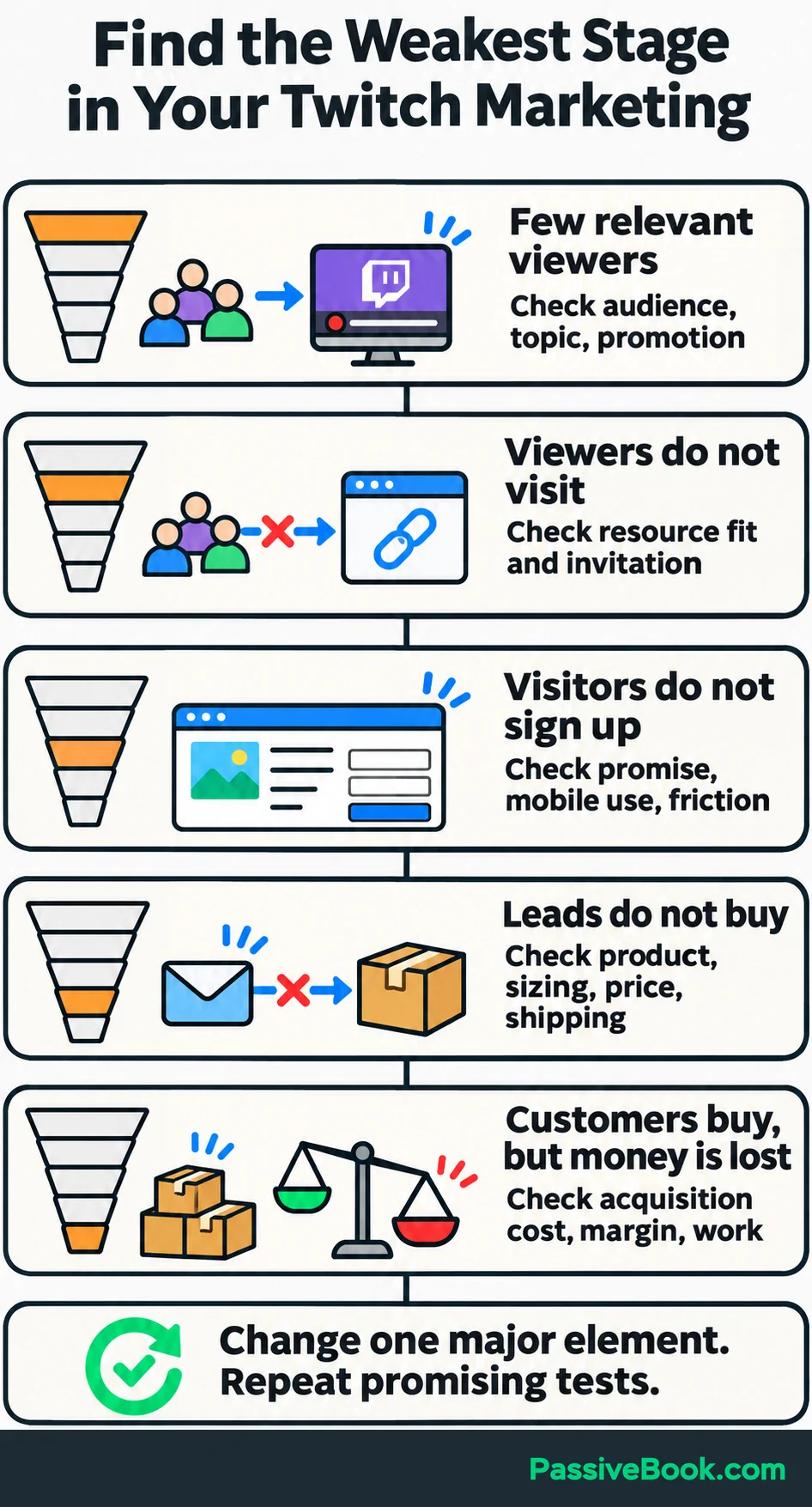
Small tests give you direction, so don’t treat a few sales as a stable forecast. Repeat promising results before making a larger commitment.
Keep formats and partnerships that bring worthwhile customer outcomes within your cash and time limits. Reduce or stop those that repeatedly fail. Useful recordings and an email list have lasting value, but they don’t excuse a channel that keeps consuming more than it returns.
What Next?
Write down one buying question you could demonstrate, then watch three relevant Twitch broadcasts and record whether viewers discuss that problem. Use what you find to choose between hosting, approaching a creator, or leaving Twitch off your calendar.
Use the social buttons to share this guide when a conversation about livestreaming needs a clearer way to judge the time and money involved.
Which customer question would you build your first Twitch test around? Leave it in the comments, along with any other questions about planning or measuring the campaign.
Share this post with your friends & followers:

