You don’t need another place to publish product announcements and hope somebody buys. You need a way to reach people who have the problem your business solves, without spending every evening making videos.
Threads looks promising because you can start with text and join conversations already happening. But writing posts, checking replies, and chasing attention can still eat the hours you meant to spend building your business. This guide gives that effort a limit: a practical trial that connects useful conversations to your offer and shows whether Threads earns another week on your calendar.
Is Threads Worth Using for Your Business?
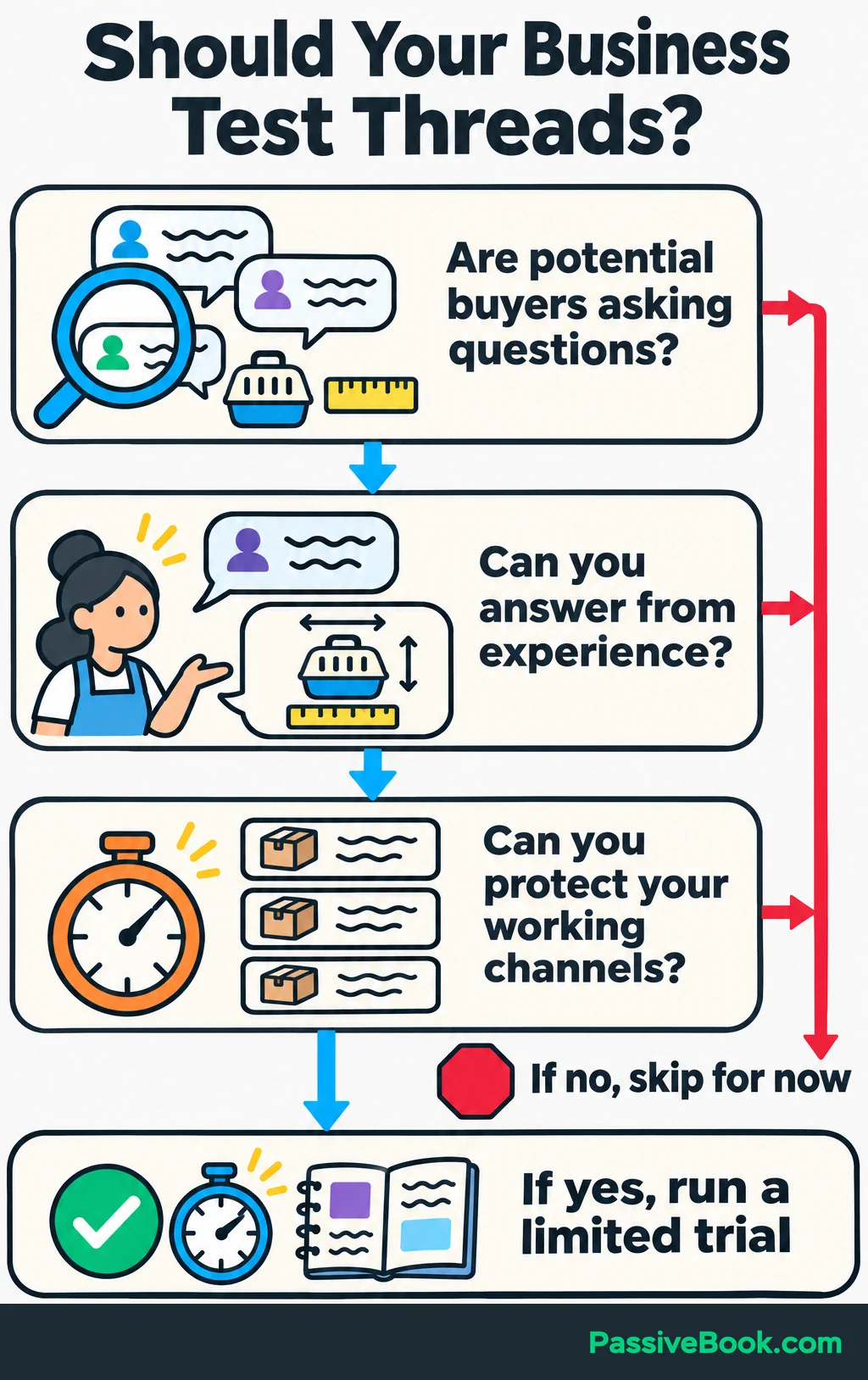
I would test Threads when you can find potential customers discussing problems you understand. I would skip it for now if those conversations are scarce or it would take time away from a channel already bringing customers.
Threads is Meta’s text-focused social app. Its For You feed mixes posts from accounts people follow with recommended content, so your posts can reach people who don’t follow you. That creates an opening for discovery, though it doesn’t promise distribution. Meta explains how the feeds work.
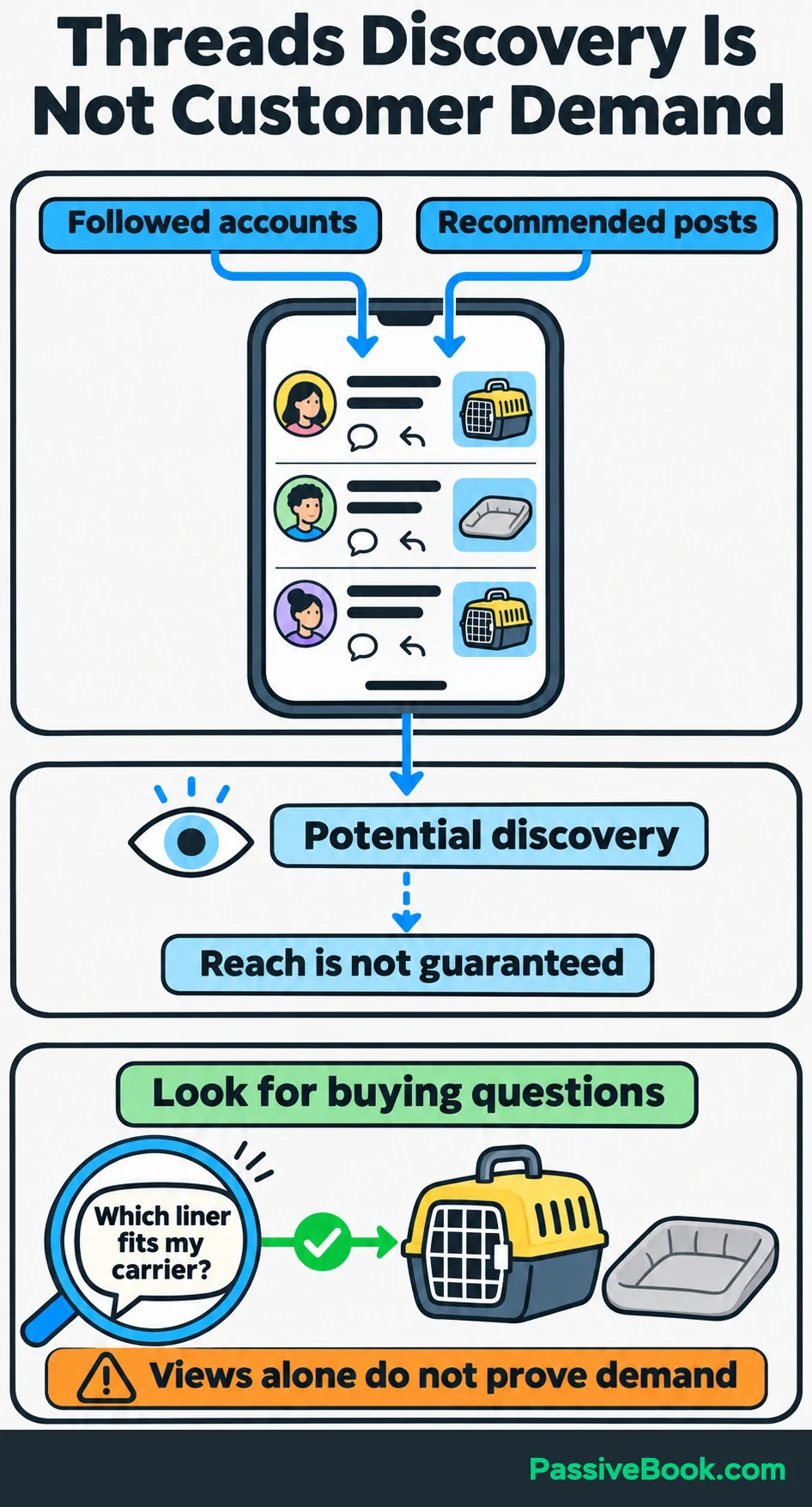
Before committing, spend a short session searching for:
- Questions people ask before buying your kind of product.
- Problems that lead them to look for a replacement or alternative.
- Discussions where you could give a useful answer from experience.
Throughout this guide, imagine you run an online shop selling washable cat-carrier liners. Its product details, sample copy, and figures are illustrative.
You might search for “replacement carrier liner,” “carrier measurements,” and “washing carrier bedding.” Read the conversations behind the results. Are people describing a problem or comparing options? Or are you mostly finding other shops advertising?
You want evidence that prospective customers participate, not merely that sellers have accounts.
Threads can be inexpensive in cash and expensive in attention. You can participate without buying ads or producing regular videos, but writing and replying still take work. Use it to bring people to product information, articles, or an email list you can keep building beyond Threads.
Set up Your Profile Around One Business Goal
Choose one main outcome before writing your bio: purchases, qualified inquiries, or email subscriptions.
For the liner shop, I would start with purchases. If the main product were unavailable, restock subscriptions would make more sense. The goal should match what visitors can actually do.
Set a time allowance and review date too. A manageable starting trial could be four weeks at 90 minutes per week. Choose a period that gives customers time to decide, and write down what would justify continuing. That might be profitable orders or enough serious buying inquiries to warrant another limited test.
Then create a public profile with a recognizable business name and image. Explain what you sell and give visitors one clear next step:
Washable liners for cat carriers. Compare sizes, materials, and care details before choosing yours below.
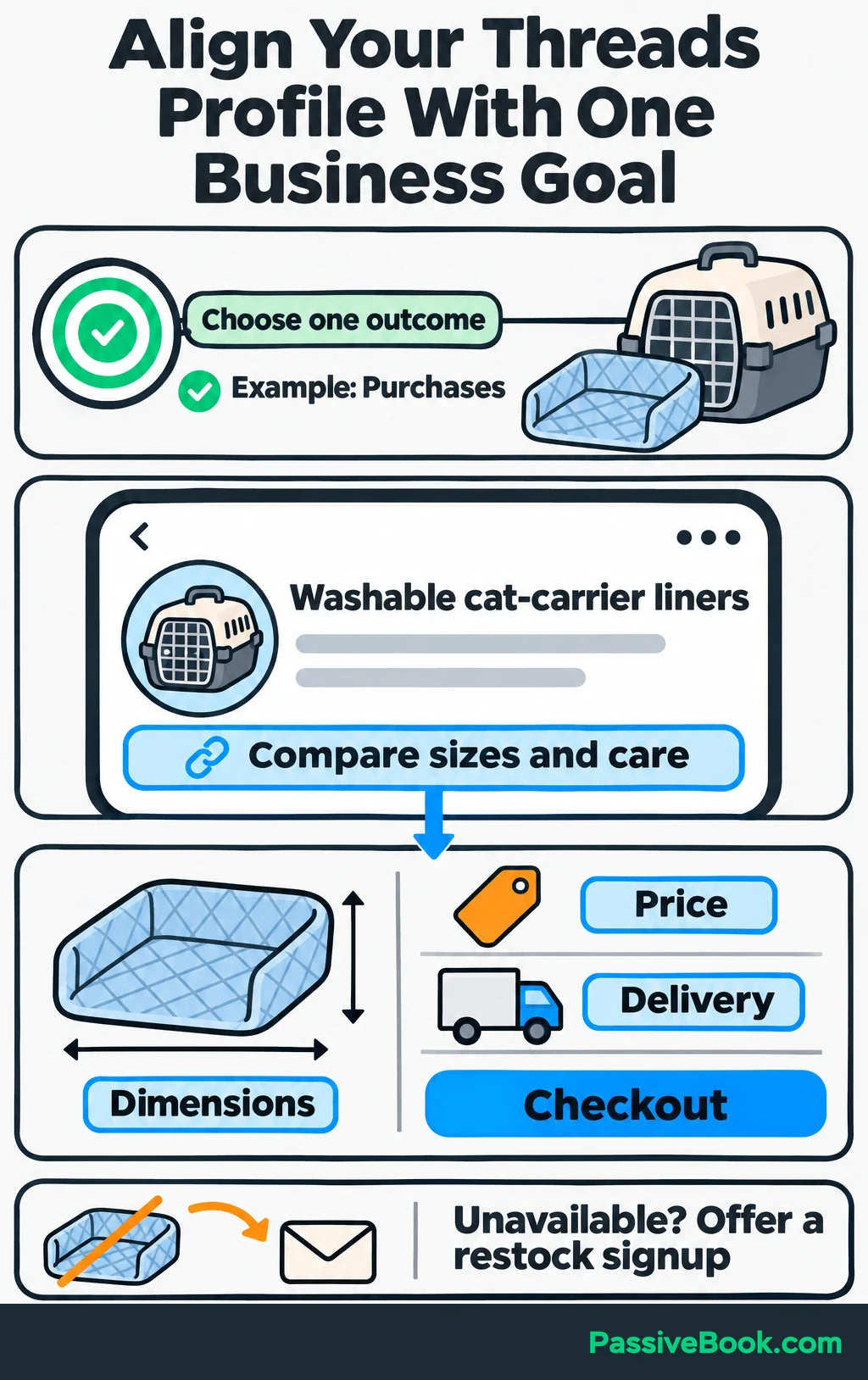
Point the main profile link to the relevant product page. Open it on your phone and check that you can find the dimensions, price, delivery information, and checkout without hunting.
Add tracking before sending visitors there. UTM parameters are labels added to a URL so Google Analytics can identify the traffic’s source and campaign. Google explains how campaign tagging works.
Use consistent values:
| Parameter | Example value |
|---|---|
utm_source | threads |
utm_medium | organic_social |
utm_campaign | carrier_liner_trial |
utm_content | profile or sizing_post |
Keep the first three values consistent during the trial and change utm_content to distinguish links.
Record your starting follower count and existing Threads traffic. Then test a tagged visit and the purchase or signup tracking. A busy posting week is a poor time to discover that checkout tracking never worked.
Write Posts That Give Prospects a Reason to Engage
Start with questions you already receive through support messages, product reviews, and customer conversations. Relevant Threads discussions can add ideas, but you don’t need a blank-page brainstorming ceremony.
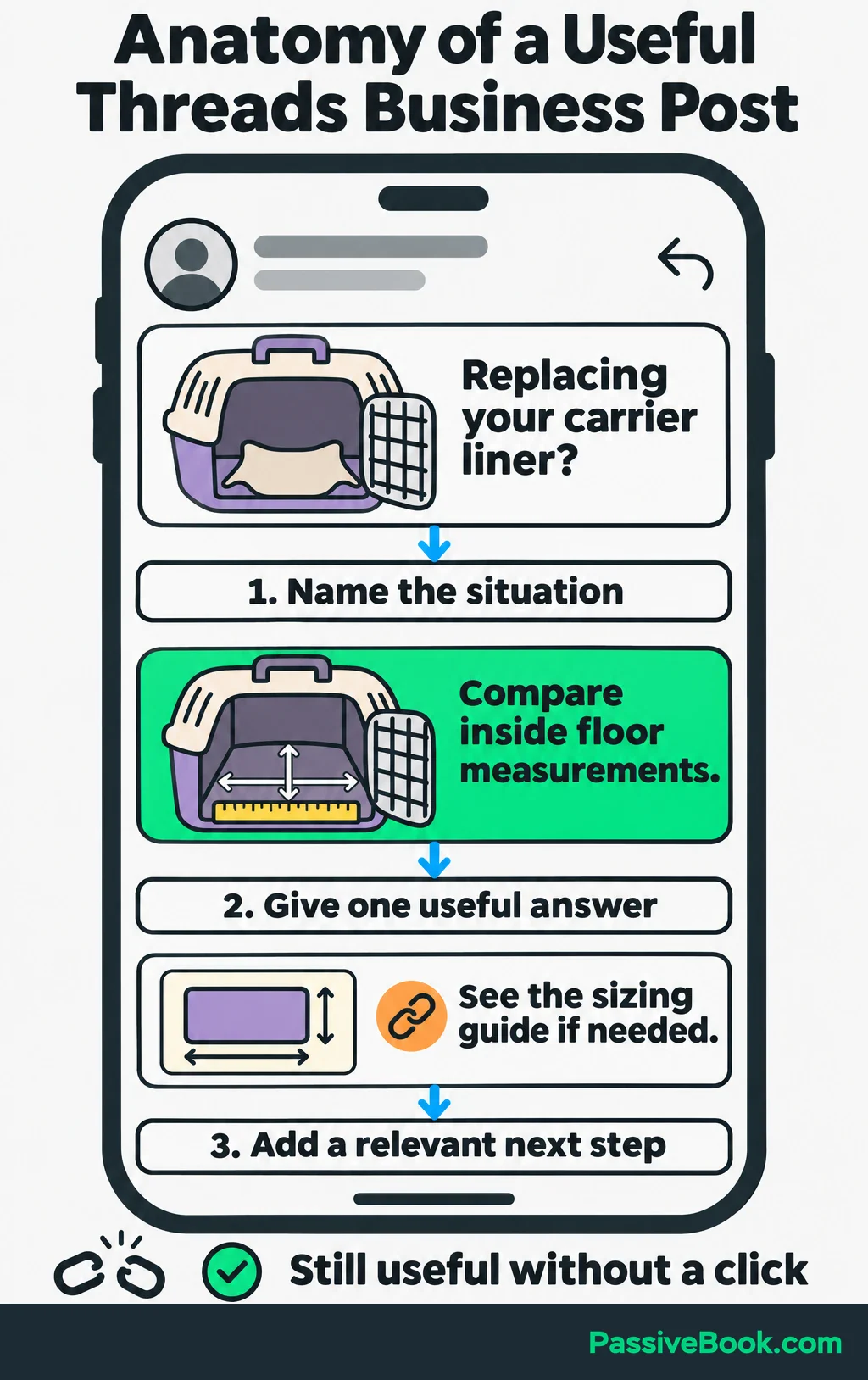
Build each post around one point:
- Name a situation the reader recognizes.
- Give an answer or show a useful detail.
- Add a next step when it serves the post’s purpose.
While repurposing a lesson from one of my digital-product sites, I noticed my social draft named three features before answering the buyer’s question. I cut it back to that question and one answer. That gave me a useful editing check: the post should still help if nobody clicks.
Answer a Practical Customer Question
Explain how to make the decision before introducing your product.
For a question about fit, that means explaining what to measure and what to compare:
Choosing a replacement carrier liner? Measure the carrier’s inside floor and compare it with the liner’s listed dimensions. The carrier’s outside measurements won’t tell you how much floor space is available inside.
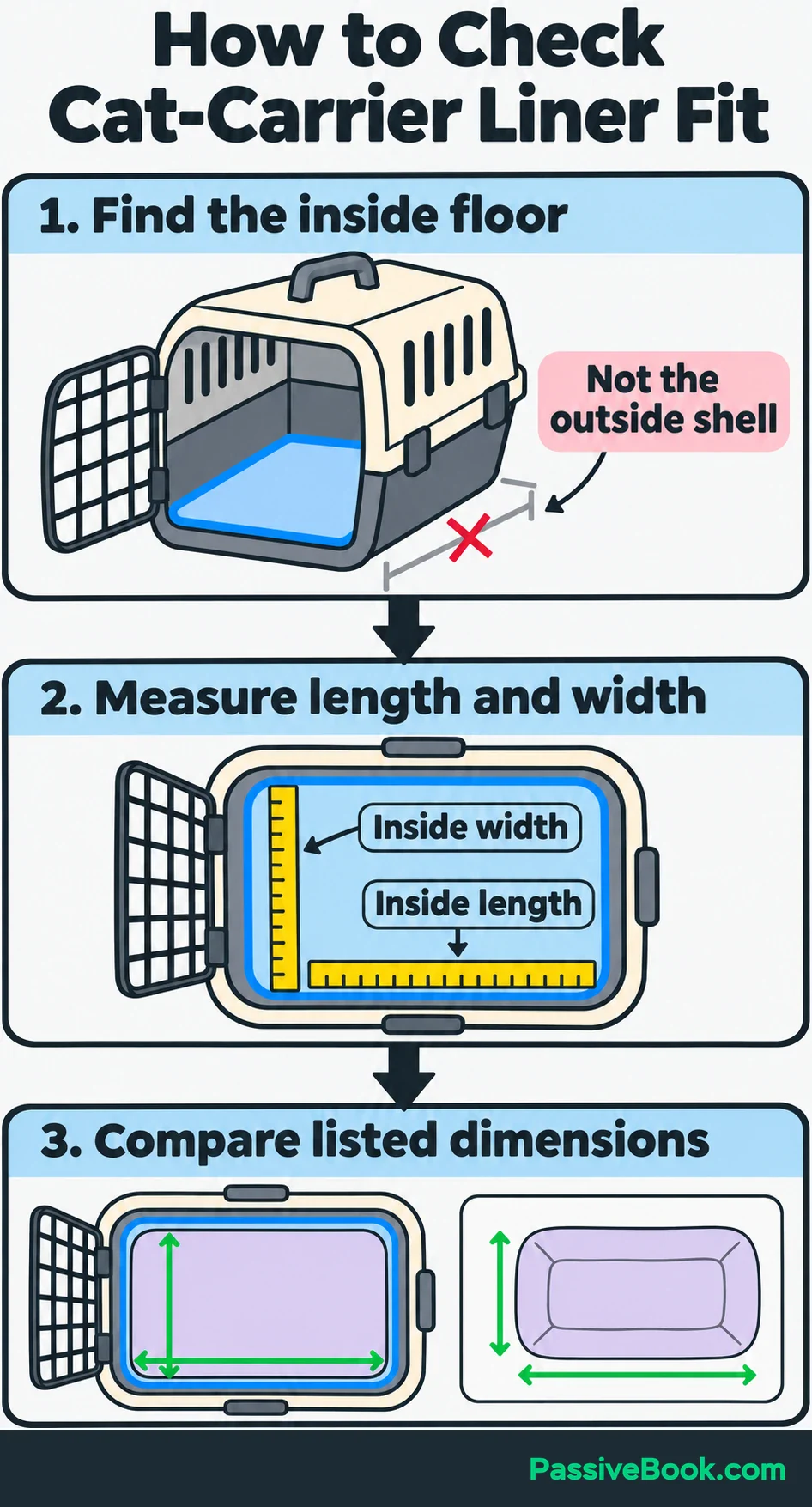
That answer belongs in the post. You can link to a more detailed sizing guide when useful, but don’t make readers leave Threads to get the basic point.
Follow-up questions give you the next topic. If people ask about washing, write a separate post explaining how to read the care instructions. Trying to answer sizing, materials, washing, and delivery in one post usually produces a small instruction manual nobody requested.
If you have the customer question but not the wording, AI Social Copy Studio can turn it and your offer details into three post drafts. Each takes a different angle, so you have somewhere to start without squeezing everything into one post.

Free AI Social Copy Studio


Show a Product Detail That Helps Someone Decide
Choose one detail and explain why a buyer should care.
For the liner shop, a photo of the liner inside a carrier could show its shape and placement. An accompanying caption might point out the length and width buyers should compare.
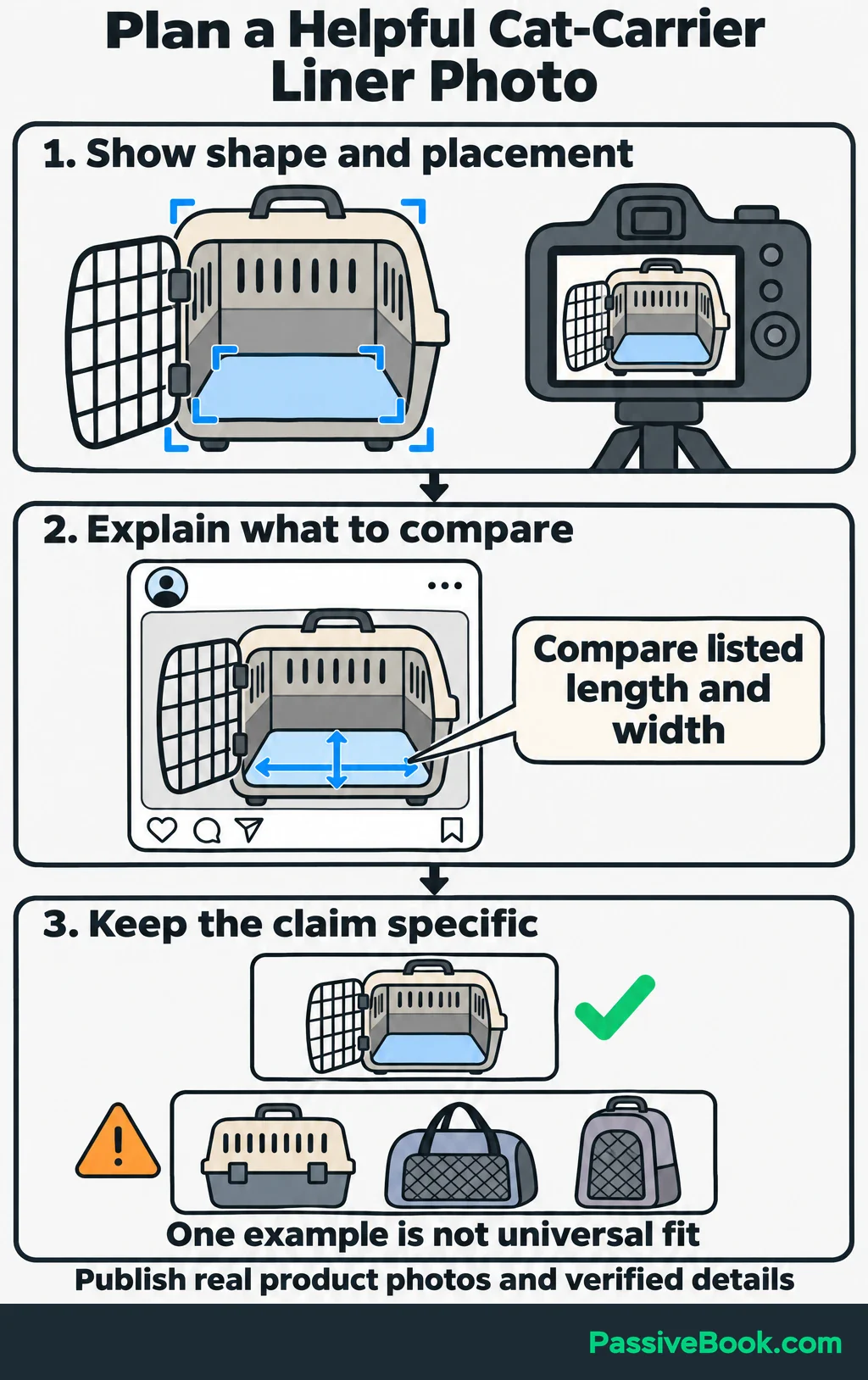
A plain catalog image leaves that work to the viewer.
Use actual measurements, care instructions, and product photographs. If you show customer material, get permission first. A photo showing fit in one carrier supports that example; it doesn’t establish compatibility with every carrier.
I would prioritize details that answer recurring buying questions before posting more decorative product shots. A useful photo can save both the customer and your support inbox some work.
Start a Specific Conversation
Ask a question that is easy to answer from experience.
“What do you think?” gives people very little to work with. A narrower question gives the discussion somewhere to go:
What has made replacing your cat-carrier liner difficult: unclear dimensions, limited material choices, or missing washing instructions?
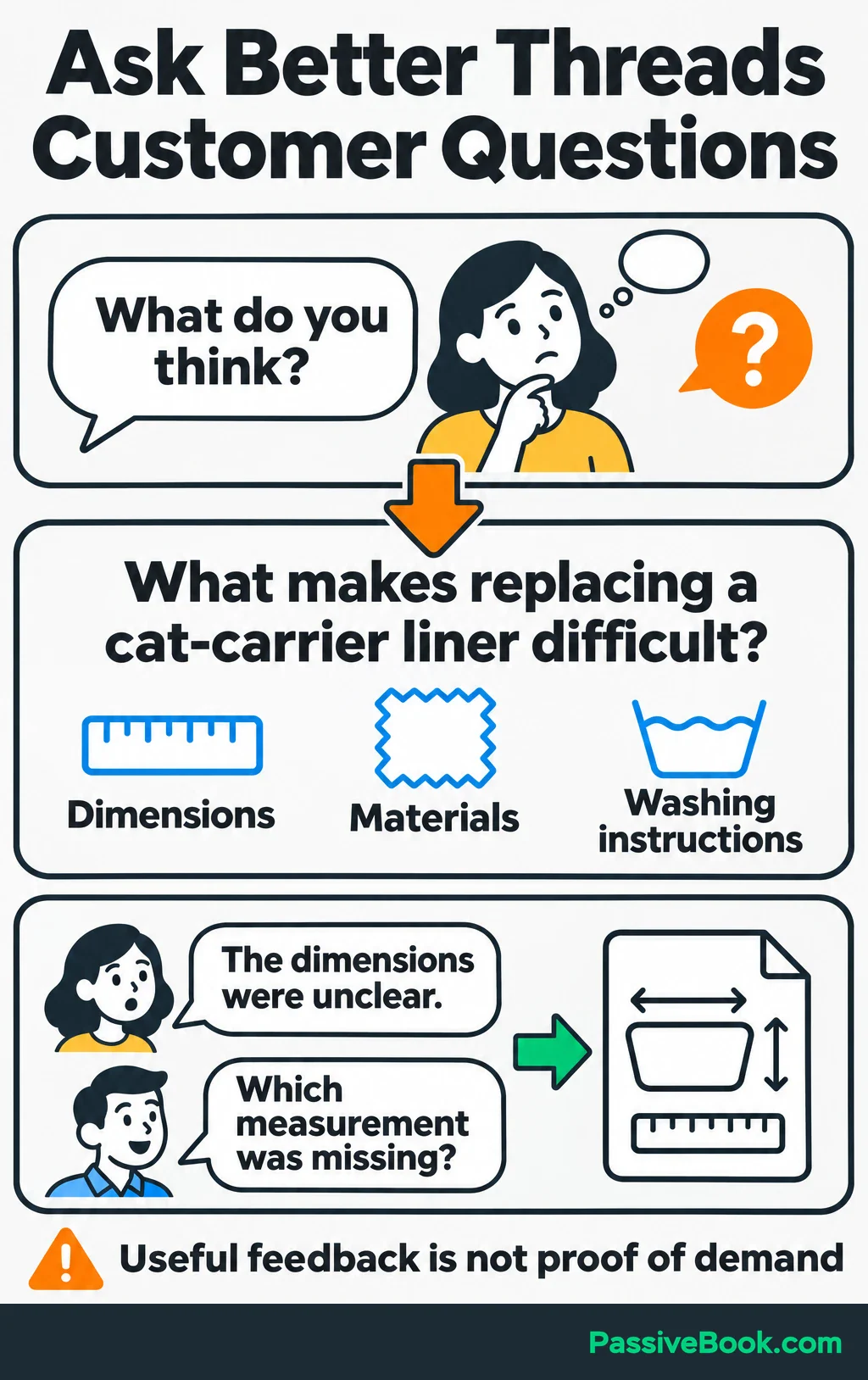
Respond to the explanation behind each answer. If someone mentions unclear dimensions, ask which measurement was missing.
Add a relevant topic tag when it accurately describes the discussion. Topic tags connect posts with related conversations, and Meta reports that tagged posts generally receive more views in its internal data. Meta describes topics and discovery.
Use replies to learn how people describe their problem and to plan useful content. A few enthusiastic responses aren’t proof of demand or a reason to order more inventory.
Reach Potential Customers Through Useful Replies
Original posts are only part of the work. Search for relevant questions and contribute where you can improve the conversation.
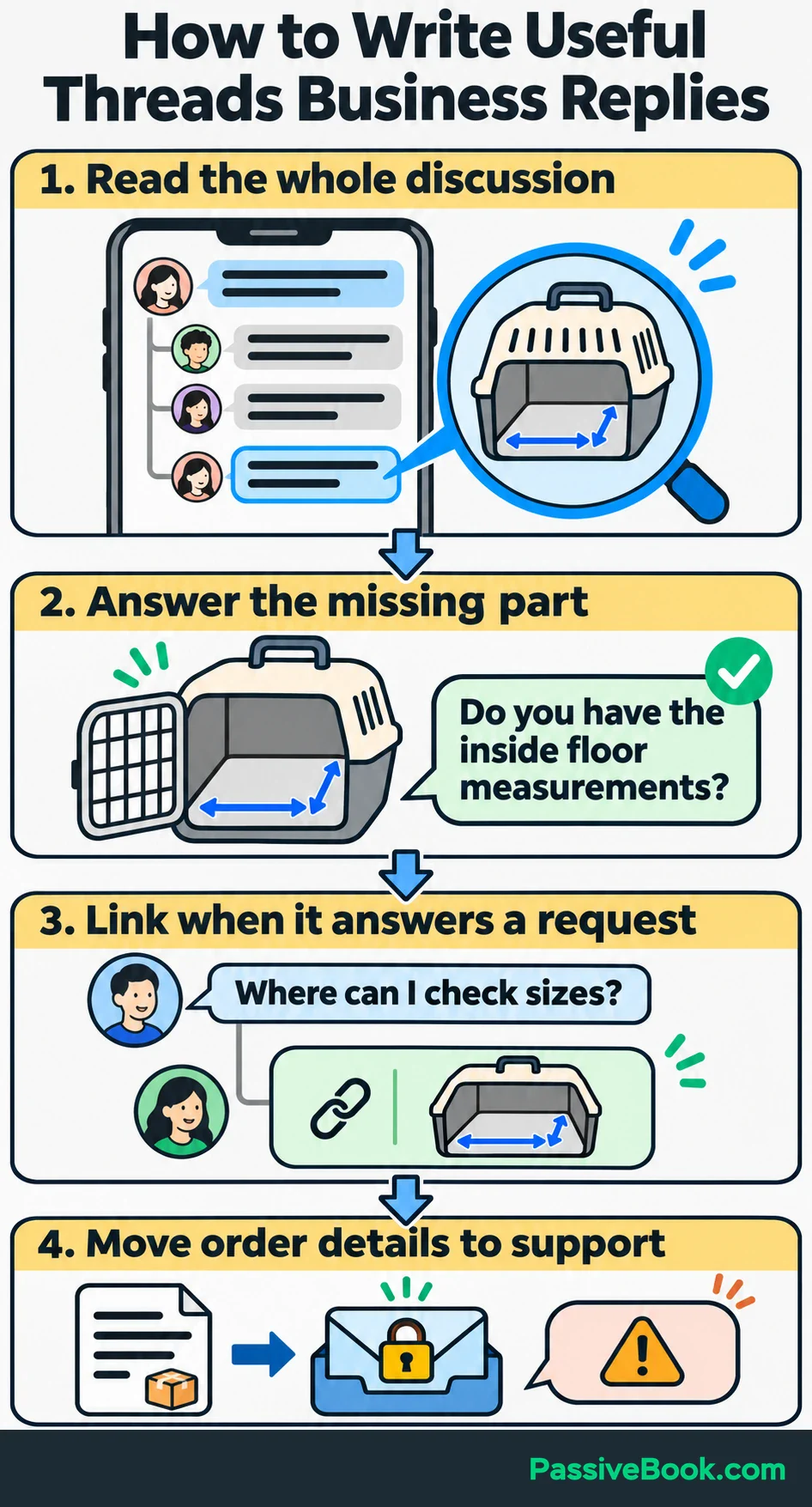
Read the full post and existing replies first. Then answer the unanswered part, explain a tradeoff, or ask for information you need before advising.
For example, someone struggling to choose a liner may have shared only the carrier’s outside dimensions. A useful reply could be:
Do you have the inside floor measurements? Those are the dimensions to compare with the liner’s listed length and width.
There’s no need to attach your shop link to that first reply.
Meta reported in its audience-building guidance that replies account for almost half of Threads views. That supports making room for conversations, but it doesn’t show that replying produces sales. Read Meta’s original findings.
Follow relevant participants and complementary businesses so you can find useful discussions again. Answer substantive comments on your own posts too, especially questions that affect someone’s buying decision.
Share a product link when it directly answers a request. Move order numbers, addresses, and other purchase-specific details to your established support channel.
If a conversation becomes disruptive, use reply controls. Follower-only replies restrict who can participate, while reply approvals let you review replies before they appear publicly. I would apply restrictions to disruptive posts and keep other discussions open to potential customers.
Turn Relevant Interest Into Visits and Sales
Match the destination to the question that earned the click.
Someone checking dimensions needs sizing information. Someone asking where to order needs the product page. Sending both to a general homepage adds work without helping either person.
For promotional posts, connect three things: the buying situation, the relevant product detail, and one action.
Here is a complete post you can adapt by replacing the link placeholder:
Replacing your cat-carrier liner? Measure the carrier’s inside floor before choosing a size.
Our washable liners have dimensions and care instructions listed on each product page, so you can compare before ordering.
Check sizes and washing details:
Pair it with a real fit photo and use a tagged product link. The destination should deliver the measurements and care details the post promises.
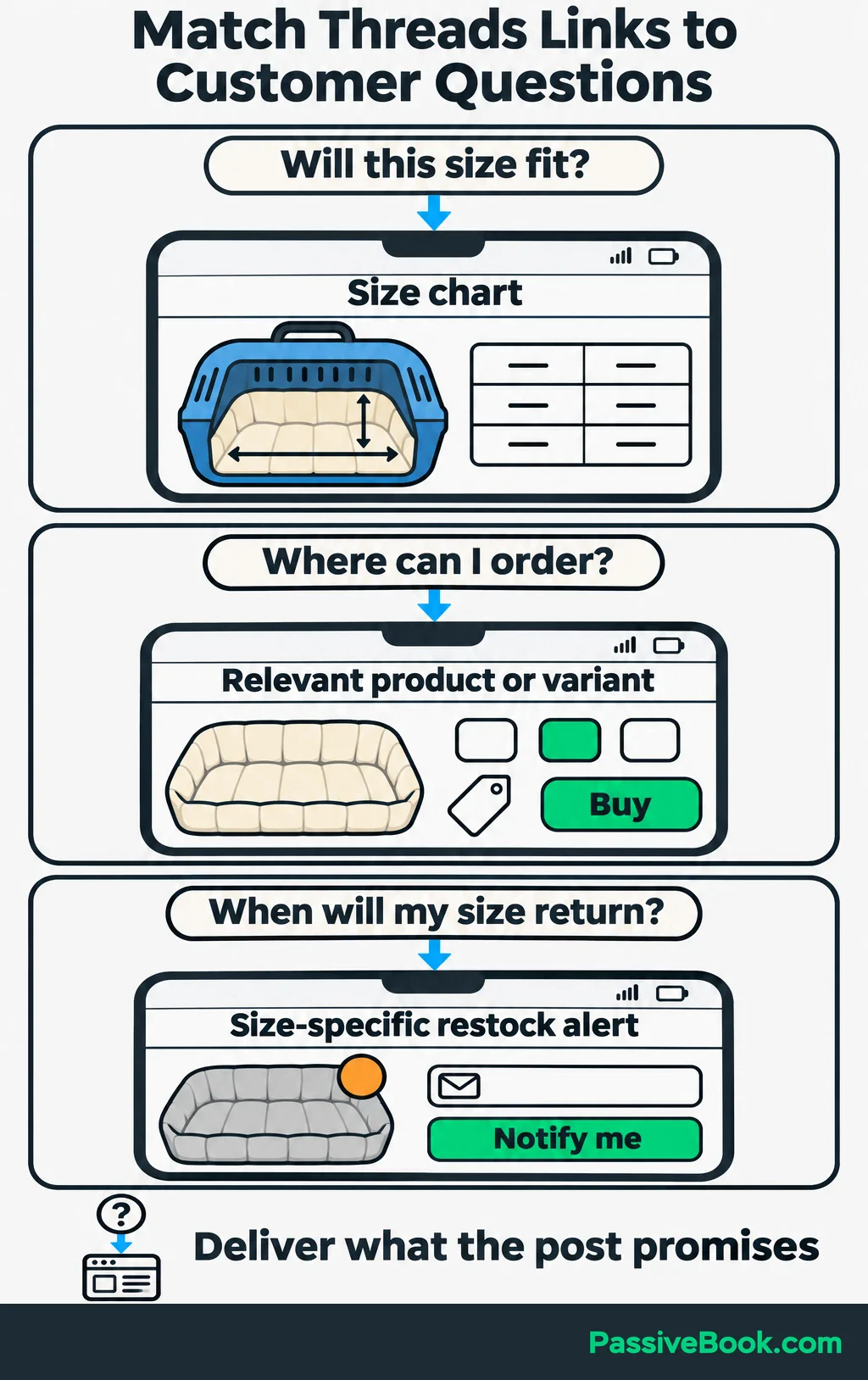
You can put links directly in relevant posts as well as your profile. Making every interested person visit your profile first is an unnecessary detour.
For other situations, change the invitation:
- Fit question: Send the person to the size chart and ask which measurement remains unclear.
- Ready to order: Link to the relevant product or variant.
- Unavailable size: Offer an email alert for that size’s return.
A restock signup has a clear purpose. A vague invitation to “join our community” asks for an email address without explaining what happens next.
If you already use WordPress, FluentCRM can manage those subscriptions and follow-ups. Use your existing email tool if it handles the job; a Threads trial doesn’t need a new software subscription.
For a digital product, show one useful part of the download in your post, then link to a page with a preview, format, price, and purchase button. If you sell a service, answer one question prospects ask before hiring and link to a page showing relevant work, scope, and how to inquire. A blogger can share an answer from an article and link to the full walkthrough. Keep the destination tied to the question in each case.
Build a Routine You Can Maintain
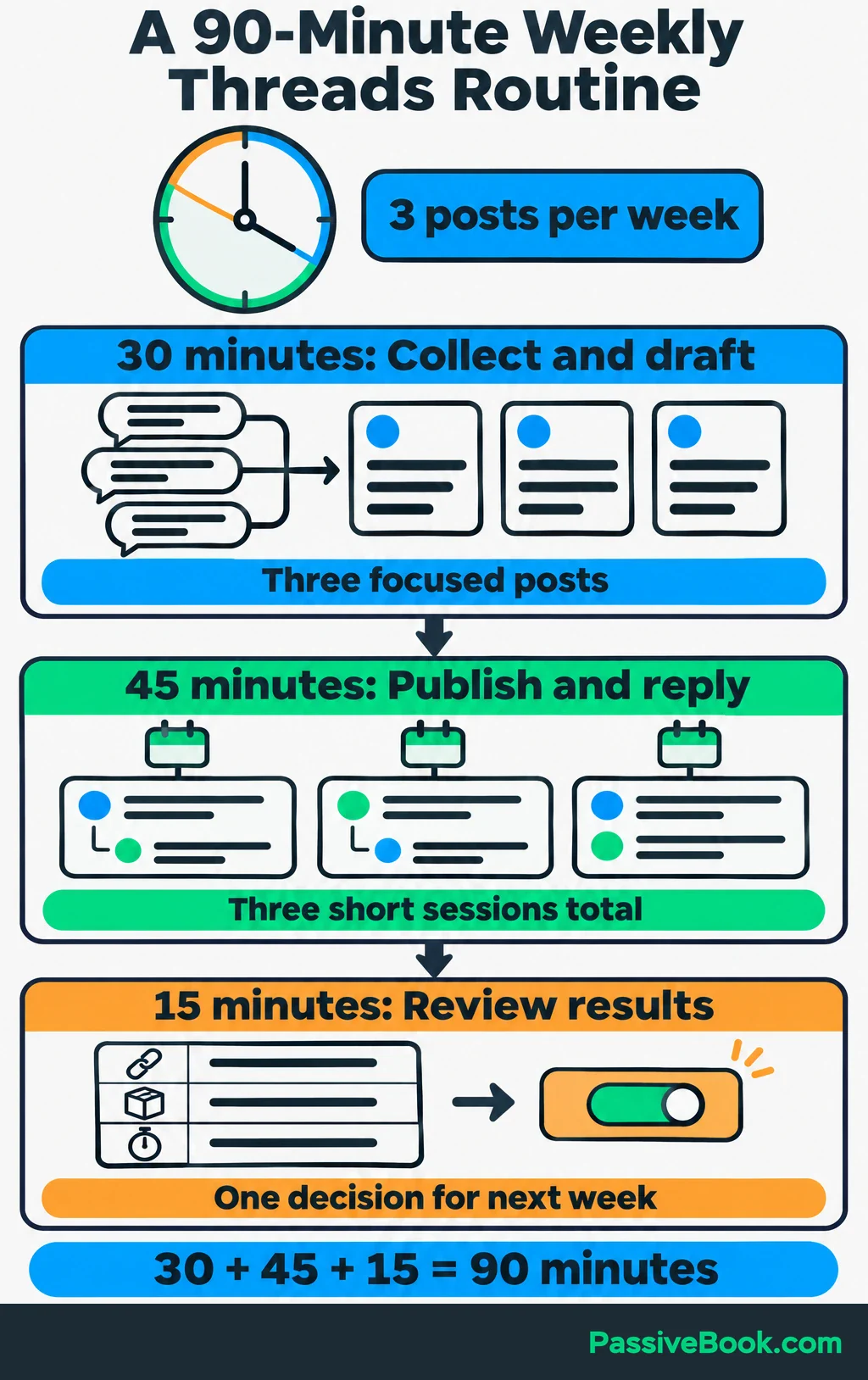
I would start with three posts per week and leave room to reply. Daily posting is a poor bargain if it uses the time needed to answer interested people.
Here is one way to divide a 90-minute weekly allowance:
| Task | Time | Concrete output |
|---|---|---|
| Collect questions and draft | 30 minutes | Three posts built from real questions or existing content |
| Publish and join conversations | 45 minutes | Three short sessions for replies, comments, and relevant discussions |
| Review results | 15 minutes | Updated tracking sheet and one decision for next week |
Keep a simple queue in a spreadsheet or Notion. Record the topic, main takeaway, draft, intended next step, and publication status.
One sizing guide can supply several posts without repeating the same message:
- A practical tip about measuring the inside floor.
- A fit photo showing where those measurements apply.
- A question about information buyers struggle to find.
Save drafts and use Threads’ native scheduling to spread posts through the week. Preview them and check that scheduled posts publish correctly before relying on the queue. Meta describes its drafting and scheduling tools.
Use Claude or ChatGPT to shorten material you supply or suggest alternative openings. Check every product detail yourself and remove claims the source material doesn’t support.
I would automate draft preparation and reporting before customer replies. Preparing a shorter version of a sizing guide is repeatable work. Answering a particular person requires reading what they actually asked.
Measure Whether Threads Deserves More Time
Track the Path From Attention to Business Outcomes
Use Threads Insights, the app’s performance dashboard, for views, interactions, follower growth, and link visits. Check website analytics and orders for what happened after the click. Meta documents its Insights and link reporting.
I spent six months chasing followers on Instagram and Twitter/X in another niche while my bank balance stayed around $47. That is why I want a business outcome beside every audience metric.
Keep a compact review record. Here is an illustrative two-week result for the liner shop:
| What to record | Example entry |
|---|---|
| Period | Two weeks of the four-week trial |
| Relevant conversations | Five people asked about sizing or availability |
| Tagged website sessions | 60 sessions recorded under the trial campaign |
| Chosen outcome | Two attributed purchases |
| Time spent | Three hours |
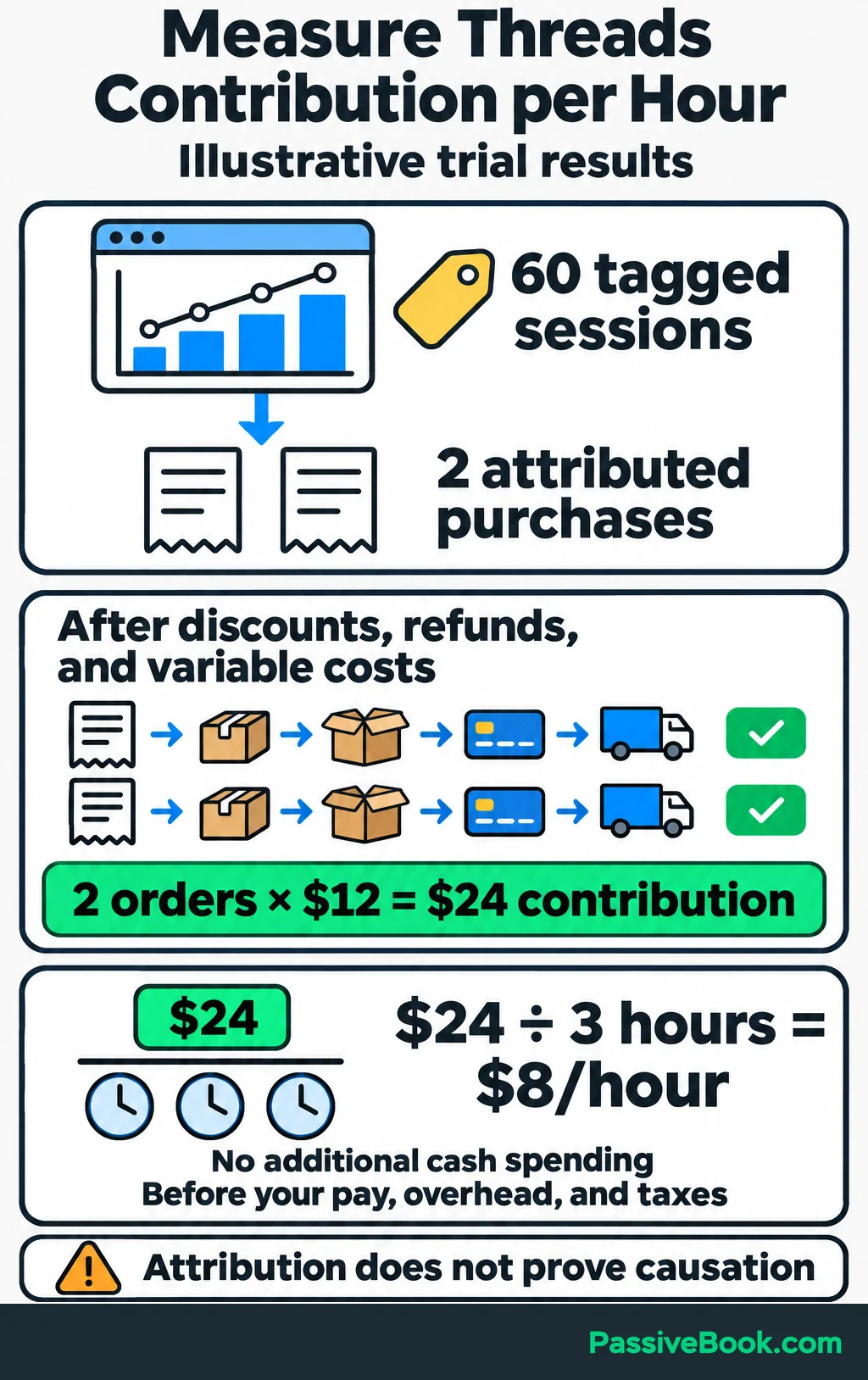
To calculate order contribution, start with what customers paid after discounts and refunds, then subtract product, packaging, payment fees, and shipping you pay.
If each of the two attributed orders leaves $12, together they contribute $24. With no additional cash spending and three hours of trial work, that is $8 per hour before your pay, fixed overhead, and taxes.
Tracking connects these orders to Threads; it doesn’t prove Threads caused them or capture every order it influenced.
Continue, Adjust, or Stop
Continue when business outcomes justify your time. Otherwise, start here:
| What you observe | What I would change first |
|---|---|
| Reactions, few plausible buyers | Answer questions people ask before buying |
| Relevant discussions, few visits | Link to the page that answers the question |
| Visits, few purchases | Check visitor relevance, product details, delivery costs, and checkout |
| Orders, little contribution for the time spent | Reduce production time or try another channel |
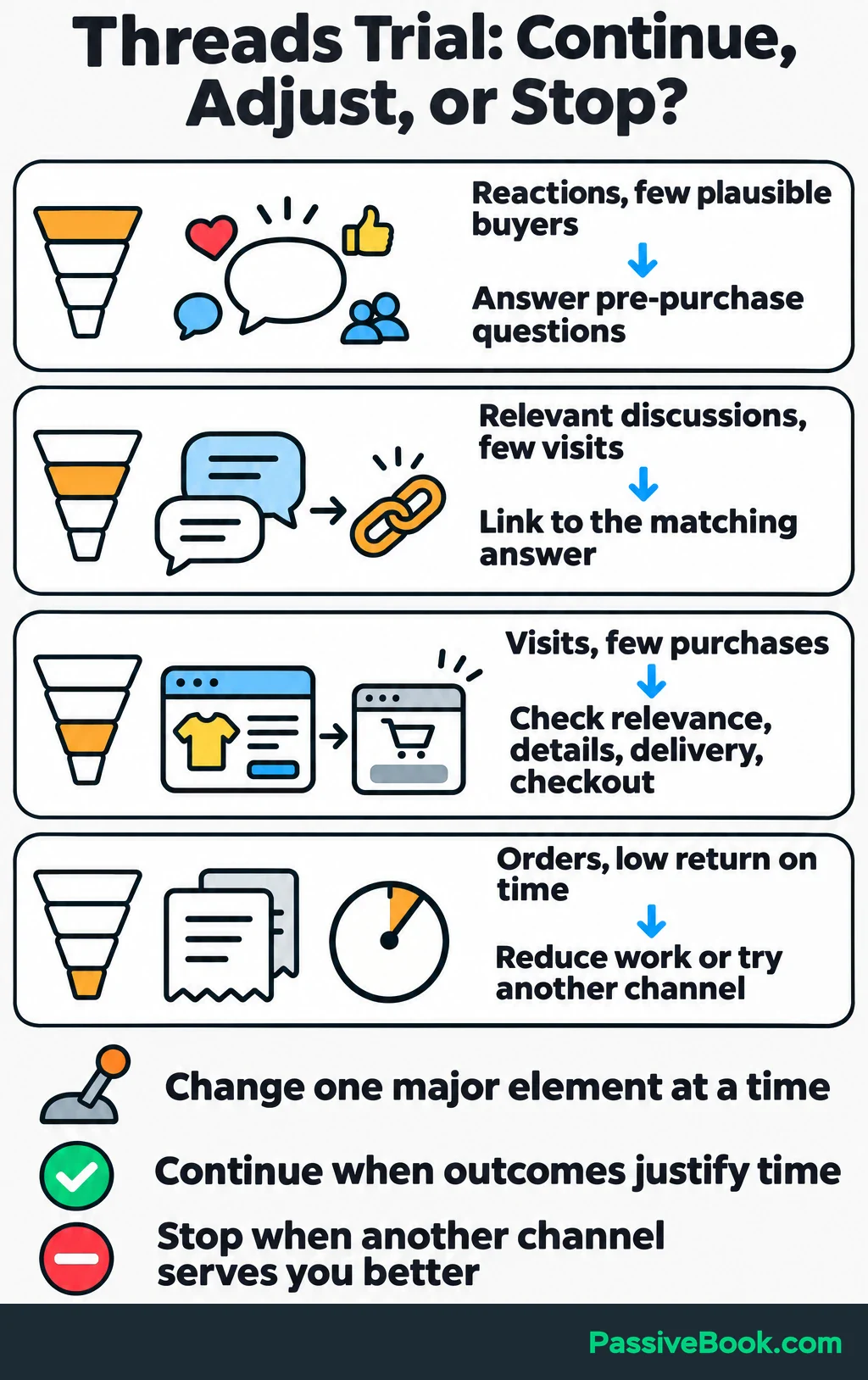
Change one major element at a time. Extend an inconclusive trial once if serious inquiries need longer to become purchases, with a new time allowance and review date.
If customers remain hard to find or another channel gives better returns, stop. You don’t owe a platform a permanent place in your week.
What Next?
Search Threads for one question customers ask before buying your product. Read the discussion, write a useful answer, and choose the page you would share if someone asks for more detail.
Use the social buttons to share this guide when a conversation about Threads needs a practical way to judge the time involved.
What result would make a small Threads trial worthwhile for your business? Leave your answer, or any other questions, in the comments.
Share this post with your friends & followers: