Would someone joining your Telegram channel know what to read first—and where your paid offer fits?
A feed can look busy while leaving subscribers unsure why they joined. You keep preparing posts, questions arrive in scattered chats, and sales still feel disconnected from the work.
I’ve hit that gap on other social platforms: plenty of attention, very little connection to a purchase. This guide follows a dog-walking course business to show how a Telegram channel can connect useful posts with customer inquiries and sales—and how to tell whether the work is paying off.
Choose the Right Telegram Format
Choose one business result before creating anything. That might be course purchases, product orders, or inquiries from people your service can help.
Then ask a few existing customers whether they use Telegram and would want updates there. I would do this before committing to another publishing schedule. Your audience already has enough apps asking for attention.
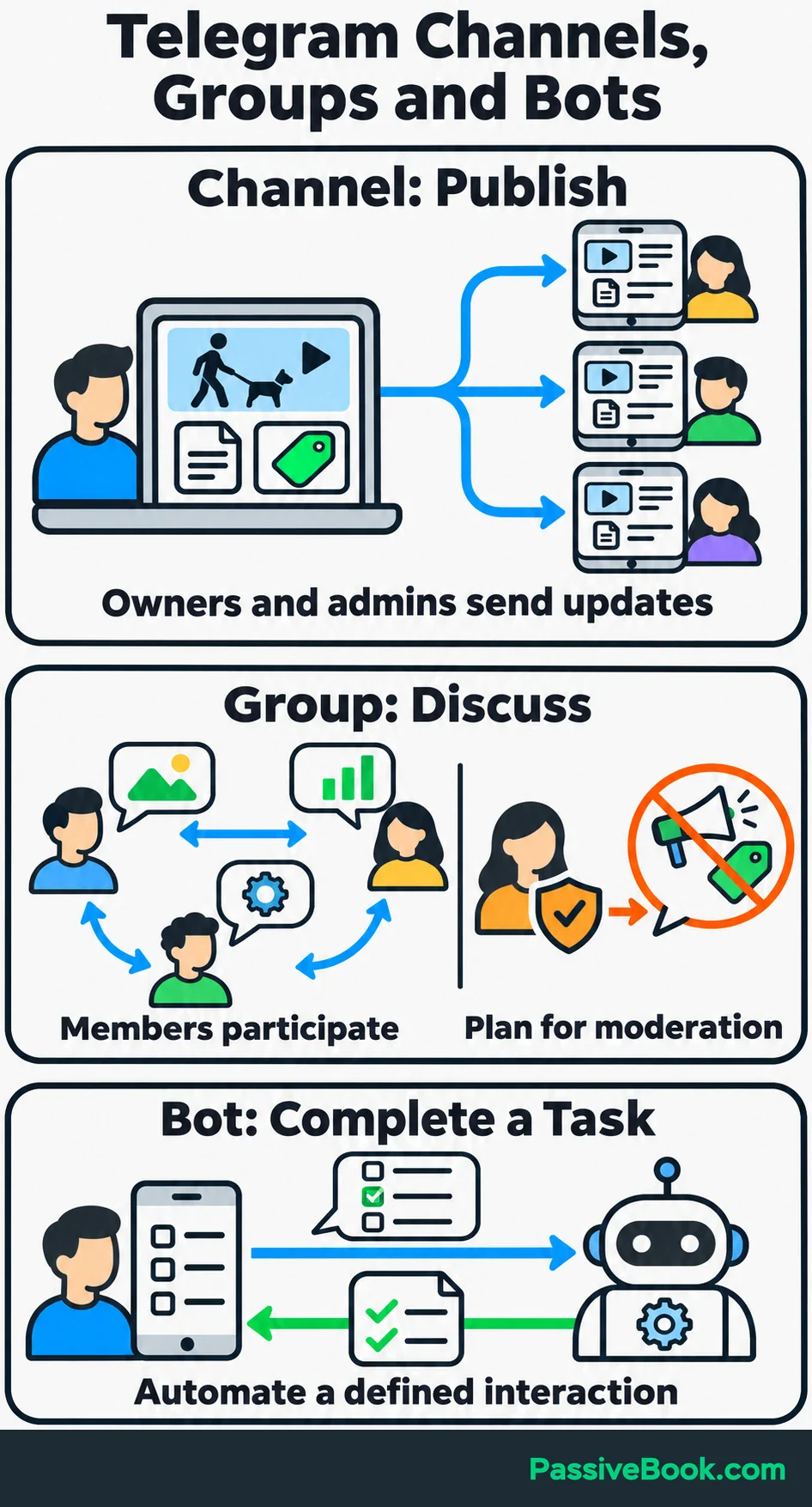
The three main formats serve different jobs:
| Format | Main Purpose | Who Sends Messages | When to Use It |
|---|---|---|---|
| Channel | Publish newsletter-style updates, demonstrations, and offers | The owner and authorized administrators | You want a clear feed people can follow without joining a busy conversation |
| Group | Let members discuss a shared topic | Members, within the permissions you set | Discussion adds value and you can moderate it |
| Bot | Handle a defined task, such as delivering a requested file | Software sends replies or updates based on its setup | A repeated interaction is clear enough to automate |
Channels can have unlimited subscribers, so you don’t need to start with a group to leave room for growth. Telegram’s channel explanation
Telegram Business tools are account features for handling customer conversations. They sit alongside these formats; they don’t replace a channel or group.
For our running example, imagine you sell an online loose-leash walking course for city dogs. A free practice checklist helps people get started, and a channel shares short demonstrations and course information. The business and its sample messages and figures are illustrative.
I would begin with free channel publishing. Add discussion when subscribers need it and automation when a repeated task earns the setup time. Budget separately for optional Premium features, bot services, and promotion.
Set Up a Credible Business Presence
Use an account connected to a phone number you control. Create a channel through the app’s “New Channel” option, then give it:
- A recognizable business name.
- A clear logo or profile image.
- A short description of what subscribers receive.
- Your website address.
- A contact route for questions.
Choose a public channel for openly promoted content. People can find it through Telegram search. Choose a private channel when access should depend on an invitation or invite link.
For the walking course, a public channel makes sense. Its description could say:
Short demonstrations for city-dog walks, a free practice checklist, and updates on our beginner loose-leash walking course. Course details and contact: [website].
Protect the account before sharing its link. Enable two-step verification, review who can see your phone number, and give any additional administrators only the permissions they need.
Next, publish enough material to make joining worthwhile. I would prepare the checklist, an introductory demonstration, and an answer to a common course question.
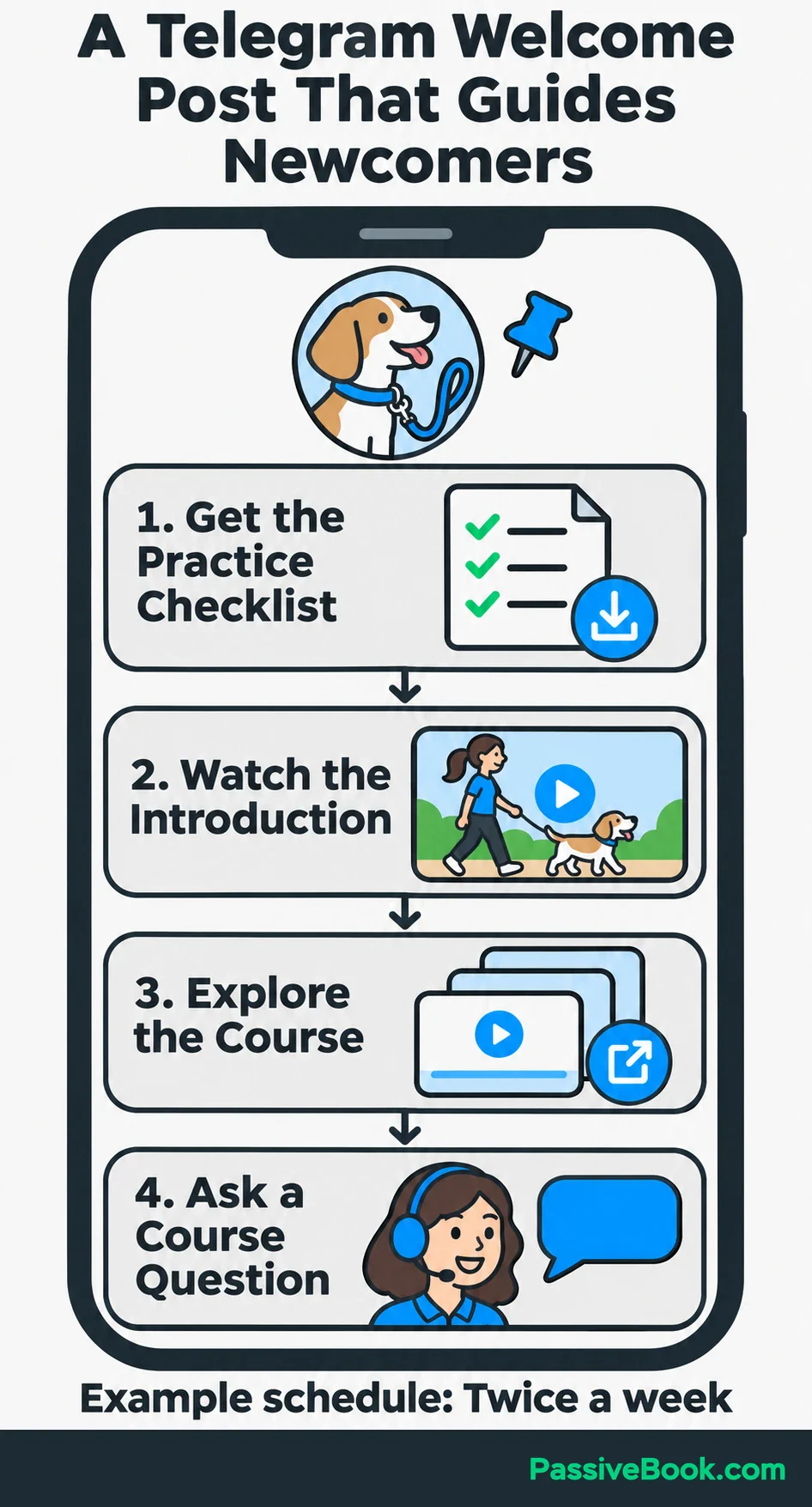
Pin a welcome post that gives newcomers a starting point. Here’s a complete sample you can adapt by replacing the bracketed links:
Welcome! This channel shares short demonstrations and practice notes for everyday city walks, plus updates about my beginner loose-leash walking course.
Start with the free walking-practice checklist: [download link].
Then watch the introductory demonstration: [post link].
Want a structured set of lessons? You can see the course contents and access details here: [course link].
I usually post twice a week. For course questions, contact me here: [contact link].
Build a Clear Path From Subscriber to Customer
Choose One Next Action
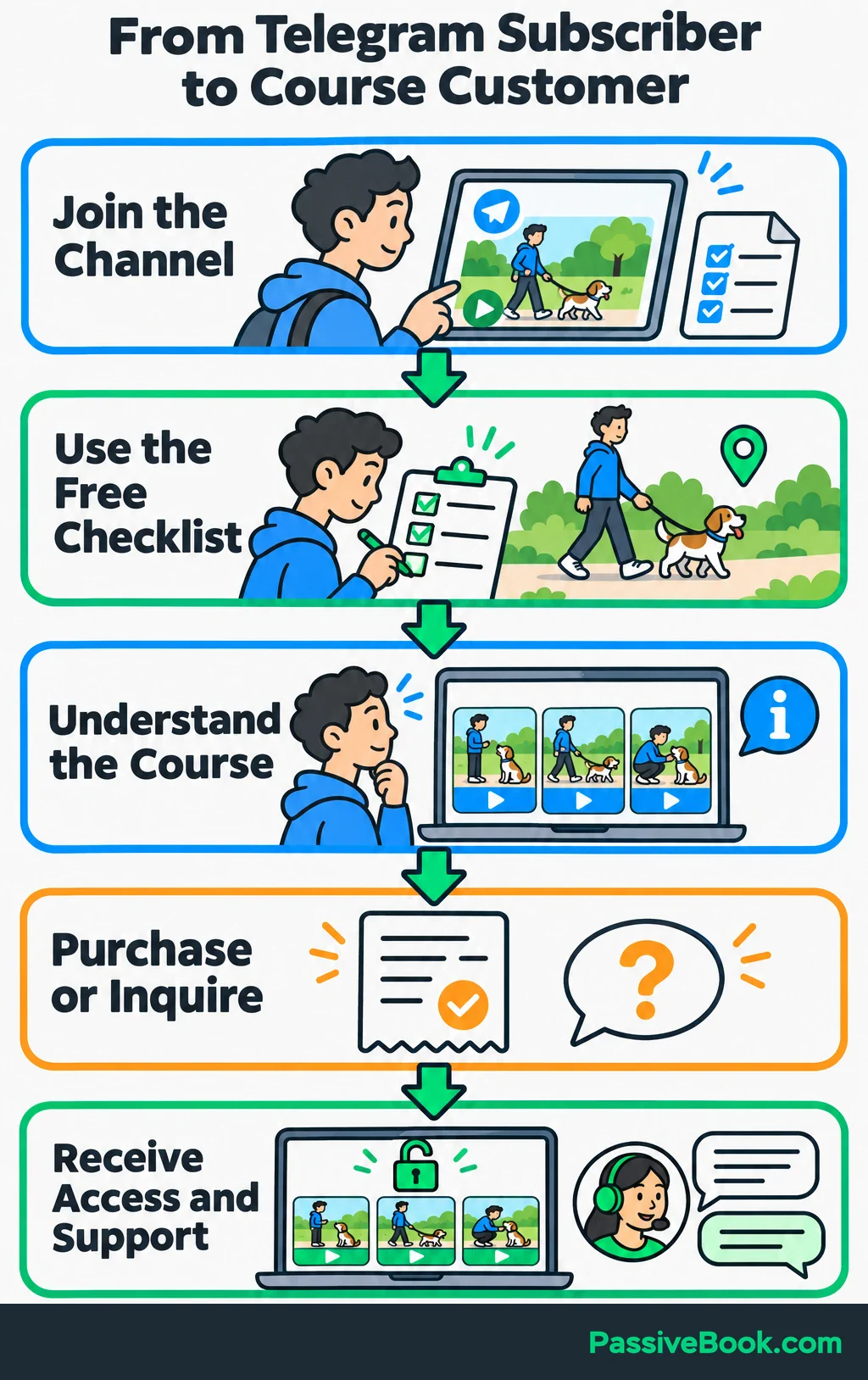
Map the customer’s path before promoting the channel:
Join → use something helpful → understand the offer → purchase or inquire → receive access and support.
Each step should answer a practical question. What happens after joining? Where does the resource lead? How does a buyer get what they paid for?
Choose a joining incentive that relates closely to the paid offer. In our example, the walking-practice checklist helps subscribers record their practice and questions. That naturally connects with a course about the same activity.
Start by delivering it through the pinned post. You don’t need a bot to hand someone a download link.
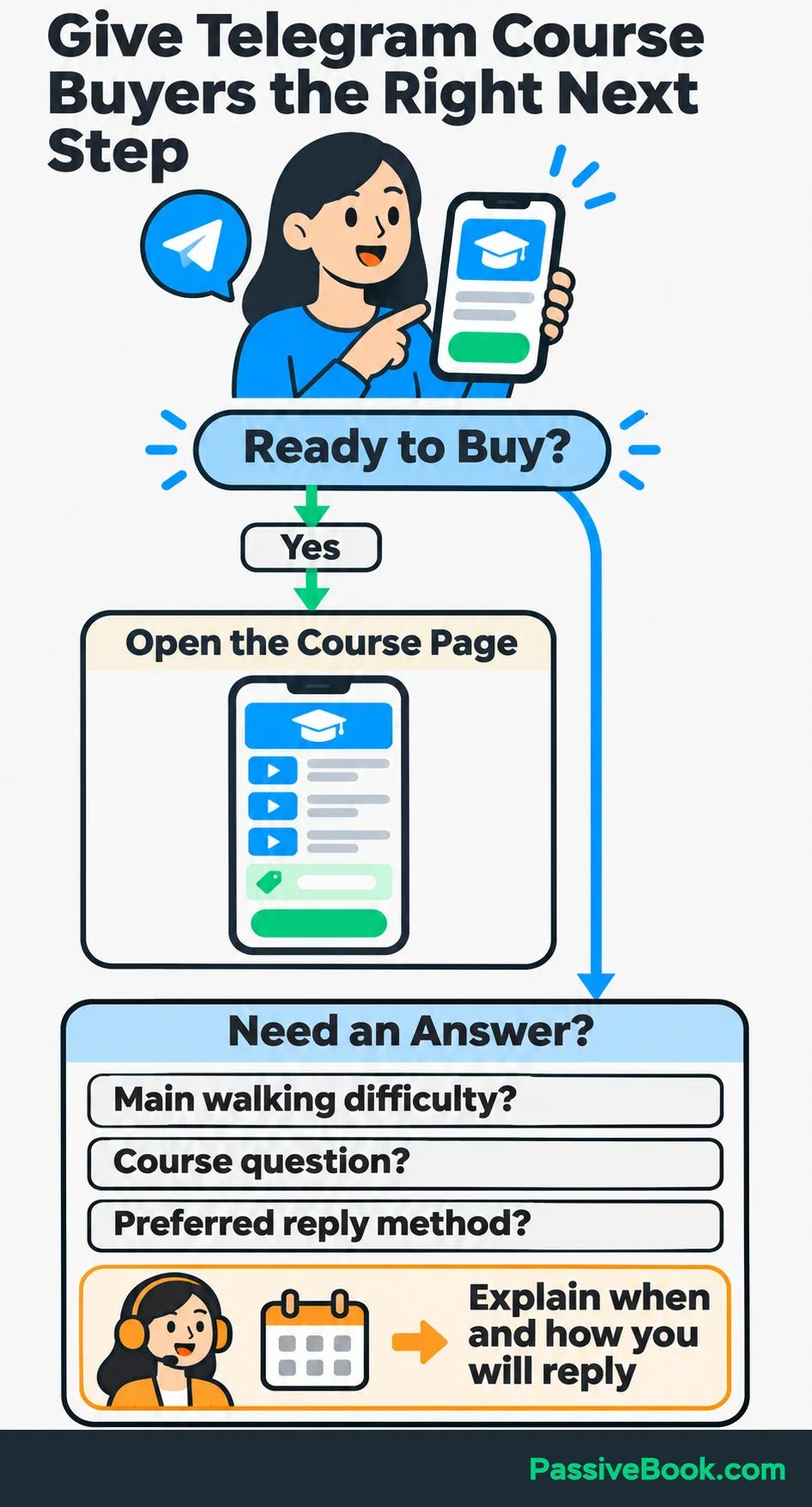
People who are ready to buy should be able to open the course page directly. Use an inquiry form when you need information before recommending an offer. Ask only what helps you respond, such as:
- What is your main difficulty during walks?
- What would you like to know about the course?
- How would you prefer me to reply?
Explain when and how you’ll follow up. An inquiry shouldn’t disappear into a form with the emotional warmth of a parking meter.
I learned the value of this path during a separate Instagram and Twitter/X experiment in another niche. I spent six months chasing followers. When I looked back through the posts, I could see what attracted attention, but the route to an offer was often missing. I had given people plenty to scroll through and little to act on.
That experience shapes my recommendation here: build the next step before chasing more subscribers.
Also offer a separate, voluntary email signup. Explain the emails people will receive, provide privacy information, and make unsubscribing easy. Joining your Telegram channel isn’t permission to add someone to an email list.
For unsolicited marketing emails to UK individuals, get consent unless you have checked that an exception applies. One exception, called the soft opt-in, can cover your own similar products or services when you collected the address during a sale or sales negotiation. You must also offer an opt-out when collecting the address and in every message, and respect that choice. ICO guidance on electronic marketing
Keep your website, customer records, and voluntary email list alongside Telegram. You’re still building on a platform someone else controls.
Make the Offer Easy to Act On
Give each promotional post one main action and link directly to the information you promise.
For example:
Want a structured practice plan? See the beginner course lessons, price, and access details: [course link].
The destination page should explain:
- What the buyer receives.
- Who the offer suits and where its limits are.
- The price and any ongoing charges.
- How and when access arrives.
- What support and refund terms apply.
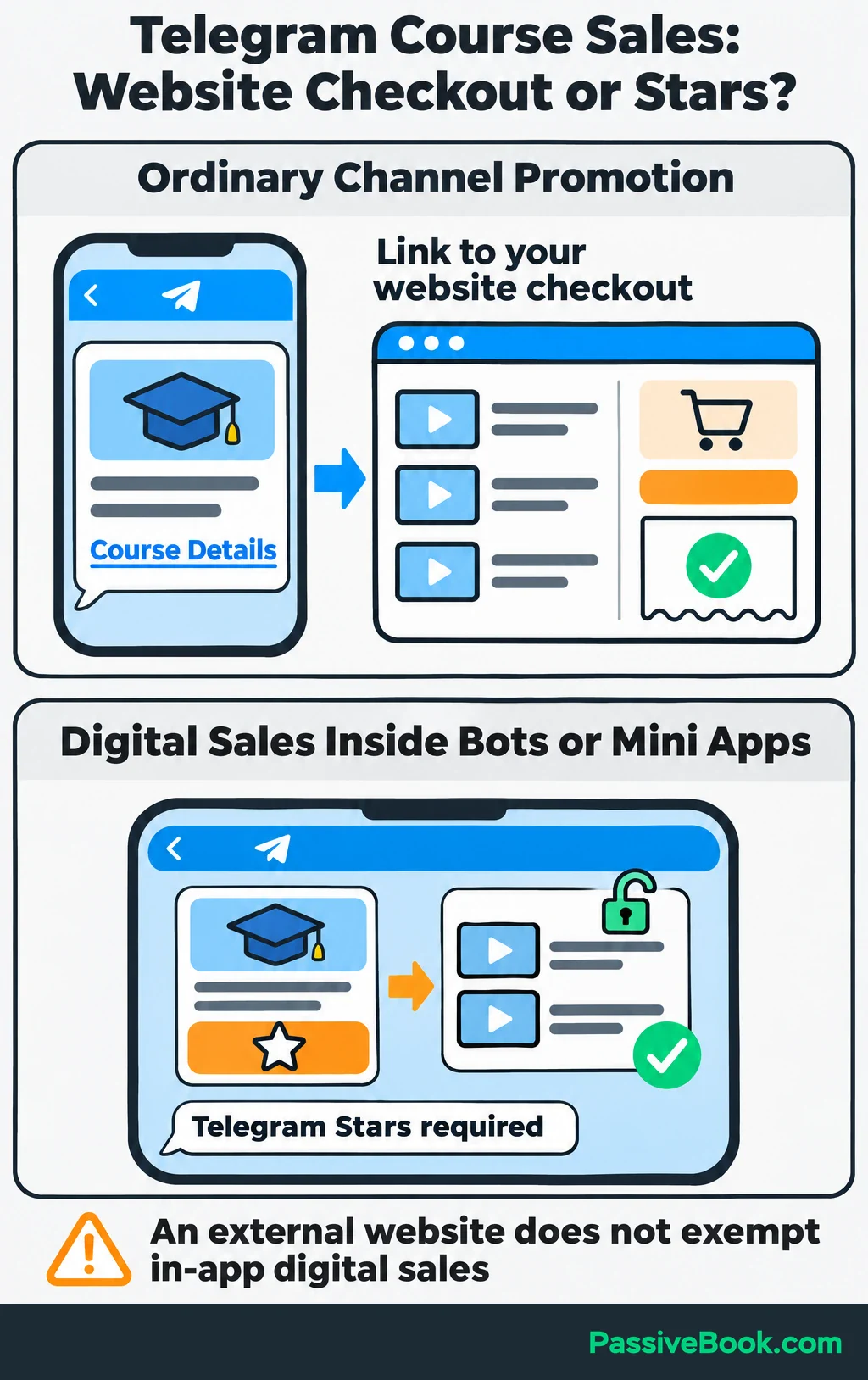
I would use the business’s website checkout for ordinary channel promotions. If you already sell through WordPress and WooCommerce, keep that working checkout rather than building another payment system.
Test the whole journey on a phone: open the post, follow the link, complete a test purchase, and check the confirmation and course access.
There is a separate rule for in-app selling. Digital goods and services sold through Telegram bots or mini apps—web apps that open inside Telegram—must use Telegram Stars, its in-app currency. Having an external website doesn’t exempt those in-app sales. Telegram’s digital payment rules
After announcing the course, answer questions that help people decide. Explain what a lesson looks like, whether beginners can follow it, and how access works. With permission, include customer feedback that helps answer those questions.
Publish a Telegram Newsletter Worth Staying For
Give Each Post a Useful Purpose
Your posts should do one of three jobs:
- Help subscribers make progress.
- Answer a question that affects a buying decision.
- Explain the offer and invite action.
Start with the useful point, cover one idea, and give a relevant next step. A subscriber should get something from the post even if they never open another page.
Match the format to the explanation. Text works for a short answer, an image can show a visual detail, a video can demonstrate a process, and a document can hold something reusable.
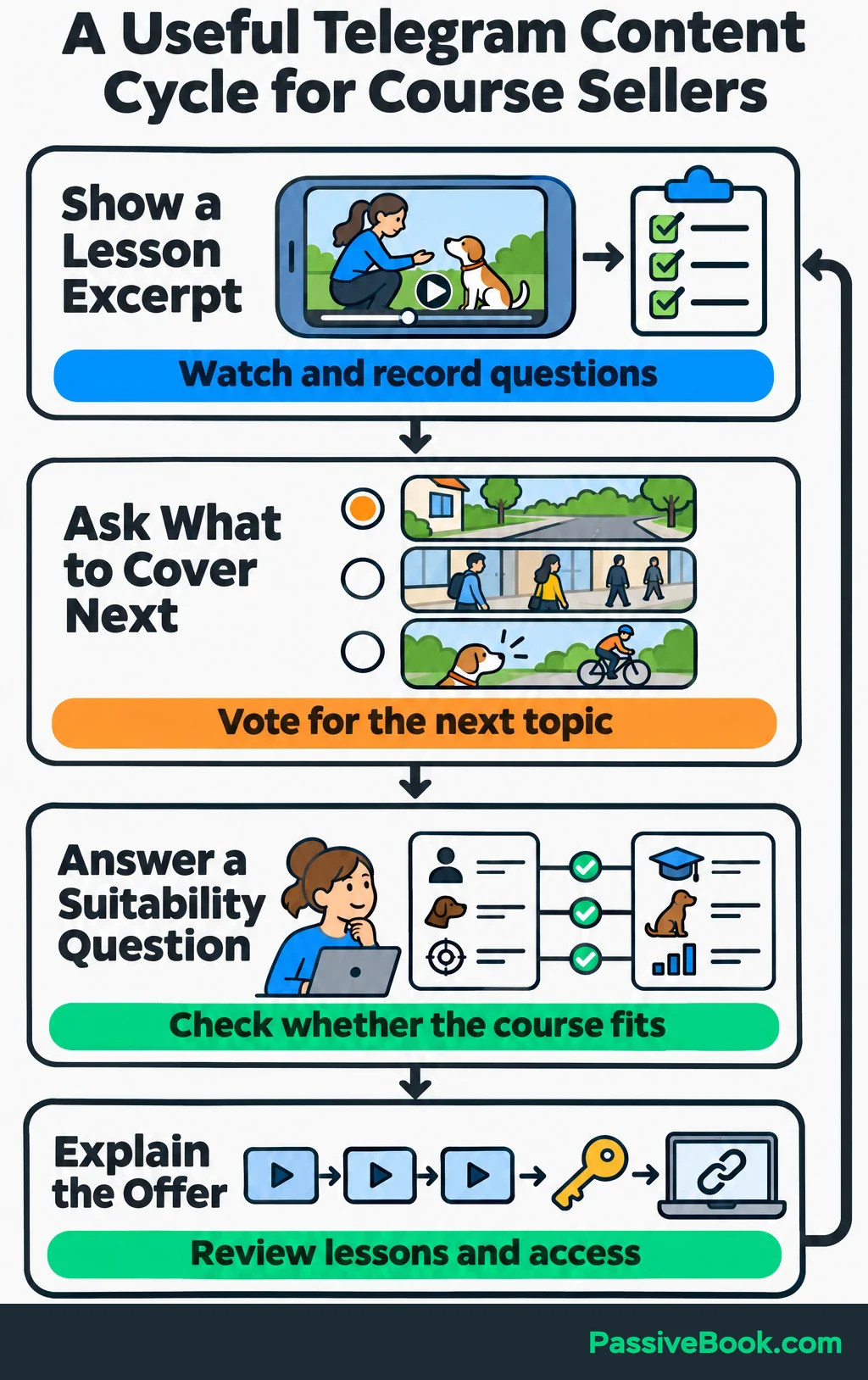
Here’s a simple content cycle for the walking-course channel:
| Post | Subscriber Benefit | Next Action |
|---|---|---|
| A short excerpt from an introductory course demonstration | See how a lesson is presented before buying | Watch the excerpt and use the checklist to record questions |
| A poll asking which walking situation needs more coverage | Help choose the next topic | Vote for quiet streets, busy pavements, or passing distractions |
| An answer explaining who the beginner course suits | Decide whether the course matches their needs | Read the suitability details |
| An invitation showing the lesson sequence and access arrangements | Understand what the purchase includes | Open the course page |
A resource-focused post could be as short as this:
After your next walk, record the location, the distraction you found hardest, and the question you want answered.
Use the practice checklist pinned above to keep your notes together.
That gives the checklist a reason to be used again.
You can also turn one course lesson into several distinct posts: a short demonstration, an answer about that demonstration, and a note explaining where it fits in the full course. Each needs its own takeaway. Repeating the same sales message in three formats creates more files, not more value.
I would start with two useful posts a week and a small prepared queue. Increase the frequency only when you have enough worthwhile material and time to respond.
If the empty posting queue is where you get stuck, AI Social Copy Studio can turn your own notes into four drafts. You can also use it for your welcome message, channel invitations, and customer replies.

Free AI Social Copy Studio




Use Participation to Improve the Content
Ask questions whose answers will change what you publish.
“Which walking situation should the next demonstration cover?” gives you a content decision. A vague request for thoughts often leaves subscribers doing the work of inventing the question.
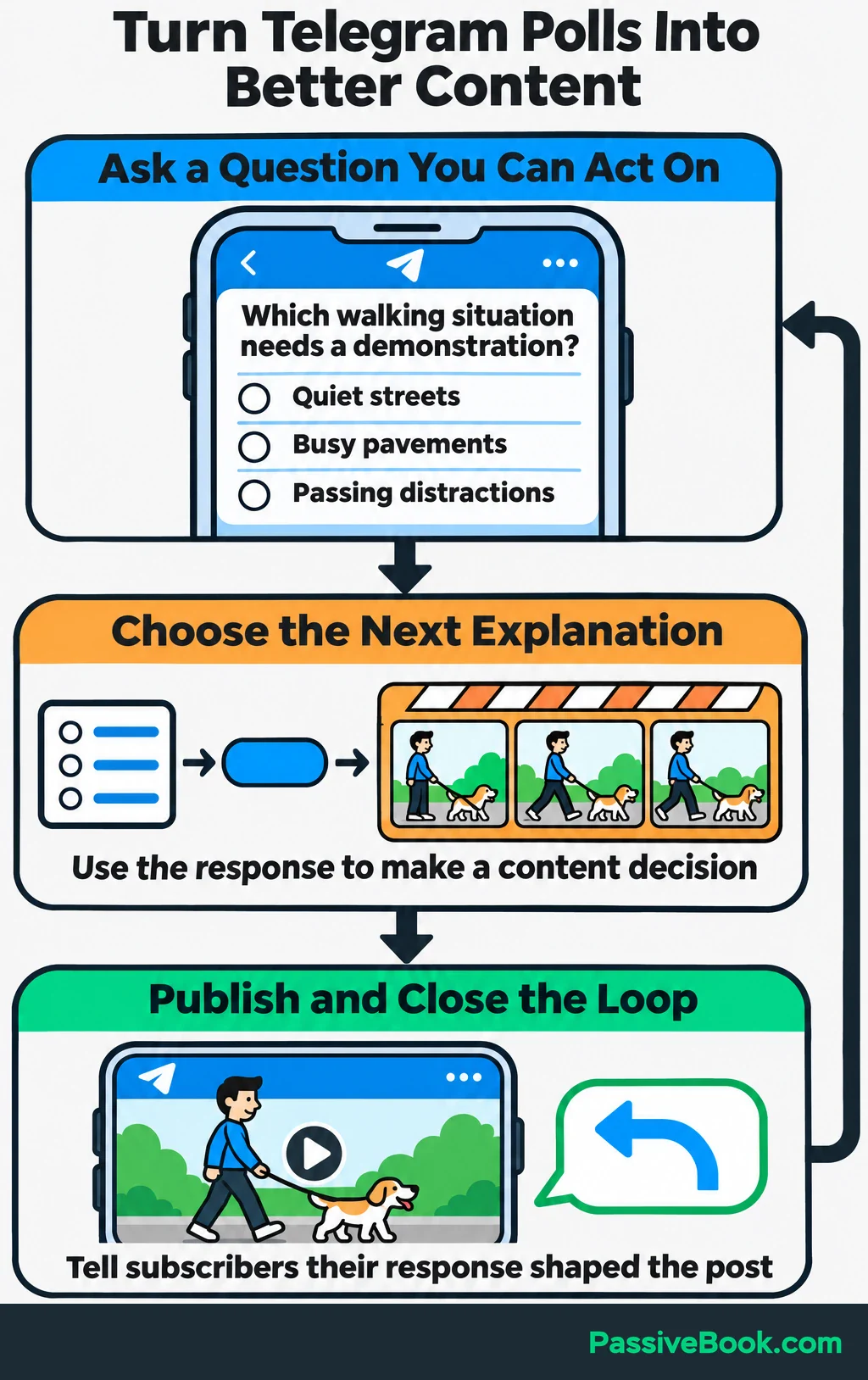
Use polls or reactions first. Then follow through: publish the requested explanation and mention that the response shaped it.
Add a linked discussion group when conversation would improve the experience and you can moderate it. This enables comment threads on channel posts.
Pin short rules covering respectful discussion, unwanted promotions, and the route for support. Decide who checks the group and when.
Move account-specific questions to your private support route, and keep payment details out of chats. Ordinary Telegram cloud chats are not end-to-end encrypted, so moving a conversation out of a public group doesn’t make it suitable for sensitive payment information. Telegram’s encryption explanation
Attract Relevant Subscribers Without Spamming
Promote the benefit of joining. “Follow my Telegram channel” asks for attention without explaining what it buys.
For the walking course, use a specific invitation:
Get the free walking-practice checklist and follow short demonstrations from the beginner course.
Place that invitation where the topic already matters: beside a related blog post, on the course page, in a relevant email, or beneath a social post about walks.
If you have no audience yet, start with useful contributions in relevant communities. Answer the question being asked and follow the community’s promotion rules. Arrange an administrator-approved resource post when your checklist provides a useful continuation.
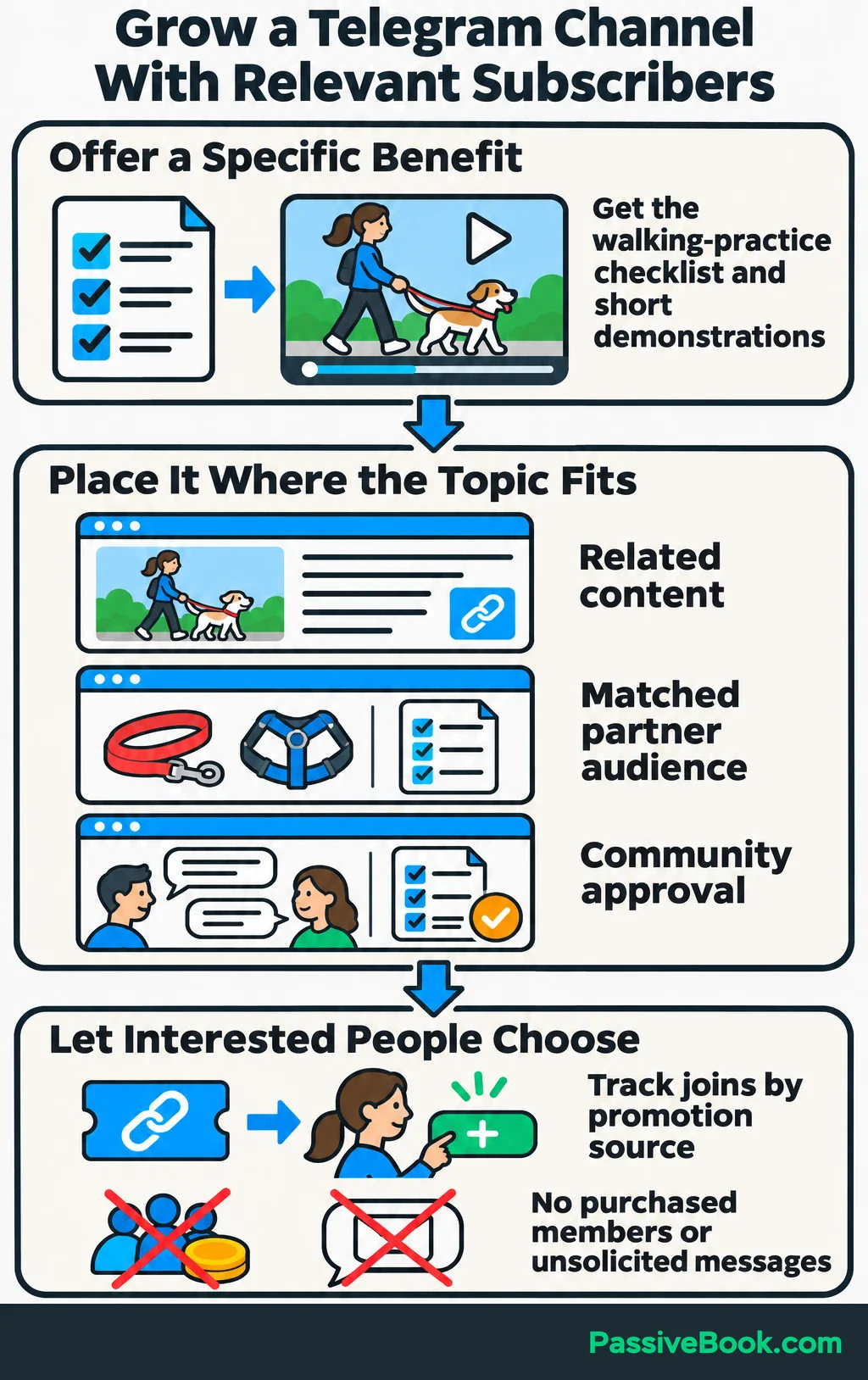
You can also work with complementary businesses. A seller of dog-walking equipment might share the checklist with interested customers. I would choose a small, closely matched audience over a large channel whose members have no reason to want the course.
Make selected posts easy to forward. Give them enough context to make sense outside your channel, and invite sharing of that particular resource.
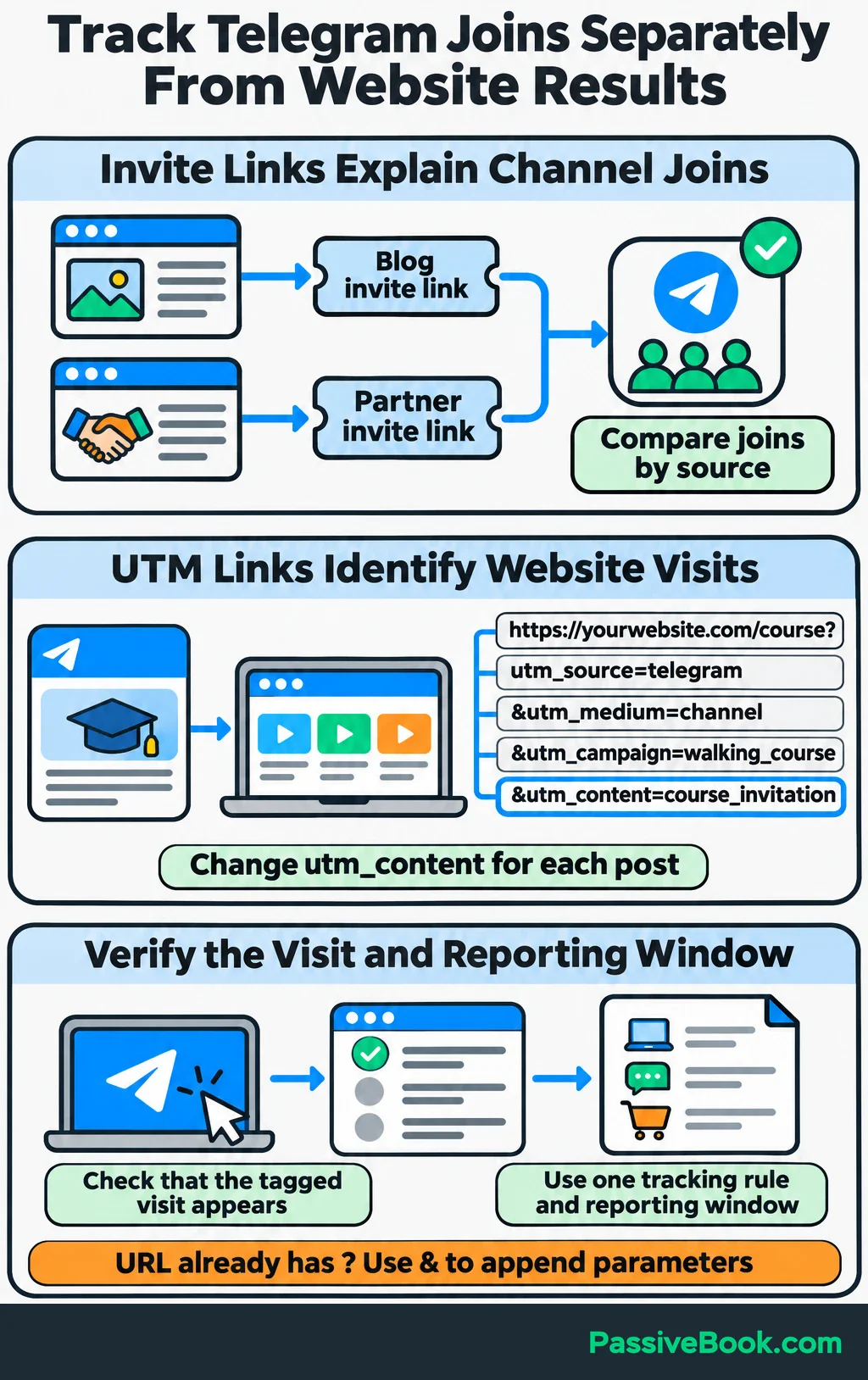
Create a separate invite link for each promotion source. Telegram lets administrators see which users joined through each link, so you can compare a blog invitation with a partner placement. Telegram’s invite-link tracking
Skip purchased member lists, unsolicited direct messages, and adding people without agreement. You need interested subscribers, and Telegram prohibits spam. Telegram’s service terms
Test paid promotion only after the purchase path works. For a sponsored channel post, agree on the message, timing, and placement with its administrator. Use dedicated tracking links and cap spending based on what a customer contributes after fees, refunds, and delivery costs.
A cheap subscriber who never wanted the offer is still an expense.
Automate Repeatable Work
Start With Telegram’s Built-In Tools
Batch your posts, review them, and schedule them in Telegram. To schedule a prepared post, hold the send button and choose “Schedule Message.”
Keep a regular check for replies, broken links, corrections, and changes to the offer. A scheduled post won’t notice that the course page has moved.
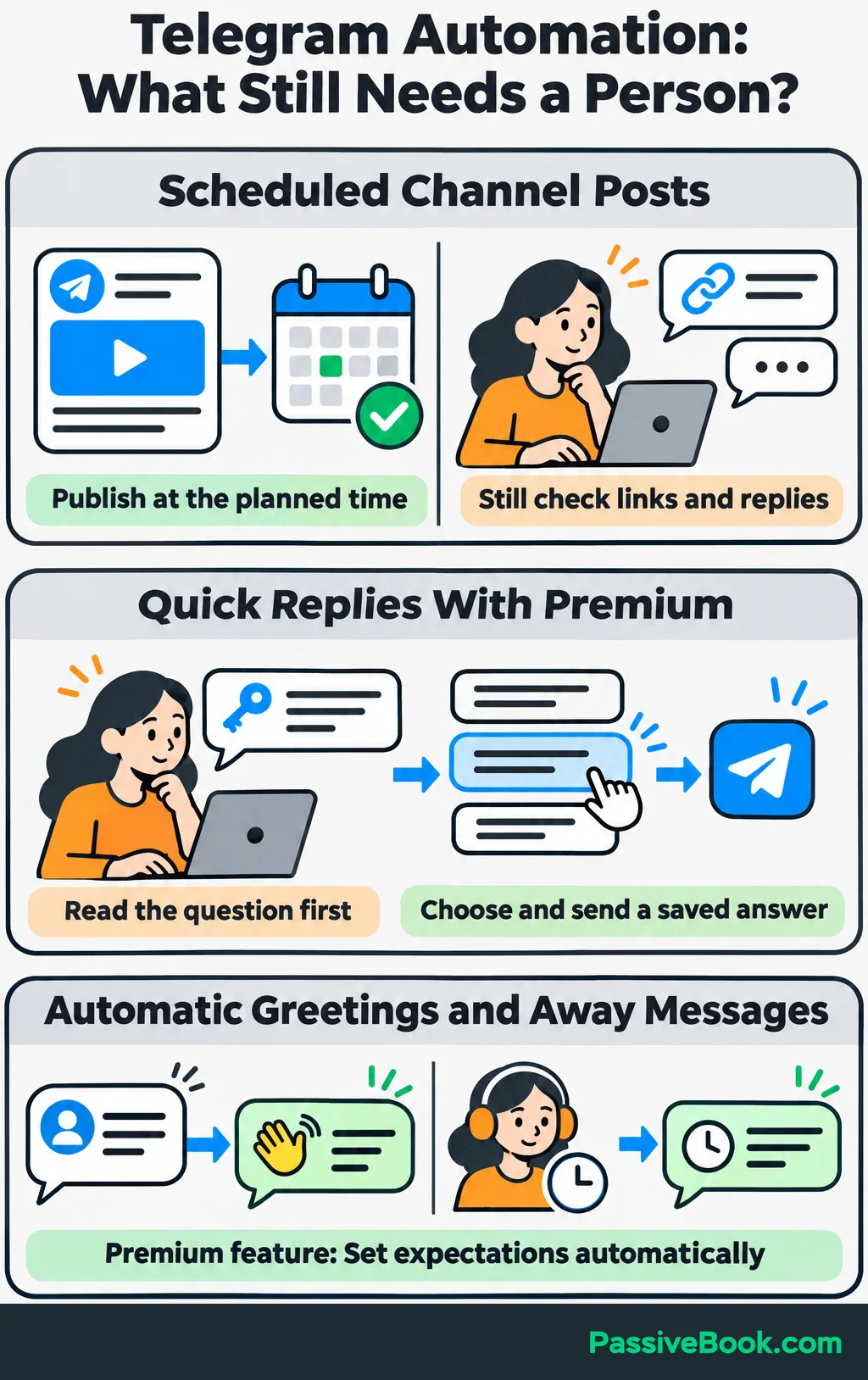
When private inquiries become repetitive, optional Business tools can help. Premium includes quick replies that you select and send, plus automatic greeting and away messages. Quick replies save typing; they don’t decide which answer a person needs. Telegram Business features
For example, save a clear answer about course access, then check the person’s question before sending it.
Connecting a bot to a profile is also available to every Telegram user. You can restrict which chats it accesses, such as allowing it to handle only new inquiries. Telegram’s profile automation feature
I would keep that bot’s job narrow: explain access arrangements, collect a course question, or route someone to human help. Leave unusual complaints and suitability decisions with a person.
Give a Bot One Specific Job
Test the task manually before automating it. If people can’t find the checklist, first fix the pinned post. A bot shouldn’t become an elaborate solution to an invisible link.
When requests justify automation:
- Create the bot with @BotFather, Telegram’s official tool for registering bots.
- Connect a bot builder or workflow tool that defines its behavior.
- Write the delivery message and available choices.
- Add a clear human-help route.
- Test the complete interaction.
For a workflow that connects several tools, I would consider n8n, which I use for automation. Its Telegram integration supports sending messages and documents. Keep in mind that the workflow still needs setup and a running service. n8n’s Telegram integration
The walking-course bot could follow this flow:
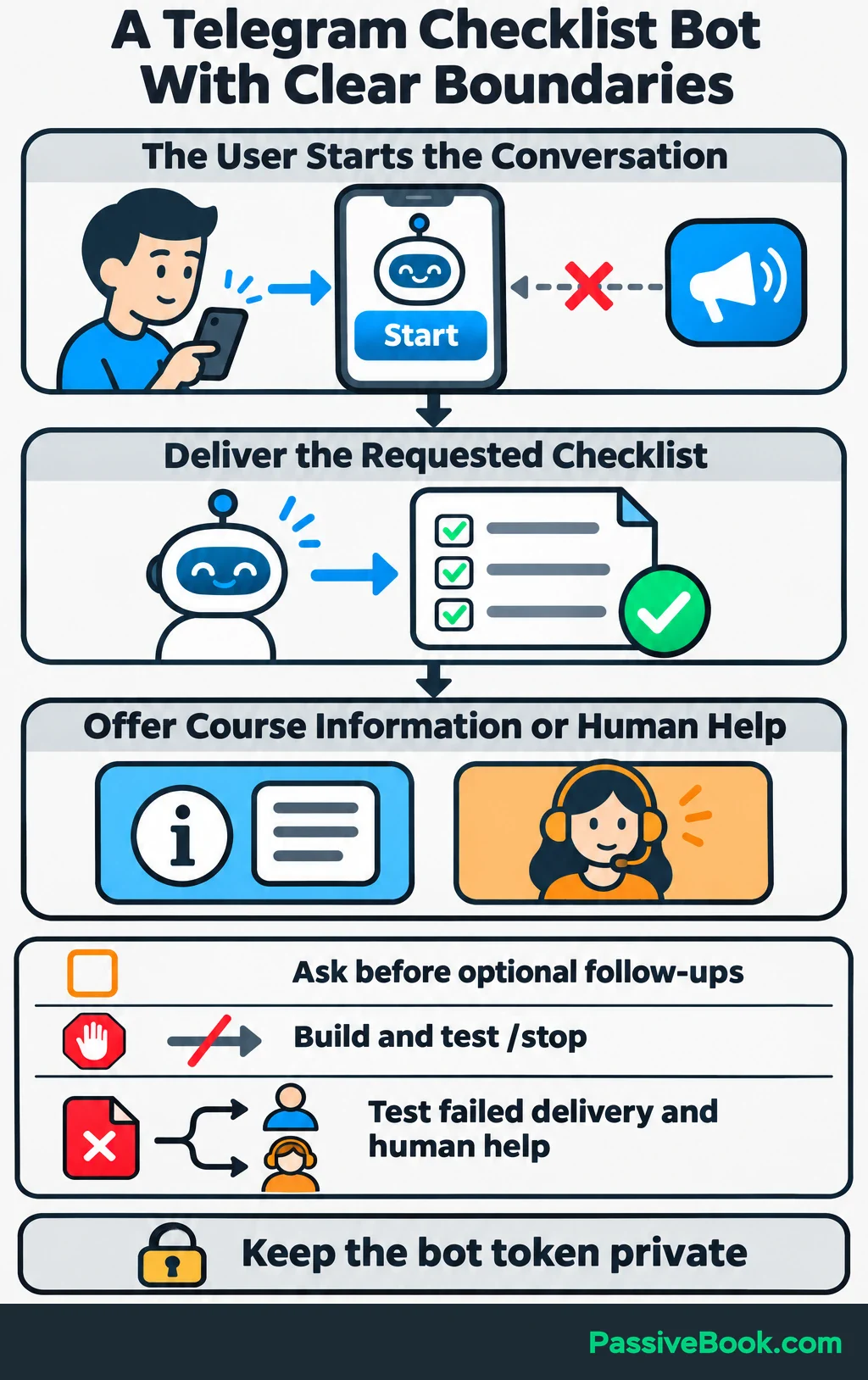
Start → deliver the requested checklist → offer course information → provide human help.
Invite people to open the standalone bot and press “Start.” Joining your channel doesn’t start a private conversation with it, and standalone bots cannot initiate conversations with users. Telegram’s bot messaging restrictions
Ask separately before sending optional follow-up messages. If you offer a /stop command, build and test the behavior that actually stops those messages.
Keep the bot token—the credential that connects your workflow to the bot—private. Anyone holding it can control the bot. Telegram’s token security guidance
Test from a non-administrator account. Try requesting the file twice, opening a broken link, stopping messages, and asking for human help. Also test failed delivery so you know how the subscriber and operator will discover it.
Expand only when the time saved justifies the setup and maintenance.
Track Leads and Sales to Improve Results
Keep one reporting sheet that connects promotion with customer activity.
Record joins and departures, post activity, website visits, qualified leads, purchases, revenue, and promotion costs. Subscriber growth tells you whether people are arriving. Orders tell you whether the business path is working.
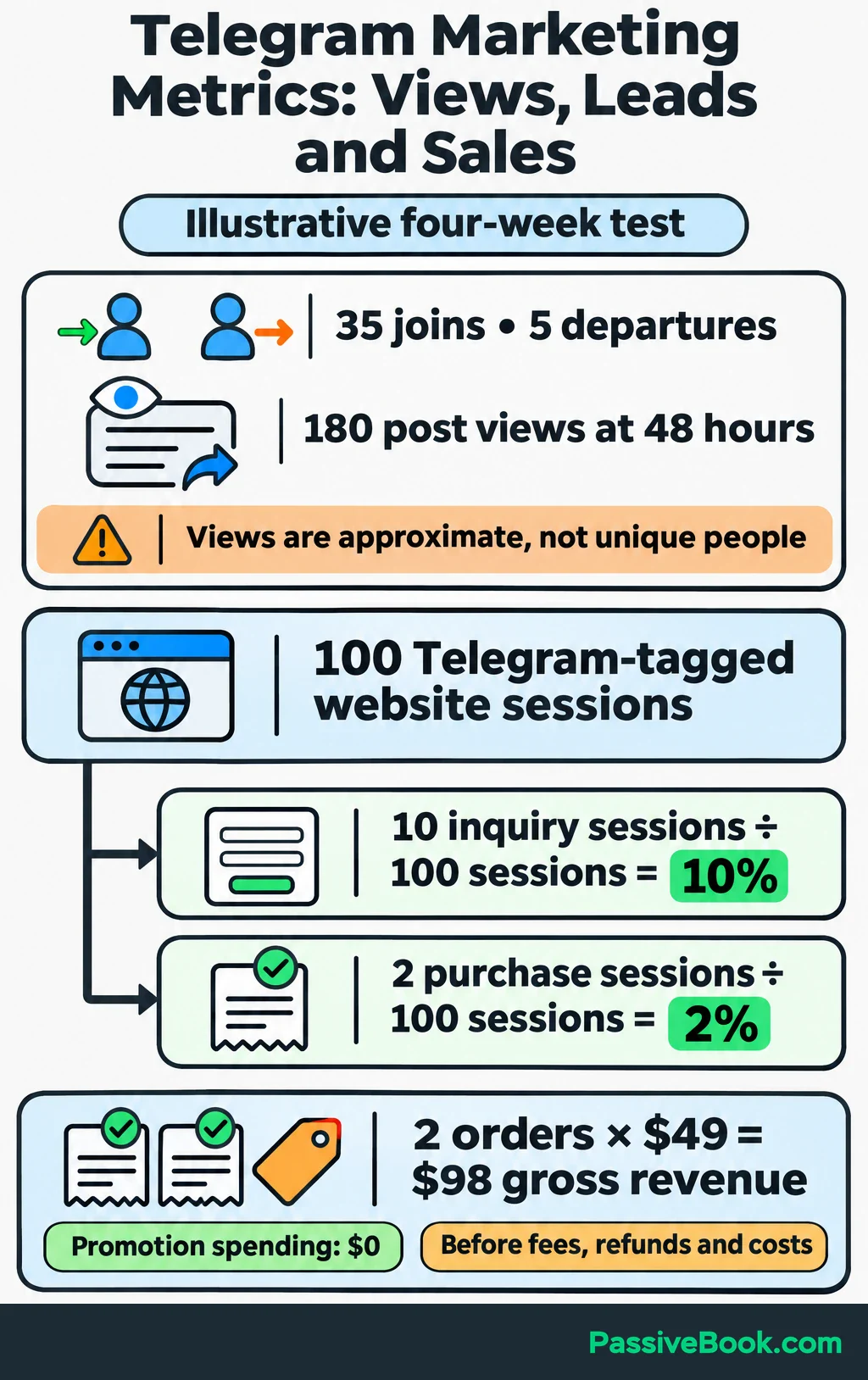
Compare post views at the same age after publication—for example, after 48 hours. Telegram’s counts are approximate and include forwarded copies; repeat views can also enter the count. Treat them as exposure, not unique potential customers. Telegram’s view-counter explanation
Add campaign parameters to your website links so your analytics can identify visits from Telegram. These labels go after a question mark in the page address, separated by &:
https://yourwebsite.com/course?utm_source=telegram&utm_medium=channel&utm_campaign=walking_course&utm_content=course_invitationReplace the example address with your course page. If its URL already contains a question mark, append the parameters with & instead. Change utm_content for each post you want to compare, and check that a visit through the tagged link appears in your website analytics.
Here’s an illustrative four-week test. A related blog post promotes the channel, which records 35 joins and five departures overall. The course invitation records 180 views after 48 hours. Promotion spending is $0.
Telegram-tagged links bring 100 website sessions during the test. For the rates below, count only those sessions: 10 include a valid course inquiry, and two include a completed purchase. Each buyer places one order for the illustrative $49 course.
- Visit-to-lead conversion: 10 ÷ 100 × 100 = 10%.
- Purchase conversion: 2 ÷ 100 × 100 = 2%.
- Gross revenue: 2 × $49 = $98 before fees, refunds, and costs.
For paid promotion, divide spending by new customers credited to that promotion under the same tracking rule and reporting window. If none buy, record the spending and zero customers; leave cost per customer uncalculated. Report later purchases separately so they don’t change the original window.
Use the weakest transition to choose your next change:
- Few joins suggest reviewing the audience, invitation, and promised benefit.
- Views without website visits suggest reviewing the post’s next step.
- Visits without inquiries or purchases suggest reviewing the offer, suitability information, and checkout.
- Repeated inquiry questions suggest missing information you can answer publicly.
Change one meaningful element at a time. I would improve an unclear course page before doubling the publishing schedule. More posts won’t explain information the buyer still can’t find.
What Next?
Write and pin your welcome post, then test every link from a phone. Check that a newcomer can get the resource, understand the offer, and find help.
Use the social buttons to pass this guide along when a conversation turns to building a useful Telegram channel without creating another daily workload.
Which part of your subscriber-to-customer path needs the most work? Share it in the comments, and bring any other questions too.
Share this post with your friends & followers:

