Your product looks useful in a ten-second demonstration. The harder question is whether the people watching will ever buy it.
Snapchat gives you another place to publish, but it also gives you another account to feed, another inbox to check and another set of numbers that can look better than your sales.
You can test it without becoming a daily presenter. This guide connects a free business profile, useful videos and clear buying links, then shows when a small ad test is worth funding and how to decide whether Snapchat deserves more of your time.
Is Snapchat Right for Your Business?
Snapchat deserves a test when your customers use it, you can reach the places they live and you have something useful to show. A product demonstration gives you a stronger starting point than a vague plan to “build awareness.”
The audience extends beyond teenagers. Pew Research Center found that 56% of U.S. adults aged 18–29 and 33% aged 30–49 ever use Snapchat. Those are adoption rates within each age group, not shares of Snapchat’s audience. Pew’s social media fact sheet
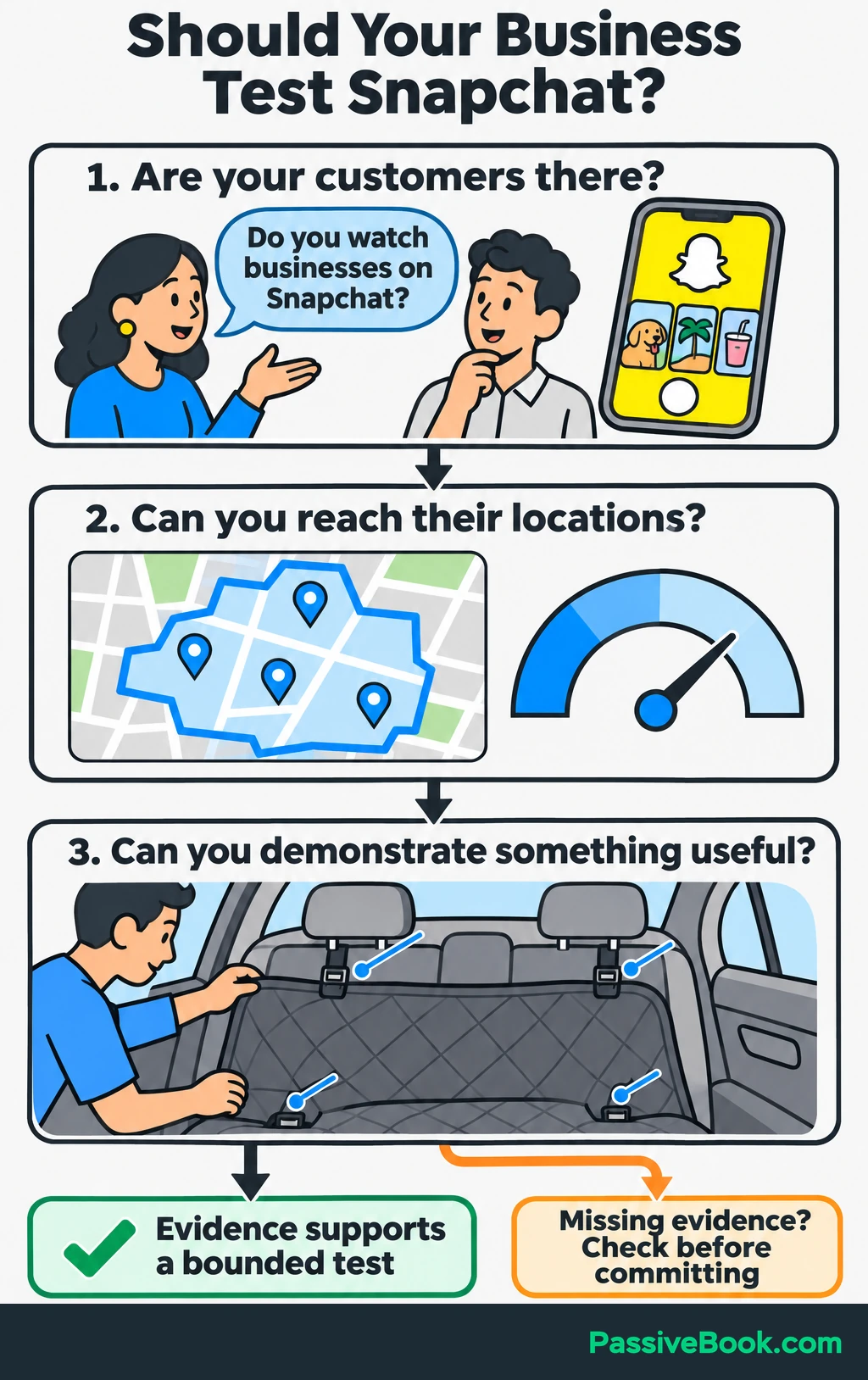
Before making content, check three things:
- Ask existing customers whether they use Snapchat and watch businesses there.
- Review audience estimates for the locations you serve in Ads Manager, Snapchat’s tool for creating and managing ads.
- List buying questions you can answer with a short demonstration.
I would start with unpaid posts if you already have original footage and a customer email list or website that can introduce the account. Ads make more sense when you need control over who sees your offer. You can advertise without first building a large following.
There is evidence that Snapchat can support sales. Snap reports that clothing brand Comfrt generated over $3 in additional revenue per $1 spent on Snapchat ads. Comfrt worked with WorkMagic to assess Snapchat’s additional impact. The campaign also involved many ad variations and changes to how it bid for placements. That supports testing the channel; it doesn’t give a small shop a sales forecast. Snap’s Comfrt case study
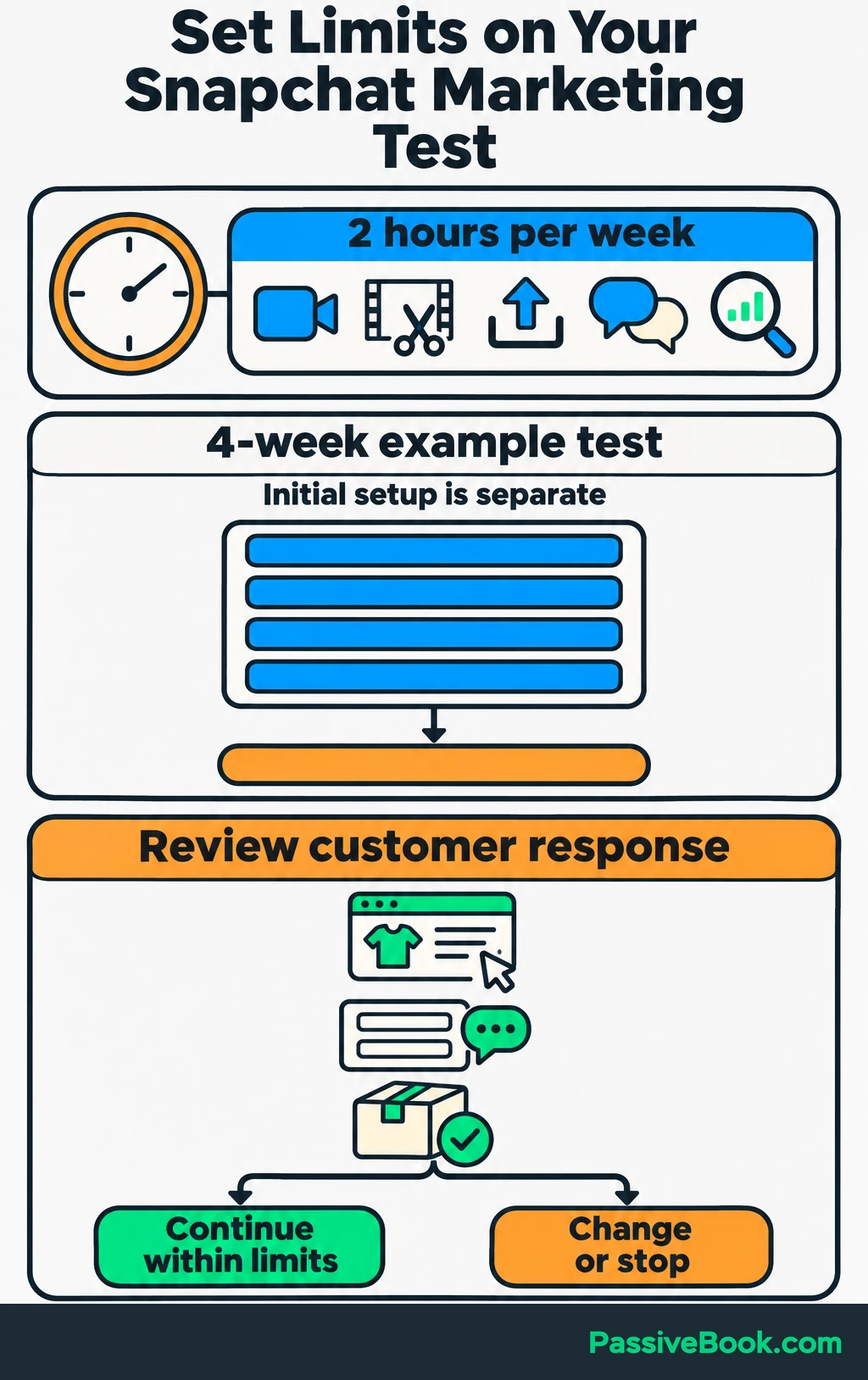
Set limits before starting. For example, allow two hours a week for four weeks, excluding initial setup. Include filming, editing, publishing, replies and analysis. At the review date, decide whether the customer response justifies another test.
An unlimited content schedule is an expensive way to discover that a channel doesn’t fit.
Choose One Customer Action and Prepare Its Destination
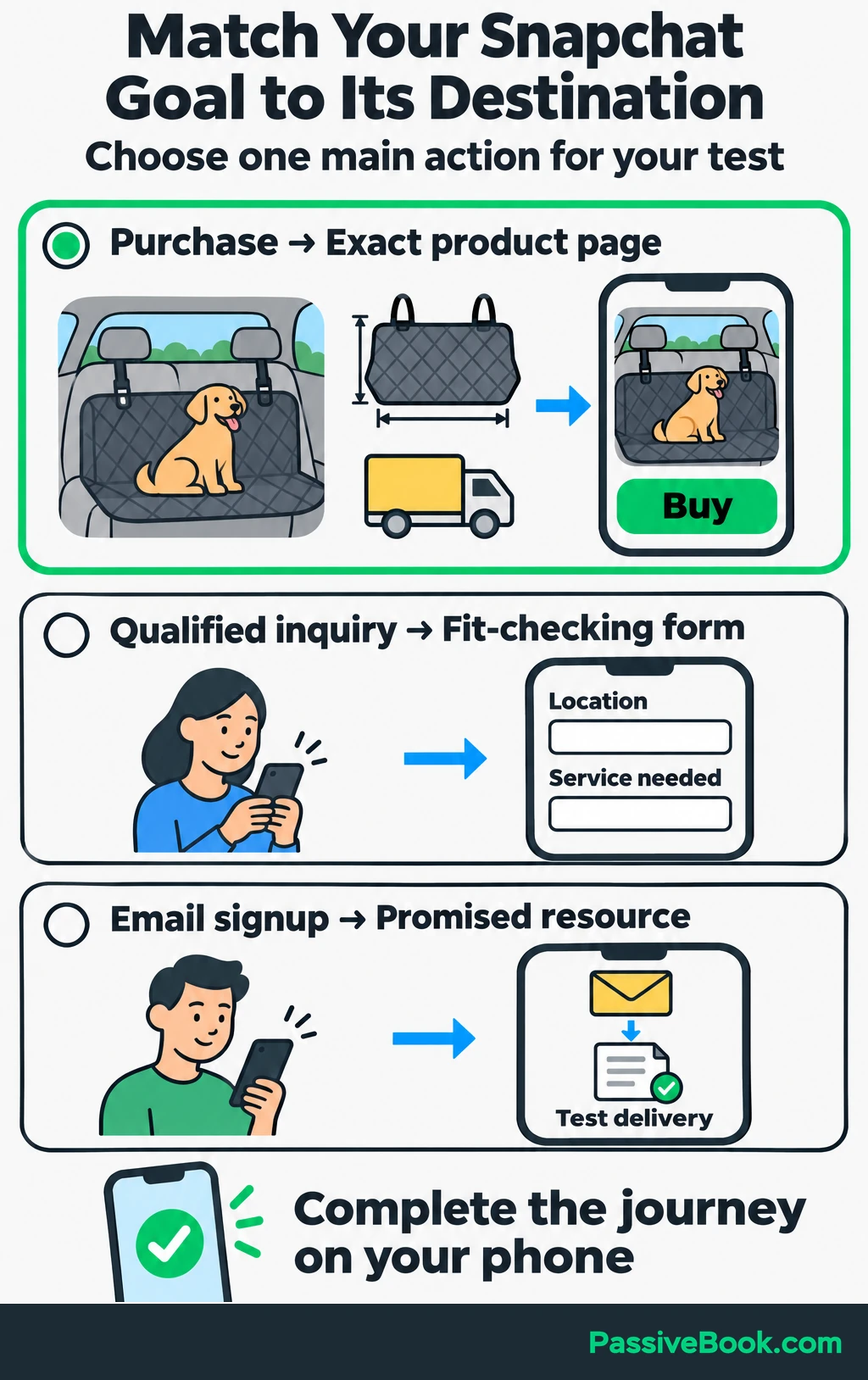
Choose one main result: a purchase, a qualified inquiry or an email signup. Views help you understand distribution, but they shouldn’t replace the action your business needs.
I spent six months chasing Instagram and Twitter/X followers while my bank balance stayed around $47. My planning sheet recorded posts and follower growth, but it gave me little reason to check whether anyone reached an offer. Updating the sheet felt productive. It was also remarkably compatible with making no money.
For your Snapchat test, put the customer action at the center of the plan.
Throughout this guide, imagine you run an online shop selling washable dog car-seat covers. The shop, product details, copy, schedules, budgets and results are illustrations.
For this shop, I would choose purchases and send interested viewers to the exact cover shown in the video. A homepage makes them search for something you have already persuaded them to inspect.
Prepare that product page before publishing. It should show:
- The cover in use and how it attaches.
- Dimensions and how to check fit.
- Washing instructions for that product.
- Price, delivery costs and return information.
- One obvious purchase button.
Complete a test purchase on your phone. Check the whole journey, including payment and the confirmation message.
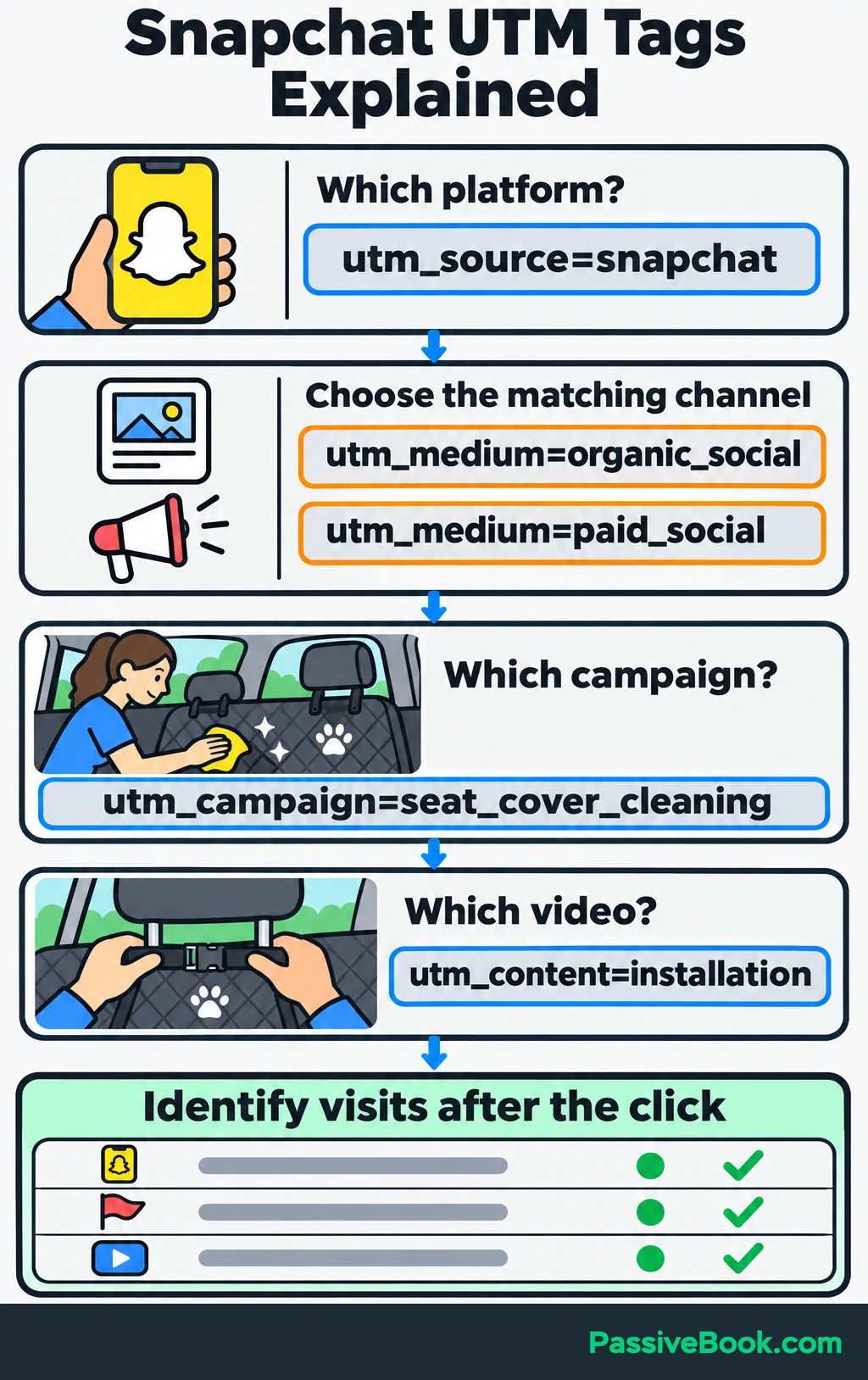
Add campaign tags, also called UTM tags, to your links. These labels let website analytics identify which visits came from Snapchat. For example:
utm_source=snapchat&utm_medium=organic_social&utm_campaign=seat_cover_cleaningFor ads, change utm_medium to paid_social. Add utm_content=installation or utm_content=cleaning to distinguish visits from the two videos.
If you need inquiries instead, define what qualifies before counting them. Someone outside your service area isn’t a usable lead. Your form should collect the information needed to judge fit, and one person should own the follow-up.
For email signups, promise a specific useful resource and make sure its delivery works before sending visitors.
Set up Your Snapchat Business Profile
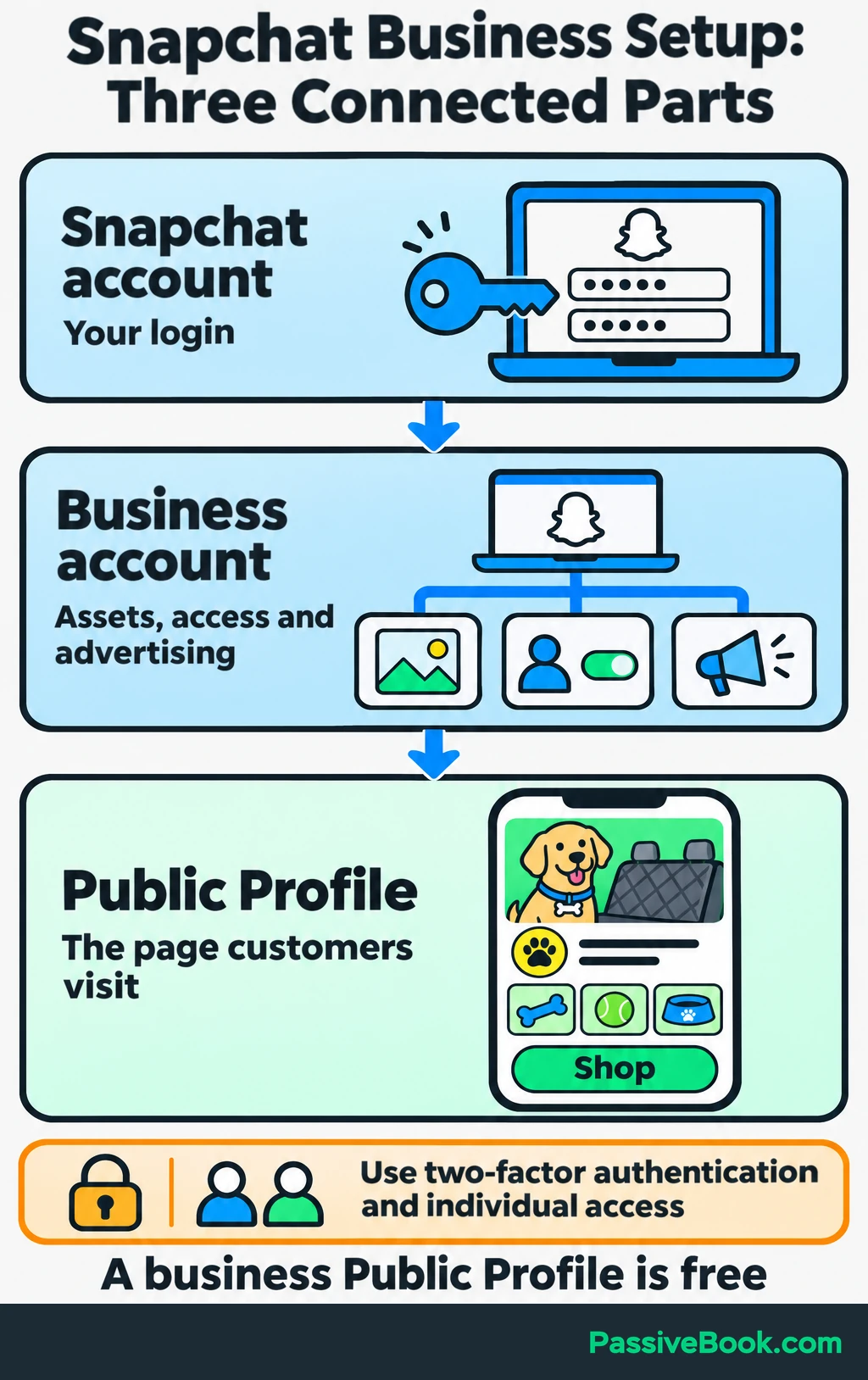
There are three connected parts to understand:
- Your Snapchat account supplies the login.
- Your business account manages business assets, access and advertising.
- Your Public Profile is the page customers visit.
A business Public Profile is free and doesn’t require buying ads. It gives your content a permanent home on Snapchat. Snap’s business Public Profile overview
To set it up:
- Register or sign in through Snapchat’s business onboarding and enter your business details.
- Complete the business Public Profile during setup. If you already have a business account, use the Public Profiles area in Ads Manager to create or connect the right profile.
- Add a recognizable image, display name, short description, business category and website.
- Preview the profile in the app and open its website link.
Use a description that explains what you sell. For the example shop:
Washable dog car-seat covers. Watch fitting and cleaning demonstrations, then check the measurements before ordering.
Include your location or delivery area when it affects who can buy. Point the website link to the shopping destination you prepared.
Turn on two-factor authentication and keep recovery details under business control. Give collaborators their own access with roles suited to their work, so an editor doesn’t need your password or billing permissions.
Publish Content That Helps People Buy
Start with the questions that stand between interest and an order. Your first content library should help people understand the offer, judge whether it fits and take the next step.
Turn Customer Questions Into Simple Vertical Content
Collect questions from customer messages, reviews and conversations before buying new equipment.
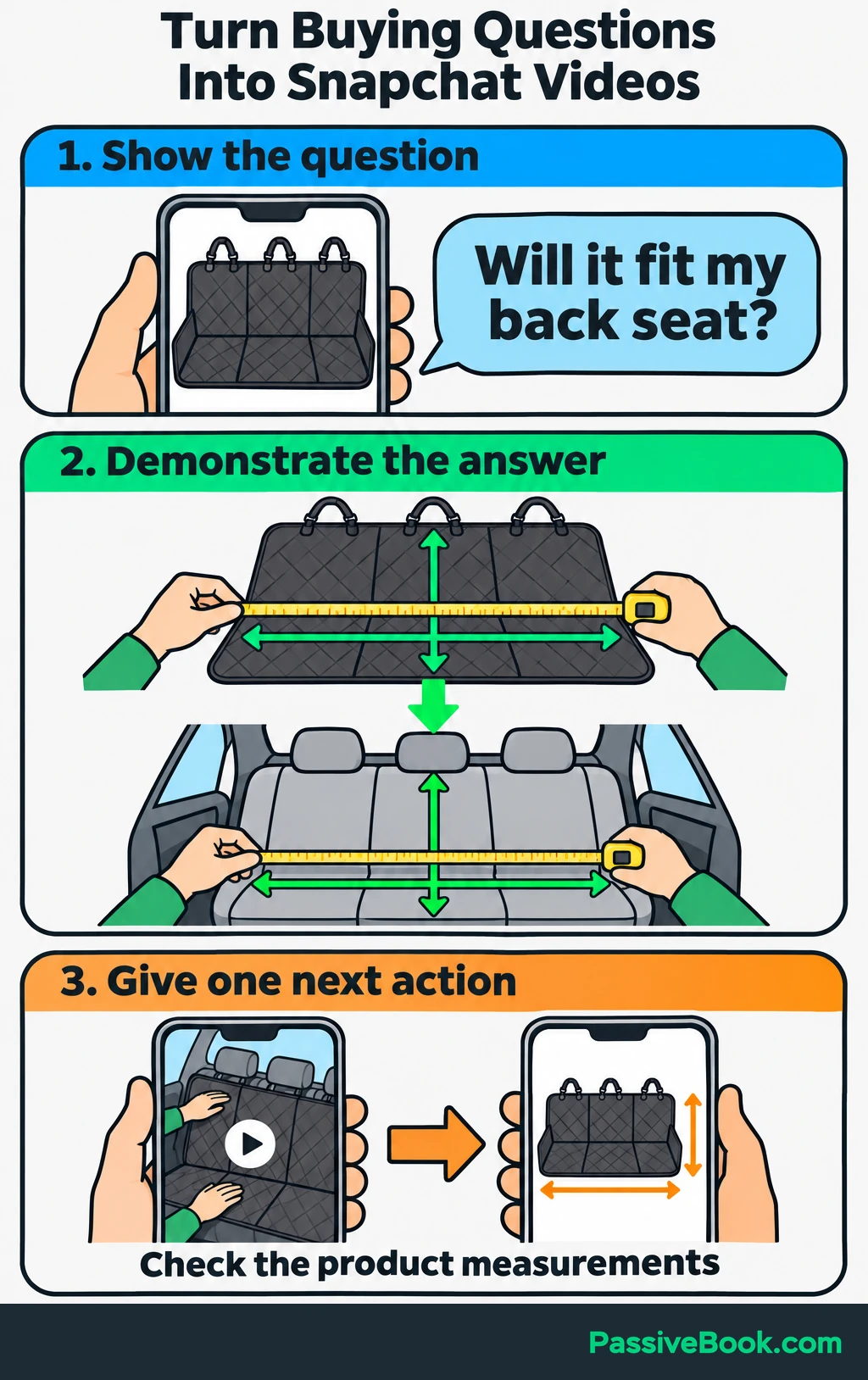
Build each piece around three parts: show the question, demonstrate the answer and give one next action. A phone, a stable place to put it and readable captions are enough to begin.
For the cover shop, those questions might become:
| Customer Question | What to Film |
|---|---|
| “Will this fit my back seat?” | Measure the cover’s width and length, then show where buyers should take the corresponding measurements on their back seat. |
| “How does it attach?” | Film your hands fitting the cover in a parked car, with a close-up of each attachment point. |
| “How do I wash it?” | Demonstrate removing the cover, show its care label clearly and caption the washing instructions printed on it. |
Cute dog footage can open a video, but connect it to the buying question. A muddy paw followed by the cover’s removal explains more than another dog montage.
For a local grooming service, I’d answer “What happens at a first appointment?” with a short walkthrough. End by linking to an inquiry form that asks for the customer’s location and the service needed.
You don’t need to appear on camera. Batch hands-only demonstrations, close-ups and photographs, then add captions or voiceover where an explanation helps. Canva is useful for simple text overlays if you already use it.
If you know what customers ask but not what to say on screen, AI Social Copy Studio can write your first demonstration and Story sequence. Start with the product details and footage you already have.

Free AI Social Copy Studio




Keep the original footage without another platform’s graphics. You can reuse it, but give each version a distinct purpose. A fitting tutorial and a measurement check can share a shot without becoming the same video with a new caption.
An illustrative two-hour weekly allowance could be:
- 45 minutes filming and gathering product details.
- 20 minutes editing and adding captions.
- 15 minutes publishing.
- 25 minutes answering customer questions across the week.
- 15 minutes reviewing results.
Aim to produce two standalone videos and two short Story sequences. Reduce the output if it won’t fit the time allowance.
Get permission before using customer footage or identifiable people, and use music and other assets cleared for commercial use. Snap also requires its paid partnership tool for promotional content, including promotion of your own products and paid or gifted collaborations. Apply the disclosure to each promotional Snap. Snap’s Commercial Content Policy
Use Public Stories to Explain the Offer
Public Stories work well when a buying question needs several connected shots.
Choose one question for the sequence. Explain it in order, and attach the relevant website destination to the Snap that asks viewers to act.
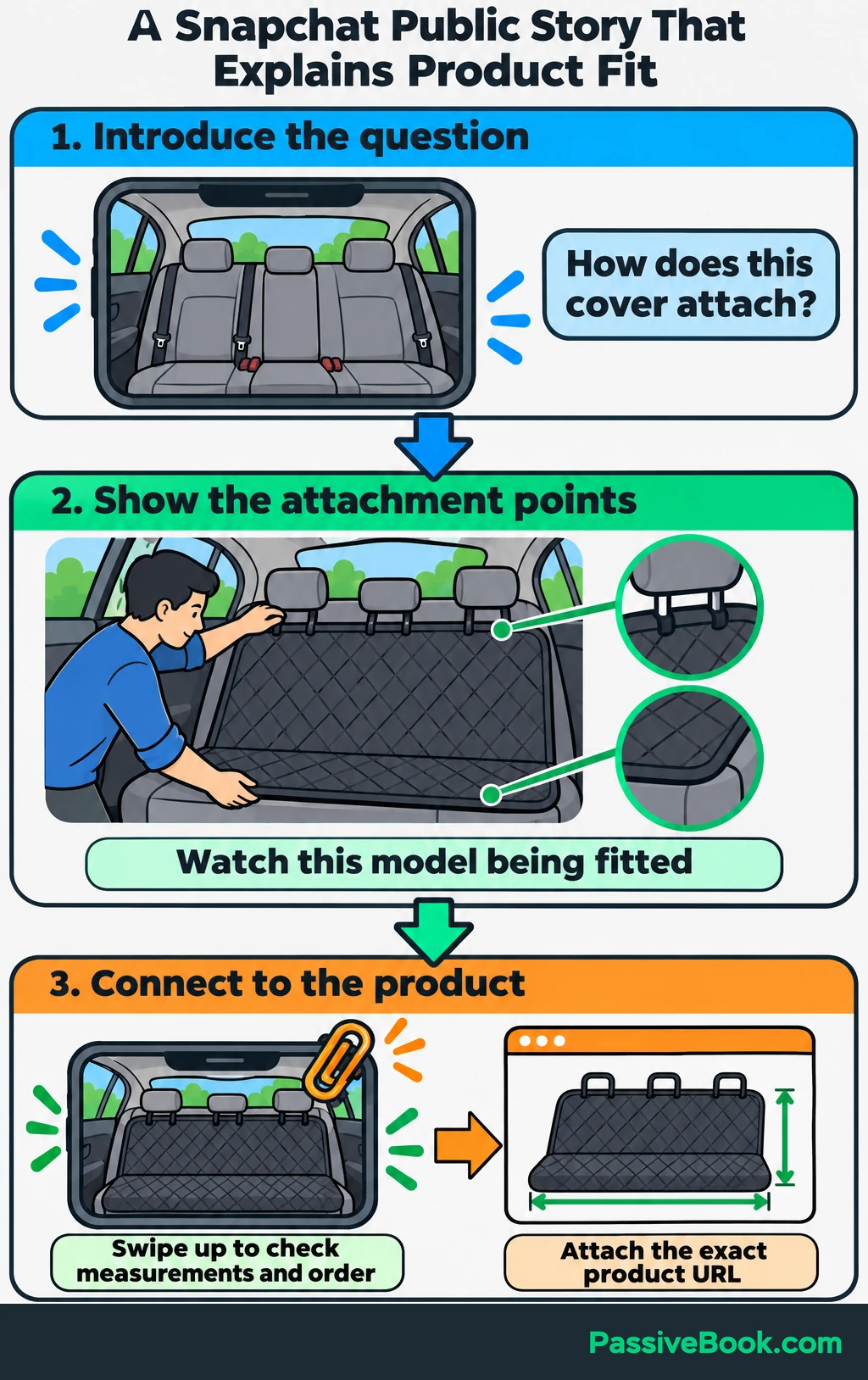
For example, a short fitting sequence could contain:
- A view of the uncovered back seat: “Wondering how this cover attaches?”
- Hands fastening the cover: “Here are the attachment points on this model.”
- The fitted cover: “Swipe up to check the measurements and order this cover.”
Attach the product URL using the paperclip tool before publishing that Snap to the business’s Public Story. Test the published attachment from a viewer’s perspective.
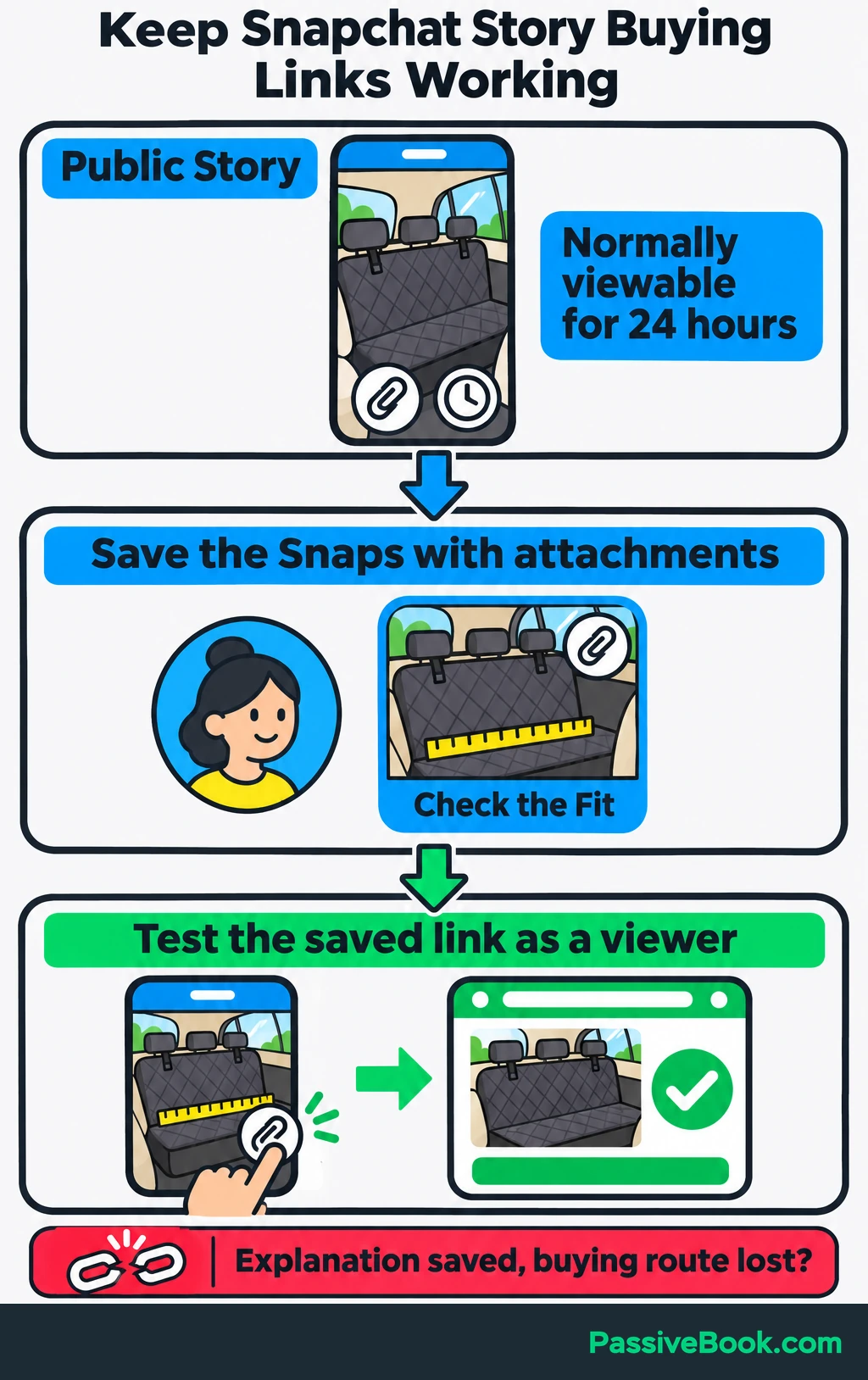
Public Stories normally remain viewable for 24 hours. Save useful sequences to your Public Profile so visitors can find them later. Use clear titles such as “Check the Fit” or “Washing Instructions,” and choose covers that show what each sequence answers.
When creating the Saved Story, use the Snaps containing the website attachment and check that the saved version still opens the right page. Otherwise, you’ve preserved the explanation and lost the buying route.
Use Spotlight to Reach New Viewers
Spotlight is Snapchat’s discovery feed. Treat each video as an introduction for someone who has never heard of your shop.
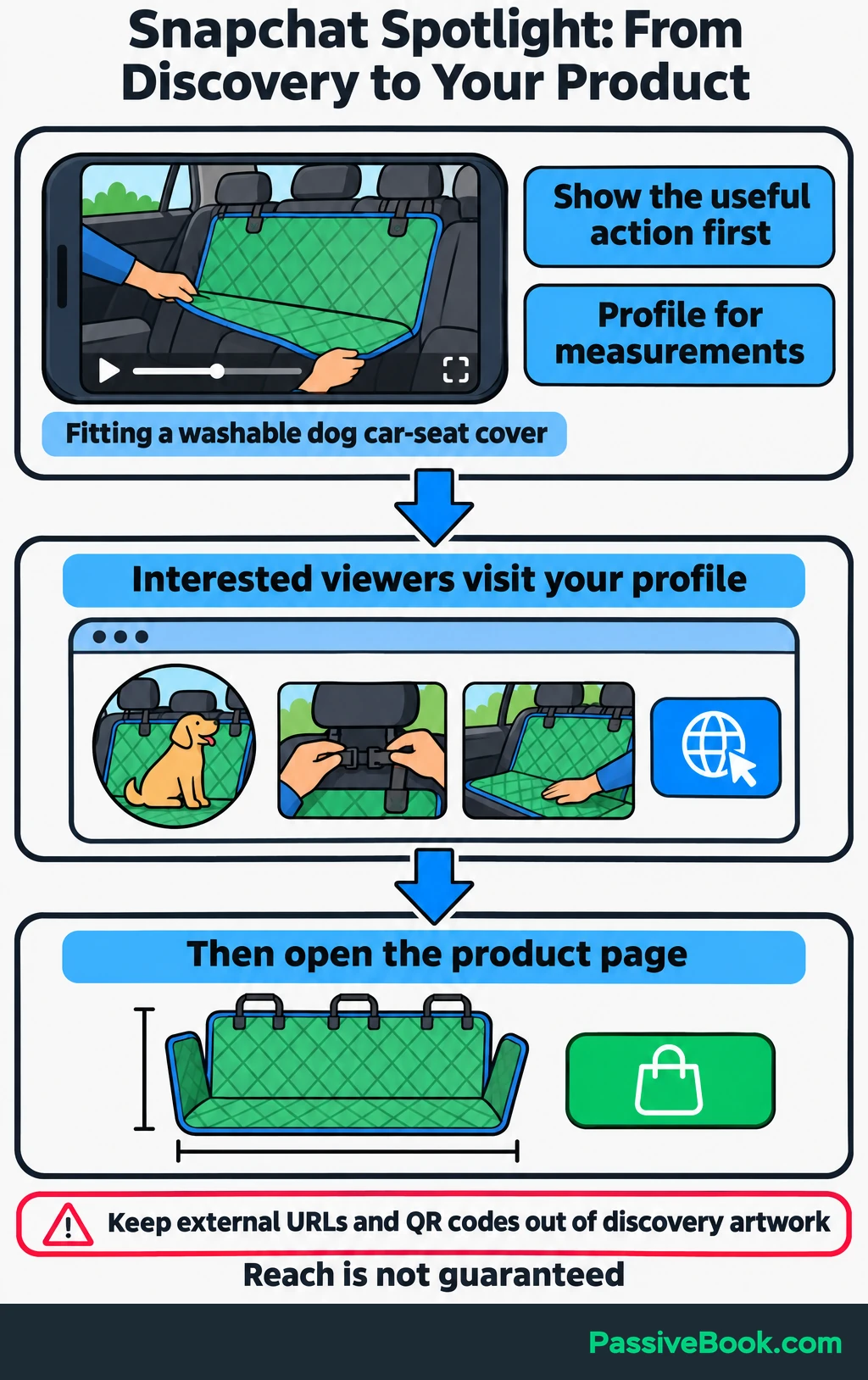
Open with the product doing something useful, then answer one question. Skip the logo animation and long introduction.
For the cover shop, show the fitting process immediately and end with a short direction:
Check our profile for measurements and the cover shown here.
Use clear topic wording in the caption, such as “Fitting a washable dog car-seat cover.” Snap says its recommendations consider content information and viewer signals, including what people watch, share and skip. Relevant wording helps explain the subject, but distribution isn’t guaranteed. Snap’s Spotlight ranking explanation
Keep external URLs and QR codes out of discovery-focused Spotlight artwork. Snap generally makes off-platform links ineligible for recommendation, with limited exceptions for vetted creators. Its guidelines also restrict poorly reformatted content and repeated uploads with minimal creative differences. Send interested viewers through your business profile instead. Snap’s recommendation guidelines
Bring Relevant People to Your Profile
Give your existing customers a reason to visit before expecting strangers to find the account.
Share your profile link or Snapcode—the scannable code that opens your Snapchat presence—through your website, customer emails, packaging and existing social accounts.
Make the invitation specific:
See how our covers fit, come off and wash on Snapchat.
That tells people what they’ll get. “Follow us everywhere” mostly tells them you have accounts everywhere.
Test the shared link or code on another phone. Confirm that it opens the intended business profile.
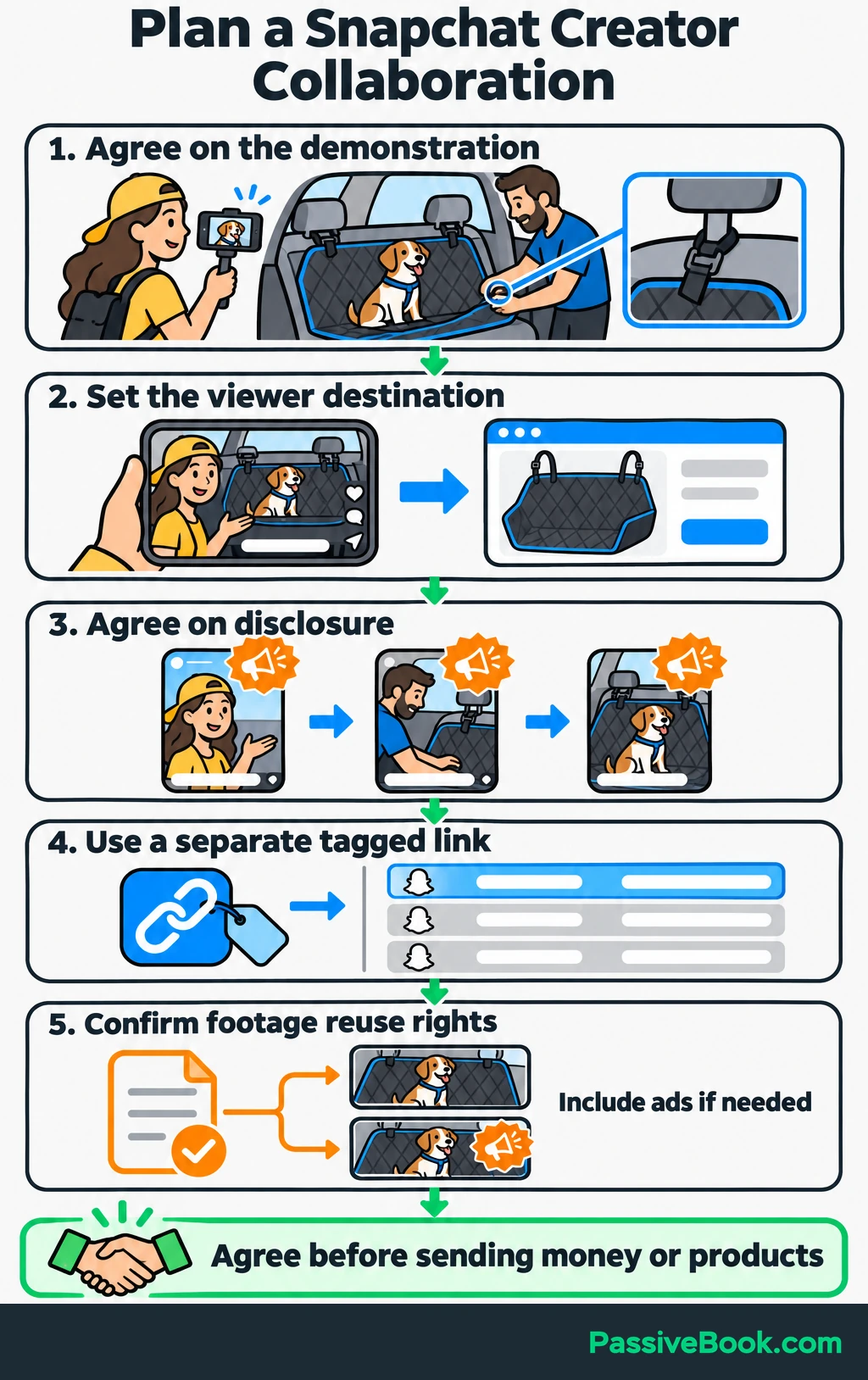
A collaboration can also introduce relevant viewers. I would choose a small creator who explains products clearly over a larger account whose audience mainly wants unrelated entertainment.
For the example shop, a dog-travel creator could demonstrate the cover. Before sending money or products, agree on:
- What the demonstration will show.
- Where interested viewers should go.
- How the promotion will be disclosed.
- Which tagged link will identify the collaboration.
- Whether you can reuse the footage, including in ads.
Track that collaboration separately so its results don’t disappear into your general Snapchat traffic.
Test Snapchat Ads Within a Spending Limit
Ads can put an offer in front of a chosen audience, but they also let a broken product page lose money faster.
I would wait until the destination works on a phone, conversion tracking has passed a test and the spending limit is written down.
Calculate an Affordable Customer Acquisition Cost
First, work out how much an order leaves before advertising. Count revenue and subtract costs that rise with each order, including the product, payment fees, packaging and any shipping you pay.
Then subtract the amount you need to retain for overhead and profit. What remains is your advertising allowance.
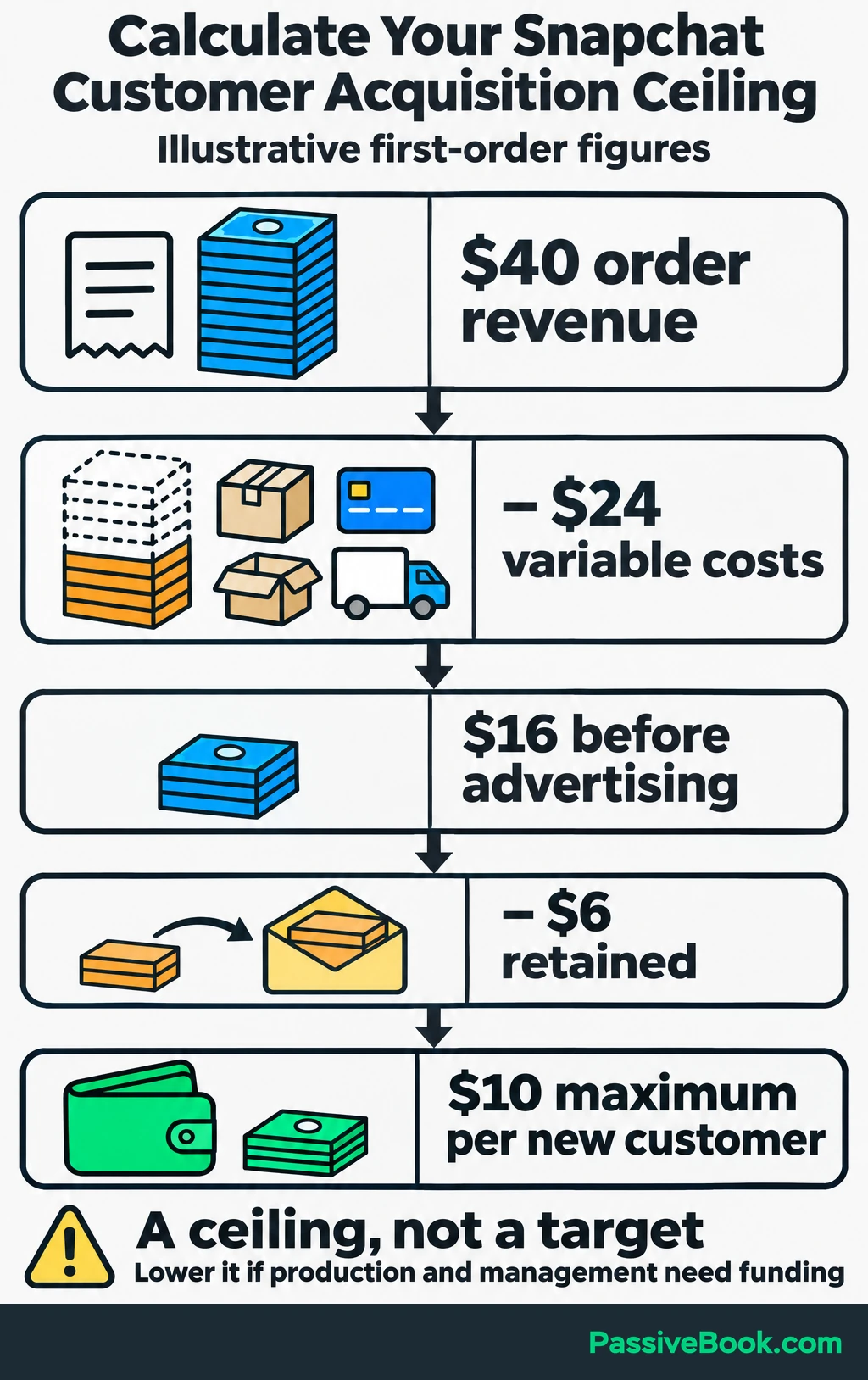
For an illustrative cover order:
| Item | Amount |
|---|---|
| Order revenue | $40 |
| Product and other variable costs | −$24 |
| Amount left before advertising | $16 |
| Amount retained for overhead and profit | −$6 |
| Maximum ad spend per new customer | $10 |
That $10 is a ceiling, not a target. Lower it if content production and campaign management also need to come from the remaining margin. Use first-order figures until your own records support assumptions about repeat purchases.
For an inquiry-based offer, translate that customer allowance into a qualified-lead allowance. Suppose you can spend $10 to acquire a customer and expect 20% of qualified leads to buy. Your maximum cost per qualified lead would be $2: $10 multiplied by 20%.
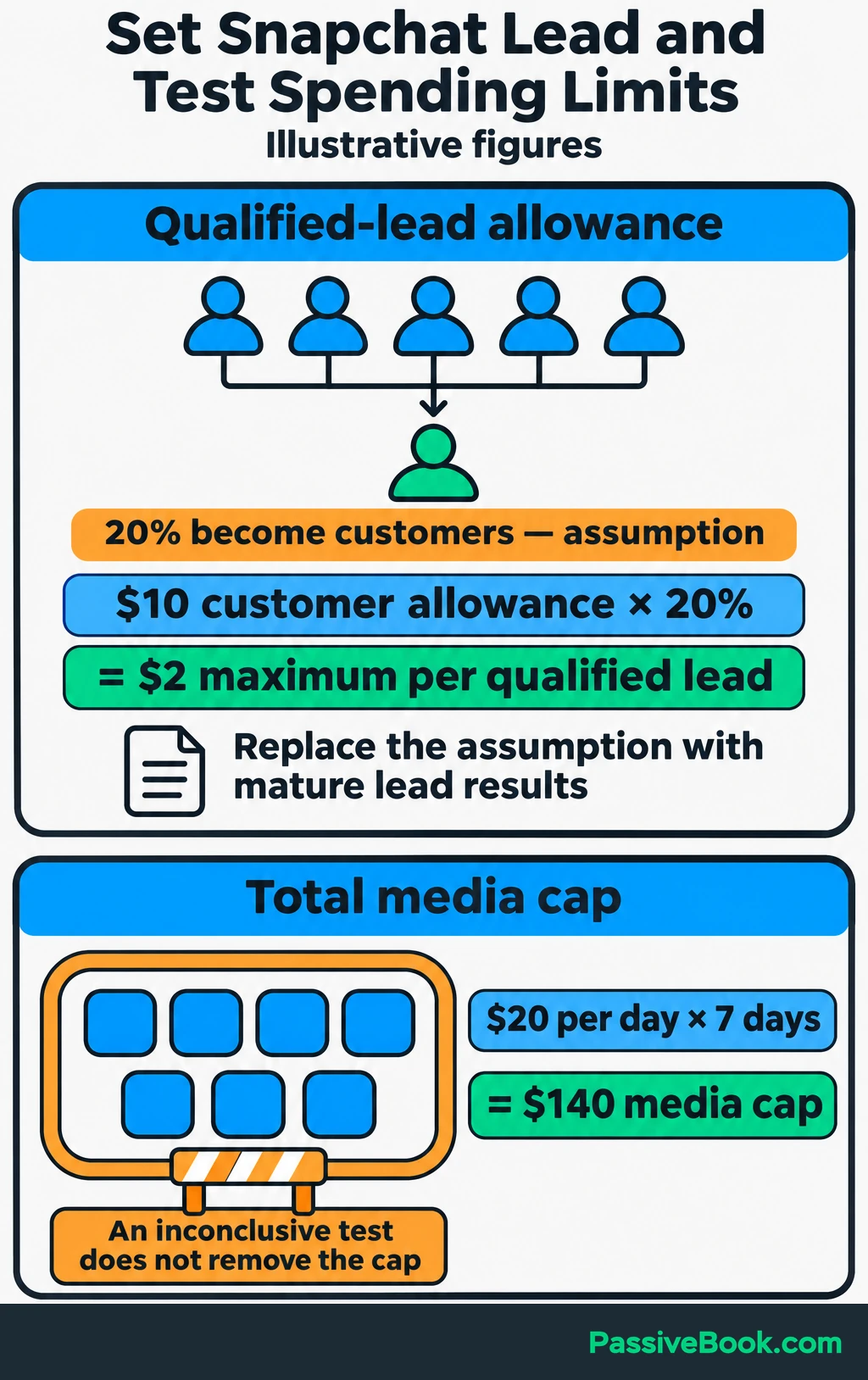
Treat 20% as an assumption until you have records. To calculate your own rate, select a group of qualified leads who have had enough time to complete your normal sales process. Divide the number who became customers by all qualified leads in that group, and express the result as a percentage.
Snap lists a $5 daily minimum and recommends $20–$50 daily to support campaign exploration. At $20 a day, seven days would mean a $140 media cap. Check the current details on Snap’s ad pricing page.
Choose an amount you can afford to lose. A small test may expose poor delivery or a weak offer without producing enough purchases to establish a dependable acquisition cost. An inconclusive result isn’t permission to remove the cap.
Verify Website Conversion Tracking
The Snap Pixel is website tracking code that reports actions back to Snapchat. Install it through a suitable website integration or tag setup.
Track the completed action you want to buy. A product-page visit isn’t a purchase, and opening a form isn’t an inquiry.
Before launching:
- Open Events Manager’s Test Events tool in Ads Manager to monitor the actions your website reports.
- Complete a test purchase or successful form submission.
- Confirm that the correct completion event appears once.
- Check the purchase value and currency if you’ll measure revenue.
If one order produces two purchase events, fix it before spending. Otherwise, the campaign can appear twice as productive as it is.
Set up the privacy notices, consent and opt-out controls required for your customers before sending their data through advertising tools. Snap’s terms require appropriate notices and permissions, including prior consent where applicable. Snap’s Personal Data Terms
Launch One Focused Campaign
Complete the ad account’s country, currency and billing details, then link your business Public Profile.
Match the campaign objective to the customer action:
- Choose Sales for purchases.
- Use Leads for contact submissions.
- Select Traffic when destination visits are the result you intend to buy.
Choose the corresponding completed action as the performance goal where available. Cheap visits don’t establish that a campaign can acquire customers.
Start with one offer, one audience, one destination and two distinct creative concepts. A single image or video ad in a vertical 9:16 format is a sensible first choice.
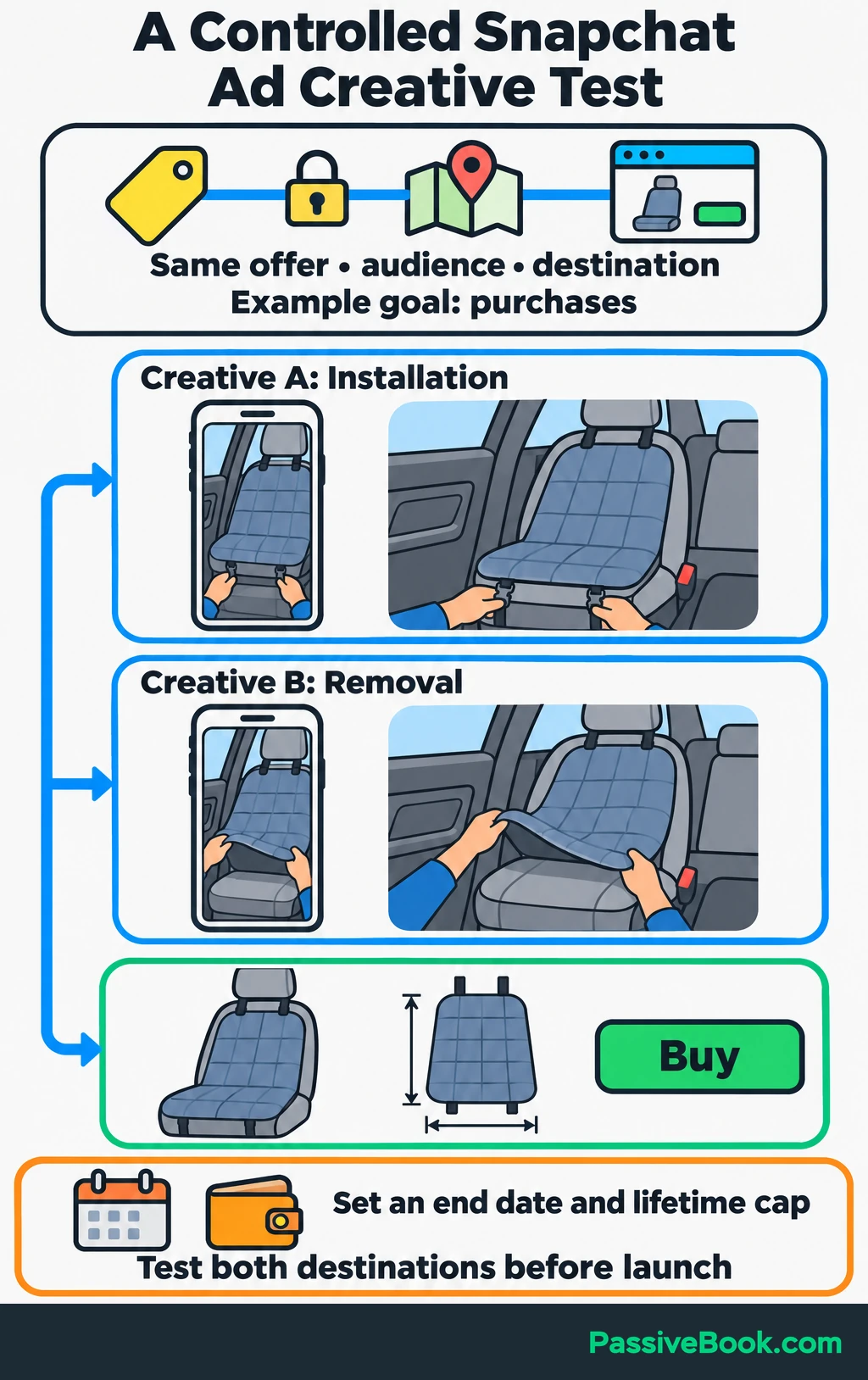
For the cover shop, test:
- An installation demonstration that answers “How does it fit?”
- A removal demonstration that answers “How do I take it off for washing?”
Both should show the product immediately and lead to its product page. Keep the offer and audience consistent so the creative comparison is useful.
Restrict geography to places you deliver or serve. Add demographic or interest restrictions only when customer knowledge supports them. I would skip stacking several guessed interests just to make the audience look precise.
Location targeting can include people living, working or recently present in an area, so make delivery or service boundaries clear in the offer too. Snap’s location targeting guidance
Set an end date and a lifetime spending cap. Preview both ads and test their destinations.
After launch, check delivery and tracking first. Repair a broken link, failed payment or missing conversion event before deciding the creative has failed.
Measure Customer Results and Improve the Weak Step
Keep one scorecard with a row for each content concept or ad. Record:
- Publishing surface and call to action.
- Production and management time.
- Ad spend.
- Website visits.
- Qualified inquiries or new customers.
- Revenue and contribution after marketing costs.
Use Public Profile Insights to compare Story viewing and swipe-ups, and Spotlight viewing and engagement. Website analytics tells you what happened after visitors arrived, and customer records confirm orders and usable inquiries.
Count the new customers credited to the paid test, rather than all orders or all customers. Divide that test’s ad spend by its new-customer count to calculate paid customer acquisition cost.
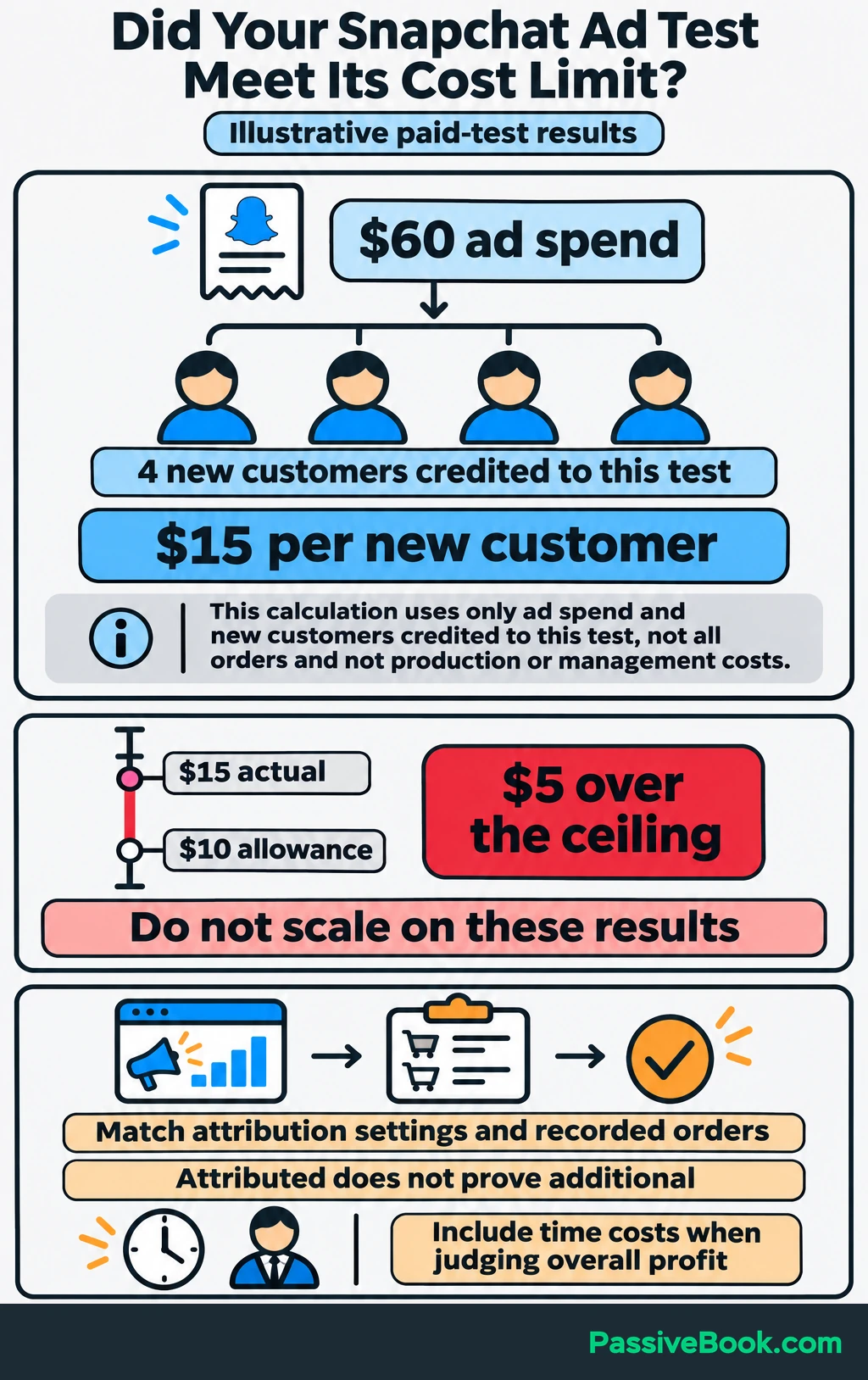
For illustration, suppose the cover shop spends $60 and credits four new customers to that test within its selected attribution window. That window is the period after an ad view or click when a purchase can count toward the ad’s results:
$60 ad spend ÷ 4 new customers = $15 per new customerThat exceeds the shop’s $10 allowance. Four orders may feel encouraging, but the campaign hasn’t met its spending rule. Include production and management costs when judging the channel’s overall profitability.
Keep dates, attribution settings and the time allowed for purchases consistent when comparing tests. Snapchat can credit a purchase after someone views an ad without clicking it, so its total can differ from website analytics. An attributed purchase also doesn’t establish that the sale was additional. Reconcile reports with recorded orders before increasing spend. Snap’s attribution explanation
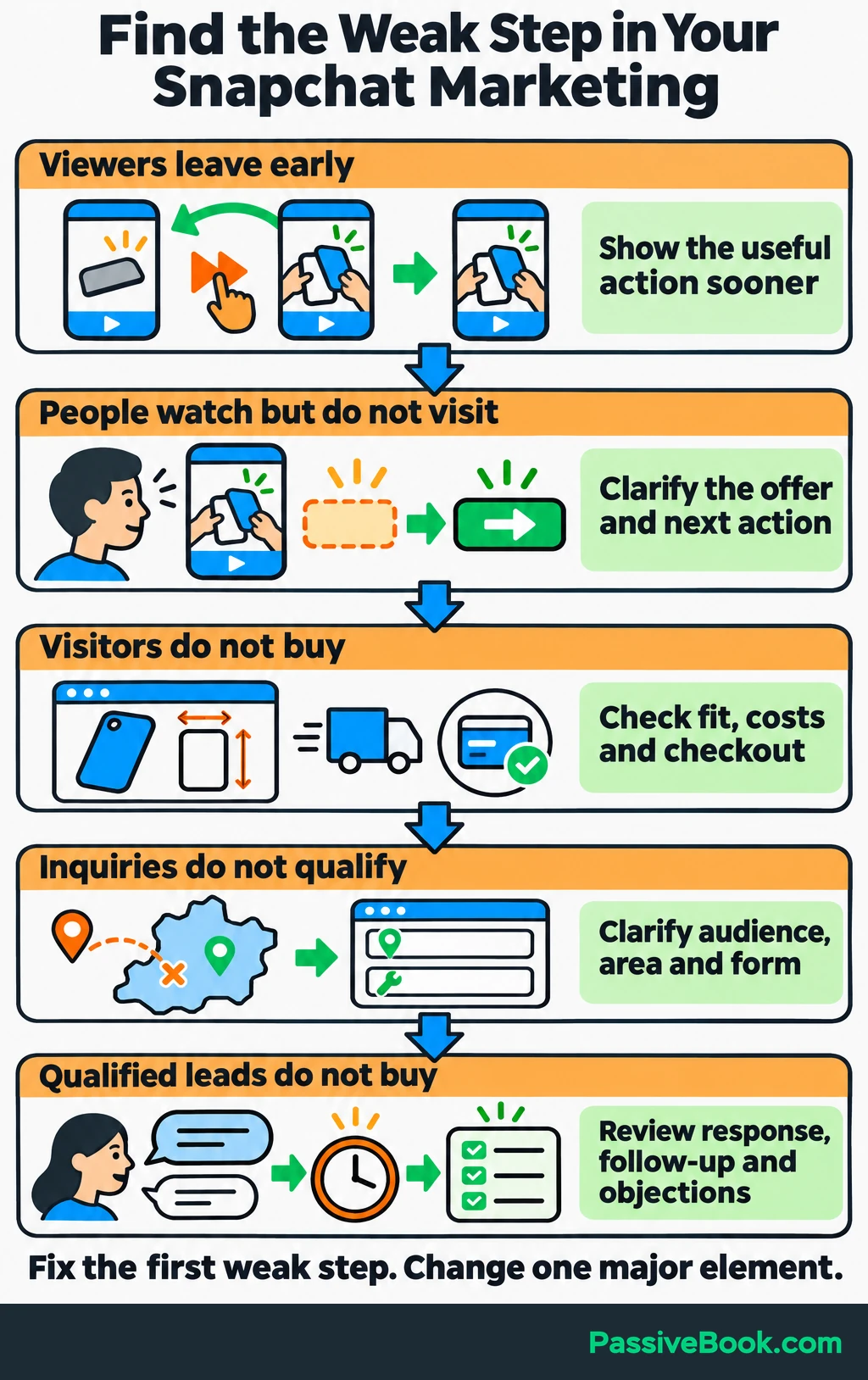
Use the numbers to find the first weak step:
| What You Observe | What to Check Next |
|---|---|
| Viewers leave before the demonstration | Put the useful action earlier and shorten the opening |
| People watch but don’t visit | Make the offer and next action clearer |
| Visitors reach the product page but don’t buy | Check fit information, delivery costs, payment and checkout |
| Inquiries arrive but few qualify | Clarify the audience, service area and form questions |
| Qualified inquiries don’t become customers | Review response time, follow-up and recurring objections |
Change one major element per test. If you change the audience, footage, offer and page together, you won’t know which change mattered.
Repeat content that produces worthwhile customer actions. Increase paid spending in controlled steps when acquisition costs fit your allowance, and stop when repeated tests fail your limits.
Organic content has a cost too. A channel that brings occasional orders but consumes every spare evening may still be a poor trade.
What Next?
Choose one buying question and film a short answer on your phone. Connect it to a product or inquiry page you’ve tested, then put your first review date on the calendar.
Use the social buttons to share this guide when you’re comparing where your marketing time and budget should go.
What customer action would make a Snapchat test worth continuing for your business? Leave your answer in the comments, and bring any other questions too.
Share this post with your friends & followers:

