You spend an evening answering comments and preparing another post, but you still can’t name a potential customer who is closer to buying.
The work is real. The path to a sale is unclear, and next week’s content plan asks for more of the same.
You don’t need to become a full-time creator to give those conversations somewhere useful to lead. This guide connects buyer research, content and follow-up into a repeatable social selling strategy, with a weekly time budget and clear measures for deciding whether the effort is bringing qualified leads and sales.
Step 1: Research the Buyer’s Problem
Social selling uses social networks to find potential buyers and build relationships that support a purchase. Posting helps people discover you, but listening and answering questions give you something useful to discuss.
Start with one problem your offer could solve. Read customer inquiries, support messages, product reviews and relevant public discussions. If you have no customers yet, speak with potential buyers before filling a content calendar.
Throughout this guide, imagine you sell a smartphone food photography course for home bakers who want better cake photos. Its buyer questions, copy and figures are illustrations.
Your research should answer five questions:
- What are buyers trying to achieve?
- What have they tried, and where did it fall short?
- What limits their options: time, equipment, skill or budget?
- Where do they ask for advice?
- What makes them consider paying for help?
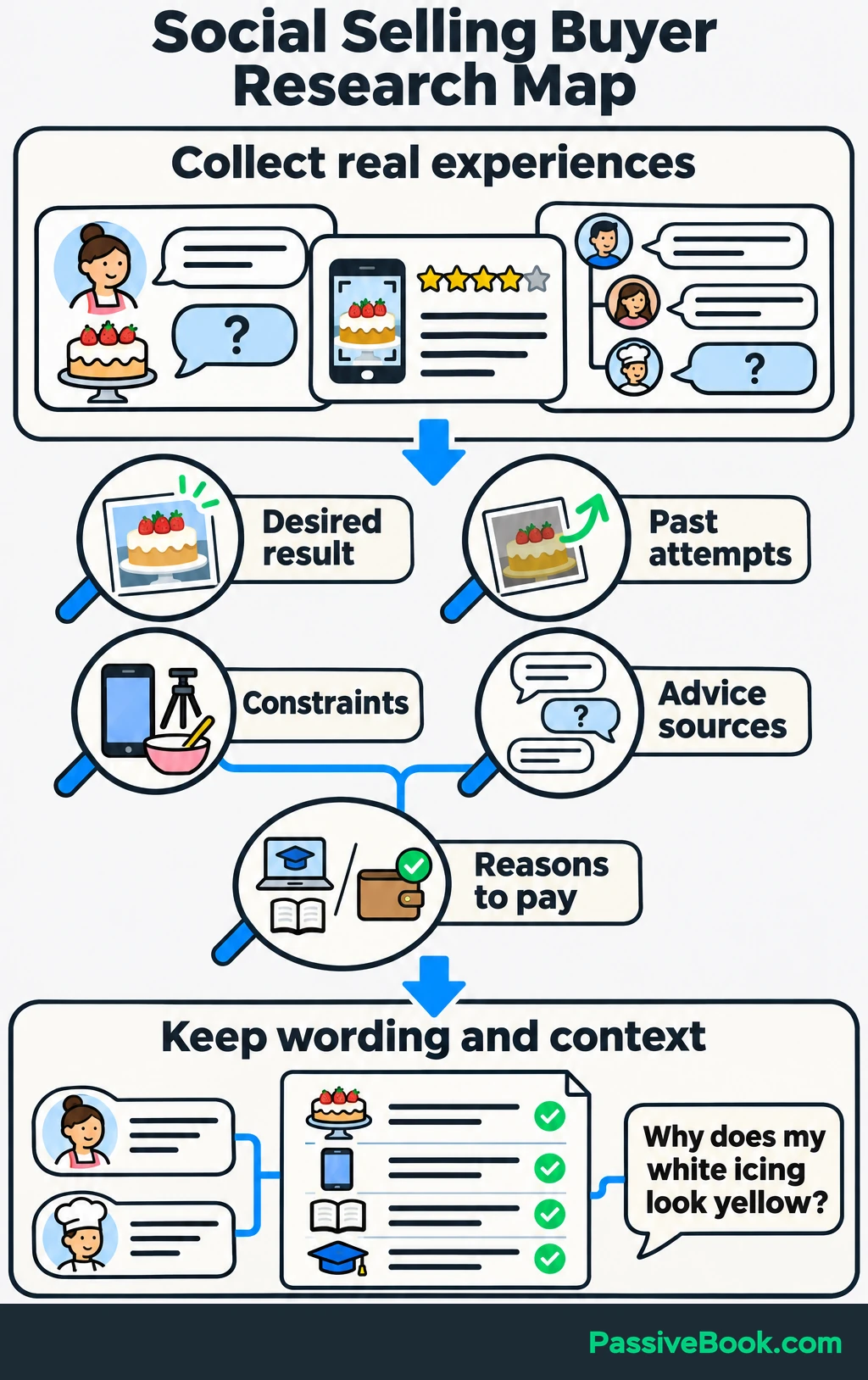
Ask about recent experiences. “What happened the last time you photographed a cake?” gives you more to work with than “Would a photography course interest you?”
Investigate spending, too. Ask what they have already bought, which alternatives they are considering and what would make instruction worth paying for. Customer needs, buying habits and willingness to pay are all part of Business.gov.au’s customer research guidance.
Keep a short buyer brief in a document or spreadsheet. Record the person’s wording, desired result, constraints, purchase questions and where the conversation happened.
For the course, “Why does my white icing look yellow?” suggests a practical teaching topic. “Does your course work with my phone?” suggests someone is checking whether the offer fits. Both matter, but they call for different answers.
Competitors’ comments and reviews can reveal more questions. Treat them as clues and check whether your potential buyers share the problem before building a month of content around it.
Step 2: Define Your Offer, Qualified Lead and Goal
Choose one offer that addresses the problem you found. State what buyers receive, what it helps them do, the price and what it excludes.
For the course, the scope might cover phone settings, window light, backgrounds and composition (how you arrange and frame the cake). It would exclude professional camera instruction and advanced studio lighting.
Then write one positioning sentence:
I help home bakers take clear, appealing cake photos using their phones and simple window light.
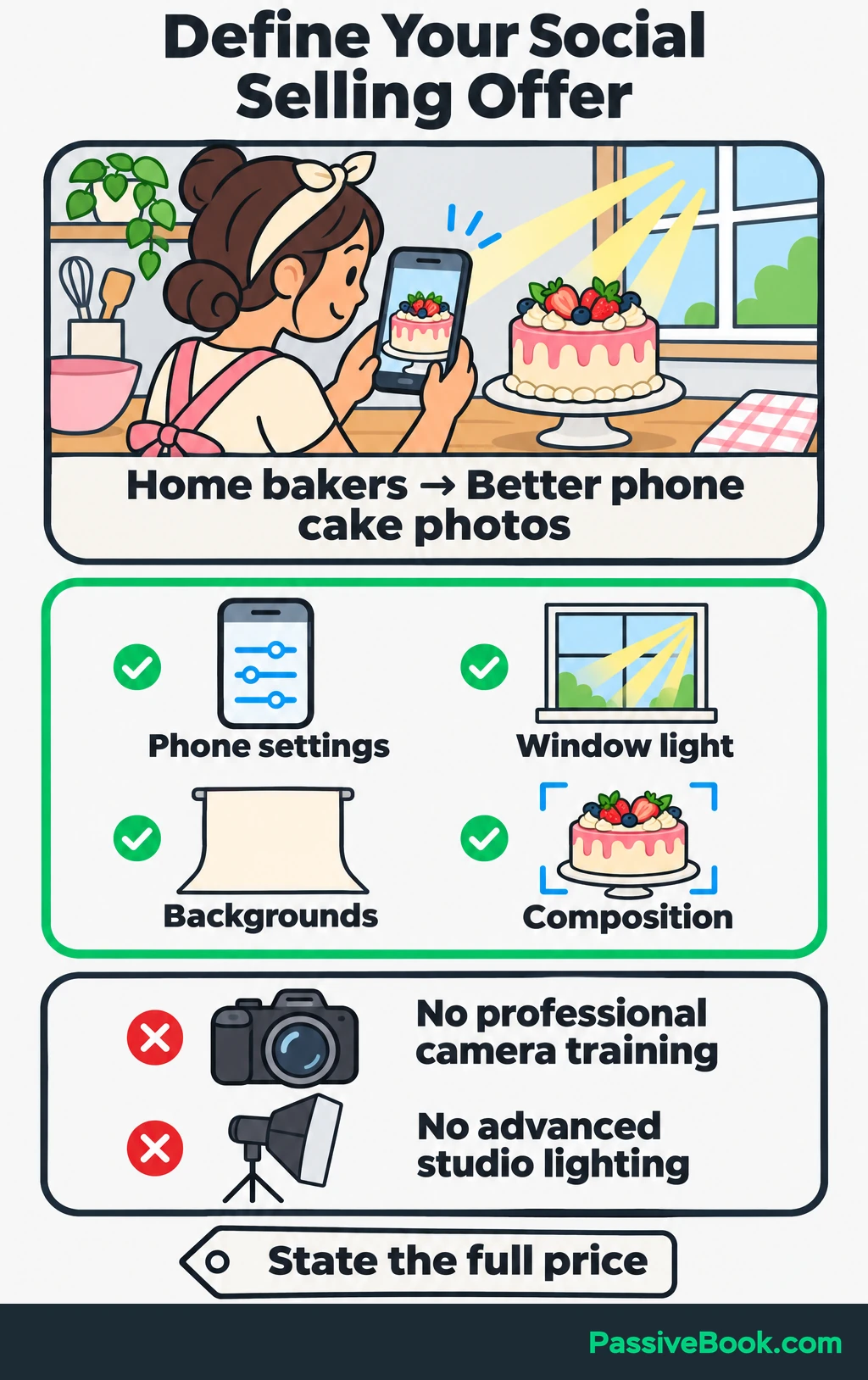
That sentence should guide your profile, content and sales conversations. If a post attracts people who want professional studio training, it may bring attention without bringing suitable customers.
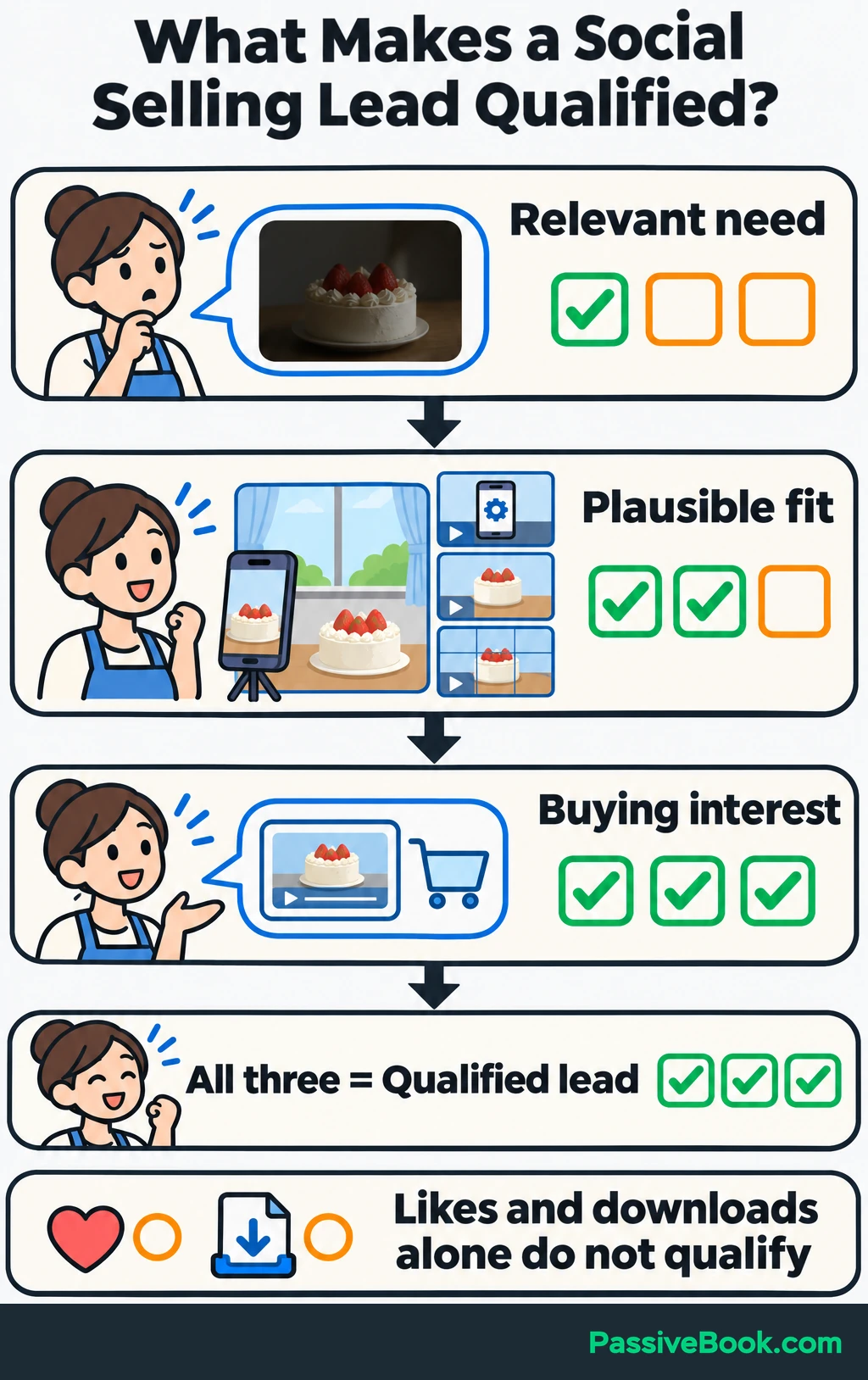
Next, define a qualified lead. I would require three things:
- Relevant Need: The person has a problem your offer addresses.
- Plausible Fit: Their equipment, expectations and other constraints suit the offer.
- Buying Interest: They have expressed interest in exploring a purchase.
A like meets none of those conditions by itself. A request for a free checklist shows interest in the checklist, but it doesn’t establish buying interest.
Choose one commercial goal, such as qualified inquiries or purchases. Set a review date that gives people time to decide. If you’re starting from zero, use the first review period to establish a baseline instead of inventing an impressive target.
Sketch the path you want to support:
Useful post or comment → conversation → fit check → course sample or sales page → purchase
Let people skip ahead. Someone who understands the course and wants to buy shouldn’t have to complete a private-message obstacle course.
Track conversations in a spreadsheet or your existing customer relationship management tool, usually called a CRM. Include the person, platform, conversation link, stated need, qualification status, next action, follow-up date and outcome.
Step 3: Choose a Platform Where Buyers Seek Help
Ask potential buyers where they look for advice, then inspect those places yourself.
You’re looking for relevant questions, useful exchanges and permission to participate. A large audience offers little value if your buyers never discuss the problem there.
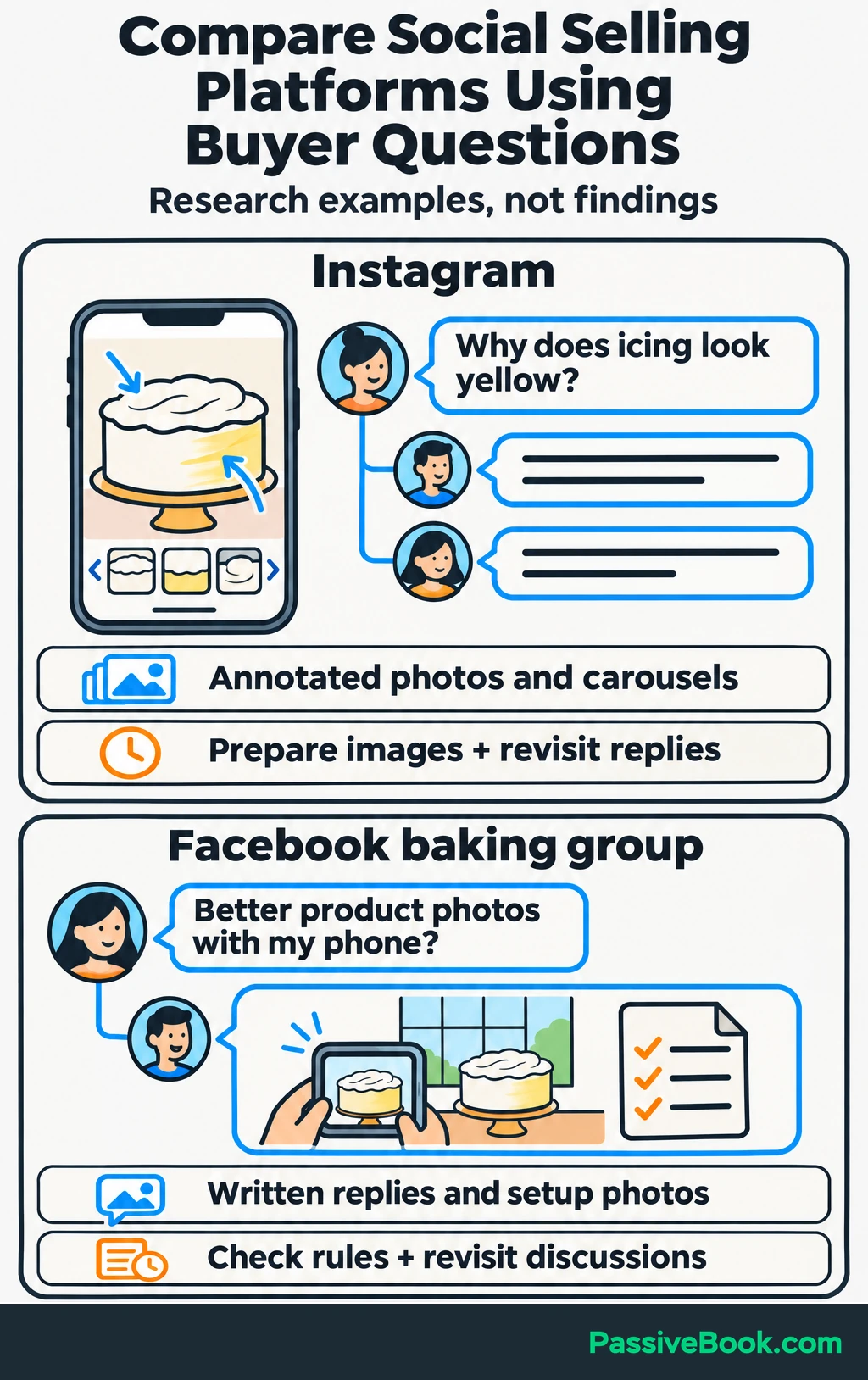
For the photography course, I would compare Instagram discussions with baking communities. Use a research sheet like this, then replace the example questions with questions you actually find.
| Platform or Community | Buyer Questions to Look For | Conversation Opportunities | Manageable Formats | Workload to Budget |
|---|---|---|---|---|
| “Why does this icing look yellow in photos?” | Relevant comments and replies to your own demonstrations | Annotated cake photos and image carousels | Image preparation plus short reply sessions | |
| A Facebook baking group | “Can I take better product photos with my phone?” | Help threads where members welcome practical answers | Written replies and setup photos, where allowed | Time to read discussions, check rules and revisit replies |
Look beyond whether a question exists. Does the person receive thoughtful replies? Do they return to the discussion? Can you contribute without interrupting the community’s purpose?
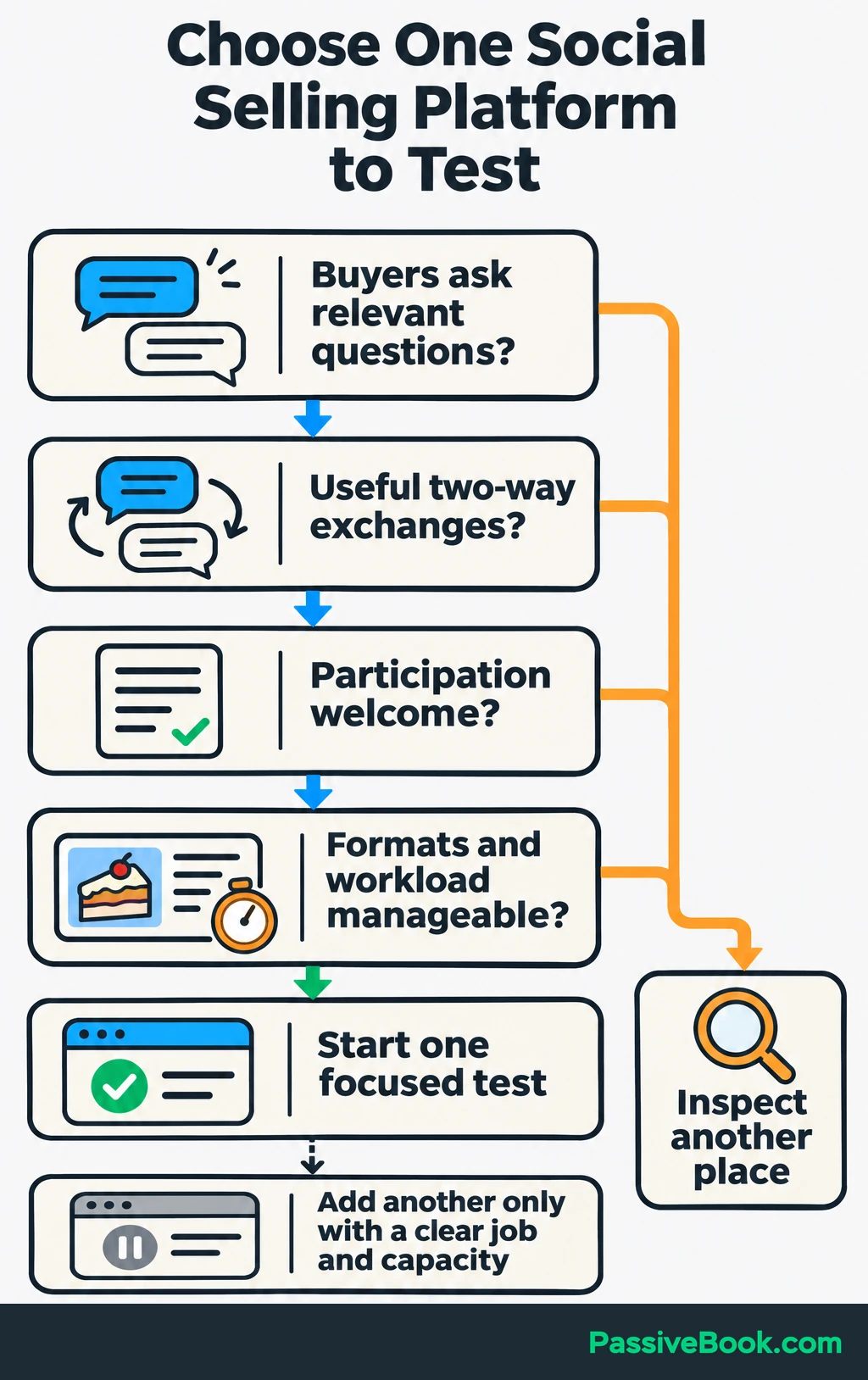
I would choose Instagram first if you find relevant exchanges and can demonstrate the lessons clearly with still images. If the useful conversations happen inside a baking group, start there instead and follow its participation rules.
Choose one primary platform for the first test. Add another when it has a clear job and you can maintain existing conversations.
Views, followers and website visits can show discovery. Actual exchanges with suitable buyers tell you more about a platform’s social selling potential.
Step 4: Make Your Profile’s Next Step Clear
Your profile should answer three questions quickly: Who do you help, what do you help them do, and what should they do next?
For the course, a short profile could say:
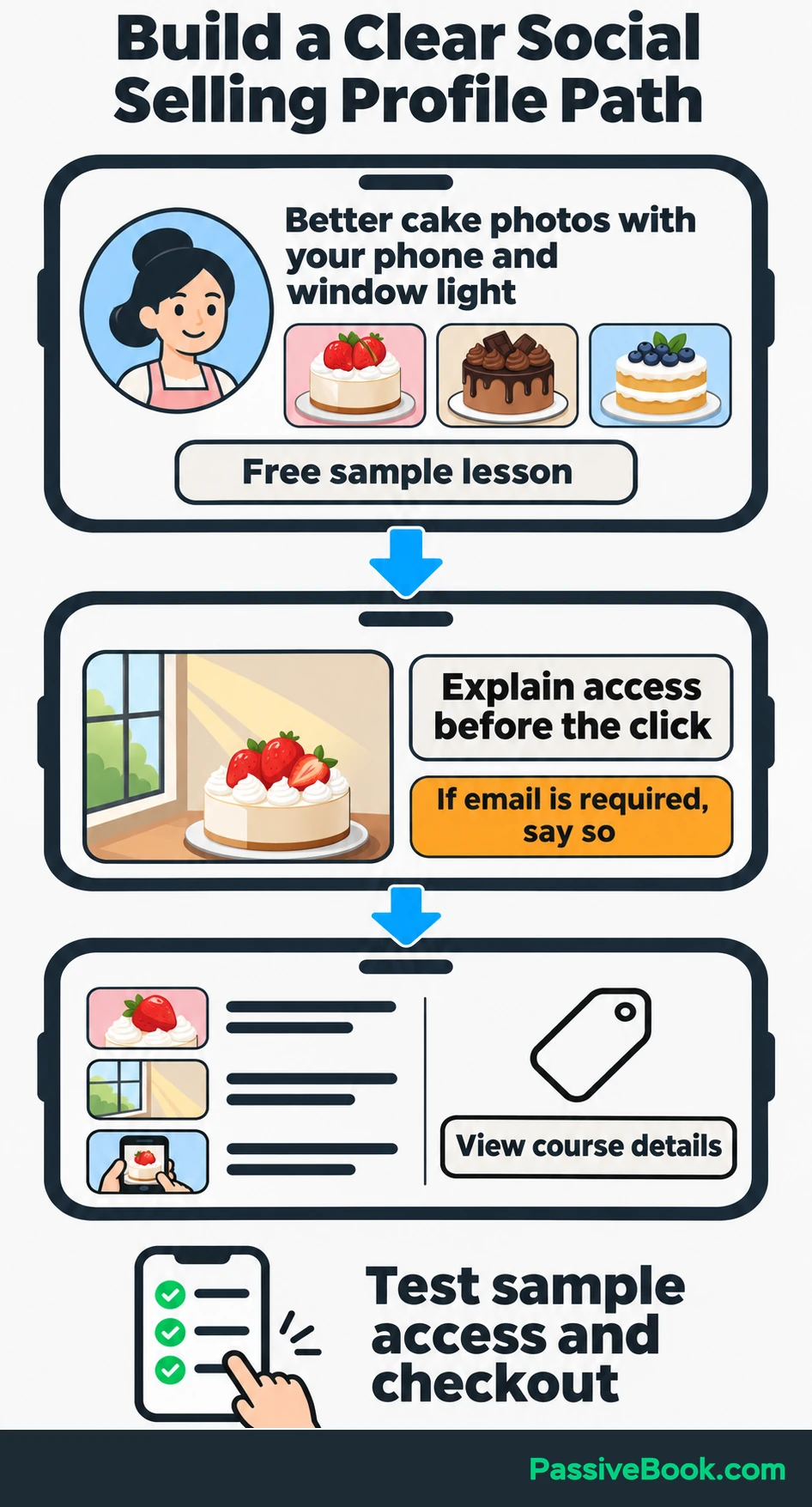
Better cake photos with your phone and window light. Start with the free sample lesson below.
Send visitors to one primary destination. I would choose a course sample because it lets people evaluate the teaching before buying.
The destination page should explain what the sample covers, how to access it and where to find the full course details. If someone must enter an email address, say that before they click.
Add evidence that helps people judge the offer. For this course, you could photograph the same cake before and after changing the lighting. Explain what changed and keep other conditions consistent enough to make the comparison useful. Present it as a lighting demonstration, without implying customer results.
Test the whole path on your phone. Open the profile link, access the sample and check the purchase page. A clear profile can’t rescue a broken checkout.
If you use Google Analytics, add tracking labels to shared links to identify which platform and campaign sent a visit. Following Google’s campaign URL guidance, a labeled sample-page link could look like this:
https://example.com/sample?utm_source=instagram&utm_medium=social&utm_campaign=cake_photo_sampleKeep the labels consistent so one campaign doesn’t appear under several names.
Step 5: Plan Content Around Buyer Decisions
Answer Questions That Move Buyers Forward
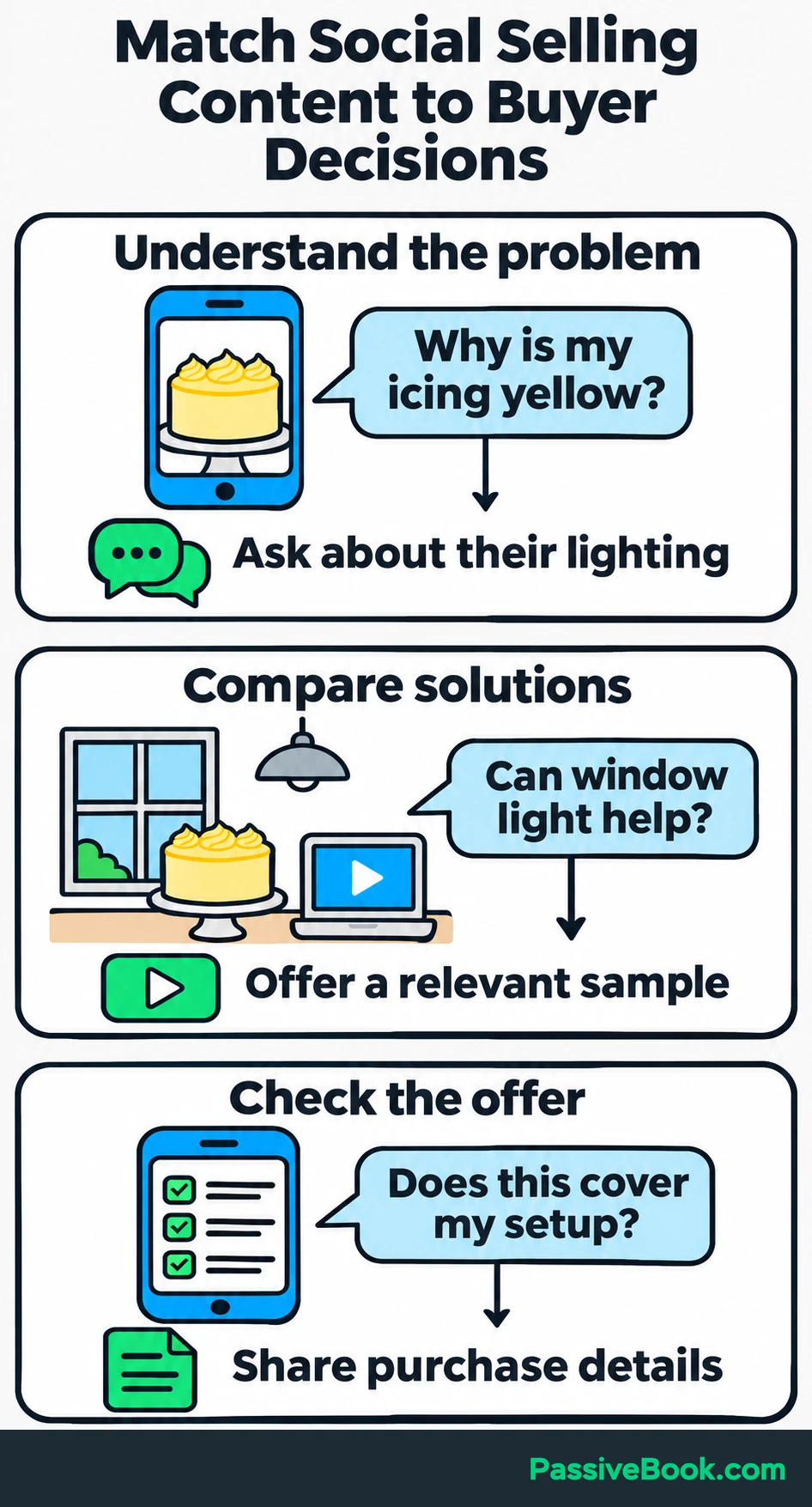
Build content around the decisions buyers need to make. I would group questions into three jobs:
- Understand the Problem: Why does white icing look yellow?
- Compare Solutions: Can window light improve the photo without new equipment?
- Check the Offer: Does the course cover the phone and setup I already use?
Give each post one question, one useful answer, an example and a next step that matches the reader’s interest.
On one of my digital-product sites, I drafted posts by working through the product’s feature list. The drafts explained what was inside, but they didn’t answer the questions arriving in my inbox. I put the questions beside the drafts and found several that needed rewriting. Since then, I’ve used buyer questions to choose the lesson and product details to support the answer.
For the photography course, a complete short post could accompany an image showing the window and cake position:
Does your white icing look yellow in photos?
If you’re using window light and a ceiling light together, try switching off the ceiling light. Place the cake beside the window and take another photo.
Compare the icing color and the shadows. Then turn the cake slightly to see which angle shows the decoration most clearly.
What lighting are you using when the yellow color appears?
That post gives the reader something to try and opens a relevant conversation. It doesn’t need to sell the whole course.
Other posts should answer purchase questions directly. Show what a sample lesson teaches, explain the equipment required and describe the limits of the course.
Match the invitation to the question. Ask for a specific reply when diagnosing a problem, offer a sample when someone is comparing methods, and share purchase information when they are evaluating the course.
If you have the buyer questions but are stuck on the wording, AI Social Copy Studio can turn them into two drafts for your offer. You can also use it to write replies as those posts start conversations.

Free AI Social Copy Studio




Choose Repeatable Formats and a Sustainable Cadence
Choose the format that makes the answer easiest to understand.
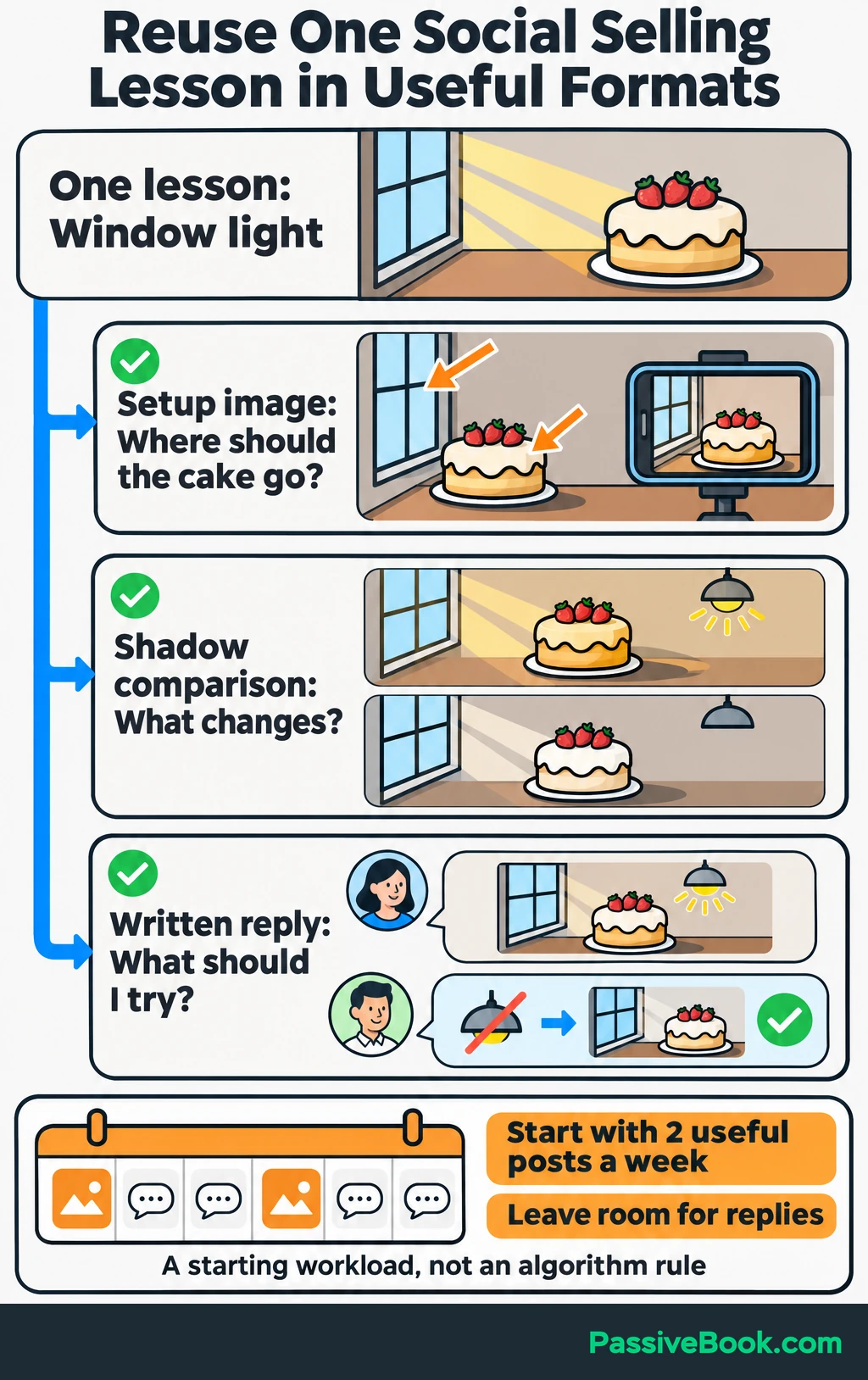
A setup photo can explain where to place the cake. A written reply can clarify equipment requirements. A short screen recording can demonstrate an editing adjustment without putting you on camera.
Reuse the lesson while adapting the explanation. Window light could support a setup image, a shadow comparison and a reply to a buyer’s question. Each piece should answer something useful on its own.
Keep a small content calendar:
| Buyer Question | Main Answer | Example | Format | Next Step | Publication Date | Follow-Up Task |
|---|---|---|---|---|---|---|
| Why is my icing yellow? | Test with one light source | Ceiling light on versus off | Annotated image | Describe your lighting | Week 1, Monday | Answer setup questions |
| Do I need a camera? | Explain the course’s phone-based setup | Phone, window and plain background | Image carousel | View the sample | Week 1, Thursday | Respond to equipment questions |
| Will the lessons suit me? | Show the scope and exclusions | Sample lesson and contents list | Image with caption | Read course details | Week 2, Monday | Review fit inquiries |
I would start with two useful posts a week and leave room for replies. That is a starting workload, not an algorithm rule.
Batch the preparation and schedule finished posts using the platform’s available scheduling tools. For Facebook and Instagram, I would start with Meta Business Suite before paying for another scheduler.
Step 6: Find Prospects Through Useful Conversations
Search for the phrases you collected during research. Keep a focused list of relevant discussions, communities and accounts so each session doesn’t begin with aimless scrolling.
Prioritize explicit requests for help, comparisons between solutions and questions about your offer. Read the surrounding discussion before responding. Someone sharing a finished cake may want to celebrate it, not receive an unsolicited photography lesson.
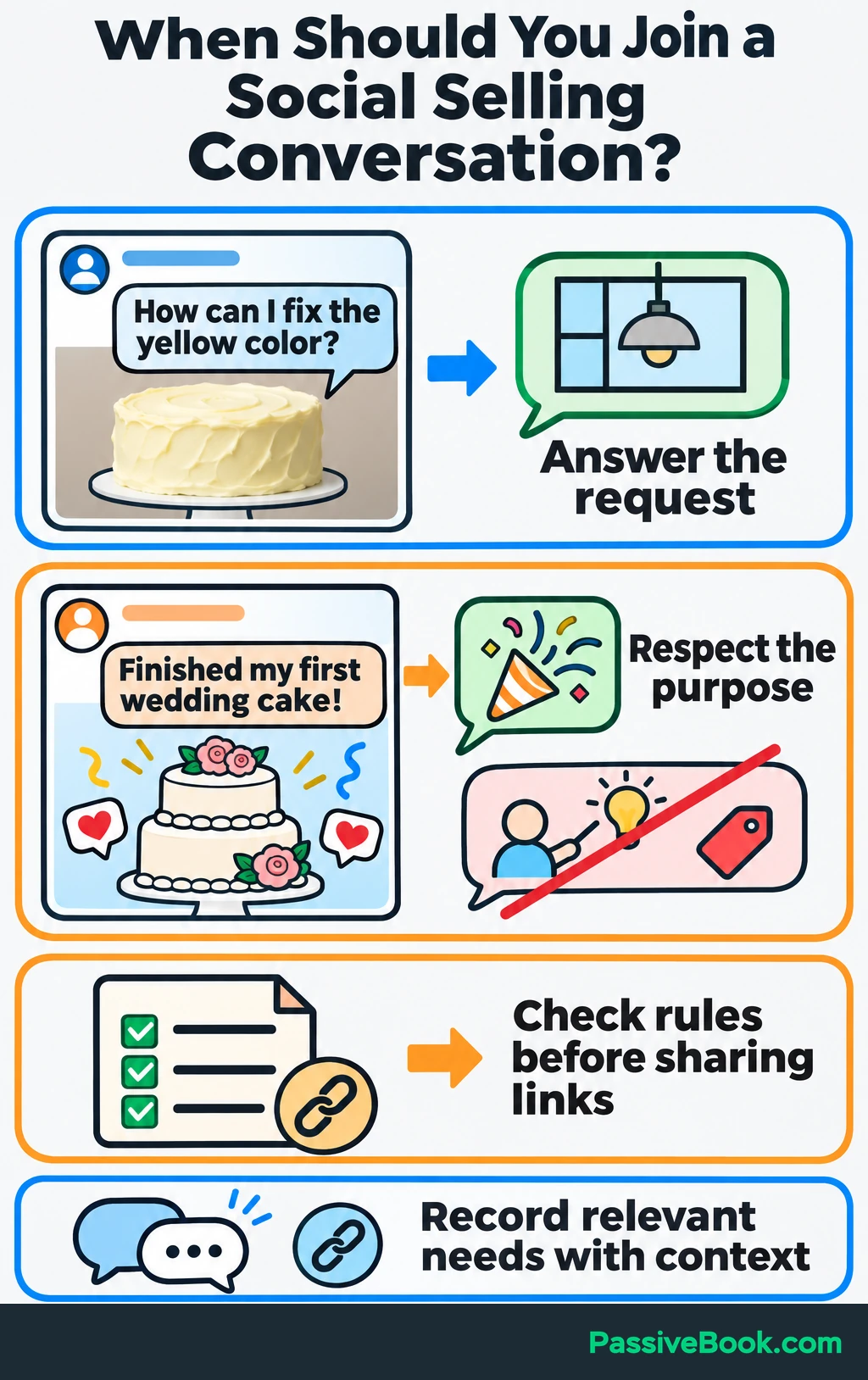
Answer the question in front of you. A useful contribution might be a practical adjustment, a brief explanation or a diagnostic question.
For example:
Are you using both a ceiling light and window light? Try switching off the ceiling light and taking another photo beside the window. Does the icing look closer to its actual color?
That reply gives the person a test they can run. There’s no need to attach a sales link.
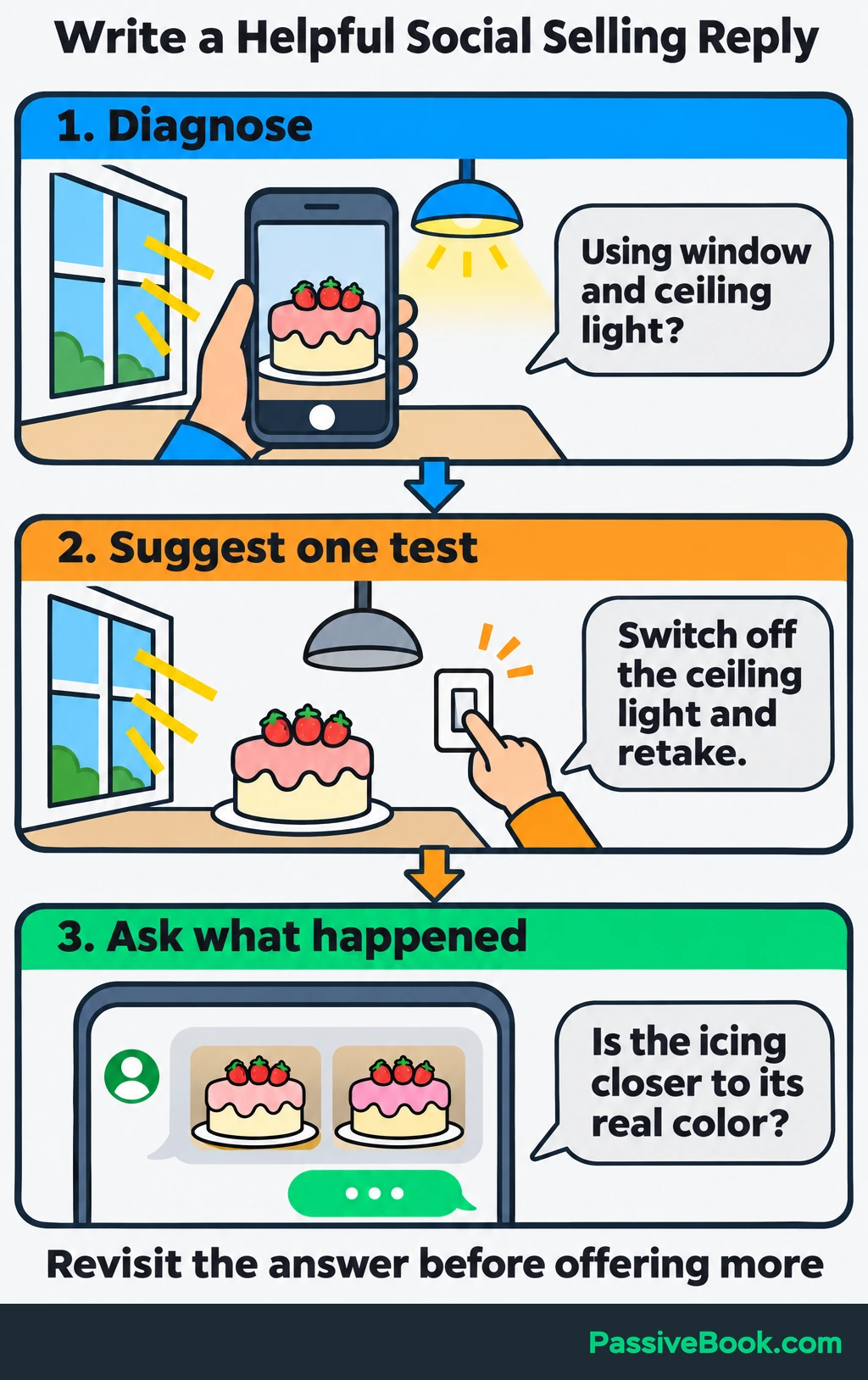
Answer questions on your own posts, too, and revisit discussions when someone reports what happened. If an exchange reveals a relevant need, record it with the context intact.
Check community rules before sharing resources or introducing your offer. Where promotion isn’t welcome, contribute within the rules and let people choose whether to visit your profile.
I would rather maintain a few useful exchanges than leave dozens of comments that could have been posted under anything. “Great insights!” is not much of a sales strategy.
Step 7: Turn Interest Into Qualified Leads
Offer a Relevant Next Step
Suggest a private conversation when someone requests a resource, needs individual help or expresses interest in the offer.
Use three parts: reference the exchange, name the help and ask permission.
You mentioned struggling with yellow icing photos. Would you like the one-page window-light setup?
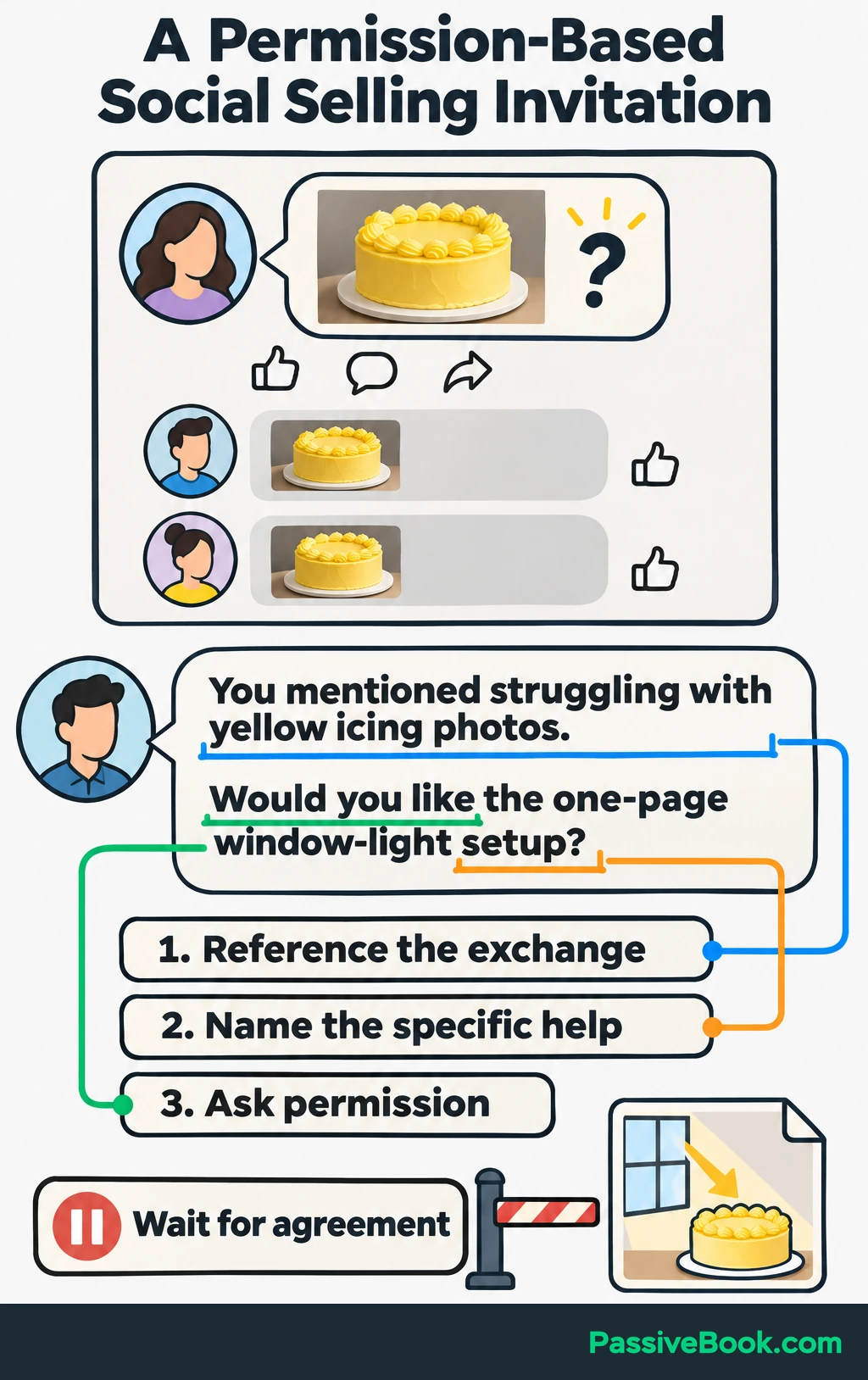
If they agree, deliver what you promised. Then ask a question connected to the remaining problem:
When you try the setup, is the main difficulty getting the color right or showing the decoration clearly?
Their answer helps you decide whether further help or the course is relevant. Sending a download does not automatically qualify the person as a lead.
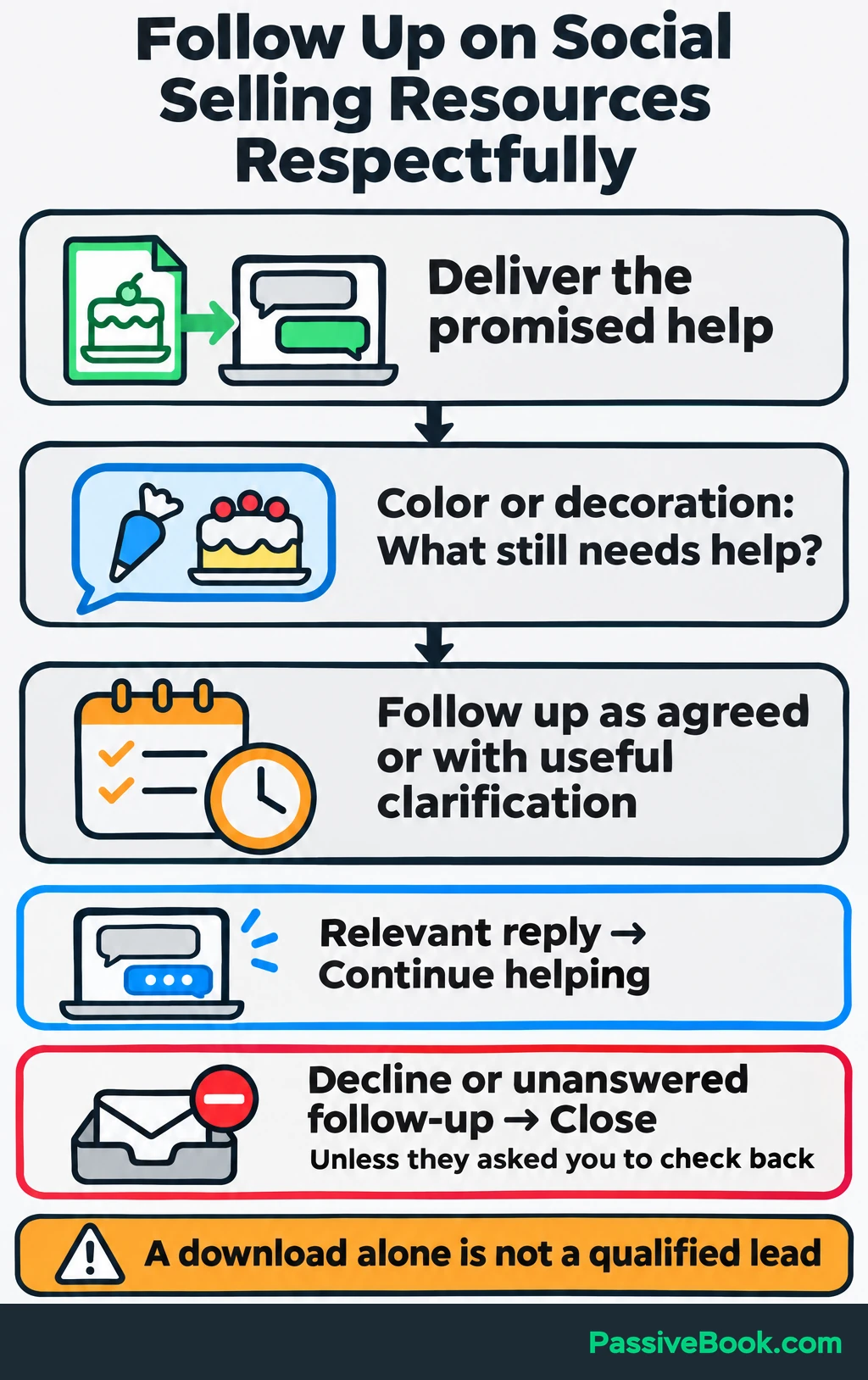
Follow up when you agreed to, or when you have a useful clarification. If they said they would test the setup at the weekend, give them time to do that.
Respect a decline. If a relevant follow-up gets no response, close the conversation unless the person has asked you to check back later. An unanswered message is not a recurring task for the rest of your life.
Check Fit and Present the Offer
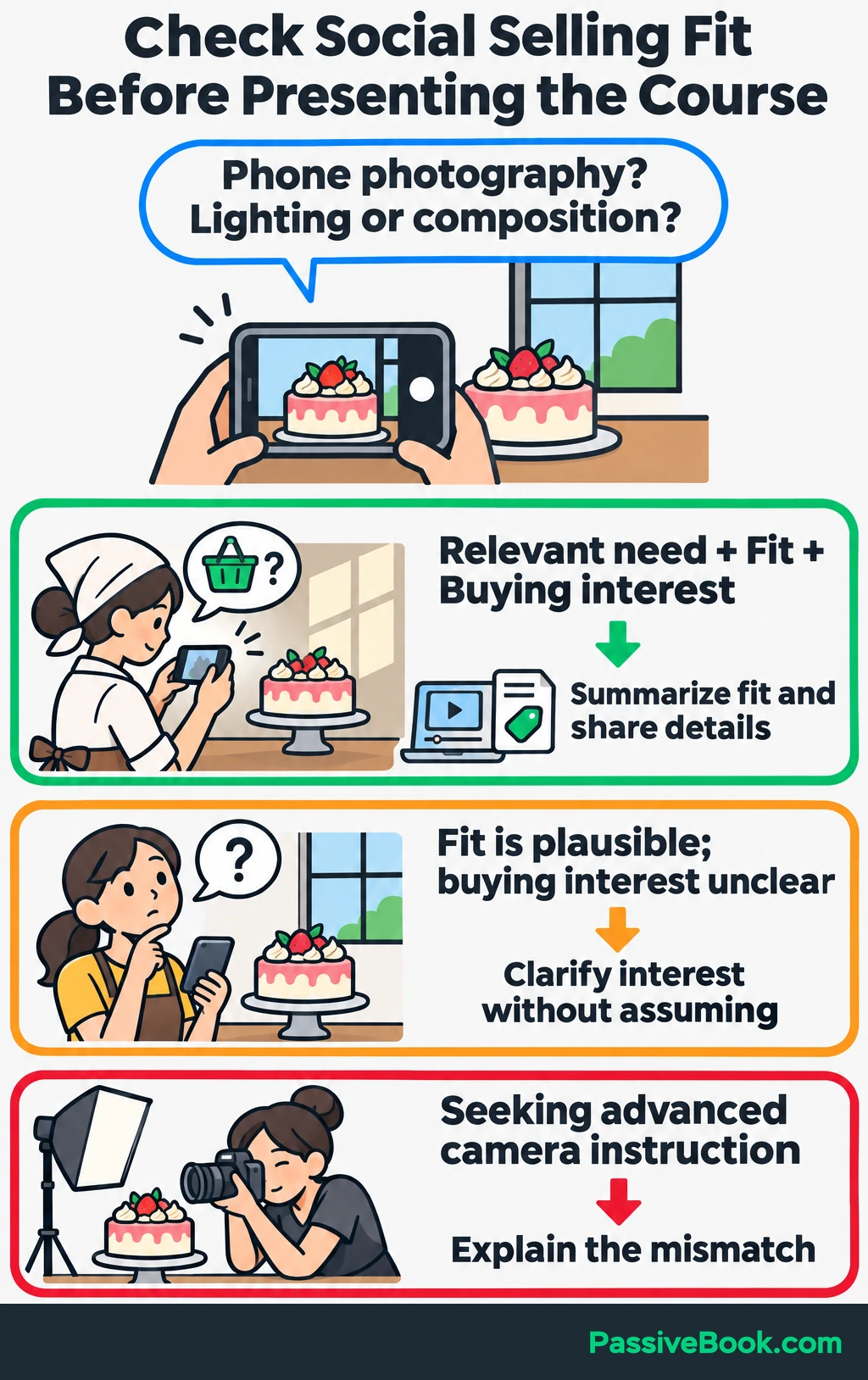
Ask only what you need to understand the goal, obstacle, constraints and interest in buying.
For the course, that might mean asking:
Are you photographing finished cakes with a phone, and is lighting or composition the main difficulty?
Then, if the lessons address their answer:
Would you like to see what the course covers and what it costs?
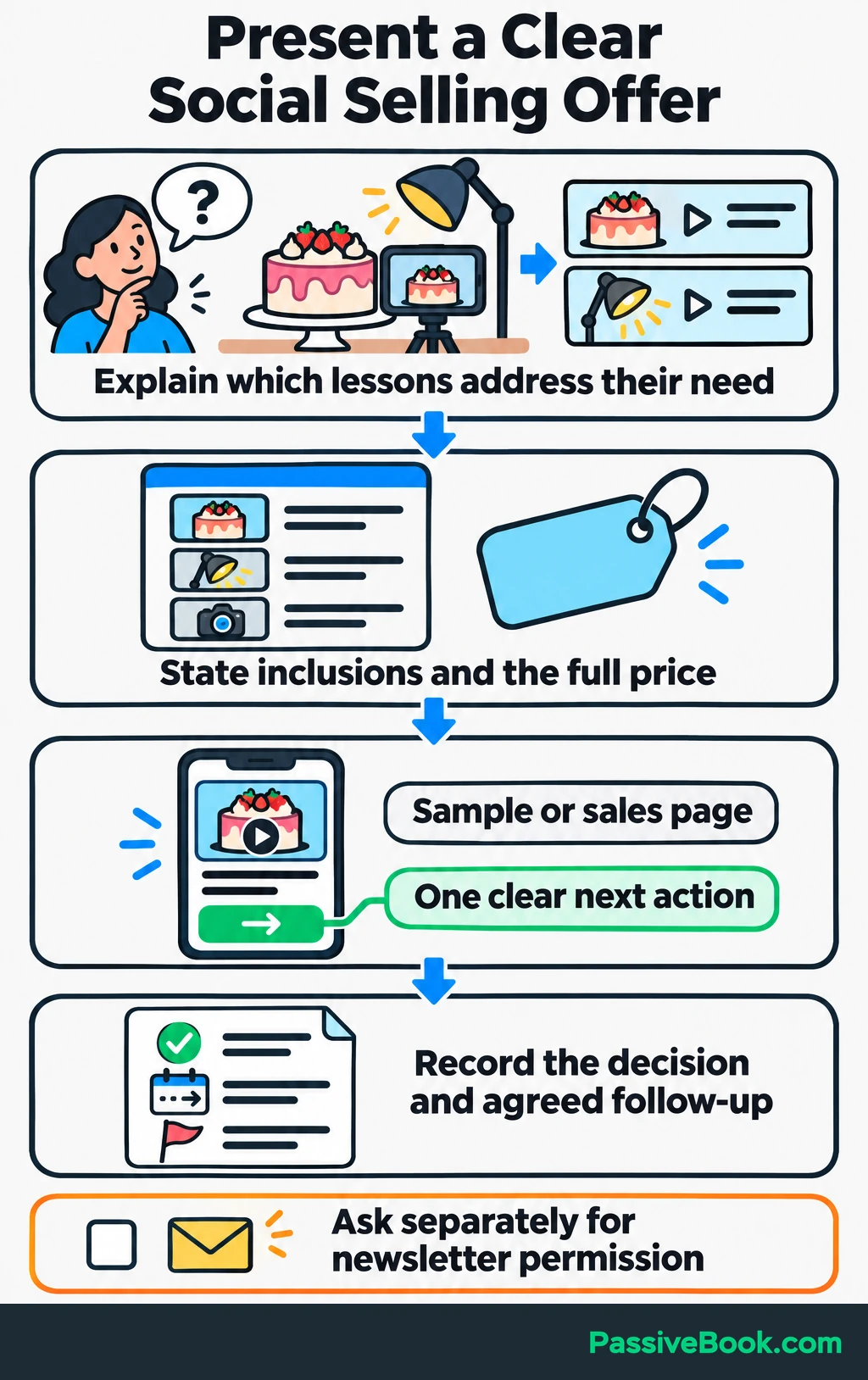
Once they express purchase interest, summarize the fit before sharing the offer. Explain which lessons address their need, the full price, what is included and the next action. Offer the sample or sales page so they can inspect the details.
If you sell a service, share a relevant work example and invite suitable buyers to discuss the project. For a physical product, use a demonstration or sizing guide, then link to the matching product page.
Avoid turning a simple purchase into a long discovery call. Use a call when the questions need discussion, rather than because a sales template demands one.
If the course doesn’t fit, say why and suggest a more suitable next step. Someone seeking advanced camera instruction should not become a customer merely because you managed to keep them talking.
Record the qualification decision, agreed follow-up and outcome. Ask separately before adding anyone to a newsletter. Requesting one resource is different from requesting ongoing marketing emails.
Step 8: Build a Routine You Can Repeat
Set the time budget before expanding the activity. Otherwise, social media will accept every spare hour you offer it.
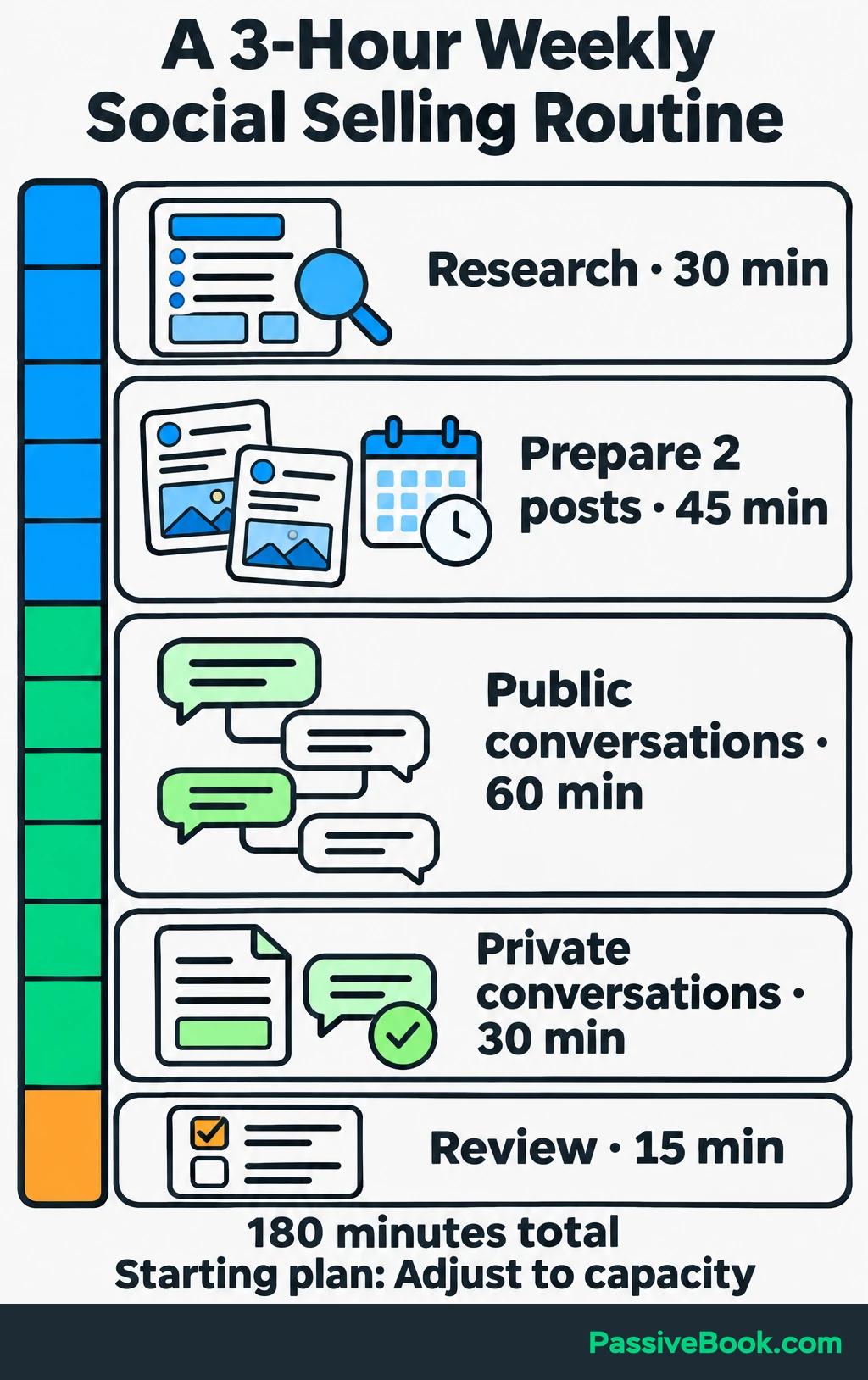
Here is a three-hour weekly starting routine:
| Activity | Weekly Time | Concrete Output |
|---|---|---|
| Buyer research | 30 minutes | Add useful questions and source conversations to the buyer brief |
| Content preparation | 45 minutes | Prepare and schedule two focused posts |
| Public conversations | 60 minutes | Answer relevant questions across short sessions |
| Private conversations | 30 minutes | Deliver requested help, check fit and complete agreed follow-ups |
| Review | 15 minutes | Update outcomes and choose one improvement |
Treat those allocations as a plan to adjust. If preparation takes longer, simplify the format or publish less often.
Spread reply time across the week and check outstanding conversations before searching for new prospects. When capacity gets tight, give active buyer conversations priority.
Keep the strategy in one working document: buyer brief, offer, qualification criteria, goal, platform, content calendar, conversation approach, time budget and measures. A spreadsheet and a document are enough to start.
Automate repetitive administration once the process is clear. Scheduling, reminders and moving form submissions into your records are sensible candidates. Make and n8n are automation tools that connect apps and move information between them. Use one when manual copying becomes a recurring job.
I would review individual replies and offer recommendations myself. Automation should follow platform rules, too. For example, LinkedIn prohibits automated comments and may restrict accounts that use them.
Step 9: Measure Results and Improve the Weakest Step
Track Progress From Conversations to Sales
In another niche around 2022, I spent six months chasing Instagram and Twitter/X followers while my bank balance stayed around $47. I had plenty of activity to report and very little commercial progress.
That is why I track qualified leads and sales before deciding whether social activity deserves another month.
Track these items:
- Substantive Conversations: Two-way exchanges about a relevant need or purchase question.
- Qualified Leads: People who meet your need, fit and buying-interest criteria.
- Buyers and Revenue: Purchases from those leads, with direct purchases recorded separately.
- Time and Spending: Research, preparation, replies, follow-up, review and direct costs.
Count each person once per stage. Follow people whose first substantive conversation happened in the same period, and give them time to decide before reviewing sales. Sales from older leads don’t belong in that group’s conversion rate.
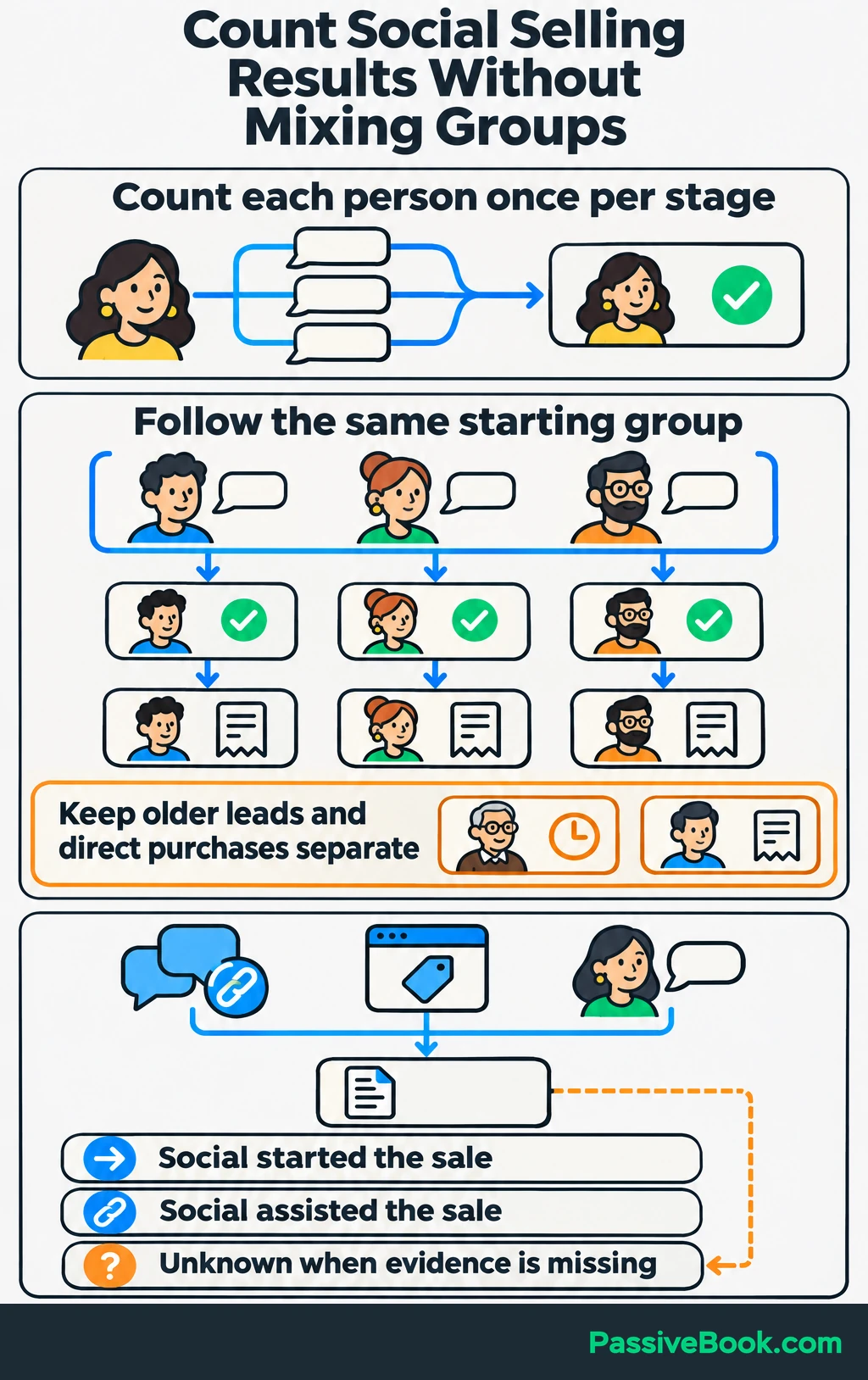
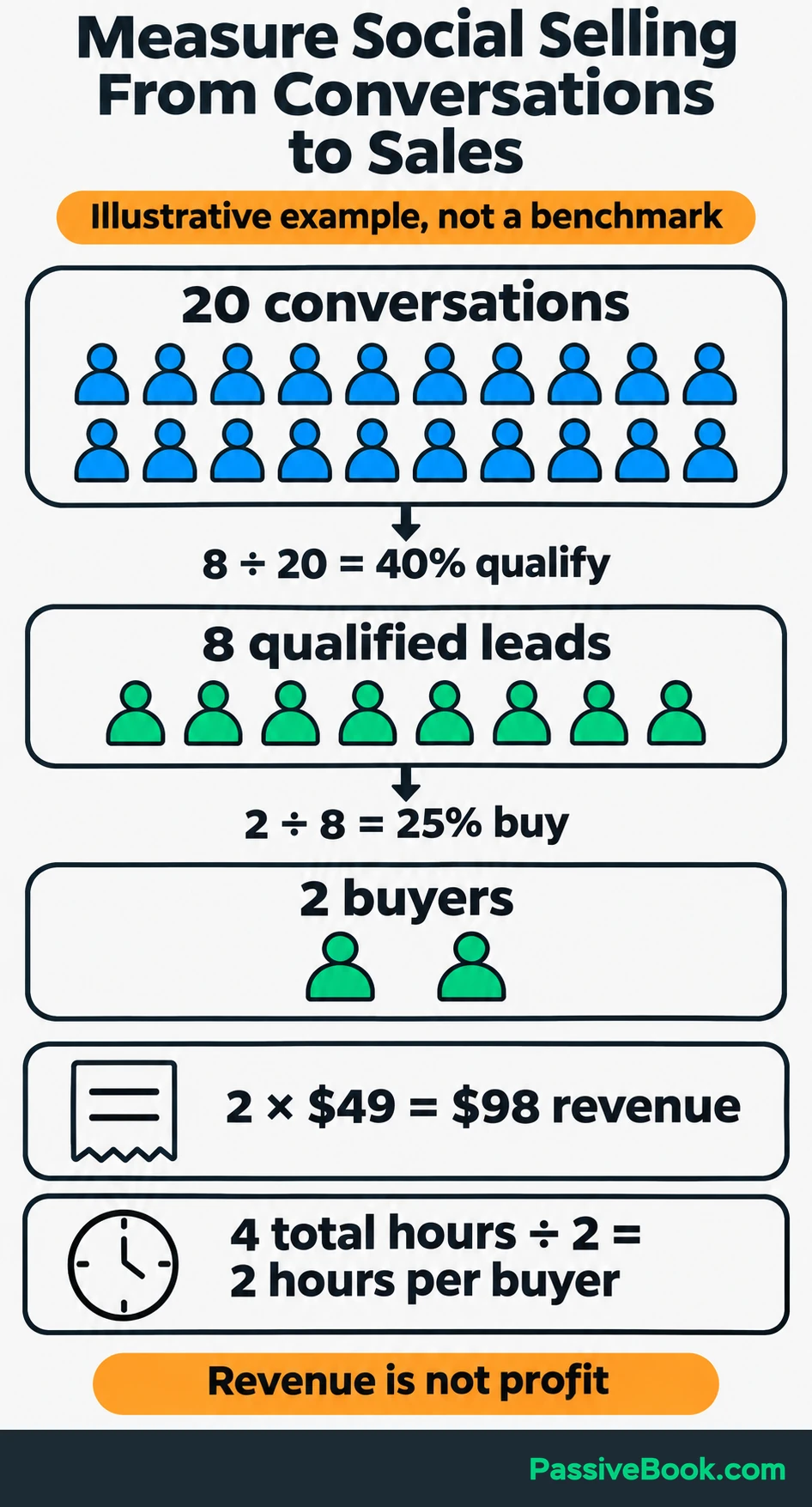
For illustration, suppose 20 people first had substantive conversations with you during one week. By your review date a month later, eight have qualified and two of those eight have bought a $49 course. You spent four hours on this test, including research, content, conversations, follow-up and review.
| Measure | Calculation | Result |
|---|---|---|
| Qualification rate | 8 qualified leads ÷ 20 conversations × 100 | 40% |
| Lead-to-sale conversion | 2 buyers ÷ 8 qualified leads × 100 | 25% |
| Revenue | 2 purchases × $49 | $98 |
| Time per buyer | 4 total hours ÷ 2 buyers | 2 hours |
These are illustrative figures, not expected results. Revenue isn’t profit: deduct payment fees and other expenses, then weigh what remains against your time.
Use conversation records, tagged website visits and buyers’ answers to distinguish sales that began on social media from those where social helped someone who already knew the business. Leave the source unknown when you can’t establish it.
Fix the Bottleneck Before Expanding
Use the results to identify the weakest step before increasing output.
| What You See | What to Examine | One Change to Test |
|---|---|---|
| Few relevant conversations | Are buyers asking these questions in the places you visit? | Answer a recurring buyer question in an active discussion |
| Plenty of conversations but poor fit | Are people asking for help the offer doesn’t cover? | Make the intended buyer and exclusions clearer |
| Suitable people engage but don’t progress | Do people understand what the sample teaches and how to access it? | Offer a relevant sample with a clear explanation |
| Qualified leads don’t buy | Have buyers raised doubts about coverage, value, price or evidence, or reported trouble paying? | Address the concern leads actually raise |
Change one meaningful element at a time and record what happened to qualified leads, sales and hours spent.
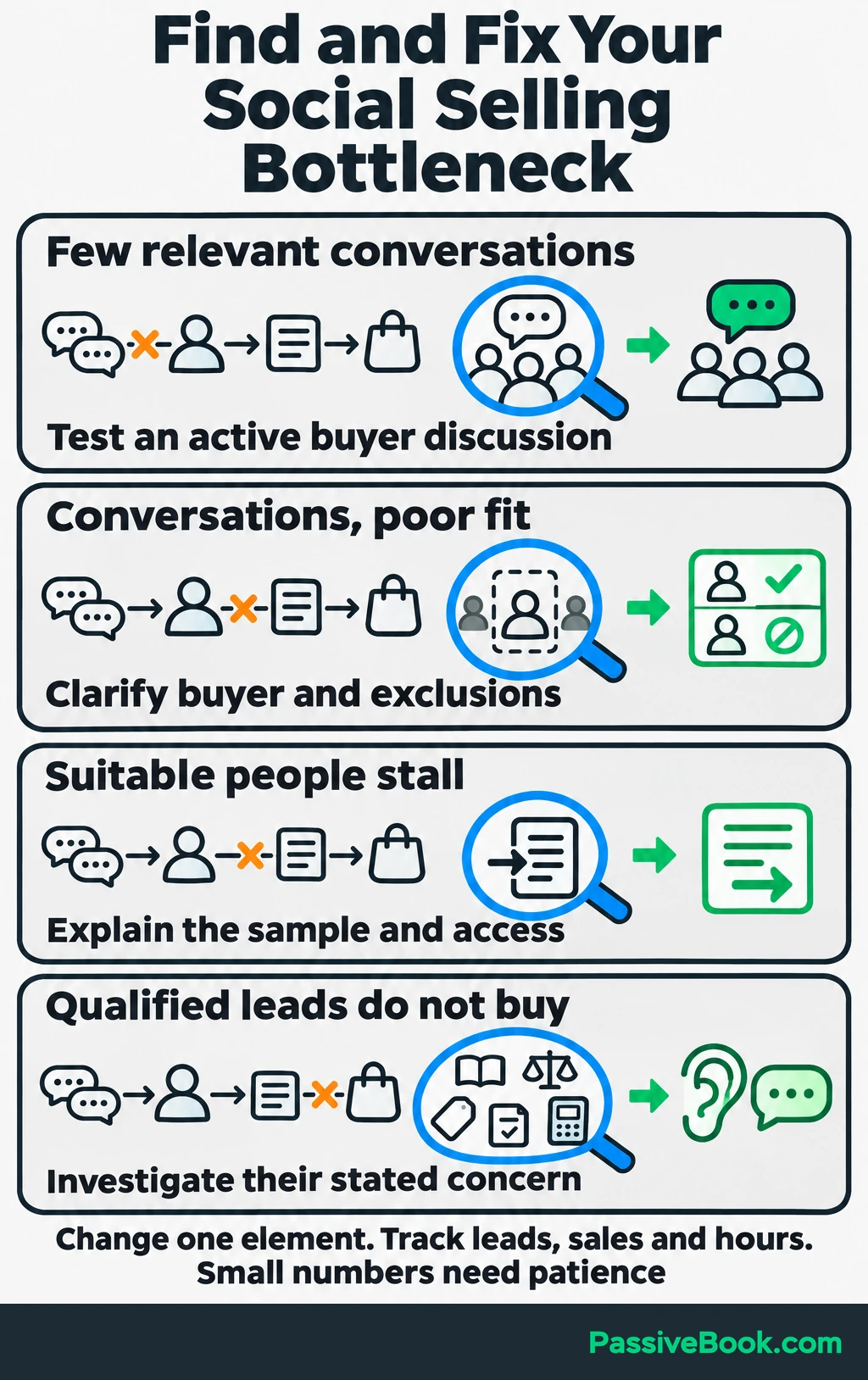
Small numbers need patience. One missed sale doesn’t establish that the price is wrong, but repeated questions about missing lesson coverage give you something concrete to investigate.
Expand when an activity brings suitable customers at an acceptable cost. Reduce work that repeatedly creates attention without movement toward your sales goal. A second platform should earn its place through a clear opportunity, not arrive as a reward for surviving the first.
What Next?
Write a one-page buyer brief using five relevant questions you can find in customer messages or public discussions. Use those questions to choose your first post and one place to contribute a helpful reply.
If this guide gives your social activity a clearer purpose, use the social buttons to share the conversation-to-sale workflow.
Where does your current process stall: finding buyers, starting conversations or helping interested people decide? Share your experience in the comments, and bring any other questions with it.
Share this post with your friends & followers:

