You have photos worth posting, three customer questions to answer, and no idea what to publish next week. Writing another caption feels like the smallest task on the list, but somehow it eats the evening.
Handing that work to AI sounds appealing until a draft gets a product detail wrong or sounds nothing like you.
Now you have another editing job, and the rest of the week is still unplanned. These 13 uses show where AI can take on recurring social media work, from turning audience questions into posts to preparing a publishing queue, without creating another system you have to babysit.
1. Turn Your Business Goal Into a Content Strategy
Choose what social media should help you achieve before asking AI for post ideas. That could be useful conversations, visits to a guide, product inquiries, or purchases.
Around 2022, I spent six months chasing followers on Instagram and Twitter/X for a separate side niche. Those accounts had nothing to do with Passive Book. I kept finding things to post, but I hadn’t built a useful path from attention to an offer. The bank account stayed around $47.
That experience is why I start with the business outcome.
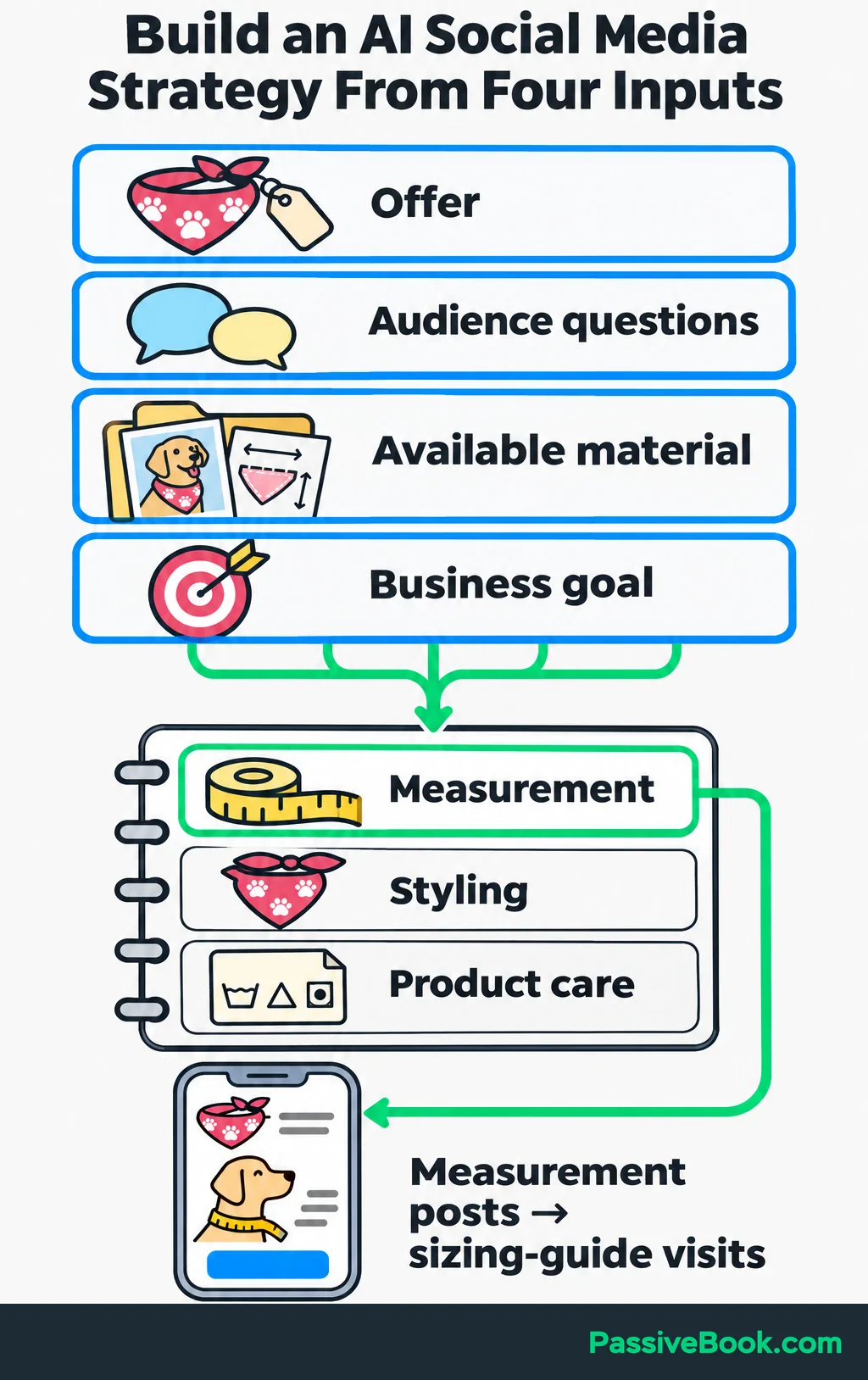
Give AI four things:
- Offer: What you sell or help people do.
- Audience questions: What people need to understand before taking action.
- Available material: Photos, guides, demonstrations, and approved facts.
- Goal: The action your content should support.
Ask it to propose three content themes and explain how each supports that goal. Save your approved choices in a short reference document.
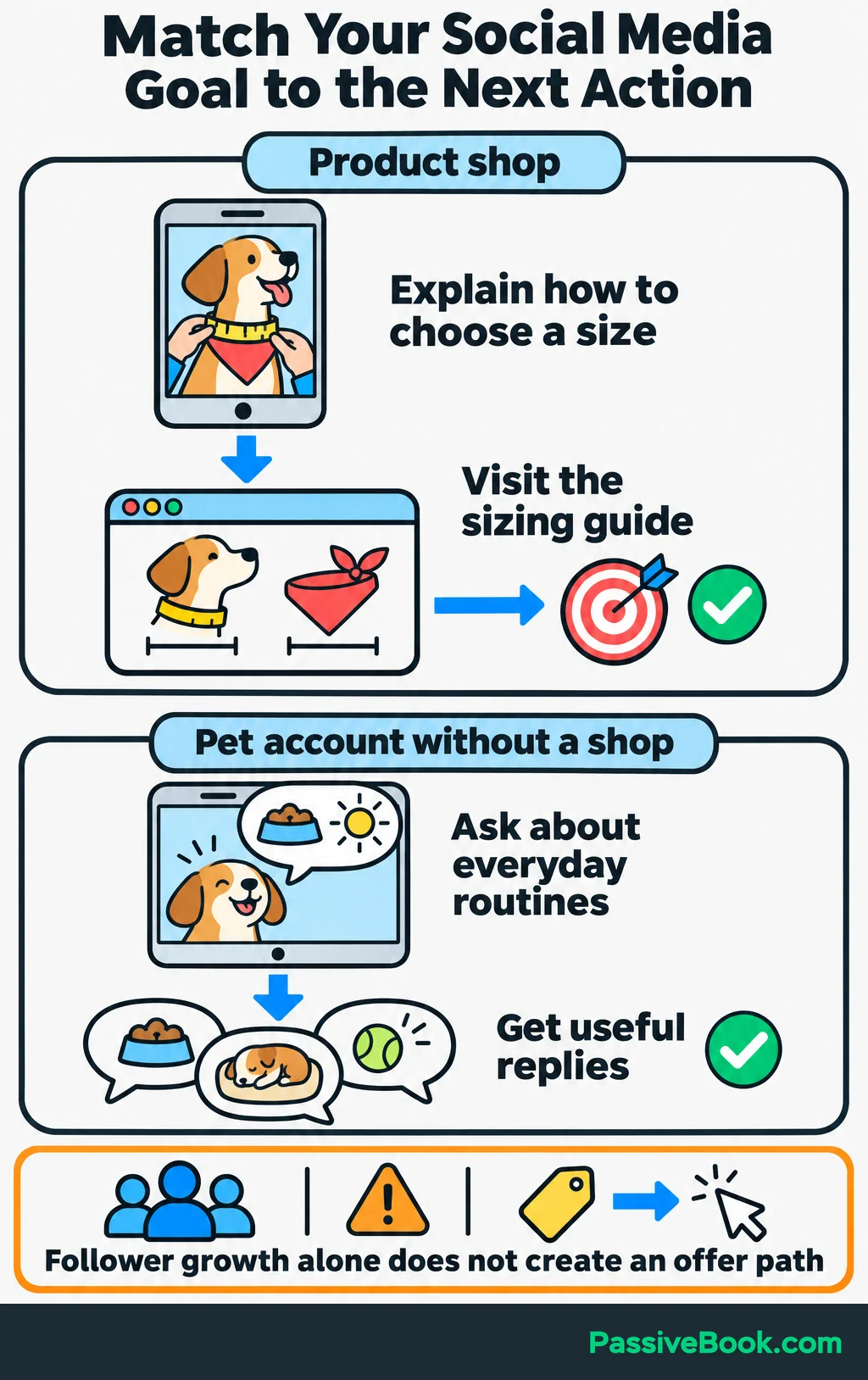
Throughout this article, imagine you run an online shop selling personalized dog bandanas. You have real product photos, an approved sizing guide, and care instructions. The shop, sample copy, and figures are illustrations.
For this shop, I would start with measurement demonstrations, styling examples, and product-care explanations. Each gives you something useful to show, and the measurement posts can lead readers toward the sizing guide before they shop.
For a pet account without a shop, try photo stories, questions from followers, and everyday routines. Start with a goal of getting useful replies.
2. Build a Reusable Brand-Voice Brief
“Make it sound friendly” leaves AI with a lot of room to produce cheerful nonsense.
Instead, supply several pieces of writing you like, your approved product information, and examples you would never publish. Ask AI to identify the tone, word choices, sentence patterns, and missing facts.
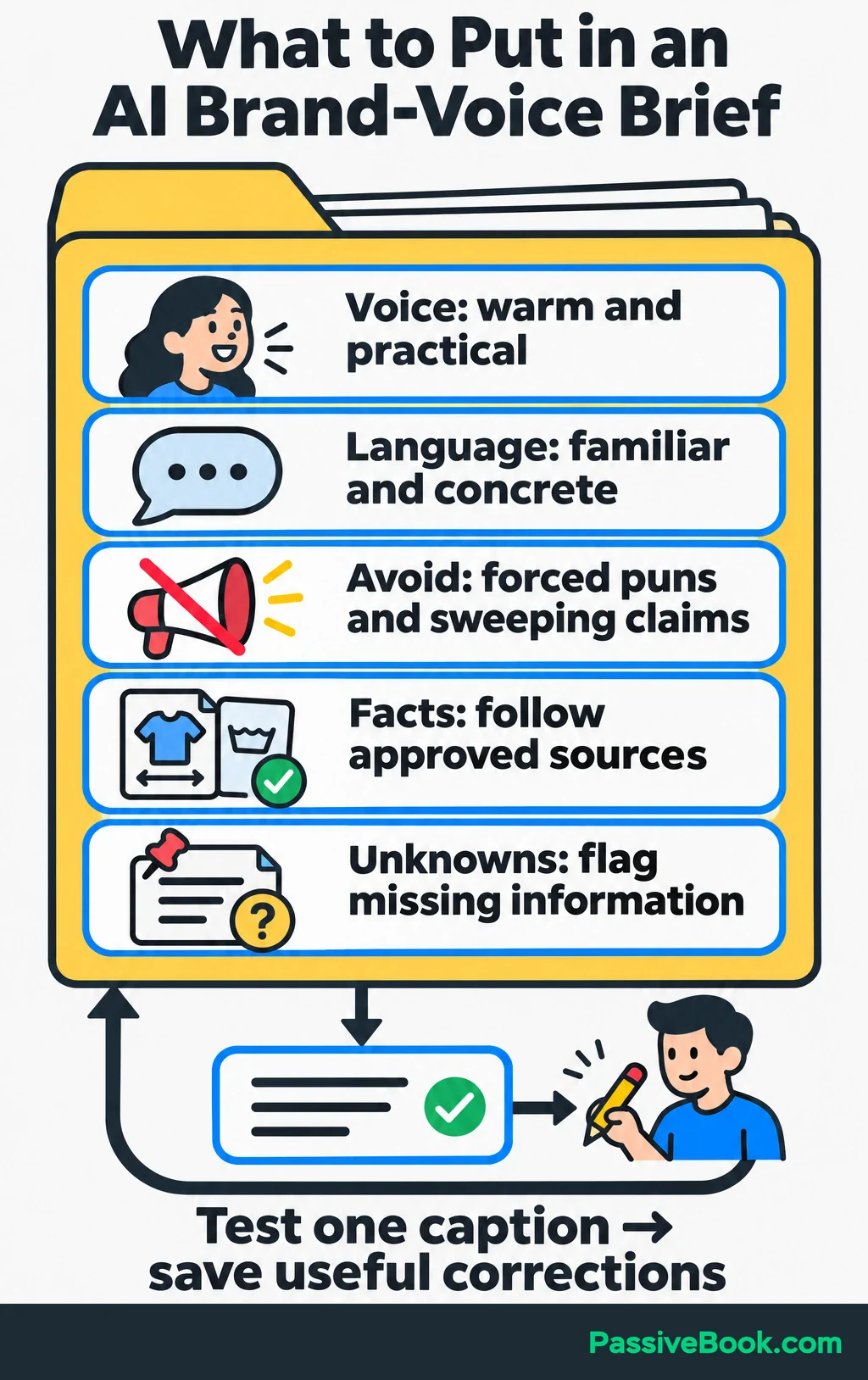
Turn the result into a brief you can reuse. For the bandana shop, it might include:
- Voice: Warm and practical, with clear explanations.
- Language: Use familiar words and describe what the customer can see or do.
- Avoid: Baby talk, forced dog puns, and claims such as “perfect for every dog.”
- Facts: Follow the attached sizing guide and care instructions exactly.
- Unknowns: Flag missing information instead of supplying a plausible answer.
I once asked AI to make a digital-product caption more enthusiastic. It replaced a useful description with promises about transformation. Nothing about the product had changed, but the copy sounded as though it had acquired magical powers.
I edited the caption and saved the corrected version beside the original. That comparison gave the next prompt a much clearer boundary than “less salesy.”
Test your brief on one caption before generating a batch. I use Claude for writing and strategy, but I would compare the same task in any assistant you already have. Choose based on accuracy, editing time, voice, and cost. A second subscription needs to earn its place.
3. Find Content Ideas in Audience Questions and Feedback
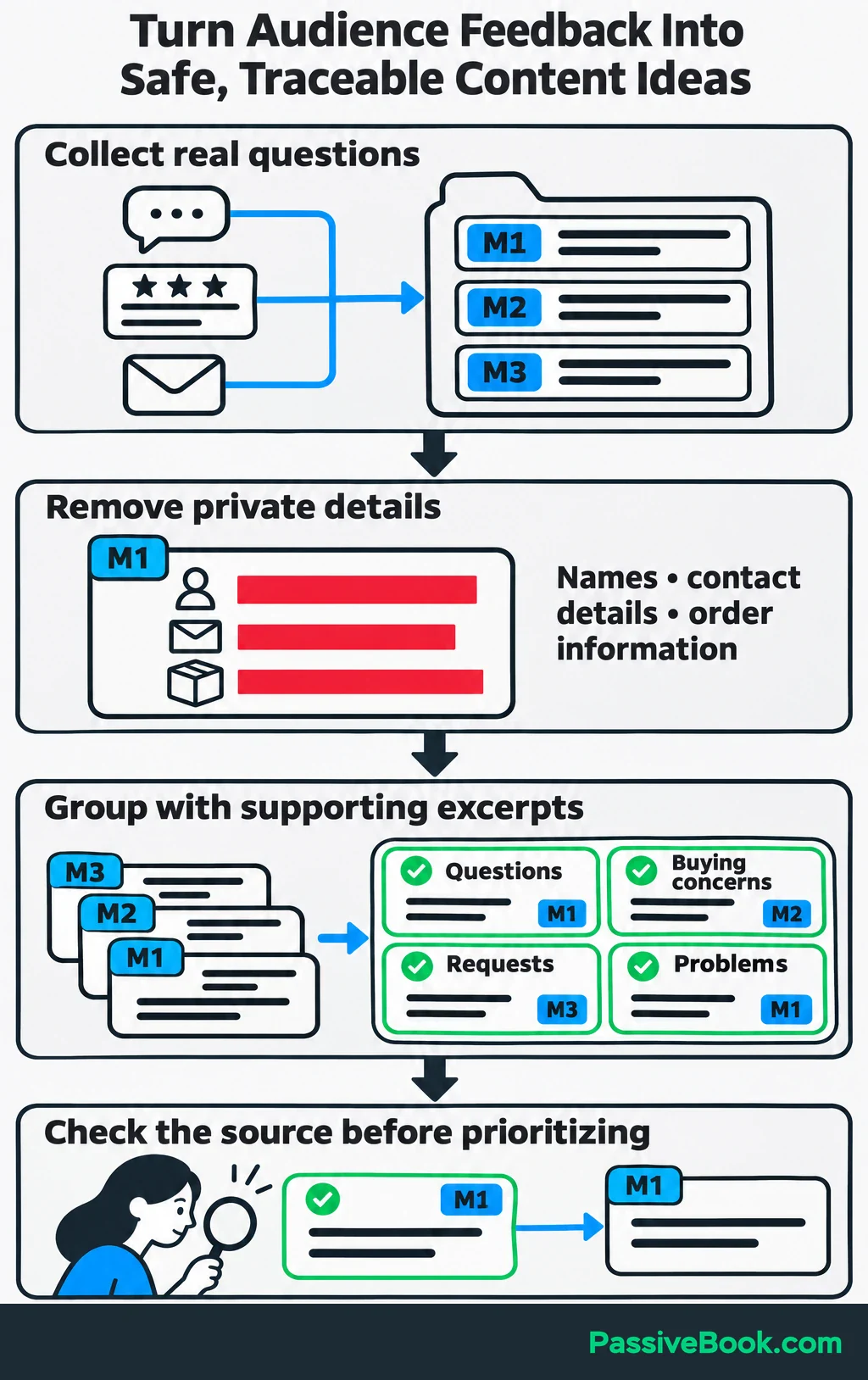
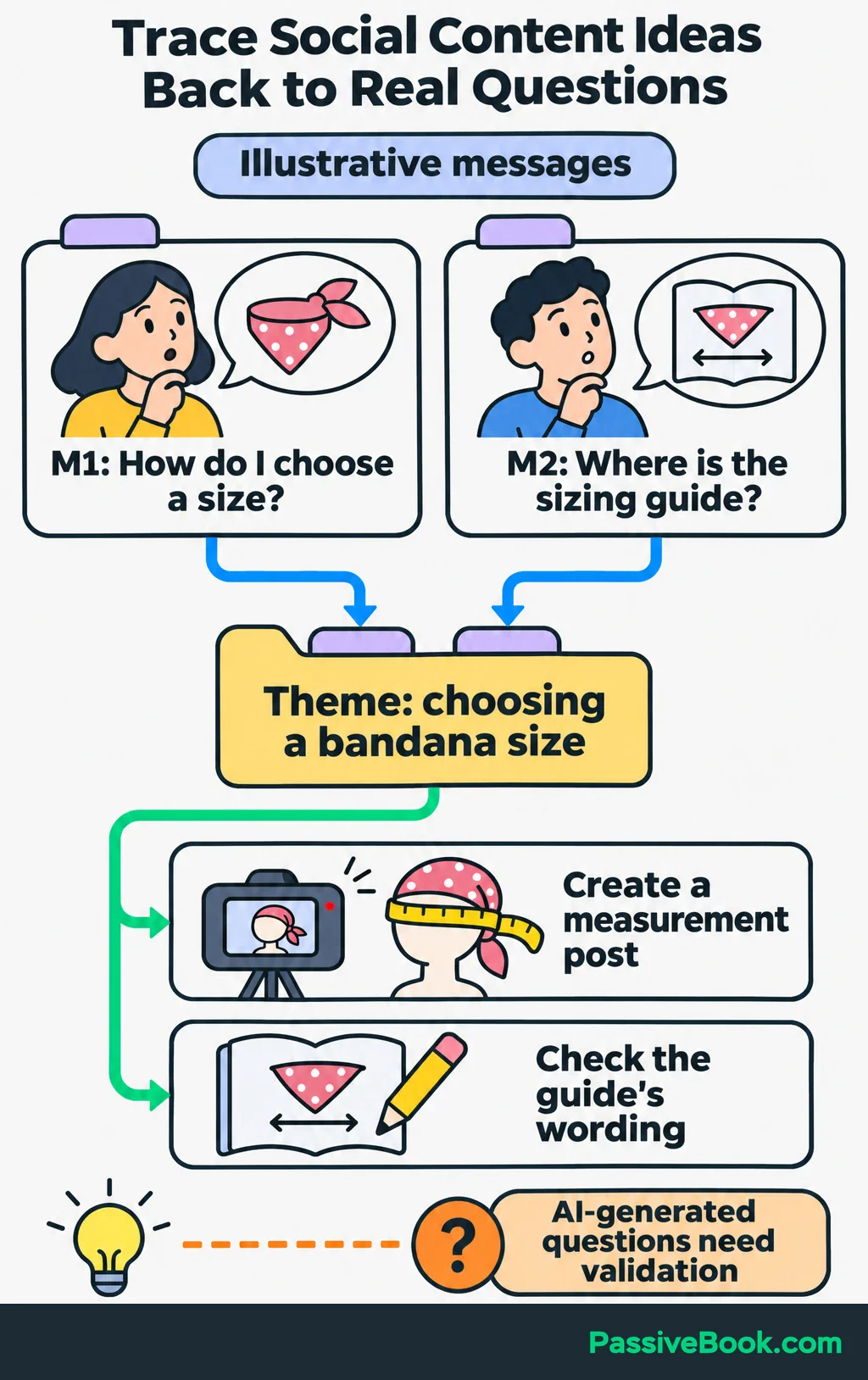
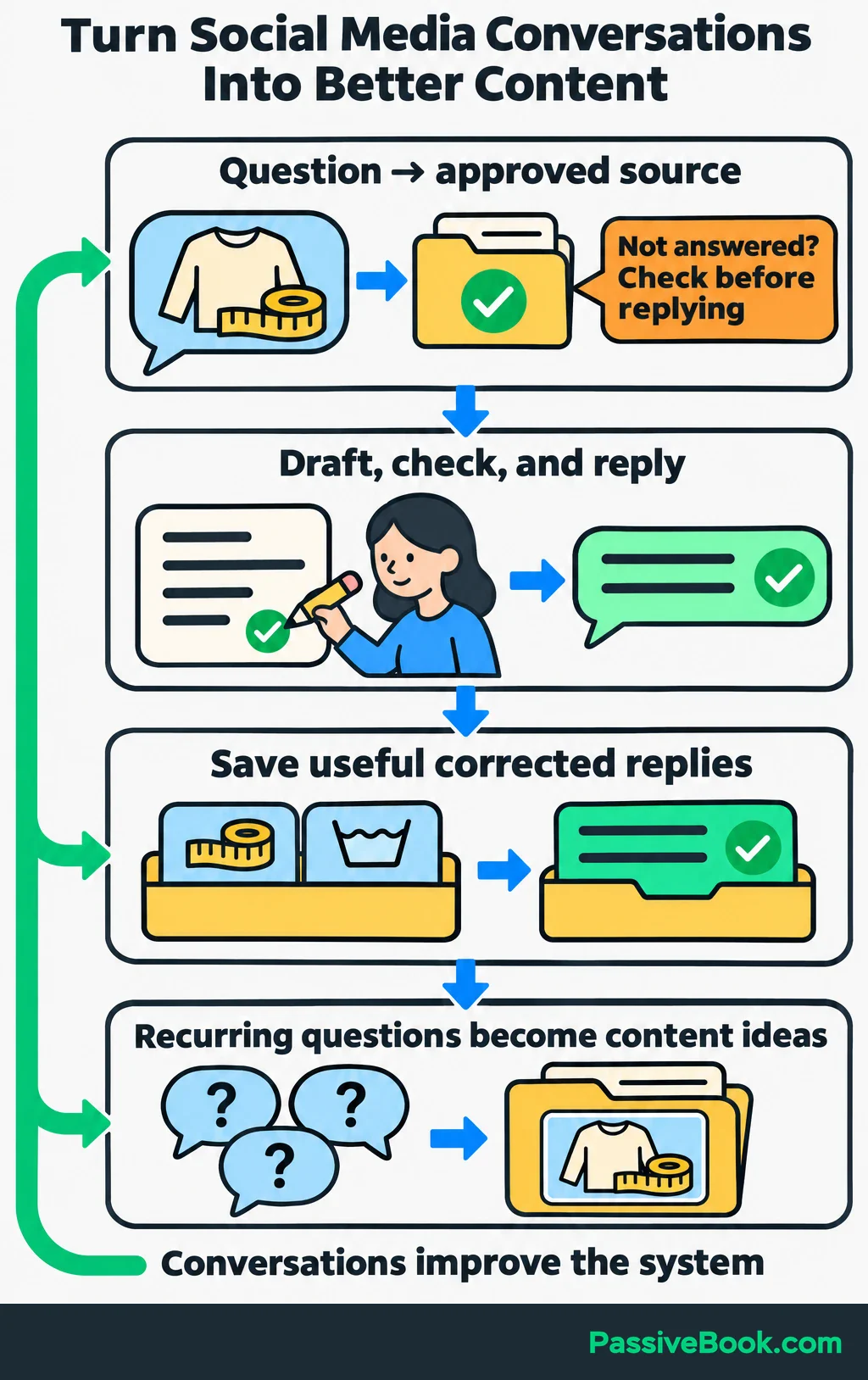
Start with questions people have actually asked. Collect relevant comments, messages, reviews, and customer inquiries, then remove names, contact details, and order information before sharing them with AI.
Ask it to group the material into recurring questions, buying concerns, requests, and problems. Require a supporting excerpt and source reference beside each theme so you can check the grouping.
For example:
Group these messages by question. Keep the message reference beside each theme, and separate what customers said from ideas you suggest.
If several supplied messages show confusion about choosing a bandana size, that gives you two useful jobs: create a measurement demonstration and check whether the guide itself needs clearer wording.
You can also review relevant public discussions and competitor posts. Look for unanswered questions you can address with your own knowledge or photos, rather than copying their posts.
Prioritize ideas that help your audience, support your goal, and have material behind them. Questions AI invents are ideas to validate. They are not evidence of demand.
AI only sees the messages you supply, so check your inbox and mention notifications regularly.
4. Organize Ideas Into a Sustainable Content Calendar
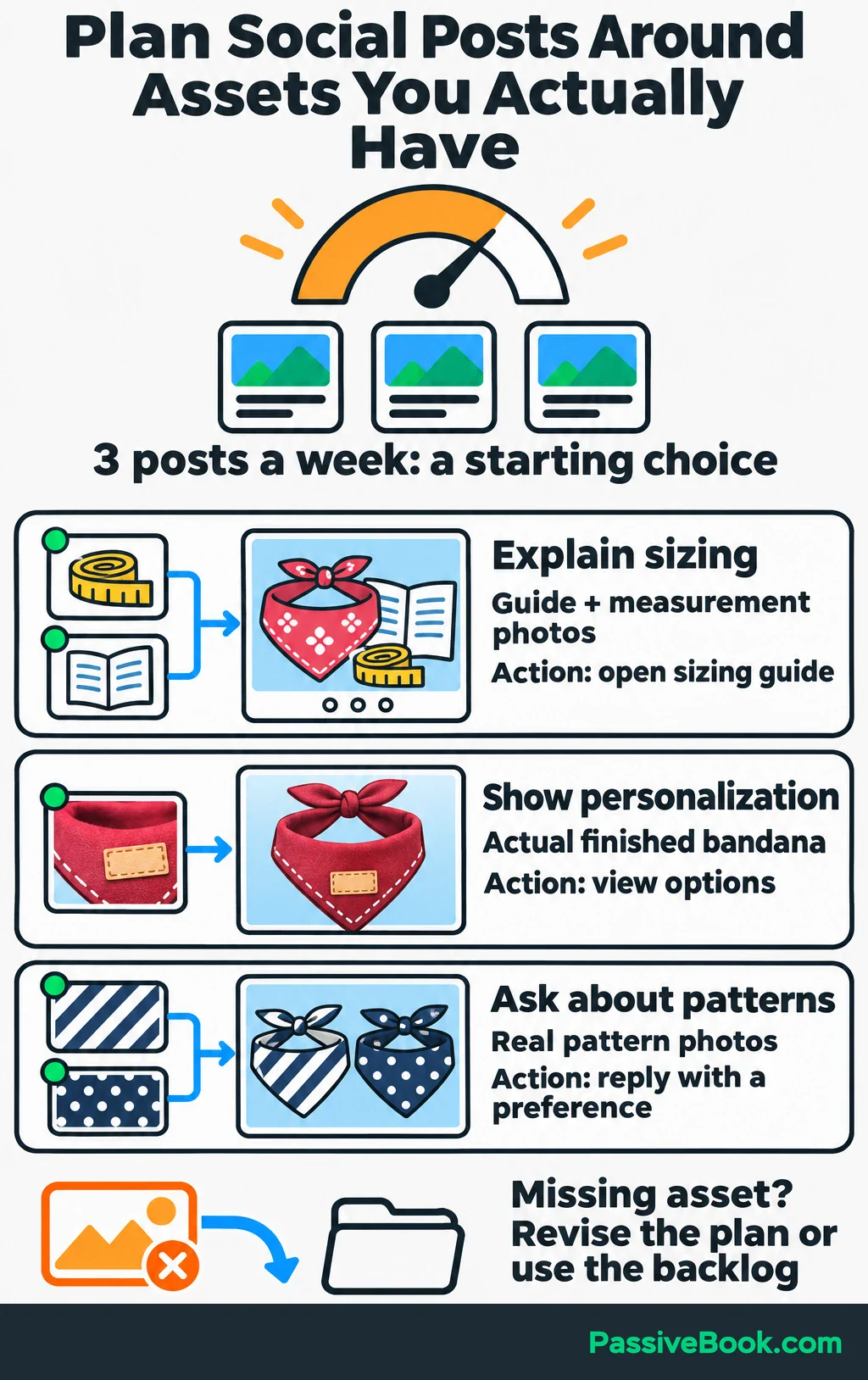
Give AI your selected ideas, available assets, business dates, and realistic production capacity. Then ask it to arrange a calendar you can maintain.
I would begin with three useful posts a week before attempting daily publishing. That is a starting choice, not a platform rule. You need enough room to review the work and answer people afterward.
Keep the calendar in a spreadsheet or your existing planning tool, such as Notion. Include these fields:
| Topic | Objective | Platform | Format | Source Asset | Call to Action | Publication Date | Approval Status |
|---|---|---|---|---|---|---|---|
| Choosing a size | Sizing-guide visits | Carousel | Guide and measurement photos | Open sizing guide through profile link | Next Monday | Draft | |
| Personalization close-up | Product-page visits | Photo post | Actual finished bandana | View personalization options | Next Wednesday | Review | |
| Pattern preferences | Useful replies | Photo post | Photos of two available patterns | Comment with a preference | Next Friday | Draft |
Each post has one job, and the week includes an explanation, a product demonstration, and a conversation.
If a photo is missing, ask AI to revise the calendar around assets you have. Move unused ideas into a backlog. An empty Wednesday does not justify inventing a product benefit.
5. Draft Captions That Give Readers a Clear Next Step
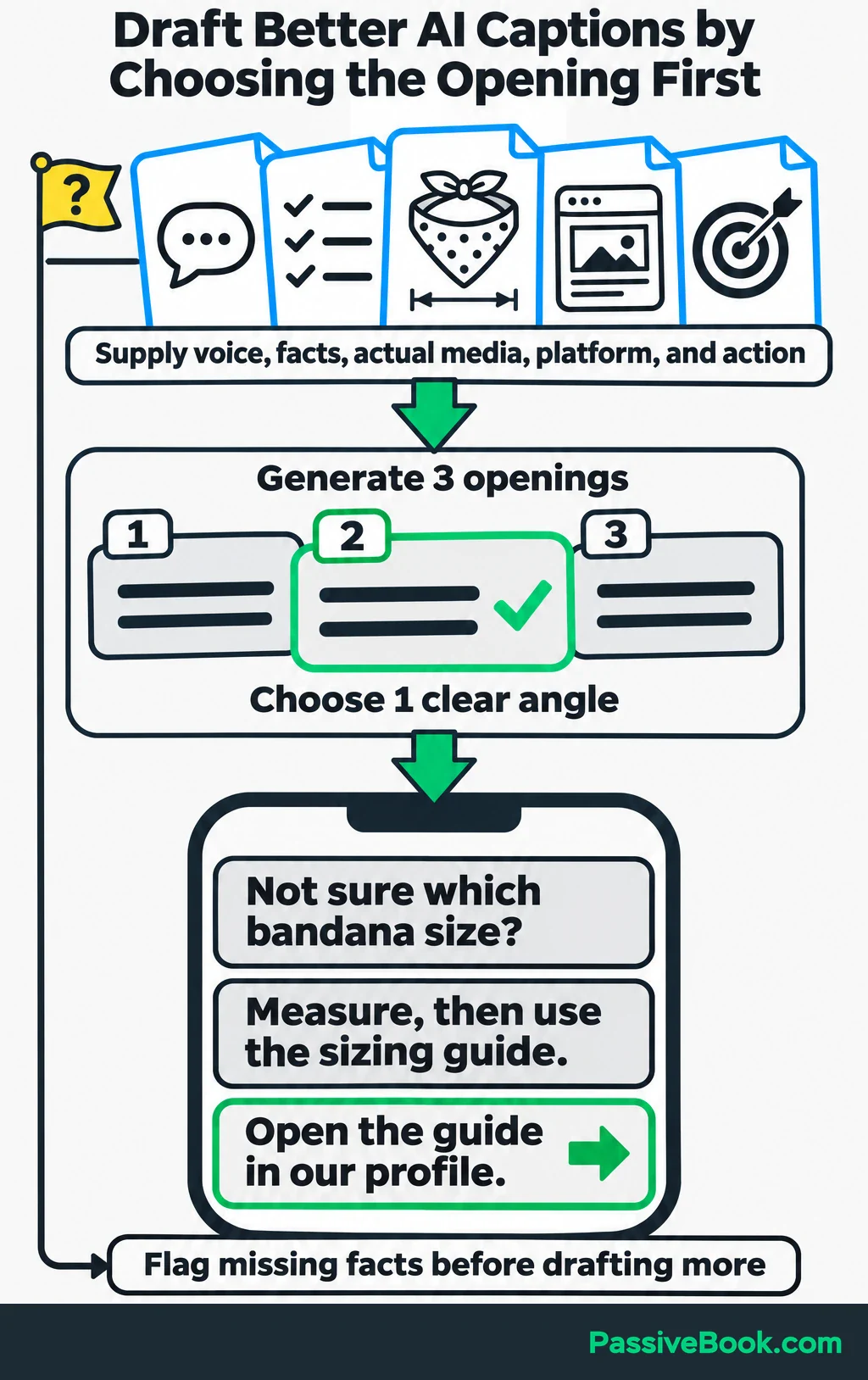
Supply the voice brief, approved facts, a description of the actual image or video, the platform, and the action you want readers to take.
Ask for several openings first. Choose the strongest angle, then develop the caption. This keeps you from editing three complete drafts when only one has a useful point.
Here is a reusable prompt:
Using the attached voice brief and approved facts, write three openings for a [platform] post about [topic]. The image or video shows [actual content]. Choose the clearest opening and develop one caption that helps readers [desired action]. Use only the supplied facts, flag missing information, and include one next step.
For the bandana shop, assume the post is a carousel showing the measurement process from its approved guide, and the profile link opens that guide. A complete caption could read:
Not sure which bandana size to choose? Start with a measurement rather than guessing from a photo.
Swipe through this demonstration, then use the sizing guide to match your measurement to the available options.
The guide is linked in our profile. Check it before choosing your personalized bandana, and send us a message if a step is unclear.
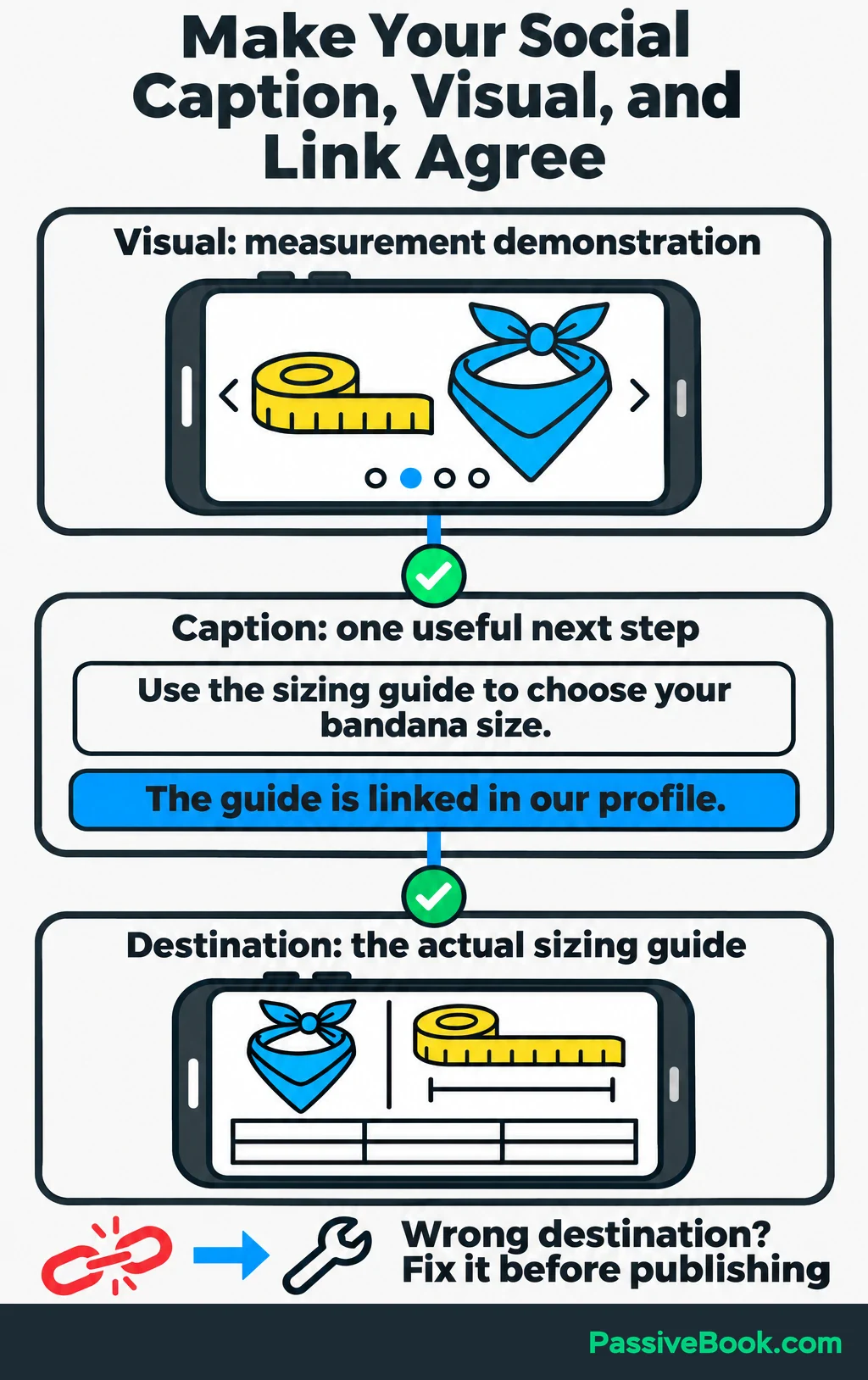
Check that the carousel shows the measurement process and that the profile link opens the sizing guide.
If you would rather not assemble the brief and prompts yourself, the Social Media Content Studio can turn your material into a first post draft. It keeps the source references and unresolved details beside the copy so you know what to check.

Free AI Social Copy Studio




Replace generic lines with details from the actual post. Save good edits as examples for future drafts. That is how your brief gets more useful over time.
6. Repurpose One Source Into Platform-Specific Posts
Start with something useful you own: a guide, article, product explanation, newsletter, or previous post.
Ask AI to extract its central answer before adapting it. Then specify the audience question, format, asset, and next action for each destination.
For the sizing guide, the adaptations could be:
| Destination | Adaptation | Next Action |
|---|---|---|
| Instagram carousel | Break the approved measurement process into readable slides | Open the guide through the profile link |
| Facebook post | Explain the sizing question beside a demonstration photo | Follow the clickable guide link |
| Pinterest Pin | Use a clear title and description about choosing a bandana size | Visit the sizing guide |
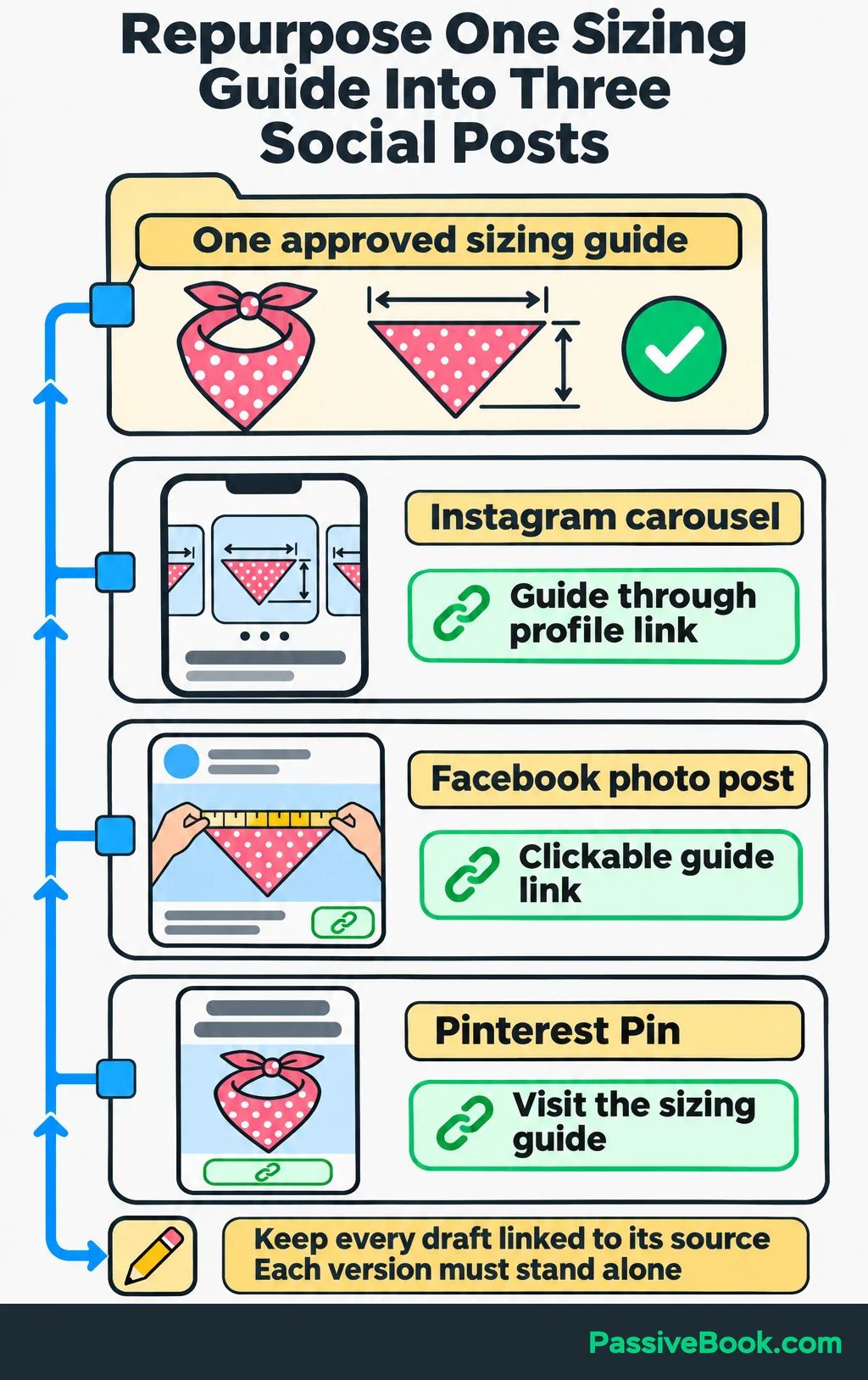
Each version should make sense by itself. “As explained above” is not useful when the reader never saw the original.
Keep the source reference beside every draft so a later sizing update can reach the related posts. Preserve conditions from the original, and do not turn a paraphrase into a customer quotation or endorsement.
I would rather reuse one solid explanation in three suitable formats than ask AI for three unrelated ideas every morning.
7. Create Branded Graphics From Real Assets
Let AI help decide what the graphic should communicate before you start moving text boxes around.
Supply the approved message, short on-image copy, brand colors, and available photos. Ask for a layout brief that puts the most useful information first.
For a sizing carousel, that might mean:
- A cover that names the question.
- Measurement photos arranged in the guide’s order.
- A final slide pointing readers to the complete sizing guide.
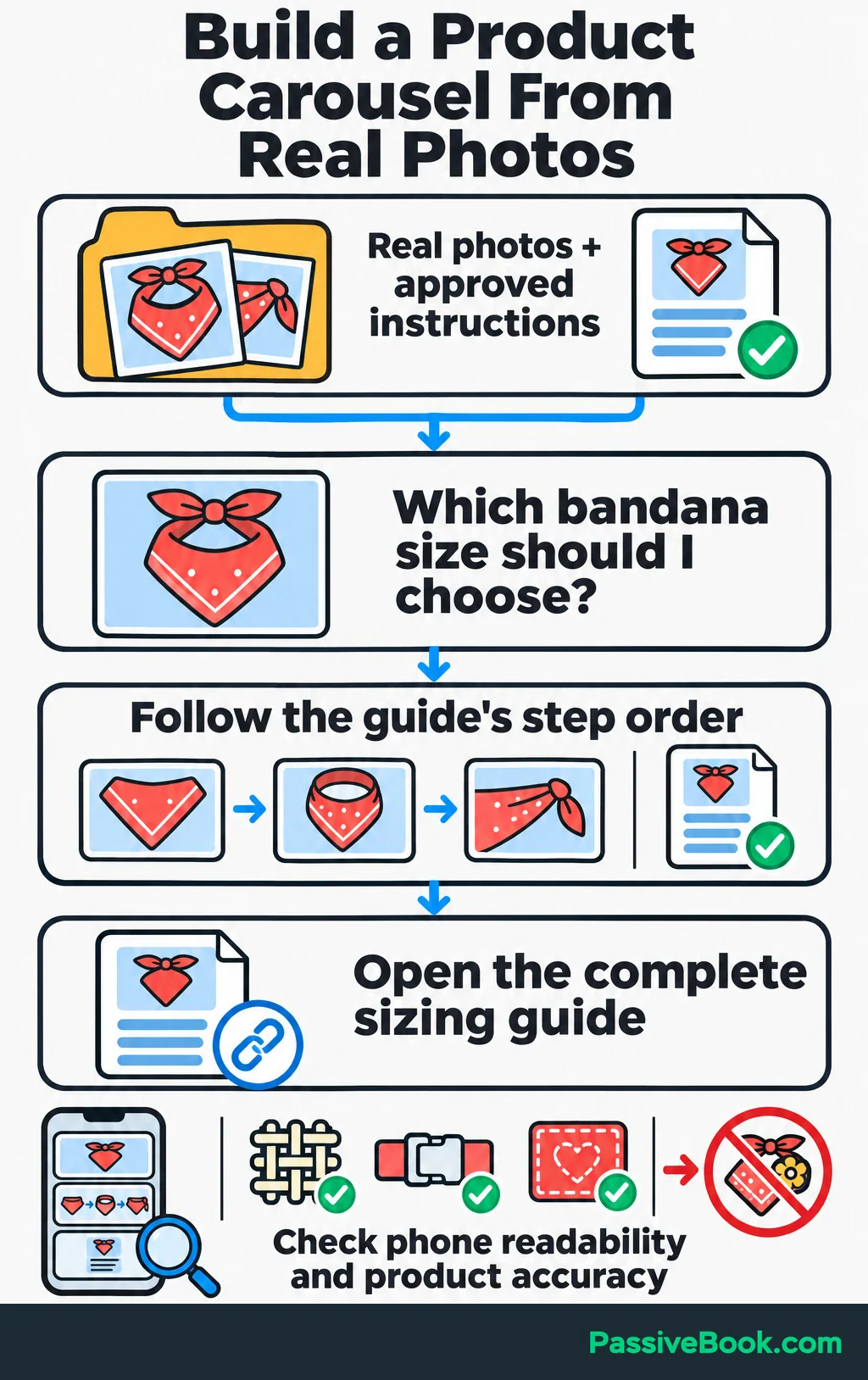
Build it in your existing design tool. If you want help with layouts, Canva’s Magic Design can create customizable designs from text, images, and ideas.
For product content, I would keep the actual bandana photos. A generated image that changes the fastening, fabric, or personalization style creates a product you do not sell.
Check the finished graphic on a phone. Read every word, inspect the cropping, and compare it with the caption. Once the layout works, save it as a template so the next post needs less design work.
8. Turn Existing Footage Into Short Videos
Give AI footage it can inspect, or a transcript with timestamps and descriptions of what each clip shows. Ask it to identify one demonstration that can stand on its own.
Then request a simple editing plan: opening, explanation, closing action, narration, and on-screen text. Every proposed shot should point to an actual clip.
For the bandana shop, a longer sizing walkthrough could become a short measurement demonstration. The AI should identify which footage shows each approved step and flag anything missing before you edit.
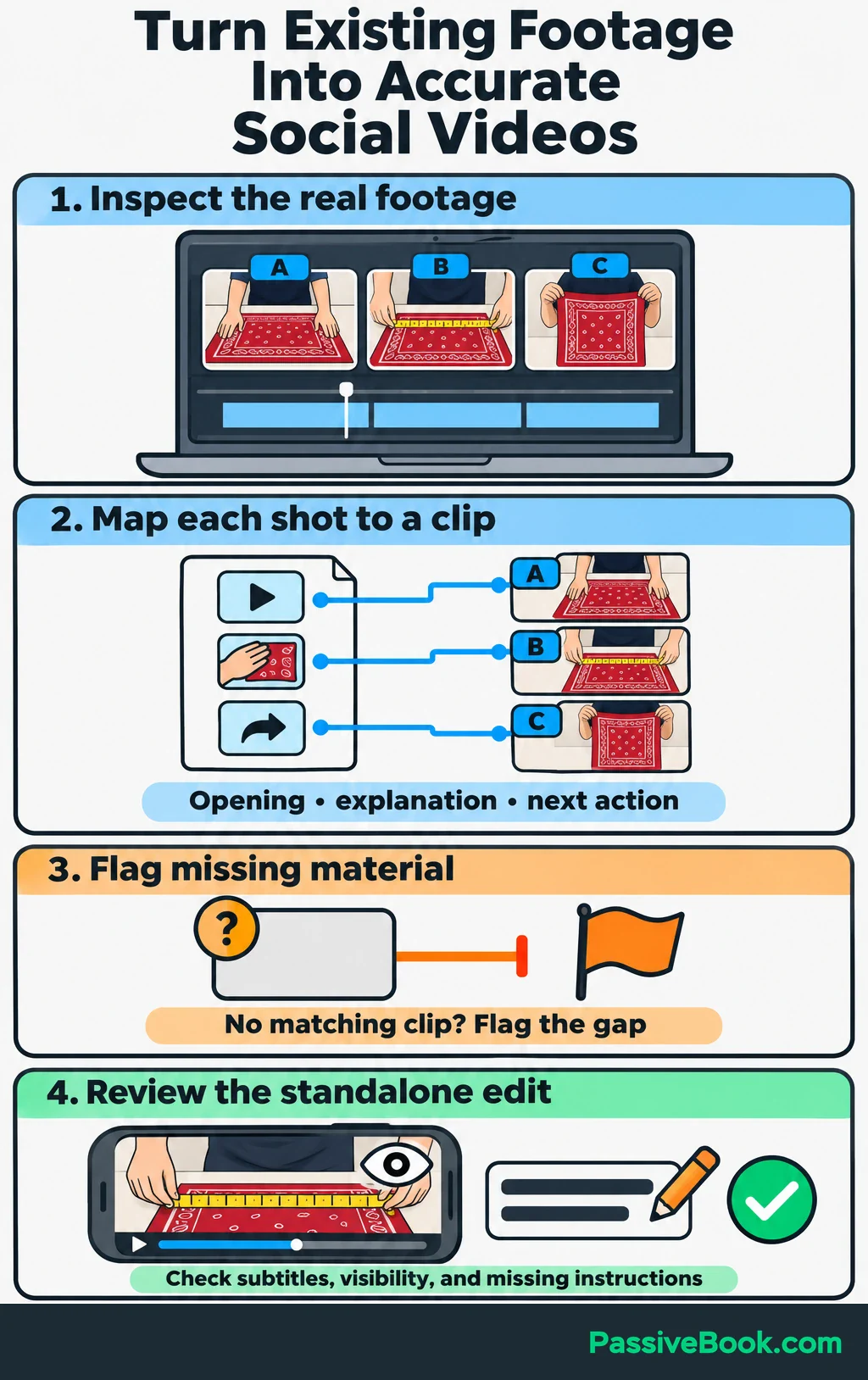
That last part matters. A shot list is cheap to generate, but filming unnecessary scenes is still your afternoon.
If reviewing long recordings becomes a recurring bottleneck, OpusClip offers AI clipping, captioning, and reframing. I would skip another video subscription if trimming a few existing clips already solves the problem.
Watch the finished video without the original recording beside it. Correct subtitle errors, keep the measurement visible, and check that a cut has not removed an instruction readers need.
9. Use AI to Check Drafts Before Approval
Ask AI to compare the draft with its source material and voice brief. Request specific problems and their locations, rather than a general verdict such as “looks good.”
A useful review prompt is:
Compare this draft with the attached sources and voice brief. Flag unsupported claims, changed instructions, unclear wording, repetition, and mismatches between the copy and visuals. Explain each flag and identify the relevant source. Do not approve the post.
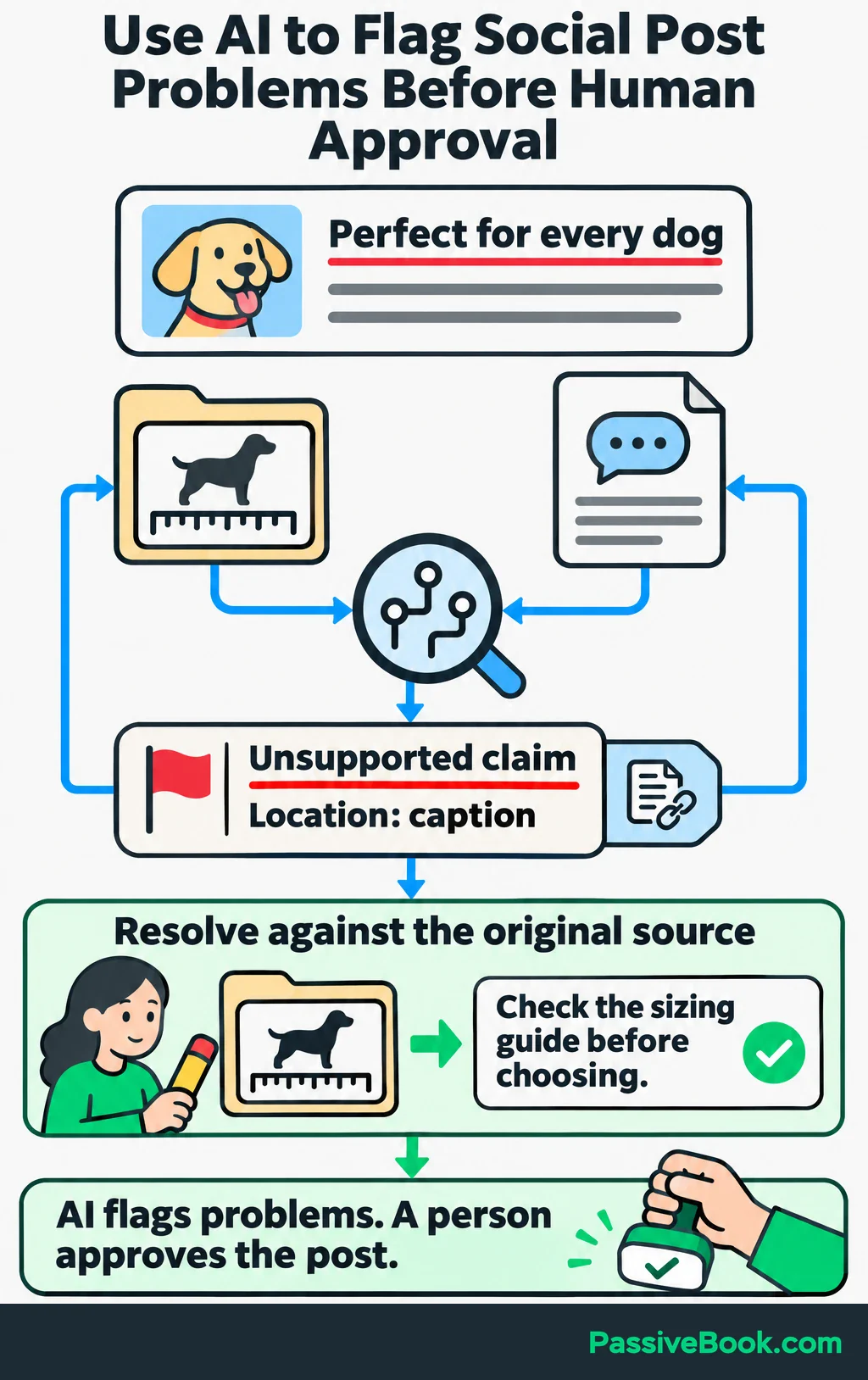
Resolve those flags against the original material yourself. An AI review can help you find a problem, but it cannot make an unsupported claim true.
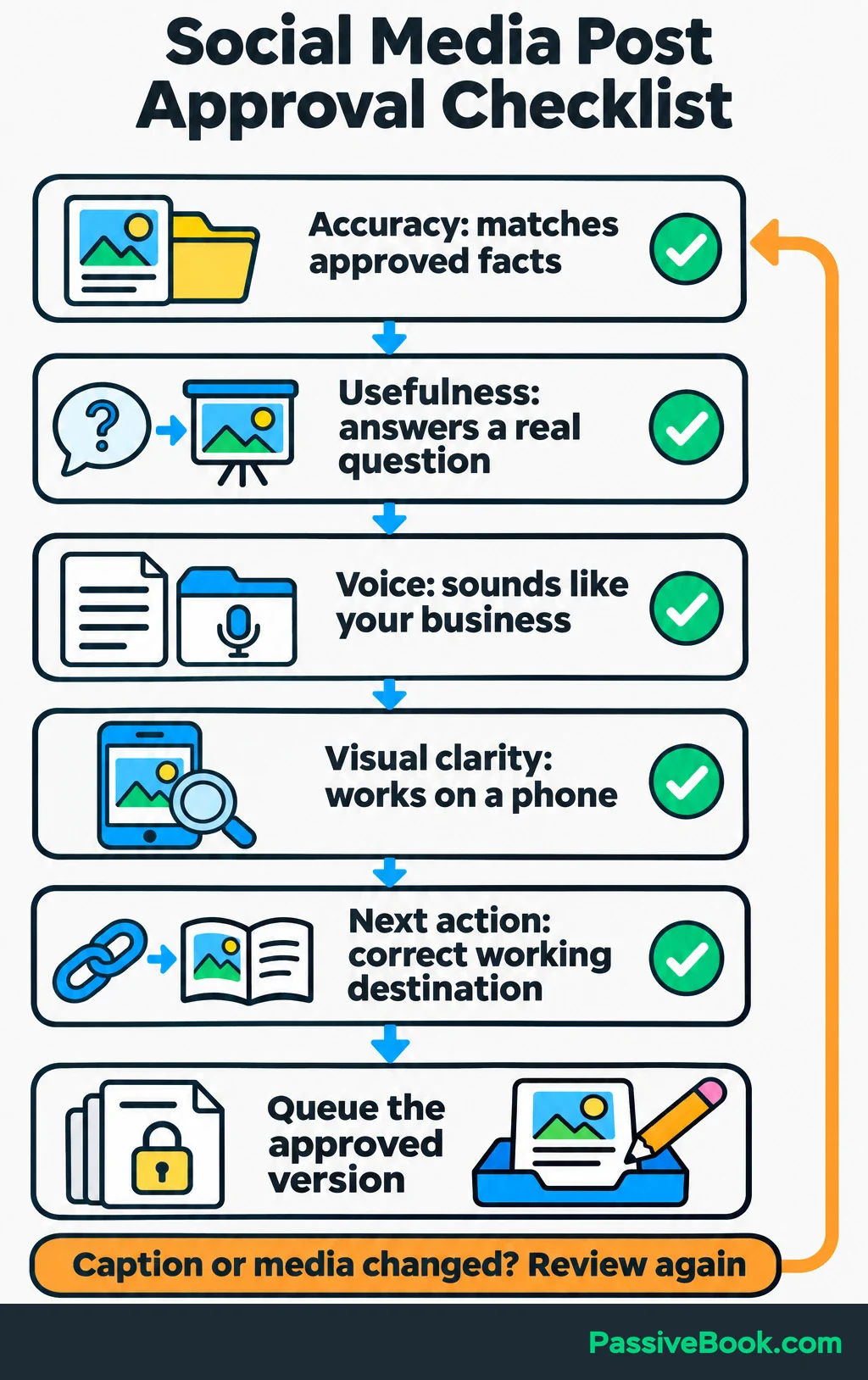
Use the same approval checklist each time:
- Accuracy: Product details match the approved information.
- Usefulness: The post answers a clear question or shows something worthwhile.
- Voice: The wording sounds like your business.
- Visual clarity: Text and important details remain readable on a phone.
- Next action: The link works and leads to what the post promises.
If you use synthetic media, include the destination’s requirements in that check. For example, TikTok requires labels for realistic AI-generated content.
Move only approved versions into the queue. If the caption or media changes afterward, review that version again.
10. Prepare and Schedule Approved Posts
Choose a Scheduler That Fits Your Accounts
AI prepares the material, but a scheduler handles publication. I would start with Meta Business Suite for free scheduling on Facebook Pages and Instagram.
For a shared queue across networks, compare Buffer’s plans:
| Option | Best Fit | Cost and Limits |
|---|---|---|
| Meta Business Suite | Scheduling Facebook Page and Instagram content | Free; limited to those networks |
| Buffer Free | Small batches across several networks | Free; three channels and ten queued posts per channel; includes AI Assistant |
| Buffer Essentials | Batches that outgrow the free queue | Paid per channel; larger queue |
Check the linked plan page for current pricing before paying.
Check whether your account and post format support automatic publishing. Buffer requires a professional Instagram account, and some features require you to finish the post on your phone.
Prepare the Queue and Verify Publication
Ask AI to turn approved calendar entries into a publishing checklist containing the account, final caption, asset, destination, date, and timezone.
If you use Google Analytics, campaign tags added to a URL identify which links brought visitors. Ask AI to tag the Facebook sizing post’s guide link with utm_source=facebook, utm_medium=social, utm_campaign=bandana_sizing, and utm_content=measurement_photo_01.
Give each directly linked post a distinct content value. One shared profile link cannot identify which post prompted a visit.
Preview every version. For the shop, the sizing caption, measurement graphic, and guide destination should agree.
Test one scheduled post before loading a batch, then check the destination account to confirm it appeared correctly. Keep failures visible in the calendar so they get fixed.
11. Sort Comments and Draft Helpful Replies
Set a regular time to review inboxes and available mention notifications. AI can sort the collected messages into questions, complaints, purchase inquiries, and follow-ups.
Remove private details before sharing the material, as you did when collecting ideas.
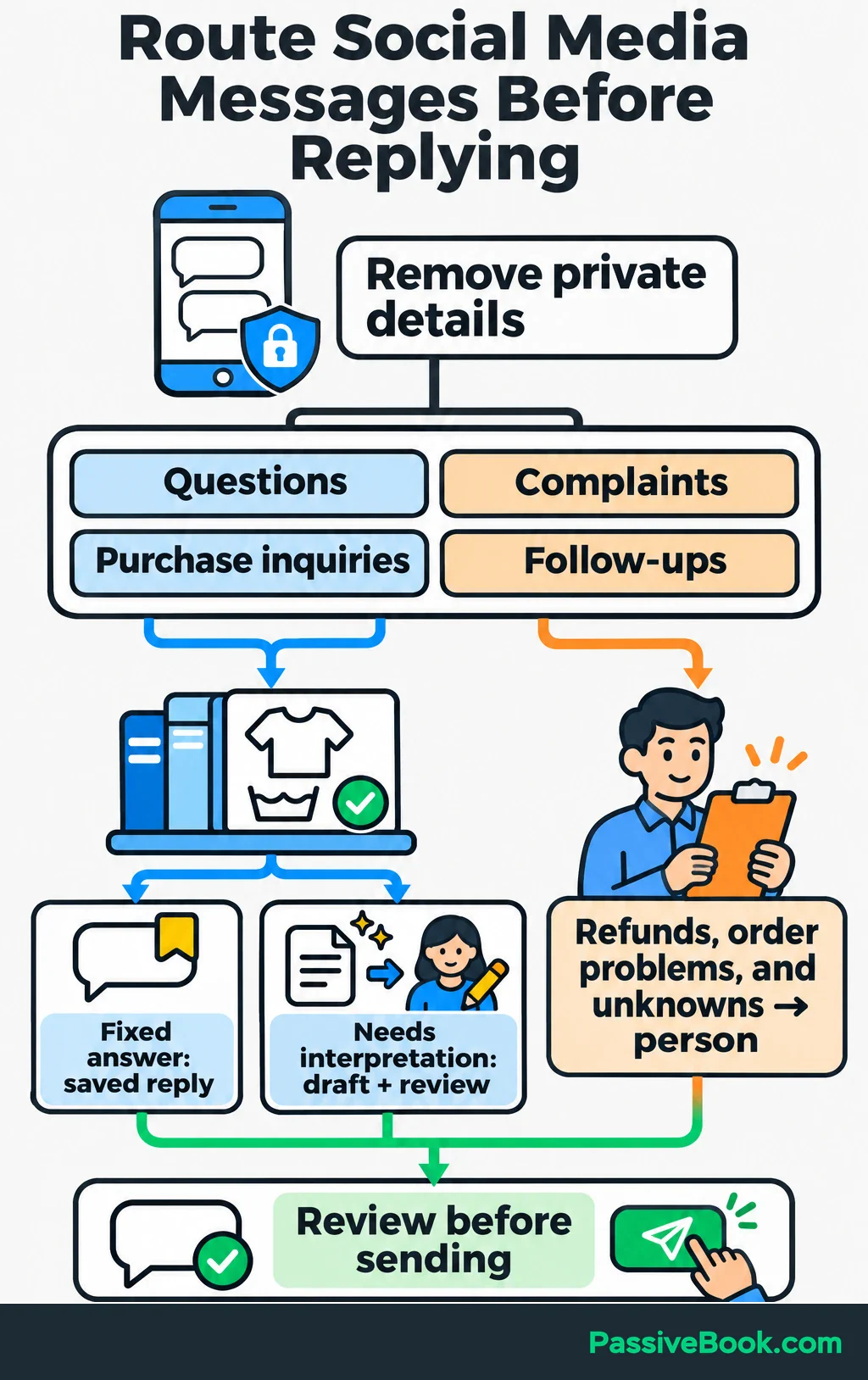
Build an approved answer library for fixed information such as sizing, care, delivery policies, and personalization options. Use saved replies when the answer is fixed. Use AI when you need help interpreting a question or making the wording clearer.
For example, ask:
Draft a concise reply to this sizing question using only the attached guide. If the guide does not answer it, explain what I need to check before replying.
Review the draft before sending. Complaints, refund decisions, order problems, and unfamiliar questions should go to you or another person who can make the decision.
I would skip automatic comment replies while you are still correcting the answer library. Sending the wrong answer faster creates a second conversation you now have to manage.
Feed recurring questions back into the content backlog, and save useful corrected replies. Your conversations then improve both your posts and your support material.
12. Analyze Results and Choose the Next Improvement
Measure Progress Toward Your Goal
Export results into a spreadsheet with one row per post. Include the platform, topic, format, publication date, available reach and engagement figures, website results where measurable, and production time.
Choose the measure that fits the post’s purpose:
Track saves for posts readers may need later, and retention or watch time for videos. Count relevant replies when you want a conversation, or tagged website visits when you want guide readers. For sales posts, count attributable purchases only where tracking is configured.
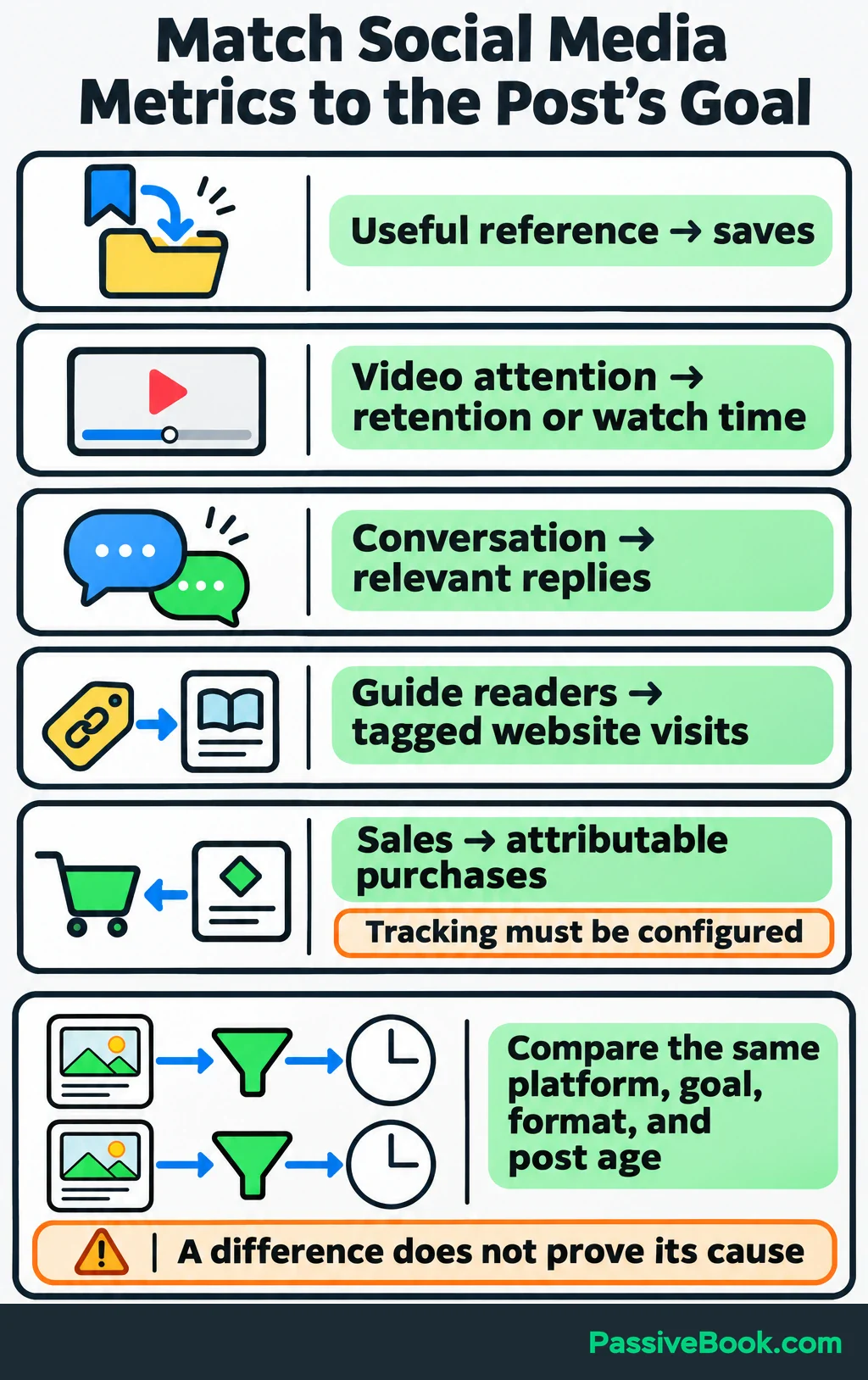
Ask AI to compare posts from the same platform with similar goals and formats, using the same time since publication. Require the supporting post records and one suggested change.
For the shop, compare sizing-guide posts over their first seven days. If one opening brings more guide visits, test it again. That comparison cannot prove the opening caused the difference.
Keep follower growth in the report if it matters to you. Just do not let it answer a question about purchases.
Calculate the Time Saved
Compare equivalent batches and count the whole job: prompting, editing, media preparation, approval, scheduling, troubleshooting, and setup.
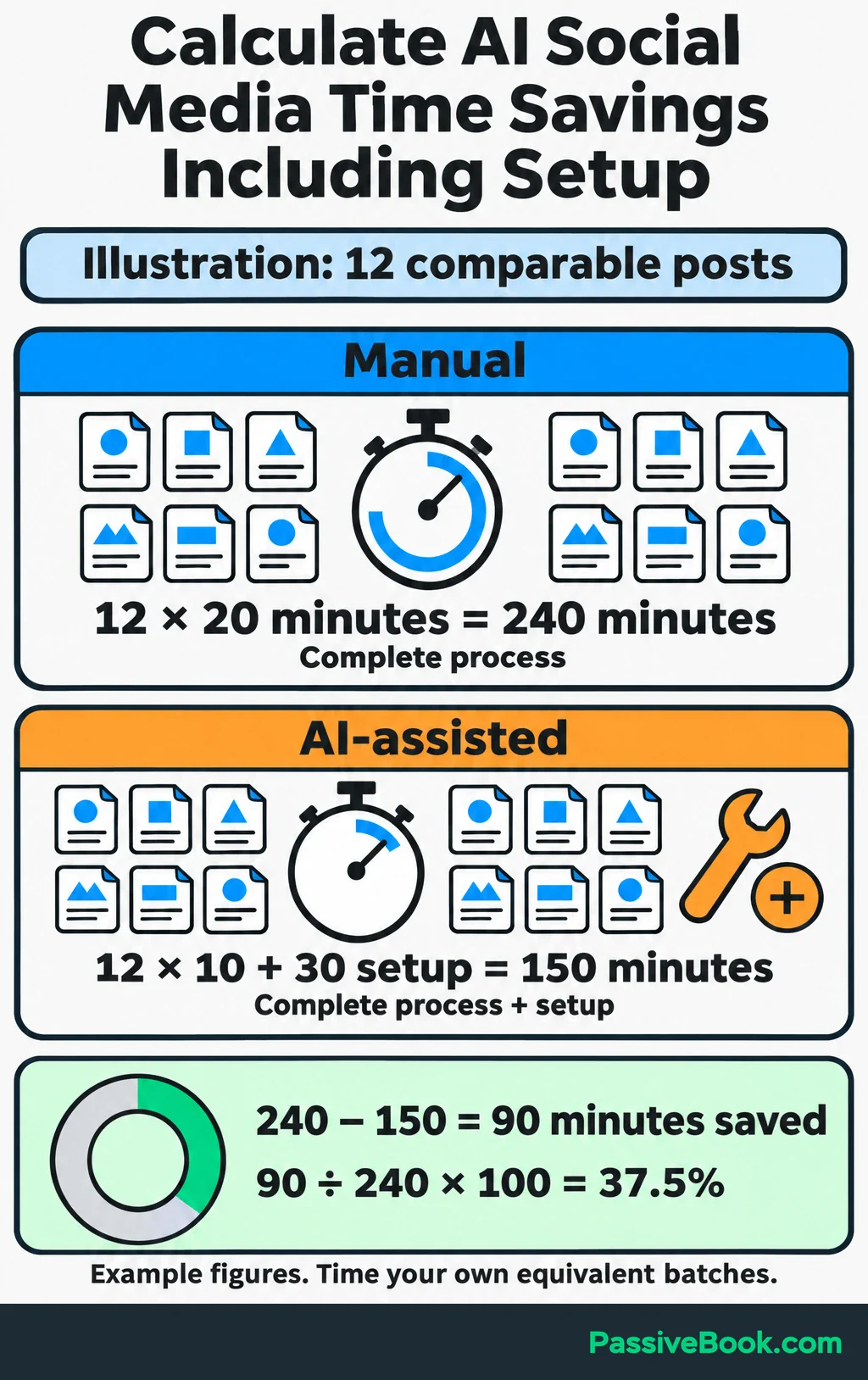
Here is an illustration for a batch of 12 comparable posts:
| Approach | Time Counted | Total |
|---|---|---|
| Manual | 12 posts × 20 minutes for the complete process | 240 minutes |
| AI-assisted | 12 posts × 10 minutes for the complete process, plus 30 minutes of setup | 150 minutes |
In this example, the AI-assisted batch saves 90 minutes (240 − 150), or 37.5% of the original 240-minute workload.
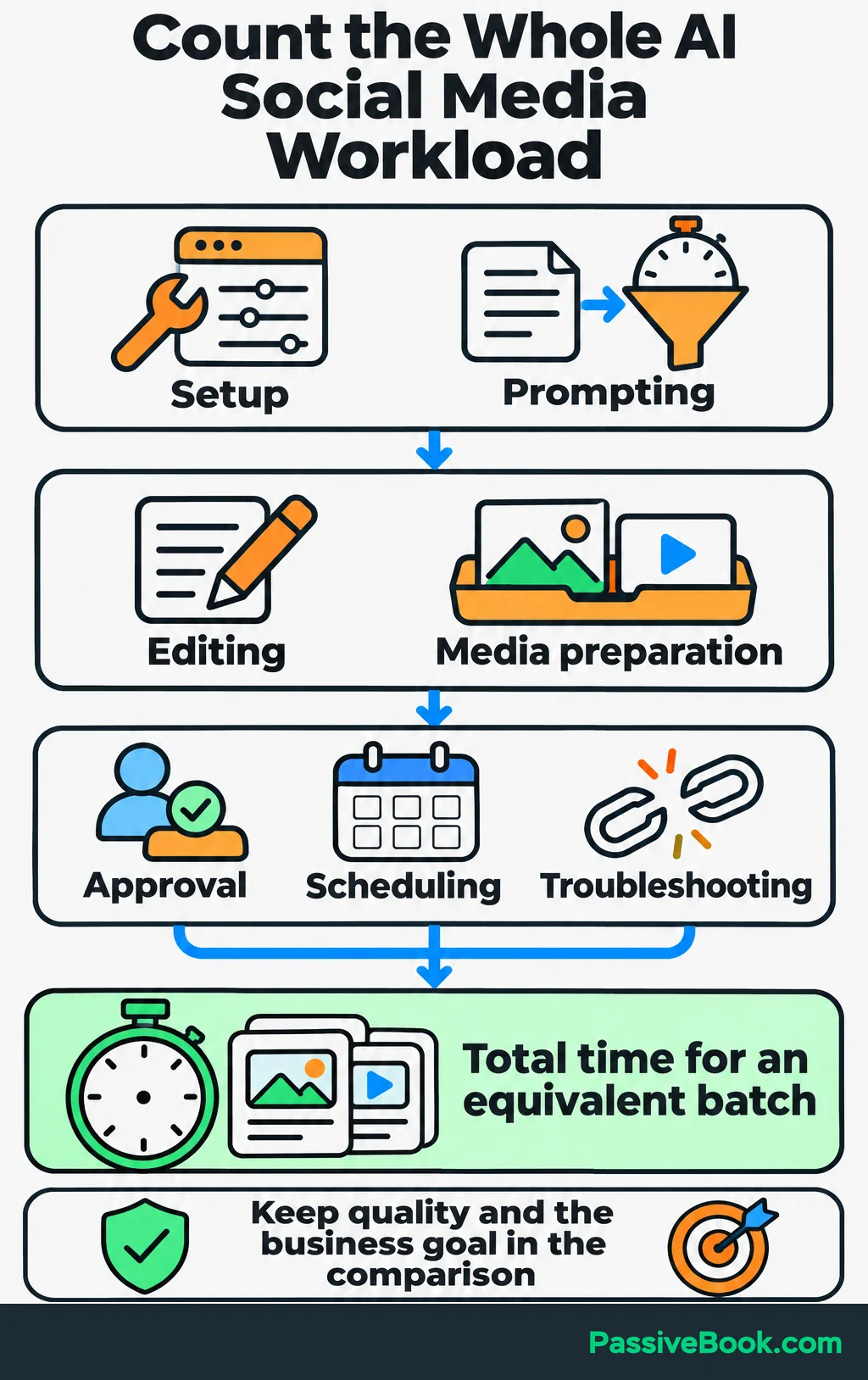
Those figures are examples, not promised results. Time your own batches.
Keep a workflow when it saves time while meeting your quality standard and supporting your goal. If every caption needs a rewrite, fix the brief or source material before generating more.
13. Automate Repetitive Handoffs Between Tools
Once the process works manually, automate one repeated transfer between tools.
The full workflow might be:
Source material → AI draft → review → approval → scheduling → publication check.
You do not have to connect every step at once. I would begin with approved calendar entries moving into the publishing queue.
For the bandana shop, that transfer should carry the final caption, image reference, sizing-guide link, publication date, and timezone together. An approved caption without its correct image is still an incomplete post.
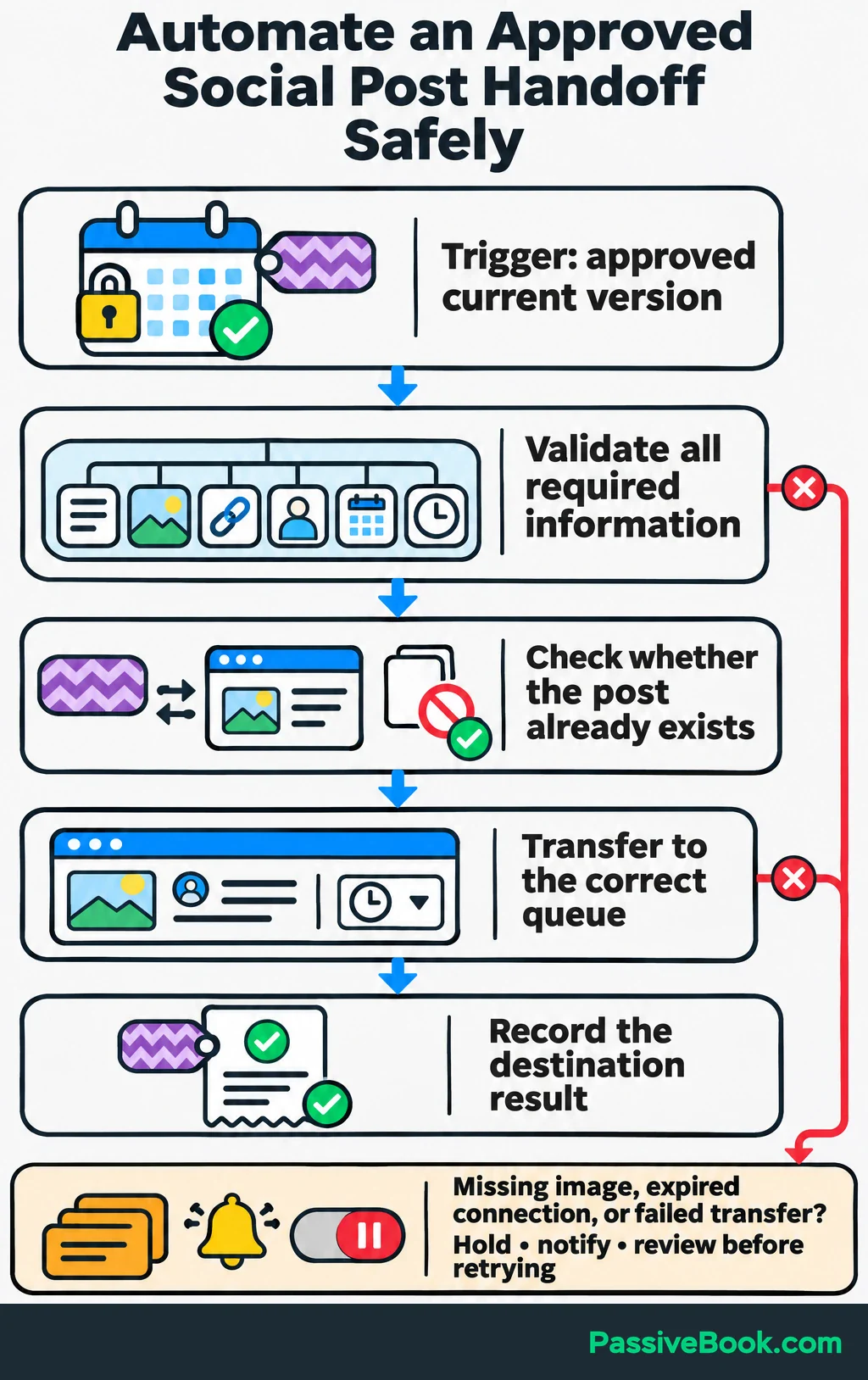
Define the handoff before building it:
- Trigger: An approved entry is ready for transfer.
- Required information: Account, caption, accessible asset, link, date, and timezone.
- Approval condition: The current version has passed review.
- Destination: The correct publishing account and queue.
- Failure action: Hold the entry for review and notify you.
Make connects apps through a visual workflow builder, and its Buffer integration supports creating and updating posts. I would choose it for a straightforward first connection. I use n8n for more involved workflows, but maintaining that setup is a job too.
Include automation and AI usage in your budget. Make bills in credits, and custom AI-provider connections also bring separate provider usage charges.
Before expanding, test a missing image, an expired connection, and a failed transfer. Give each platform version a unique post identifier and record the destination’s result. Check whether a post already exists before retrying, or a temporary error can become two identical posts.
Keep a pause switch and a visible review queue. Once that first handoff works reliably, connect the next recurring task.
What Next?
Choose one question from your inbox and turn it into an approved post using your real photos and product information. Time the complete task so you have a baseline for your next batch.
Use the social buttons to share this guide when a repeatable posting system would be more useful than another pile of content ideas.
Which recurring social media task would you hand off first, and what would you still want to check yourself? Leave your answer—and any other questions—in the comments.
Share this post with your friends & followers:

