You spend Sunday making Instagram posts, then reach Friday with a few likes and no clear idea whether anyone considered buying. Next weekend, you have to decide whether to do it all again.
That uncertainty makes content expensive, even when you never pay for an ad. Your spare time is paying the bill.
You can give those posts a clearer job without appearing on camera or publishing every day. This guide shows how to connect useful demonstrations to a buying decision, build a manageable routine, and check whether the work brings customers.
Choose the Customer Action You Want Instagram to Produce
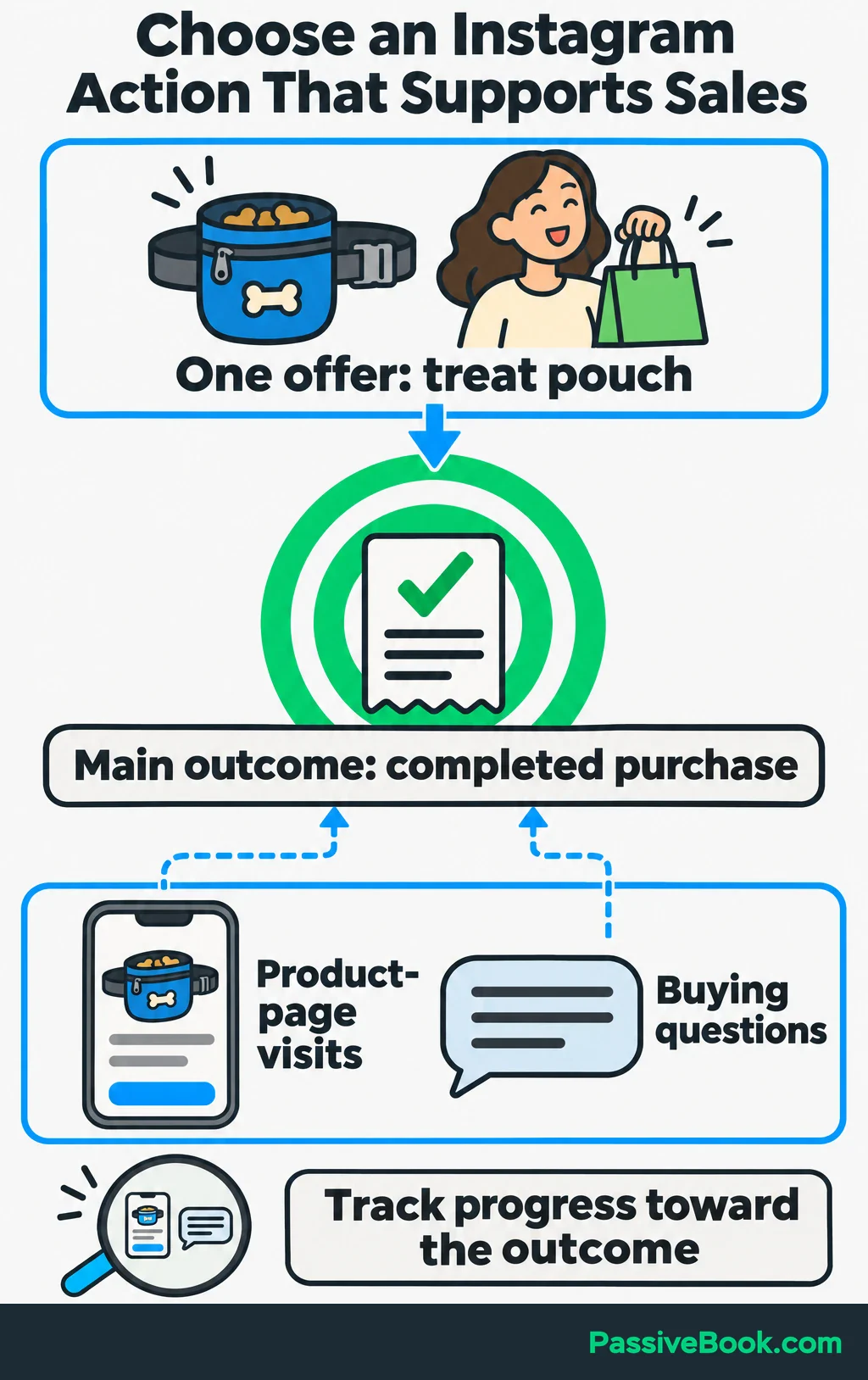
Choose one offer and one main customer action before planning content. That might be a completed purchase, a booking, an email signup, or an inquiry from someone your offer can help.
Define what counts. “More messages” is vague, but “inquiries from people who need the service and are within my service area” gives you something useful to record.
Around 2022, I spent six months chasing Instagram and Twitter/X followers in another niche while my bank balance remained around $47. I could tell you which posts attracted attention, but I had given people little reason to become customers. That experience is why I start with the offer.
Throughout this guide, imagine you run an online shop selling washable dog-walking treat pouches. Its product details, content ideas, and figures are illustrations.
For this shop, completed purchases are the main outcome. Product-page visits and buying questions help explain progress toward those purchases.
Before posting, answer three questions:
- Who needs this product, and when would they use it?
- What problem makes them consider buying?
- What must they know to decide whether it suits them?
Check your answers against customer conversations, reviews, and relevant discussions. If people keep asking how the pouch attaches, that question deserves more attention than another attractive product photo.
Connect Your Instagram Profile to Your Offer
Make Your Profile Explain the Business
Switch to a professional account so you can use business tools and Insights, Instagram’s performance reports. I would choose Business for the example shop.
Use a recognizable profile image, a name that describes the business, and a business email you actually check. A stranger should quickly understand what you sell.
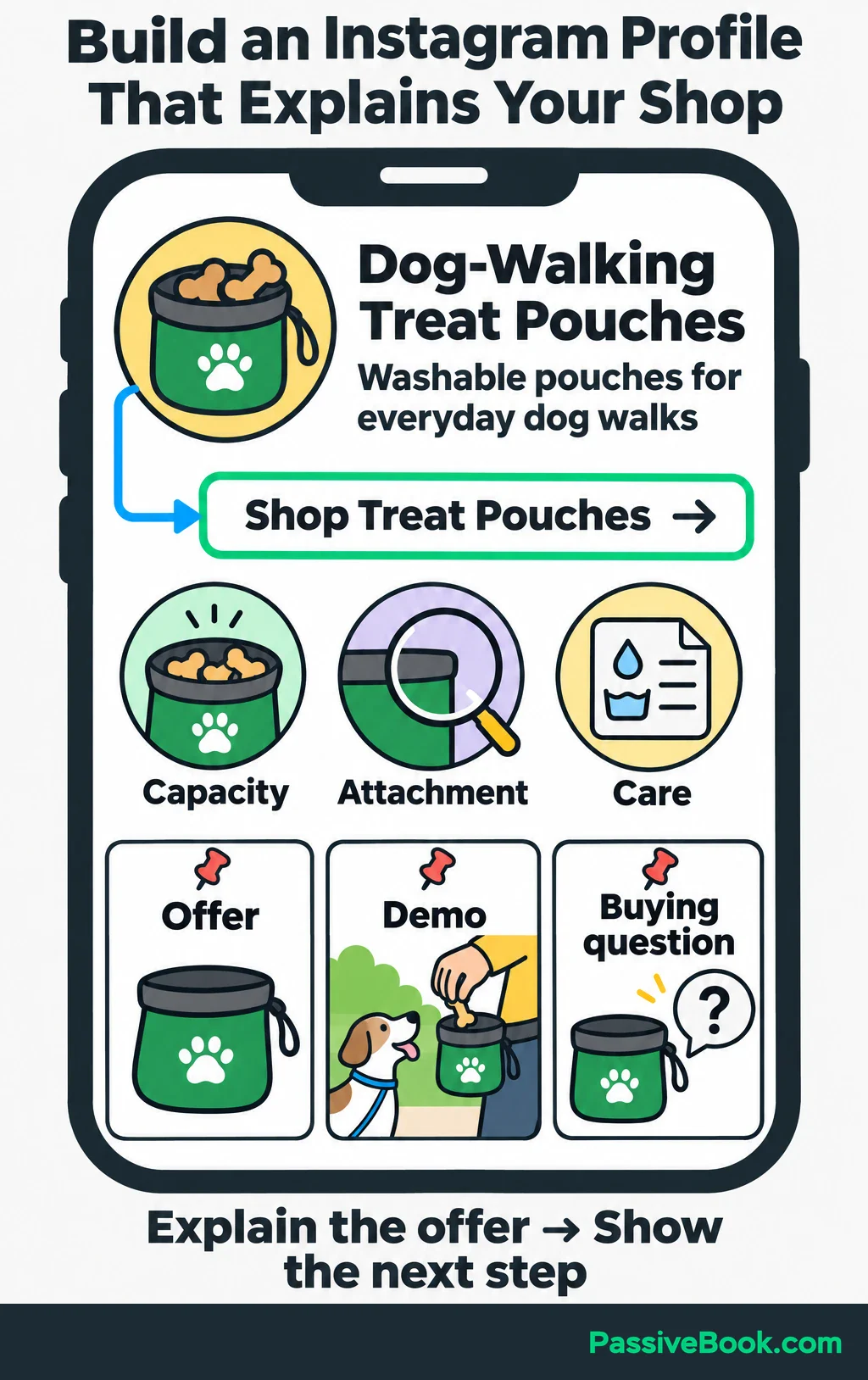
A suitable bio could read:
Washable treat pouches for everyday dog walks.
See dimensions, attachment options, and care details below.
Give the main profile link a clear label, such as “Shop Treat Pouches.” I would send it directly to the relevant product page rather than make visitors navigate a separate page full of unrelated links.
Pin posts that introduce the offer, demonstrate it, and answer a buying question. Save temporary photo or video posts, called Stories, in Highlights so visitors can reopen them from your profile. Use names such as “Capacity,” “Attachment,” and “Care.”
Before connecting publishing tools, enable two-factor authentication and store your recovery codes somewhere secure.
Prepare the Destination Page
The page should deliver what the post promises. A demonstration about capacity should lead to dimensions and product details, with a clear way to buy.
For the pouch, include:
- Photos showing its size and attachment method.
- Dimensions, materials, and supported uses.
- Care instructions.
- Price, shipping information, and returns.
- A clear purchase button.
Test the journey from Instagram’s browser through checkout and confirmation on your phone. Fix anything that makes you hesitate or start again.
Campaign tags label your links so Google Analytics can identify incoming visits. Use Google’s campaign URL builder to add these values to your product-page link:
utm_source=instagram
utm_medium=organic_social
utm_campaign=treat_pouch
utm_content=bio
For a Story, change bio to story_capacity. Keep spelling consistent. A shared bio link identifies that placement, not which post prompted the visit.
To track purchases, connect your store’s analytics integration and check that a test order appears. Google Analytics purchase events require separate setup; campaign tags alone do not record orders.
Plan Posts Around Customer Buying Questions
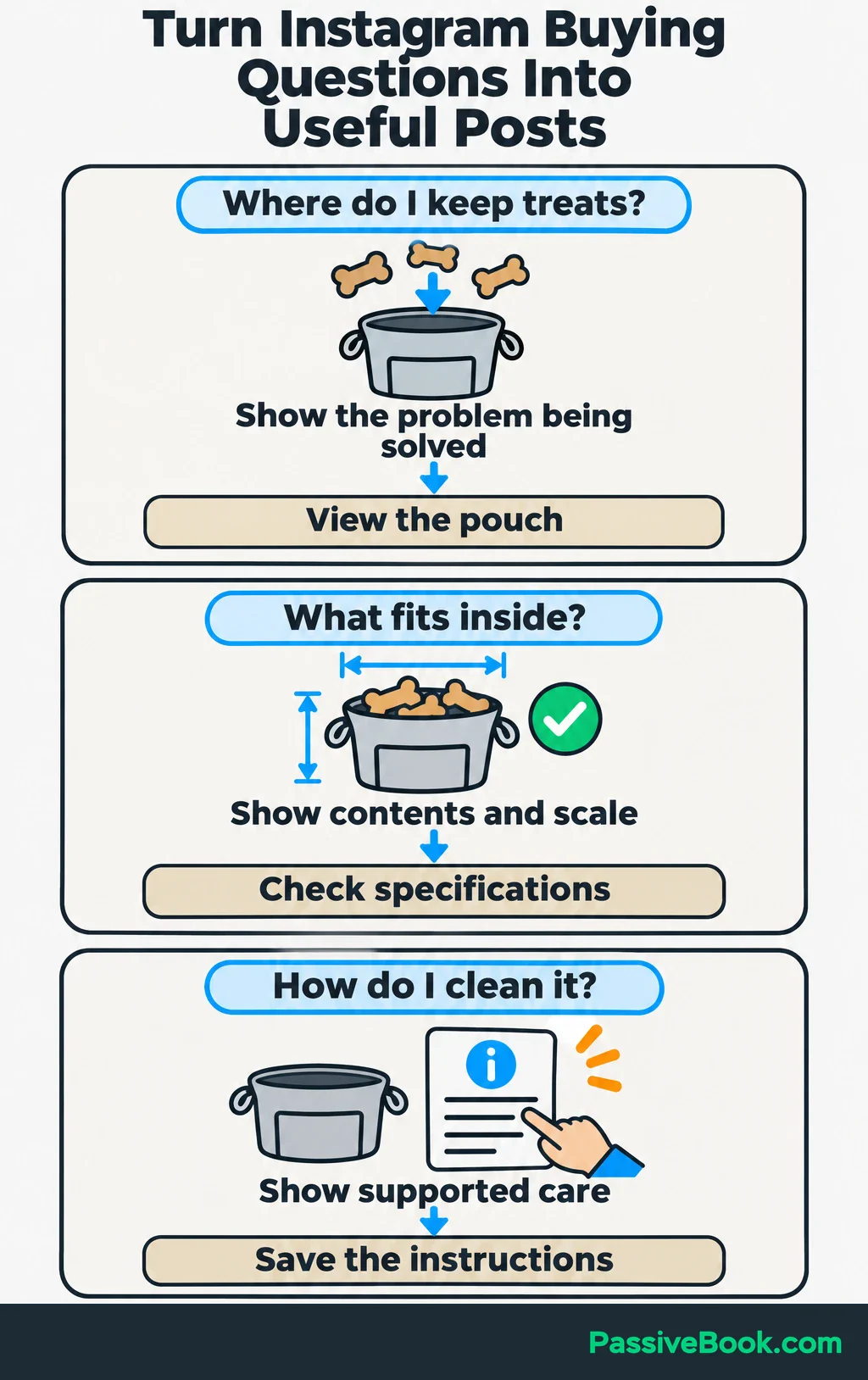
Collect questions before collecting content ideas. Look through inquiries, comments, reviews, and conversations on relevant accounts. Notice what people still do not understand, and write your own answer.
I would organize posts around three jobs:
| Job | Customer Question | Useful Content |
|---|---|---|
| Explain the problem | “Where can I keep treats during a walk?” | Show the pouch being filled and carried |
| Demonstrate the offer | “What fits inside?” | Show its dimensions and actual contents |
| Resolve a buying concern | “How do I clean it?” | Demonstrate the supported care method |
Include direct offer posts too. Show what customers receive and where they can buy it. A feed can be helpful and still leave people unaware that anything is for sale.
Keep your plan in a spreadsheet or Notion. Give each post a customer question, main message, format, required assets, call to action, destination, and publication date.
Choose one next action that fits the answer. Cleaning instructions might invite a save. An attachment demonstration might invite a specific question. A capacity post can send interested buyers to the specifications.
Asking people to like, comment, share, follow, message, and buy in one caption turns a simple decision into homework.
Create Content That Makes the Offer Easy to Understand
Show Your Offer Working in Reels
Use a Reel—a video post—to make the answer visible. Start with the question or task, demonstrate it, and finish with the next step.
For the pouch, film close-ups of filling it, attaching it, and reaching inside. Keep the movements easy to see.
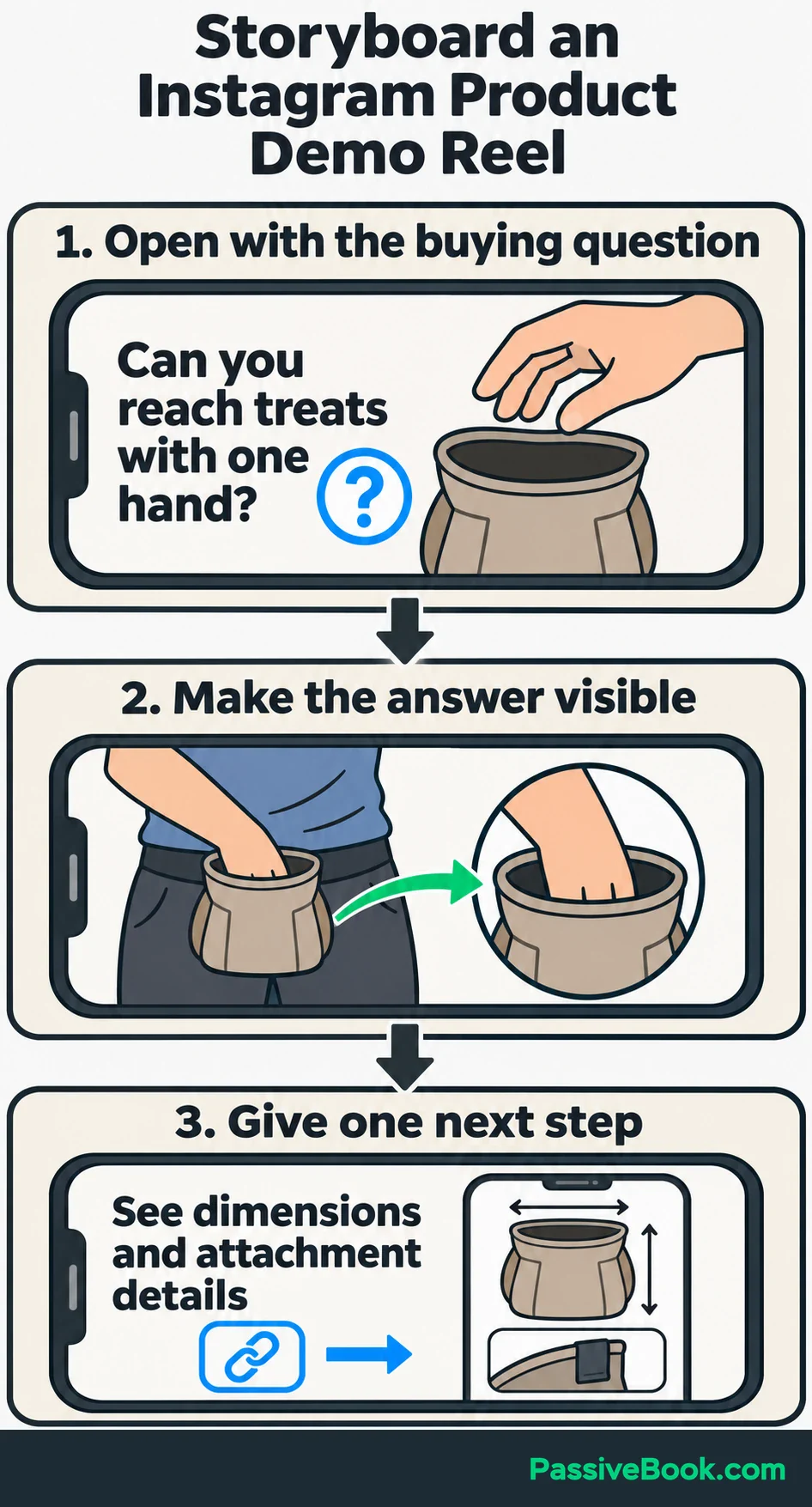
A short sequence could be:
- Open with “Can you reach the treats with one hand?”
- Show the pouch attached and the hand reaching inside.
- Finish with “See dimensions and attachment details through the profile link.”
Remove the logo animation and long introduction. The viewer came to see the pouch open.
You can do this with hands-only footage and text on screen. For a dog-walking service, show how you prepare for a walk and invite viewers in your service area to ask about availability. For a digital pet-care planner, record the pages in use and link to a preview and purchase page.
If you know what customers ask but get stuck writing the post, AI Social Copy Studio can draft the words for your offer. Start with a Reel script, then reuse the answer in a carousel, Story, or buyer reply.

Free AI Social Copy Studio




Add captions when you speak, and check that essential text is readable on a phone. Use your own footage or appropriately licensed assets, and get permission before republishing customer photos, videos, or messages.
Explain Choices With Carousels and Images
Use a carousel—a post with several swipeable images—when the answer needs more than one view.
For a capacity explanation, the opening slide could ask, “Will this hold what you take on a walk?” Follow it with dimensions, a photo of the contents, and a view showing scale. Close with an invitation to check the full specifications.
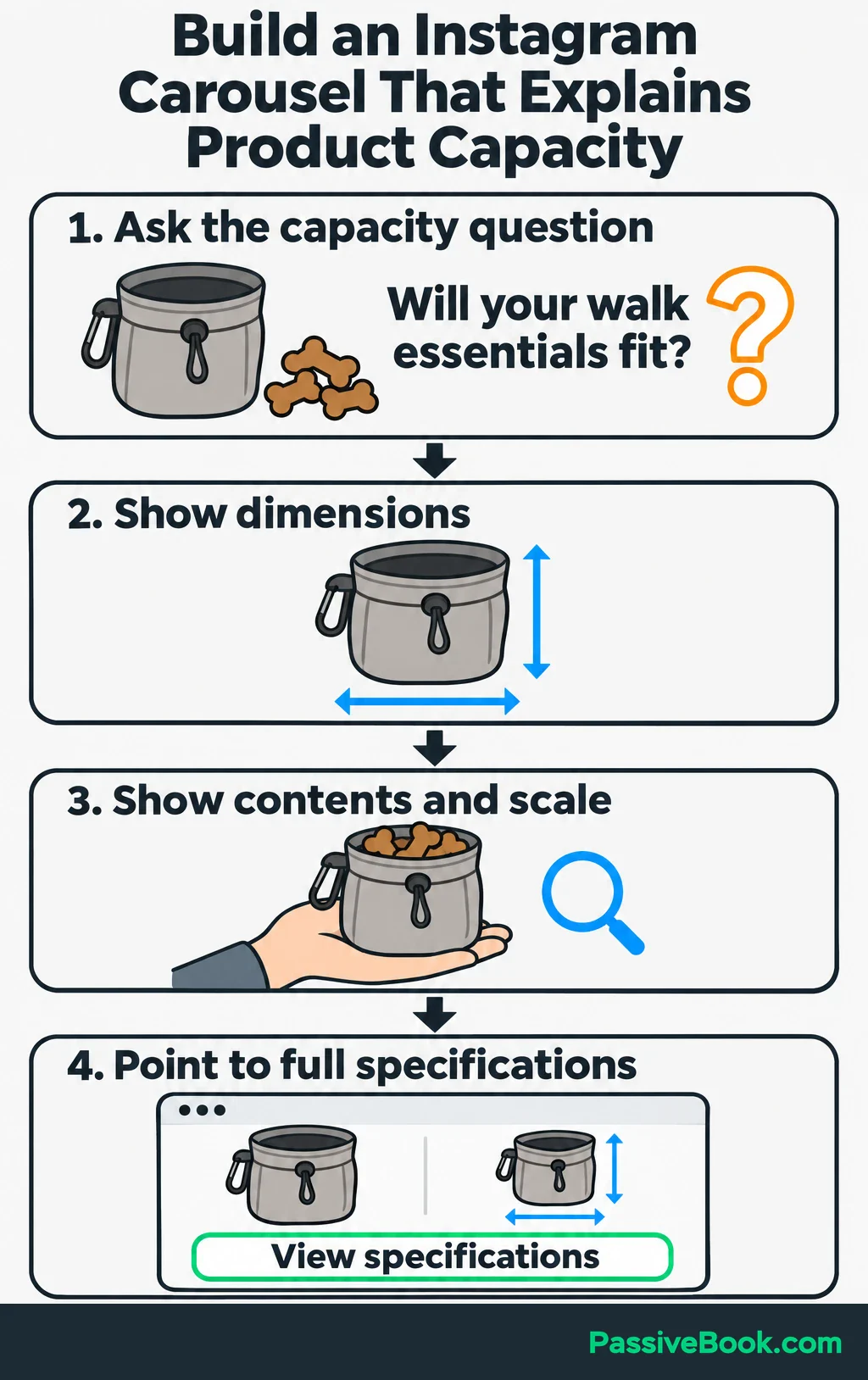
Each slide should add information. Six versions of “perfect for dog walks” still leave the size question unanswered.
A single image works when there is one detail to communicate, such as a close-up of the attachment or a restock announcement. I would choose the simplest format that makes the answer clear.
Use Stories to Answer Questions and Invite Action
Stories are useful for a short question-and-answer sequence. Introduce the concern, show the answer, and give interested viewers somewhere to go.
For example, show the attachment close-up, explain how it works, and add a link sticker leading to the matching product page. When creating the Story, choose the Link sticker, enter the destination, and give it a clear label such as “View Attachment Details.”
Use a question sticker to ask what people want to see before buying. A specific prompt such as “What would you need this pouch to hold?” gives you more useful input than “Any questions?”
Turn recurring answers into future posts, and save explanations that remain useful in Highlights.
Build a Publishing Routine You Can Maintain
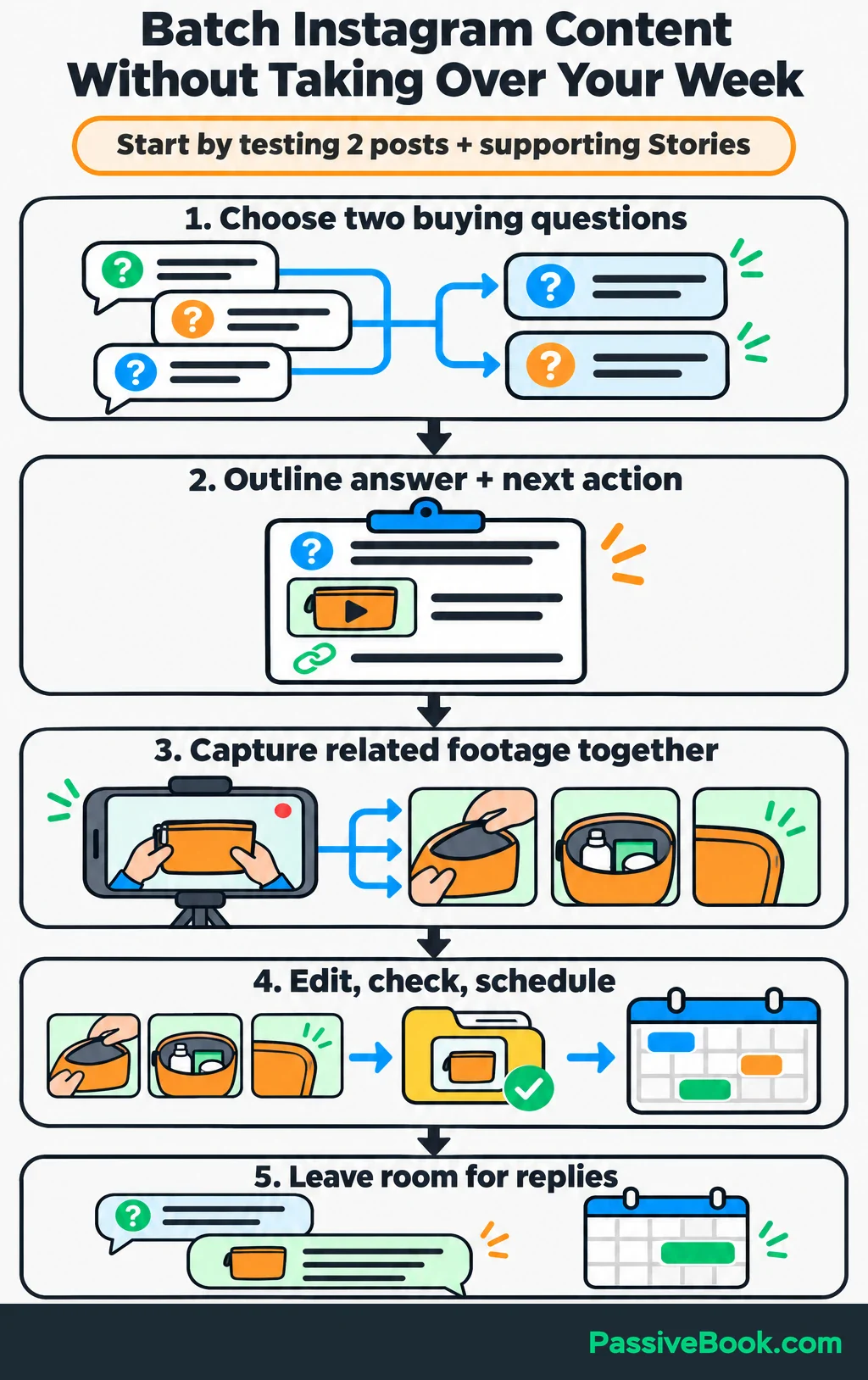
I would start with two substantial posts a week and a few supporting Stories. Treat that as a workload to test, rather than a rule for pleasing Instagram.
Leave time for replies, order fulfillment, and reviewing results. A schedule that consumes every spare hour will compete with the business it is supposed to support.
Batch related work:
- Collect questions and choose the week’s two answers.
- Outline the message and next action.
- Capture the footage and photos together.
- Edit, check product details, and schedule.
- Set aside short periods for customer replies.
One filming session can supply a Reel, carousel close-ups, and a Story answer. Reuse the footage when it answers a different question.
On my content sites, I used to save finished graphics and then hunt through folders whenever I needed the original image again. Keeping source files beside the finished assets made reuse much easier. I would apply the same habit here: store clean footage, product facts, and approved layouts together.
Canva can handle reusable graphics. I would start with Meta Business Suite for scheduling posts and Stories and managing messages and comments before paying for another scheduler.
Use Claude, an AI writing assistant, to group customer questions or suggest caption variations. Give it verified product details and review every draft. It should help express the answer, not invent a better pouch.
Choose posting times you can maintain, then adjust using audience activity and your own results.
Reach People Who Could Become Customers
Make Your Content Relevant and Recognizable
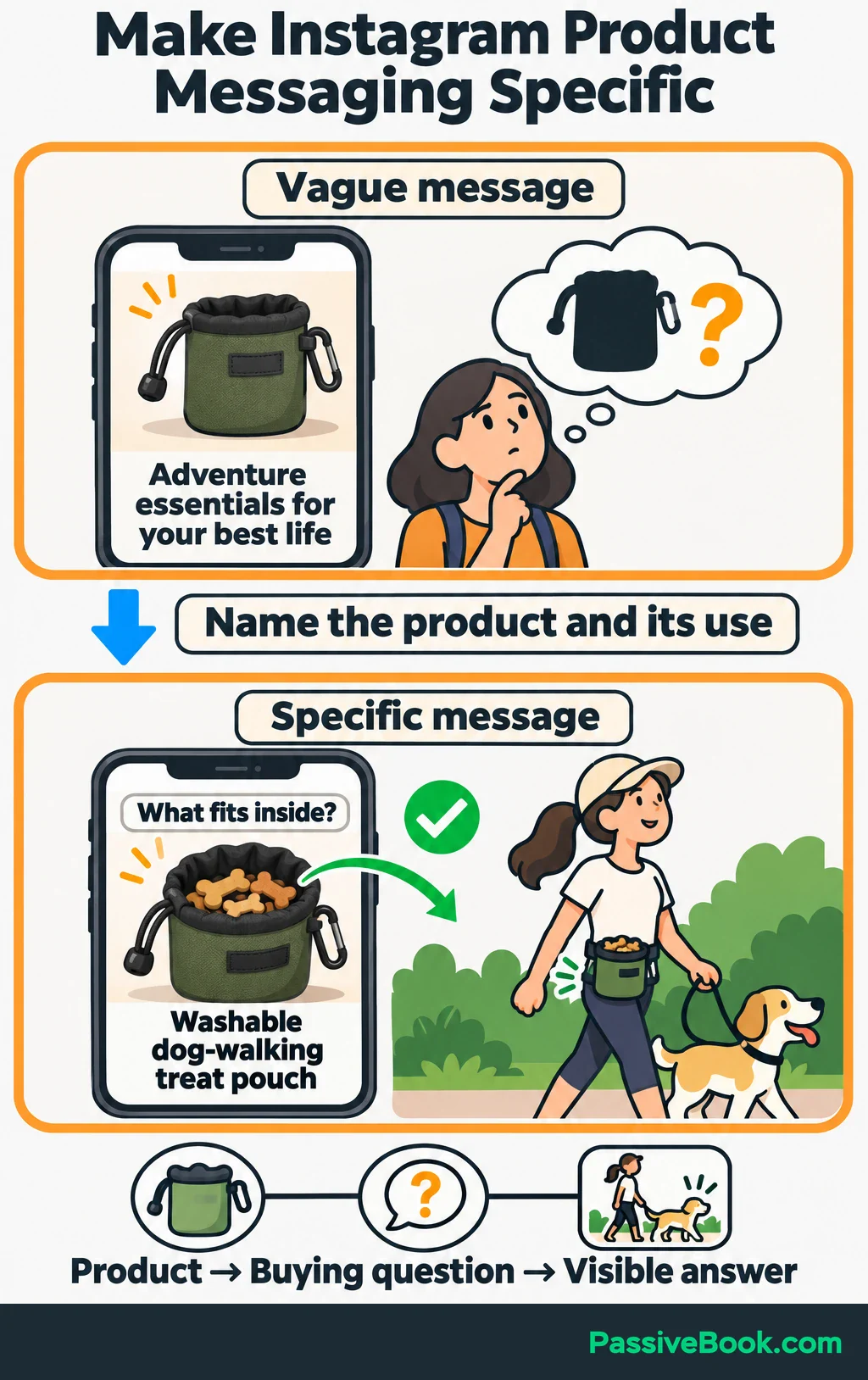
Use the words a potential customer would use. “Washable dog-walking treat pouch” tells people more than “Adventure essentials for your best life.”
Carry that clarity into opening frames and captions. Describe the specific question, show the answer, and keep the connection to your offer visible.
Add relevant hashtags that accurately describe the content, but keep that work brief. I would spend more time making the attachment demonstration clear than rearranging a list of tags.
Create posts people could send to another potential buyer: a useful capacity demonstration, a care explanation, or a buying checklist.
You can also introduce the account through relevant website pages, customer emails, and packaging. Explain the benefit of following, such as seeing product demonstrations and answers to common questions.
If you suspect Instagram has stopped suggesting your posts to people who do not follow you, check Account Status for content Meta has marked as ineligible for recommendations. Use the available appeal process if you think a restriction is a mistake.
Build Relationships With Complementary Accounts
Answer comments on your posts and contribute useful responses to relevant discussions. When someone asks a practical question, answer it without forcing a sales pitch into every reply.
For collaborations, choose audience fit before follower count. A dog-walking educator whose followers ask detailed equipment questions could be worth approaching for a practical pouch demonstration.
Agree on the content, costs, responsibilities, permission to reuse assets, and destination before publishing. Use a dedicated link or code to help identify resulting purchases.
Paid and gifted endorsements need clear disclosure when they could reasonably affect U.S. consumers. Put the disclosure with the endorsement where viewers will notice it, including within the video when relevant. The FTC explains how to disclose these relationships.
I would skip bought followers and bulk unsolicited messages. They do not help you learn whether suitable customers want the offer.
Turn Interest Into Leads and Sales
Help Interested Buyers Take the Next Step
Match the invitation to the question you answered. After showing capacity, offer the specifications and purchase page. If fit depends on the buyer’s setup, invite a direct message.
In a DM, clarify the need before sending a link. An attachment question might need the buyer’s belt width, the pouch’s actual measurements, and a close-up.
A useful opening could be:
“What will you attach it to? I can send the attachment measurements and a close-up so you can check the fit.”
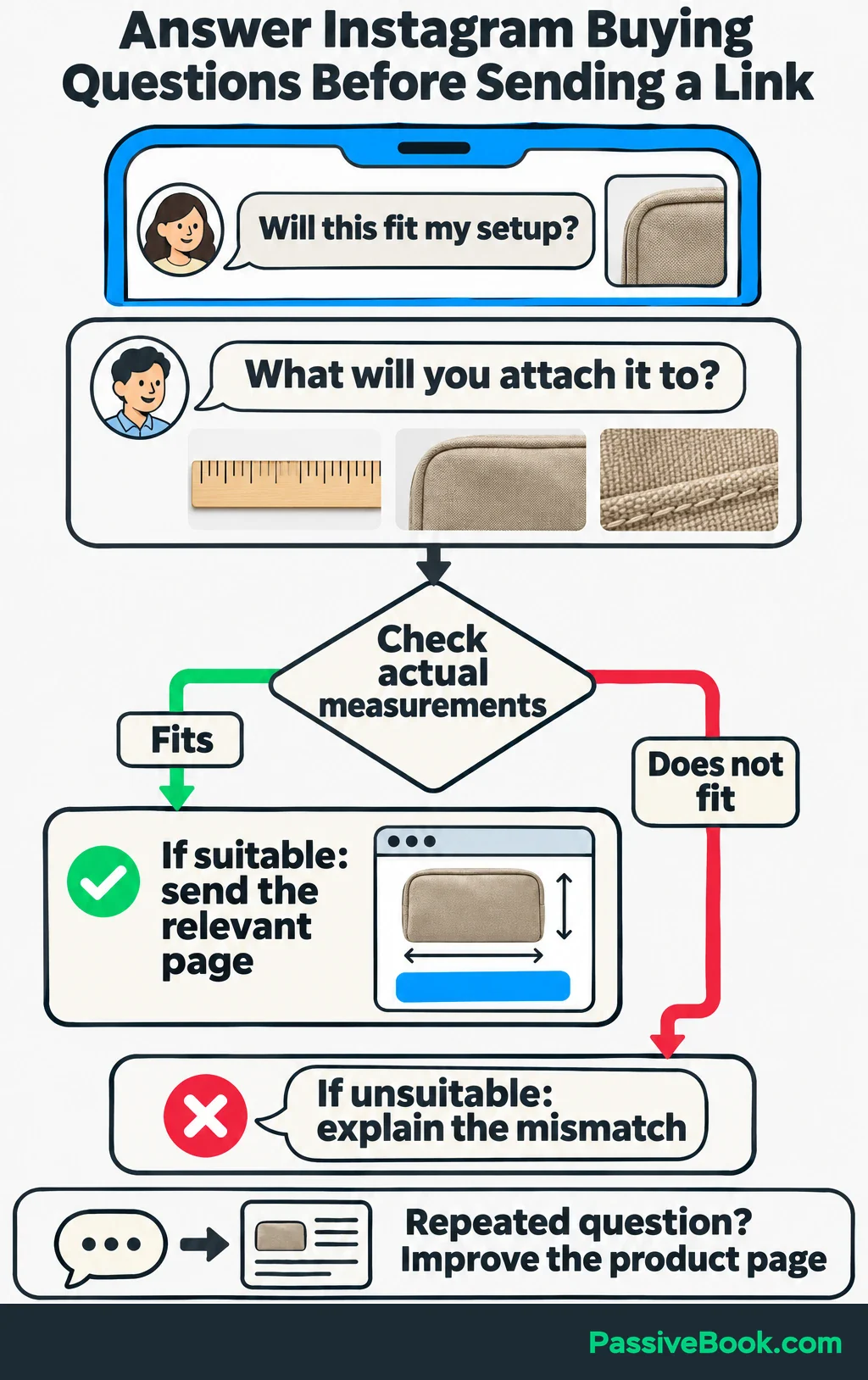
Answer with verified details, then provide the relevant page. If the product will not suit their setup, say so.
Save reusable answers to recurring questions, but personalize the part that affects the decision. A saved reply should shorten typing without ignoring what the person asked.
Record qualified inquiries and their outcomes. For this shop, you might count messages about suitability, delivery, or buying, while keeping general compliments separate.
Repeated objections should improve the product page too. If you answer the same measurement question every evening, put the measurement where buyers can find it.
Give People a Reason to Stay in Touch
An email resource makes sense when it helps someone take the next step. For the pouch shop, that could be a dog-walk packing checklist.
Explain what subscribers receive and what follow-up to expect. Deliver the checklist first, then send a short follow-up showing how the pouch fits into that packing routine. Keep buying available directly for people who are ready.
If your site uses WordPress, I would consider FluentCRM for the email sequence. Kit is an option when you want a simpler hosted setup. Use what you already have if it can deliver the resource and follow-up reliably.
For U.S. commercial email, include a valid postal address and a clear unsubscribe option, and honor opt-out requests. The FTC’s CAN-SPAM guidance covers these requirements.
Keep useful product information on your website so customers can return through email, search, or a saved link.
Measure Customer Actions and Improve the Weakest Step
Review Instagram Insights alongside website analytics and orders. Compare reach, profile visits, and link activity with purchases and qualified inquiries.
Use a weekly review, but wait for patterns across several posts before making large changes.
Keep a campaign record for each review period. These figures are illustrative; several posts share the campaign’s bio link.
| Content or Campaign | Production Time / Added Cash Cost | Reach | Tagged Website Sessions | Orders | Revenue | Next Change |
|---|---|---|---|---|---|---|
| Treat-pouch demonstrations | 2 hours / $0 | 2,000 accounts | 100 | 5 | $125 | Add the attachment close-up to the product page |
For the order rate, count only orders completed during the tracked Instagram website sessions you are measuring. Use the same reporting period for both groups.
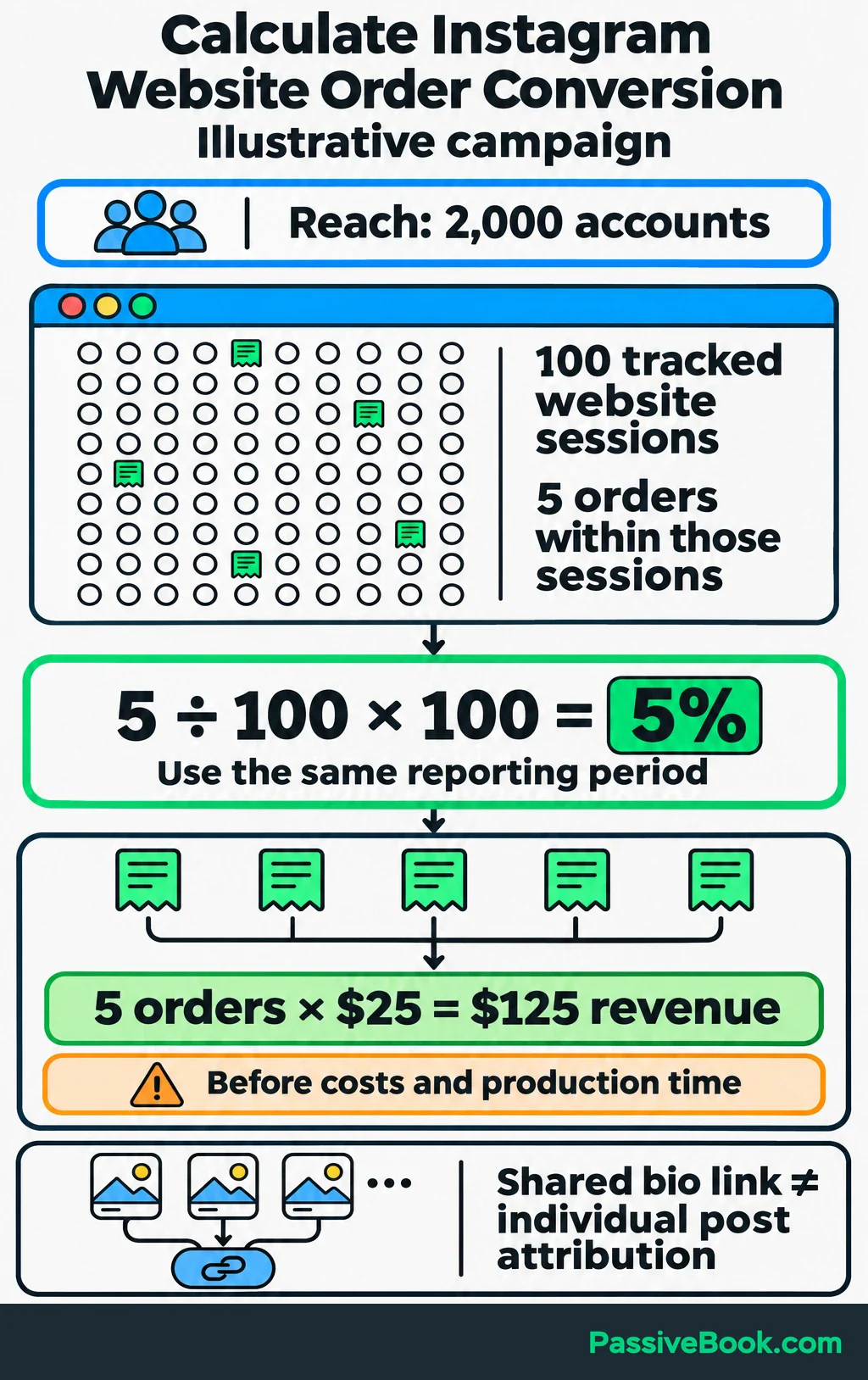
If those 100 sessions produced five orders:
Order conversion rate = 5 ÷ 100 × 100 = 5%At an illustrative $25 per order, revenue would be $125 before product costs, shipping, payment fees, returns, and production time.
Check tracked purchases against order records. Some buyers return through another channel, so tracking will miss part of Instagram’s contribution. Record customer-reported discovery as supporting information, and count each order once.
Then inspect the weakest step:
- Unsuitable visitors: Make topics and distribution more specific to the people the offer serves.
- Profile visits without onward action: Clarify the offer, link label, and reason to click.
- Suitable website visits without purchases: Inspect product information, shipping, price, and checkout.
- Repeated buying questions: Add the missing answer to both content and the destination page.
Change one meaningful element at a time. Repeat topics that bring qualified actions, even when another post gets more likes.
Include your time and selling costs when deciding whether to continue. If the channel keeps consuming hours without useful conversations or sales, reduce the workload and investigate the offer or destination.
I would test ads only after purchases are measurable and you know how much you can afford to spend per customer.
What Next?
Choose one buying question and film a short demonstration answering it. Publish it with one clear next step, then check that the destination delivers the promised information.
Use the social buttons to share this guide when you want to turn a conversation about posting more into a practical plan for getting customers.
Which buying question could your next Instagram post answer? Tell me in the comments, and bring any other questions about setting up the process.
Share this post with your friends & followers:

