You publish a useful tutorial, but readers still get stuck when they try it. Some email questions. Others leave without asking, and you never learn what stopped them.
A community gives those questions somewhere to go, but it also creates work. An empty server needs attention, and a busy one can swallow the time you meant to spend building your business. This guide helps you decide whether Discord deserves that time and build a community where useful conversations can lead to relevant offers and sales you can track.
Choose a Community Purpose That Supports Your Business
Start with the conversation people need, then decide whether Discord is the right place for it.
Ask a few customers or subscribers:
- Do you already use Discord?
- Where do you get stuck after using my resources or products?
- What would you return to discuss with other people?
If they mainly want a download and occasional updates, I would choose email. Discord makes more sense when people benefit from asking follow-up questions, comparing attempts, or sharing progress.
You only need three terms to get started. A server is your community space. Channels organize conversations inside it. Roles control what members can see and do.
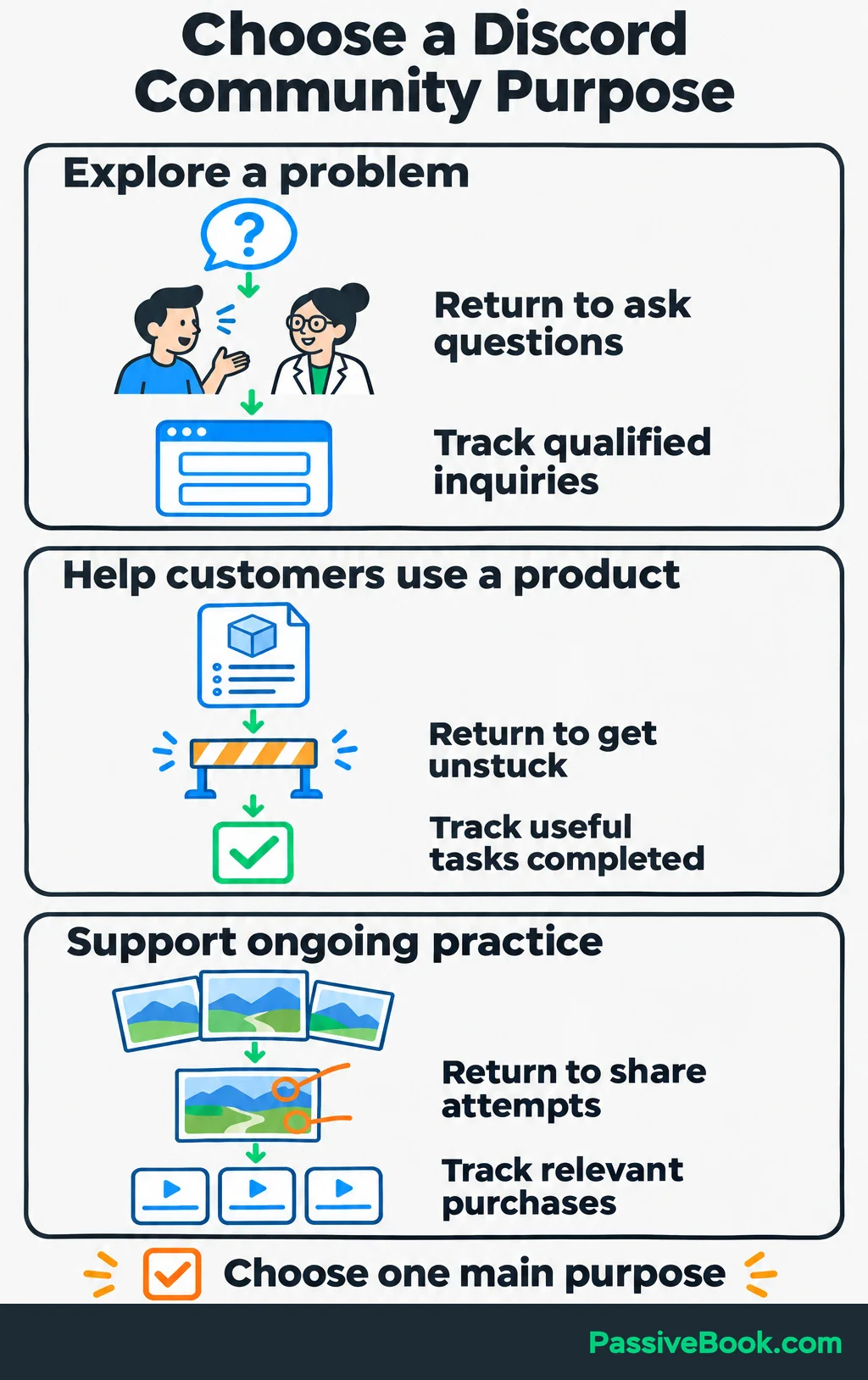
Choose one main purpose and connect it to a business goal:
| Community Purpose | Reason Members Return | Business Outcome to Track |
|---|---|---|
| Help people explore a problem | Ask questions before choosing a solution | Qualified inquiries |
| Help customers use a product | Get past obstacles after buying | Customers completing a useful product task |
| Support ongoing practice | Share attempts and learn from others | Relevant product purchases |
For the running example, imagine you sell a self-paced beginner watercolor-landscape course. Your free community helps people practice, ask technique questions, and share paintings. The setup and figures below are illustrative.
Its member promise could be:
Practice simple landscapes, get help with difficult techniques, and share your progress.
The community supports practice, and the course provides the full lesson sequence. That distinction gives both a purpose.
Discord also has uses well beyond gaming. Adobe’s official server directory describes communities where customers discuss creative tools, get feedback, attend events, and connect with experts.
Before building, set a workload limit. Decide who welcomes members, answers questions, and handles reports. If that person is you, put the work on your calendar and choose where your first invitations will appear.
Keep course files, customer records, and essential resources outside Discord, with an optional email connection. You manage the community, but access still depends on a platform that can suspend accounts or services under its Terms of Service.
Build a Small Server Around the Member Promise
Create Only the Channels Members Need
Use Discord’s add-server button to create your server. Give it a recognizable business name and icon, and put the member promise in its description.
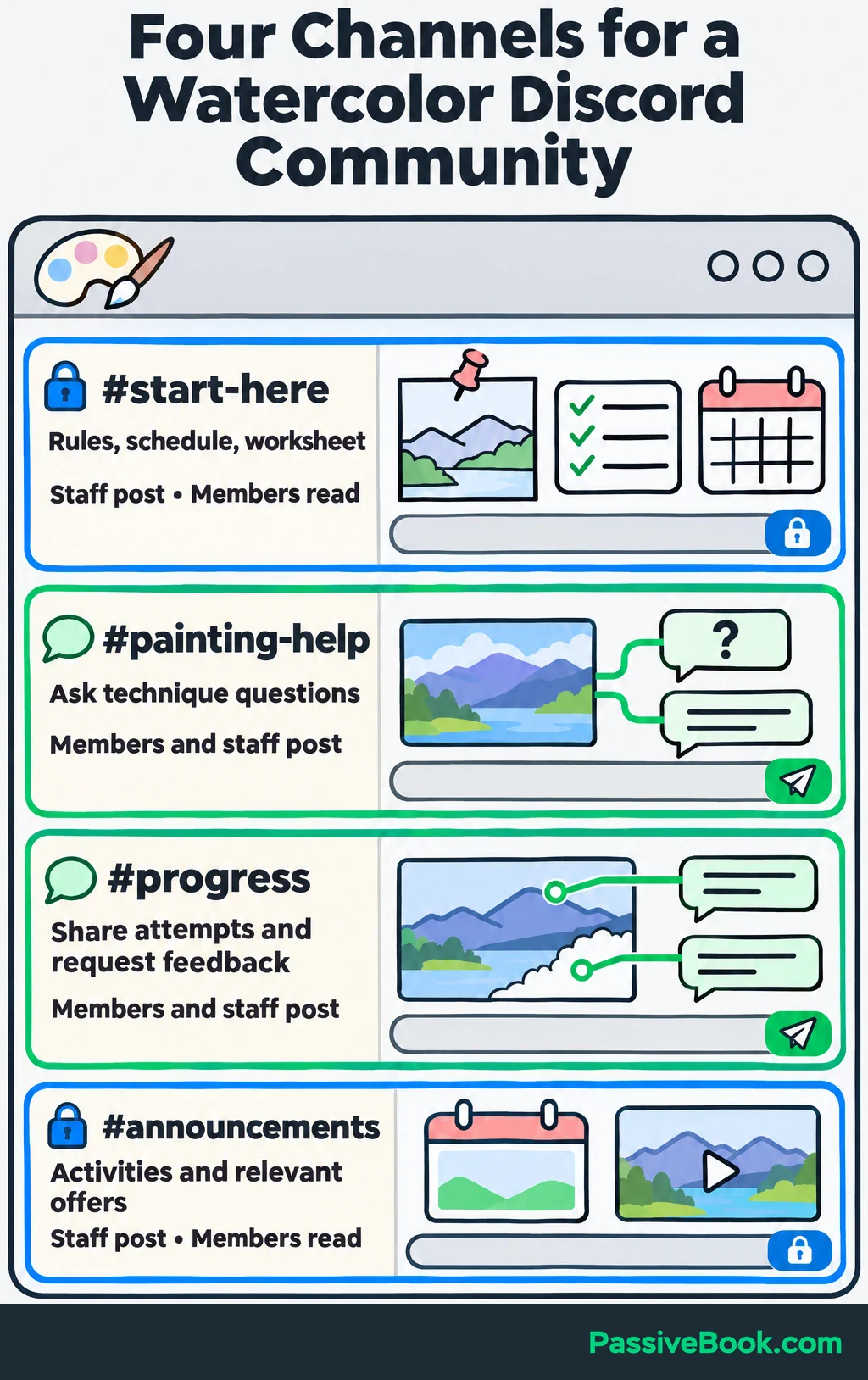
Then create channels around tasks people need to complete. I would launch the watercolor community with four public channels:
| Channel | Member Task | Posting Permissions |
|---|---|---|
#start-here | Read the promise, rules, response schedule, and worksheet link | Owner and moderators post; members read |
#painting-help | Ask a technique question and discuss possible fixes | Members and staff post |
#progress | Share practice paintings and request specific feedback | Members and staff post |
#announcements | Find scheduled activities and relevant offers | Owner and moderators post; members read |
Before inviting anyone, add a practice worksheet, an answered question, and a discussion prompt. Label your own demonstration posts clearly so newcomers understand what they are seeing.
In your welcome message, link to #painting-help and ask which landscape technique members find hardest. Point to #start-here for the worksheet and response schedule.
You can use AI Community Host to draft these messages around your own offer and response schedule. It gives you words to paste into the server and your first invitation, rather than another blank page.

Free AI Community Host




Add channels when a discussion needs its own space. I would skip voice rooms until you have an activity such as a scheduled painting review. An empty voice room mostly has an echo.
Set Permissions and Moderation Before Launch
Keep server management with the owner and any trusted administrator who needs it. Give moderators the permissions required to handle messages and members.
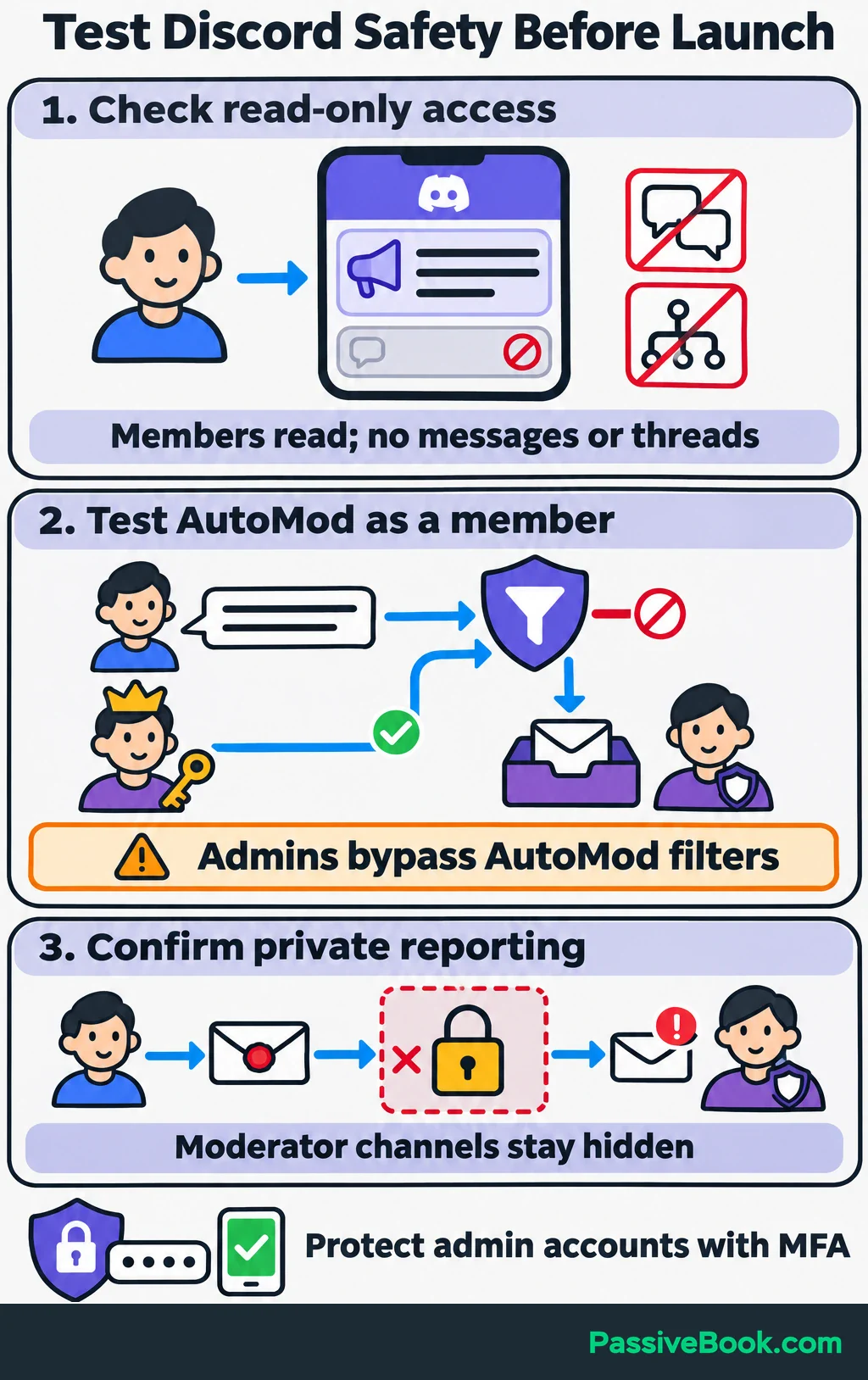
For read-only channels, allow members to view messages but disable sending messages and creating or replying in threads. Keep moderator discussions and alerts in a private channel.
Publish short rules covering:
- Respectful feedback and disagreement.
- Where promotional links are allowed.
- No scams, impersonation, or unsolicited sales messages.
- How to report a problem privately.
Name the moderator responsible for warnings, timeouts, and removals, and link a private reporting route from #start-here.
Configure AutoMod, Discord’s built-in filtering tool, to block spam and relevant harmful keywords, and send alerts to the private moderator channel. Test with ordinary member permissions: accounts with Administrator or Manage Server permissions bypass its filters, according to Discord’s AutoMod documentation.
Protect administrative accounts with multifactor authentication, which adds a login check beyond the password. Ask a prospective member to test joining and posting on mobile, and confirm private moderator channels stay hidden.
Attract Qualified First Members
Invite a small group you can welcome personally. Interested customers and subscribers are a better starting point than strangers collected through a broad giveaway.
Tell them what happens inside and what to do first:
Join the watercolor practice community and share the technique you’re finding hardest. Bring a question or a practice painting; finished work is optional.
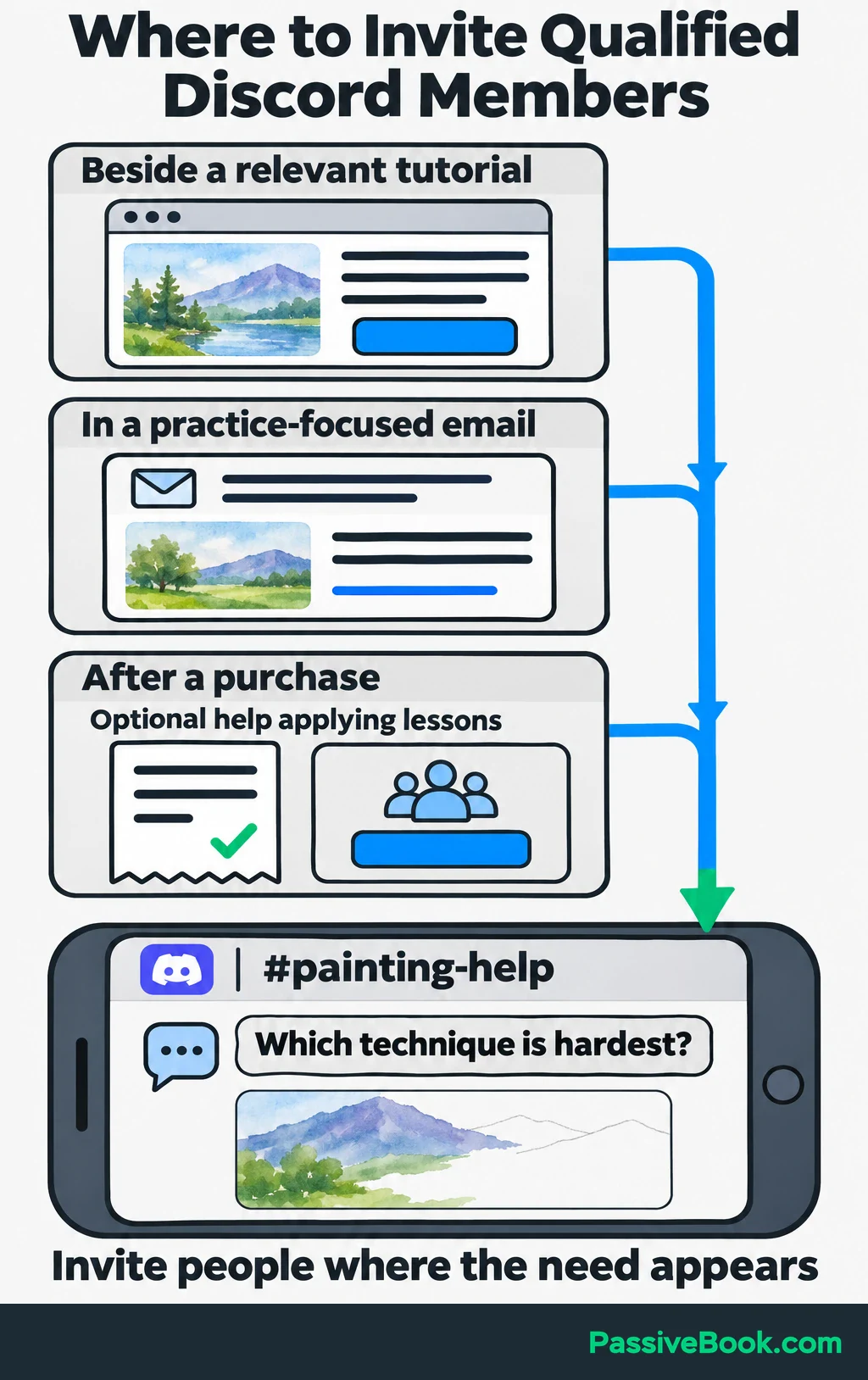
Place that invitation where the need already appears:
- Beside a relevant tutorial on your website.
- In an email about practicing the skill.
- After a purchase, as optional help applying the lessons.
Make clear whether the invitation is open to everyone or reserved for customers. For this example, the practice community is free and open to prospective buyers too.
You can also contribute to established servers. Answer questions within your knowledge, follow their rules, and ask moderators about suitable guest discussions or invitation sharing. A useful answer should stand on its own.
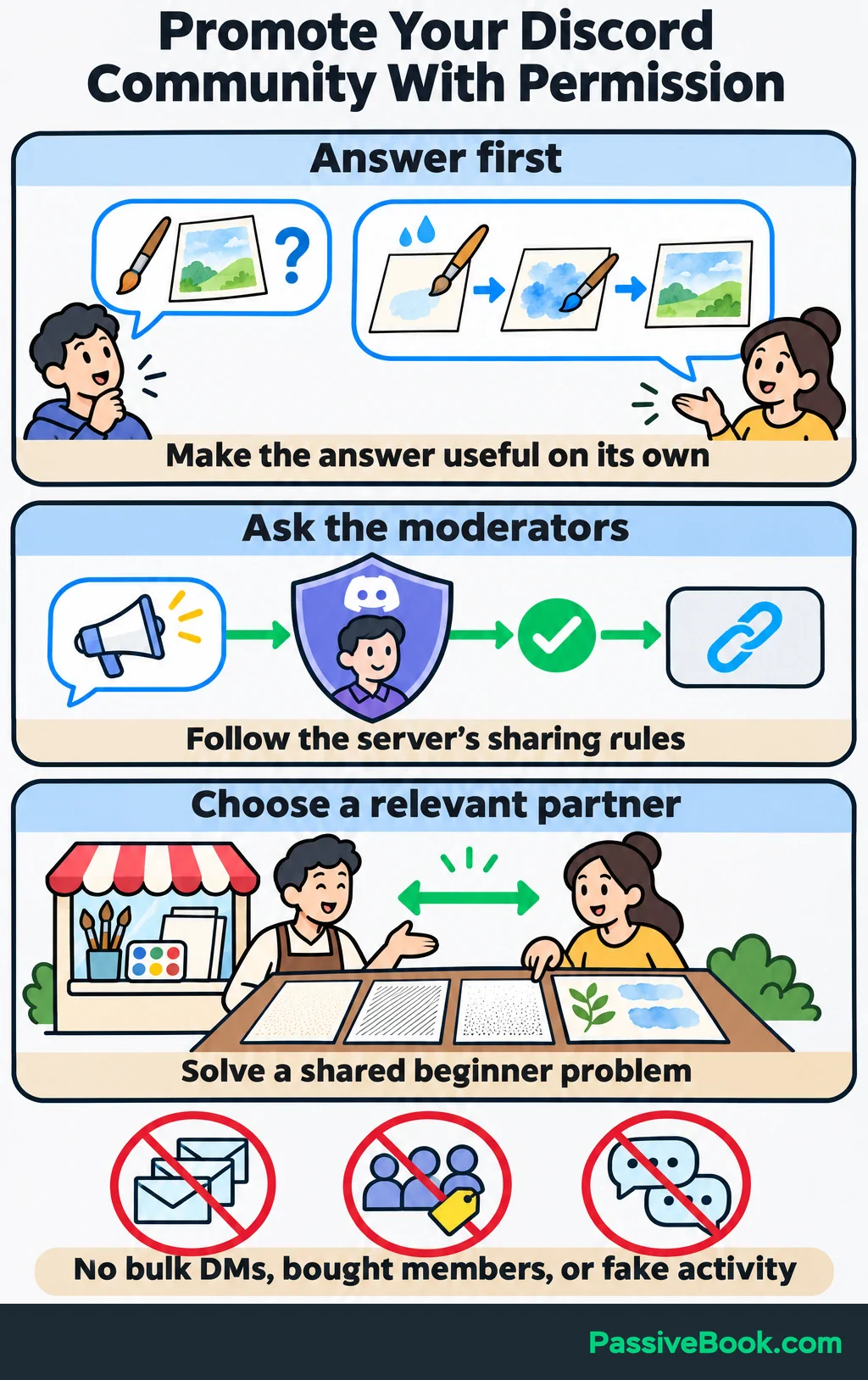
For a partnership, choose a complementary business. An art-supply shop could help host a discussion about choosing paper for beginner exercises. That attracts people with a relevant problem.
Avoid unsolicited bulk DMs, bought members, and fake activity. Discord’s Community Guidelines prohibit spam and artificially inflated membership or engagement. A larger member count is a poor trade for damaged trust.
Keep a simple record of where you share invitations and ask newcomers how they found you. Compare those sources by useful participation and buying interest, as well as joins.
Help New Members Make Their First Contribution
A newcomer should know where to go and what a useful contribution looks like.
Guide them from #start-here to the main discussion and ask one question they can answer without preparing a speech:
Which part of painting a simple landscape is hardest right now: the sky, distant shapes, or adding detail?
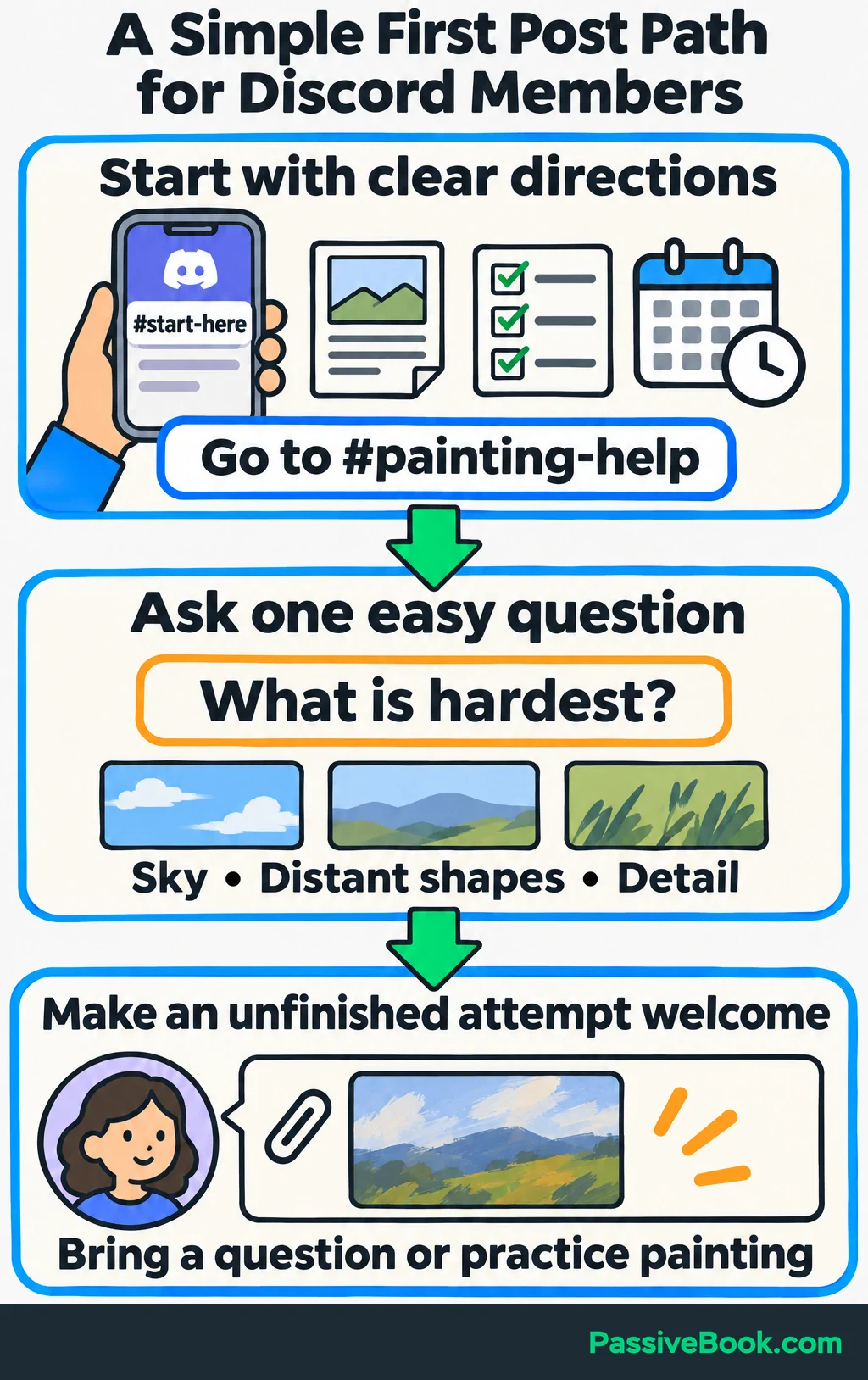
That gives someone a starting point while leaving room for another answer.
When they respond, offer focused help and invite an update. You might point them to the worksheet exercise that matches their question, then ask them to share another attempt after trying it.
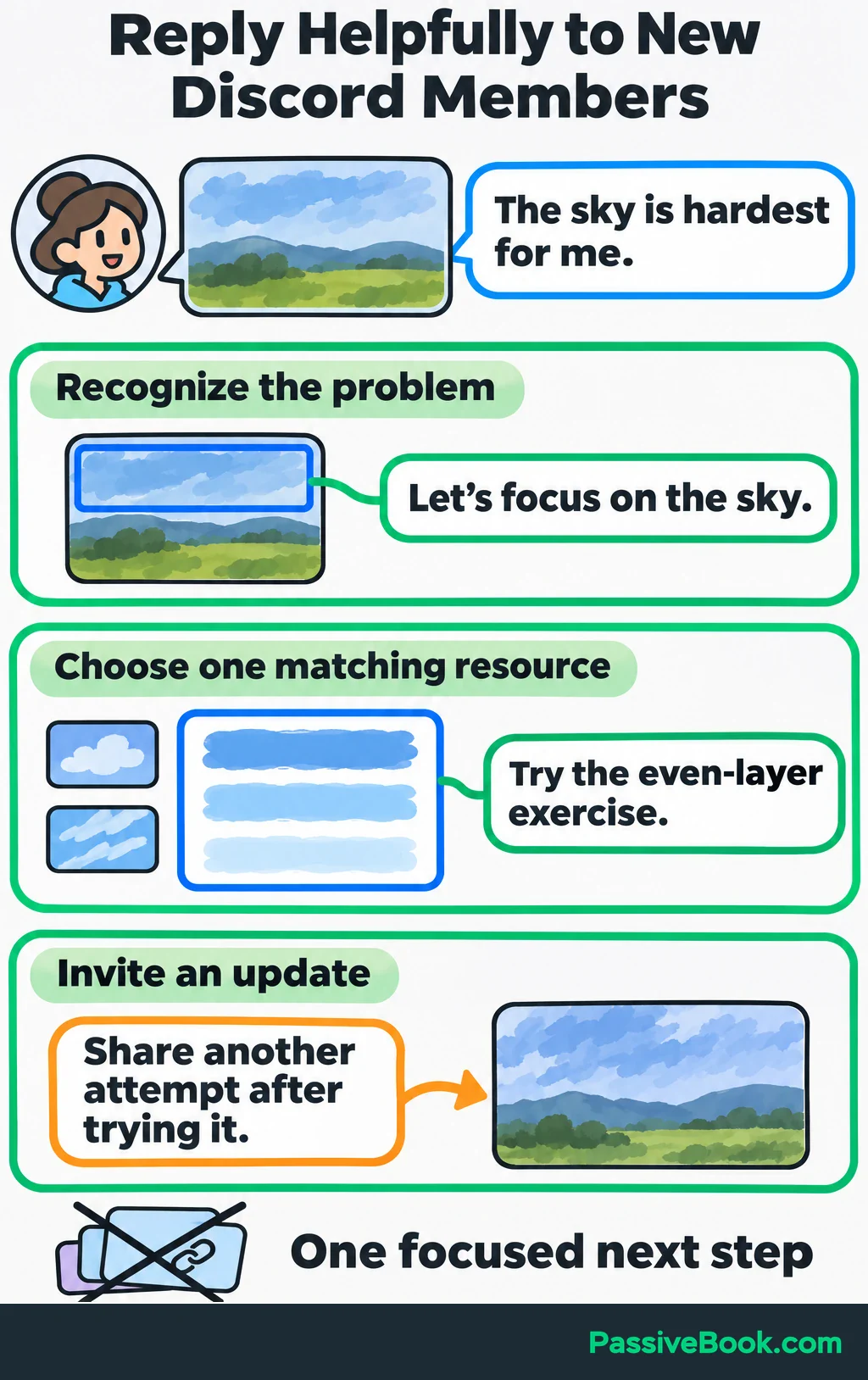
Avoid replying with a pile of links. Choose the resource that answers the question and explain which part to use.
Welcome early contributions by showing that you read them. Mention the problem they raised, answer it, and connect them with an existing conversation where useful. You do not need a ceremonial welcome parade every time somebody arrives.
Watch where newcomers hesitate. If several people ask where to post, simplify the welcome message or channel names. Onboarding has done its job when someone can join a useful conversation without needing private instructions.
Build Trust With a Repeatable Conversation Routine
Use a routine you can repeat alongside the rest of your business:
- Collect questions from recent discussions.
- Choose one problem several members share.
- Offer a focused explanation or existing exercise.
- Invite members to try it.
- Return to their results and discuss what changed.
For the watercolor community, one course exercise can start a week’s conversation. Ask members where they struggled and use their attempts to guide the discussion.
I abandoned a membership-site project after about six months of building it alongside corporate work. The continuing content burden was more than I could sustain. That experience shapes what I would build here: useful discussions around reusable material, with a schedule I can keep.
A manageable starting routine could look like this:
| When | Activity |
|---|---|
| Monday | Post one practice question or exercise |
| Three scheduled weekday visits | Answer questions, check reports, and welcome contributions |
| Friday | Share a short recap linking to useful answers and member updates |
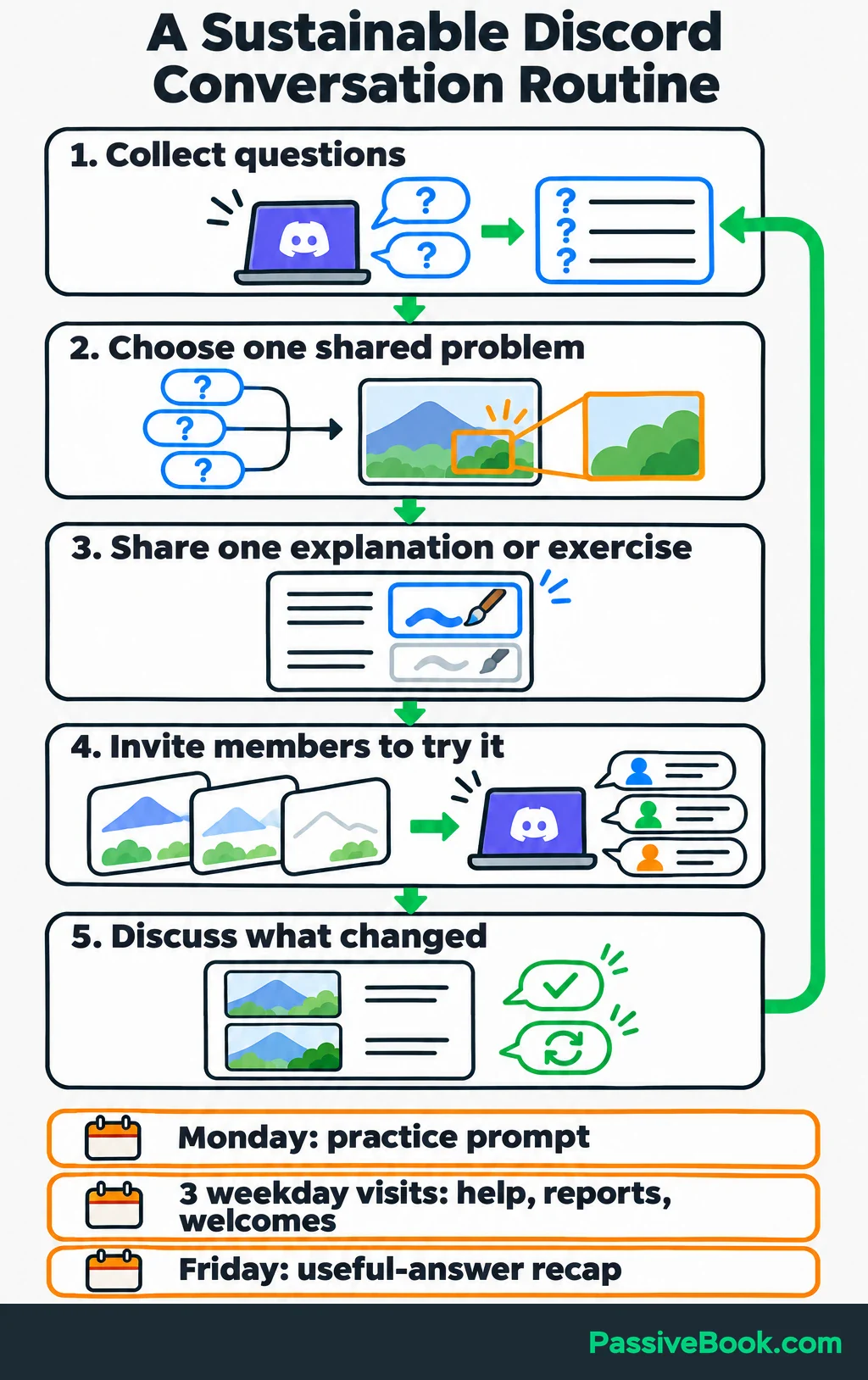
Publish your response schedule so people know when to expect help. If reports need faster attention than you can provide, arrange moderator coverage or limit promotion until you can manage it.
Encourage members to compare experiences and help one another. Recognize specific contributions: a clear explanation, a useful question, or an update showing what they tried.
When feedback improves your worksheet or course instructions, tell members what changed. Their contribution now has a visible result.
Start with Discord’s built-in tools for repeated administration. If you keep copying information between Discord and another app, consider n8n or Make to connect them and automate that task. Keep advice and disputes under human responsibility.
Use broad mentions sparingly and combine channels that stay unused. Members should be able to follow the useful conversations without treating Discord as a second inbox.
Turn Helpful Conversations Into Leads and Sales
Match the next step to the need someone expresses.
A person testing a technique may want the free worksheet. Someone asking for continued guidance may want an optional email resource. A member asking what to learn first, second, and third may be ready to consider the course.
Answer the immediate question before introducing the offer:
Try the worksheet exercise for an even layer of color first. If you want a complete path from that exercise to a finished landscape, the course page shows the lesson sequence and sample lesson.
That recommendation follows the conversation. Posting the same course link under every question would quickly wear out its welcome.
For a pet-supply shop, that could mean linking to a harness size guide before suggesting a suitable harness. A dog trainer could answer a general practice question, then offer a consultation for individual help.
Make the offer easy to assess. Your sales page should explain who the course suits, what buyers receive, the price, and how to purchase. Use your existing checkout and delivery process.
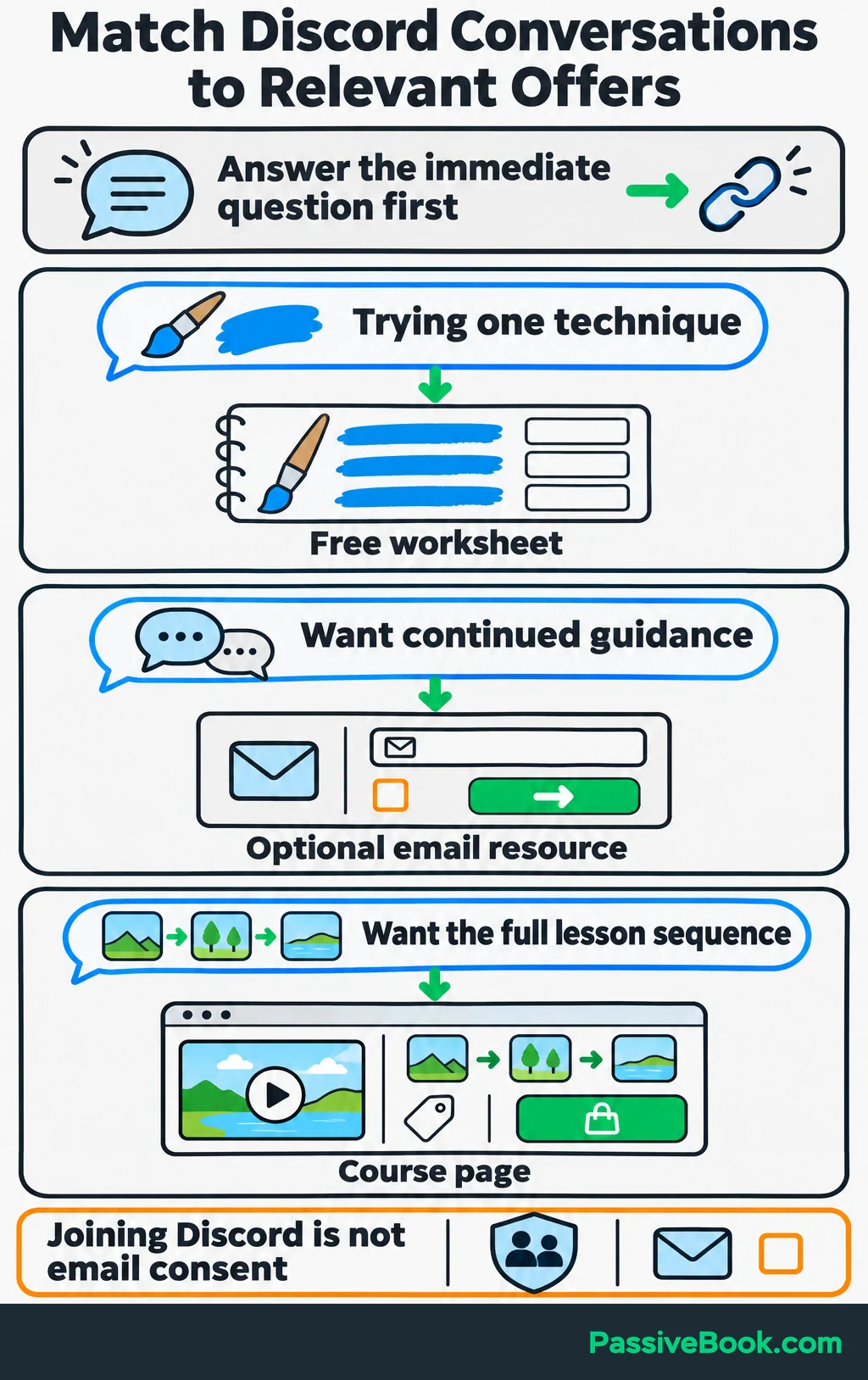
Put general promotions in #announcements, and reserve recommendations inside discussions for offers that answer the expressed need. Keep helping members who choose the free resource.
Offer email follow-up separately. Joining a server should not quietly enroll someone in a mailing list. On WordPress, I would use Fluent Forms to collect signups and FluentCRM to send follow-up emails.
Add tracking tags to sales and signup URLs so your analytics can identify visits from Discord. Here is a course-page link with those tags; replace https://example.com/course with your own page address:
https://example.com/course?utm_source=discord&utm_medium=community&utm_campaign=watercolor_course&utm_content=painting_helpChange utm_content for different placements, such as announcements. Google explains how these parameters identify referred traffic in its campaign-link guidance.
Test a tagged link through signup and checkout. Confirm that analytics records the visit and that the resulting signup or purchase can be connected to it. Tracking tags alone do not set up purchase measurement.
There is evidence of commercial activity beyond gaming. Outseta reports that Justin Welsh generated about $40,000 in 48 hours when he introduced paid memberships to his business-focused Discord community. He already had a substantial social audience and screened applicants. This vendor-reported membership launch shows a commercial use; it does not forecast course sales from a new free server.
After a purchase, help members apply the lessons. Repeated questions can reveal where your product instructions need work, which makes the community useful beyond the sale.
Measure Whether Discord Earns Its Time
Review the community over consistent periods, such as each month. Count actions tied to your purpose rather than every message.
A spreadsheet is enough to begin:
| Measure | What to Count |
|---|---|
| New members | People who joined during the month |
| First useful contributions | Those new members who asked a relevant question, shared an attempt, or helped another member within seven days of joining |
| Returning participation | Members who contributed usefully in at least two different weeks that month |
| Tracked visitors | People recorded arriving at your website through Discord links |
| Leads and buyers | Signups and purchasers among those tracked visitors |
| Community time | Hours spent answering, moderating, preparing activities, and managing tools |
Wait until every new member has had their seven-day window before calculating first-contribution results. Divide the number who contributed by all new members in that group.
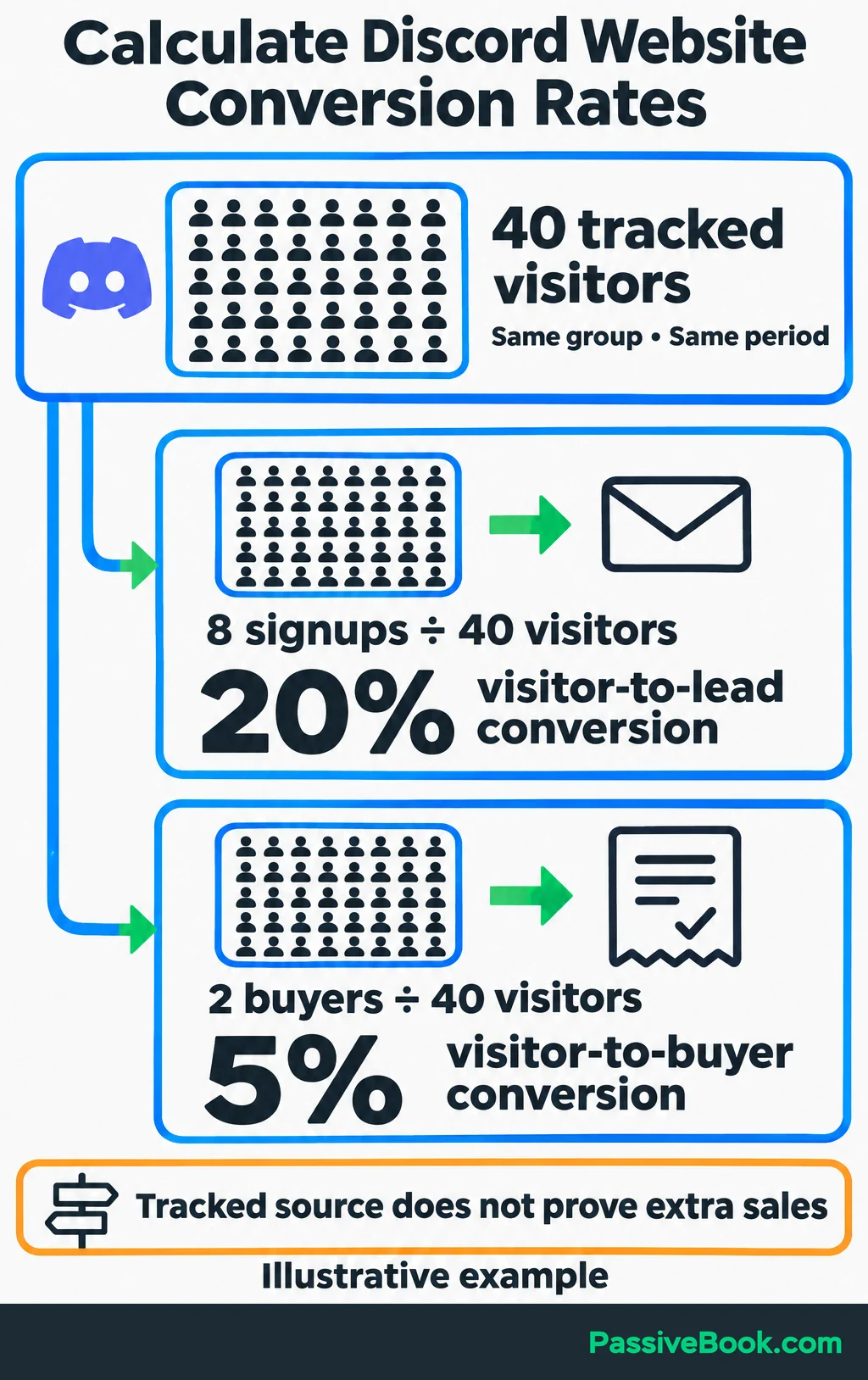
For website conversion, count leads and buyers from the same tracked visitor group over the same period. Do not divide all your store’s sales by Discord traffic.
For example, suppose 40 tracked visitors arrive from Discord in one month. Of those visitors, eight join your email list and two buy the course for $49 each.
| Calculation | Result |
|---|---|
| Eight signups ÷ 40 visitors | 20% visitor-to-lead conversion |
| Two buyers ÷ 40 visitors | 5% visitor-to-buyer conversion |
| Two purchases × $49 | $98 sales revenue |
Now include costs and time. Suppose refunds, payment fees, delivery, tools, and other non-labor costs total $18. Three hours of community work valued at $20 an hour add a $60 time cost.
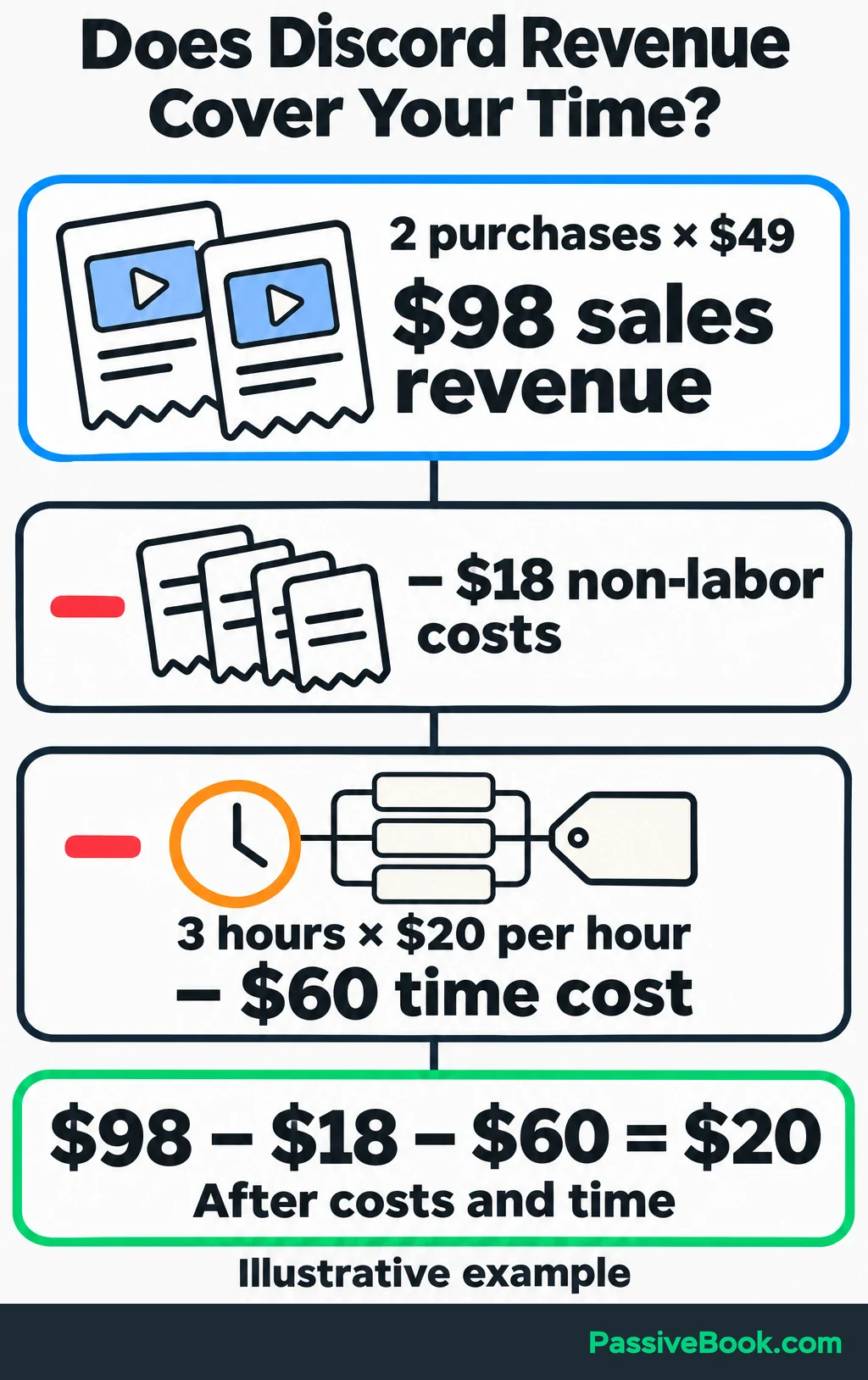
That leaves $98 − $18 − $60 = $20 after costs and time. Encouraging sales figures can still leave little for the work involved.
Purchases tracked from Discord show how buyers reached you, but they do not prove how many extra sales Discord caused.
Use the results to choose your next change:
- Few joins: review where invitations appear and whether the benefit is clear.
- Joins without participation: test the welcome path and first prompt.
- Useful participation without buying interest: check whether the offer solves the problems members discuss.
- Sales with excessive workload: narrow the promise, improve reusable answers, or reduce activities.
Compare progress with the goal and workload limit you set before launch. If the server remains inactive or cannot justify its upkeep, close it with clear notice and a route to continued support. Maintaining an empty room is still work.
What Next?
Write one sentence describing why someone would return to your community, then ask a few customers whether they would use it. Their answers give you a reason to build—or a reason to keep your time for another channel.
Use the social buttons to share this guide when you want to help a conversation about community growth include the work, the offer, and the numbers.
What recurring question would make your community worth returning to? Leave your answer, along with any other questions, in the comments.
Share this post with your friends & followers:

