A product post gets saved, someone asks about sizing, and a few people visit your profile. But can they find the item, understand the offer, and buy it without starting a conversation?
When those steps are unclear, posting creates more activity to manage, and sales remain hard to explain. You can spend another evening making content without knowing whether it brings anyone closer to buying. This guide shows how to connect useful posts to checkout and track the orders that follow, so you can decide which work deserves another hour of your week.
What Is a Social Commerce Strategy?
A social commerce strategy connects the content people discover with the information, checkout, and follow-up they need to buy. It also gives you a way to measure whether that work produces worthwhile orders.
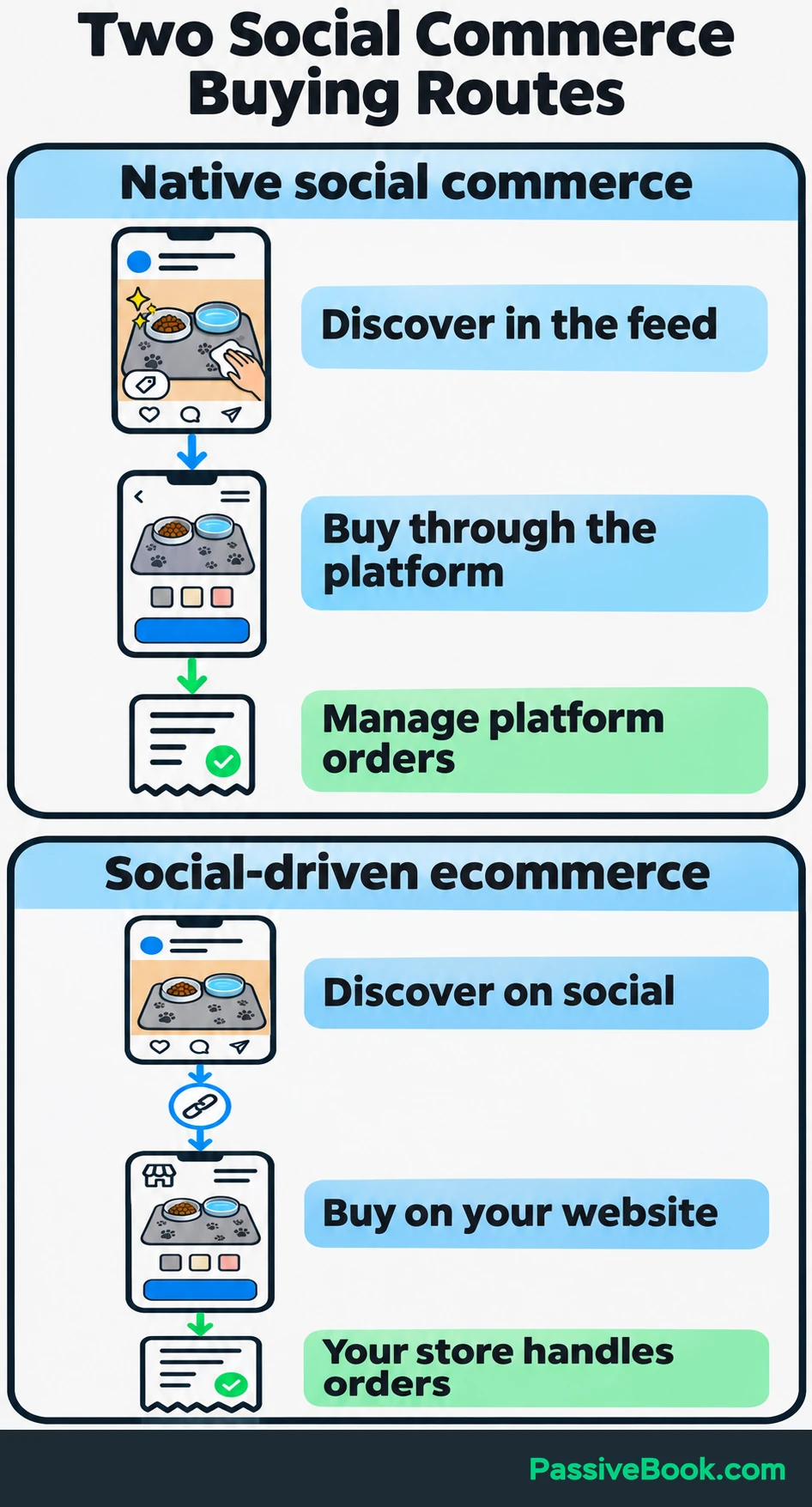
There are two main buying routes:
- Native social commerce: Customers buy through the platform’s shopping system. You need to manage its order reporting, fulfillment requirements, returns, and payouts.
- Social-driven ecommerce: Customers discover the product on social media and finish buying on your website. Your store handles checkout and orders.
Traditional ecommerce centers on the store. Social commerce adds product discovery and purchase conversations inside the places people already browse.
Around 2022, I spent six months chasing Instagram and Twitter/X followers in another niche while my bank account stayed at roughly $47. I kept treating audience growth as progress without giving that audience a clear buying path.
For the examples below, imagine you run a small shop selling washable cat feeding mats. The shop, product details, copy, and figures are illustrative.
The journey might be:
Cleaning demonstration → product link → dimensions and care details → checkout → delivery and support.
Likes and saves can help you understand interest along that journey. Orders and the money left after costs tell you whether it supports the business.
Choose an Offer You Can Fulfill Profitably
Start with a buying situation you can describe clearly. Look through customer questions, product reviews, messages, and relevant discussions for the details people need before ordering.
For the feeding mat, you might investigate two questions: “Will this fit beneath both bowls?” and “What does cleaning involve?”
Those questions give you something more useful than a broad instruction to “post engaging content.” They point toward an offer, a demonstration, and the information your listing needs.
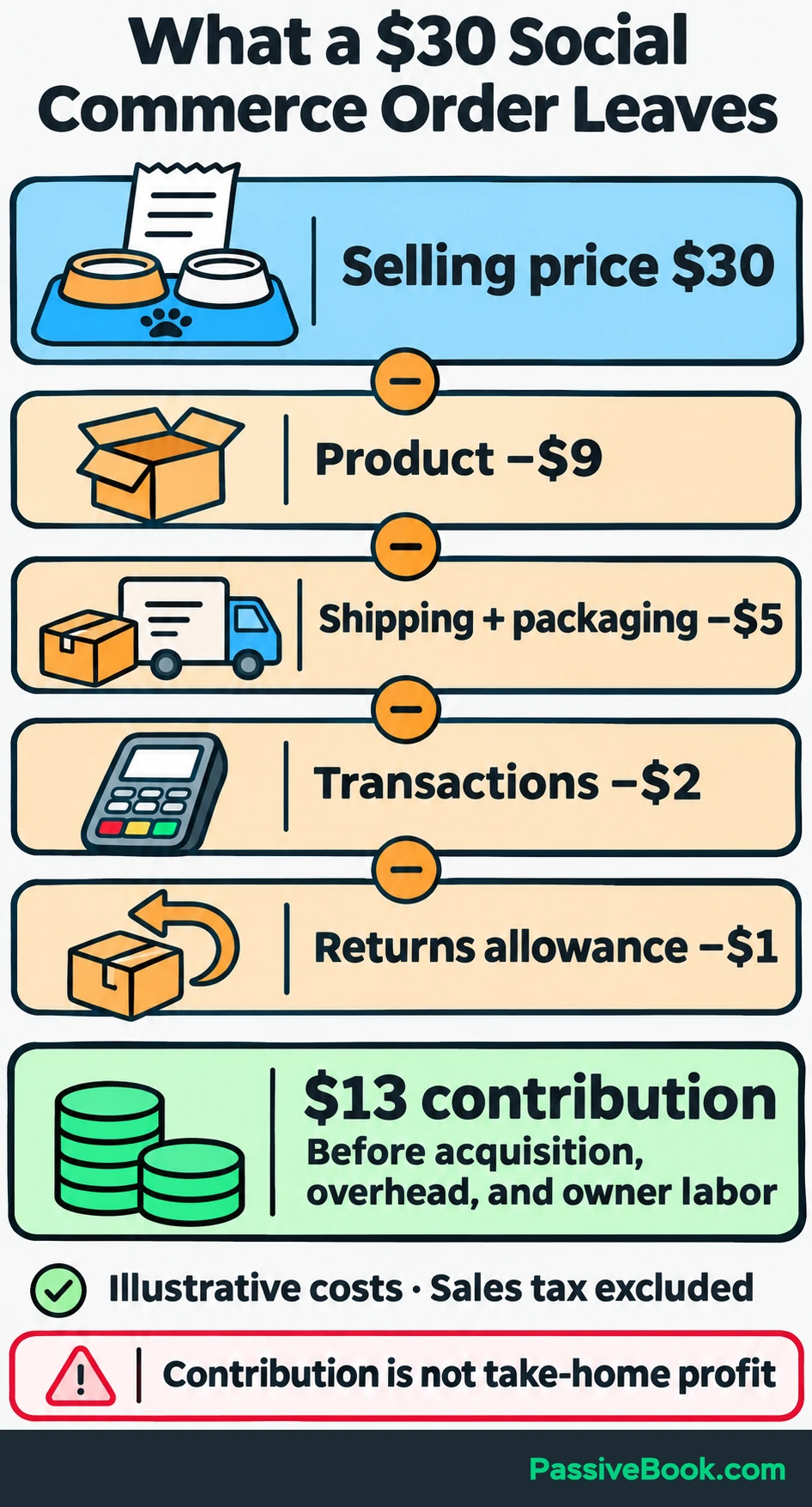
Choose one product or a closely related bundle for your first test. Write down:
- Offer: The item, size options, price, and what the buyer receives.
- Practical benefit: The task it helps with and the feature that makes that possible.
- Fulfillment: Available stock, delivery area, packing capacity, and expected dispatch time.
- Support: Who answers questions and handles damaged items, returns, and refunds.
Then work out what each order leaves before you spend money attracting it.
Count the selling price after discounts, excluding sales tax. Subtract the product cost, seller-funded shipping and packaging, transaction costs, and an allowance for returns.
For a $30 mat with shipping included:
| Item | Amount |
|---|---|
| Selling price | $30 |
| Product cost | −$9 |
| Shipping and packaging | −$5 |
| Transaction costs | −$2 |
| Returns allowance | −$1 |
| Contribution before acquisition, overhead, and owner labor | $13 |
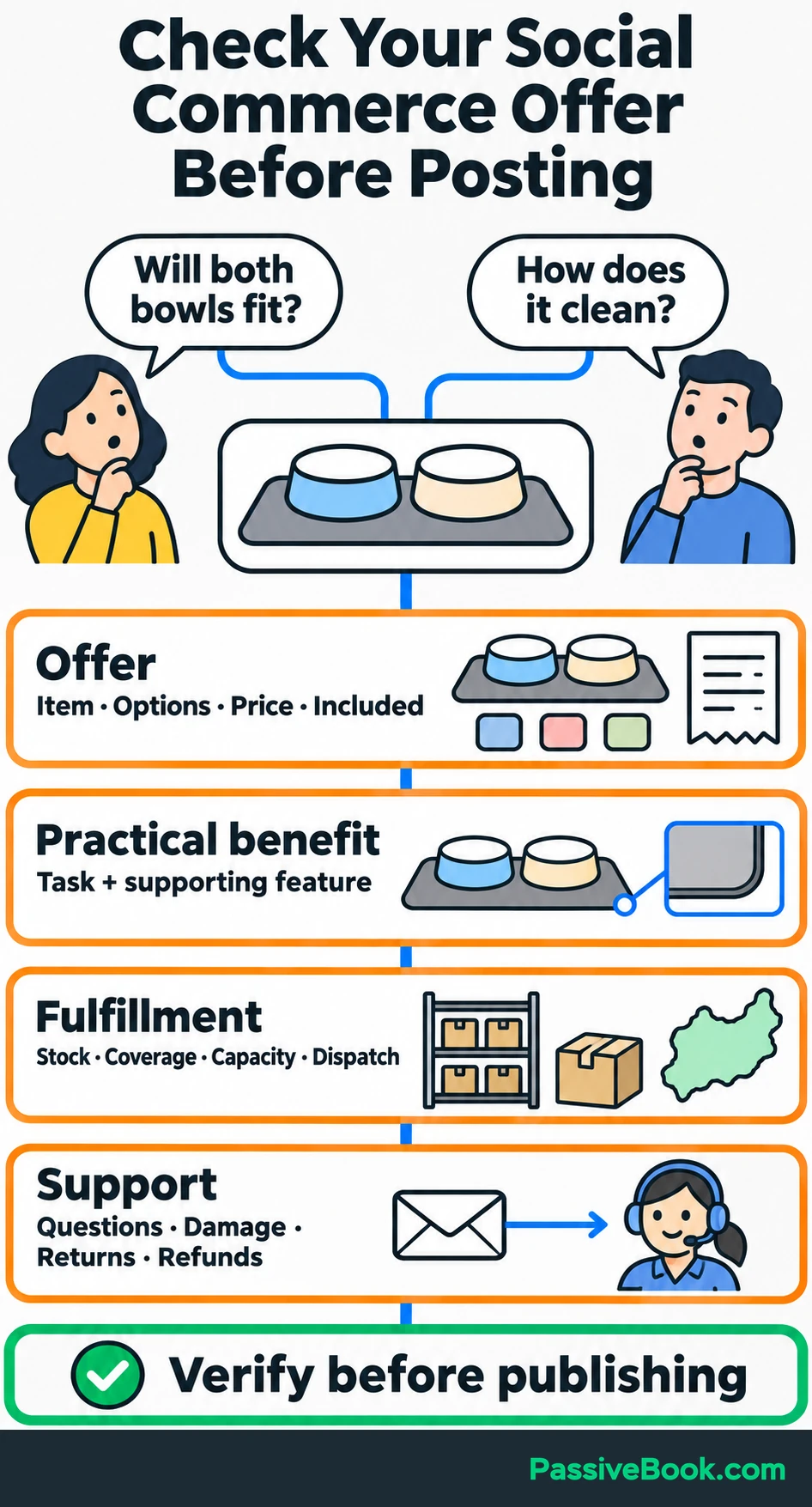
Contribution is the money available to cover the remaining business costs. It is not take-home profit.
The $2 transaction cost is an example assumption. Check the fees, payout timing, and return obligations for your chosen selling route. When reviewing completed results, replace the returns allowance with actual refund losses and return costs so you do not count both.
I would do this before creating a content calendar. A busy shop with nothing left after each order is an expensive way to stay occupied.
The margin on one order is only part of the decision. Use the Pricing Profit Calculator to work backward from your weekly earnings target and see whether the required orders fit the time you have.
Free Pricing Profit Calculator




Choose One Primary Social Platform
Choose a platform by looking for buying interest and a workload you can sustain.
Start with evidence you already have: referral sales, customer answers about where they found you, and discussions where people ask questions about products like yours. Then consider how easily you can explain the product there.
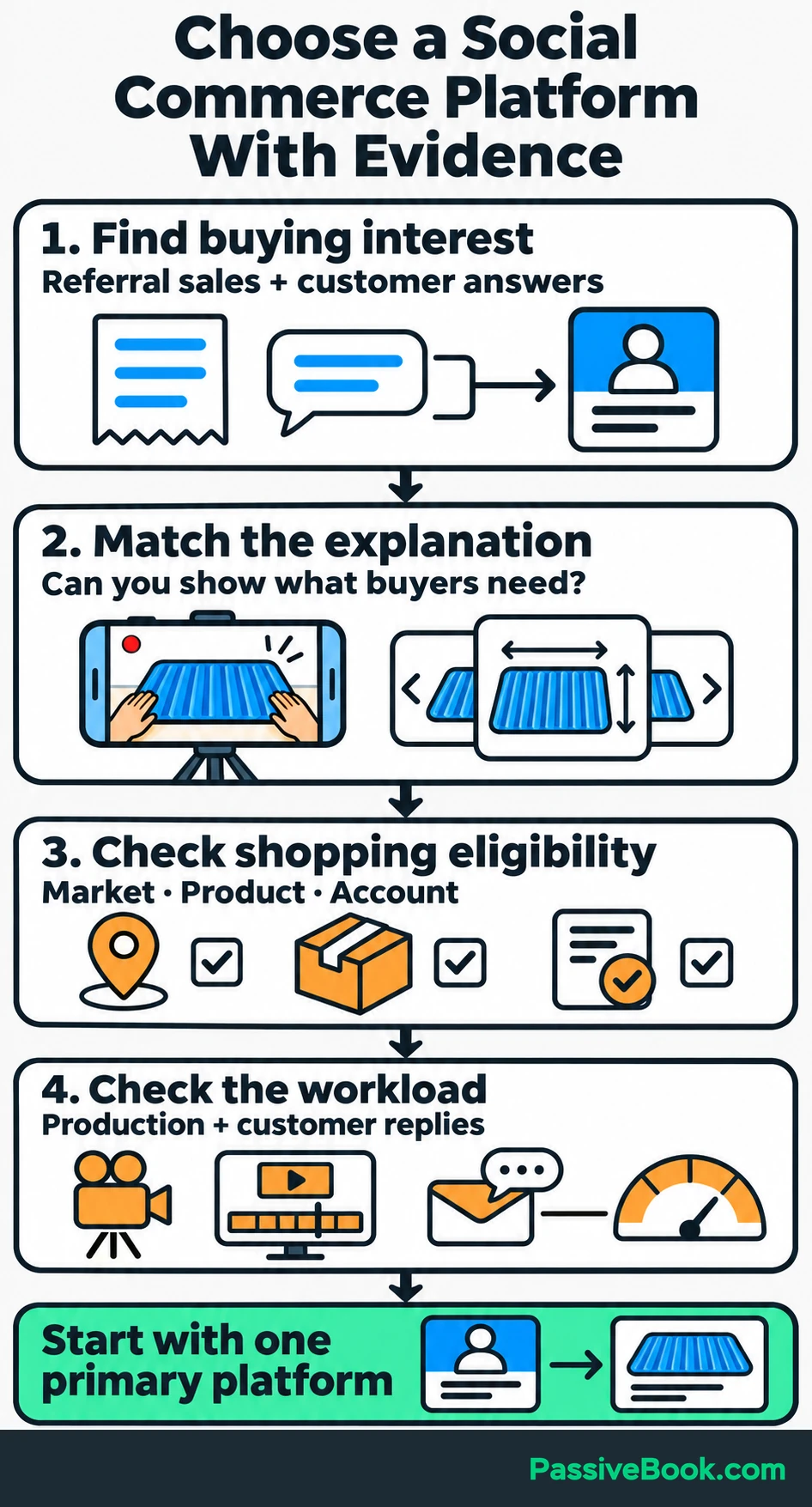
Shopping features also depend on your seller location, buyer market, product category, and account eligibility. Check those conditions before planning around native checkout or product tags, the clickable labels that open product listings.
| Platform | Useful Content Formats | Purchase Destination | Shopping Prerequisites | Production Workload |
|---|---|---|---|---|
| Instagram and Facebook | Hands-only demonstrations, swipeable image posts (carousels), customer photos | Stores using Shopify send buyers to website checkout; link-based posts can also lead to your store | Supported market and eligible account; Instagram tags require approval and a connected product catalog | Shoot short clips and stills in batches, then allow time for comments and messages |
| TikTok | Short demonstrations with the useful feature visible early; live broadcasts when they suit the product | TikTok Shop supports in-app purchases from shoppable videos and live broadcasts | Seller approval, eligible products, supported market, and a linked TikTok account | Repeatable filming and editing; live broadcasts require time at a set hour |
| Product images, sizing graphics, cleaning explanations | Product Pins lead to the retailer’s website | Product Pins use a catalog or product rich Pins; shopping setup must meet merchant requirements | Create several useful images from one shoot and write matching titles and descriptions | |
| YouTube | Detailed demonstrations, comparisons, short videos (Shorts) | Retailer checkout, with in-app purchasing available for certain merchants | YouTube Partner Program membership and a connected store for own-product tags | More filming and editing when buyers need a detailed explanation |
For the mat shop, I would test Instagram with hands-only cleaning clips and sizing carousels. Those formats let you show the product without appearing on camera. The first buying route can be a focused profile link to the listing, with product tags added if eligible.
If your existing customers and referral orders point toward another platform, follow that evidence. I use Pinterest alongside the blog at Passive Book, but your product and production habits should decide where you start.
Build a Direct Path From Content to Checkout
Map the buying route before publishing. Open the post as a customer would and follow every step to payment.
For website checkout, send people to the exact product shown. If the format has no clickable product link, make the featured item easy to find through your profile. A page of fifteen unrelated destinations gives an interested buyer another job.
Keep your existing store if it works. I would use WooCommerce for an established WordPress business and consider Shopify for a physical-product shop that wants hosted store management. Moving platforms is not the first fix for a weak product listing.
For native checkout, confirm how an order reaches your packing process, who updates its status, and where returns and payouts are handled.
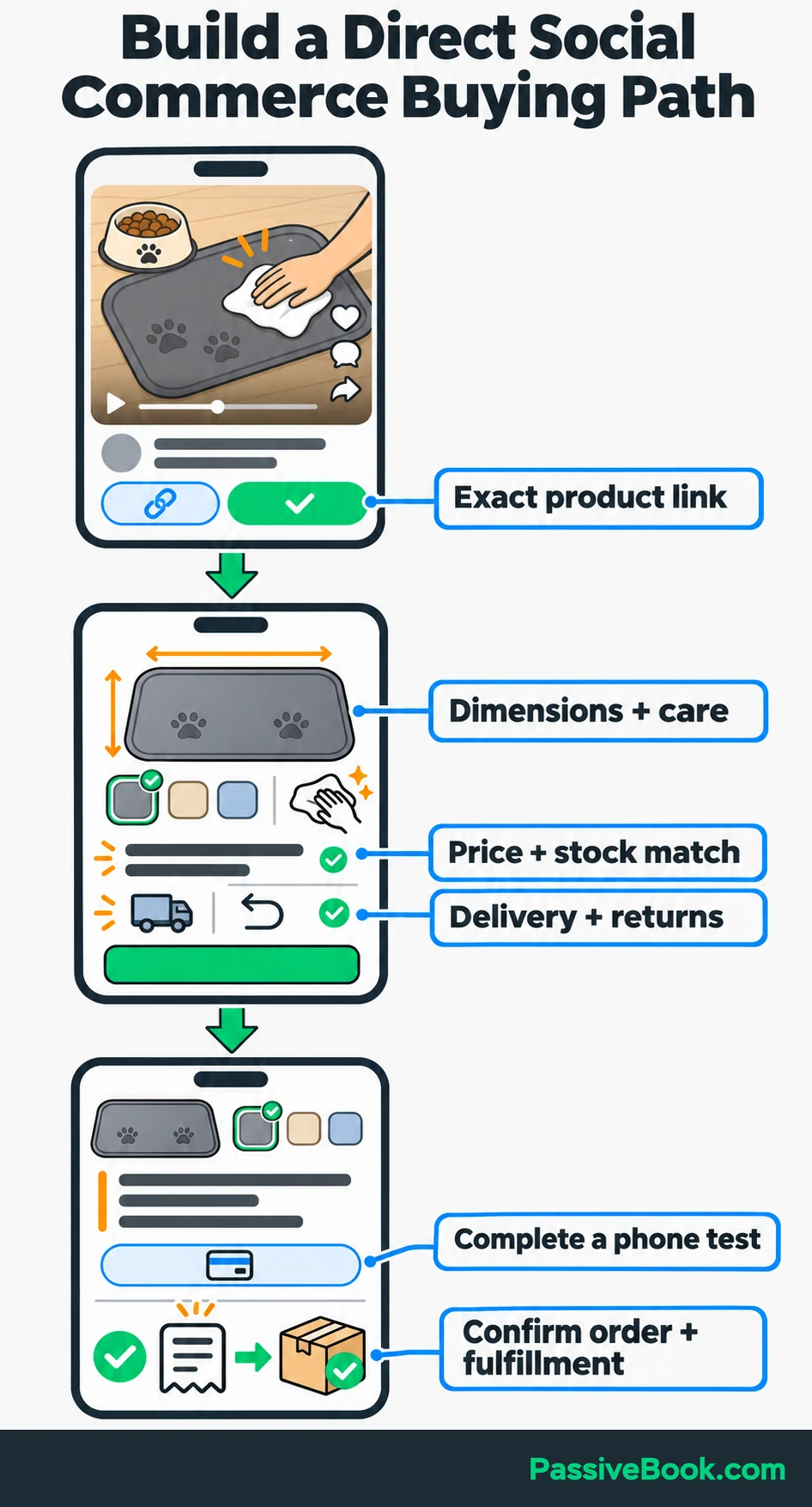
Whichever route you choose, keep the catalog and order system consistent. A product tag should open the right item or variant, and its price and stock should match what the buyer finds next.
Your listing should answer the questions needed before payment:
- Product: Dimensions, material, colors, and what is included.
- Use and care: How to use it and the cleaning method you support.
- Delivery: Shipping cost, delivery coverage, and dispatch or arrival expectations.
- After purchase: Returns, support contact, and how problems are handled.
For the mat, show its measurements, surface, edges, and cleaning process. If the post demonstrates cleanup, make the care instructions easy to find on the linked page.
On one of my digital-product pages, a question kept arriving even though I had answered it halfway down the page. I moved the answer beside the purchase button. That taught me to check where information appears before assuming buyers need more of it.
Finish with a phone test. Use the social app’s browser, select a variant, pay, and check the confirmation and fulfillment notification. Fix surprise charges, broken links, and confusing choices before sending more people through them.
Create Content That Helps People Buy
Build your first content batch around three jobs: show the product working, answer a purchase question, and make an offer.
You can do all three with one shoot. Each post should still have its own clear purpose.
Demonstrate One Useful Outcome
Choose a buying question, then show the answer in use.
A simple sequence is:
- Show the situation the buyer recognizes.
- Put the relevant feature to work.
- Show the practical result.
- Give one purchase action.
For the feeding mat, start with food around the bowls, show the mat beneath them, and demonstrate the actual cleaning process. Include close-ups so viewers can judge what happened.
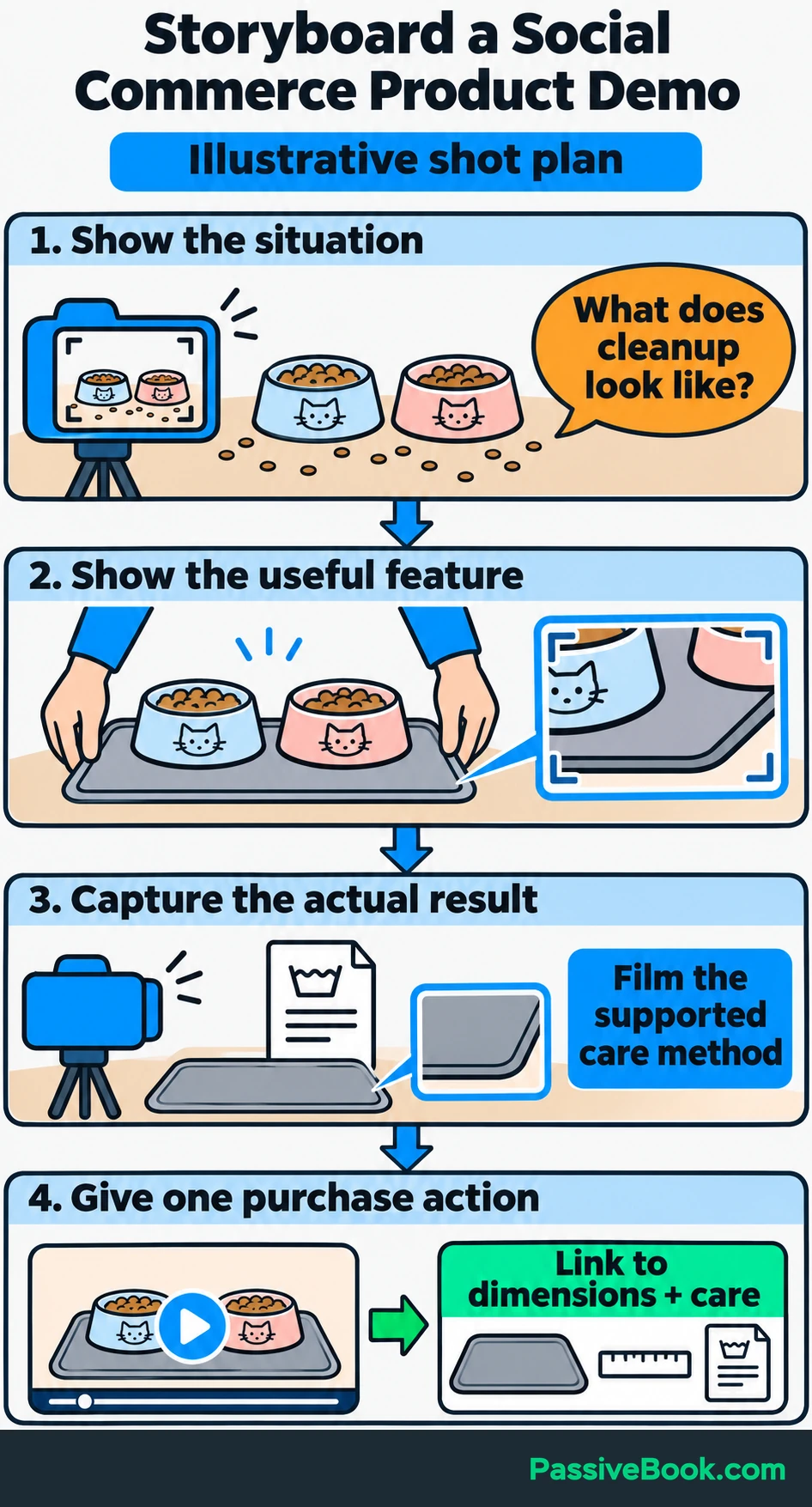
Hands-only footage, annotated photos, captions, and narration are all useful. Choose the format that makes the answer easiest to see.
A short video could open with:
“What does cleanup look like?”
Then show the supported washing method and the mat afterward. End by directing viewers to the matching listing for dimensions and care details.
A decorative product shot can show the color. It cannot answer how the mat washes. Match the content to the question you want it to resolve.
Answer Objections With Product Details and Customer Proof
Use recurring questions to decide what to explain next.
Match the evidence to the concern:
- Fit: Show measurements and place bowls on the mat for scale.
- Construction: Use close-ups of the surface, underside, and edges.
- Cleaning: Demonstrate the care method stated in the listing.
- Storage: Show how the product can be stored, if that matters to buyers.
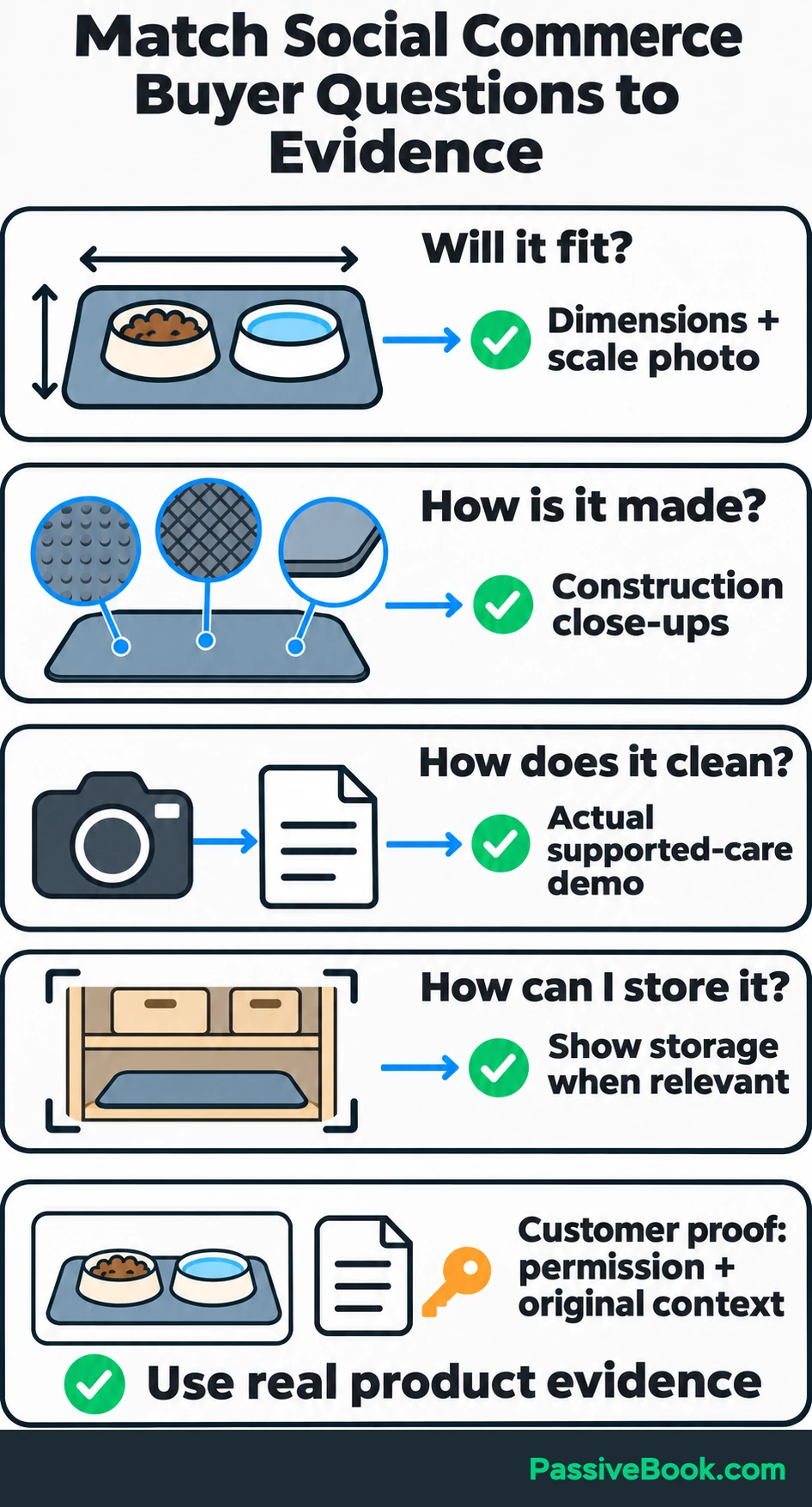
For a sizing carousel, show the mat’s width and depth, add a photo with bowls in place, and explain which part of the feeding area to measure. That gives buyers a way to check their own space.
Customer photos and reviews can answer these questions too. A photo shared with the customer’s permission can show how the mat fits beneath their bowls. Keep the customer’s actual words and context.
While you collect reviews, use your own demonstrations and specifications. AI can help draft captions, but generated footage cannot establish how the real product performs.
Make the Offer and Next Action Clear
Say what people receive and tell them where to buy it. Include price when it helps them assess the offer.
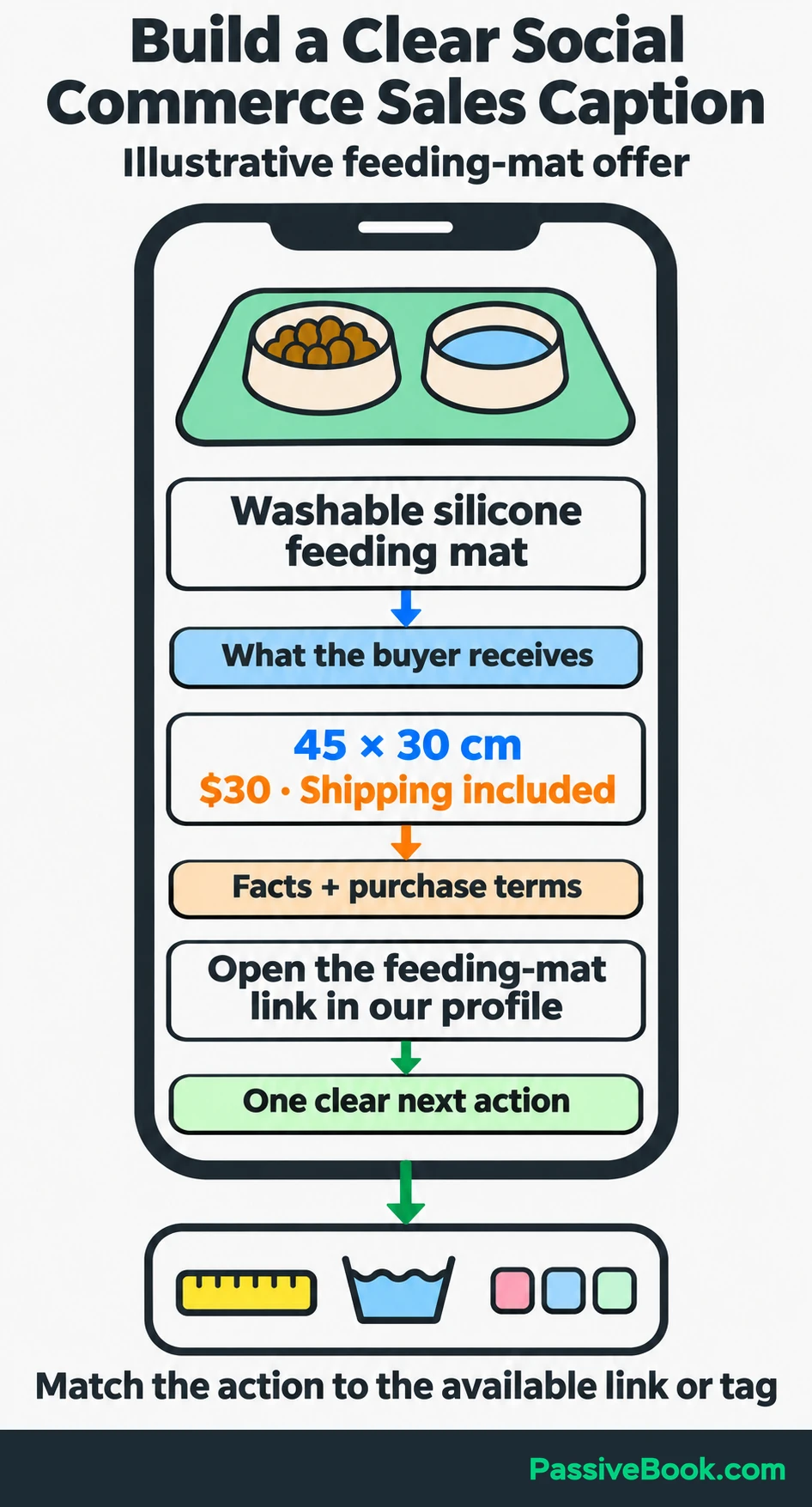
For the illustrative mat, a complete caption could be:
Food around the bowls? See how this washable silicone feeding mat cleans up after use.
It measures 45 × 30 cm and costs $30 with shipping included. Open the feeding-mat link in our profile to check the care instructions and choose a color.
Use that structure with your actual product facts and terms. If the post has a product tag, change the final instruction to match.
If you have the product details but not the words, AI Social Copy Studio can draft your first three posts. Each draft uses the same offer and sends buyers to the route you actually have.

Free AI Social Copy Studio
Avoid asking people to comment, follow, save, share, and buy in the same breath. For a sales post, I would make buying the main action.
When someone asks a purchase question, answer it and share the relevant listing. For example:
“The mat measures 45 × 30 cm. Measure the space beneath both bowls, including the gap between them. The listing here shows the dimensions and available colors.”
There is no need to make an interested buyer search for the item again.
Set up Sales Tracking Before Publishing
Give each post a short name and label its website link consistently. These labels, called UTM parameters, help tools such as Google Analytics identify the platform, campaign, and post behind a visit, along with whether the traffic was paid or organic.
For a cleaning demonstration with its own clickable link, you could use:
utm_source=instagram
utm_medium=organic_social
utm_campaign=feeding_mat
utm_content=cleaning_demo
Add those parameters to the product URL using a campaign URL builder. Google’s campaign-link guidance explains what each parameter records.
A shared profile link needs a label such as utm_content=profile. It cannot reliably tell you which individual post prompted the visit.
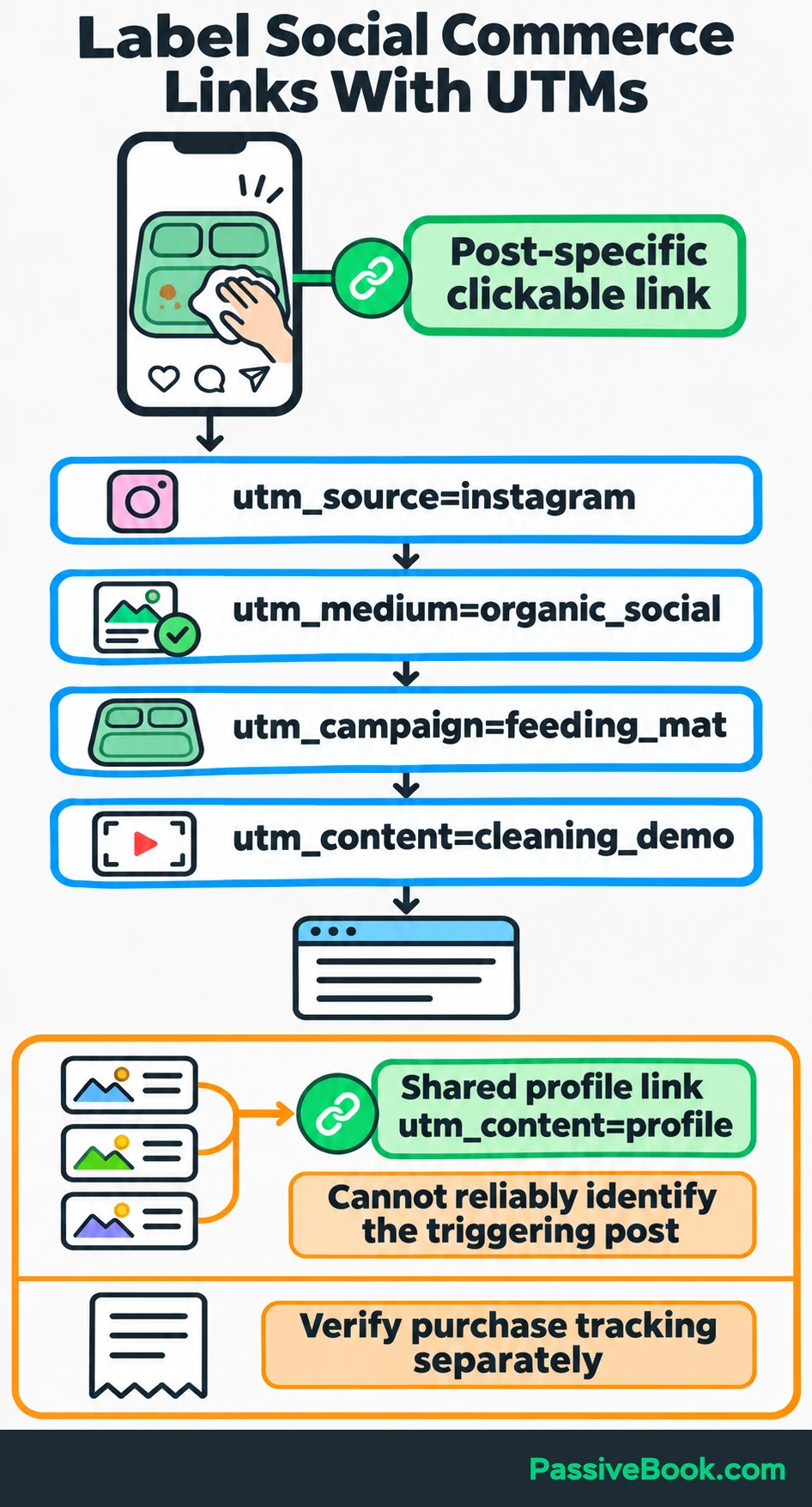
Next, use your store’s analytics integration to record product views, cart additions, checkout starts, purchases, and refunds. Check a test purchase against the actual order ID, value, and currency. Google Analytics supports these actions through its ecommerce measurement events; installing basic page tracking alone does not verify purchase tracking.
Keep a compact record of:
- Content: Identifier, topic, format, publication date, and link.
- Shopping activity: Tracked visits, carts, checkout starts, and orders.
- Money: Net sales, variable costs, refunds, and acquisition spending.
- Effort: Hours spent on content, support, and order handling.
Reconcile native-shop reports with actual orders and refunds. If the store, social platform, and analytics tool all report the same order, count it once.
Attributed sales are purchases a reporting method credits to a source. They do not prove the content caused every purchase. Compare results using the same method and reporting window, and keep untracked orders separate.
Run a Repeatable Publishing and Customer-service Workflow
Start with a small batch: one demonstration, one purchase objection, and one direct offer. Publish at a pace that leaves room to pack orders and answer customers.
For the mat shop, one shoot can capture cleanup footage, measurement photos, close-ups, and color options. Turn those into separate posts by changing the opening, explanation, and purchase instruction.
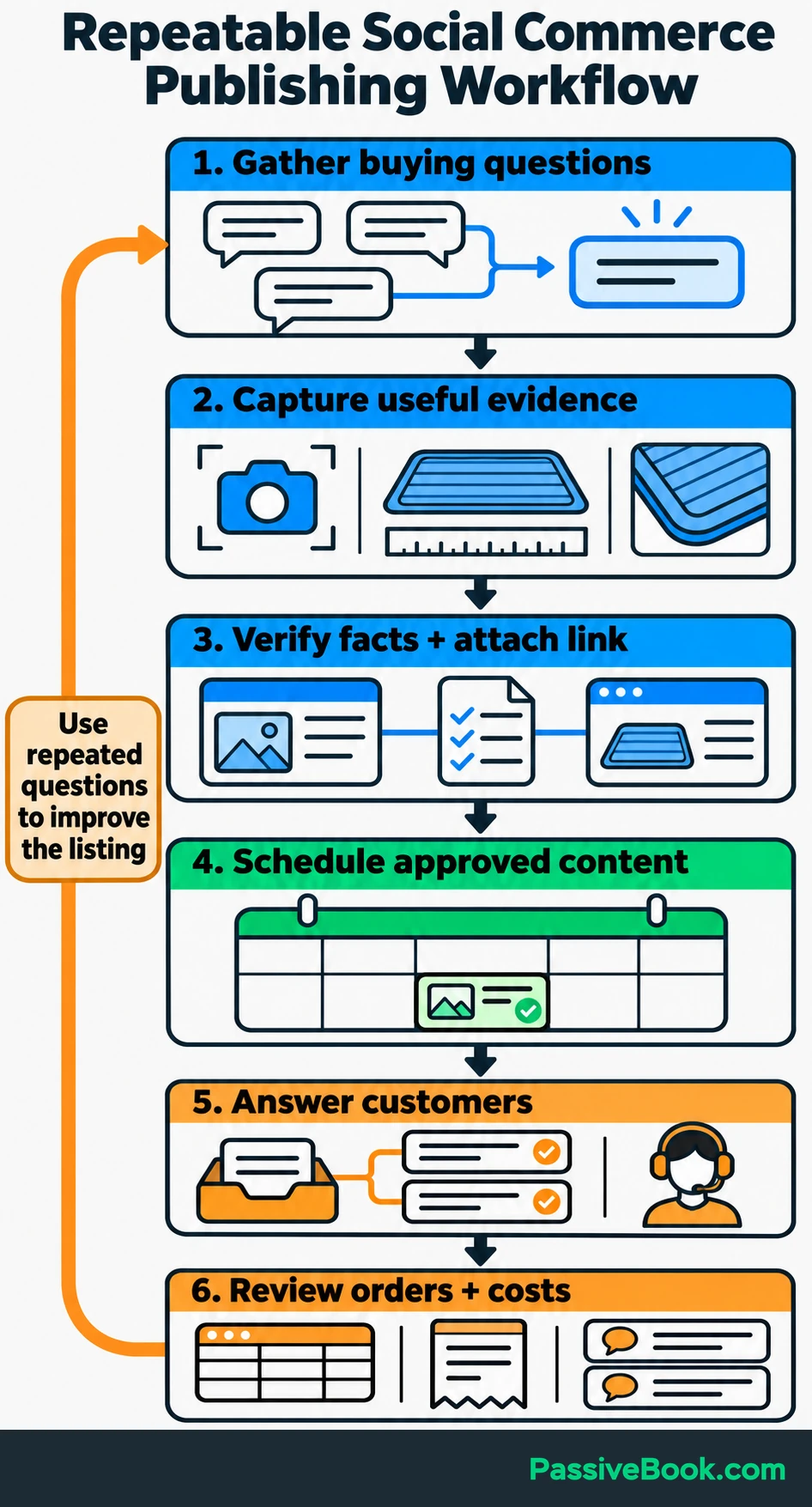
I would run the workflow like this:
- Gather customer questions and choose the next buying concern.
- Capture the footage or photos needed to answer it.
- Draft the post, check the product facts, and attach the correct link.
- Schedule approved content.
- Answer relevant comments and messages.
- Review orders, costs, and repeated questions before planning the next batch.
Save approved replies for dimensions, cleaning, shipping, and returns. Add recurring answers to the product page so support work improves the buying route.
Keep a clear owner for complaints, refunds, unusual questions, and failed orders. An automated reply should not send a damaged-item complaint into an endless circle of cheerful links.
Use each platform’s built-in scheduler first. Make and n8n connect apps and automate tasks; add one when you keep repeating a handoff, such as collecting reports or routing order information. Check for failed runs and stock mismatches.
AI can turn verified product facts into caption drafts, group customer questions, and summarize reports. Keep a human check on claims, links, prices, and delivery promises.
After purchase, send the care information customers need. Offer promotional email as a separate opt-in with a clear unsubscribe option. An order confirmation should help someone manage their order.
Improve Sales Before Expanding
Review the buying route and the money together. A post can attract useful traffic while the offer loses money, and a profitable product can remain hard to buy.
Your next change should address the problem the evidence points toward.
Read Conversion and Contribution Together
To calculate website conversion, start with the tracked visits from social media during your test period. Analytics tools call these visits sessions. Count how many of those sessions included a purchase, then divide by the total number of sessions in that group.
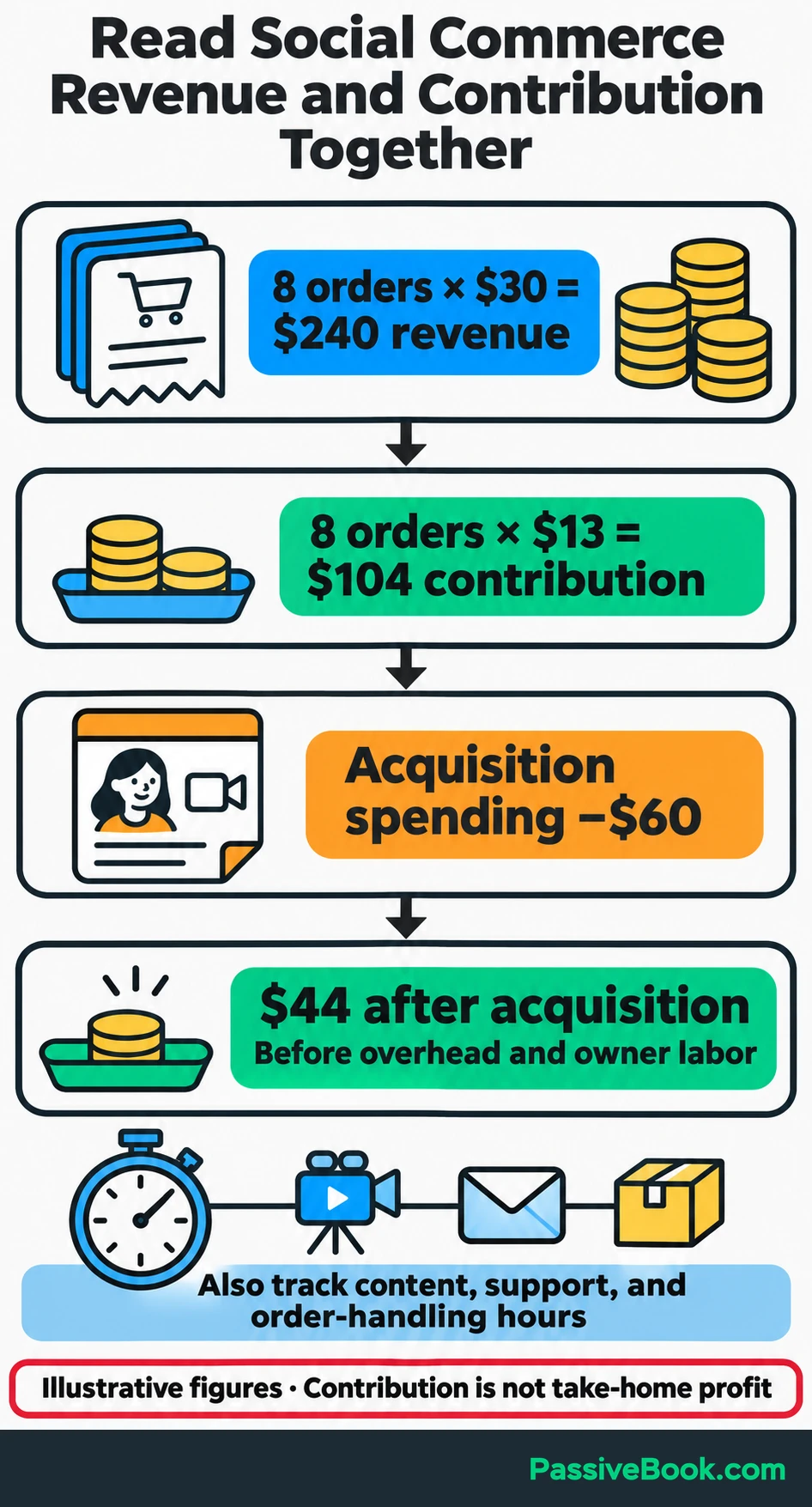
Suppose the mat shop records 200 such sessions during its test, with one order placed in each of eight sessions:
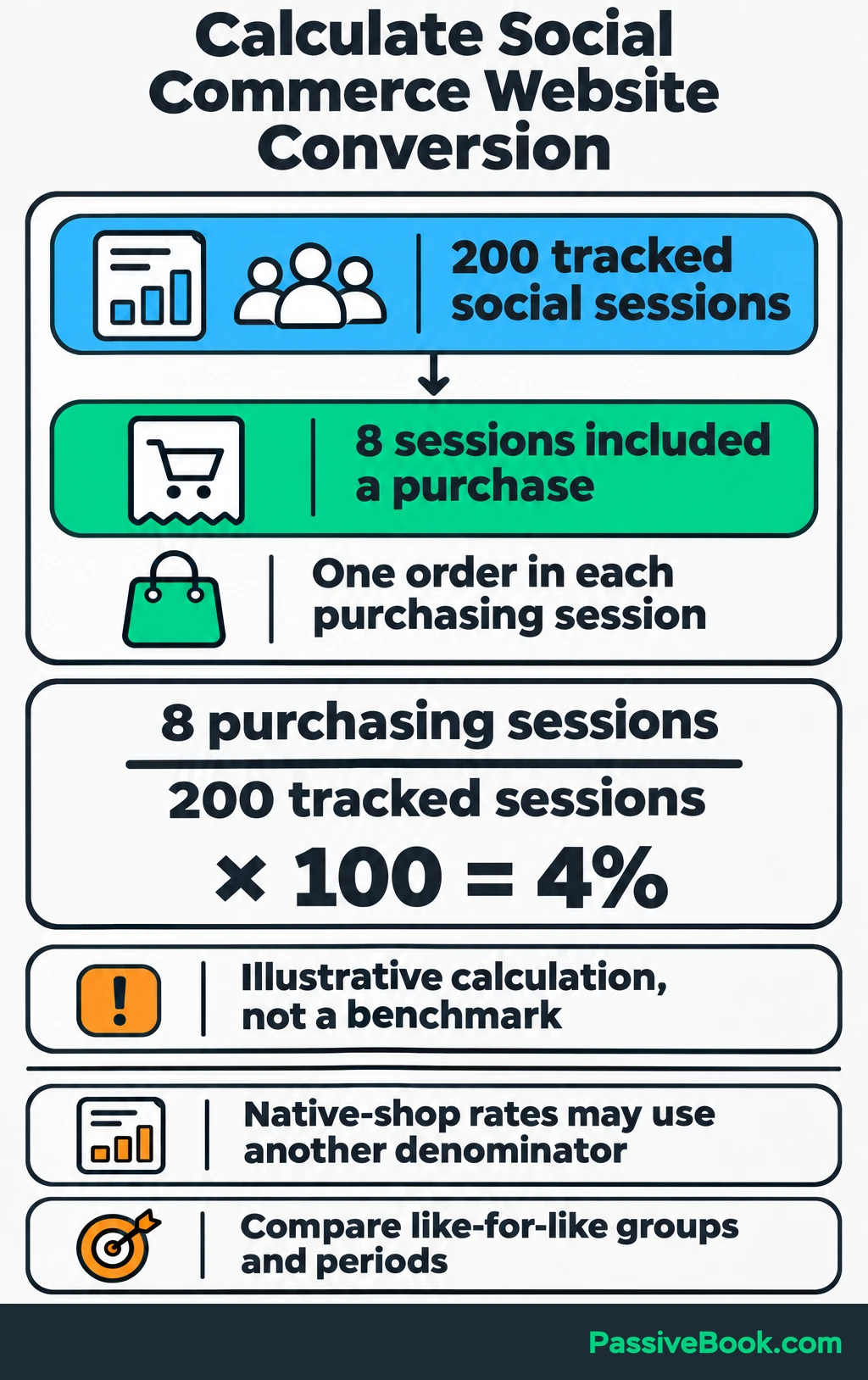
8 ÷ 200 × 100 = 4% conversion
Those eight $30 orders produce $240 in revenue. Using the earlier cost assumptions:
| Calculation | Amount |
|---|---|
| Eight orders × $13 contribution per order | $104 |
| Cash acquisition costs, such as a small creator test | −$60 |
| Contribution after acquisition, before overhead and owner labor | $44 |
These figures illustrate the calculation. They are not a conversion benchmark.
Keep native-shop conversion rates separate because their reports may use different groups, such as product visitors or product clicks. Read the denominator before comparing percentages.
Then look at time. How long did you spend creating content, answering questions, and handling those orders? Organic distribution still takes operating effort.
I would keep a modest sales process that leaves worthwhile contribution and fits my week over one that needs constant attention to maintain its revenue.
Fix the Bottleneck Before Adding Reach
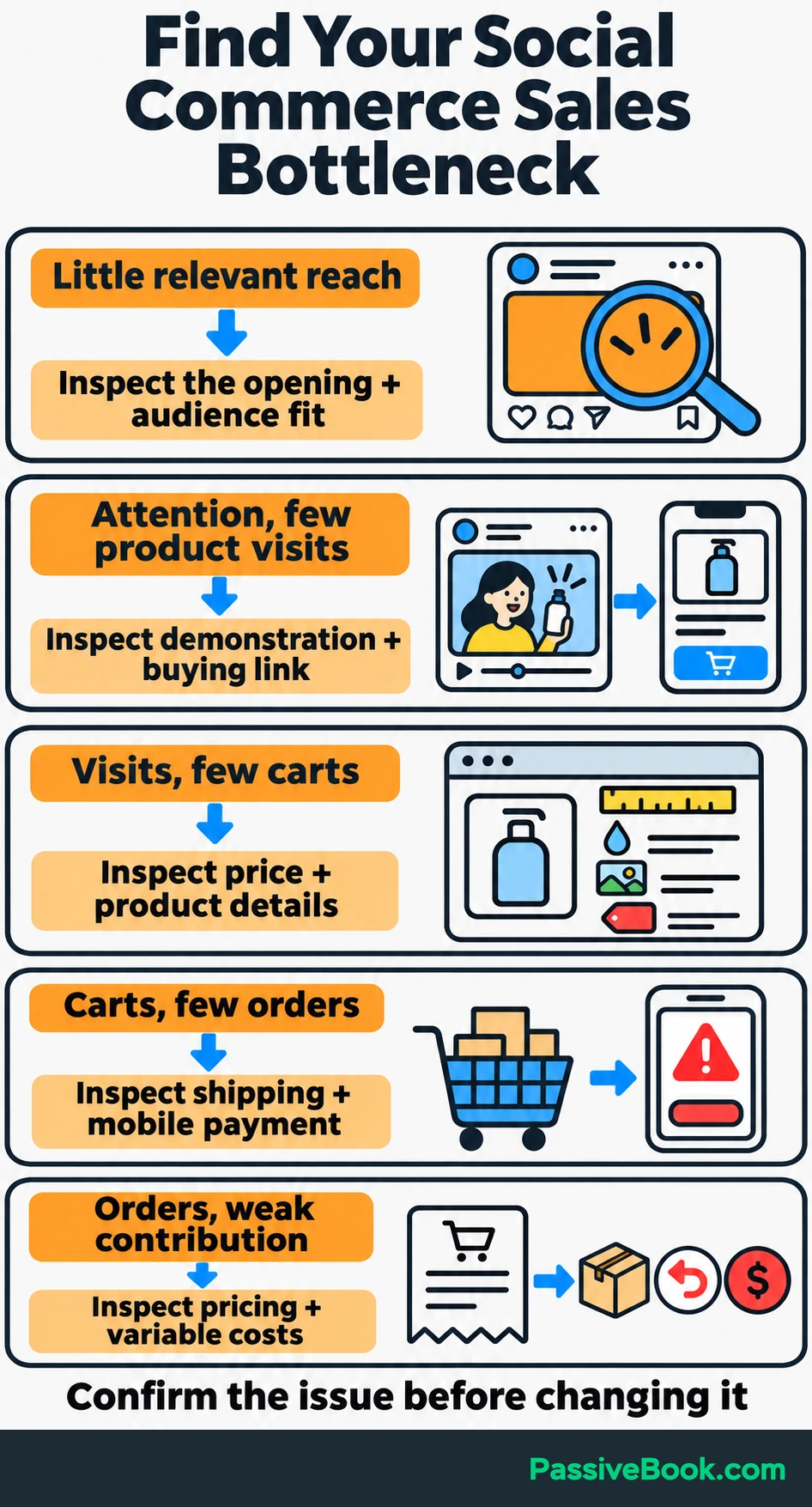
Use the point where buyers stop to choose your next test.
| What You Observe | What to Inspect Next |
|---|---|
| Little relevant reach | Whether the opening answers a buying question and the post reaches people asking it |
| Attention but few product visits | Whether the demonstration shows what the product does and viewers can find the listing |
| Product visits but few carts | Price, dimensions, care instructions, and photos showing fit |
| Carts but few completed orders | Shipping costs, delivery expectations, payment failures, and mobile checkout |
| Orders with weak contribution | Discounts, fees, fulfillment costs, returns, and pricing |
These are starting points for investigation. Confirm the issue by testing the route and reading customer questions.
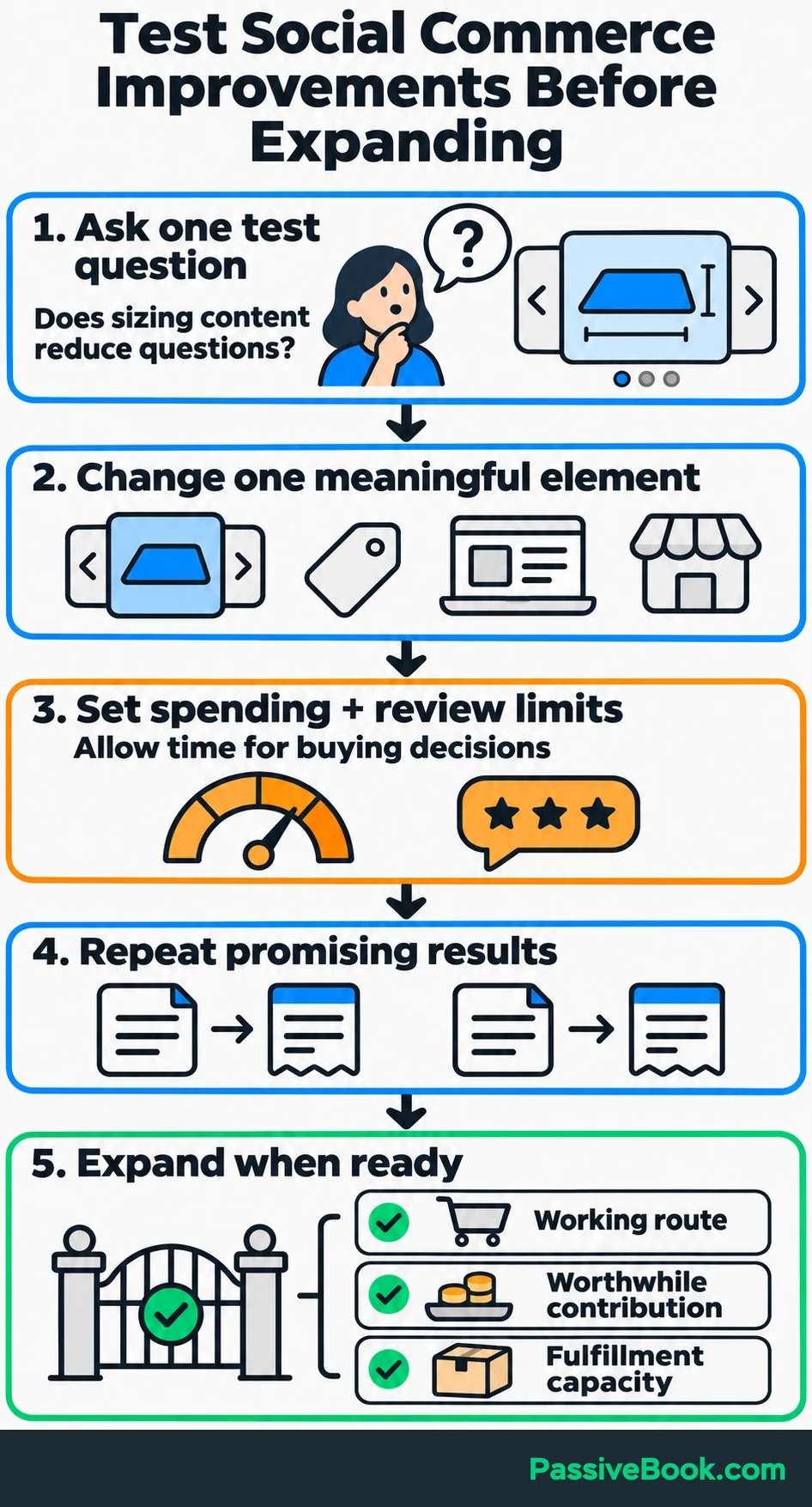
Set one test question, a spending ceiling, and a review point that gives buyers enough time to decide. For the mat, you might test whether a measurement carousel helps people reach the listing with fewer sizing questions.
Change one meaningful element at a time. If you change the price, content format, landing page, and platform together, you will struggle to know which change mattered.
Repeat promising results before making a large commitment. Then try another creative angle or a small creator partnership.
Choose a creator whose audience asks questions your product can answer. Agree on deliverables, compensation, usage rights, and tracking, and include samples and shipping in the acquisition cost.
For endorsements expected to affect US consumers, paid, gifted, and affiliate relationships need clear disclosures beside the endorsement. The FTC’s disclosure guidance explains how to make those relationships visible.
I would add paid promotion or another platform only after the buying route works, contribution remains worthwhile after acquisition costs, and fulfillment can handle more orders.
What Next?
Choose one product and follow its buying route on your phone, from a social post through checkout. Fix the first confusing step before creating another batch of content.
Use the social buttons to share this guide when the conversation turns from getting engagement to building a sales process worth repeating.
Where does your current route lose people: discovery, product details, or checkout? Tell me in the comments, and bring any other questions about your social commerce strategy.
Share this post with your friends & followers:

