You can spend an evening answering posts on Bluesky and still have no clear reason for anyone to visit your website. The conversations might be enjoyable, but your business needs more than another place to be busy.
When time is limited, even a few posts and replies can crowd out product work or follow-up with interested buyers. Before Bluesky becomes another weekly commitment, it needs to earn that time. This guide covers the profile, posts, and conversations that can bring interested people to your offer, followed by a four-week test to assess the visits and signups they produce.
Choose a Business Goal for Bluesky
Before building a publishing calendar, check whether people discuss problems your offer solves. Search for recent questions and read the replies. Other businesses posting promotions proves that sellers are present, but it tells you little about potential buyers.
Choose one main business outcome:
- Email subscribers requesting a relevant free resource.
- Inquiries about a service.
- Purchases of a product.
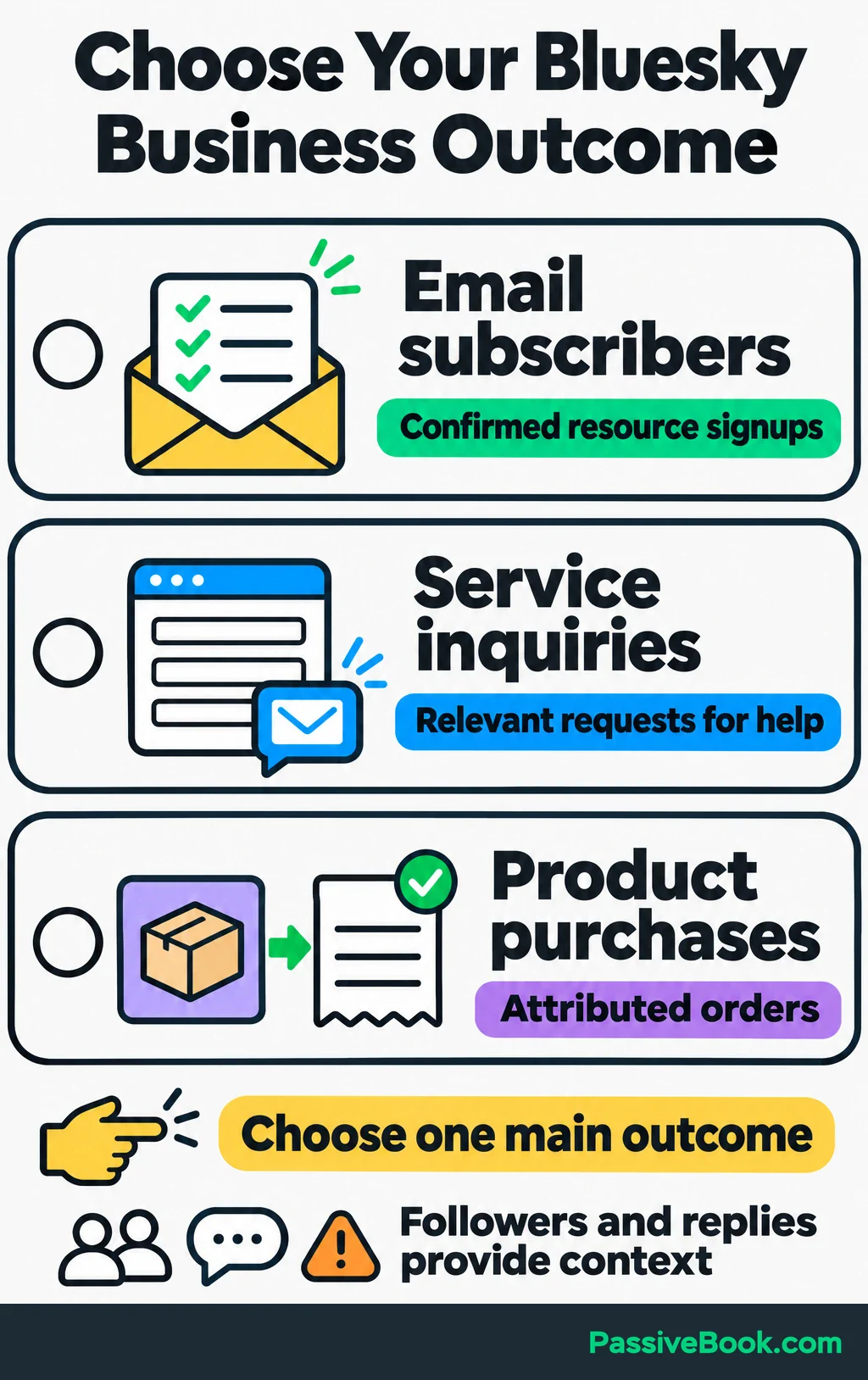
Followers and replies can help explain progress, but they shouldn’t replace that outcome.
Around 2022, I spent six months chasing Instagram and Twitter/X followers for another niche. I kept finding reasons to check the accounts, while the business made little progress. That experience is why I now want a destination and a measurable action before committing to another channel.
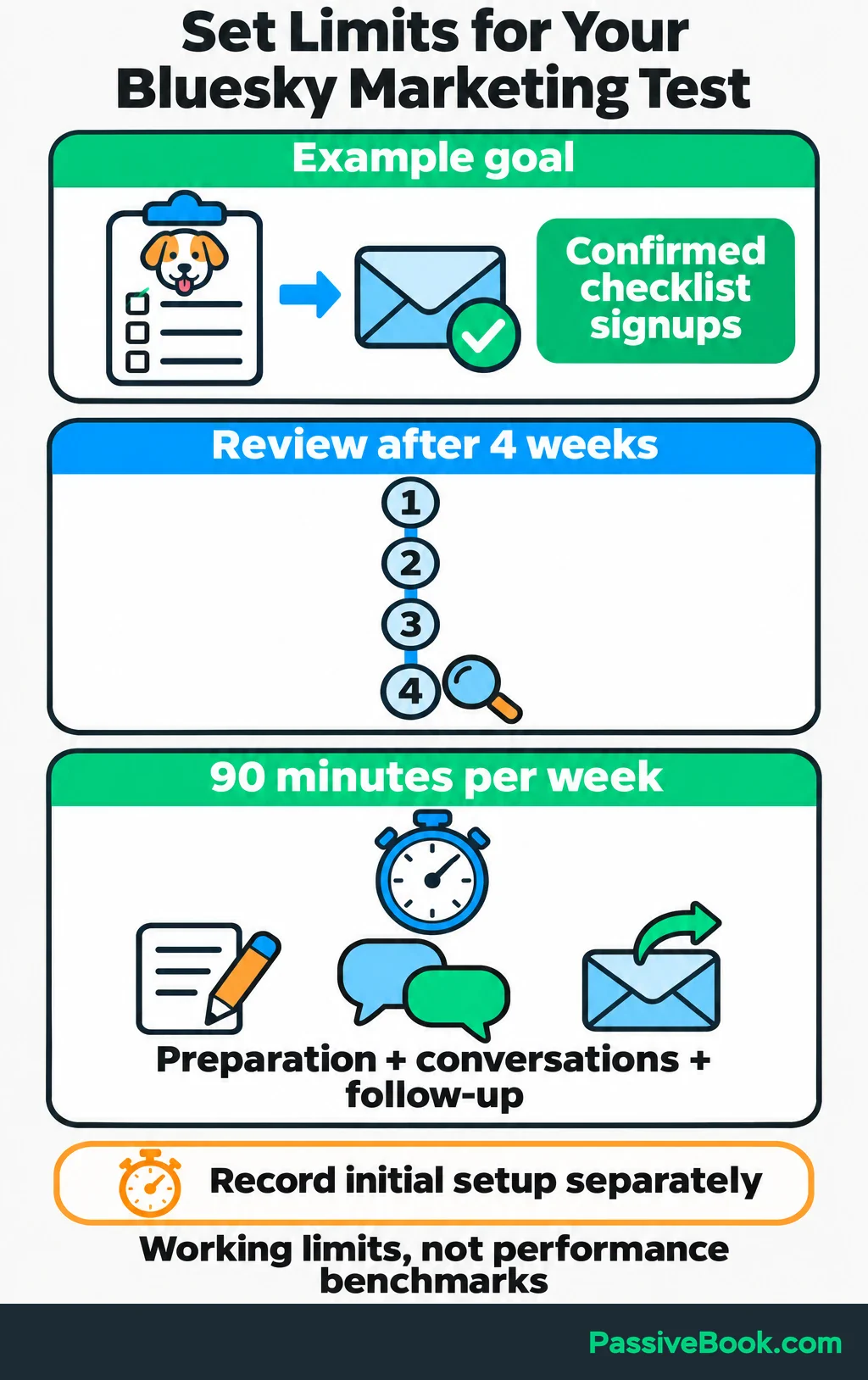
Throughout this guide, imagine you sell printable dog-travel planners. You offer a free weekend packing checklist, then introduce the paid planner to interested subscribers. The business, copy, product details, and figures are illustrations.
For that offer, I would start with confirmed checklist signups as the main outcome. Set a four-week review date and an ongoing allowance of 90 minutes a week, with initial setup time recorded separately. Those are working limits, not performance benchmarks.
Count preparation, conversations, and follow-up. Organic marketing still sends you a bill; it just asks for your evenings instead of your card details.
Create a Business Profile With a Clear Next Step
Create an account through the official Bluesky app or website. Use a business name people will recognize, a readable handle, and the same logo or portrait you use elsewhere. Your header should support the offer rather than introduce an unrelated slogan.
Your bio needs to explain what you provide and what visitors should do next. For the planner business:
Printable planners for organizing trips with your dog. Get the free weekend packing checklist.
Prepare the destination before adding its link. The checklist page should repeat that promise, show a readable preview, and provide one clear signup action. Tell subscribers they will receive the checklist and follow-up emails, including information about your paid planner.
Make the difference between the free and paid resources easy to understand. The checklist organizes one weekend’s packing. The paid planner could add reusable trip pages, shared packing assignments, and notes for future trips.
Bluesky’s titled profile links send visitors directly to your website or signup page. To add the checklist link, open your profile and select Edit Profile, then add the signup URL under Links. Title it “Free weekend dog-packing checklist” and drag it to the top.
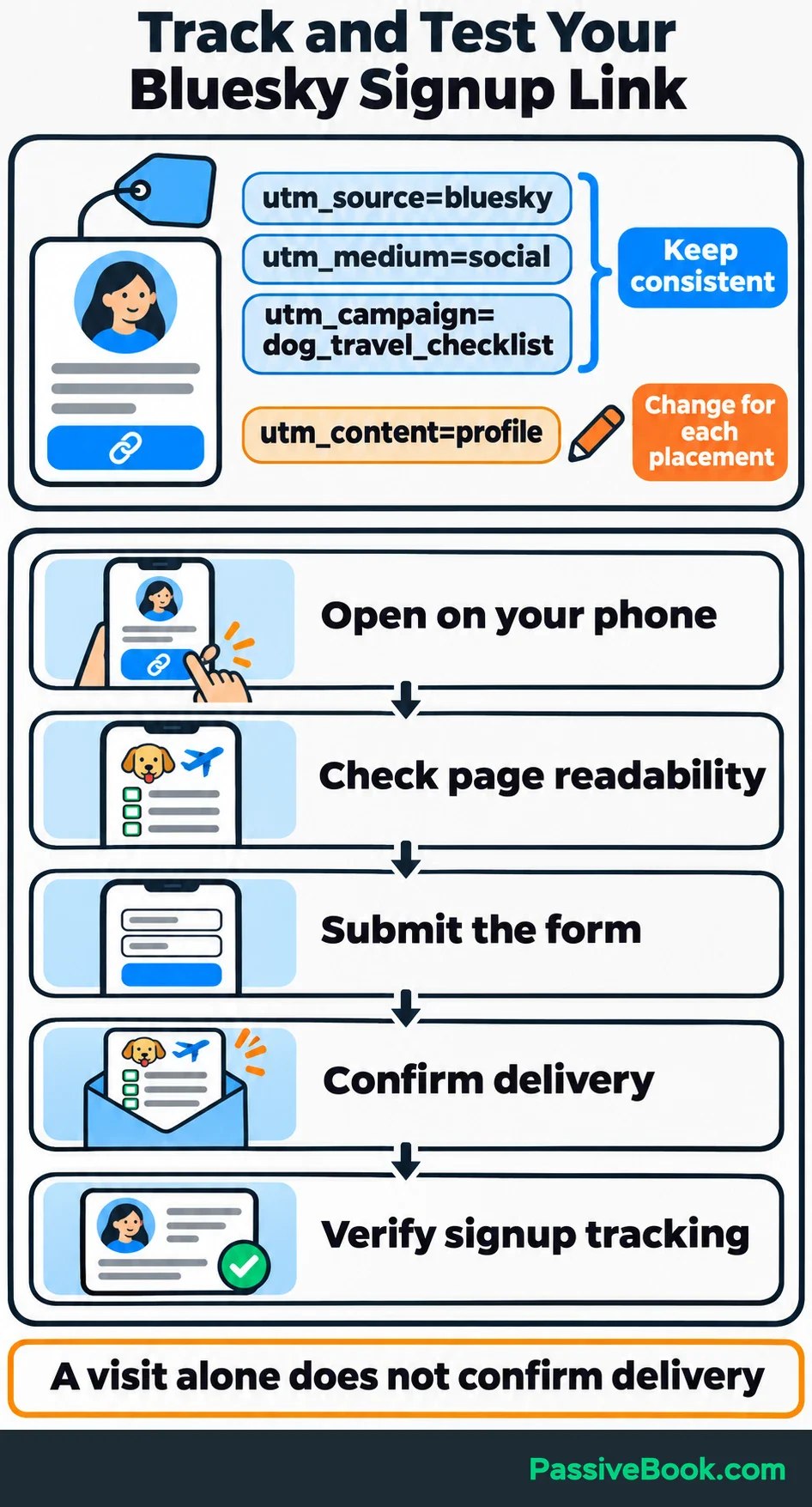
Before sharing the destination, add tracking labels to its URL:
https://example.com/checklist?utm_source=bluesky&utm_medium=social&utm_campaign=dog_travel_checklist&utm_content=profileThese labels identify the platform, channel, campaign, and placement. Keep the first three consistent for this checklist campaign and change utm_content for individual posts, using labels such as packing_tip_01.
Then test the whole journey on your phone:
- Open the link from your profile.
- Check that the page and preview are readable.
- Submit the form.
- Confirm that the checklist arrives.
- Verify that your tracking records the signup completion.
A page visit alone doesn’t show that someone received the resource.
If you already own a business domain, you can also use it as your handle to connect the account with your website identity. I would treat that as a useful finishing touch after the signup journey works. Bluesky’s domain-handle explanation.
Find Relevant People and Conversations
Search for Customer Problems
Start with language a customer might use while describing a task or frustration. Search broadly first, then narrow the phrases based on what you find.
For the planner offer, possible searches include:
"travel with a dog""packing for my dog""weekend with the dog"
These are starting ideas, not verified search demand. Read the surrounding discussion to see whether the person needs packing help, destination suggestions, or something else entirely.
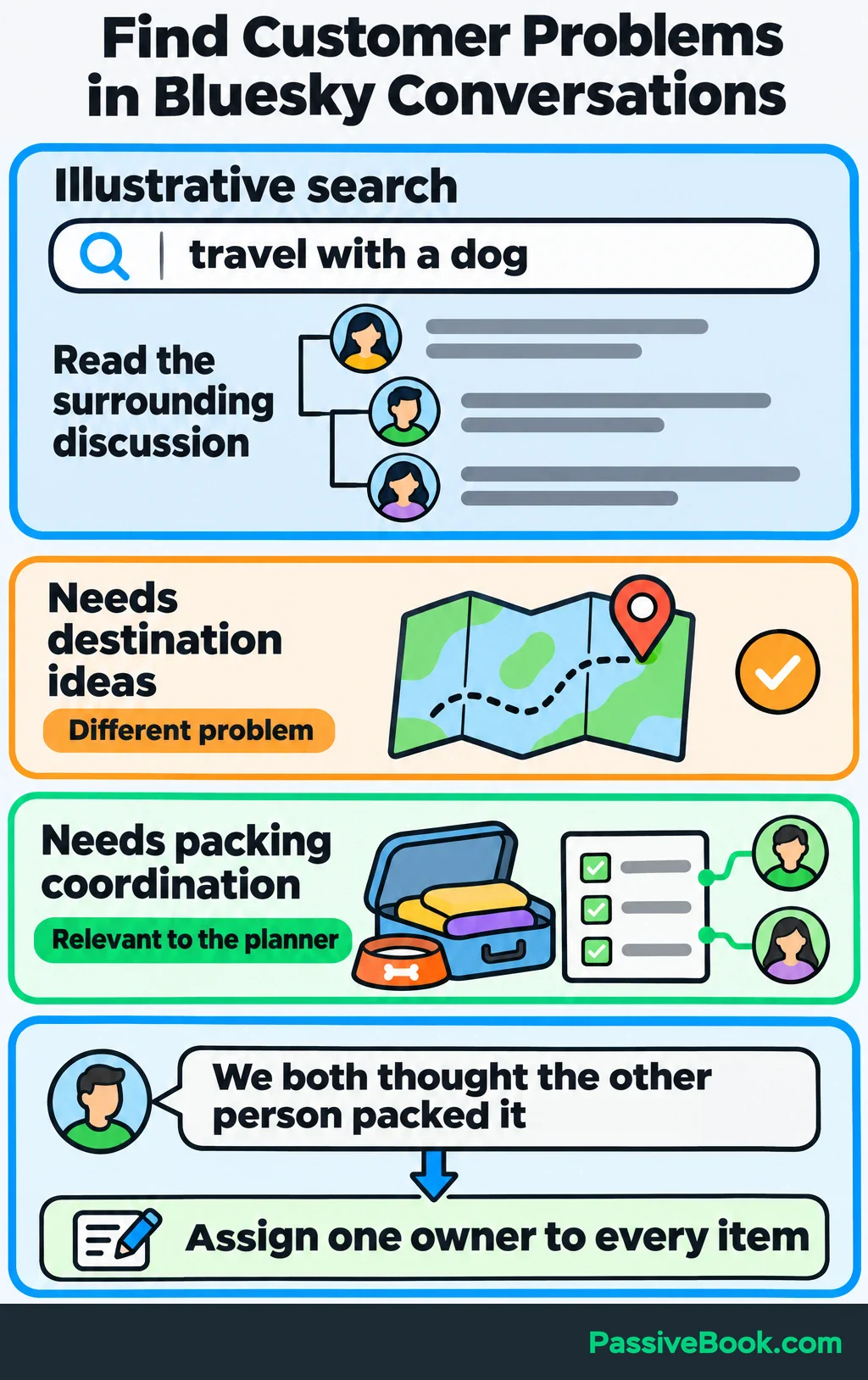
Follow people after reading their posts and replies. A relevant conversation history is more useful than a large follower count.
Keep a short record of recurring questions and the words people use. “We both thought the other person packed it” gives you a much clearer post idea than “dog-travel content.”
You can also monitor conversations involving your business:
| Search | What It Helps You Find |
|---|---|
mentions:me | Posts mentioning your account while you’re logged in. |
| Your business name | Discussions that name the business without tagging you. |
domain:yourdomain.com | Posts linking to pages on your website. |
Put quotation marks around a phrase to search for those exact words.
Use Custom Feeds and Starter Packs
Bluesky offers several ways to find posts. Use Following to keep up with accounts you follow and Discover to explore recommendations. Custom feeds select posts through their own rules, so a relevant topic feed can help you find discussions beyond your existing circle. Bluesky’s explanation of custom feeds.
Read a feed’s description before trying to appear in it. Some use keywords or hashtags, while others select posts differently. Following a feed changes what you see; it doesn’t automatically put your posts there.
If a feed uses a particular marker, include it only when the post belongs in that topic. Adding every available hashtag is a poor substitute for relevance.
Starter packs serve a different purpose: they recommend accounts and feeds to explore. Review those recommendations before following everyone. A pack shared by a thoughtful account can be a useful introduction, but its creator’s interests may differ from yours. Bluesky’s starter-pack introduction.
I would begin with a small set of useful accounts and feeds. You need conversations you can follow, not a timeline that requires a second lunch break.
Publish Posts That Help People Understand Your Offer
Answer One Specific Question
Choose a real question and answer it within the post. A person should gain something useful even if they never click your link.
A strong answer might explain one step, offer a short checklist, or show how to solve a narrow problem. For the packing example, this is a complete post you could adapt:
Packing for a weekend with your dog? Put everything on one shared list, assign each item to a person, and mark it packed only when it’s in the bag. “I thought you had it” isn’t much of a packing system. What gets forgotten most often?
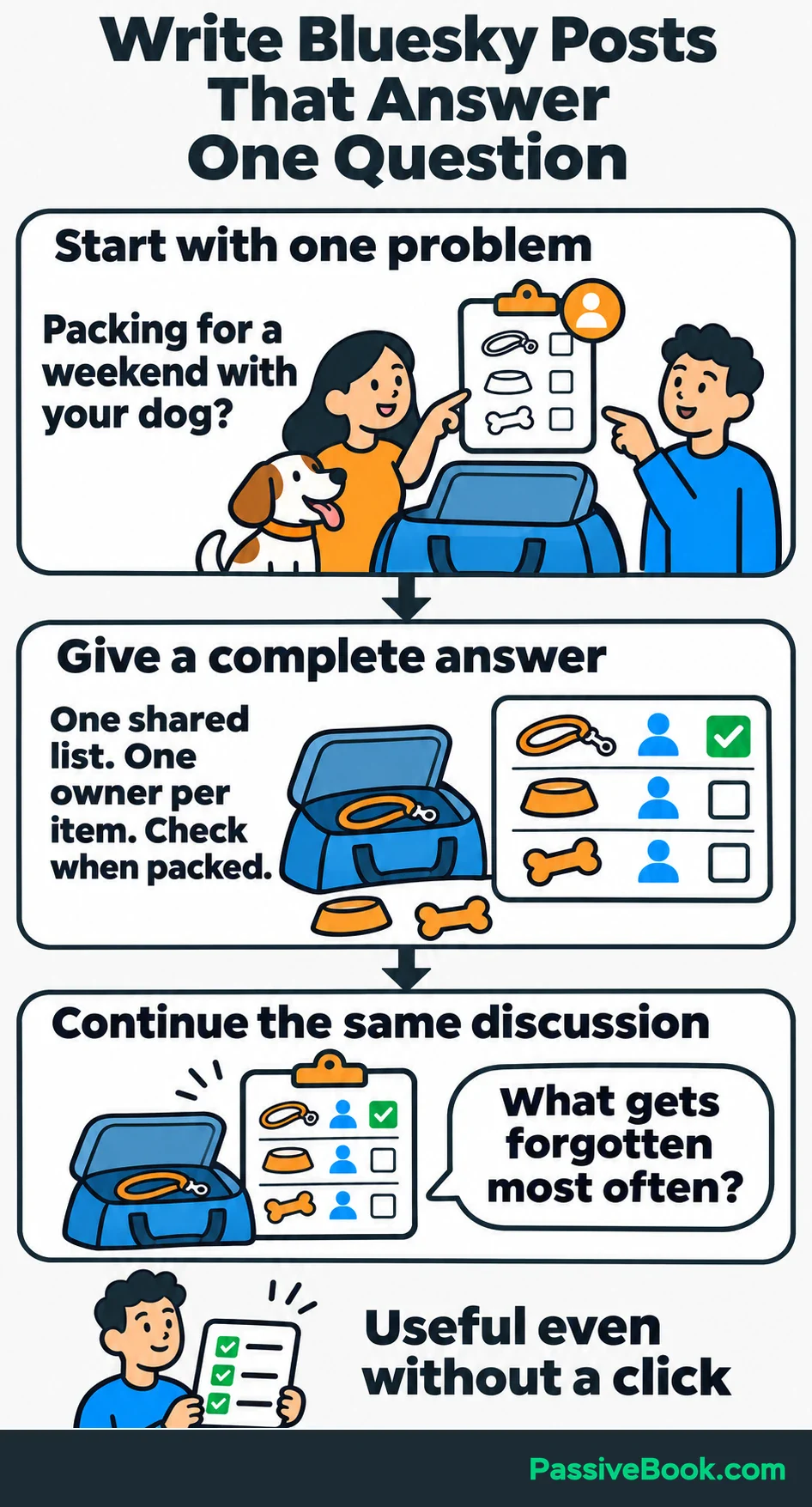
The question at the end continues the same discussion. It also gives you something more useful to answer than a row of polite applause.
Use existing material to make drafting easier. Turn a product instruction, article section, or subscriber question into a standalone answer. Rewrite the opening so someone encountering you for the first time understands the problem.
Keep the example focused on organization. A packing planner doesn’t need to become an authority on animal health or travel regulations to make a useful post.
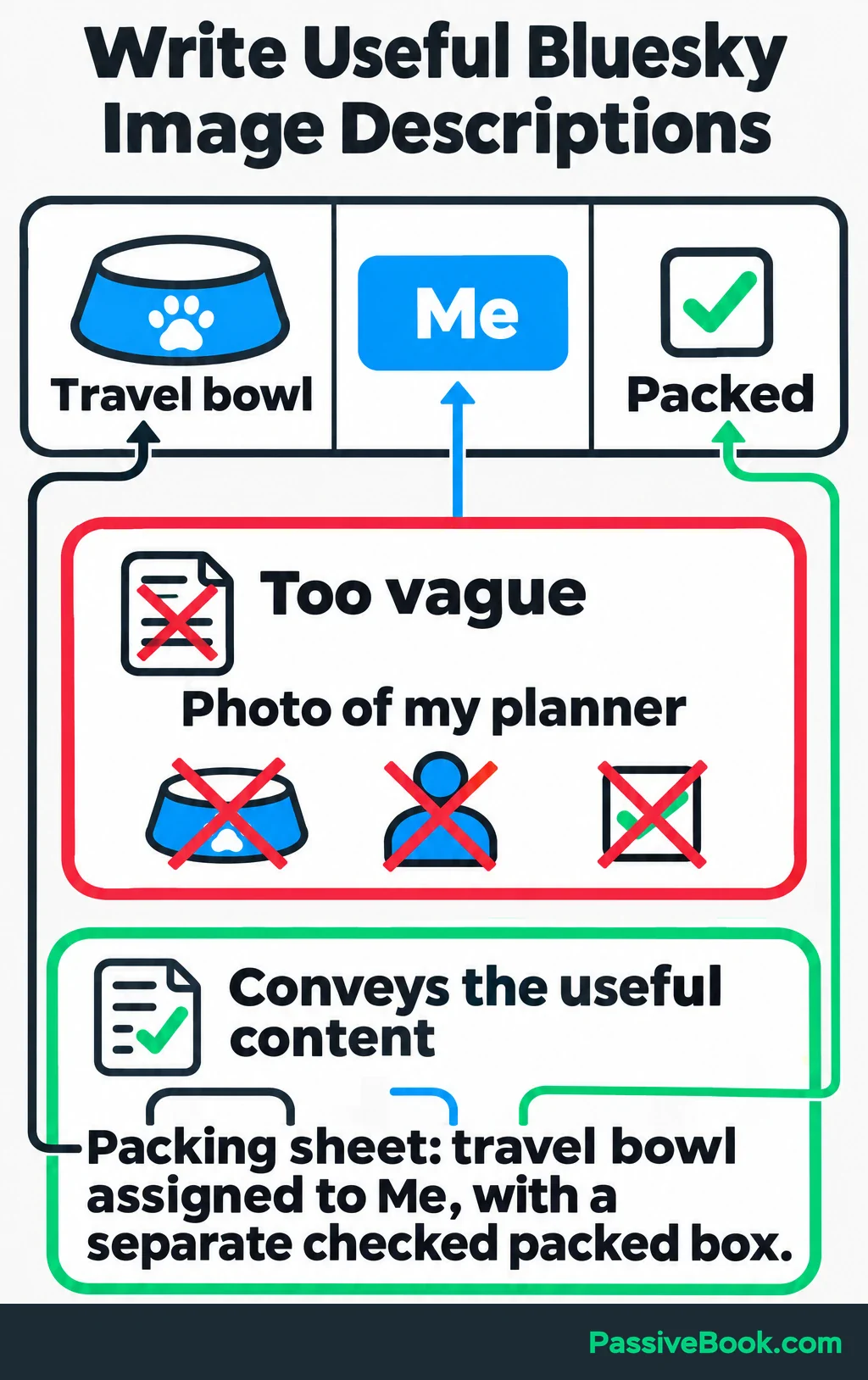
When a visual explains the task better, show a readable crop of the relevant page. Add an image description that conveys its useful content. For example:
Packing sheet with columns for item, person responsible, and packed status. Each item has one assigned person and a separate checkbox for when it goes into the bag.
“Photo of my planner” would leave out the very detail the image is meant to teach.
Demonstrate the Product and Invite the Next Step
Once readers understand the task, show how the product helps them do it.
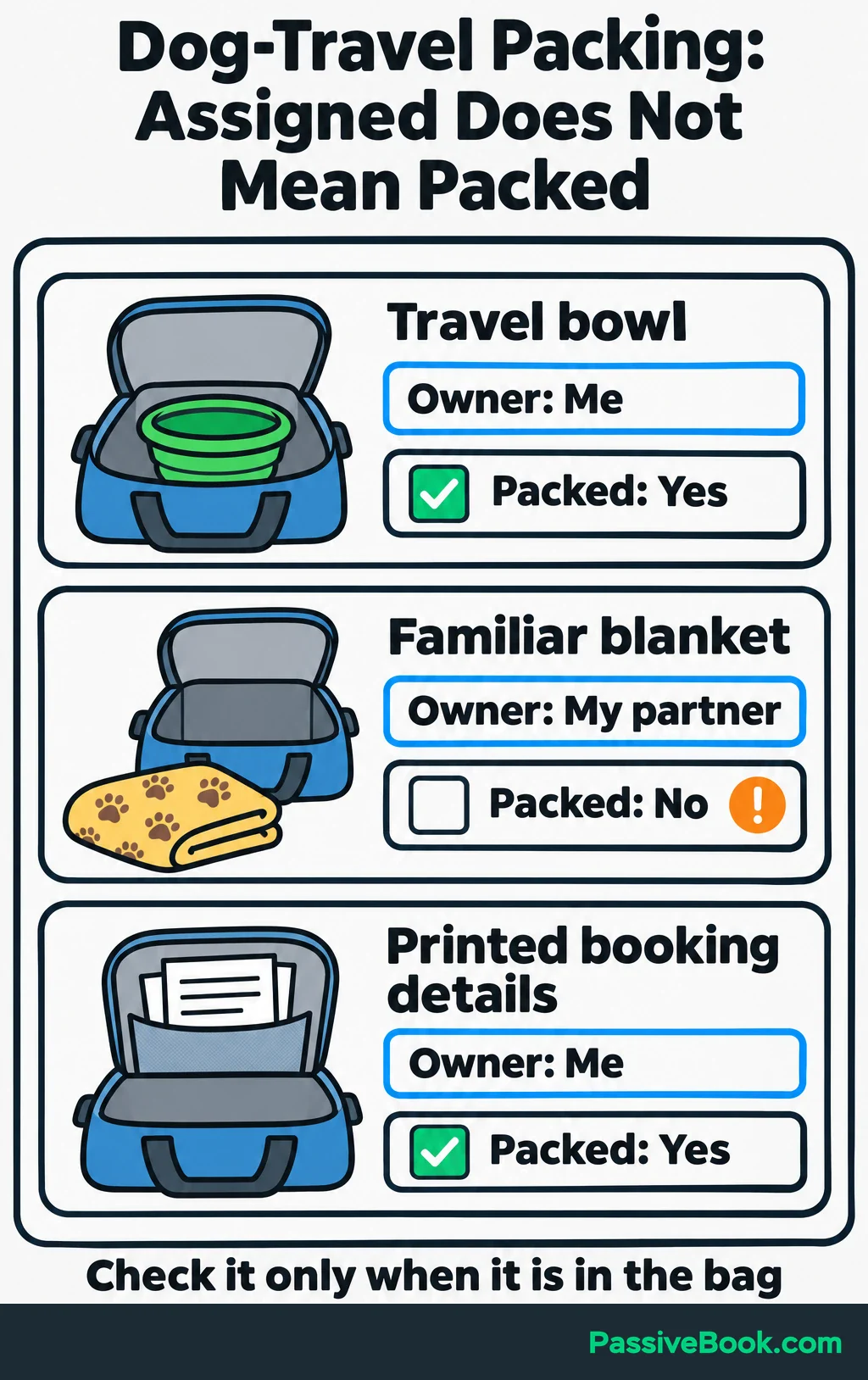
For the planner, display a completed sample page rather than only a decorative cover. A few rows can make the process clear:
| Item | Person Responsible | Packed? |
|---|---|---|
| Travel bowl | Me | Yes |
| Familiar blanket | My partner | No |
| Printed booking details | Me | Yes |
The useful detail is the distinction between being responsible for an item and having packed it.
I’ve caught myself doing the opposite on a digital-product page: listing files and formats before explaining when someone would use them. Reworking that explanation around the task also gave me a clearer starting point for promotional copy.
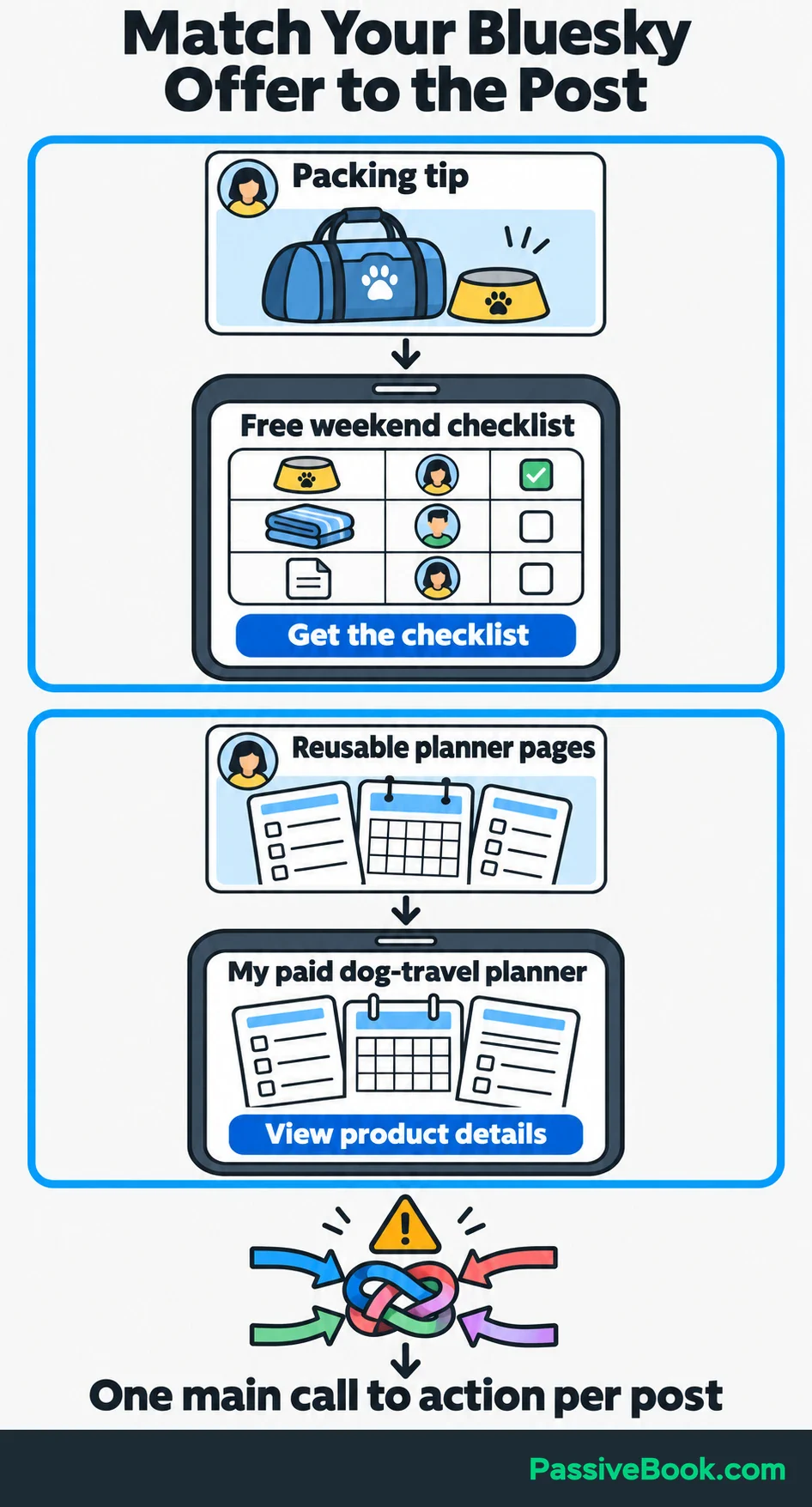
Match the invitation to what you just explained. After a packing tip, a compact next step would be:
Want this layout ready to print? Get my free weekend dog-packing checklist: [your tagged checklist link]
Replace the bracketed text with your destination URL. For a post explaining the paid planner’s extra pages, link directly to the product page and make clear that you sell it.
For a service business, demonstrate how you solve one customer problem and invite inquiries. If you sell physical products, show the product in use and link to its product page.
Use one main call to action per post. Asking people to reply, subscribe, buy, and share leaves them with a small administrative assignment.
Publish standalone answers alongside demonstrations and explicit offers. I wouldn’t follow a universal promotional-post ratio. Give each post a purpose and include a link when it helps fulfill that purpose.
If translating these examples to your own business is where you get stuck, AI Social Copy Studio can write a first set from your offer details. You’ll have concrete drafts to review instead of another blank content list.

Free AI Social Copy Studio




Attract Relevant Followers Through Useful Conversations
Read the full discussion before replying. Your contribution should answer the question being asked, add a useful detail, or help the person clarify the problem.
If someone asks how to divide packing duties, explain the assignment method first:
Give each item one owner, even when you’re using a shared list. Then keep a separate packed checkbox so “my responsibility” doesn’t accidentally mean “already in the bag.”
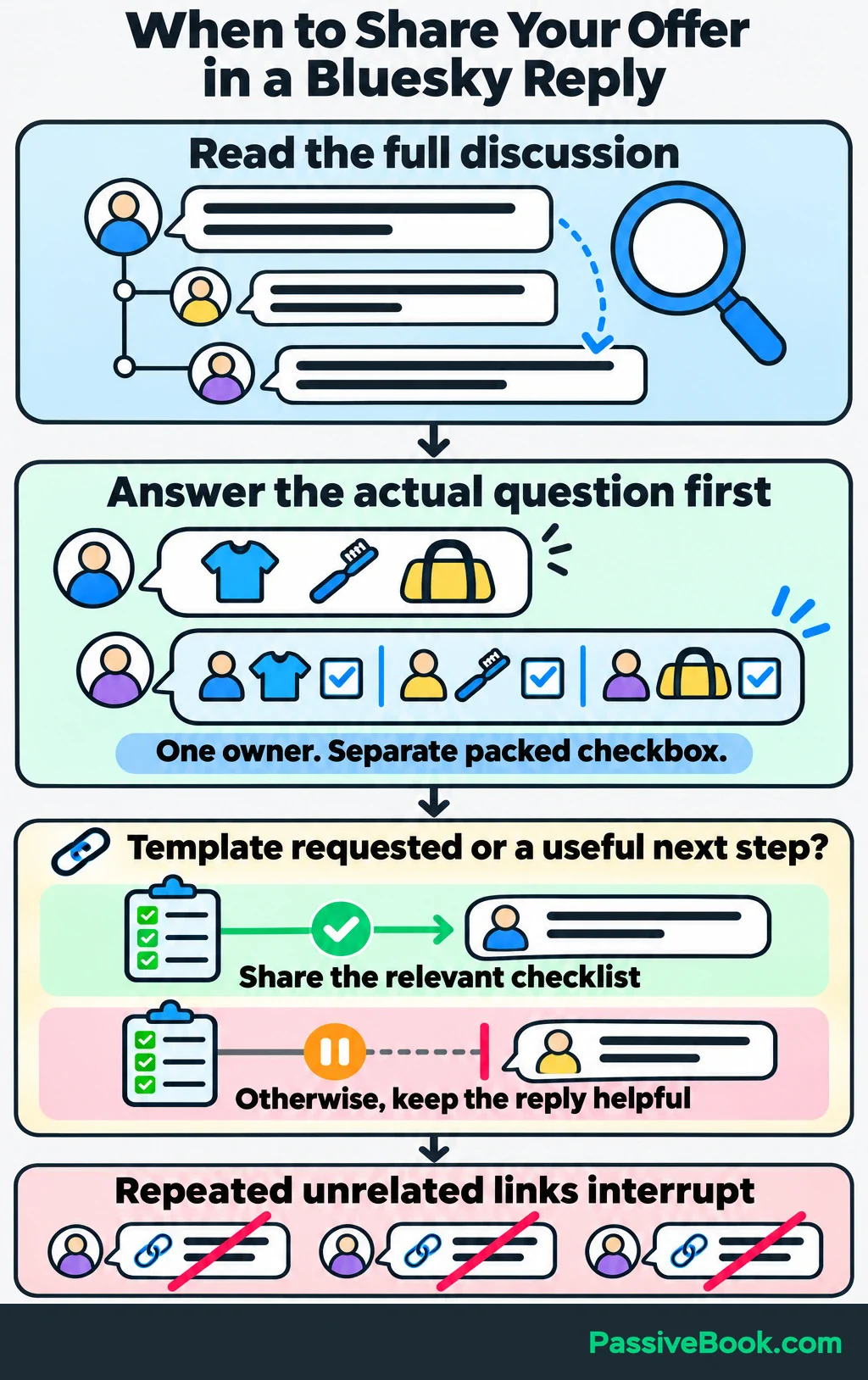
Share the checklist when they request a template or when it supplies a useful next step. Repeating your link under loosely related posts turns participation into interruption.
Make time for questions on your own posts too. If several people misunderstand the same planner feature, improve its explanation. That might mean a clearer demonstration, a better product-page preview, or different wording on the signup page.
You can also:
- Repost useful contributions and add context when your audience needs it.
- Credit the person whose idea you’re discussing.
- Invite interested newsletter readers or website visitors to follow your account.
- Use customer examples only with permission.
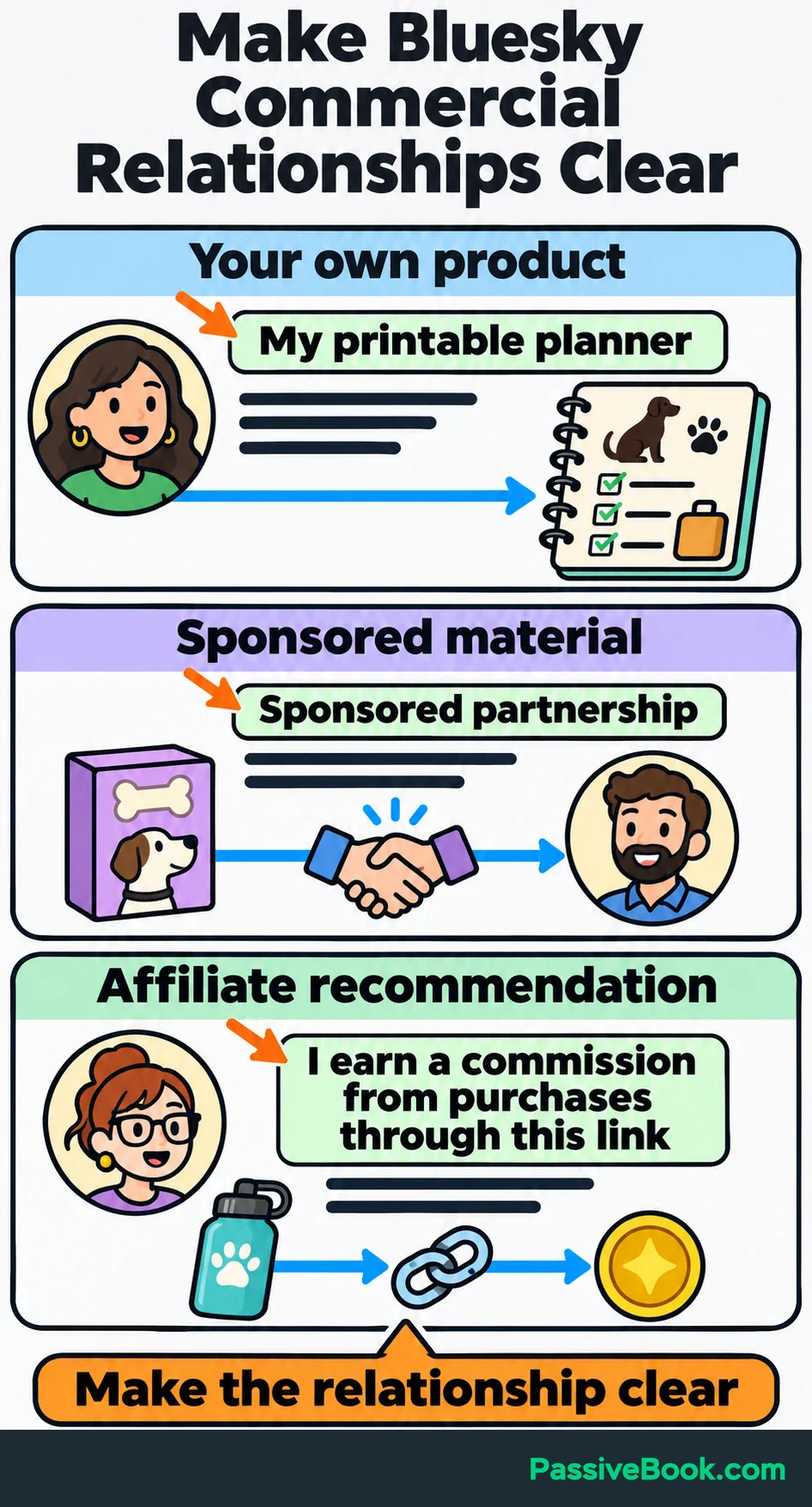
Make commercial relationships clear. “My printable planner” identifies your own offer; sponsored material and affiliate recommendations need a clear disclosure of that relationship. Bluesky prohibits undisclosed commercial content, spam, and manipulation of engagement signals. Bluesky’s community guidelines.
I would skip automated promotional replies and engagement exchanges. Neither helps you understand whether people actually want what you sell.
Build a Publishing Routine You Can Maintain
Keep one content list in a spreadsheet or planning tool. Each entry needs the customer question, draft, supporting image if needed, and intended next action.
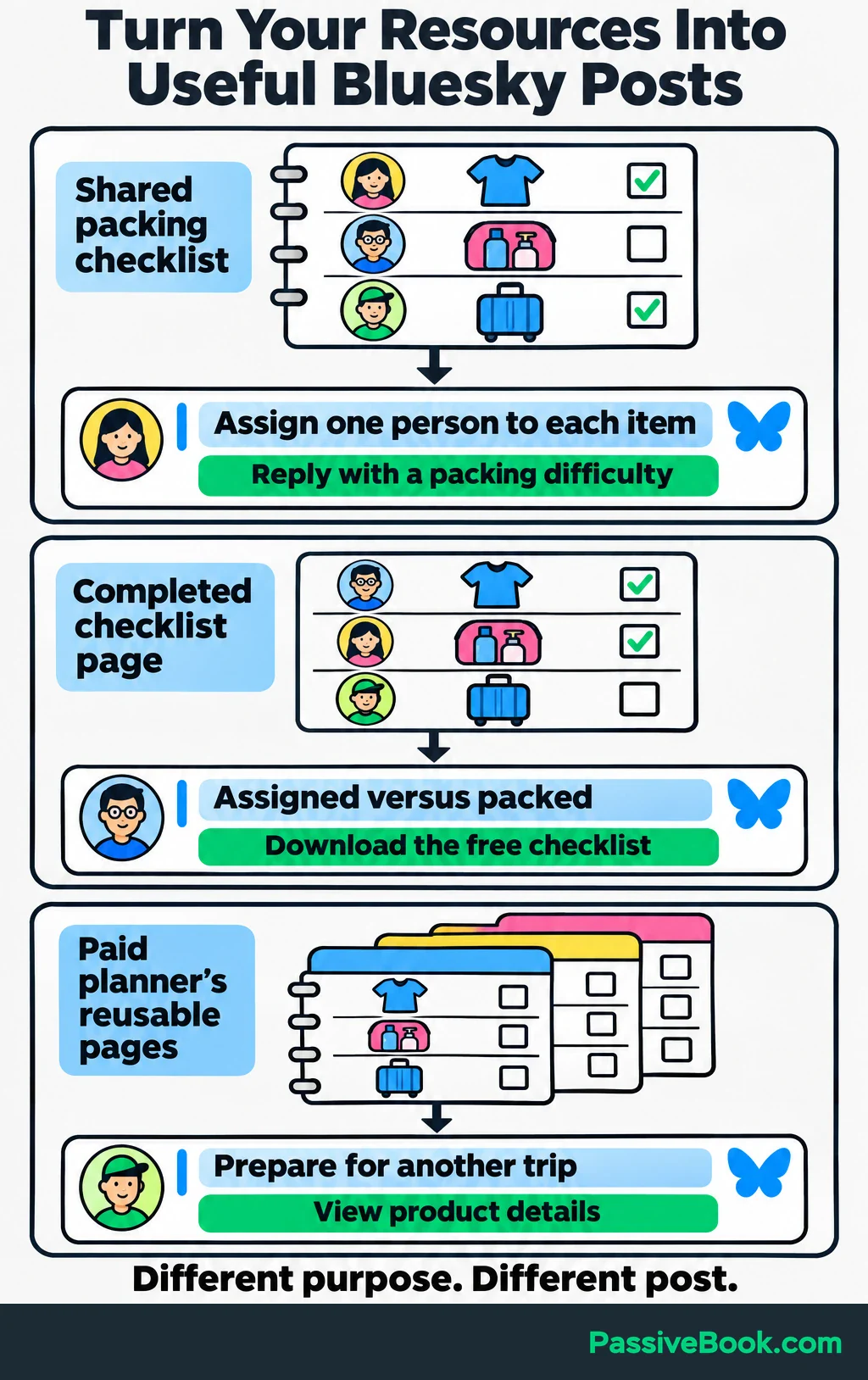
One useful resource can support several posts without repeating the same pitch:
| Starting Material | Post Angle | Intended Action |
|---|---|---|
| Shared packing checklist | Explain assigning one person to each item. | Reply with a packing difficulty. |
| Completed checklist page | Show responsibility and packed status separately. | Download the free checklist. |
| Paid planner’s reusable pages | Explain how to prepare for another trip. | View the product details. |
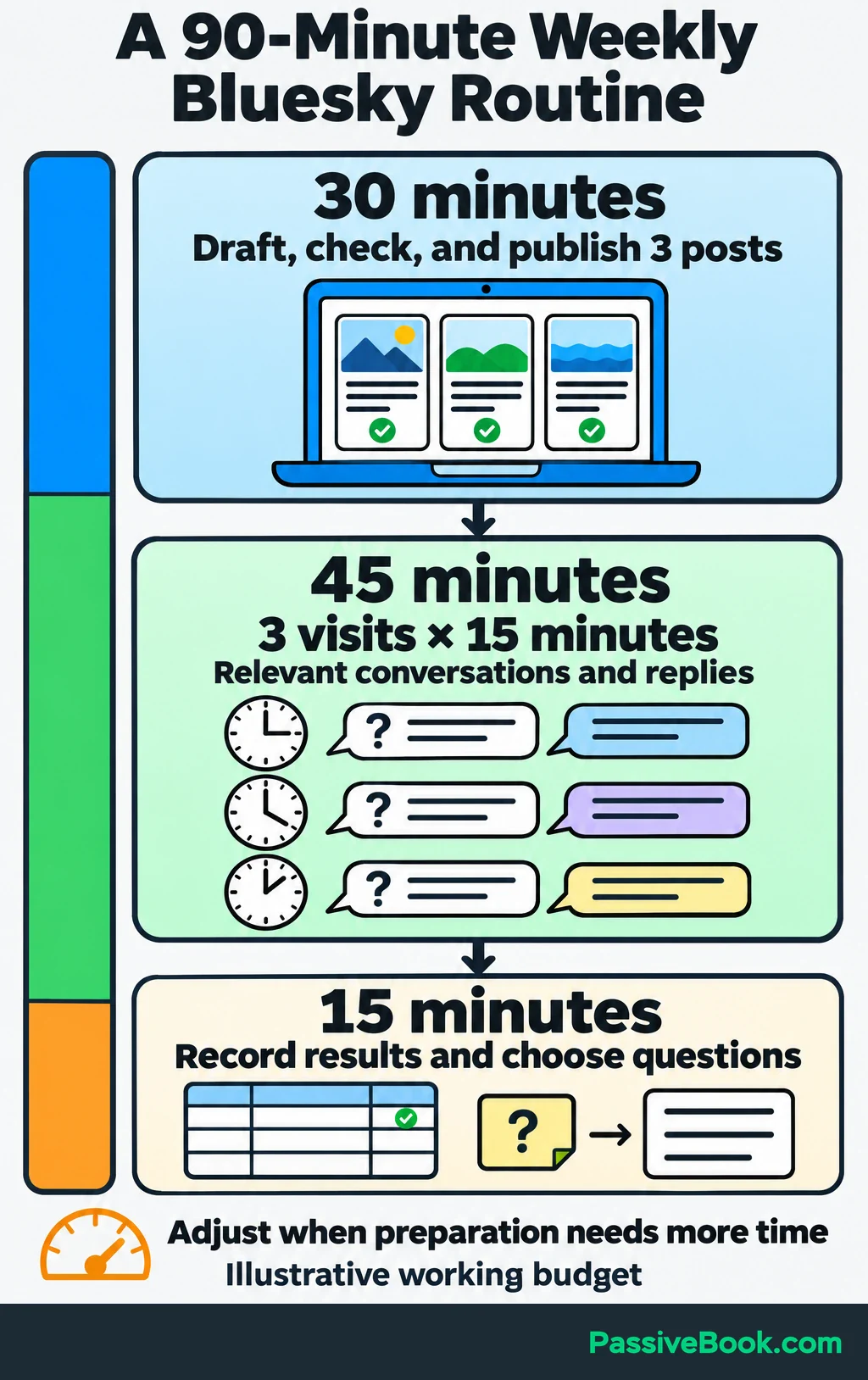
For the initial test, I would publish three posts a week and leave room to respond. Here’s one way to fit that into 90 minutes:
- Spend 30 minutes drafting, checking, and publishing the week’s posts.
- Use three 15-minute visits for relevant conversations and replies.
- Reserve 15 minutes to record results and choose the next questions.
Adjust the allocation if your posts need more preparation. The budget exists to make the workload visible.
Once the routine works, automate repeated preparation tasks. You could collect approved ideas in one place, generate draft variations, or prepare consistently named tracking links. Review claims and examples before publication, and handle contextual replies yourself.
I like automation because it removes repeated work. Automating a conversation you haven’t read mostly removes your chance to be useful.
Measure Traffic, Leads, and Sales
Review website activity alongside Bluesky engagement. Likes tell you that someone reacted; your website, email, and checkout records show whether the next action happened.
If you use Google Analytics to track website activity, open its Traffic acquisition report and look for the bluesky source and dog_travel_checklist campaign. The labels added to your URLs identify these visits; utm_content helps distinguish visits through your profile link from those through individual posts. See Google’s campaign-tagging and reporting guidance.
Keep a tracking sheet with:
- Date, post link or profile placement, topic, and call to action.
- Campaign and content labels.
- Tracked website sessions and confirmed signups.
- Attributed orders and revenue.
- Time spent preparing, participating, and reviewing.
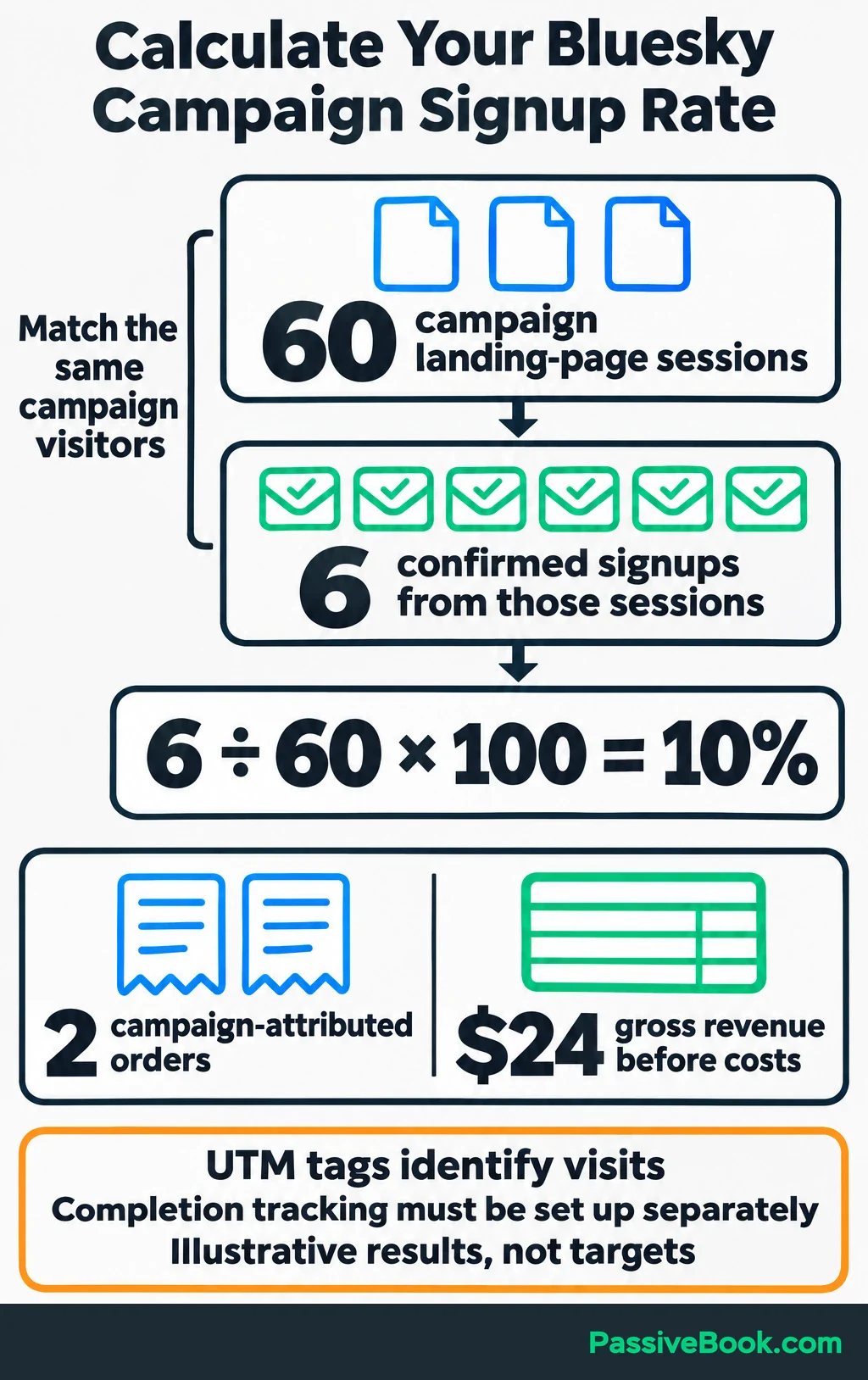
Tags identify visits, but they don’t create signup or purchase tracking. Set up those completion records and check them against your email and checkout systems. If you cannot connect an order to the campaign, leave it out of attributed sales.
For the four-week review, count the campaign’s tracked landing-page sessions. Then count signups from those sessions that were confirmed by the review date. Divide those signups by those sessions and multiply by 100.
For illustration:
| Measure | Recorded Result |
|---|---|
| Campaign landing-page sessions | 60 |
| Confirmed signups connected to those sessions | 6 |
| Signup rate | 6 ÷ 60 × 100 = 10% |
| Orders connected to the campaign | 2 |
| Gross revenue from those orders | $24 before costs |
That 10% is an example, not a target. Don’t divide all your website’s signups by Bluesky sessions, because they may come from different visitors.
Attribution can miss cross-device visits and shared links. Use the same method when comparing periods, and keep uncertain sales separate rather than assigning every purchase after a popular post to Bluesky.
Decide Whether Bluesky Deserves More of Your Time
At the review date, compare your chosen outcome with the full time spent. Then compare that result with what the same effort could accomplish on your other channels.
Six relevant subscribers may justify another test if they match your offer and show interest. A growing follower count with no relevant conversations, visits, or signups gives you less reason to increase the workload.
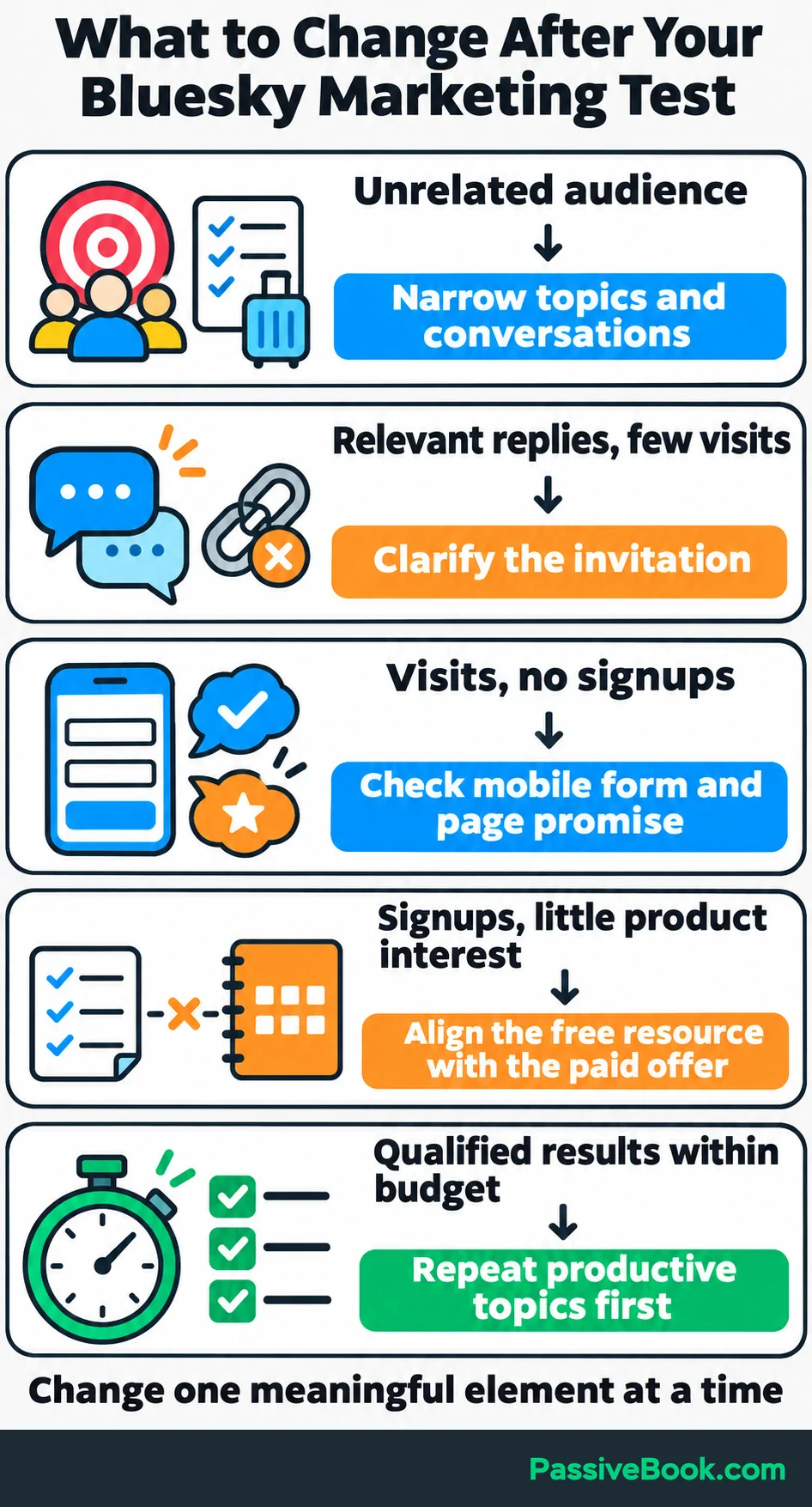
Use the evidence to choose the next change:
| What You Observe | What I Would Change First |
|---|---|
| Engagement comes from people with unrelated needs. | Choose topics and conversations closer to the problem the offer solves. |
| Relevant people reply, but few visit. | Make the invitation clearer and show what they will receive. |
| People visit, but don’t subscribe. | Check the mobile form and match the page’s promise to the post. |
| Subscribers join, but show little interest in the product. | Reassess whether the free resource attracts people who need the paid offer. |
| Qualified signups or orders recur within the time budget. | Repeat the productive topics before adding more posting days. |
Change one meaningful element at a time so the next review can teach you something. If you barely had any tracked visits, a signup percentage alone won’t tell you much.
I would expand only when qualified results justify the extra time. Reduce the activity when it consistently displaces more productive work.
Keep the useful questions and explanations either way. They can improve your articles, emails, product pages, and instructions even if Bluesky remains a small channel.
What Next?
Search Bluesky for one problem your offer solves and save three recent conversations worth reading. Use what you find to choose a business goal before committing to a publishing schedule.
Use the social buttons to share this guide if a measured test would help your circle spend less time posting without a purpose.
What result would make Bluesky worth a regular place in your week? Leave your answer, and any other questions, in the comments.
Share this post with your friends & followers:

