You set aside an hour to make next week’s posts, but most of it goes into deciding what to say. The ideas you save look promising until you try to turn them into something useful.
Then you’re choosing between another general tips post and another evening spent scrolling for inspiration. Neither gives you much confidence that anyone needs the answer.
To make those choices with more confidence, this guide follows a dog-travel blog through a repeatable research workflow, showing how to build a backlog of relevant posts for Instagram, Reddit, and Facebook.
Start With One Audience Problem
Before you browse, finish this sentence:
“This content helps someone who wants to ___ but is struggling with ___.”
Describe something the person wants to do and what gets in the way. “Content for dog lovers” leaves you with almost everything to talk about. A specific problem gives your research a direction.
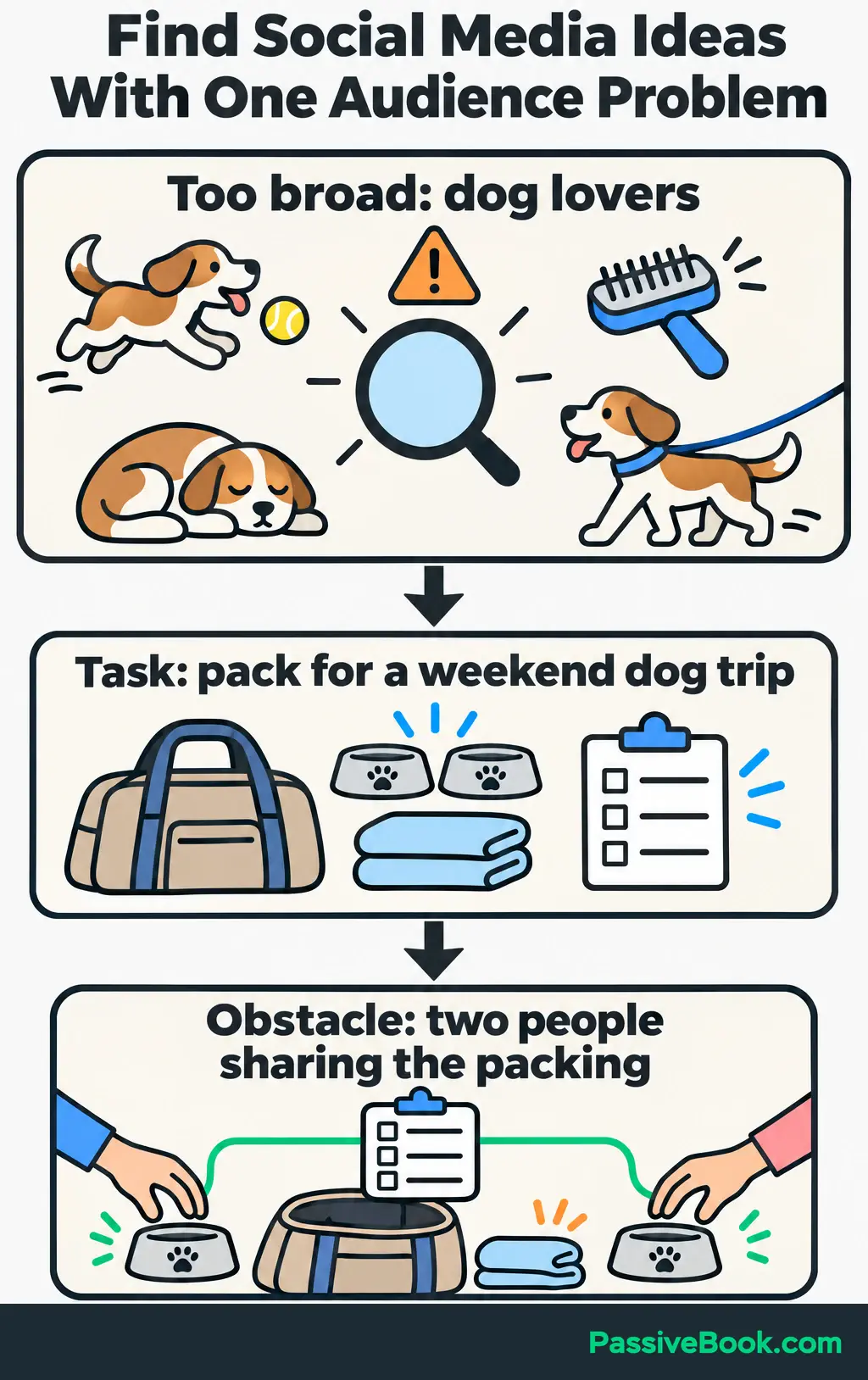
Imagine you run a dog-travel blog selling printable packing checklists for weekend road trips. Your starting sentence could be:
“This content helps someone who wants to pack for a weekend trip with their dog but is struggling to divide the job with another household member.”
We’ll use that business throughout. Its sample questions, notes, and posts are illustrations.
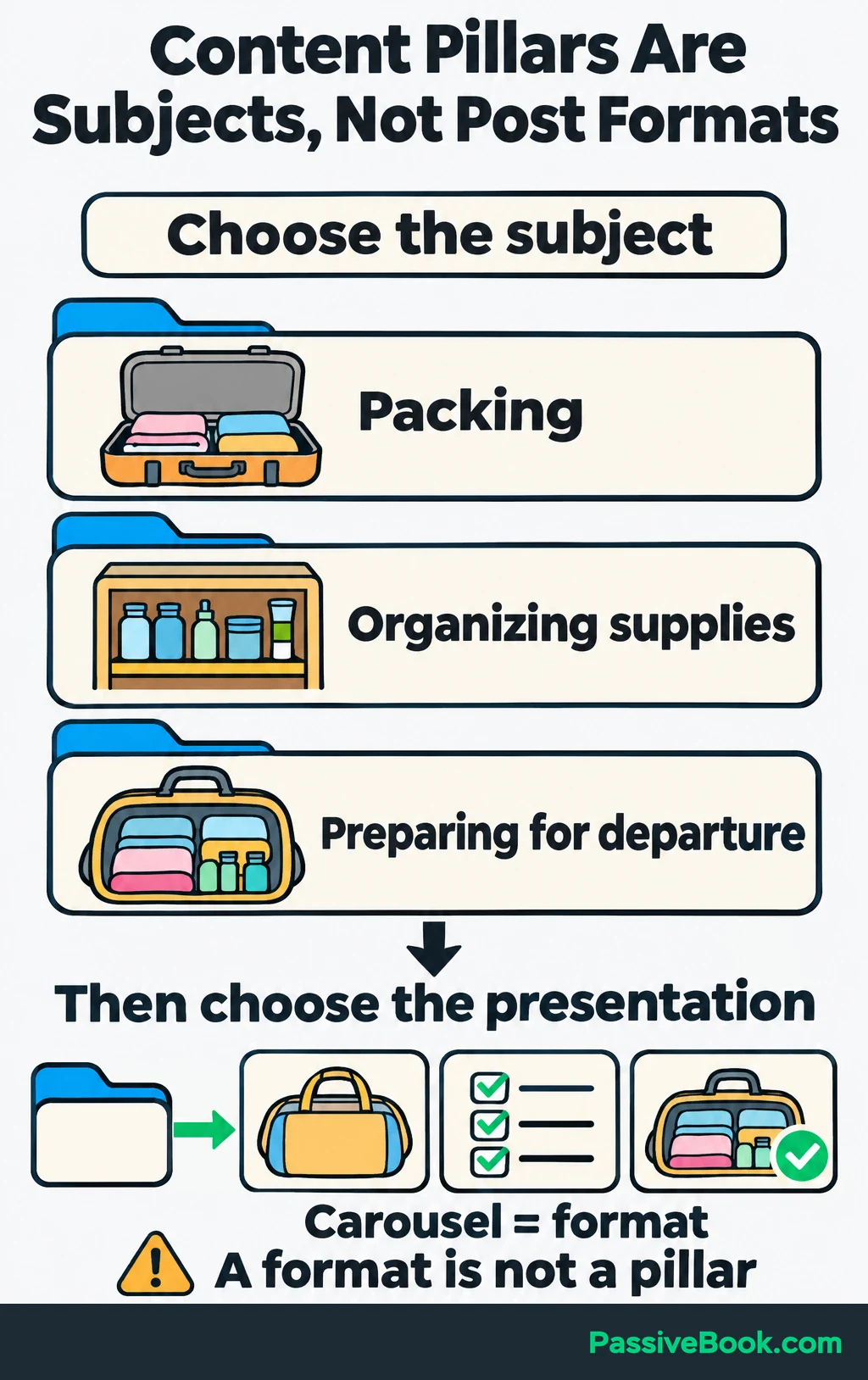
Next, group related problems into a few content pillars: the recurring subjects your posts cover. For this blog, I would choose:
- Packing for the trip.
- Organizing travel supplies.
- Preparing for the next departure.
A carousel is a format, and packing is a subject. Keep that distinction clear so you can choose what to explain before deciding how to present it.
Find Questions Your Audience Already Asks
Start with one place where people discuss your chosen problem. You don’t need five research tools and a dashboard that requires its own training course.
For each useful question, save:
- Original wording: What the person actually asked.
- Context: What they want to do, what they tried, and what makes it difficult.
- Source and date: A link and the date of the conversation.
- Your interpretation: The problem you think a post could help solve.
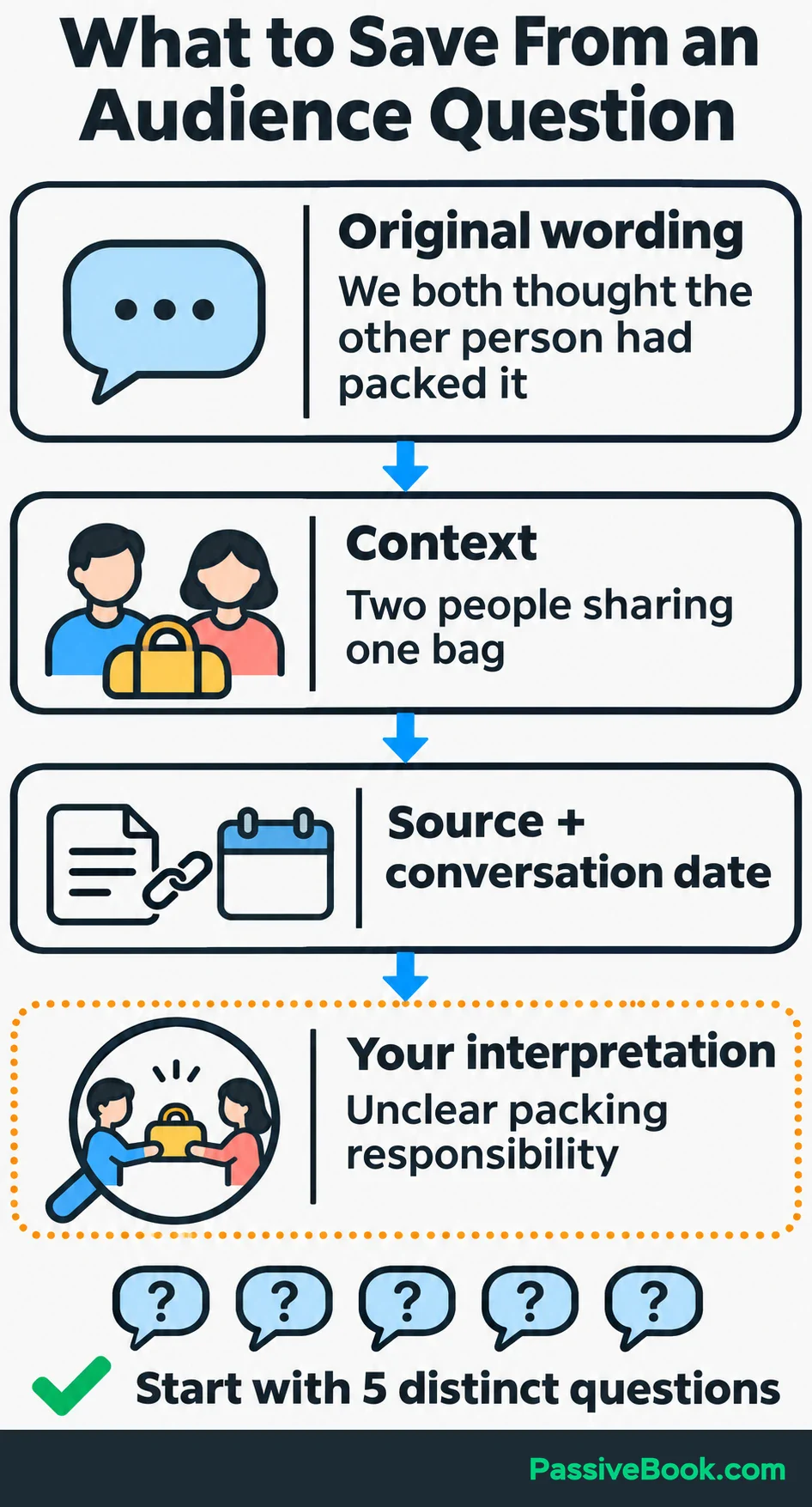
Keep the original wording separate from your interpretation. “We both thought the other person had packed it” tells you more than your summary, “Needs packing tips.”
Give your first session a small target, such as five distinct questions. Stop when you have enough to develop your next batch. Research should leave you with decisions, not more tabs.
Your Comments, Messages, and Customer Questions
Your own feedback is the first place I would look because people are already responding to your content or offer.
Review comments, messages, email replies, support requests, and product feedback. Pay attention to:
- Steps people don’t understand.
- Reasons they hesitate to use or buy something.
- Requests for examples.
- Things they tried that didn’t solve the problem.
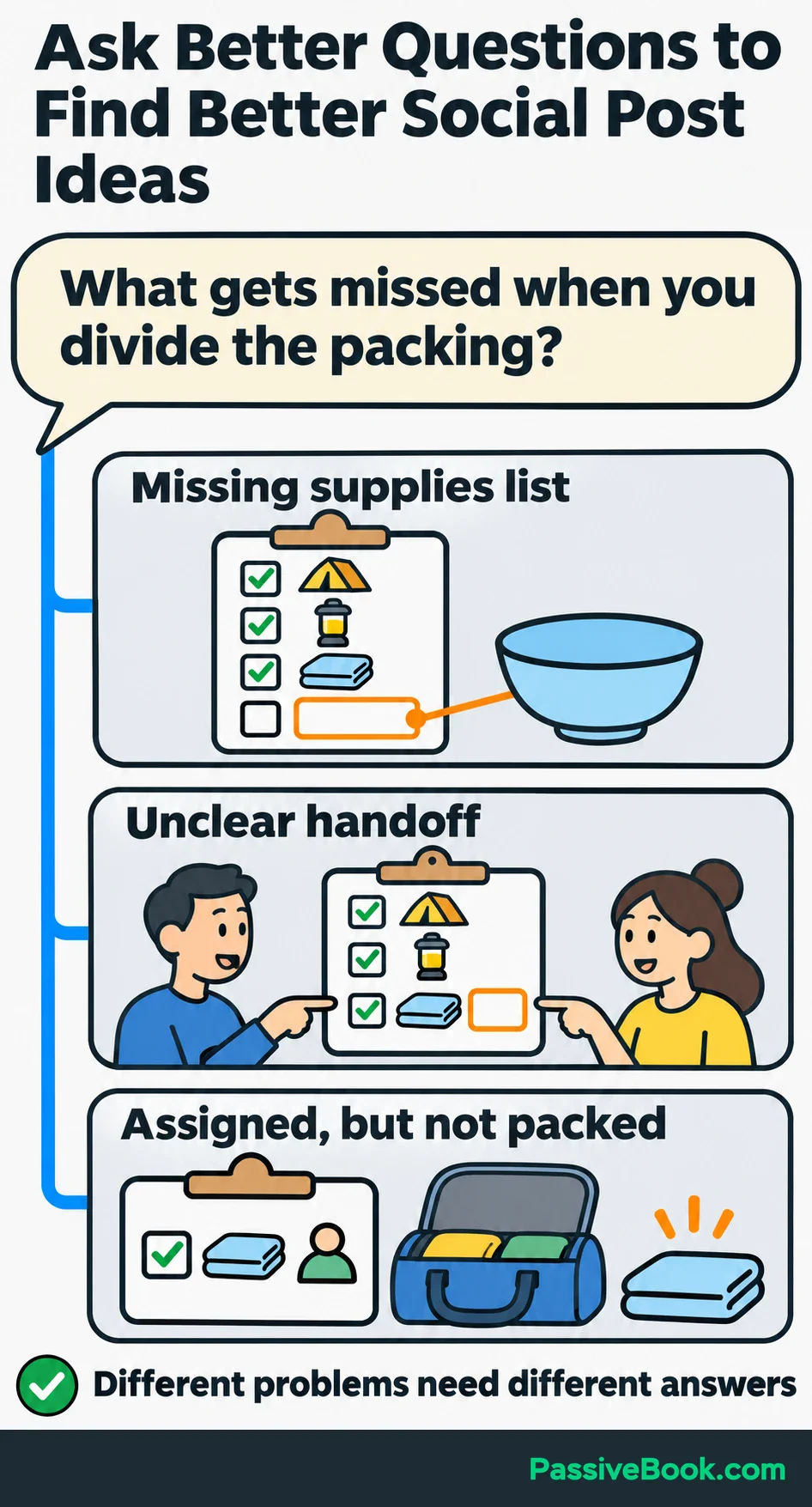
When a question is vague, ask for the detail that could change your answer.
Instead of “What content would you like?”, try:
“What gets missed when you divide the packing?”
That could reveal a missing supplies list, an unclear handoff, or confusion about whether an item is already in the bag. Those need different answers.
If you have little feedback, move to public discussions. You can research an audience before you have one.
Reddit Discussions and Facebook Groups
Find communities where the problem comes up, then search specific phrases. For the dog-travel blog, starting searches could include “packing for a road trip with a dog” and “forgot dog supplies.”
Read the replies as well as the opening post. Someone may explain that two people pack at different times, or that everything has to fit in one shared bag. Those details make an idea useful.
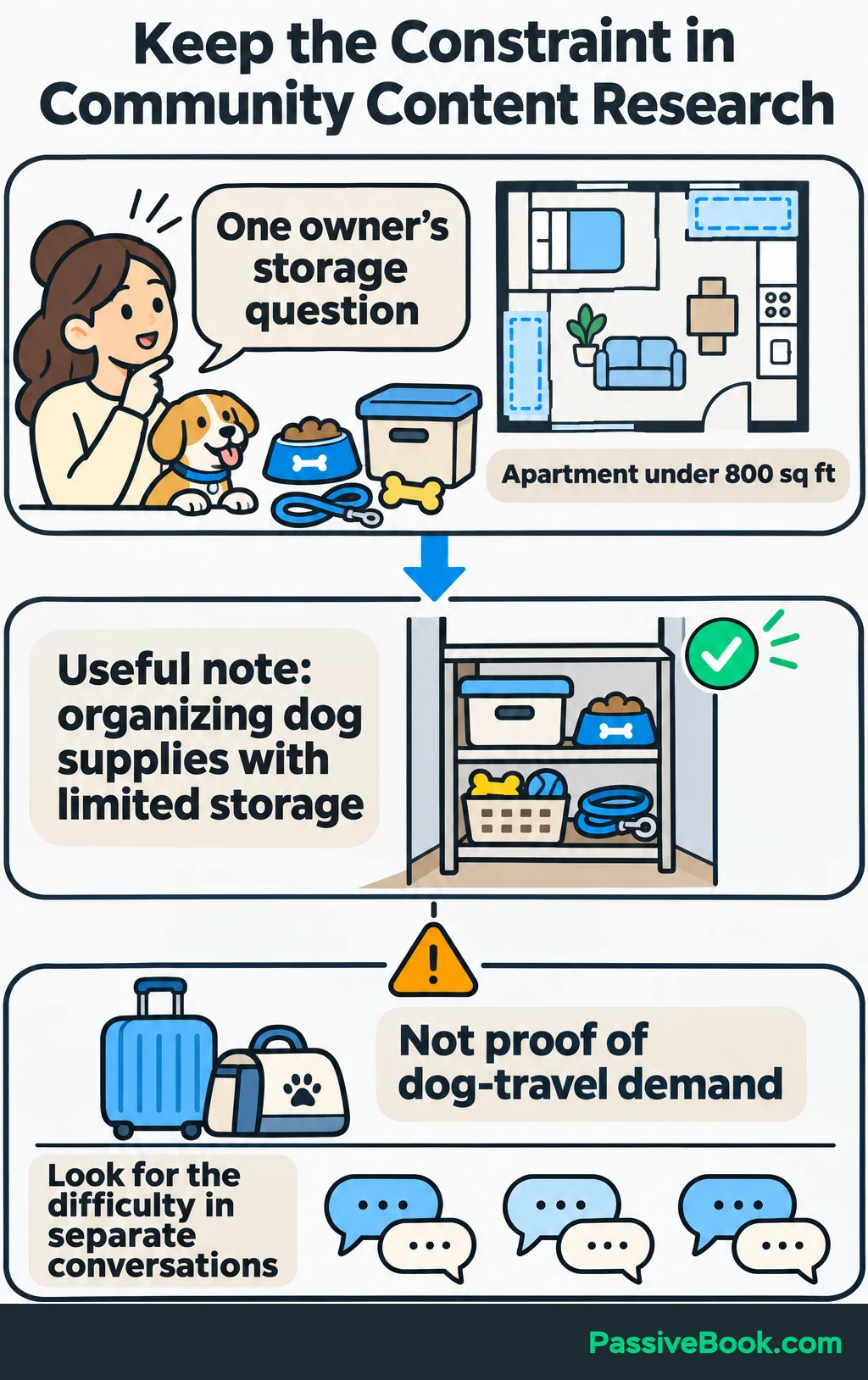
Here’s a separate example of turning a question into a research note. In this Reddit discussion, an owner preparing to move into an apartment under 800 square feet asks where to store puppy supplies.
The useful research note is “organizing dog supplies with limited storage.” “Dog products” throws away the constraint.
That thread records one owner’s storage question. It doesn’t establish demand for dog-travel content.
For your own topic, look for the same difficulty in separate conversations. Save what changes the answer rather than counting every mention as another idea.
Instagram Posts and Competitor Comments
Search the phrases your audience uses and review relevant posts. Then compare the answer with the questions underneath it.
Look for comments such as:
“Can you show how you set this up?”
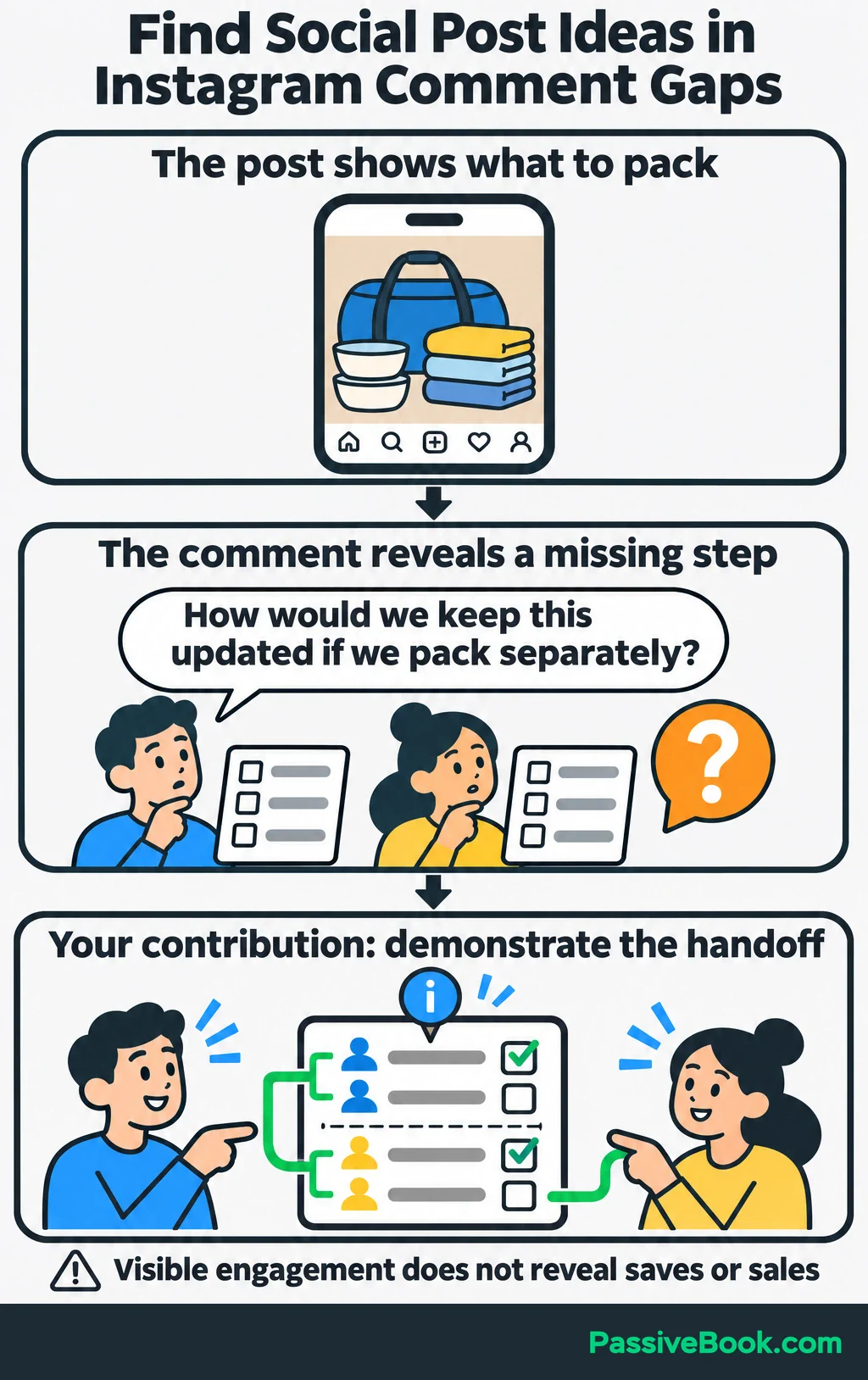
Or:
“How would we keep this updated if we pack separately?”
A packing photo might show what goes in a bag but leave out how two people coordinate. That missing step gives you something to explain.
Save the unanswered need, then build your own demonstration or template. Copying someone’s post and changing the heading adds very little.
Also, keep visible engagement in its place. Another account’s likes and comments don’t tell you its saves, sales, or how your version would perform.
Search Suggestions and Related Questions
Type your audience’s problem into Google and note its autocomplete suggestions—the searches suggested as you type. On the results page, look for related searches and follow-up questions in the “People also ask” box.
Try narrower searches too. “Dog packing checklist” explores the broad task, while adding “weekend trip” or “shared packing” helps you investigate a particular situation. These are search phrases to test, not verified suggestions.
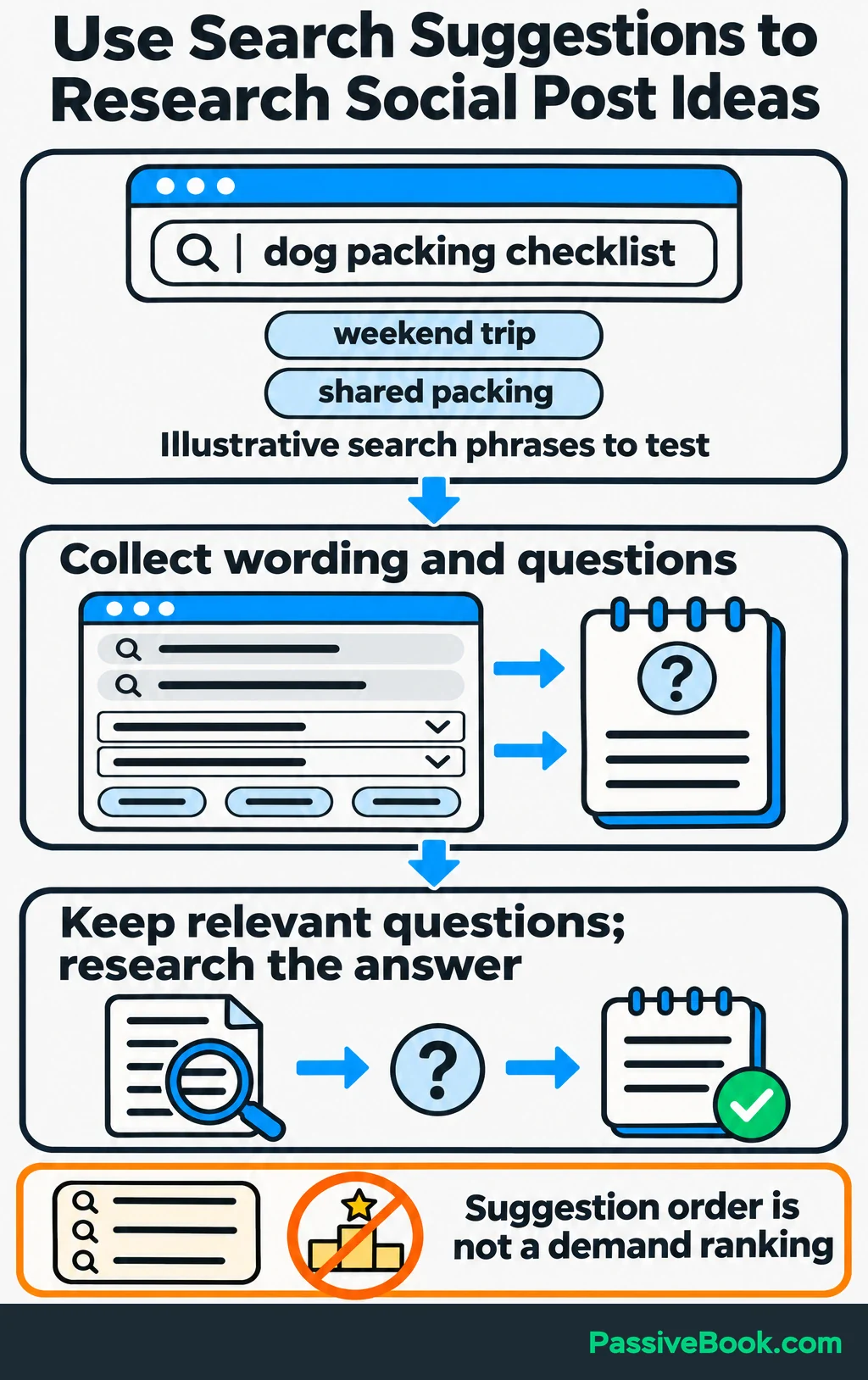
Use what appears to discover wording and questions. Don’t treat the order as a demand ranking. Google explains that autocomplete considers language, location, trending interest, and search history, and it doesn’t simply list the most common searches.
Keep questions that fit your audience problem, then open the underlying sources when you need to research an answer.
Your Existing Content
Review articles, downloads, and earlier posts for questions you can answer on their own.
A packing guide may explain what to bring but leave readers wondering who should pack each item. That follow-up deserves its own post because it solves a different problem.
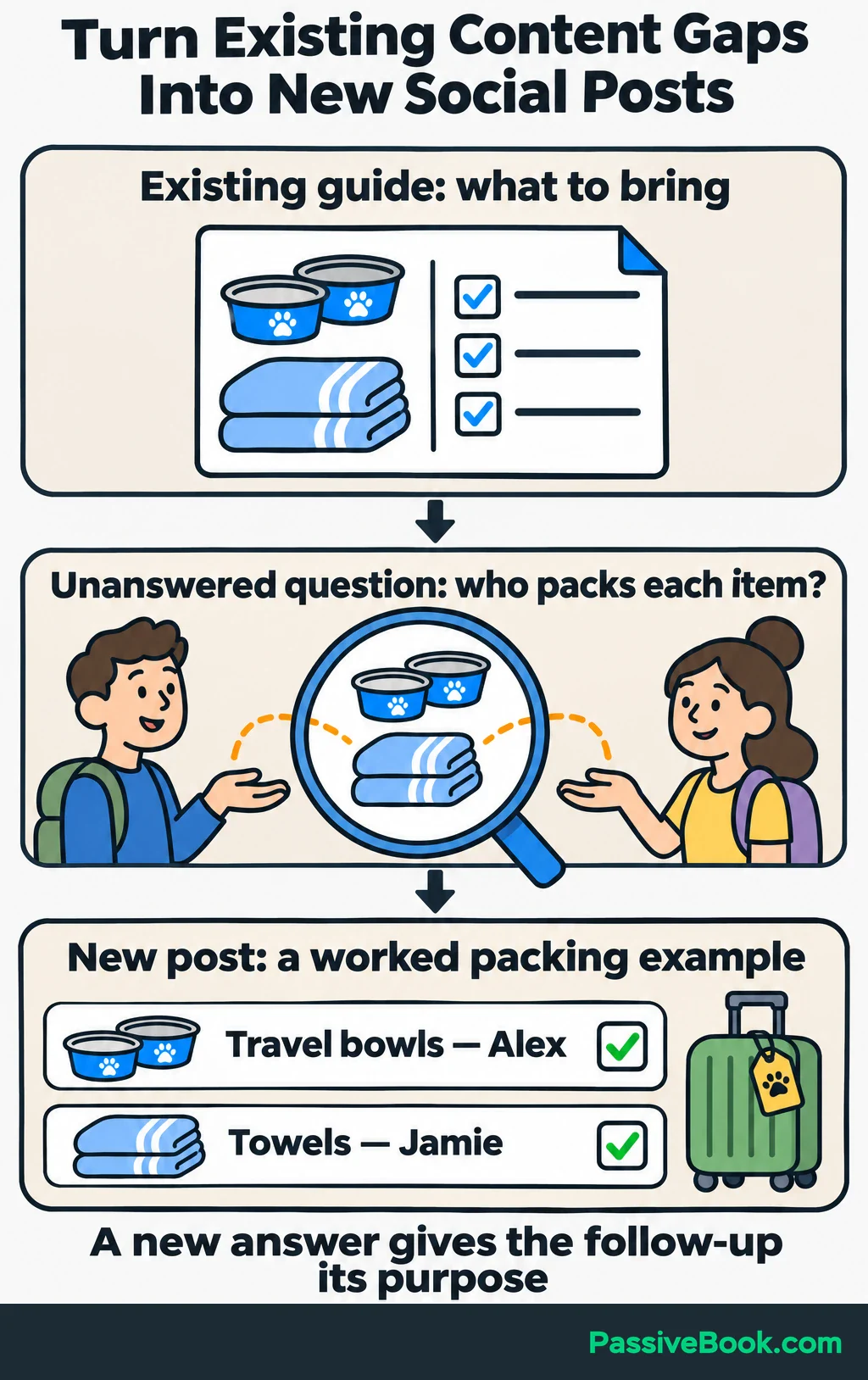
On one of my sites, I caught myself planning another summary of an article I had already promoted. The draft repeated the advice without showing readers how to use it, so I made the next post a worked example instead.
I now look for those gaps before writing another overview. Your existing material can supply the starting point, but each new post still needs a useful answer.
Turn Audience Questions Into Distinct Post Ideas
Group questions that need the same answer, but keep constraints that change the solution.
Then write each idea using three parts:
Audience question + useful takeaway + specific situation.
For example:
“How do we avoid duplicate packing and forgotten items?” + a checklist showing responsibility and packed status + two people packing one bag for a weekend dog trip.
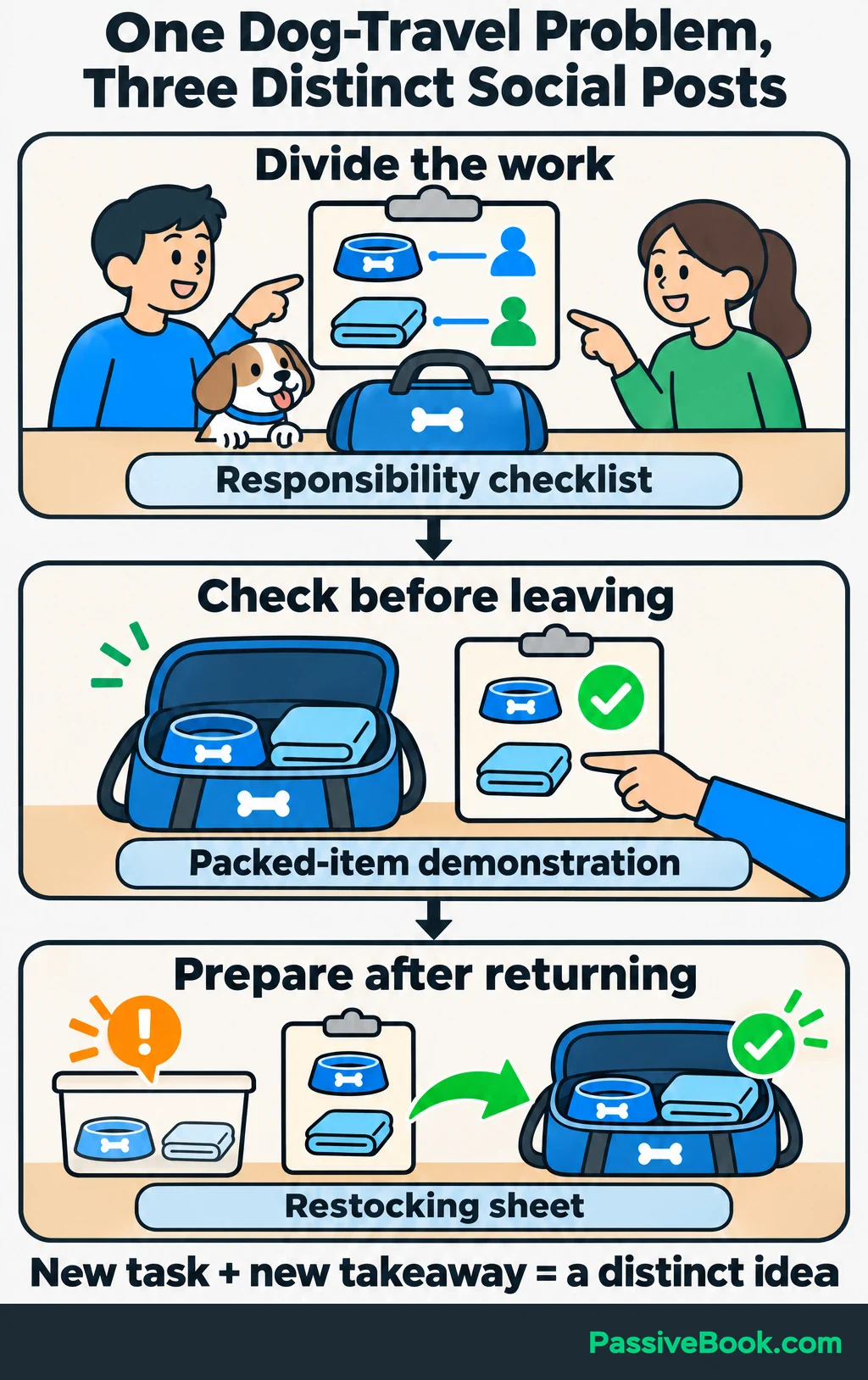
That is specific enough to develop. “Five dog-travel tips” still leaves most of the work undecided.
One problem can produce several posts if each helps with a different task:
| Task | Post idea | What the reader can use |
|---|---|---|
| Divide the work | “Who’s packing what?” | A checklist with one person assigned to each item |
| Check before leaving | “What’s actually in the bag?” | A demonstration of checking the bag against the list |
| Prepare after returning | “What needs replacing?” | A restocking sheet for the next departure |
Changing a carousel into a video doesn’t create a new idea. Changing the task from assigning items to checking packed items does.
Before production, turn your chosen idea into a short brief:
- Audience Question: “How do we avoid both packing the same thing while missing something else?”
- Takeaway: Assign each item to one person and record whether it is packed.
- Situation: Two people sharing the packing for a weekend dog trip.
- Original Contribution: A filled-in example showing the handoff between those people.
- Format: A carousel showing the checklist and how to use it.
- Intended Response: Save the checklist for the next trip.
Show the mechanism with a small excerpt:
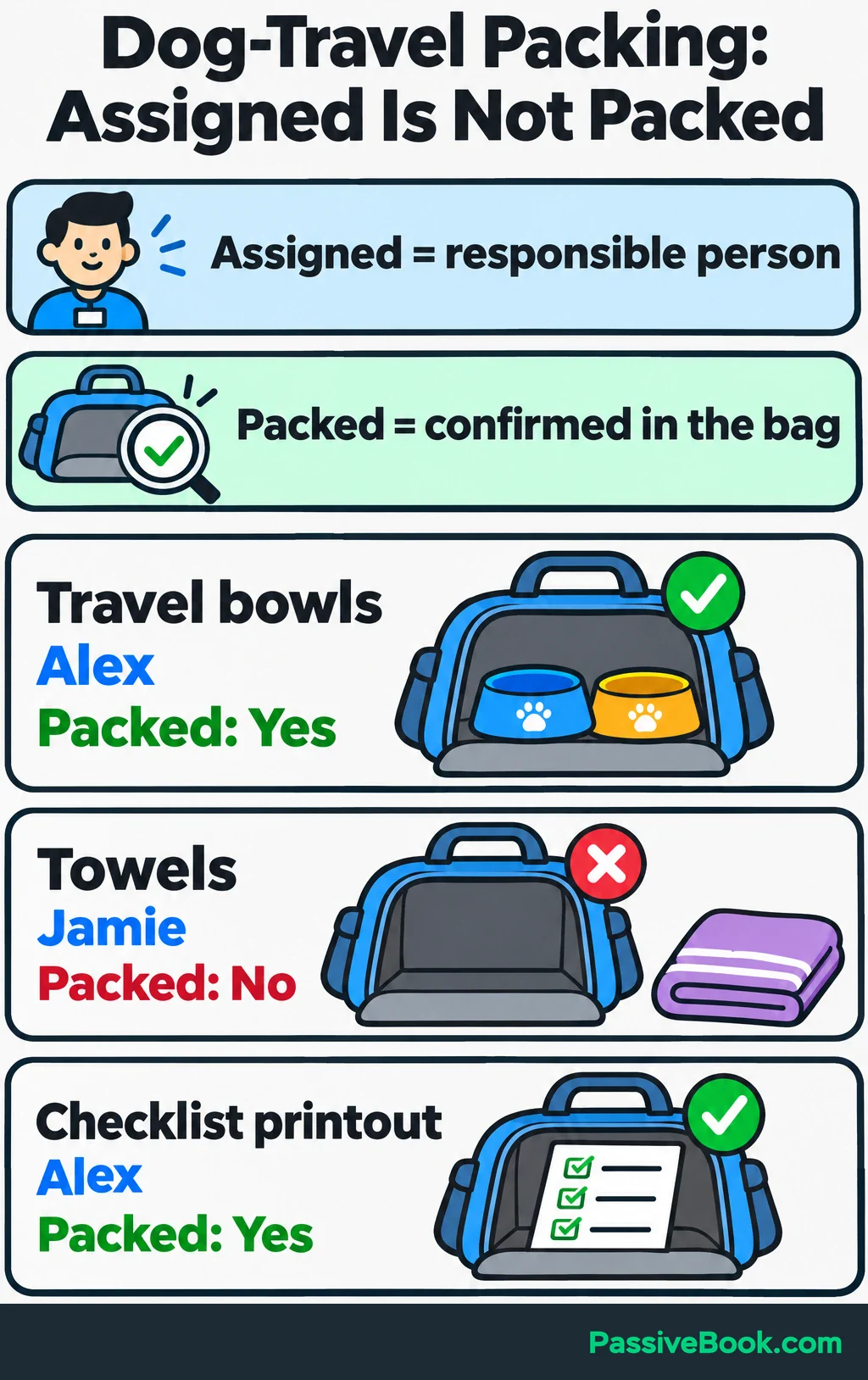
| Item | Person Responsible | Packed? |
|---|---|---|
| Travel bowls | Alex | Yes |
| Towels | Jamie | No |
| Checklist printout | Alex | Yes |
The demonstration should explain that “assigned” and “packed” mean different things. A name in the middle column doesn’t tell you what is in the bag.
Use AI to Expand Your Research Notes
AI can help group notes and develop angles once you have material to work with. I would do the first research pass manually so you can see whether the suggested ideas reflect what people asked.
Give your notes IDs before pasting them into an AI assistant. For our example, the notes might be:
- N1: Two people sometimes pack duplicate items.
- N2: An assigned item can still be missing from the bag.
- N3: Used supplies aren’t always replaced after returning.
I use Claude for content strategy, but I wouldn’t buy another subscription just for this step. Use an assistant you already have, and give it a clear job.
Here’s a prompt you can adapt:
I create content for [audience] who want to [task] but
struggle with [obstacle].

My business offers [relevant product or resource].
I can produce [available formats].

Using the numbered audience notes below:

1. Group repeated needs.
2. Suggest distinct social post ideas.
3. For each idea, return:
   - Supporting note IDs
   - Audience question
   - Specific takeaway
   - Original contribution I could create
   - Format without an on-camera presenter
   - Facts needing verification

Merge ideas that deliver the same takeaway.
Put ideas without supporting notes in a separate research list.
Do not invent audience quotes, demand figures, or results.

Audience notes:
[Paste numbered notes here]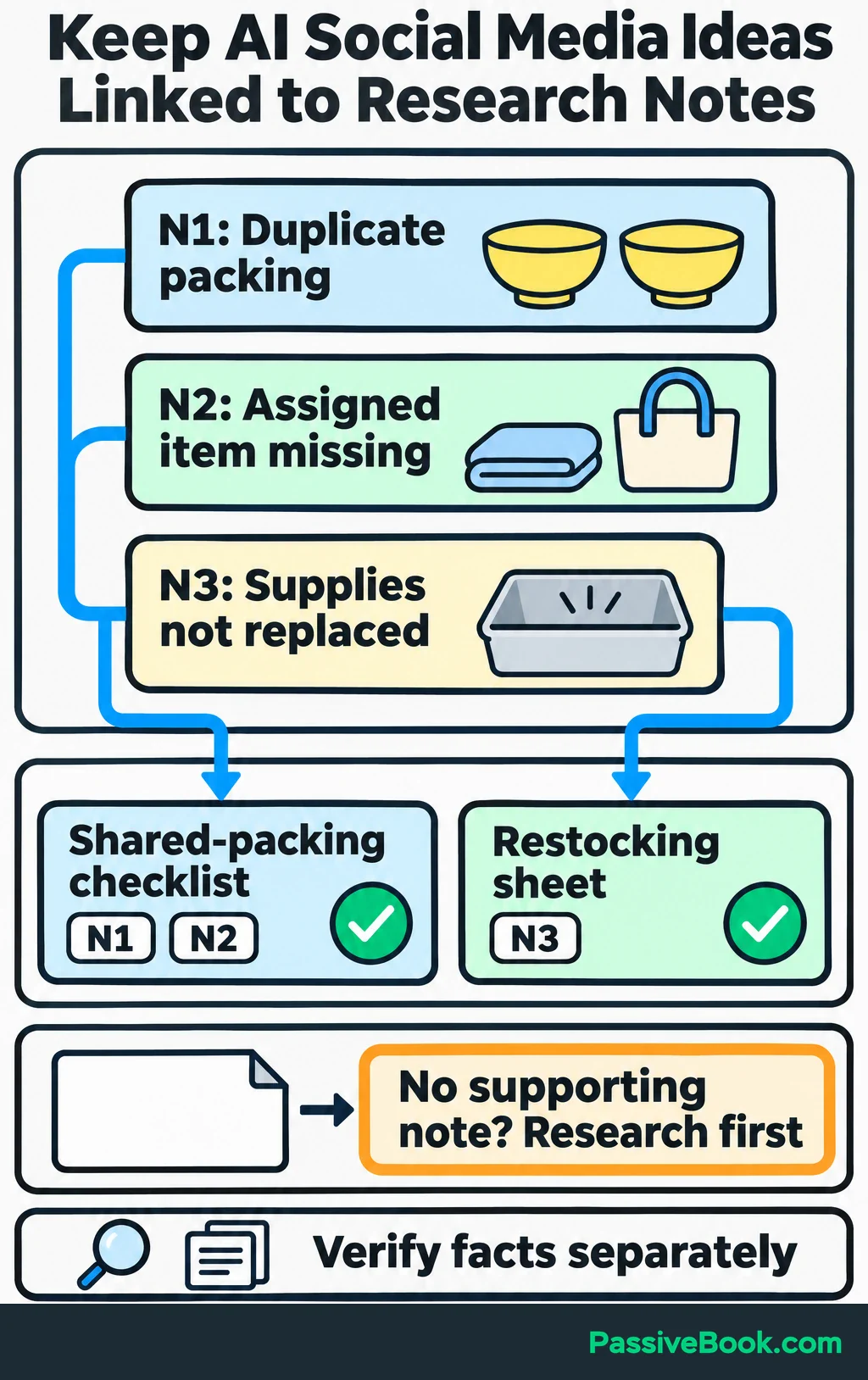
If the output becomes generic, return to the constraint:
“Make this useful for two people packing one shared bag. Show the handoff rather than listing general packing tips.”
Check retained ideas against the notes. An attractive heading with no supporting question goes back into research.
If you have a useful question but still only a heading, AI Social Copy Studio can help you write the actual post. Bring your notes and choose one platform to get a complete draft you can review.

Free AI Social Copy Studio




Keep factual research separate too. If an angle moves into animal health, safety, or behavior, verify those claims with appropriate authoritative sources before drafting it.
Choose Ideas Worth Producing
You don’t need to produce every idea you collect.
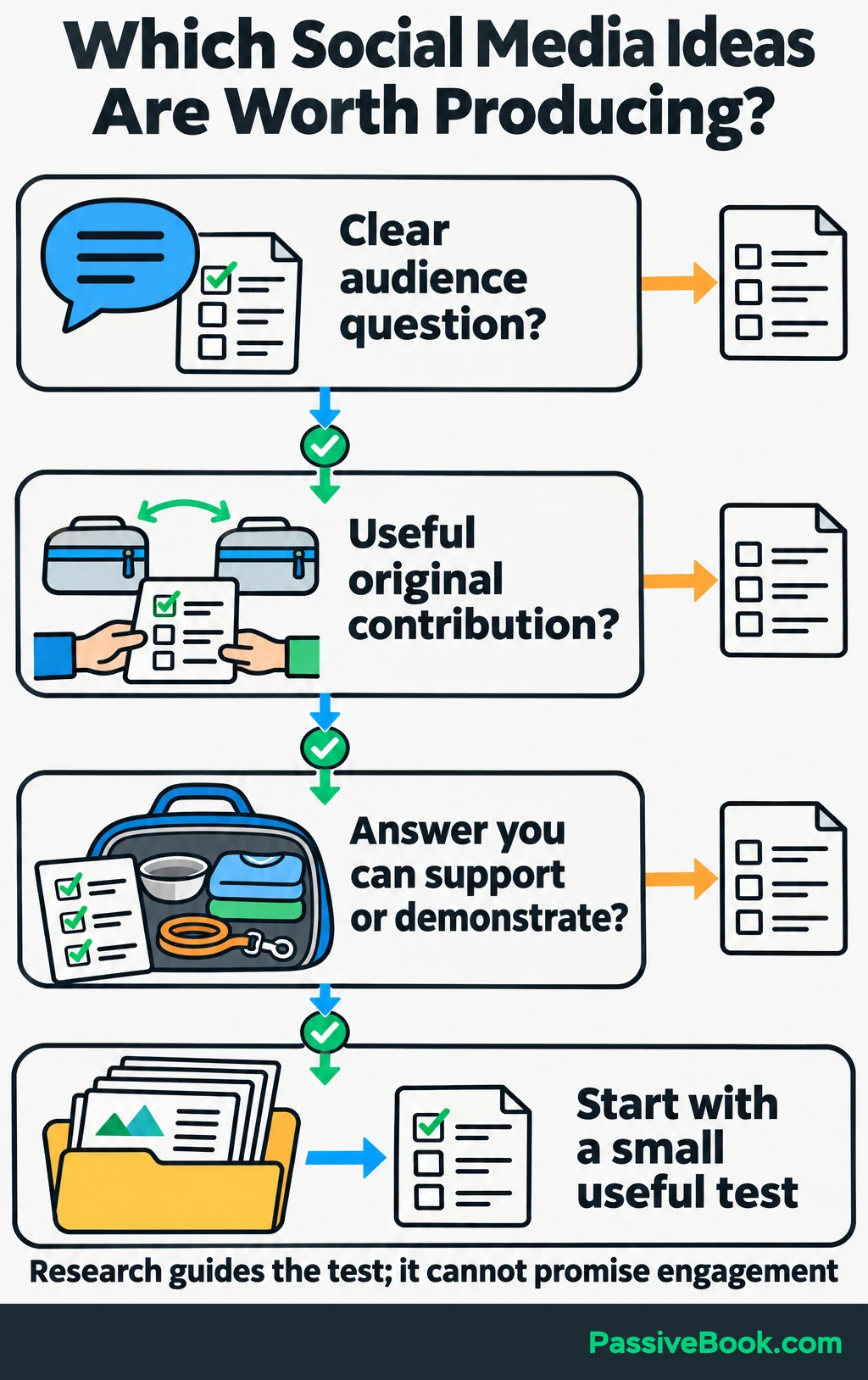
I would shortlist an idea when it has a clear audience question, a useful contribution, and an answer I can support or demonstrate.
Give priority to recurring problems, direct requests for help, and unanswered questions connected to your offer. A repeated question deserves attention, but one detailed request can also justify a small, useful post.
Then choose one intended response:
- Save a checklist.
- Share an experience in the comments.
- Visit a supporting guide.
- Explore a relevant product.
Around 2022, I spent six months chasing Instagram and Twitter/X followers in a separate side niche. The account activity gave me plenty to watch, but it didn’t produce meaningful business results. I had treated attention as the destination.
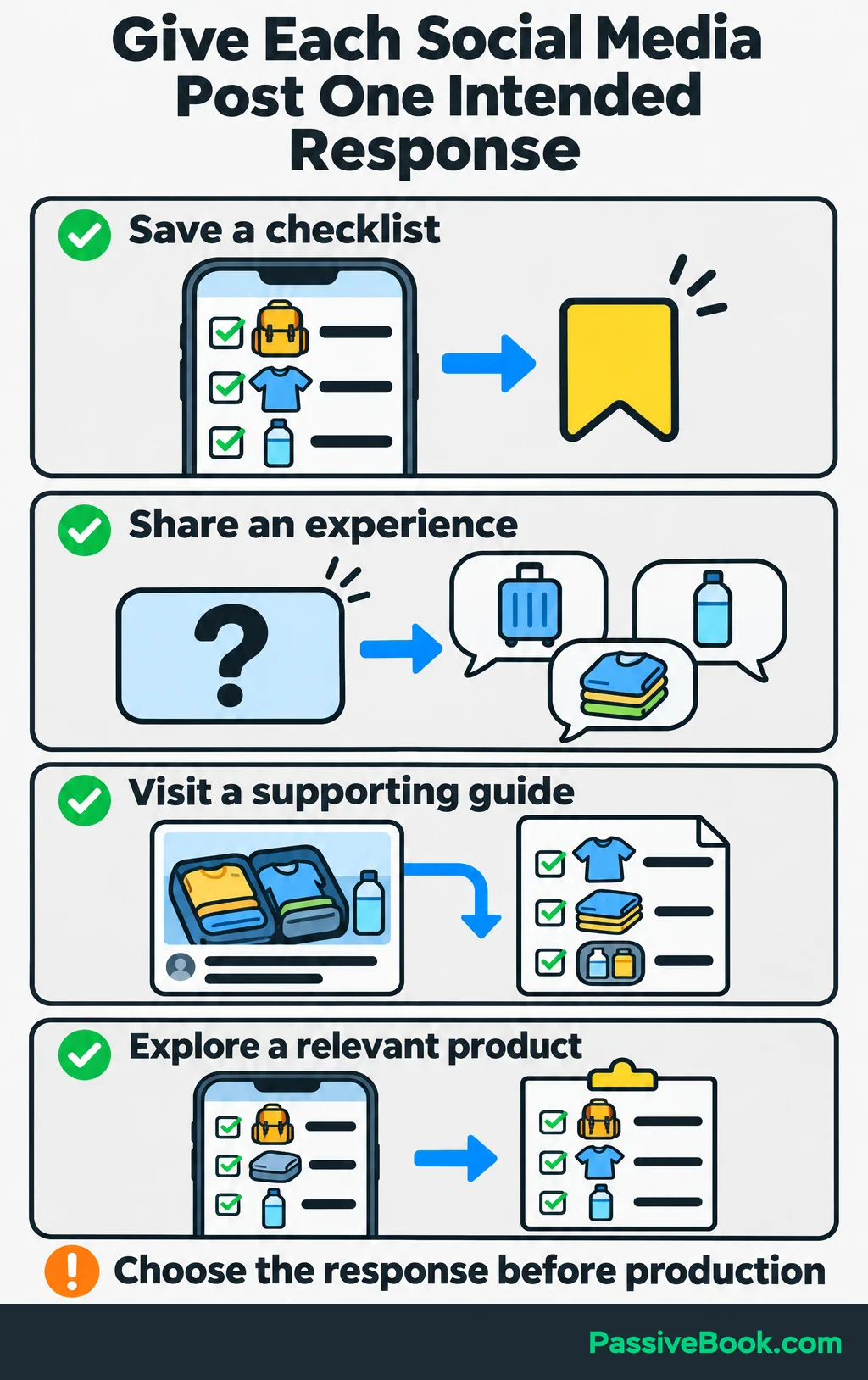
That experience is why I decide what a post should help someone do before making it. Not every post needs a sales pitch, but I want a reason for publishing it beyond filling Thursday.
For the dog-travel blog, I would test the shared-packing checklist before building a large travel series. It is small enough to demonstrate, and the answer connects naturally to the printable product.
Research helps you choose a sensible test. It can’t promise engagement.
Match the Idea to the Platform
Start where you found relevant conversations, then choose a format that makes the answer easy to use.
You can explain this packing method without appearing on camera:
| Platform | How I Would Present the Idea |
|---|---|
| A carousel showing the problem, a filled-in checklist, and the difference between assigned and packed | |
| An original checklist image, a short explanation, and a focused question about where shared packing breaks down | |
| A self-contained answer explaining the method in the context of a relevant discussion |
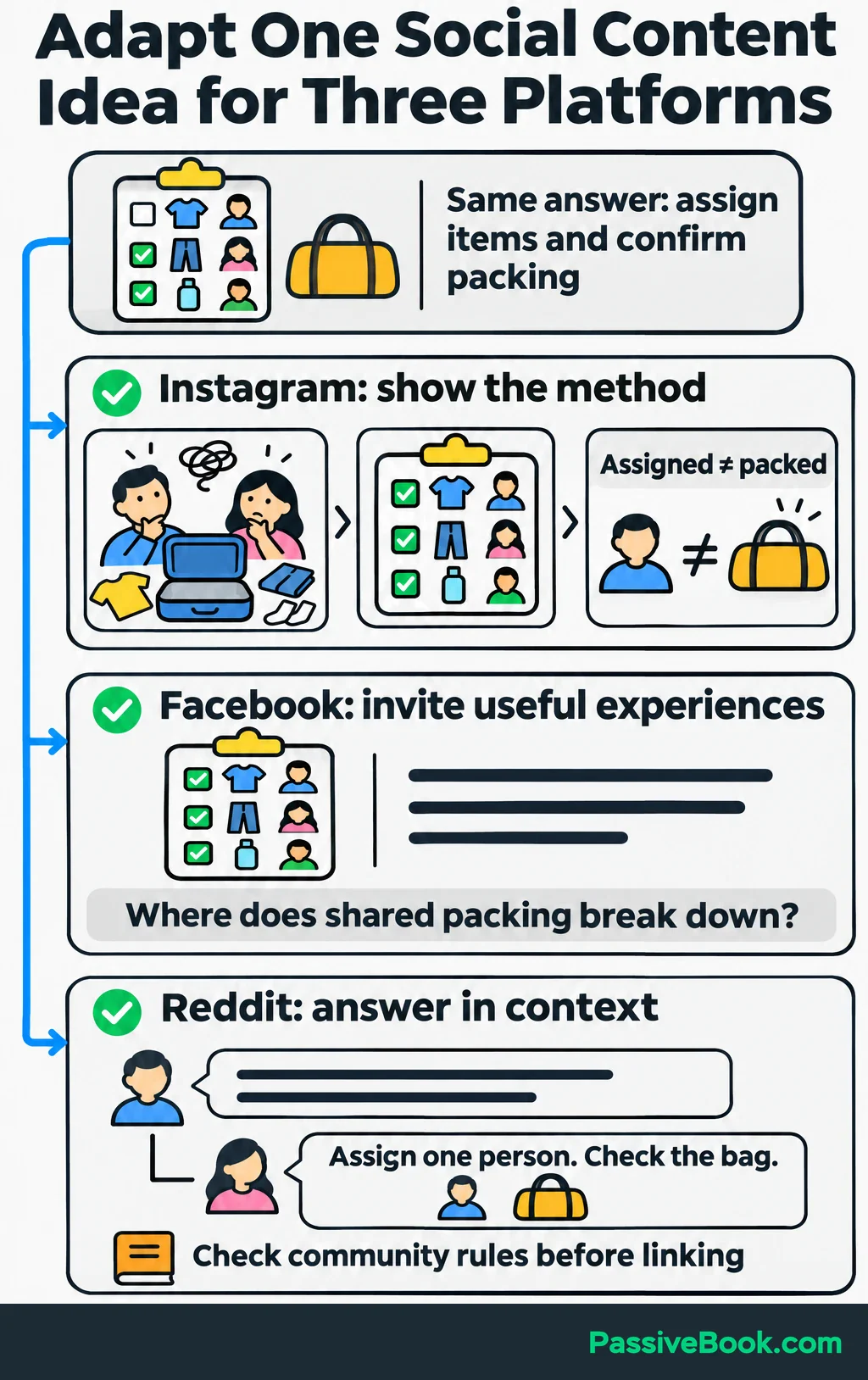
For Instagram, an overhead recording with captions could also show someone updating the sheet. The useful part is seeing the change, so a talking-head introduction isn’t necessary.
On Facebook, ask a question that can improve your next answer:
“Where does packing usually break down when two people share the job?”
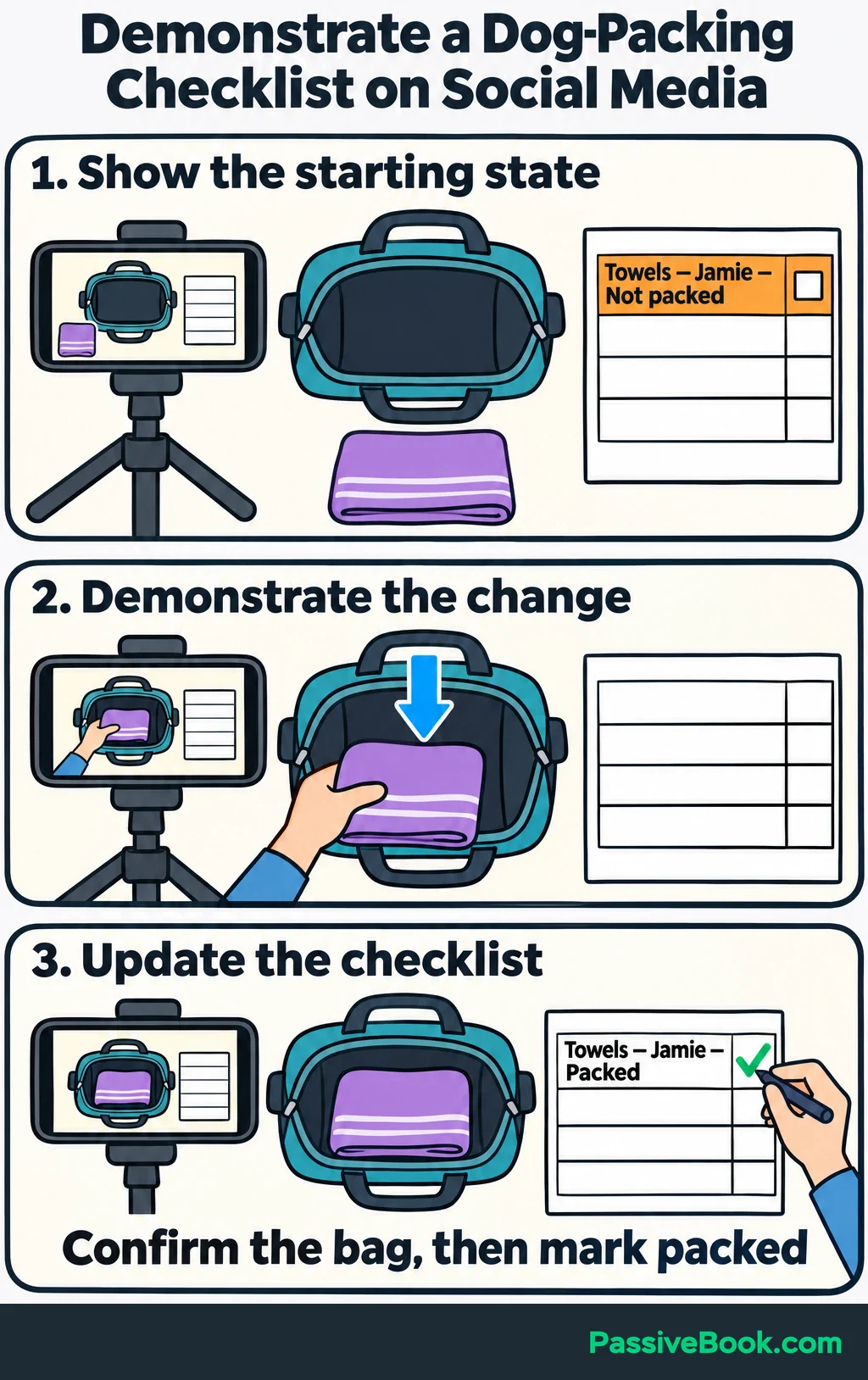
On Reddit, make the answer useful without requiring a click. Check community rules before including business links. Reddit’s spam policy prohibits repeated or unsolicited mass engagement, including mass-posting repetitive content for exposure or financial gain.
Reuse the underlying explanation across platforms, but adapt it to the conversation. A reply to a specific question needs less setup than a standalone post.
Keep a Backlog Ready for Your Next Batch
A backlog is simply a place to keep questions and ideas until you choose to produce them. Start with a spreadsheet. If you already plan in Notion, use that instead.
Keep these fields:
- Question and Evidence: Original wording, source link, conversation date, and relevant context.
- Pillar: The recurring subject the idea belongs to.
- Angle and Takeaway: What the post will explain and what readers can do afterward.
- Production Plan: Platform, format, and supporting material or research needed.
- Intended Response: The action or contribution you want from readers.
- Status and Result: Where the idea stands and what happened after publication.
Use simple statuses: “captured,” “research needed,” “ready,” “published,” and “reviewed.”
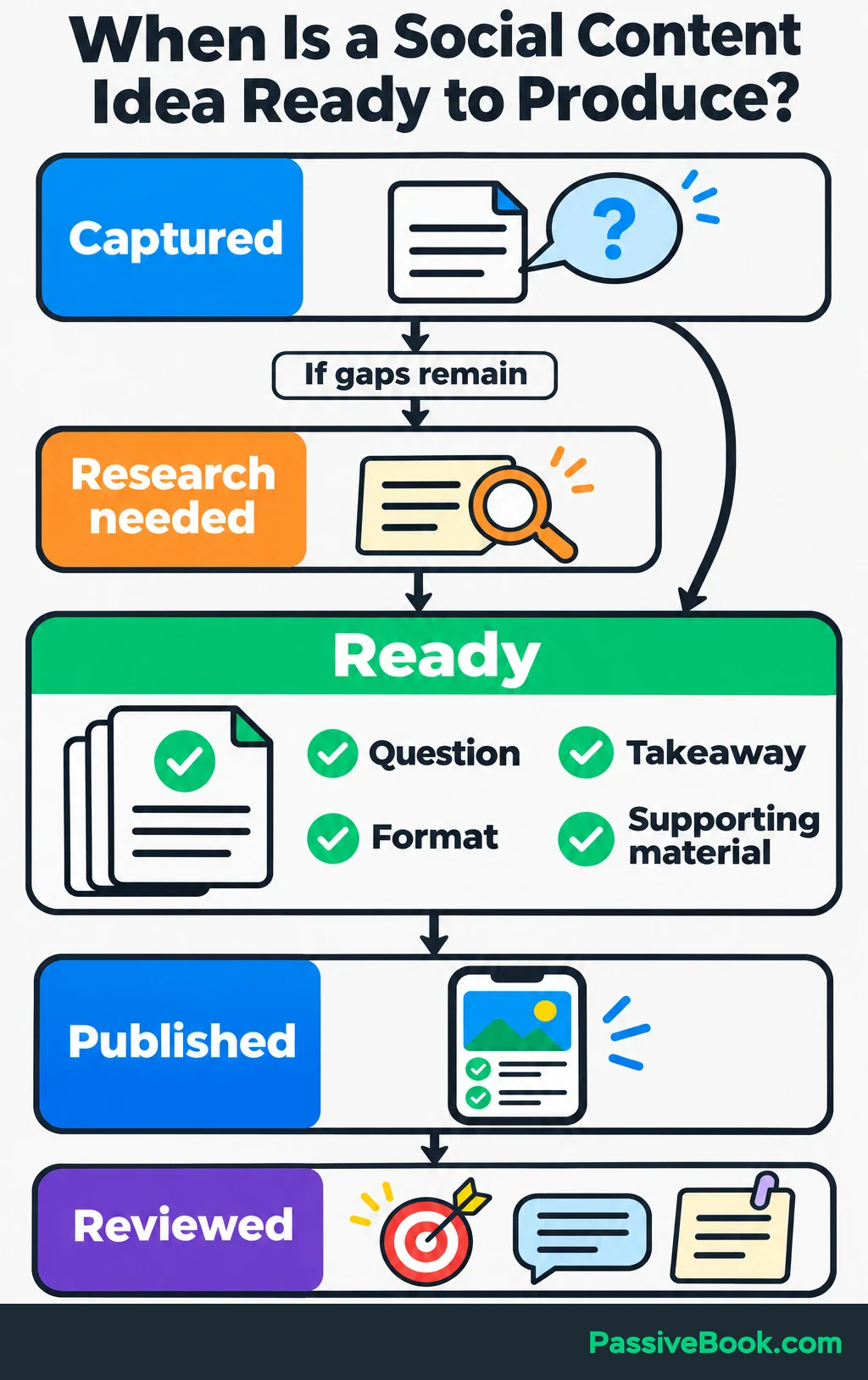
Move an idea to “ready” when you know its question, takeaway, format, and supporting material. “Make something about shared packing” isn’t ready. The brief above is.
I would start with a weekly planning session and choose only what fits your available time. If that means two useful posts, plan two. A seven-day calendar doesn’t come with seven extra hours.
During the review, merge duplicates and check which pillars are running thin. Keep unresolved tasks attached to the relevant idea so you don’t have to rediscover why you paused it.
Use Published Responses to Find Your Next Ideas
Review a post against the response you wanted.
For a checklist, look at saves where available. For a discussion, read the replies for useful experiences. For a resource post, check whether people visited the relevant page.
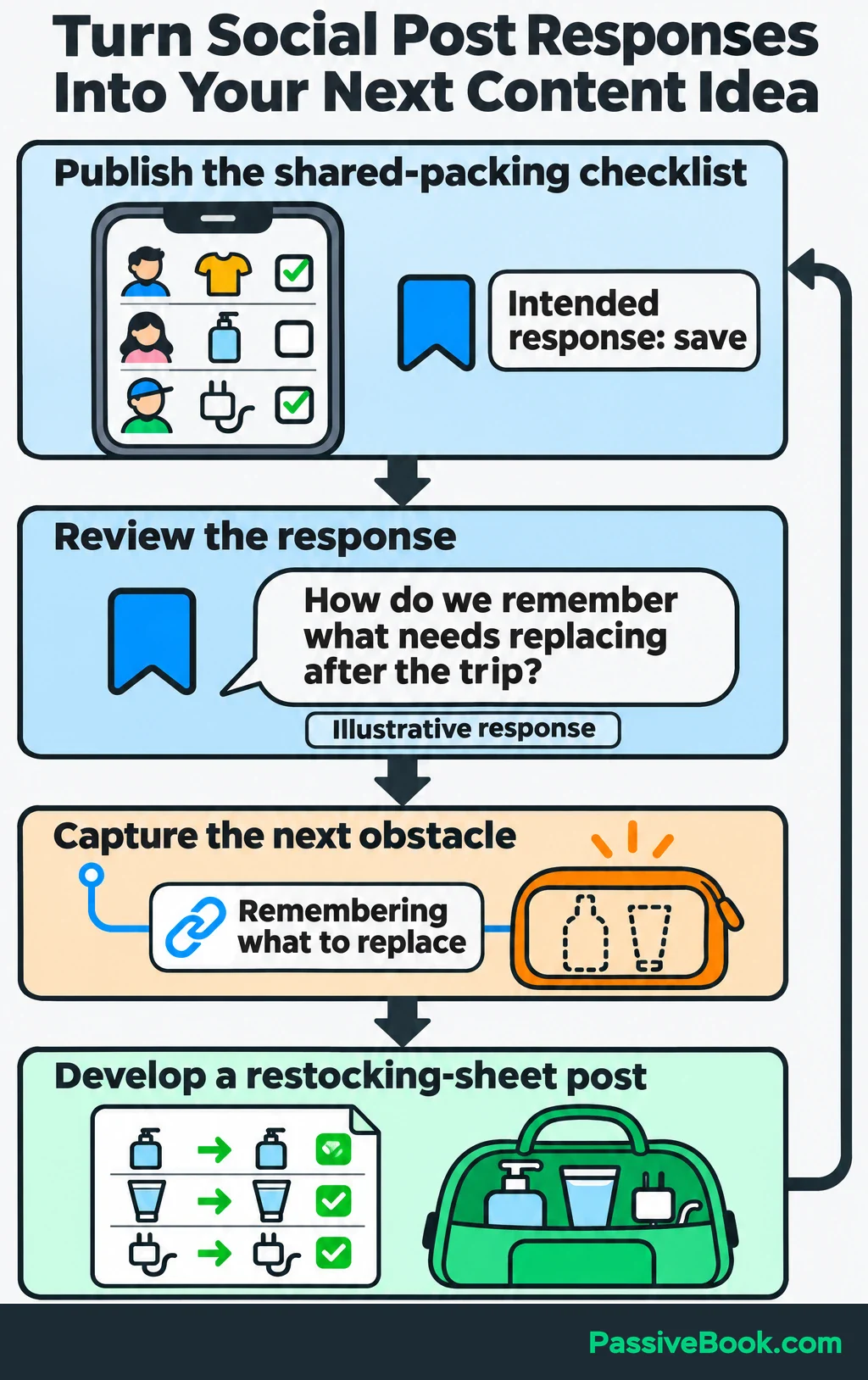
Then look for the next obstacle.
The shared-packing post might receive this comment:
“How do we remember what needs replacing after the trip?”
That becomes a new research note and a possible restocking-sheet post. It also tells you something the first checklist didn’t cover.
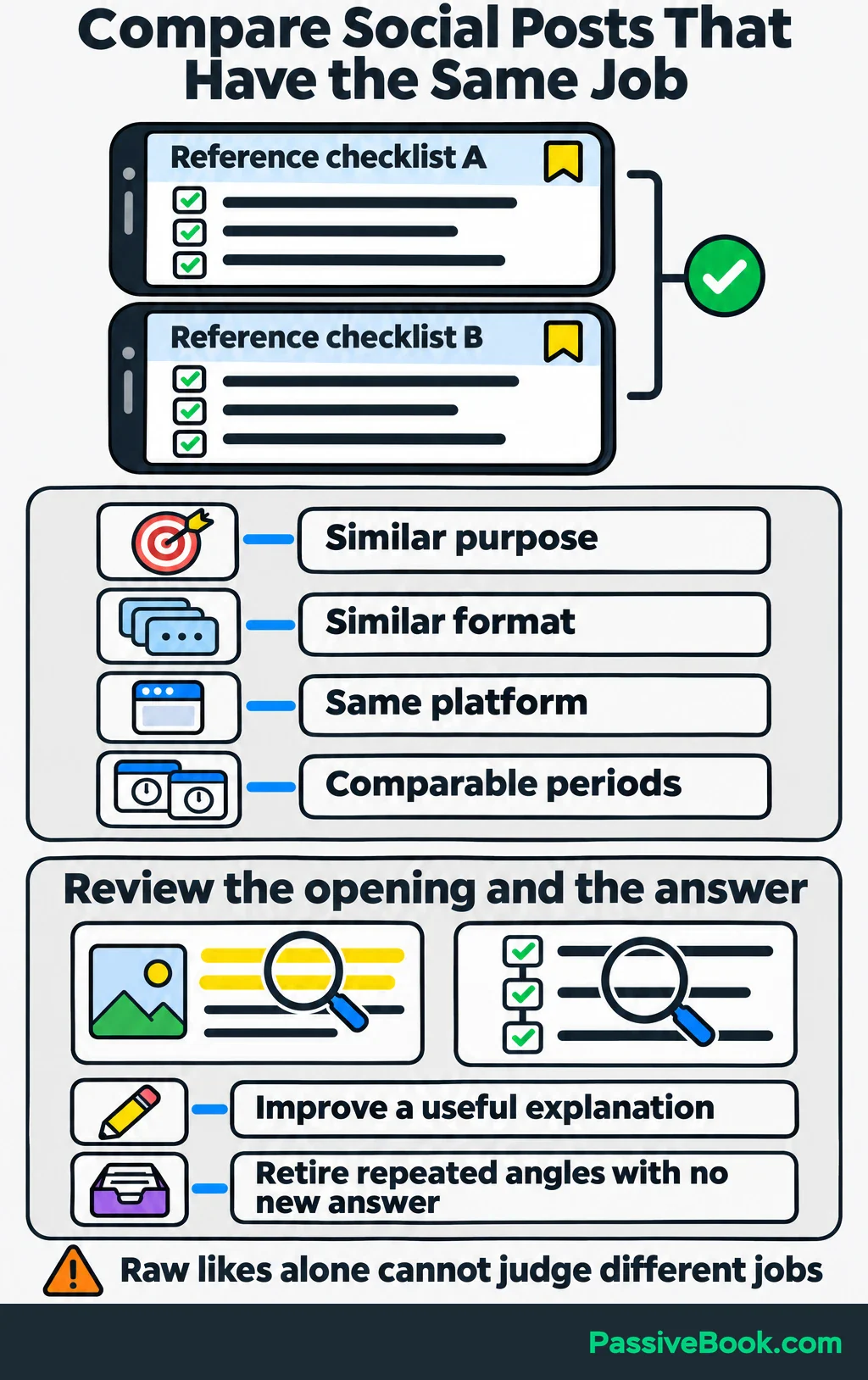
Compare posts with similar purposes and formats on the same platform over comparable periods. A discussion post and a reference checklist have different jobs, so raw likes alone won’t tell you which did its job better.
When a post gets little response, review both the opening and the answer. Did you name the problem clearly? Did you demonstrate the missing step? Was the situation relevant to the people who saw it?
Rework a useful question when you can improve the explanation. Retire repeated angles when you have no new answer to add.
What Next?
Open a spreadsheet and collect five questions about one audience problem. Choose one you can answer with a small demonstration, checklist, or explanation, then write its brief.
Use the social buttons to share this guide when your next content-planning conversation needs a practical starting point.
Which part takes you longest: finding real questions, choosing an angle, or turning it into a post? Tell me in the comments, and bring any other questions too.
Share this post with your friends & followers:

