You want to share a pet photo, but the caption keeps swinging between “look how cute” and a sales pitch. You want to give people a reason to respond, and the words aren’t quite there.
That uncertainty can turn a quick post into half an hour of rewriting.
Worse, you can publish something polished and still leave readers wondering what they’re meant to take from it. The examples below show how to write hooks, helpful posts and offers that give readers a reason to respond, without sounding like a walking advertisement.
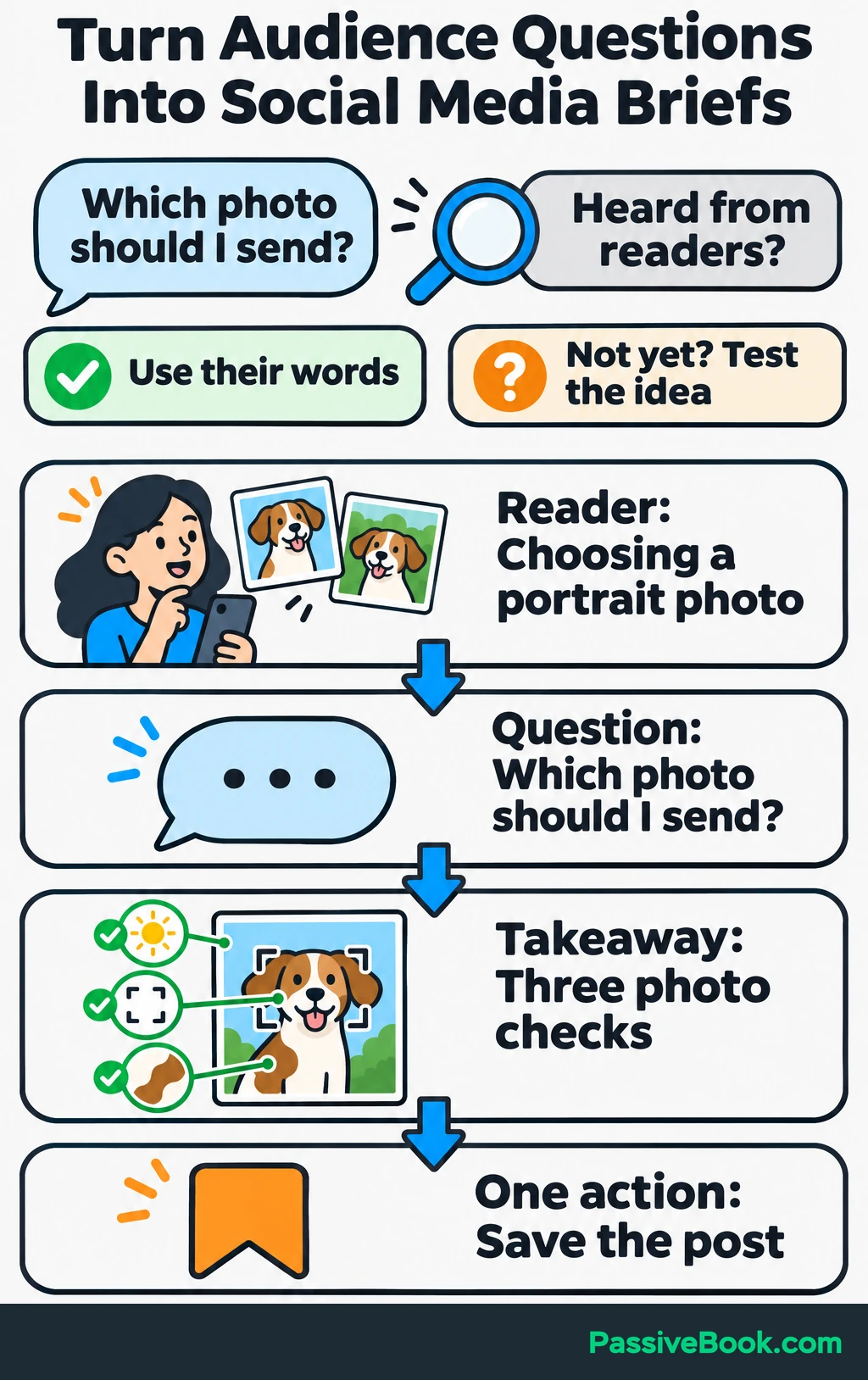
Turn an Audience Question Into a Writing Brief
Social media copy is the wording in captions, text posts, video scripts and requests such as “save this post.” It also includes text on carousel slides—the pages readers swipe through in one post. Those words help people understand what you’re sharing and what they can do next.
The best starting point for learning how to write social media copy is a question someone already asks. Look through comments, messages and relevant community discussions. Keep a small list of repeated questions and the words people use.
If you haven’t heard a question from your audience yet, record it as an idea to test. Don’t quietly promote a guess into customer research.
Then choose one main response:
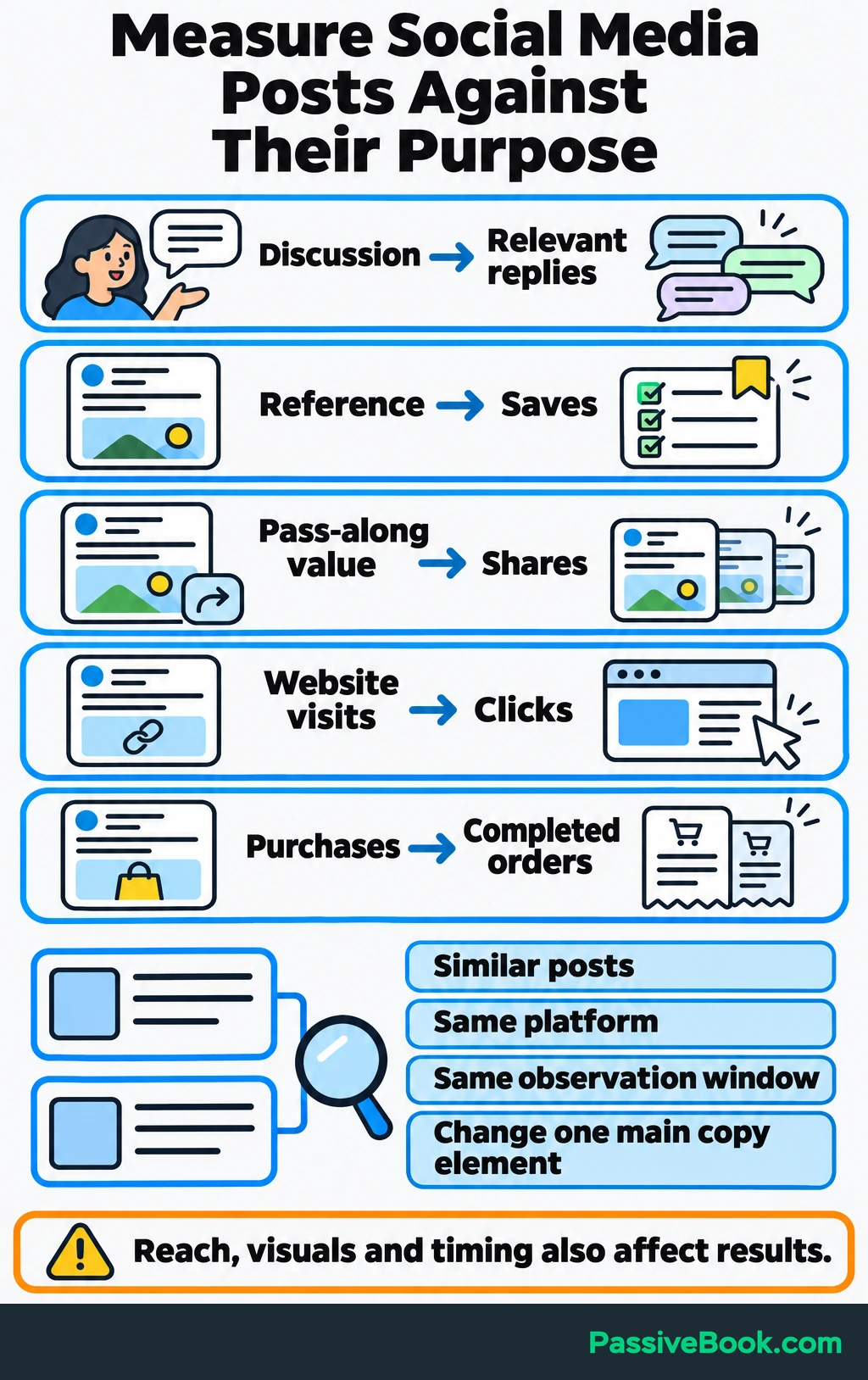
- Discussion: Ask a focused question people can answer from experience.
- Saves: Give them instructions or a reference they may need later.
- Shares: Explain something they would find useful to pass along.
- Website Visits: Preview a resource and explain what the click delivers.
- Purchases: Help readers understand the product and decide whether it fits.
Around 2022, I spent six months chasing Instagram and Twitter/X followers in another niche without the business payoff I wanted. That experience is why I choose the purpose before writing the post.
Use this brief:
For [reader in a situation], answer [question] with [useful takeaway], then invite [one action].
Throughout this article, imagine you run an online shop selling custom digital pet portraits. You also offer a free photo checklist covering daylight, sharp focus and visible coat markings. The shop and sample copy are illustrative.
Your brief could be:
For someone choosing a pet portrait photo, answer “Which photo should I send?” with three checks they can make before uploading, then invite them to save the post.
Add a few voice rules. “Friendly and practical” becomes useful when it means everyday words, specific instructions and light humor where it fits. “Skip words like ‘revolutionary’ and ‘unparalleled’” is a better editing rule than “sound authentic.”
Write a Hook That Makes the Payoff Clear
Your opening should help readers recognize the topic and decide whether it matters to them.
Skip greetings and long introductions. Start with the situation, the task or the useful result.
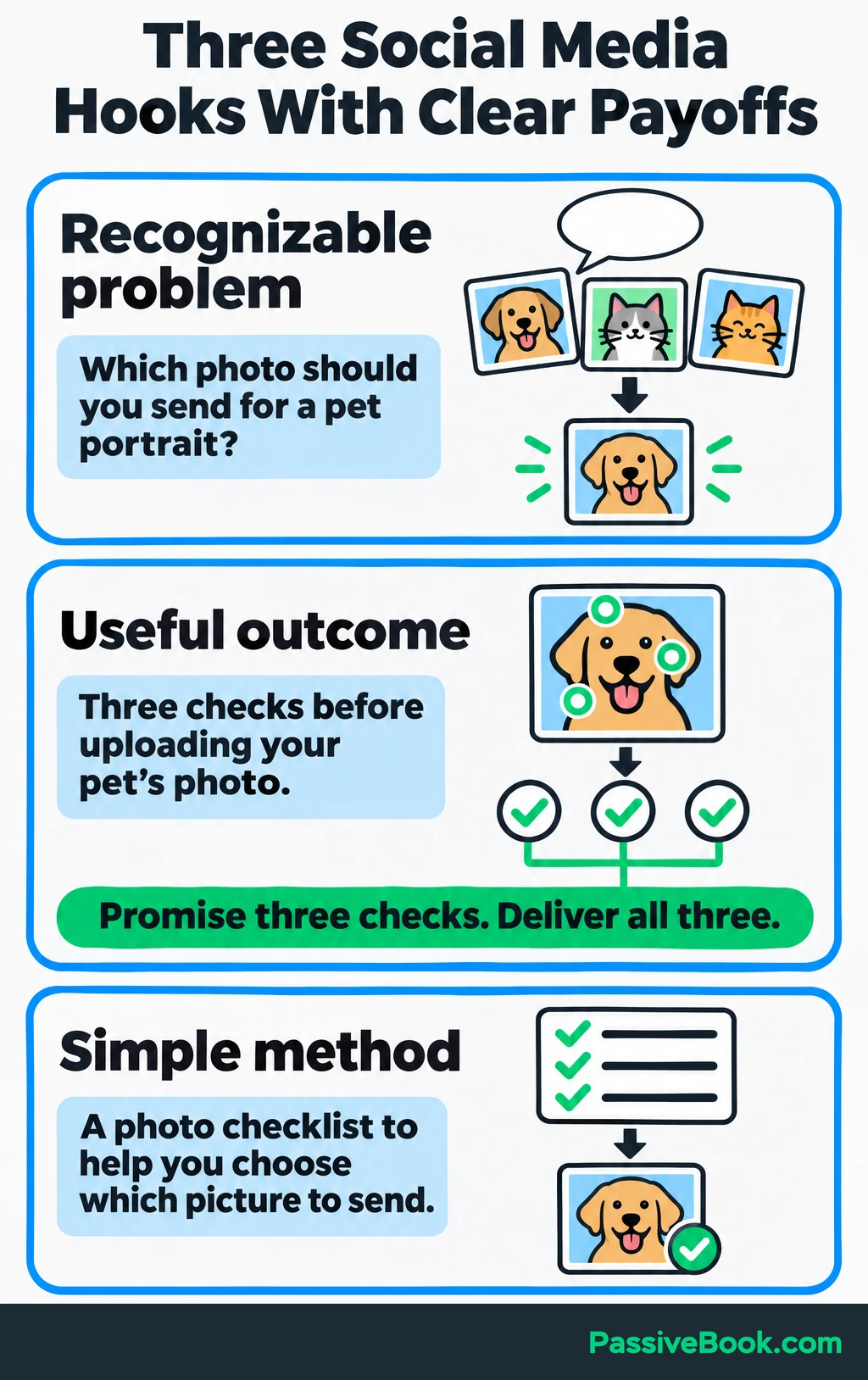
Try these three patterns:
- Recognizable Problem: “Which photo should you send for a pet portrait?”
- Useful Outcome: “Three checks before uploading your pet’s photo.”
- Simple Method: “A photo checklist to help you choose which picture to send.”
Draft three openings, then pick the clearest match for your brief. You don’t need to use the cleverest one.
“Exciting news for pet lovers!” makes readers wait to discover whether the news concerns them. “Three checks before uploading your pet’s photo” gives them a reason to continue immediately.
A little personality can help, but the topic must survive the joke:
Your camera roll has 400 dog photos. Here’s how to choose one for a portrait.
The body now owes readers a selection method. If you promise three checks, give all three. Curiosity gets expensive when readers have to keep paying attention before receiving an answer.
Build the Body Around One Useful Payoff
Answer the hook before adding your backstory or product details.
I would start with one of three structures: teach a step, invite a conversation or explain an offer. Choose the structure that fits the response you want.
Teach a Small, Useful Step
Use this sequence:
Hook → instruction → example → call to action
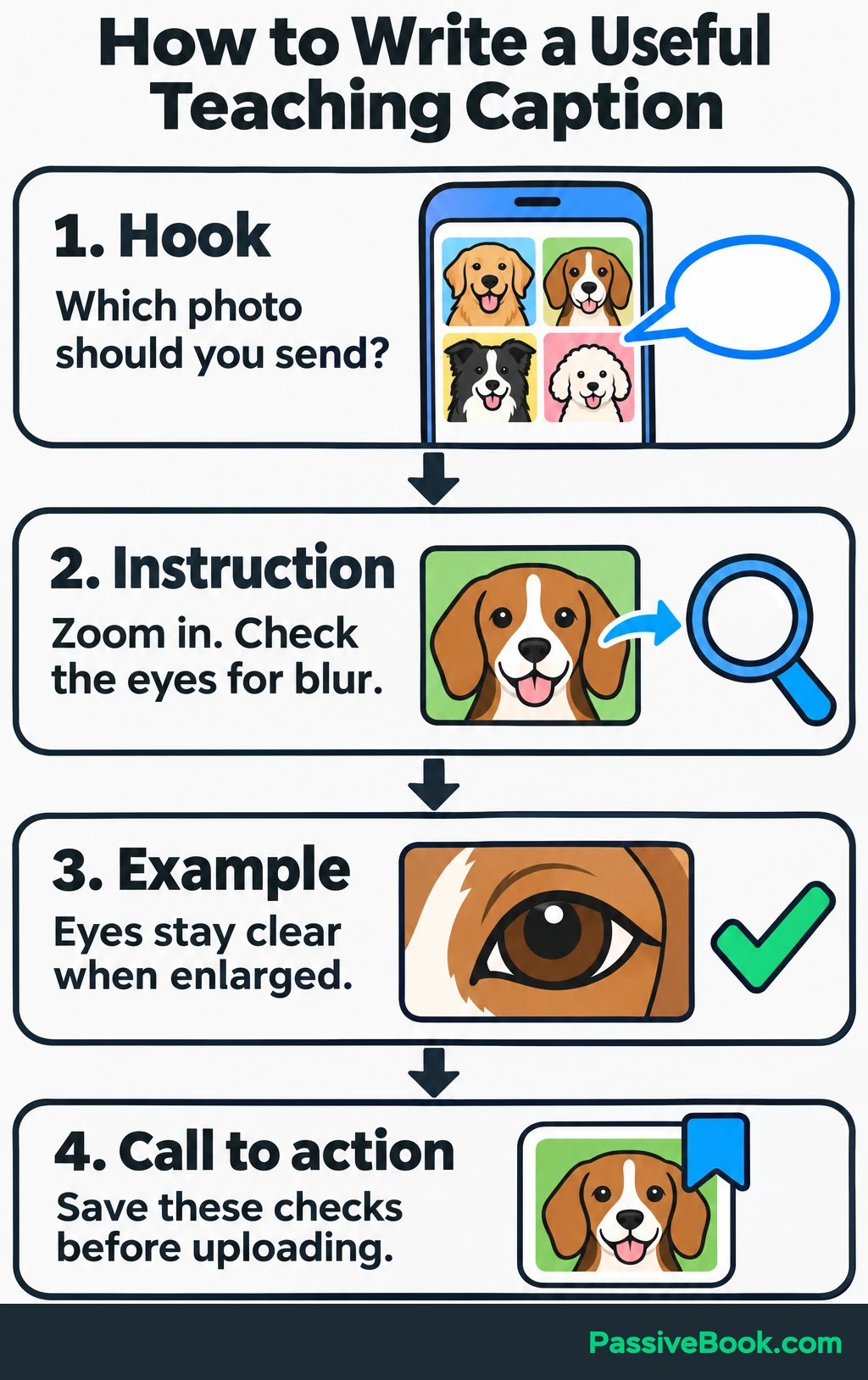
Name the task, explain what to do and show what the instruction means. For the portrait shop, a suitable photo with simple annotations can demonstrate the three checks.
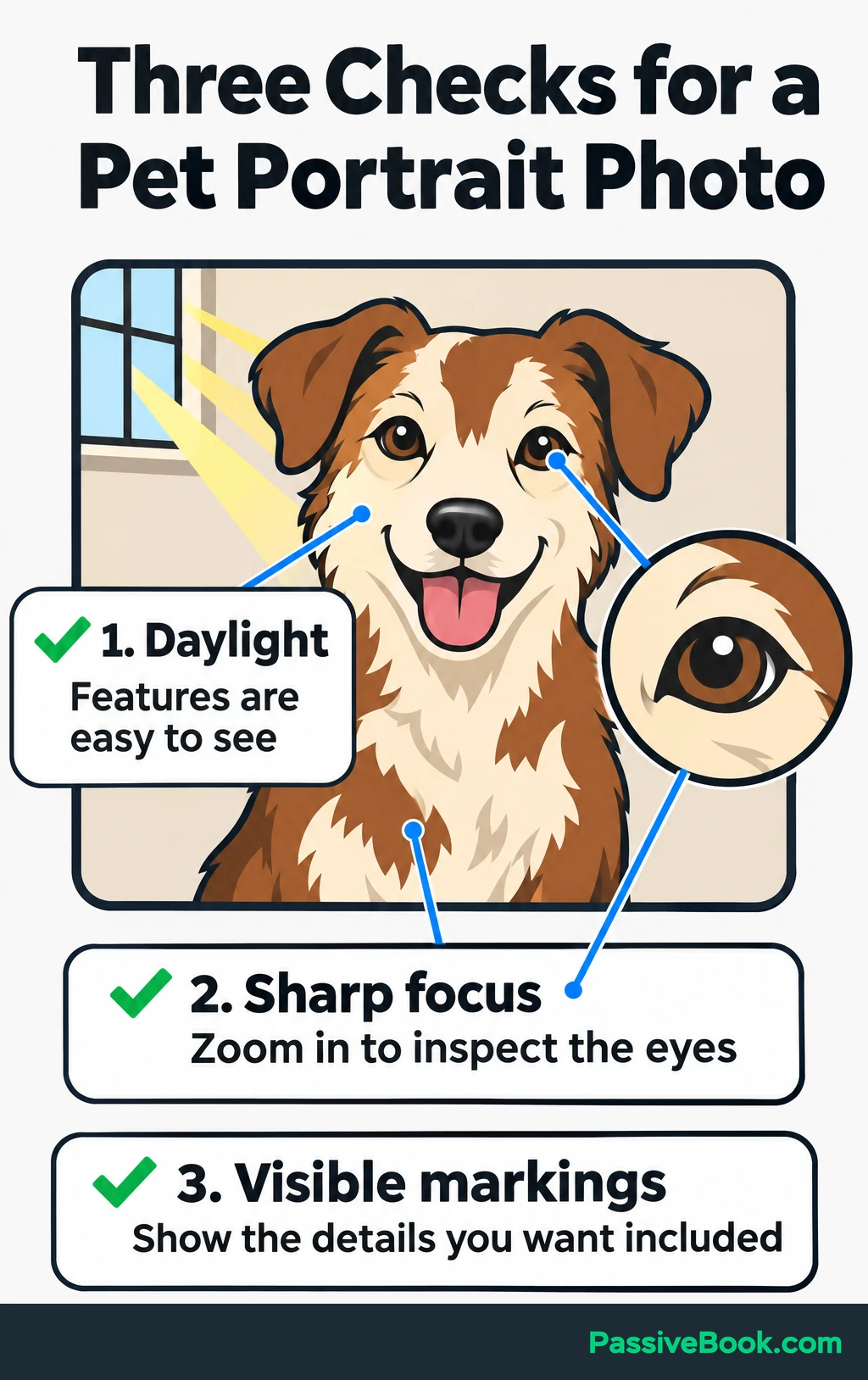
Here’s a complete caption you can adapt:
Which photo should you send for your pet portrait?
Check these three things before uploading:
1. Daylight: Choose a photo taken in daylight so you can see your pet’s features clearly.
2. Sharp focus: Zoom in. Can you see the eyes clearly, without blur?
3. Visible markings: Make sure the coat markings you want included are visible in the photo.
Compare your favorite pictures using these checks, then choose one that meets all three.
Save this post for when you’re ready to upload.
The reader can act on this without downloading anything. The free checklist can repeat these checks in a convenient format, but it doesn’t need to appear in every teaching post.
Start a Specific Conversation
For discussion, use:
Recognizable situation → useful observation → focused question
Give readers enough context to answer without writing an autobiography.
For example:
Coat color is one detail to include in a pet portrait. A familiar head tilt can matter just as much. Which detail would you most want included in yours?
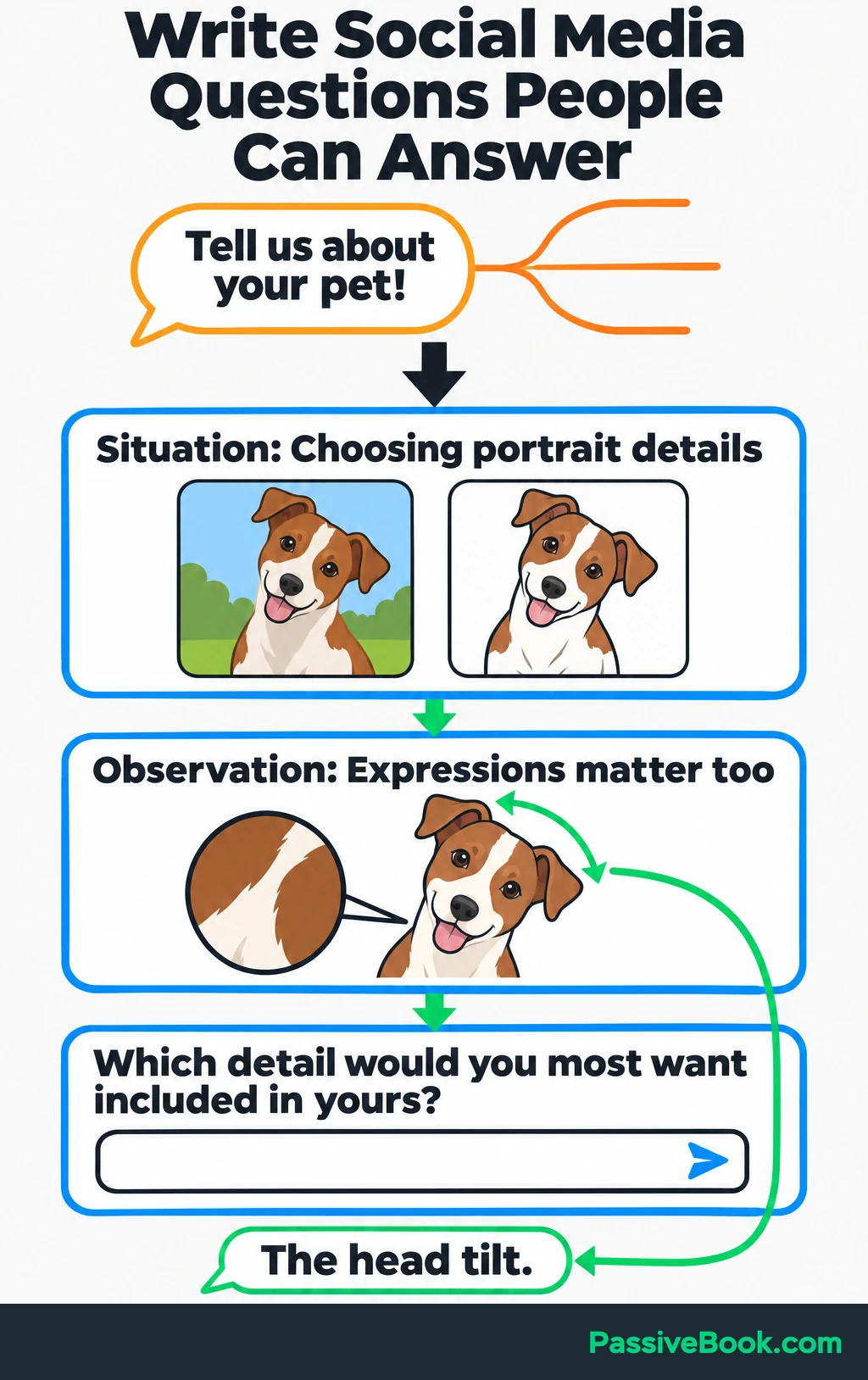
This is more focused than “Tell us about your pet!”
For a personal pet account, ask about the photo itself: “The head tilt made this one a keeper. What expression do you always try to catch?”
Read the answers for what people care about. If several people mention distinctive ear shapes, that could become a post showing how to choose a reference photo where the ears are visible.
Reply to the substance of those answers, too. Asking a question creates somewhere for a conversation to begin.
Explain an Offer Without Sounding Pushy
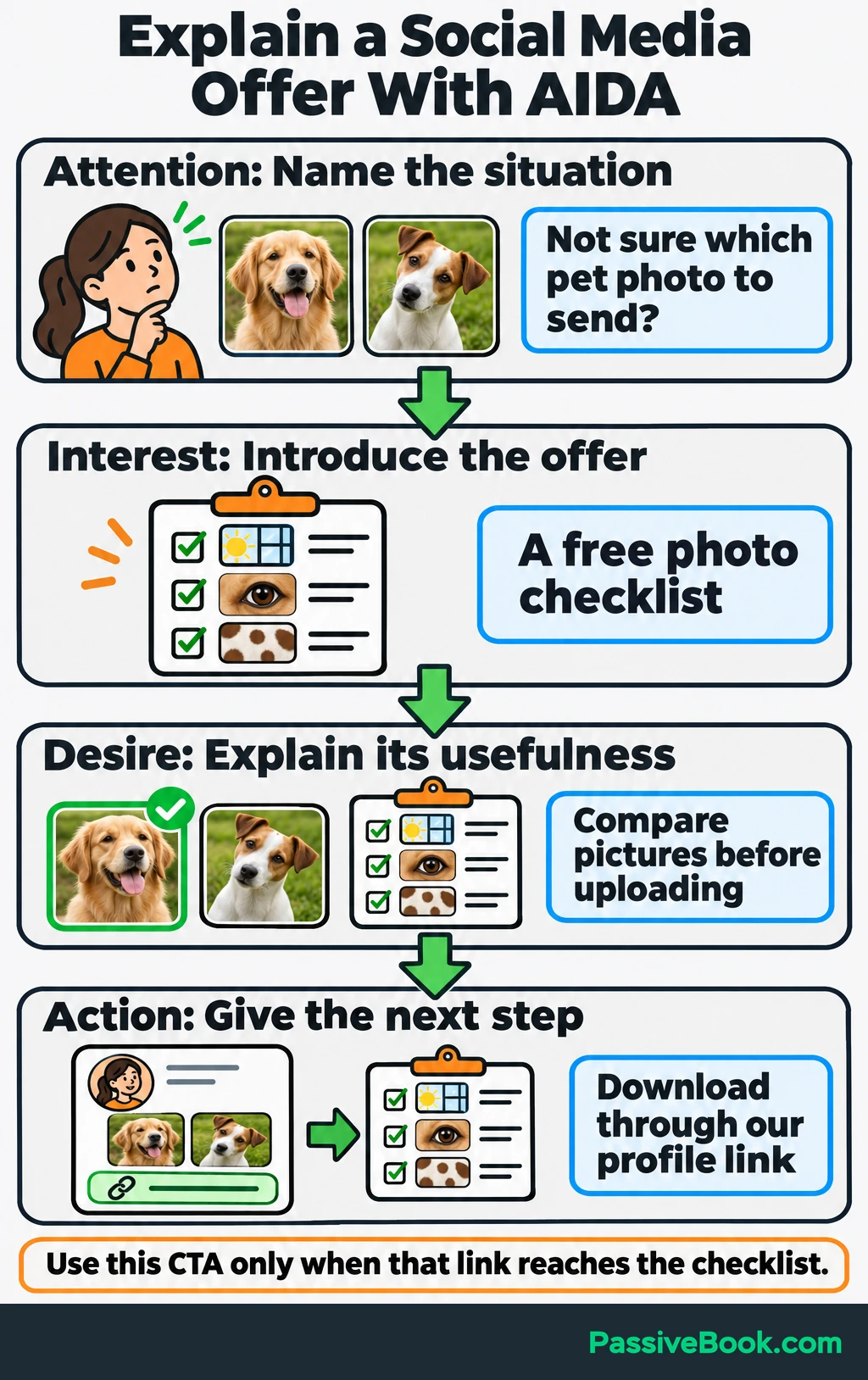
Use AIDA: Attention, Interest, Desire and Action.
In plain words, that means:
- Name the situation.
- Introduce what you offer.
- Explain why its details are useful.
- Give the next step.
You can do all four in a few sentences:
Not sure which pet photo to send for a portrait?
Our free photo checklist covers daylight, sharp focus and visible coat markings. Use it to compare your favorite pictures before uploading.
Download the free checklist through the link in our profile.
Use that final line only when the profile link leads to the checklist. If the post supports a direct link, make the destination easier to reach.
Notice how little promotional language this needs. Readers know what the resource contains and when to use it.
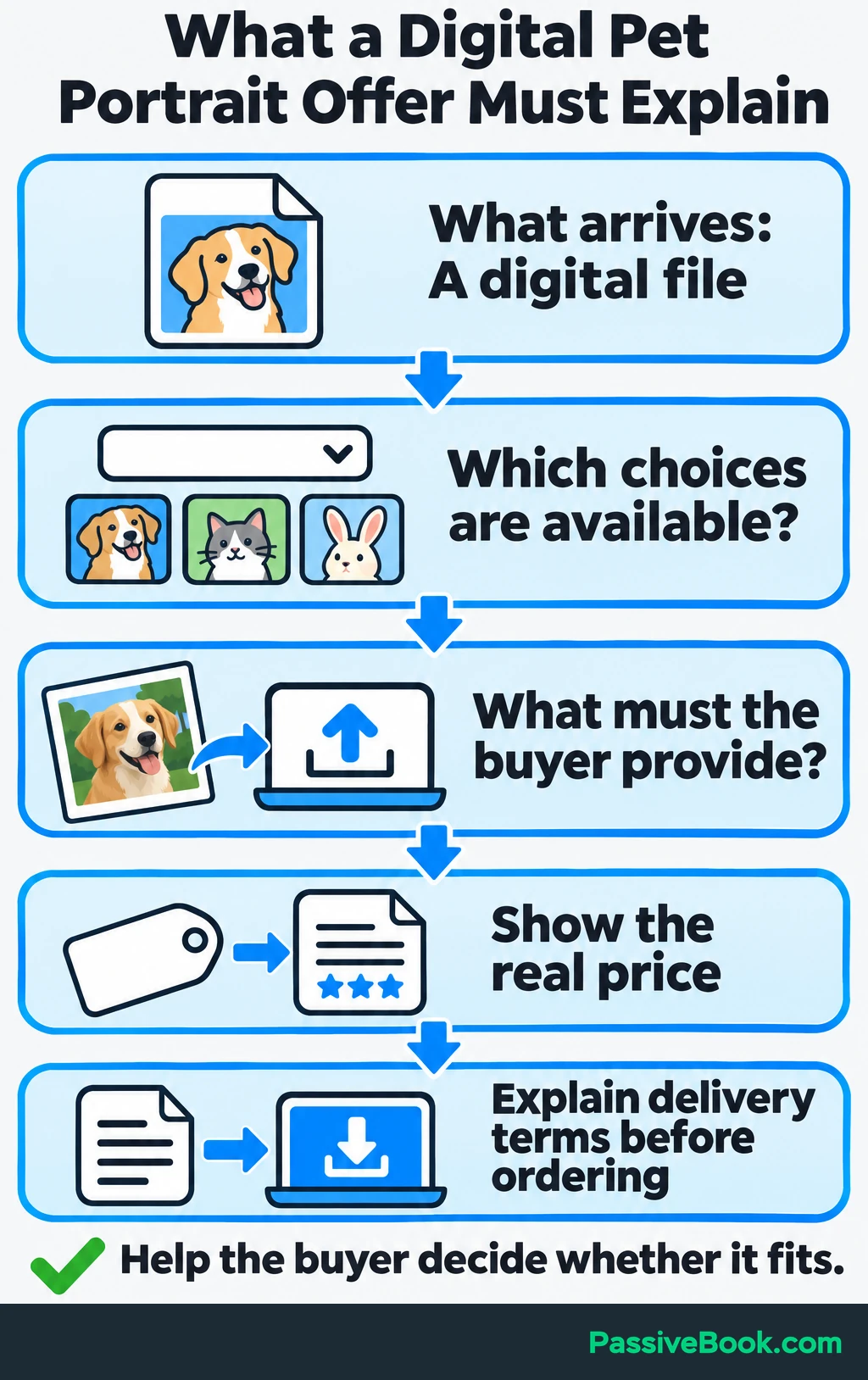
For a paid portrait, explain what the buyer receives, the available choices and what they must provide. Make clear that the delivery is a digital file. State the real price and delivery terms where buyers can review them before ordering.
I would spend time making those details clear before adding another adjective to “beautiful.”
End With One Clear Call to Action
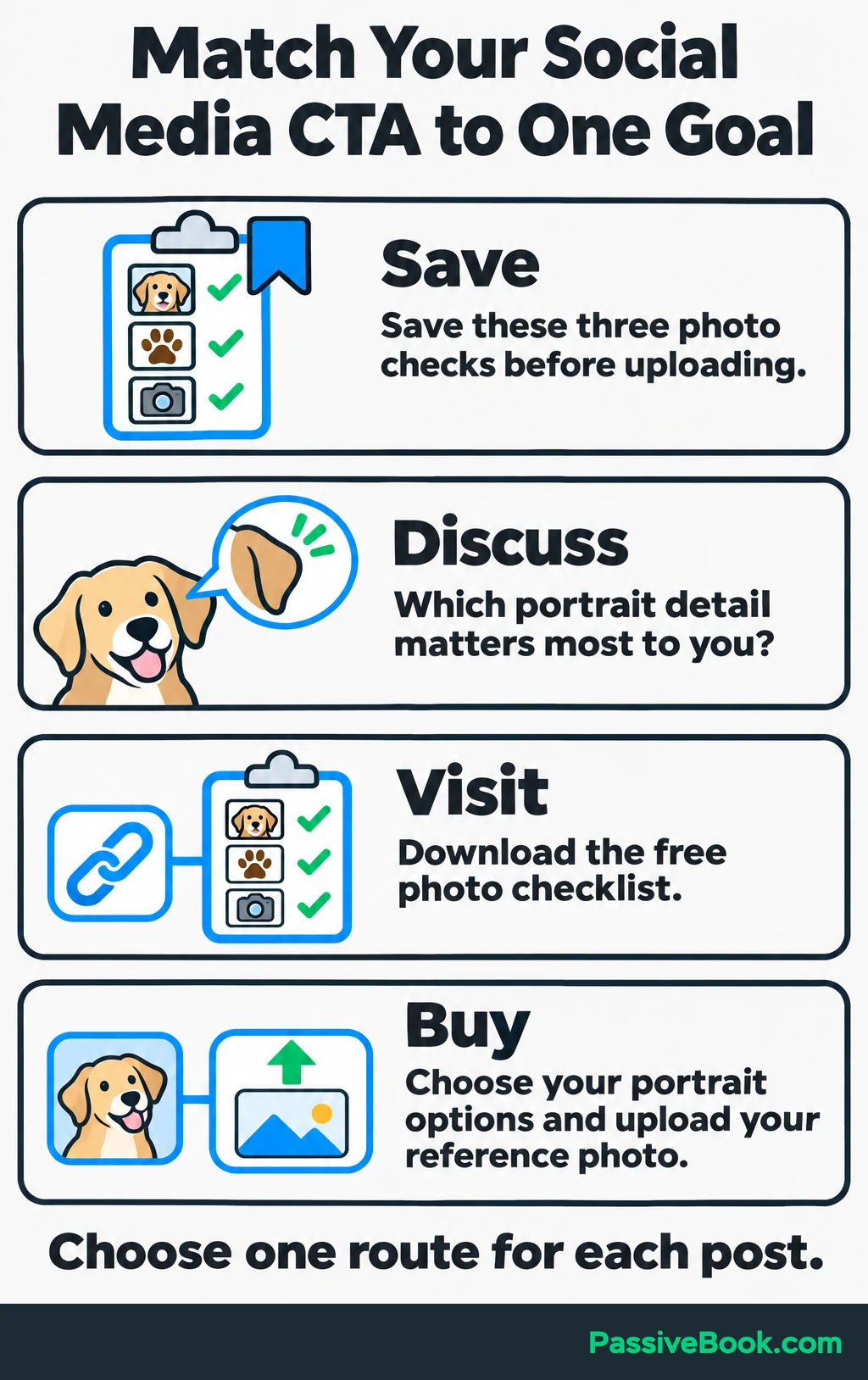
A call to action, or CTA, tells readers what to do next. Match it to the purpose you chose in the brief.
For the portrait shop:
- Save: “Save these three photo checks before uploading.”
- Discuss: “Which detail would you most want included in your pet’s portrait?”
- Visit: “Download the free photo checklist.”
- Buy: “Choose your portrait options and upload your reference photo.”
Name both the action and its object. “Learn more” leaves readers guessing about what comes next.
Remove competing requests. A caption asking for a like, comment, share, follow and purchase gives the reader a small administrative job.
Keep questions connected to the topic. Meta’s explanation of engagement bait distinguishes artificial requests for interactions from genuine requests for help, advice or recommendations.
I would skip “Comment YES if you love dogs.” An answer about which portrait detail matters gives you something useful to discuss.
Use AI to Draft Variations
AI can help when you know the message but can’t find a good opening.
Give it your brief, voice rules, confirmed product details, chosen structure, platform and desired response. Those decisions keep the draft focused.
Here’s a reusable prompt:
Draft three [platform and format] posts for [reader’s situation].
Answer [question] using [structure].
Goal: [one action].
Voice rules: [specific writing rules].
Use only these facts: [confirmed facts].
Give each version a different hook. Flag missing information instead of inventing it.
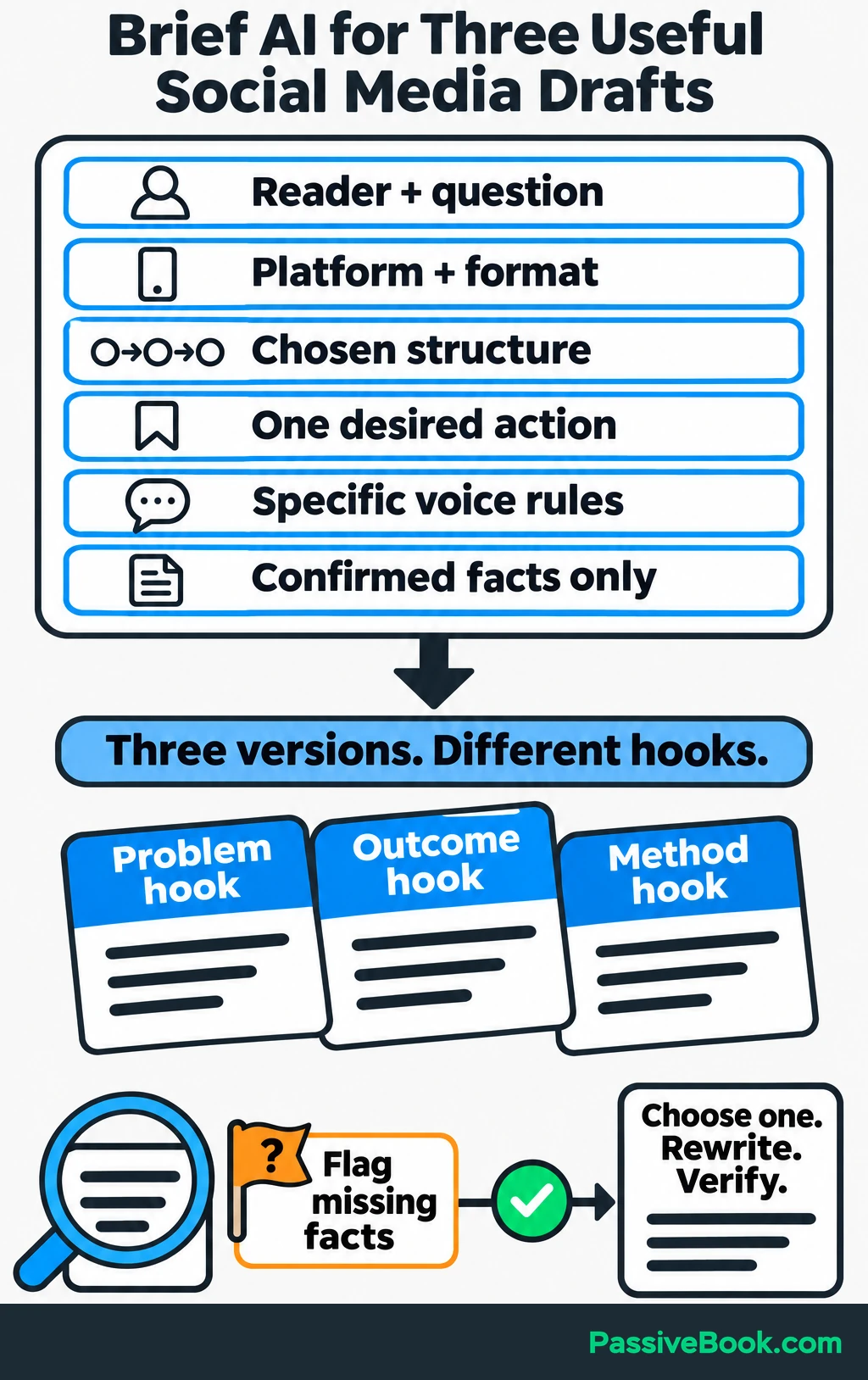
For the portrait shop, fill it in like this:
Draft three Instagram captions for someone choosing a photo for a custom digital pet portrait.
Answer “Which photo should I send?” using hook → instruction → example → call to action.
Goal: save the post.
Voice: friendly, practical, everyday words, no hype.
Facts: the photo checklist covers daylight, sharp focus and visible coat markings.
Give each version a different hook. Flag missing information instead of inventing it.
Choose the version that best answers the brief, then rewrite anything you wouldn’t naturally say. Check every factual statement and remove invented testimonials, product options or promises.
I would ask for three useful variations and edit one. Generating twenty more can become a very modern way to avoid finishing a caption.
If you’d rather not assemble the instructions yourself, AI Social Copy Studio turns your brief into a complete draft. It also handles carousel slides and video scripts, so you can use it beyond captions.

Free AI Social Copy Studio




Adapt the Copy to the Platform and Format
Keep the central idea, but change what the words need to explain.
A standalone text post needs enough context to make sense by itself. A video can show the photo while the script points out what to inspect.
| Platform or Format | The Copy’s Job | Adapted Opening | Suitable Next Step |
|---|---|---|---|
| Instagram carousel | Introduce the task, then demonstrate one photo check per slide. | “Three checks before uploading your pet’s photo.” | “Save this carousel before choosing your photo.” |
| Reels, TikTok and YouTube Shorts | Introduce the demonstration and guide viewers through what they see. | “Before you send a photo for your pet portrait, check these three things.” | If the account has a clickable profile link to the checklist: “Download the free checklist from our profile link.” |
| Explain the photo-selection question and all three checks within the post. | “Choosing a photo for your pet portrait? Start with daylight, sharp focus and visible coat markings.” | Link directly to the free checklist when downloads are the goal. | |
| X | Deliver one complete, concise idea. | “Choosing a pet portrait photo? Check daylight, sharp focus and visible coat markings before uploading.” | “Bookmark these checks for later.” |
For the carousel, the caption can add a short explanation, but the slides should carry the promised checks.
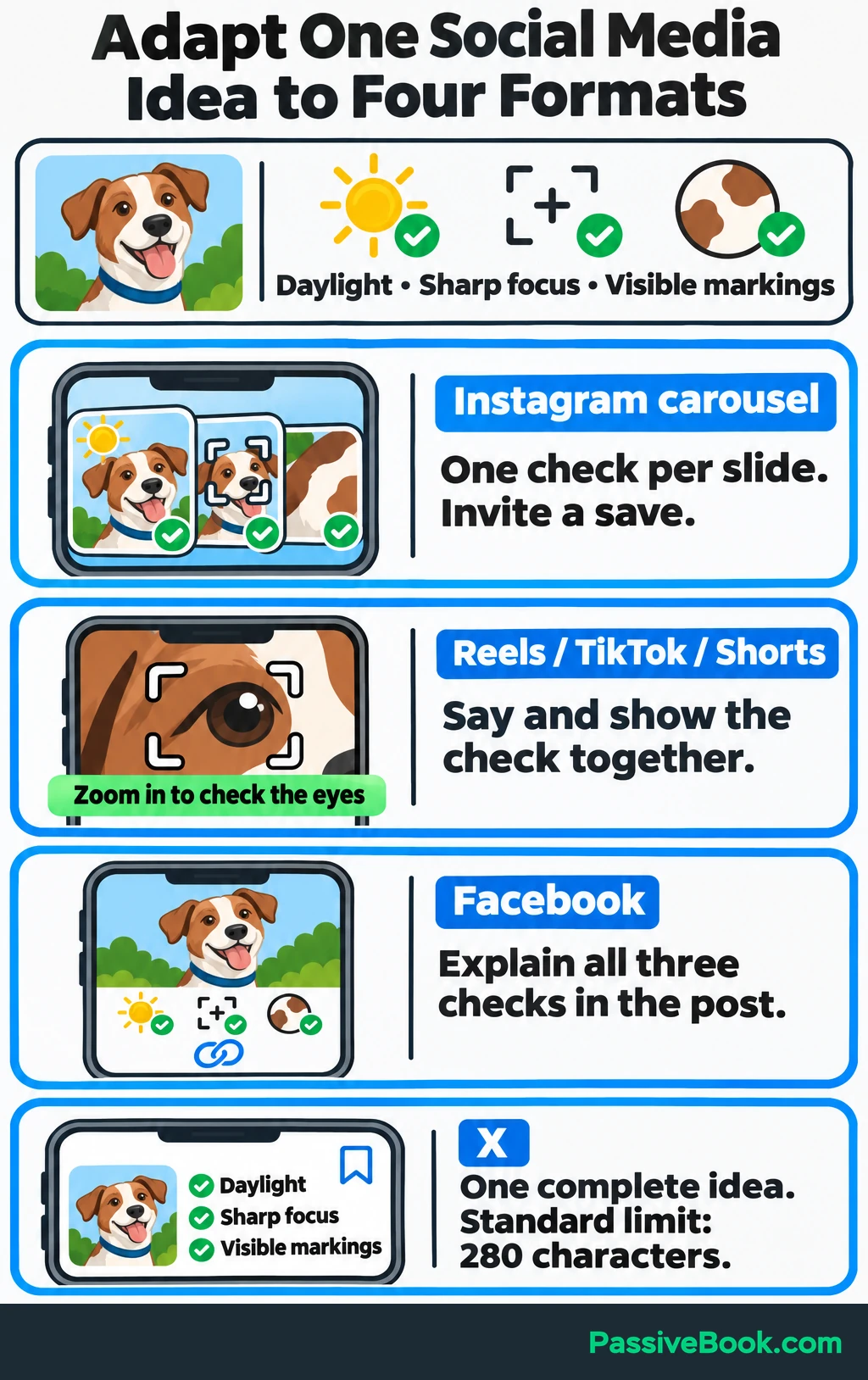
For video, write what you will say and show together. “Zoom in to check the eyes” works better when viewers can see you zooming in.
Standard X posts support up to 280 characters. Cut secondary background before cutting the useful answer.
Preview each post on a phone and follow the route to the resource. If you say “download,” check that readers can find the download. A good CTA needs somewhere useful to go.
Edit for Clarity, Voice and Credibility
Check the draft in this order:
- Does the opening make the topic and payoff clear?
- Does the body deliver that payoff?
- Does the final request fit the post’s purpose?
Then cut repeated ideas, unnecessary introductions and empty adjectives. Use paragraph breaks when the thought changes.
When I turned one of my product tutorials into short posts, I kept the paragraph explaining why I had made it. Reading the draft aloud, I noticed how long it took to reach the task. I cut that opening, and I still use that check: how much must the reader sit through before the help starts?
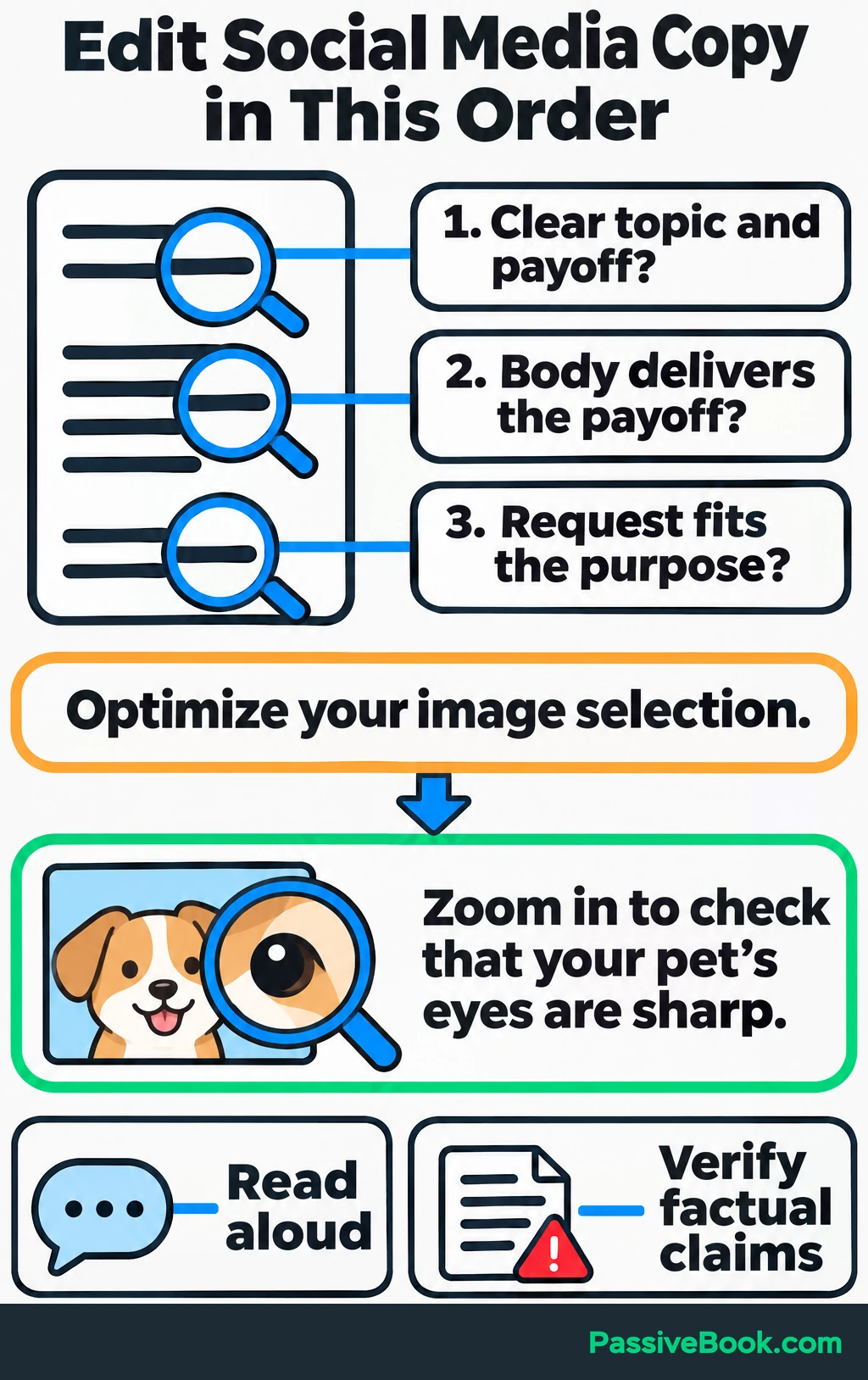
Concrete wording makes that help easier to use. Replace “Optimize your image selection” with “Zoom in to check that your pet’s eyes are sharp.”
There is research behind this preference. In a controlled experiment using paired social posts, participants more often selected the concrete versions when asked which they would upvote or share. That measured stated choices, so it doesn’t establish a guaranteed lift for your published posts.
Read your draft aloud for voice, too. “Turn your favorite pet photo into a custom digital portrait” is easier to understand than “Our innovative service transforms cherished memories.”
For pet-care posts, check health claims against qualified veterinary sources. Keep personal observations distinct from general advice. VCA’s guidance on evaluating pet-care information explains why other owners’ experiences should not replace qualified medical information.
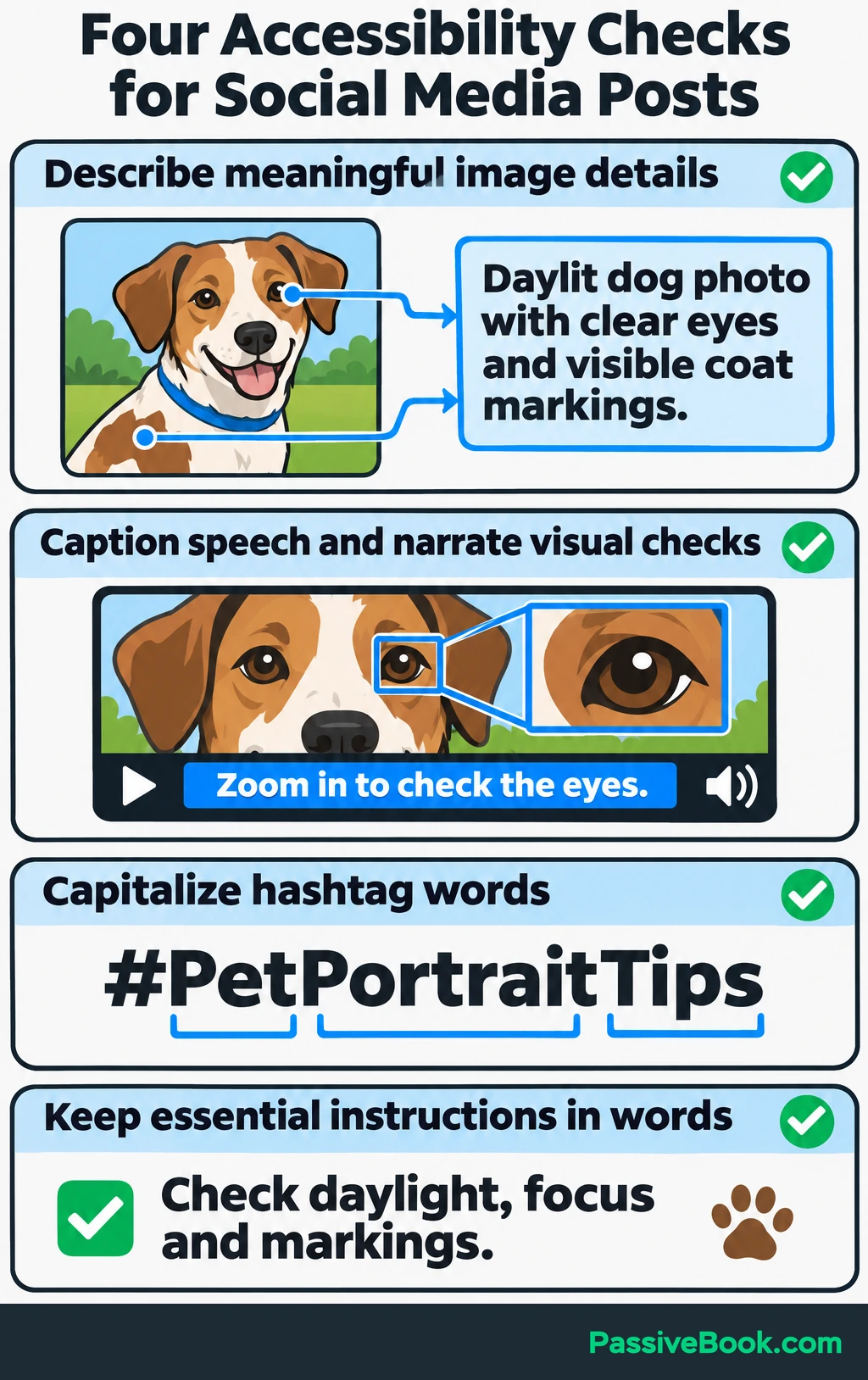
Finally, make the post accessible:
- Images: Add alternative text—a written description of the image’s meaningful details for people who can’t see it.
- Video: Caption speech and explain visual checks in the narration.
- Hashtags: Capitalize each word, such as
#PetPortraitTips. - Emojis: Use them sparingly and keep essential instructions in words.
These practices follow Section508.gov’s social media accessibility guidance. For the photo example, describe the visible checks rather than adding “cute dog” as the entire image description.
Use Responses to Improve the Next Post
Review the response you chose in the brief.
A teaching post may earn useful saves without starting a discussion. An offer post may attract clicks but few public reactions. Judge each against its purpose.
Keep a simple record of:
- Draft: Topic, hook, structure and CTA.
- Context: Platform, format and publication date.
- Result: Relevant replies, saves, shares, website clicks or completed purchases.
- Next Change: The question or revision suggested by those responses.
Compare similar posts on the same platform after the same observation period. You might review each after seven days, for example, rather than comparing yesterday’s post with one that has circulated for a month.
Change one main copy element at a time and look for repeated patterns. Organic comparisons also reflect reach, visuals and timing, so one better result cannot prove the wording caused it.
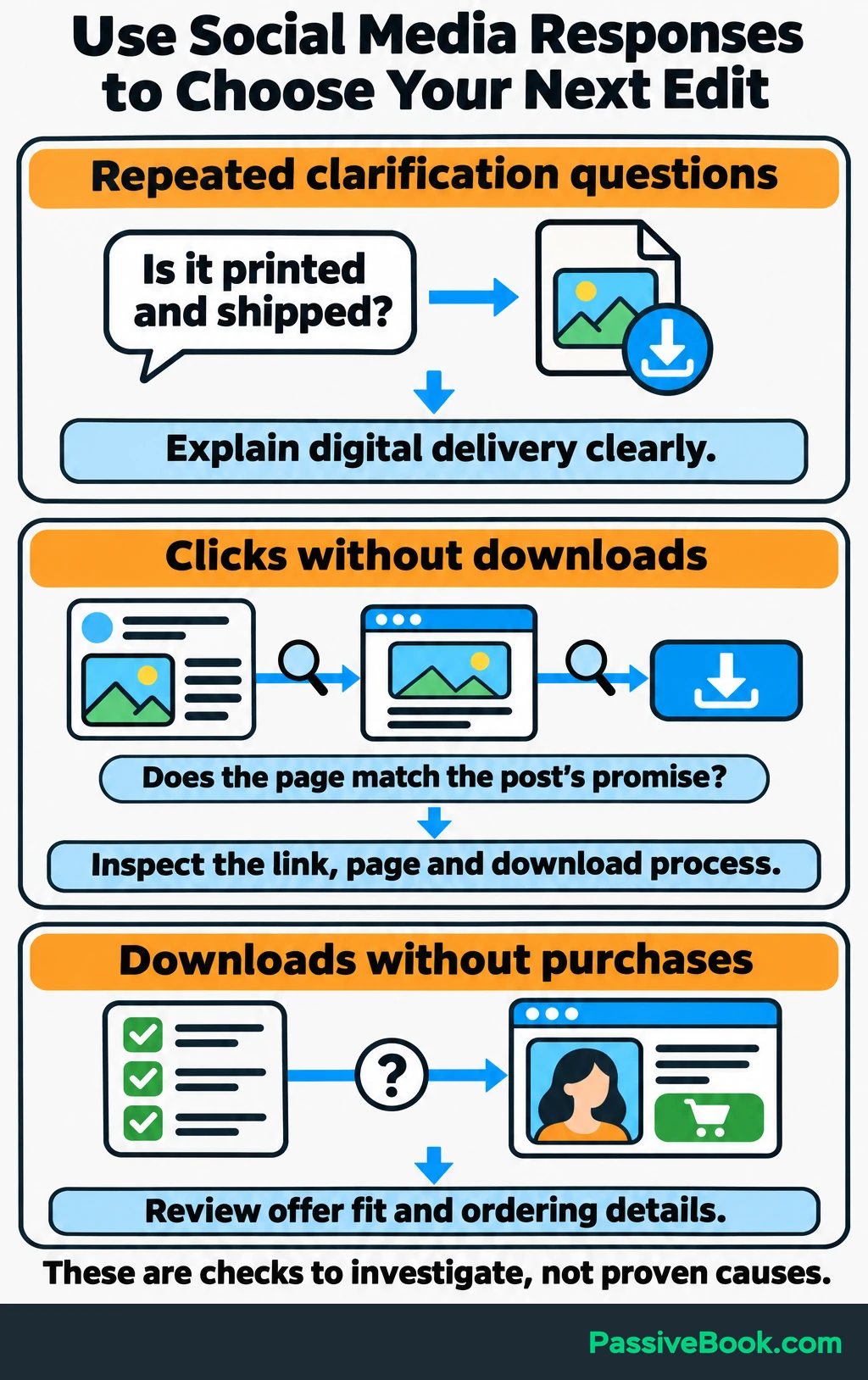
Use responses to decide what to inspect next:
- Repeated Clarification Questions: Add the missing explanation. If people ask whether a portrait is printed and shipped, make digital delivery clear.
- Clicks Without Downloads: Check the link, page and download process, then compare the page’s promise with the post.
- Downloads Without Purchases: Review whether the checklist leads naturally to the portrait offer and whether ordering details are clear.
Save useful structures in a document and reuse them with fresh questions. You don’t need a brand-new writing method every time your dog does something photogenic.
What Next?
Choose one audience question and write its brief before drafting another caption. Turn it into a teaching post, give readers one useful answer and finish with one clear request.
Use the social buttons to share this guide when a conversation about captions could use a practical writing process.
Which part slows you down most: the opening, the body or the final request? Tell me in the comments, and bring any other questions about your posts.
Share this post with your friends & followers:

