Someone asks what your product includes. Another person says their download failed. Meanwhile, your latest post gets a dozen heart emojis. All three need attention, but they don’t need the same response.
Treating every notification as equally important keeps you busy while useful conversations slip away. Posting more can add to that pile.
That growing pile makes it hard to tell whether social media is helping your business or just filling your day. The workflow below connects useful posts with replies and follow-through, so interested people have somewhere to go beyond a heart emoji.
Choose the Engagement That Matters to Your Business
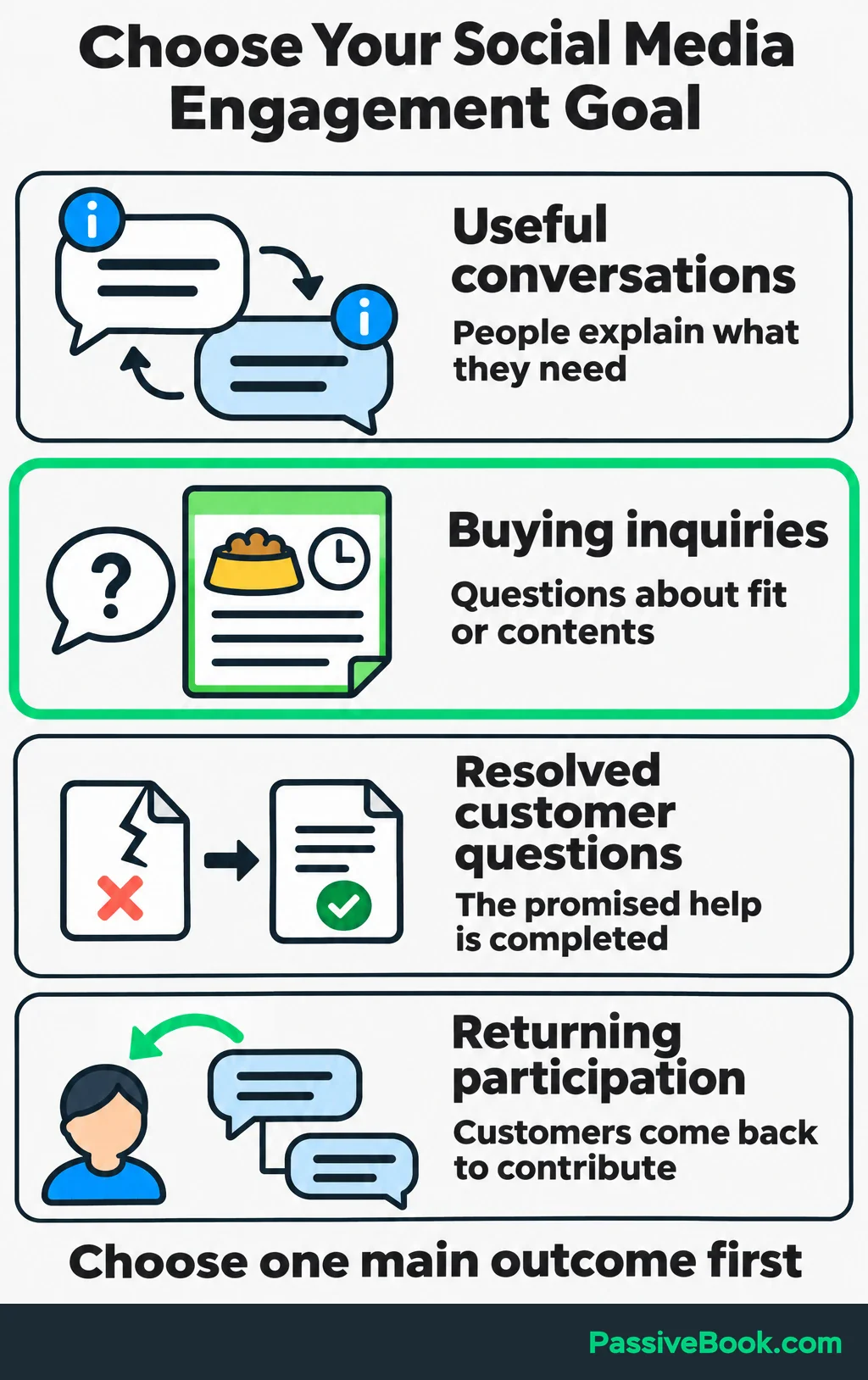
Choose one main outcome before changing your posting schedule. That might be useful conversations, buying inquiries, resolved customer questions or customers returning to participate.
Then decide what action would demonstrate progress. “More engagement” is too vague to guide your next hour of work.
Throughout this guide, imagine you run a shop selling printable cat-sitter handover packs with feeding-routine and contact sheets. The shop, messages, product details and figures are illustrations.
For this shop, I would start with qualified buying inquiries: questions about whether the pack suits someone’s needs or what they receive. An emoji reaction is welcome, but “Does this include somewhere to write feeding instructions?” deserves a useful answer and a clear next step.
Around 2022, I spent six months chasing Instagram and Twitter/X followers for another niche business. This wasn’t Passive Book. I gave follower growth far more attention than the route from a post to something people could buy. My bank balance remained around $47, which was a fairly blunt review of the strategy.
That experience is why I choose a business outcome before a follower target.
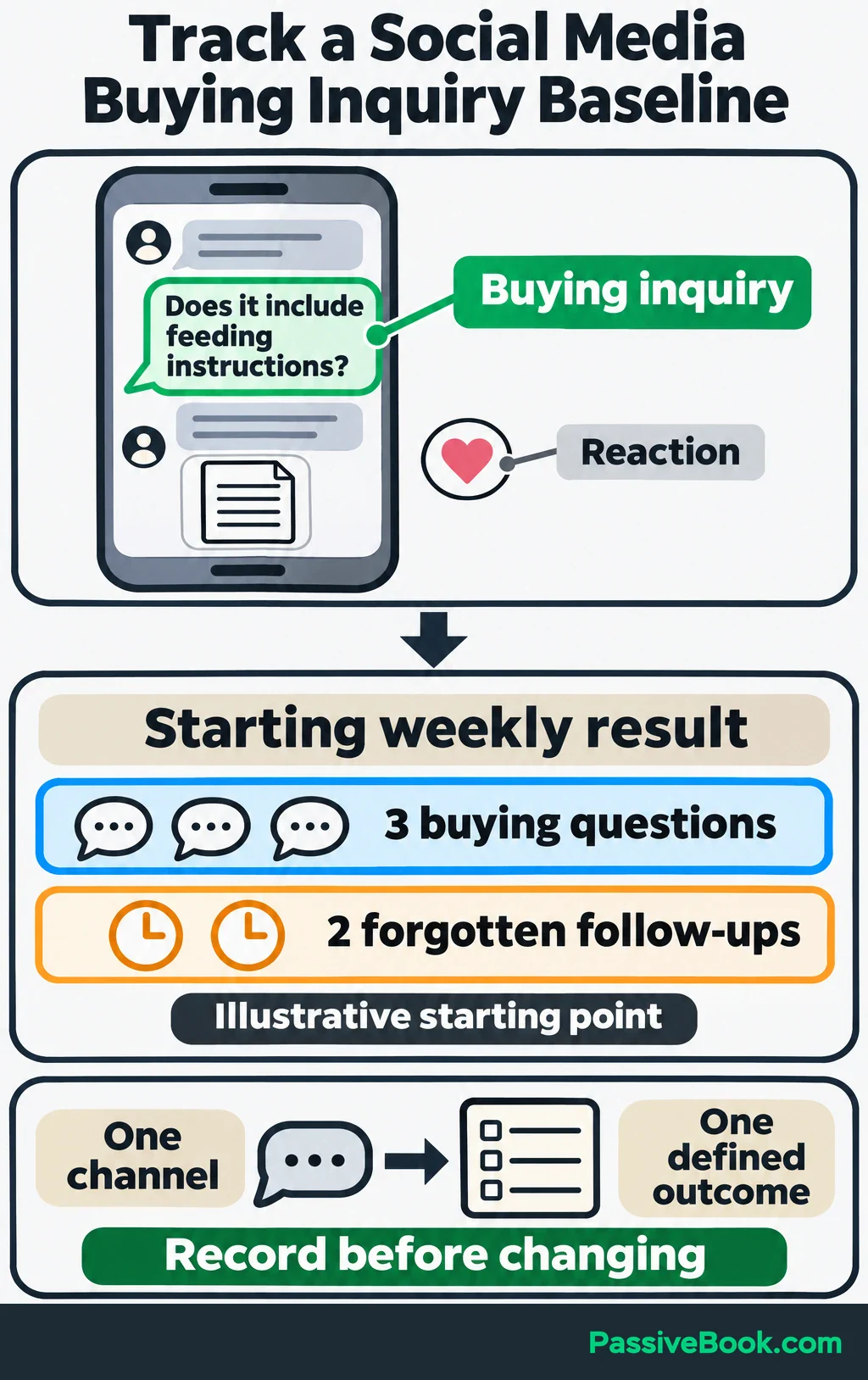
Pick one main channel where relevant conversations already happen and where you can maintain replies. Record your current weekly result before changing anything. You need a starting point, even if that starting point is three buying questions and two forgotten follow-ups.
Build an Engagement Routine You Can Maintain
Collect and Prioritize Conversations
Start each check by collecting conversations that need action. Look beyond the newest post:
- Comments and replies, including those on older posts.
- Direct messages and message requests.
- Mentions and tags.
- Responses to answers you already gave.
- Relevant public mentions found by occasionally searching your business name.
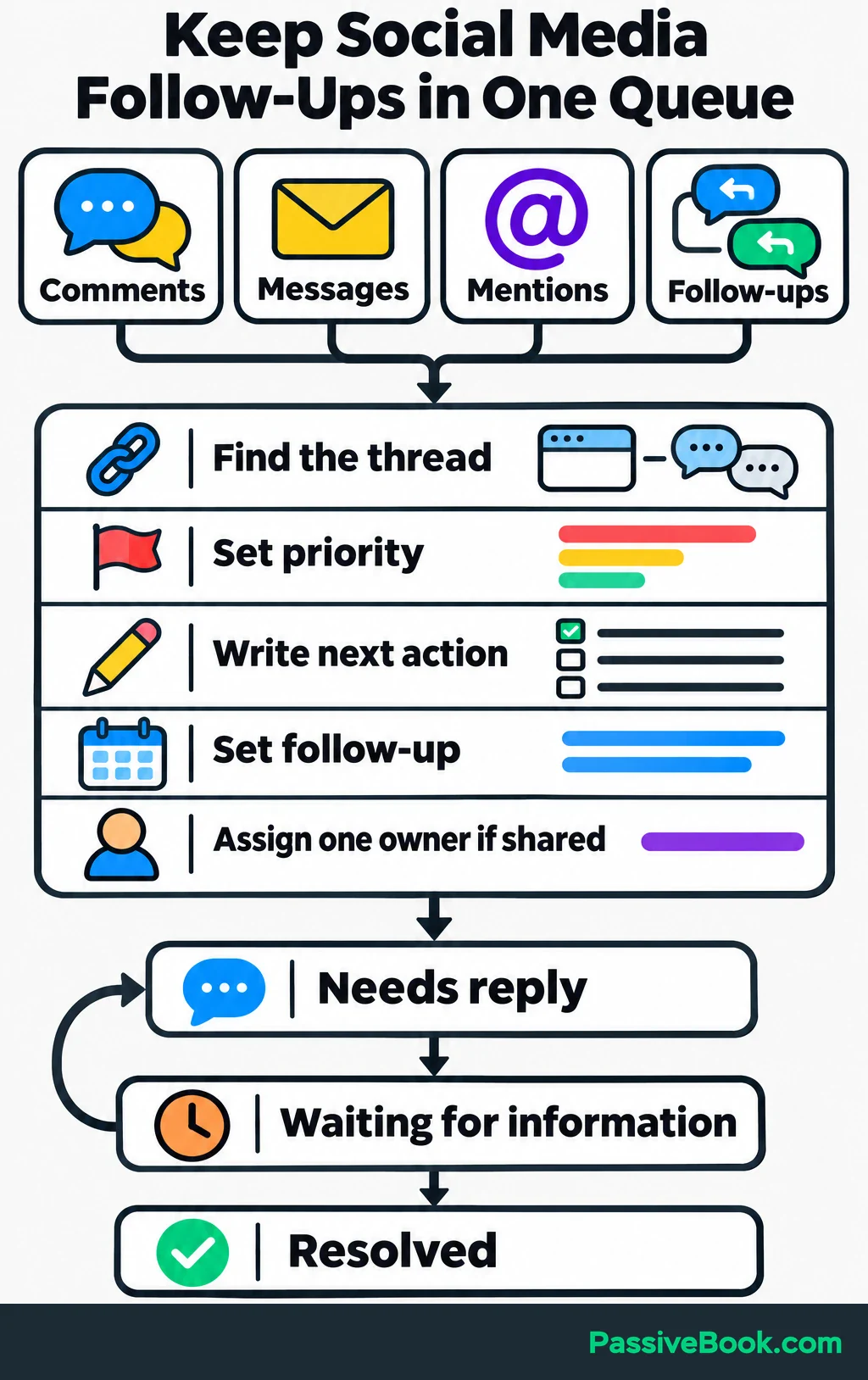
Keep unresolved work in one queue. A spreadsheet is enough. Save the conversation link, or its platform and thread identifier when a direct link isn’t available.
Your queue could look like this:
| Conversation | Topic | Priority | Next Action | Follow-Up | Status |
|---|---|---|---|---|---|
| Instagram message: “My download won’t open”; link unavailable | Download won’t open | High | Check access after receiving order reference | Next support window | Waiting for information |
| Comment on Instagram pack preview: “Does this include somewhere to write feeding instructions?”; link unavailable | Feeding-sheet layout | Normal | Answer and offer sample page | Afternoon check | Needs reply |
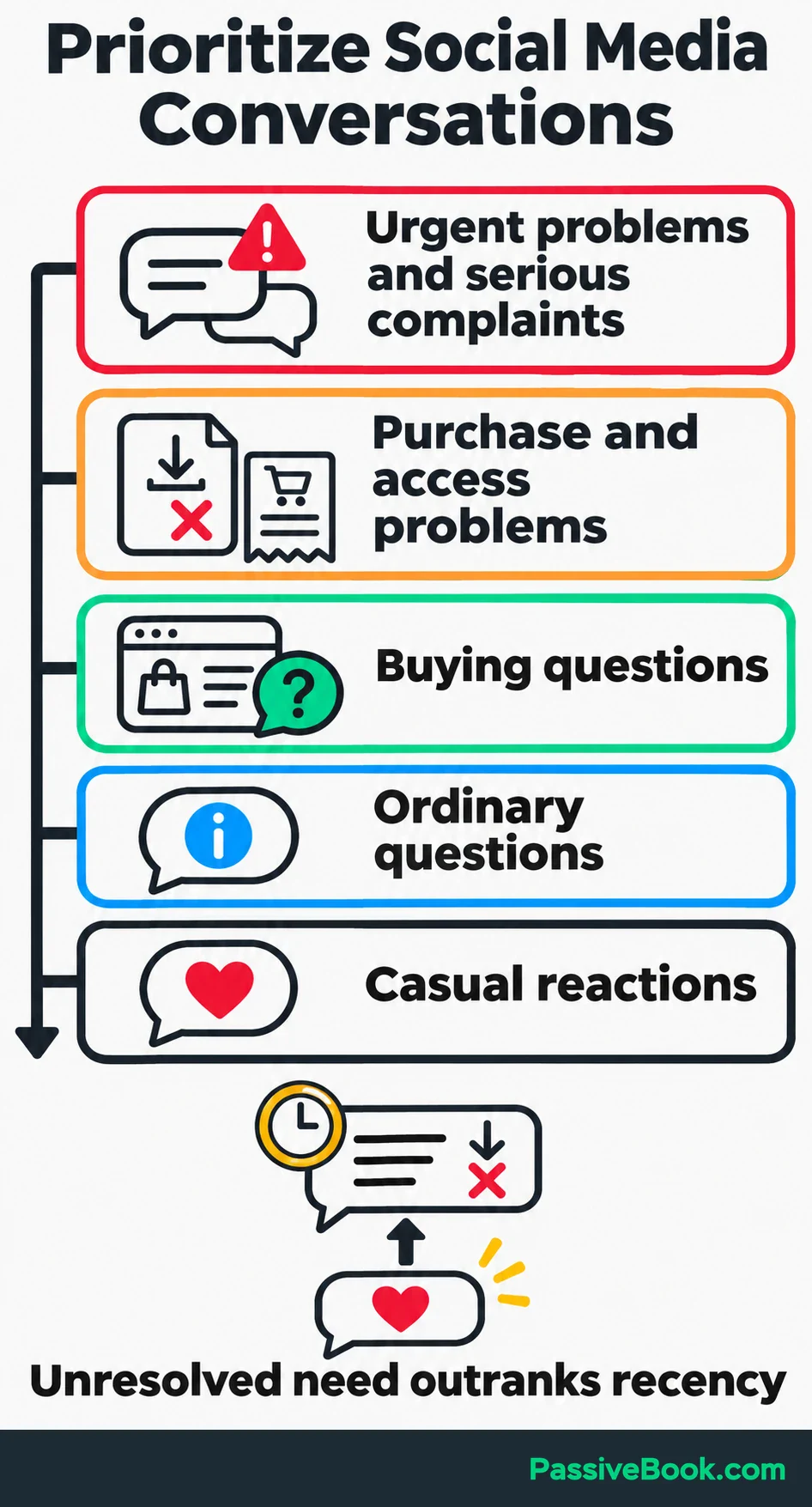
Handle urgent customer problems and serious complaints first. Purchase and access problems come next, followed by buying questions, ordinary questions and casual reactions.
An older unresolved access problem still outranks a fresh heart emoji. Sort by what needs doing, not just what arrived last.
Use three clear statuses: needs reply, waiting for information and resolved. If several people help, add an owner column and assign each conversation to one person.
Set Checking Windows Around Your Capacity
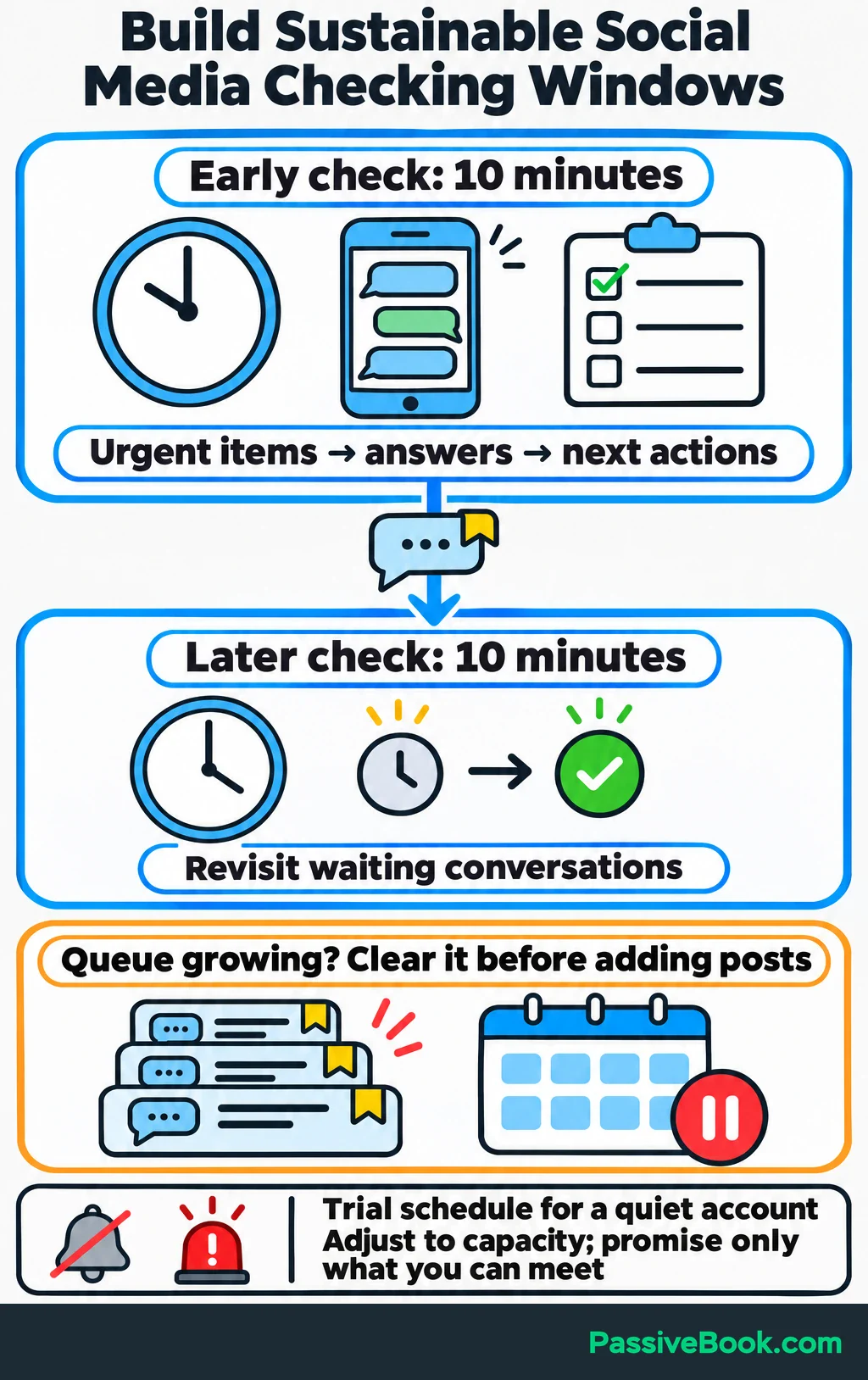
Choose checking windows you can keep. Ten minutes early in the day and ten minutes later can be a starting point for a quiet account. It is a trial schedule, not a promise that every inbox takes twenty minutes.
During each window, handle urgent items, answer what you can and give unfinished work a next action. Revisit conversations waiting for information so they don’t disappear beneath new messages.
Set internal response targets by urgency. For example, you might aim to review access problems at the next staffed check and answer ordinary questions within one working day. Publish those hours only if you can meet them.
Reserve alerts for problems that genuinely need attention before the next check. Otherwise, every notification becomes an invitation to abandon whatever you were doing.
Create content in a separate batch, and schedule posts when you can review the resulting conversations within your normal coverage. Before an absence, arrange backup or reduce publishing. If the queue keeps growing, clear it before adding more posts.
Reply Helpfully and Follow Through
Replies deserve a place in your schedule alongside publishing.
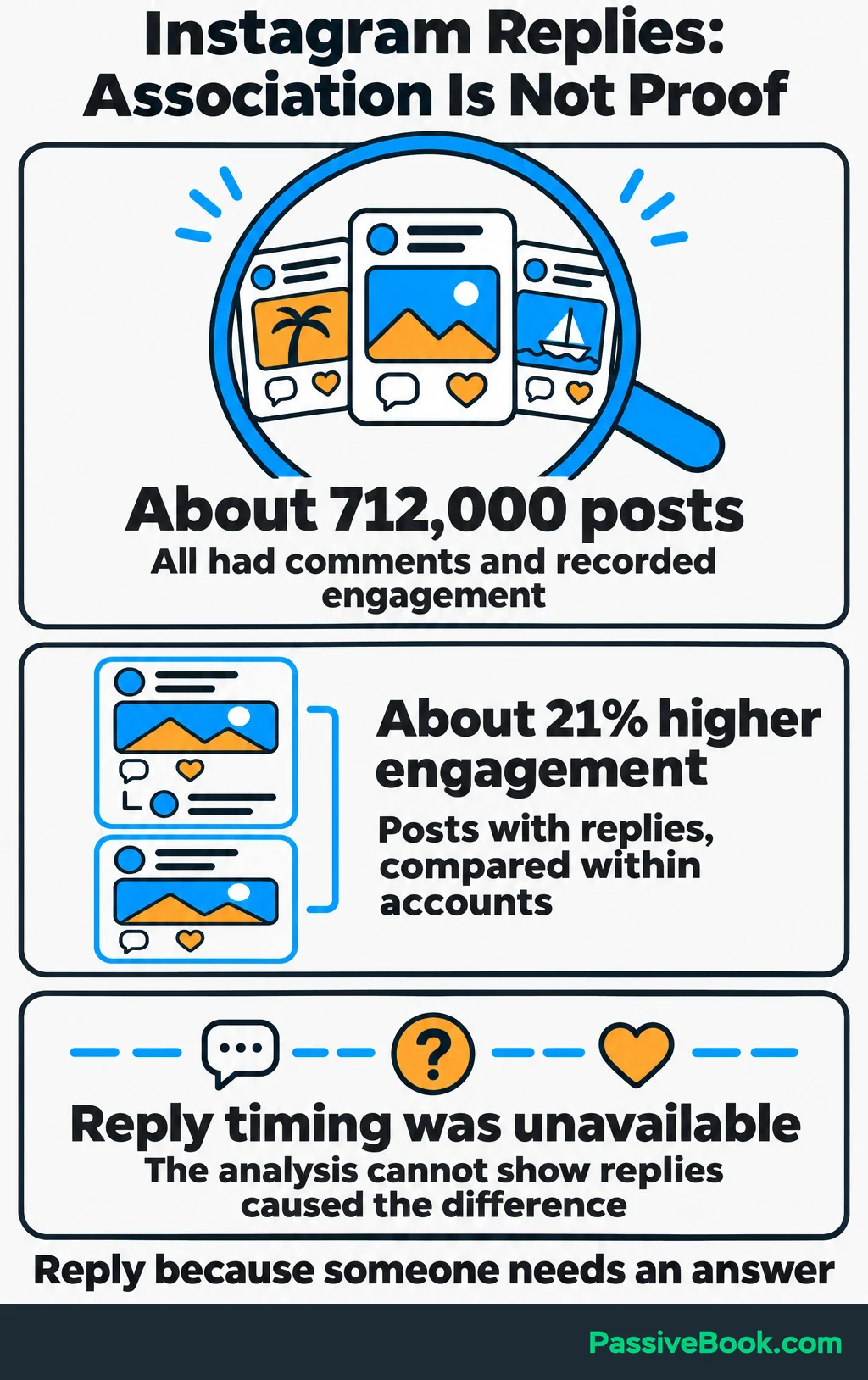
Julian Winternheimer analyzed roughly 712,000 Instagram posts published through Buffer, a social media scheduling tool. The posts all had comments and at least one recorded engagement. Comparing posts within the same account, he found about 21% higher engagement on posts with replies. The analysis lacked timestamps showing whether replies preceded the extra engagement, so it cannot show that replying caused the difference. Read the original analysis.
I would treat that as encouragement to participate, not a forecast. The immediate reason to reply is simpler: someone asked you something.
Answer the Person’s Actual Question
Read the full exchange before answering. Then acknowledge the question, give the useful answer and clarify the next step when one is needed.
For the handover-pack shop, a complete reply could be:
Yes—the feeding-routine sheet has space to write feeding instructions. The pack also includes a contact sheet. Would you like to see a sample feeding page before deciding?
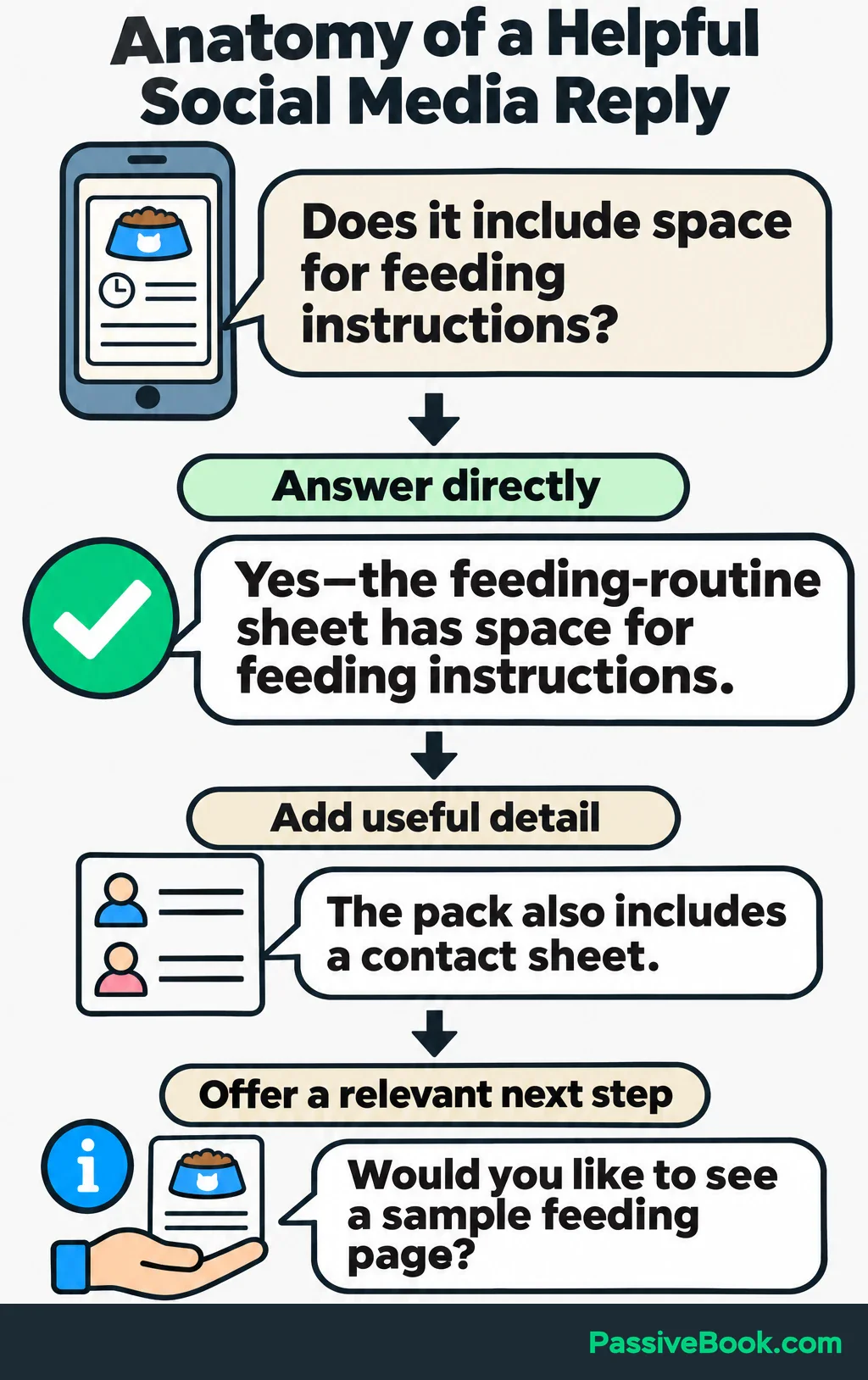
That answers the question without making the person visit a sales page to find out.
Match the reply to the message. A quick factual question usually needs a quick factual answer. Someone describing a frustrating problem needs acknowledgment and a specific action. Neither needs three paragraphs about how delighted you are to connect.
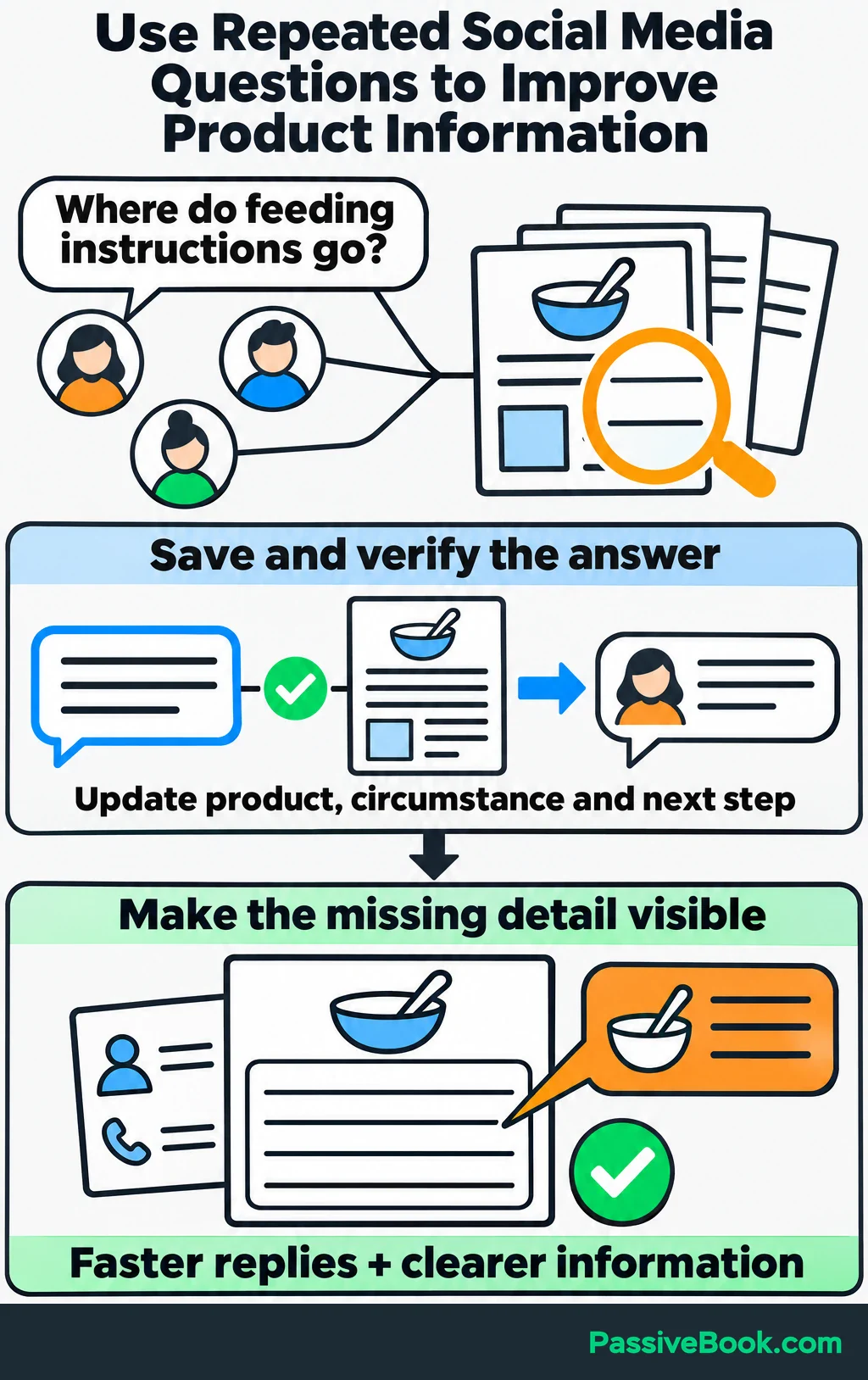
Save answers to recurring questions, but check the details before reusing them. Change the relevant product name, circumstance and next step.
I’ve caught myself rewriting the same explanation for a digital product while leaving its preview untouched. Saving the answer helped me reply faster, but adding the missing information to the preview addressed the confusion itself. When a question keeps returning, I now check what the product page failed to explain.
Resolve Complaints and Moderate Abuse
A complaint needs a clear next action and someone responsible for completing it.
For a failed download, the shop could reply:
Sorry the download link failed. Please send your order reference through our support channel so I can check access. Keep the reference out of this public thread.
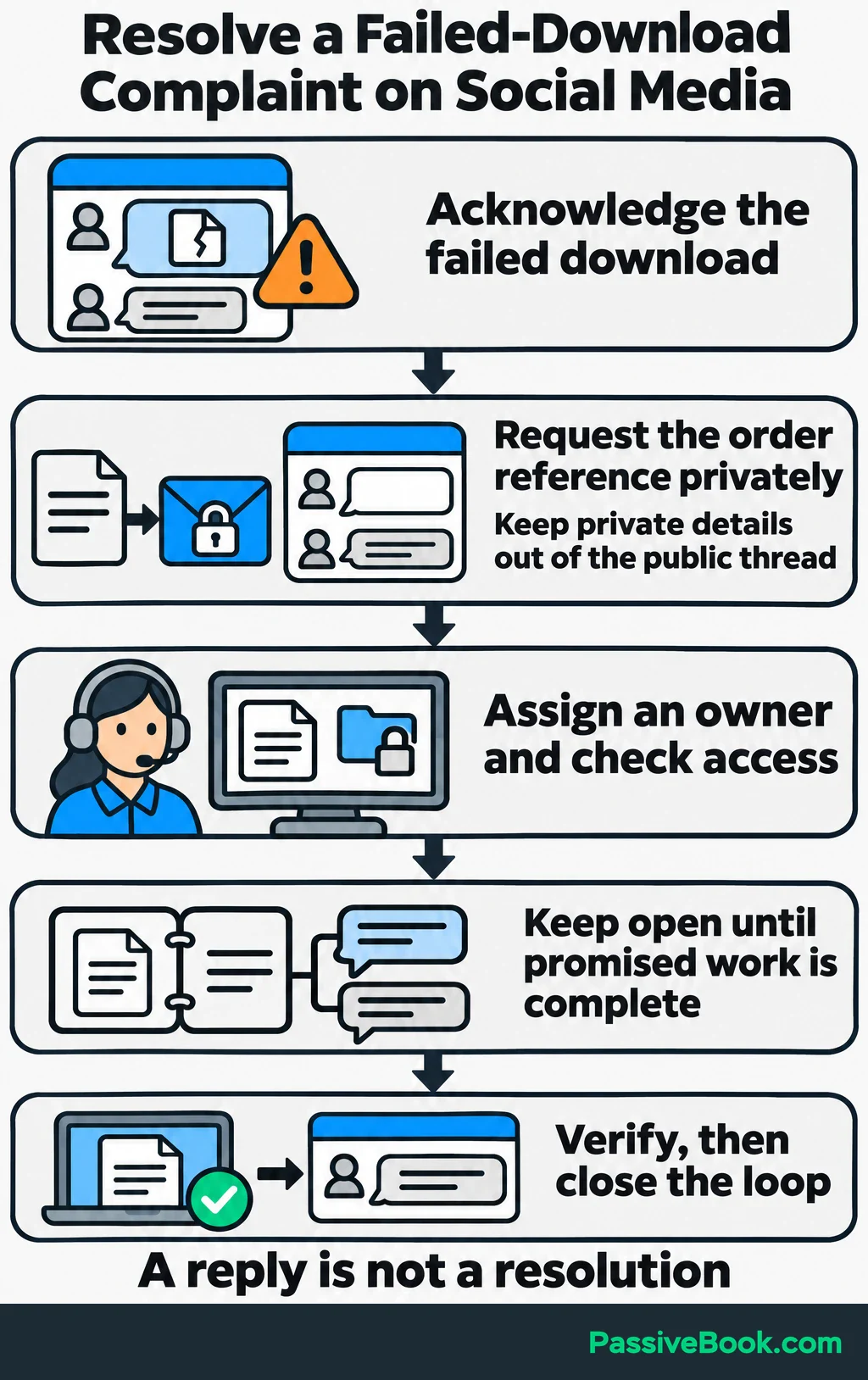
The next job is to check access. Sending a polite reply does not resolve the problem.
Keep the conversation open until you complete the promised action. Where useful, close the public loop with a brief update such as, “I’ve sent the access details privately.” Don’t claim the problem is fixed before you know it is.
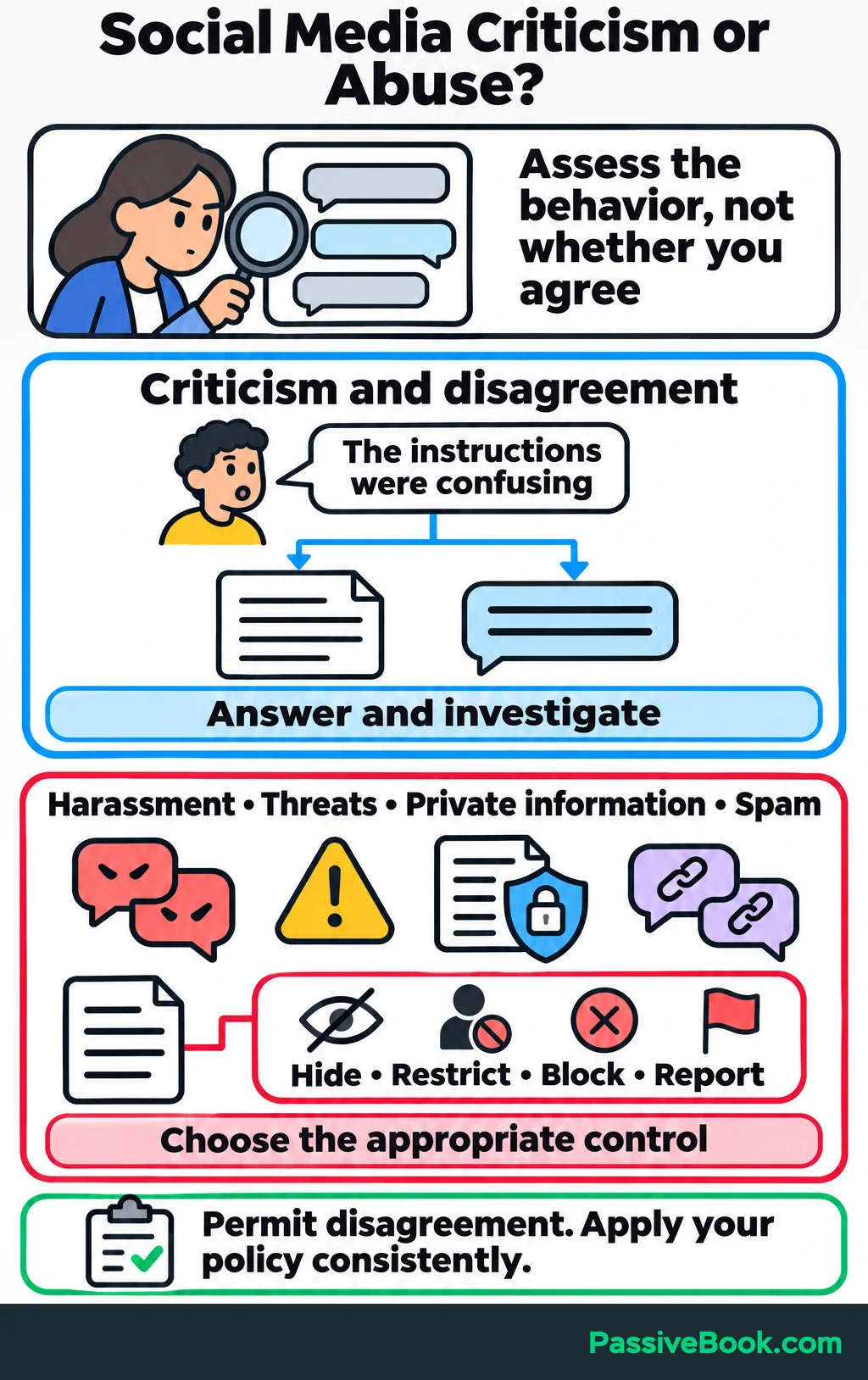
Separate criticism from abuse. “The instructions were confusing” is feedback worth answering. Spam, repeated harassment and threats call for moderation.
Write a short policy that permits disagreement but excludes harassment, threats, private information and spam. Apply it consistently, using hiding, restricting, blocking or reporting as appropriate. Meta’s safety guidance explains these controls.
Give Interested People a Relevant Next Step
Answer first, then offer something that fits the need.
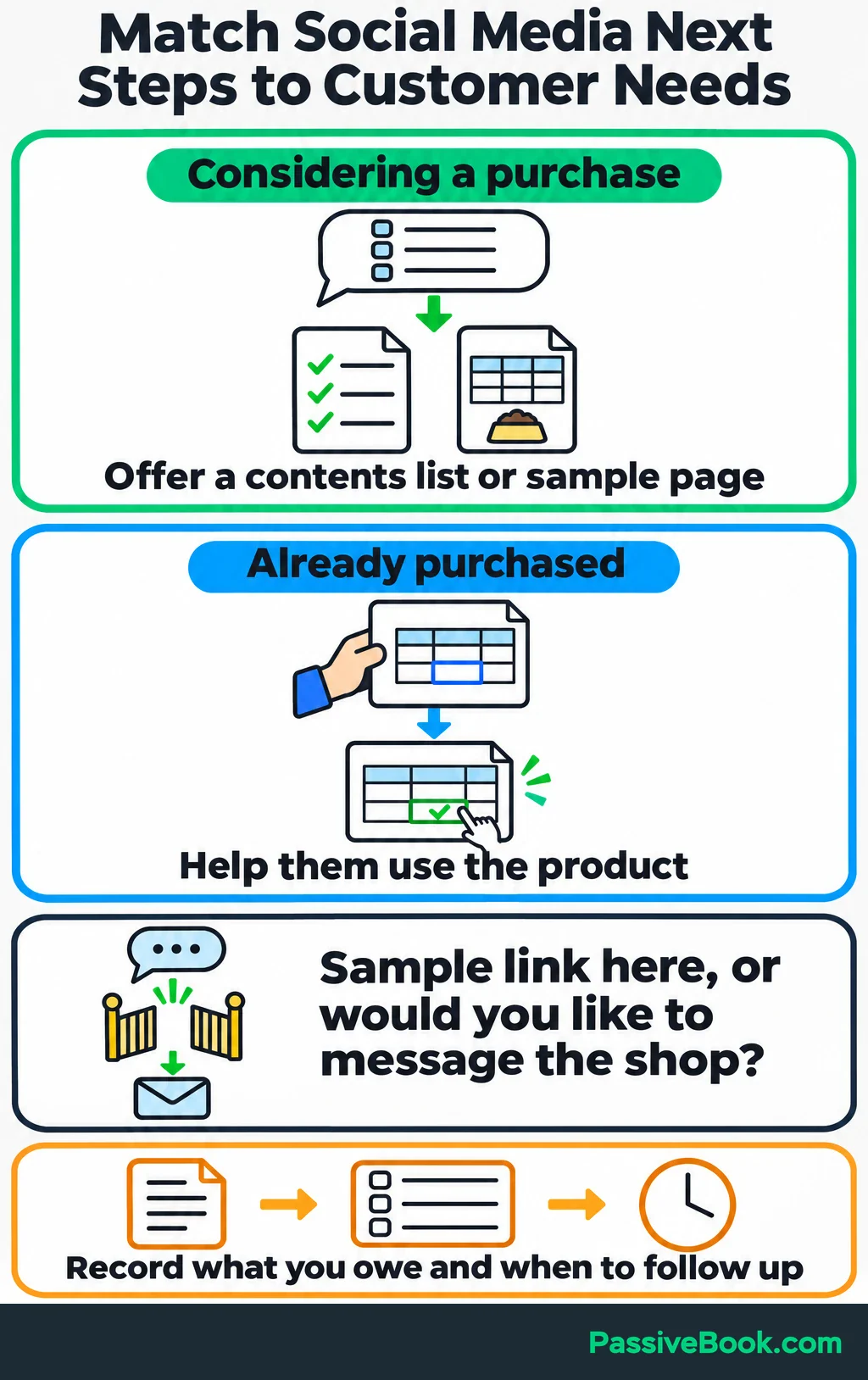
Someone asking about the pack’s contents may want a contents list or sample page. Someone who already bought it needs help using it. Sending both people the same sales link saves typing and ignores the conversation.
Ask before moving an ordinary public discussion into a private sales exchange:
Would you prefer the sample link here, or would you like to message the shop?
If you promise to return with information, record that promise in your queue. Include what you owe and when you will follow up.
Continue answering after purchase. A question about completing the contact sheet can reveal a missing instruction, and a useful answer gives the customer a reason to trust your next recommendation.
Publish Content That Gives People a Reason to Participate
Make Participation Easy and Relevant
Give each post one job. It might uncover a difficulty, invite an experience, answer a recurring question or help someone make a decision.
Provide something useful before asking for a response. “Thoughts?” gives readers most of the work.
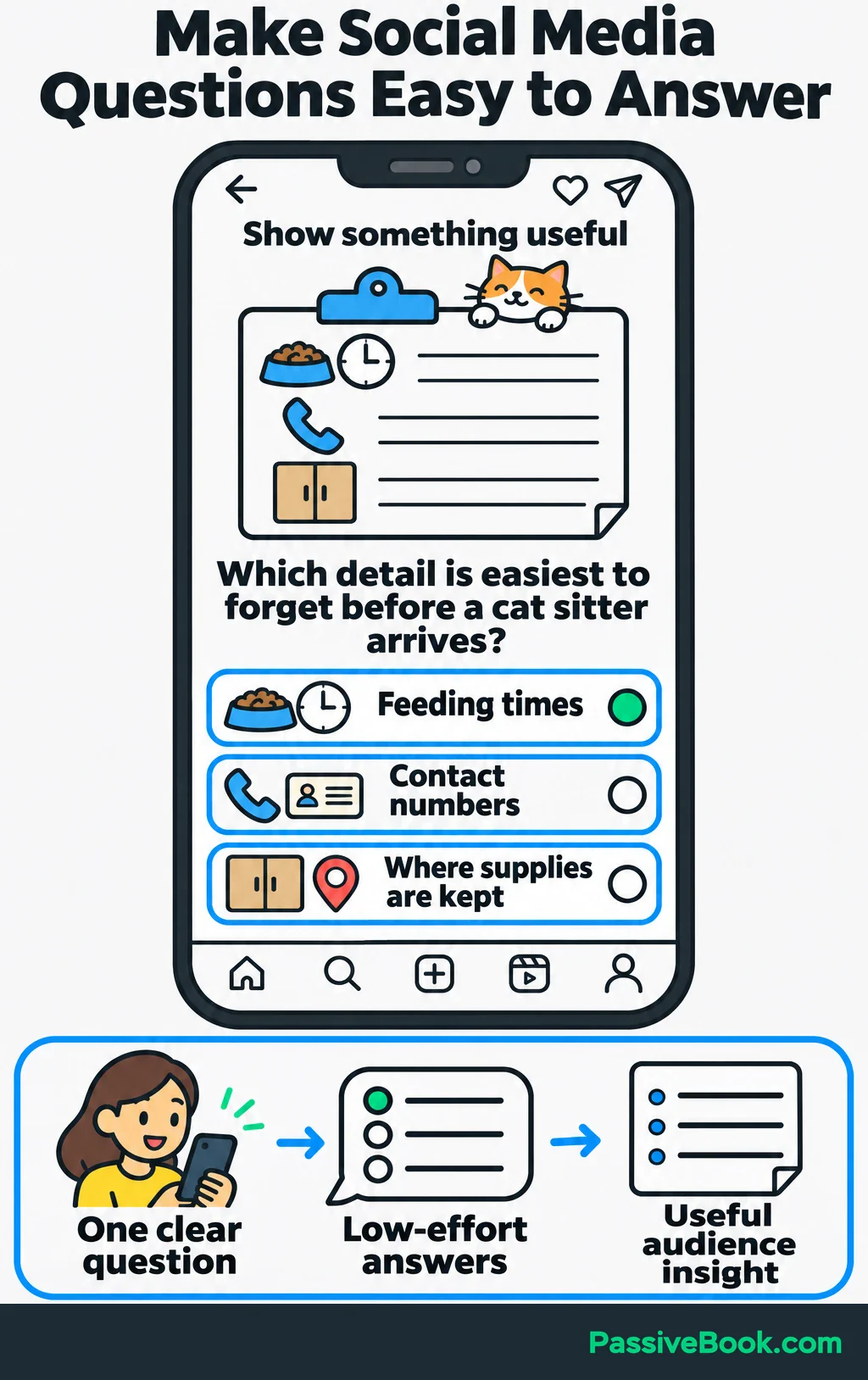
For the handover-pack shop, show a sample sheet and ask:
Which detail is easiest to forget before a cat sitter arrives: feeding times, contact numbers or where supplies are kept?
That question is specific, easy to answer and relevant to the product. The replies can also tell you what needs a clearer explanation.
Choose the format around the task:
- An Instagram graphic can show one sheet with a focused caption question.
- A Facebook community discussion can invite experiences, where its rules allow.
- A YouTube tutorial can demonstrate completing a sheet and ask which part needs more explanation.
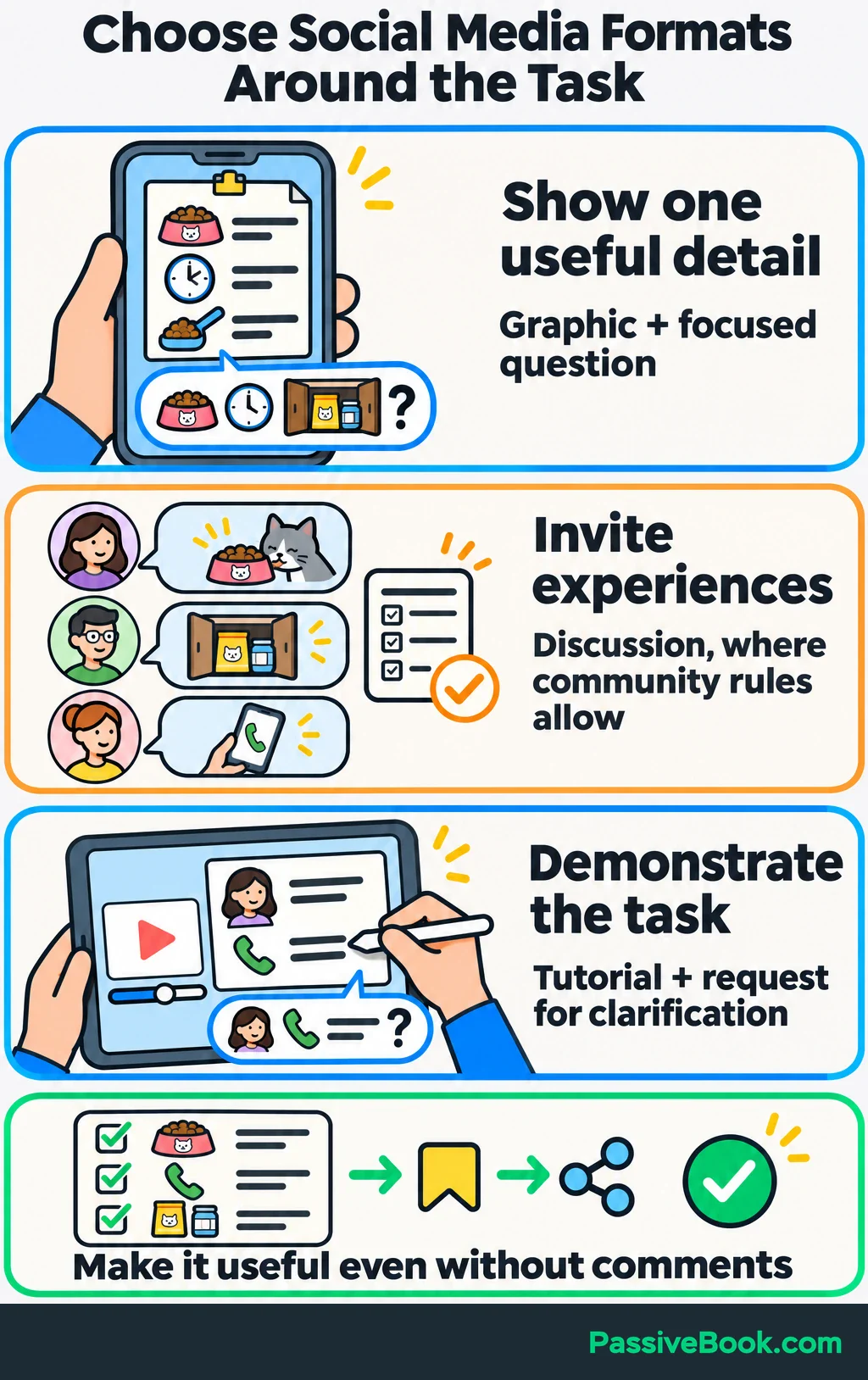
You don’t need to appear on camera to show how a printable works. A clear image or screen demonstration may do the job better.
Also create material people have a reason to save or share, such as a short checklist of information to prepare before a sitter arrives. The usefulness should survive even if nobody leaves a comment.
Spend a small, defined amount of time in relevant discussions beyond your own posts. Answer the question already being asked, and share a link only when it helps and the community permits it. Set a stopping point before browsing becomes your afternoon.
Turn Audience Questions Into Your Next Posts
Your response queue is also a content source.
Group repeated questions, choose one need and publish a focused answer. If people keep asking what belongs on the contact sheet, show how to organize that section.
A recurring series could cover one part of the handover pack at a time. Each post should solve a small problem independently, so readers don’t need to find six earlier installments.
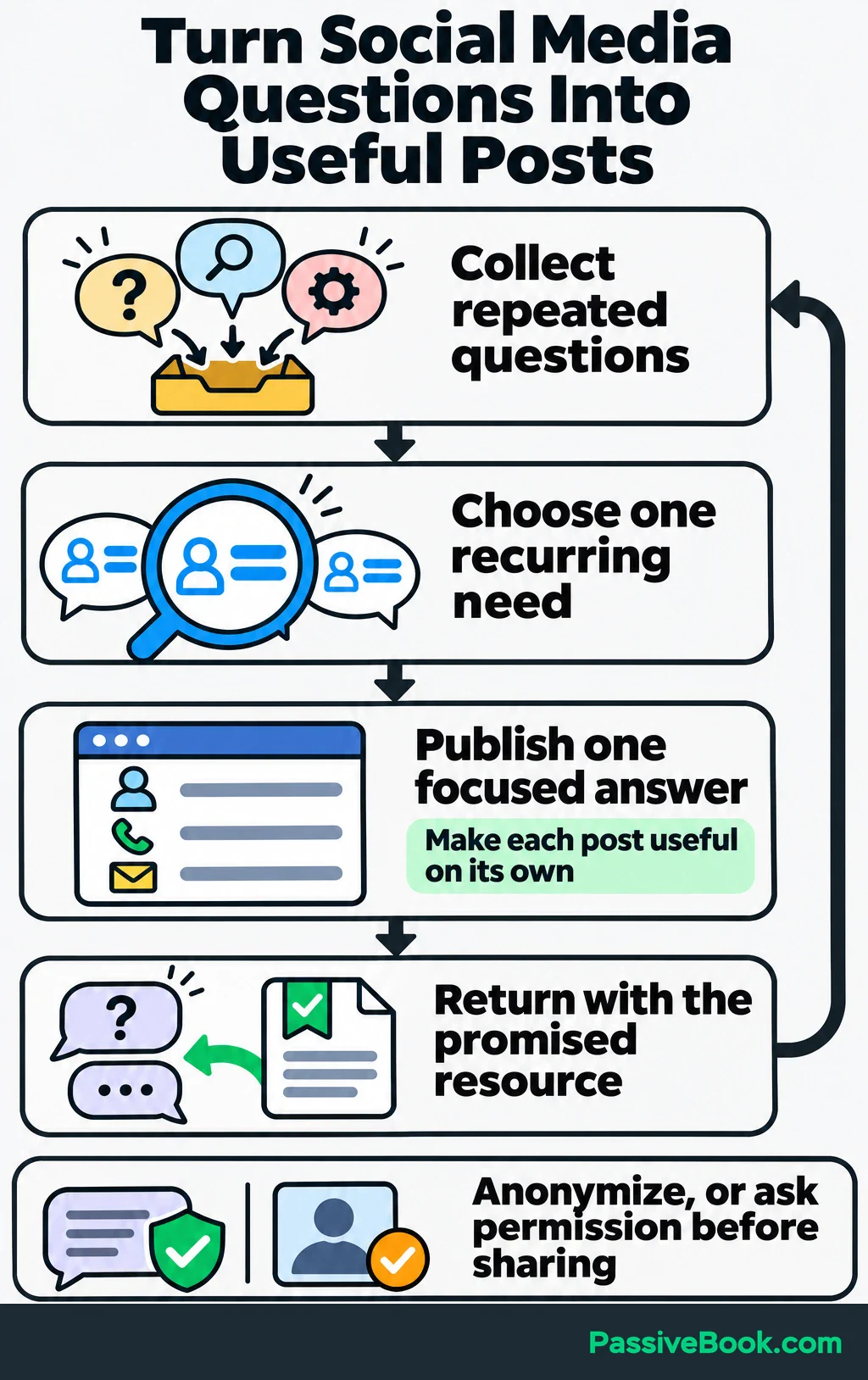
When a post works well, identify what was useful before repurposing it. Was it the topic, the example, the explanation or the question? Turn that useful part into another suitable format rather than copying the whole post everywhere.
Return to the original discussion when you publish a resource you promised. That closes a loop and puts the answer in front of the person who requested it.
Ask permission before reproducing identifiable messages, customer photos or stories. You can often teach the same lesson by summarizing the question without identifying its author.
Keep enough space in your publishing schedule to respond. I would rather publish two useful posts I can support than five that leave a trail of unanswered questions.
Use Tools and AI to Reduce Repetitive Work
Choose Tools Around a Specific Bottleneck
Start with native inboxes, platform analytics and a simple tracking sheet. The inbox holds the conversation, and the sheet records unfinished work.
For a Facebook Page and Instagram account, I would try free Meta Business Suite before paying for another tool. It supports scheduling, responding to messages and comments, and viewing insights. Meta’s app listing describes those capabilities.
Test it with your own accounts and the interactions you receive. A tool that handles comments well may still leave another part of your workflow uncovered.
Consider a shared inbox when missed messages, duplicate replies or constant account switching become recurring problems. Before subscribing, check:
- Whether it covers your exact channels and interaction types.
- Whether conversations can be assigned and followed up.
- Whether its ongoing cost and upkeep are justified by time saved.
I would skip a paid dashboard while the native inbox and sheet handle the queue reliably. A subscription needs a job beyond making the workspace look more professional.
Automate Preparation and Review Replies Before Sending
Automate work with clear rules: scheduled publishing, internal reminders and routine acknowledgments.
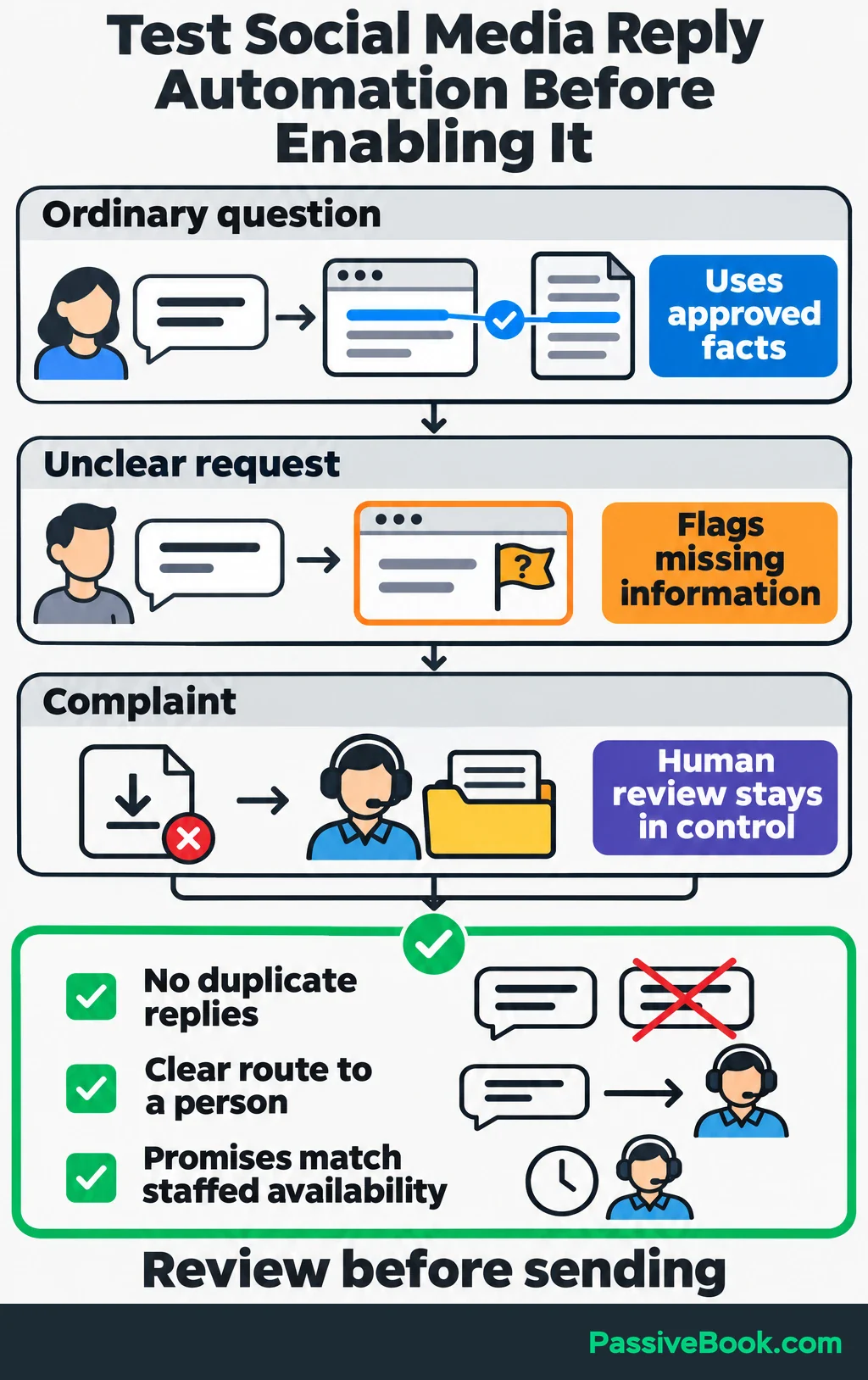
An acknowledgment can state your staffed hours and explain when a person will respond. Keep it separate from a substantive answer, and make sure its promise matches your actual availability.
AI can help prepare replies. Give Claude or ChatGPT an anonymized message, approved product facts and a short tone guide. Remove customer identifiers and private order details first.
Here is a reusable prompt:
Draft a short, friendly reply using only the approved information below. Answer the person’s question first and offer one relevant next step. Don’t invent features, policies, refunds or deadlines. If information is missing, flag it for me instead of guessing.
Customer message: [anonymized message]
Approved information: [verified product facts and policies]
Tone: plain, helpful and calm.
Review the draft for accuracy, context and tone before sending it. Keep complaints, sensitive conversations and promises to customers under human review.
If you’re still staring at an unanswered message, AI Social Copy Studio can help you draft a response using your own product details. It also handles follow-ups and turns recurring questions into useful posts.

Free AI Social Copy Studio




Before enabling an automation, test an ordinary question, an unclear request and a complaint. Check that it doesn’t send duplicate replies and that people have a clear route to a person.
Use platform-supported integrations and avoid purchased engagement or repetitive bulk replies. Meta has taken enforcement action against fake-engagement sellers, including a service selling Instagram likes, views and followers. Its enforcement report documents the case. Buying those numbers also does nothing to answer the customer already waiting in your inbox.
Measure Results and Fix the Biggest Bottleneck
Review a small scorecard weekly. Track your chosen outcome alongside overdue conversations and time spent.
Define the outcome before counting it. For the shop, a qualified inquiry could be a question about pack suitability, contents or purchasing. Count distinct conversations so five messages from one person don’t become five inquiries.
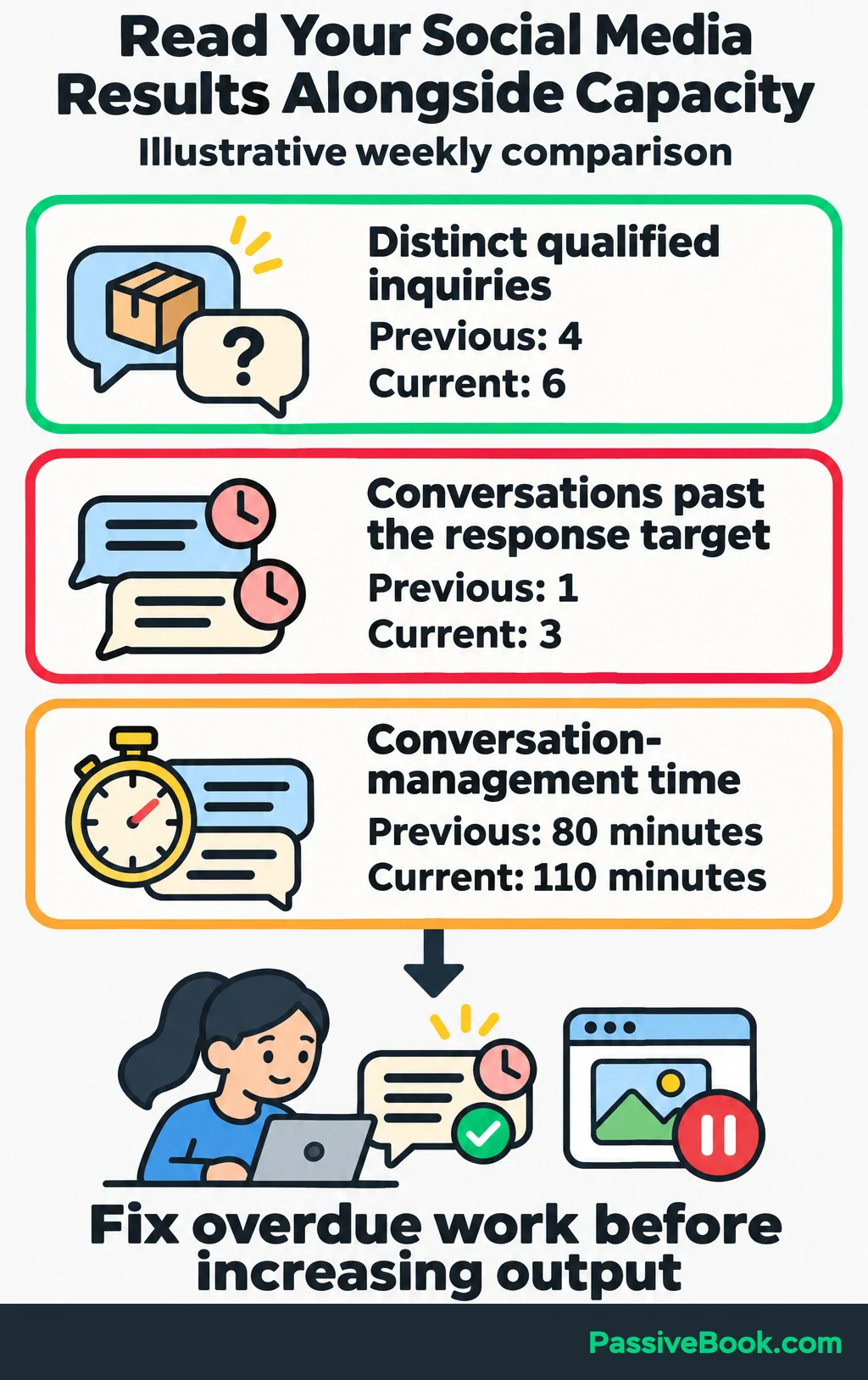
Here is an illustrative scorecard comparing two weeks:
| Goal | Metric | Current Result | Previous Comparable Result | Next Action |
|---|---|---|---|---|
| Attract relevant interest | Distinct qualified inquiries | 6 | 4 | Publish another clear product demonstration |
| Follow through reliably | Conversations past the response target | 3 | 1 | Clear overdue work before adding posts |
| Keep the routine manageable | Time spent managing conversations | 110 minutes | 80 minutes | Save the recurring contents answer |
The extra inquiries look encouraging, but the overdue work shows a capacity problem. I would address that before increasing output.
For response coverage, count conversations received in one week that needed an answer. Exclude spam and reactions that need no reply, and wait until every conversation has had its full response window.
Divide the number given a substantive answer by that group’s total, then multiply by 100. If you answered 18 of 20 eligible conversations, coverage is 90%. Automatic acknowledgments don’t count as answers.
Answered and resolved are different: an access complaint may receive a useful reply while still needing work.
For content, use a consistent interaction measure. You might count audience comments, saves and shares relative to accounts reached.
Suppose the shop’s post receives 12 audience comments, eight saves and five shares while reaching 500 accounts during its first seven days:
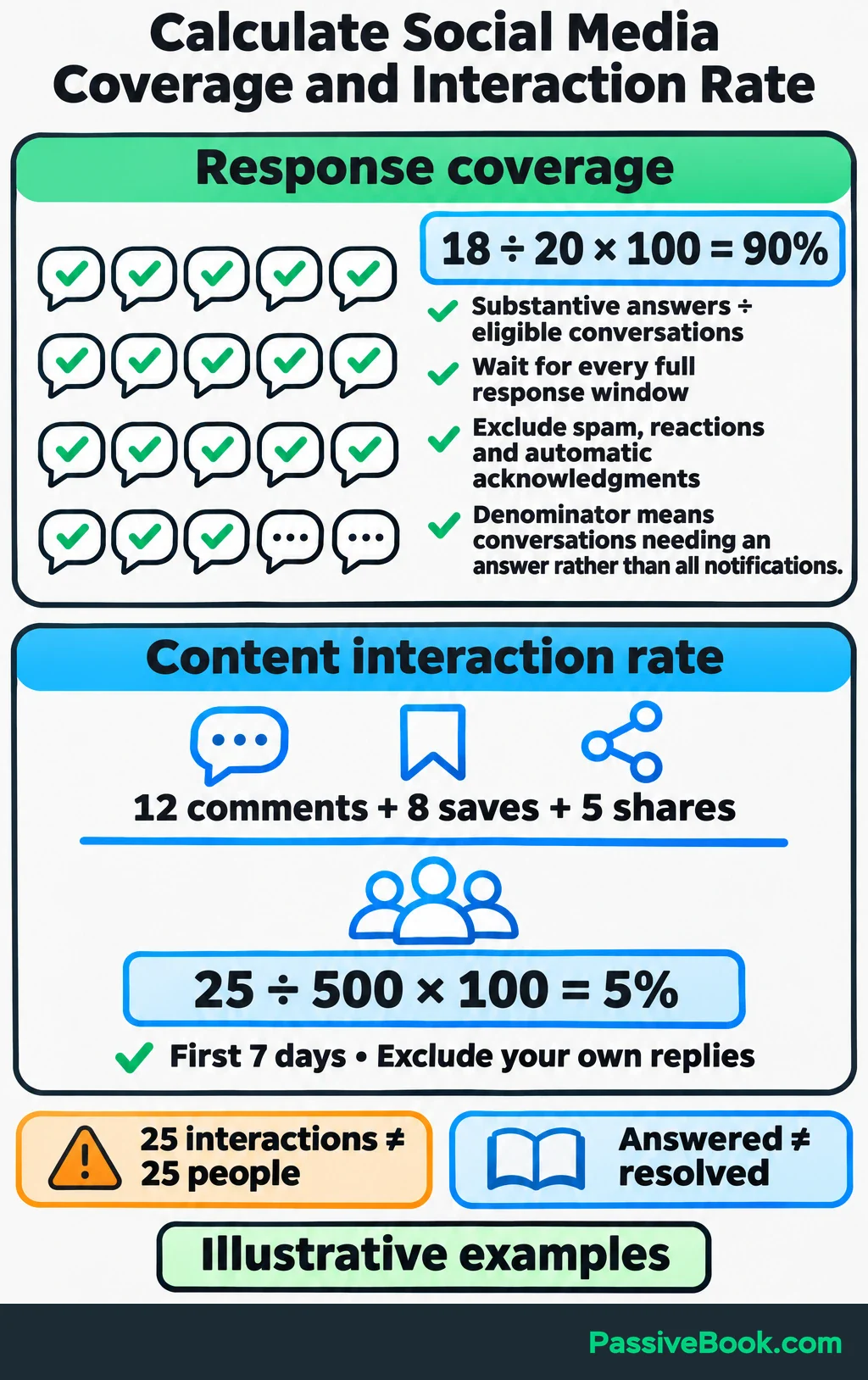
(12 + 8 + 5) ÷ 500 × 100 = 5%
That is 25 interactions, not necessarily 25 people. Keep your own replies out of the count, and use the same interactions and observation window when comparing posts.
To see which social links bring website visits, add tracking labels to those links: utm_source=instagram, utm_medium=social and utm_campaign=handover_sample, for example. Google’s campaign-link guidance shows how to add them. If signup or purchase tracking is configured in Google Analytics, review those completed actions alongside visits.
Then choose one improvement:
- Overdue questions call for better coverage.
- Repeated confusion calls for clearer information.
- Reach with little participation calls for a more relevant topic or prompt.
- Buying questions left without a next step call for better follow-through.
Test that change across several comparable posts or conversations. Keep what improves useful outcomes within your available time, and simplify work that adds effort without serving the goal.
What Next?
Choose your next inbox check and put every unresolved conversation into one queue. Give each one a next action before drafting another post.
Use the social buttons to share this guide when your next group discussion turns to keeping up with comments and messages.
Which part of your engagement routine currently takes more time than it earns back? Tell me in the comments, and include any other questions you have.
Share this post with your friends & followers:

