You set aside an evening to improve a product, but routine requests use it up. Each one needs only a few minutes. Together, they take the time you meant to spend moving the business forward.
Paying someone to help sounds sensible until you picture explaining every task, checking every reply, and fixing mistakes after customers notice them. This guide shows what a dependable handoff needs and how to judge its cost, so routine requests can leave your to-do list while customers still get reliable help.
1. Choose One Operation to Outsource First
Outsourcing means paying an outside person or company to perform agreed work. You can start with a small recurring task rather than handing over an entire department.
For your first attempt, choose work with clear inputs, steps someone can learn, and results you can check. “Resolve download-access requests” gives someone a job they can finish. “Manage customer experience” gives them a mystery.
For a week, record your recurring tasks. Note how often each happens, how much time it takes, what access it requires, and where mistakes occur. Also record current turnaround and quality so you have something to compare after the handoff.
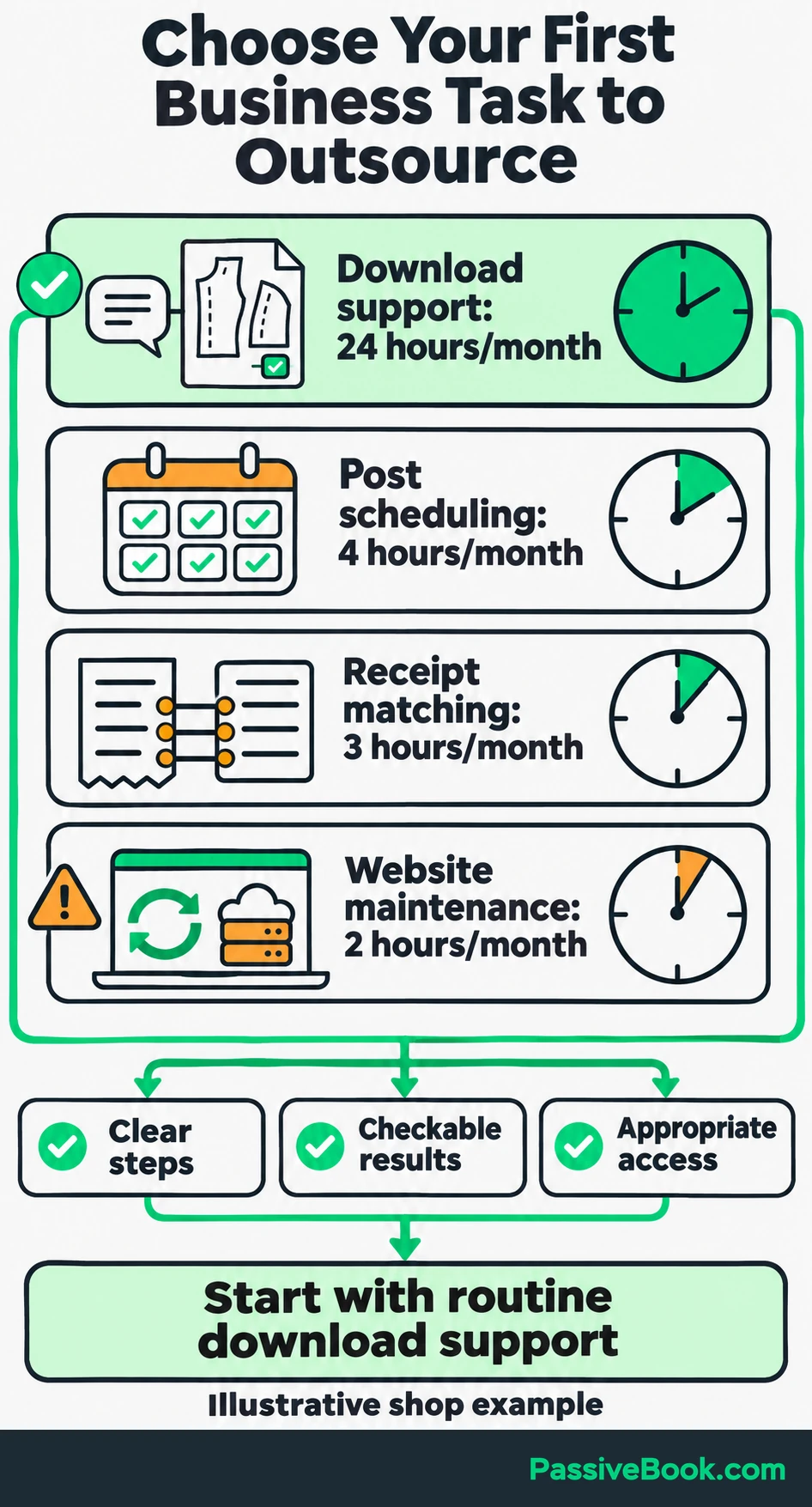
Throughout this guide, imagine you run an online shop selling downloadable beginner sewing patterns. The shop and all its workloads, costs, and results below are illustrative.
Your task list might look like this. The hours are monthly owner time before outsourcing.
| Operation | Bounded Task | Owner Hours | Required Expertise | Access Sensitivity | Ease of Checking | Decisions Retained |
|---|---|---|---|---|---|---|
| Scheduling | Schedule approved product posts | 4 | Basic scheduling and formatting | Publishing access | Check dates, links, and previews | Content and promotions |
| Routine customer support | Resolve download-access requests | 24 | Clear writing and order lookup | Customer messages and limited order details | Check instructions, records, and outcomes | Refunds and policy exceptions |
| Bookkeeping preparation | Match receipts to transactions and flag gaps | 3 | Accurate record handling | Financial records | Review matches and missing items | Payments and accounting judgments |
| Website maintenance | Back up, test updates, and report issues | 2 | WordPress maintenance | High: changes can affect the store | Check backups and test results; use qualified review if needed | Major changes and spending |
I would start with download support here. It takes the most time, and routine cases have a result you can verify. Website maintenance may also be worth outsourcing, but it needs a specialist rather than whichever assistant happens to be available.
Before paying someone, remove unnecessary work. If customers struggle to find the download link, improve the purchase email. Let the store send purchase confirmations automatically, then delegate requests that remain unresolved.
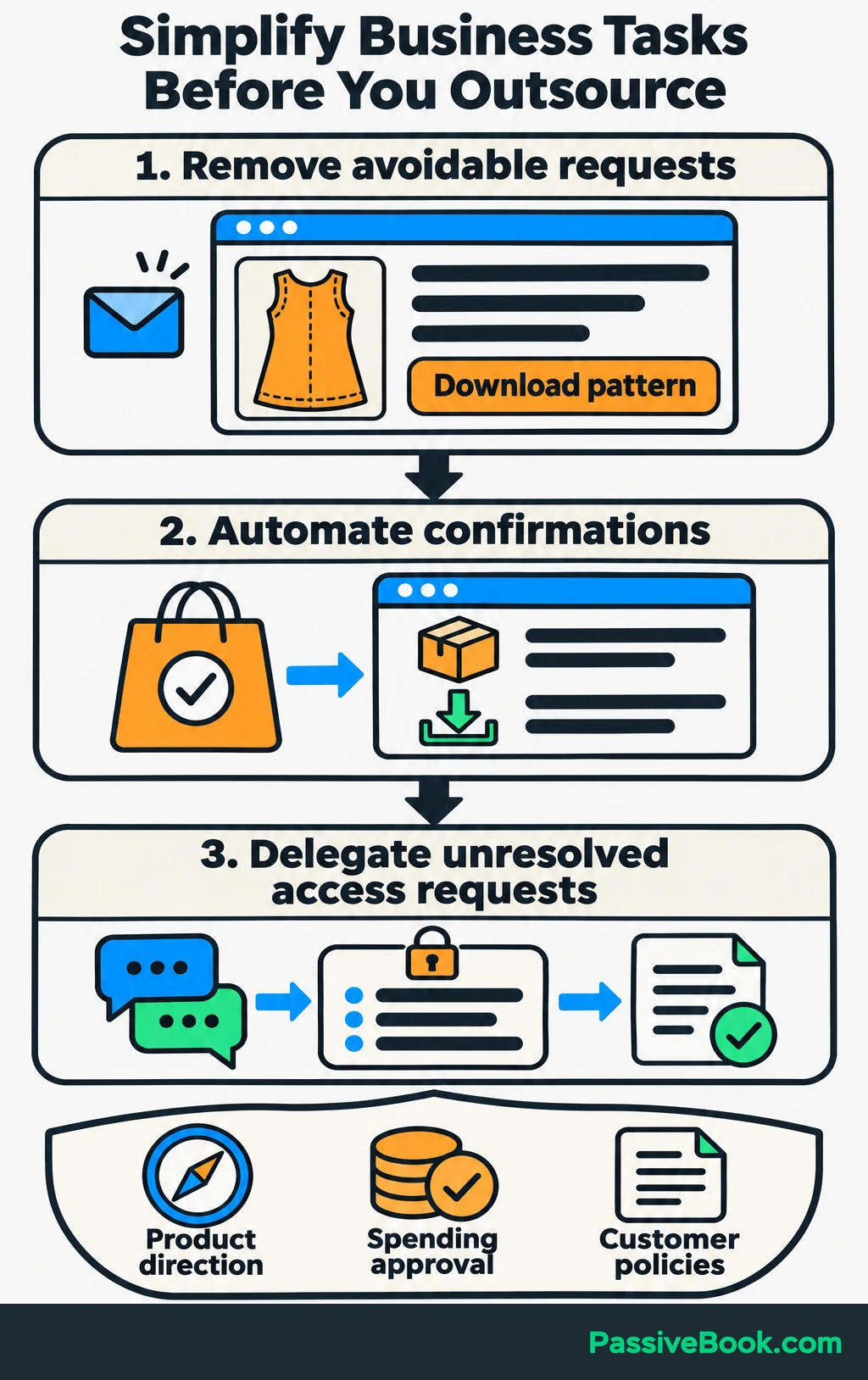
You still keep product direction, spending approval, and customer policies. For work you cannot judge yourself, arrange qualified review rather than hoping a confident explanation means the work is correct.
Next, write a short brief covering:
- Scope: The exact task and what falls outside it.
- Volume: Expected workload and any busy periods.
- Coverage: When work needs attention and the response target.
- Skills: What the person must already know.
- Deliverables: What they must complete and record.
- Approval: Decisions they must bring back to you.
For the shop, the core instruction could read:
Handle download-access requests using the approved instructions. Match the request to the correct order, help the customer access the purchased files, and record the outcome. Send refund requests, disputed purchases, and unresolved technical problems to me.
Start when you can fund a limited test and make time for training. If a routine task changes every time you do it, simplify it first. You can also hire a specialist to improve the process before paying for ongoing delivery.
2. Estimate the Cost and Time You Can Reclaim
Compare Quotes for the Same Work
Send each candidate the same brief. Otherwise, one may quote for answering messages while another includes follow-up, records, and backup coverage.
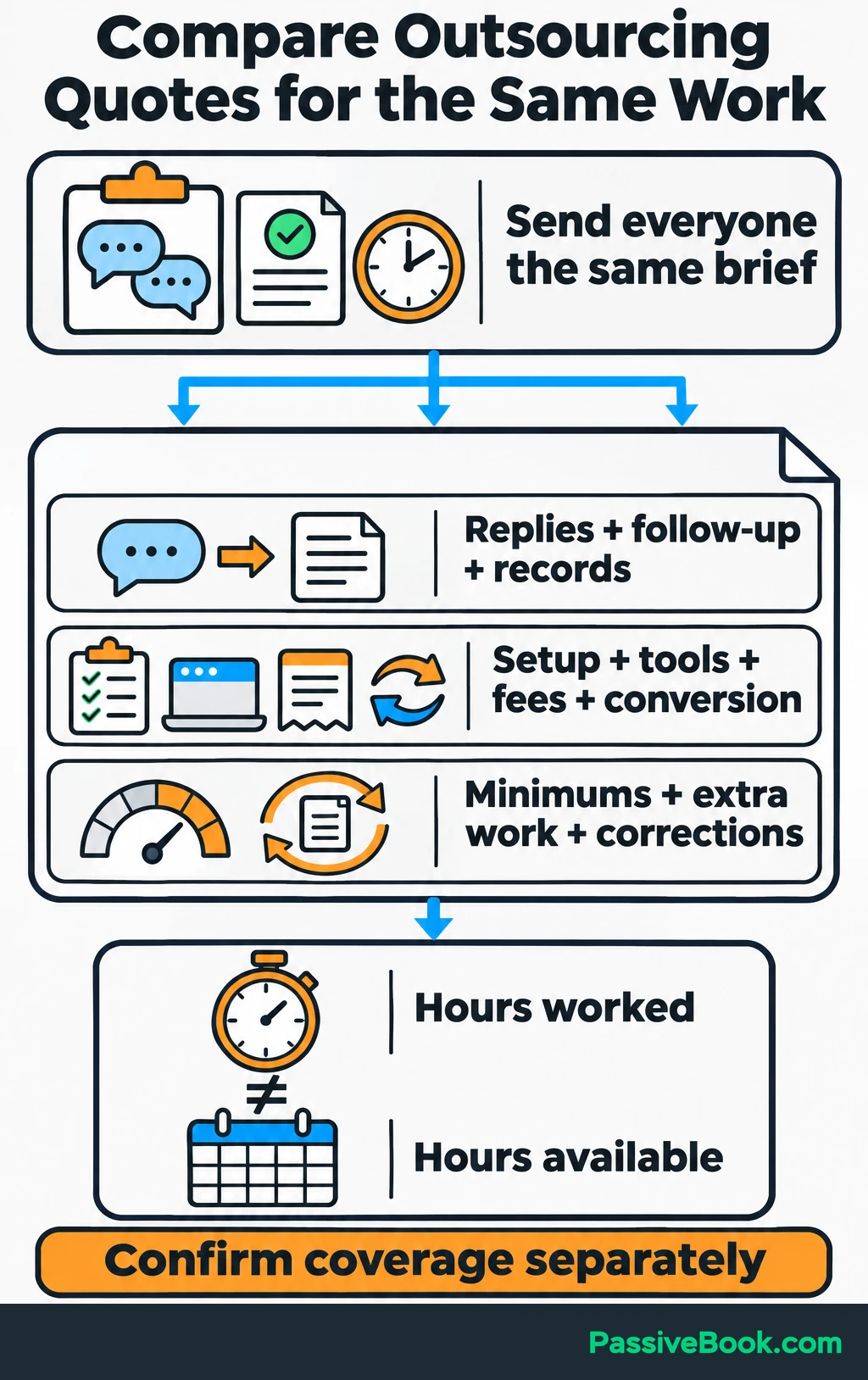
Ask for the full cost of your expected workload, including onboarding, minimum commitments, software, payment or platform fees, currency conversion, and additional work. Clarify whether correcting mistakes costs extra.
Match the payment arrangement to what you can define:
| Arrangement | When I Would Use It | What to Agree First |
|---|---|---|
| Capped hourly billing | Work varies and you are still learning how long it takes | Hour limit, time records, and approval before exceeding the cap |
| Fixed price | The deliverable has a clear finish | Included work, acceptance criteria, and corrections |
| Retainer | You need recurring capacity or agreed availability | Included workload, coverage, unused capacity, and overage charges |
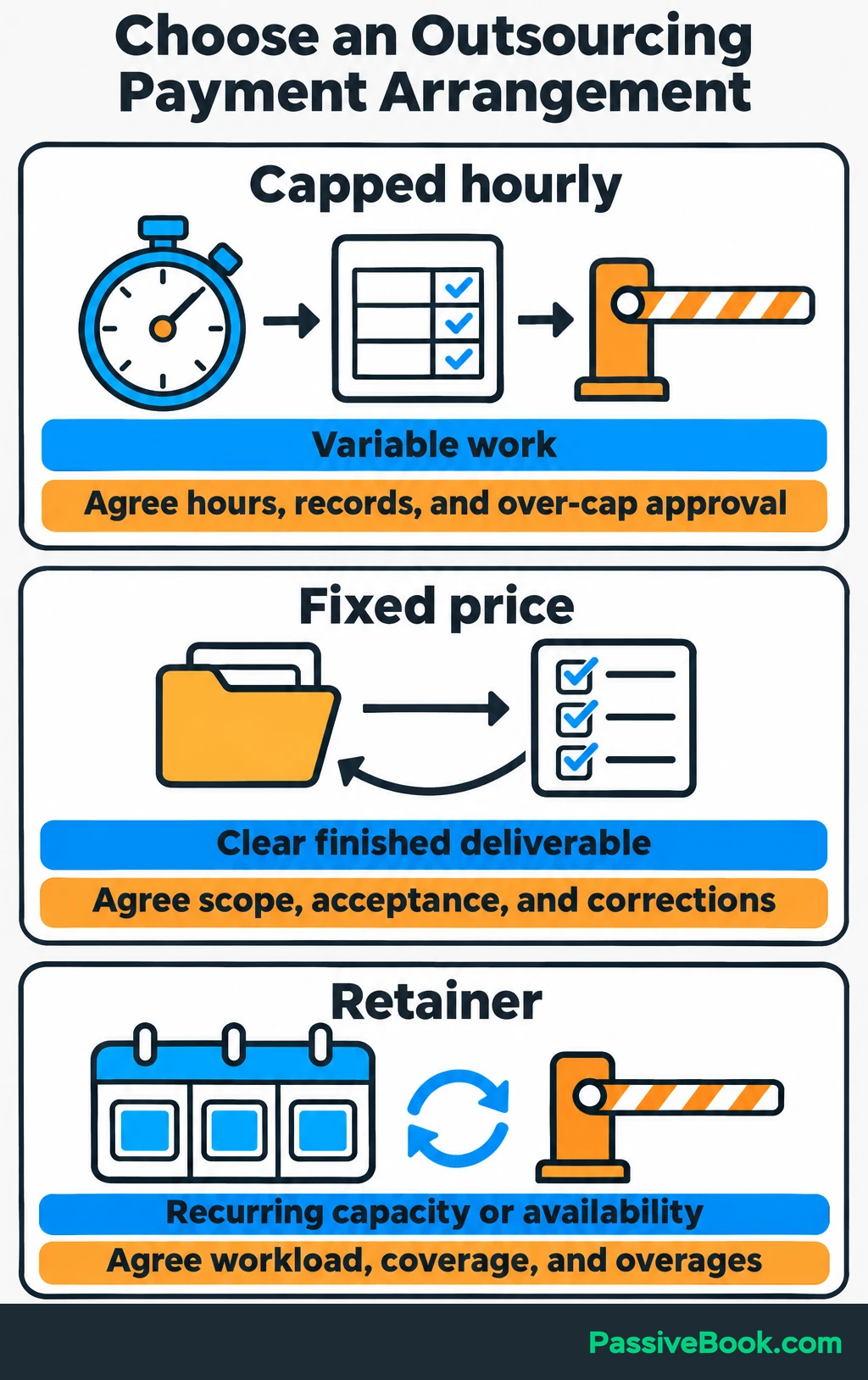
An hourly rate alone does not tell you whether someone will check messages throughout the day. Confirm availability separately from time spent working.
For a rough budgeting reference, Upwork lists customer support rates of $10–$15 per hour, based on certain historical contracts worldwide. Get quotes for your actual scope; that range does not establish the price of managed coverage or specialist help.
Separate Cash Savings From Time Savings
When I tried print on demand, hiring designers ate into my margins. Paying for finished work did remove work from my plate, but the remaining profit still had to justify the bill.
That experience is why I check both money and time before calling outsourcing a win.
Start with the recurring cash cost: provider charges plus any additional tools, fees, and expenses. Keep recruitment, setup, and onboarding costs separate so the first month does not disguise the ongoing cost.
Then count the owner time you actually recover. Subtract all remaining coordination, review, corrections, escalations, and unfinished work from the time you previously spent. Compare equivalent workloads.
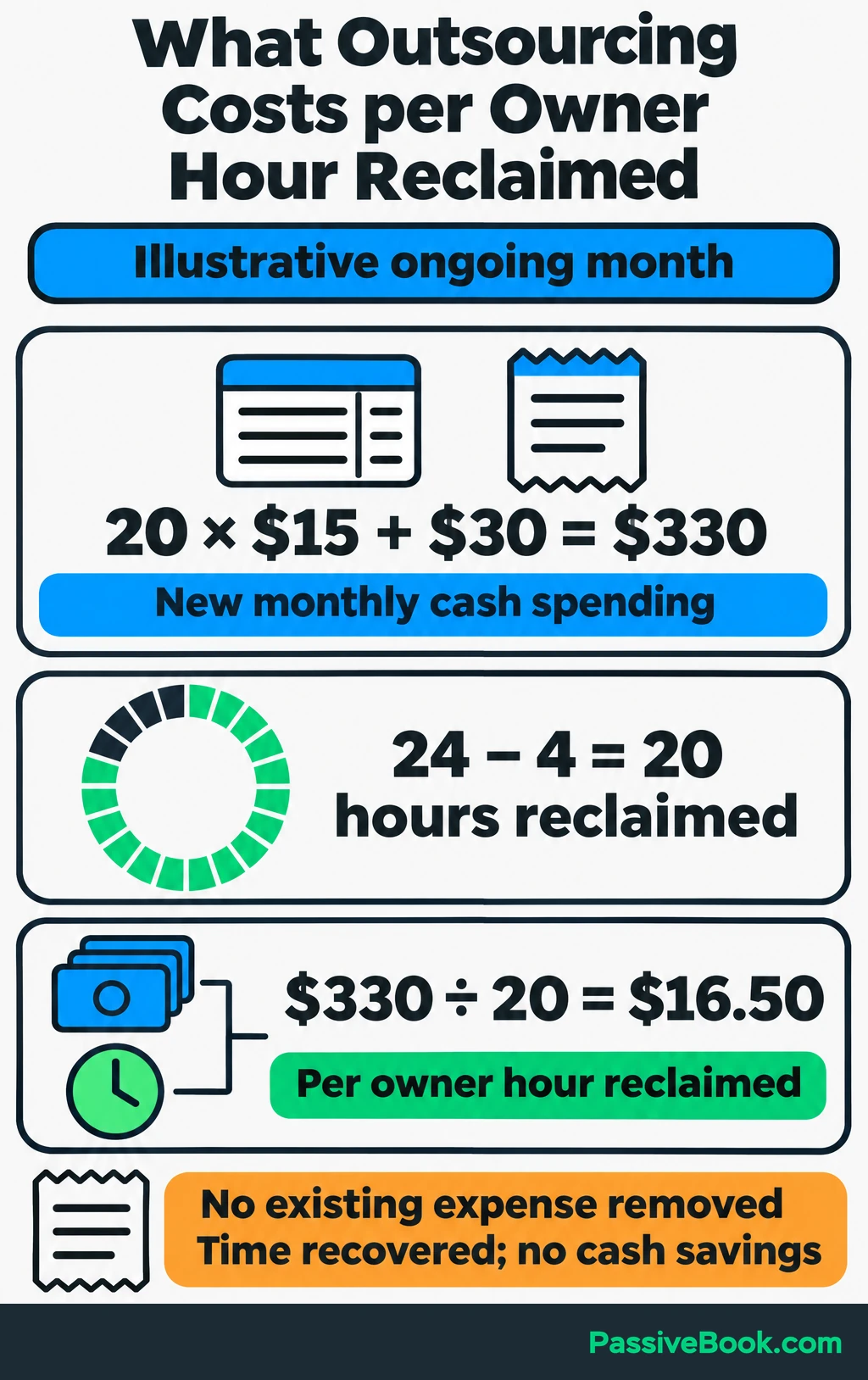
For the sewing-pattern shop, assume the same monthly workload takes you 24 hours before outsourcing. The provider needs 20 hours at $15 per hour, additional tools and fees cost $30, and you retain four hours of work.
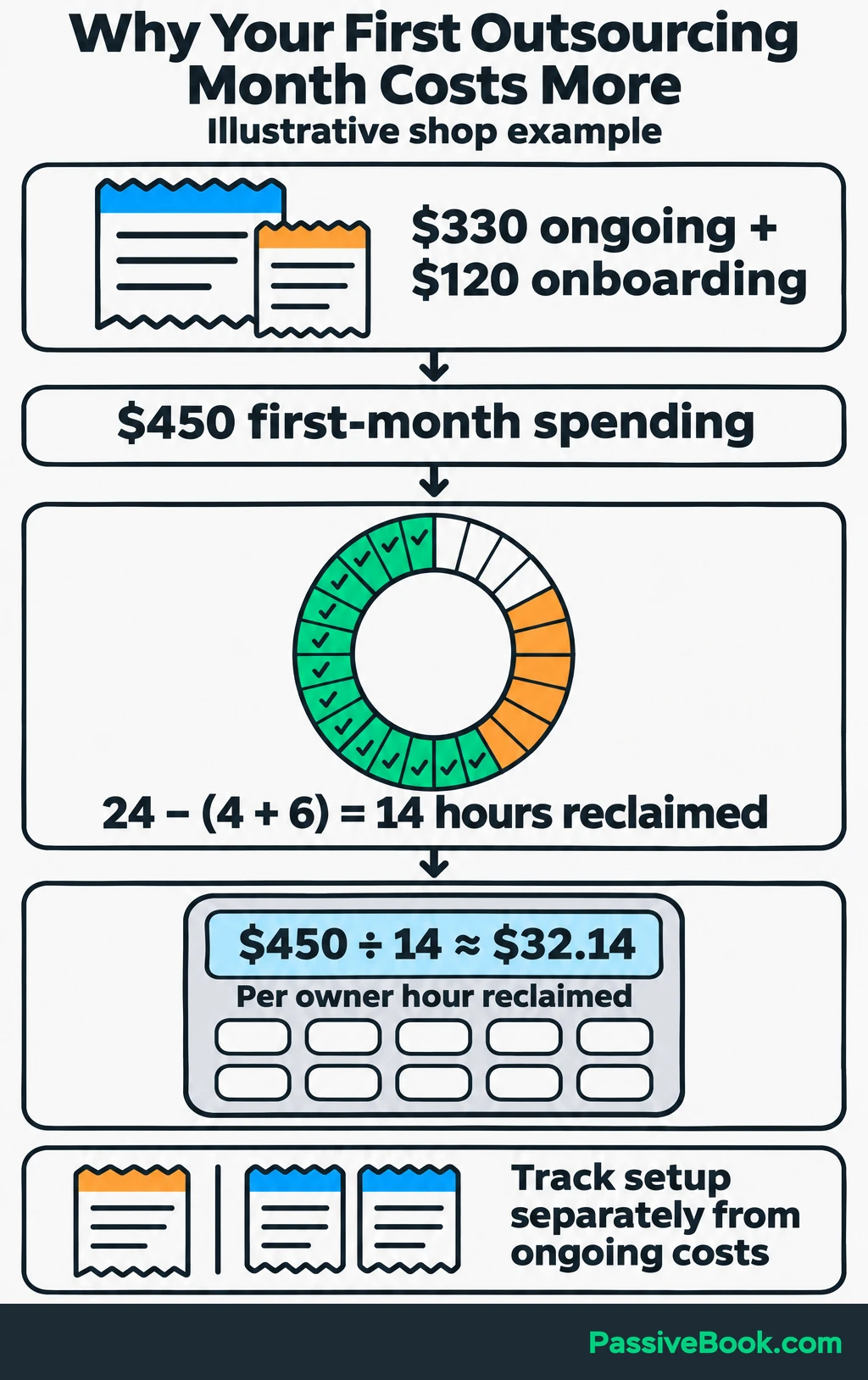
The first month also includes a $120 onboarding charge and six hours of your time for selection, setup, and training.
| Measure | Ongoing Month | First Month |
|---|---|---|
| Provider charges | 20 × $15 = $300 | $300 |
| Additional tools and fees | $30 | $30 |
| Onboarding charge | $0 | $120 |
| Total new cash spending | $330 | $450 |
| Owner time still required | 4 hours | 4 + 6 = 10 hours |
| Net owner time reclaimed | 24 − 4 = 20 hours | 24 − 10 = 14 hours |
| Cost per owner hour reclaimed | $330 ÷ 20 = $16.50 | $450 ÷ 14 ≈ $32.14 |
The cost per reclaimed hour divides new cash spending by the owner hours recovered during that same period.
No existing cash expense disappears in this example, so there are no cash savings. You spend $330 a month to recover 20 hours once the arrangement settles.
If outsourcing replaces an existing paid service, calculate cash savings separately: avoidable existing cash costs minus the new outsourcing costs.
Before proceeding, set a total spending cap and a minimum time benefit. You might decide that recovering 20 hours is worthwhile because it lets you improve the pattern catalog or take evenings off. You do not need to pretend those hours will automatically produce more sales.
If the arrangement reclaims no time, fix the scope or supervision burden before treating it as a workload solution.
A quote can fit your cash budget and still leave you doing too much of the work. This workbook compares the full cost and time benefit, then checks what happens if delivery or supervision takes longer than expected.

Free Outsourcing Capacity Workbook




3. Find and Evaluate Suitable Help
Choose the kind of help that fits the work.
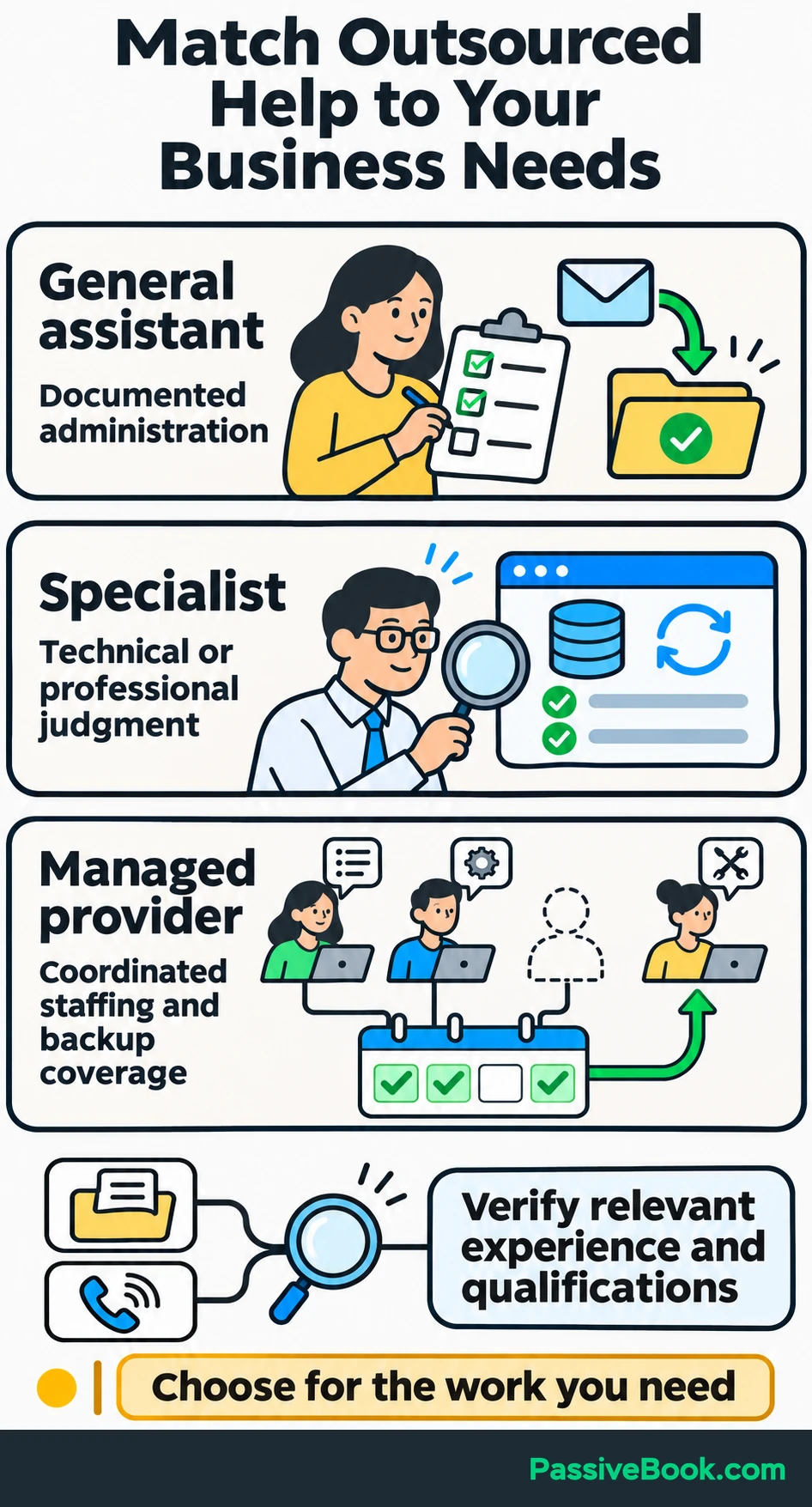
A general assistant may suit documented administration. A specialist makes more sense when the result depends on technical or professional knowledge. A managed provider is worth considering when you need coordinated staffing and backup coverage.
For the sewing-pattern shop’s first support handoff, I would shortlist people with relevant digital-product support experience. I would consider a managed service if the shop needed support during hours one person could not reliably cover.
Look through relevant referrals, freelance marketplaces, professional directories, and specialist providers. Send a small shortlist the same brief and ask for comparable proposals.
Request relevant work samples and references. If professional qualifications matter, verify them rather than relying on a profile description.
Then ask each candidate to explain two cases:
A customer says the pattern download link no longer works. What would you check before replying?
A customer demands a refund, but you cannot match the supplied details to an order. What would you do next?
The second answer tells you whether the person recognizes missing information and respects approval limits. I would be wary of anyone who promises to “keep every customer happy” without asking what they are allowed to offer.
Before choosing, resolve these practical questions:
- Availability: When will they check the queue, and what happens during absences?
- Capacity: How much work can they accept, including busy periods?
- Delivery: Who actually performs the work, and is subcontracting involved?
- Corrections: Who fixes errors, how quickly, and at whose cost?
- Continuity: What happens if they leave or their assigned staff member changes?
Compare total quoted cost alongside relevant experience, case handling, coverage, and unanswered questions. A cheaper quote that leaves you covering every absence may cost more owner time than you planned.
Select someone for a capped paid pilot. Their proposal earns them the test; their work earns them the ongoing arrangement.
You can test how a candidate handles missing information and approval limits without using live customer work. These paid trial packs include the assignment, fictional source materials, and a private answer key so you have something concrete to judge.

Free Paid Hiring Assessments
4. Prepare a Controlled Handoff
Write an SOP Someone Else Can Follow
A standard operating procedure, or SOP, explains how to complete a recurring task. Write the checklist while doing the task, then record one complete walkthrough. Keep the written version as the reference so nobody has to scrub through a video to find one instruction.
For download support, the SOP needs these parts:
| Part | What the Shop Documents |
|---|---|
| Trigger | A customer reports missing or unusable download access |
| Required inputs | The message, order reference, and approved order-matching information |
| Steps | Find the order, verify access to the purchased product, use the approved recovery method, and record the outcome |
| Approved references | Current download instructions and response templates |
| Finished output | Correct access guidance and an accurate record, or a documented escalation |
| Deadline | The agreed response target and coverage hours |
| Quality check | Correct order, correct pattern, accurate instructions, and no unauthorized promises |
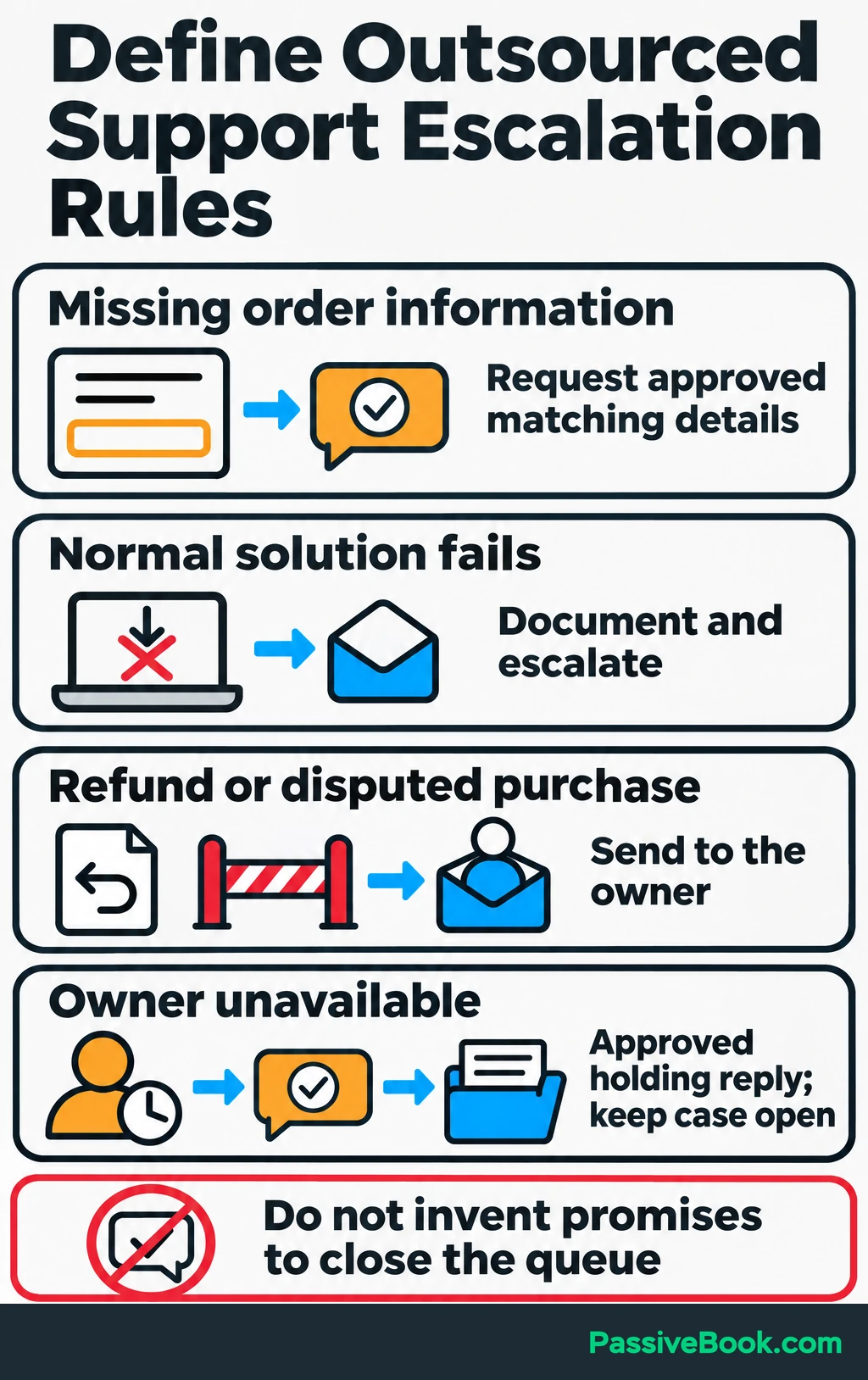
| Escalation | Send disputed purchases, refund requests, and unresolved problems to the owner |
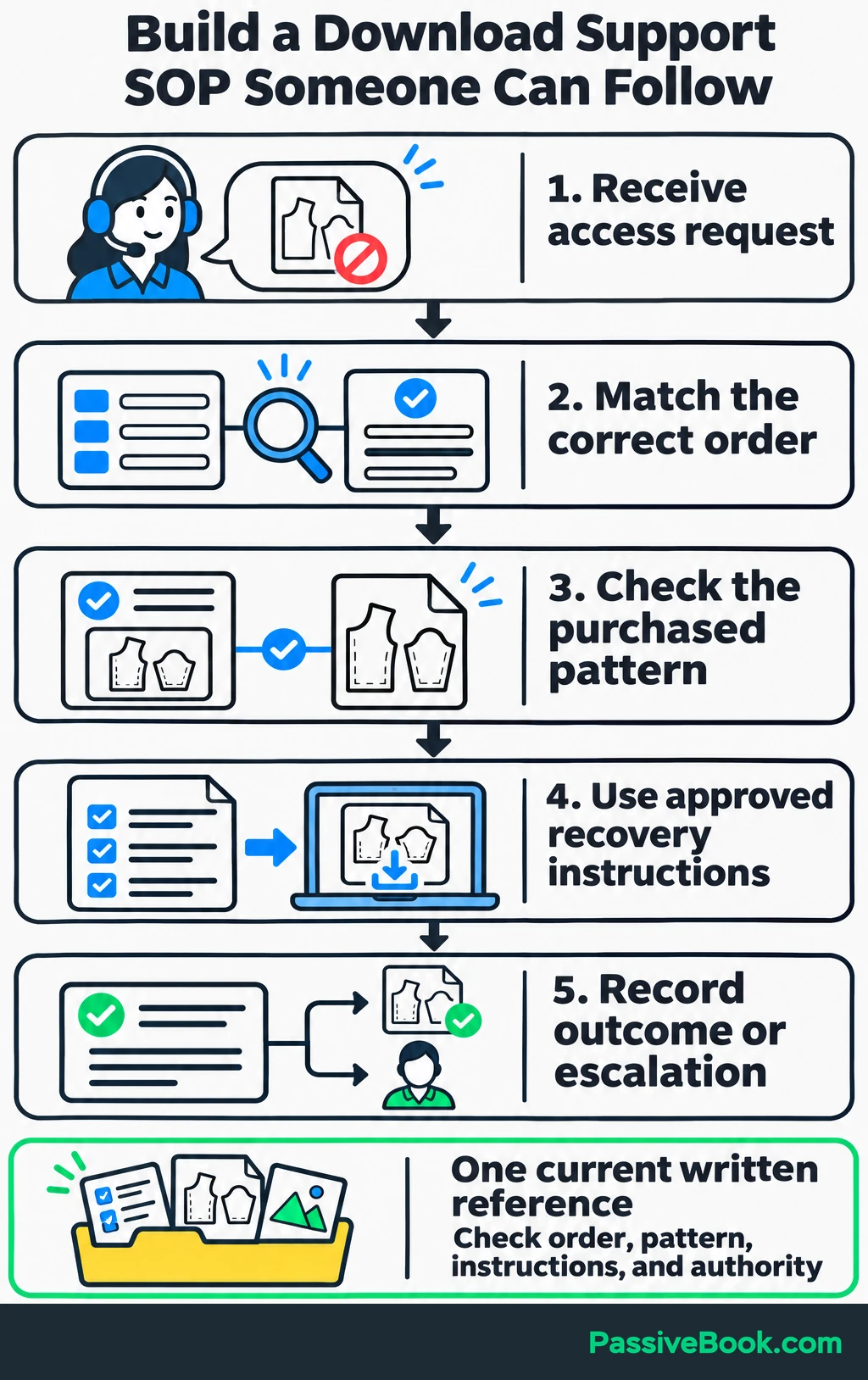
Make failure paths explicit. If order information is missing, say what to request. If the normal solution fails, say where to send the case.
You do not need to start with a blank document. AI Operations Writer turns your rough notes into a brief and SOP draft, including the exceptions that often send work back to you.

Free AI Operations Writer
Also define what happens when you are unavailable. The provider might send an approved holding reply and leave the case open for your next review. They should not invent a refund promise to make the queue look tidy.
Have the provider explain the workflow back to you before the pilot. Their questions will expose gaps your own familiarity hides.
Keep the current SOP, templates, and examples in one shared location with a named owner and revision date. Let the provider suggest improvements, but agree which changes need approval.
If AI helps draft replies or summarize requests, approve the tool and permitted data first. Leave out unnecessary personal information, and require the person sending the reply to verify customer facts and policy statements. NIST identifies confidently stated false content as a generative AI risk. For this shop, that means checking the actual order and approved instructions before sending an AI-assisted answer.
Put the Working Agreement in Writing
Attach the scope and acceptance criteria to the agreement. Cover payment, billing limits, corrections, and approval for additional work. Include confidentiality, ownership and delivery of work files, permitted subcontracting, termination terms, and transition help.
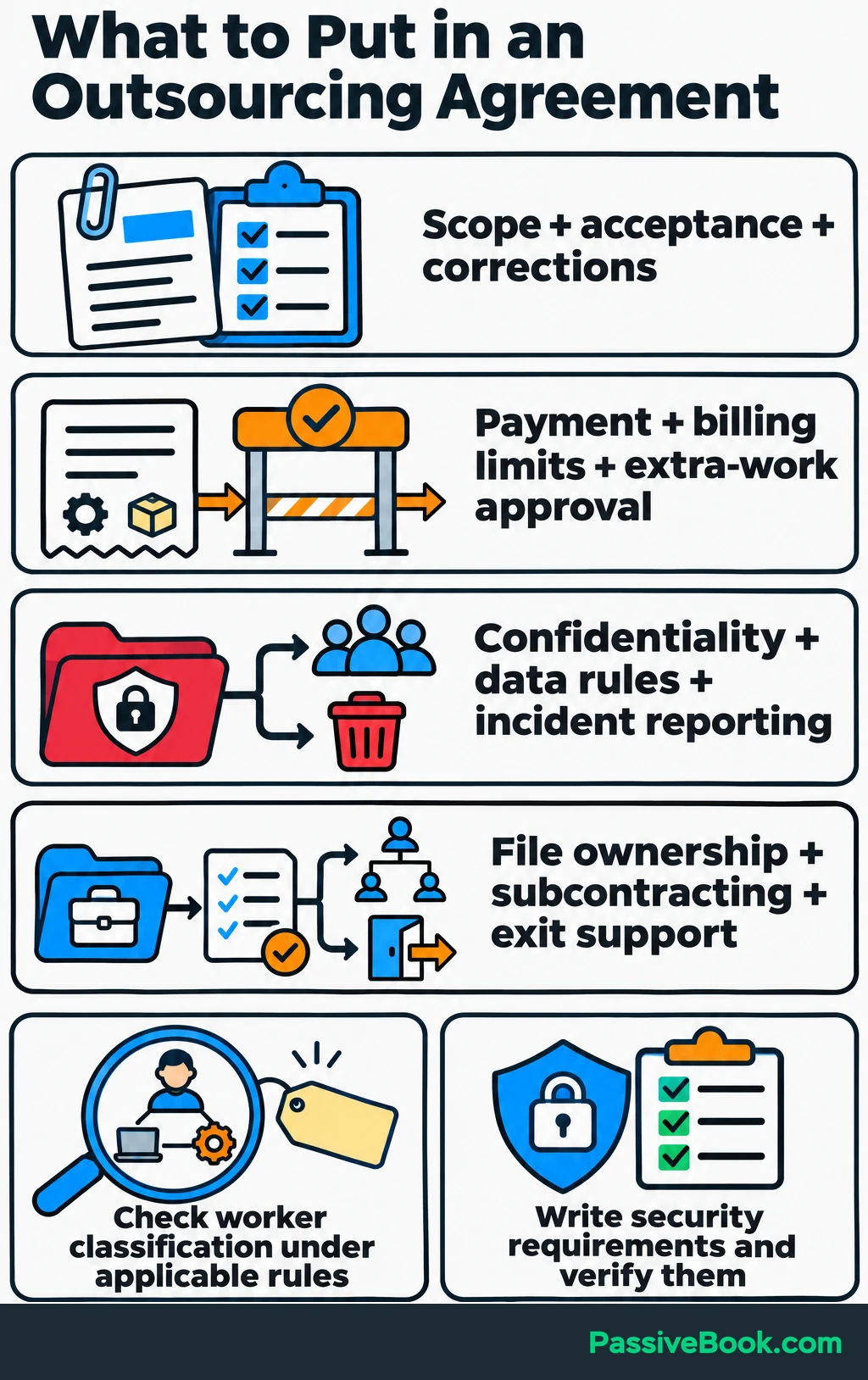
For customer data, specify permitted use, sharing, retention, deletion, and incident reporting. The FTC’s vendor-security guidance recommends written security requirements and verification rather than taking a vendor’s word for it.
Before contracting, check worker classification under the rules that apply to your arrangement. For U.S. federal employment taxes, the IRS considers the actual relationship, including control and independence. Calling someone a contractor does not settle their status.
Grant Only the Access the Task Requires
Create individual accounts and enable multifactor authentication, which requires an extra sign-in check beyond a password. Give the provider only the information and functions needed for the work.
For the sewing-pattern shop, that means the assigned support queue and necessary order details. Refund authority stays with you.
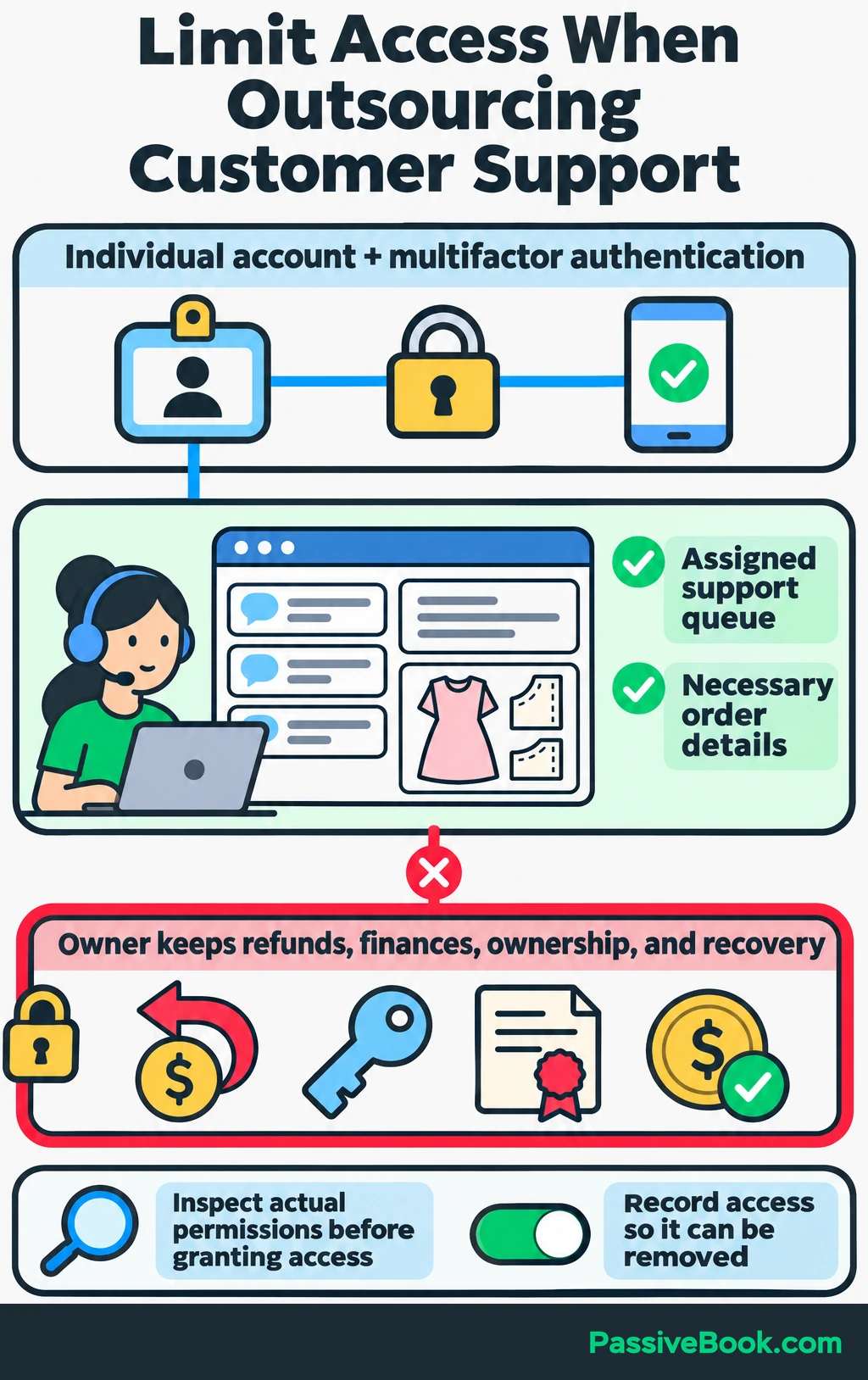
Keep business account ownership, recovery methods, and financial authority under your control. Record each account and permission so you can change or remove access promptly.
Check the actual permissions before work starts. A role called “support” may still include functions you did not intend to delegate. If your software cannot separate them, find a restricted workflow before handing over broad access.
5. Run a Capped Paid Pilot
Agree on the pilot’s workload, duration, spending cap, review points, and pass criteria before work begins. Include normal cases and representative exceptions.
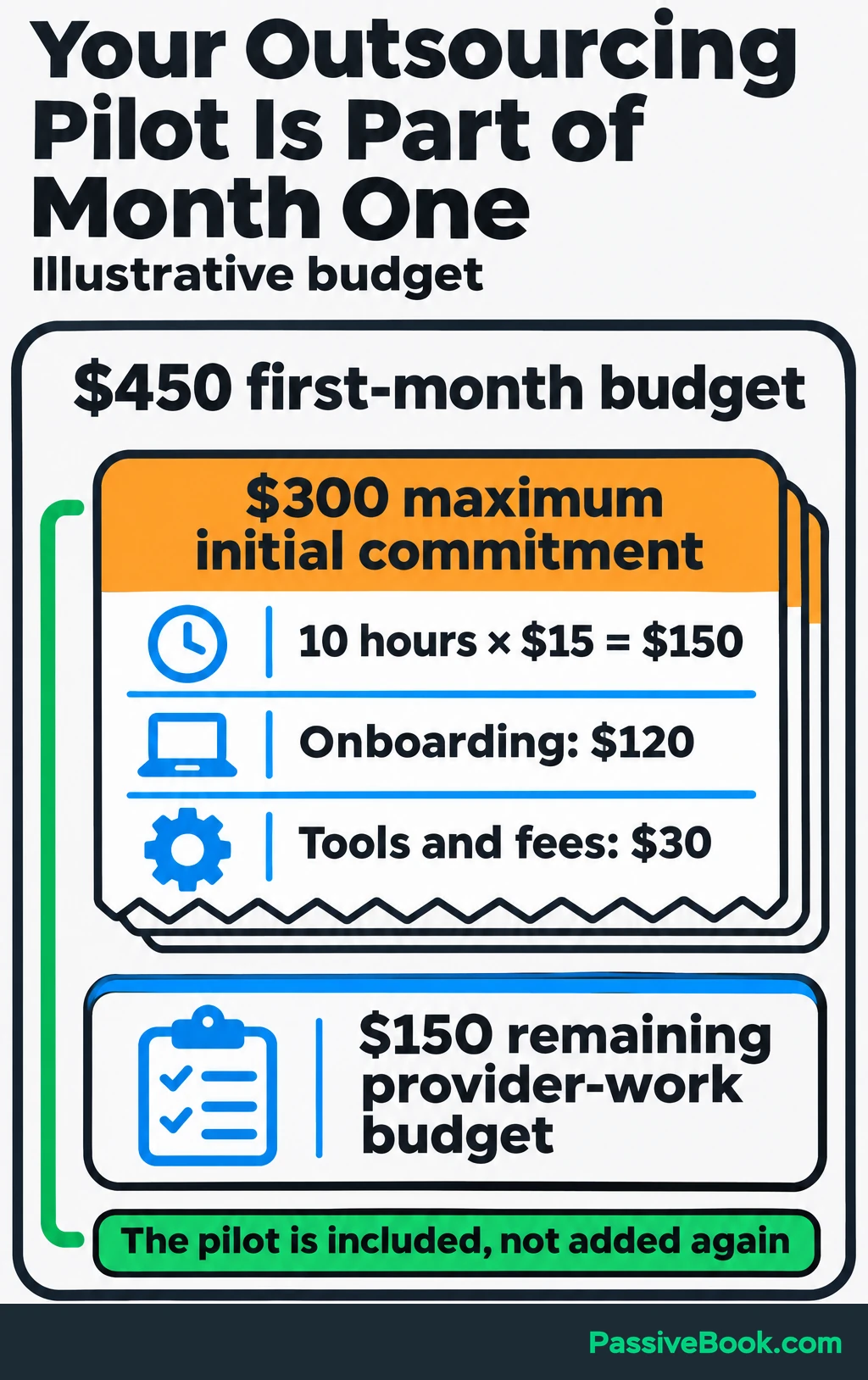
For the shop, an illustrative pilot could cover up to 30 assigned requests over two weeks, with provider work capped at 10 hours. Using the earlier assumptions, the maximum initial cash commitment would be $300: $150 for work, $120 for onboarding, and $30 for tools and fees.
That pilot spending is part of the first-month budget, not an extra charge on top of it.
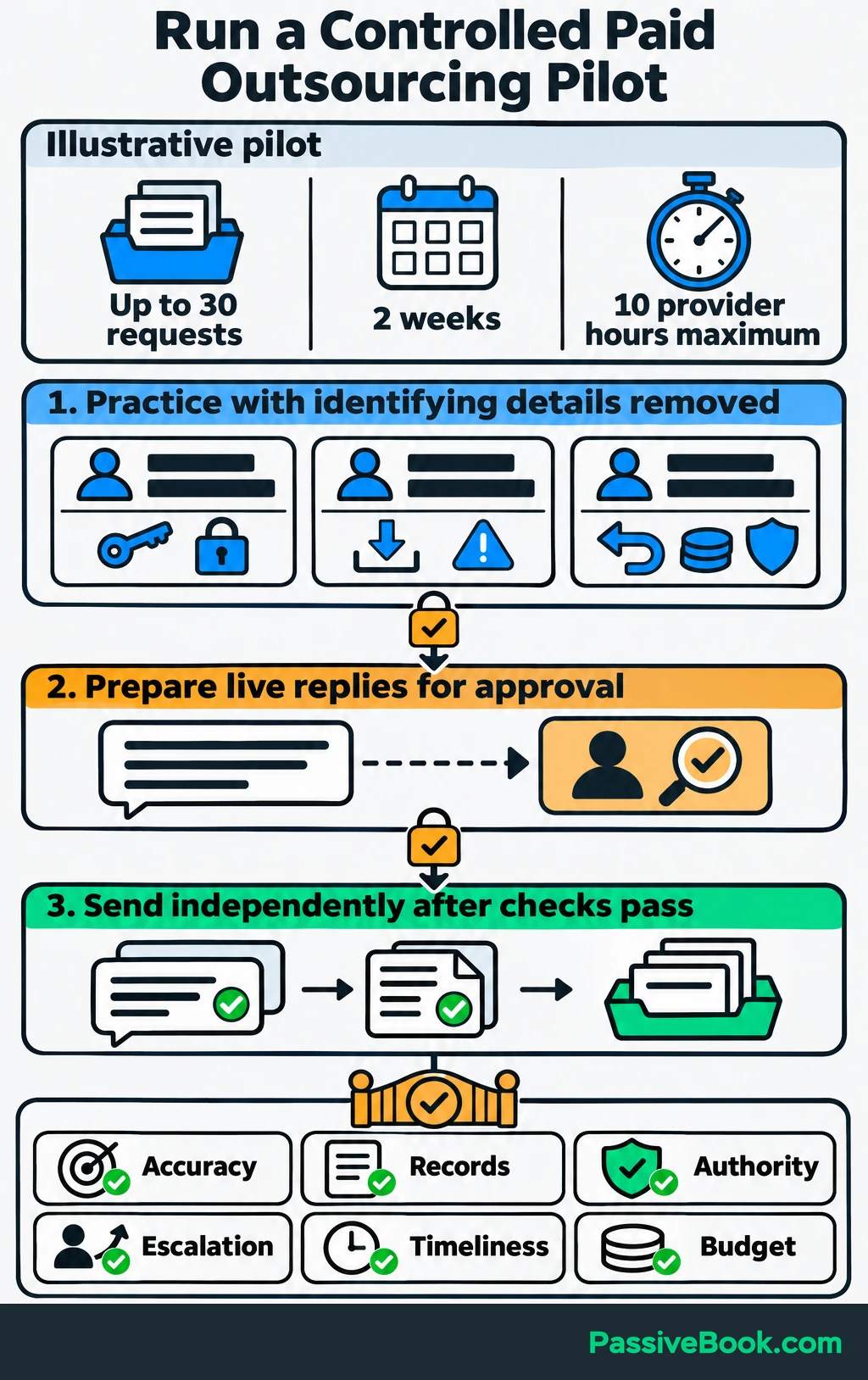
Begin with practice requests that have customer names and other identifying details removed. Include a routine access problem, a download that still fails after the usual fix, and a refund request outside the provider’s authority.
Once those are handled correctly, let the provider prepare live replies for your approval. Move to independent sending when the work meets the agreed checks.
For this pilot, I would require:
- Accuracy: Every reviewed reply matches the correct order and gives valid instructions.
- Records: Each handled request has a clear outcome or next action.
- Authority: No unauthorized refunds, credits, or policy promises.
- Escalation: Every out-of-scope case reaches the right person.
- Timeliness: Responses meet the agreed target during the coverage period.
- Budget: Work stays within the cap, and extra work waits for approval.
Record provider charges and your own involvement as you go. Include time spent answering questions and correcting work; those minutes belong in the calculation.
When something fails, identify the cause. Missing instructions call for a better SOP. Insufficient access calls for a permissions fix. Repeatedly sending incorrect guidance after clear training points to a different problem.
Continue when quality, spending, and owner time meet your criteria. Repair and retest a handoff with a clear, fixable gap. Stop if repeated failures or constant supervision make the arrangement unsuitable.
6. Manage Results and Expand Gradually
Review Quality, Spending, and Owner Time
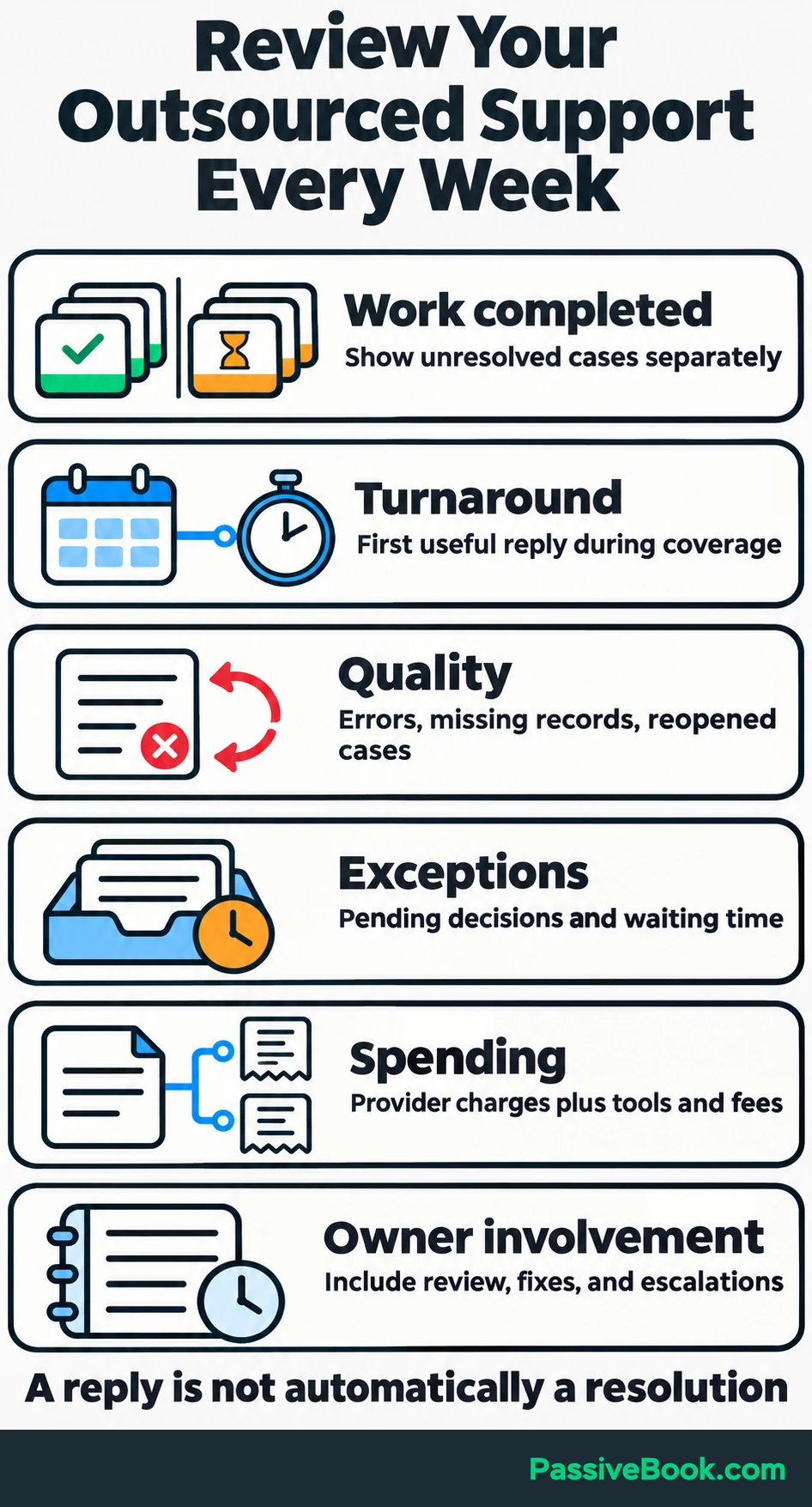
Start with a weekly review and a compact scorecard.
| Measure | What to Record |
|---|---|
| Work completed | Assigned requests handled, with unresolved cases shown separately |
| Turnaround | Time to first useful reply during agreed coverage |
| Quality | Incorrect instructions, missing records, and cases reopened after being marked resolved |
| Exceptions | Cases waiting for owner decisions and how long they have waited |
| Spending | Provider charges plus additional tools and fees |
| Owner involvement | Coordination, review, corrections, escalations, and unfinished work |
Keep the definitions consistent. A request should not count as resolved simply because somebody sent a reply.
During training, review all outputs. As performance becomes dependable, move to proportionate sampling and exception review. Continue checking actions with serious consequences closely.
Use one shared work queue and ask for a short update covering completed work, blockers, and decisions needed. Keep an urgent escalation route separate so an access incident does not sit inside a routine weekly report.
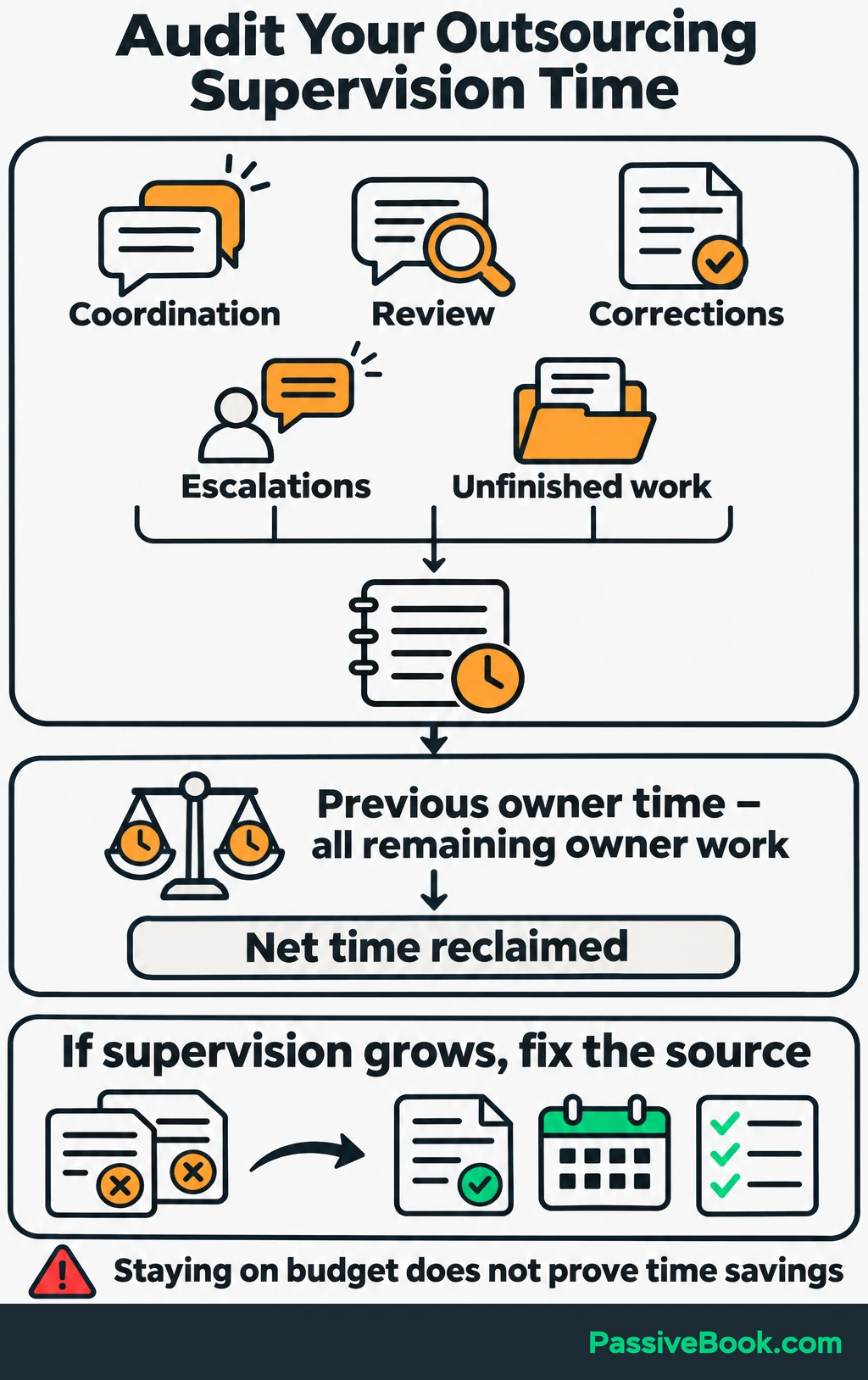
When a problem repeats, change something at its source. Clarify the instructions, adjust capacity, provide training, narrow the scope, or replace the provider.
Recalculate the time benefit if supervision grows. A support arrangement can stay within its cash budget while quietly giving you a second job as support supervisor.
Expand After the First Handoff Works
Add volume or responsibility once the existing work meets its quality standard, stays within budget, and reduces your involvement.
Change one significant thing at a time. For the sewing-pattern shop, I would increase the number of routine requests before adding refund authority. Handling more familiar work and making new policy decisions are different responsibilities.
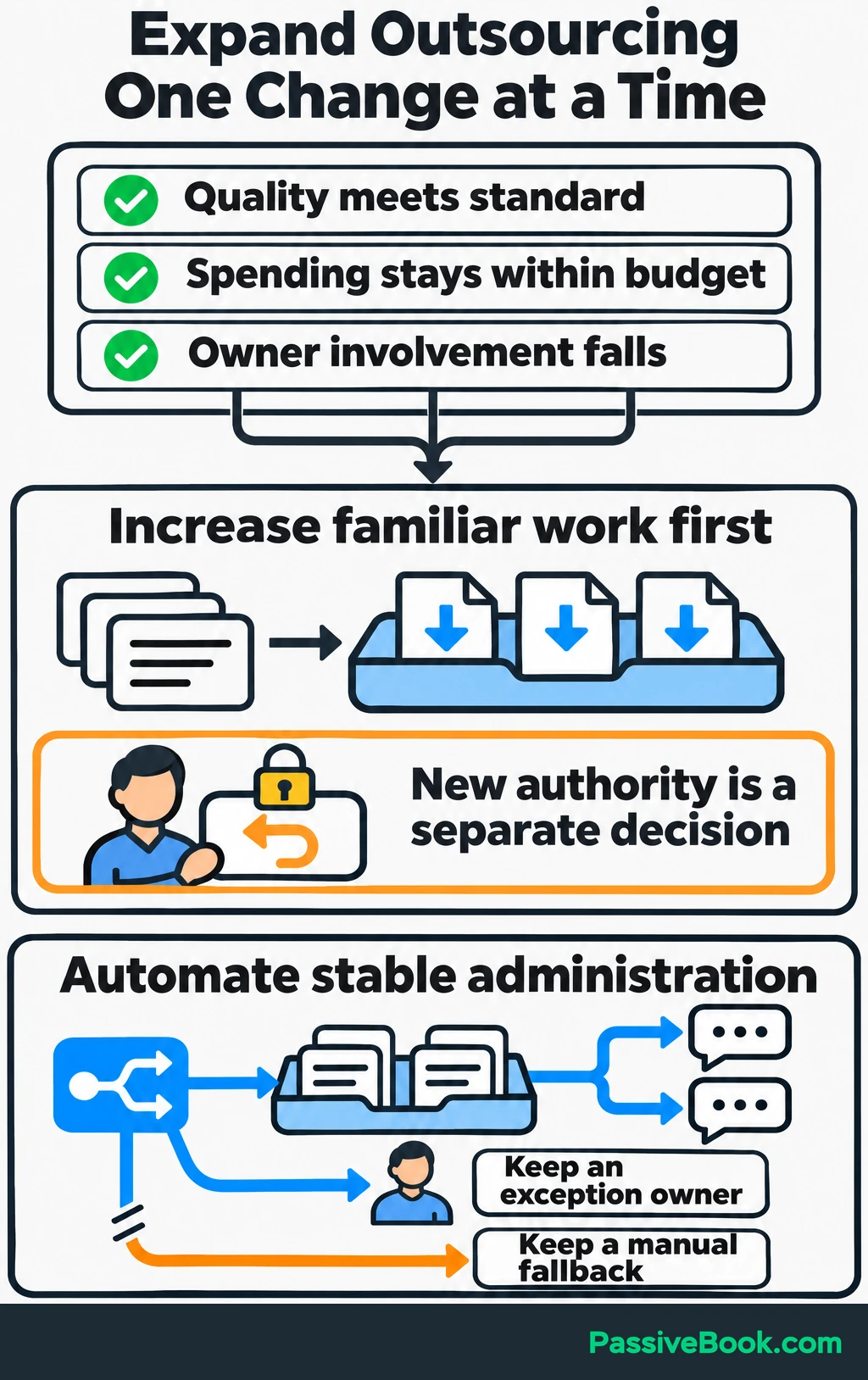
Once the process is stable, automate predictable administration such as routing requests and sending status updates. Keep a named person responsible for exceptions and a manual fallback when automation fails.
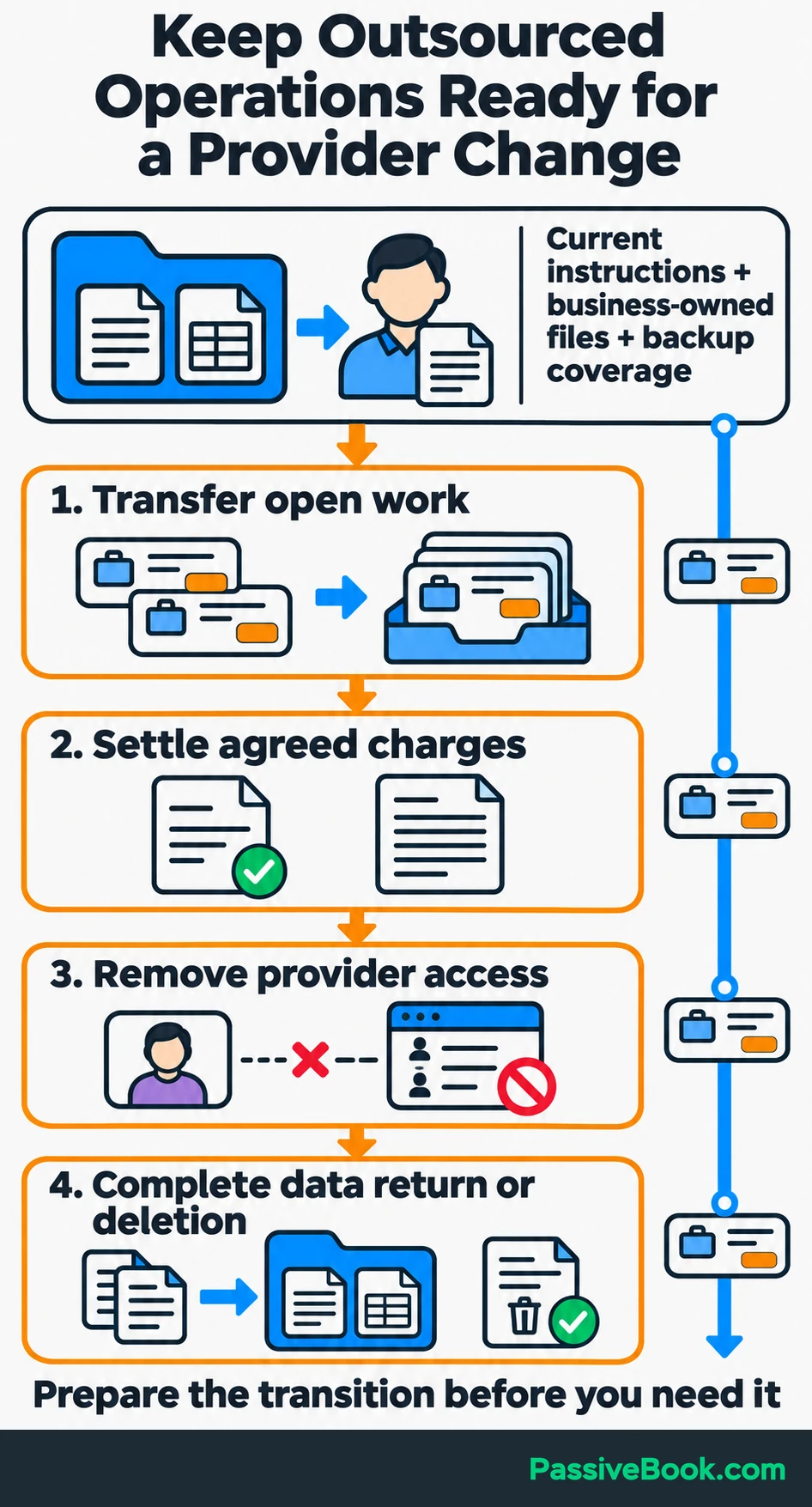
Maintain current instructions, business-owned files, and backup coverage. Prepare a transition checklist before you need it: transfer open work, settle agreed charges, remove access, and complete data return or deletion.
Finally, give the recovered time a purpose. Block it for improving the pattern catalog, testing a product idea, or taking time away from the business.
The arrangement is working when customers receive dependable help and fewer routine decisions need you. That is a more useful result than simply paying someone to handle the work.
What Next?
Choose one recurring task and record its workload, owner time, and common mistakes this week. Use those notes to write a brief you can send to suitable providers.
If this guide helps you turn an outsourcing idea into a controlled first test, use the social buttons to share it and make that first handoff easier for others.
Which task would you hand over first, and what would you need to see before trusting someone with it? Leave your answer in the comments, along with any other questions.
Share this post with your friends & followers:

