A list of 50 keywords can fill your evenings for months. But it won’t tell you whether those evenings will bring customers or just leave you with 50 more pages to maintain.
That’s the difficult part of SEO when your time and budget are limited. You need to choose which searches deserve your attention, what those visitors need, and where the visit should lead.
This guide shows you how to create an SEO strategy that connects those decisions in one working plan, so every page has a purpose beyond giving you something to publish.
Step 1: Define a Measurable Business Goal
Choose the Outcome and the People You Want to Attract
Start with the action you want relevant visitors to take. That could be buying a product, sending a qualified inquiry, or joining your email list for help closely related to your offer.
Choose one primary outcome for your first plan. Then describe the person’s problem and how your business helps.
Qualified traffic means visitors have a need you can serve. A large audience with no reason to consider your offer can keep you busy without supporting the business.
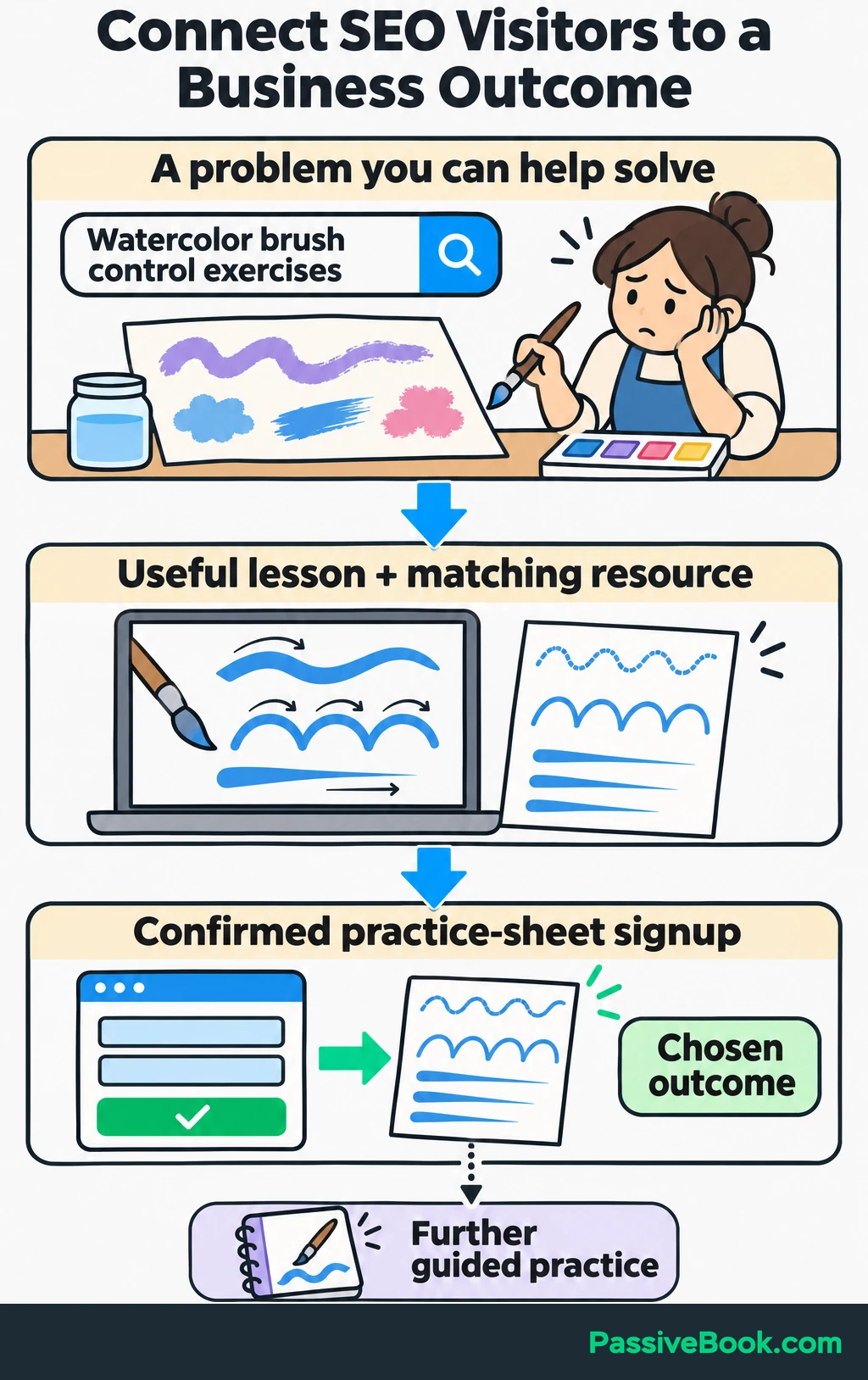
For the running example, imagine you sell beginner watercolor workbooks online. You also publish lessons and offer a free brush-control practice sheet. The searches, targets, and planning figures below are illustrations, not measured demand or expected results.
Someone struggling to control a brush has a clear reason to read your lesson. The matching practice sheet helps them try the exercise, and the paid workbook offers further guided practice.
Before committing to SEO, check two things:
- Do prospective customers search for these problems or products?
- Can you create and maintain pages that help them better than the available alternatives?
I would investigate those questions before buying tools or building a publishing calendar.
Record Your Baseline and Set the Target
Record where you stand before making substantial changes.
Verify your website in Google Search Console, which shows the searches that display your pages (queries), how often your pages appear (impressions), and which searches bring clicks. Website analytics serves a different purpose: it shows visits and what people do after arriving.
Set up the completed action you want to measure. Google Analytics calls important actions “key events.” For the watercolor shop, that might be a completed practice-sheet signup or a workbook purchase.
Test the action yourself. A click on “Download” doesn’t prove someone received the sheet, and a checkout visit doesn’t prove they bought anything.
For each existing page, record its purpose, visits from unpaid search results (organic visits), completed actions, and obvious problems. On a new site, start collecting data and use customer research to choose your initial pages.
Write your goal in this form:
Increase [business outcome] from [baseline] to [target] by [review date], by attracting people searching for [relevant needs].
An illustrative goal for the shop could be:
Increase monthly confirmed practice-sheet signups from organic search from zero to 20 by the end of week 12, by helping beginners looking for watercolor brush-control exercises.
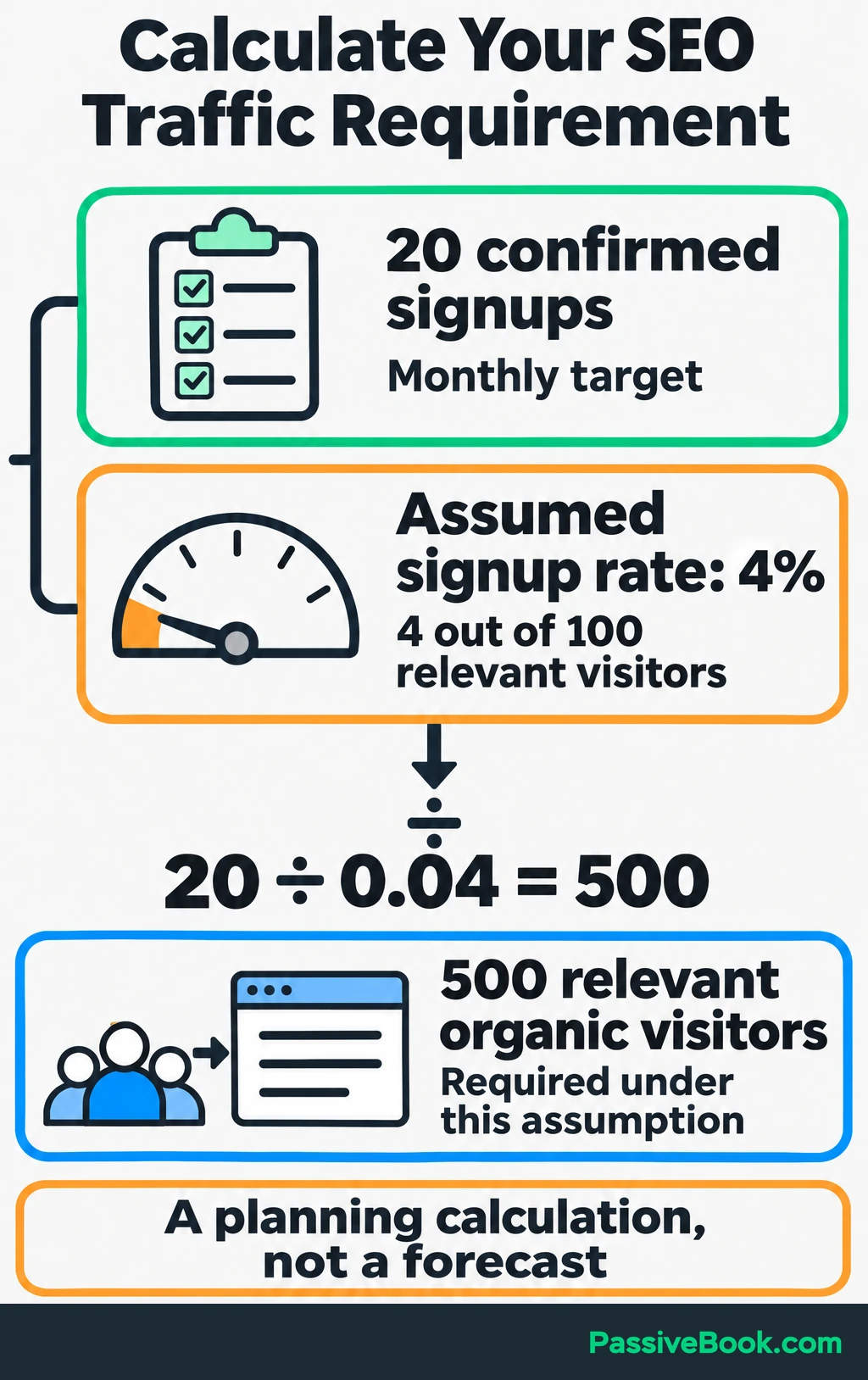
You can also estimate the traffic that target would require. Suppose you assume four out of every 100 relevant organic visitors become confirmed subscribers during the same month, counting each visitor and signup once.
The calculation is:
20 signups ÷ 0.04 signup rate = 500 relevant organic visitors.
That gives you a traffic requirement under an assumption. It does not predict that SEO will deliver 500 visitors or that your signup rate will reach 4%.
Step 2: Research Customer Searches and Their Intent
Turn Customer Problems Into Keyword Ideas
Collect the words people use when asking for help. Look through customer emails, support questions, product reviews, community discussions, and any queries already appearing in Search Console.
Organize those words around tasks connected to your offer:
- Learning how to do something.
- Fixing a frustrating problem.
- Comparing possible solutions.
- Choosing a product to buy.
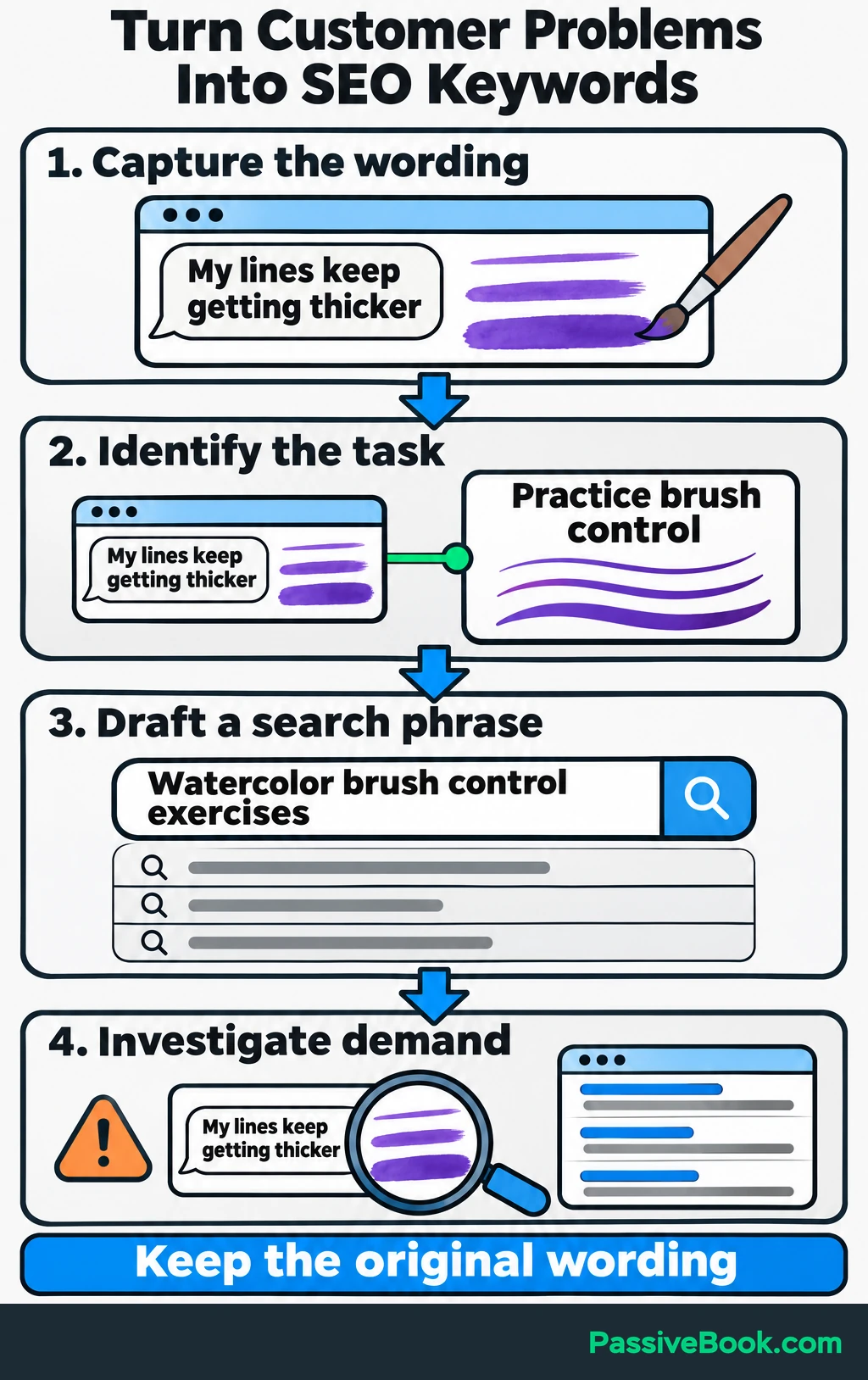
Then expand the list with search suggestions, related searches, and an optional keyword tool. I would start with Ubersuggest if you need a tool for keyword ideas and demand estimates. You can do the first pass with customer questions and search results before paying for more data.
Record your target country and language because the relevant searches and competing pages may differ between markets.
For the watercolor shop, initial phrases to investigate include:
- “Watercolor brush control exercises.”
- “Watercolor practice sheets.”
- “Beginner watercolor workbook.”
Keep the original customer wording beside each idea. “My lines keep getting thicker” may reveal a more useful teaching angle than the broad phrase “watercolor tips.”
Use estimated search volume (monthly searches) and keyword difficulty (a tool’s estimate of ranking competition) to compare opportunities. I wouldn’t discard a specific, relevant question just because a tool reports little demand, and I wouldn’t commit to a topic because its volume looks impressive.
Read the Results to Understand the Task
Search each promising phrase in your target market and inspect the leading results.
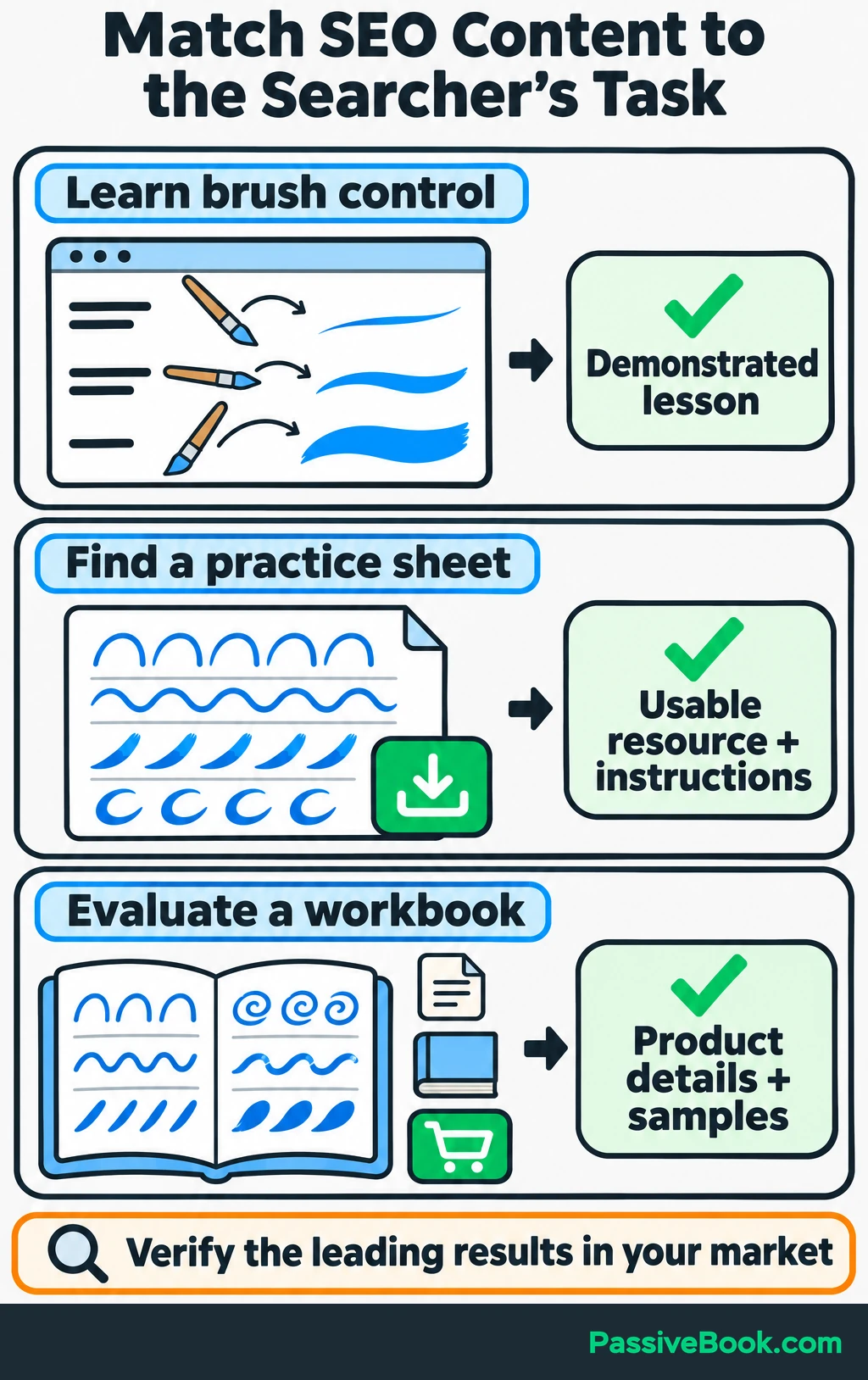
You’re looking for the task behind the words. Are people being shown tutorials, printable resources, product pages, comparisons, or videos?
That distinction changes what you should create. A product page won’t teach a brush exercise well, and a long article won’t satisfy someone who simply wants a usable practice sheet.
Make a short note for each candidate:
- Which page types lead the results: lessons, downloads, products, or videos.
- What those pages cover, such as supplies, exercise instructions, or purchase details.
- Which related questions belong in your answer, including any from Google’s “People Also Ask” box.
- What you can add, such as photos of brush movements or a matching practice sheet.
Also examine what the results already answer, including any AI summary. What would make visiting your page worthwhile?
For the watercolor guide, I would investigate whether clear photos of brush movements and a matching printable would fill a useful gap. A longer version of the same general advice wouldn’t be enough reason to invest.
Google says its established SEO practices remain relevant to AI Overviews and AI Mode, with no additional requirements or special optimizations needed. That applies to those Google features; it does not promise that your page will appear in them. Google’s guidance for AI search features.
I would still use SEO where customer searches connect to something useful the business provides. But I would judge that opportunity by qualified visits and customer actions, rather than assuming every search appearance produces a click.
Step 3: Prioritize Opportunities You Can Serve Well
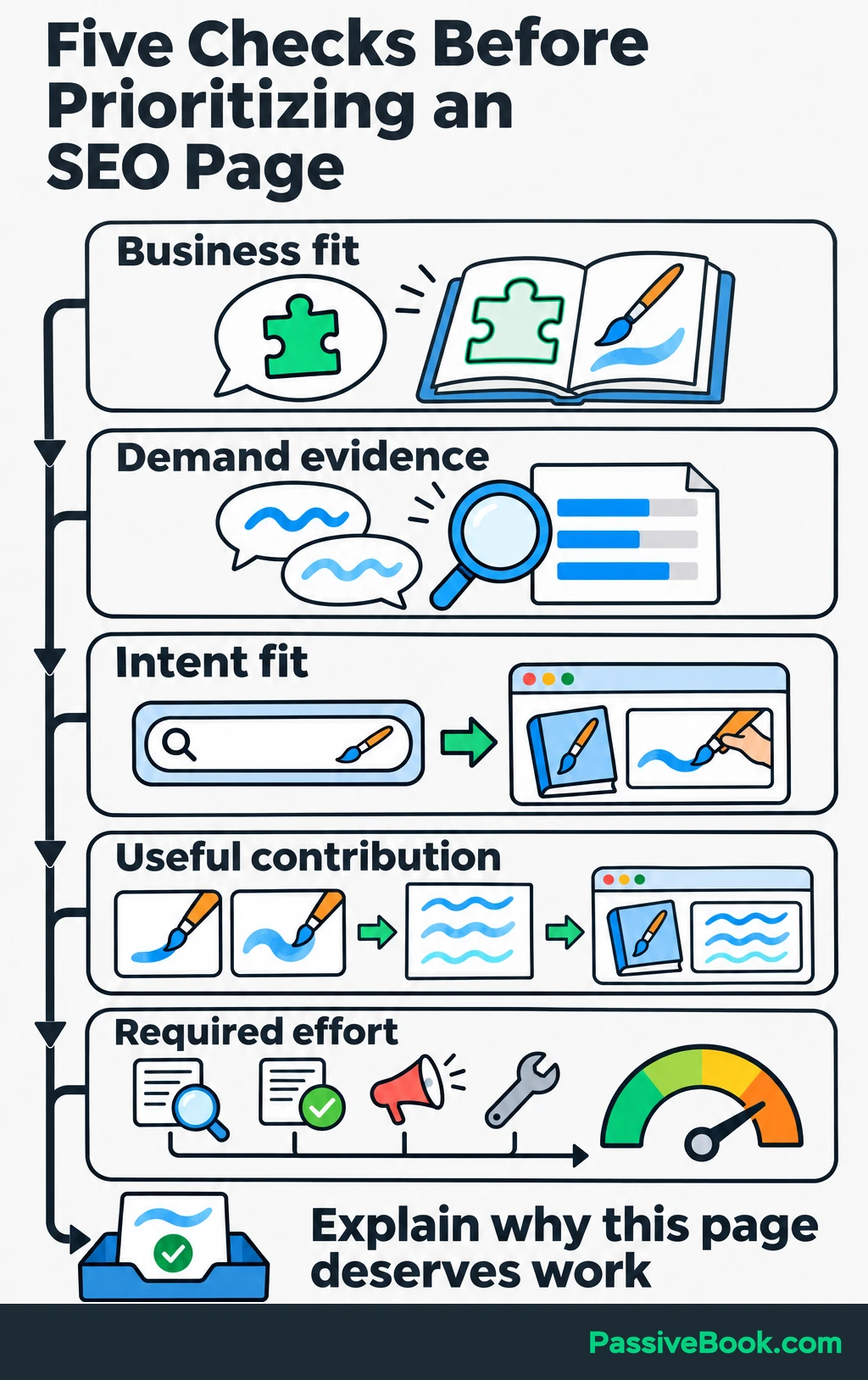
A keyword list becomes a strategy when you choose what deserves work and explain why.
Compare each candidate using five questions:
- Business Fit: Does this need connect naturally to your offer?
- Demand Evidence: What customer questions, existing impressions, or keyword estimates suggest people search for it?
- Intent Fit: Can you provide the type of page the searcher needs?
- Useful Contribution: What can you add through your own material, demonstrations, or clearer explanations?
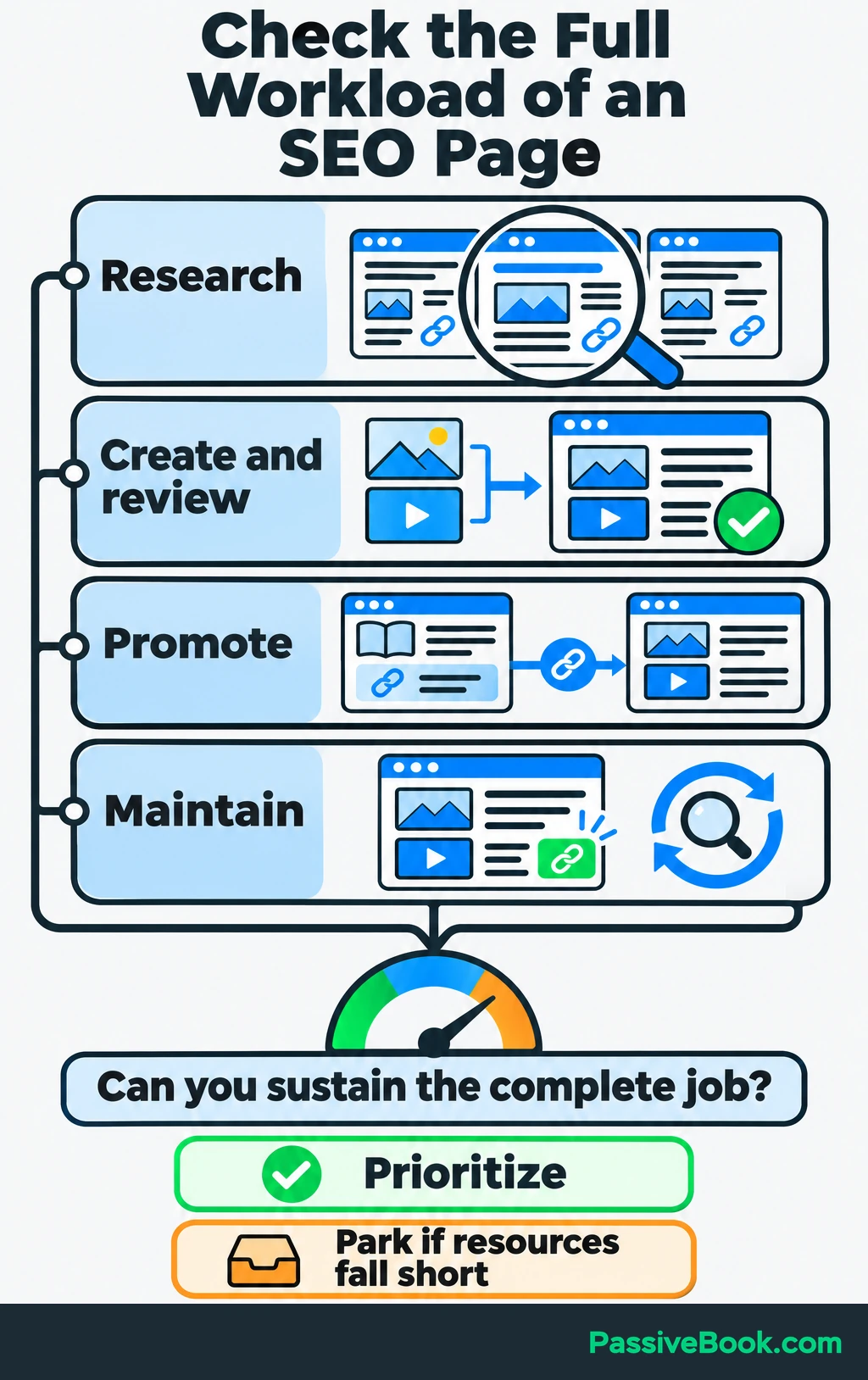
- Required Effort: Can you afford the research, production, review, promotion, and maintenance?
Inspect the competing pages before assigning a priority. Consider how closely they answer the question, what experience they demonstrate, and whether respected websites reference them.
Then describe what your page would need to compete. If the answer requires resources you cannot sustain, park the idea.
For the shop, the decisions might look like this:
| Candidate | Priority | Reason |
|---|---|---|
| Improve the existing workbook page | High | Readers need sample exercises and format details before they can evaluate the purchase. |
| Create a brush-control guide | High | It teaches a problem closely connected to the workbook and supports the practice-sheet offer. |
| Create a broad history of watercolor | Low | Its connection to the beginner workbook is weak, even if research later reveals more searches. |
Check existing pages before commissioning new ones. A relevant page already receiving impressions may need a clearer answer or a working next step.
I abandoned my productivity blog after eight months and more than 127 posts because I judged the niche too competitive and difficult to monetize alone. Writing more hadn’t solved those problems.
That experience changed how I assess a backlog. I want to explain why each page belongs in the business before I spend another evening producing it. A full calendar is very good at disguising an unanswered question.
Step 4: Map Search Intents to Connected Pages
Group searches when one page can fully satisfy their shared task. Create separate pages when people need a different answer or action.
“Watercolor brush control exercises” and “how to practice watercolor brush control” might belong on one instructional page. Searches for a beginner workbook may need a product page instead.
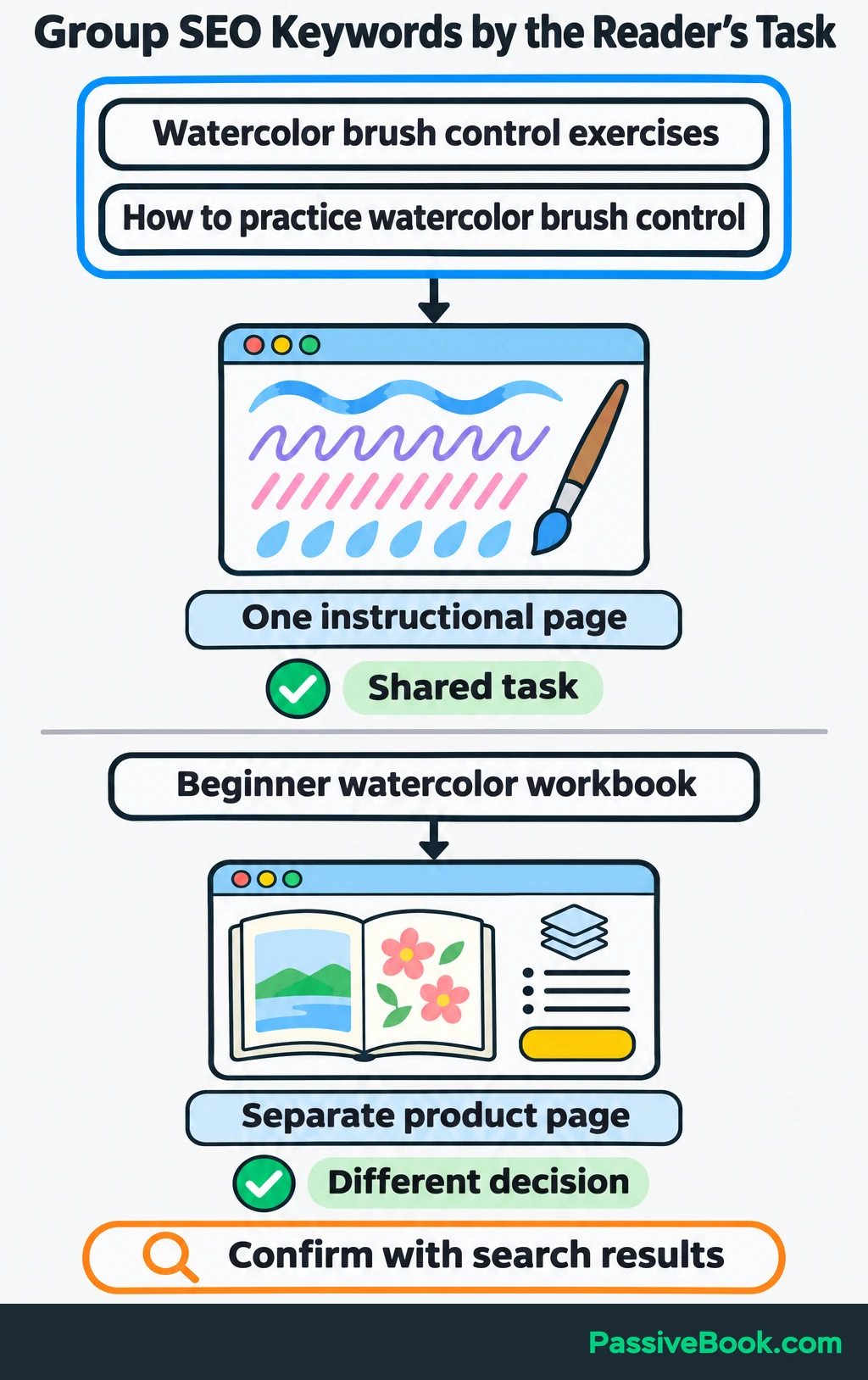
Use the results and customer task to make that call. Different wording alone doesn’t justify another URL.
Your page map could begin with these entries:
| Search Task | Page | Planned Decision | Primary Next Action |
|---|---|---|---|
| Learn brush control | /watercolor-brush-control/ | Create a demonstrated exercise guide. | Request the matching practice sheet. |
| Evaluate a beginner workbook | /beginner-watercolor-workbook/ | Improve the existing product page. | Buy the workbook after reviewing its contents. |
| Find a practice sheet | The guide initially | Keep the download with its instructions unless research supports a distinct resource page. | Request the sheet and try the exercise. |
Next, plan how readers move between those pages.
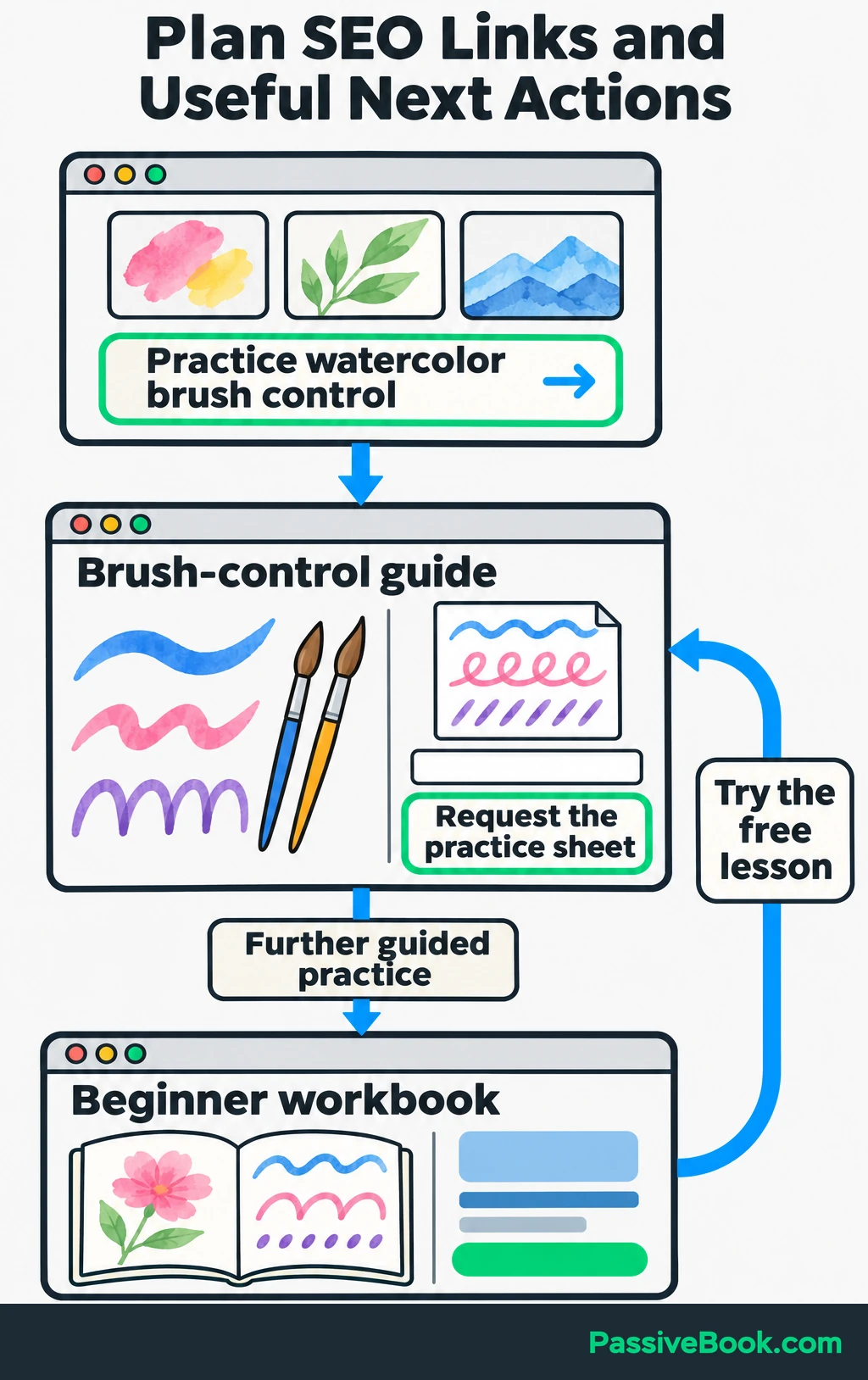
The guide can introduce the workbook where further structured practice becomes relevant. The product page can link back to the free lesson so visitors can see how the exercises are explained.
Plan incoming links too. Google recommends that every page you care about receive a link from at least one other page on your site. Use descriptive wording that explains the destination, such as “practice watercolor brush control.” Google’s internal-link guidance.
You don’t need a complicated diagram. You need to know where each important page fits, how people find it, and what useful action follows.
Step 5: Turn the Page Map Into an Implementation Plan
Put the work in order before choosing a publishing pace.
Resolve problems that prevent discovery first. Then prepare the relevant offer, improve useful existing pages, and create missing content.
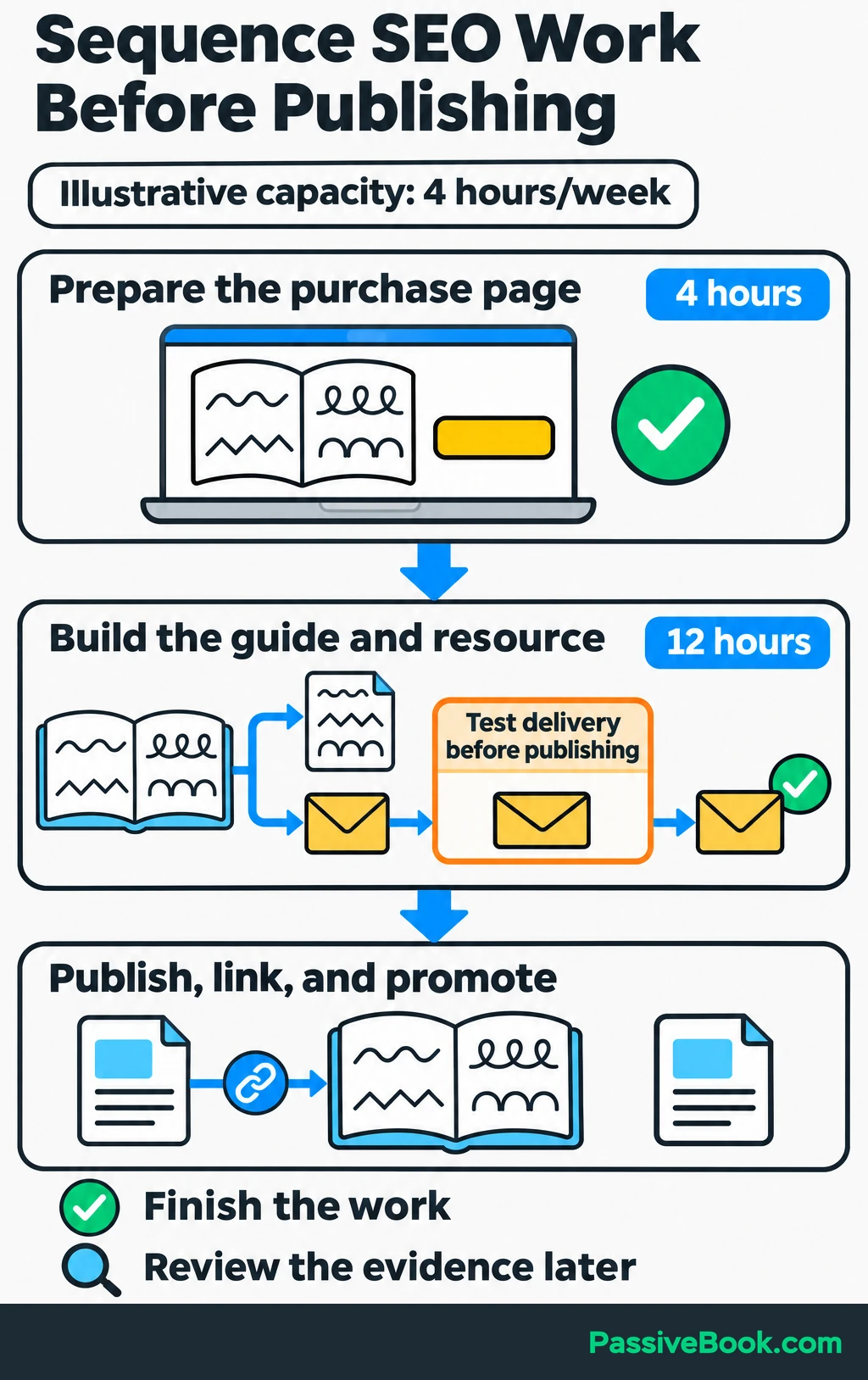
For the watercolor shop, the practice sheet and its delivery process must work before the guide invites signups. The workbook page also needs enough information to support visitors who want to buy.
Use a spreadsheet or a planning tool you already have. Put the goal, baseline, available hours, and review date at the top.
Here is a compact plan you can adapt. The dates use weeks relative to the start, and the effort estimates are planning assumptions.
Goal: Reach 20 monthly confirmed practice-sheet signups from organic search by the end of week 12.
Baseline: Zero signups for this new resource.
Capacity: Four hours per week.
Business check: Track workbook purchases alongside signups to assess whether these visitors become customers.
| Page and Search Task | Work and Dependencies | Owner, Effort, and Completion | Measure and Review |
|---|---|---|---|
Beginner watercolor workbook; purchase intent; /beginner-watercolor-workbook/ | Add sample exercises, skill level, delivery format, and purchase details. Test checkout. | Site owner; four hours; finish by end of week 1. | Purchases and revenue from organic visits; first review at end of week 6. |
Watercolor brush-control exercises; instructional intent; /watercolor-brush-control/ | Create the guide, demonstration photos, and practice sheet. Test delivery before publishing, add incoming links, and identify relevant publishers for promotion. | Site owner; 12 hours across weeks 2–4; finish by end of week 4. | Organic visits and confirmed signups from those visits; first search review at end of week 8, goal review at end of week 12. |
Replace the estimates with your own before committing. Include research, revisions, technical help, and promotion. A draft is only one part of a finished page.
Completion dates tell you when to finish the work. Review dates tell you when to assess the evidence.
Google says changes can take anything from hours to several months to appear, and generally suggests waiting a few weeks before assessing search effects. A review date is a checkpoint, not a ranking deadline. Google’s guidance on SEO timing.
Keep other ideas in a backlog. Choose the next batch after reviewing the current one and checking your available time.
Step 6: Remove Technical Barriers From Priority Pages
Start with the URLs in your plan. An audit of every minor issue can consume the time you needed to improve those pages.
Use Search Console’s URL Inspection tool to check whether each priority page is indexed, meaning Google has stored it for possible use in search results. Google’s basic requirements include allowing Googlebot, its automated crawler, to access the page, serving a working page, and providing indexable content. Meeting those requirements makes a page eligible; it doesn’t guarantee indexing. Google Search technical requirements.
Check these practical points:
- Access: Public pages intended for search should not require a login or accidentally block Google.
- Indexing Controls: For pages you want in search results, remove any unintended
noindexinstruction, which tells search engines to exclude the page. - Working Content: Repair broken priority URLs and check that Google can see their essential text.
- Discovery: Link important pages from navigation or relevant content. Include their preferred, indexable URLs in your sitemap, a file that helps search engines find pages.
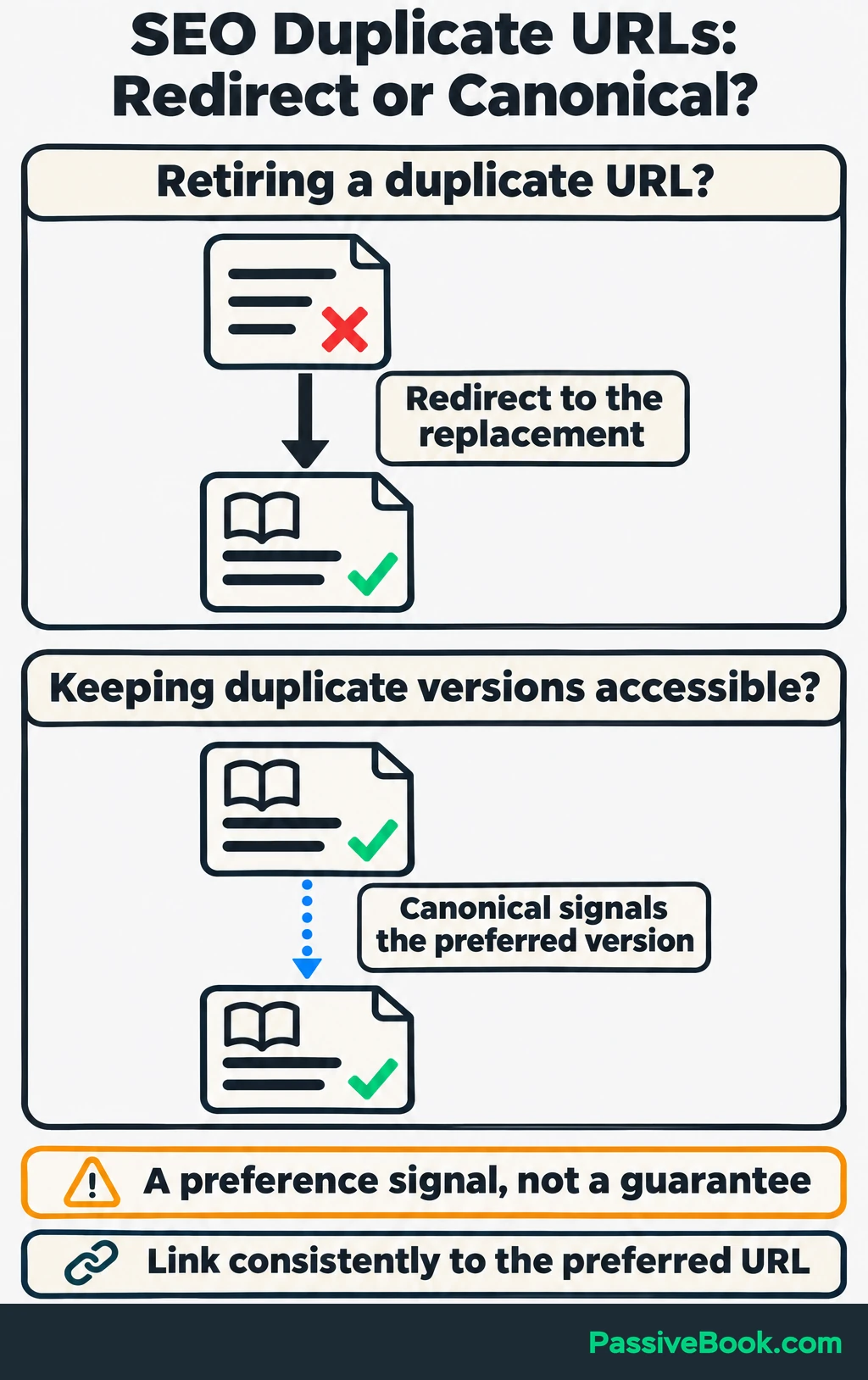
- Duplicate Versions: Use consistent links to the preferred version of each page.
When a duplicate URL is being retired, redirect it to the appropriate replacement. If duplicate versions must remain accessible, a canonical tag can signal which version you prefer Google to use. Google’s canonicalization guidance.
Then use the site on your phone. Read the lesson, open the form, download the sheet, and complete the purchase journey.
Fix delays, controls that don’t respond, and layouts that shift while someone tries to tap. Core Web Vitals measure loading performance, responsiveness, and visual stability, so their reports can help you locate those problems. Google’s Core Web Vitals guidance.
I would fix a form people cannot use before spending hours chasing a better performance score with no clear customer benefit.
Step 7: Create or Improve Pages That Satisfy the Search
Build the Answer Around the Reader’s Task
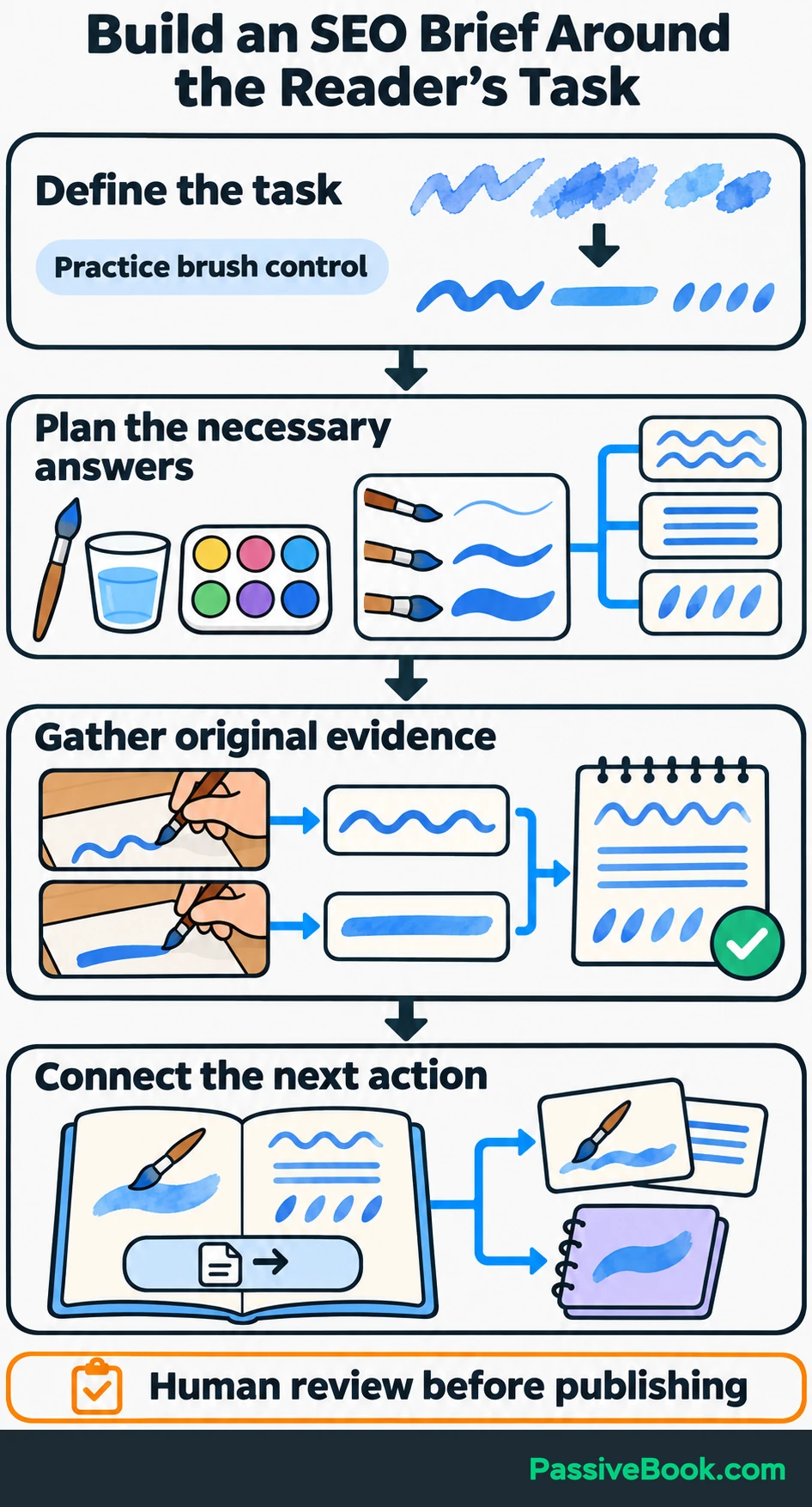
Write a brief before drafting. It should tell you what the page must help someone do and what material you need to make that possible.
Include the search intent, main question, supporting answers, format, original material, evidence, internal links, and next action.
For the brush-control guide, a useful brief would specify:
- Main Task: Help a beginner understand and practice control over watercolor brush strokes.
- Required Coverage: Supplies, how pressure affects the stroke, practice movements, and common difficulties.
- Original Material: Photos showing the movements and resulting marks, supported by the matching practice sheet.
- Internal Links: Relevant beginner lessons and the workbook page.
- Next Action: Request the sheet after seeing how to use it.
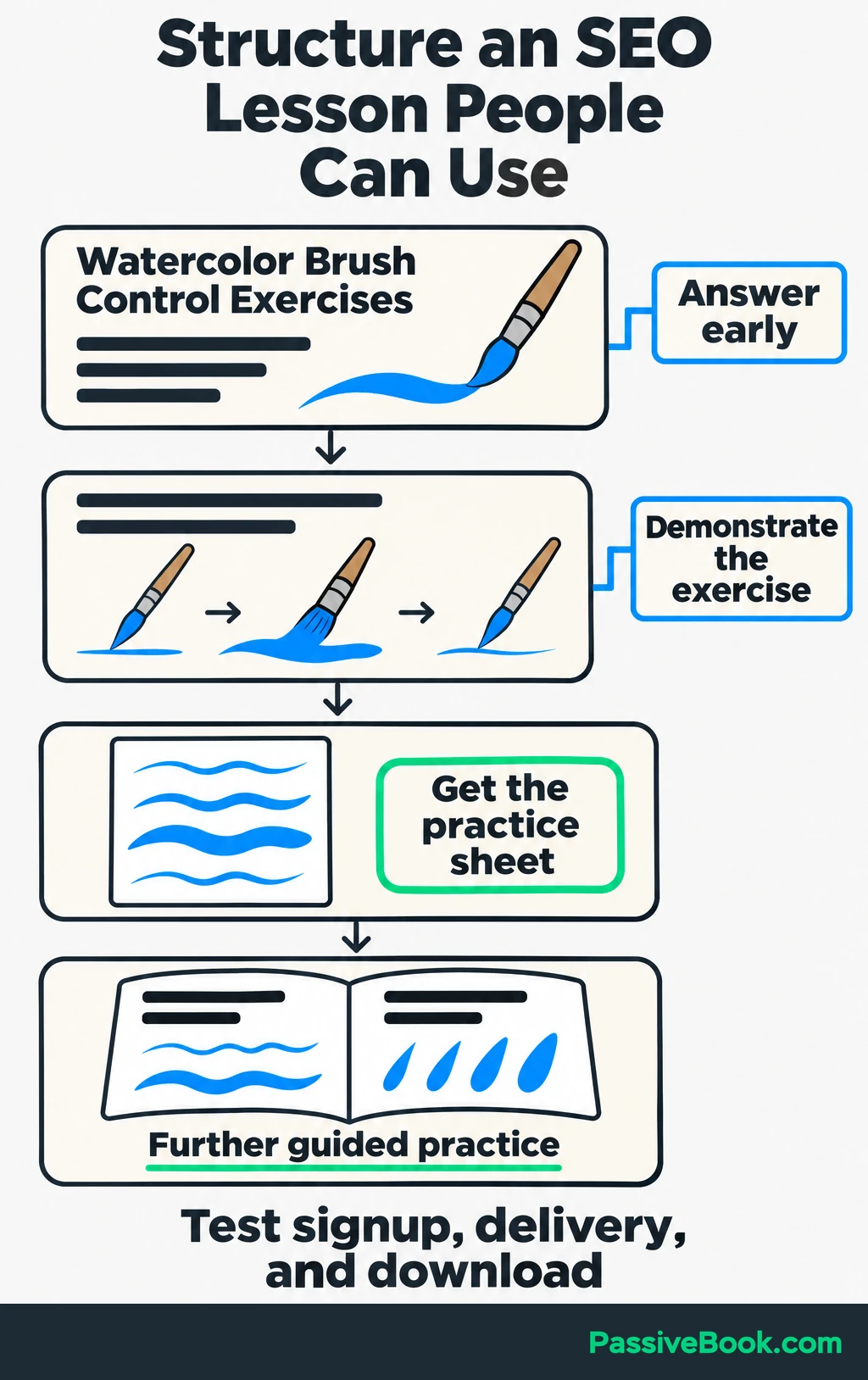
Answer the main question early, then arrange the instructions in the order someone needs them.
Let the task determine the length. A lesson needs enough explanation to perform the exercise. A workbook page needs the skill level, sample pages, included exercises, delivery format, and price.
If you want help turning your brief into copy, AI Copywriting Studio can draft a new page or improve one you already have. It uses your offer and source notes to connect the answer with a useful next action.

Free AI Copywriting Studio




Google’s content guidance asks whether a page provides original information, a complete explanation, and useful value beyond other available pages. Those are useful editing questions; adding another paragraph doesn’t automatically answer them. Google’s content self-assessment questions.
Use AI where it saves useful work. I would use Claude to organize source notes, suggest a structure, or flag unclear passages, then review the claims and instructions before publishing.
My custom AI content pipeline cut production from days to hours. That makes choosing the right pages more important because a poor topic choice becomes much easier to repeat.
Keep the demonstrations, evidence, and judgment under human review. Generating many low-value pages primarily to manipulate rankings can violate Google’s scaled-content policy regardless of how those pages are created. Google’s scaled-content abuse policy.
Make the Page Clear and Easy to Use
Give the page a descriptive title, a clear main heading, and section headings that help people find what they need.
For the example guide, a title could be:
Watercolor Brush Control Exercises With a Free Practice Sheet
Use the searcher’s language where it fits. You don’t need to repeat the phrase in every heading.
Write a short, specific page summary for search engines, called a meta description. Google primarily creates the descriptions shown in search results (snippets) from page content and may use your meta description when it represents the page better. Google’s snippet guidance.
Add the internal links from your plan, including links to this page from relevant existing resources.
Place the next action where it helps. After demonstrating the exercise, the guide might say:
Get the free brush-control practice sheet and use it alongside the exercise above.
Later, where the reader needs further practice, explain what the workbook adds. Keep the free lesson useful on its own.
Support instructional images with nearby explanations and alt text that describes essential visual details for people who cannot see the images. Then test the full journey again: signup, confirmation, delivery, download, and checkout where relevant.
On WordPress, I use Rank Math for page-level SEO settings. Its checks help me spot omissions, but I still judge the finished page by whether someone can use it.
Step 8: Earn Relevant Links and Exposure
Choose something worth sharing before looking for places to share it.
A useful lesson with demonstrated exercises and a matching printable gives another publisher a clear reason to reference it.
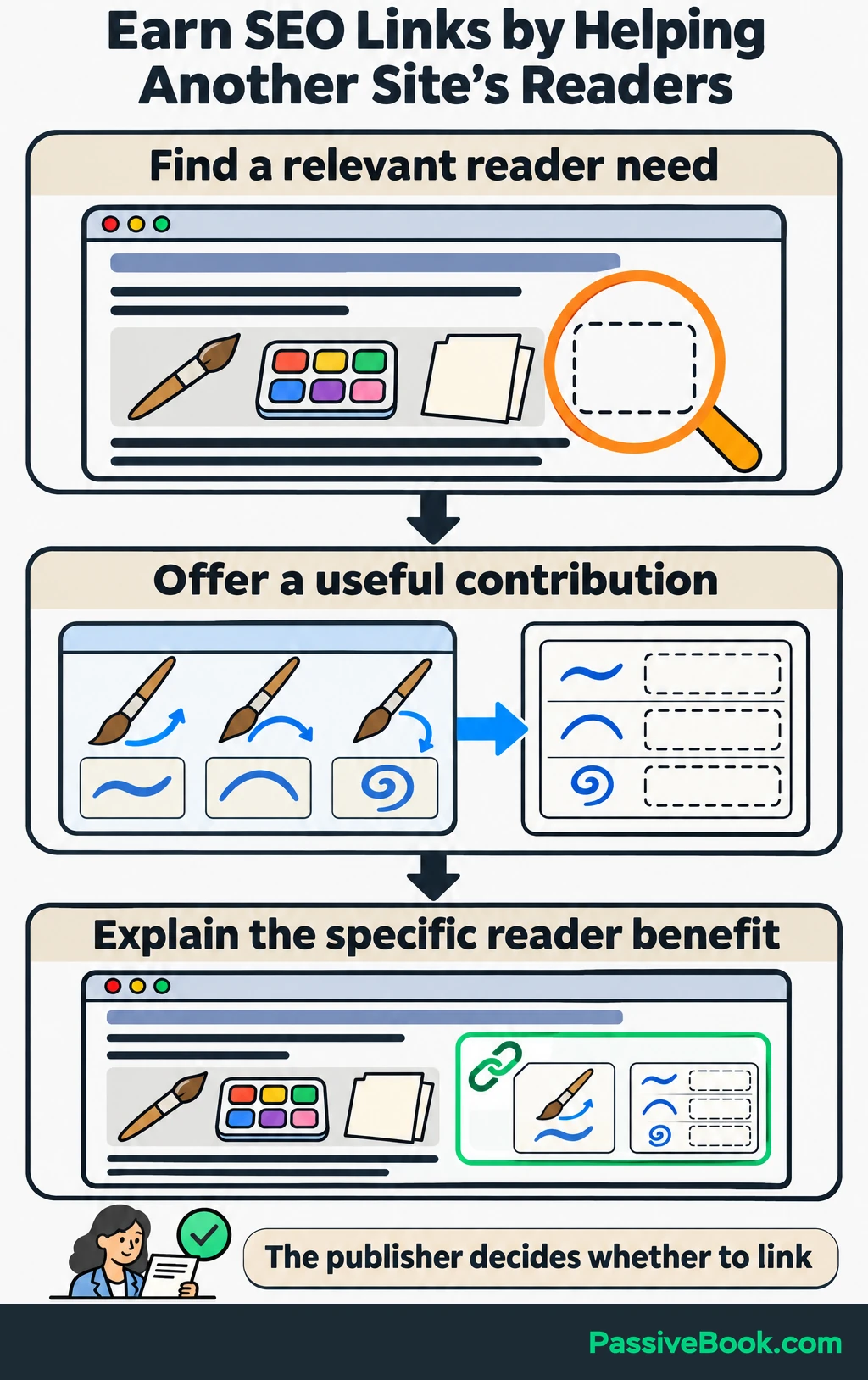
Find relevant teachers, publications, and resource pages. Read their existing material and identify where your contribution would help their readers.
For the watercolor guide, that might mean a beginner-art publication with a resource list or a teacher whose article explains supplies but lacks a practice exercise.
Keep your explanation specific. For example:
The guide shows the brush movement beside the resulting mark, and the matching sheet lets readers practice the exercise.
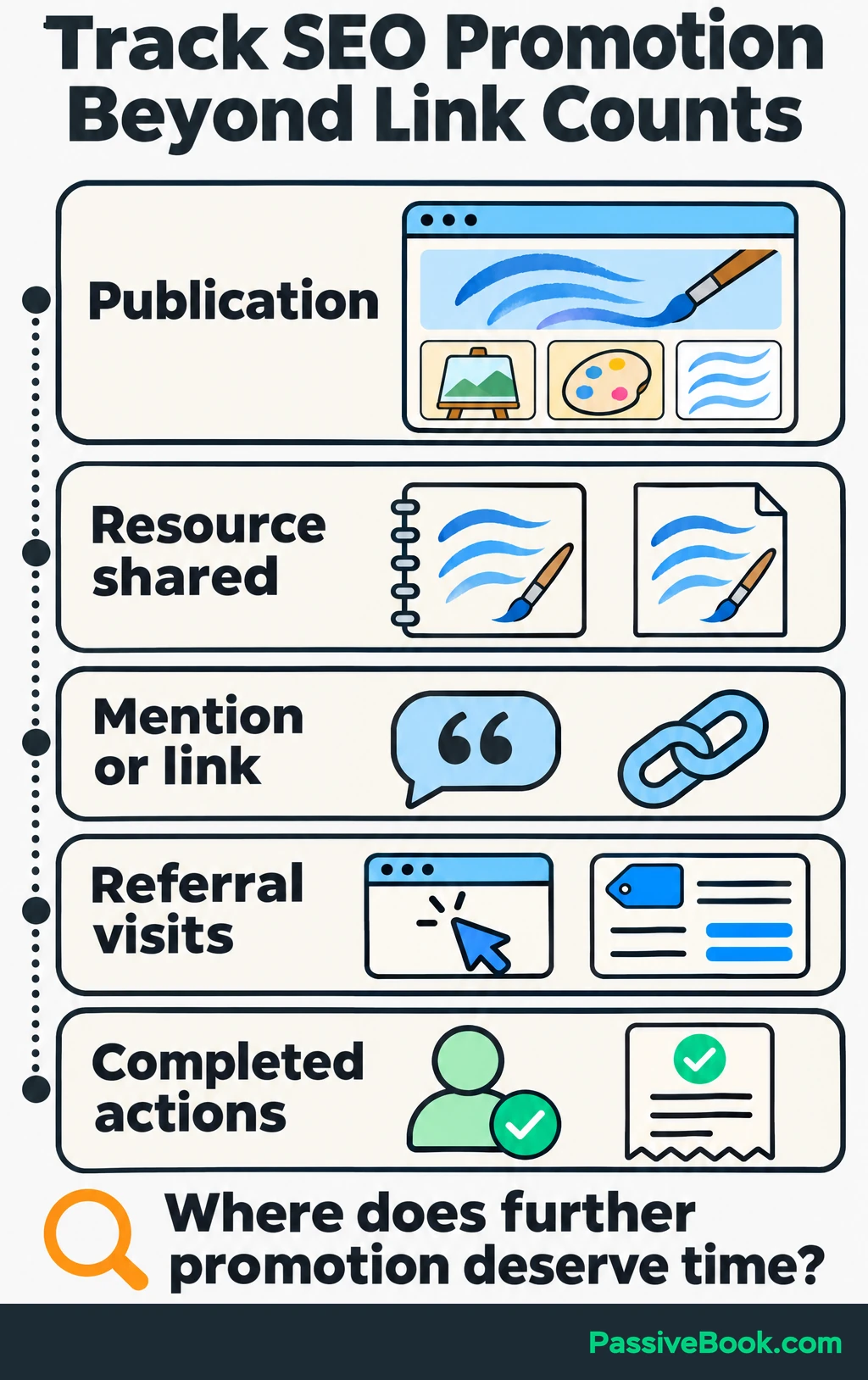
You can also use your existing email or community channels where the resource fits and the rules allow it. I would start with a small list of suitable places and contact them thoughtfully.
Track the publication, resource shared, resulting mention or link, referral visits, and completed actions. That helps you decide where further promotion deserves time.
Avoid buying links to boost rankings, automated services that create links to your site, and excessive link exchanges. If you pay for an advertising placement, ask the publisher to mark its link as sponsored with rel="sponsored"; Google also accepts rel="nofollow". Google’s link-spam policy.
Step 9: Review Results and Choose the Next Improvements
Diagnose the Gap Between Visibility and Outcomes
Review the journey from discovery to business action. Each stage answers a different question.
| What You Observe | What to Investigate |
|---|---|
| The priority page isn’t indexed | Access, indexing instructions, technical errors, and whether Google can discover useful content. |
| The page is indexed but receives few relevant impressions | Search demand, intent fit, coverage, competition, and internal links. |
| Relevant impressions appear but clicks remain scarce | The actual queries, search position, visible results, and whether the page promise gives people a reason to visit. |
| Organic visits arrive but signups don’t | Audience fit, usefulness, the practice-sheet offer, and whether the form works. |
| Visitors reach the workbook page but don’t buy | Sample pages, format details, offer fit, purchase information, and checkout. |
Use Search Console to examine queries and search visibility. Use analytics to review organic landing-page visits and completed actions.
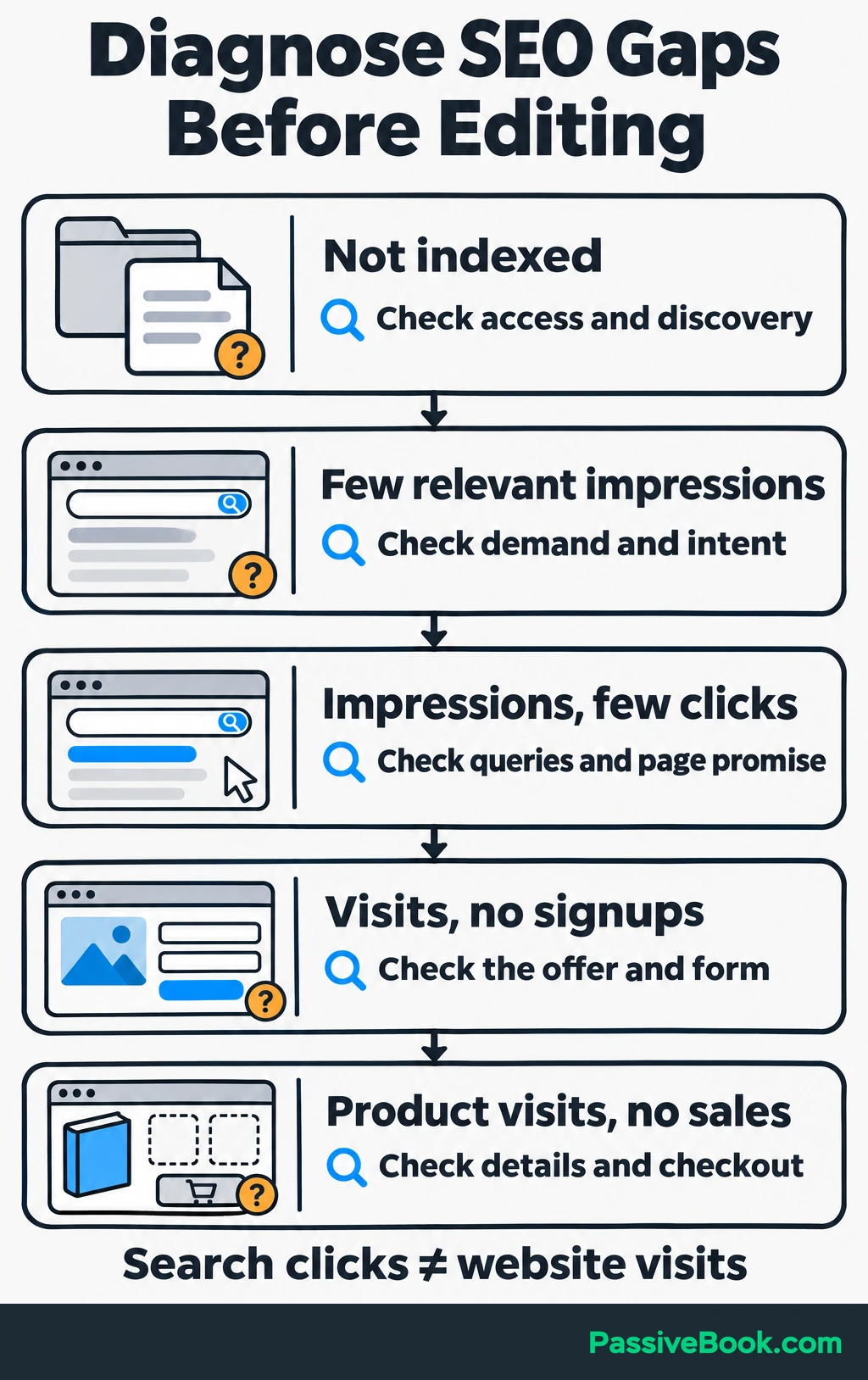
Keep those measurements separate. Search clicks and website visits aren’t interchangeable counts, and one report cannot explain the whole journey.
Compare equivalent periods and consider seasonal demand, page age, and how much evidence you have. A few visits cannot tell you much about a signup rate.
Also separate searches containing your business name from searches introducing people to you. Someone already looking for your shop represents a different opportunity from someone discovering it through a brush-control question.
Record what changed, what you observed, what you will do next, and when you will review it. A before-and-after movement alone doesn’t prove your edit caused the result.
Improve, Expand, or Stop
Choose the next task from the problem you found.
Improve an existing page when you can identify a useful change: clearer instructions, missing purchase details, better internal links, or a repaired form.
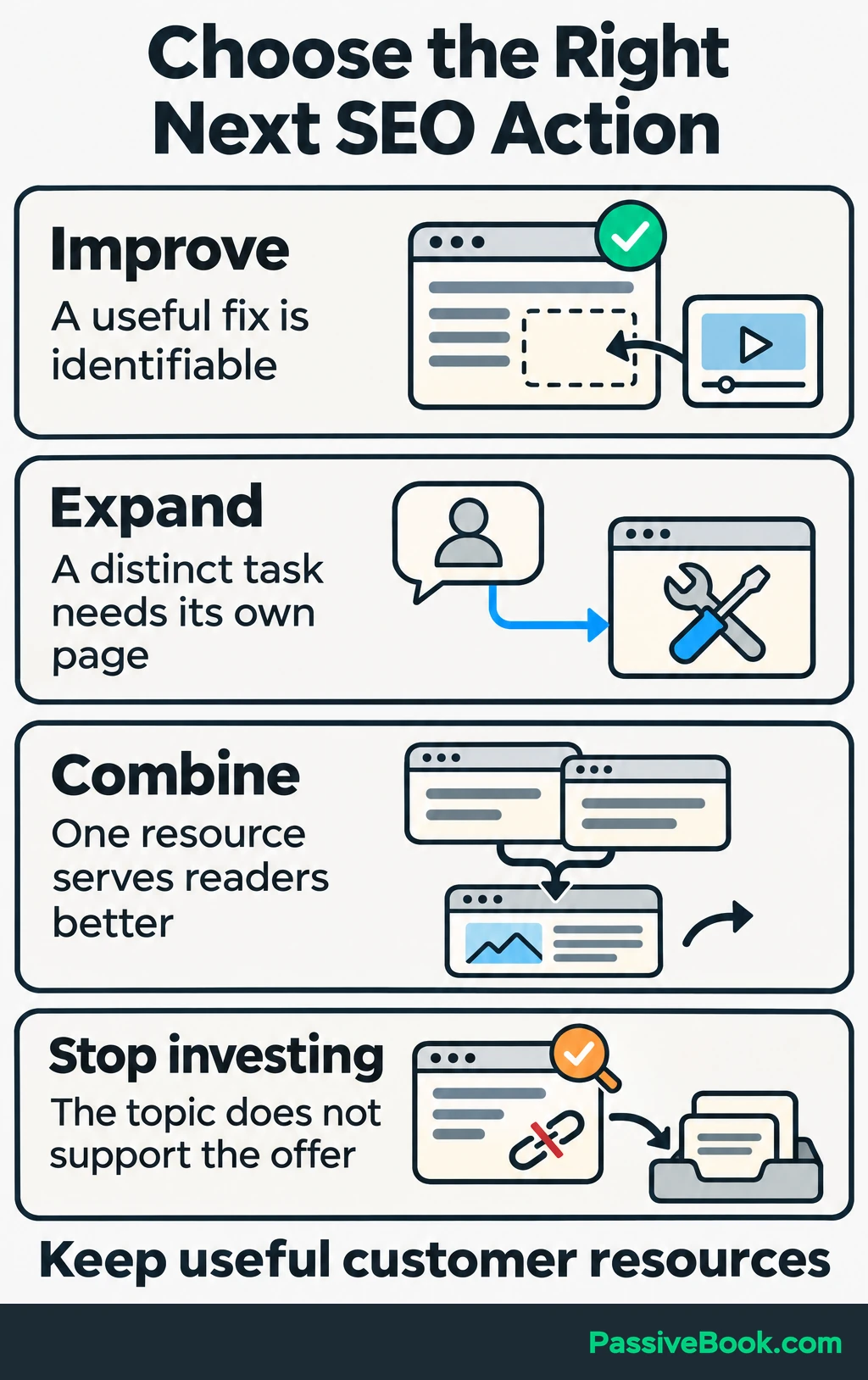
Expand when customer questions or search data reveal a distinct task that deserves its own page. Avoid splitting an existing answer just to publish another URL.
Combine overlapping pages when one stronger resource would serve readers better. Check their traffic, links, and customer purpose before retiring a URL, and redirect it to a relevant replacement where appropriate.
Stop investing in topics disconnected from the offer. But retain useful customer resources even when they attract little search traffic.
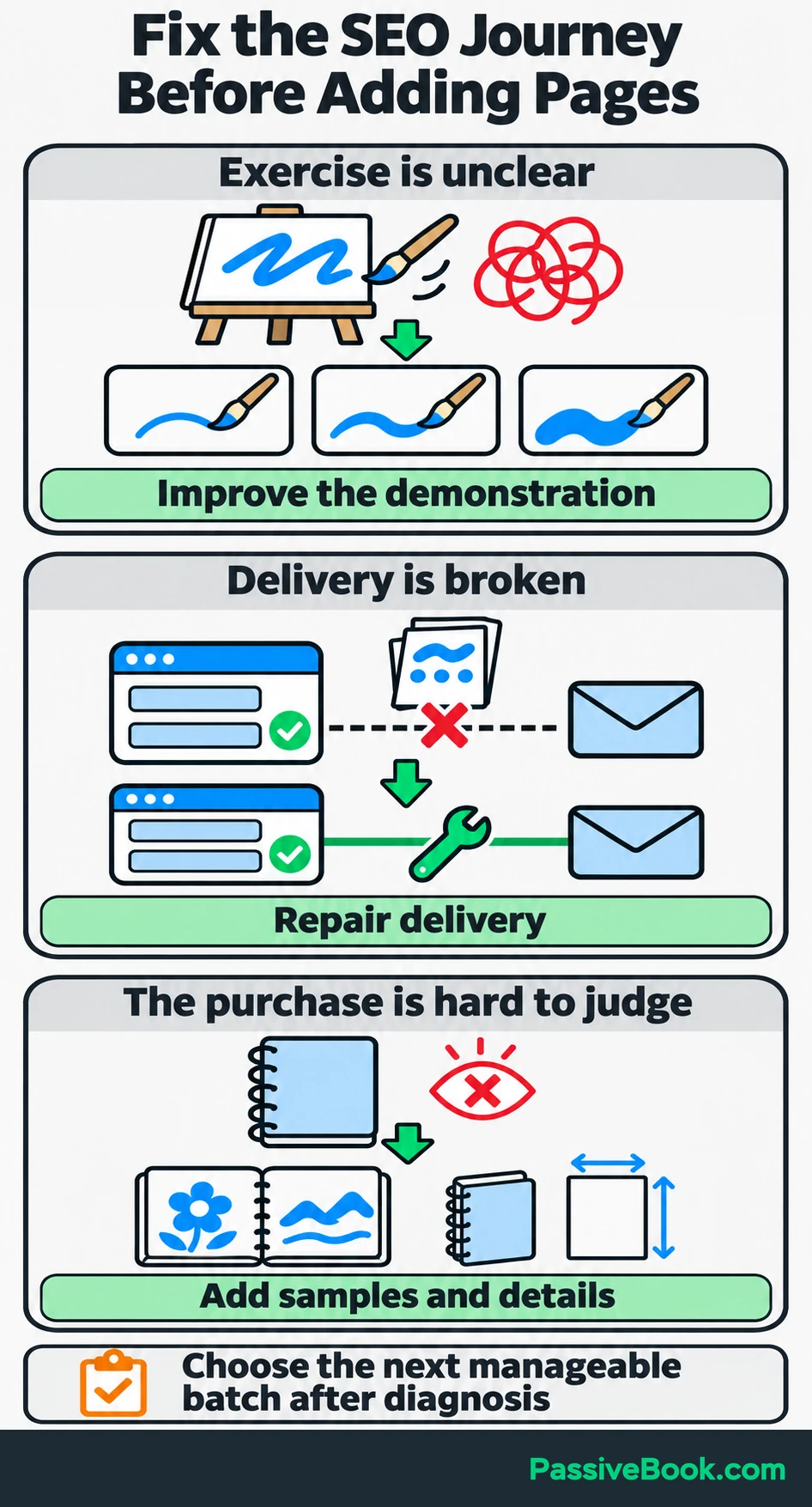
For the watercolor shop:
- If readers cannot follow the exercise, improve the explanation and demonstration.
- If signups fail because delivery breaks, repair delivery.
- If product visitors cannot judge what they’re buying, add clearer samples and details.
Writing another article would leave each of those problems unresolved.
I would choose the next manageable batch only after that diagnosis. This keeps new content, maintenance, and promotion connected to the same business goal.
What Next?
Choose one offer and write its SEO goal using your current baseline. Then select one page that could help the right visitor reach it and add that page to your working plan.
Use the social buttons to share this guide when you want to bring a scattered SEO backlog back to clear priorities.
Which page would you work on first, and what customer action should it support? Tell me in the comments, and bring any other questions you have about building your plan.
Share this post with your friends & followers:

