You have information that could answer dozens of related searches, but turning every answer into a separate page would eat your evenings. A reusable template sounds appealing. Publishing a warehouse of nearly identical pages sounds less appealing.
The expensive part is finding out which one you’ve built after paying for the setup. This guide explains the model through two public examples and a small shop’s page system, so you can judge what the build would involve and whether your site has the information to support it.
What Is Programmatic SEO?
Programmatic SEO uses reusable templates, organized information, and publishing rules to create pages that answer recurring search needs.
People design the system and check its output. Software assembles the pages and can update them when the underlying information changes.
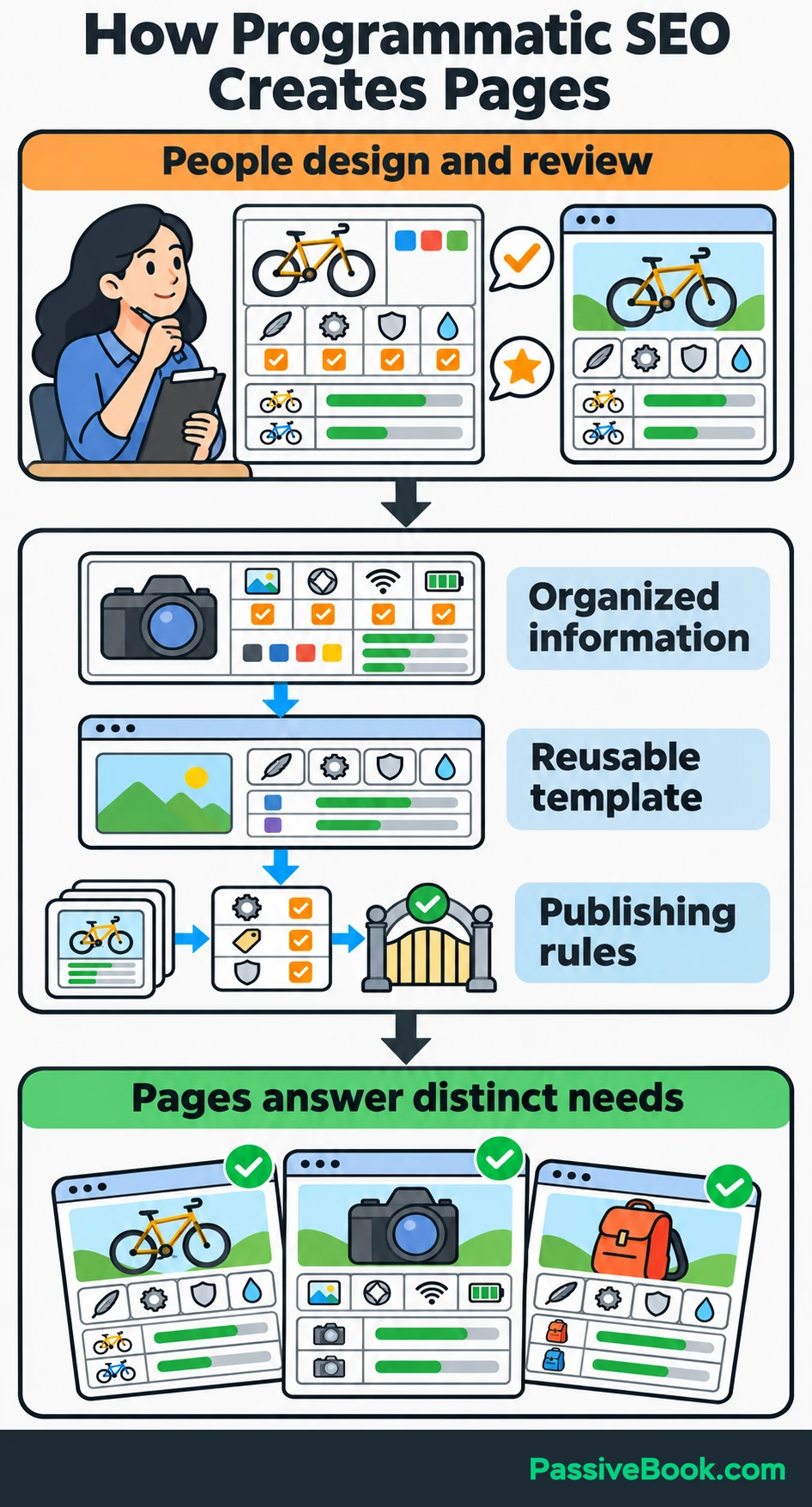
A template might produce product pages, comparison pages, location guides, or calculators. Each page follows a shared layout, but its information must help with the particular task that brought the visitor there.
That is where the time saving comes from. Once a useful template works, new records can reuse it. Improving the comparison layout can also improve every page using that template.
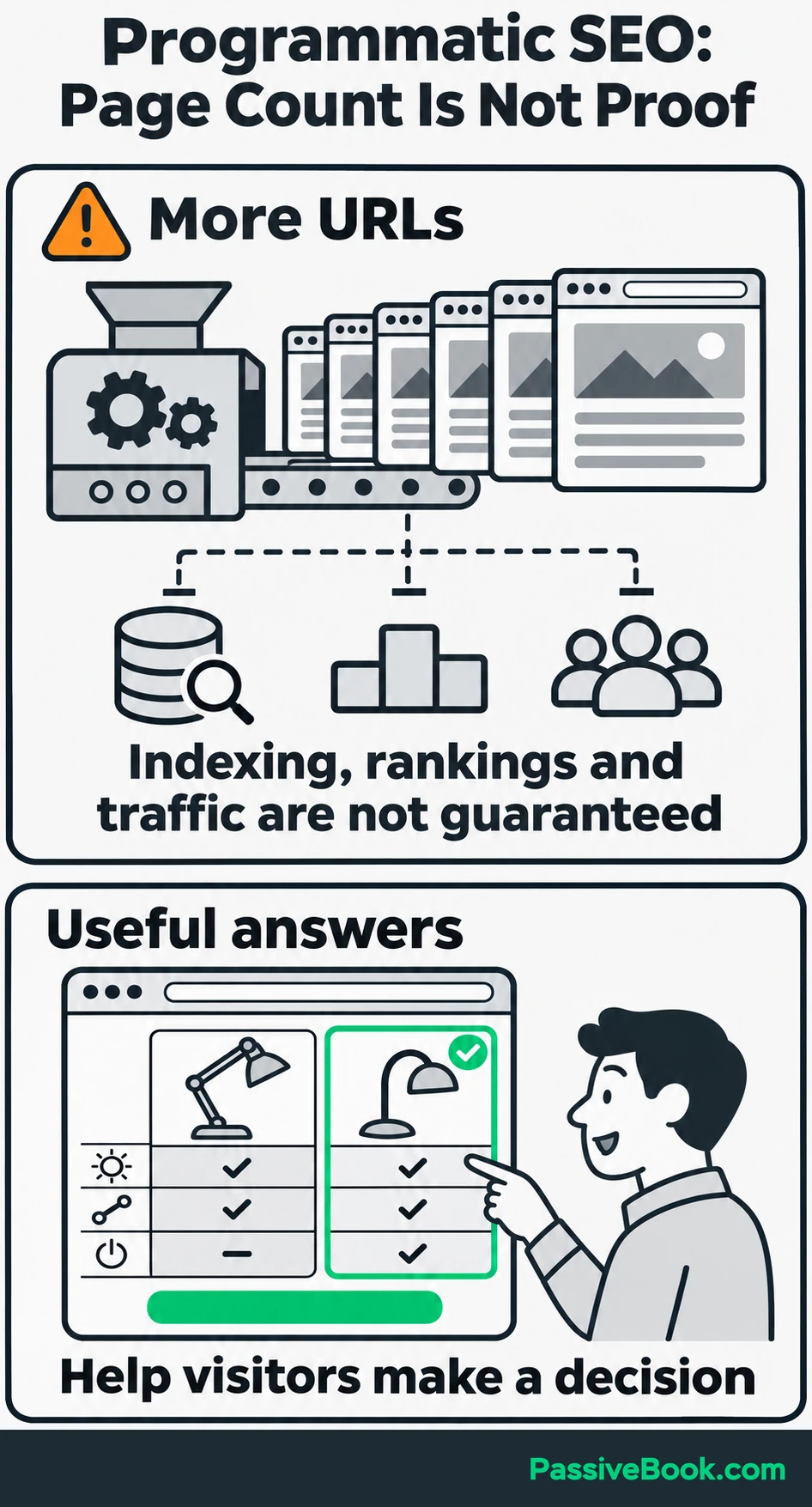
You still need accurate information, useful content, and ongoing maintenance. Generating URLs guarantees only that you have more URLs. It does not guarantee indexing (being added to a search engine’s database), rankings, or traffic.
I would judge the system by the decisions its pages help visitors make. Page count is a poor substitute.
How Does Programmatic SEO Work?
The process follows a repeatable sequence:
- Find a search need that appears in several related forms.
- Organize the information needed to answer it.
- Choose which records qualify for each page.
- Display those records through a template.
- Publish, check, and maintain the approved pages.
Take a shop that sells downloadable bag sewing patterns and owns its product information and original photographs. Its example searches are candidates to investigate, rather than proven opportunities.
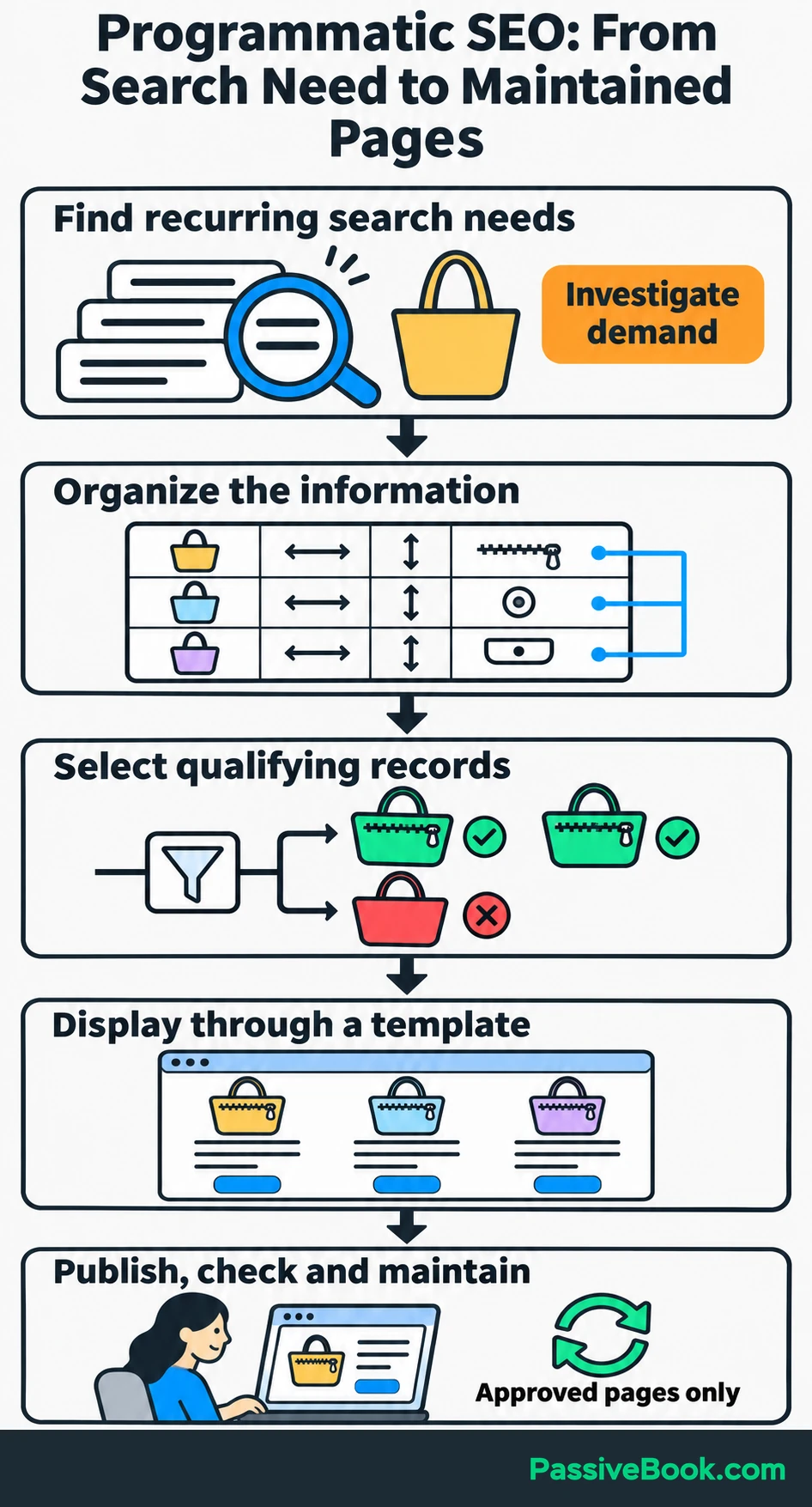
One product record supplies a pattern’s detail page. Several matching records supply a collection where visitors can compare patterns.
Three parts do different jobs:
| Part | What it controls in the shop |
|---|---|
| Dataset | Pattern names, dimensions, closure types, photographs, materials, and product links |
| Template | Where images, comparison details, and purchase links appear |
| Publishing rules | Which products qualify for a collection and whether that collection is ready to publish |
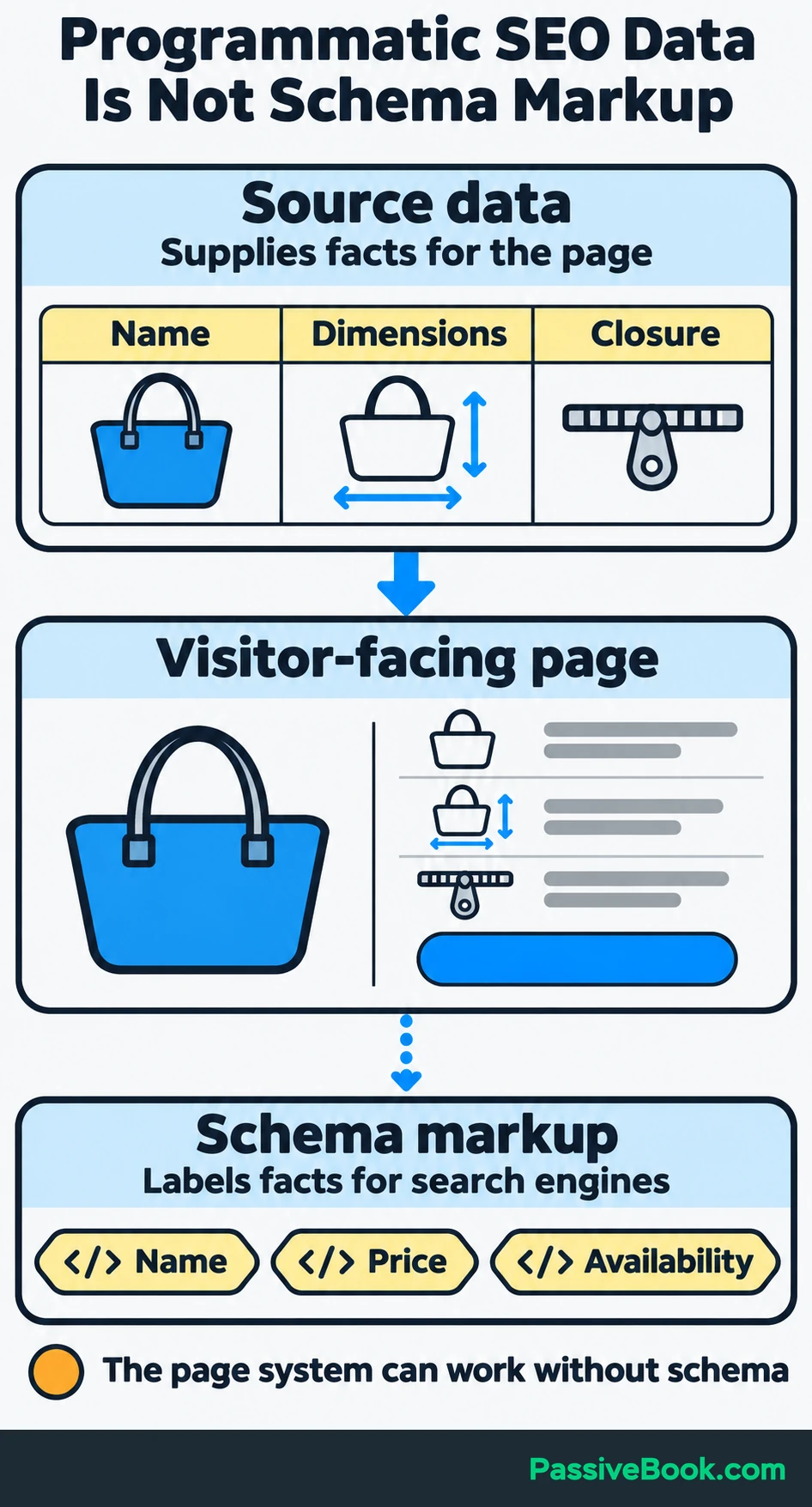
Organized source data also differs from schema markup. Your spreadsheet fields supply the page. Schema markup adds labels that search engines can read, such as a product’s name, price, and availability. Google calls this structured data, and supported markup can make pages eligible for enhanced search appearances. Google explains this role in its structured data guidance.
You can build the page system without schema markup. AI is optional too. A template can display verified product details directly, and generated prose earns its place only when it helps explain them.
Programmatic SEO Examples
These public pages show useful, repeatable structures. They do not reveal the companies’ internal publishing methods or establish traffic and revenue results.
Zapier’s App Integration Pages
Zapier connects apps to automate tasks. Its Google Sheets and Trello integration page offers ready-made workflows, shows which events can start them and what happens next, and links to set them up.
One workflow creates a Trello card when a new Google Sheets row appears. A visitor can see a specific job the connection performs and move toward setting it up.
The useful lesson is to build around combinations that actually work. A page for every theoretical pairing would be much less helpful if visitors reached a dead end.
Wise’s Currency Conversion Pages
Wise’s USD-to-EUR page combines an amount converter, exchange-rate history, and common conversion amounts.
The selected currencies change the calculation and supporting information. Visitors can complete a task without reading a long article first.
This is a useful check on your own templates: sometimes the best answer is a tool, a comparison, or a clear set of facts. Adding paragraphs does not automatically improve it.
Is Programmatic SEO a Good Fit for Your Site?
I would look for four things before buying tools or commissioning a build:
- Recurring searches that share a useful page format.
- Dependable information you can access, publish, and maintain.
- Meaningful differences between the answers.
- A relevant next action, such as buying, comparing, or requesting a quote.
The sewing-pattern shop could meet those conditions. Individual patterns have different dimensions, closures, materials, and photographs. Selected collections can help visitors find suitable patterns and reach their product pages.
But the approach has limits. A detailed tutorial on sewing a zipper may need close-up photographs, careful instructions, and an editor who understands where beginners get stuck. I would write that separately rather than squeeze it into the collection template.
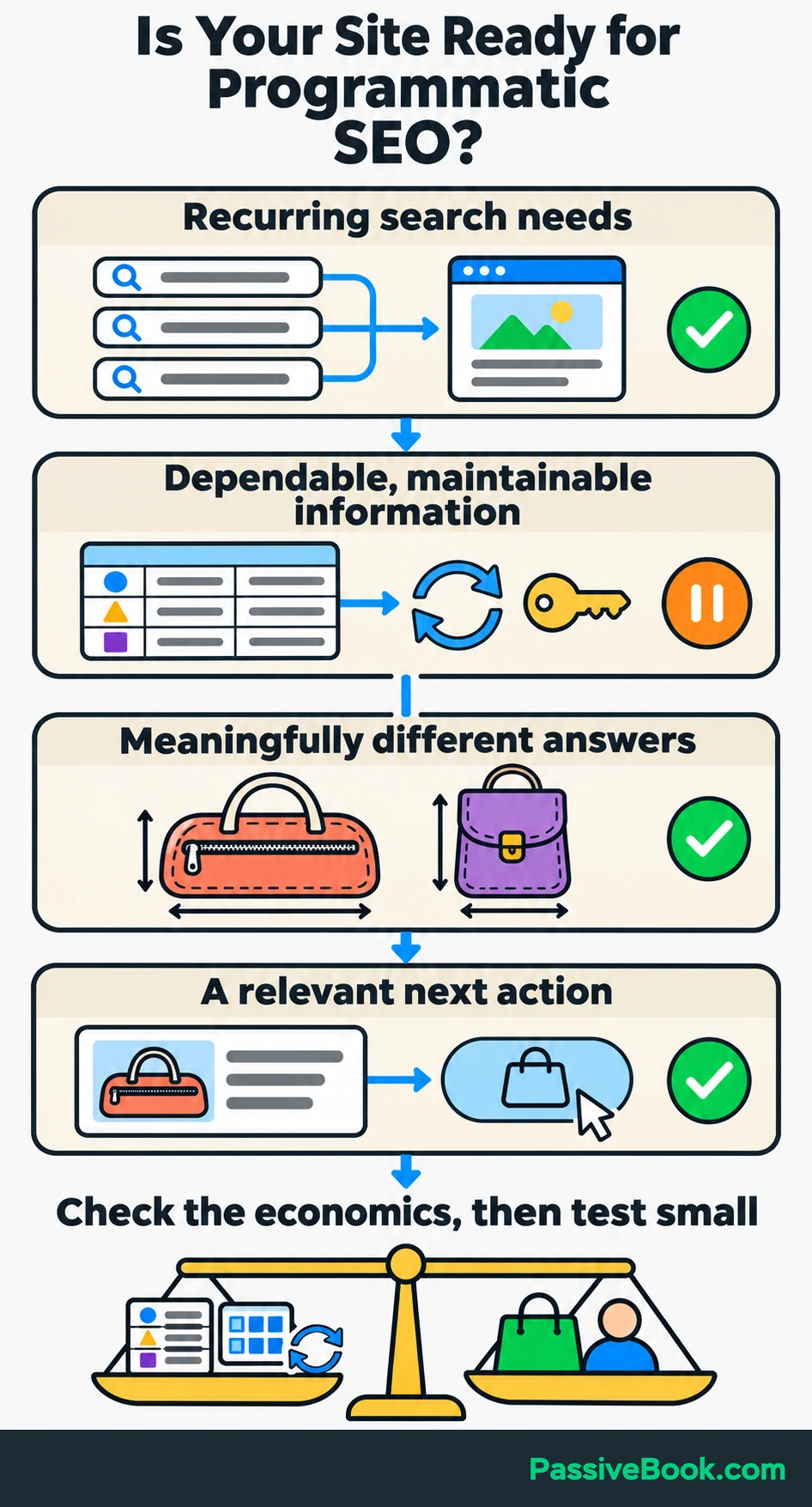
Check the economics as well. Estimate the work needed to prepare data, build templates, publish pages, correct mistakes, and keep everything current. Then consider what the searches could contribute to the business.
A modest group of useful collections may be worthwhile. Hundreds of combinations that barely differ may create an upkeep problem.
You can start small without a development team. A spreadsheet and a reusable template in the software that manages your website may cover the job. I would use self-hosted WordPress for a site I wanted to own and extend, and keep an existing setup if it already handled the required fields and layouts.
Custom calculations, complex relationships, and frequent updates can require more technical help. Let those needs determine the build.
How to Build Useful Programmatic SEO Pages
1. Map Recurring Searches to Distinct Page Purposes
Start by identifying a repeatable search pattern, then inspect representative results. Look at what visitors appear to need: products, collections, instructions, or a working tool.
For the shop, you could investigate:
- “Tote bag sewing patterns”
- “Tote bag patterns with zippers”
- “Zippered tote bag sewing patterns”
Use your existing search-query data, customer questions, and keyword research to assess demand. If you need a beginner-friendly research tool, I would consider Ubersuggest. Its estimates are clues to investigate alongside the actual results.
Record the evidence you find. “Worth researching” and “customers already search for this” are different conclusions.
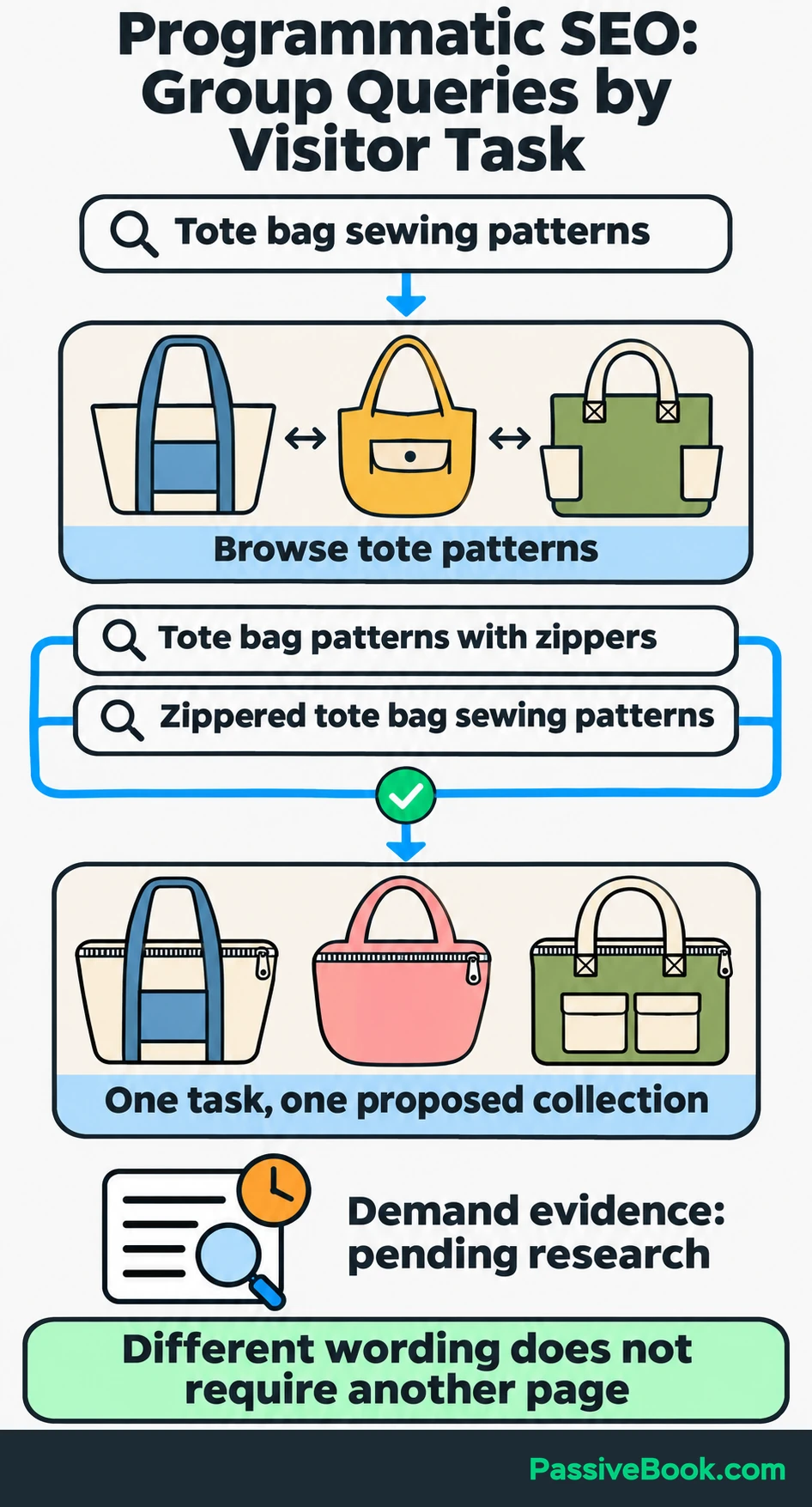
Next, group phrases that need the same answer. The two zipper phrases may belong on one page because both ask visitors to choose from zippered tote patterns.
A planning sheet could begin like this:
| Query group | Visitor’s task | Proposed destination | Demand evidence |
|---|---|---|---|
| Tote bag sewing patterns | Browse and compare tote patterns | /bag-patterns/totes/ | Pending research |
| Tote bag patterns with zippers; zippered tote bag sewing patterns | Compare tote patterns with zipper closures | /bag-patterns/zippered-totes/ | Pending research |
Add the template, matching product IDs, and intended next action to your working sheet. Here, the next action is opening a suitable pattern’s product page.
Approve separate pages when the answers differ enough to help visitors. If two proposed collections would show the same products and comparison details, combine them.
Changing the heading does not create another useful destination.
2. Build the Dataset Each Page Needs
Keep one primary record per item. Give it a stable ID so the system can recognize that item even if its name changes.
For the pattern shop, the record needs enough information to support both browsing and buying:
| Field | Illustrative Weekend Tote record |
|---|---|
| Stable ID | PAT-014 |
| Pattern name | Weekend Tote |
| Publication status | Approved |
| Availability | Available |
| Bag type | Tote |
| Closure | Zipper |
| Finished dimensions | 40 cm wide × 35 cm high × 12 cm deep |
| Original photograph | Image file not supplied in this example |
| Materials | Full materials list and quantities not supplied in this example |
| Price | Not supplied here; read the current price from the product record |
| Product URL | /patterns/weekend-tote/ |
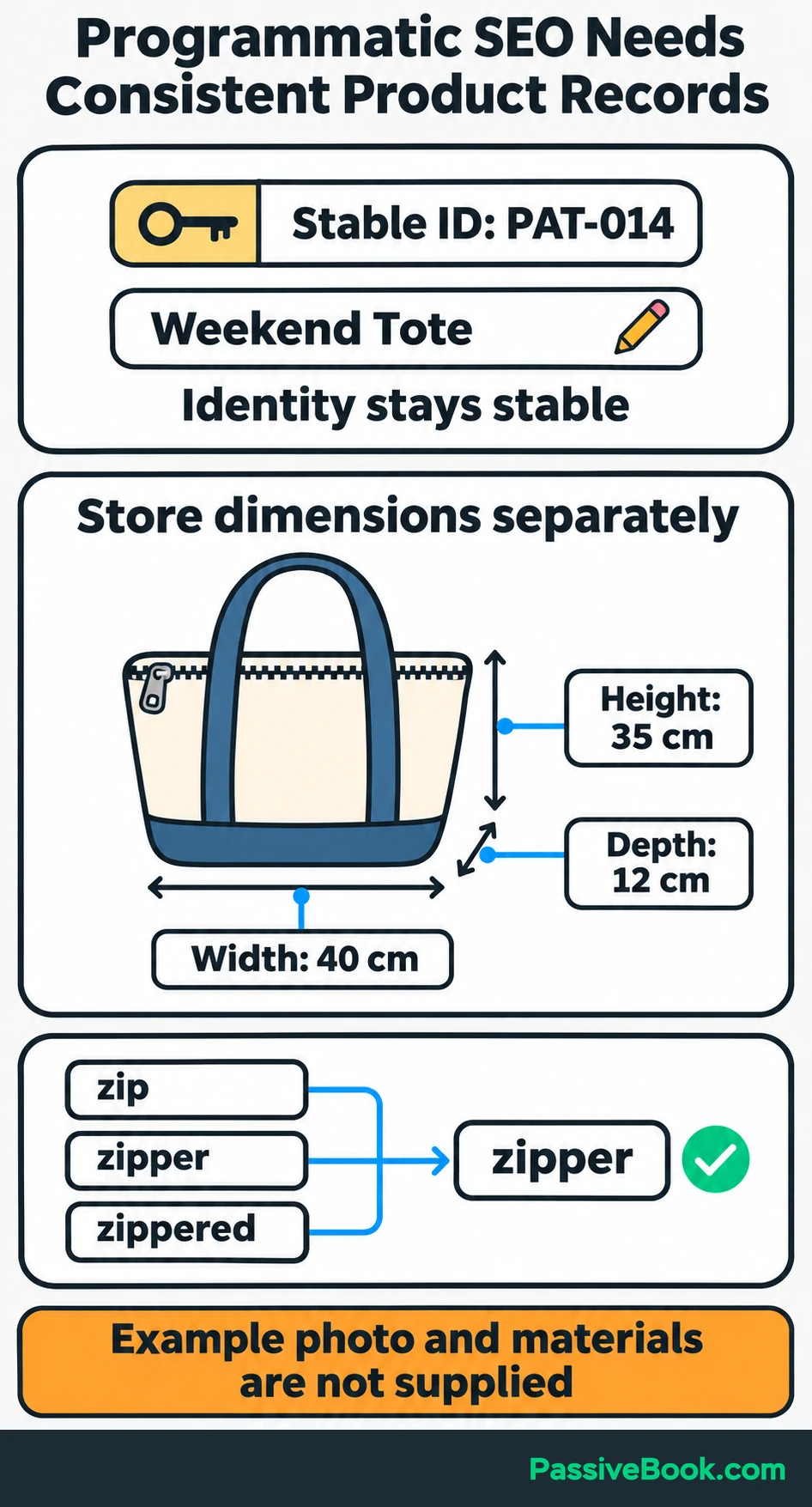
Store dimensions consistently. Three numeric fields for width, height, and depth are easier to compare than a mixture of sentences and measurements.
Standardize other labels too. If “zip,” “zipper,” and “zippered” mean the same thing in your records, choose one stored value. The page can still use natural wording.
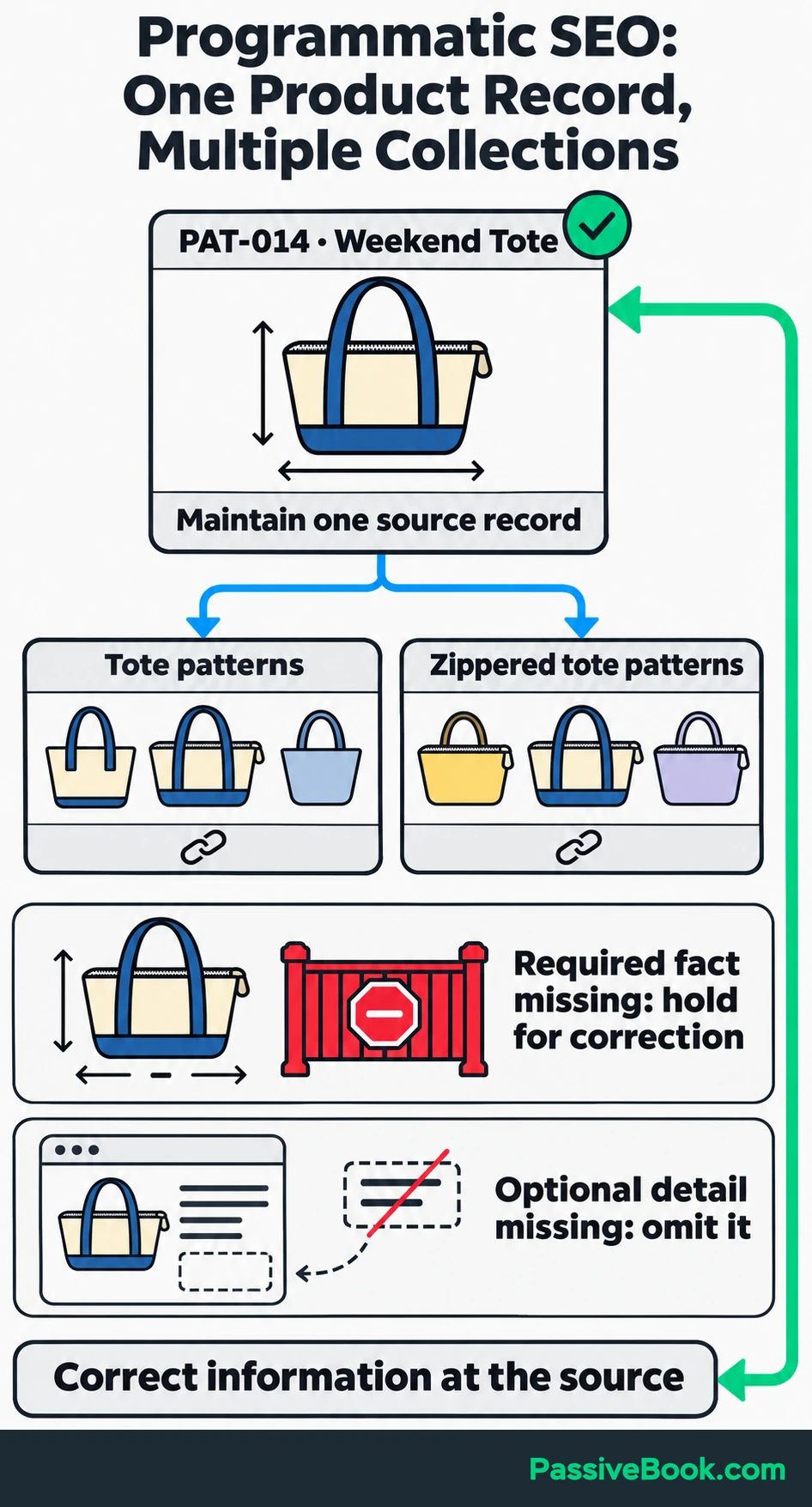
Keep a separate list of approved collections and their selection rules. A pattern can appear in several relevant collections while retaining one underlying product record.
Define which fields are required before publication. A missing optional detail can be omitted. A missing dimension that buyers need should hold the record for correction.
For a solo operation, you are also the person responsible for updates. Write down when you will review records and make product changes at the source so affected pages receive the correction.
3. Design Templates Around the Visitor’s Decision
Put the main answer near the top. On a collection page, that usually means showing matching products with clear photographs, useful comparison details, and links to full information.
Decide what visitors need to compare before choosing the layout. For bag patterns, closure type and finished dimensions may matter more than a long opening paragraph.
The collection rule connects the data to the page:
Page: /bag-patterns/zippered-totes/
Heading: Tote Bag Sewing Patterns With Zippers

Select approved, available products where:
bag_type = tote
closure = zipper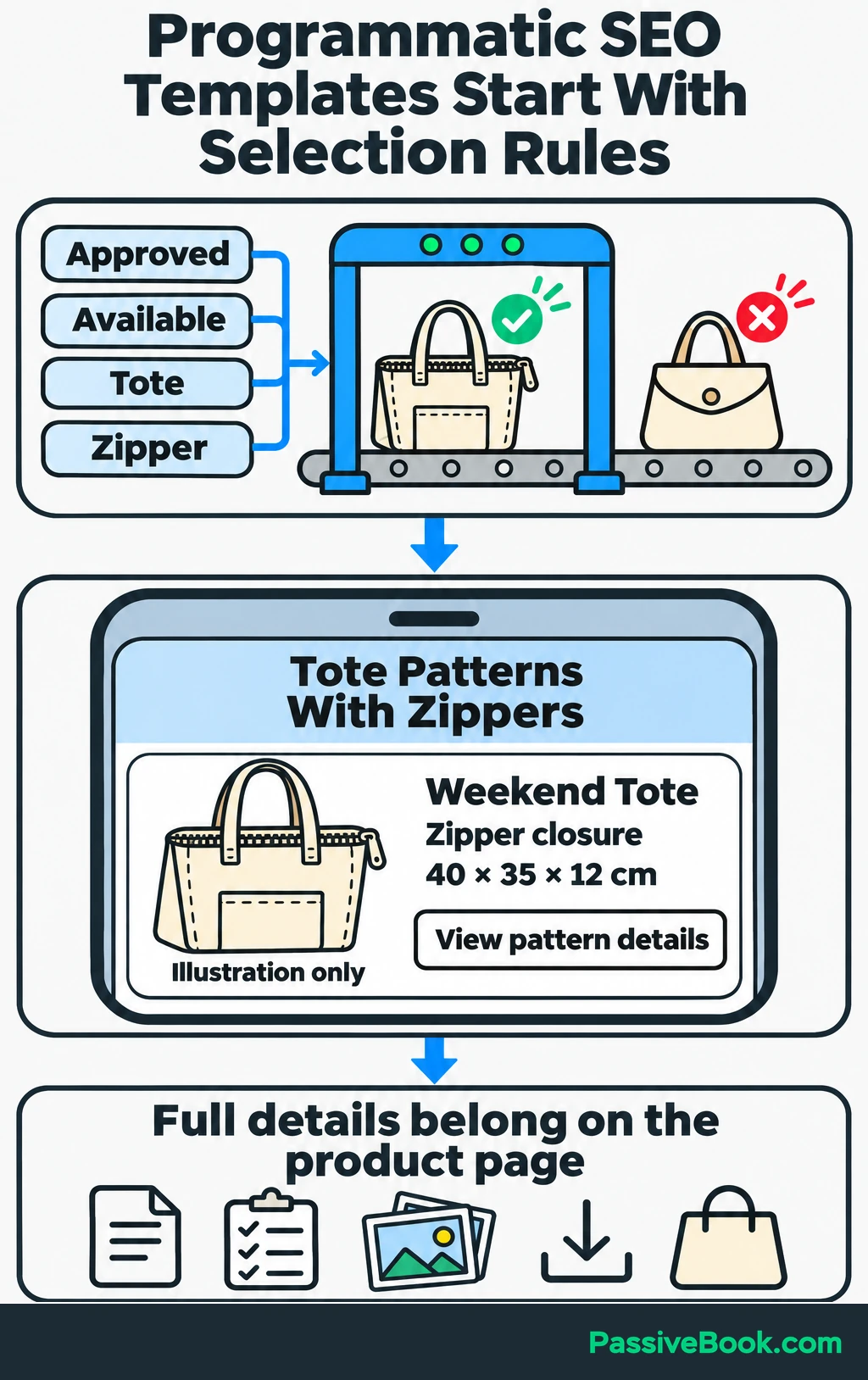
The Weekend Tote qualifies because its record matches those conditions. Its card could show this short excerpt beside the original photograph:
Weekend Tote
Zipper closure · Finished size: 40 × 35 × 12 cm
View pattern details
The product page then supplies the full materials list, additional photographs, download details, and purchase option.
Notice where the specific value comes from: matching products and useful facts about them. A shared explanation can help visitors choose, but it should support those details.
It is easier to judge a template when it contains your own information. AI Copywriting Studio gives you a populated draft and keeps missing facts separate, so you can see what you have to work with.

Free AI Copywriting Studio




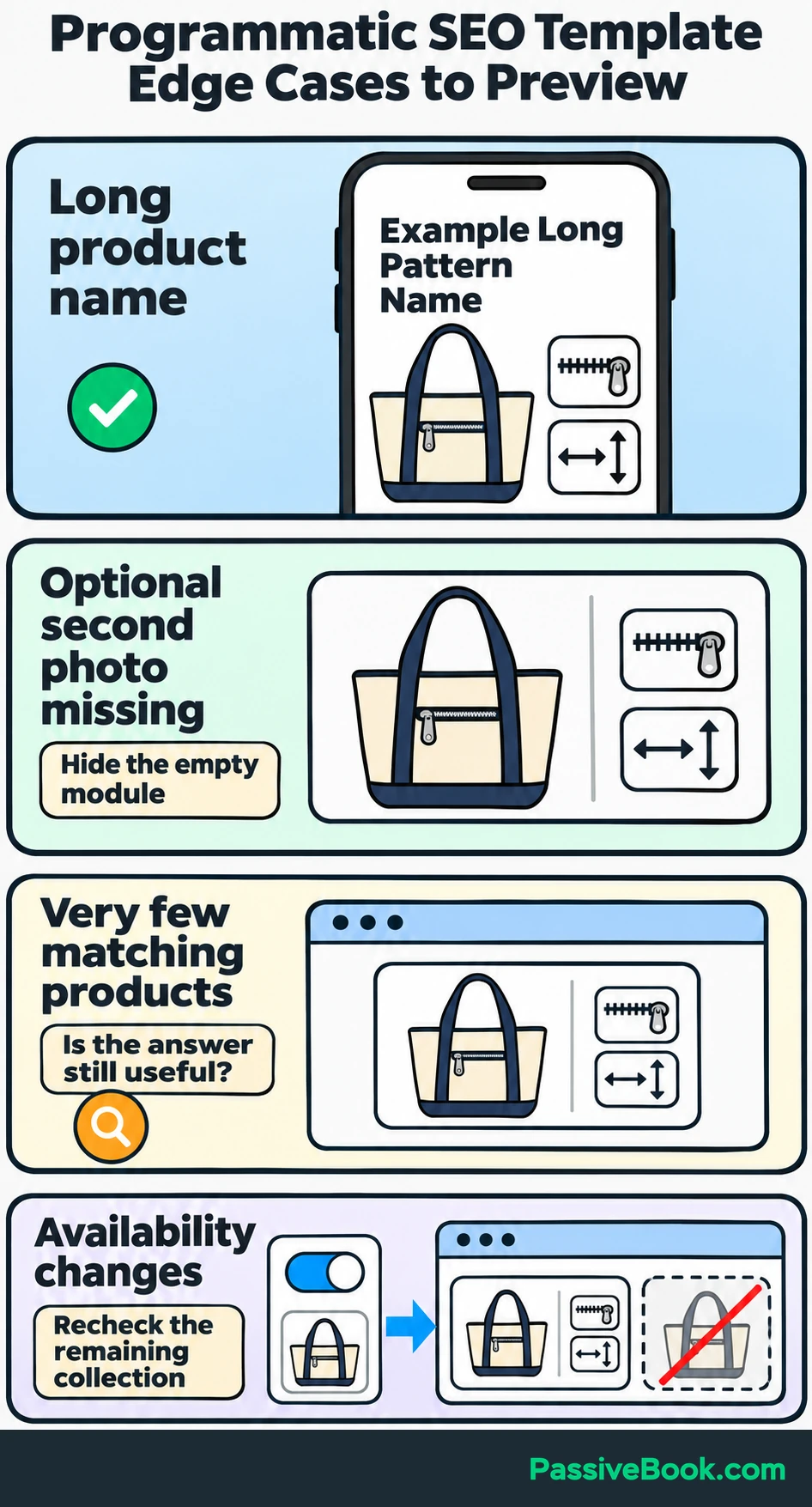
Preview awkward cases before approving the template:
- A product with a long name.
- A record without an optional second photograph.
- A collection with very few matches.
- A product whose availability has changed.
Hide empty optional modules. Hold a collection if its remaining matches no longer provide a useful answer. I would also skip an arbitrary word-count target; a clear comparison does not improve because you padded it.
4. Connect the Data to Your Publishing System
Map each source field to its place in the website’s content management system, or CMS. The stable ID identifies the record, the image field supplies the photograph, and the product fields populate the reusable layout.
For occasional changes, a checked batch import may be enough. Frequent changes may justify an automated connection.
On WordPress, choose an import method that supports your required product fields and updates existing records. Confirm that support before committing to a plugin or custom setup.
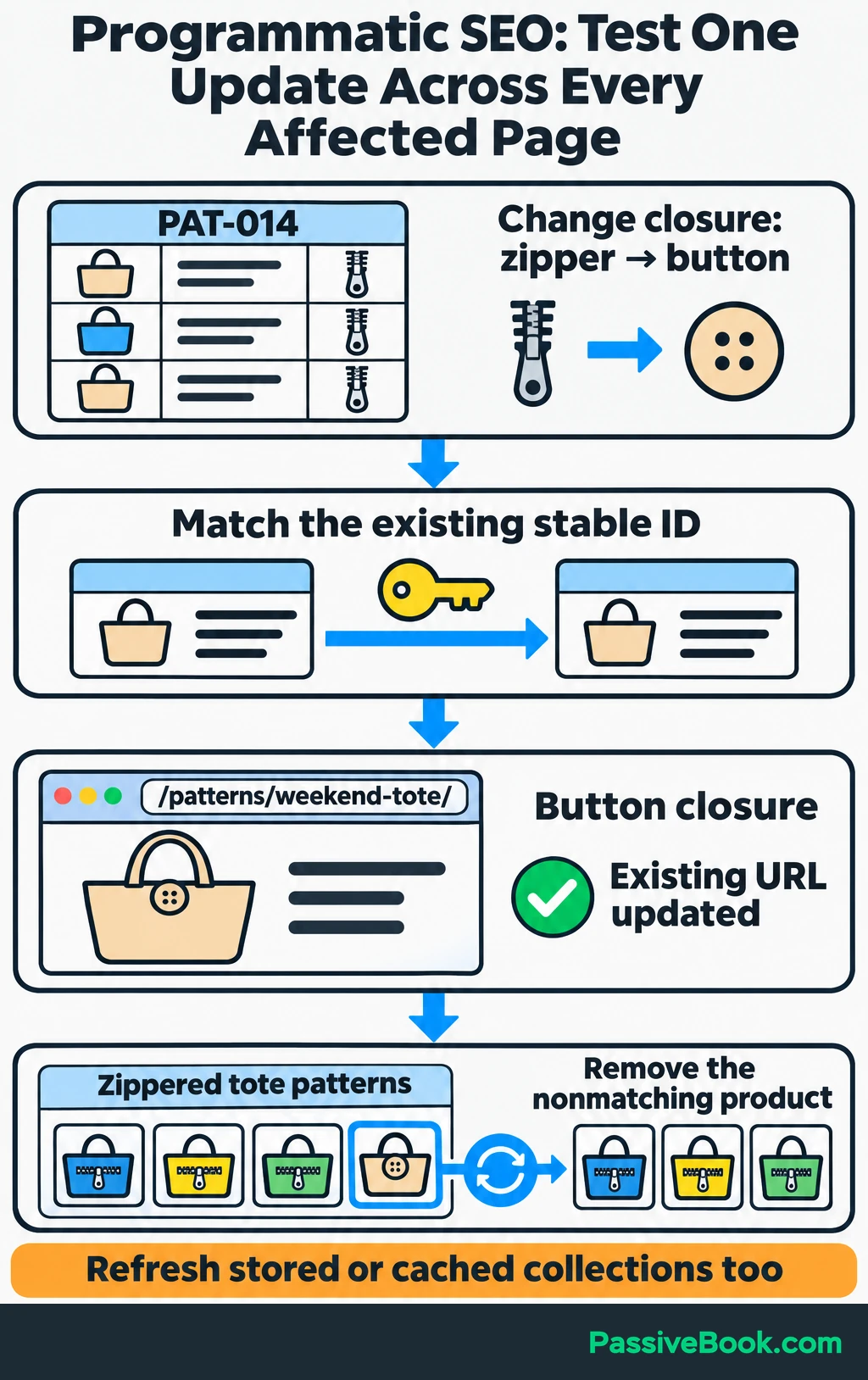
Generate drafts first, then test an update:
- Import a small set of records.
- Change one source value.
- Run the update again.
- Check that the existing page changed without creating another URL.
- Confirm that affected collections also changed.
For example, changing a pattern’s closure from zipper to button should update its product details and remove it from the zippered-tote collection. If collections are stored or cached separately, include their refresh in the workflow.
My custom AI content pipeline cut article production from days to hours. During setup, I caught myself checking whether each stage had finished before checking the drafts it passed along. Opening those drafts became part of deciding whether a run had succeeded.
That was a content automation project. For this shop, I would apply the same check after an import: open the affected pages and confirm that the right information arrived.
5. Review a Representative Batch Before Expanding
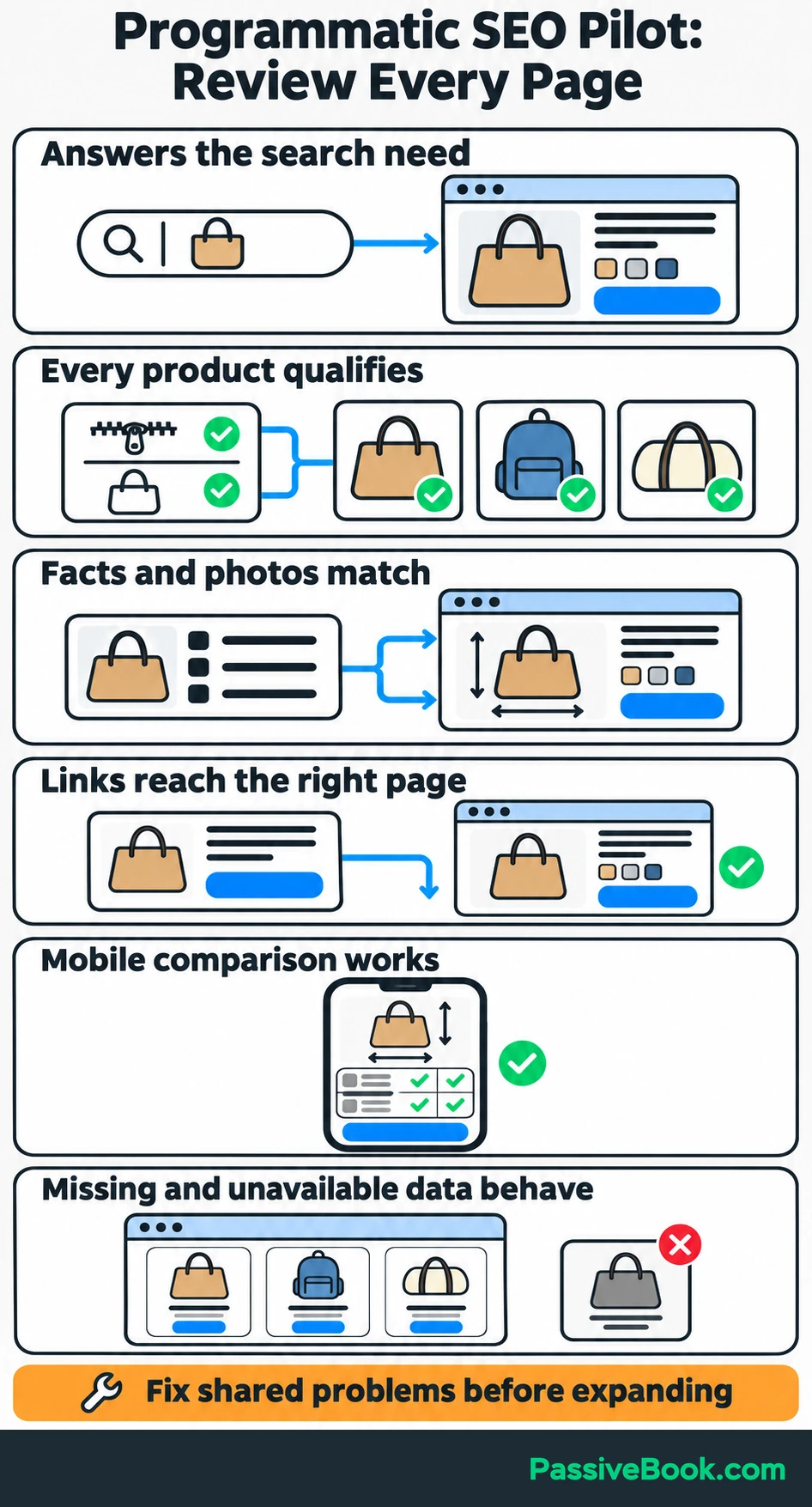
Choose a pilot batch that includes the different conditions your templates must handle, then review every page in that batch.
Check whether:
- The page answers the search need suggested by its heading.
- Every displayed product meets the selection rules.
- Facts and photographs match the source records.
- Links lead to the intended destinations.
- The mobile layout makes comparison and purchase practical.
- Empty fields and unavailable products behave as intended.
Google’s scaled content abuse policy covers generating many pages primarily to manipulate rankings while providing little value, regardless of how they are produced. That makes usefulness a central publishing check. Read Google’s scaled content abuse policy.
Review overlap as well. If two collections serve the same task with essentially the same products, merge them. Rewriting their introductions leaves the duplication in place.
A canonical URL is the preferred version of duplicate or very similar content. Canonical signals can help search engines choose between versions, but they do not give a redundant collection a useful purpose. Google explains how canonical signals work.
Filters need a separate check. Allowing visitors to combine bag type, closure, size, and other options can create far more URLs than you intended. Keep the approved search pages on an explicit list and configure filter URLs so they cannot create an unlimited crawl space. Google documents the crawling problems caused by faceted navigation.
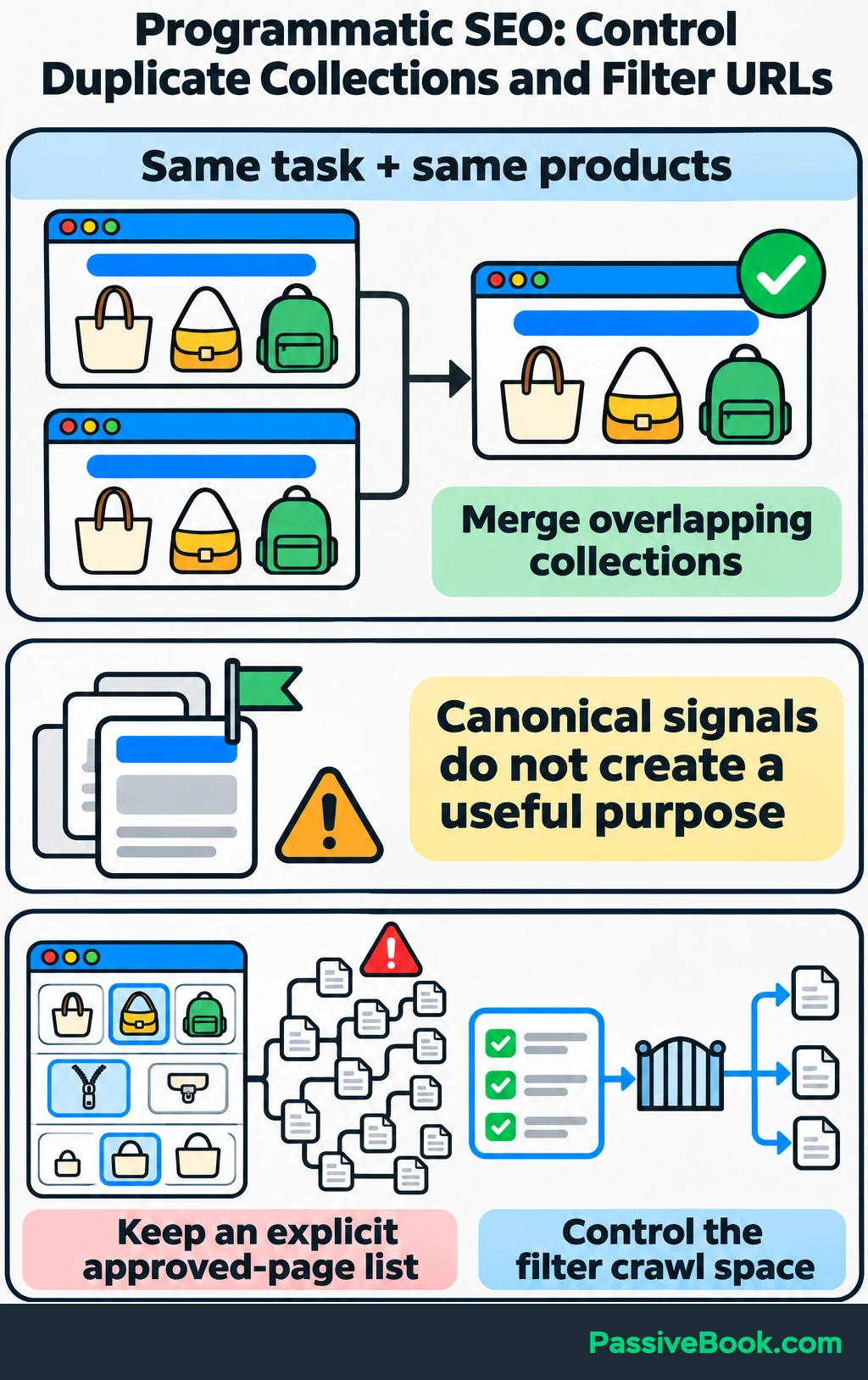
Before launch, link approved pages from relevant categories and products. Confirm that the live pages load, display their important content, and allow indexing. Include the intended canonical URLs in the sitemap.
Keep the pilot easy to pause. Save the imported record IDs and retain a previous template version so you can identify and withdraw faulty pages.
Fix a shared problem before expanding. Automation is very good at repeating a mistake while you make coffee.
How Do You Know Whether Programmatic SEO Is Working?
Track the page family from discovery through to a useful business result. A family is simply a group using the same template, such as the shop’s approved bag-pattern collections.
I would review these stages separately:
| Stage | What to check | What the result helps you decide |
|---|---|---|
| Indexing | Whether intended collection URLs are indexed | Whether to investigate discovery or technical problems |
| Search visibility | Whether pages receive impressions for relevant searches | Whether the pages are reaching the intended search needs |
| Visits | Which pages and queries attract organic clicks | Which collections deserve closer review |
| Business action | Purchases during organic sessions that began on those collections | Whether those visits support the shop |
| Maintenance | Time and costs required to keep the family accurate | Whether expansion is worth the ongoing work |
When an intended page is missing from search, investigate before publishing more. Google Search Console’s URL Inspection tool can show indexing information, access problems, rendered content, indexing directives, and Google’s chosen canonical. Google describes what URL Inspection can report.
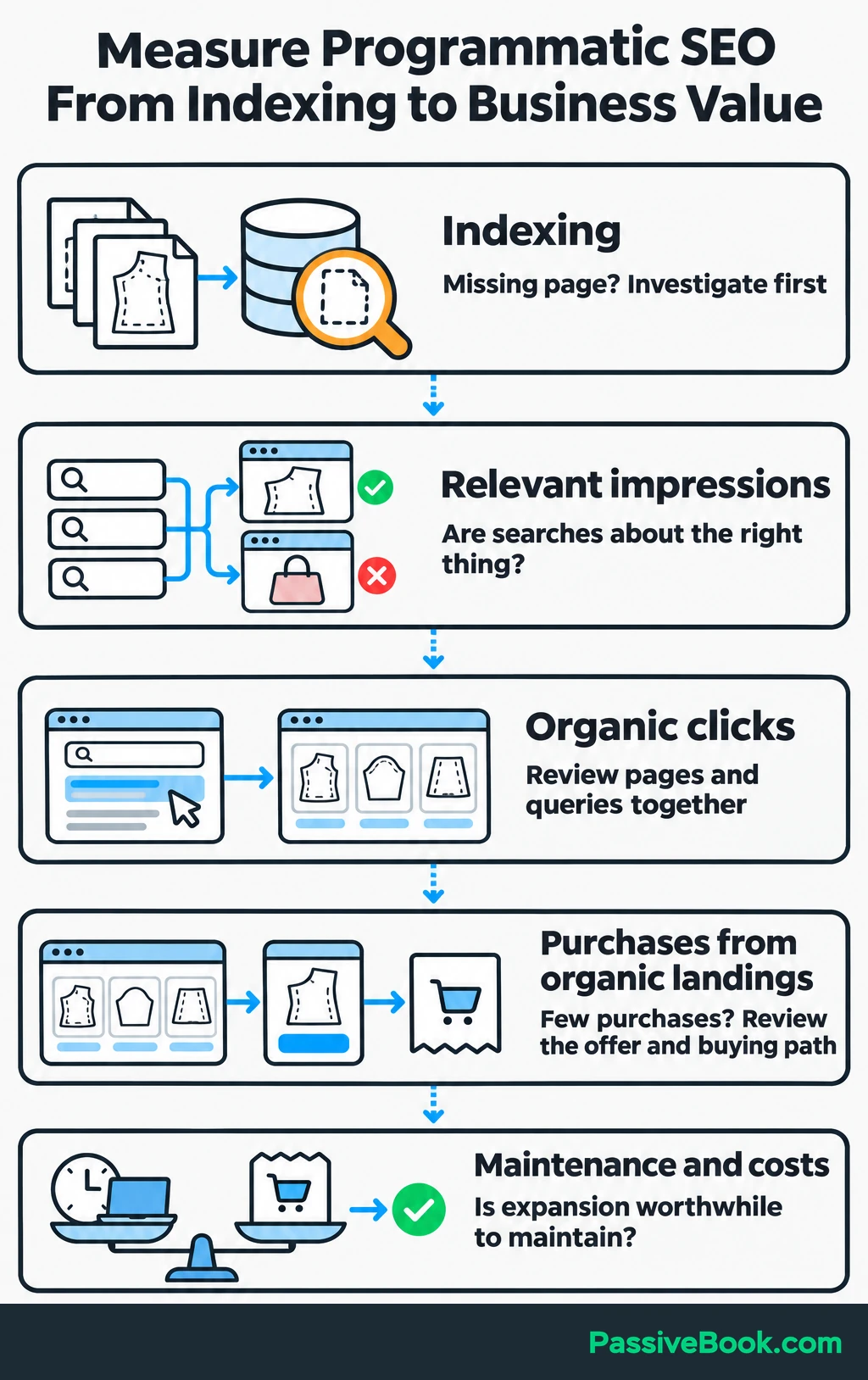
For pages receiving impressions, inspect the queries as well as the totals. A collection attracting searches for finished bags may need clearer positioning if you sell sewing patterns.
When relevant visits produce few purchases, check product selection, price, product details, and the buying process. The template may be working while the offer needs attention.
Compare the contribution from resulting sales with ongoing software, hosting, and maintenance costs. Set a review point that fits your traffic and budget, but avoid treating a few visits as a reliable verdict.
I would expand when the pilot attracts relevant visitors, supports worthwhile actions, and stays manageable to maintain. Improve weak templates, merge overlapping collections, and retire pages that have lost their purpose.
What Next?
Choose one recurring search pattern and sketch the page that would answer it. List the information it needs, then check whether you already have that information and can keep it accurate.
If you can build one useful page and explain why the next page deserves to exist, you have something worth testing.
Use the social buttons to share this guide when the conversation turns to scaling content—it gives that ambition a practical quality check.
What information on your site could power a useful set of pages, and what is missing? Share your thinking in the comments, along with any other questions.
Share this post with your friends & followers:

