You have room for more bookings, but a search for your main service brings up competitors while your business barely appears. It’s hard to tell whether you need a better Google listing, stronger website pages or help from an SEO agency.
That uncertainty can eat your budget before it fills your calendar. And more visibility won’t solve much if the inquiries come from places you don’t cover or ask for work you don’t offer. This guide shows how to align your Google listing and website with the services and areas you cover, then check whether inquiries become bookings.
How Local SEO Brings in Qualified Leads
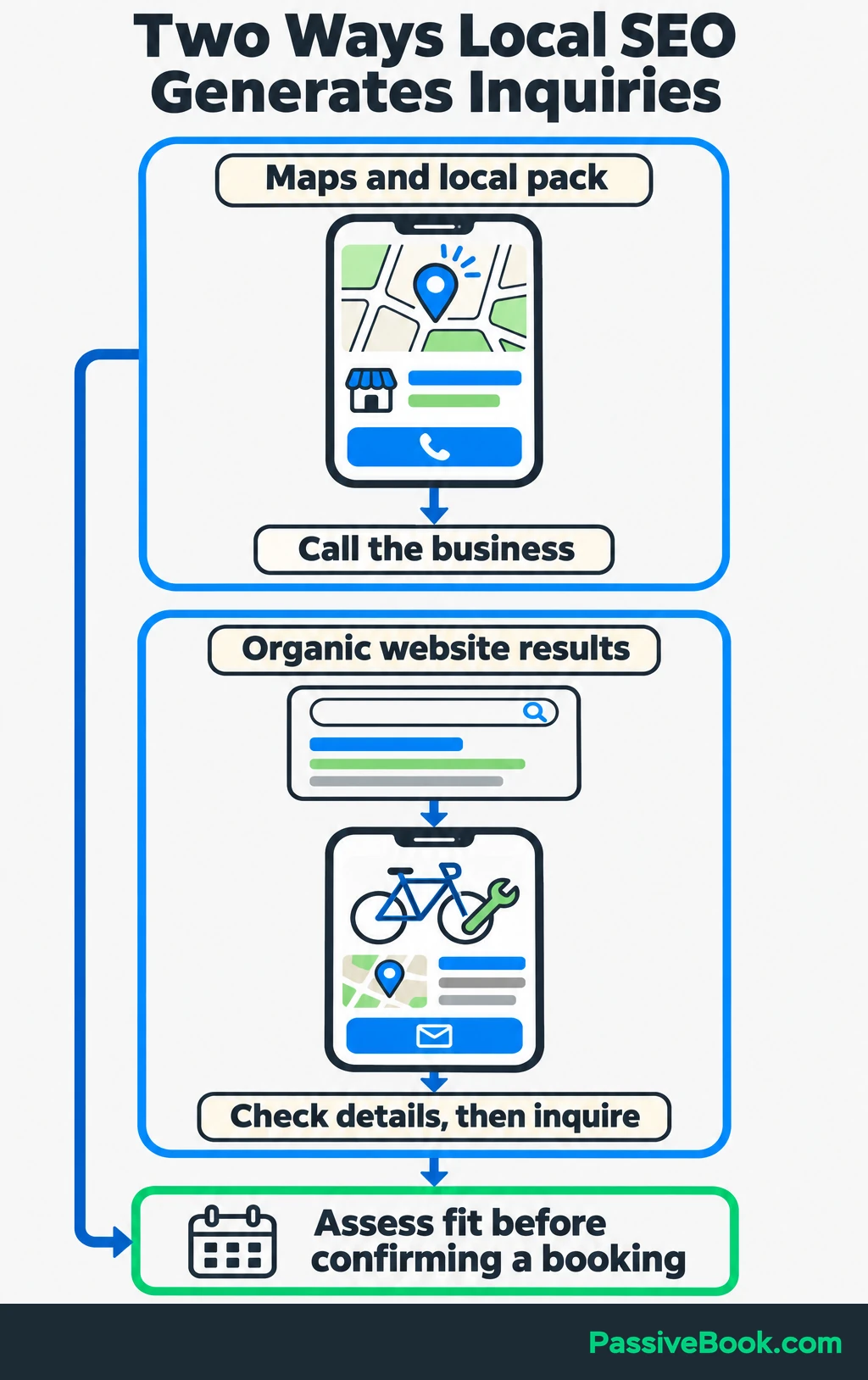
Local SEO for service businesses has two connected routes to customers:
- Maps and the local pack: Your business listing appears in Google Maps or among the map-based listings within search results.
- Organic website results: Your website pages appear among the regular search results, where people can read more about your services.
Someone might call directly from your Google Business Profile, the listing you manage on Google Search and Maps. Another person might visit your website first to check prices, coverage or availability. Both routes need clear information and an easy next step.
Google describes its main local-ranking factors as relevance, distance and prominence. In plain words, those mean how well your business matches the search, how far away it is and how well known it is. Links and reviews can contribute to prominence. Google’s local-ranking guidance
You can improve how clearly you describe your work and build your reputation. Adding more service areas, however, doesn’t remove the distance factor or guarantee visibility across those places.
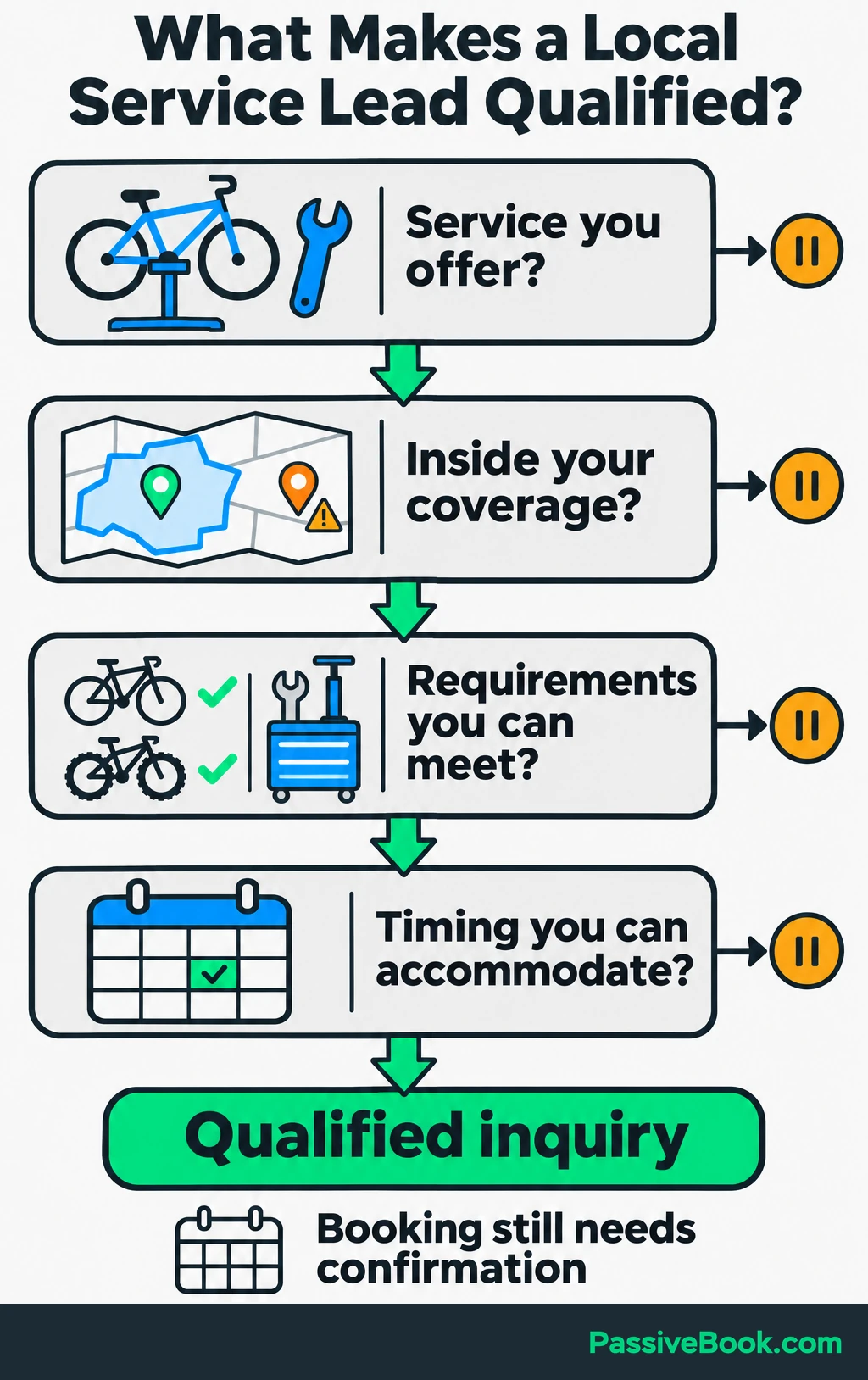
The business result to watch is a qualified lead: someone requesting a service you offer, inside your coverage area, with requirements and timing you can accommodate.
Before changing anything, save your available profile performance, website search figures and recent inquiry and booking totals. If you have no records, start a lead log now.
For the examples, imagine you run Maple Mobile Bike Repair, providing bicycle tune-ups and assembly at customers’ homes in Durham, North Carolina. Customers don’t visit your premises. The business, search phrases, copy and figures below are illustrative.
Choose the Services and Locations Worth Targeting
Start with the work you want more of. Search volume is useful only when the resulting jobs make sense for your business.
For each service, consider your available appointment slots, what remains after delivery costs and how far you can travel without turning the day into a sightseeing tour.
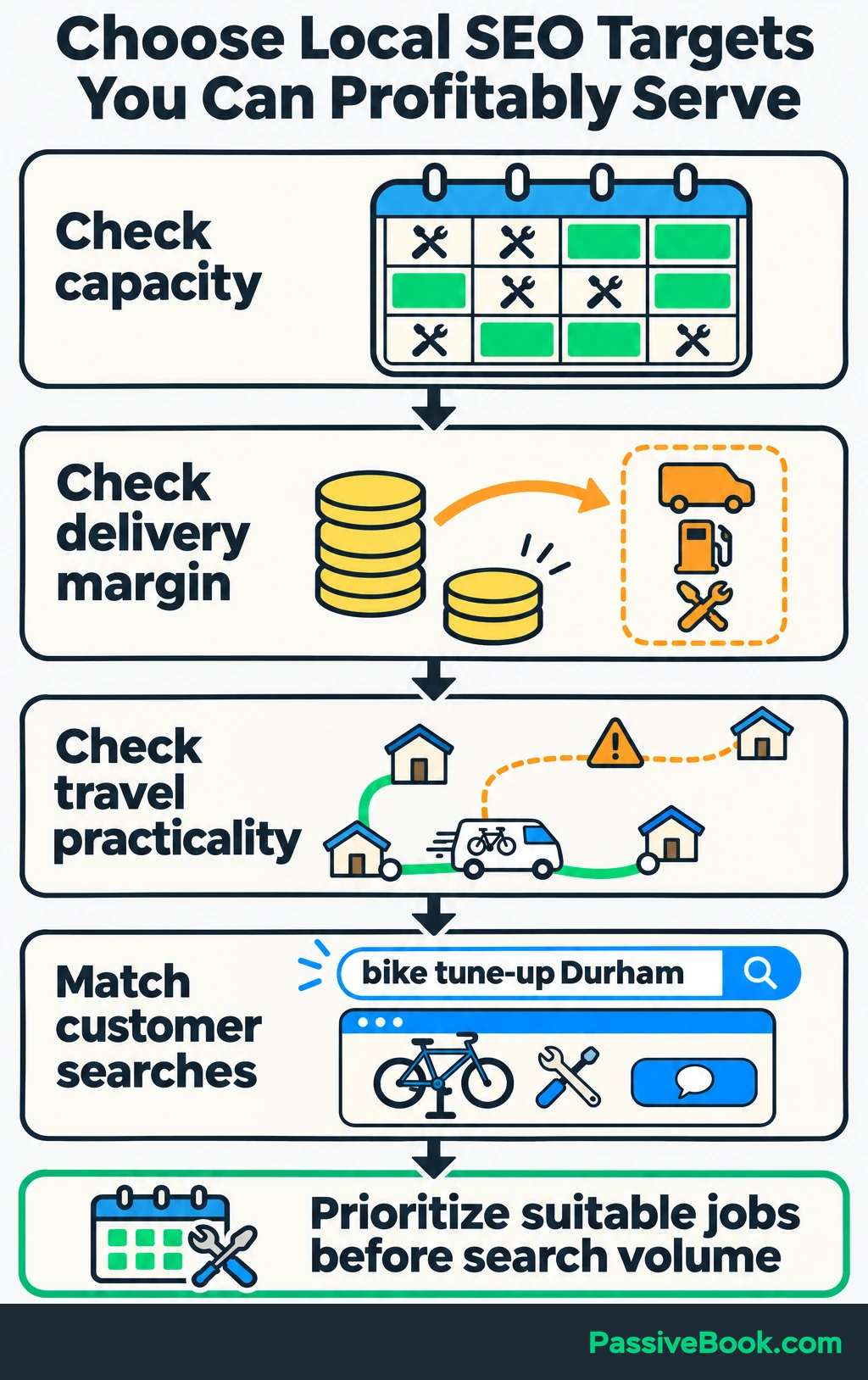
Then collect the words customers use. Look through past inquiries, questions asked before booking and Google’s search suggestions. Google Search Console shows how your website appears in search results. If you already use it, check the search terms that brought up your pages.
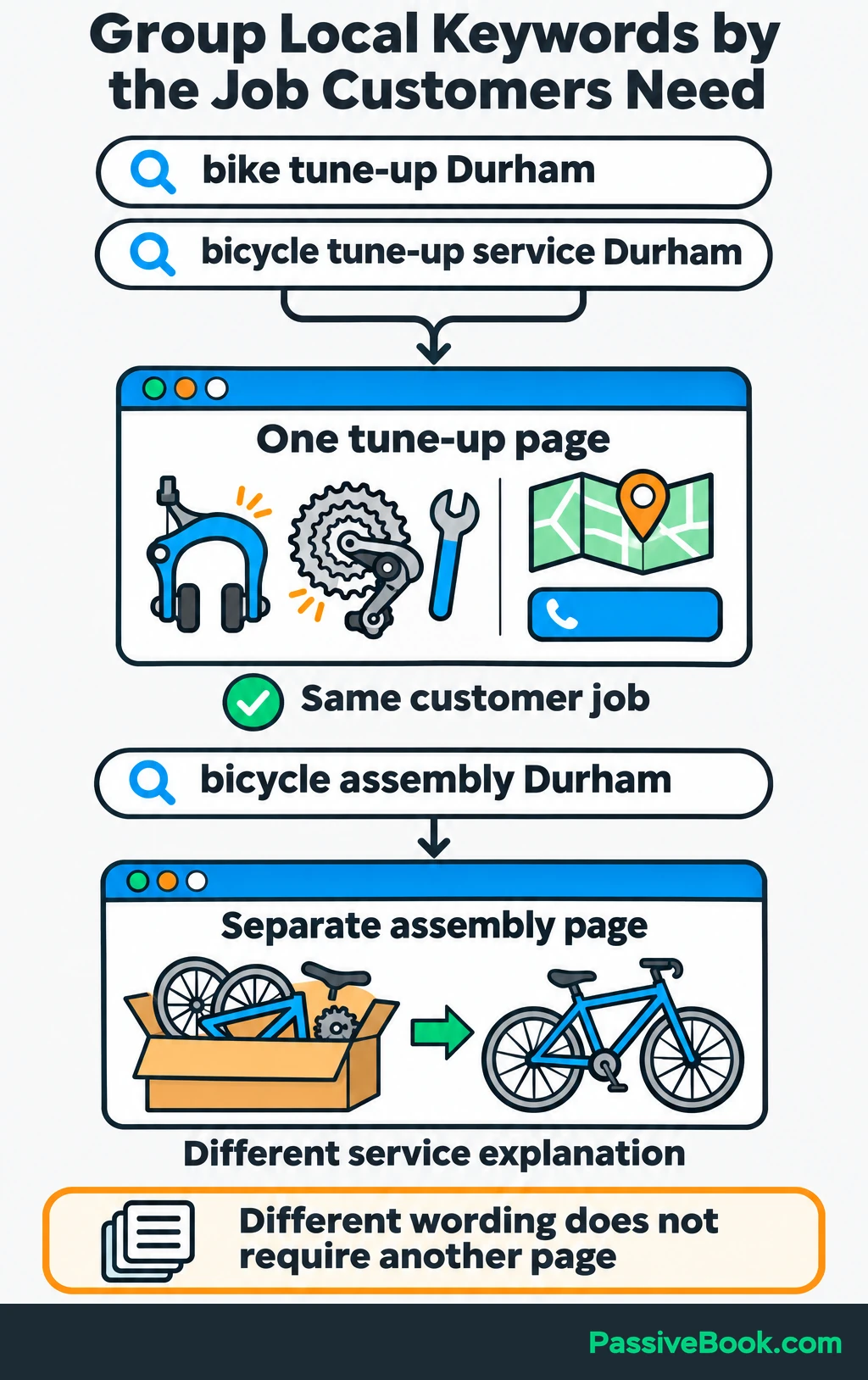
Group phrases by the job someone wants done. “Bike tune-up Durham” and “bicycle tune-up service Durham” belong together. Bicycle assembly deserves separate treatment because the customer needs a different service explanation.
A simple plan might look like this:
| Service | Target Area | Search Phrases | Intended Page | Business Priority | Needed Improvement |
|---|---|---|---|---|---|
| Bicycle tune-ups | Durham addresses within the workable route | “bike tune-up Durham,” “mobile bicycle tune-up Durham” | Tune-up service page | First, if you have capacity and suitable margins | Explain included adjustments, parts charges and home appointments |
| Bicycle assembly | The same practical coverage area | “bicycle assembly Durham,” “bike assembly at home Durham” | Assembly service page | Second, if you can accept more assembly work | Explain supported bicycle types and information needed for a quote |
Check Maps and organic results separately for these searches. Notice what customers can learn from the businesses and pages that appear. Are coverage boundaries clear? Can you understand the price or how to request one? Is it obvious whether the service comes to your home?
Those gaps can guide your page content, but they aren’t proof that a phrase will be easy to rank for.
On Passive Book, I’ve opened Search Console intending to improve a post and found that its queries were broader than the offer beside it. I now check what the searcher wants before deciding what to change. For a local business, that means targeting searches for work you can take on before collecting a long keyword list.
Build an Accurate Google Business Profile
Claim the Right Listing for Your Business
Check whether your business qualifies before creating a profile. Businesses that receive customers at a physical location or travel to customers can qualify. Maple fits the second arrangement because repairs happen at customers’ homes.
Search for an existing listing first. If you find one, claim it rather than creating another. Use an account your business controls and complete the verification process Google offers.
Keep the profile grounded in how the business operates:
- Business name: Use the real-world name without adding extra services or cities for rankings.
- Address: Hide an address where you don’t receive customers. A shop that receives customers can show its address if it meets Google’s signage and staffing requirements. If you also travel to customers, add your service areas too. Provide Google with accurate information for verification.
- Service areas: Enter cities or postal areas you genuinely cover.
- Additional profiles: For businesses that travel to customers, create these only for separate operating locations that meet Google’s requirements, including separate staff and service areas.
A rented mailing address doesn’t become a repair location because you would like to rank nearby. These are business representation rules, and ignoring them can put the listing at risk. Google’s Business Profile guidelines
For Maple, I would keep the listed coverage within a route you can serve reliably. A distant inquiry isn’t much of a win if accepting it makes the next three appointments late.
Show Customers What They Can Book
Choose the most specific available primary category that accurately describes your core business. Use additional categories only for other genuine business activities, rather than selecting one for every individual task.
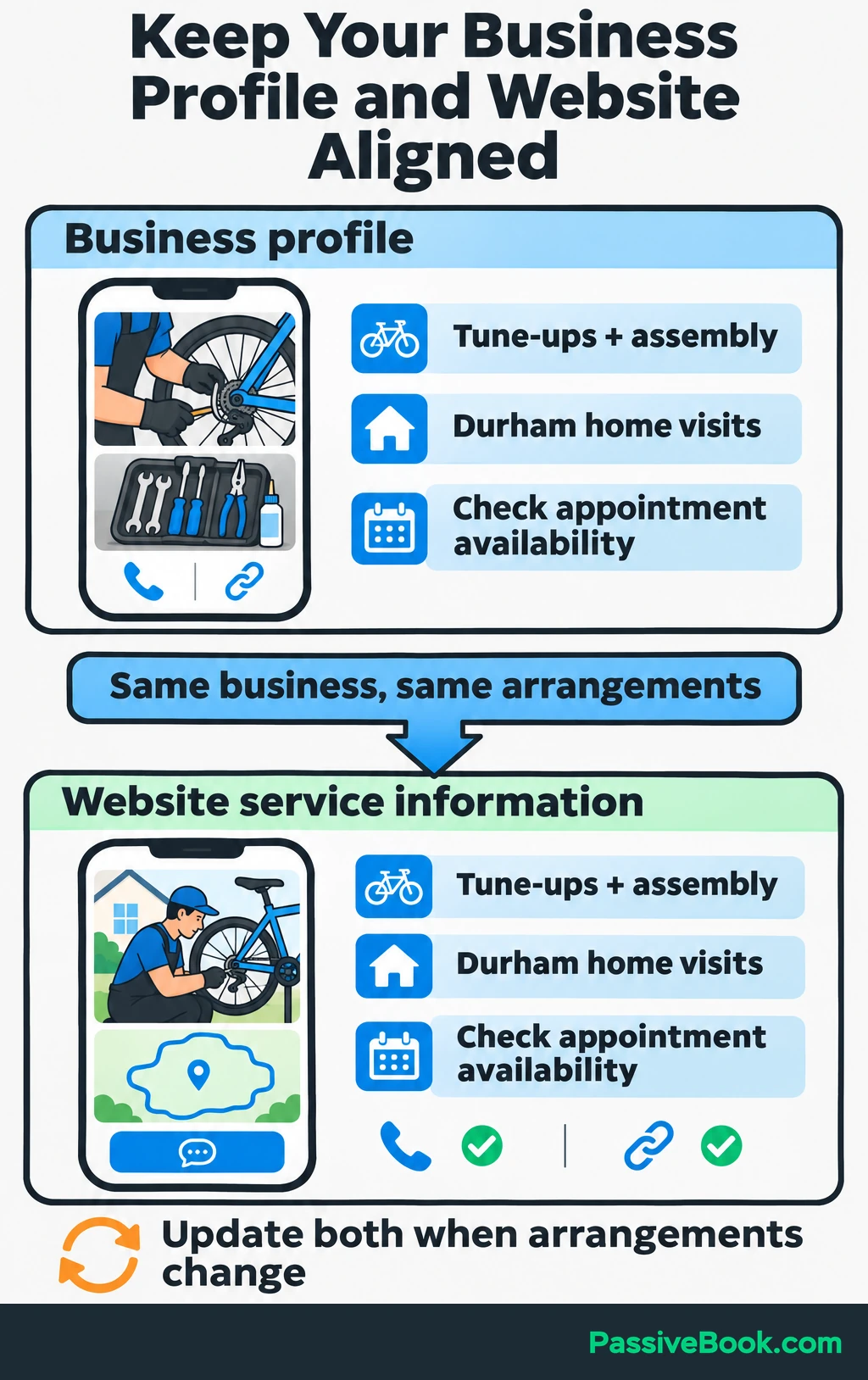
Complete the phone number, website link, description, services and applicable business hours. Make appointment arrangements clear, especially if you operate only by appointment.
Describe the work plainly. A useful description excerpt could be:
Mobile bicycle tune-ups and assembly at your home in Durham. Send your postal code, bicycle type and the work you need to check coverage and appointment availability.
Add original photographs of the person doing the work, the equipment and the service customers will encounter. A real mobile setup tells a prospective customer more than a stock photograph of a bicycle beside a lake.
Link to the website page that best represents the business and explains its services. Keep its coverage, contact details and service descriptions aligned with the profile, and update both when arrangements change.
Create Website Pages That Turn Searches Into Inquiries
Give Each Distinct Service a Useful Page
You don’t need a large website to explain a small service business well.
Start with a clear homepage, pages for distinct services, coverage information and a contact route. Separate services when customers need different information to decide whether to book.
For Maple, tune-ups and assembly warrant separate pages. Brake adjustment and gear adjustment may belong within the tune-up page unless you also sell them as distinct services.
Use the service and location naturally in the page title, main heading and opening explanation. For example:
Mobile Bicycle Tune-Ups in Durham | Maple Mobile Bike Repair
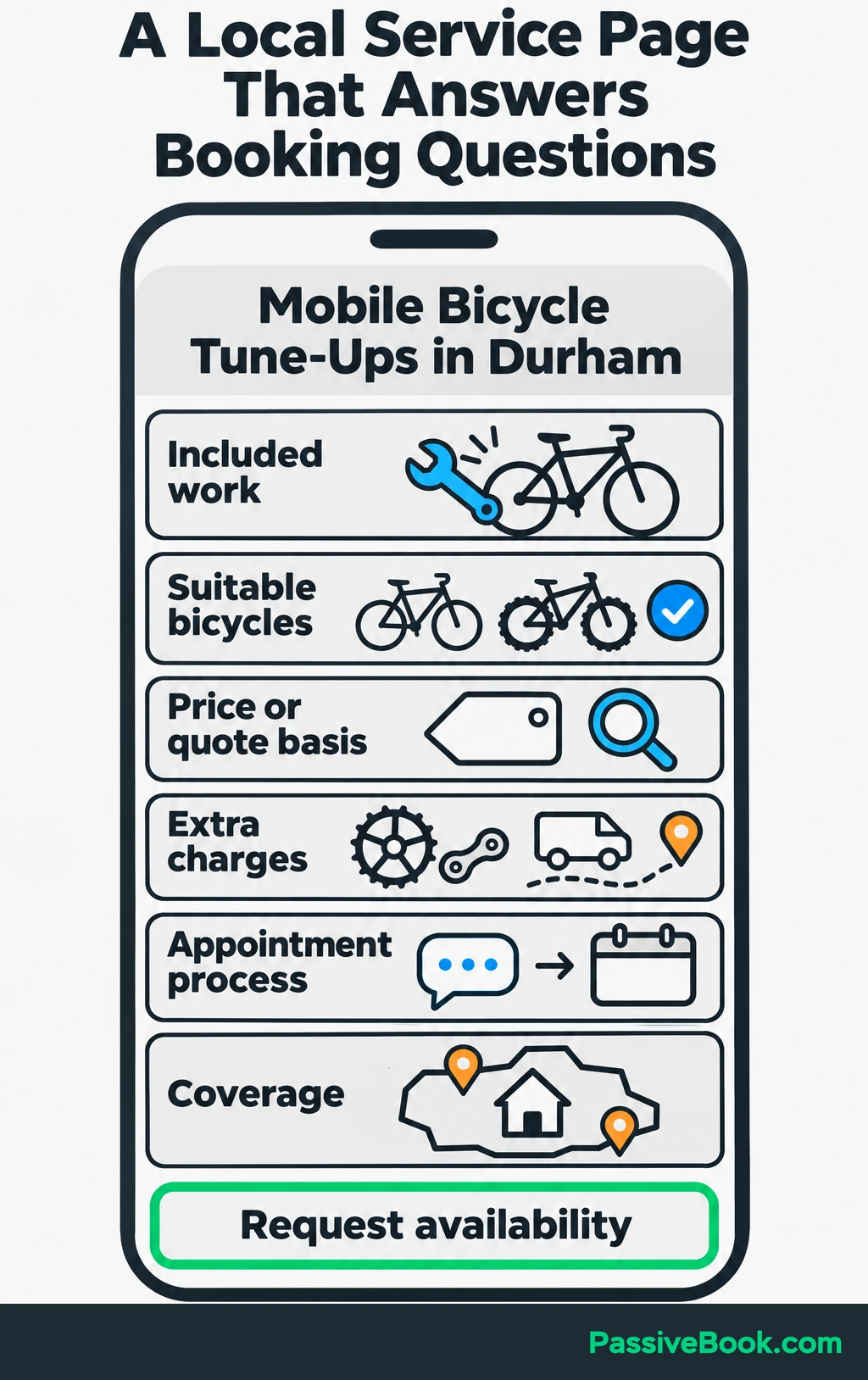
Then answer the questions that stand between interest and an inquiry:
- Included work: Which checks and adjustments does the service cover?
- Suitability: Which bicycle types can you work on, and what falls outside the service?
- Price: Is there a fixed price, a starting price or a quote based on the work?
- Extra charges: Are replacement parts, additional labor or travel charged separately?
- Appointment process: What should the customer send, and what happens before a time is confirmed?
- Coverage: Which areas do you serve, and how can someone check their address?
Give pricing information as clearly as your service allows. If a firm price requires an inspection, explain what affects the quote rather than leaving visitors with “contact us” and a small mystery.
Place relevant photographs, genuine credentials and customer feedback beside the information they support. Link priority services from your homepage and navigation.
If the blank page is slowing you down, AI Copywriting Studio can turn your business details into a first draft. Start with the service you want more bookings for, including who it suits and how customers should inquire.

Free AI Copywriting Studio




Finally, check each important page in Search Console’s URL inspection tool. If it isn’t indexed, meaning included in Google’s searchable collection of pages, investigate the reported reason. Look for accidental indexing blocks and missing internal links before commissioning more content.
Add Location Pages Only When They Help Customers
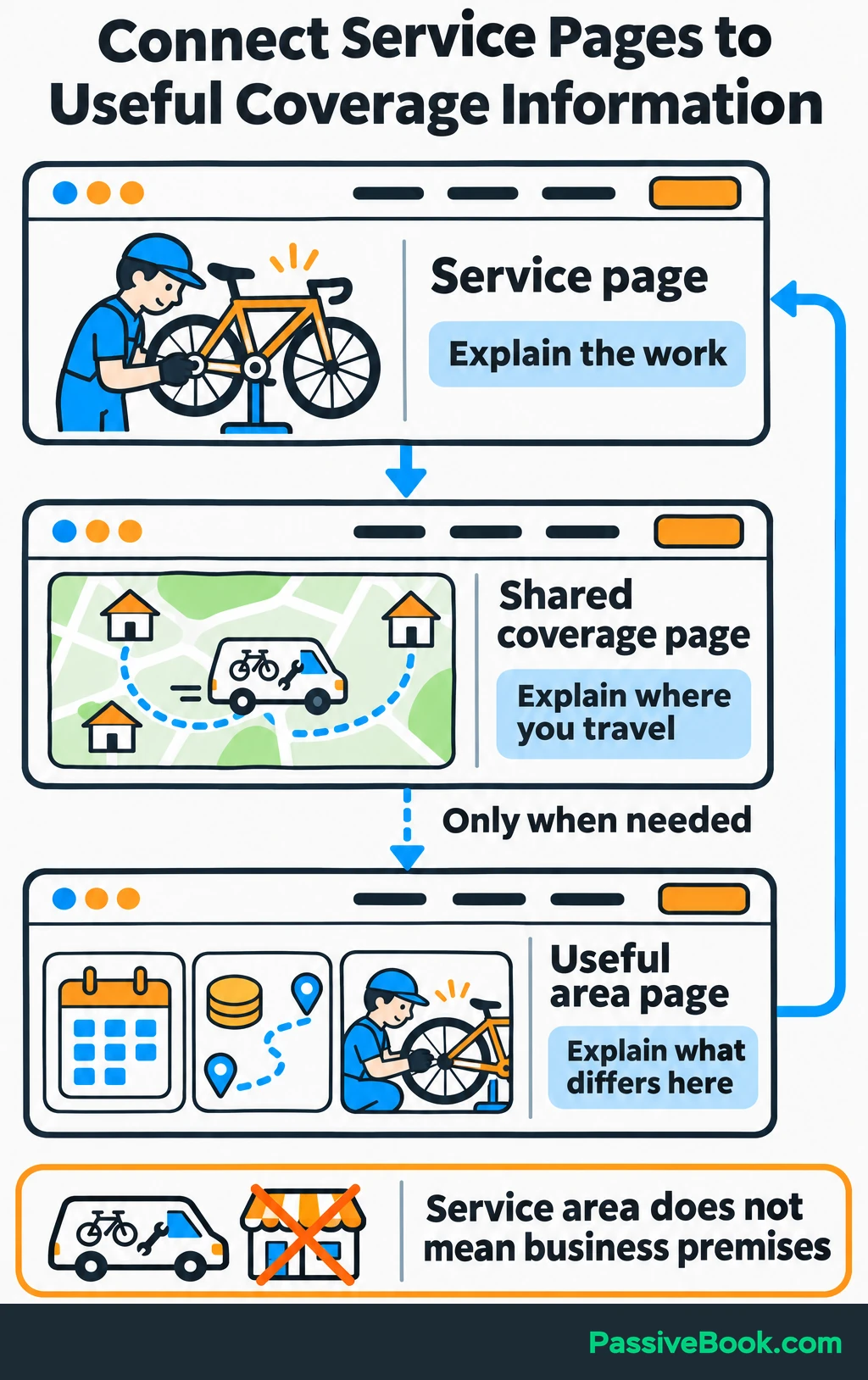
Explain coverage on your service pages or a shared service-area page first. That may be enough.
A separate location page earns its place when customers there need a substantial answer that the existing pages don’t provide. That could include different appointment days, travel charges, coverage boundaries or genuine examples of completed work.
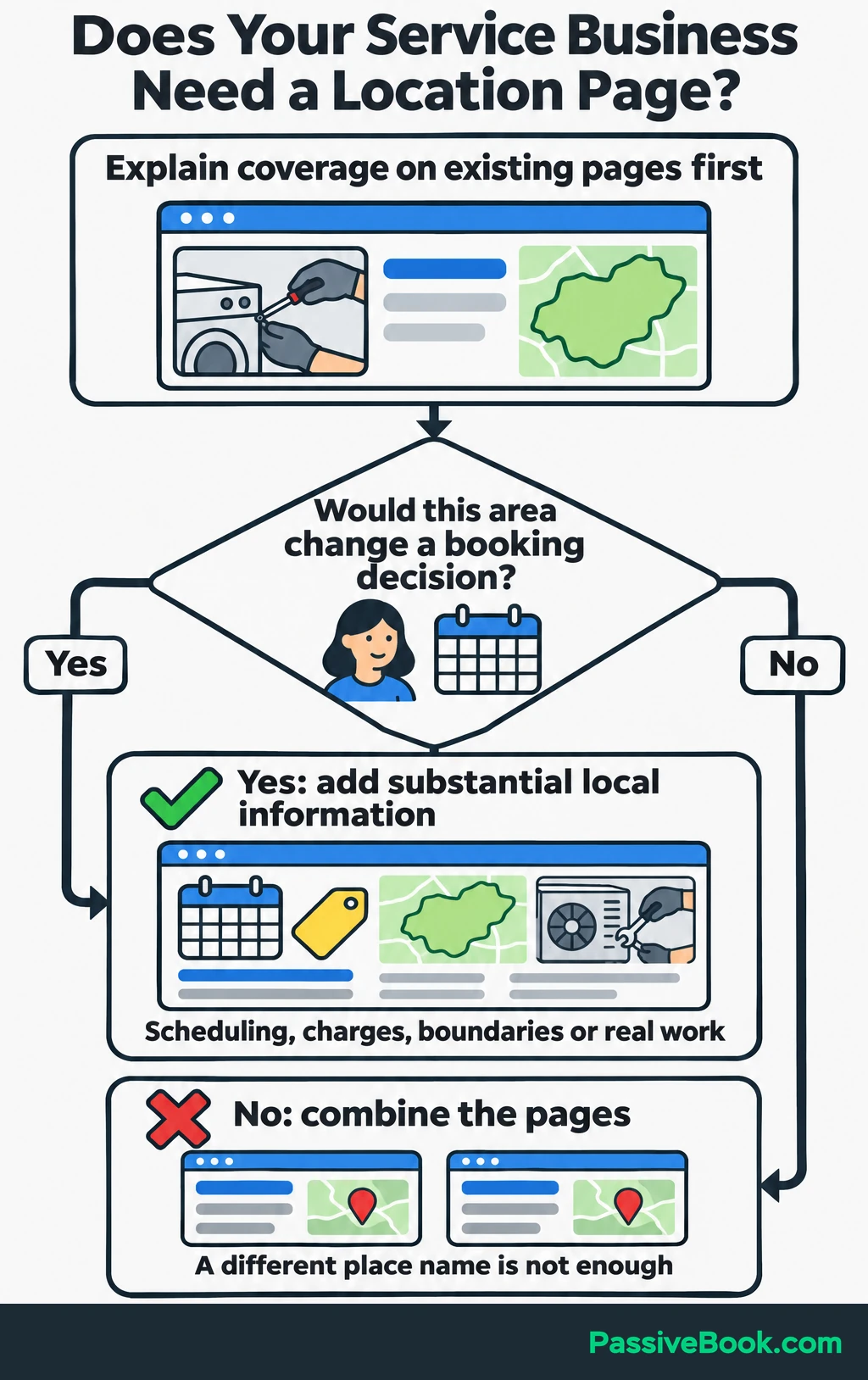
For Maple, a neighborhood name alone wouldn’t justify another page. A distinct scheduling arrangement might, if there is enough useful information to explain it.
Ask a simple question: would a customer from this area learn something that affects their booking decision?
If the only meaningful change is the place name, combine the pages. Google’s doorway-abuse policy includes substantially similar pages created to capture related searches and funnel visitors elsewhere. Google’s doorway-abuse policy
Describe an area you serve as a service area. Don’t imply you have premises there. Use only genuine local photographs, work examples and testimonials, and connect useful area pages to the relevant services through normal navigation.
I would rather maintain one useful coverage page than spend every month finding new ways to say “we also drive here.”
Make Contacting You Easy on a Phone
Near the top of each service page, show what you do, where you do it, why someone might choose you and what to do next.
Provide a tappable phone number and a short inquiry form. Ask for enough information to assess the job without making the customer complete your entire office administration process.
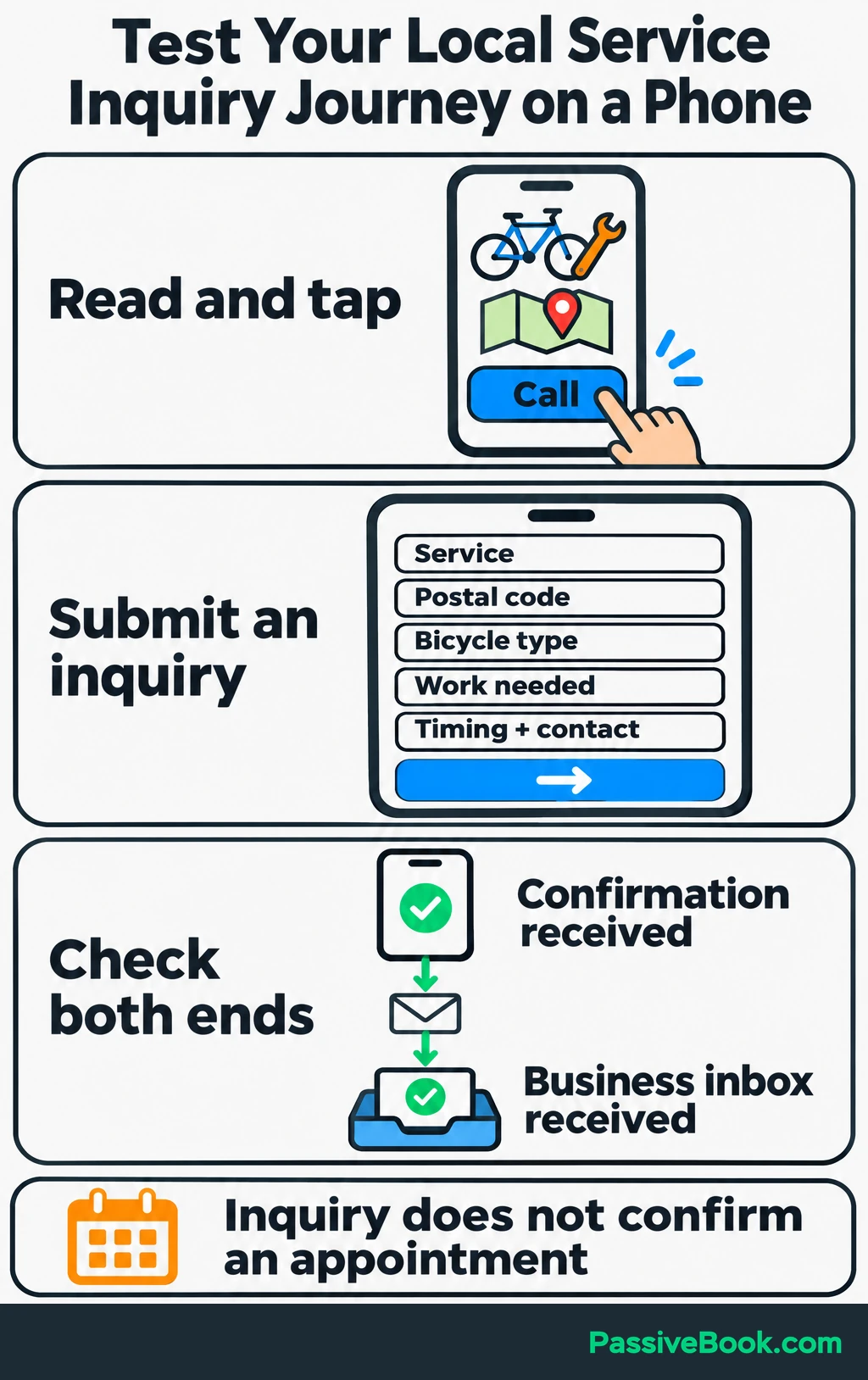
For Maple, useful fields would include:
- Requested service.
- Postal code.
- Bicycle type.
- A short description of the work.
- Preferred timing and contact details.
Make the distinction between an inquiry and a confirmed appointment clear. The confirmation message should explain when and how you’ll respond.
Test the full route on your phone. Read the page, tap the number, submit the form and check that the message reaches the right inbox. Make sure the customer sees a confirmation too.
On WordPress, I would use Fluent Forms for this rather than add a separate platform just to collect repair inquiries. Your existing form tool is fine if it works reliably.
Give one person responsibility for replies and missed calls. More traffic creates more opportunity only if someone handles the inquiries.
Make Google Review Requests Part of Your Service Process
Choose a consistent moment to ask for feedback after the customer has experienced your service. For Maple, that could be after a completed repair appointment.
Keep the invitation neutral and include a direct Google review link:
Thanks for choosing Maple Mobile Bike Repair. Please share your experience on Google: [review link].
Send the request through a repeatable process rather than relying on memory. A completed-job checklist or an automated follow-up can handle it.
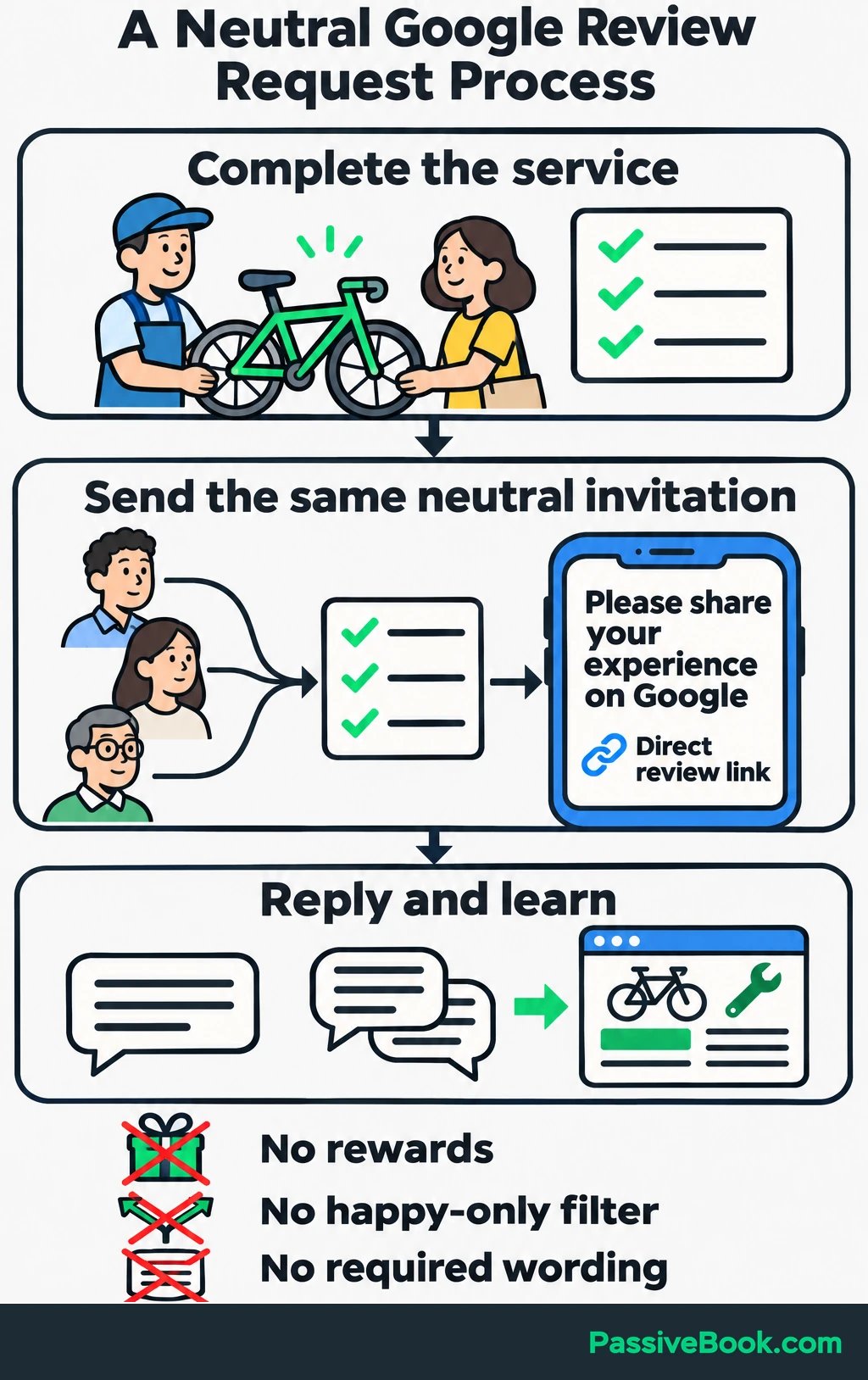
Use the same neutral approach across customers. Don’t offer discounts or gifts, ask only people who seem happy, suppress negative feedback or request particular words in the review. Google’s policy prohibits these forms of review manipulation. Google’s review policy
I would skip any system that sends satisfied customers to Google while directing everyone else into a private feedback form.
Reply helpfully and keep personal details out of public responses. If several reviews mention the same confusion, use that information. Customers repeatedly asking whether parts cost extra is a reason to improve the service page and the booking explanation.
Build Credibility Through Relevant Listings and Local Links
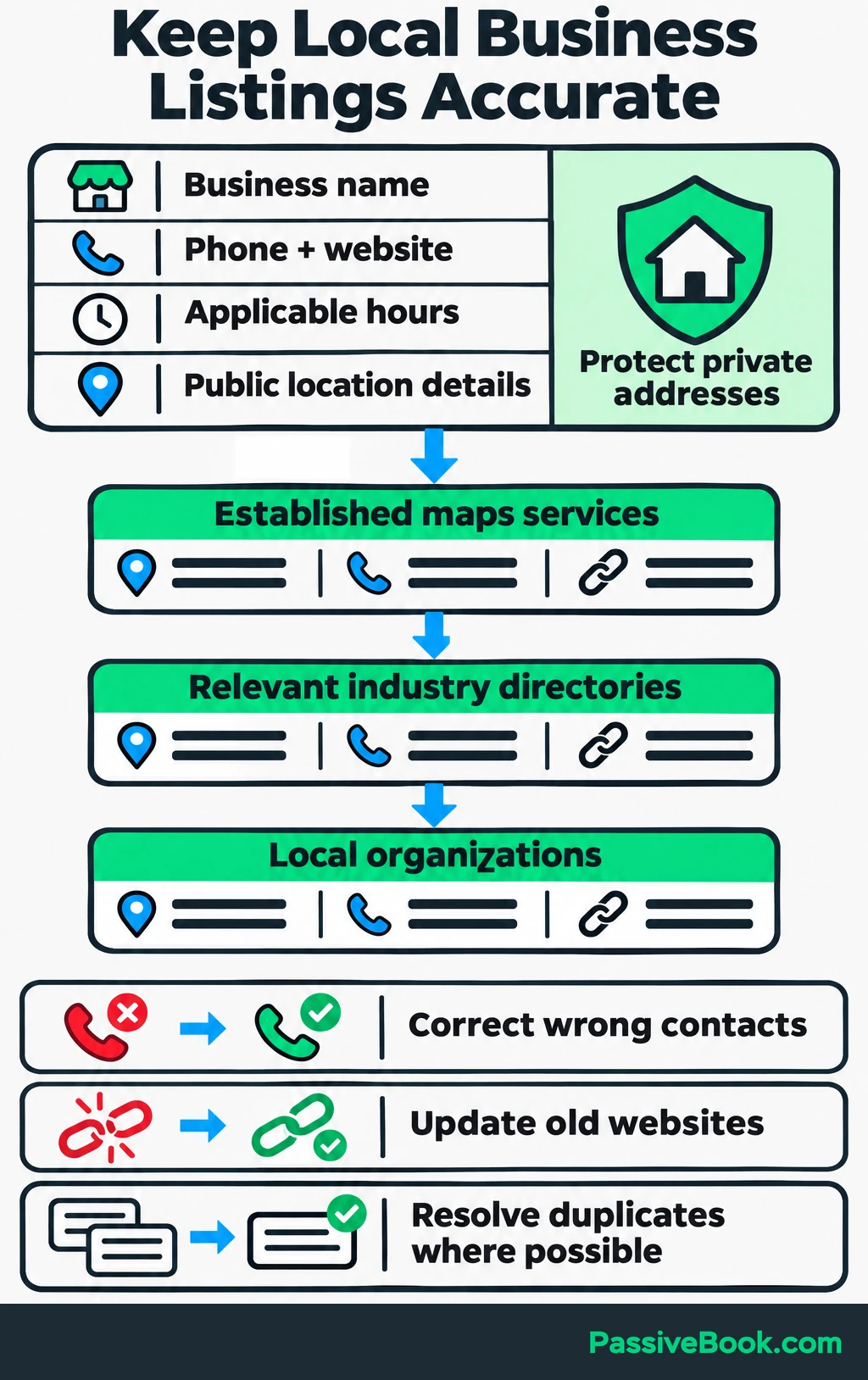
Keep one master record of your business name, phone number, website, applicable hours and appropriate public location information. Use it when checking other listings.
Start with established maps services, relevant industry directories and local organizations customers might actually consult. Correct wrong phone numbers, outdated websites and duplicate entries where possible. Keep a private home address private.
I wouldn’t pay for a directory simply because it promises an SEO benefit. Ask whether a suitable customer is likely to use it and whether referrals could justify the cost.
For links, start with real relationships: suppliers, complementary businesses, associations and community groups.
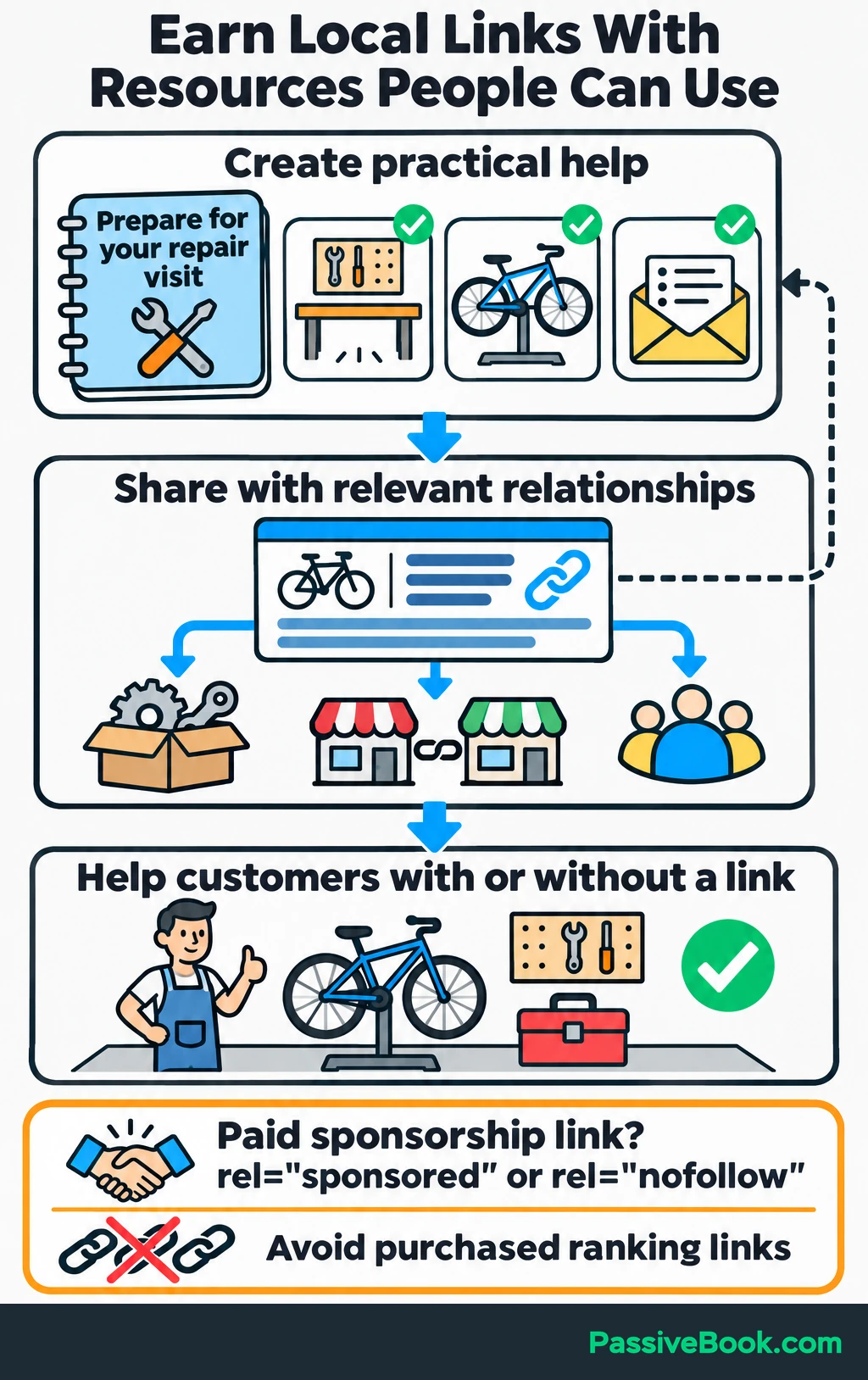
Create something useful before asking for a mention. Maple could publish a short appointment-preparation checklist covering clear working space, bicycle access and information to send before the visit. A local cycling club might find it useful for members.
The resource still needs to help people if no link appears.
Avoid purchased ranking links, automated packages and excessive link exchanges. If you pay for a sponsorship that includes a link, ask the publisher to mark it with rel="sponsored" or rel="nofollow". These attributes identify the relationship to search engines. Google’s link-spam policy
Track Qualified Inquiries and Improve the Weakest Step
Keep a lead log with the date, source, requested service, area, qualification status, booking outcome and job value.
Count one inquiry once, even when the person calls and then submits a form about the same job. Ask how they found you, and record “unknown” when you can’t establish the source. A guess doesn’t become useful data because it fills an empty cell.
Compare the log with Search Console’s reports on search terms, how often your pages appeared and how many clicks they received. Check which pages attract visits for the services and areas you want to serve.
Treat profile metrics carefully. Business Profile “Calls” counts clicks on the call button, and its performance reporting can include Google Ads activity. Those figures aren’t a count of answered calls, qualified inquiries or jobs generated by unpaid search. Google’s performance metric definitions
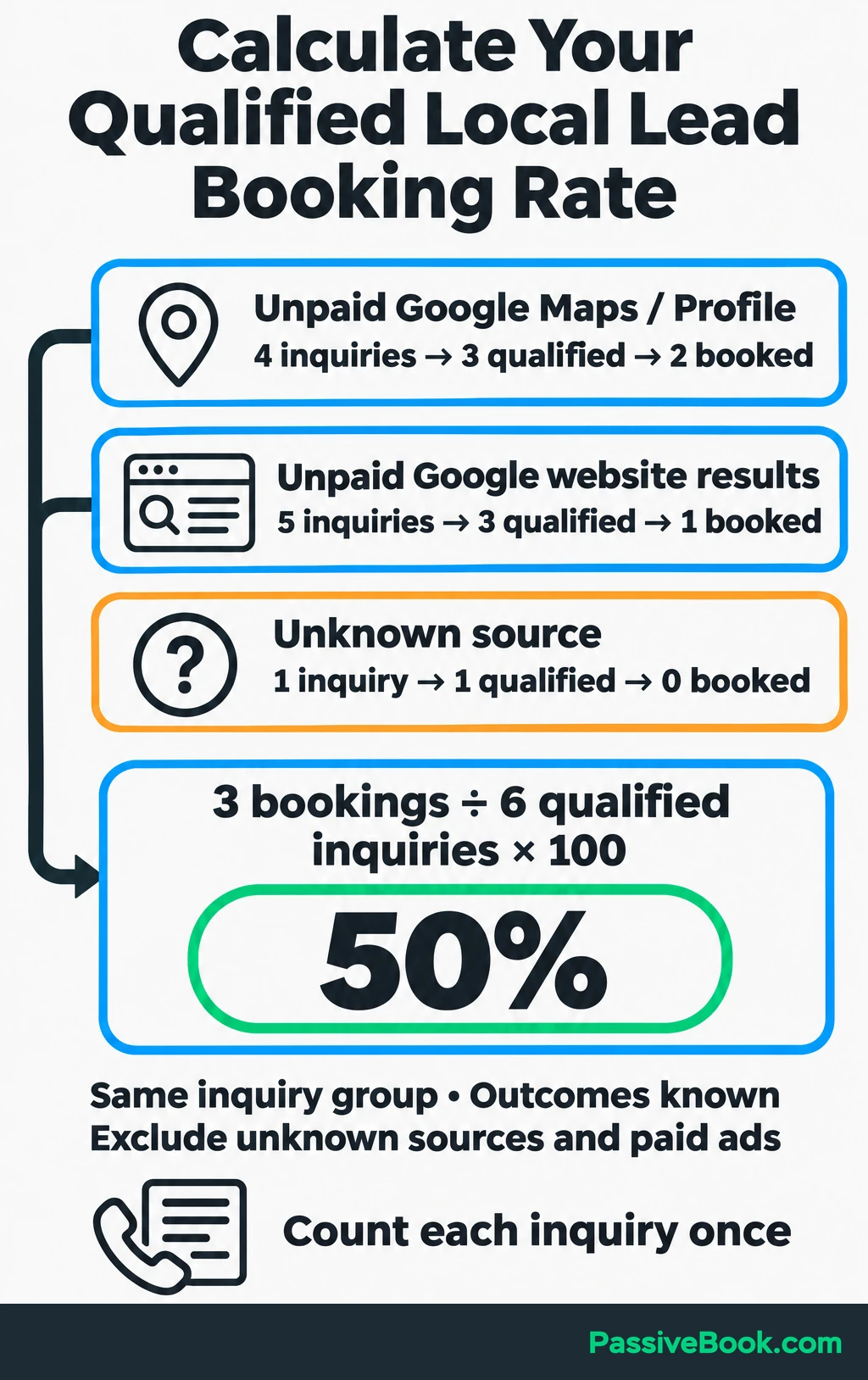
A monthly scorecard can stay small. Group inquiries by the month they arrived and update their booking outcomes as they become known. Here is an illustrative scorecard after all inquiries have reached an outcome. The Google rows exclude paid ads:
| Recorded Source | Unique Inquiries | Qualified Inquiries | Booked Jobs From Those Inquiries |
|---|---|---|---|
| Unpaid Google Maps or Business Profile | 4 | 3 | 2 |
| Unpaid Google website result | 5 | 3 | 1 |
| Unknown | 1 | 1 | 0 |
Record shared SEO spending beside the scorecard rather than pretending you can always divide it neatly between Maps and website results.
To calculate a qualified-lead booking rate, count how many qualified inquiries from the same group became bookings. Allow time for those inquiries to reach an outcome.
In this example, the two known unpaid Google sources produced six qualified inquiries, and three became bookings:
3 ÷ 6 × 100 = 50%
The unknown-source inquiry stays outside that Google-specific calculation.
Compare periods of similar length, and account for seasonal demand. Also note when you changed a page, corrected the profile or altered your coverage, so you can interpret the results.
Choose the Next Improvement From the Results
Let the weak point determine the next task:
| What You Observe | What I Would Check Next |
|---|---|
| Little visibility for relevant searches | Profile accuracy, primary category, page indexing and clear service-and-location wording |
| More website clicks but few inquiries | Service details, pricing information, customer proof and the mobile contact process |
| Inquiries for unsuitable work or distant areas | Coverage boundaries and service exclusions on the profile and website |
| Suitable inquiries that rarely become bookings | Reply speed, missed calls, available appointments and the booking conversation |
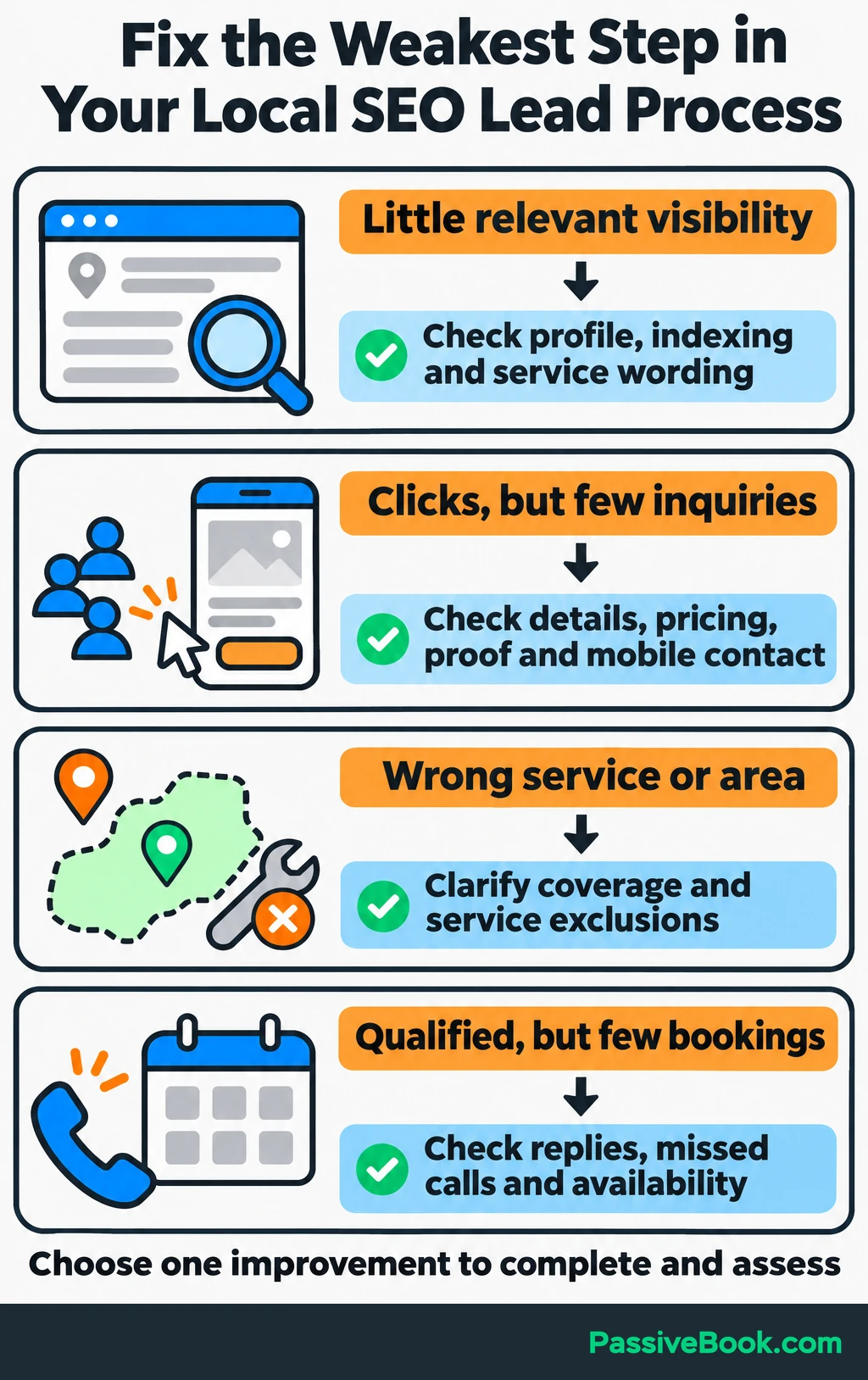
This keeps you from publishing another article when the actual problem is an unanswered phone.
Choose one improvement you can complete and assess. Keep the rest in a backlog instead of changing everything whenever a graph dips.
How Long Does Local SEO Take to Produce Leads?
Correcting a profile or publishing a page is completed work. Visibility, qualified inquiries and bookings are outcomes you measure afterward.
Google says website changes can take anything from hours to several months to affect search results, and it generally recommends waiting a few weeks before assessing their effect. That guidance doesn’t establish a deadline for receiving local leads. Google’s guidance on assessing SEO changes
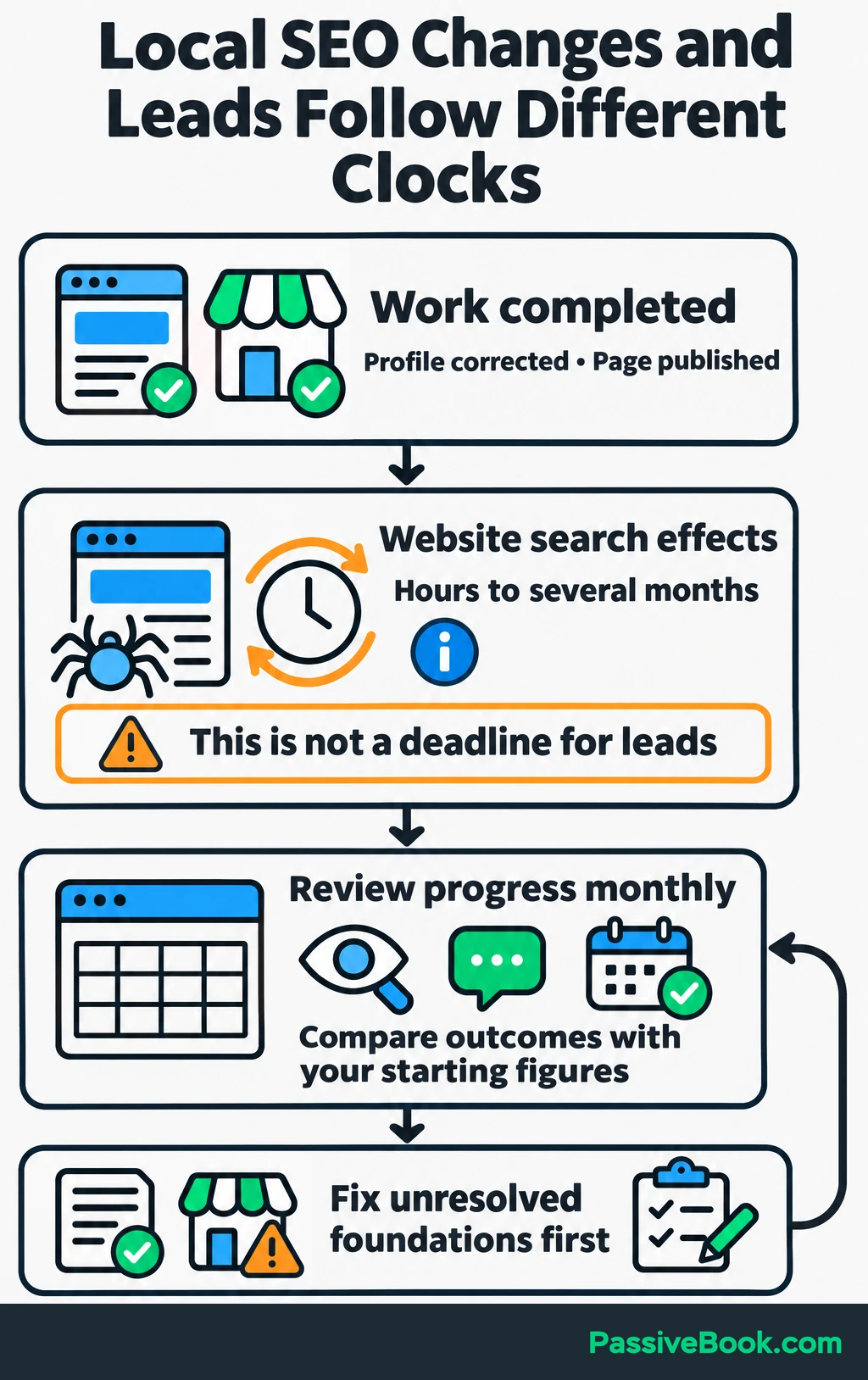
I would review progress monthly against your starting figures and the work completed. Check that important pages are indexed and that the profile has no unresolved problems.
If those foundations are working, use inquiry quality and bookings to choose your next improvement. If they aren’t, fix them before expanding the site.
What Should You Spend on Local SEO?
Start With Work You Can Maintain Yourself
Both Google Business Profile and Search Console are free. Your website, maintenance, implementation time and any hired help still need a budget.
I would prioritize spending in this order:
- Correct the profile and any serious website problems.
- Improve the core service pages and contact process.
- Make review requests and lead tracking routine.
- Consider extra tools or content after you can name the problem they would solve.
Separate one-time work from recurring work. A form repair is a defined fix. Responding to inquiries and keeping business details current are ongoing responsibilities.
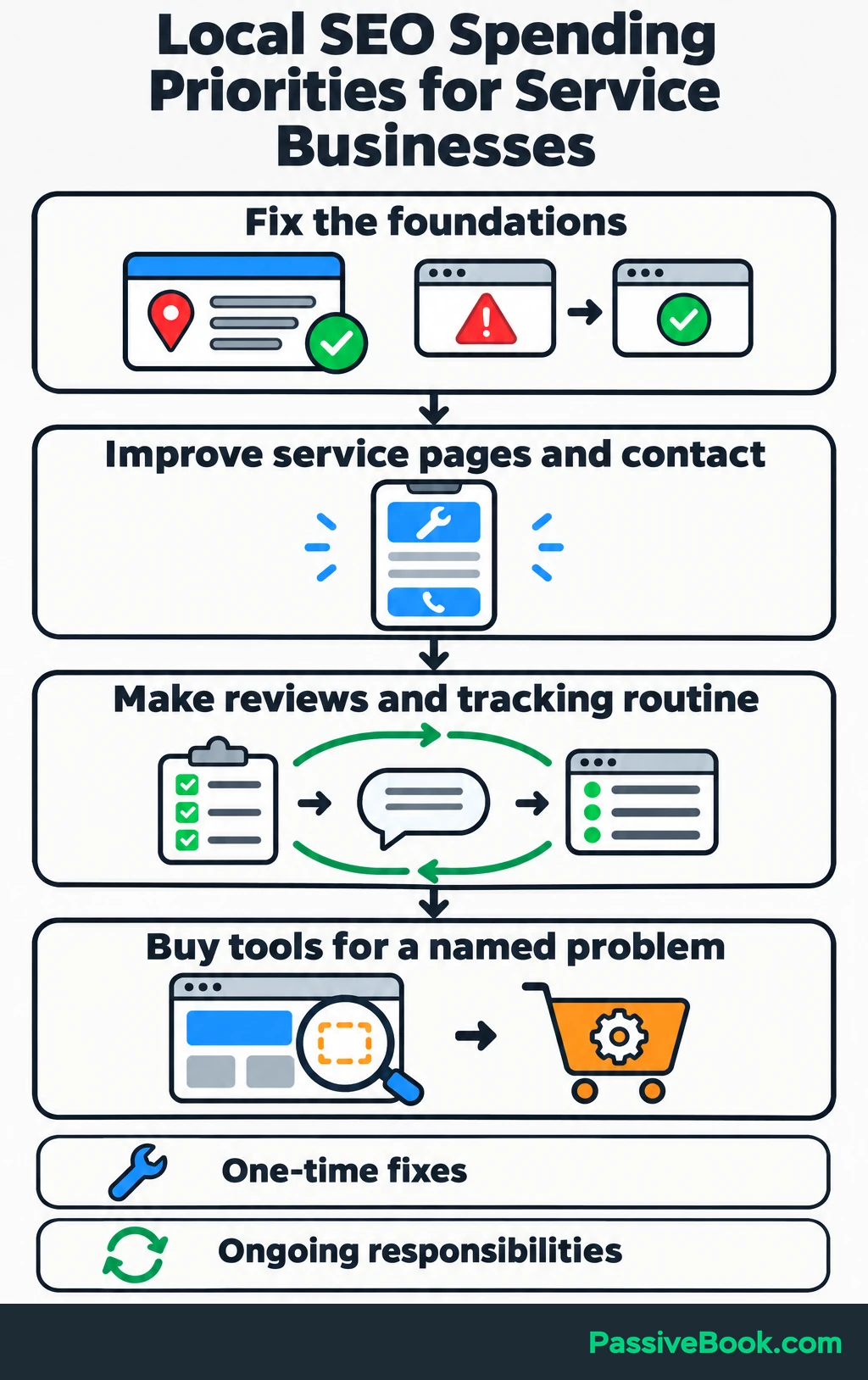
You don’t need a paid keyword subscription to start. Customer questions, Google results and your own search data can give you a useful first plan.
Before committing to recurring spending, estimate the extra work needed to cover it. Use the amount left from each additional job after service-delivery costs, rather than the full selling price.
For illustration, suppose monthly SEO spending is $300 and each additional tune-up contributes $75 after delivery costs:
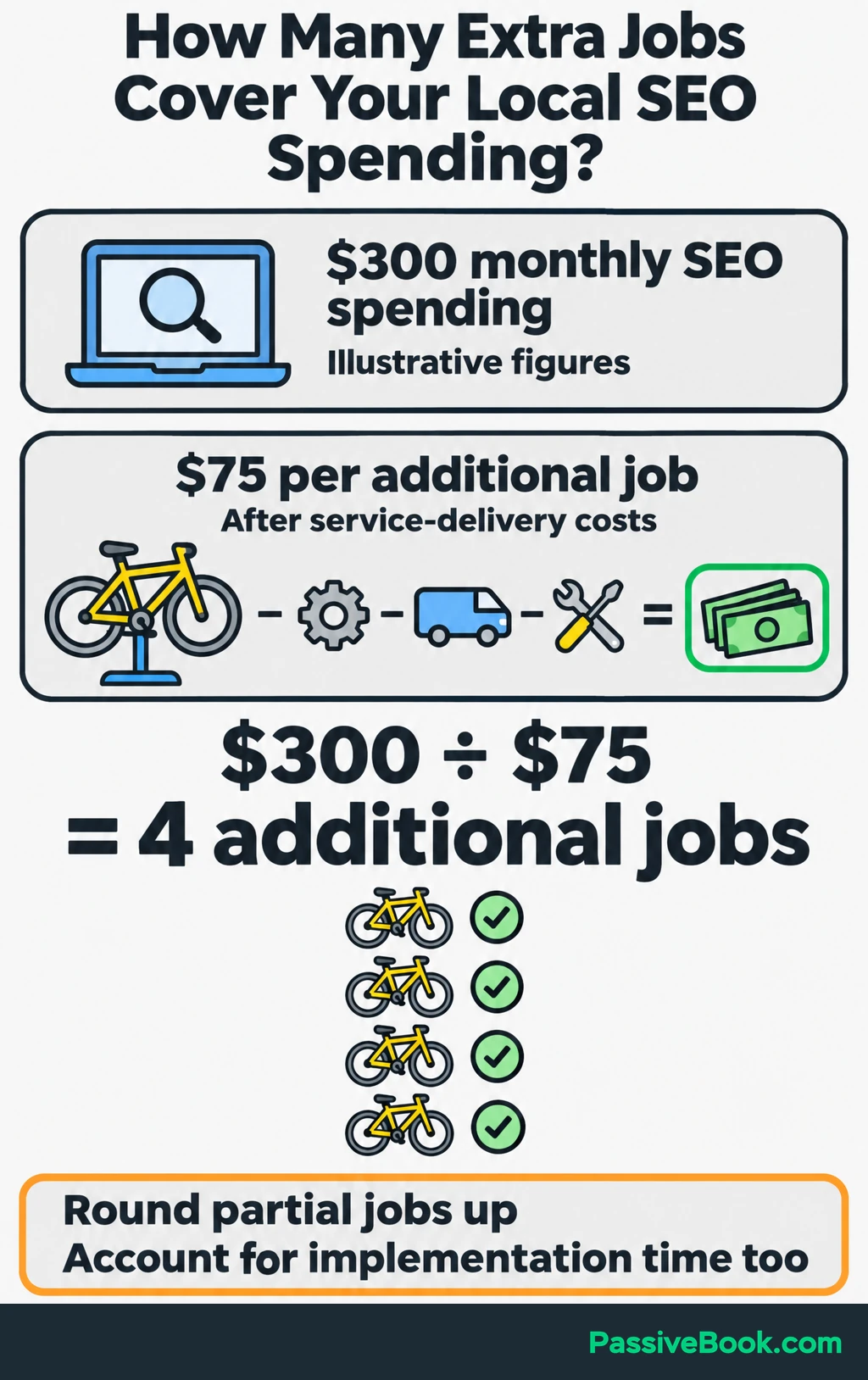
$300 ÷ $75 = 4 additional jobs
You need four extra jobs that month to cover that spending. Round up when the calculation produces part of a job, and include your implementation time when judging whether the work is worthwhile.
Count future repeat business only when your retention records support it. Optimism is a poor substitute for a margin calculation.
Hire Help for a Defined Obstacle
Hire when you can describe what is blocking progress.
That might be a persistent indexing problem, a suspended profile, a website you can’t edit safely or more implementation work than your schedule allows. A defined problem gives you something concrete to buy and evaluate.
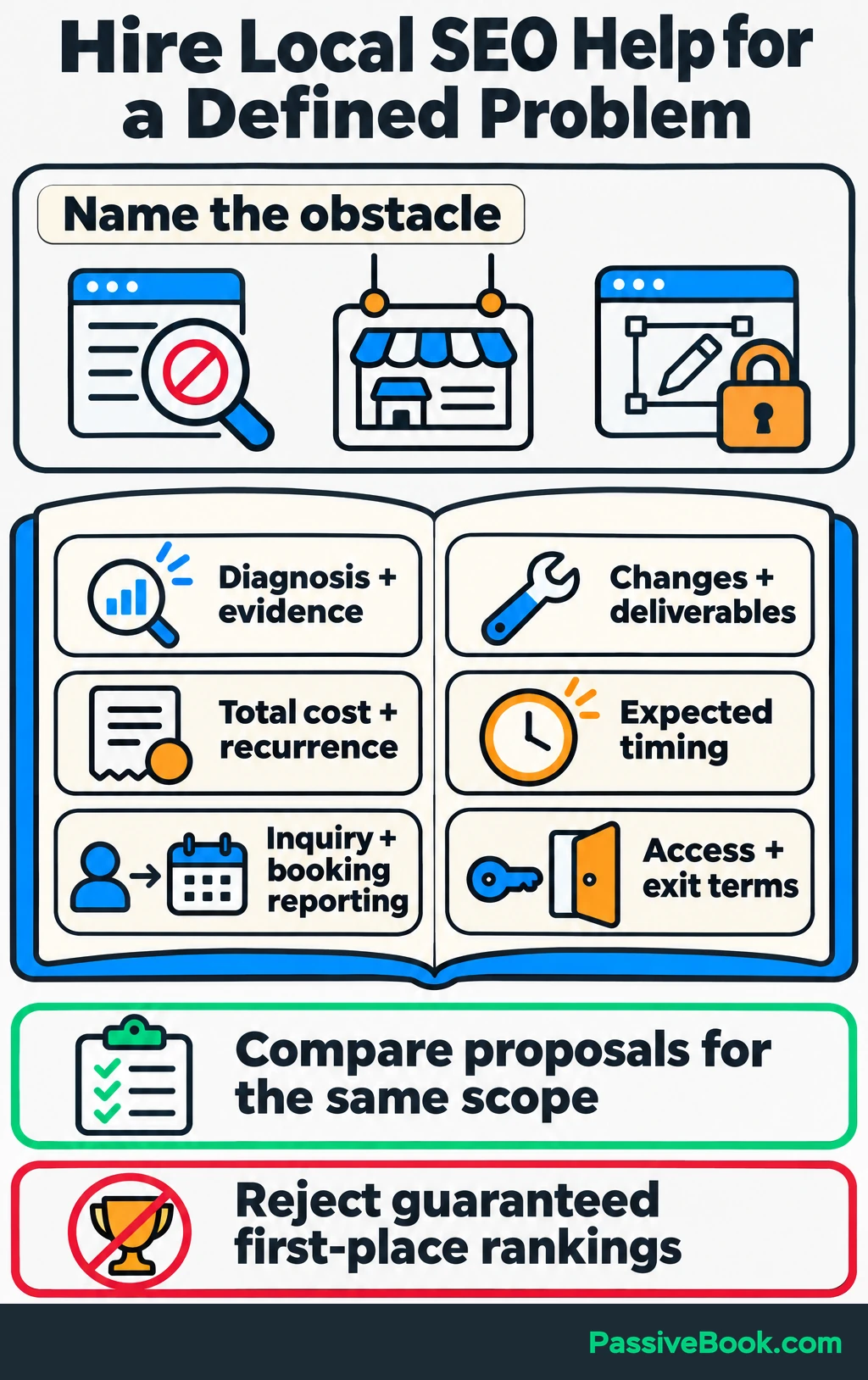
Ask for a written proposal covering:
- The diagnosis and supporting evidence.
- The specific changes and deliverables.
- Total cost and whether work recurs.
- Expected timing.
- Reporting tied to qualified inquiries and bookings.
- Access requirements and exit terms.
Compare proposals for the same scope. “Improve local visibility” is too vague to tell you what your money buys.
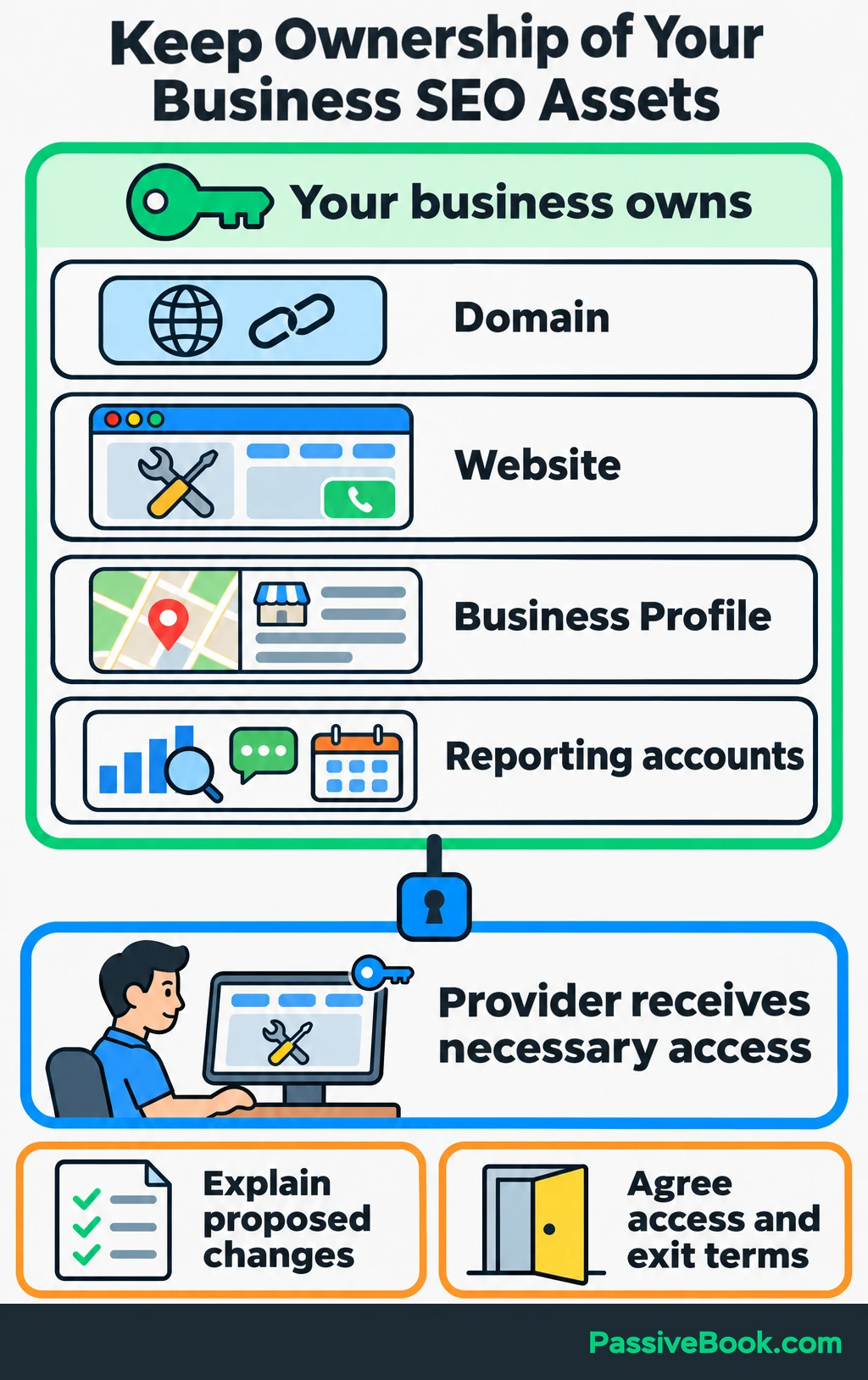
Keep ownership of your domain, website, Business Profile and reporting accounts. Give providers the access they need, and require explanations of proposed profile, page and link changes.
Reject guaranteed first-place rankings. Google explicitly warns that nobody can guarantee a number-one position. Google’s guidance on hiring an SEO
I would choose a clear diagnosis and a manageable scope over a retainer full of unexplained activity. The report should help you decide what to do next.
What Next?
Choose one service you want more bookings for and compare its Google profile details with its website page. Fix the clearest gap, whether that’s missing coverage, unclear pricing or a broken inquiry form.
Use the social buttons to share this guide when a local SEO discussion needs to move from rankings to qualified inquiries and booked work.
Where does your process lose the most ground: getting found, receiving suitable inquiries or turning them into appointments? Share your experience in the comments, and bring any other questions there too.
Share this post with your friends & followers:

