You have time to publish one useful article this week, but your topic list gives you twenty options and no clear reason to choose one.
Pick a broad topic and you may face pages you cannot realistically compete with. Pick something too far from your offer and even interested readers may have little reason to stick around. To choose where that writing time goes, this guide takes you from rough ideas to a prioritized keyword list, a plan connecting searches to pages and a brief for your first page, using a spreadsheet and free research sources.
1. Start With Your Offer and Your Readers’ Questions
Before collecting keywords, write down two things:
- What does your website help people do?
- What useful action could a visitor take next?
That action might be reading another guide, downloading a resource, making an enquiry or buying a product. You do not need to sell something on every page, but you should know how the topic belongs in your business.
Imagine you run a dog-travel blog and sell a downloadable road-trip planning kit. It includes packing lists and trip-planning sheets. Your articles help readers prepare for a trip, and the kit gives them a convenient way to organize it.
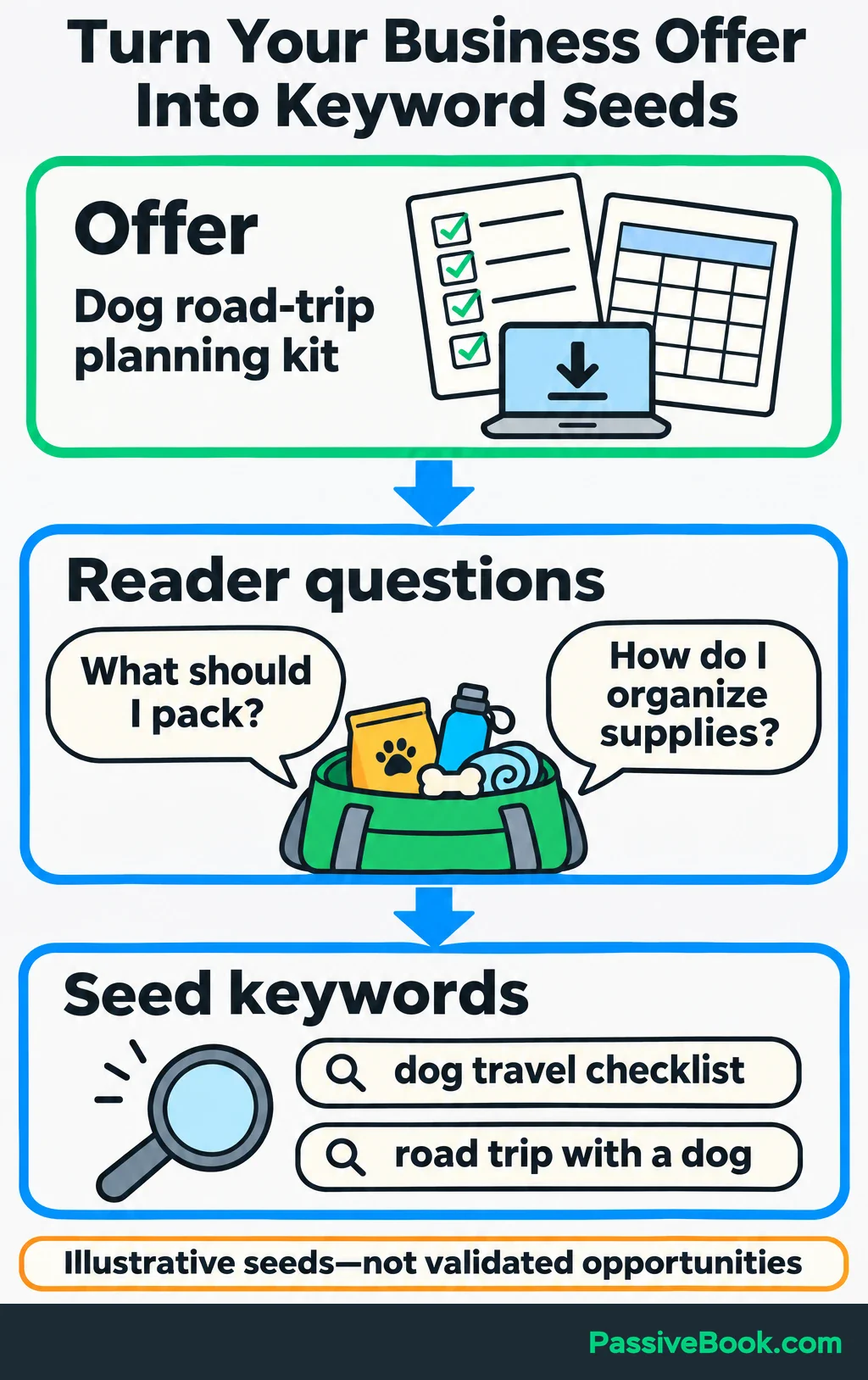
The business and keyword examples throughout this guide are illustrations, not researched ranking opportunities.
Start with the questions someone might ask before needing your offer:
- What should I pack?
- How do I organize supplies for an overnight stop?
- Where can I find a checklist I can reuse?
Turn those questions into seed keywords: broad phrases you can use to discover more specific searches. For this business, useful starting points include “road trip with a dog,” “dog travel checklist” and “dog travel planner.”
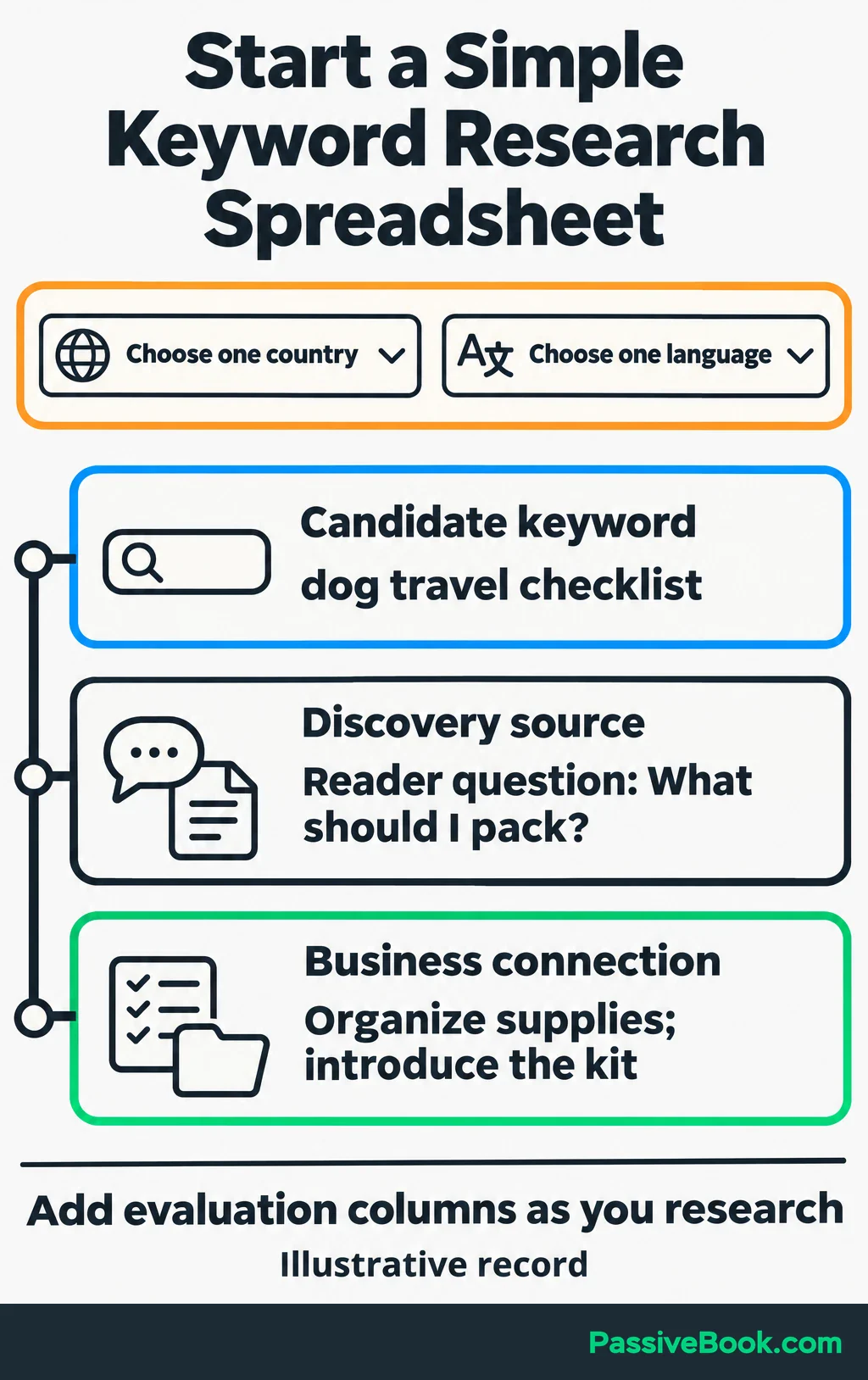
Choose your target country and language before collecting data, and keep those settings consistent. Comparing one phrase’s worldwide estimate with another’s country-specific estimate will muddy the decision.
Create a spreadsheet with three columns:
| Candidate Keyword | Discovery Source | Business Connection |
|---|---|---|
| dog travel checklist | Reader question: “What should I pack?” | Could help readers organize supplies and introduce the planning kit |
| dog travel planner | Reader question: “Where can I find a checklist I can reuse?” | Could describe the downloadable product |
Add evaluation columns as you work. There is no prize for building the most complicated spreadsheet before researching a single topic.
2. Build a Relevant Keyword List
Collect Customer Language and Google Suggestions
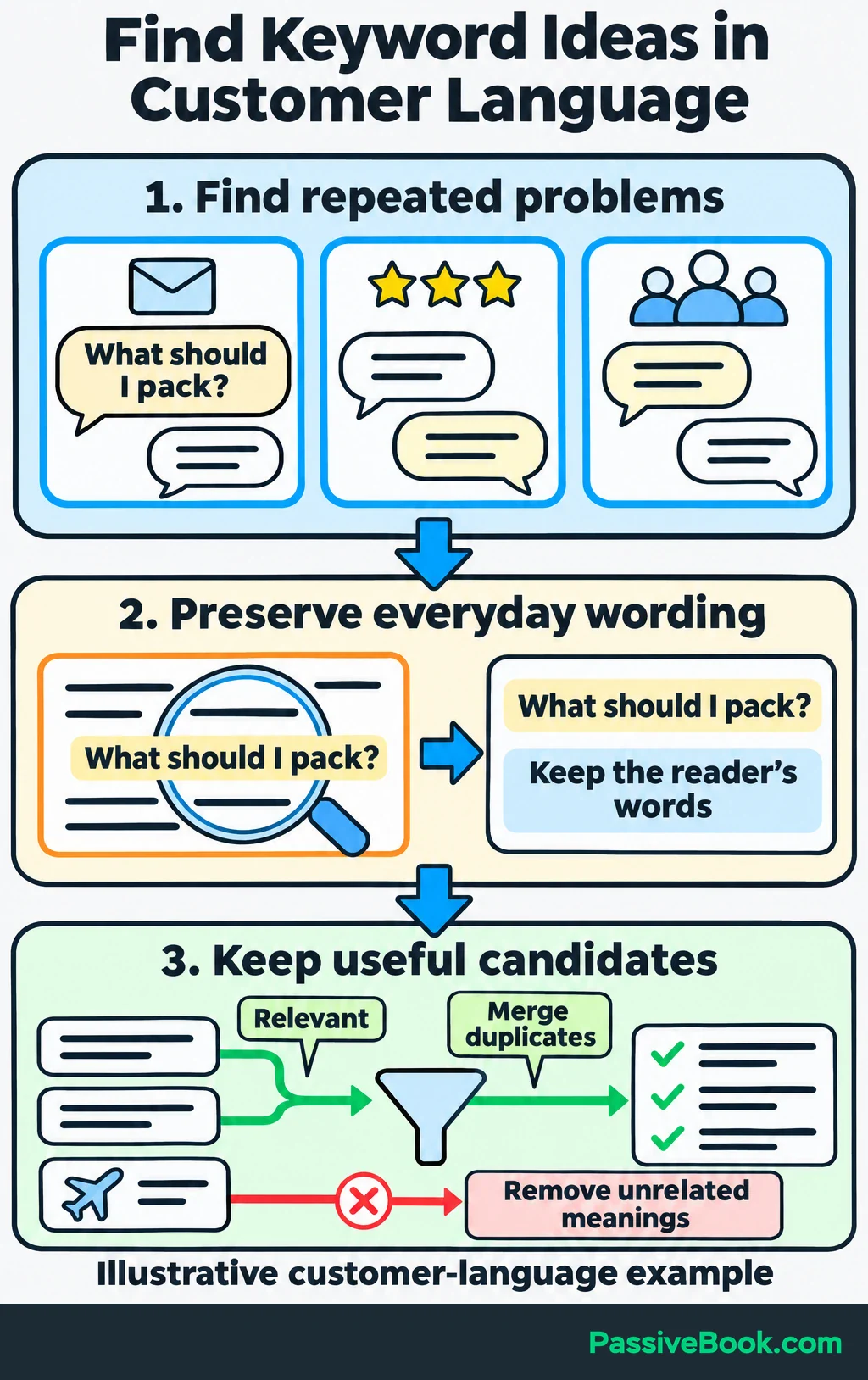
Start with words people already use in customer emails, product reviews and relevant community discussions. Look for repeated questions, especially when people describe a specific problem.
Keep their everyday wording. “What should I pack?” may be more useful than the polished phrase you would put in a product brochure.
Next, type each seed into Google and save relevant suggestions that appear as you type. On the results page, look for related searches and questions in the People Also Ask box, where available.
Expand your seeds by adding a setting, problem or desired outcome. For example:
- “Dog travel” becomes “what to pack for a road trip with a dog.”
- “Dog packing list” becomes “dog packing list for an overnight trip.”
- “Dog travel planner” becomes “printable dog travel planner.”
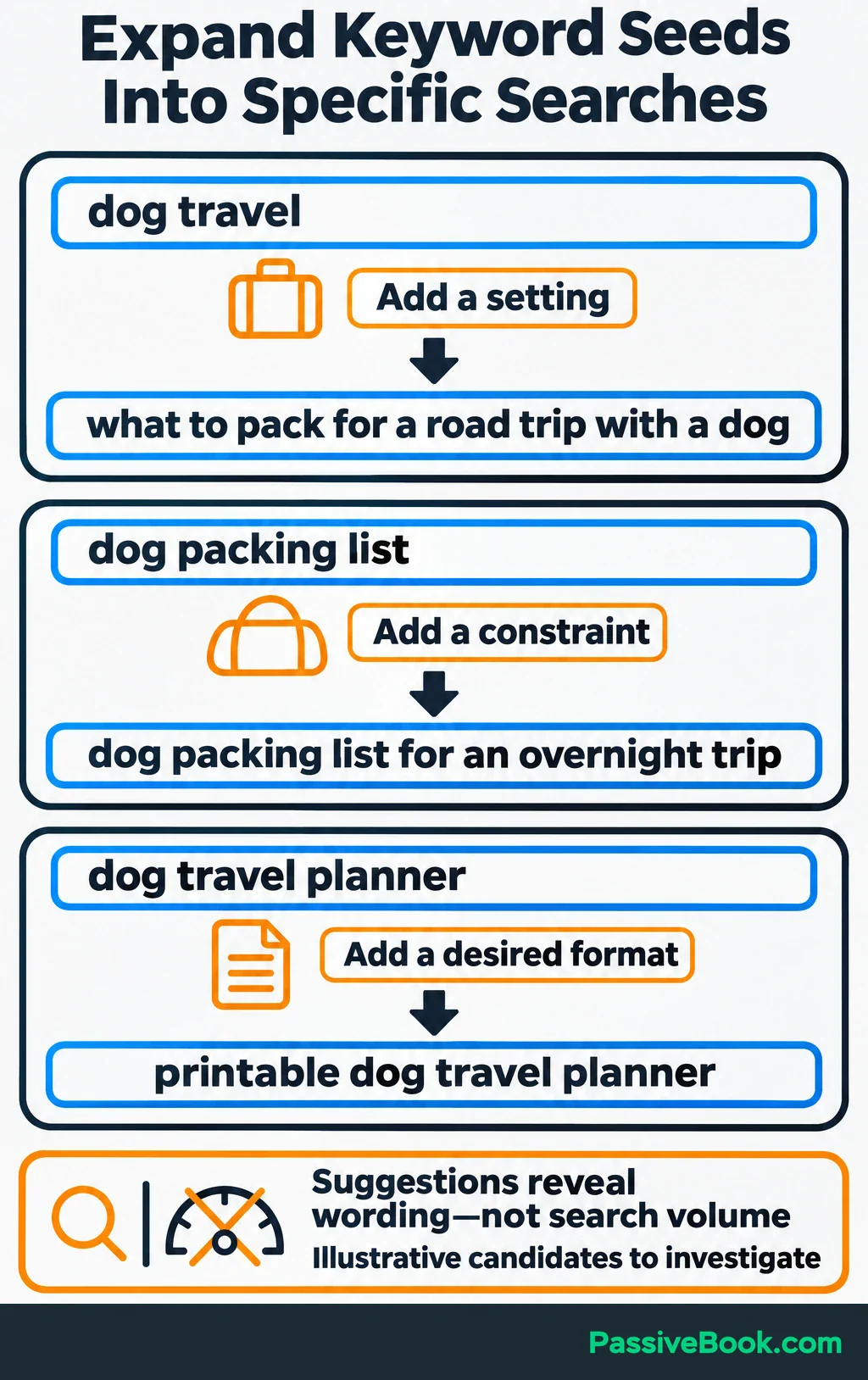
These are candidate phrases to investigate. Suggestions help you discover language, but they do not measure popularity. Google says autocomplete draws on searches and web language patterns, and predictions can change with location, trends and search history. Google’s explanation of autocomplete.
Open a few relevant competing pages too. Look for questions you missed, rather than copying their headings into your content plan.
Save useful candidates and remove exact duplicates, irrelevant meanings and topics with no clear connection to your readers.
Add Ideas With a Free Keyword Tool
I would start with Ubersuggest, a tool for finding keyword ideas. It suggests related phrases, questions and comparisons. Its search-volume estimate shows how often a phrase is searched each month in your chosen market. SEO Difficulty estimates how hard it may be to rank in the regular, unpaid results.
Enter a seed, select your target location and language, and copy relevant findings into your spreadsheet. Save the source alongside each phrase so you can return to it later.
Do not collect everything the tool returns. A phrase can be related to dogs and still be useless for a dog-travel business.
Ubersuggest offers limited free access, so I would use it to compare a shortlist rather than spend the allowance on random searches. Save your findings and continue with manual research between searches. You can check its current free-account limits before planning a research session.
A paid subscription is unnecessary for this beginner workflow. Get through one research cycle before deciding whether software is actually your bottleneck.
Use Search Console for an Existing Website
If your site already appears in Google, look at the searches associated with relevant pages.
Google Search Console is Google’s free tool for checking your site’s search performance. Open its search performance report, filter for a page and review its queries—the searches that brought up that page. Record phrases that fit the page’s purpose, especially questions it answers poorly or not at all.
Two useful measures are impressions, which count appearances in search results, and clicks, which count clicks from those results to your site. They describe your site’s performance rather than total market demand. Google’s explanation of Search Console performance metrics.
For the dog-travel blog, an existing packing article might reveal questions worth answering more clearly. Those could become improvements to that article rather than new posts.
If your site has no useful data yet, keep going with the other discovery methods. An empty report does not prevent you from researching your first page.
3. Identify the Search Intent Behind Each Keyword
Search intent is the task someone wants to complete through a search.
Before choosing a page format, search each promising phrase and inspect several leading results. Note what those pages help readers do.
These four categories give you a useful starting point:
| Intent | What the Searcher Wants | Example to Investigate |
|---|---|---|
| Informational | An answer or instructions | “what to pack for a road trip with a dog” |
| Commercial | Help comparing options | “best dog travel planners” |
| Transactional | To buy or take another action | “buy printable dog travel planner” |
| Navigational | A particular website or brand | “[shop name] travel planner” |
The category matters because it shapes the page you should create. Someone comparing products needs different information from someone checking whether they have packed everything before departure.
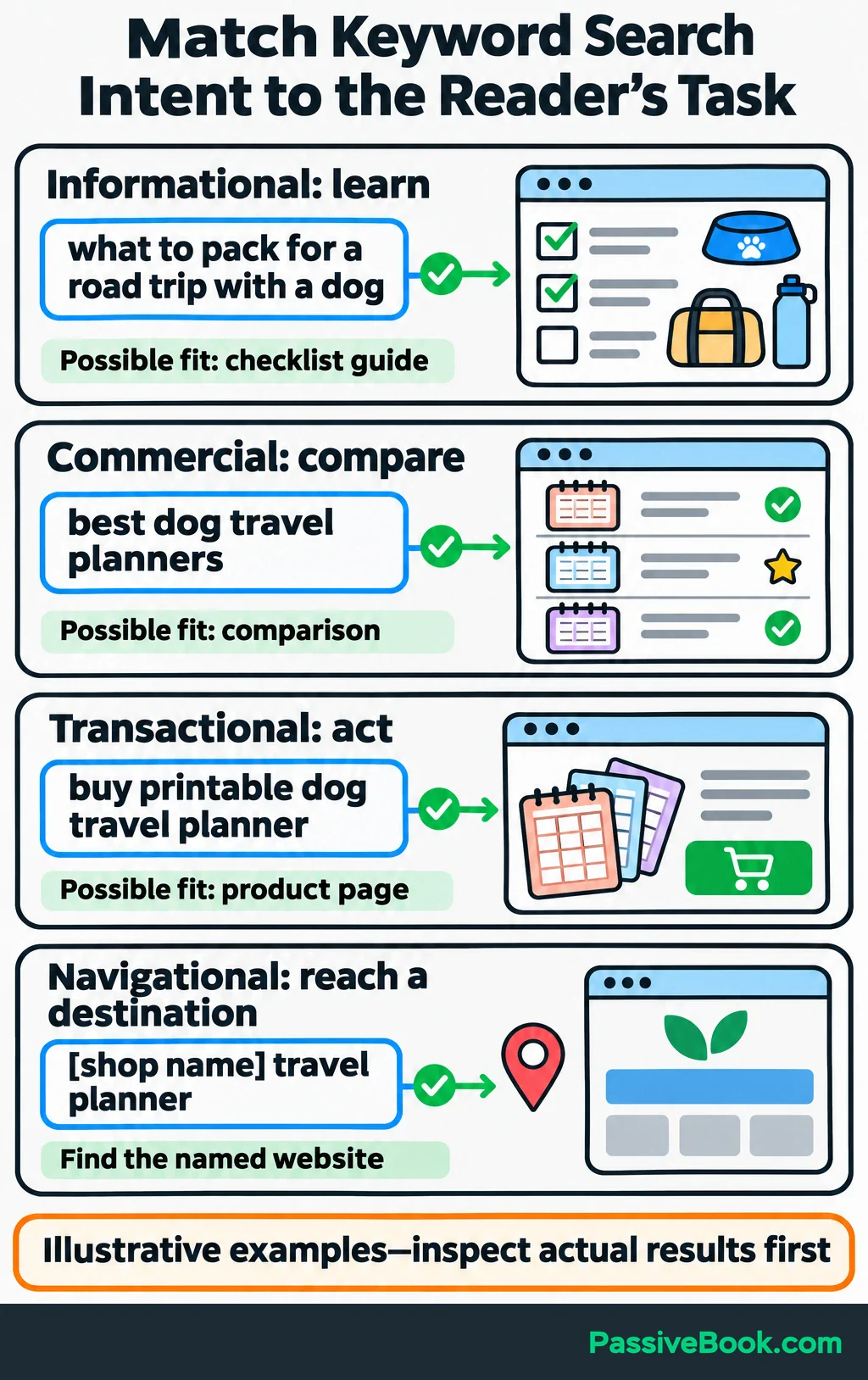
Record the formats you see: tutorials, checklists, comparisons, product pages or category pages. Then write a plain sentence describing the task.
For “dog road trip packing list,” your initial interpretation might be:
“I want to check that I have packed the supplies I need before leaving.”
A checklist guide could fit that task. For “printable dog travel planner,” you need to establish whether people expect a free download, a paid product or a selection of options.
Mixed results need a judgment call. Choose a task you can satisfy clearly and record your reasoning. I would not force a sales page into a search dominated by useful free guidance just because the phrase mentions a product.
4. Group Related Keywords Into Target Pages
Once you understand intent, group phrases that one page can answer well.
Search close variations and compare the leading pages. When the same pages appear and the reader’s task stays much the same, that supports putting those phrases together.
For example, investigate whether these belong in one guide:
- “dog road trip packing list”
- “what to pack for a road trip with a dog”
- “dog travel packing checklist”
You probably do not need three near-identical articles. You need one page that helps someone pack.
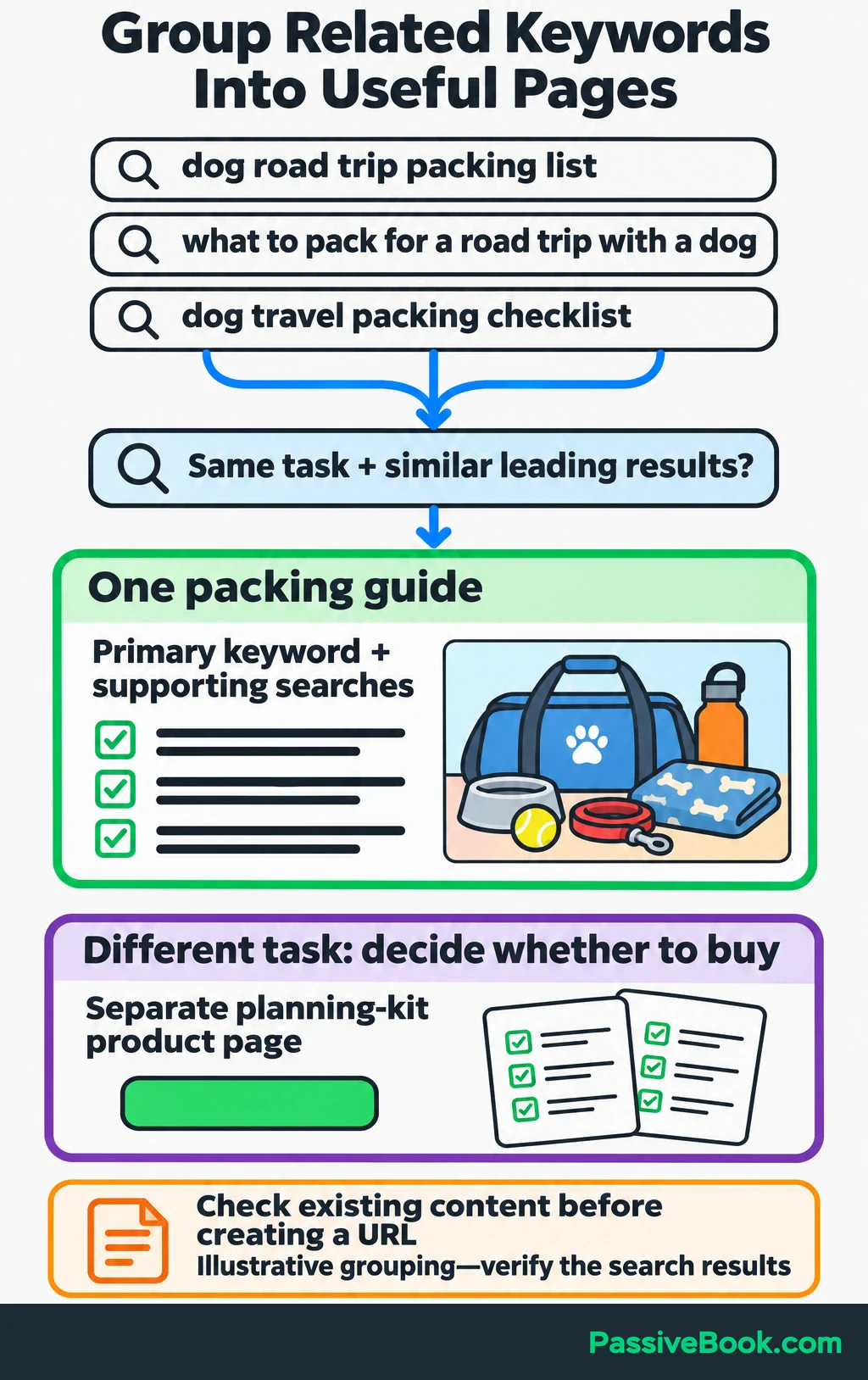
Choose a primary keyword that best describes that page’s purpose. Keep useful variations and questions as supporting terms, and use them where they help explain the subject.
The planning kit’s product page can stay separate because it serves a different task: deciding whether to buy the download.
Before assigning a new URL, check your existing content. If a page already serves the intended task, improving it may be a better use of your time.
Add these fields to your spreadsheet:
- Topic group
- Primary keyword and supporting terms
- Search intent and page type
- Existing or proposed URL
Your list is now becoming a keyword map: a plan connecting searches to pages. From here, evaluate page opportunities rather than treating every phrase as another article to write.
5. Check Demand Without Chasing Search Volume
Record each monthly search-volume estimate alongside the location, tool and date you collected it. If a figure is unavailable, write “unknown.” A blank cell should not quietly become zero.
Keep the signals separate:
| Signal | What It Tells You | How to Use It |
|---|---|---|
| Estimated search volume | Estimated searches for a phrase in the selected market | Compare otherwise similar opportunities |
| Search Console impressions | How often your site appeared in results | Find topics where you already have visibility |
| Google suggestions | Possible wording and related questions | Expand or clarify your candidate list |
| Customer questions | Problems people bring directly to you | Check relevance and identify missing answers |
Searches are not unique customers, and estimated volume is not promised traffic. Avoid adding the volumes of close variations together and calling the total your potential audience.
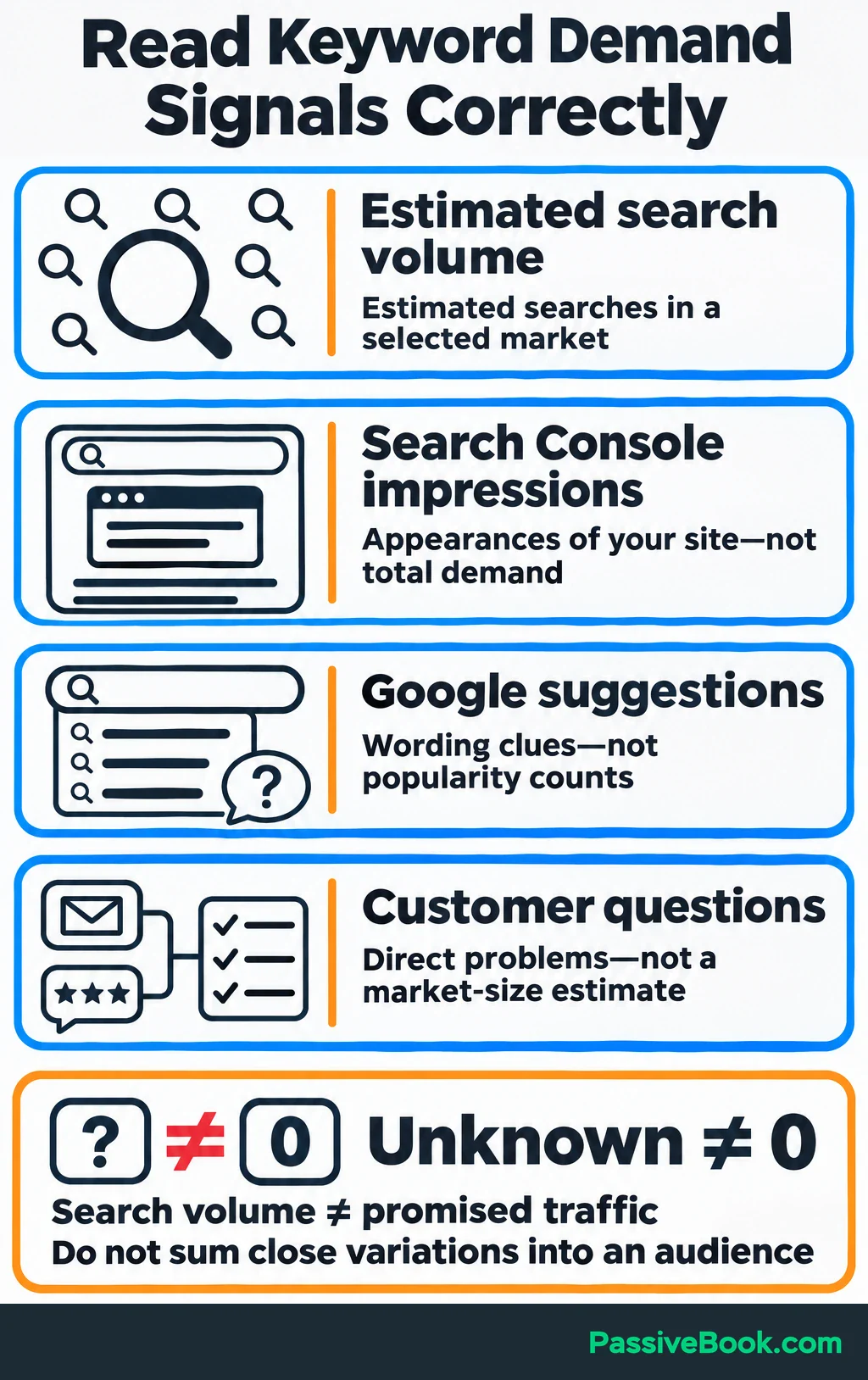
I would not impose a minimum volume on every topic. A specific packing question may connect to the planning kit more naturally than a broad dog topic with a much larger estimate.
Assess the whole topic group too. The primary keyword is a useful label, but supporting searches can reveal additional needs the page should meet.
If timing could change your decision, check Google Trends. Its 0–100 scale shows relative search interest within the selected comparison, location and period, rather than a count of searches. Use it to investigate recurring peaks or temporary spikes. Google’s explanation of Trends data.
Finally, look at the results page and ask why someone would click through. Your page might offer an organized checklist, original photographs or a useful planning sheet. If the search results already provide the complete answer, you need a clear reason for the visit.
6. Judge Whether You Can Compete
A keyword can fit your business and show demand while still being a poor first choice.
Open several leading organic results—the regular listings rather than ads—and read them. Look beyond their titles.
Use a short set of questions:
- How fully do these pages complete the searcher’s task?
- What experience, photographs, demonstrations or other evidence do they provide?
- Are established specialist sites consistently present?
- What useful contribution could I credibly make?
- What would producing that contribution require?
For the packing guide, you might plan an organized checklist, photographs showing how supplies are packed, or a reusable sheet for checking items before departure.
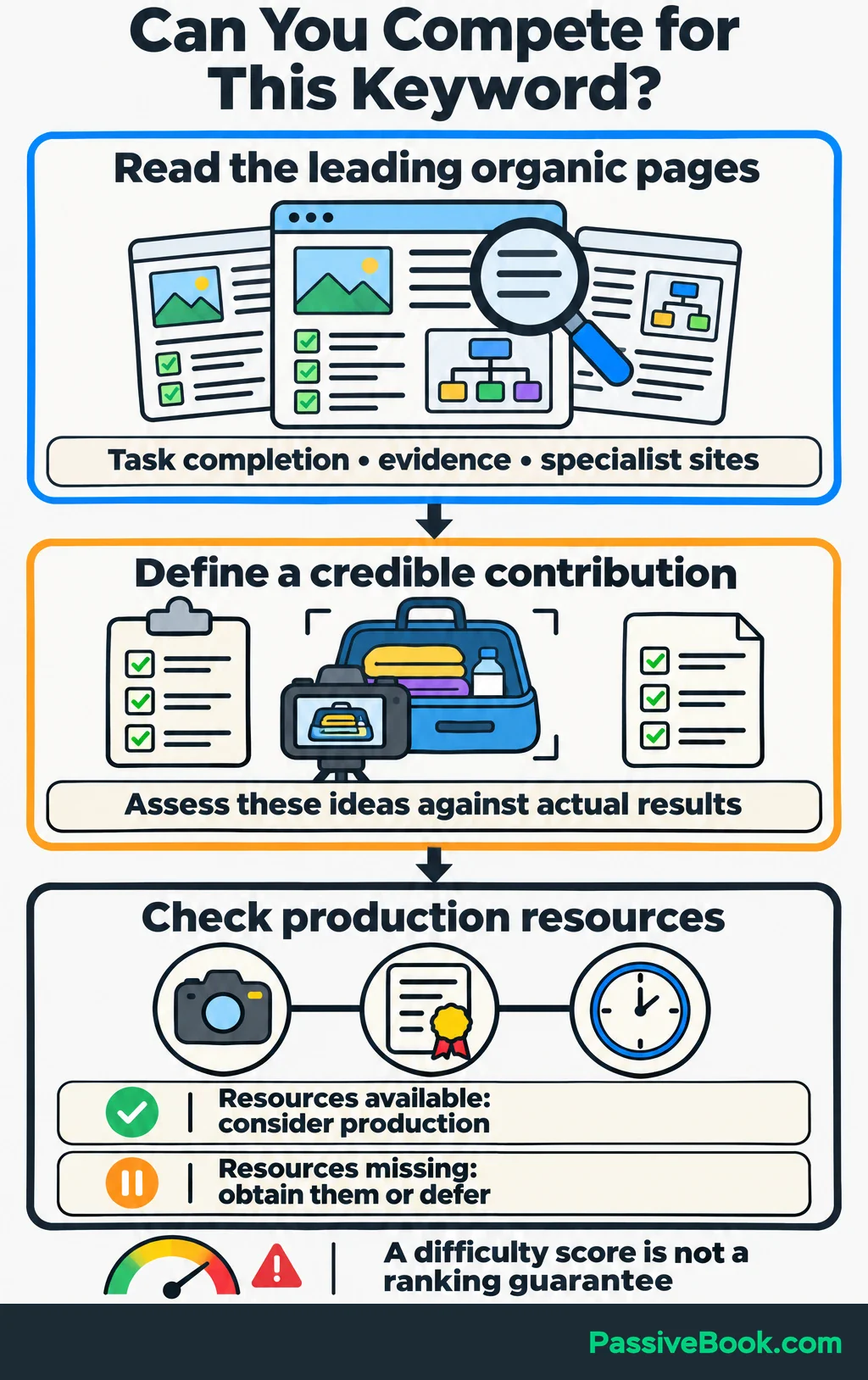
Those are possible contributions to assess against the actual results. They are not proof that competing pages lack them.
Record the work required. If a useful answer needs testing, specialist knowledge or original images you cannot provide, defer the topic or plan how to obtain those resources.
Ubersuggest’s SEO Difficulty score can help you sort candidates. Higher scores indicate greater estimated competition, but the score cannot tell you whether your particular page will rank. Ubersuggest also recommends examining the ranking pages rather than relying on the score alone. Ubersuggest’s SEO Difficulty guidance.
I would use the score to decide what to inspect first. I would skip universal rules such as “beginners should only target scores below X.”
A longer phrase is not automatically easier either. Specific wording helps you understand the task, but you still need to check who answers it and how well.
7. Prioritize Pages and Brief Your First Topic
Choose Useful, Achievable Opportunities
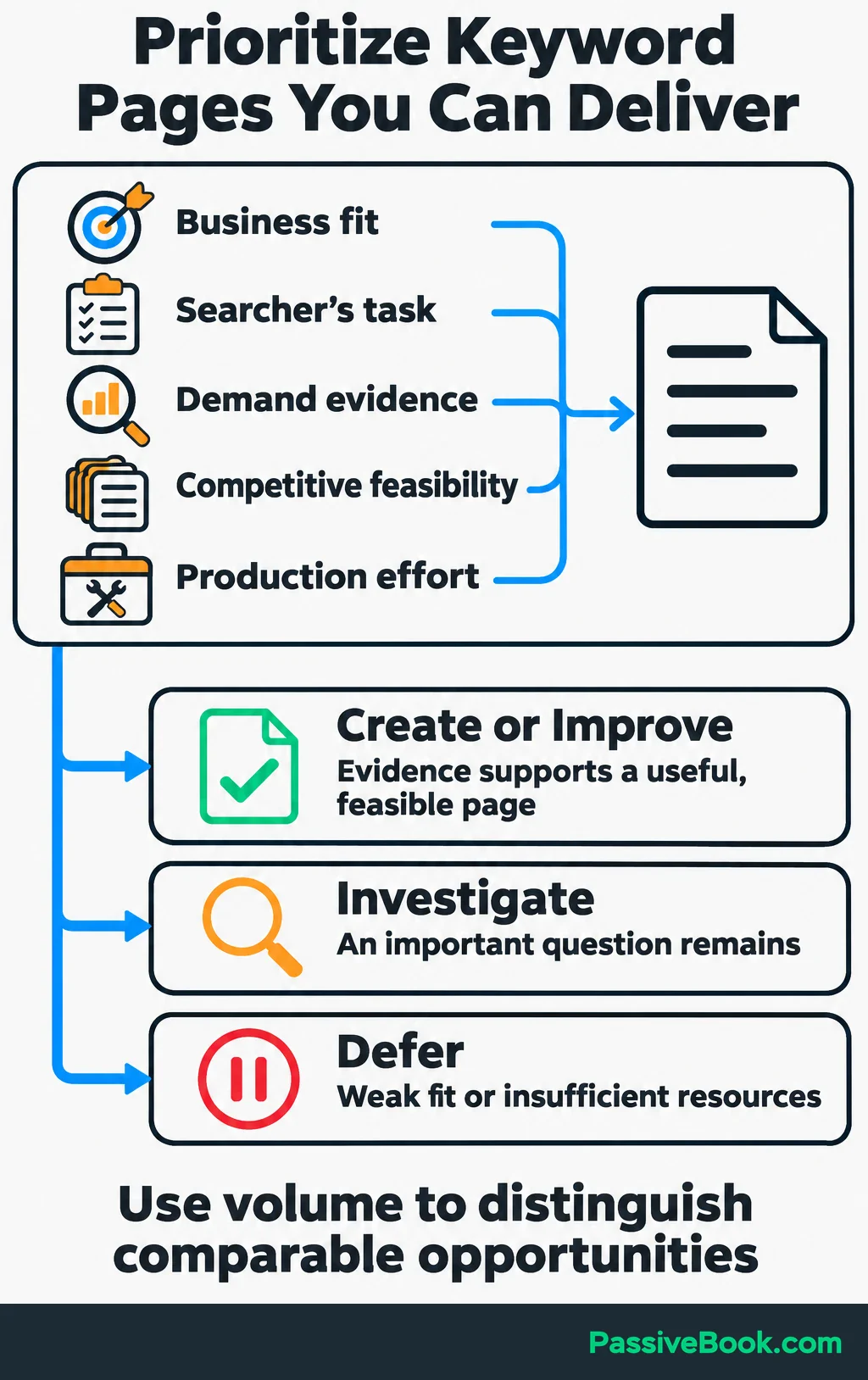
Choose pages by weighing five things together:
- Business fit
- Ability to satisfy the searcher’s task
- Evidence of demand
- Feasibility against the existing results
- Production effort
Use volume to distinguish otherwise comparable opportunities. Do not let it rescue a topic with weak business fit.
I spent eight months publishing more than 127 posts on a productivity blog before abandoning a niche I found too competitive and difficult to monetize. I had plenty of output and a poor choice of battlefield.
In later digital-product work, I started adding a “useful next action” beside topic ideas before drafting them. When I struggled to fill that field, the idea needed another look. That is why I check both the search opportunity and the business connection before putting a page in the writing queue.
Give each page one of three decisions:
- Create or Improve: Research supports a useful page you can credibly produce.
- Investigate: An important question about demand, intent or competition remains unanswered.
- Defer: The fit is weak or the work exceeds your current resources.
Keep one row per target page in your keyword map. In a spreadsheet, give primary keywords, supporting terms, intent, page type, demand evidence, competition notes, business connection, URL, effort, priority and next action their own columns.
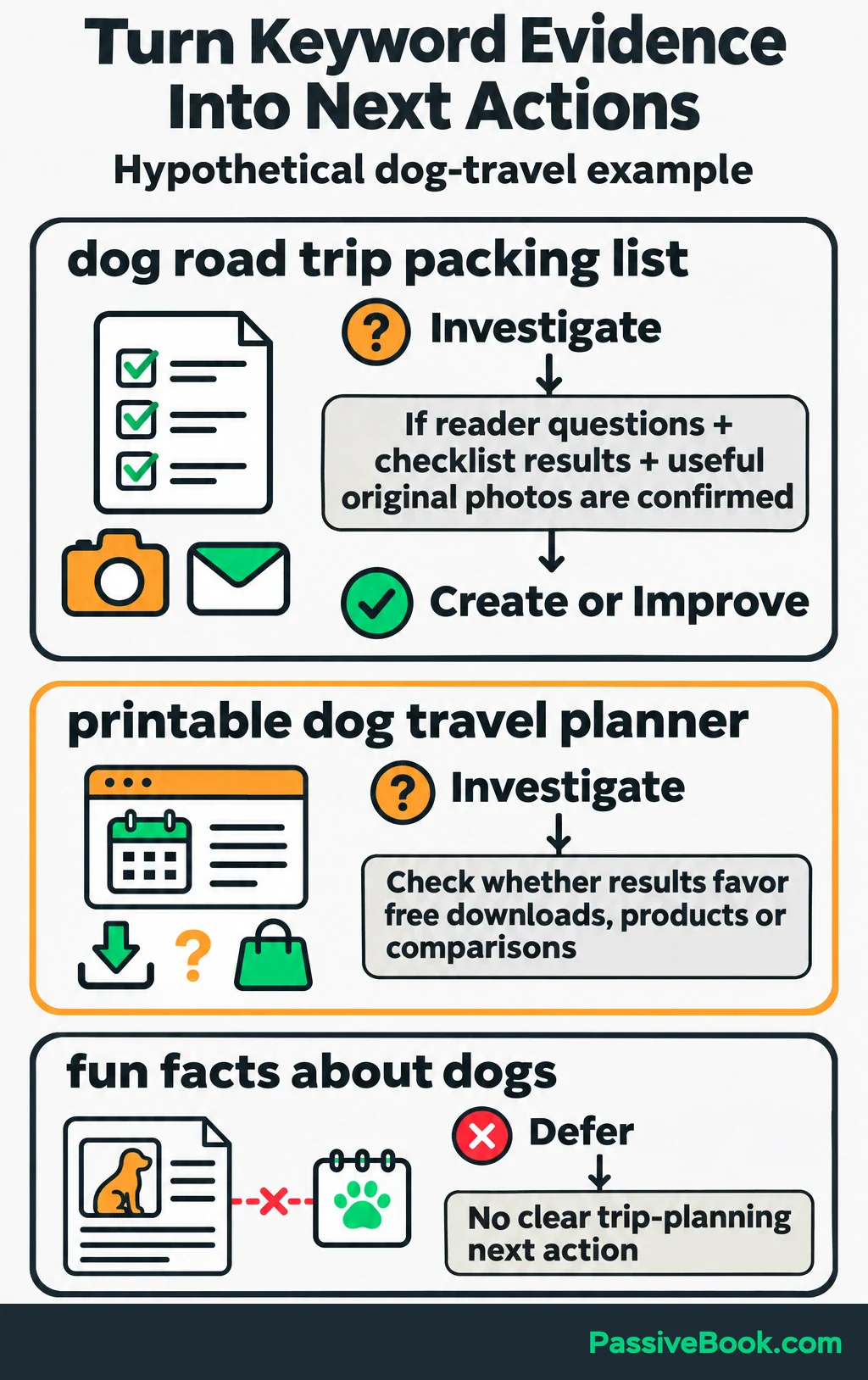
Here is a compact version showing how the decisions work:
| Primary Keyword and Supporting Terms | Intent and Page Type | Demand Evidence | Competition and Effort | Business Connection and Proposed URL | Priority and Next Action |
|---|---|---|---|---|---|
| “dog road trip packing list”; “what to pack for a road trip with a dog” | Initial interpretation: informational checklist guide | Unknown; check suggestions, estimates and existing site data | Results not reviewed; plan checklist development and original photography | Introduces the planning kit; /dog-road-trip-packing-list/ | Investigate: check demand and leading pages before committing |
| “printable dog travel planner”; supporting phrases still to research | Unconfirmed; possible product page | Unknown | Check whether results favor free downloads, shops or comparisons; product preview images needed | Direct connection to the kit; /dog-travel-planning-kit/ | Investigate: establish the expected offer and format |
| “fun facts about dogs”; supporting phrases not collected | Initial interpretation: informational article | Not checked because business fit is weak | Not assessed; no production time allocated | No clear next step toward trip planning; no URL assigned | Defer: keep it out of the current queue |
Suppose reader emails repeatedly ask what to pack, and the leading results are checklist guides. You also find a packing step you can explain more clearly with photographs of your own setup. With that evidence, I would move the packing guide to “create or improve,” keep the planner query under “investigate” until its intent is clear, and leave “fun facts about dogs” deferred. The brief below shows what I would assign for the packing guide.
Choose a working queue that fits your time. I would rather have three researched pages with clear next actions than fifty topics marked “high priority.” Fifty priorities are an inventory.
Turn the First Opportunity Into a Content Brief
A content brief turns the selected opportunity into instructions for the page.
Write the searcher’s task first, then decide what information and assets will complete it. This stops the keyword list from becoming a pile of phrases you feel obliged to insert.
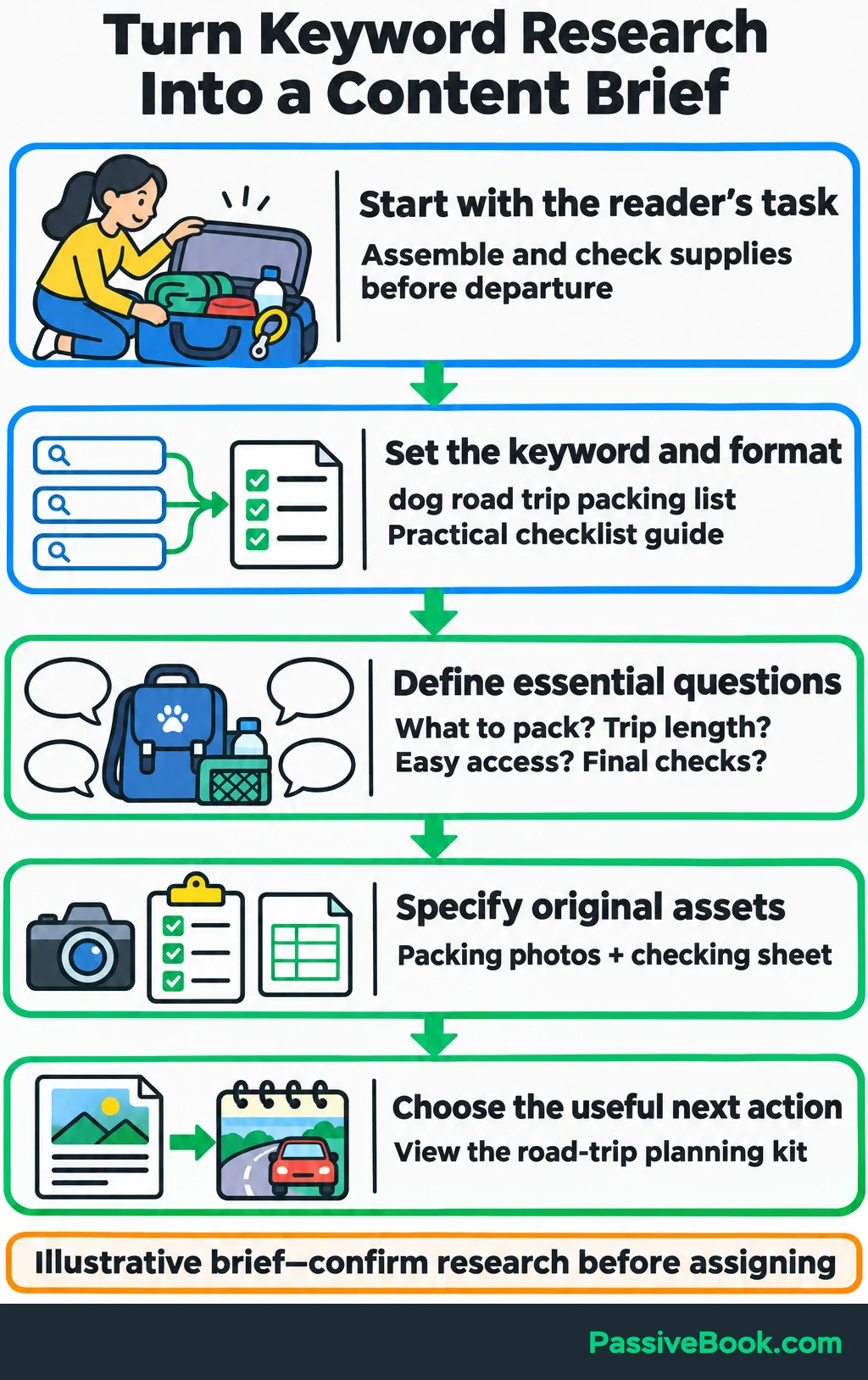
For the packing guide, your draft brief could look like this:
- Primary Keyword: dog road trip packing list
- Supporting Searches: what to pack for a road trip with a dog; other relevant variations confirmed during research
- Searcher’s Task: Assemble and check supplies before departure.
- Page Format: Practical checklist guide.
- Essential Questions: What belongs on the list? What changes with trip length? Which items should stay easy to reach? What should be checked before leaving?
- Original Contribution: An organized packing list, photographs of the packing setup and a reusable checking sheet.
- Proposed Sections: Packing checklist; adapting the list to your trip; organizing the bags; final check before departure.
- Intended Next Action: View the downloadable road-trip planning kit if reusable packing lists and trip-planning sheets would help.
- Internal Links: The planning kit’s product page and relevant trip-preparation guidance.
For your own page, confirm the demand, intent and competition checks before assigning the work.
You can use the AI Skill below to turn your chosen topic and research notes into a first brief. It drafts around your offer and experience, and flags assumptions you still need to check.

Free AI Copywriting Studio




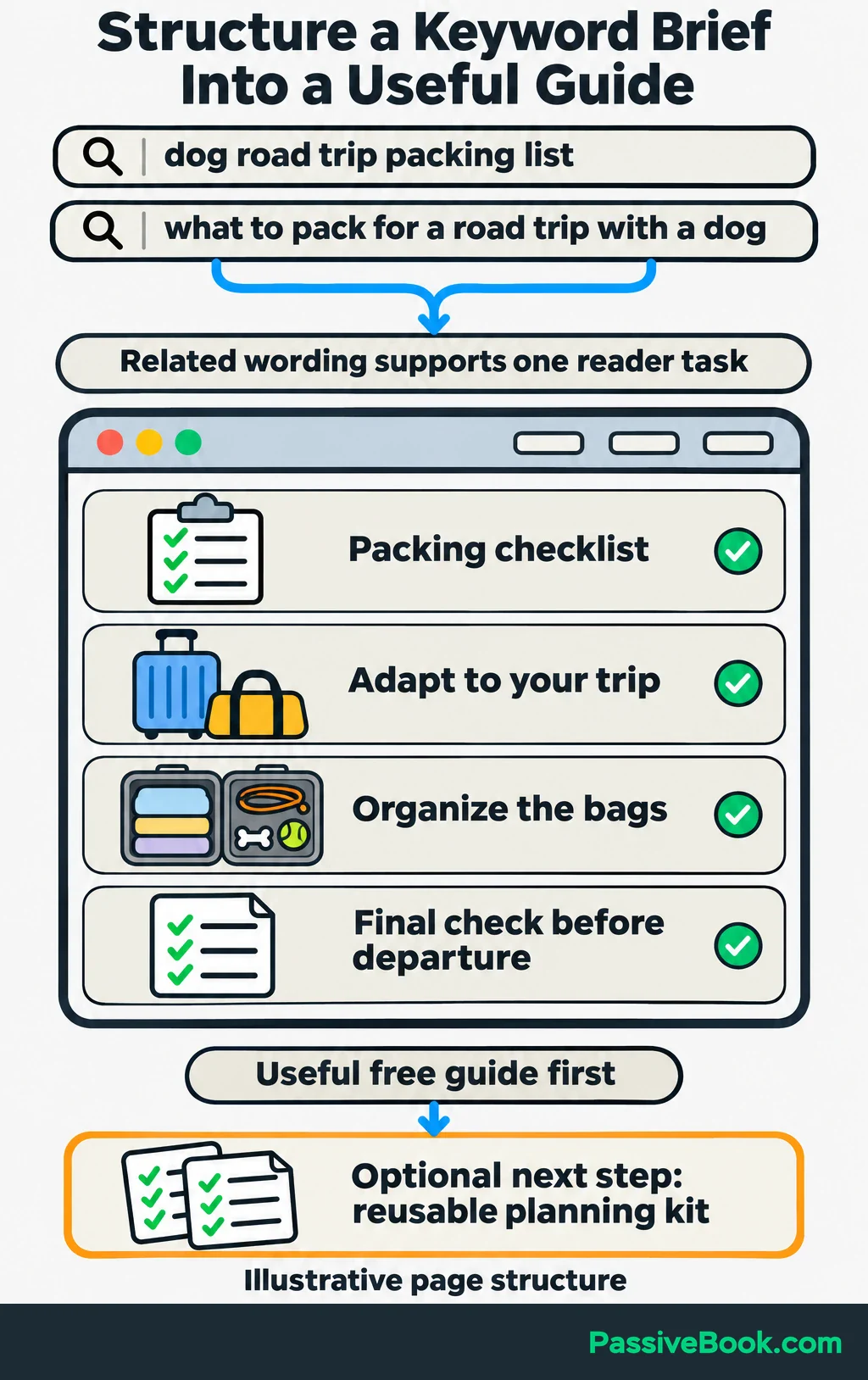
Use search language naturally in the title, headings and explanations. You do not need a separate heading for every wording variation.
Keep the free guide useful on its own, and explain what the paid kit adds. “This answer has been withheld until checkout” is a fairly poor introduction to a business.
Leave the remaining opportunities in your map with their next actions. They should be ready for the next research session, rather than scattered across browser tabs.
8. Refine Your Keyword Map With Actual Results
After publishing or improving the page, return to Search Console and review its queries, impressions and clicks.
Compare consistent periods and keep the same country and search-type filters. Check whether the searches match the task you intended to serve.
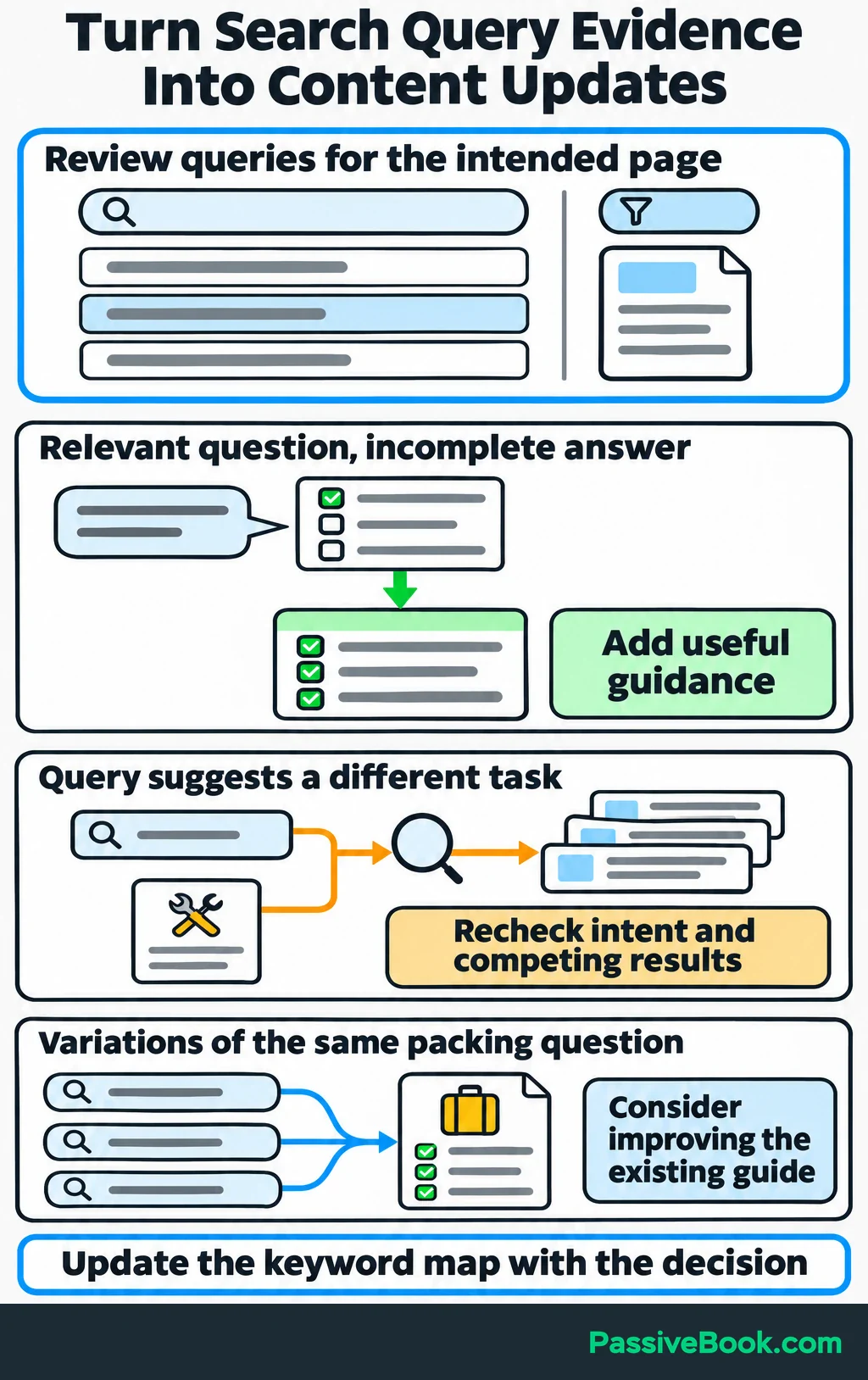
Use what you find to make a specific decision:
- Relevant questions with incomplete answers can justify adding guidance.
- Searches that suggest a different task can justify rechecking intent and the competing results.
- Several variations of the same packing question may belong on the existing guide rather than separate pages.
Track useful business outcomes alongside traffic. For the dog-travel guide, those could include resource signups and planning-kit purchases.
Use page-level tracking where possible so you can distinguish visitors reaching the packing guide from visitors reaching unrelated pages. That gives you a better basis for deciding which content deserves more work.
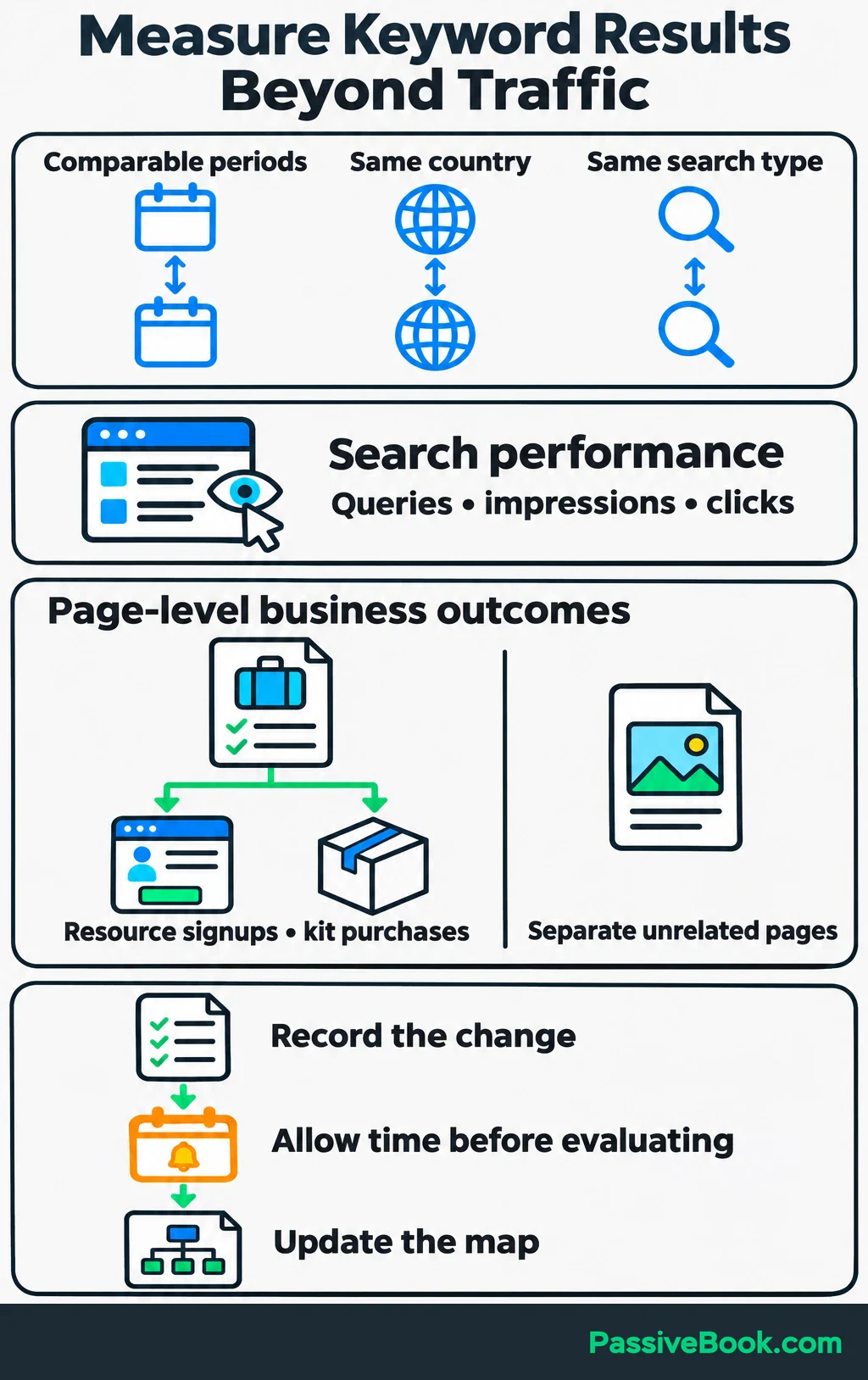
Allow time for changes to register. Google says effects can take anything from hours to several months and generally recommends waiting a few weeks before assessing benefits. Google’s guidance on evaluating SEO changes.
I would schedule a review and record what changed, rather than rewrite the page every time the graph has a disappointing afternoon.
Update the keyword map when new customer questions, offers or search results change your priorities. Keep it useful as a decision tool, not a record you complete once and forget.
What Next?
Open a spreadsheet and write down one offer, three connected reader questions and the seed phrases you would investigate. Then check one promising phrase and record the task its leading pages serve.
Use the social buttons to share this guide when a content-planning conversation needs a practical way to choose what gets written.
Which topic on your list has the clearest connection to a useful next action? Share it in the comments, along with any other questions about your research.
Share this post with your friends & followers:

