Your best articles have stopped bringing in visitors, and the sales they supported have slowed. Before long, every SEO service promising “penalty removal” starts to look tempting.
But the same traffic graph can hide very different problems. A manual action, a broken site setting and a change in search demand need different responses.
Deleting pages or removing links before you know the cause can create more work. To avoid that unnecessary work, this guide connects Google’s reports to the repairs your affected pages need and explains when to request a manual-action review.
Diagnose the Loss Before Changing Your Site
Working out how to recover from a Google penalty starts with checking whether you have one. A traffic drop is a symptom, and it does not identify the cause.
Throughout this guide, imagine you run a beginner sewing website with free tutorials and printable tote-bag patterns for sale. Its problems and possible repairs are illustrations, not a recovery case study.
Check for Manual Actions and Security Issues
Select your verified website in Google Search Console, Google’s free tool for checking search performance and whether pages are indexed. Then open the Manual Actions report.
A manual action means a human reviewer found a violation of Google’s spam policies. Record the issue, whether it affects the whole site or certain pages, and Google’s example URLs. A clear report means there is no reported manual action; it does not rule out automated spam enforcement or other ranking changes. Google explains manual actions here.
Check the Security Issues report separately for hacked content, malware and other harmful behavior. Keep any findings on your repair list because security cleanup has its own review process.
Find the Pages and Searches That Lost Traffic
Use Search Console’s Performance report to compare equal periods before and after the decline, with the same filters. Start with pages losing the most clicks, then examine the searches that previously brought visitors to them.
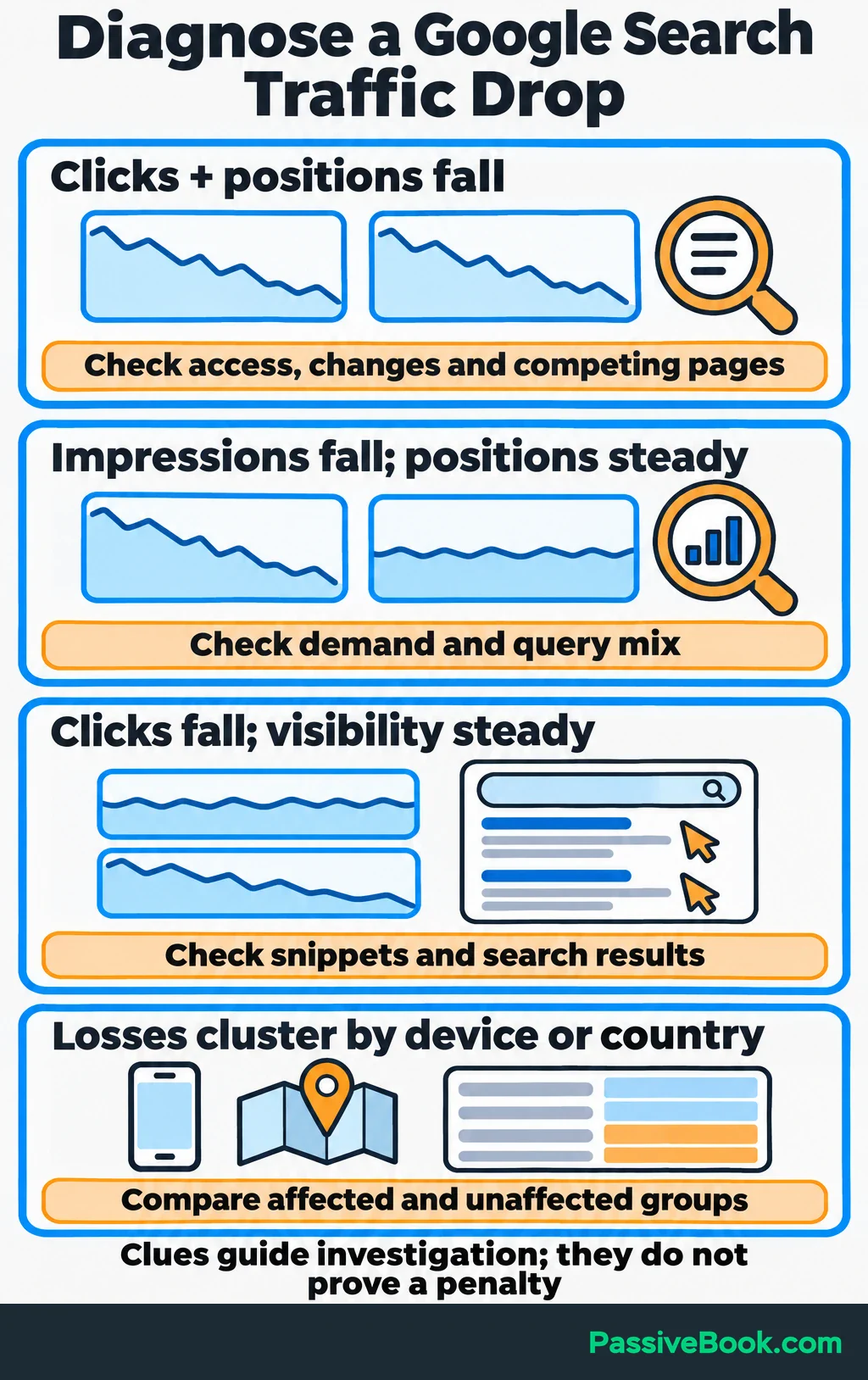
Impressions count appearances in search results; average position summarizes where your results ranked. Compare these patterns:
| What Changed | What to Investigate |
|---|---|
| Clicks and positions fell for the same page and searches | Check for site changes, indexing problems and gaps compared with pages now ranking above yours |
| Impressions fell while positions stayed broadly similar | Check Google Trends for lower demand and compare the searches showing your page |
| Clicks fell at similar impressions and positions | Compare your titles and descriptions with competing results, and check whether the results page has changed |
| Losses appear mainly on mobile or in one country | Compare affected and unaffected devices or countries to narrow the investigation |
These are clues, so check historical patterns and Google Trends before treating lower demand as a penalty. Google’s traffic-drop guidance explains these comparisons.
You can start with one affected page rather than a sitewide audit. Put its before-and-after numbers side by side before deciding what needs fixing.
Free Website Performance Workbook




For the sewing site, separate tote-bag tutorials from the rest of the site. A decline across one tutorial format gives you a more focused investigation than a single sitewide total.
Put redesigns, hosting moves, URL changes, publishing changes and tracking edits on the same timeline.
Rule out Technical and Tracking Failures
If Google Analytics visits collapse but Search Console clicks remain steady, investigate tracking first. Check whether the analytics tag still fires and whether consent or reporting settings changed.
For actual search losses, enter an affected page’s address in Search Console’s URL Inspection tool. Repeat with an unaffected comparison page. Check:
- Whether the intended page is indexed.
- Whether Google chose a different canonical—the URL it treats as the main version.
- Whether the live page loads and Google can access it.
- Whether an accidental
noindexinstruction tells Google to exclude the page, or a new crawl block, server error or broken redirect interferes with access.
A live page loading successfully does not prove it is indexed.
If every sewing tutorial lost visibility after a template change, check that shared template before rewriting individual articles. Repair confirmed access and indexing failures first.
Assess Algorithmic Changes
Compare your timeline with confirmed updates and service incidents in the Google Search Status Dashboard. Matching dates give you a lead, but they do not prove the update caused your loss.
Automated spam enforcement addresses policy violations. A core update reassesses search results more broadly, and a decline during one does not itself establish wrongdoing.
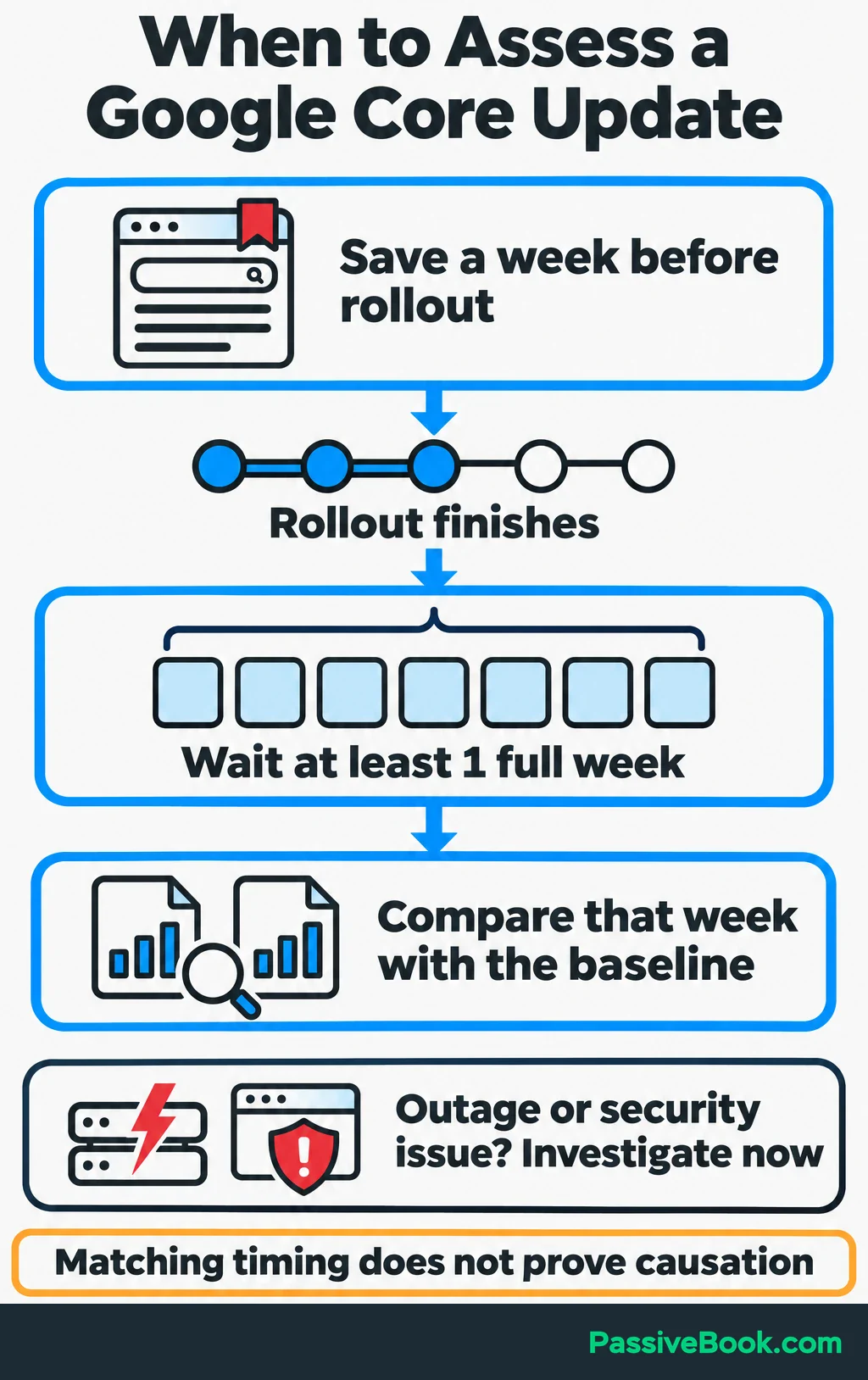
For a core-update comparison, Google recommends waiting at least one full week after rollout finishes, then comparing that week with a week before rollout began. Its core-update guidance also advises against drastic changes to pages that still perform well.
Investigate outages and security problems immediately. The waiting period is for assessing update effects, not for leaving a broken website broken.
I would prioritize sustained, substantial losses. A small movement on a useful page is a poor reason to rebuild it.
Fix the Issues Behind the Decline
Before substantial edits, back up your website and export the performance reports you used for diagnosis.
Keep a repair worksheet with these columns:
- Affected URL or linking domain.
- Diagnosis and supporting evidence.
- Required change and priority.
- Completion date.
- Verification result.
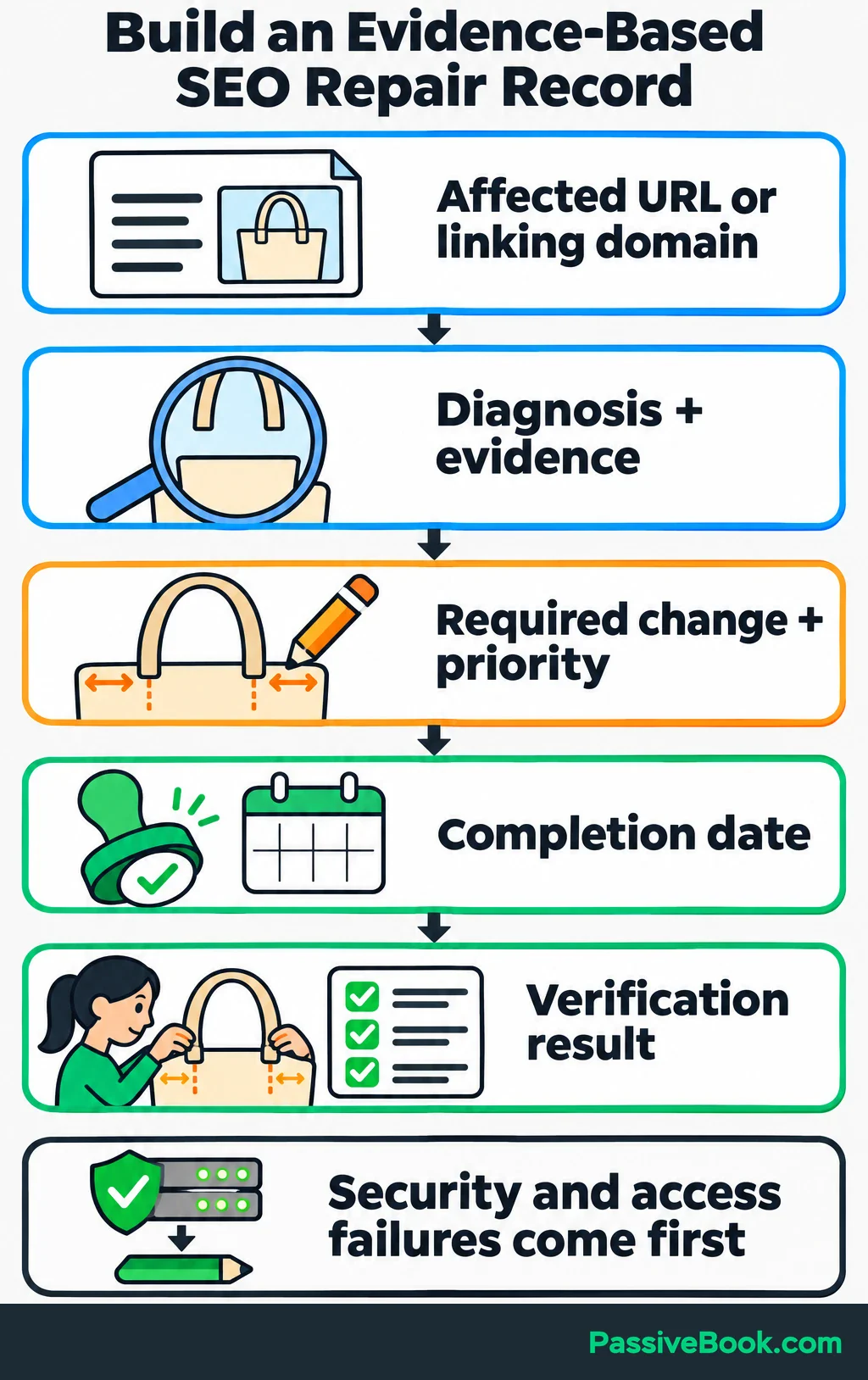
An entry such as “tutorials need improvement” is too vague. “Handle-placement instructions are missing from the tote-bag tutorial” gives you something to fix and check.
Handle security and access failures first. Then prioritize confirmed problems affecting important pages or a large part of the site. Several repair paths may apply, but a traffic drop alone does not justify doing all of them.
Improve Content That Fails to Answer the Searcher’s Question
Start with heavily affected pages, then examine related pages for the same weakness.
Read each page as a visitor trying to complete its task. Look for missing instructions, factual errors, copied material, unsupported claims and sections that add little useful information.
Google’s content self-assessment questions focus on completeness, originality, accuracy and value compared with other results. Google also states that it has no preferred word count.
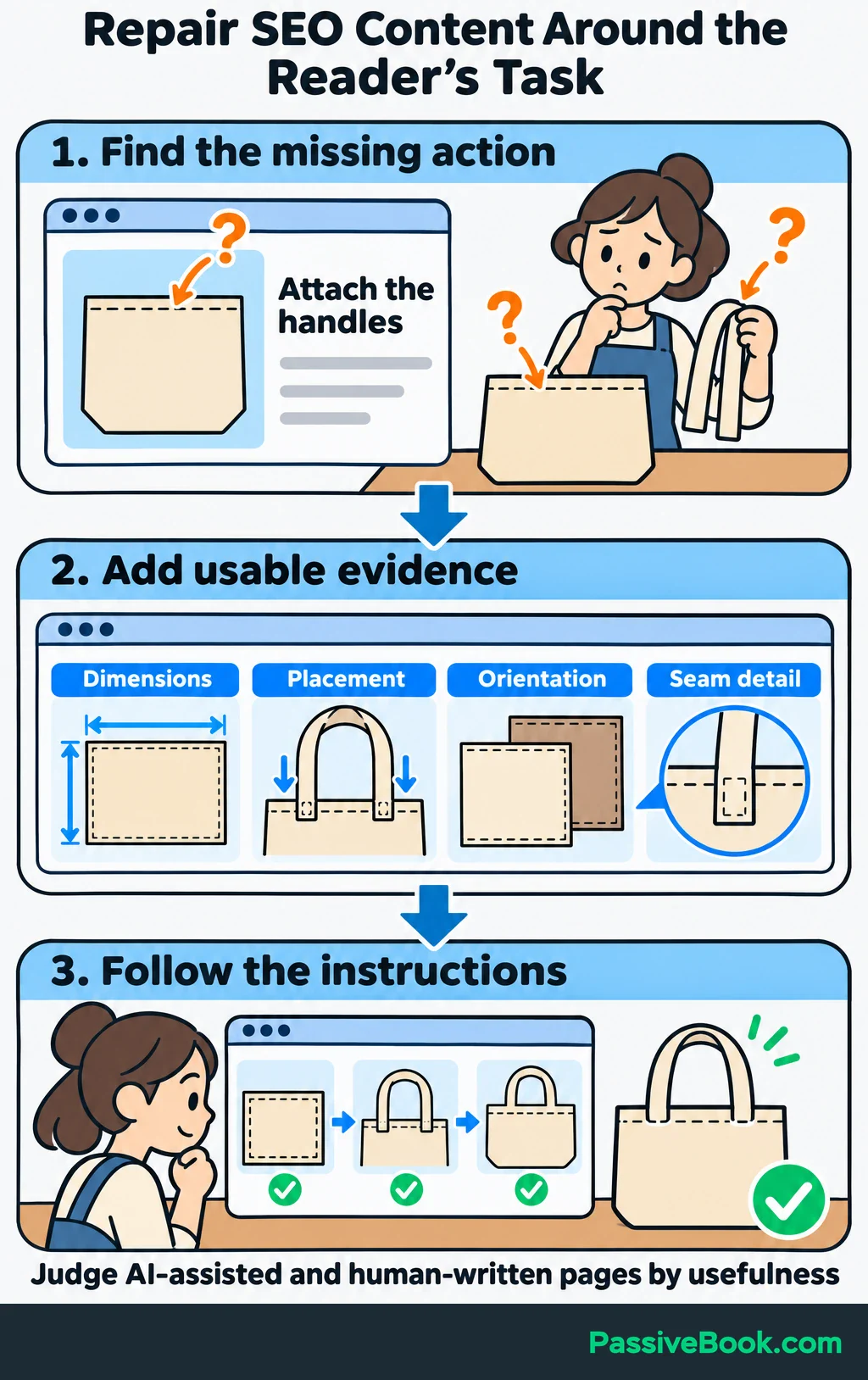
On Passive Book, I’ve caught myself reviewing an SEO-driven article by its outline rather than by what the reader could do afterward. I now write the reader’s task beside my editing notes. That makes missing information harder to overlook.
Apply that check to the sewing tutorial. “Attach the handles” sounds like a step, but a beginner still needs placement, orientation and seam allowance.
A useful revision would add:
- Cutting dimensions and a labeled diagram.
- Handle-placement measurements.
- Photos showing which way the fabric faces.
- A close-up of the difficult seam.
- Clear details about who made or checked the tutorial.
Test the instructions by following them. Adding three paragraphs about why tote bags are popular will not repair a missing measurement.
Assess AI-assisted and human-written pages by the same standard. Google’s scaled-content-abuse policy covers producing many low-value, unoriginal pages primarily to manipulate rankings, regardless of how they were made. Switching writing tools leaves the underlying problem untouched.
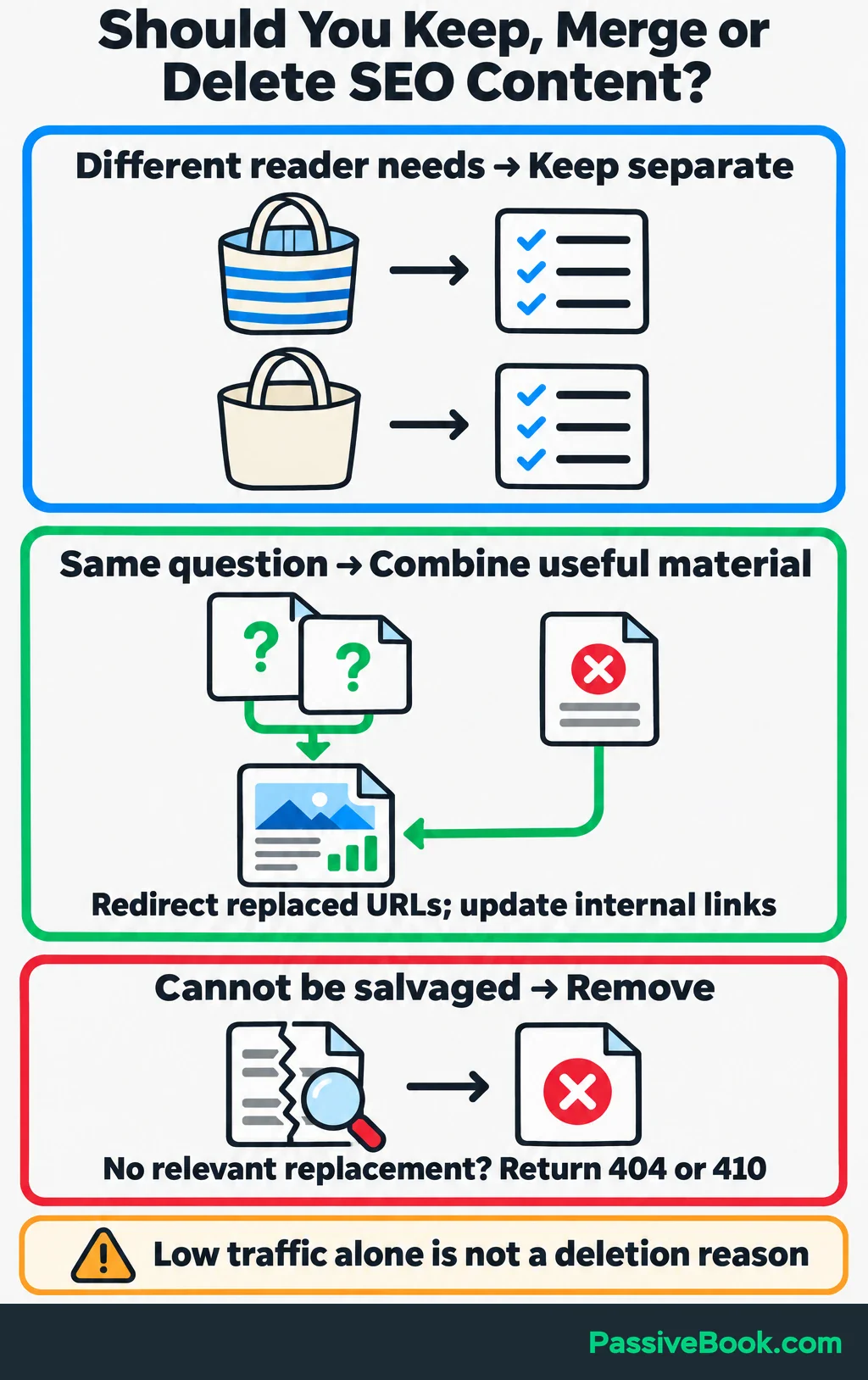
When several pages answer the same question, consider combining them. Move useful material into the strongest resource, permanently redirect superseded URLs to that relevant replacement and update internal links.
Keep pages separate when they serve distinct needs. A lined tote bag and an unlined beginner tote may require different instructions.
Delete a page only when it cannot be salvaged. Low traffic alone is not enough. If there is no suitable replacement, return 404 or 410 rather than redirecting visitors to an unrelated page.
Clean up Manipulative Links
Separate incoming backlinks from outgoing links you control. The repair process differs.
For incoming links, review Search Console’s link exports alongside purchase records, agency reports and the actual linking pages. Look for evidence of purchased ranking links, automated placements or excessive exchanges.
I would skip a cleanup service whose diagnosis begins and ends with a “toxicity” score. Ask what the linking page contains and how the placement was acquired. An unfamiliar domain is not proof of manipulation.
For the sewing site, an invoice for a package of ranking links deserves investigation. An independent craft blogger recommending your tutorial is a different situation. Preserve genuine editorial references.
For confirmed manipulative incoming links:
- Ask the linking site to remove the link or add
rel="nofollow"to stop passing ranking credit. For a paid placement,rel="sponsored"is also appropriate. - Record the linking URL, contact attempt and outcome.
- Assess unresolved links against Google’s disavow criteria.
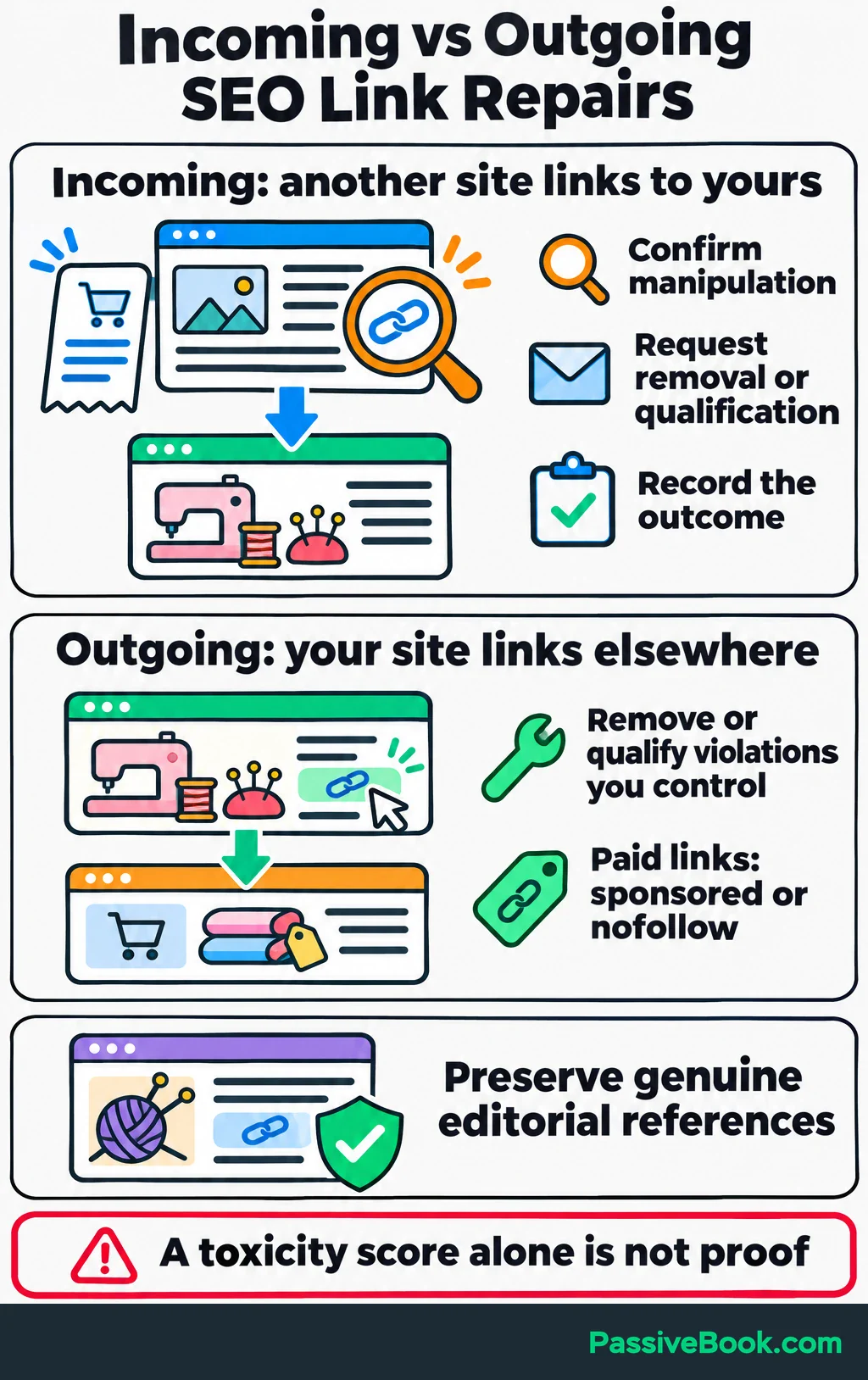
For outgoing violations, remove the placement or qualify it appropriately. Paid advertising and sponsorship links can use rel="sponsored" or rel="nofollow", as explained in Google’s link-spam policy.
Disavowal asks Google to disregard specified incoming links. Google says most sites do not need it, and its disavow guidance requires both conditions:
- A considerable number of spammy, artificial or low-quality backlinks point to the site.
- Those links caused, or are likely to cause, a manual action.
If your site qualifies, make removal attempts first. Put unresolved links in a UTF-8 .txt file with one linking-page URL or domain:example.com entry per line.
Upload the file through Google’s disavow tool using a URL-prefix property—a Search Console entry for an address such as https://example.com/. You must be an owner of that property; Domain properties are unsupported. Preserve necessary existing entries because a new upload replaces the previous list.
Do not upload a vendor’s entire flagged list because the traffic graph looks frightening.
Correct Other Confirmed Violations
Follow the remedy for the specific issue in your notice.
For cloaking—deliberately showing misleadingly different content to search engines and visitors—remove the responsible behavior. For deceptive redirects or hidden keyword spam, remove the code and check other pages sharing it.
A template-level problem needs a template-level repair.
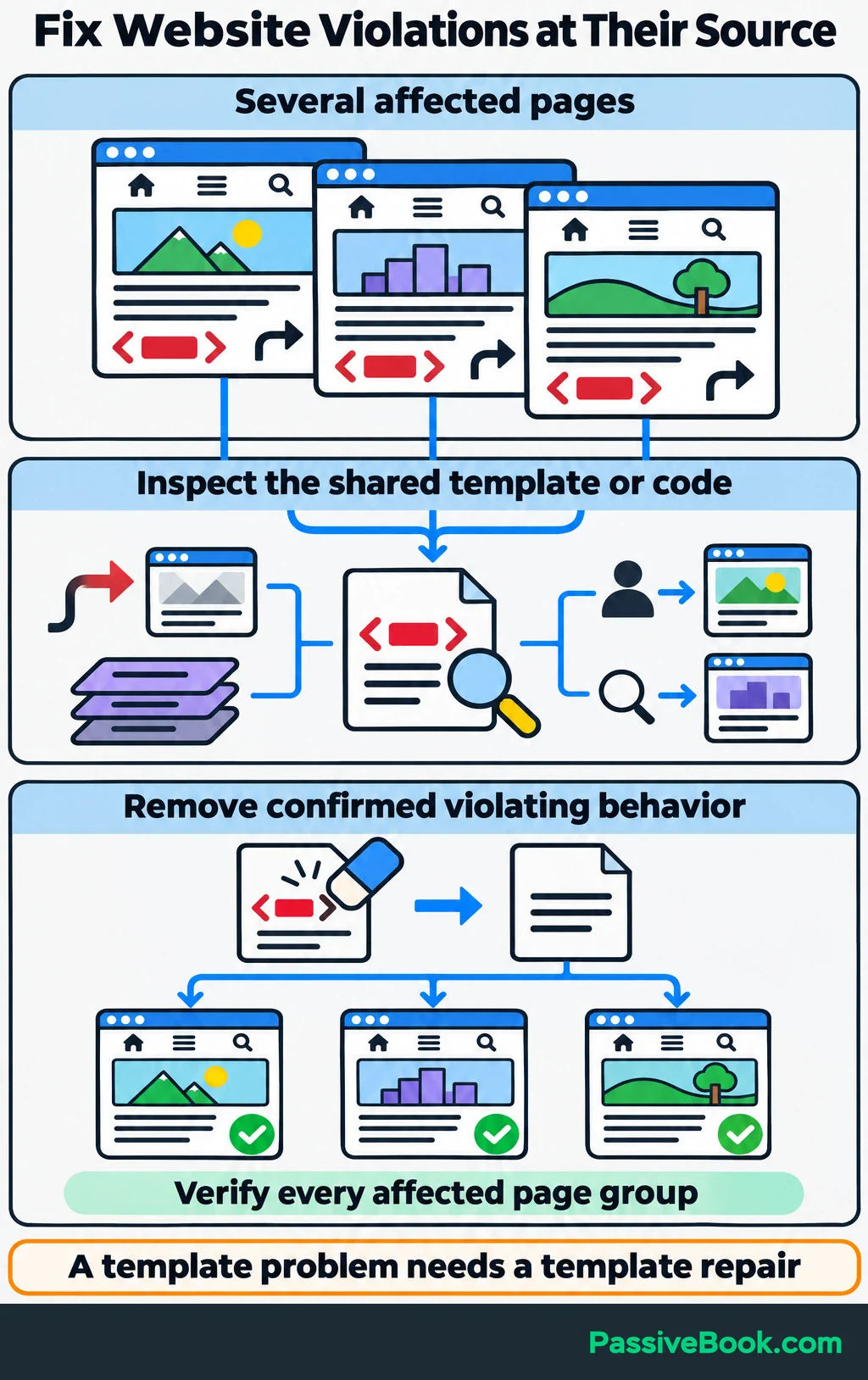
If the site was compromised, removing injected pages is only part of the job. Close the entry point, check the affected scope and test the repair before requesting review through the Security Issues report. Google’s security cleanup guidance treats this separately from manual-action review.
For example, deleting hacked pages from the sewing site will not help for long if the vulnerable plugin that allowed them remains active.
Bring in technical help when you cannot safely identify or repair the underlying vulnerability. Guessing at unfamiliar server code is an expensive way to learn.
Submit a Reconsideration Request for a Manual Action
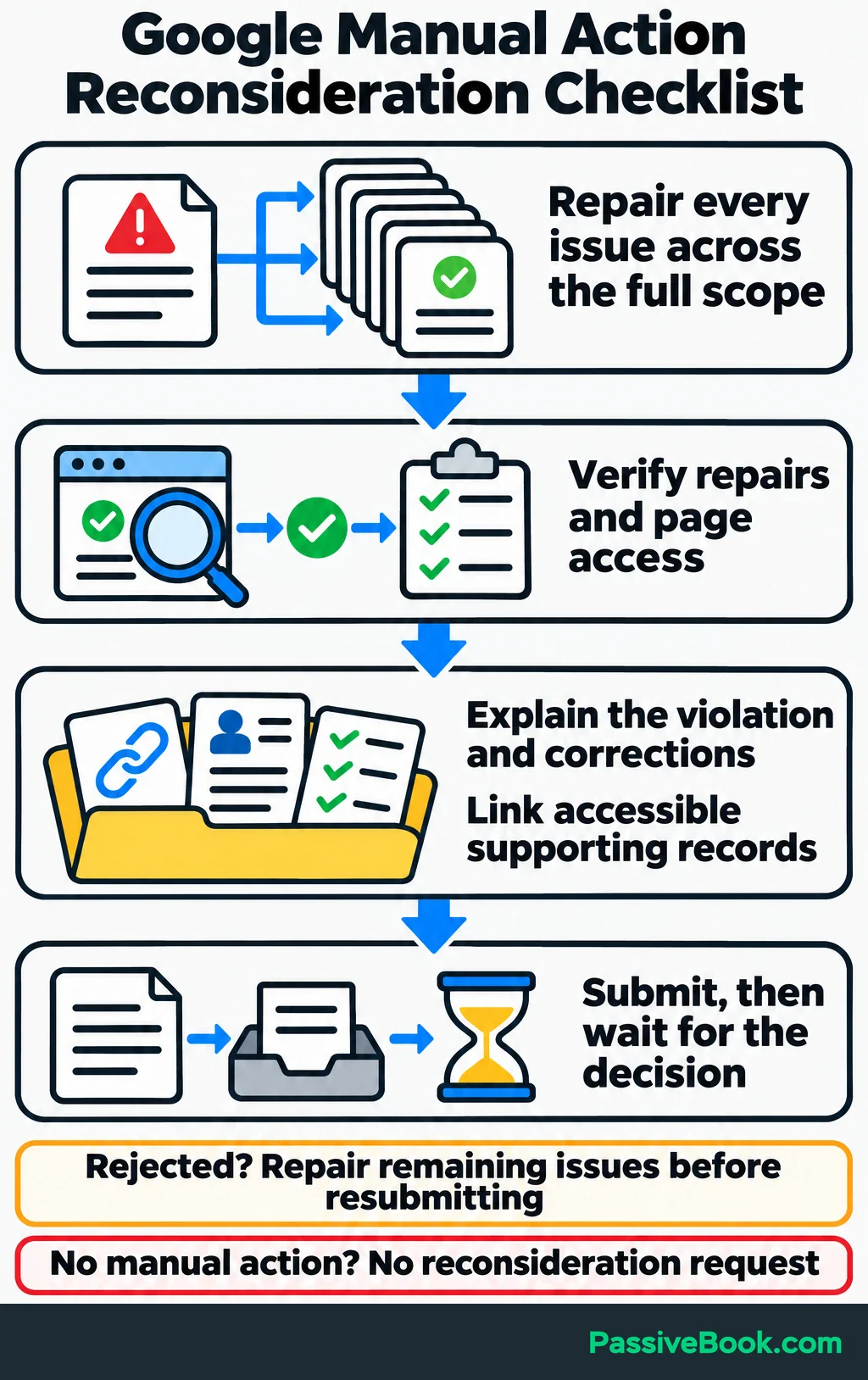
Finish repairs across every listed issue and the full affected scope, including pages beyond Google’s examples. Verify that Google can access retained pages, then request review from the Manual Actions report.
Explain the violation, completed corrections and verified results. Include representative URLs and relevant records. Google’s reconsideration instructions call for a documented account of the repair.
For a confirmed unnatural-incoming-links action on the sewing site, adapt this request after completing the work:
The notice identified unnatural links to [site URL].
We reviewed our link-acquisition records and identified purchased placements pointing to our sewing tutorials and tote-bag pattern pages. We stopped this activity and requested removal or appropriate qualification of the placements listed in [record URL].
We verified the changes recorded as completed. For unresolved links meeting Google’s disavow criteria, we submitted the list on [date].
Representative linking URLs, contact attempts and verified outcomes are documented in [record URL]. Please review the site following these corrections.
Replace the brackets and remove statements that do not describe your work. Keep supporting records accessible to the reviewer.
Wait for the decision before resubmitting. If rejected, investigate remaining violations and provide updated evidence after further repairs.
Without a manual action, this reconsideration process does not apply. Continue the relevant improvements and monitoring.
Track Recovery Against Your Baseline
Return to the affected pages and searches using consistent filters. Keep the original comparison periods and exports so you can judge progress against the same starting point.
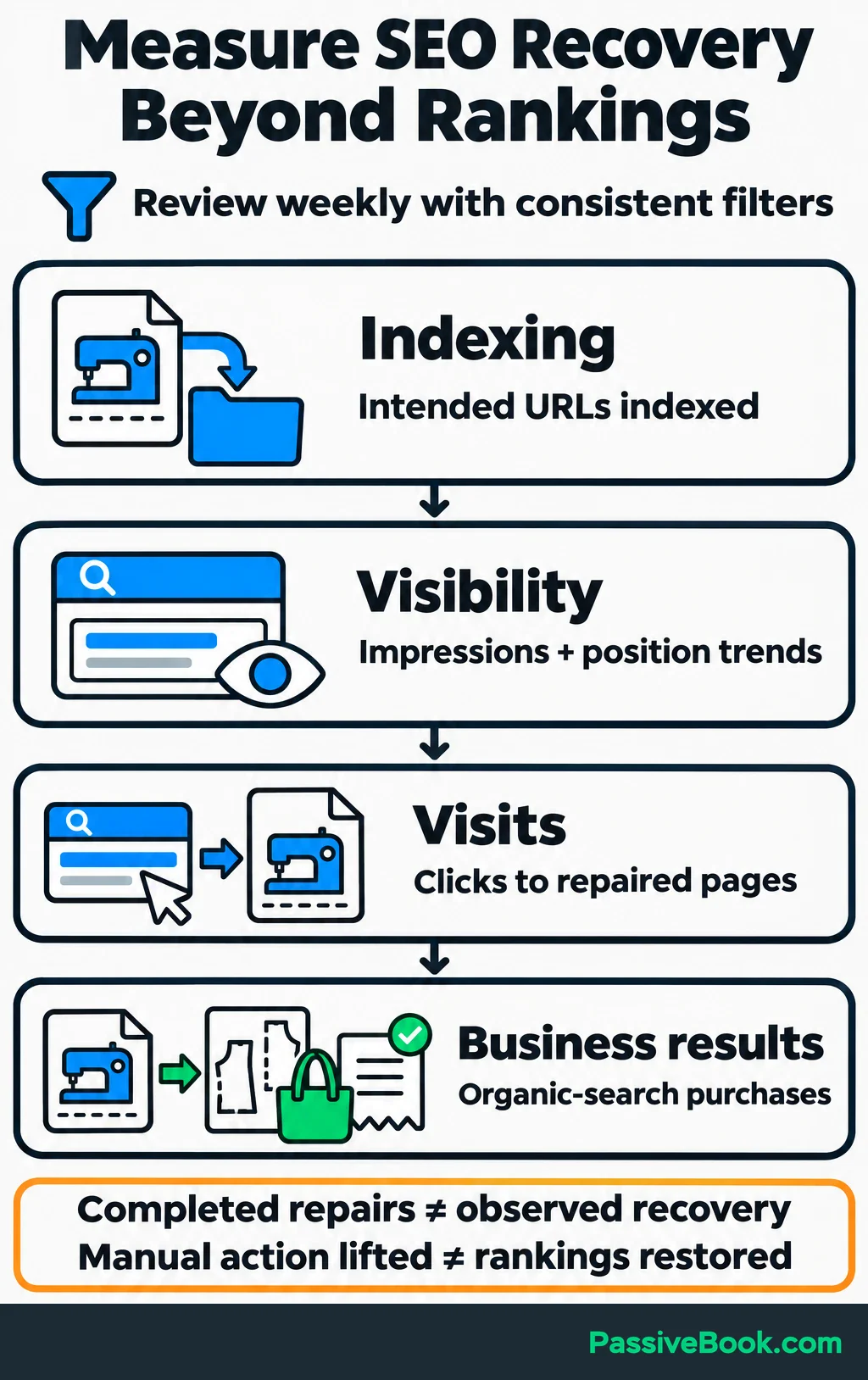
I would review weekly and record:
| Measure | What to Check on the Sewing Site |
|---|---|
| Indexing | Whether retained tutorials are indexed under their intended URLs |
| Search visibility | Impressions and position trends for affected searches |
| Visits | Clicks reaching repaired tutorials |
| Business results | Tote-bag pattern purchases attributed to organic search |
Keep repair dates and review decisions beside those results. Separate completed repairs from observed recovery: publishing better instructions is an action; improved search performance is a result.
Manual-action revocation and restored rankings are separate milestones. Previous positions are not guaranteed. Google has also explained that neutralized unnatural links lose their ranking credit, so cleanup does not restore the advantage those links once supplied.
For the sewing site, returning visibility on useful tutorials and renewed pattern purchases would be more meaningful than an unrelated page briefly gaining impressions.
How Long Does Google Penalty Recovery Take?
Separate your repair time from Google’s review or reassessment time.
Manual-action reviews can take several days or weeks, and link-related reviews may take longer. That clock starts after you submit completed work, not when you first notice the decline.
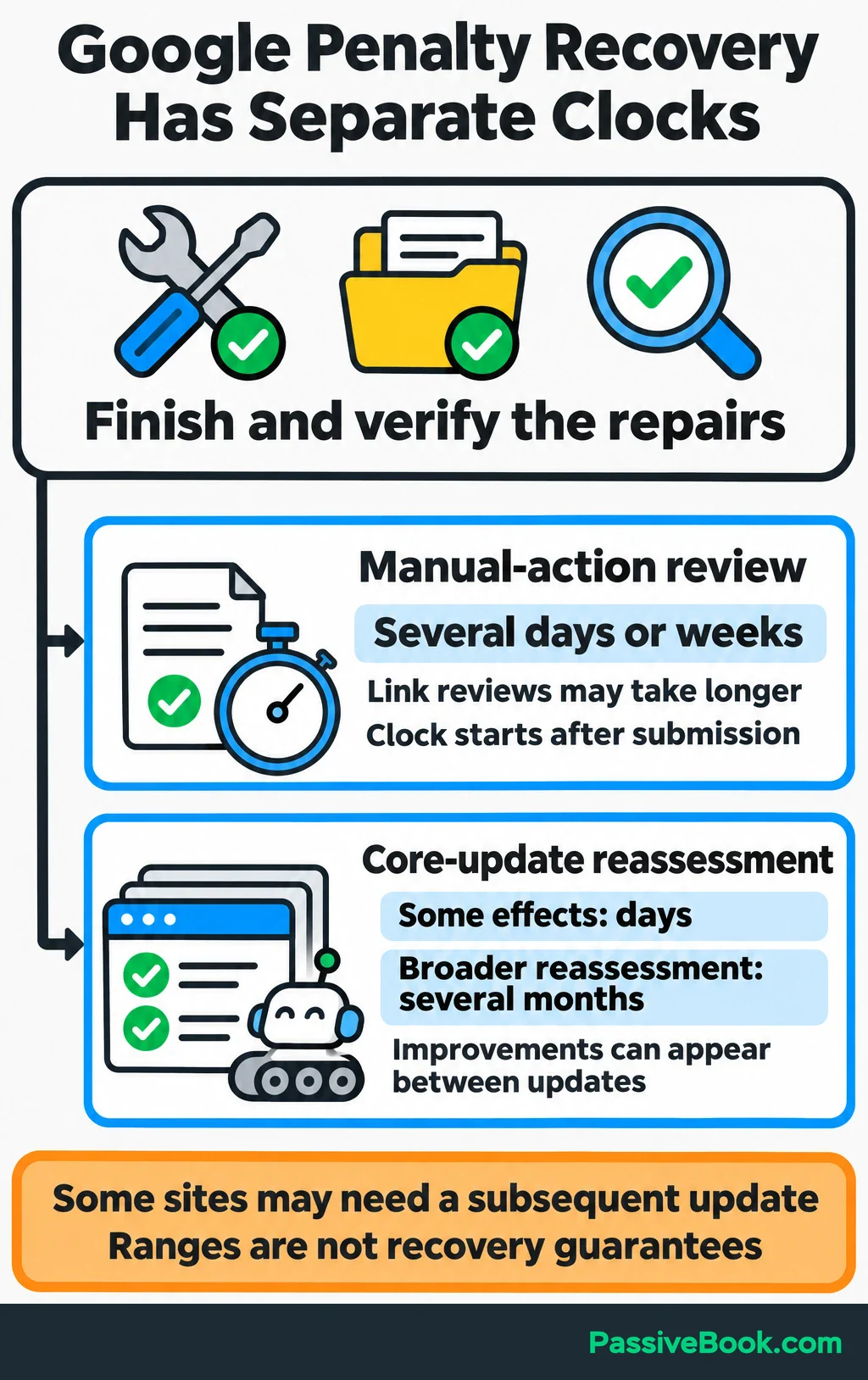
For declines associated with core updates, Google says some improvements can affect results within days, while reassessing the site’s content overall can take several months. Improvements can show between major core updates, though some sites may need a subsequent update. These ranges come from Google’s review timing and core-update guidance.
Use that waiting time to verify the work:
- Confirm repaired pages are accessible.
- Check that fixes cover the full affected scope.
- Investigate unresolved indexing problems.
- Review whether the original diagnosis still fits.
If nothing changes, return to the evidence before launching another broad rewrite. Repeatedly changing content, URLs and links makes the results harder to interpret.
When Should You Hire a Recovery Specialist?
Handle clearly identified, manageable repairs yourself. Correcting a missing tutorial step or reversing a known accidental setting may be within your reach.
Seek focused help when the diagnosis remains unclear, link schemes are extensive, technical failures are complex or reconsideration requests keep getting rejected.
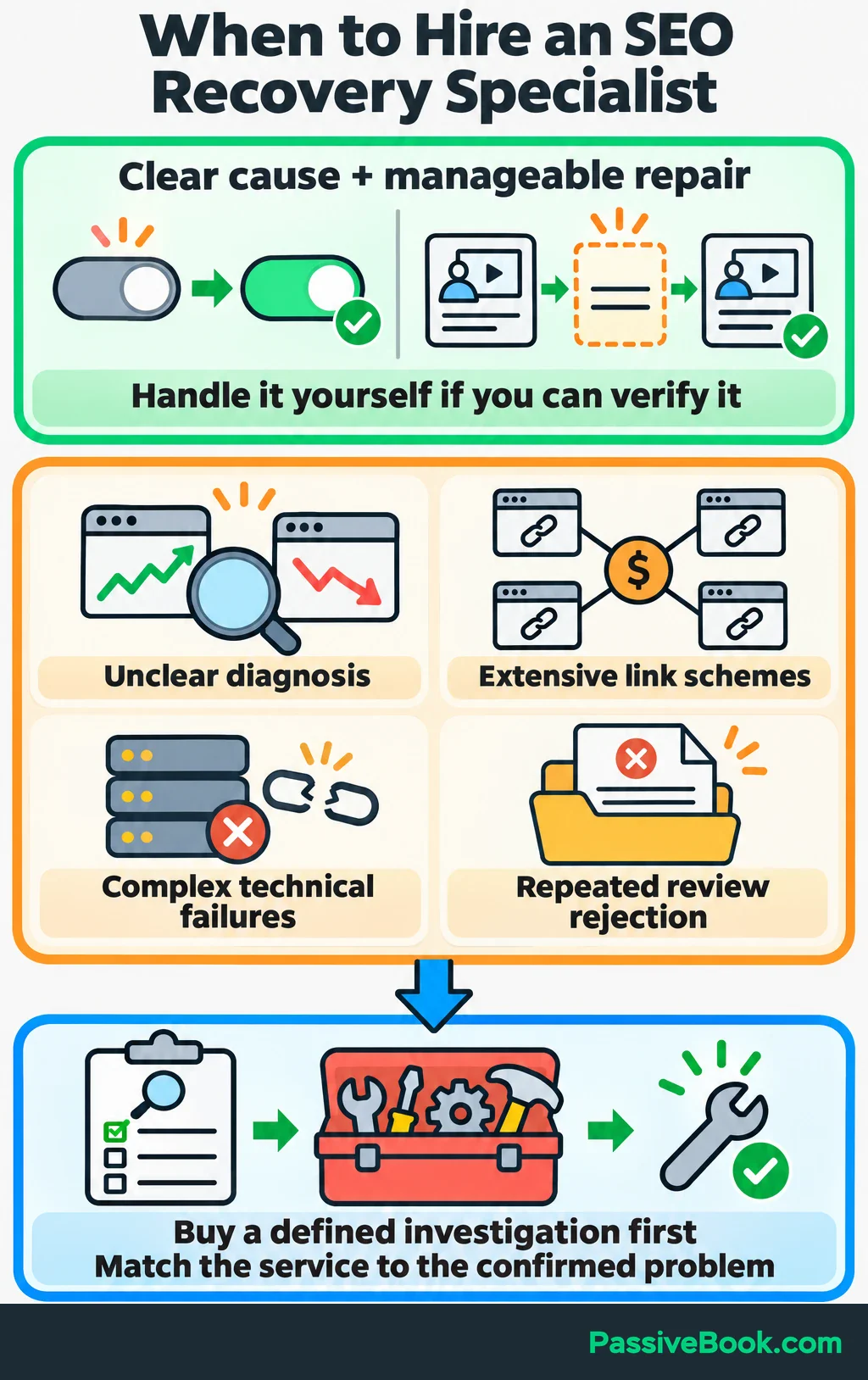
I would buy a defined investigation before committing to an open-ended recovery package. Ask for:
- A diagnosis supported by affected URLs and evidence.
- Prioritized fixes with clear deliverables.
- Relevant past work and references.
- A written cost estimate.
- An explanation of how completed repairs will be verified.
During evaluation, provide read-only Search Console access. Google’s advice on hiring an SEO supports this approach and warns against guaranteed rankings or claims of special influence over Google.
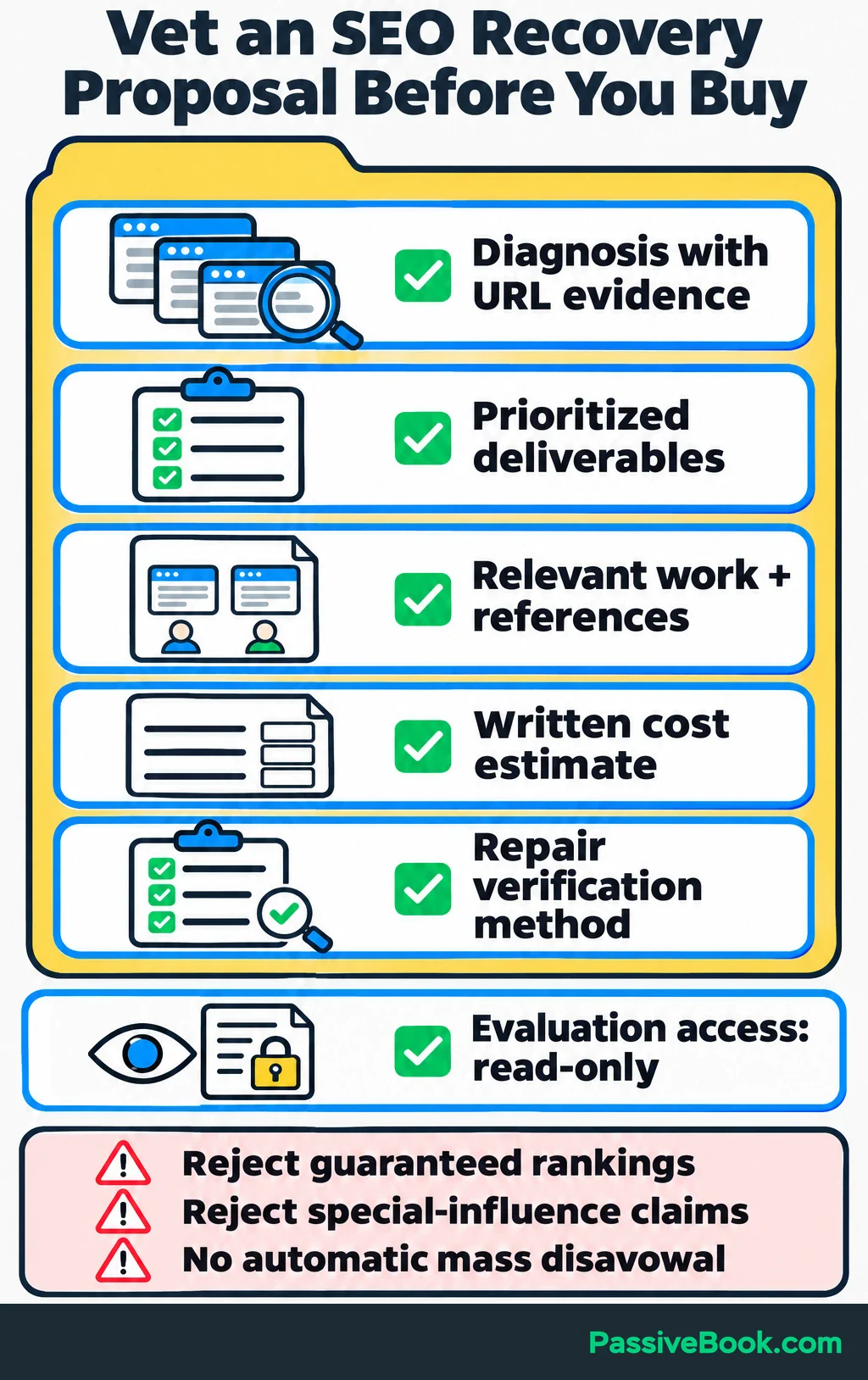
Also reject automatic mass-disavowal proposals without a documented diagnosis. A frightening report is not a repair plan.
For the sewing site, a focused review of a broken tutorial template may be enough. You do not need to buy every service on an agency’s menu.
Prevent the Same Problem From Returning
Turn the confirmed cause into a routine check.
If a release introduced indexing problems, verify important pages after future releases. If purchased links caused trouble, stop that acquisition method and require suppliers to document placements. If the site was hacked, maintain security updates and address the weakness that allowed access.
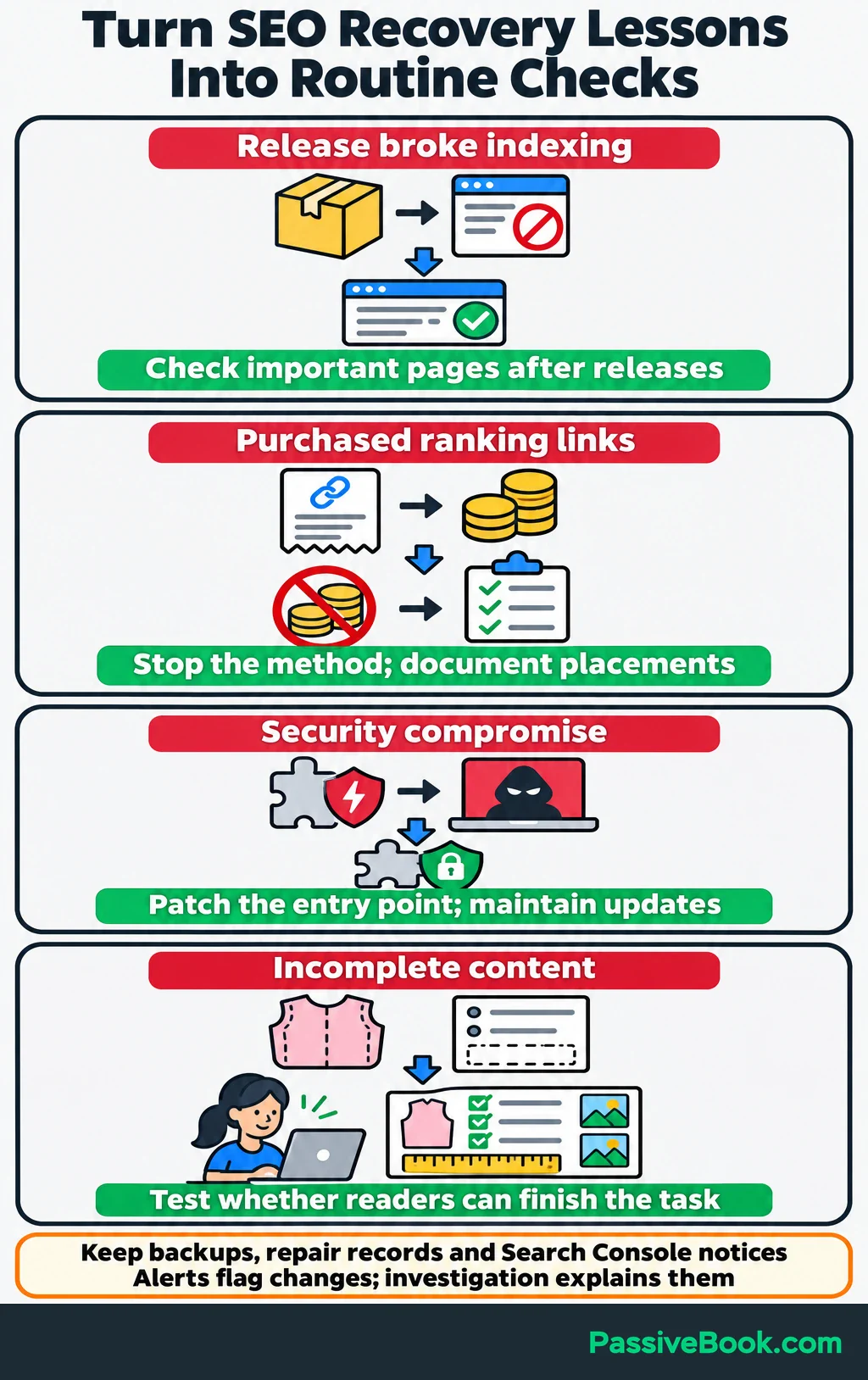
For the sewing site, a useful publishing check would ask whether a beginner can complete the project with the supplied measurements, photos and instructions. That directly addresses the content weakness you repaired.
Require content and SEO suppliers to record their methods and changes. You should be able to see what was published, what was altered and which links were arranged.
Keep backups, preserve the repair worksheet and monitor Search Console notices. I would automate reminders and reporting where useful, then review meaningful losses on valuable pages myself. An alert can flag a decline; it cannot tell you why it happened.
What Next?
Open Search Console and record the Manual Actions and Security Issues findings, then choose one valuable page that lost traffic to investigate. Give that page a documented diagnosis before changing it.
Use the social buttons to share this guide when the conversation turns to penalty recovery—it can help keep a traffic scare from becoming an unnecessary cleanup bill.
Which part of your traffic loss is still unexplained? Tell me in the comments, and bring any other recovery questions too.
Share this post with your friends & followers:

