One SEO course offers a free two-hour introduction. Another asks for weeks of study and a recurring subscription. Both promise to help your website grow, but their sales pages make it hard to see what the extra money buys.
Choose badly and you can finish with a certificate while still feeling unsure about which page to improve or why. This comparison weighs 13 courses by skill level, cost, workload and opportunities to practice, so you can choose training that fits your schedule and helps you decide what to change on your site.
The Best SEO Courses at a Glance
The best SEO courses connect the work: choosing relevant searches, understanding what people want, improving pages, earning links, fixing technical problems and measuring results.
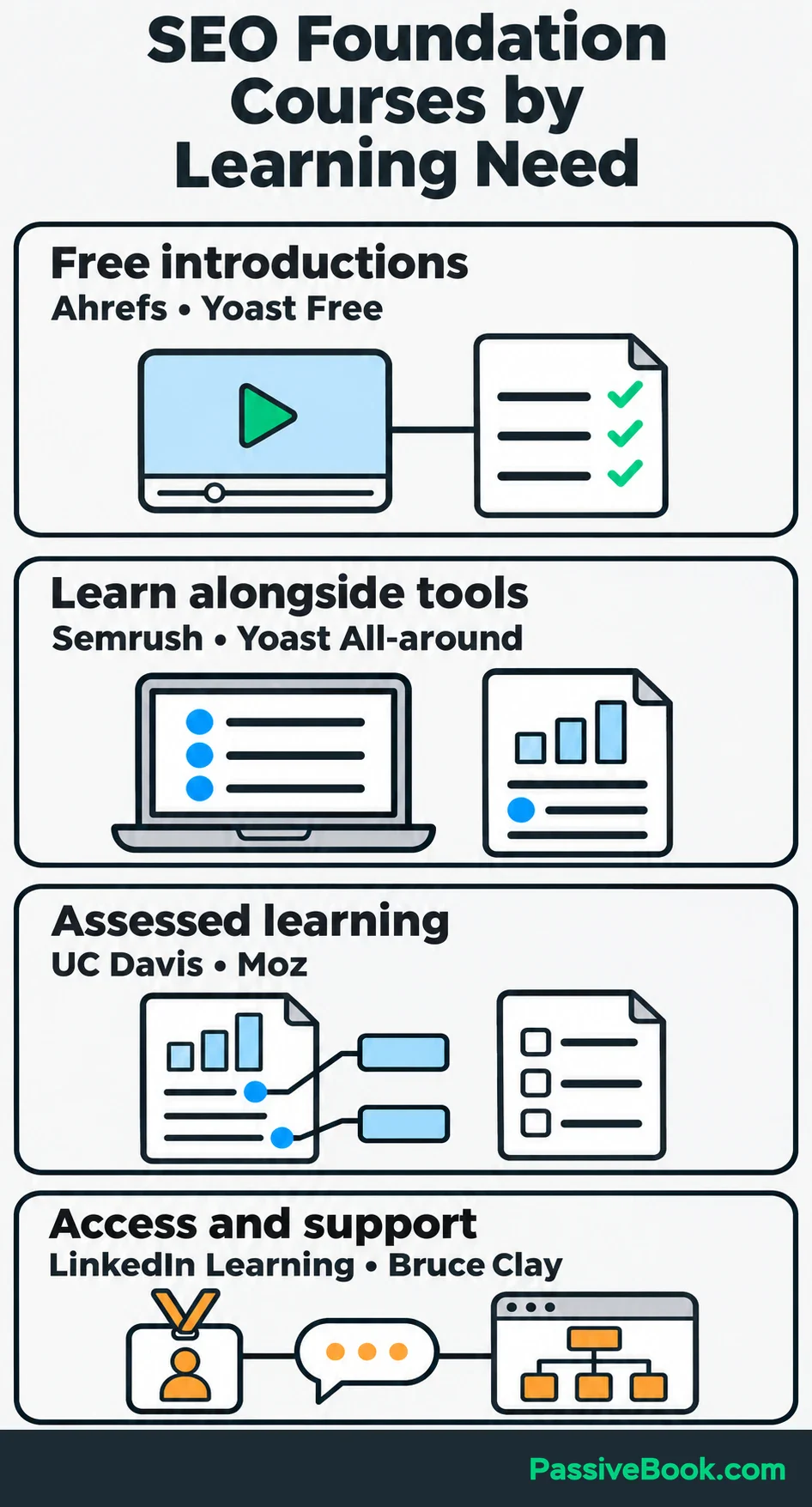
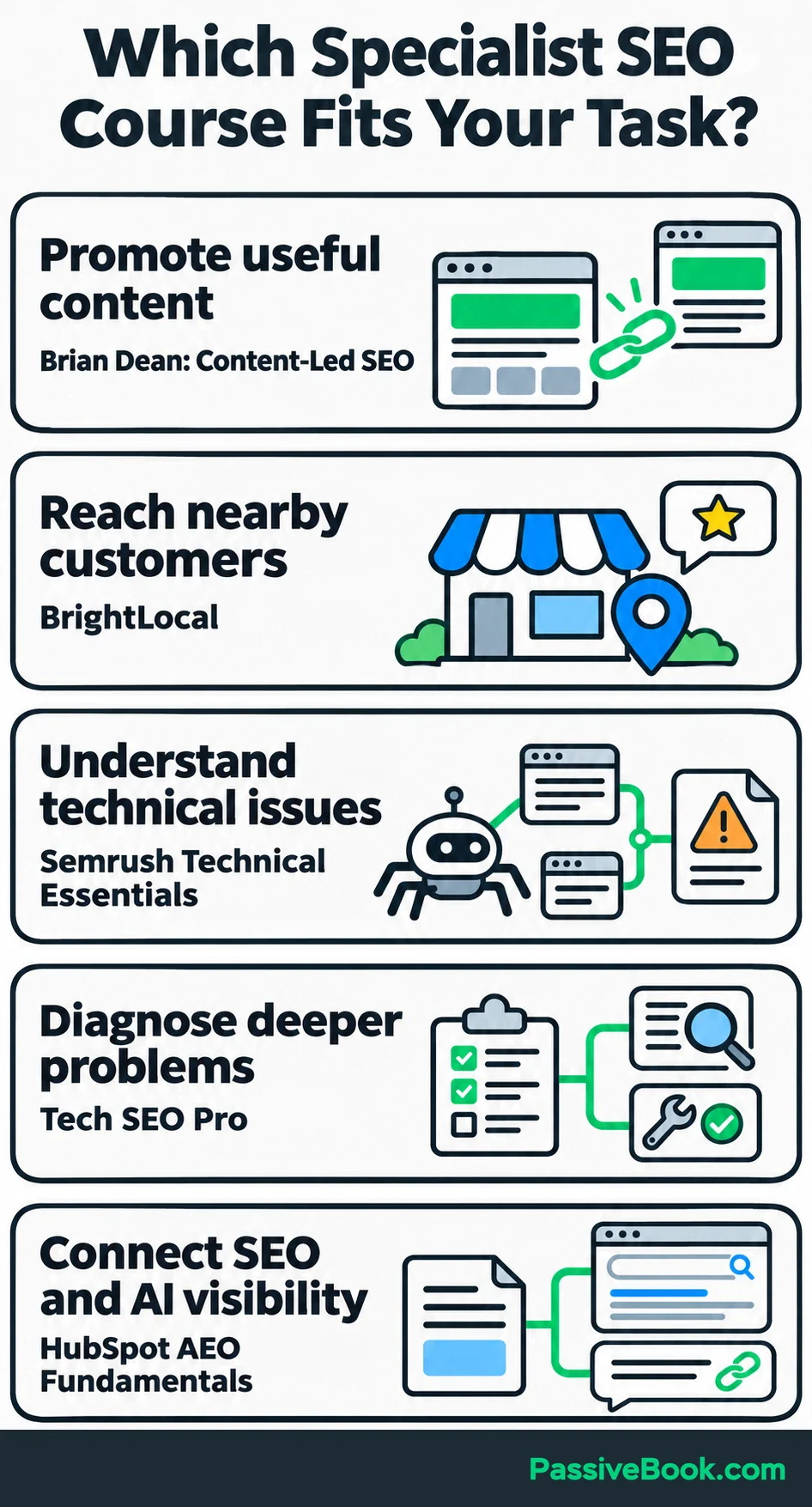
Courses 1–8 provide a broad foundation. Courses 9–13 develop a particular skill, so their numbers aren’t a learning sequence or a universal ranking.
I’ve judged their fit using published lessons, assessments and enrollment terms. A “best for” label means I would choose that course for the stated need.
| Course | Best Fit | Prerequisite Knowledge | Curriculum Focus | Price and Billing Model | Format and Advertised Workload | Certificate or Assessment | Main Trade-off |
|---|---|---|---|---|---|---|---|
| 1. Ahrefs SEO Course for Beginners | A practical first course | None | Keywords, search intent, page optimization, links and technical basics | Free; no registration required | Self-paced; 14 lessons, 2 hours | No certificate for this beginner course | Limited structured practice; Ahrefs demonstrations |
| 2. Yoast Free SEO Course for Beginners | Beginners wanting a free completion credential | None | Search engines, keywords, writing, site structure and crawlability | Free; account needed to save progress and earn the certificate | Self-paced; 20 clips, about 2 hours of video, plus reading and quizzes | Completion certificate and badge | Introductory coverage |
| 3. SEO Essentials With Semrush | Learning SEO while using Semrush | None | Keywords, competitors, content, technical issues, backlinks and AI visibility | Free training; software access is separate | Self-paced; 20 lessons, about 1 hour 42 minutes from listed estimates | Certification offered | Following demonstrations may require software features outside free access |
| 4. UC Davis Search Engine Optimization Specialization | Learners wanting structured projects | Beginner level | Search fundamentals, optimization, content strategy and a capstone | Paid enrollment; included in Coursera Plus, whose standard US price is US$59/month or US$399/year | Five self-paced courses; estimated 2 months at 10 hours weekly | Assessed coursework, capstone and shareable certificate | A substantial weekly commitment |
| 5. Moz SEO Essentials Certification | Learners wanting assessed fundamentals | Beginner level | Strategy, keyword research, page optimization, links and reporting | US$595 reported by CXL; confirm the purchase total with Moz | On-demand; over 5 hours of video, approximately 7–8 hours including assessment | Five instructional courses and a final exam requiring at least 80% | A significant fee for topics also taught free elsewhere |
| 6. LinkedIn Learning SEO Foundations | People with existing Learning access | None | Keywords, content, links, measurement, ecommerce and local basics | Subscription or organizational access; check existing access before buying | Self-paced; 1 hour 41 minutes | Completion certificate | This edition was released in May 2022 |
| 7. Yoast All-around SEO Training | Existing paid Yoast customers | None | Keywords, writing, structure, technical SEO, off-page SEO and conversion considerations | Included in paid plans; the Premium software bundle is advertised at US$118.80/year, excluding VAT | Self-paced; 39 videos, over 3 hours, plus quizzes and reference materials | Completion certificate and badge | Buying software solely for introductory education is difficult to justify |
| 8. Bruce Clay Online SEO Training | Learners who will use ongoing expert Q&A | Beginners accepted; existing site experience helps | Broad SEO, content, architecture, technical work, local search and AI visibility | Membership: US$99/month, US$275/quarter or US$990/year; includes SEOToolSet | Self-paced training plus live Q&A; no single total workload stated on the membership page | Separate certification process; confirm exam cost | Recurring fees reward active participation |
| 9. Content-Led SEO With Brian Dean | Content planning and promotion | Basic keyword and page optimization knowledge helps | Publisher research, useful resources, outreach and promotion | Free | Self-paced; catalog lists 28 lessons and about 5 hours | Certification offered | Doesn’t provide a complete technical foundation |
| 10. BrightLocal A Beginner’s Guide to Local SEO | Businesses serving a location | No local SEO experience needed | Business Profiles, local signals, reviews, citations and links | Free | Self-paced; 8 modules, 12 videos, about 1.5 hours, plus workbook and assessment | Quizzes, final exam and certificate | Limited relevance to an online-only business |
| 11. Technical SEO and AI Search Essentials With Semrush | A free technical introduction | No coding required; SEO basics help | Crawling, indexing, architecture, structured data, performance and AI crawler access | Free training; software access is separate | Self-paced; 21 short lessons, about 80 minutes from listed estimates | Final assessment and certification | Short coverage centered on Semrush Site Audit |
| 12. Tech SEO Pro | Deeper technical diagnosis | Working knowledge of keywords and on-page SEO | Crawling, indexing, JavaScript, audits and prioritization | US$697 once; lifetime access and future updates | Recorded; 13 modules, over 18 hours of lessons; provider estimates at least 20 hours with homework | Homework, templates and completion certificate | A specialist purchase requiring substantial practice |
| 13. HubSpot AEO Fundamentals | Connecting SEO with AI visibility | Basic SEO knowledge helps | Search strategy, trustworthy content, AI citations and measurement | Free | Self-paced; 7 lessons, 19 videos, 2 hours 20 minutes | Certification course | Limited depth for technical troubleshooting or link acquisition |
Video runtime tells you how long watching takes. Reading, assignments and applying the lessons to your website need additional time.
For paid options, use the linked pages to check current checkout prices and access terms. Keep course fees, recurring memberships and software costs separate when comparing your total commitment.
How to Choose the Right SEO Course
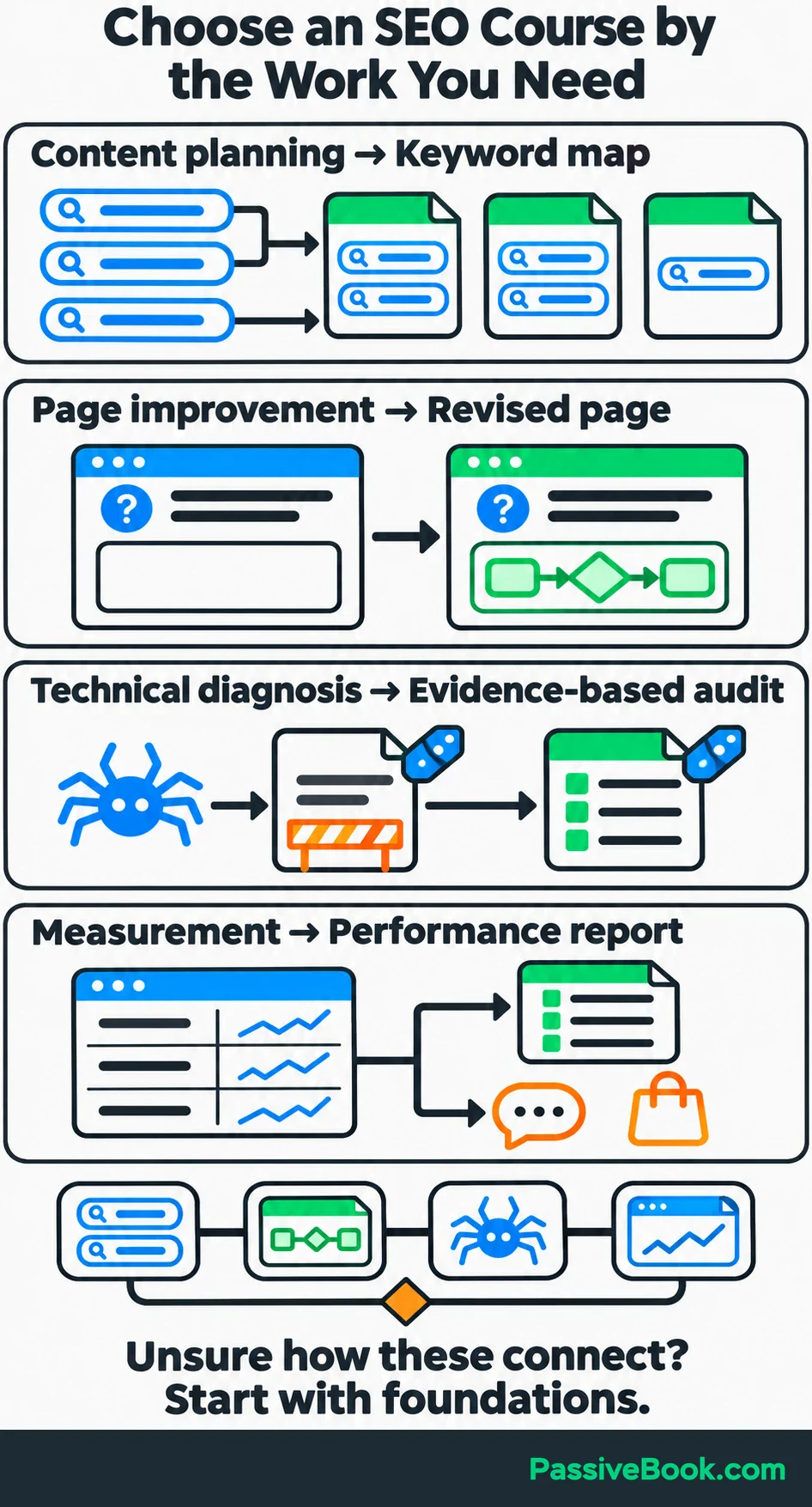
Start with a task you need to complete. “Learn SEO” is too broad to help you choose between a short introduction and a technical course.
These are more useful starting points:
- Content Planning: Decide which searches your website should serve and which page should answer each one.
- Page Improvement: Work out why an existing article misses what the searcher needs.
- Technical Diagnosis: Find out whether search engines can find important pages and include them in search results.
- Measurement: Connect search visits with useful actions, such as enquiries or purchases.
If you can’t explain how those tasks connect, choose a foundation course first. Otherwise, you risk learning a specialist fix before understanding whether your site needs it.
Preview a lesson before paying. I want an instructor to explain why they made a decision, demonstrate it and give me something to try. A tour of a dashboard teaches where the buttons live. It doesn’t necessarily teach which report deserves attention.
Check the instructor’s relevant experience and look for recent reviews of the specific course. Reviews describing assignments, explanations and feedback help more than “great course.” The latter could describe anything from technical SEO training to a particularly pleasant sandwich.
Certificates also need a closer look:
- Completion Certificate: Records that you finished the required material.
- Exam-Based Certificate: Adds a knowledge check, with requirements set by the provider.
- Assessed Project: Requires you to produce work, such as an audit or improvement report.
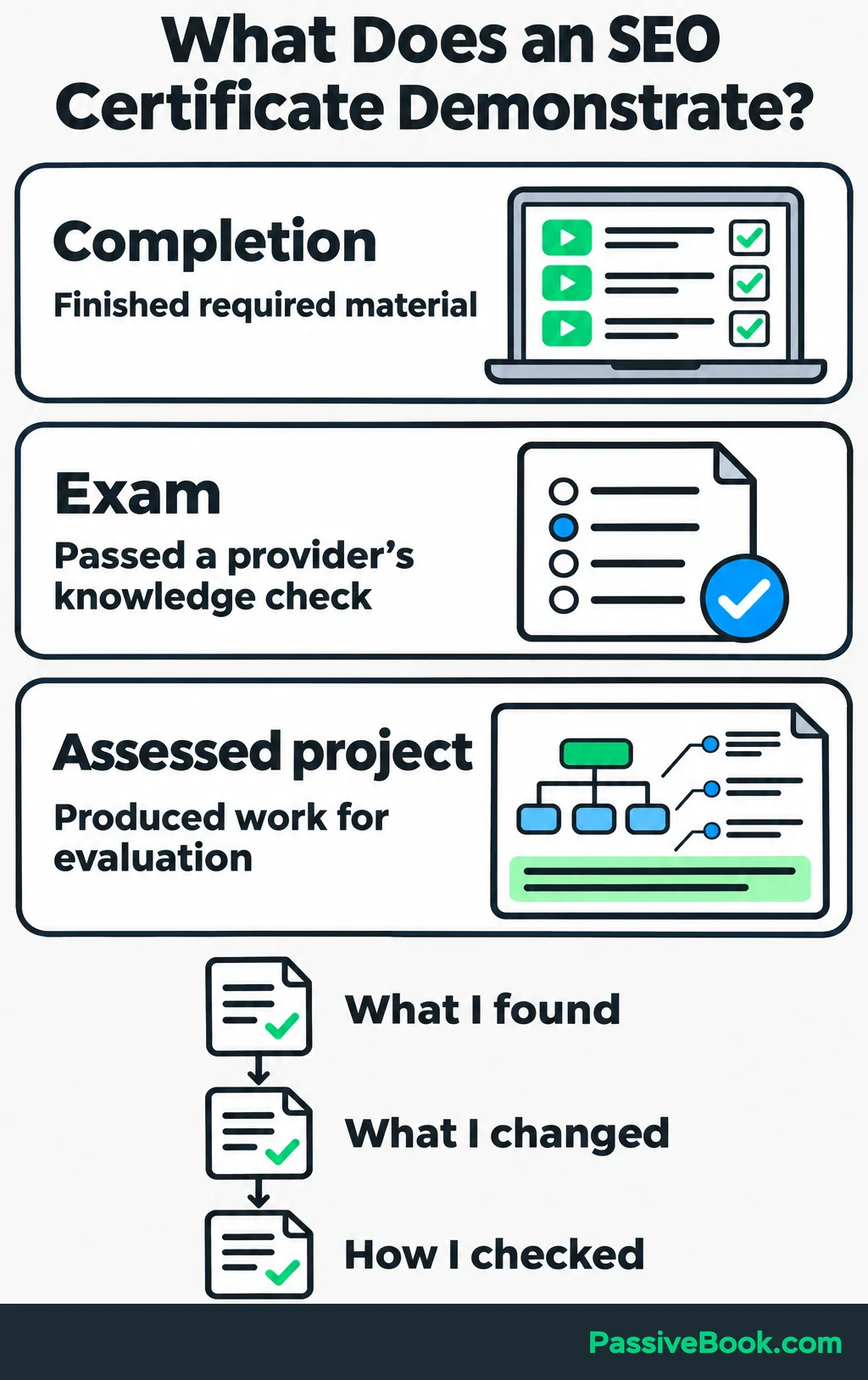
Choose the requirement that supports your goal. For a portfolio, I would pair any credential with work I could explain: what I found, what I changed and how I checked it.
Pay when the course buys something you need—depth, assessment, useful feedback or continuing support. Before subscribing, check when billing renews, how cancellation works and what happens to your access afterward.
I would also learn the fundamentals before paying extra for AI terminology. Google says established SEO practices remain relevant to AI Overviews and AI Mode, with no additional technical requirements or special optimization needed for those features. That guidance concerns Google’s search features; it isn’t a promise of visibility across every AI platform. Google’s guidance for AI features
Skip ranking guarantees. Also reject courses built around manipulative links or mass-producing pages primarily to influence rankings without helping people. Those practices fall within Google’s spam policies. Google’s search spam policies
The 13 Best SEO Courses
1. Ahrefs SEO Course for Beginners — Best First Course
I would start here if you want to understand the main SEO decisions before committing money or several weekends.
Sam Oh’s course covers keyword research, search intent, on-page SEO, links and technical fundamentals in a compact sequence. You can watch without registering, which removes a surprisingly effective excuse for postponing the first lesson.
Its strongest fit is orientation followed by immediate practice. Learn how to choose a relevant search, understand what the person wants and build a page around that need.
For illustration, imagine your website sells downloadable beginner embroidery patterns and publishes stitch tutorials. After the intent lesson, you could investigate “how to do backstitch” and decide what a useful tutorial must show. That phrase is an example to research, not a verified keyword opportunity.
The trade-off is limited structured practice. You’ll need to create your own assignments, and demonstrations use Ahrefs tools. This particular beginner course doesn’t award a certificate.
2. Yoast Free SEO Course for Beginners — Best Free Beginner Certificate
Choose Yoast if short lessons and knowledge checks make it easier for you to finish.
The course explains how search engines find and understand pages, then introduces keywords, writing, site structure and technical accessibility. Its clips are short enough to fit around a working week, with reading and quizzes to reinforce the videos.
A free account saves your progress and enables the completion certificate and badge. That makes it a sensible choice when you want both an introduction and a record of finishing it.
I would use each quiz as a prompt to inspect your own website. After the structure material, for example, check whether readers can move easily from an embroidery tutorial to related tutorials and suitable patterns.
The principles apply beyond WordPress and the Yoast plugin. There’s no reason to change your existing SEO plugin to learn them.
3. SEO Essentials With Semrush — Best for Learning SEO Alongside Semrush
This course fits when you want SEO concepts and Semrush demonstrations together.
Kyle Byers and Rita Cidre cover keyword research, competitor analysis, page optimization, technical issues, backlinks and introductory AI visibility. Strategy lessons alternate with walkthroughs, so you can connect a concept with the report used to investigate it.
That connection matters. Knowing that competitor research exists is one thing; understanding which findings should change your content plan takes practice.
I would choose this over another broad introduction if Semrush is already part of your work. Otherwise, Ahrefs offers a simpler starting point without account setup.
Free training doesn’t include unrestricted use of the software shown. Follow-along work uses a Semrush account and project, so check whether the reports you need are available before starting a paid software trial.
4. UC Davis Search Engine Optimization Specialization — Best for Structured Projects
UC Davis is my pick when you want a longer program with assessed work.
Rebekah May and Eric Enge teach the five-course Coursera specialization. It moves through search fundamentals, website optimization and content strategy, then culminates in a capstone SEO consulting task.
That project gives the learning a destination. Instead of collecting notes, you work toward findings and recommendations that belong together in a report.
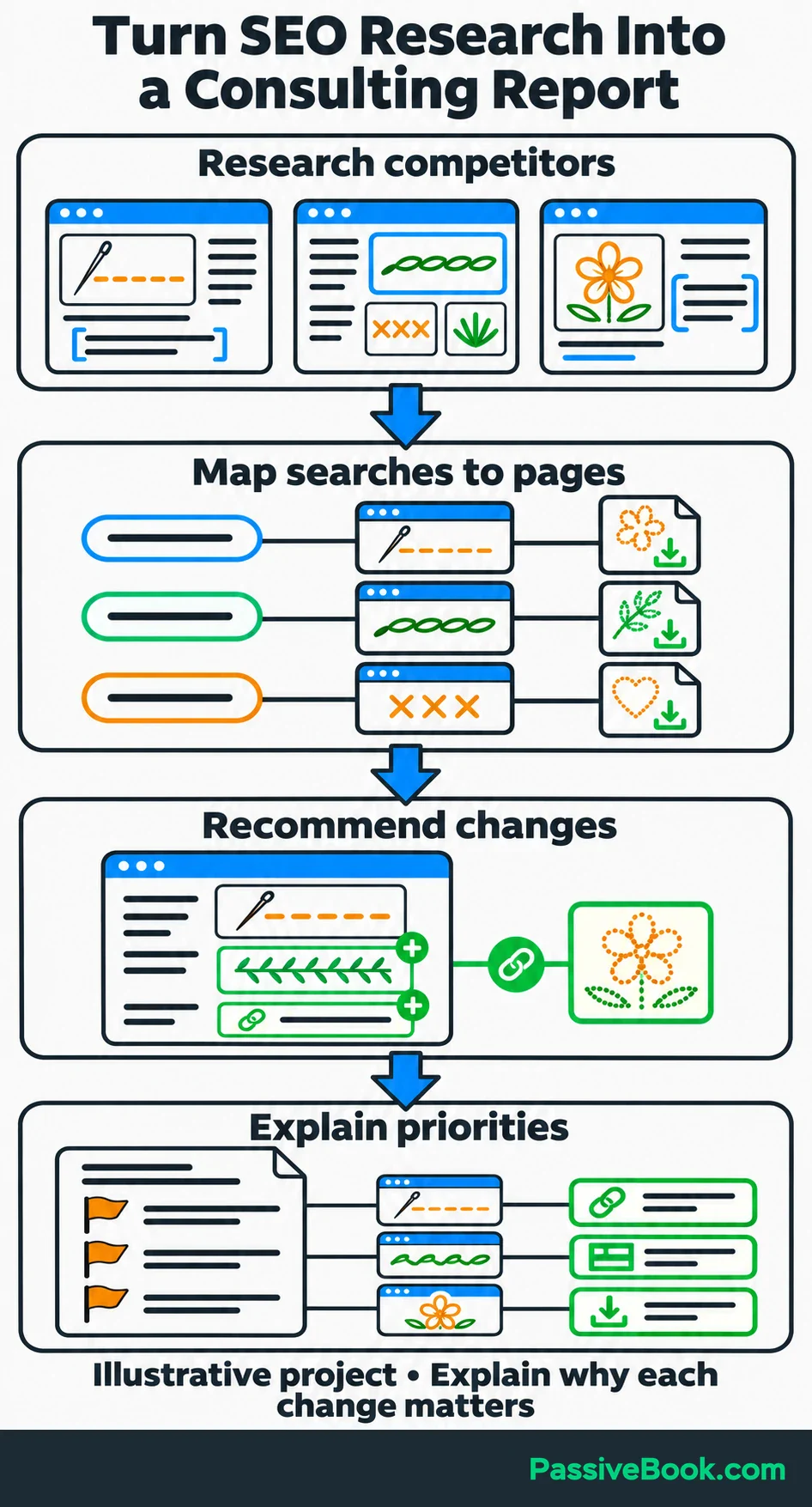
For the embroidery website, a useful project could connect competitor research, a keyword map and recommendations for tutorial and product pages. The value lies in explaining why those changes deserve attention.
The workload is the main decision. Coursera estimates ten hours a week over two months, so I would reserve study and assignment time before enrolling.
Compare the specialization’s checkout offer with Coursera Plus for your expected study period. “Enroll for free” messaging doesn’t mean free completion.
The certificate comes from the UC Davis program on Coursera. Component titles containing “Google SEO” don’t make it a Google-issued qualification, and the specialization doesn’t carry university credit.
5. Moz SEO Essentials Certification — Best for Assessed Fundamentals
Moz suits learners who want a defined assessment path alongside foundational instruction.
The material covers strategy, keywords, page optimization, links and reporting. Moz’s published requirements call for completing five instructional courses and earning at least 80% on the final exam. It estimates seven to eight hours including quizzes and assessment. Moz certification requirements
I would consider it when formal knowledge checks help you stay accountable, or when an employer is funding a structured introduction.
For a budget-conscious website owner, I would try a free foundation course first. The paid assessment has value only if you’ll use that structure. It doesn’t remove the need to practice on a website.
The table uses CXL’s reported price, which remains unconfirmed at Moz’s checkout. Check the current amount and access terms on the Moz enrollment page before purchasing.
6. LinkedIn Learning SEO Foundations — Best for Existing Subscribers
David Booth’s SEO Foundations makes sense when LinkedIn Learning access is already available through your subscription or organization.
It provides a compact overview of keywords, content, internal and external links, measurement and selected ecommerce and local applications. The completion certificate is convenient if you keep your learning record on LinkedIn.
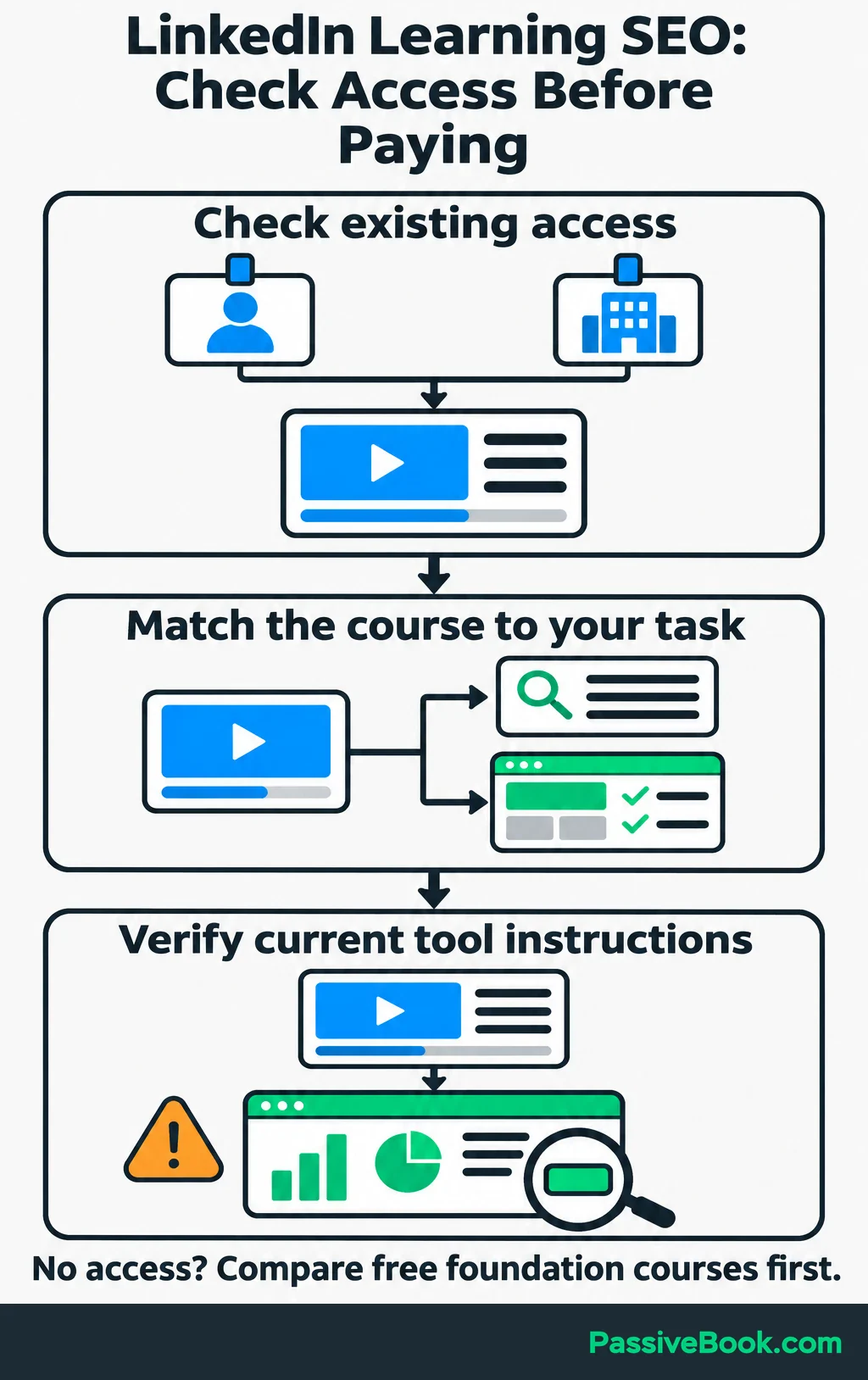
I would use it as a refresher or a quick introduction before a practical website task.
Its release date matters to the recommendation: this edition dates from May 2022. Choose it for foundational explanations rather than recent AI-search coverage, and check current tool instructions when applying older demonstrations.
Before buying access, check your existing benefits. One paid route is Premium Career, but that is a broader subscription purchase rather than a standalone course fee.
I wouldn’t buy a substantial subscription solely to watch this short course when free foundation options are available.
7. Yoast All-around SEO Training — Best for Existing Yoast Paid-plan Customers
If a paid Yoast plan already gives you Academy access, this course is worth opening before buying more training.
Its coverage joins keyword research, copywriting, site structure, crawlability, speed, images and off-page SEO. It also considers what happens after someone reaches your website, which helps keep optimization connected to the business.
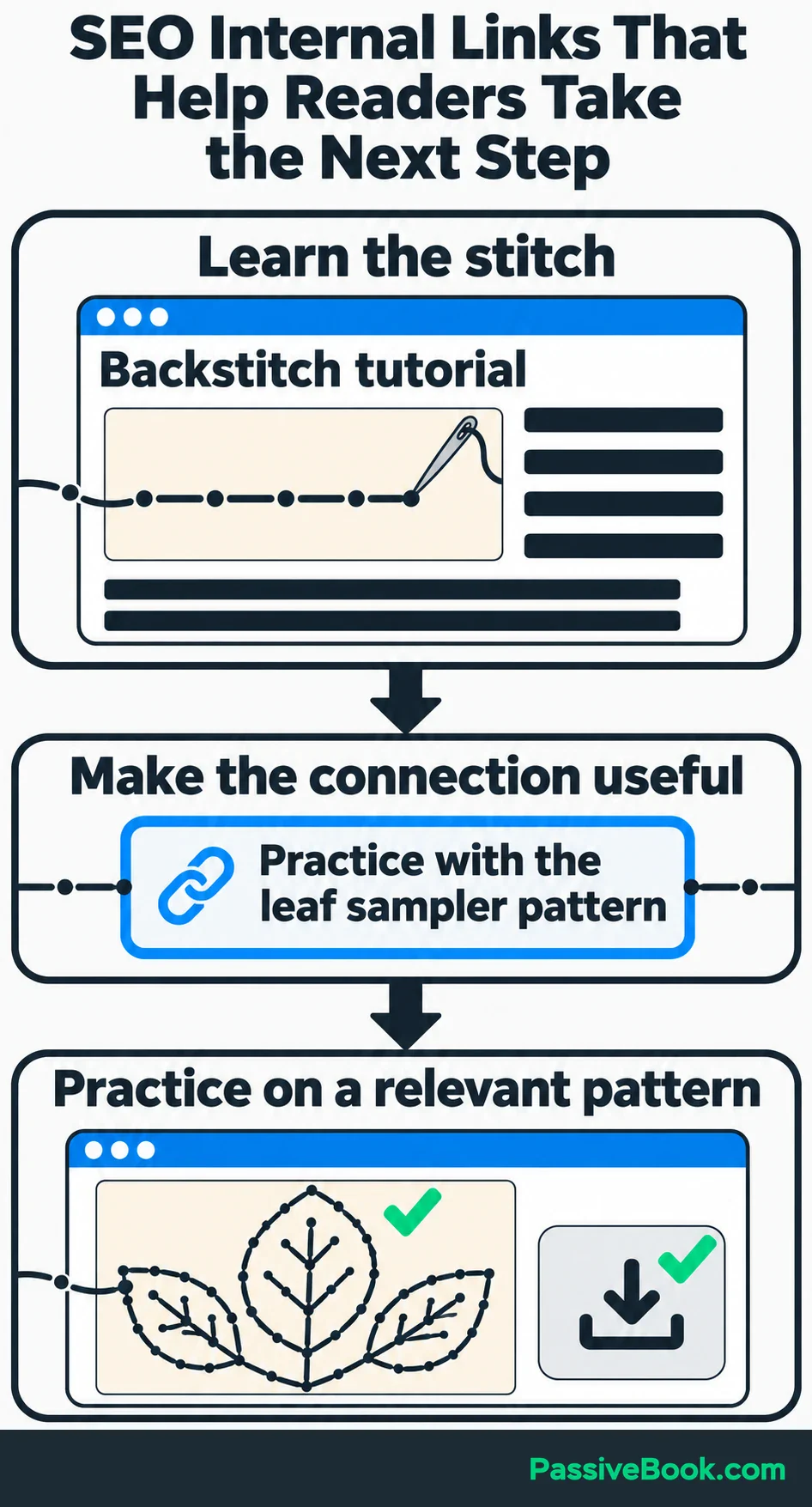
For the embroidery example, apply the structure lessons by checking the relationship between tutorials and pattern pages. A backstitch tutorial should point to a relevant pattern where that stitch is used, with a link that makes sense to the reader.
That is more useful than adding links simply to increase their number.
I would choose this course for the connected overview and included access. Buying the software bundle solely for introductory education is harder to justify against the free alternatives.
Its lessons also apply beyond WordPress. Keep the SEO setup that already serves your website and apply the underlying principles.
8. Bruce Clay Online SEO Training — Best for Ongoing Expert Q&A
The reason to consider Bruce Clay’s membership is access to continuing instruction and questions.
Alongside self-paced training, the membership includes live Q&A with Bruce Clay, reference materials, a discussion forum and SEOToolSet access. The published curriculum covers broad SEO, site architecture, technical work, content, links, local search and AI-related visibility.
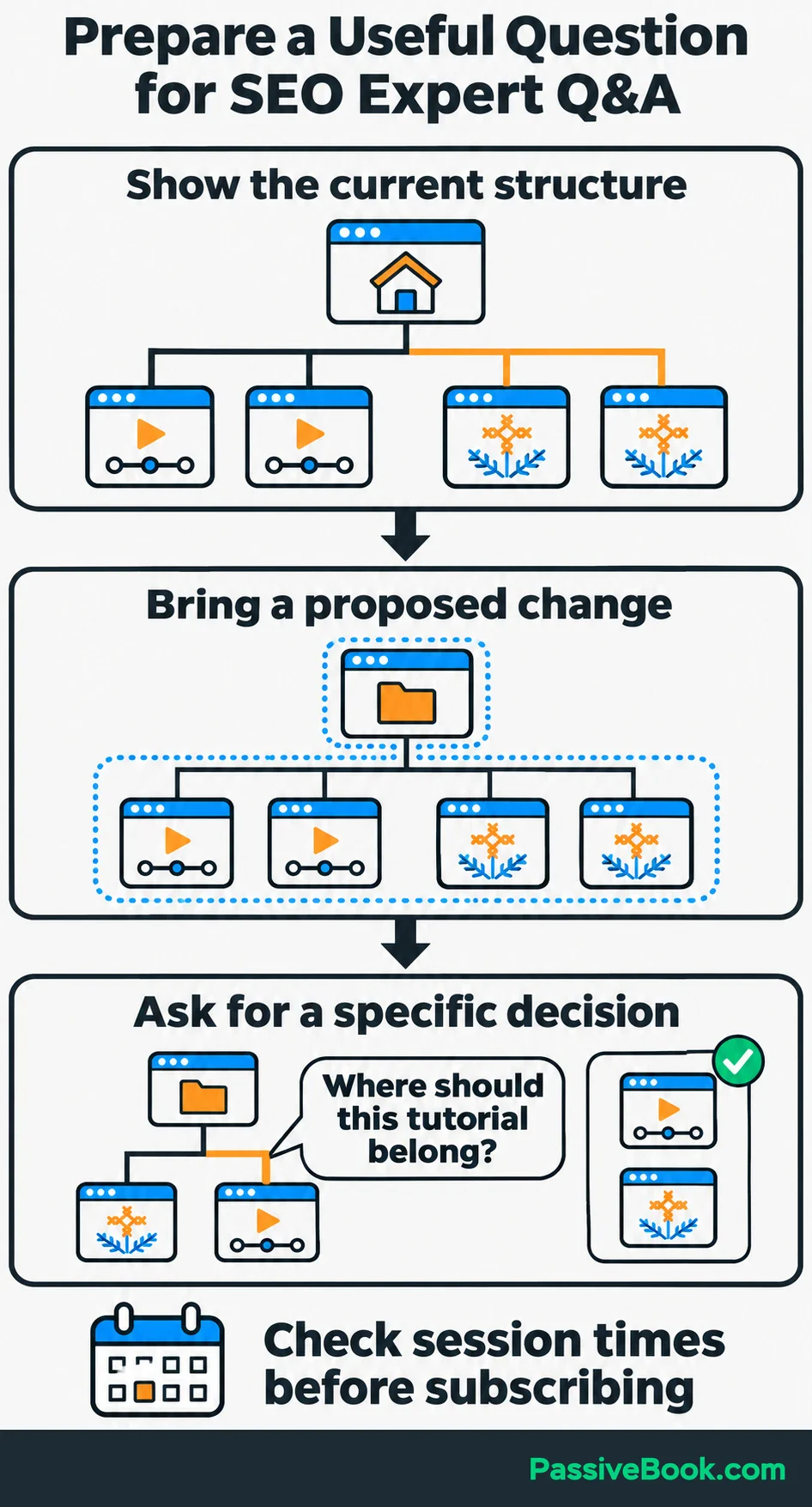
I would choose this when you already have a website and questions that keep blocking implementation.
For example, you might understand internal links but still need help deciding how to organize a growing library of embroidery tutorials and pattern categories. A focused question about your proposed structure gives a Q&A session a purpose.
Recurring fees make participation part of the decision. Before subscribing, write down the questions you want answered and check that session times suit your schedule.
Certification is a separate process. The provider describes an 80-question exam with an 80% passing score; confirm its cost rather than assuming membership includes it. Bruce Clay certification requirements
9. Content-Led SEO With Brian Dean — Best for Content Promotion
Choose this after you understand basic keyword research and page optimization, but need a better reason for other websites to reference your content.
Brian Dean’s training covers finding relevant publishers, choosing topics, creating substantial resources and promoting them through outreach. Semrush’s catalog lists 28 lessons and approximately five hours.
I like this specialization because publishing is only part of the work. You also need to think about who might find the resource useful enough to mention.
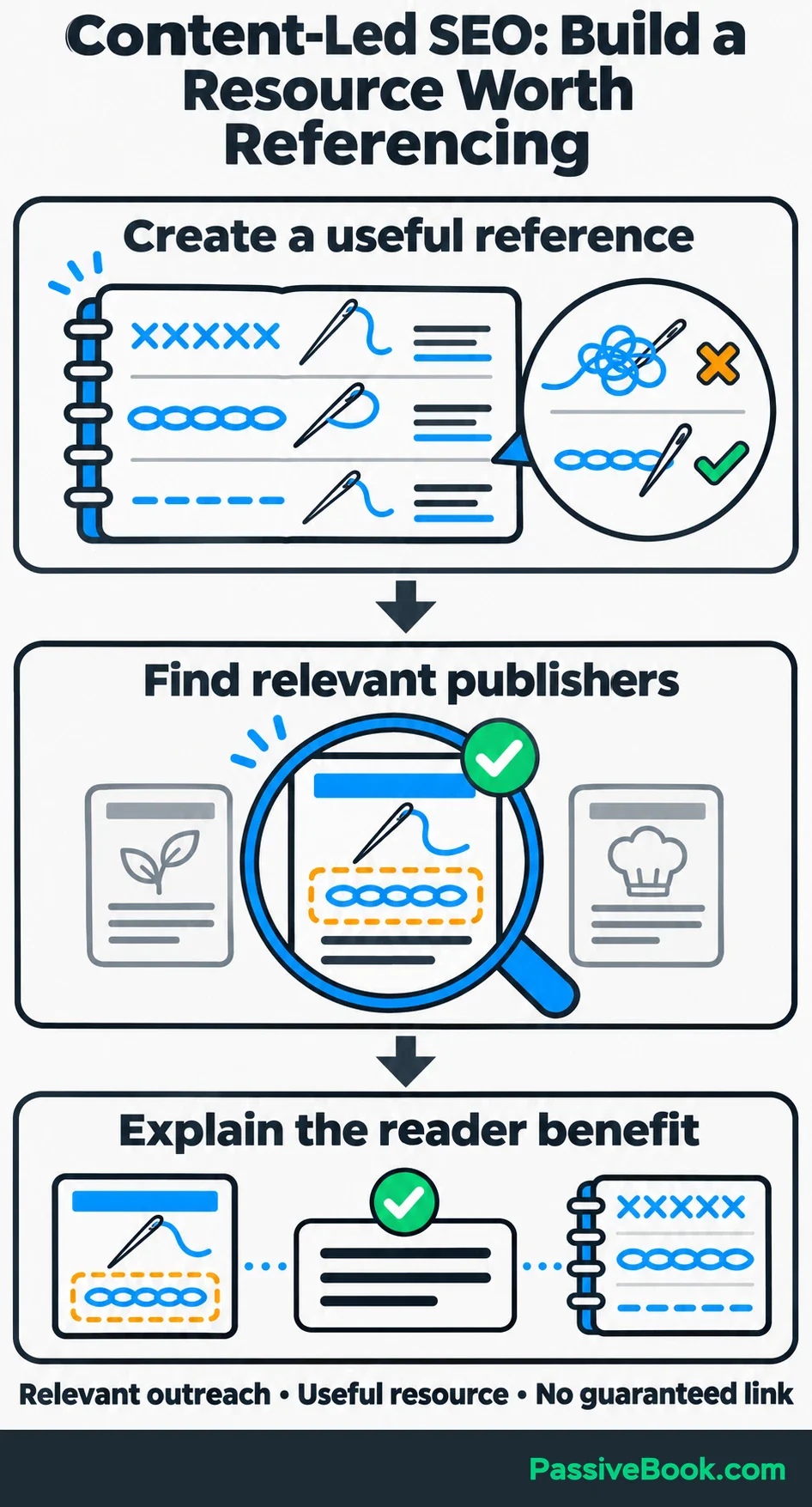
For the embroidery site, you could plan a visual stitch reference with clear photographs, common mistakes and links to detailed tutorials. Then identify relevant publishers whose readers would benefit from that reference.
I would skip broad, untargeted outreach. A small list of relevant pages gives you a better starting point for explaining why your resource belongs in the conversation.
This course develops content and promotion skills. It won’t replace technical SEO training.
10. BrightLocal A Beginner’s Guide to Local SEO — Best for Local-business Visibility
BrightLocal is the specialist choice when customers search for a business serving a particular location.
Greg Gifford covers Google Business Profiles, local search signals, reviews, citations and inbound links. Citations are mentions of a business’s details in places such as directories. The course includes a workbook, quizzes and a final exam alongside the videos.
I would choose it if local discovery is part of how customers find and buy from you.
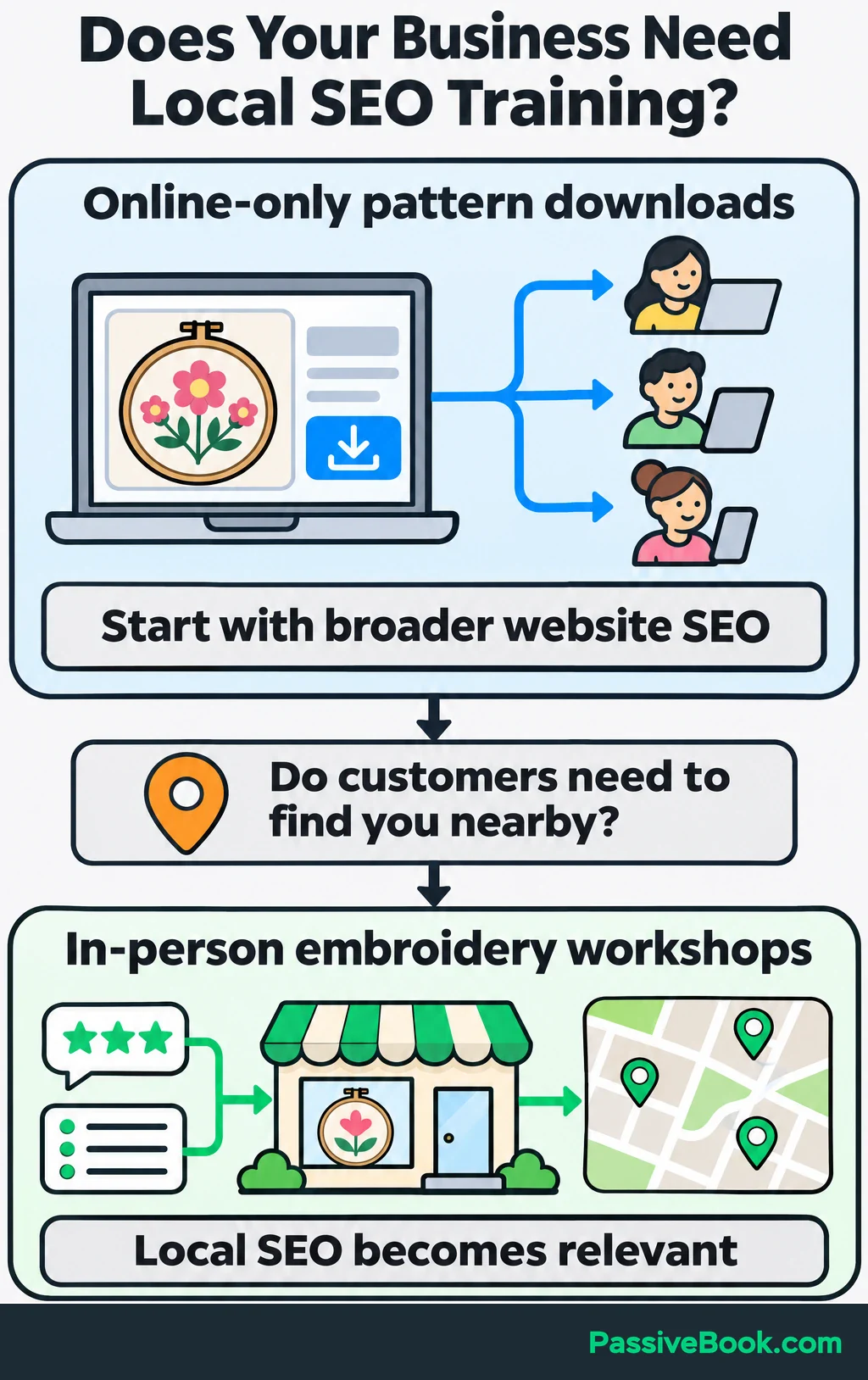
Our online-only embroidery-pattern website has little reason to make this its first course. Broader website SEO deserves attention first. Local training would become more relevant if the same business began offering in-person workshops and needed customers nearby.
That distinction can save you several hours of learning something you can’t yet use.
BrightLocal awards a downloadable certificate after passing the exam, with a required score of at least 70%. BrightLocal assessment requirements
11. Technical SEO and AI Search Essentials With Semrush — Best Free Technical Introduction
This is a useful first technical course when you need to understand website problems and discuss them with a developer.
Rita Cidre and Rosa Amato explain how search engines find and store pages, how to organize a site and how to spot speed and security problems. They also cover structured data—code that describes page content to search engines—and instructions controlling access for search and AI crawlers. Programming experience isn’t required.
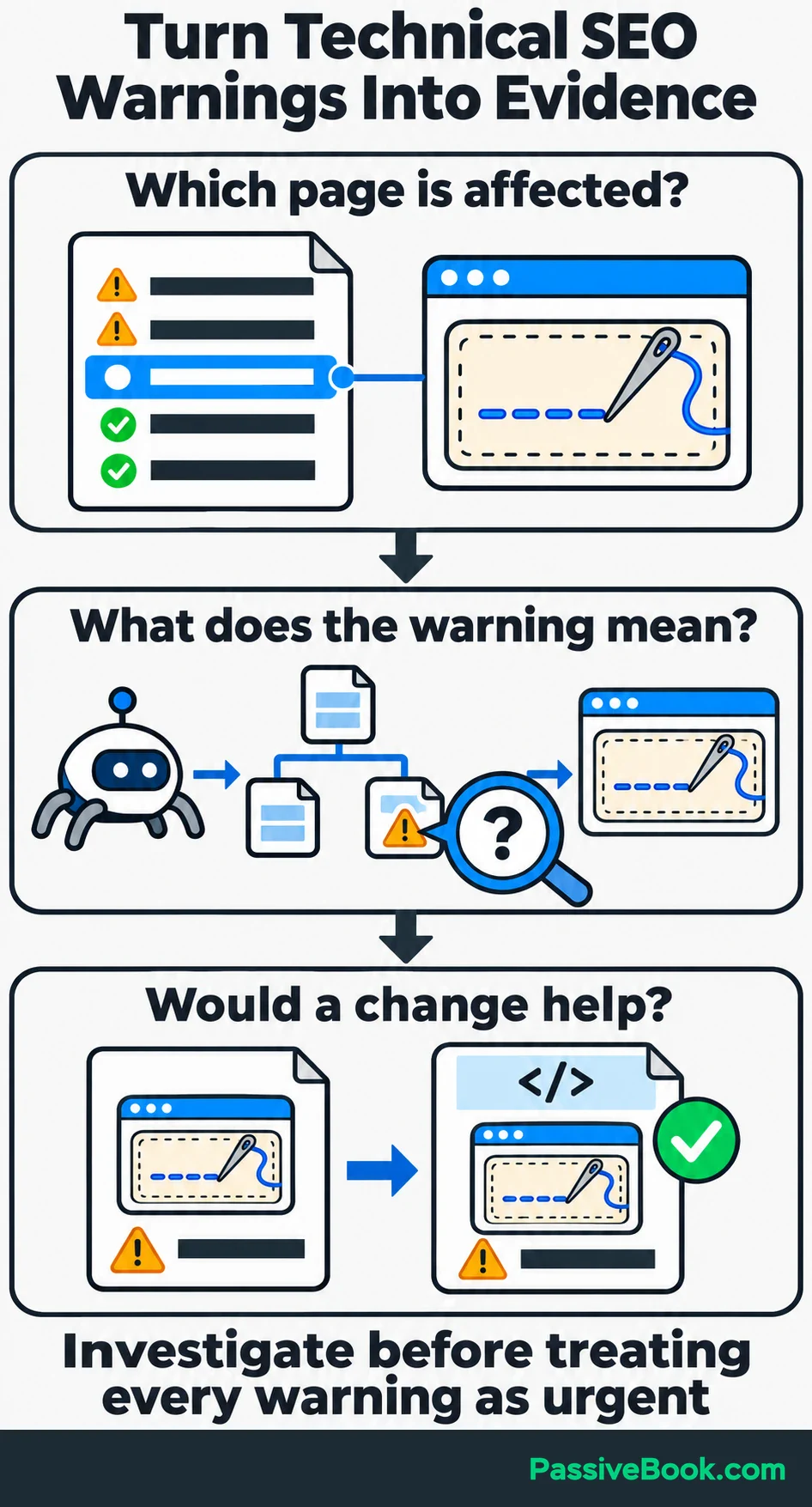
The practical goal should be recognizing an issue and gathering evidence. For the embroidery website, check whether an important tutorial can be discovered and indexed, then document anything preventing that.
Avoid treating every audit warning as an urgent repair. Ask which page is affected, what the warning means and whether changing it would help the website.
Demonstrations center on Semrush Site Audit, and free course enrollment doesn’t provide unlimited software access.
I would take this before buying deeper technical training. It gives you a lower-cost way to discover whether technical diagnosis is the skill you need next.
12. Tech SEO Pro — Best for Deeper Technical SEO
Tech SEO Pro fits when you already understand content and keywords but struggle to diagnose technical problems.
Kristina Azarenko’s recorded course goes deeper into crawling, indexing, JavaScript, audits, technical recommendations and prioritization. Homework and templates give you material to work with beyond the videos.
The provider offers lifetime access and future updates, which makes it more suitable as a reference library than a course you watch once and forget.
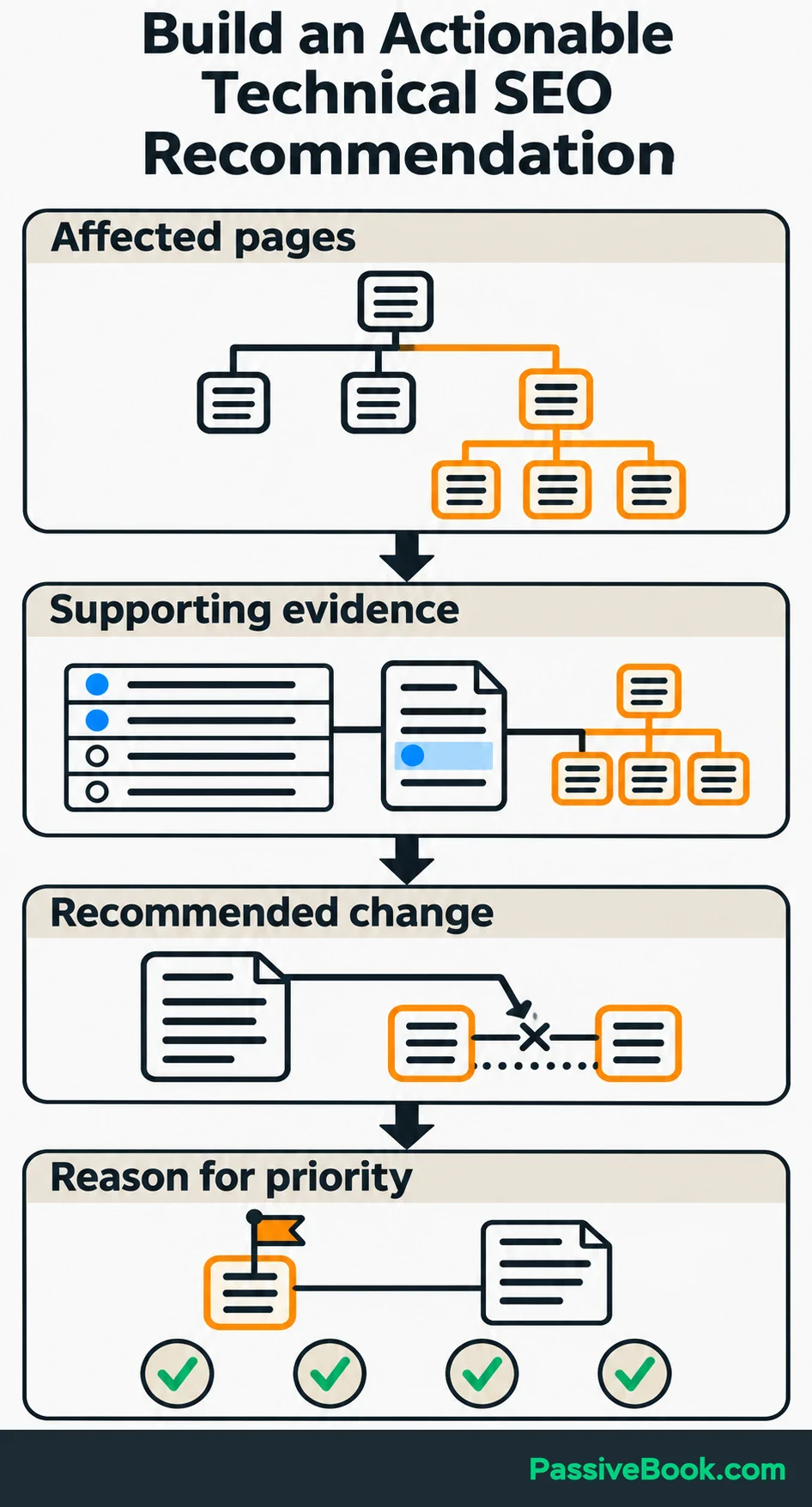
I would buy it with a real audit to complete. Your output should connect each important issue with evidence, a recommended change and a reason for its priority.
“Some pages have problems” is difficult to act on. A clear explanation of which pages are affected and what needs changing gives implementation a chance.
The price and workload make this a deliberate specialist purchase. Start with the free Semrush technical introduction if you’re still finding out whether you enjoy this work or need this depth.
13. HubSpot AEO Fundamentals — Best for Combining SEO With AI Visibility
AEO means answer engine optimization: work intended to help content appear in AI-generated answers.
HubSpot’s course connects that subject with search strategy, trustworthy content, keyword planning, page structure and measurement. Jorie Munroe and Jenn Sanchez teach the free certification course.
I would use it as an extension to a foundation course, especially if you want to understand how search visibility and AI citations fit into the same content plan.
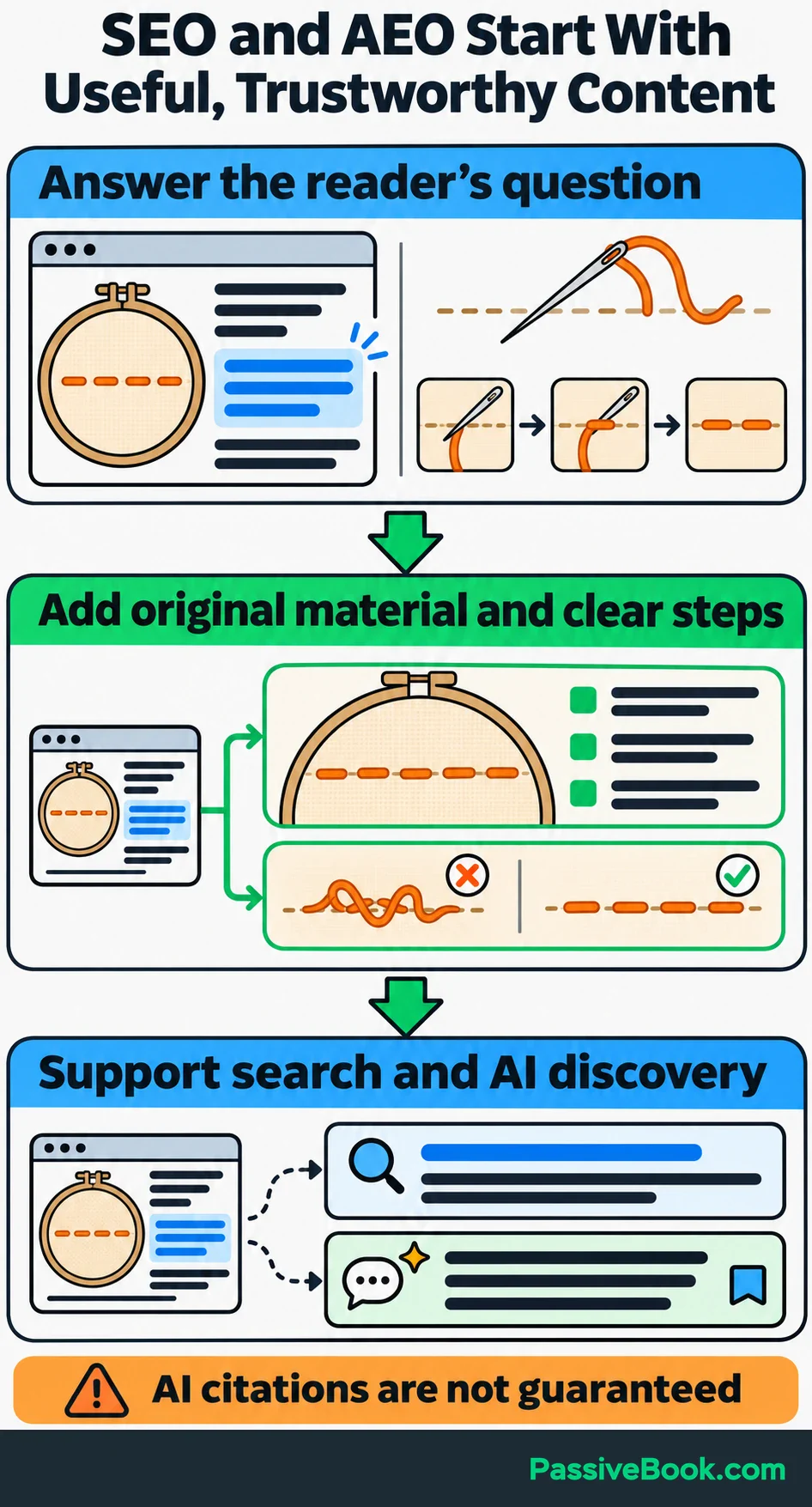
For the embroidery website, that might mean examining whether a tutorial gives a clear answer, supports it with useful original material and makes the steps easy to follow. Those are practical content decisions regardless of which system discovers the page.
A lesson about AI citations doesn’t guarantee that a platform will cite your website.
Choose broader or deeper training first if your main problem is indexing, site architecture or link acquisition.
Put Your Chosen Course to Work on One Website
Choose one deliverable before enrolling. It could be a keyword map, an improved page, a technical audit or a search-performance report.
I use SEO-driven long-form content on Passive Book, and I’ve caught myself polishing an article before checking whether it answered the searcher’s actual question. On one draft, I kept expanding the explanation while the missing piece was a usable sequence of actions. I put the draft beside the search results and rewrote the outline before touching the wording again.
That experience shapes what I want from training: a lesson should help me make a better decision on a real page.
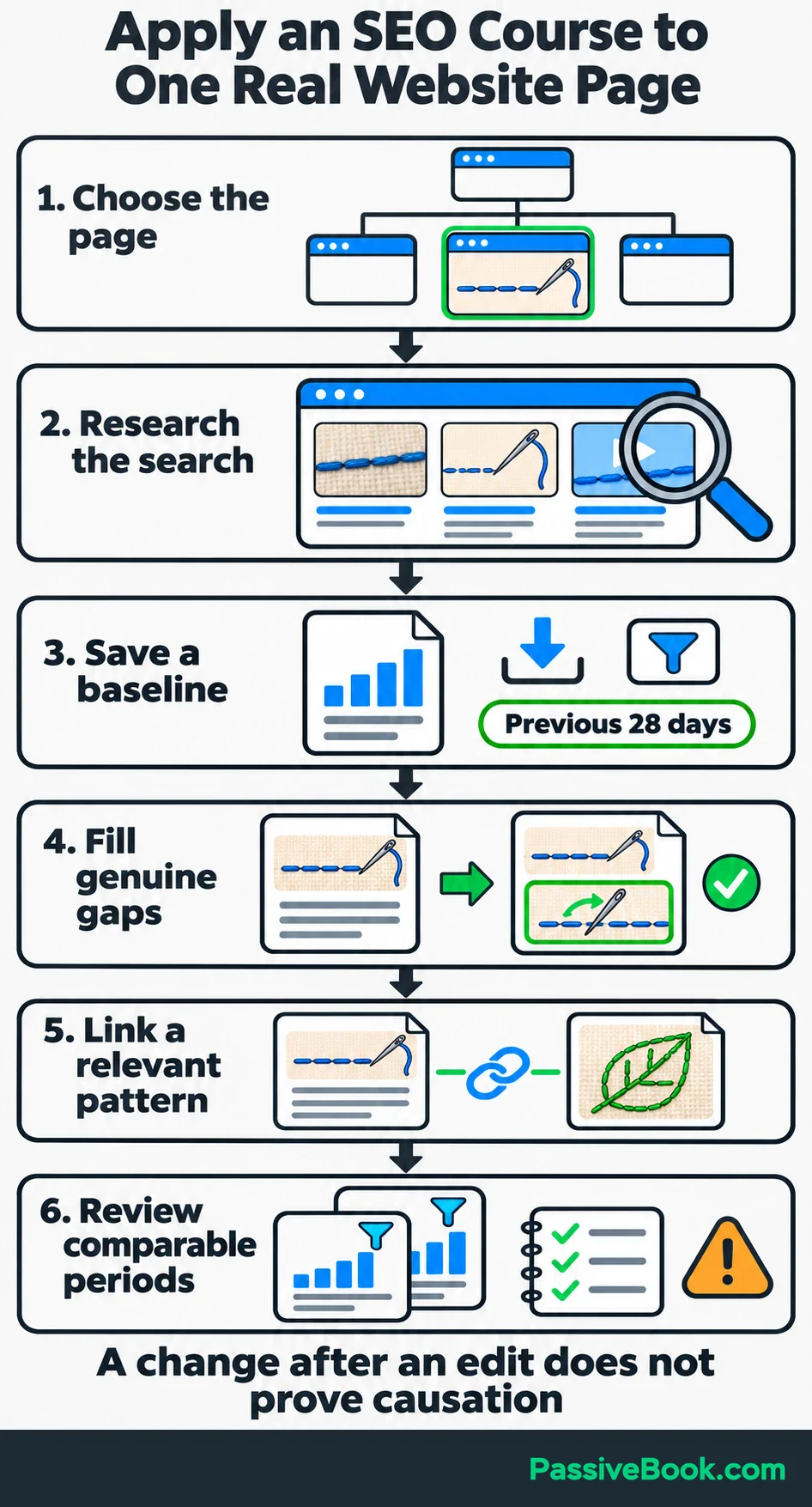
For the illustrative embroidery website, here is one complete project you could work through alongside a foundation course:
- Choose the Page: Select an existing backstitch tutorial and identify the beginner question it should answer.
- Research the Search: Investigate “how to do backstitch” and related wording. Look at the results to understand whether people expect photographs, diagrams, video or written instructions.
- Record the Baseline: Use Google Search Console to save how often the tutorial appeared and was clicked in Google Search over a defined period, such as the previous 28 days. Keep the page, date range and search filters with the export.
- Improve the Tutorial: Fill genuine gaps. A useful revision might show where the needle enters, how to keep stitches even and how to correct a common mistake. Let the research determine the changes.
- Connect the Product: Link naturally to a beginner pattern that uses backstitch. A short line such as “Practice this stitch with the leaf sampler pattern” explains why the link is there.
- Check the Result: Test the page and product link, record the publication date and keep a list of changes. Review later search performance against a comparable period.
Track business actions separately from search clicks. If purchase tracking is working, record pattern purchases attributed to organic-search visits in your analytics tool. Search Console clicks and analytics purchases come from different reports, so don’t treat them as a single visitor journey without supporting data.
When reviewing results, consider seasonality and other website changes. A rise after an edit doesn’t by itself prove the edit caused it.
Start with one page’s before-and-after numbers to see what moved. Separating changes in impressions from changes in click-through rate gives you a clearer next question to investigate.
Free Website Performance Workbook




Keep the research, revised page, implementation notes and explanation together. That gives you a useful portfolio item even when the page has too little traffic to support a firm result.
I would finish that project before starting another broad course. The next course should answer a question the work uncovered.
What Next?
Choose one page on your website and write down what you need to improve. Then pick the course whose lessons will help you complete that task, and reserve time to apply them.
Use the social buttons to share this comparison when a course discussion needs clearer trade-offs about cost, workload and practical work.
What would you want to be able to do confidently after finishing an SEO course? Share your answer—and any other questions—in the comments.
Share this post with your friends & followers:

