Your search traffic has slipped, but the website still looks fine. Articles open, the menu works, and your SEO plugin has plenty of green ticks. Nothing on the page explains why fewer people are finding it.
Changing titles at random can eat an afternoon while leaving the real problem untouched. You need to know which warnings could affect search visits or purchases and which can wait. This audit gives you a repeatable way to make that call, with a prioritized fix list you can work through using free tools.
Step 1: Establish Your Audit Baseline
Start by choosing what organic search should help your business achieve. That might be purchases, qualified inquiries, or email signups. Traffic gives you context, but it needs a business purpose.
Throughout this guide, imagine you run a cat-care website selling a downloadable planner for a new cat’s first week at home. Your main outcome is planner purchases, supported by relevant search visits.
Set up a spreadsheet with three tabs:
- URL Inventory: The pages you have, their purpose, and their technical and performance data.
- Findings: Confirmed problems, evidence, recommended fixes, and priorities.
- Verification: What changed, when it changed, and whether it passed its checks.
Record whether the audit covers the whole site or one section. Include important landing pages and examples of each page type, such as articles, categories, and products.
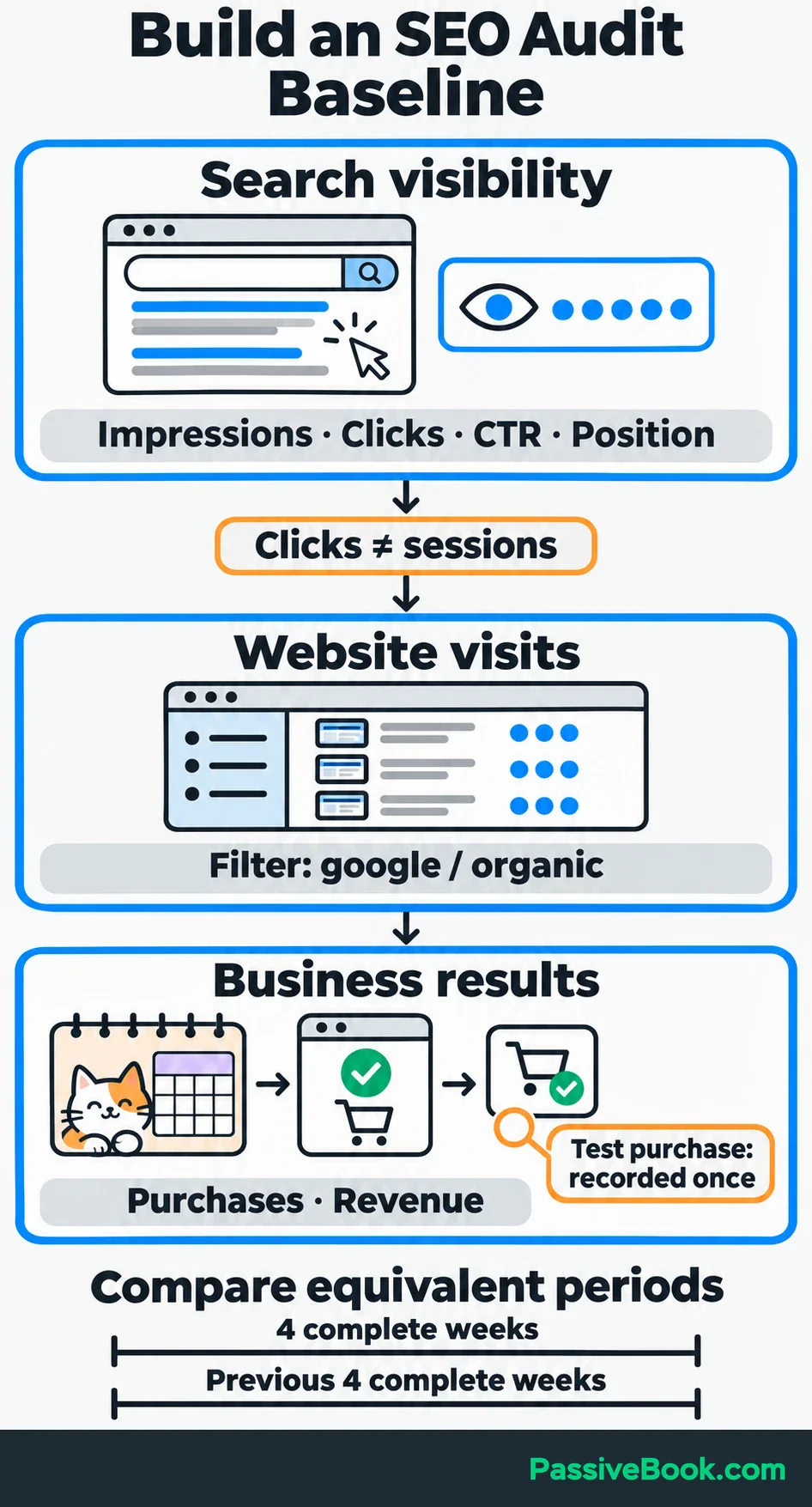
Gather access to Google Search Console for search and indexing data, your analytics for visits and business actions, and your website’s publishing controls. If access is missing, record the gap and continue with checks you can complete.
Before judging sales performance, complete a test purchase and confirm that your analytics records it once with the correct value. Google Analytics purchase tracking needs its own setup; installing Analytics alone does not provide it.
Then save your baseline:
- Search Console clicks, impressions, click-through rate, and average position, exported separately by page and query.
- Organic landing-page sessions, completed business actions, and revenue from analytics.
- Recent changes to hosting, URLs, templates, content, tracking, or checkout.
Click-through rate, or CTR, is the share of recorded search impressions that produced clicks. Average position combines results from different searches, so inspect individual queries before treating it as a fixed ranking.
Compare equivalent complete periods, such as the last four complete weeks against the previous four. Check the same period last year when seasonality matters and data is available.
When comparing analytics with Search Console, filter analytics to sessions from google / organic. Search clicks and website sessions measure different events, so use each consistently rather than expecting matching totals.
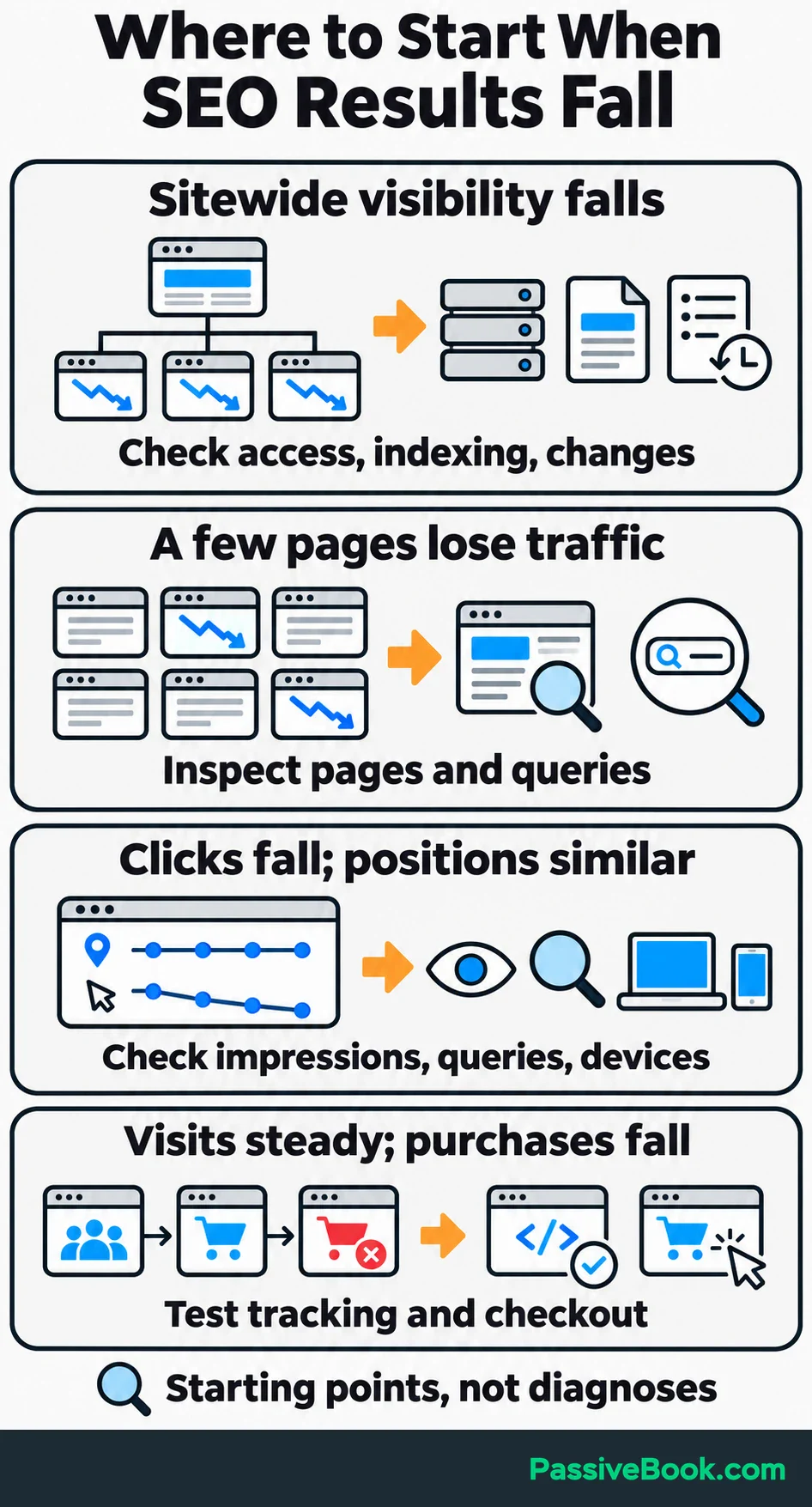
Use the pattern to choose your first investigation:
| Symptom | First Investigation |
|---|---|
| Visibility falls across much of the site | Check website availability, indexing, and recent site changes. |
| Losses concentrate on a few pages | Inspect those pages, their queries, and what changed. |
| Clicks fall while positions look similar | Compare impressions, query mix, device mix, and search appearance. |
| Visits hold steady but purchases fall | Test tracking, product pages, and checkout. |
These are starting points, not diagnoses. The next steps turn them into evidence.
If you have clicks and impressions for two matching periods, you can break down the change before investigating individual pages. Start with one important page or page group.
Free Website Performance Workbook




Step 2: Crawl the Website and Build a URL Inventory
A website crawler follows links and collects information about the pages it reaches. Use it to find patterns that would be tedious to check page by page.
I would start with Search Console, a spreadsheet, and Screaming Frog SEO Spider. Its free version crawls up to 500 URLs per crawl. Saving and reopening crawls or loading JavaScript-generated content requires a licence; check the free-versus-paid comparison before paying.
Pay when you need the capacity or a specific feature. A subscription is not an audit requirement.
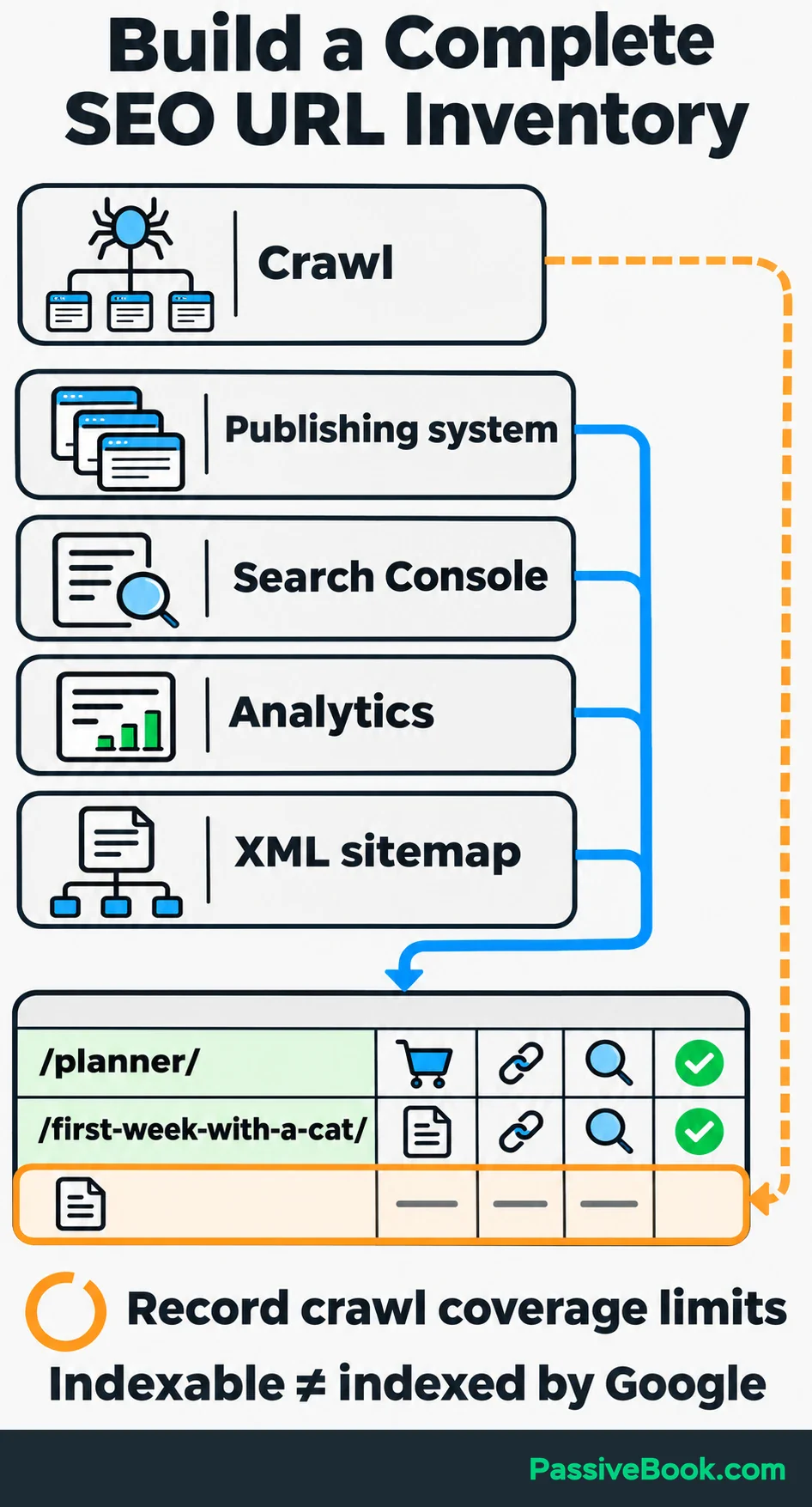
Enter your preferred homepage address and start the crawl. Record the date, starting address, areas covered, and whether it completed. If it reaches a limit, mark the inventory as incomplete and check priority pages separately.
Export these details for HTML pages:
- URL and response code, which reports whether the request succeeded, redirected, or failed.
- Page title, main heading, and meta description, the short summary supplied for search results.
- Indexing instructions, including
noindex, which tells search engines to leave a page out of search results. - Canonical URL, which identifies the preferred version of duplicate content.
- Incoming internal links and the pages containing them.
Keep images, scripts, and other resources separate from the page inventory.
Next, match URLs from the crawl with your website’s page list, Search Console pages, analytics landing pages, and XML sitemap—a file listing pages you want search engines to discover. A page can exist in your publishing system without being reachable through the links the crawler followed.
Add columns for purpose, page type, organic performance, and business importance. For the cat-care site, /planner/ is a sales page and /first-week-with-a-cat/ is an article that helps readers use the product.
Create findings as you go, but confirm automated warnings on actual pages. “Missing description” is an observation. Whether that deserves attention depends on the page.
A crawler’s “indexable” label means it found no particular block under its checks. It does not establish Google’s indexing status, and a health score does not tell you which fix matters to your business.
Step 3: Confirm That Important Pages Can Be Crawled and Indexed
Diagnose Access and Indexing Blocks
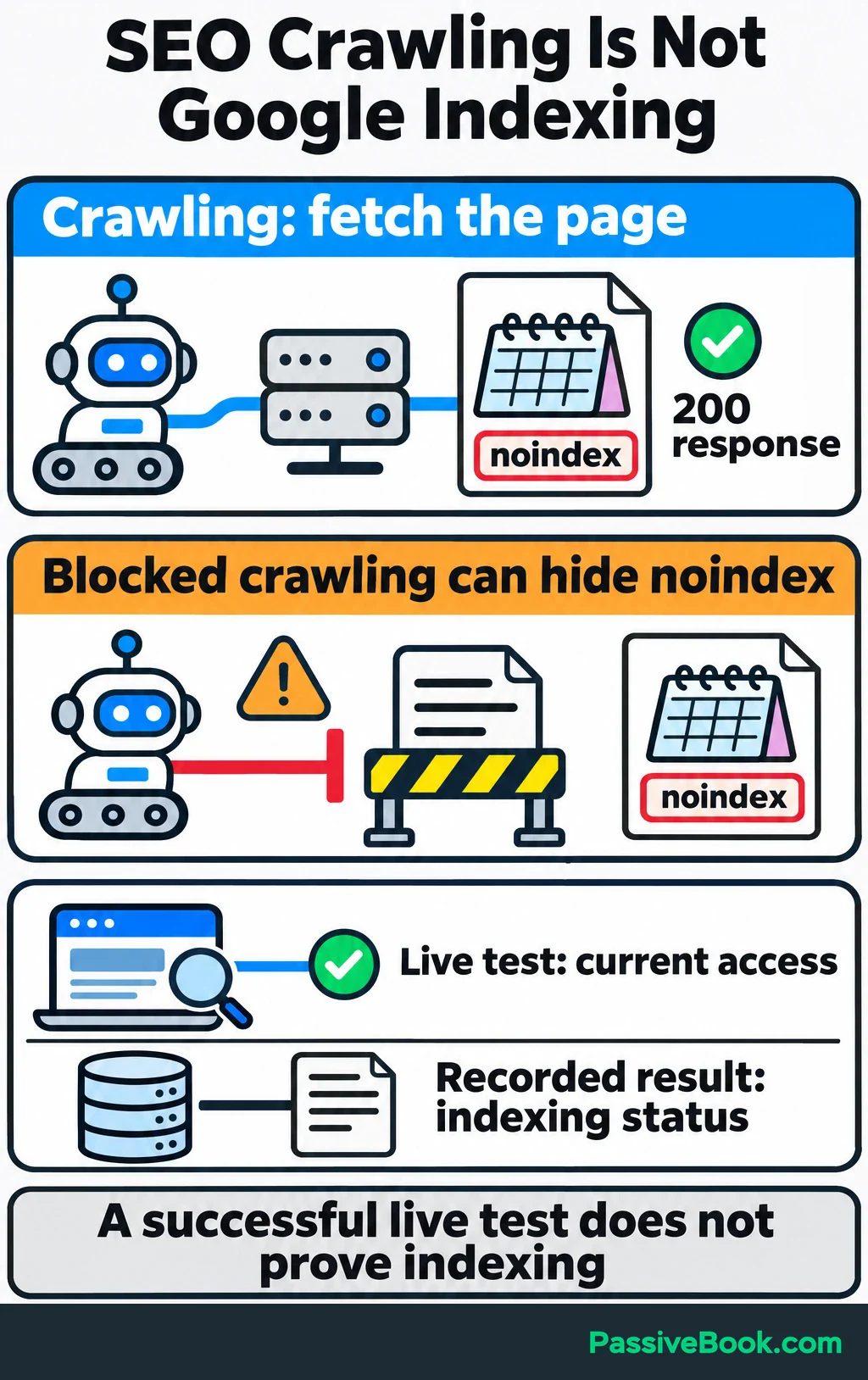
Crawling is Google fetching a page. Indexing is Google processing and storing its content for possible inclusion in search results. Check both, because successful access alone does not establish indexing.
First, mark which pages should appear in search. Your planner sales page probably belongs there. Account screens and order-confirmation pages usually do not.
Check whether Google has penalized the site for a search-policy violation or flagged a security problem in Search Console’s Manual Actions and Security Issues reports. If either reports a problem, follow the stated remedy. After resolving a manual action, submit the required reconsideration request.
For pages intended for search, check for:
- Successful responses with the expected content.
- Accidental login requirements or firewall blocks.
- Persistent server errors and redirect loops.
- Unintended crawling or indexing restrictions.
Restore a useful page that disappeared accidentally. For genuinely retired content without a relevant replacement, use a proper 404 or 410 response. Redirecting every missing page to the homepage gives visitors a destination, but rarely an answer.
Check the site’s robots.txt file, which controls crawler access. Then check for indexing instructions in the page’s HTML robots tags and HTTP response headers, the information the server sends alongside the page. Google must be able to crawl the page to read a noindex instruction; a block in robots.txt can prevent that. Google’s noindex documentation explains this dependency.
In our example, /planner/ loads successfully with a 200 response, but its HTML contains:
<meta name="robots" content="noindex">Confirm that the sales page belongs in search, then find the setting generating that tag. The fix is specific: remove the unintended directive from that page. Avoid changing every indexing setting on the website.
To check an important missing page, enter its full address into Search Console’s URL Inspection tool. The recorded result shows Google’s indexing status and selected canonical. To check current access and see the page after its scripts have run, select Test live URL. A successful live test does not prove indexing or predict Google’s canonical choice.
Align Canonicals, Redirects, and Sitemaps
Test representative pages using HTTP, HTTPS, www, and non-www versions. Alternate versions should redirect consistently to the preferred HTTPS equivalent.
Then review duplicate addresses created by filters, tracking parameters, or your publishing system.
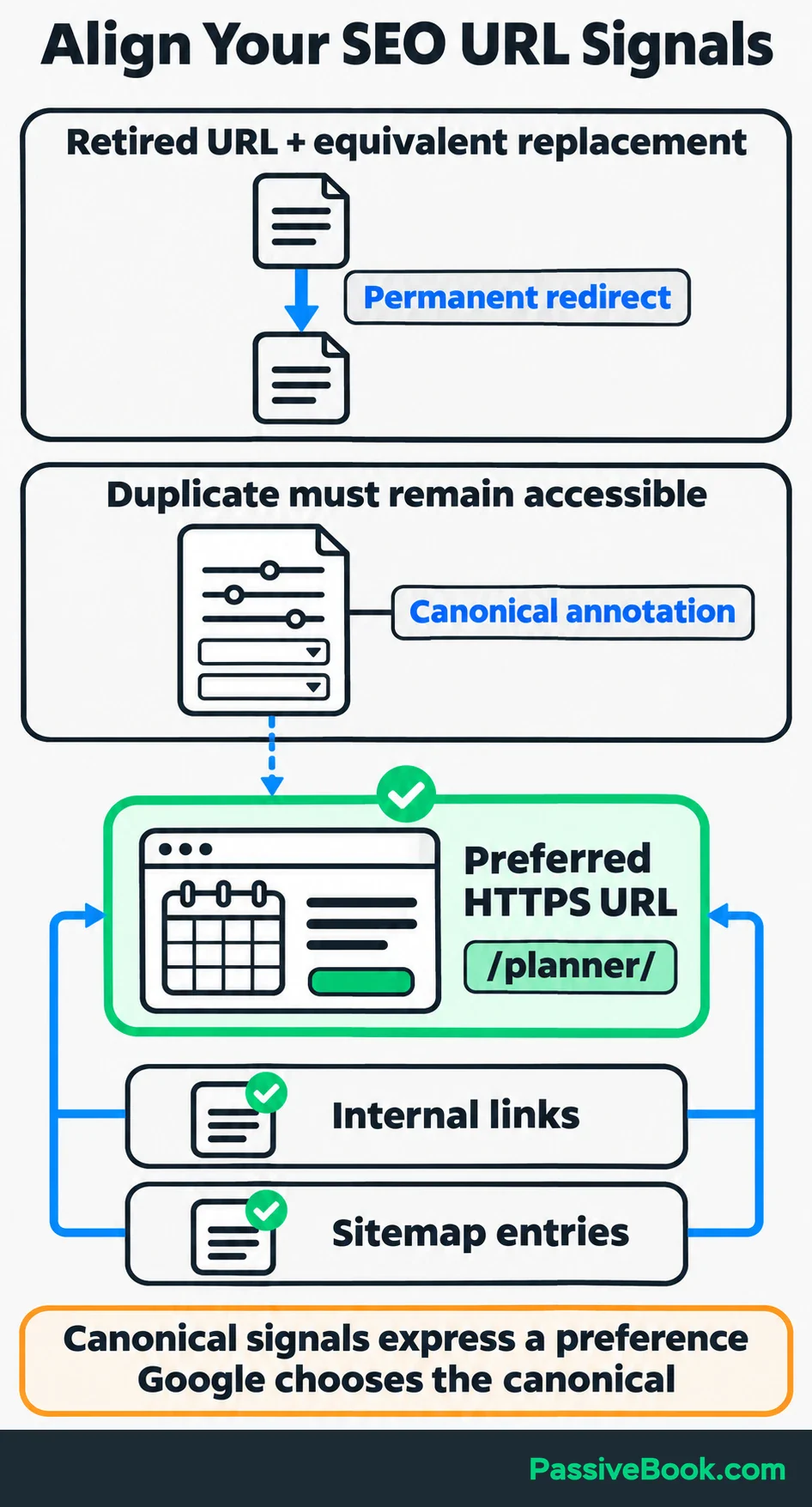
Use a permanent redirect when an old address has been retired and an equivalent replacement exists. Use a canonical annotation when duplicate versions need to remain accessible, and point internal links to the preferred address.
Canonical annotations express a preference; they do not force Google’s choice. Consistent redirects, internal links, and sitemap entries help avoid conflicting signals. Google’s canonicalization guidance describes how those signals work together.
Finally, check that your XML sitemap opens and lists the canonical pages you want in search. Remove broken, redirecting, and deliberately excluded entries, and investigate submission errors reported in Search Console.
For /planner/, the internal links, canonical annotation, and sitemap should all support the same preferred sales-page URL.
Step 4: Audit Navigation and Internal Links
Follow the routes a visitor would take from your homepage and topic pages. Can you reach important articles and products through links that make sense?
Record pages that are difficult to find, along with the page where a useful link belongs. “Improve internal linking” is too vague to implement.
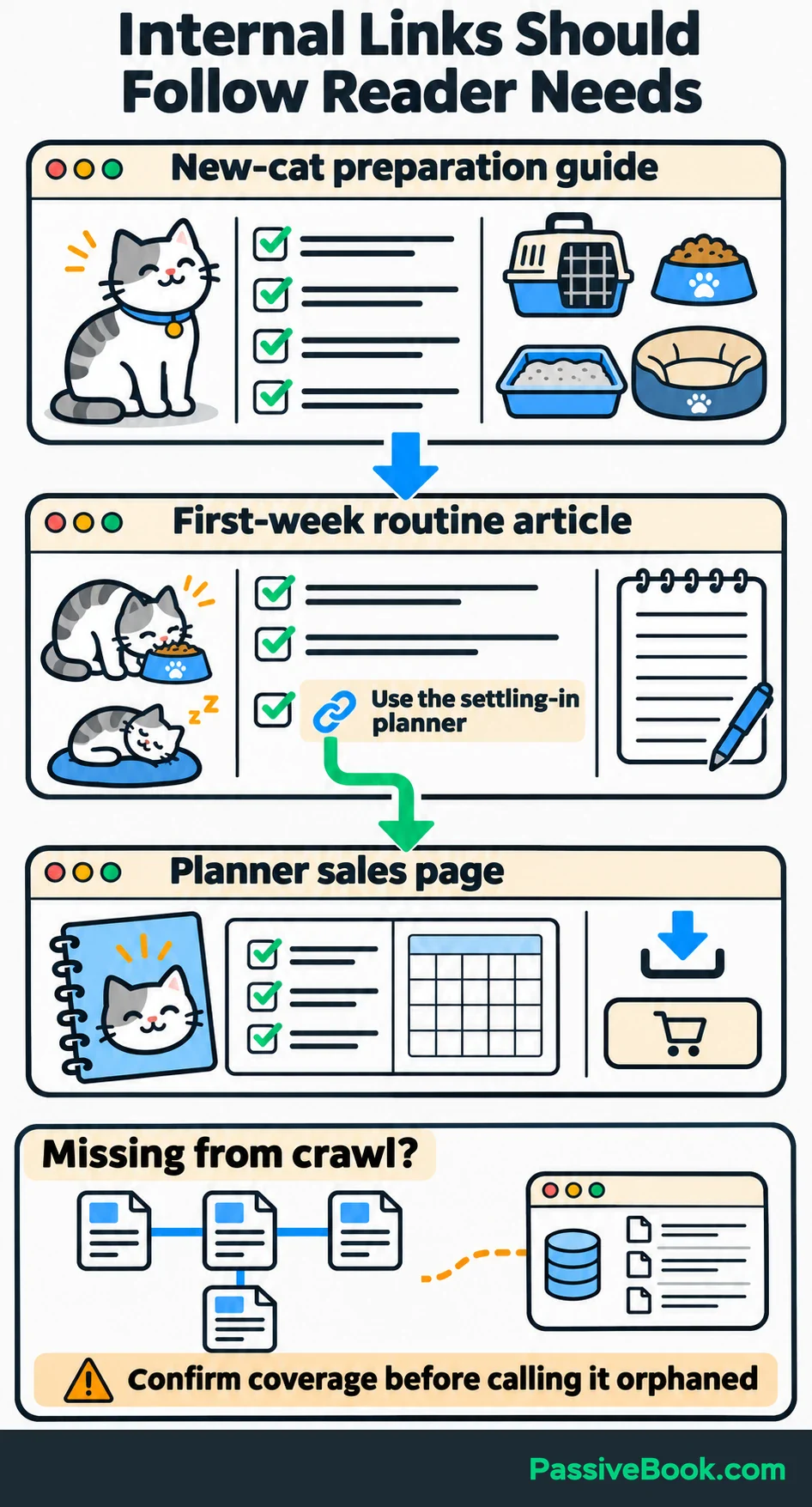
Compare your linked crawl with the wider inventory. A page listed in your publishing system but missing from the crawl is an orphan candidate: it may have no internal links pointing to it. Confirm that the crawl covered its section before deciding that links are missing.
Work through three checks:
- Broken Links: Replace links to missing pages with the correct destination, or remove them when no useful destination exists.
- Redirecting Links: Update avoidable redirects so internal links point straight to the final page.
- Useful Connections: Add links where another page helps readers complete their current task.
Use descriptive link text and ordinary crawlable links. Google generally extracts links from HTML <a> elements with an href attribute, so a button that depends entirely on a script deserves closer inspection. Google’s link guidance covers this requirement.
For the cat-care site, connect the new-cat preparation guide to the first-week routine article. Within that article, link to the planner where it helps readers organize the routine.
A useful excerpt might be:
“Use the settling-in planner to keep your first-week notes and daily checklist together.”
That gives the link a purpose. Dropping a product link into every paragraph gives it persistence.
Step 5: Test Mobile Usability and Page Performance
Check the Mobile Experience
Use a phone to complete real tasks on representative pages. Open the menu, read an article, submit a form, and test checkout.
Record what stops or frustrates you:
- Text that requires zooming.
- Overlays that hide content or controls.
- Menus and buttons that fail.
- Forms that are difficult to complete.
- Checkout problems that prevent a purchase.
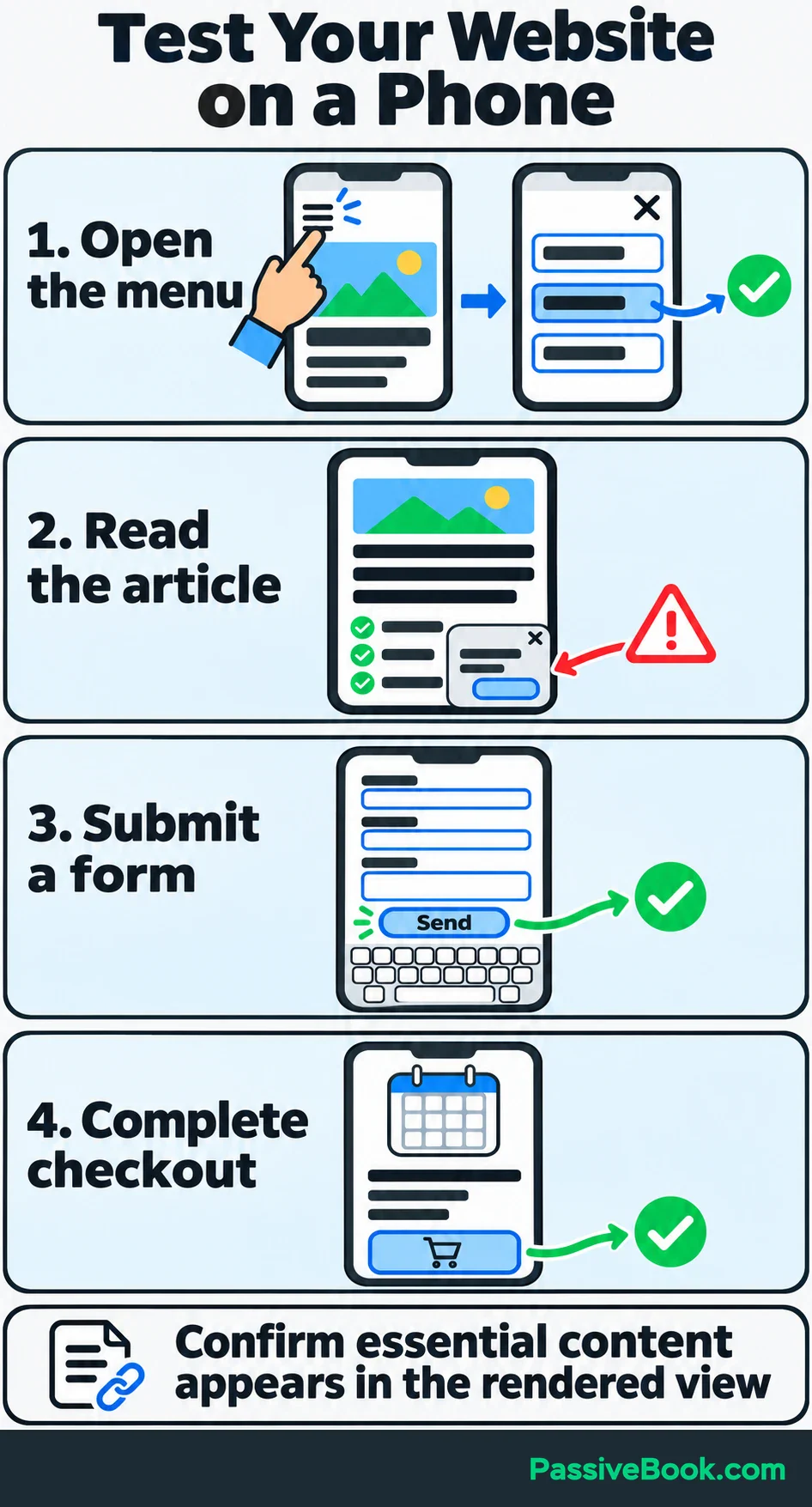
Check that mobile pages expose essential content, links, and indexing directives. Google uses mobile content for indexing and ranking, and primary content should load without requiring a click, swipe, or other interaction to fetch it. Google’s mobile-first guidance explains why this matters.
If content or navigation depends on JavaScript, compare the page you see with the rendered version available through URL Inspection. Record any important text, links, or product details missing from that view.
Diagnose Performance Bottlenecks
Start with Search Console’s Core Web Vitals groups, then test representative URLs in PageSpeed Insights, Google’s page-performance diagnostic tool. Pages sharing a template may share a cause, so look for patterns before editing them individually.
Core Web Vitals measure loading, responsiveness, and visual stability:
| Measure | What It Checks | Good Threshold |
|---|---|---|
| Largest Contentful Paint, or LCP | When the largest visible content element appears | 2.5 seconds or less |
| Interaction to Next Paint, or INP | How quickly the page responds visually to interactions | 200 milliseconds or less |
| Cumulative Layout Shift, or CLS | How much visible content moves unexpectedly | 0.1 or less |
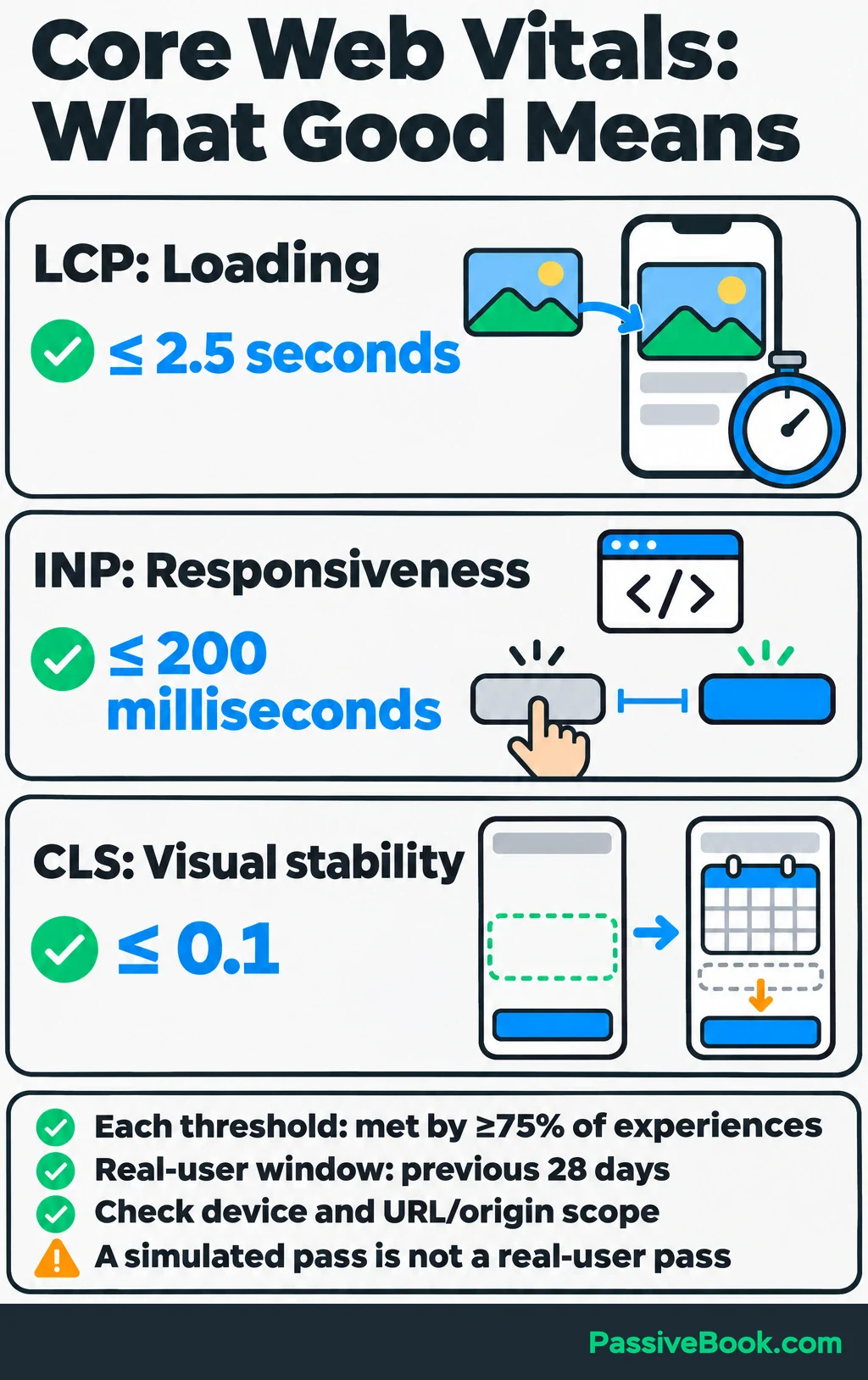
Each measure counts as good when at least 75% of recorded real-user experiences meet its threshold. PageSpeed Insights uses the previous 28 days of real-user data. Check whether you’re viewing mobile or desktop, and whether the data covers the tested URL or its origin—all pages under an address such as https://example.com.
When real-user data is unavailable, use PageSpeed Insights’ simulated tests to investigate. A good simulated result does not establish a real-user pass.
Match the fix to the cause. Investigate delivery of the main loading image for slow LCP, unnecessary script work for poor responsiveness, and missing reserved space for layout shifts.
For example, suppose the planner preview loads and pushes the purchase button downward. Record the missing image dimensions, recommend reserving its space, and then test both layout stability and checkout.
I would fix a shared template problem before repeating the same edit across individual pages.
Step 6: Evaluate Content Against Search Intent
Check Whether Each Page Completes Its Reader’s Task
Start with commercially important pages, declining landing pages, and pages receiving relevant search impressions.
Give each page a plain-language task. For example:
“Help me plan the first week after bringing a cat home.”
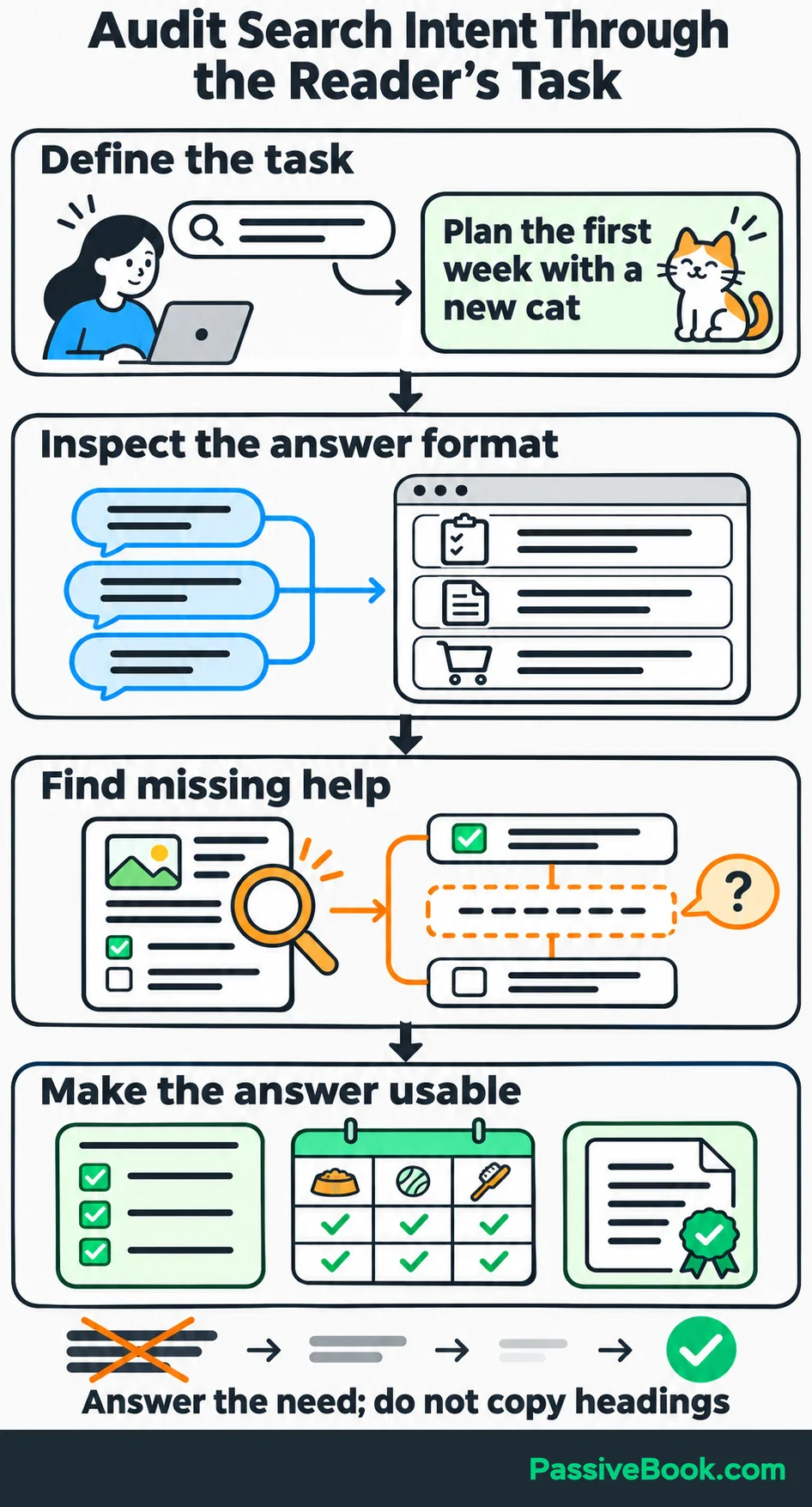
Group related queries around that task, then review current search results. Look at the kind of answer people are being shown: a checklist, an explanation, a product page, or something else.
Use that comparison to identify missing help. Copying competing headings will not tell you whether your page solves the problem.
Ask:
- Does the opening answer the main question?
- Can readers act on the advice?
- Are important steps or decisions missing?
- Does the page add useful examples, experience, or original material?
- Are the claims accurate and the author’s relevant background clear?
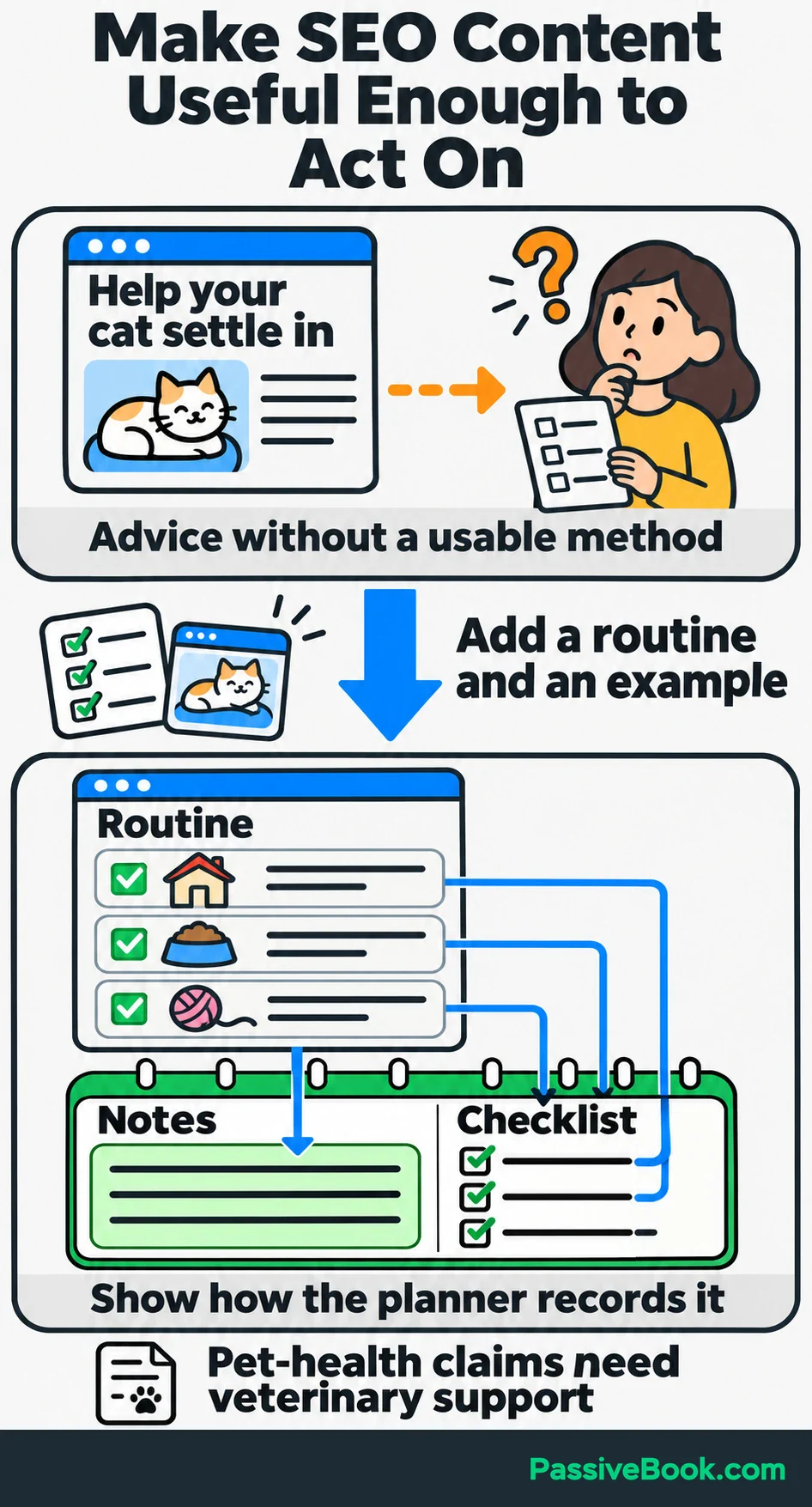
Check consequential advice with suitable sources and expertise. A planner preview can demonstrate how to organize notes, but pet-health advice needs appropriate veterinary support.
For the first-week article, “help your cat settle in” is too vague on its own. A concrete improvement would explain a usable routine and show how the planner records it.
Review competing pages and relevant People Also Ask questions for unanswered needs. Add the answer to an existing page when it belongs there. Save separate subjects for later content planning.
Choose What to Keep, Improve, or Consolidate
Give every reviewed page an action and a specific reason:
| Action | When I Would Choose It |
|---|---|
| Keep | The page serves a clear task, remains accurate, and needs no material change. |
| Update | The core answer works, but details, examples, or instructions need improvement. |
| Rewrite | The page addresses a useful task but fails to deliver a usable answer. |
| Consolidate | Two pages provide interchangeable answers and their useful material fits one destination. |
| Retire | The page has no remaining useful purpose after checking its content, links, and business contribution. |
Keep the new-cat preparation guide and first-week routine article separate because they address different stages. Two interchangeable first-week routine guides may deserve consolidation.
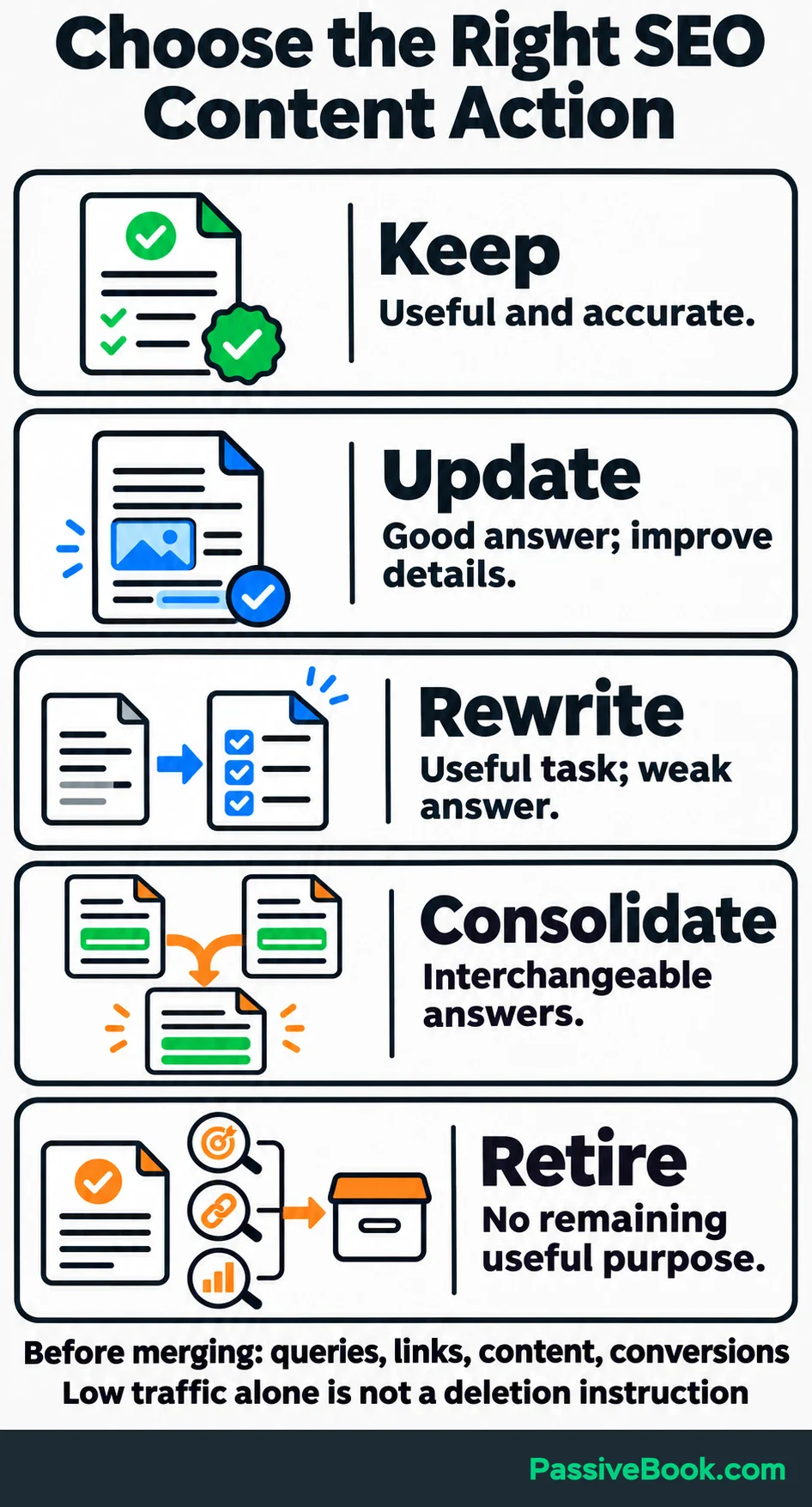
Before merging, compare their queries, links, useful material, and conversions. Choose the destination, preserve what helps, and plan relevant redirects and internal-link updates. Low traffic alone is not a deletion instruction.
I spent eight months publishing 127+ posts on a productivity blog before abandoning it. I found the niche too competitive and difficult to monetize as a solo operator. That experience informs the business question here: does improving this page support something worth building?
Step 7: Review On-Page SEO and Search Appearance
Now use the reader task established in the content review to improve how each priority page presents itself.
Check titles for missing text, duplication, and misleading promises. Replace vague titles with specific descriptions of the page’s purpose.
For example:
“New-Cat Tips” → “First Week With a New Cat: A Daily Routine”
Then align the main heading, opening answer, and supporting headings with that task. Use the words readers need to understand the subject. I would skip keyword-density targets; they give you arithmetic when you need editorial judgment.
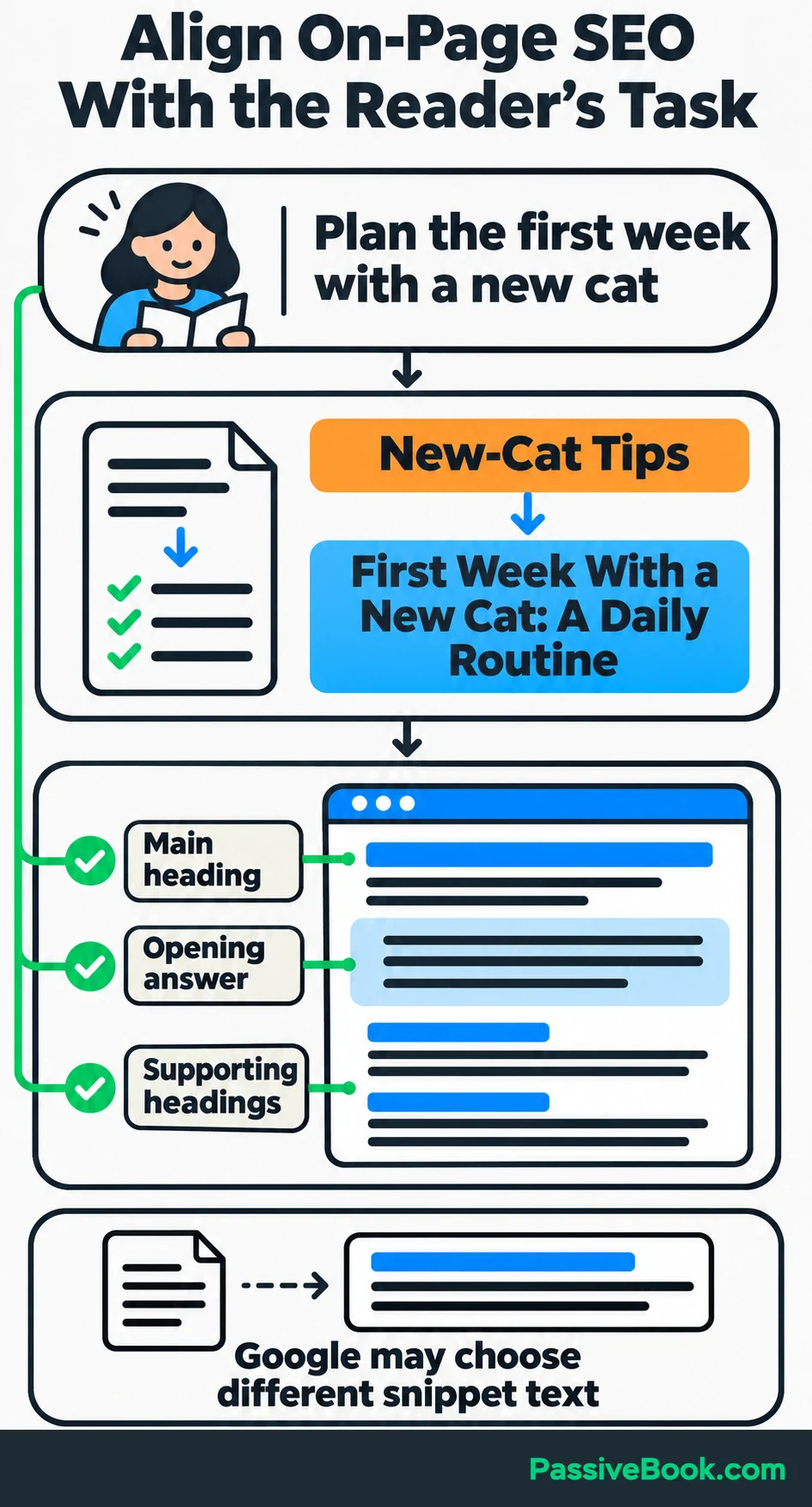
Review important meta descriptions and summarize the page’s actual value. Google primarily creates snippets from page content and may use different text for different queries, so your saved description is not a guaranteed search preview. Google’s snippet guidance explains how it selects that text.
Investigate weak CTR before rewriting. Compare the page’s queries, positions, devices, and competing search presentation. A change in query mix can change CTR even when the title stays the same.
Check images according to their purpose:
- Informative Images: Describe the useful information they convey.
- Functional Images: Describe the action, such as opening a planner preview.
- Decorative Images: Use an empty alt attribute so they do not add unnecessary spoken content.
Structured data is code that describes a page’s product, article, or other content to search engines. Check relevant existing markup with Google’s Rich Results Test, which flags errors that can prevent enhanced search displays, such as product listings with extra details.
Correct required-property errors and make sure the markup matches visible content. Valid markup creates eligibility for supported search features; it does not guarantee a rich result. Google’s structured-data guidelines state that limit.
Step 8: Review Backlinks and Off-Page Issues
Backlinks are links from other websites to yours. Begin with Search Console’s linking sites and linked pages, then open important referring pages.
Check the context, audience, and destination. Is the link useful to the people reading that page, and does it still reach the intended resource?
Search Console’s report contains a sample rather than a complete backlink inventory, and it may include links that have disappeared. Confirm important findings on the referring page. Google’s Links report guidance describes those limits.
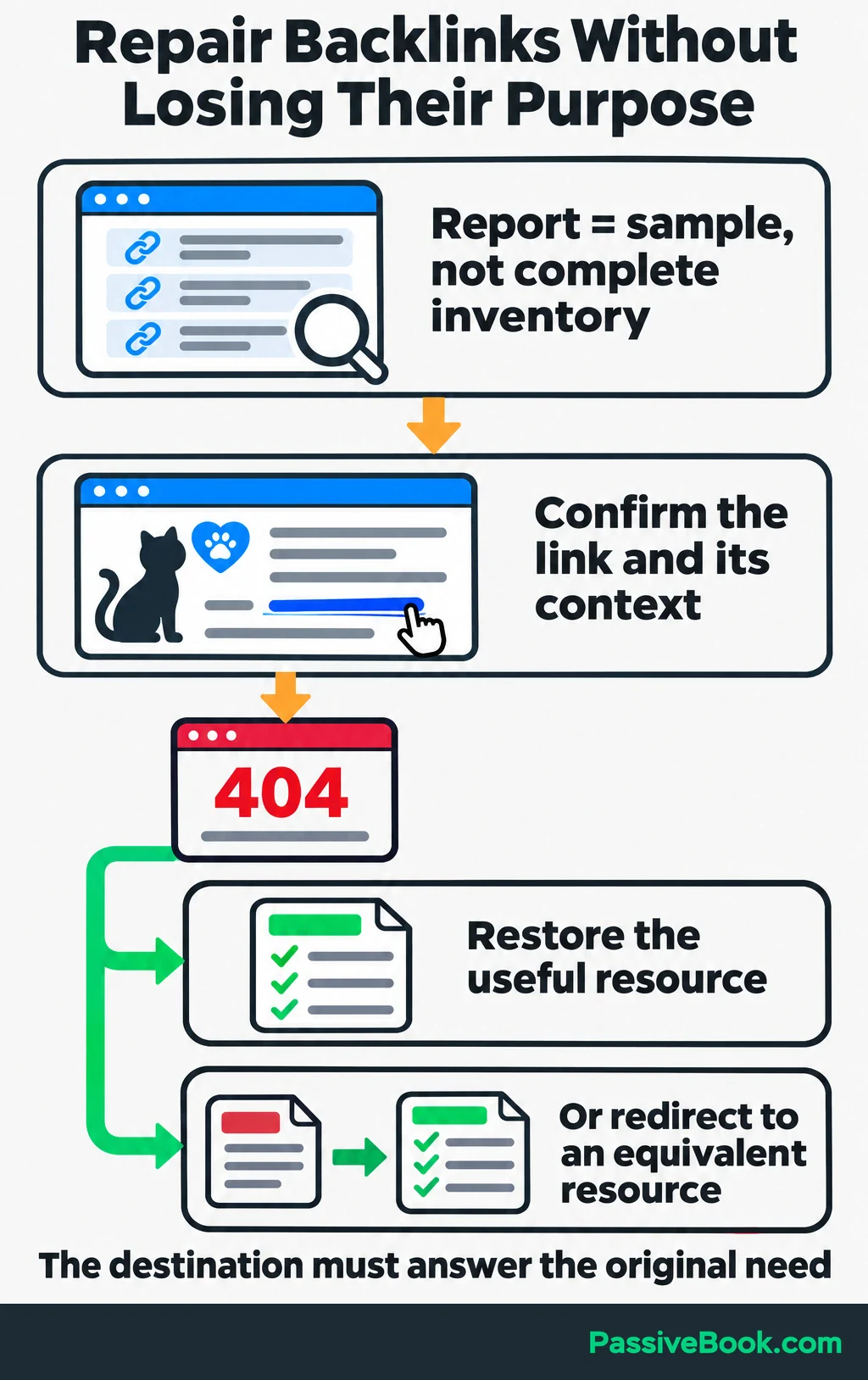
Look especially for useful backlinks pointing to broken or retired pages.
Suppose a cat-adoption charity links to an old preparation checklist that now returns 404. Check whether to restore the checklist or redirect it to an equivalent current resource. A related, useful destination matters more than simply making the error disappear.
Also record gaps in relevant editorial mentions for future work. Judge a referring page by its audience and context. A third-party authority score is not a Google requirement.
Disavowal asks Google to disregard specified backlinks. I would skip it for a list of unfamiliar domains; Google says most sites do not need the tool. Get specialist help if a substantial number of artificial or spammy links has caused, or is likely to cause, a manual action. Try to get those links removed before considering disavowal.
Finish this step with confirmed repairs and opportunities. Prospecting and outreach can become separate tasks after the audit.
Step 9: Turn Findings Into a Prioritized Fix List
Group repeated warnings by their underlying cause. If one template generates incorrect canonicals across many pages, create one coordinated task and attach the affected URLs.
Otherwise, you end up with fifty rows describing one problem and the impressive feeling of having fifty problems.
Put active failures first: important inaccessible pages, unintended indexing blocks, widespread server errors, and broken purchase or inquiry paths.
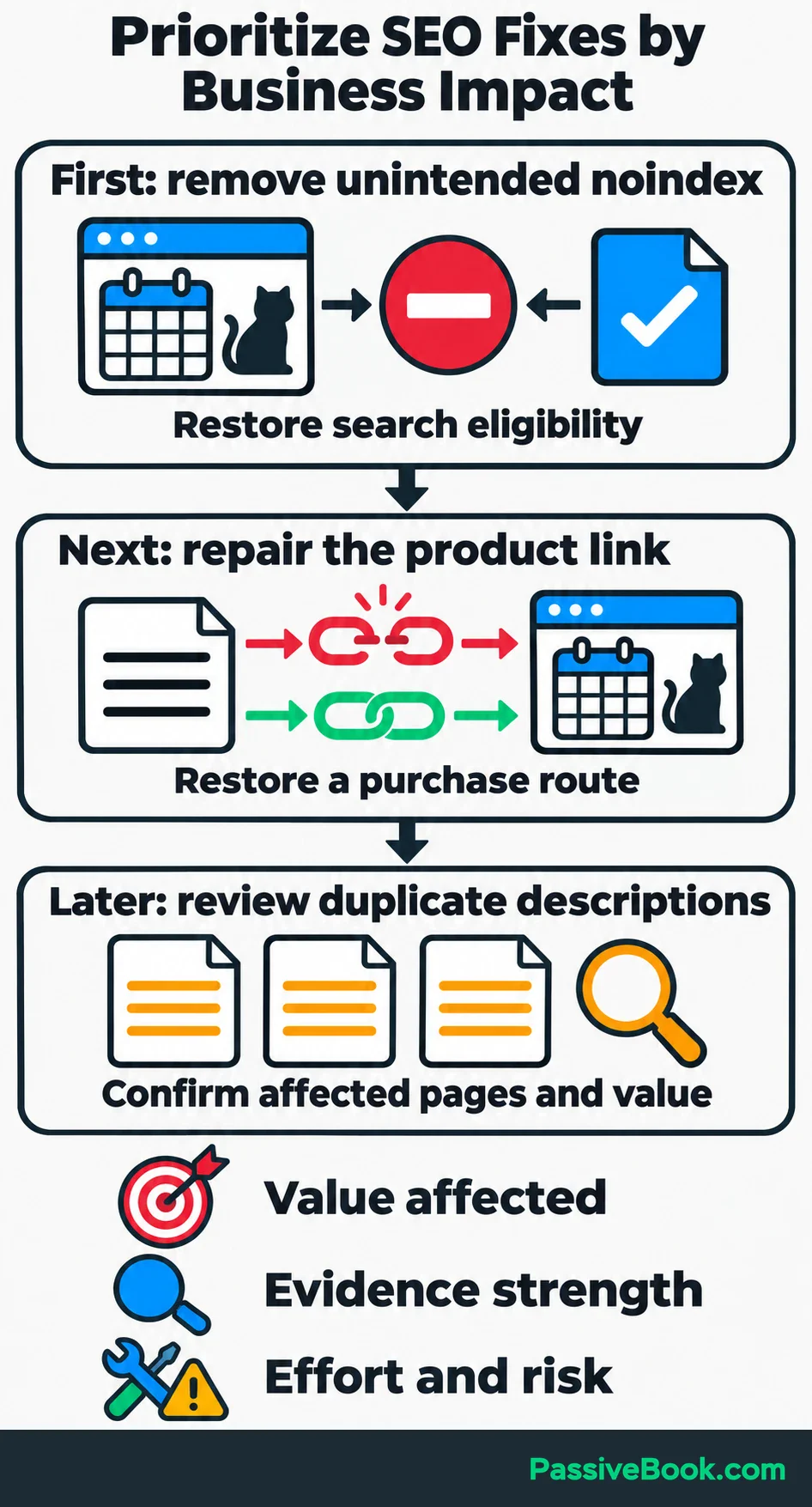
Then compare improvements using three questions:
- How much business value or useful content is affected?
- How strong is the evidence that the problem exists?
- How much work and risk does the fix involve?
Record dependencies too. Remove an accidental indexing block before testing search-presentation changes. Choose a consolidation destination before redirecting old pages.
Here is a compact fix list for the cat-care site:
| Issue | Evidence and Affected Pages | Recommended Action | Priority and Effort | Owner | Acceptance Check |
|---|---|---|---|---|---|
| Accidental indexing block | Published HTML for /planner/ contains noindex. | Confirm the page should appear in search, then remove the setting generating noindex. | First: restores eligibility for search. Small setting change. | Site owner | Live page has no noindex in HTML or headers. |
| Broken product link | Clicking the product link on /first-week-with-a-cat/ opens a missing old address. | Confirm /planner/ is the final product URL, then update the article’s link. | Next: repairs a relevant route to the product. Small link edit. | Site owner | Link reaches the correct page with a successful response. |
| Duplicate descriptions | Distinct archive pages share a description; their URLs and exact text are not supplied here. | Identify the affected archives and decide which belong in search before writing distinct descriptions. | Later: benefit uncertain compared with restoring sales access. Small edit. | Content owner | Retained archives have accurate, distinct descriptions. |
The first task comes first because the page is unintentionally blocked. The broken product link follows. Archive descriptions can wait.
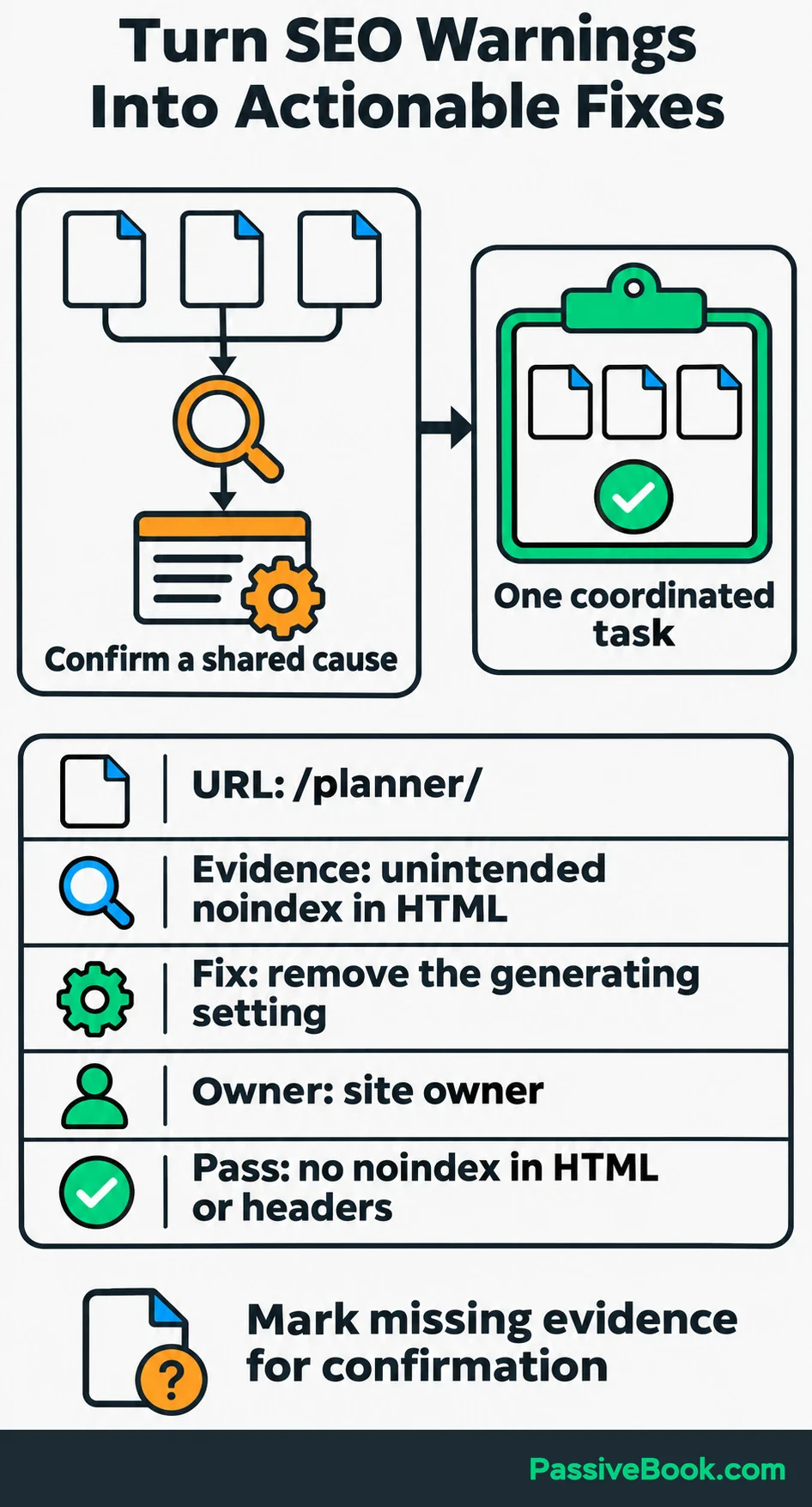
Handle straightforward content and link fixes yourself when you have access and understand the change. Bring in a developer or SEO specialist for complex JavaScript rendering, migrations, widespread canonical conflicts, or manual-action recovery.
AI can help group exported findings and draft tasks. Supply actual rows and require an affected URL and observed evidence for every recommendation.
A useful instruction is:
“Group these findings by likely shared cause. Preserve the affected URLs and evidence. Mark anything that needs confirmation, and do not invent missing data.”
Verify the underlying page or report before implementing the output. I would use AI to reduce spreadsheet work while keeping the actual evidence in view.
Step 10: Verify Fixes and Monitor Results
Before consequential changes, back up the affected content or configuration. Test broad template, redirect, and indexing changes on a limited set before applying them widely.
Then run the acceptance check attached to each task.
For /planner/, confirm that:
- The preferred URL returns the expected content successfully.
- The unintended
noindexis absent from both HTML and response headers. - Internal links reach the correct page.
- The page and purchase path work on mobile.
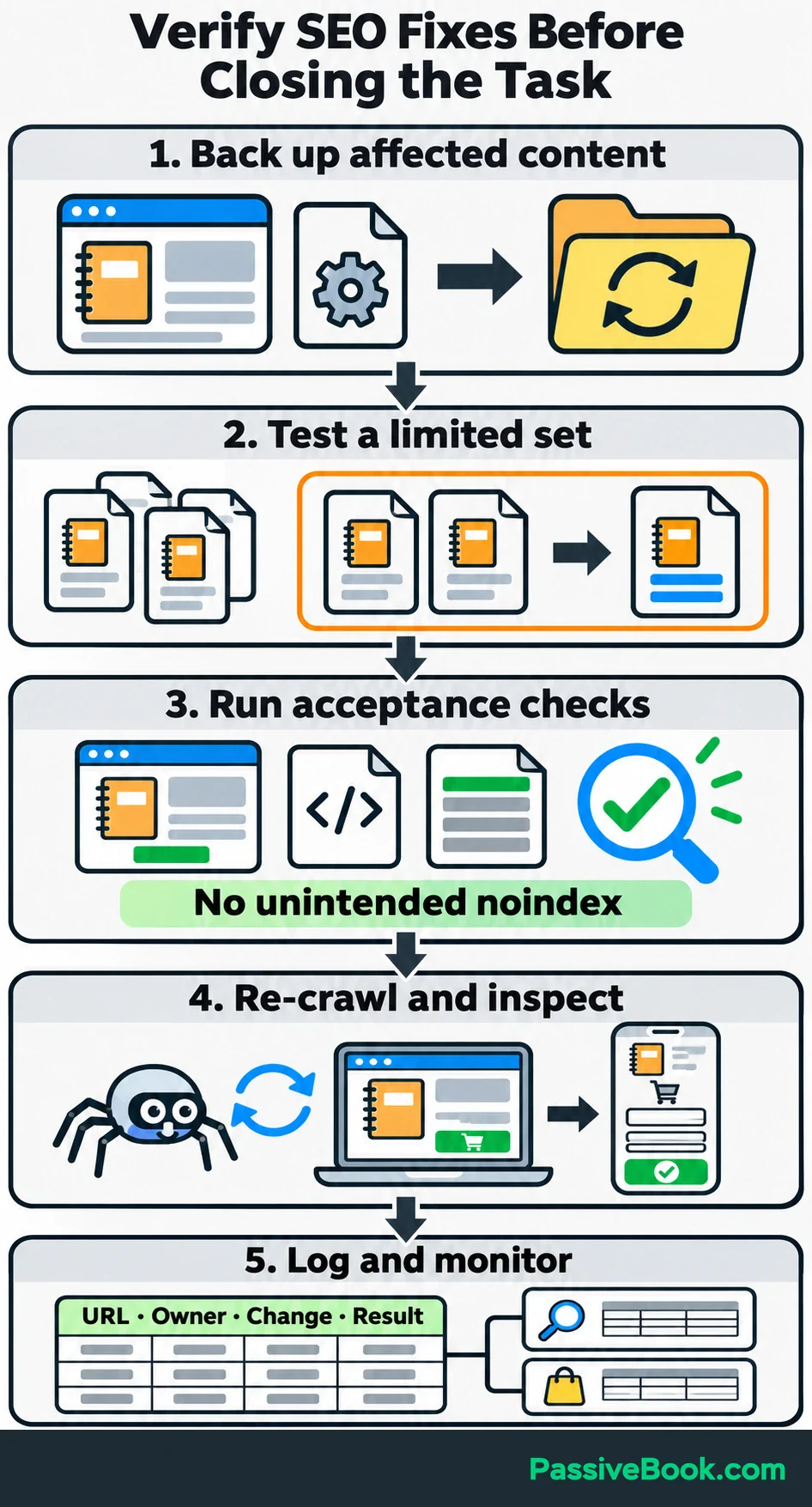
Re-crawl affected URLs and inspect the published pages. For indexing fixes, use the live test to check current access, then monitor Google’s recorded information after recrawling.
Keep implementation success separate from performance improvement. Removing the directive verifies the technical change. Later indexing, search, and sales data show what followed.
A rise in sales after several changes does not prove that one particular edit caused it. Your change log helps you interpret the sequence without pretending it was a controlled experiment.
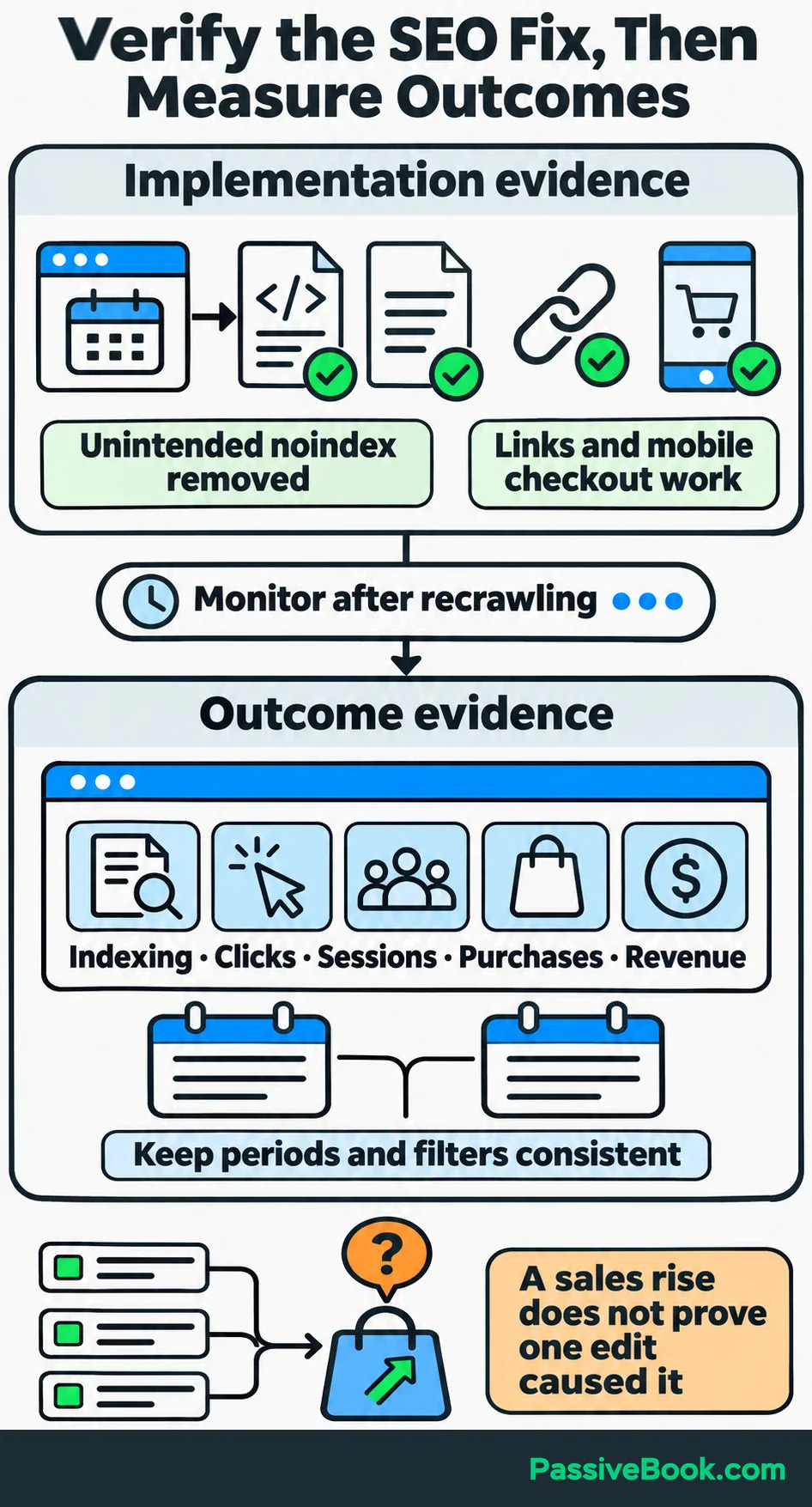
Record the change date, affected URLs, owner, and verification result. Compare the same measures you saved at the start: relevant search visibility, clicks, organic landing-page sessions, completed business actions, and revenue. Keep the periods and filters consistent.
Repeat focused checks after releases, migrations, major content changes, or unexplained declines. For a small, slowly changing site, I would schedule a broader review quarterly and adjust that rhythm when changes become more frequent.
Before closing the audit, confirm that you have:
- A recorded scope and baseline.
- A URL inventory with its coverage limits documented.
- Findings supported by checked evidence.
- Prioritized fixes with owners and acceptance checks.
- Verified changes and a plan to monitor outcomes.
You now have a process you can repeat, along with a record that explains why each task deserved attention.
What Next?
Choose one important sales or signup page and inspect its access, indexing status, internal links, and mobile completion path. Add the first confirmed problem to your findings sheet with a clear acceptance check.
Use the social buttons to share this guide when your next website review needs a common process and a shorter argument about priorities.
Which part of your website are you least confident about: search access, content usefulness, or the path to a purchase? Share your answer and any other questions in the comments.
Share this post with your friends & followers:

