Your SEO to-do list keeps growing: research another topic, update an old article, find internal links, check what changed. Each task looks small until it takes over the evening you had set aside to build something else.
AI can help with that work, but a folder full of generated drafts creates another review backlog. You can spend the time you hoped to save checking output while older pages wait for attention. Here’s how to connect research, page updates and reporting in a repeatable workflow that gives you specific SEO tasks to review and finish.
What SEO Work Can You Automate With AI?
You can automate much of the preparation around SEO: collecting data, grouping searches, preparing briefs, drafting changes and explaining reports. Keep business priorities, factual checks and approval of live changes with a person.
The work falls into three parts:
- Integrations: Move information between Google Search Console (Google’s tool for search performance and indexing), your spreadsheet, AI and your website.
- AI: Groups related searches, interprets supplied evidence and prepares recommendations or copy.
- Human review: Decides whether a recommendation serves your readers and whether the proposed change is accurate.
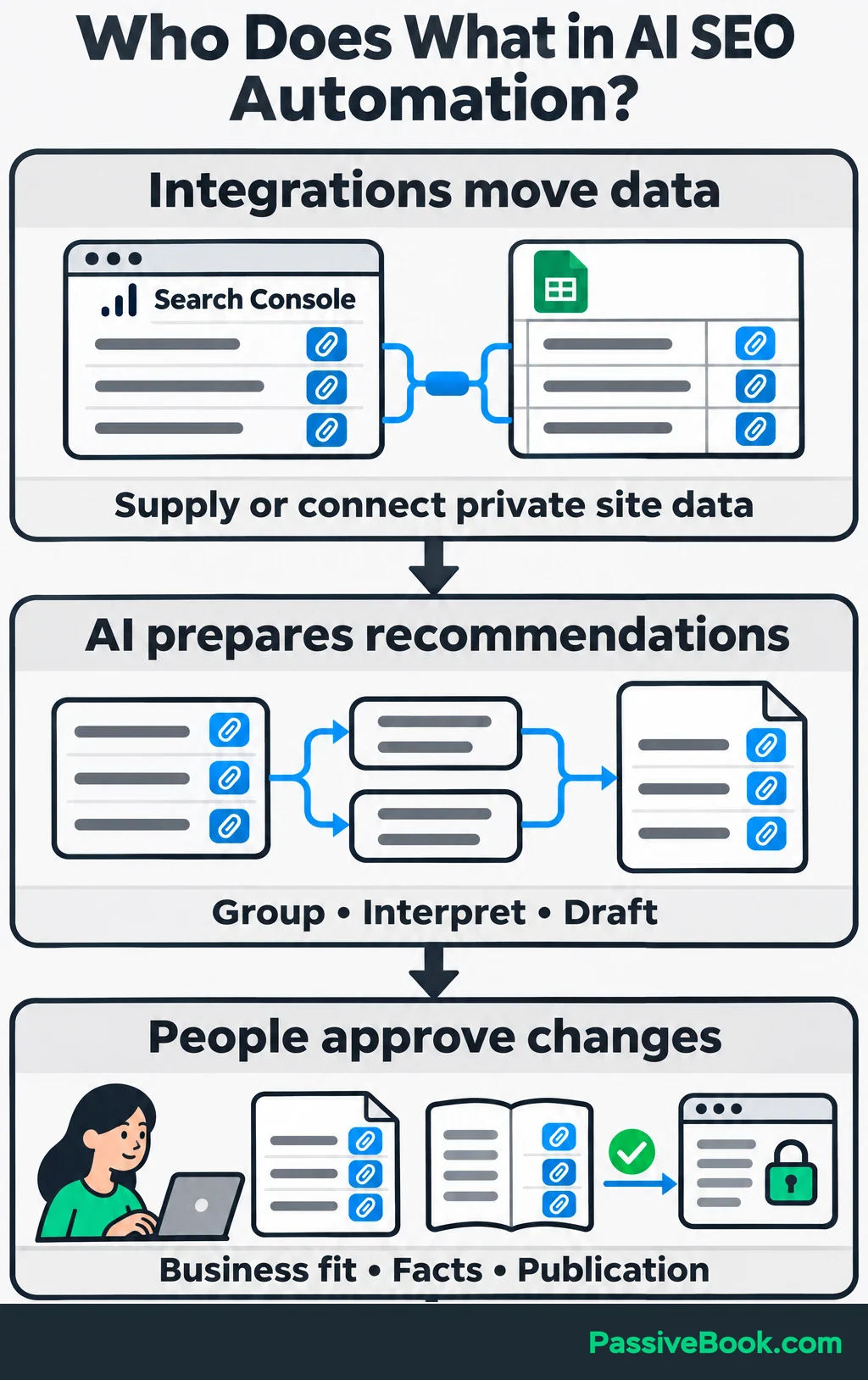
That distinction matters when learning how to automate SEO with AI. A prompt cannot retrieve private site data unless you supply it or connect a tool that can.
I would start by finding existing pages worth updating. The output is easy to inspect, and you can learn whether the recommendations help before connecting publishing tools.
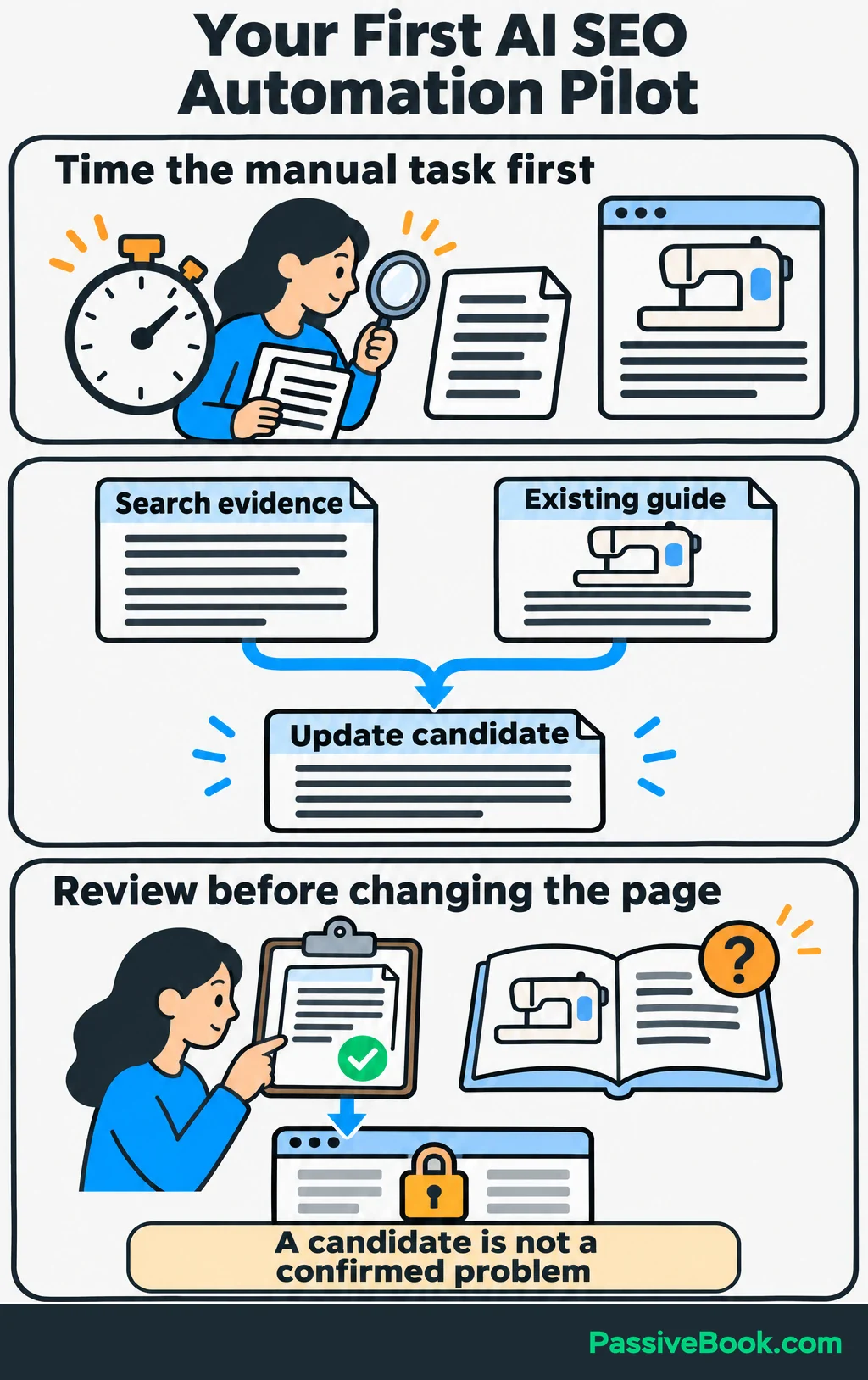
Time yourself doing that task manually first. Include gathering the data and deciding which pages deserve attention. You will need that baseline to judge whether your automation saves time.
Throughout this guide, imagine you run a beginner sewing blog. It earns affiliate commissions from equipment recommendations and sells a printable project planner. We will follow one thread-breakage guide through the workflow. The business, queries, outputs and calculations are illustrations.
Choose a Minimal Tool Stack
Start with Search Console, a spreadsheet, your existing website and an AI assistant. Test the process with exports before paying to connect everything.
These tools fill different roles. Choose alternatives within a role rather than buying several products that do the same job.
| Workflow role | Suitable option | Reason to choose it | Cost consideration |
|---|---|---|---|
| Search performance | Google Search Console | Supplies queries, pages, clicks and impressions from your existing Google visibility | No tool subscription required |
| Business outcomes | Google Analytics 4 (GA4) | Connects organic visits with tracked actions such as purchases | Standard access has no subscription charge, but tracking needs setup |
| Additional keyword research | Ubersuggest | Adds keyword ideas when your site has little existing search data | Check research and export allowances before paying |
| Analysis and writing | Claude or an AI assistant you already use | Tests grouping, briefs and drafting instructions | Budget automated model usage separately from chat access |
| Connecting steps | Make or n8n | Make suits a hosted visual setup; n8n offers flexible workflows and hosting choices | Compare workflow usage with hosting and maintenance |
| Review queue | Google Sheets or your existing spreadsheet | Keeps inputs, decisions and status visible | Start with what you already have |
| Website changes | Your existing publishing platform; WordPress with the Rank Math SEO plugin if that is your setup | Keeps publishing and SEO fields in a familiar place | An automation pilot does not require a website migration |
Claude is my first choice for long-form writing and content strategy, but I would test the assistant you already have before adding another subscription. For connected workflows, check its API billing—the charge for software calling the model—and account for any included credits. Claude treats chat subscriptions and API billing separately.
For a first visual automation, I would choose Make if avoiding server maintenance matters most. Its credits are consumed by actions within a workflow, so one run can use many credits. Make’s pricing page explains how credits work.
I use n8n to connect tools, and I would choose it when its flexibility justifies the setup. Its self-hosted Community edition has no software subscription charge, but you handle hosting, updates and maintenance. “Free software” still needs somewhere to live. n8n’s hosting documentation explains the options.
Use a fixed workflow when the steps are predictable. Consider an agent when the system needs to choose which permitted tool to use or what to investigate next. For example, it might decide whether a proposed update needs another source.
Give that agent allowed actions, a spending limit and a stopping point. For this first workflow, I would allow reading data and saving recommendations, then stop at human review.
Build Your First Automation: A Prioritized SEO Work Queue
The workflow should produce a short list of assignments naming the page, proposed work, supporting evidence and checks still needed.
Create separate spreadsheet tabs for search inputs, page inventory, work queue and change log so you can trace each assignment to its evidence.
Prepare the Search Data and Page Inventory
Write a short site description before collecting data. Include the subject, target country and language, and the visitor action your content should support.
For the sewing blog, that might be:
Beginner sewing help for English-speaking readers in the United States. Tutorials help readers finish projects, choose suitable equipment and use a printable project planner.
That description helps AI judge relevance. A topic can attract searches and still be a poor use of your time.
Next, collect a defined period of search data. For a small pilot, use the last 28 complete days and save the dates and filters with the export.
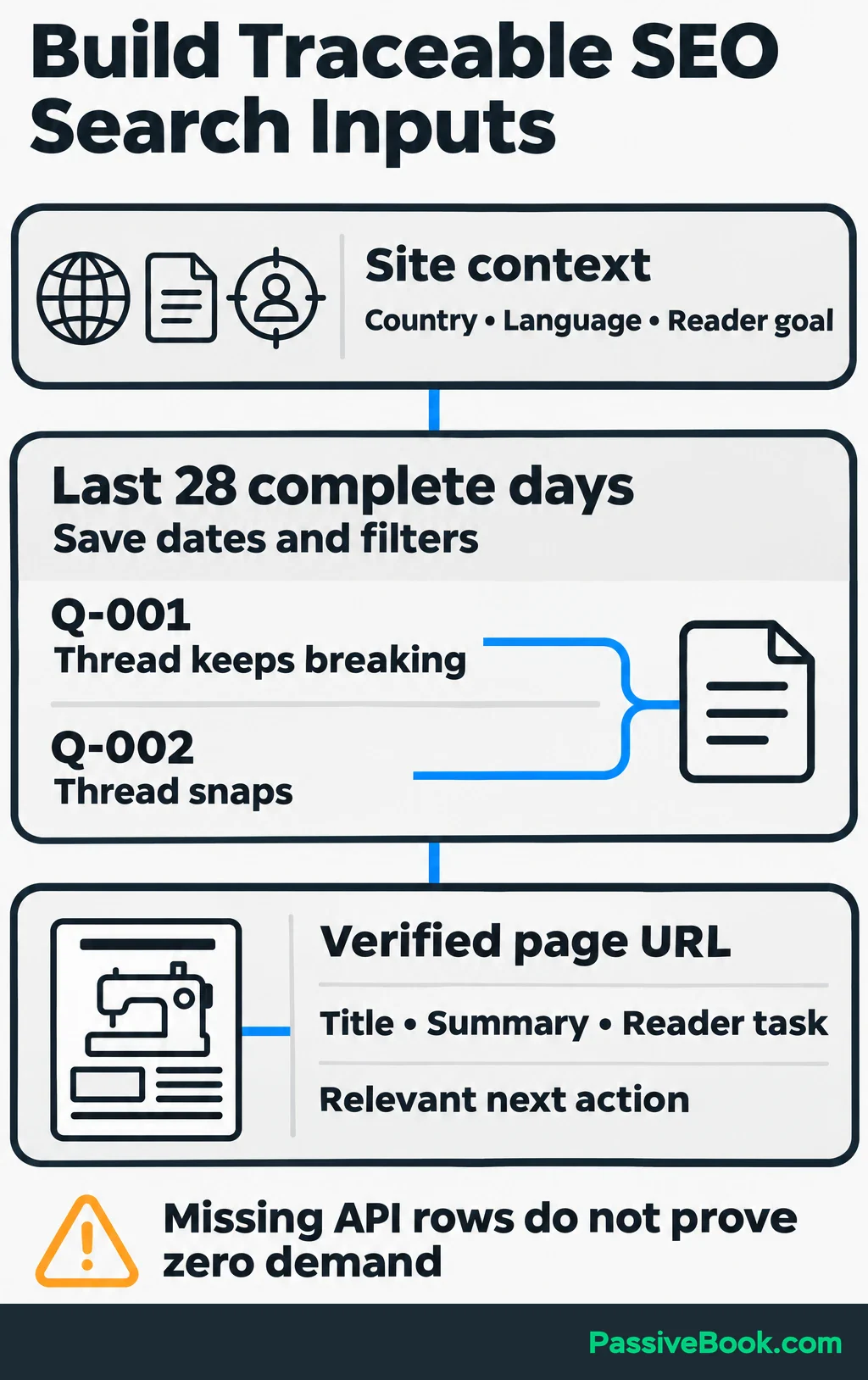
Filter Search Console’s performance report to one existing page, export its queries and add that page’s URL to each row. Repeat for a few selected pages. Give each input row a unique ID, such as Q-001, so recommendations can cite their evidence.
Add an inventory containing each page’s:
- Published URL and title.
- Short content summary.
- Main reader task.
- Relevant product or next action.
For scheduled collection, authorize the Search Analytics API—a software connection to your Search Console data—and group results by page and query. It returns top rows rather than every available row, so a missing query does not prove there is no demand.
For a new site, use seed-keyword research instead. Ubersuggest lets you choose a location and language and export keyword ideas. Keep the tool’s measurements with their source, and leave unavailable metrics empty.
Give AI a Bounded Prioritization Task
Ask AI to group queries by what the searcher wants to accomplish, then map each group to an existing page or a proposed topic.
Rank the resulting assignments by four practical questions:
- Does the topic fit the business?
- What supplied search evidence supports investigating it?
- What useful improvement could you contribute?
- How much work would that improvement take?
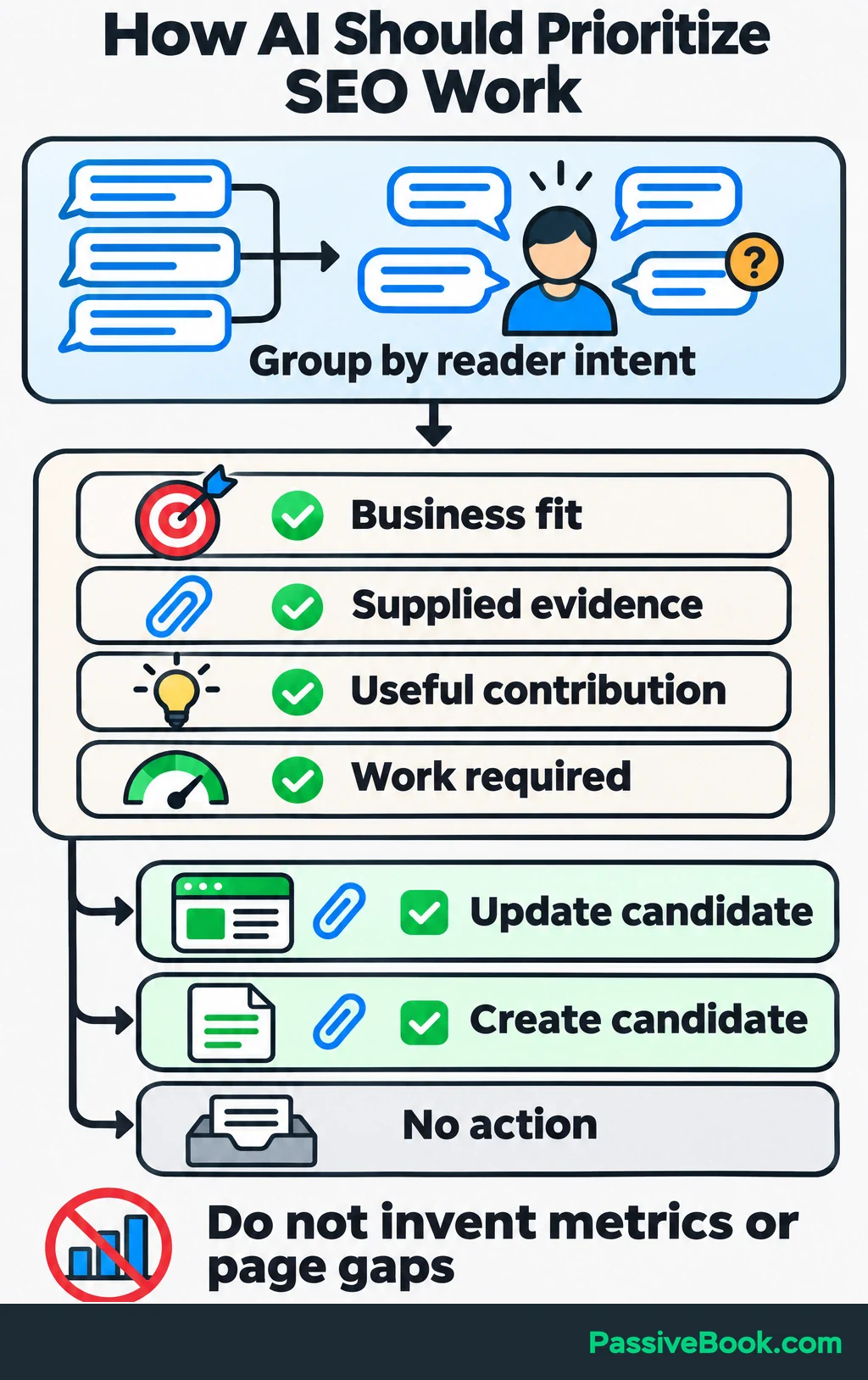
I would usually choose a clear improvement to a relevant existing page before creating another article answering the same question.
Use this reusable instruction with your exports and inventory:
Using only the supplied queries, metrics and page inventory,
group queries by reader intent.

For each group, recommend update, create or no action.
An update recommendation is provisional until the page is reviewed.

Return:
- Task ID
- Query group
- Existing destination URL or proposed new topic
- Recommended action
- Supporting input row IDs
- Reason for the recommendation
- Missing information
- Review status

Preserve the original query records. Do not invent search volume,
difficulty scores, ranking forecasts or missing page content.
Keep measured metrics separate from your recommendations.
The queries “sewing machine thread keeps breaking” and “why does my sewing machine thread snap” could belong to one troubleshooting task.
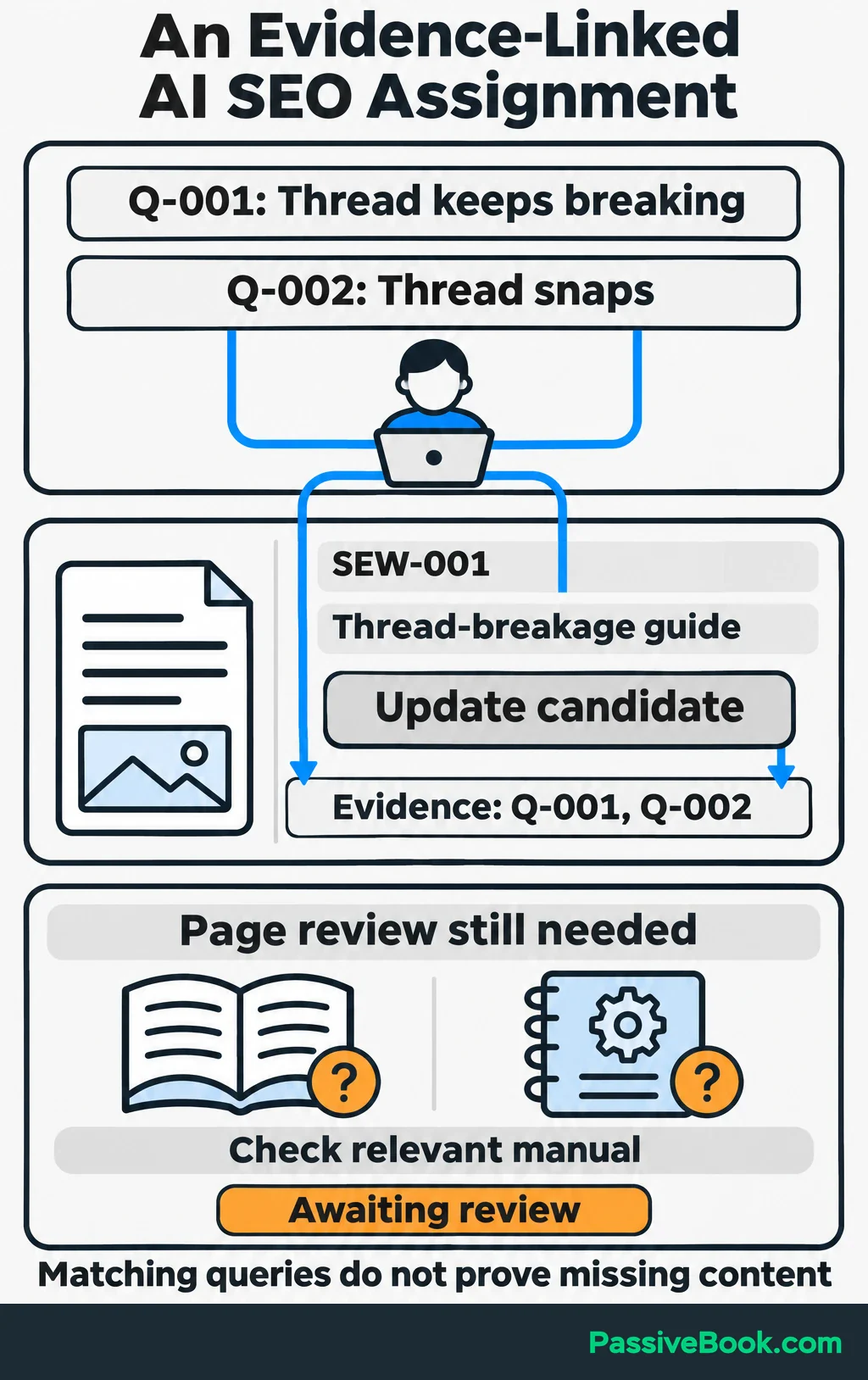
If your inventory contains a relevant guide, an illustrative queue entry could look like this:
| Field | Example output |
|---|---|
| Task ID | SEW-001 |
| Query group | Sewing-machine thread breakage |
| Destination | /sewing-machine-thread-breaking/ |
| Action | Update candidate |
| Evidence | Q-001: “sewing machine thread keeps breaking”; Q-002: “why does my sewing machine thread snap” |
| Reason | Both queries appear to match the existing troubleshooting guide |
| Missing information | Full page review and relevant machine-manual instructions |
| Review status | Awaiting review |
This recommendation earns a page review. It does not establish that the article is incomplete.
When a query could mean different things, inspect the search results before accepting the grouping. AI should flag uncertainty rather than quietly choose the wrong destination.
Connect and Test the Workflow
Once the export-and-prompt test produces useful recommendations, connect the steps in Make or n8n:
- Start with a manual trigger.
- Retrieve the search data.
- Standardize dates, URLs and column names.
- Retrieve the page inventory.
- Send the inputs and instructions to AI.
- Validate the returned records.
- Save valid recommendations to the review queue.
Use the tool’s app connectors where available. If a needed connection is missing, an HTTP request step can call the service’s API.
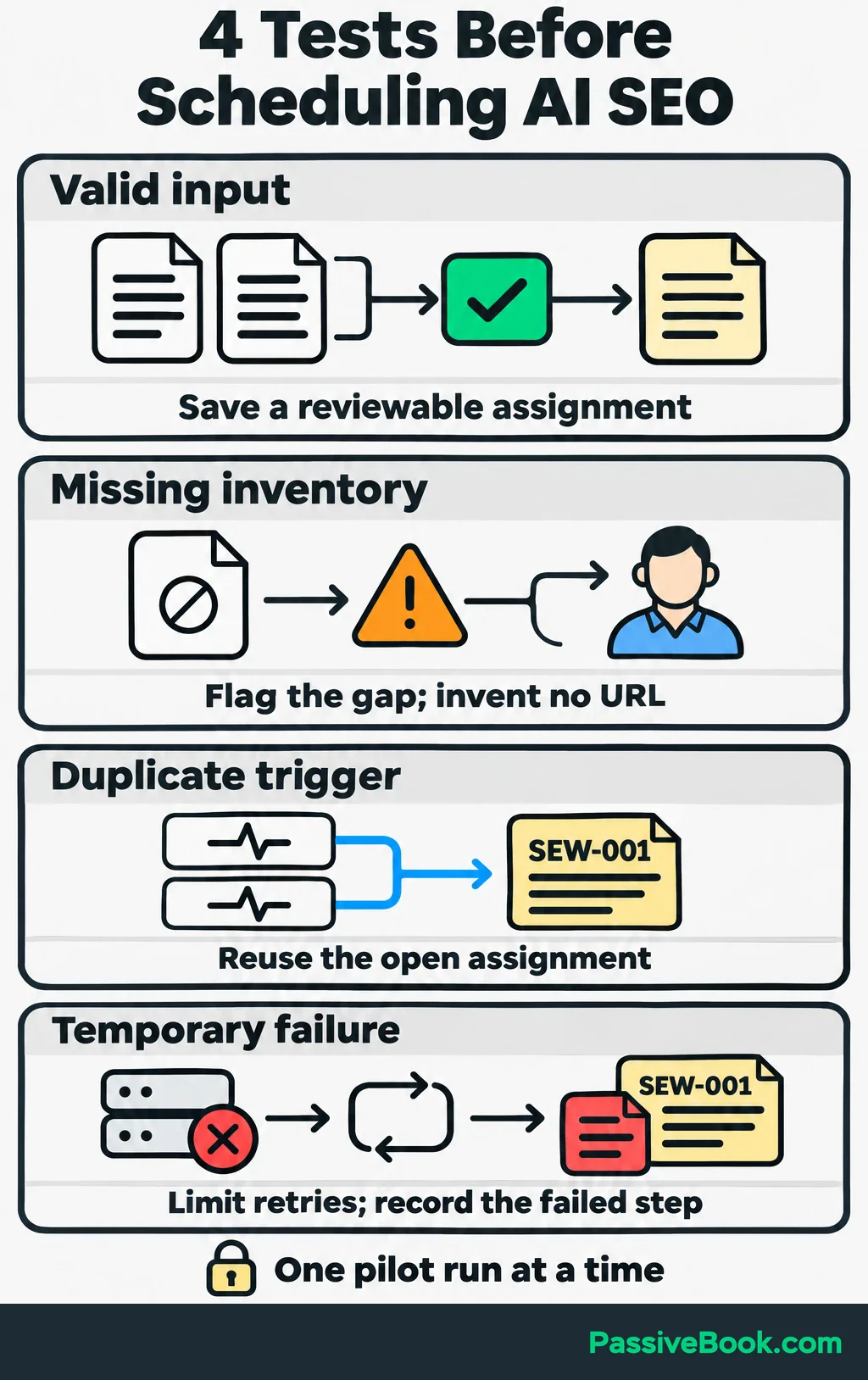
Validation should check the action being proposed. An update needs a destination from your existing inventory. A new article needs a proposed topic. Every recommendation needs supporting input, and missing information must remain visible.
Give each assignment a permanent ID such as SEW-001, and reuse an existing open assignment for the same page and query group. Track whether it is awaiting review, complete or failed, and allow only one pilot run at a time.
Test four situations before adding a schedule:
- Successful run: Valid inputs produce a reviewable recommendation.
- Missing input: An empty inventory sends the task to review instead of inventing a URL.
- Duplicate trigger: A second trigger leaves the existing assignment intact.
- Temporary failure: A service error gets limited retries, then records the failed step and task ID.
Start with a small batch and cap retries and model usage. Schedule the workflow only as often as you can review its output. If you still upload exports yourself, keep that handoff listed as a manual task.
Turn Approved Assignments Into Briefs and Drafts
Approval of a queue item means it deserves further work. The next stage gathers enough material to decide what the article should actually say.
Build a Source Package and Approve the Brief
Retrieve the selected page and assemble its query group, intended reader outcome, relevant references and related site pages.
Keep consequential claims beside their supporting URLs and short source excerpts. The drafting stage needs the evidence itself, not a note saying “research completed.”
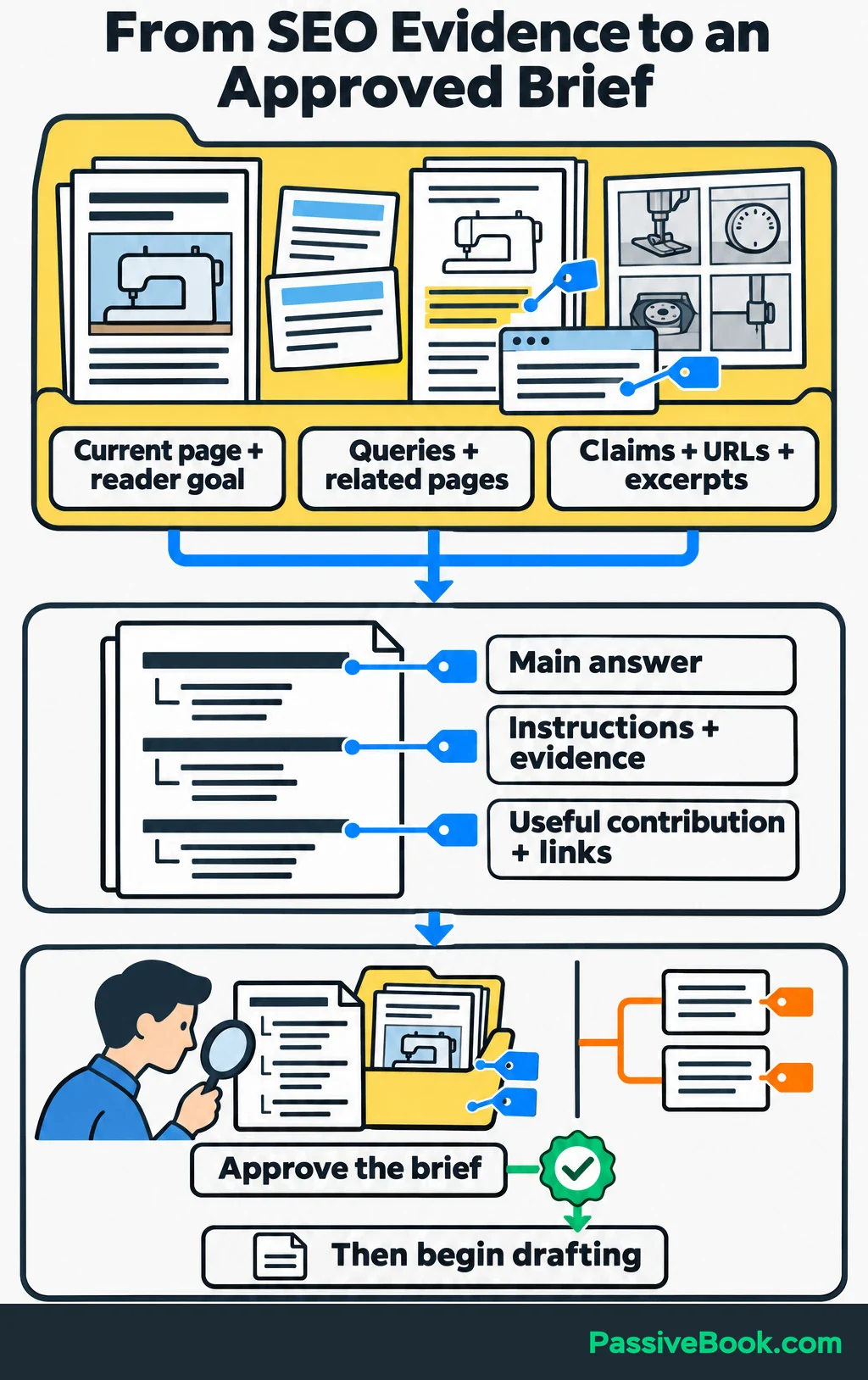
Ask AI to turn that package into a brief covering:
- The main answer readers need.
- Necessary prerequisites and instructions.
- Proposed headings.
- Evidence supporting factual claims.
- Your useful contribution.
- Relevant internal-link candidates.
For the thread-breakage guide, the source package could include the current article, instructions from the relevant machine manual and original photos you already have or plan to take.
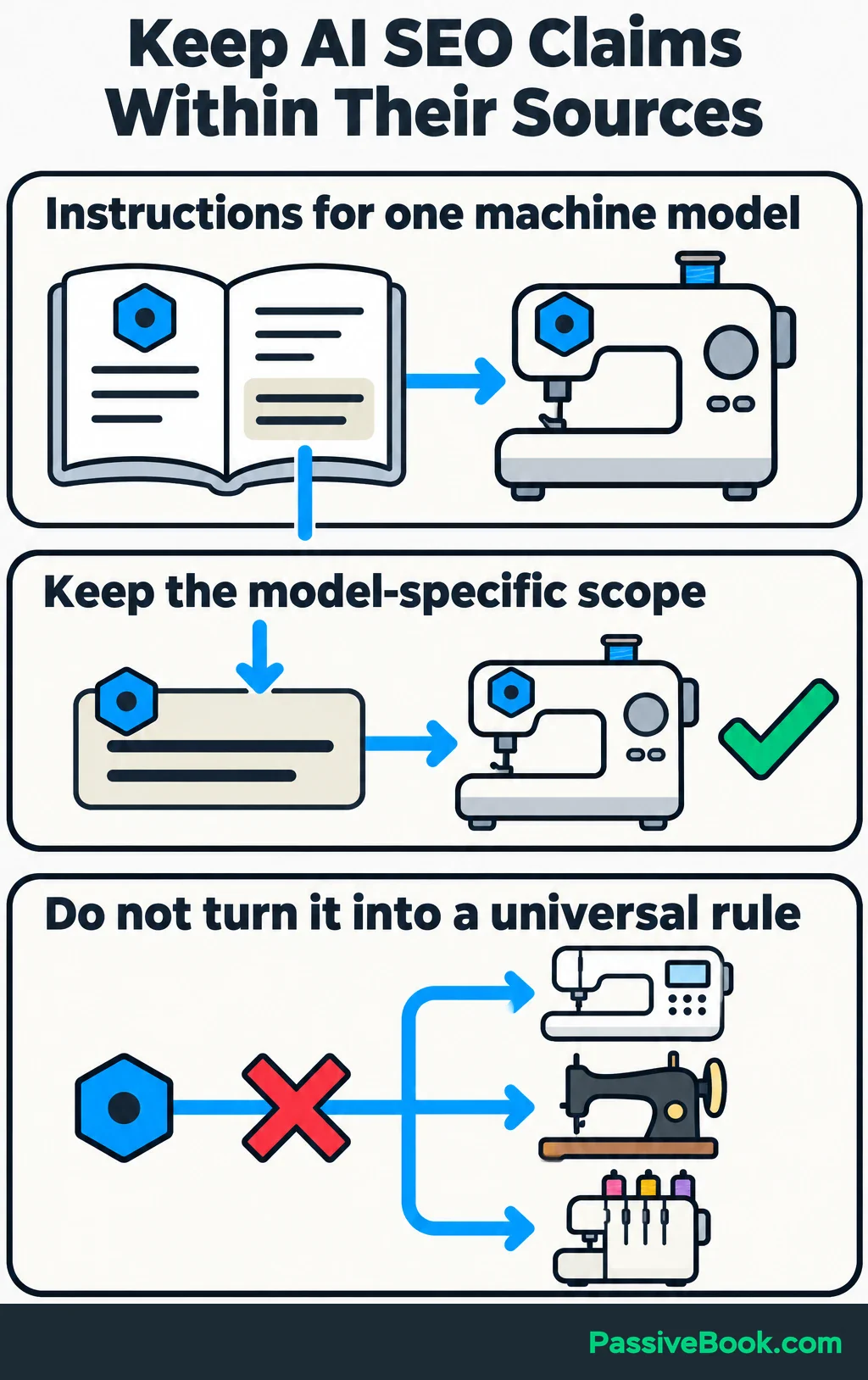
Any model-specific instruction should remain tied to the model it covers. The drafting system should not turn one machine’s instructions into a rule for every machine.
The printable project planner belongs only where it helps readers record or apply what they learn. A troubleshooting article does not need a sales pitch between every check.
Use competing pages and Google’s “People Also Ask” questions in search results to spot gaps. Keep only questions needed to solve the reader’s problem, then approve the brief before drafting.
Draft From the Approved Material
Give the drafting stage the approved brief, source package and current page text. For an update, ask for revised passages where possible so useful existing material survives.
A compact instruction is enough:
Draft the approved sections using the supplied evidence. Preserve useful existing material, keep model-specific instructions within their stated scope, and mark unresolved facts for review.
Review the assembled article for missing answers, repetition, unsupported claims and useful passages lost during revision. Send unresolved facts back to research.
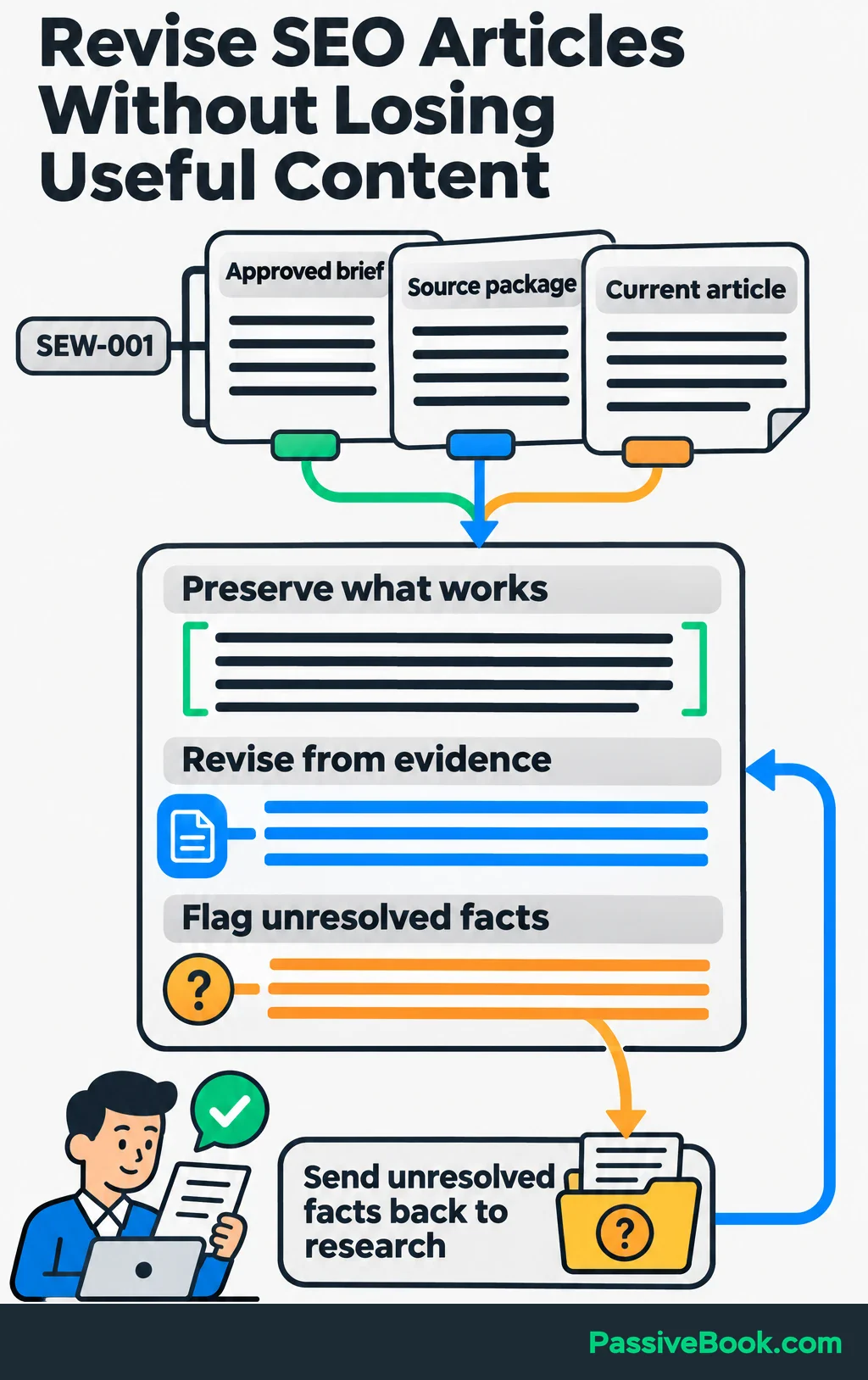
If a full rewrite would create more checking than it saves, start with the passages that need work. AI Copywriting Studio drafts those revisions and separates the proposed changes from questions that still need evidence.

Free AI Copywriting Studio




I built a custom Python content pipeline using Claude Code that reduced article production from days to hours. That is a production-time saving, and I would measure rankings and revenue separately. Faster drafting earns its place only if the result is worth publishing.
Check technical instructions against the relevant manufacturer’s guidance. AI output is not a source, however confidently it explains the machine.
Google says generating many pages without adding value may violate its scaled content abuse policy, and its guidance calls for accuracy and review. Its guidance on generative AI content explains the distinction.
Keep the approved brief, draft, reviewed version and eventual published URL attached to the same assignment.
Generate on-page Improvements and Internal Links
Once the content answers the reader’s question, use AI to propose smaller changes. Each suggestion should point to something observable on the page.
Propose Changes From Page-specific Evidence
Supply the current page, approved brief and relevant queries. Ask for changes tied to a specific problem: an unclear heading, missing answer, redundant passage or title that misrepresents the content.
Each change record should contain:
- The destination URL.
- Current text.
- Proposed text.
- Reason for the change.
- Supporting passage or source.
- Approval status.
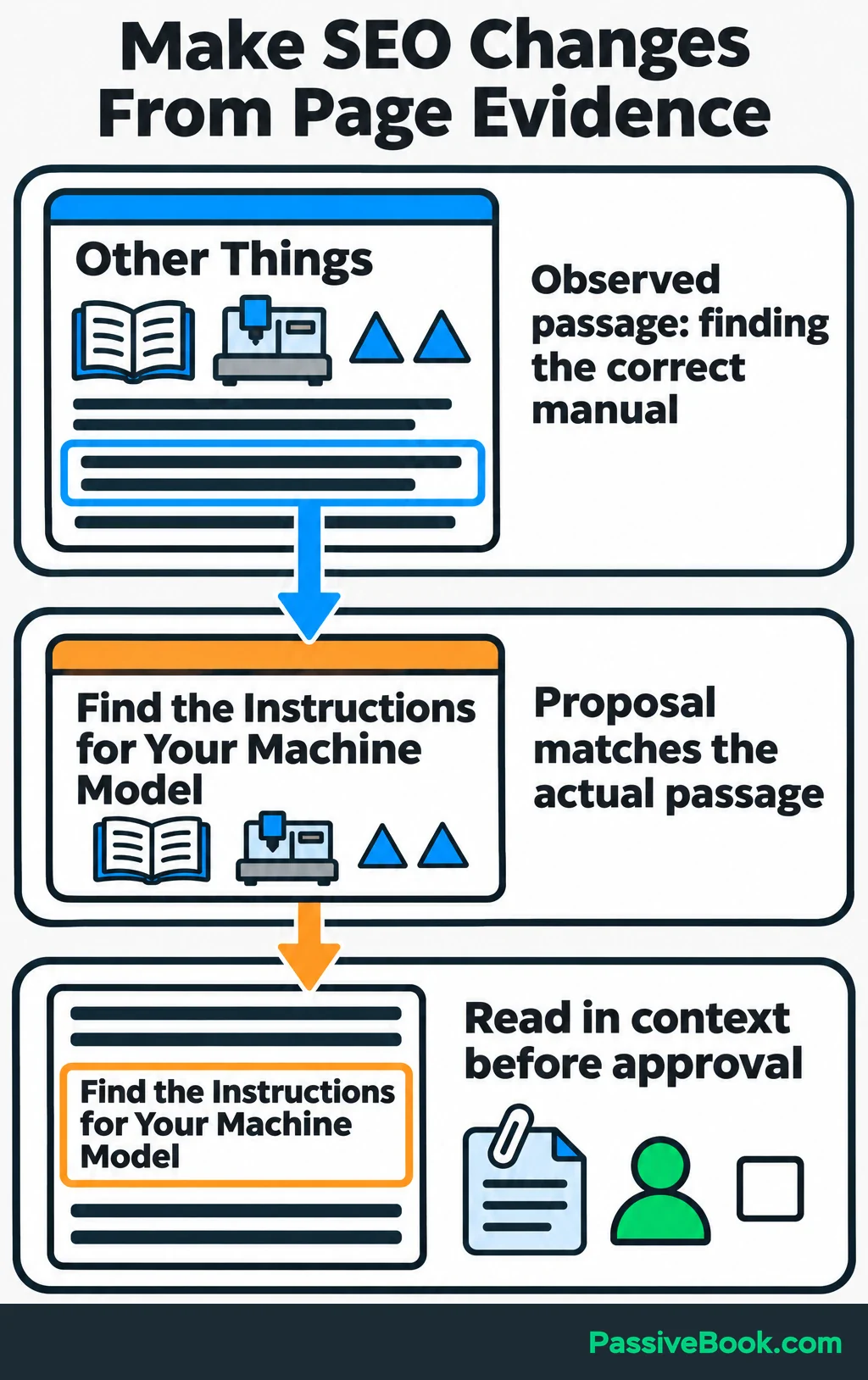
Suppose the reviewed thread-breakage guide contains a section titled “Other Things” that explains how to identify the correct manual for a machine. A clearer proposed heading could be:
Find the Instructions for Your Machine Model
The recommendation is useful because it describes an observed passage. Without that passage, it would be a guess dressed as an audit.
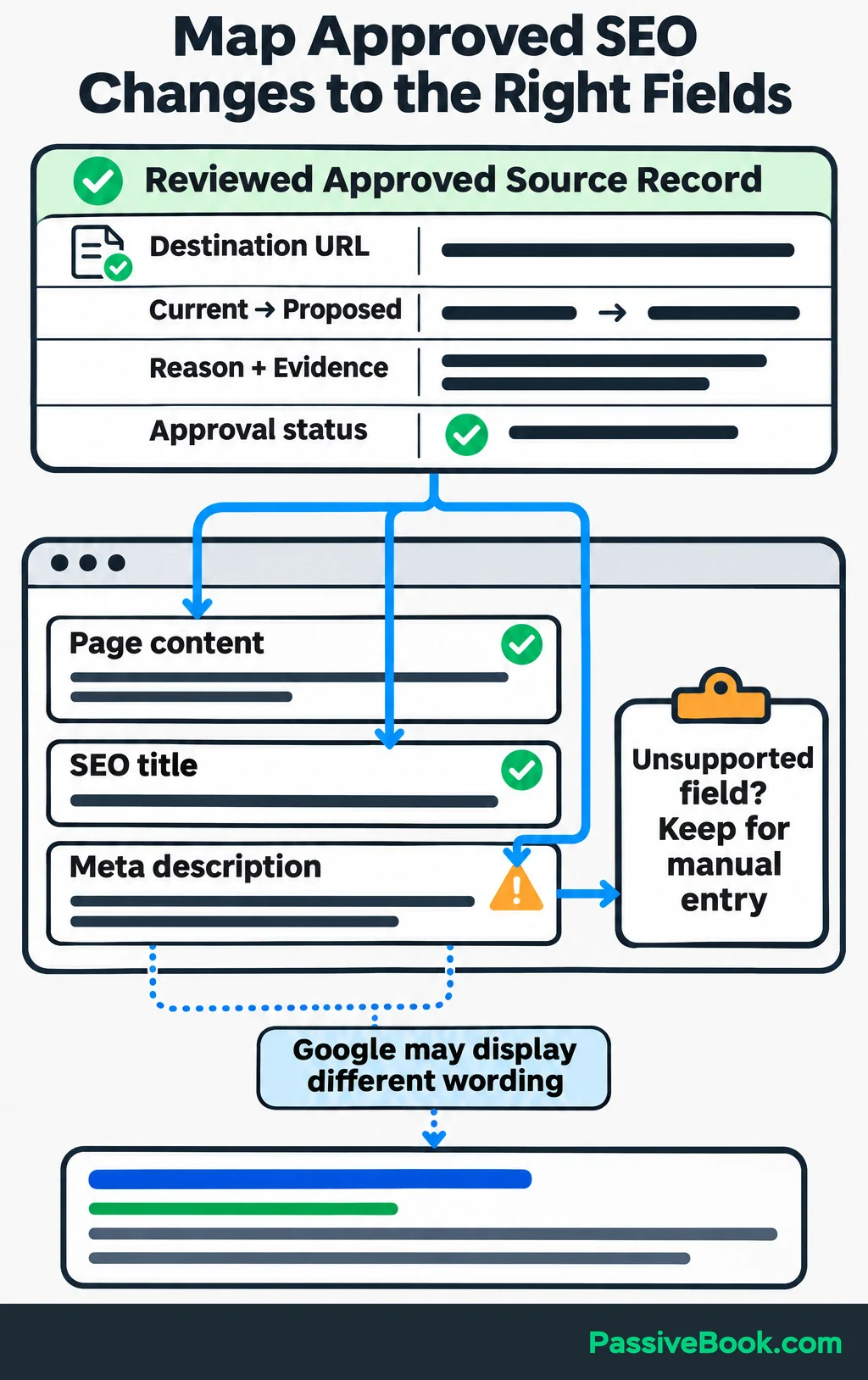
Ask for a few title and meta-description options that represent the finished page accurately. Google determines displayed title links and snippets, so your submitted wording does not guarantee what appears in search.
Read the proposed changes in the full page before approving them. Then map each approved change to the correct CMS page and field. Test SEO-plugin fields separately; if your connector cannot write them, leave those values in the review record for manual entry.
Suggest Links From a Verified Page Inventory
Give AI the relevant page text and an inventory of real destination URLs. Ask it to return the source page, destination, proposed anchor text, insertion sentence and reason the link helps.
Look in both directions. The updated guide may need links to supporting resources, and relevant older articles may need a link to the guide.
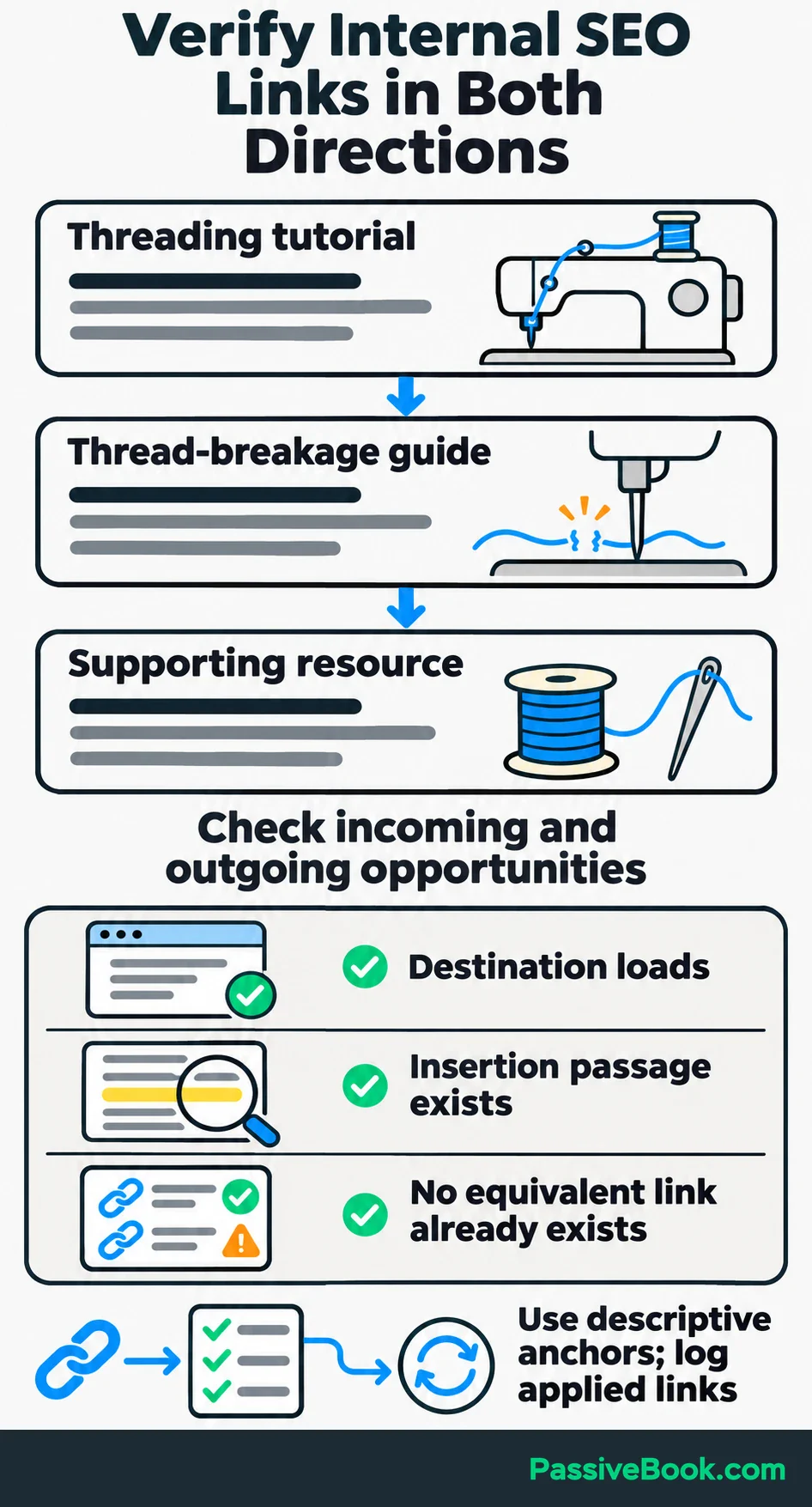
For example, after verifying the passage exists, a machine-threading tutorial could include:
If the thread still breaks after you follow your machine’s threading instructions, use the thread-breakage troubleshooting guide to continue checking.
Link the descriptive words to the verified guide URL.
Before accepting a suggestion, check that the destination loads, the insertion passage exists and the page does not already contain an equivalent link. Use ordinary crawlable links with descriptive anchor text. Google’s link guidance explains the supported markup and anchor-text principles.
Record applied links so the next run does not recommend adding them again.
Send Reviewed Work to Your CMS
By this point, the workflow has an approved assignment, source package, brief and reviewed content. Connecting your content management system—the software that stores and publishes your pages—should preserve those decisions.
Create Drafts Without Changing Live Pages
For a new article, create a CMS draft and save its post ID in the queue. For an existing article, keep the proposed revision in a separate review record until approved.
An update to a published post can affect the live page, so do not send review copies into its live content field.
Store connection credentials in the automation tool’s credential manager and use an account with only the permissions the workflow needs. For self-hosted WordPress, use an application password over HTTPS. WordPress documents this authentication method for API connections.
Save the CMS post ID as soon as a draft is created. If a request times out, check whether the draft exists before retrying, then save and reuse its ID. This prevents a retry from creating another copy.
Approve the Exact Version That Goes Live
Preview the rendered page before publication. Check headings, images, links, tables, formatting and SEO fields.
Approval should apply to the exact revision being published. If the article changes substantially afterward, send it back for approval.
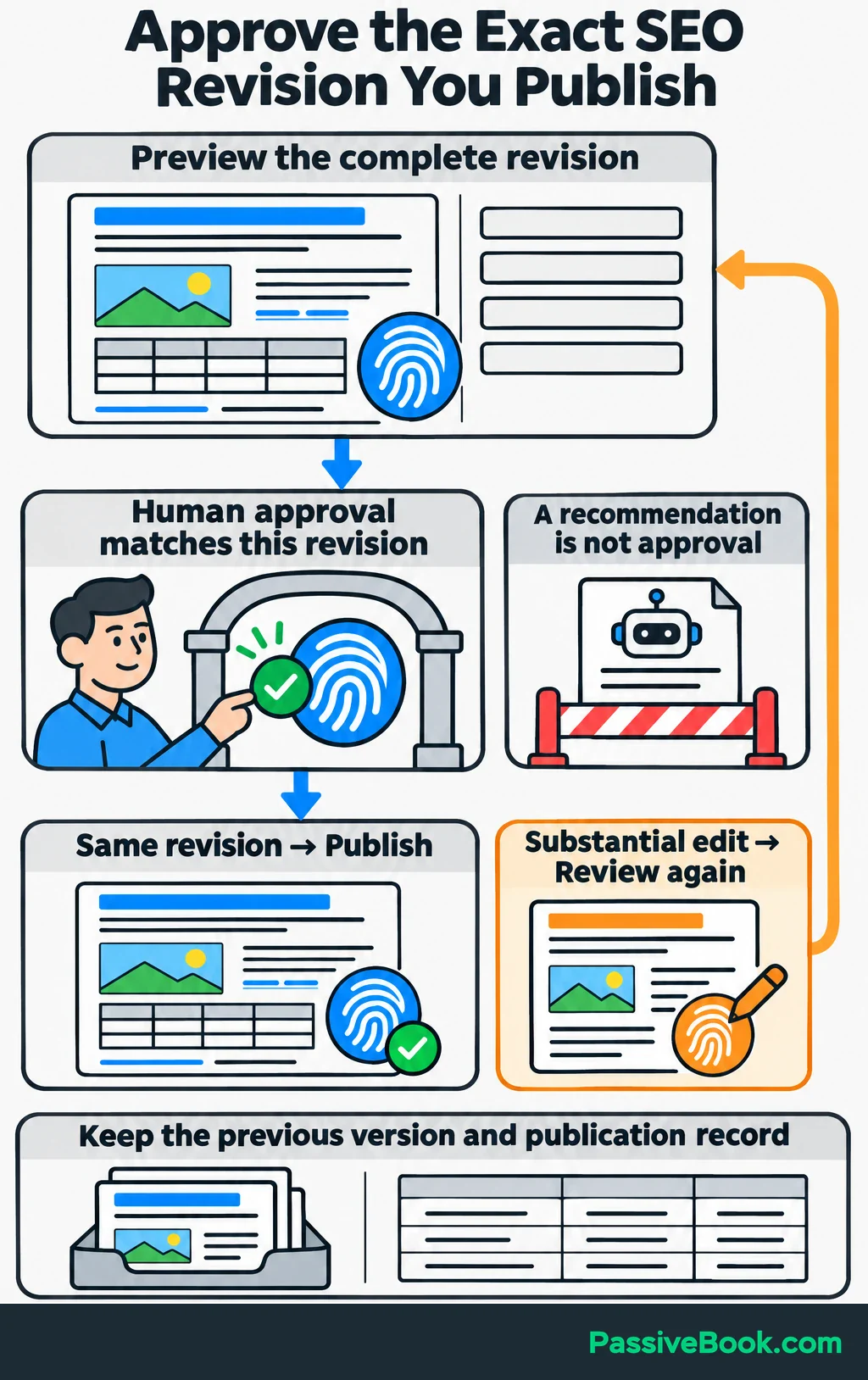
Make that approval an explicit condition in the workflow. An agent’s recommendation to publish should not satisfy the condition.
Keep the previous version and record the approved revision, publication date, destination URL and CMS ID. Those records give you something to restore and connect later performance reports to the change you actually made.
Automate Reports That Produce the Next Action
A useful report ends with a decision: investigate, improve, wait or leave alone. A cheerful paragraph about “positive momentum” does not earn another subscription.
Track Search Performance and Business Outcomes
Schedule reports for the pages you changed and retrieve their saved baseline and change log.
Include Search Console clicks, impressions, click-through rate and average position using consistent dates and filters. Keep business outcomes in a separate part of the report.
Filter GA4’s landing-page report to sessions from organic search, then compare sessions and tracked actions for the changed pages. Verify purchase tracking before evaluating sales. Google explains the report’s traffic-source options and revenue requirements.
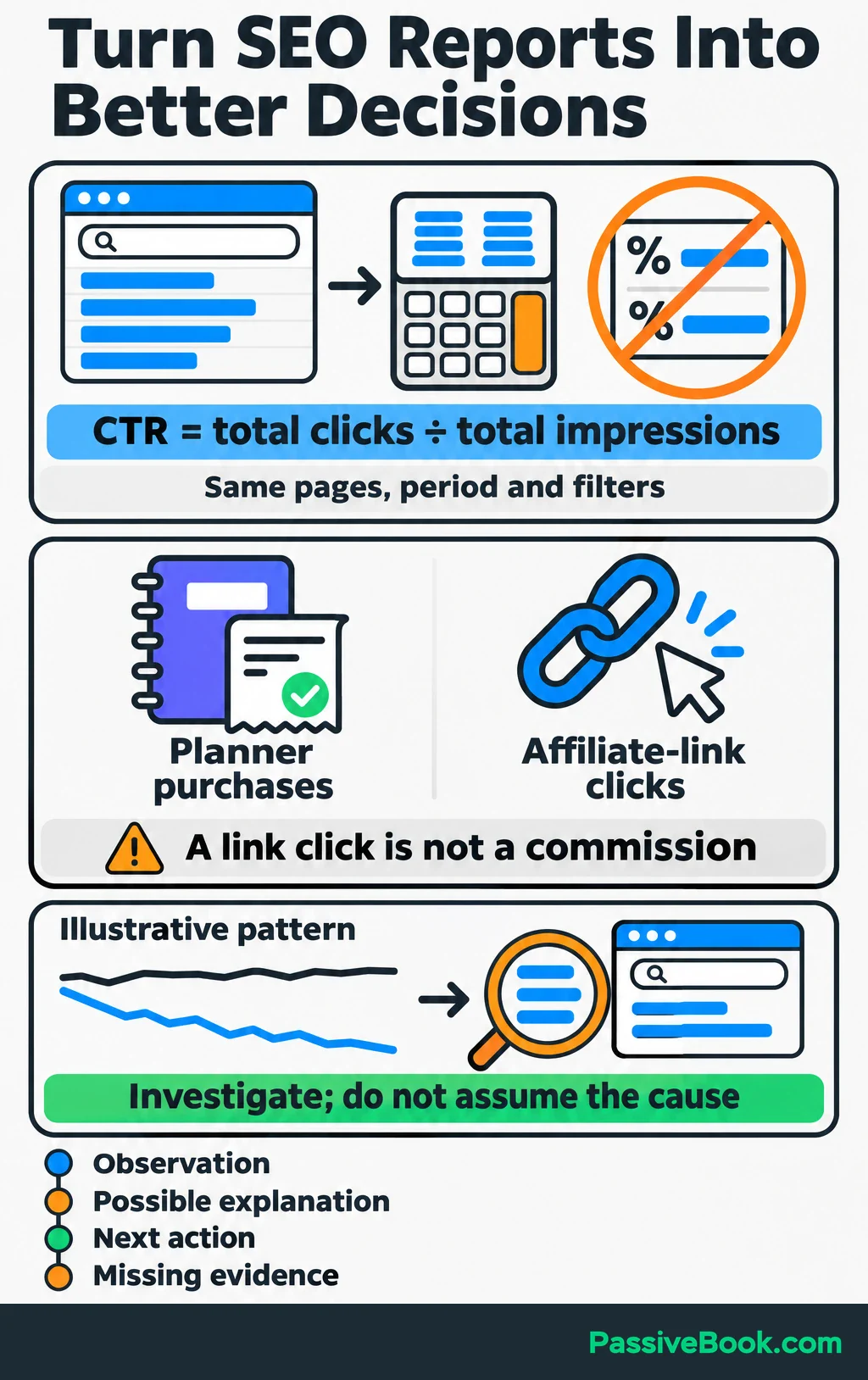
For the sewing blog, report planner purchases and affiliate-link clicks separately: a link click is not a confirmed commission.
Have the spreadsheet or workflow calculate totals and percentage changes before AI explains them. For click-through rate, divide clicks by impressions from the same page set, period and filters. Do not average row-level percentages.
Compare equivalent periods and account for seasonal demand and other site changes. Google notes that search effects can take days to months, so a report generated shortly after publication may be too early to judge. Its traffic-change guidance explains relevant causes and comparisons.
Ask AI to return:
- Observed change: The affected URL and supporting figures.
- Possible explanation: A clearly labeled interpretation.
- Next action: What to investigate or improve.
- Missing evidence: What prevents a confident decision.
For the thread-breakage guide, declining clicks with steady impressions could justify inspecting the queries and search appearance. That is a reason to investigate, not proof that the title caused the decline.
Before-and-after movement alone also does not establish that automation caused the result. Send approved follow-up assignments into the same work queue so the report leads somewhere useful.
Route Technical Findings to Review
Add technical monitoring once the core workflow is reliable.
A crawler checks your pages, links and server responses. Feed its findings and available indexing-report exports into the queue; record any uploads you still do manually.
Ask AI to group affected URLs and summarize problems, keeping the original findings attached.
Investigate unexpected exclusions for pages you want indexed; deliberate exclusions need no fix. Use URL Inspection to check an individual URL. Google distinguishes sitewide indexing reports from individual inspection.
Verify the cause before making changes, and recheck affected pages afterward. Redirects, canonical tags (which identify the preferred page version), indexing instructions and sitewide changes need technical review.
Measure Whether the Automation Earns Its Keep
Measure the work that remains, including the awkward parts.
For each run, count input handling, review, corrections, troubleshooting and a share of ongoing maintenance. Track unattended processing time separately because it does not consume your attention in the same way.
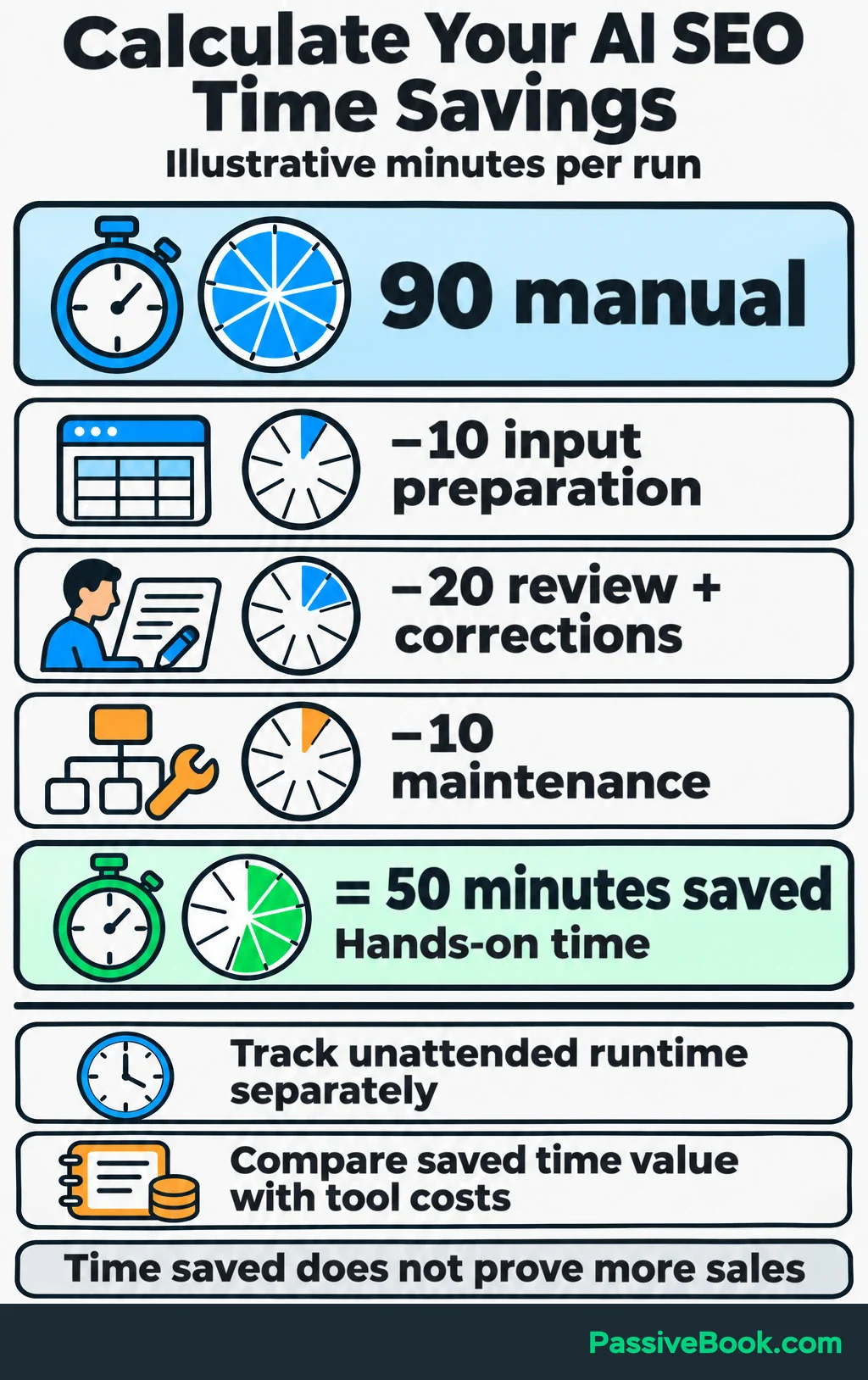
Here is an illustrative calculation. The manual task previously took 90 minutes. With automation, preparing inputs takes 10 minutes, review and corrections take 20, and maintenance averages 10 minutes per run.
Your hands-on saving is:
90 − 10 − 20 − 10 = 50 minutes per run
Compare the value of that saved time with subscriptions, API usage, automation credits and hosting. Keep measured business gains separate. Those 50 saved minutes do not automatically produce more sales.
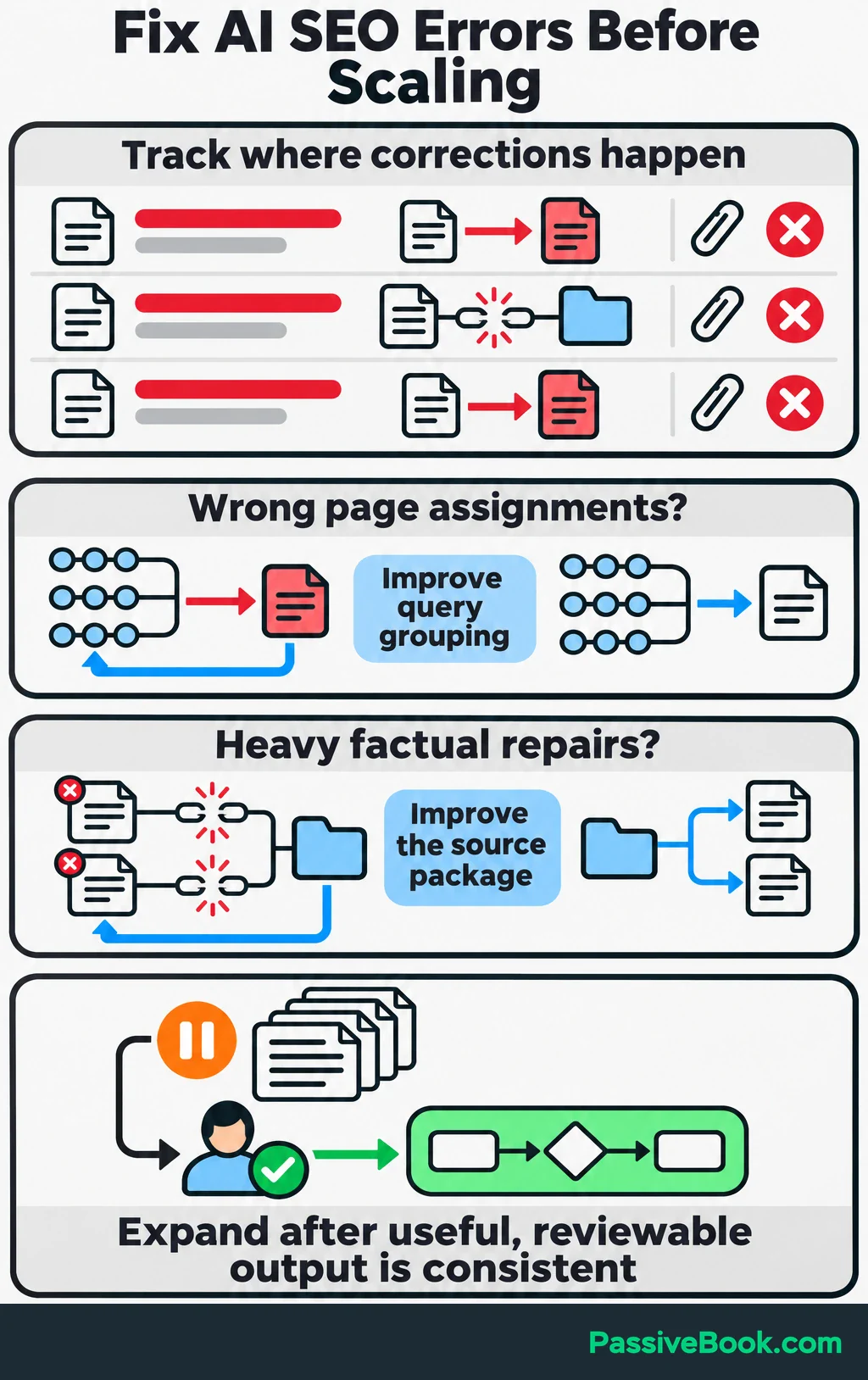
Also track where corrections happen. If most assignments are rejected because queries were mapped to the wrong pages, fix grouping before increasing output. If drafts need heavy factual repair, improve the source package.
I would add another workflow only when the first consistently produces useful, reviewable work. A larger backlog of questionable recommendations is a fairly expensive way to stay busy.
What Next?
Time yourself choosing one existing page to update, then save its query export and test the prioritization prompt. Review whether the resulting assignment gives you a clearer next action.
Use the social buttons to share this guide when you want a practical reference for connecting SEO research, review and reporting.
Which recurring SEO task takes the most of your time? Tell me in the comments, and bring any other questions about setting up the workflow.
Share this post with your friends & followers:

