A customer can ask an AI tool which course to buy and get a shortlist before visiting a single website. If your offer is missing—or described incorrectly—you may never get the chance to explain why it fits.
That makes visibility harder to judge. Publishing more articles won’t tell you whether AI answers can find your work, describe it accurately, or send useful visitors. This guide shows how to make your existing pages easier for answer engines to find and cite, and how to judge whether that visibility deserves more of your time.
What Is Answer Engine Optimization?
Answer engine optimization improves how easily answer engines discover, understand, and accurately reference your content or business. Here, the focus is on AI-generated answers in Google Search, ChatGPT search, Microsoft Copilot, and Perplexity.
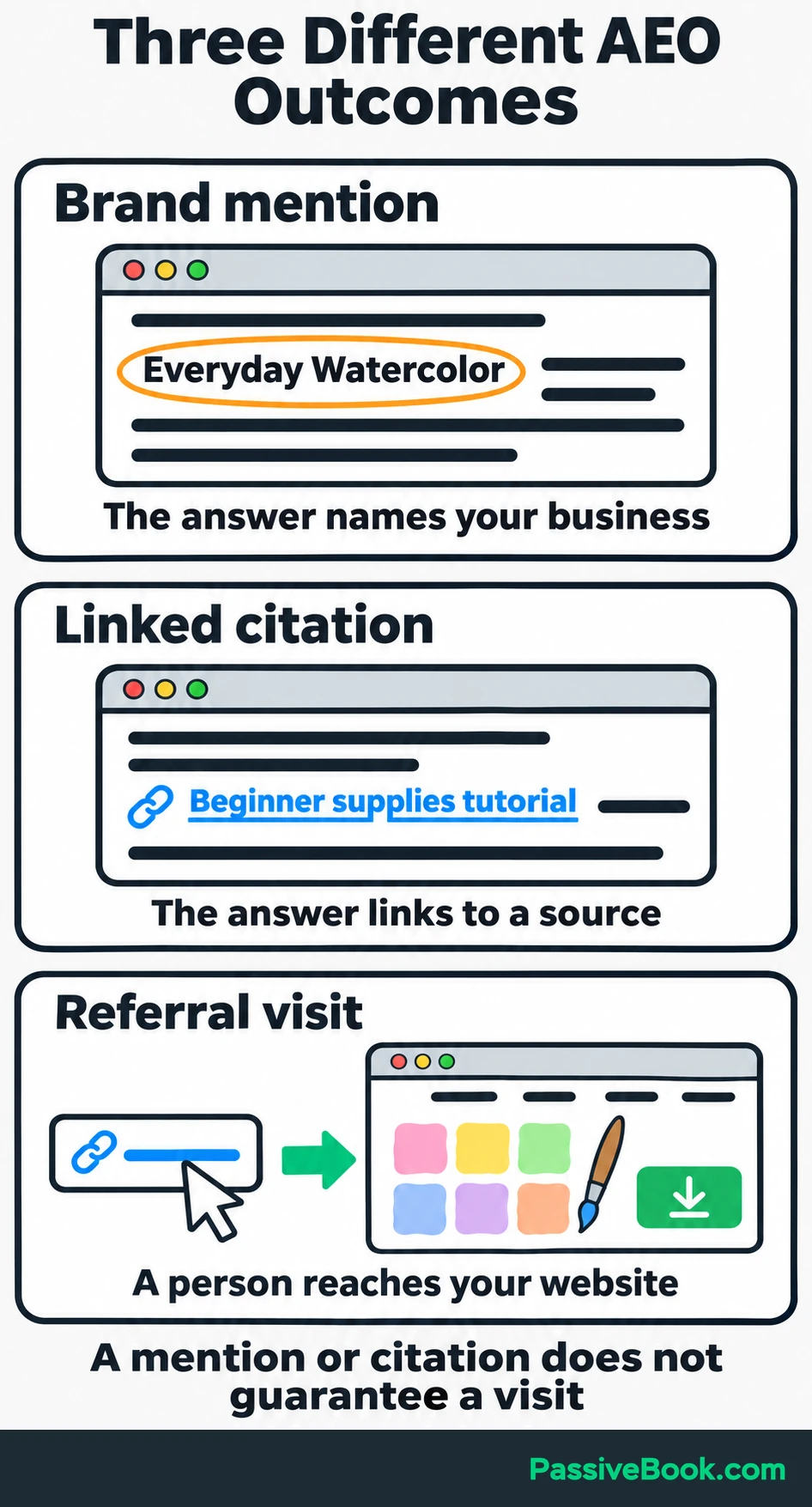
Three outcomes matter, and they mean different things:
- Brand Mention: An answer names your business.
- Linked Citation: An answer links to a page as a supporting source.
- Referral Visit: Someone follows a link and reaches your website.
Your tutorial might support an answer without your product being recommended. Your business might also appear in a recommendation without receiving a link. Treating both as “AI traffic” hides what happened.
AEO complements search engine optimization (SEO), the work of helping your pages appear in search results. Useful content, accessible pages, internal links, and reliable information support both. You’ll also encounter GEO, or generative engine optimization, which describes overlapping work on visibility in generated answers. Google treats this work as part of SEO, rather than a reason to build a separate content strategy.
I would start with existing pages that answer questions close to a customer decision. Budget for research, editing, technical fixes, and upkeep before adding another publishing target.
Throughout this guide, imagine you run Everyday Watercolor, a beginner watercolor course supported by free tutorials and downloadable practice sheets. Its course details, sample copy, and measurement figures are illustrations.
How Do AI Answers Find and Cite Sources?
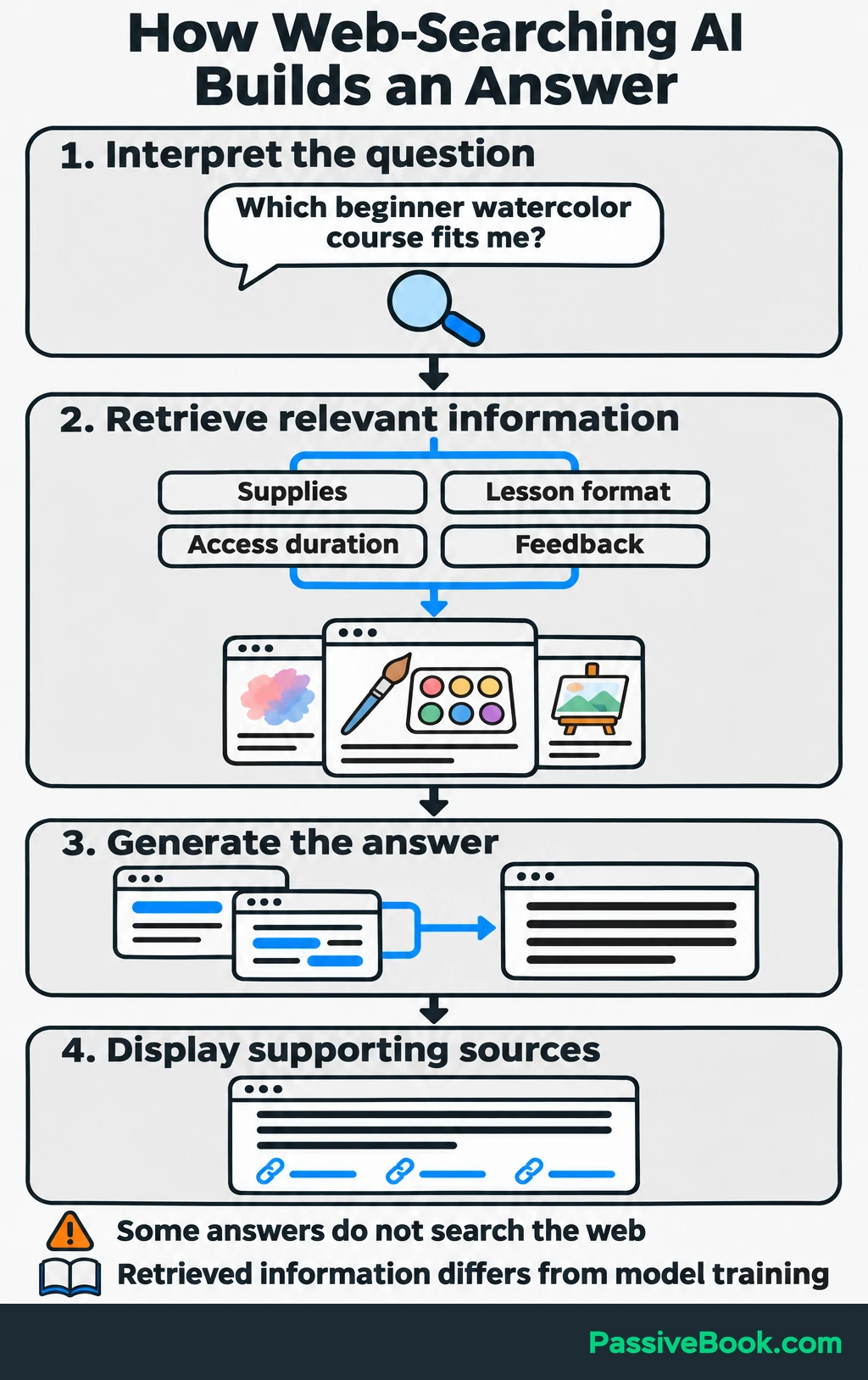
When an AI answer uses web search, a useful way to understand the process is:
- It interprets the question.
- It retrieves relevant information.
- It generates an answer using that information.
- It displays supporting sources.
Information retrieved for that response is different from knowledge learned during model training. Changing your website can change what a search system can retrieve, but it doesn’t rewrite a model’s training.
A question can also trigger related searches. Google calls this “query fan-out,” and says AI Overviews and AI Mode may use it to explore related topics. Google explains how these searches work.
For Everyday Watercolor, a question about choosing a beginner course could lead to searches about supplies, lesson format, access duration, and instructor feedback. That gives you a practical reason to explain those details clearly.
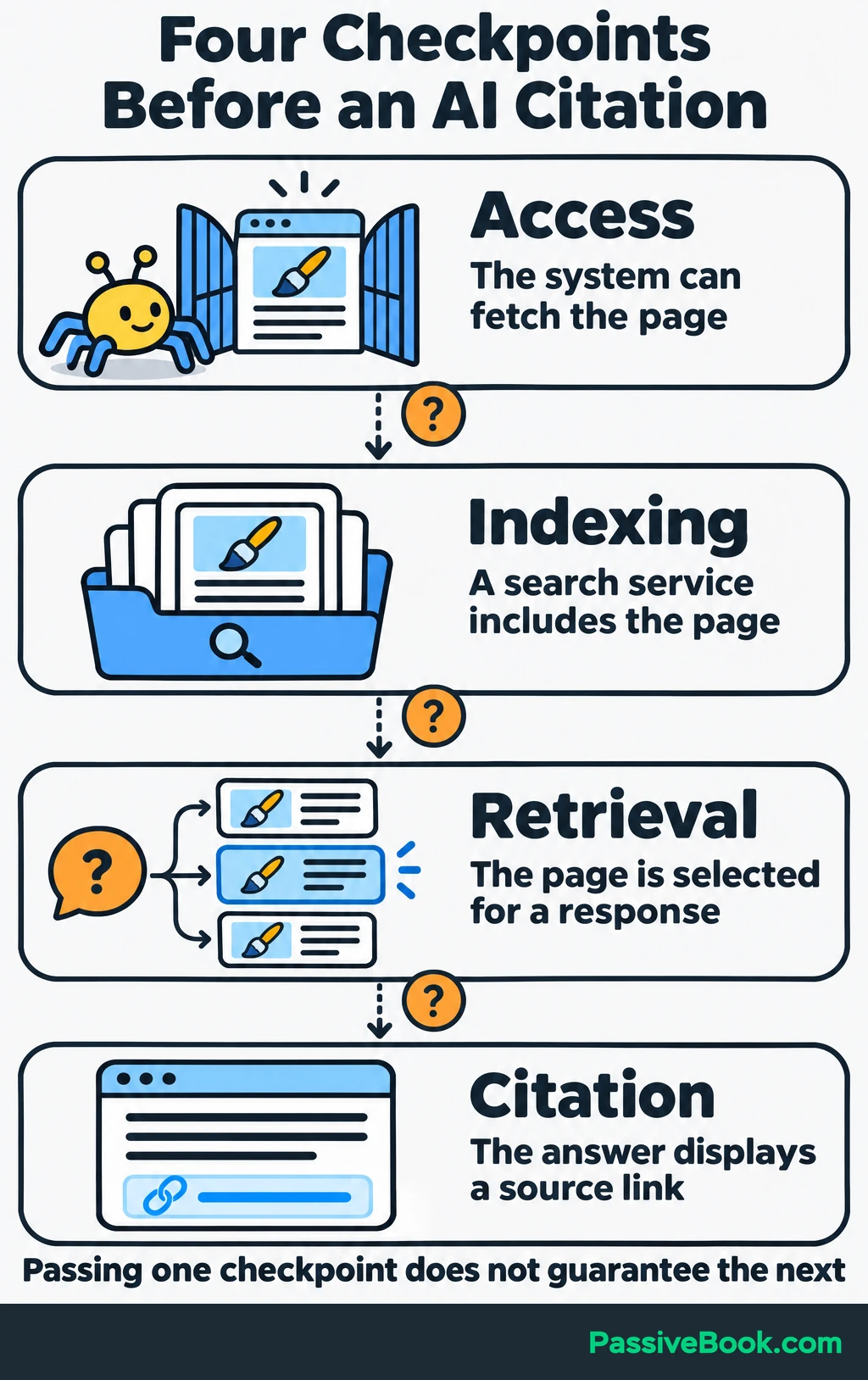
Keep four checkpoints separate:
| Checkpoint | What It Means |
|---|---|
| Access | The system can fetch your page without being blocked. |
| Indexing | A search service has included the page in its index. |
| Retrieval | The page is selected as relevant information for a response. |
| Citation | The answer displays a link to the page. |
Passing one checkpoint doesn’t guarantee the next. Some answers don’t search the web at all, and no page format guarantees a citation.
1. Choose Questions That Matter to Your Business
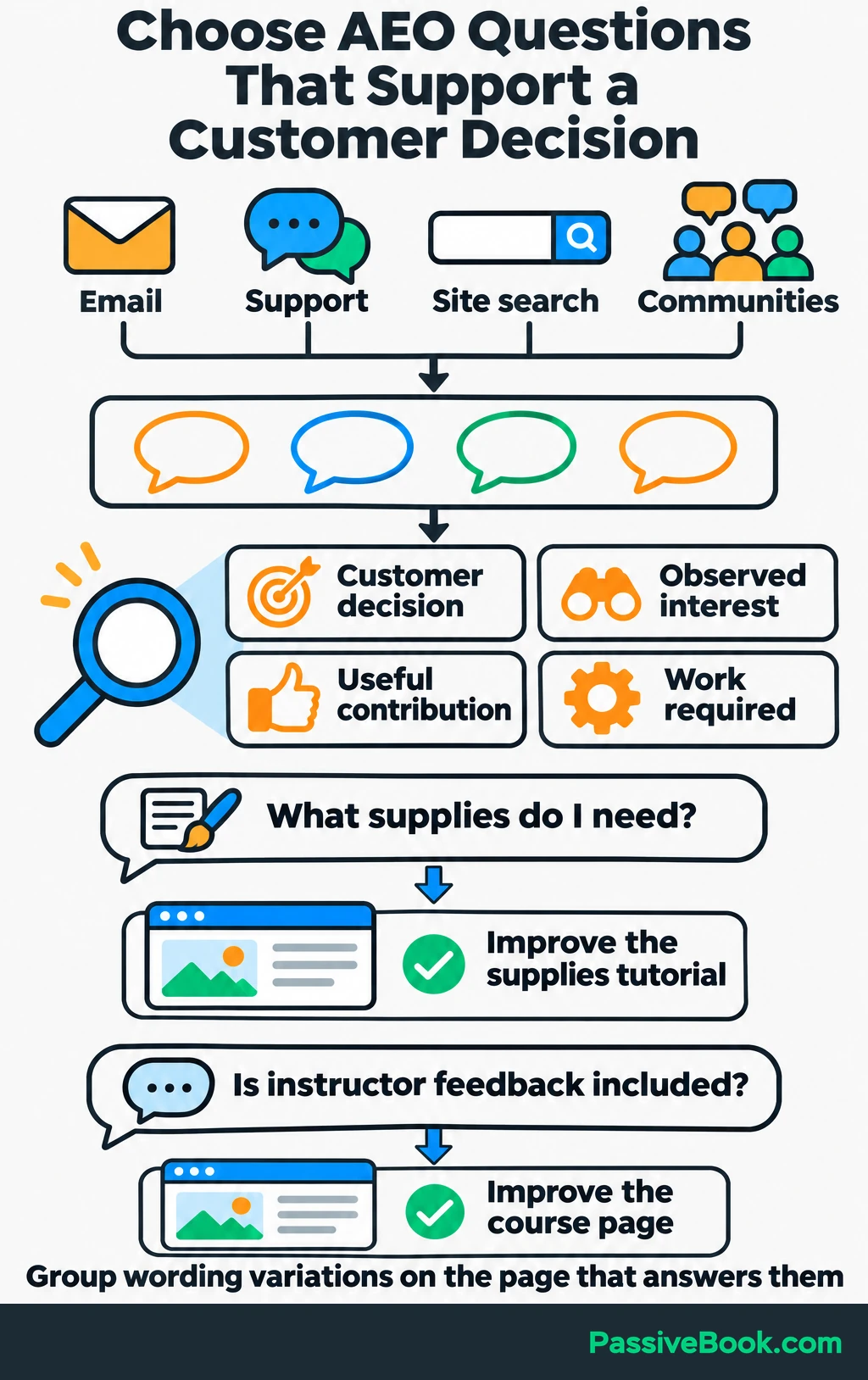
Start with questions people already ask before they buy, subscribe, or use what you offer.
Look through customer emails, support requests, site searches, and relevant community discussions. In Google Search Console, check which searches brought up your pages in Google’s results. A keyword tool such as Ubersuggest can help expand that list, but I would use customer language as the starting point.
Prioritize questions by asking:
- Customer Decision: What will answering this help someone choose or do?
- Observed Interest: Have customers or search visitors already asked about it?
- Useful Contribution: Can you provide something more helpful than the existing answers?
- Work Required: Can you improve a suitable page without creating a large new project?
For Everyday Watercolor, these questions serve different purposes:
| Question | Decision It Supports | Page to Improve |
|---|---|---|
| What supplies do I need to start watercolor? | What to buy before beginning | Beginner supplies tutorial |
| How do I choose a beginner watercolor course? | Which teaching format fits | Course-selection guide |
| Does Everyday Watercolor include instructor feedback? | Whether this offer meets a specific need | Course page |
I would begin with the supplies tutorial and course page. They can help someone take the next step, and the business controls the information needed to improve them.
Map each question group to the page that best answers it. Several wording variations can belong on one page. “Watercolor supplies for beginners” and “What do I need for my first watercolor lesson?” don’t automatically deserve separate URLs.
Before editing, capture a baseline. Use one spreadsheet row per captured response, with columns for:
- Question and Page: Question group, exact prompt, and intended page.
- Test Conditions: Platform, search mode, date, language, and relevant location.
- Observed Answer: Brand mention, cited URLs, and accuracy of the business description.
- Saved Evidence: A copy or screenshot of the response and a note about page changes.
Keep branded questions separate from nonbranded ones. Asking what Everyday Watercolor includes tests a different problem from asking which beginner course to choose.
Repeat selected prompts under comparable conditions and inspect the linked sources. These observations describe your tracked sample; they aren’t a permanent ranking.
2. Make Priority Pages Accessible to Answer Engines
Before rewriting a page, check whether the systems you want to reach can access its main content.
Start with the priority URLs and work through these checks:
- Confirm each page loads successfully at a stable address.
- Link to it from relevant pages using descriptive wording.
- Investigate accidental
noindexinstructions, which tell search engines not to index a page. - Check its canonical URL—the preferred address declared for the content—and resolve conflicting signals.
- Include the intended URL in your sitemap.
- Make the essential answer available as readable text.
A missing sitemap entry alone doesn’t prove that a page is undiscoverable. It is one thing to correct while checking the larger access problem.
For Everyday Watercolor, the supplies list should appear on the tutorial page. A video can show how the brush moves, but readers should also have a written explanation of the materials and exercise.
Keep the course itself behind a login if that is how you sell access. Make the public course description and free tutorials accessible without requiring an account.
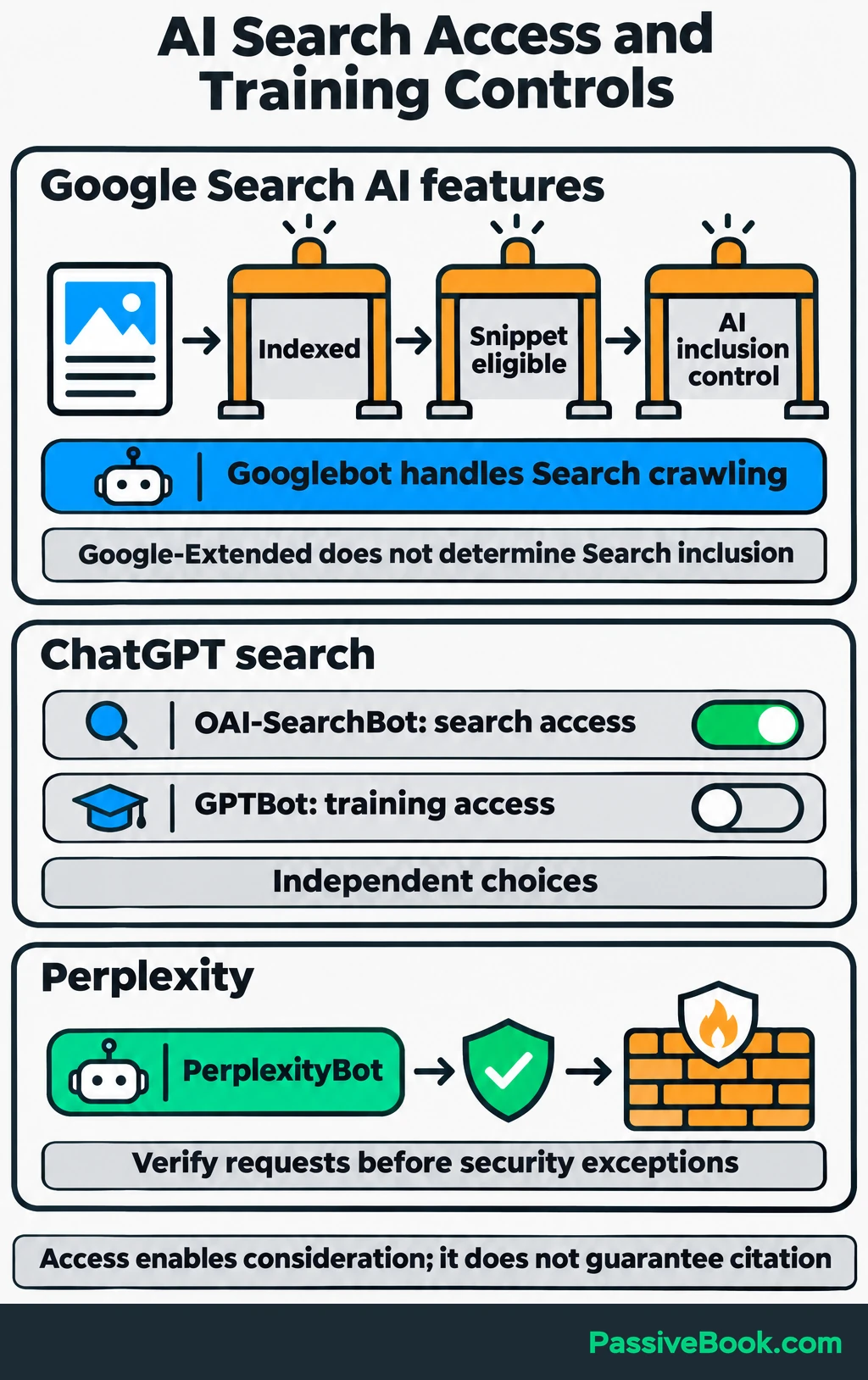
Different services have different controls, including robots.txt, the file that tells automated crawlers which pages they may fetch:
| Service | What to Check |
|---|---|
| Google Search AI features | Priority pages must be indexed and eligible for search snippets. Also check that the site is included through Search Console’s separate Search generative AI control. |
| ChatGPT search | Allow OAI-SearchBot in robots.txt and permit verified requests through hosting and security rules. Manage the training crawler, GPTBot, separately. |
| Perplexity | Check PerplexityBot access in robots.txt and allow its verified requests using the published IP ranges. |
Google’s separate inclusion control can exclude content from its Search generative AI features without changing ordinary Search inclusion or ranking. Check inherited settings as well as the setting on the property you manage. Google explains the control and its effects.
OpenAI documents search access and training access as independent choices. You can allow search crawling while declining training crawling. OpenAI’s crawler definitions explain the distinction and provide verification details.
Perplexity also publishes crawler identities and IP ranges. A bot name alone is insufficient for a security exception, so use its verification guidance. Perplexity’s crawler documentation covers both access and firewall checks.
For Google Search crawling, focus on Googlebot. Google-Extended doesn’t determine Search inclusion. Google’s crawler definitions distinguish those roles.
Use Search Console to investigate Google indexing problems. For blocked requests, check server or security logs, or ask your host to inspect the affected URLs. You don’t need to open the site to every AI crawler to solve a specific access problem.
3. Publish Answers Worth Citing
Answer the Question Directly
Give the answer near the start of the section, then explain what readers need to understand or use it.
A heading creates an expectation. If it asks what a course includes, the next paragraph should say what is included. It shouldn’t begin with the history of online learning.
Name the subject clearly so the passage makes sense when read outside the surrounding page.
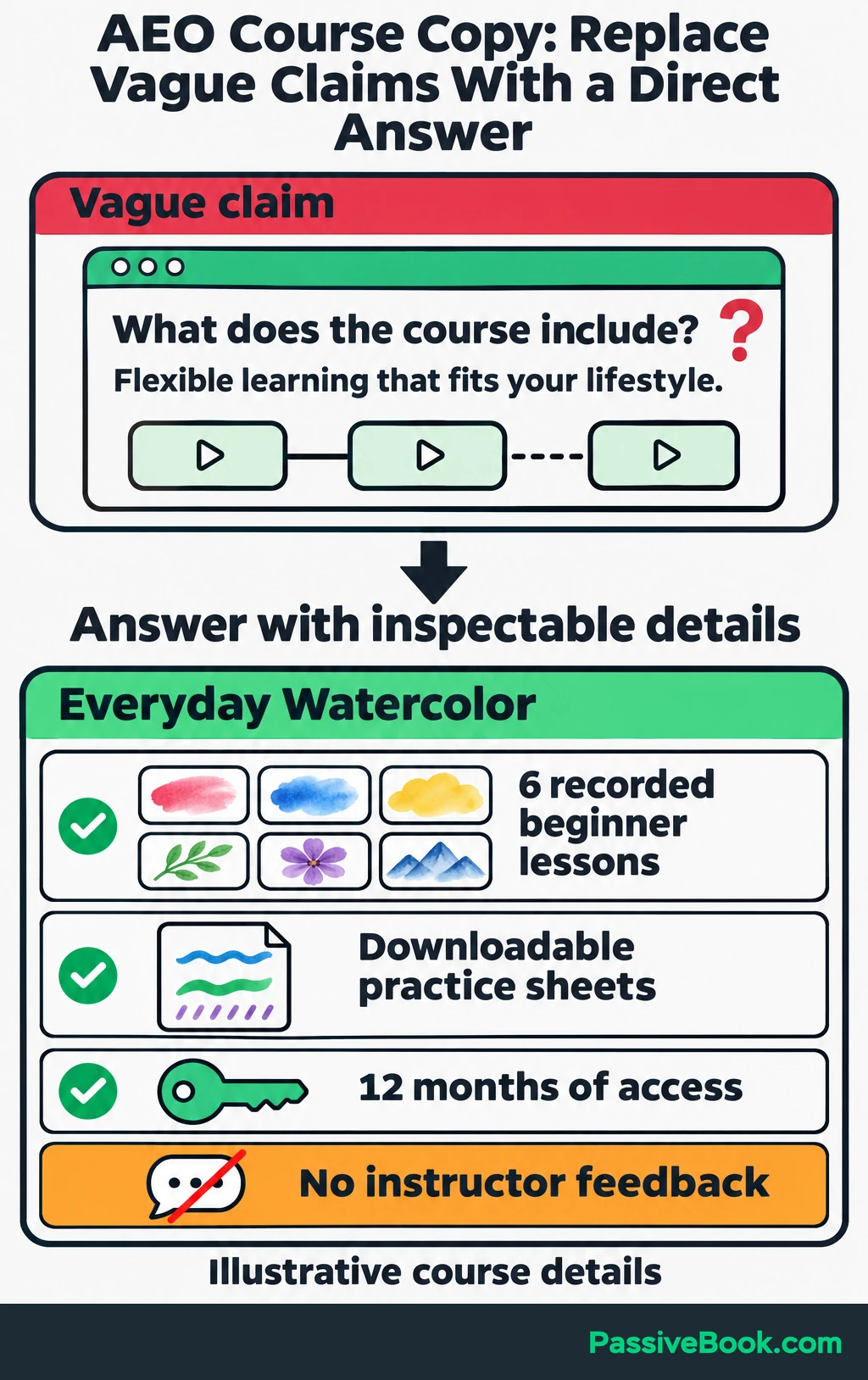
For example, replace:
Flexible learning that fits your lifestyle.
With:
Everyday Watercolor includes six recorded beginner lessons, downloadable practice sheets, and 12 months of course access. Instructor feedback is not included.
The second version gives a reader something to assess. It also keeps a material limitation beside the offer.
For a physical product, include dimensions, compatibility, and what comes in the box. For a service, state the deliverable, turnaround time, and what the price covers.
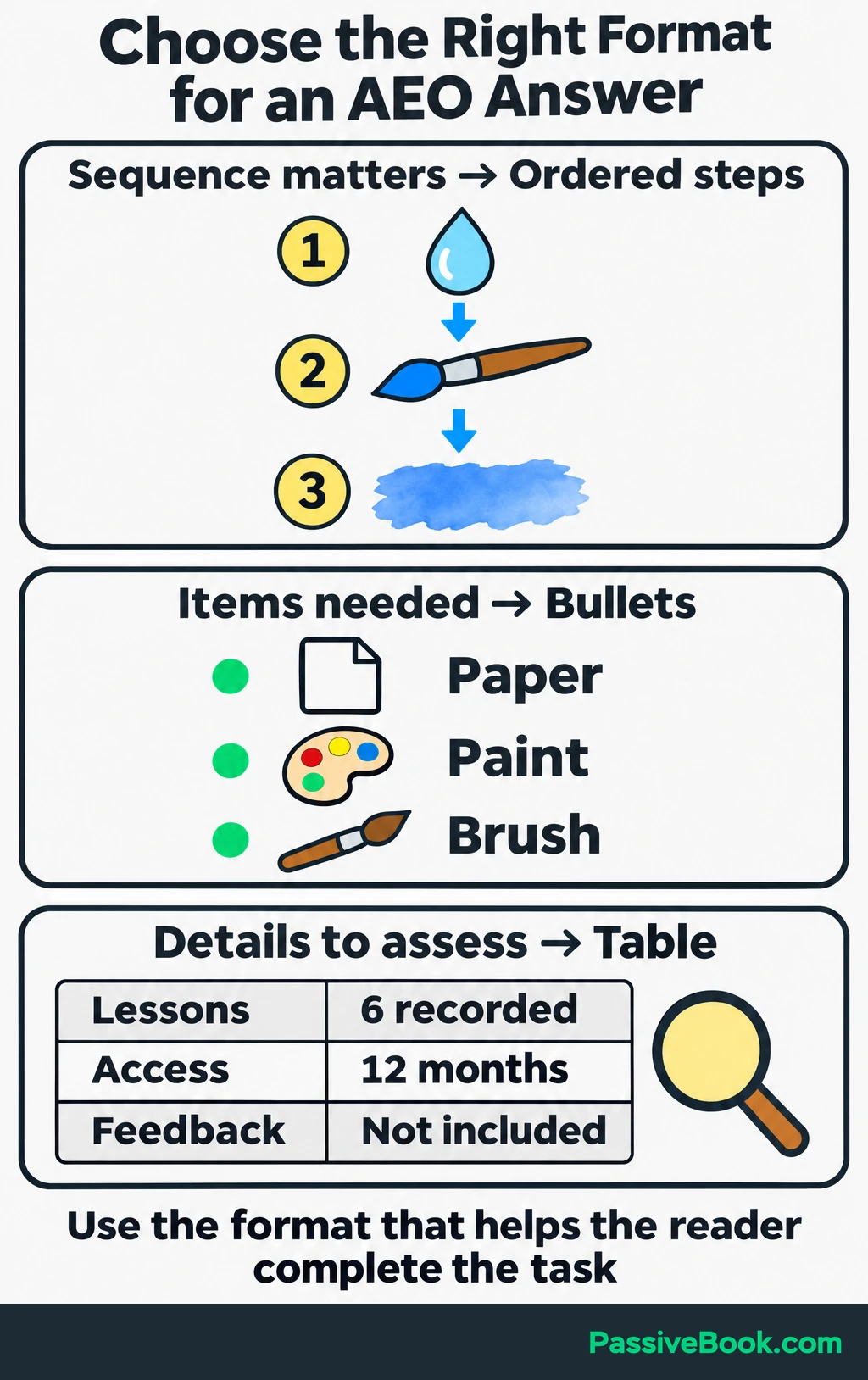
Choose the format that fits the task:
- Procedures: Use ordered steps when the sequence matters.
- Requirements: Use bullets for materials, prerequisites, or included items.
- Comparisons: Use a table when readers need to assess several details together.
A compact course table could show lesson format, prerequisites, included resources, access duration, and feedback availability. Fill it with the actual details rather than phrases such as “excellent value” or “premium experience.”
If you have a page in mind, AI Copywriting Studio can draft a replacement section from the copy and facts you already have. It gives you something concrete to review without starting from a blank page.

Free AI Copywriting Studio




I wouldn’t shorten every paragraph into a tiny fragment for an imagined AI preference. Use enough space to answer the question properly. Clarity is useful; a rigid paragraph recipe isn’t a citation strategy.
Add Evidence Beyond a Generic Summary
Give readers something they can inspect: a demonstration, original photographs, a worked example, product specifications, or a clearly described observation.
Start with the decision the evidence should inform. Then choose a demonstration that can help answer it.
For the watercolor supplies tutorial, you could compare the same beginner wash exercise on two named papers. Record the paper brand, weight, and surface, and keep the brush, paint, and technique as consistent as practical. Photograph the exercise and describe what happened.
A useful observation would explain a visible difference and its consequence for that exercise. It should also make clear which materials were used. “This is the best paper for beginners” goes much further than one demonstration can support.
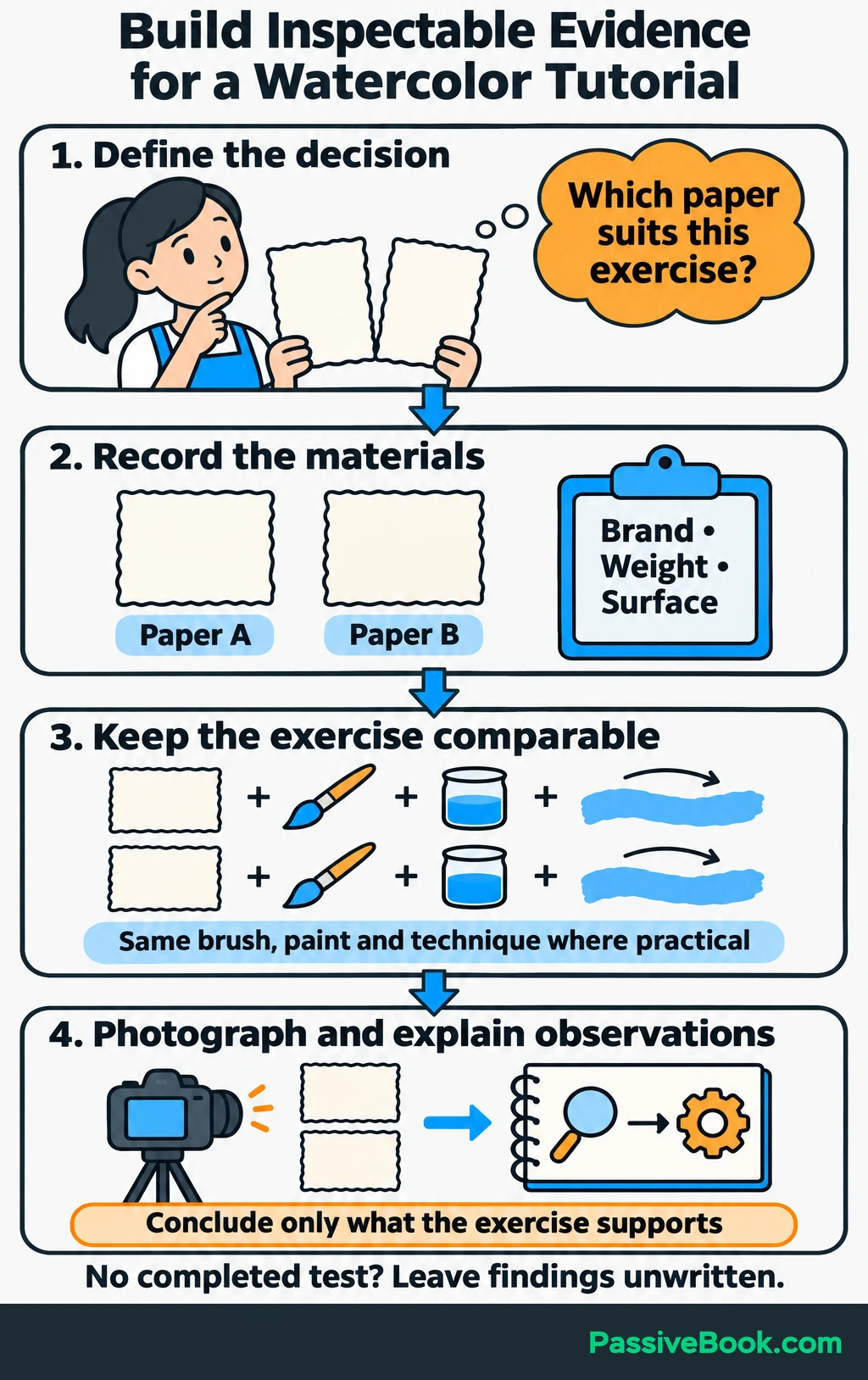
If the comparison hasn’t been performed, leave the findings unwritten. A polished table cannot substitute for doing the exercise.
Support consequential factual claims with directly relevant primary sources. For your own observations, show how you reached them and keep the conclusion within what you observed.
I learned to separate fluent writing from useful evidence while reviewing drafts from my automated article-writing workflow. Some paragraphs sounded finished, but I couldn’t point to a note, screenshot, or example behind the recommendation. I started sending those passages back for evidence before polishing them.
You can use Claude or another writing tool to organize notes, suggest unanswered questions, and draft explanations. Check the claims, references, and subject advice yourself. Automating a weak answer mostly helps you publish it sooner.
Answer the Follow-ups Needed to Act
Cover the questions someone must resolve to complete the original task.
A beginner supplies tutorial should distinguish required materials from optional purchases. It should explain what the list is enough to do, rather than leaving readers with a shopping basket and another question.
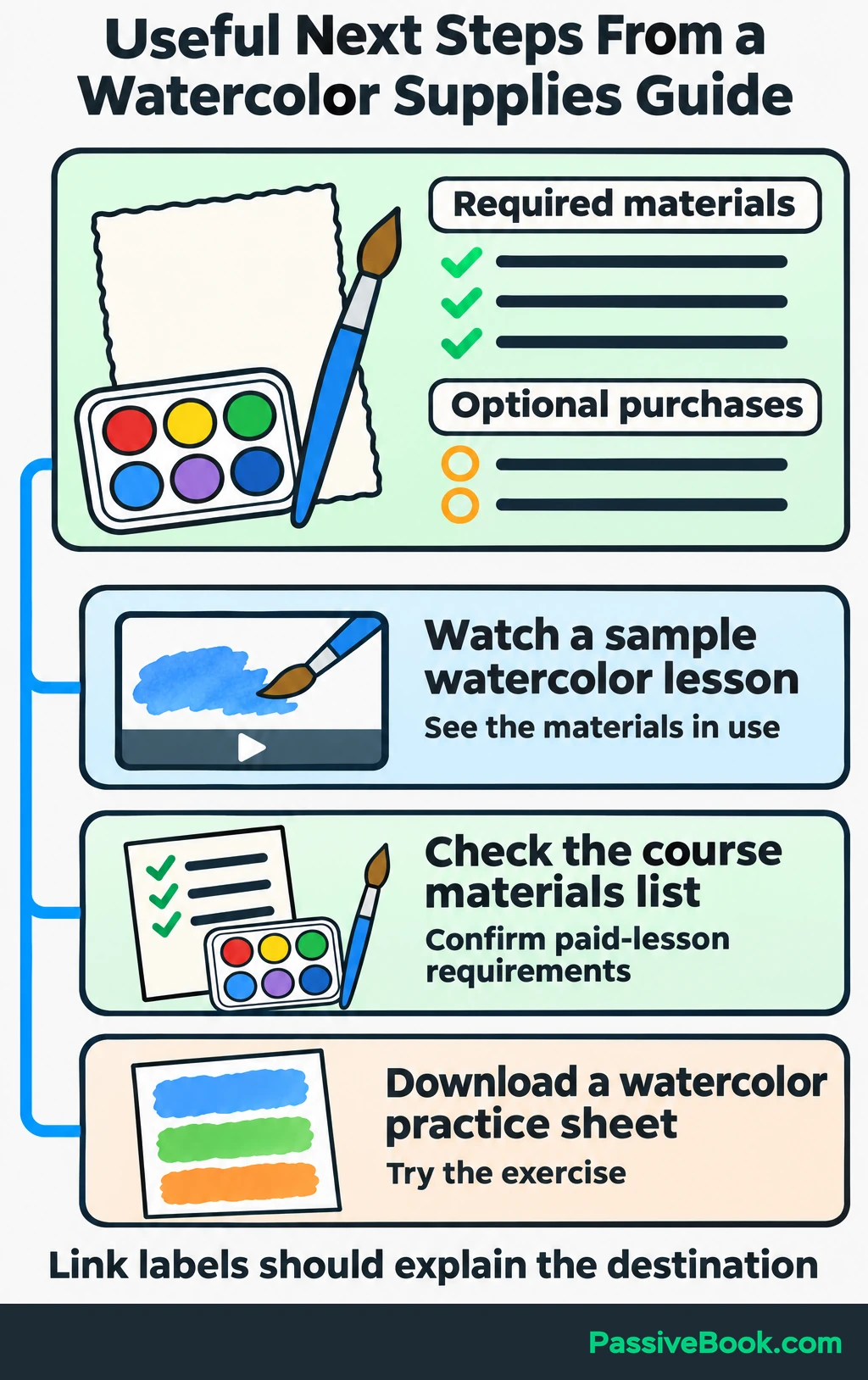
For Everyday Watercolor, the next useful links might lead to:
- A Sample Lesson: See how the materials are used.
- The Course Materials List: Check what the paid lessons require.
- A Practice Sheet: Try the exercise with a clear starting point.
Use descriptive links that explain where they lead.
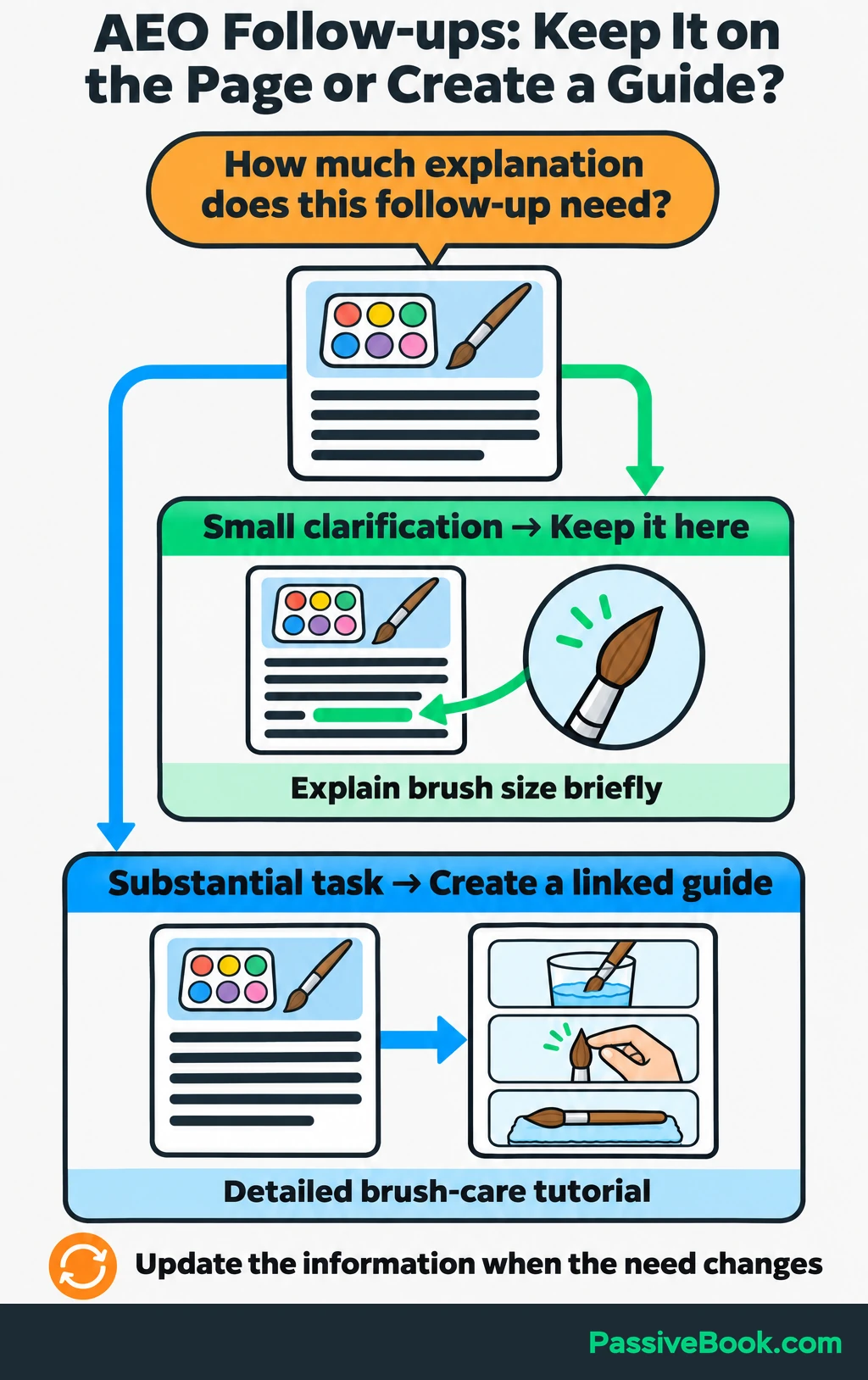
Keep small clarifications on the existing page. Create another page when the follow-up becomes a substantial task of its own. A brief explanation of brush size can stay in a supplies guide; a detailed brush-care tutorial may deserve its own page.
Update the answer when the offer, evidence, or customer need changes. Changing a date without improving the information gives you another maintenance task and gives the reader very little.
4. Make Your Business and Authors Easy to Identify
State what your business offers, who is responsible for it, and what the customer receives.
You may hear this called “entity clarity.” In practical terms, it means making it easy to tell which business, person, or product a page describes.
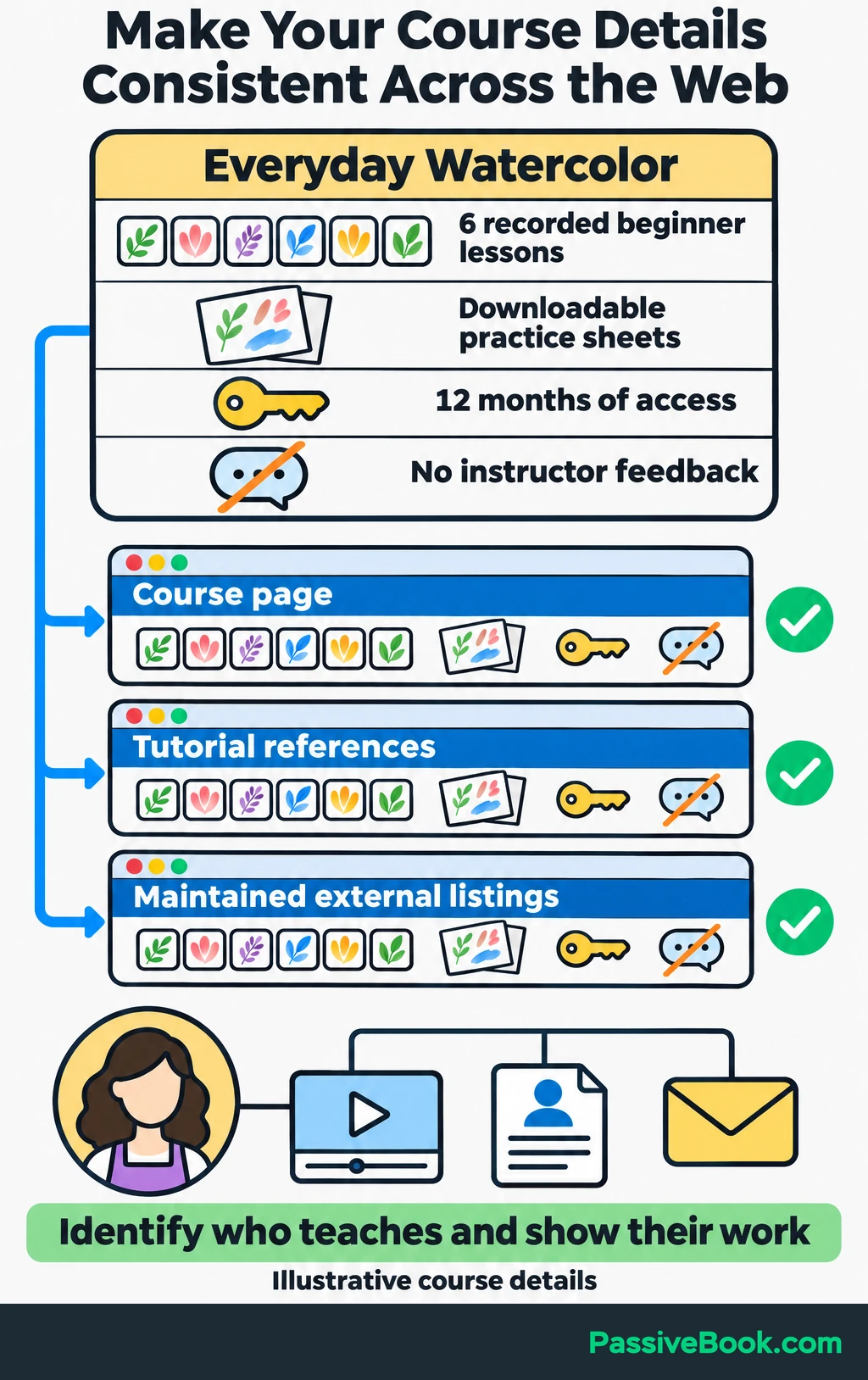
Use consistent names and material details across your website and the profiles you maintain. For Everyday Watercolor, the course page, tutorials, and external listings should agree on:
- Lesson Format: Six recorded beginner lessons.
- Included Resources: Downloadable practice sheets.
- Access: 12 months.
- Feedback: Instructor feedback is not included.
Consistency matters because conflicting descriptions create a real decision problem. Someone comparing course options needs to know which version is correct.
Publish an About page, a working contact method, and useful author or instructor information. Connect experience to work readers can examine. A sample lesson and a clear account of who teaches it are more useful than a grand title with no supporting detail.
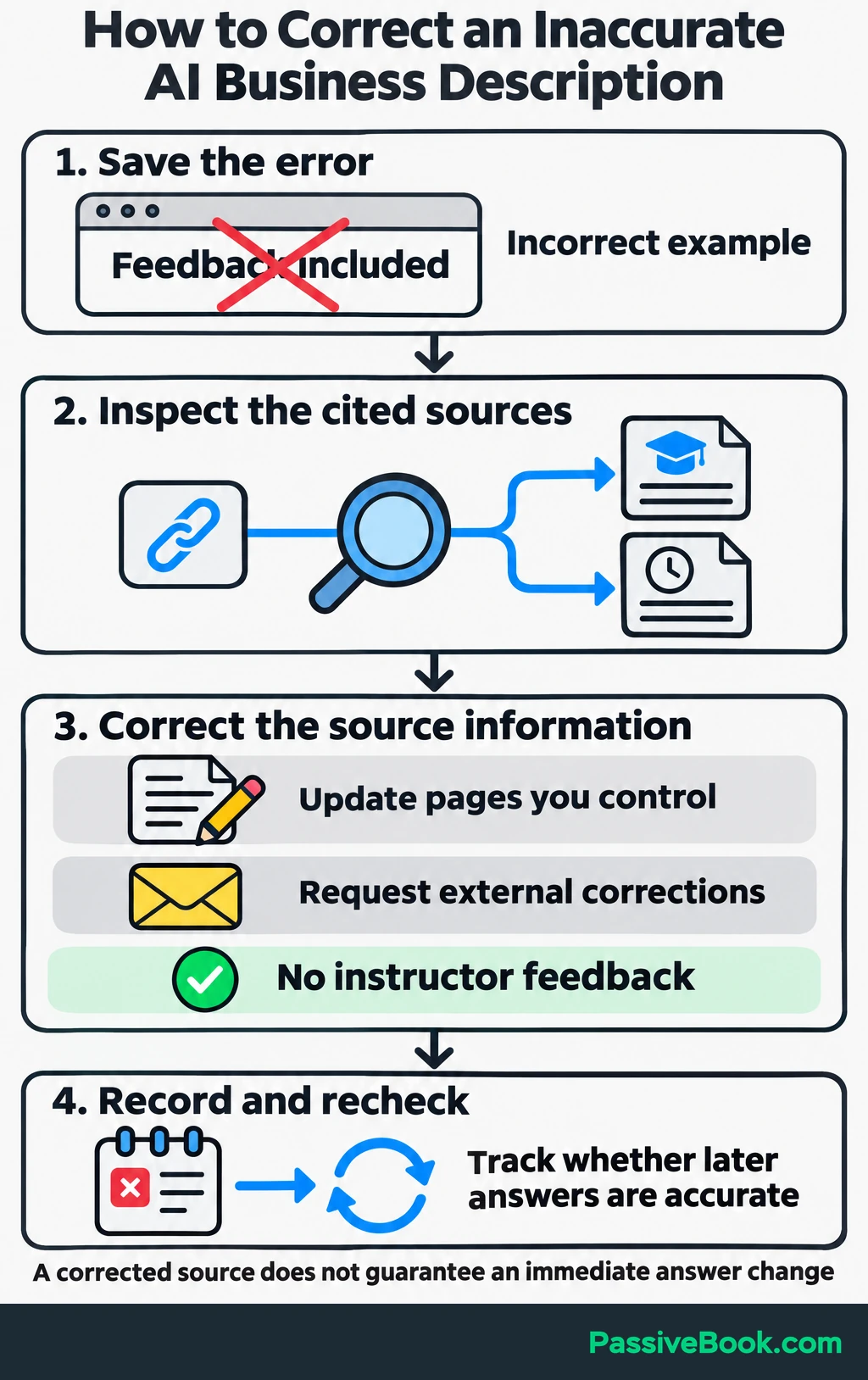
When an AI answer gets the business wrong, inspect its sources before rewriting your entire website. The error may come from an old listing or a page you forgot to update.
Correct information you control and request a correction from the publisher when an external source is wrong. Record the error so you can check it again during later reviews.
5. Add Structured Data That Matches the Page
Structured data labels page information in a machine-readable format. It can describe an article, its author, and its publisher, among other things.
Accurate content and access come first. Google requires no special schema for AI features, and adding markup doesn’t secure a citation.
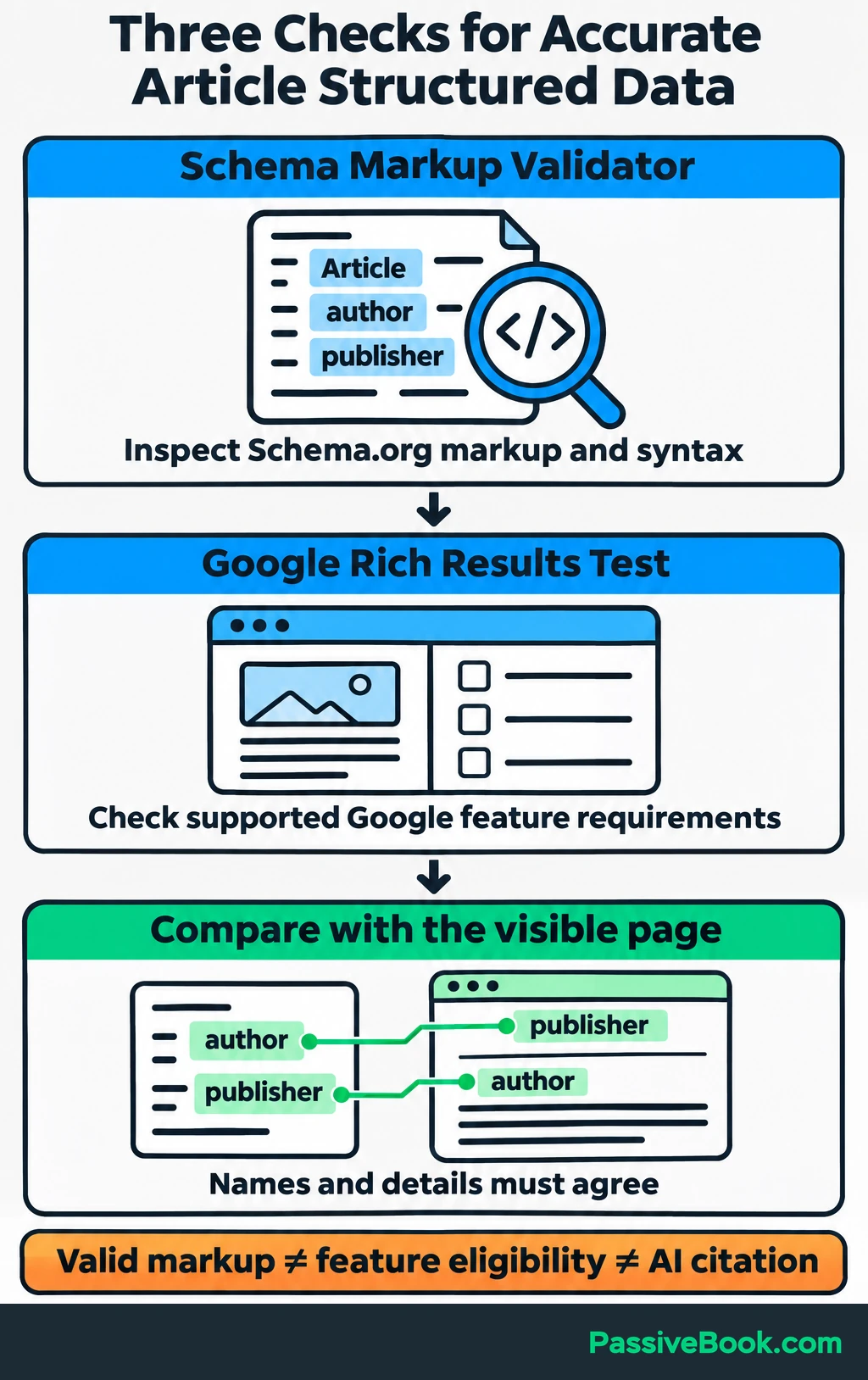
For Everyday Watercolor’s tutorials, Article or BlogPosting markup can describe the published article. Names, URLs, publication dates, and substantive update dates should agree with the page. Google’s Article documentation explains the supported properties.
Before adding anything, inspect the structured data your website already produces. On WordPress, I would start with Rank Math’s existing output and correct it where needed. Another plugin isn’t automatically another improvement.
Check the result in three ways:
- Use Schema Markup Validator to inspect Schema.org markup and syntax.
- Use Google’s Rich Results Test to check requirements for supported Google search features.
- Compare the markup with what a person can actually read on the page.
These checks answer different questions. A technically valid description can still contain the wrong author or an outdated product detail. Google’s structured-data requirements also require the markup to represent the visible content.
Valid markup, eligibility for a particular search feature, and an AI citation are separate outcomes. I would skip any pitch that treats adding FAQ markup as a shortcut to all three.
6. Earn Coverage in Relevant Third-party Sources
Look for places where a useful contribution would help the same people your website serves.
Review the publications, communities, review pages, and videos cited for your priority questions. Look for a subject you can contribute to with evidence, rather than a place to insert your business name.
Possible contributions include an original demonstration, a downloadable resource, documented findings, or a clear explanation drawn from relevant experience.
For Everyday Watercolor, the paper demonstration could support a contribution to an art publication. Explain the exercise and show the photographs there, with a link to the full method or practice sheet where it adds value.
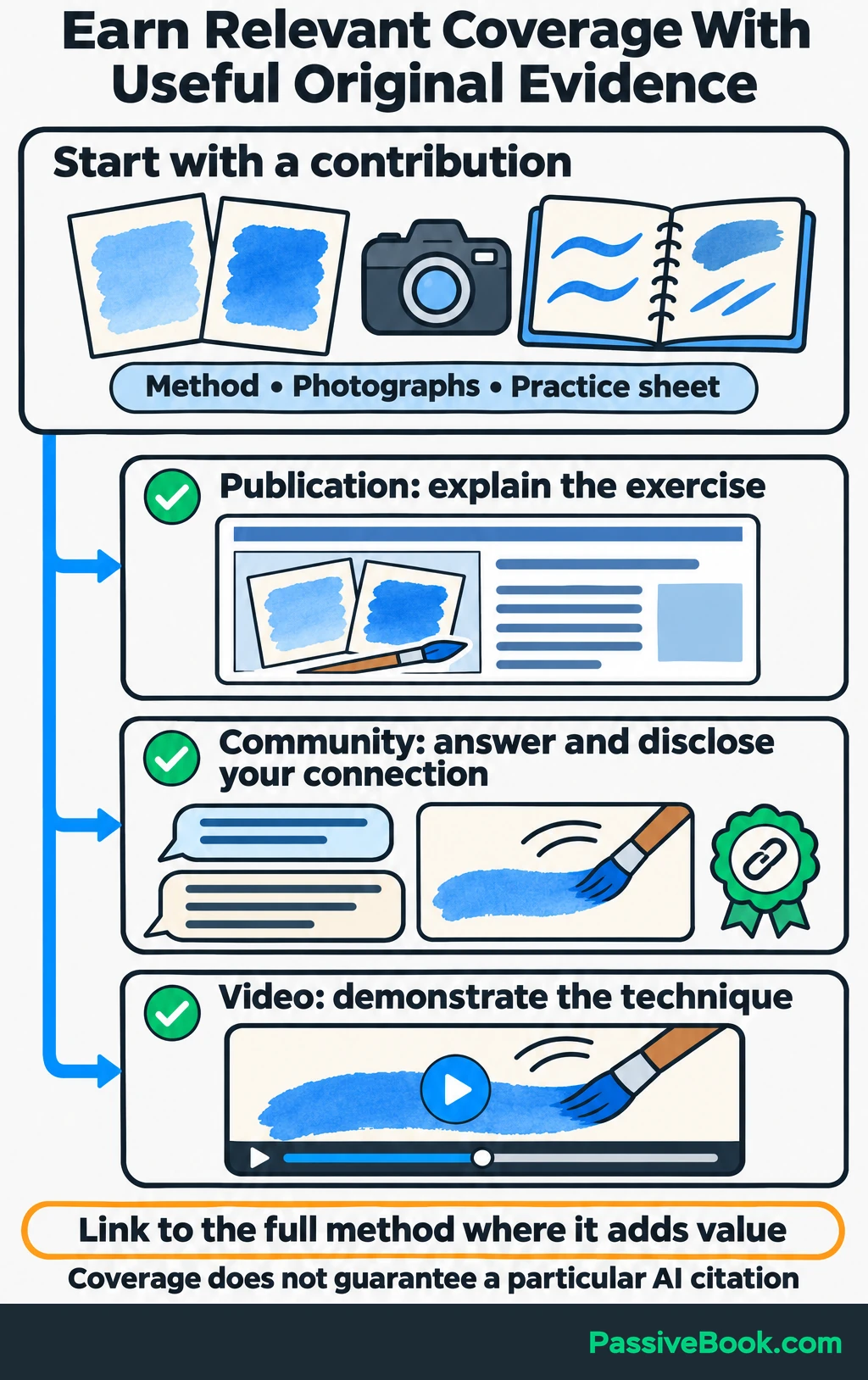
In a community discussion, answer the person’s question and disclose your connection to the business when relevant. Follow the community’s rules. A useful reply should still be useful if nobody follows the link.
Video can help when readers need to see a technique. A short close-up of the painting exercise may explain more than another paragraph, and a written explanation makes the details easier to check.
Keep course details consistent in contributions and maintained profiles. Skip manufactured reviews, fake conversations, and paid packages promising widespread “consensus.” I would rather have one contribution worth reading than a trail of mentions I’d be embarrassed to show a customer.
External coverage gives people another place to encounter and assess your work. Its effect on any particular AI answer remains uncertain.
7. Measure Visibility and Business Results
Track Mentions and Linked Citations Separately
Reuse your baseline prompts and recording method so later observations can be compared with earlier ones.
Count a brand mention when a captured response names the business. Count an owned-site citation when it links to your website. A response can count toward both.
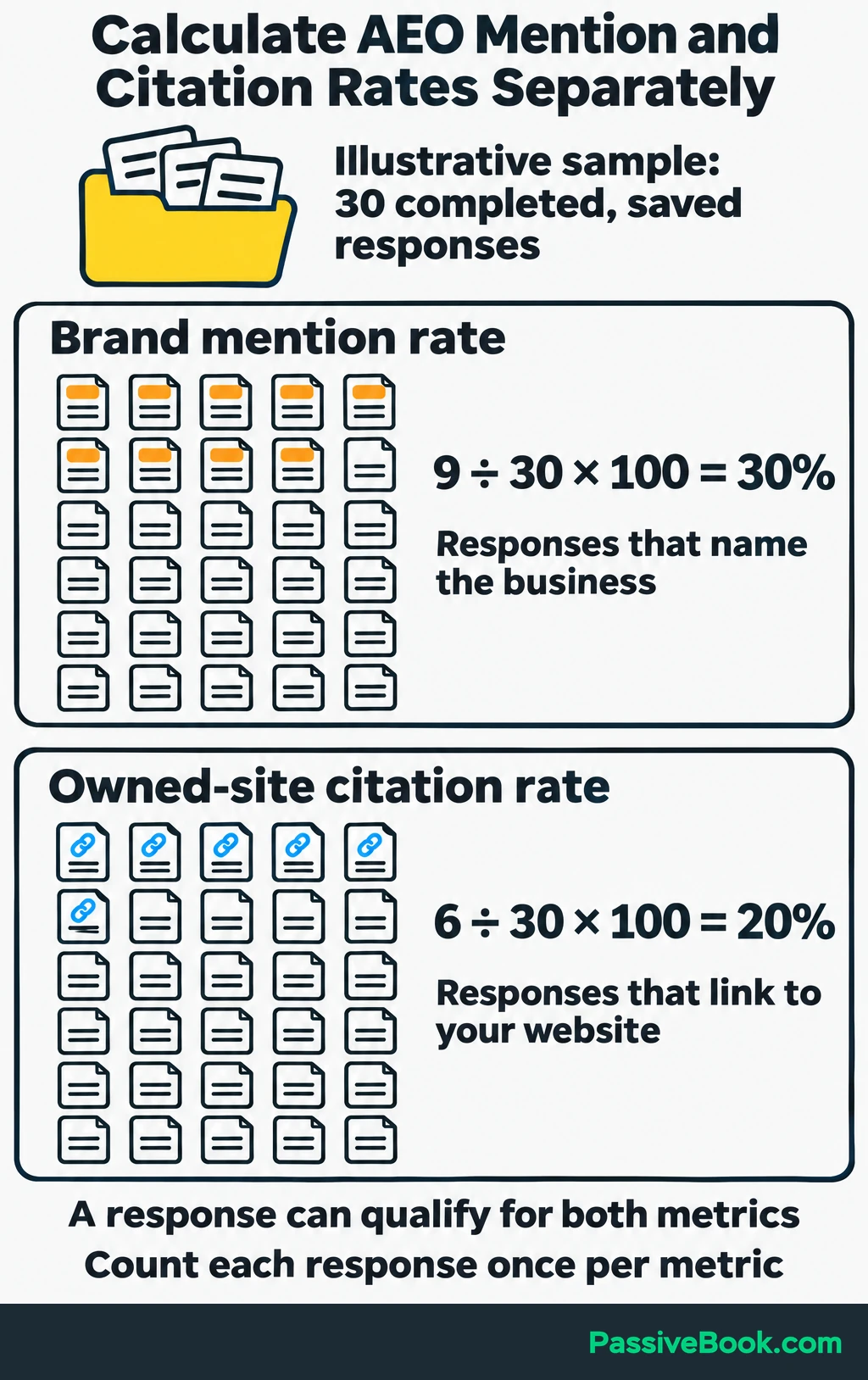
For each review period, count only completed, saved responses from your selected prompts and testing conditions. Record failed checks separately.
Suppose you save 30 completed responses for the selected question set in one review period. Here’s how to calculate the two rates:
| Metric | Responses That Qualify | Calculation | Result |
|---|---|---|---|
| Brand mention rate | Nine responses name Everyday Watercolor | 9 ÷ 30 × 100 | 30% |
| Owned-site citation rate | Six responses link to its website | 6 ÷ 30 × 100 | 20% |
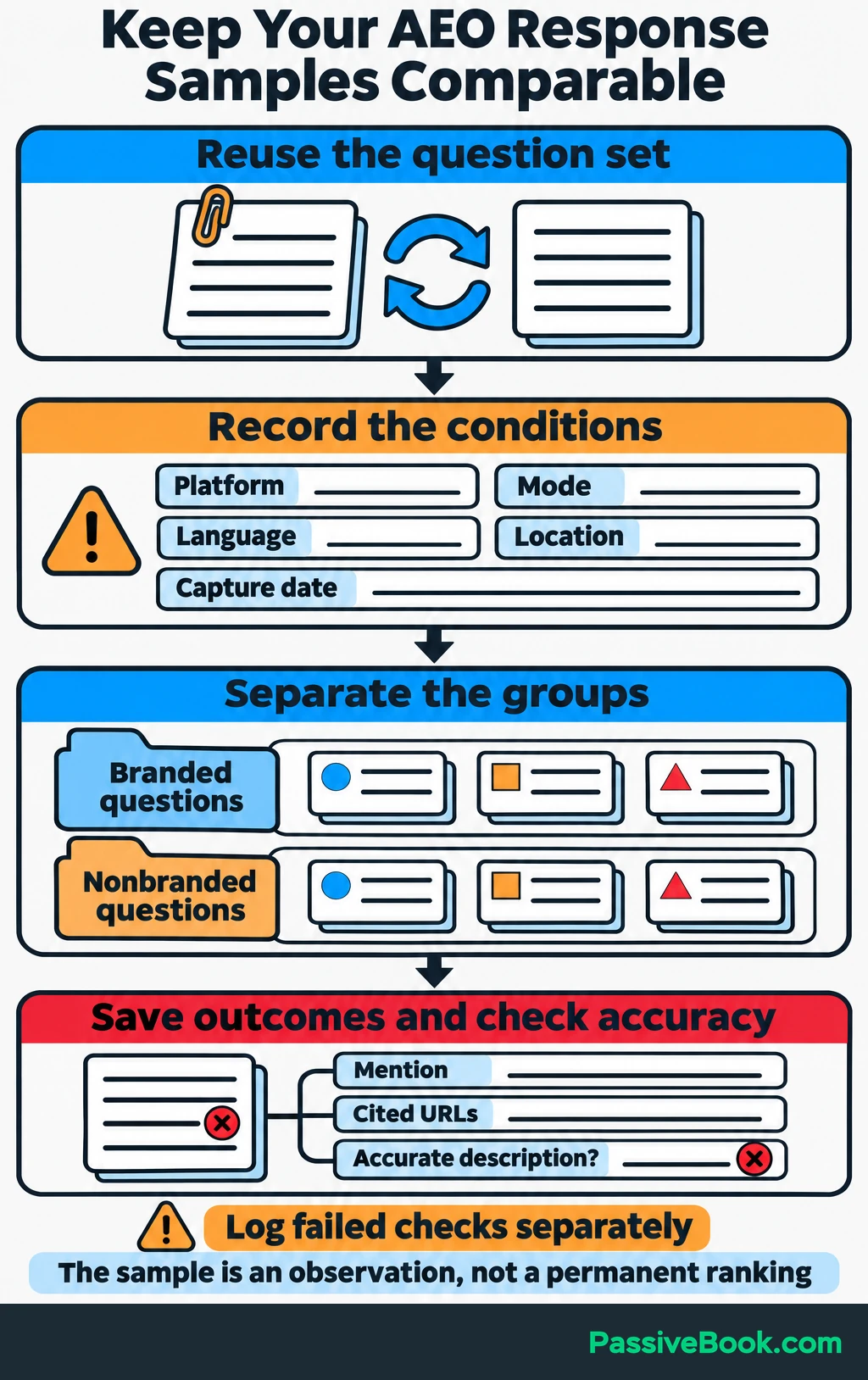
Count each response once per metric, even if it contains several links.
Break the results down by platform and by branded versus nonbranded questions. A strong result for “What does Everyday Watercolor include?” shouldn’t hide poor visibility for broader course-selection questions.
Record accuracy alongside visibility. An answer that names the course but invents instructor feedback creates work to fix, rather than a result to celebrate.
Combine Platform Reports With Conversion Analytics
Google Search Console’s Generative AI performance report shows link impressions from AI Overviews and AI Mode, with views including pages, countries, dates, and devices. The report may be absent when the site has insufficient impressions. Google’s report definitions explain what is counted.
Bing Webmaster Tools’ AI Performance report shows citations, cited pages, and sampled grounding queries—the phrases used to retrieve supporting content—across supported Microsoft and partner experiences. Its citation counts don’t describe ranking or placement within an answer. Bing explains the report’s scope.
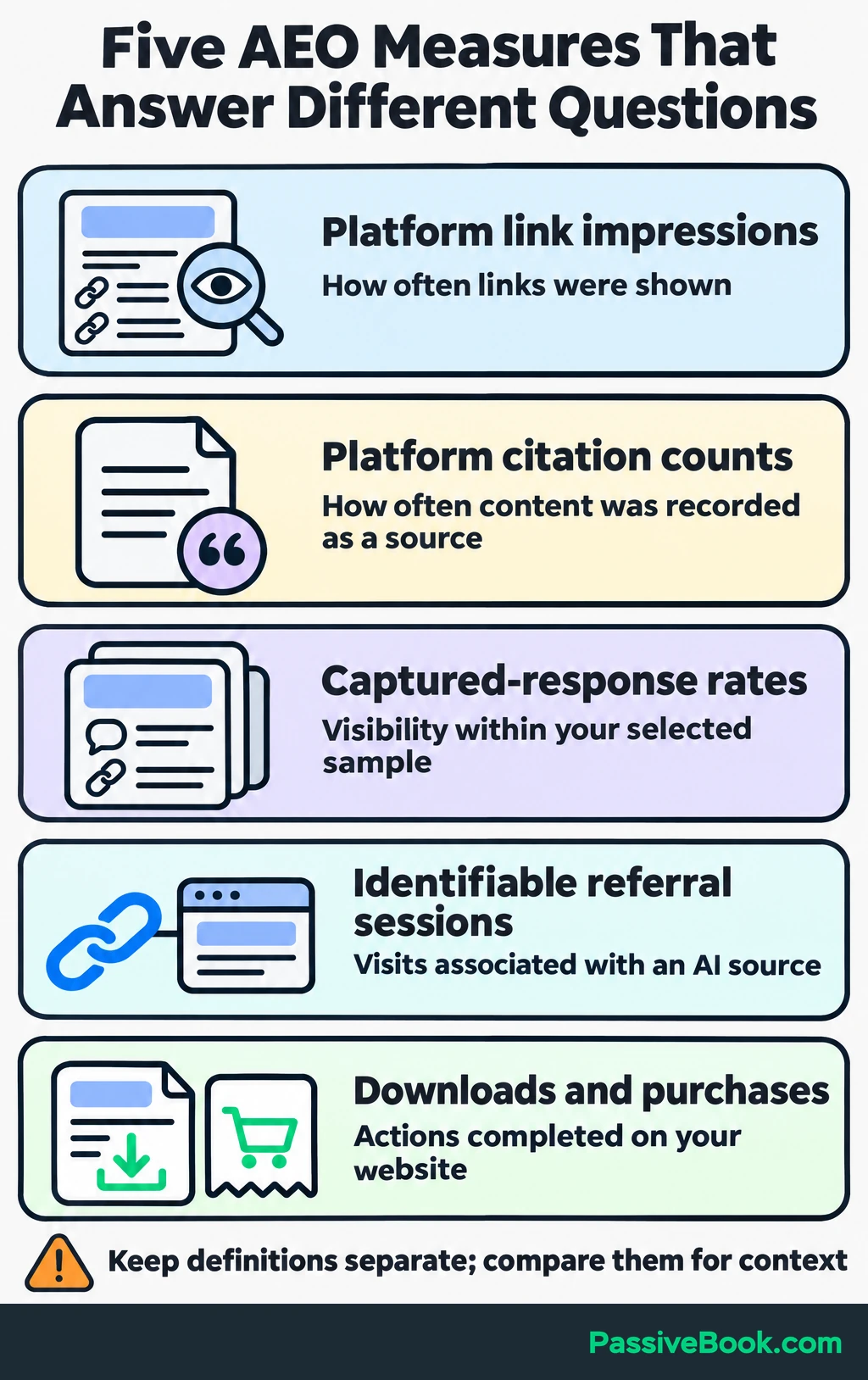
In your existing analytics, review identifiable AI referrals by landing page and useful action. For Everyday Watercolor, track practice-sheet downloads separately from course purchases. They represent different levels of interest.
An optional checkout question asking how someone first heard about the course can add context when the eventual visit came through another channel. Treat that answer as customer-reported information.
Keep these measures separate:
| Measure | What It Helps You Assess |
|---|---|
| Platform link impressions | How often links were shown under that report’s rules |
| Platform citation counts | How often the platform recorded your content as a source |
| Captured-response rates | Visibility within your selected prompt sample |
| Identifiable referral sessions | Visits analytics can associate with an AI source |
| Downloads and purchases | Actions visitors completed on the website |
I would begin with platform reports, existing analytics, and a spreadsheet.
Consider a paid tracker when repeated manual checks consume enough time to justify it. Compare supported platforms, control over prompts and locations, saved responses, exports, and total cost. The tool should remove work you already need to do.
Use Results to Choose the Next Improvement
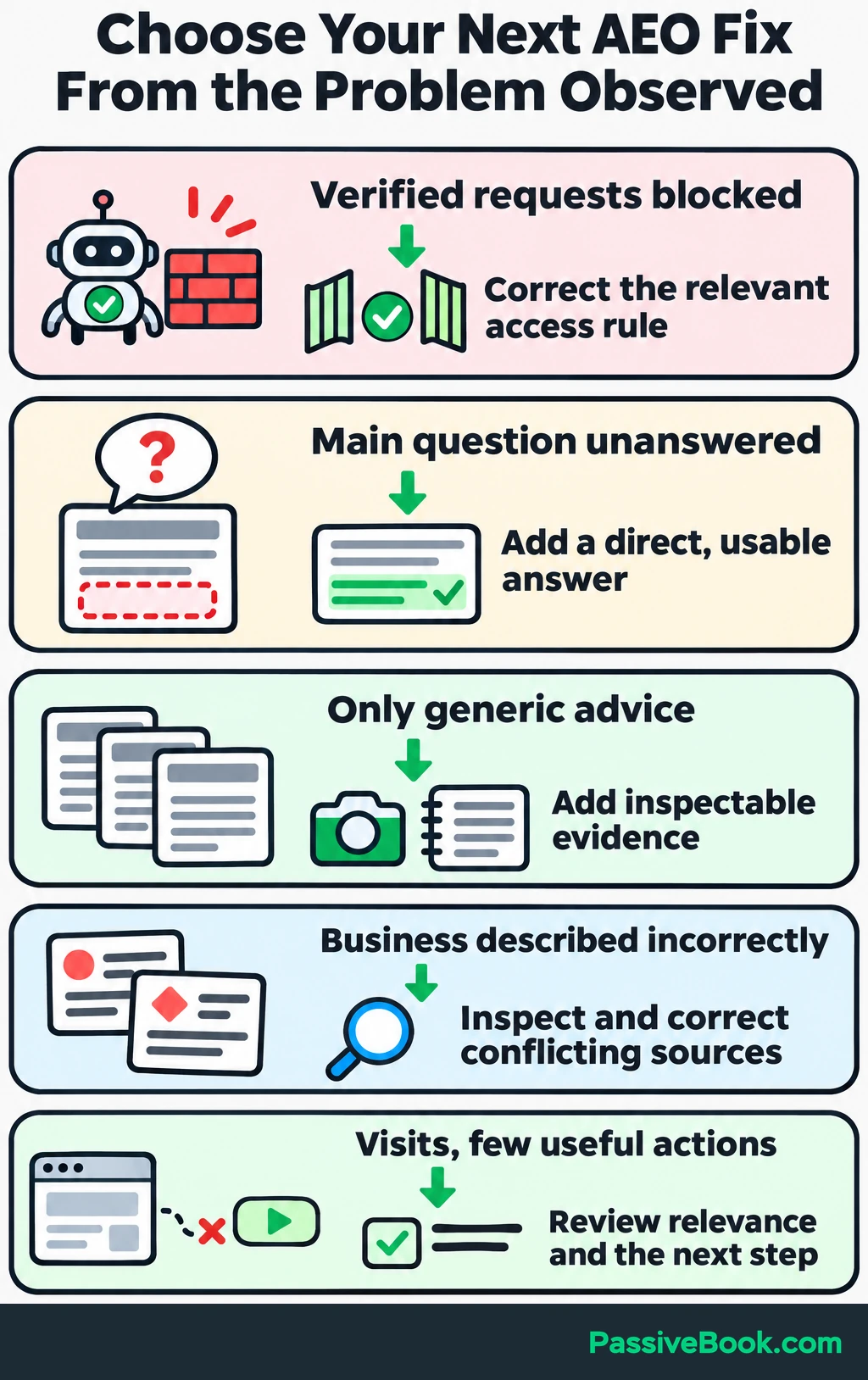
Choose the next task from the problem you observed.
| Observed Problem | Useful Next Action |
|---|---|
| Verified search requests are blocked | Correct the relevant access or security rule. |
| The page never answers the main question | Add a direct answer and the details needed to use it. |
| The explanation repeats common advice | Add a demonstration, worked example, or inspectable evidence. |
| Answers describe the business incorrectly | Inspect cited sources and correct conflicting information. |
| Cited pages receive visits but few useful actions | Review the question’s relevance and the page’s next step. |
For Everyday Watercolor, visitors arriving at a supplies tutorial might need a sample lesson before they are ready to buy. Make that next step easy to find and closely related to what they came to do.
Compare results before and after a focused change, and keep monitoring ordinary SEO performance. Similar unchanged pages or question groups can provide context when practical. A rise after an edit is useful evidence to investigate, but it doesn’t isolate the edit as the cause.
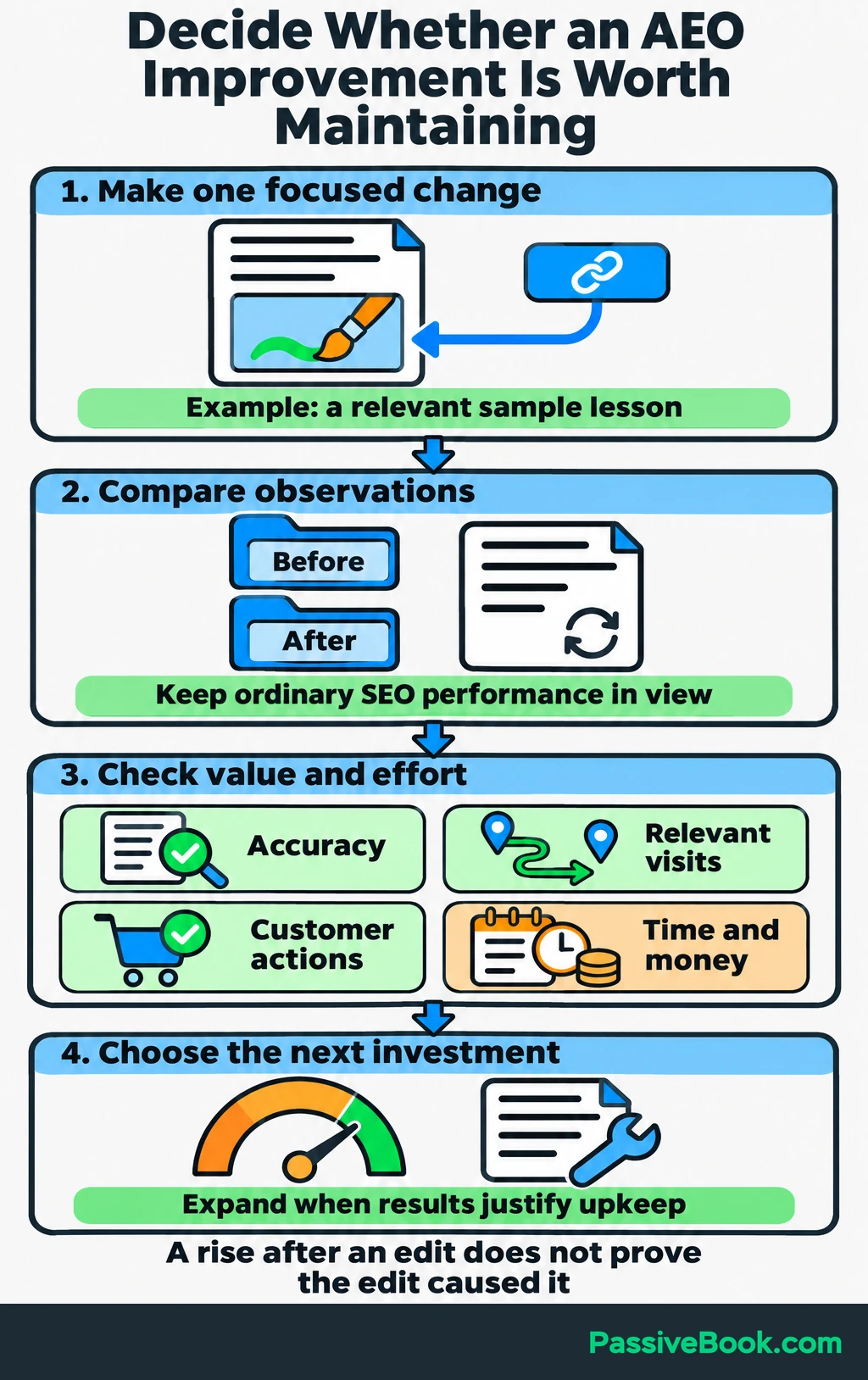
Record the time and money spent on research, editing, technical work, and monitoring. More citations can still be a poor investment if maintaining them absorbs hours and brings little useful reach.
Expand the work when accurate visibility, relevant visits, and customer actions justify its upkeep.
What Next?
Choose one page that answers a question customers ask before buying, and save a small baseline of AI responses before you edit it. Then check its access and strengthen the answer with details you can support.
Use the social buttons to share this guide if it would help a discussion about where AI-search work belongs in the budget.
Which customer question would you improve first, and what evidence could you add to the answer? Share it in the comments, along with any other questions.
Share this post with your friends & followers:

