A guest says yes, but the recording still isn’t booked. Your available times are buried in an email thread, their biography is in another message, and neither of you knows what happens next.
That uncertainty follows you into the interview. You spend preparation time chasing details, and a useful conversation can turn into a polite exchange that never reaches the listener’s question. To spend more of that preparation time on the conversation, this workflow takes you from choosing a guest to sending the published episode, with booking messages, interview prompts, and a tracker you can run alone.
Build a Simple Guest-management System
Start with email, a calendar, a shared preparation document, and a spreadsheet to track guests. If you already plan in Notion, use a database there instead. A beautiful guest database you forget to check is just another hiding place.
Give each appearance its own row, including repeat visits from the same guest. Their contact details may stay the same, but the topic, recording date, and preparation will change.
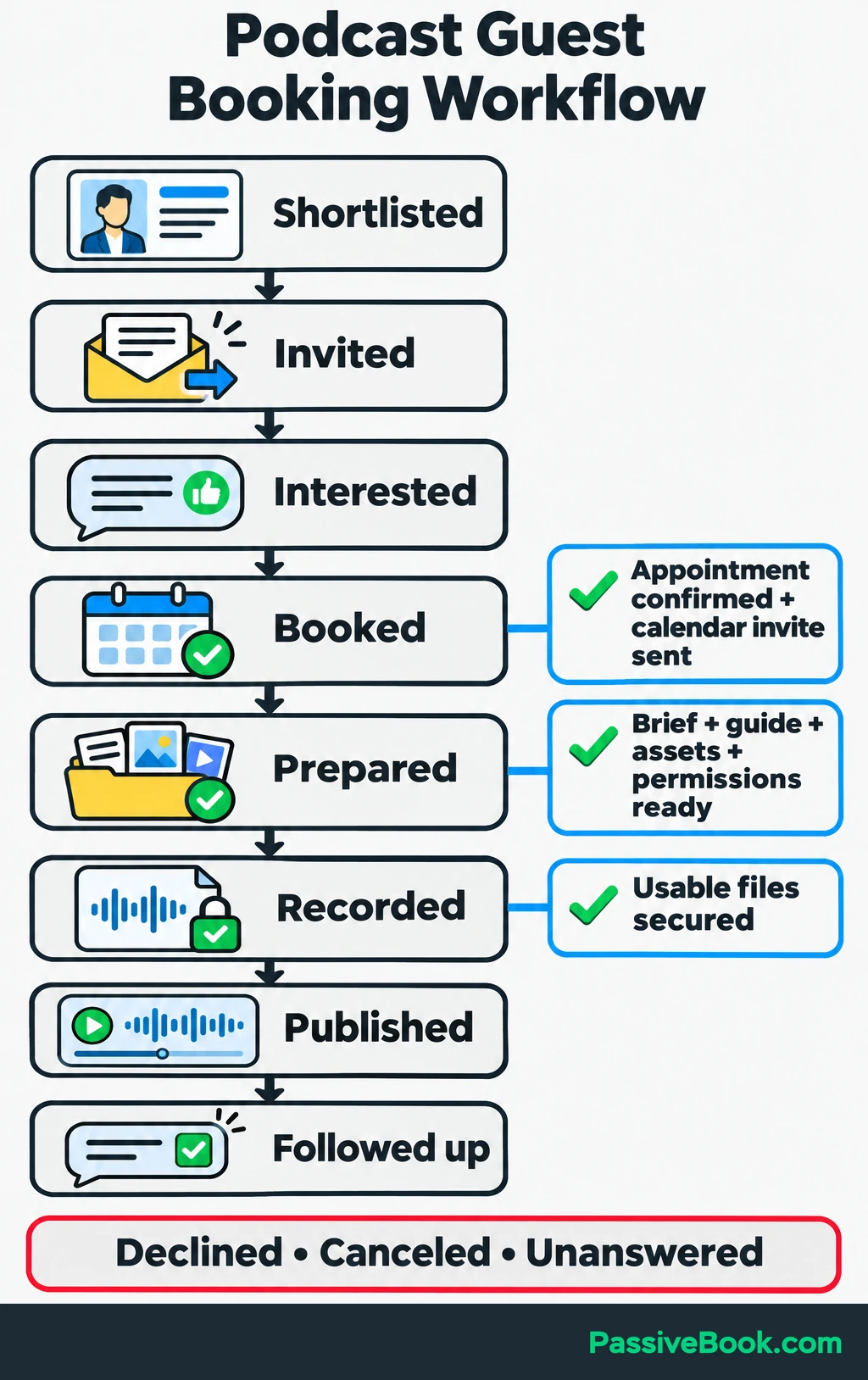
Move each appearance through this sequence:
Shortlisted → invited → interested → booked → prepared → recorded → published → followed up.
Every active appearance needs a next action, a due date, and the name of the person responsible—even if that’s you.
In the examples, you sell a beginner watercolor course and invite an artist onto your companion podcast to help listeners choose their first paints.
Your tracker should hold these details:
| Field | What to Record |
|---|---|
| Guest and contact | Preferred name, professional email, representative if involved |
| Episode angle | Choosing a small starter palette |
| Status | Interested; not yet booked |
| Next action, owner, due date | Send recording options; add who will send them and when |
| Recording appointment | Date, start time, time zone, total duration |
| Preparation and files | Links to the guest brief, interview guide, and asset folder |
| Permissions and terms | Recording and publication agreement; any fees or expenses |
| Publication | Expected window; confirmed date and live URL when available |
Use statuses to show what is actually ready:
- Booked means the appointment is confirmed and the calendar invitation has been sent.
- Prepared means the guest brief, interview guide, essential assets, and permissions are ready.
- Recorded means you have secured usable recording files.
Keep declined, canceled, and unanswered invitations outside the active sequence.
When I gathered contributions for a digital-product bundle, replies lived in email and delivery notes in a separate document. I kept rereading both to work out who owed what. Adding a next action beside each contributor stopped that hunt. Your guest tracker should do the same.
You can copy a tracker with the next-action rules already built in. Add your current guests to see what needs attention first, without rebuilding the workflow yourself.
Free Podcast Guest Tracker




Find Guests Who Fit the Episode
Write the listener’s question before you search for names. A clear question gives you a reason to choose one guest over another.
For the watercolor episode, that question is:
“Which paints should I buy first, and what can I leave on the shelf?”
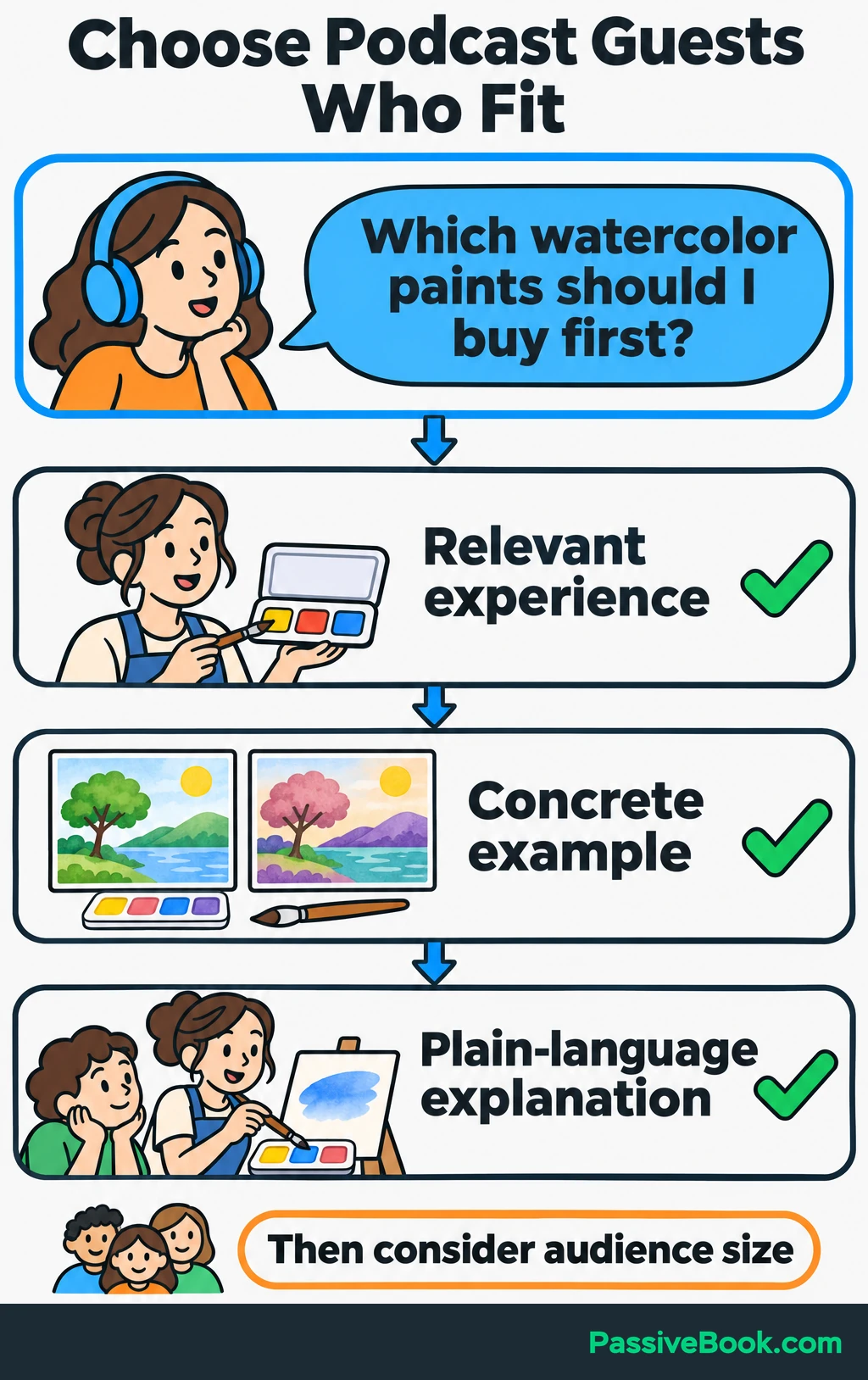
Now look for someone who can answer it through useful experience. Search relevant books, specialist communities, previous interviews, audience suggestions, and introductions from past guests.
I would judge candidates on three things:
- Relevant experience with the exact problem.
- A concrete story, example, or demonstration they can discuss.
- The ability to explain their choices in plain language.
Follower count comes after those checks. A large audience won’t rescue an interview where the guest has little to say about your topic.
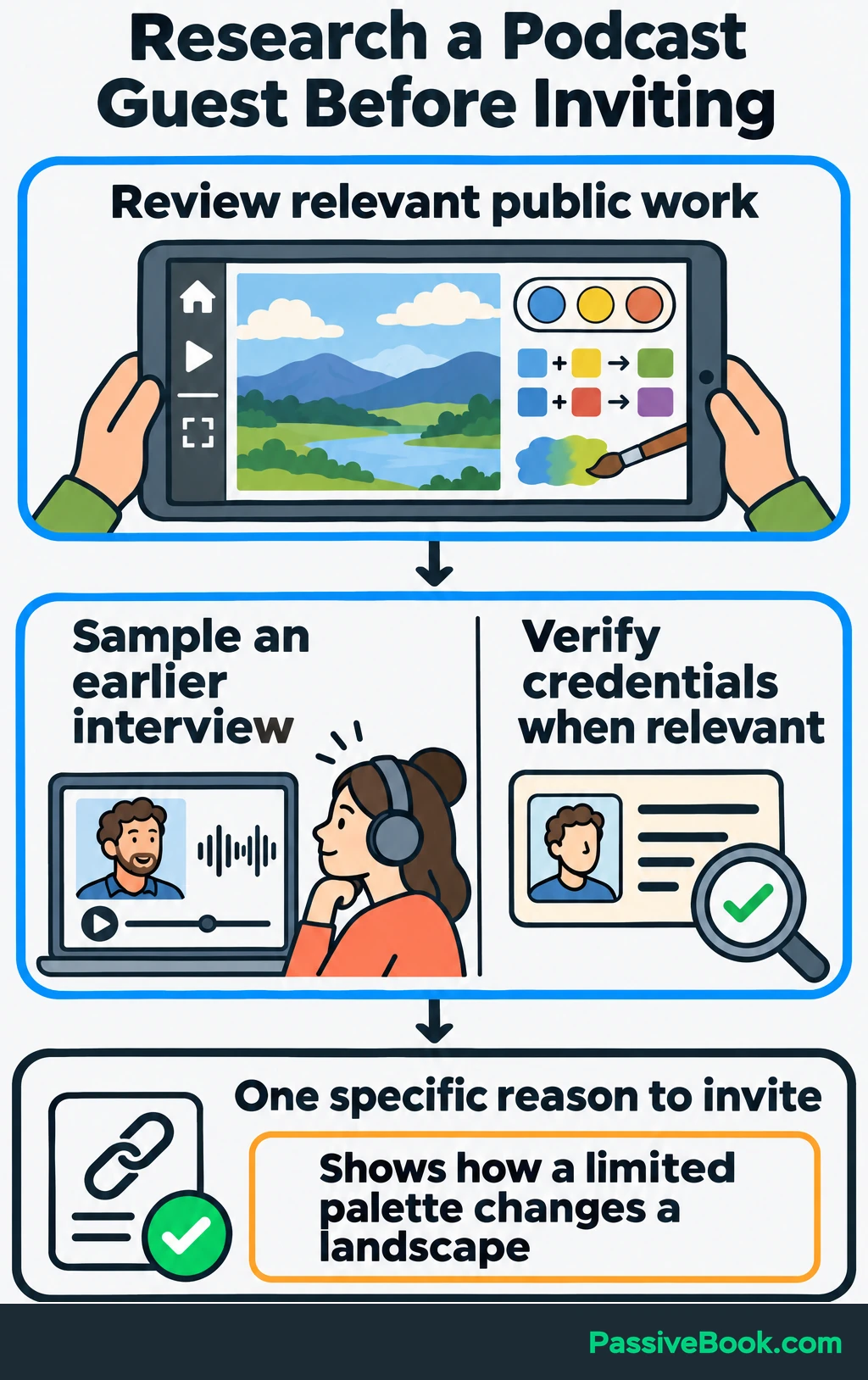
Review their relevant public work and sample an earlier interview if one exists. Record one specific reason to invite them. For example:
“Explains how a limited palette works and shows the same landscape painted with different color choices.”
Verify credentials when those credentials matter to the conversation. Don’t copy an impressive title from a pitch and treat it as research.
Apply the same test to inbound pitches. Ask what listener question the guest would answer and request one example they could discuss. Offer recording times once the fit is clear. I would reserve a short introductory call for cases where written answers and public work leave a real question unresolved.
Send a Personal Invitation With One Clear Next Step
Before writing, decide what you’re asking the guest to commit to. Choose remote or in person, audio or video, and the total appointment length.
Allow time for introductions, a sound check, the conversation, and the wrap-up. If you want a 30-minute conversation, asking for a 30-minute appointment leaves no room for anything to go wrong. Equipment enjoys that sort of challenge.
A useful invitation follows this order:
Specific connection → listener benefit → proposed conversation → practical commitment → invitation to reply.
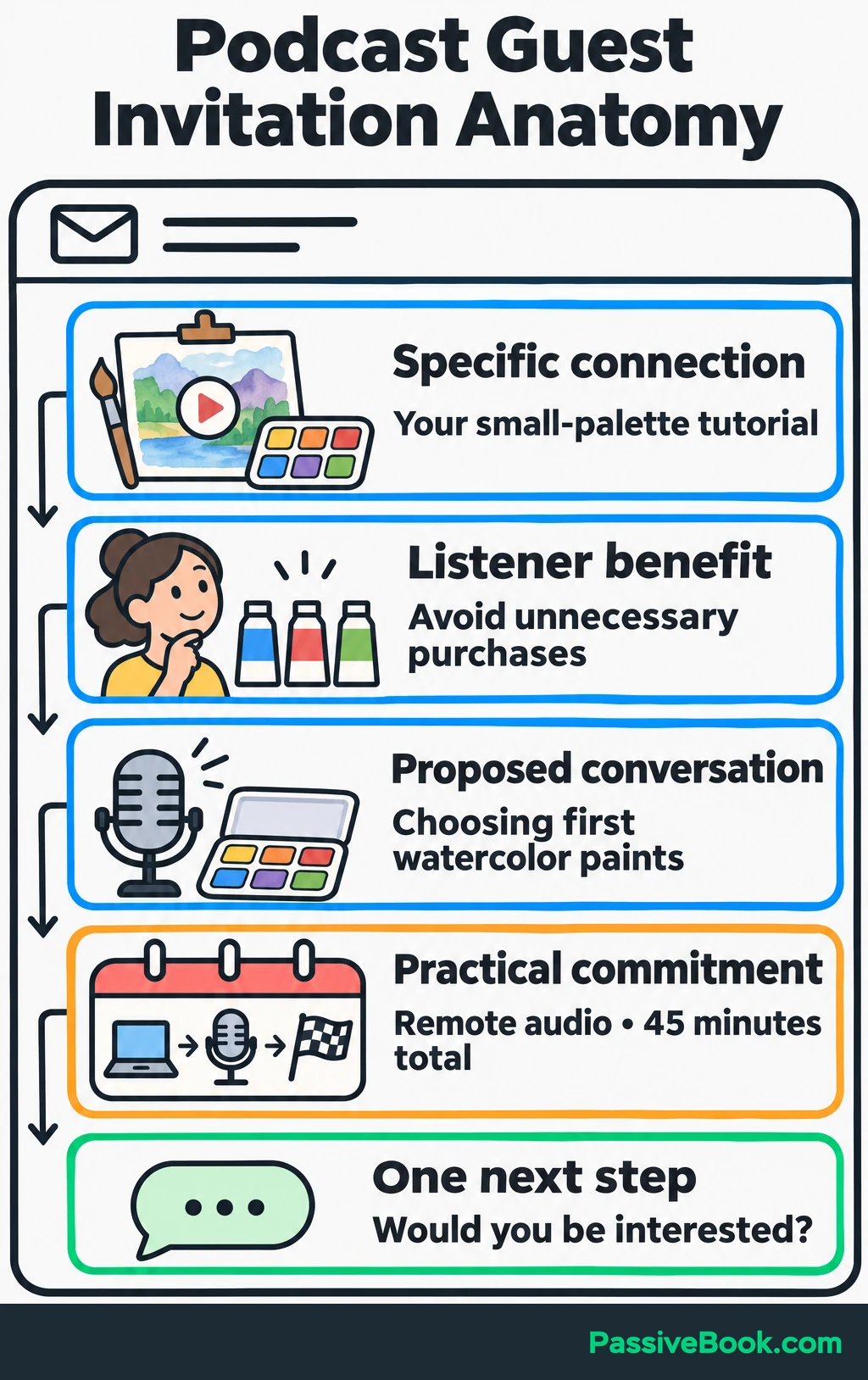
Here is a complete message to adapt. Replace the bracketed details with your own.
Subject: Guest invitation: choosing a first watercolor palette
Hi [Guest name],
I watched your [tutorial title], and your explanation of mixing colors from a small palette stood out.
I run [Show name], a podcast for people learning watercolor. I’d love to invite you to discuss how beginners can choose their first paints without buying colors they won’t use.
The interview would be recorded remotely as audio, then edited for publication. Please allow 45 minutes, including setup and wrap-up. I’ll send the discussion themes beforehand.
Would you be interested? If so, I’ll send a few recording options.
Thanks,
[Your name]
Use the guest’s stated professional contact channel. If a representative handles scheduling, keep them in the conversation.
Set your follow-up date when you send the message. My starting policy would be one short follow-up after a week:
“Hi [Name], just checking whether this conversation would interest you. If the timing isn’t right, no problem.”
If there’s still no reply, close the active task. You can revisit the idea later when you have a specific reason.
Resolve any requested appearance fee or expense reimbursement before booking, and record the agreed terms. Don’t leave a money conversation waiting for the recording day.
Confirm the Booking Without Calendar Confusion
Offer Times You Can Reliably Keep
Check availability for everyone who must attend, including a co-host or producer. Reserve the full appointment and leave a break before your next commitment.
You can send a booking link or offer a few dated options with explicit time zones. I would use email options for occasional interviews and consider a booking tool when scheduling becomes a repeated chore.
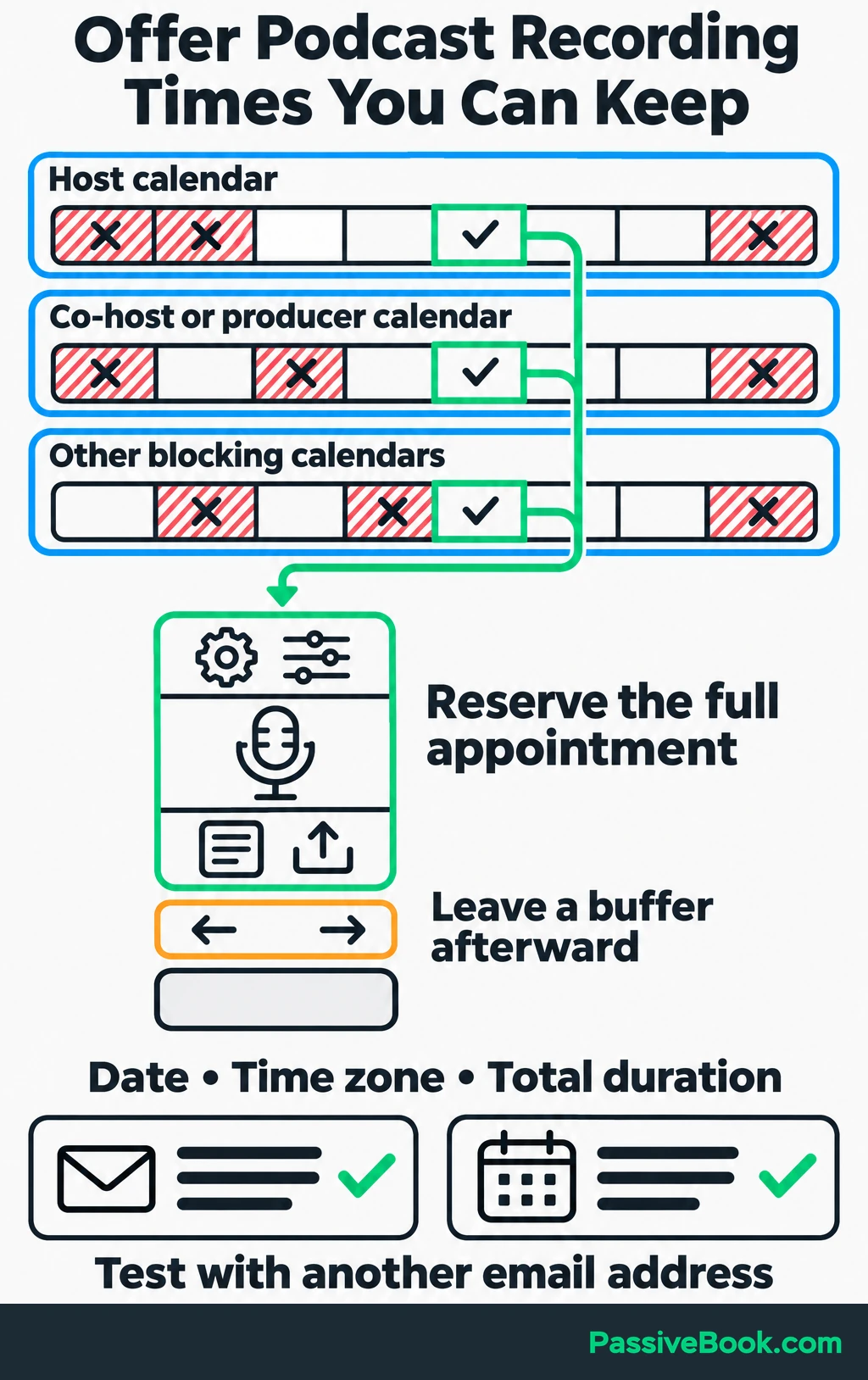
Before sending either, check:
- The appointment leaves enough time for preparation.
- Every calendar that could block the session has been reviewed.
- The guest can see the date, time zone, and total duration clearly.
- There is space between recordings for notes, uploads, and delays.
If your booking tool checks only one calendar, review the others yourself. A work meeting doesn’t become optional because it lives in a different app.
Test the booking process with another email address. Check the guest’s confirmation, the calendar event, and the joining link. You want to discover confusing instructions before a guest does.
Send One Complete Confirmation
Put the full appointment details in one calendar invitation:
- Confirmed date, start time, time zone, and total duration.
- Recording link or physical address.
- Link to the guest preparation document.
- Contact person and a way to reach them if joining fails.
- Instructions for rescheduling or canceling.
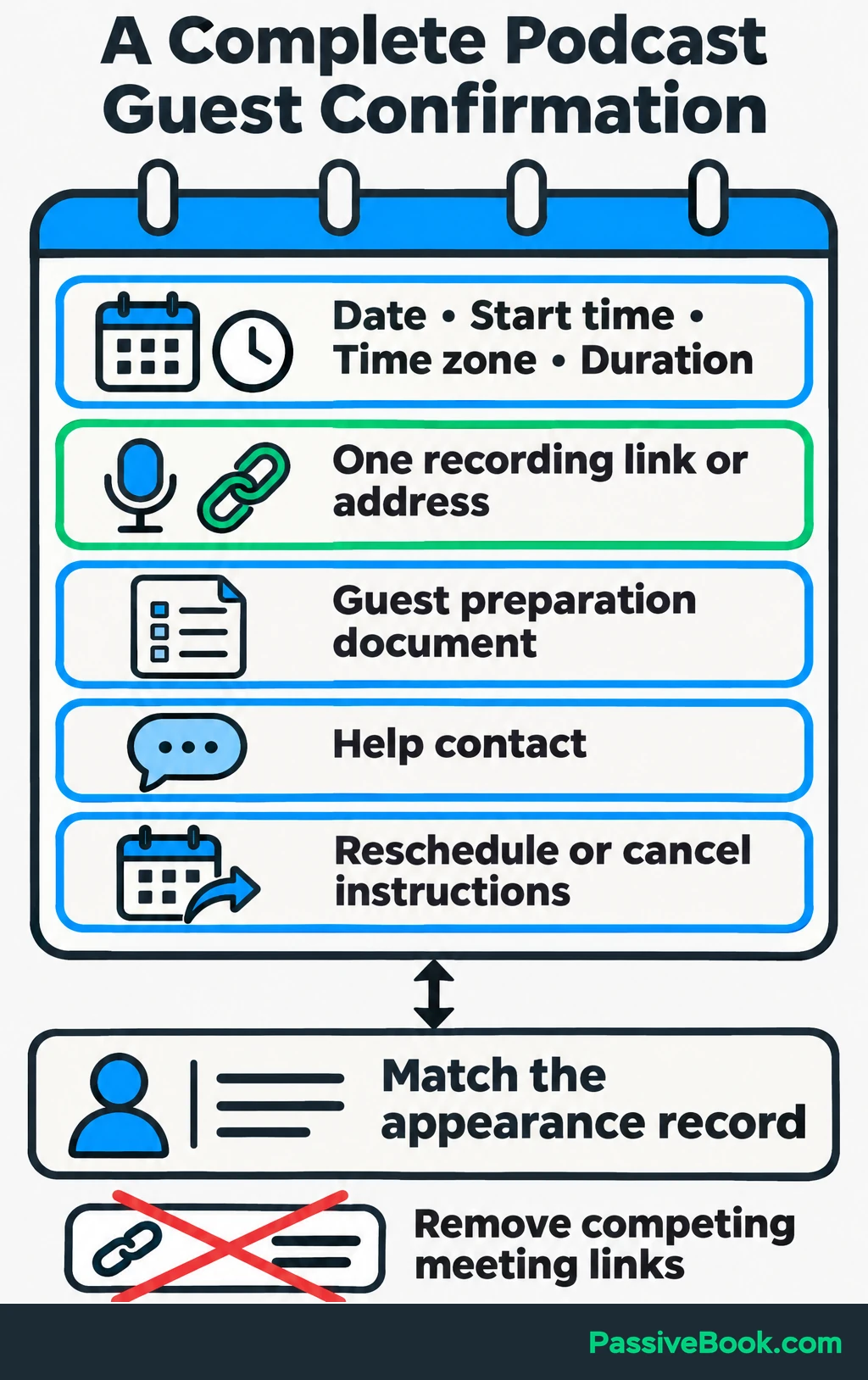
Keep this event consistent with the guest record. Remove any automatically added meeting link that competes with the actual recording link.
For the watercolor interview, a concise event description could read:
“Choosing a first watercolor palette. Remote audio recording; 45 minutes including setup. Join here: [recording link]. Please read [guest brief] beforehand. For changes or joining problems, reply to [contact email].”
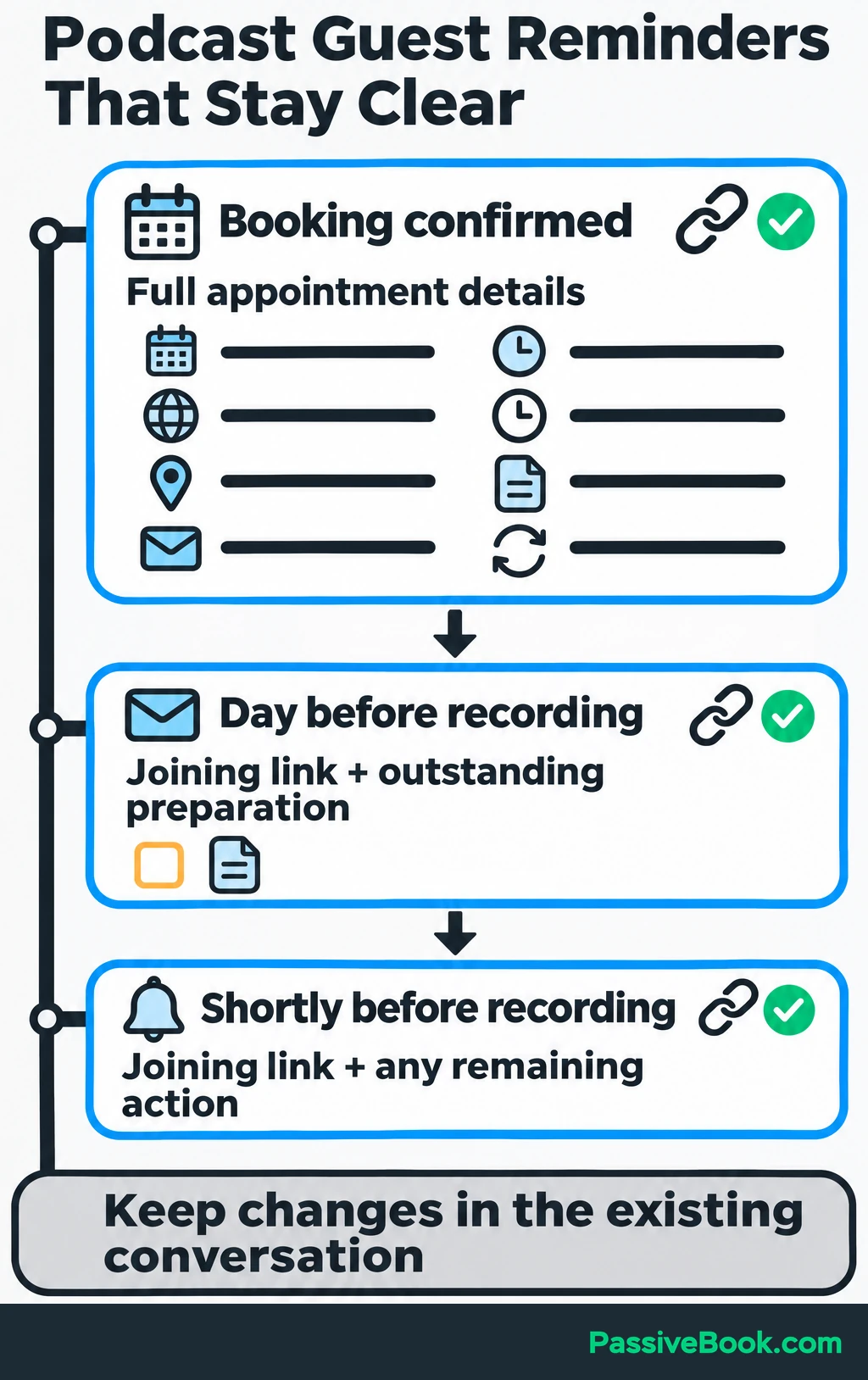
Keep changes in the existing conversation so the guest doesn’t have to compare several versions.
A day-before reminder and another shortly before recording are reasonable starting points. Repeat the joining link and mention only outstanding preparation. Send reminders manually if your calendar doesn’t support what you need.
Handle Changes and No-shows
For a reschedule, update the existing appearance record and calendar event. Move or cancel the old reminders so there is only one active appointment.
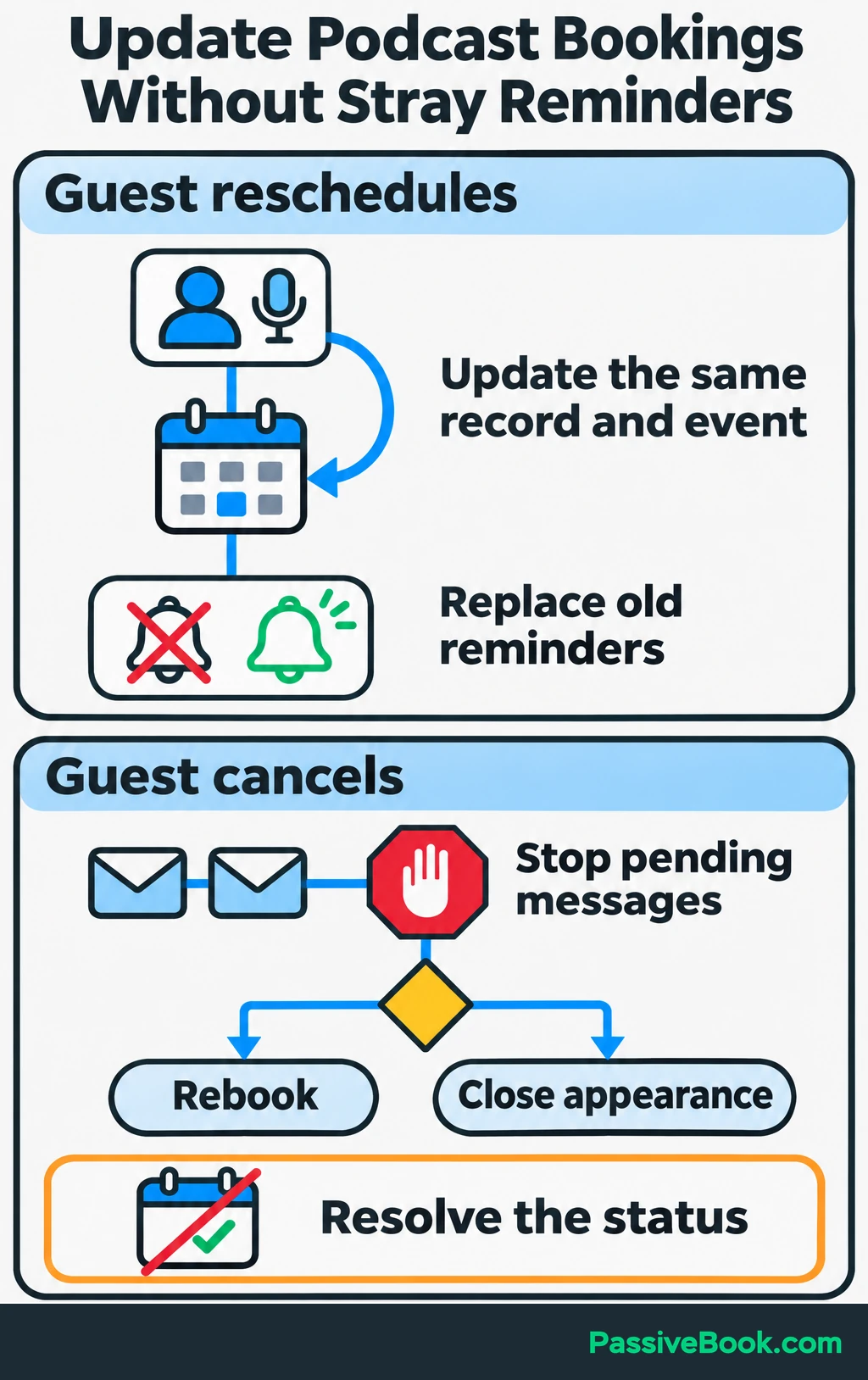
For a cancellation, stop pending messages and decide whether to rebook or close the appearance. Record that decision rather than leaving the status at “booked.”
Choose a no-show policy before you need it. For example, you might send a check-in at the start time, wait ten minutes, then release the session:
“Hi [Name], I’m in the recording room at [link]. Are you having trouble joining? If today no longer works, please reply and we can look at another date.”
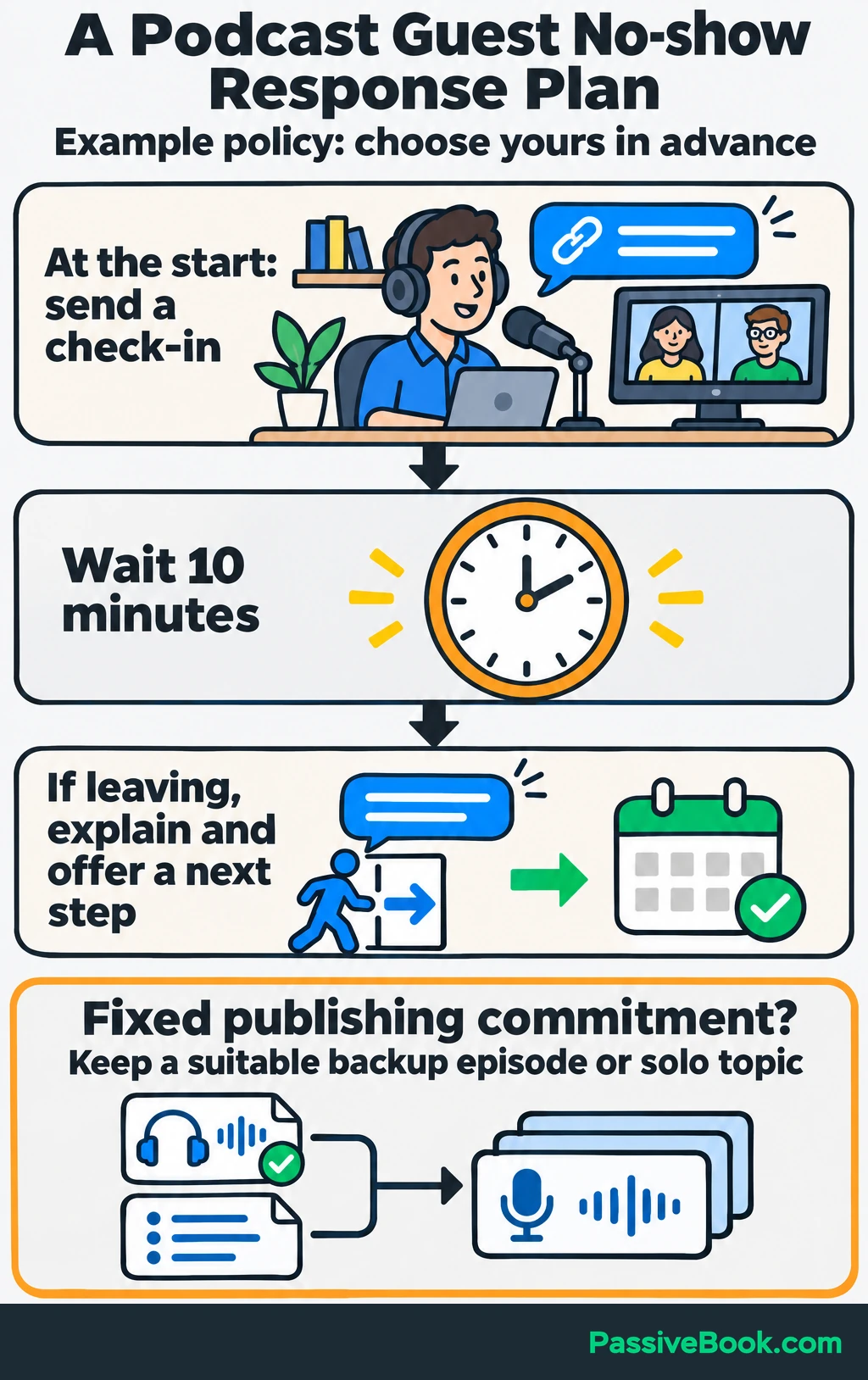
If you leave, tell them clearly and offer the next step. Silence makes an awkward situation harder to resolve.
When you have a fixed publishing commitment, keep a suitable solo topic or completed episode available. A guest cancellation shouldn’t force you to invent an episode that evening.
Prepare the Guest and the Conversation
Send One Concise Guest Brief
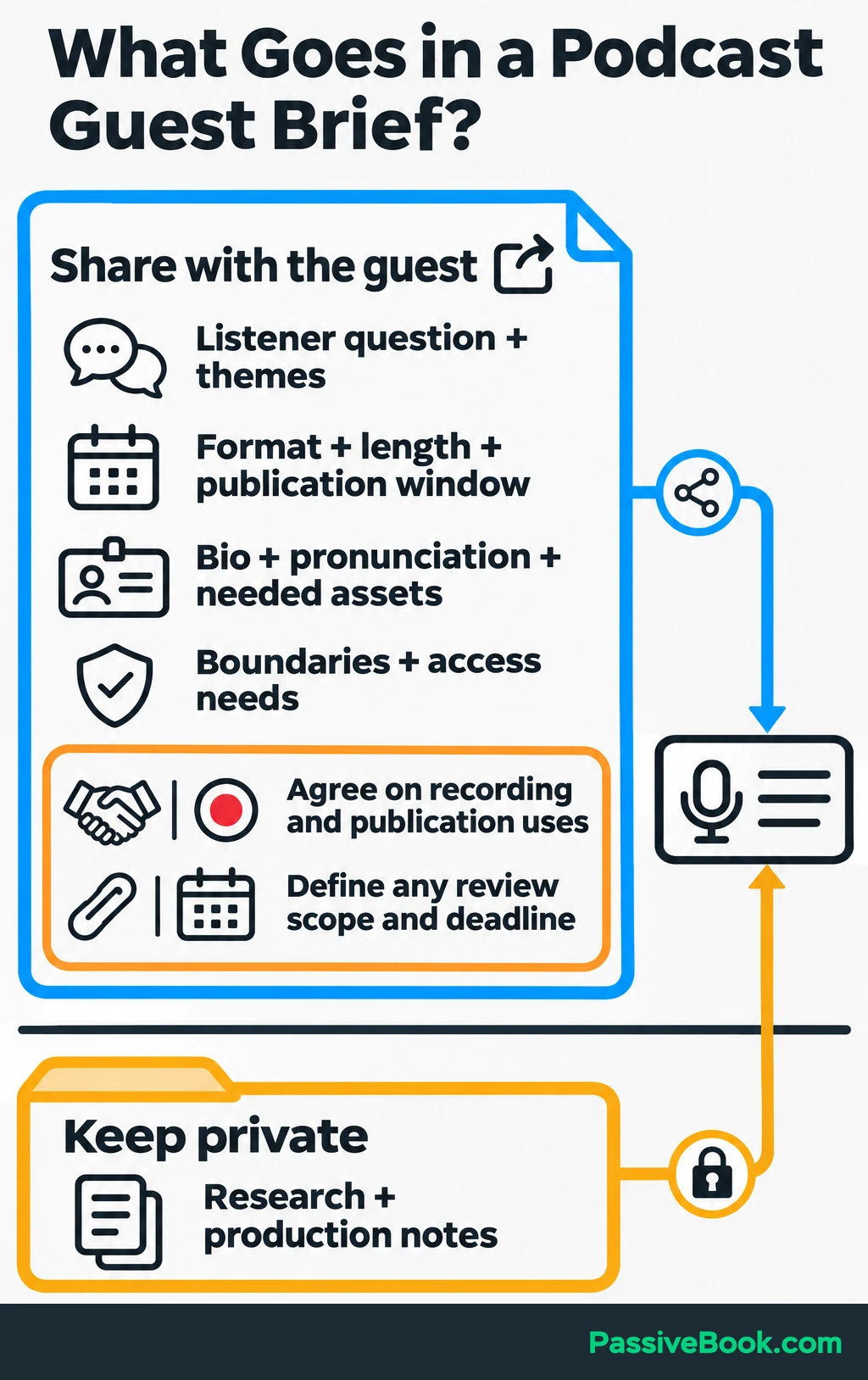
Give the guest one place to understand the session. The brief should explain the listener’s question, discussion themes, format, appointment length, and expected publication window.
For the watercolor episode, the focus might be:
“Help a beginner choose a small starter palette. We’ll cover how you choose colors, what those choices let you paint, and purchases beginners can postpone.”
Explain how you handle pauses and mistakes. If it is an edited interview, tell the guest they can pause and restart an answer. Agree on sensitive boundaries beforehand, including how they should signal a pause.
Collect only what you need:
- Preferred name and pronunciation.
- A short biography and relevant links.
- A headshot if your episode page or promotion needs one.
- Topics to avoid and any participation or access needs.
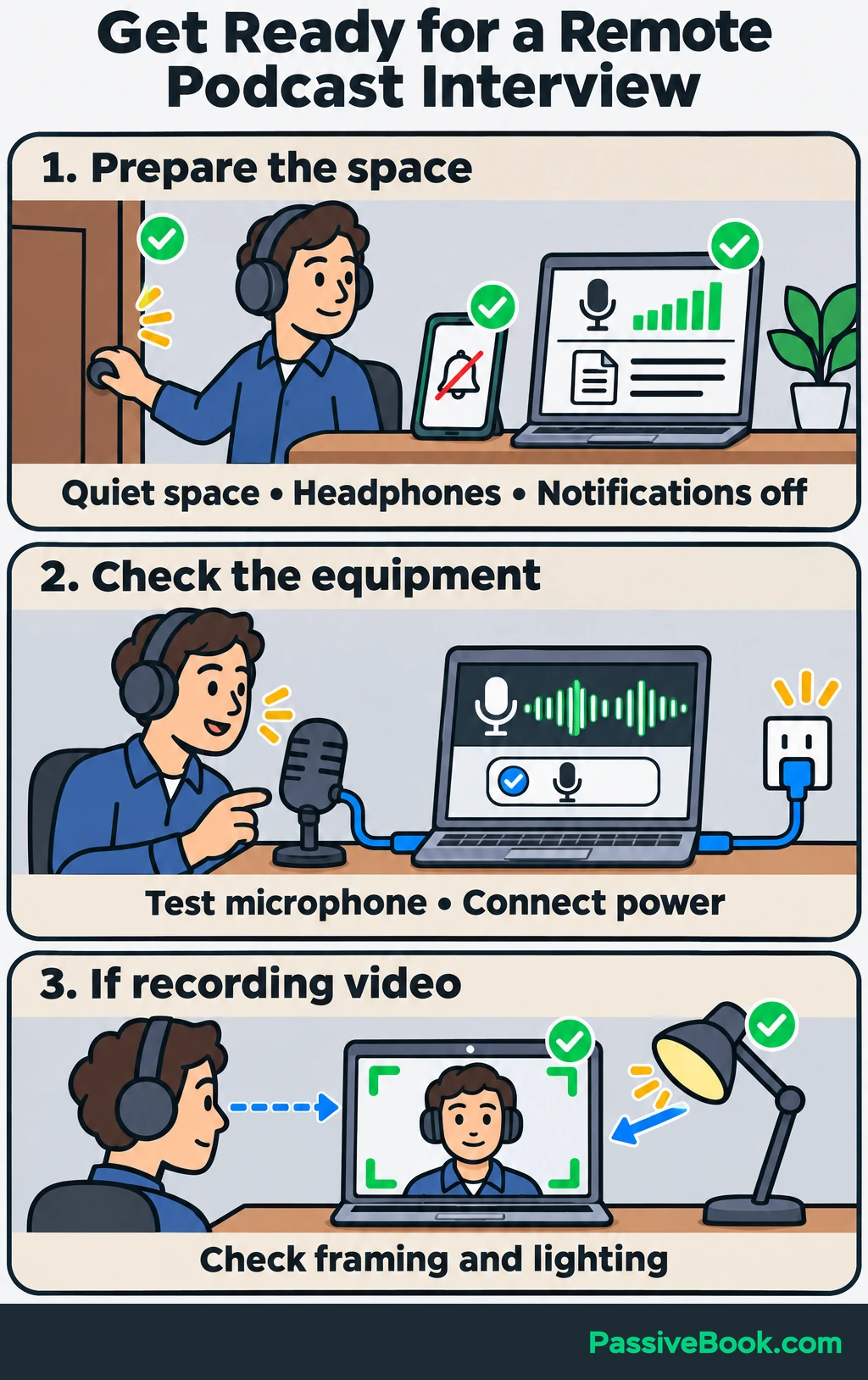
Include a short recording checklist: quiet space, headphones, tested microphone, power connected, and notifications off. For video, add simple framing and lighting guidance. For an in-person session, include arrival instructions.
Check recording requirements for the participants’ locations before the session. In the U.S., consent requirements vary by state, and interstate conversations can raise questions about which law applies. The Reporters Committee’s recording guide explains those differences.
Document permission to record and the agreed uses of the material, including publication and promotional excerpts. Be explicit if video clips will be published even though the main episode is audio.
Also agree on any review before recording. I would offer a defined factual check when appropriate, with a clear deadline. Spell out whether the guest is checking names, technical details, or something broader. “I’ll send it for review” leaves too much room for different expectations.
Link everything from the appearance record, but keep your private research and production notes separate from the guest-facing brief.
Build a Flexible Interview Guide
Research the guest’s relevant work and their preparation answers. Look for useful examples, unfamiliar terms, and claims you may need to question.
Arrange the conversation around a simple progression:
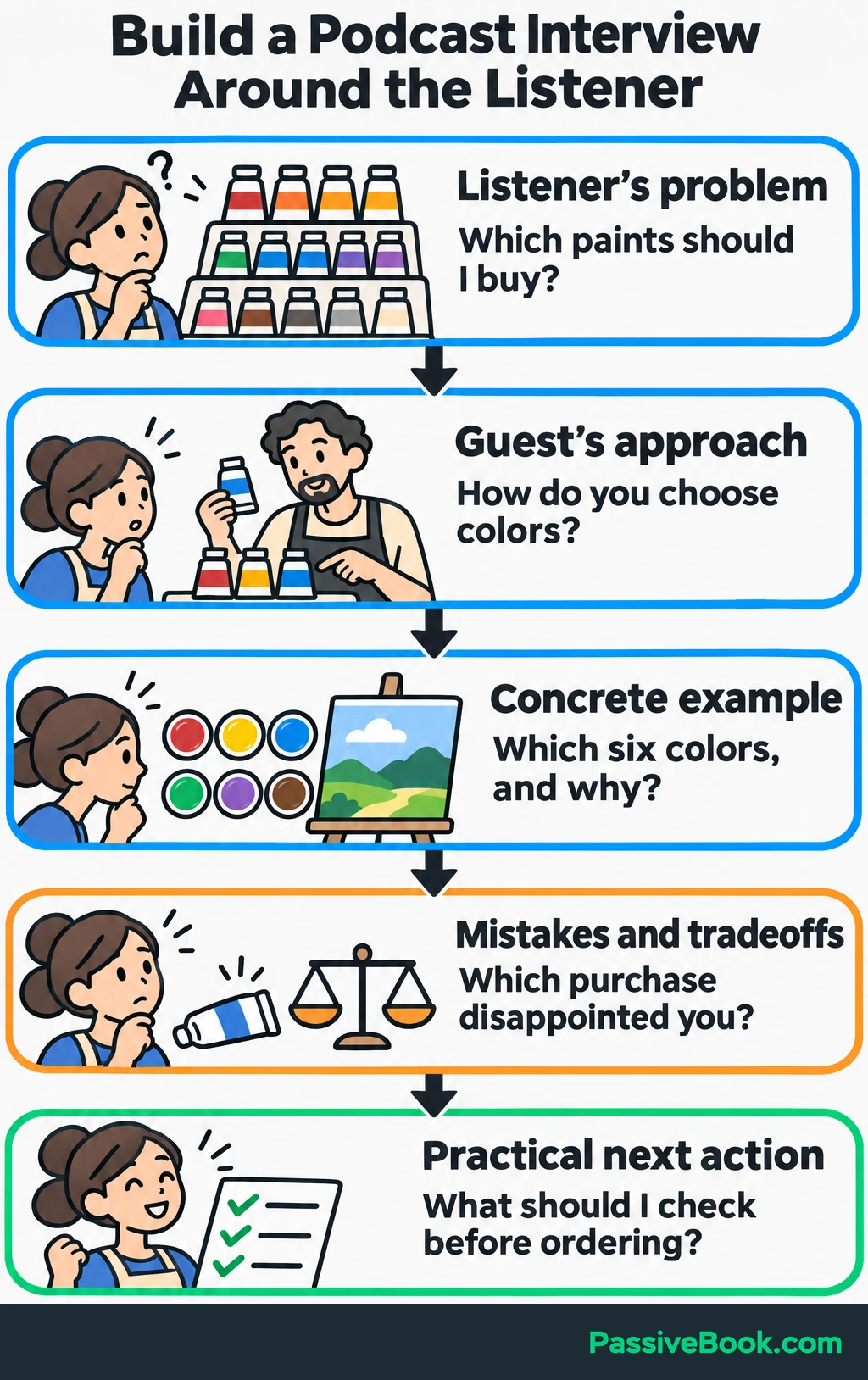
Listener’s problem → guest’s approach → concrete example → mistakes and tradeoffs → practical next action.
Your guide should help you find the next useful question without demanding that you ask every question in order.
For the watercolor interview, that could become:
- “What should a beginner consider before choosing paint colors?”
- “How do you decide which colors earn a place in a small palette?”
- “Which six colors would you choose for a simple landscape, and why?”
- “Tell me about a paint purchase that disappointed you.”
- “What should a listener check before placing their first order?”
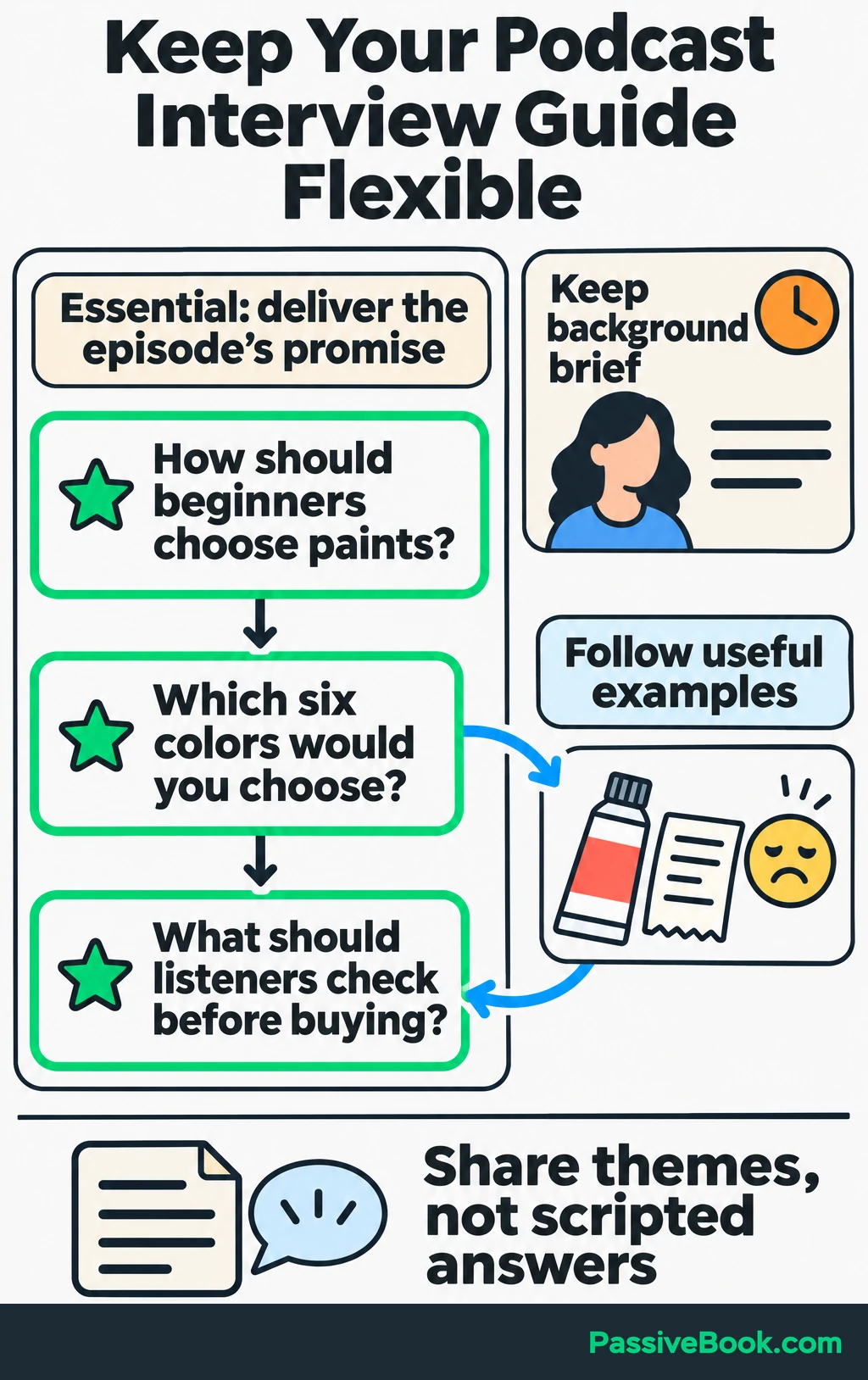
Mark the questions needed to deliver the episode’s promise. In this case, the listener needs a way to choose paints, so don’t spend most of the interview on the guest’s biography.
Share themes and essential questions beforehand, but don’t ask for scripted answers. Offer a separate preparation call when unresolved technical needs or sensitive material would otherwise disrupt the recording. It should solve a problem, rather than become another appointment by habit.
Your guest brief and private questions should support the same conversation without being the same document. AI Podcast Studio drafts both from your episode angle and guest notes, ready for your review.
Free AI Podcast Studio
Lead a Focused, Natural Interview
Welcome the guest and confirm pronunciation, boundaries, available time, and the agreed focus. Reconfirm permission before making a test recording.
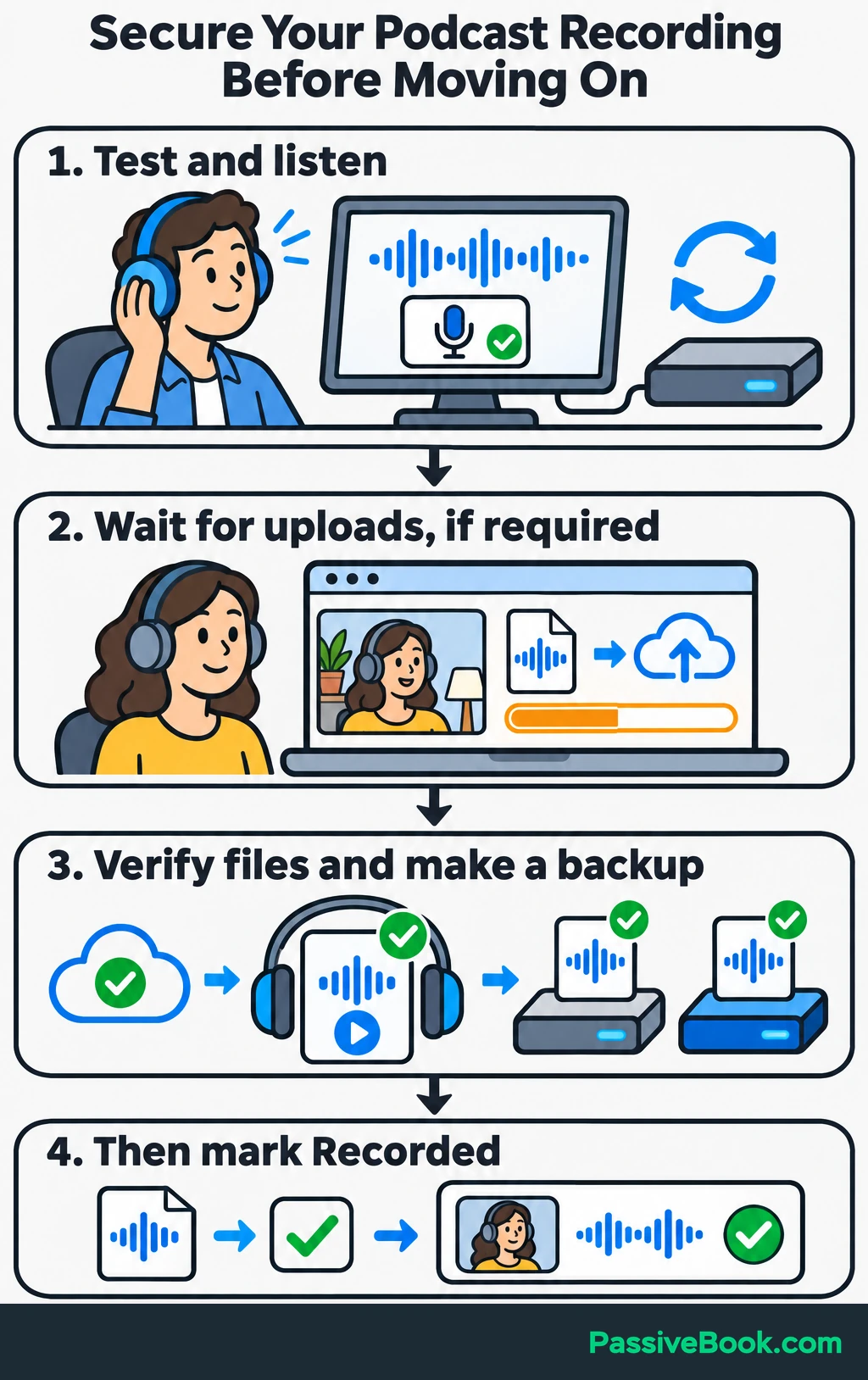
Record a short test and listen back. Check that every intended voice is audible, the correct microphone is selected, and any planned backup is running. Explain how to reconnect if the call drops.
Once you begin, ask one clear, open question at a time. Listen to the answer before choosing the next question. The National Park Service’s interviewing guidance recommends this approach, along with follow-up questions and requests for concrete examples.
Useful follow-ups include:
- “What did you do first?”
- “Can you give an example?”
- “Why did you choose that option?”
- “What happened when you tried it?”
Ask guests to explain unfamiliar terms when they appear. If the watercolor artist mentions a “warm blue,” ask what that means for someone choosing paints. Otherwise, the conversation may sound clear to both of you while leaving the listener behind.
Question unsupported claims calmly. “What are you basing that on?” can open a useful explanation. Note timestamps for facts and resources that need checking afterward.
Watch the remaining time and protect the essential questions. When the conversation drifts, connect it back to the listener’s decision:
“How would someone choosing their first six colors apply that?”
Use the same approach with a sales pitch. Bring the guest back to the problem, and leave room for an agreed resource mention near the end.
Close by asking what important point you haven’t covered. Confirm any resources they promised and explain when they will hear from you next.
Before releasing the guest, check that the files are secured. If your tool records on the guest’s device and uploads afterward, ask them to keep the browser or app open until upload completion is confirmed. Then check the saved files and make a backup. Only move the appearance to “recorded” once you have usable audio.
Follow up Through Publication
Send a thank-you while the conversation is still fresh. Include the expected publication window, any missing resources, and the next update the guest should expect.
A short message is enough:
“Thanks for joining me. Your landscape example gave us a useful way to explain palette choices. Please send the reference image we discussed, with confirmation that we can use it. I expect publication in [window], and I’ll contact you before then with any factual questions.”
Link the recordings and editing notes to the appearance record. Give each unresolved fact check, correction, or agreed review task an owner and deadline.
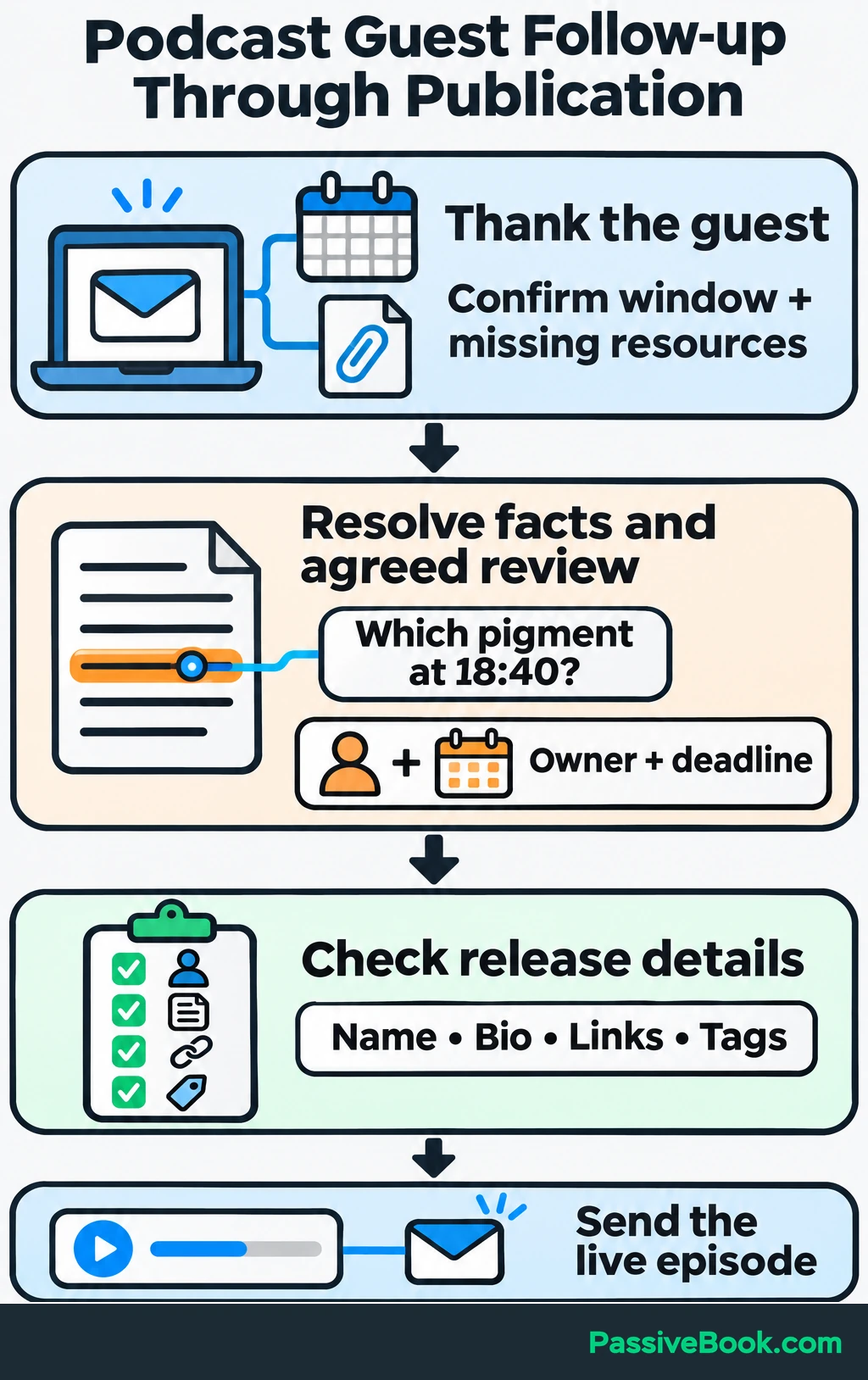
Ask targeted follow-up questions. “Which pigment did you name at 18:40?” is easier to answer than “Could you review everything?”
Complete the review you agreed to, and tell the guest if the publication window changes. They shouldn’t need to chase you to find out whether the episode still exists.
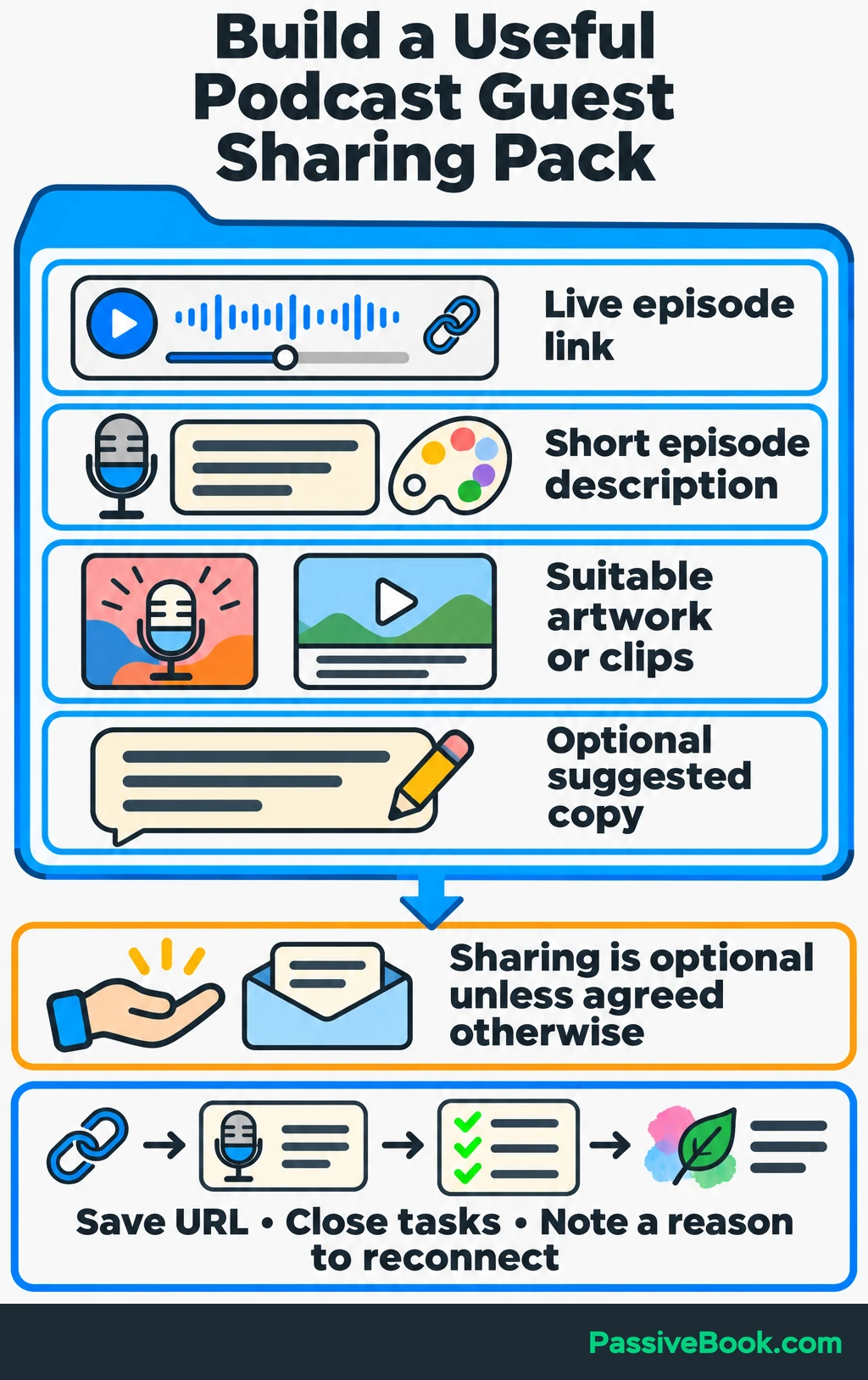
Before release, check their name, biography, resource links, and social tags. Then send the live link with a small sharing pack: a short description, suitable artwork or clips, and optional suggested copy.
For example:
“We discussed how to choose a first watercolor palette, what to leave out, and how to judge a paint before buying it. Listen here: [episode link].”
Make sharing easy, but treat it as optional unless you agreed otherwise. I wouldn’t turn a thank-you message into a surprise marketing assignment.
Store the published URL, close completed tasks, and note a specific reason to reconnect. That might be a future conversation about mixing greens. If another guest would fit an upcoming topic, ask for a relevant introduction rather than a general list of contacts.
Automate the Handoffs That Repeat
Run the workflow manually first. Once you know what reliably happens next, automate the repeated handoffs.
I use n8n to connect apps in my business, but I would start here with the reminder and task features already built into your calendar and planning tools.
These are useful starting points:
| Trigger | Automated Action | Check Before It Runs |
|---|---|---|
| Appointment confirmed | Update the appearance and create preparation tasks | Match the existing appearance rather than creating a duplicate |
| Recording approaches | Send a reminder with the joining link | Confirm the appointment is still active |
| Appointment changes | Replace pending reminders | Remove reminders tied to the old time |
| Appearance canceled | Stop scheduled guest messages | Record whether to rebook or close |
| Episode published | Create a guest-notification draft | Confirm the URL works and the episode is live |
Give each appearance a unique identifier, such as GUEST-014. Use it to update the same record when a guest reschedules. Matching by name alone gets messy when someone returns.
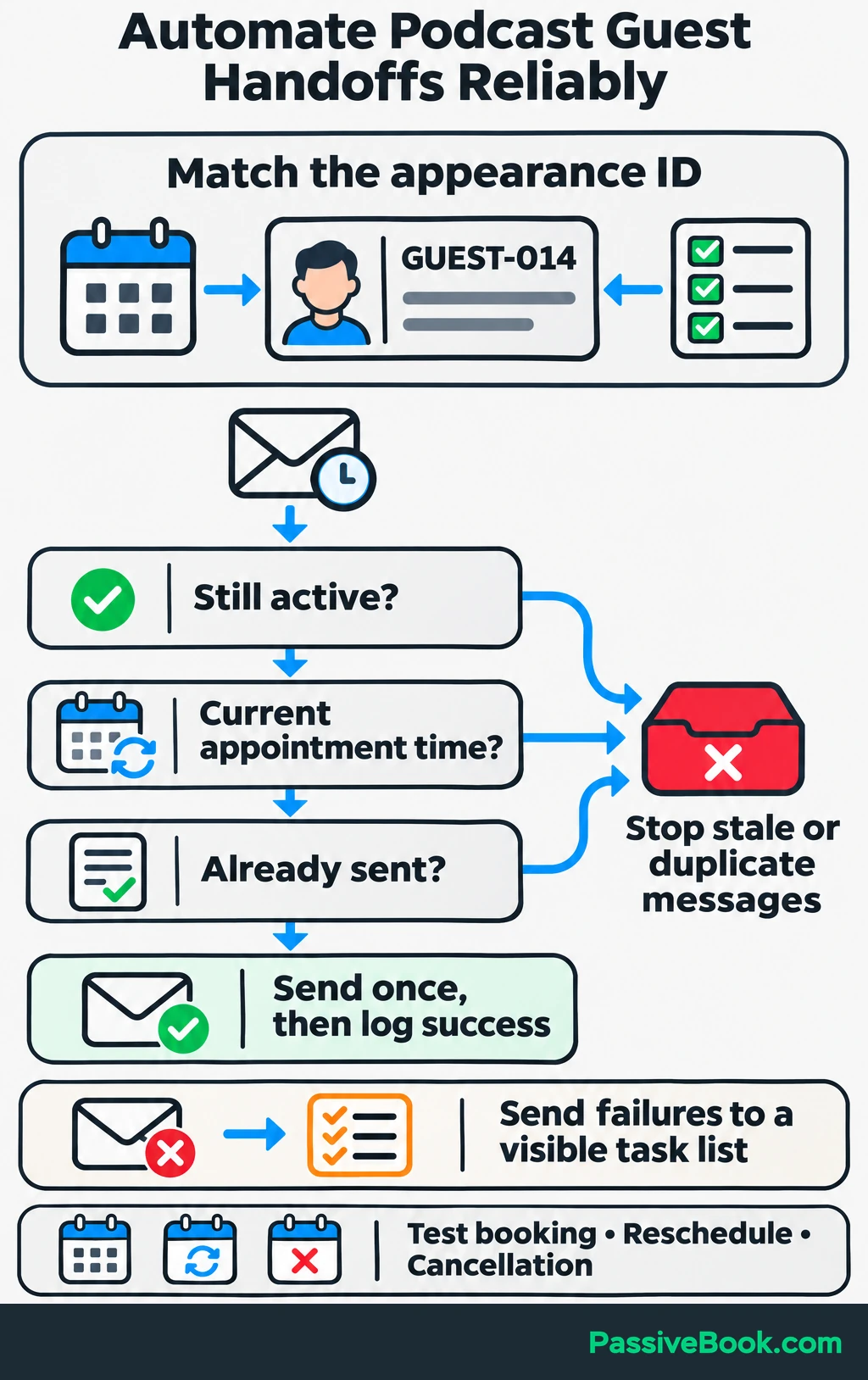
Before any scheduled message sends, check the current status and appointment time. Record successful sends to prevent duplicates, and send failures to a visible task list.
Test a dummy booking, reschedule, and cancellation before using the automation with guests. Check the resulting messages as well as the tracker.
If you need to connect separate apps, Make offers a visual workflow builder. I would choose it for a straightforward setup without hosting work. n8n is worth considering when you want more control and are comfortable maintaining the setup.
Keep guest selection, personal invitations, interview decisions, and sensitive messages under human review. Automation can carry the details between tools; you still need to decide what is appropriate to say.
Review overdue actions each week and look for repeated problems. If guests keep arriving unprepared, improve the brief and its timing before adding more reminders. Software is very good at repeating a confusing process.
What Next?
Create one appearance record for the next guest you want to invite. Write the listener’s question, your specific reason for choosing that person, and the next action with a due date. Then adapt the invitation above and send it.
Use the social buttons to share this workflow when your next guest collaboration needs a clearer booking process.
Which part of guest management currently takes the most effort: finding people, booking, preparation, or follow-up? Tell me in the comments, and bring any other questions with you.
Share this post with your friends & followers:

