I spent three years building online businesses in complete chaos. Every Monday felt like staring at an avalanche of tasks with no idea where to start. I’d work 15 hours in a week and somehow make zero meaningful progress. The breakthrough came when I stopped treating my to-do list like a business plan and started treating my calendar like a strategic asset. What changed was not working more hours but pre-deciding exactly what those limited hours would accomplish.
If you are juggling a day job and a side hustle right now, you already know the problem. You have maybe 10 scattered hours per week and a to-do list that would take 60. Without a system to protect those hours, they disappear into email, tweaks, and busy work that feels productive but builds nothing.
Context switching and reactive work consume 40% of your available hours without weekly planning. That means if you have 10 hours per week, you are losing four of them to task-switching penalties and unplanned interruptions. Weekly planning recovers those four hours by pre-deciding your priorities and protecting focused work blocks. That is the efficiency gain: not working faster, but eliminating the hidden time leaks that drain your limited hours. This guide walks through the exact weekly planning system that transformed my online business from chaotic side project to sustainable income stream.

- •What Is Weekly Planning for Online Entrepreneurs?
- •Why Side Hustlers Stay Busy but Never Build Momentum
- •The Revenue-First Rule: the Core Principle That Changes Everything
- •The Weekly Planning Mistake Most Productivity Gurus Will Not Tell You
- How to Build Your Weekly Planning System in 5 Steps
- •The Biggest Weekly Planning Mistakes That Kill Productivity
- •Protecting Your Personal Time While Running an Online Business
- •How AI Is Now Transforming Weekly Planning for Solopreneurs
- •Free Tools to Run Your Weekly Planning System
- •Frequently Asked Questions
- •What Next?
What Is Weekly Planning for Online Entrepreneurs?
Weekly planning is a simple ritual of pre-deciding what to work on and when before you start your week. Every available hour gets a purpose aligned to your current business stage. You are creating a short list of committed priorities, not a wish list of everything you want to accomplish.
Your plan is your single source of truth for the week. When someone asks for a favor or a shiny new tactic appears on social media, you check your plan. If it is not on the list, it does not happen this week. The plan acts as a filter that keeps you focused on what actually moves your business forward.

I know this sounds obvious written out like this. But for three years I had a 40-item to-do list in Notion that I’d scroll through every morning feeling paralyzed. The plan was always ‘do whatever feels urgent.’ That is not a plan. That is chaos with good handwriting.
Research shows 37% of side hustlers work just 5 to 20 hours per week. When your available time is that constrained, the act of pre-deciding your priorities each week becomes far more valuable than any individual tactic. A well-planned eight-hour week will outperform a chaotic 20-hour week every time.
Why Side Hustlers Stay Busy but Never Build Momentum
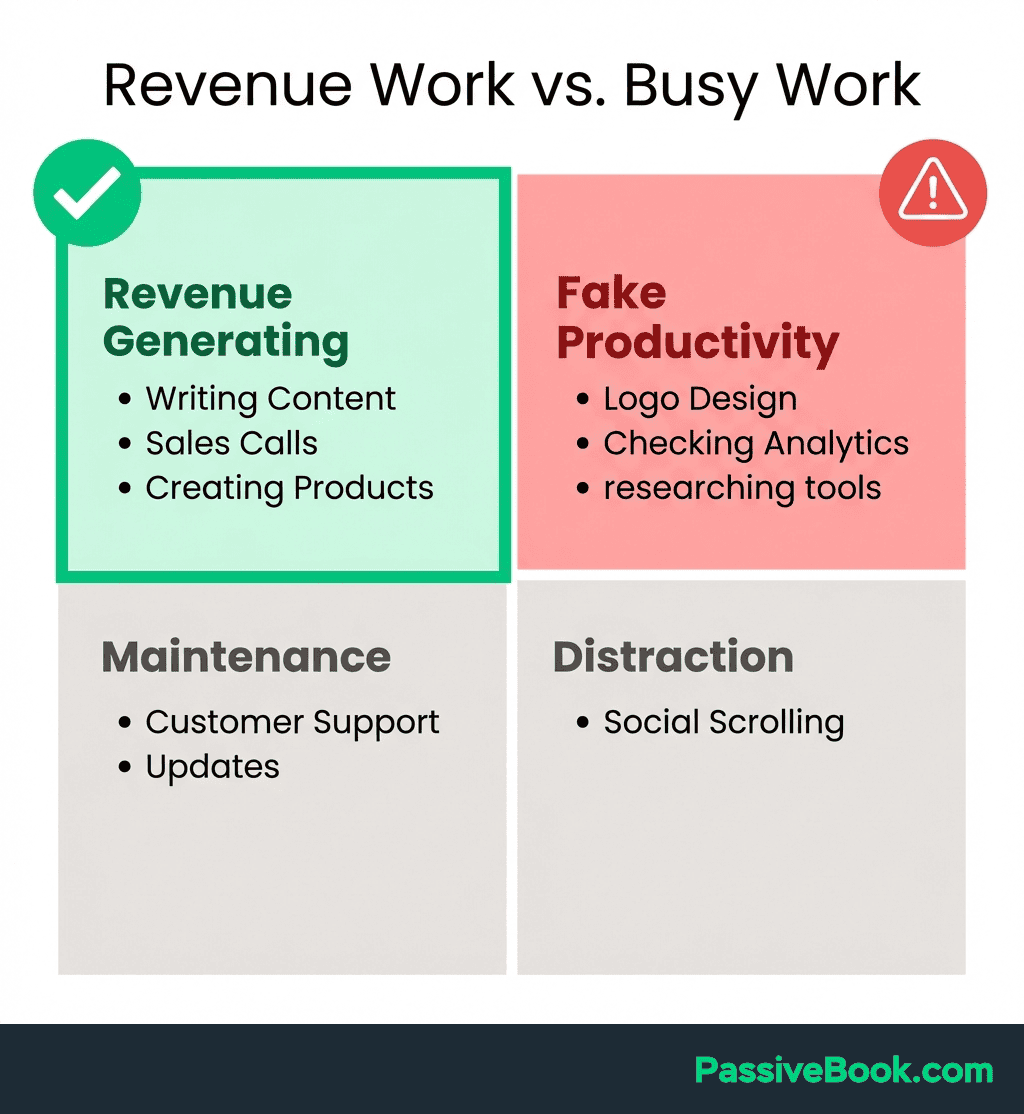
Without a plan, limited hours default to reactive tasks. You check your inbox first thing. You notice your logo looks slightly off and spend an hour tweaking it. You reorganize your Notion workspace because it feels productive.
These are urgent tasks that demand immediate attention but contribute nothing to revenue or audience growth.
That reactive pattern crowds out revenue-generating activities every single week. You feel busy because you are constantly responding to small fires. But at the end of the month, your income has not moved and your audience has not grown. The busyness is real. The progress is an illusion.
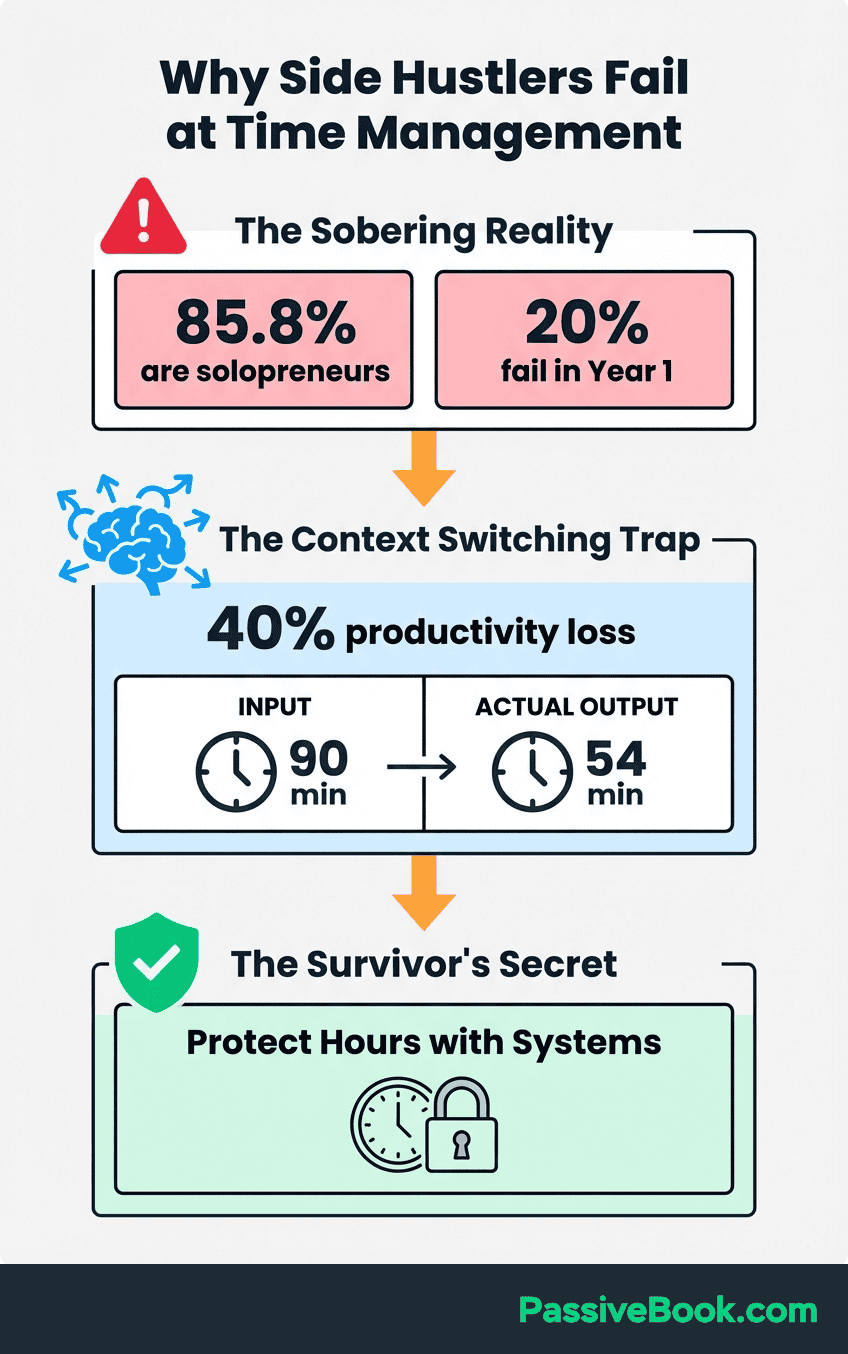
Context switching makes this worse. Research confirms knowledge workers lose up to 40% of productive time to switching between tasks. Every interruption carries a 23-minute average recovery time. When you only have eight hours to build your business each week, losing three of them to task-switching is catastrophic.
The stress compounds over time. A solopreneur survey found 35% report high stress levels, higher than business owners with employees. The primary driver is not workload. It is unstructured, reactive workweeks where you never feel in control. Weekly planning eliminates this by giving you a clear roadmap before the chaos begins.
The Revenue-First Rule: the Core Principle That Changes Everything
Every task you schedule must pass one filter before it earns a spot on your calendar. Ask yourself: does this directly move revenue or audience growth forward?
If the answer is no, it does not belong in your limited weekly hours.
Revenue-generating tasks include publishing content, building offers, growing your audience, recording videos, listing new products, or emailing your list. These activities create the conditions for income. Reorganizing your Notion database does not, no matter how satisfying those nested toggle blocks look when you are done.
Schedule revenue-generating tasks before any admin work, every single week without exception. Block time for publishing a blog post before you schedule time to update your about page. Protect the hour for recording a YouTube video before you allow any time for email management. Schedule revenue work first. Always.
Justin Welsh built a $5M+ solopreneur business by constraining his content work to four focused hours per week. He did not have more hours than you. He applied a stricter filter to how those hours were spent. His entire system centered on protecting time for the tasks that directly grew his audience and revenue. Everything else got deleted or delegated.
The Weekly Planning Mistake Most Productivity Gurus Will Not Tell You
Most weekly planning advice tells you to schedule every available hour. Block 7am to 9pm in 30-minute increments. Account for everything. That advice is garbage for side hustlers.
Over-scheduled plans collapse the moment real life interferes. Your kid gets sick. A client emergency appears. You are too tired after a 10-hour workday to execute your perfectly color-coded Wednesday evening content block.
When your plan has zero flexibility, any disruption destroys the entire week. You feel like a failure by Tuesday. You abandon the system by Friday. Then you are back to reactive chaos by the following Monday.
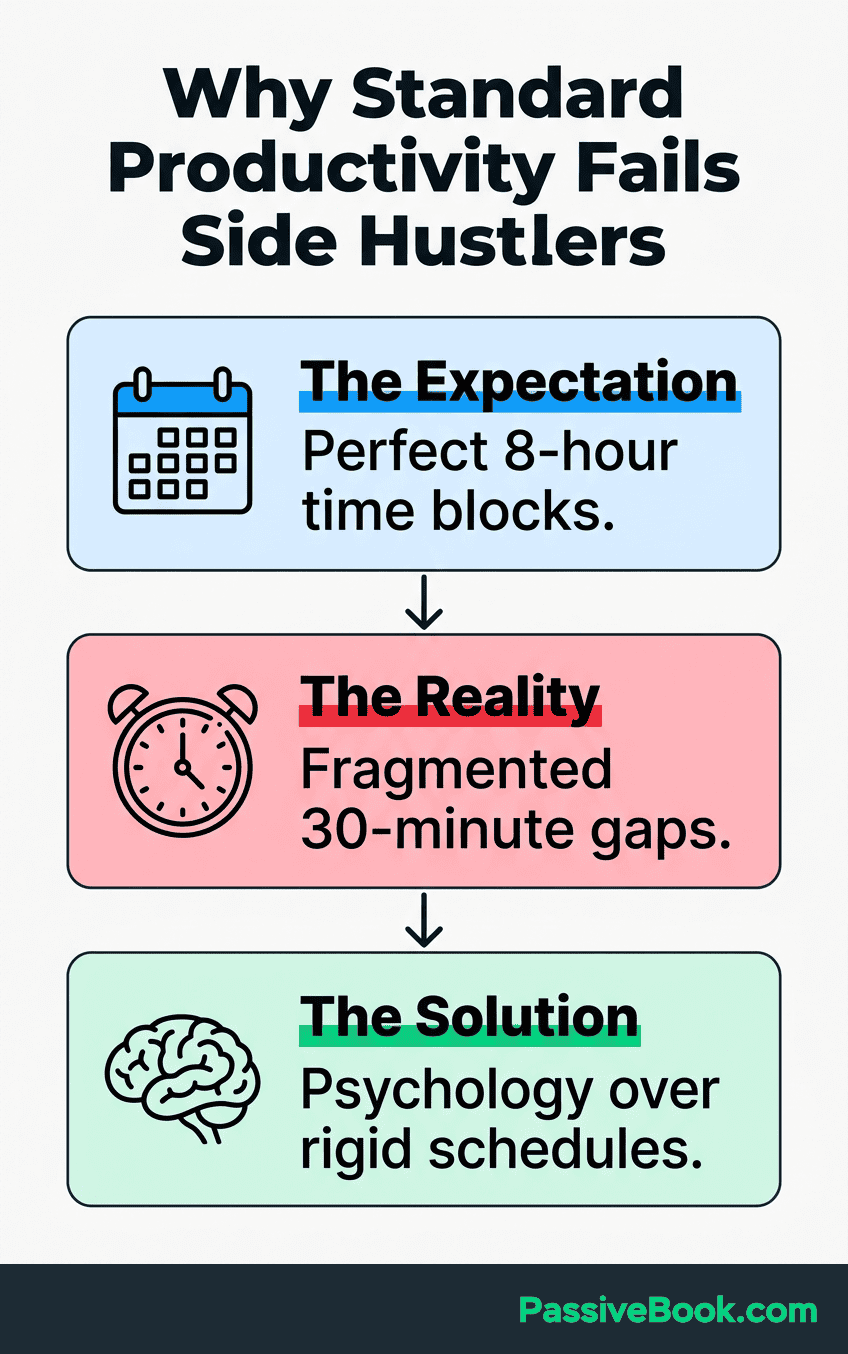
The better approach: schedule only your Big 3 outcomes and leave 30 to 40% of your available hours completely unplanned. This buffer absorbs life without breaking your system. A flexible plan that survives the week beats a perfect plan that collapses by Wednesday.
How to Build Your Weekly Planning System in 5 Steps
To plan your week effectively takes just 20 to 30 minutes once per week. Pick a consistent time slot, Sunday evening or Friday afternoon, and treat it as a non-negotiable appointment with your future business. This is not optional overhead. It is the highest-leverage 30 minutes you will spend all week.
The system below gives you a repeatable process that works whether you have five available hours or 20. Follow these five steps in order every week. The consistency of the ritual matters more than perfecting any individual step.
Step 1: Do a Weekly Brain Dump to Clear Your Head
Before you start your week, write every task, idea, and obligation out of your head onto one page. Do not attempt to prioritize anything yet. Do not organize it. Do not evaluate importance. Just capture everything floating in your mind in one place. Doing this separates things you are worried about from actual commitments for this week.
Writing them down eliminates the mental drag that kills focus. When tasks live only in your head, your brain wastes energy tracking them. Writing them down frees that energy for execution.

A blank Notion page works perfectly for this. You can also use Notion‘s free Brain Dump Worksheet for Business Owners template, which is purpose-built for capturing business obligations and ideas.
Set a timer for 10 minutes and write until the timer stops. If you finish early, you are done. If the timer goes off and you still have thoughts, add two more minutes. Process should feel quick and messy. You are not creating new tasks for yourself. You are simply making visible what is already taking up space in your mind.
Step 2: Choose Your “Big 3” Weekly Priorities
Your Big 3 outcomes are the only results that matter this week. These are not tasks. They are results. A task is “write blog post.” An outcome is “publish one blog post that targets a specific keyword.”
Align each outcome to grow, serve, or monetize your audience. A Printify print-on-demand seller might set three outcomes: list two new designs, schedule three Pinterest pins, analyze last week’s top-selling product. A blogger might commit to: publish one SEO-optimized article, send one email to subscribers, test one new affiliate link placement. A podcaster might commit to: record two episodes, publish one to YouTube and Spotify, reach out to three potential guests.
Apply the Revenue-First Rule here. At least two of your Big 3 outcomes must directly grow or monetize your audience. If all three outcomes are admin tasks like updating your website design or reorganizing files, you are not building a business this week. You are procrastinating with structure.
Batch non-revenue tasks into one low-energy time slot. Pick Friday afternoon or Sunday evening when your creative energy is lowest. Group all the small tweaks, updates, and admin work into a single 60-minute block.
To make your Big 3 outcomes even clearer, try asking an AI to help prioritize. Open ChatGPT or Claude and paste: “Here are my current business tasks: [paste your brain dump]. Which three outcomes would create the most revenue or audience growth this week?” The AI will not make the decision for you, but it will surface patterns you might miss when staring at your own list.
Step 3: Time-Block Your Available Hours
Assign each Big 3 outcome a named time block on your calendar. Do not leave them on a to-do list. Put them in actual time slots so they compete with nothing and get protected. A to-do list is a suggestion. A time block is a commitment.
Map your available hours honestly first. If you work full time and have family obligations, you might have eight true business hours per week. A realistic eight-hour plan beats an over-ambitious 20-hour plan that collapses by Tuesday.
Look at your calendar and identify every open block where you could realistically work on your business. Mark those hours in a different color so you see your capacity at a glance.
Then assign your Big 3 outcomes to specific time slots. If your first outcome is “publish one blog post,” block a two-hour slot on Wednesday evening labeled “Write + Publish Blog Post.” If your second outcome is “list two new Printify designs,” block 90 minutes Saturday morning labeled “Design + Upload Products.” Name each block with the outcome, not just “work on business.”
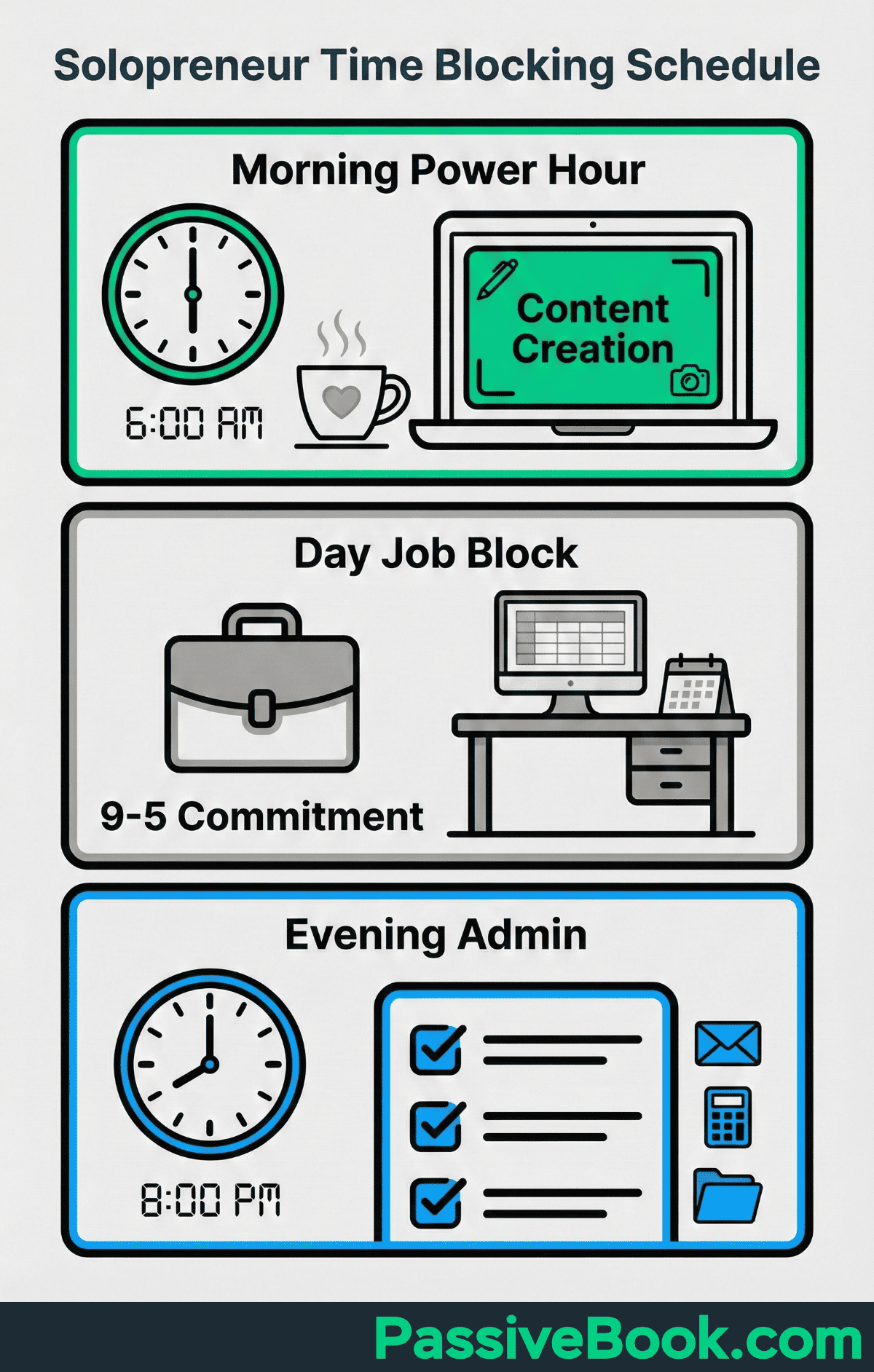
Ali Abdaal grew his creator business to 6M+ subscribers and multi-million dollar annual revenue while working as a part-time doctor in his early years. He did not film or write whenever there was time. He batched all creative work into dedicated calendar blocks. Those blocks were non-negotiable. Everything else in his life had to fit around them. Constrained time becomes an advantage when you protect it this fiercely.
Advanced planners use themed days to batch similar tasks and reduce context switching further. Monday becomes your content creation day, Wednesday your audience engagement day, Friday your admin and review day. This approach works especially well when you have 10+ hours per week. Make sure you group similar tasks so your brain stays in one mode instead of constantly switching between creative work, analytical work, and administrative work.
Step 4: Filter Your To-Do List with the Eisenhower Matrix
Now categorize what remains from your brain dump using the Eisenhower Matrix. Four categories exist: Important and Urgent (do now), Important and Not Urgent (schedule), Urgent and Not Important (eliminate), Neither (delete this week entirely).
Most side hustlers over-spend in the Urgent and Not Important quadrant. These are minor store fixes, social media replies, and formatting tweaks that feel productive but generate no revenue. They scream for attention because they create a sense of incompleteness.
But completing them does not move your business forward.
A Shopify dropshipper applying this filter would classify “test two new Facebook ad creatives” as Important and Urgent (do now). It directly impacts revenue. They would classify “redesign store homepage theme” as Neither and delete it from this week entirely. The current theme works. Redesigning it is procrastination disguised as improvement.
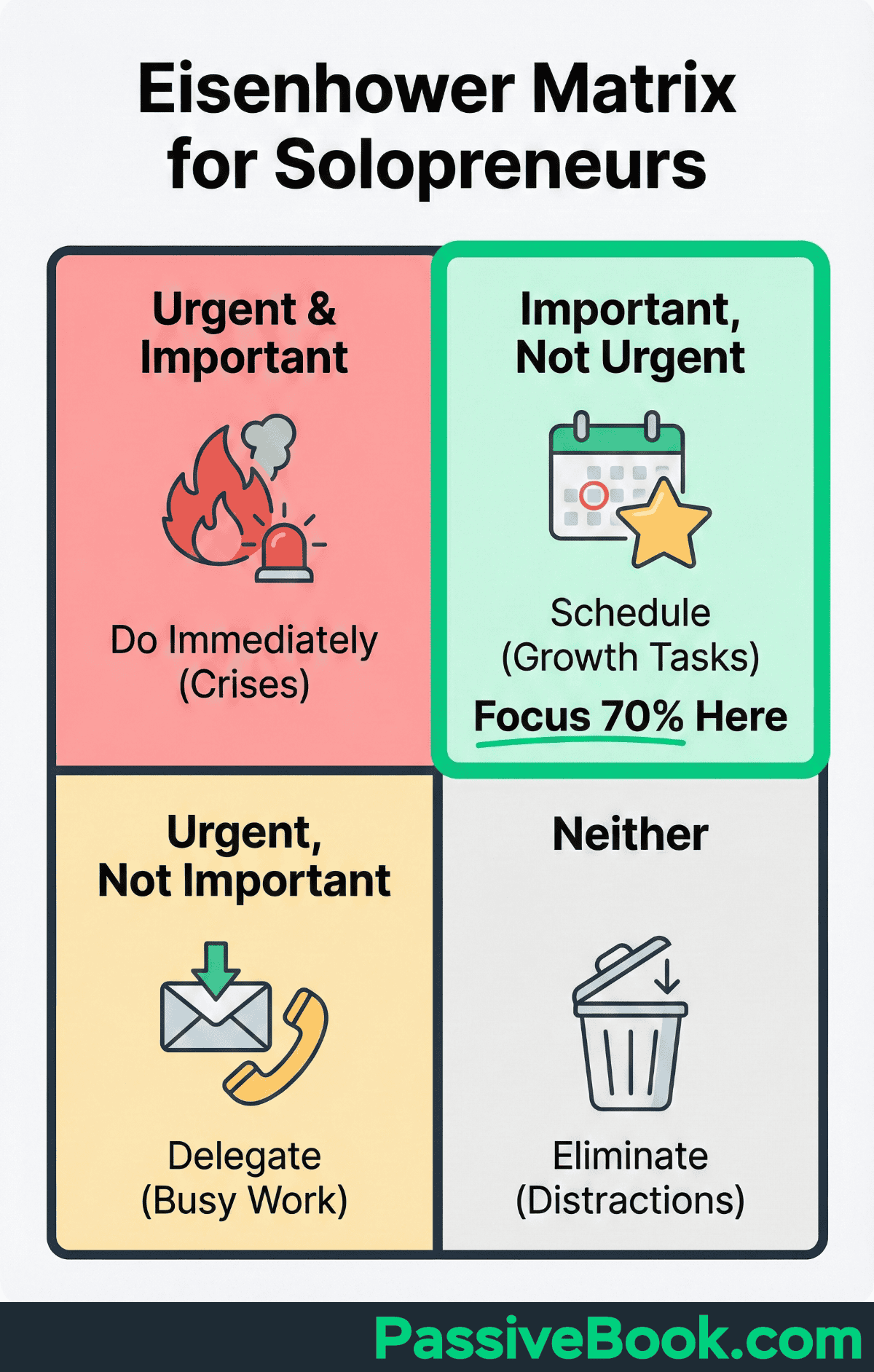
Be ruthless here. Most tasks that feel urgent are not. Most tasks that feel important can wait. Your Big 3 outcomes already claimed your best hours. Everything else is negotiable. If a task does not support one of your Big 3, it does not belong on this week’s calendar.
You can also paste your remaining task list into ChatGPT and ask: “Categorize these tasks that need action using the Eisenhower Matrix. Focus on what drives revenue or audience growth for an online business.” This surfaces which tasks are genuine priorities versus disguised busy work.
Step 5: Run a 20-Minute Weekly Review to Close the Loop
Every Friday or Sunday, review what was completed, what stalled, and what the single biggest obstacle was this week. Your review closes the learning loop. Without it, you repeat the same mistakes every week and never understand why your plans keep failing.
Use Todoist’s free weekly review checklist to structure the reflection in under 20 minutes. The checklist guides you through: what got done, what did not, what the blockers were, and what to carry forward. Minimal setup required. You can start using it immediately.
Carry forward only tasks that still align with your Big 3. If a task sat on your list all week, it wasn’t important. Delete it.
The biggest value from this review comes from spotting patterns. If you planned 10 hours of work but only completed six, that is useful data. Your plan is over-ambitious. Cut it to eight next week. If client work keeps interrupting your business blocks, that is a signal to schedule those blocks earlier in the day before interruptions start.
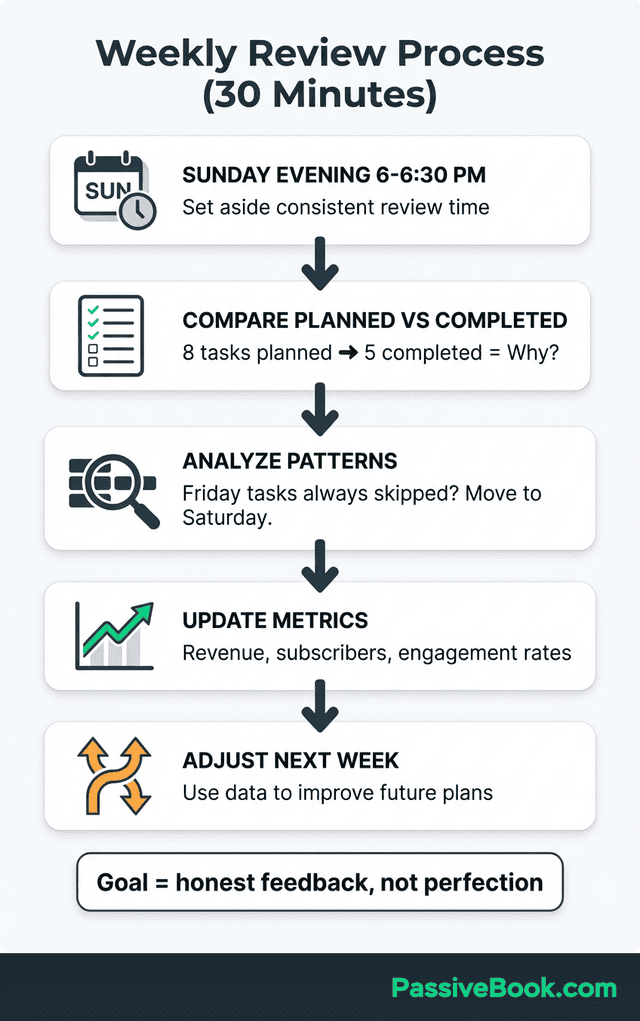
The review is where you learn how to plan better, not just what to plan next.
If the manual review feels tedious, try using Claude to speed it up. Copy your completed and incomplete tasks into Claude and prompt: “Analyze my weekly progress. What patterns do you see in what got done versus what did not? What should I change for next week?” The AI will highlight patterns you might overlook when you are too close to your own work.
The Biggest Weekly Planning Mistakes That Kill Productivity
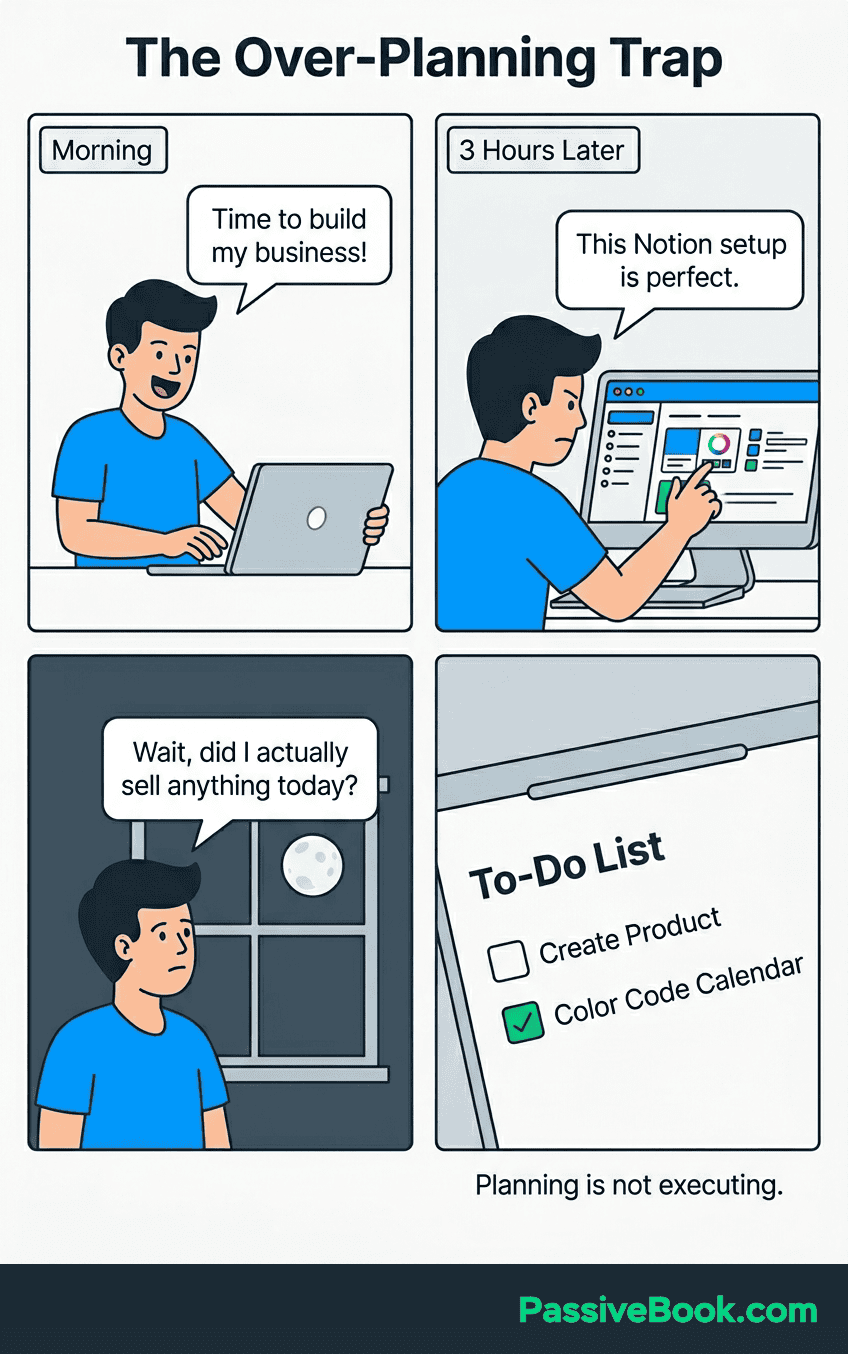
Over-planning is covert procrastination. I have spent entire Sunday evenings building color-coded Notion dashboards with custom views, relational databases, and automated rollups. It felt like strategic work. It was not. I was avoiding the uncomfortable work of actually executing my plan by perfecting the system instead.
The same trap appears when you spend three hours tweaking your website design instead of 30 minutes publishing content. Both feel like business work. Only one grows your audience.
Perfecting your planning system, reorganizing your workspace, or tweaking your categories becomes a way to feel productive without risking failure. The trap is seductive because the work is real. You are doing something. But you are not doing the thing that grows your business. A simple weekly plan executed beats a perfect system that never gets used.
Treating the weekly planning session as optional when life gets hectic destroys the compounding habit. The system only works when the session is non-negotiable, regardless of how busy the week feels. Missing one session feels harmless. Missing three in a row means you are back to reactive chaos.
Over-scheduling without transition time between tasks triggers cascade failures. You block two hours for writing, then immediately schedule a client call, then jump to product research with zero buffer. When the writing runs 15 minutes long or the call starts late, your entire day collapses. Research confirms most planning breakdowns stem from inflexible systems that ignore real-life friction, not lack of discipline.
Treat your Big 3 as a weekly compass, not a contract. If an urgent opportunity or genuine emergency appears mid-week, you adjust. The plan guides your decisions. It does not imprison them. A rigid plan that breaks under pressure is worse than no plan at all.
Protecting Your Personal Time While Running an Online Business
Book off-limit personal blocks in your calendar before scheduling any business tasks. Family dinner, gym sessions, school pickup, or weekend mornings with your kids are not optional buffers to sacrifice when your business feels urgent. They are structural requirements for a sustainable business.
Boundary protection is a structural business requirement, not a luxury. Without protected personal time, burnout becomes inevitable regardless of how well you plan your business tasks. Research shows 87.7% of entrepreneurs struggle with at least one mental health issue, with burnout as a leading cause.
I learned this the hard way in 2019 when I spent six months skipping family dinners to work on a SaaS MVP that never launched. I got the product. I lost the relationships. Bad trade.
Treat personal time blocks with the same non-negotiable commitment as a client call. You would not cancel a sales call because you felt like working on a blog post instead. Apply the same rule to your personal commitments. If Thursday evening is blocked for family dinner, it is blocked. Your business work ends before that block starts, or it waits until the next available slot.
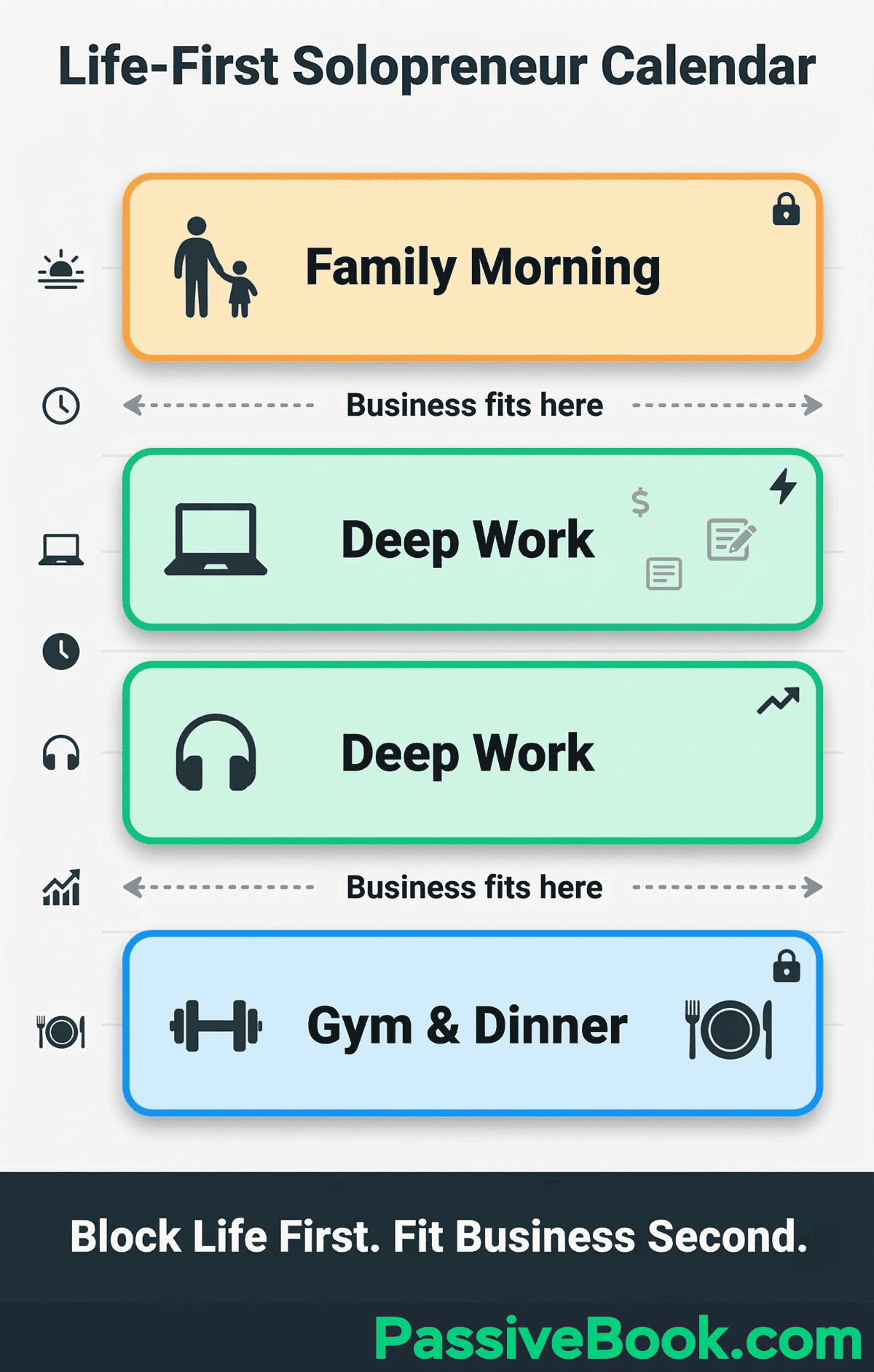
Leave 30 to 40% of your available business hours unplanned to absorb interruptions. A rigid plan that schedules 100% of your time collapses the moment life does not cooperate. You get sick. Your kid stays home from school. A client needs an urgent fix. If your plan has zero buffer, any disruption destroys the entire week.
End each workday with a deliberate 15-minute Shutdown Ritual. Close all work tabs. Log what you completed today. Write down your single most important task for tomorrow. Then stop. Cal Newport codified this practice to prevent the always-on mindset that side hustlers are especially vulnerable to. When you do not have a clear end to your workday, your business colonizes your entire evening and weekend without producing better results.
How AI Is Now Transforming Weekly Planning for Solopreneurs
Upwork’s AI-Enhanced Work Models research finds nearly 9 in 10 freelancers say AI positively impacts their work, with 42% crediting it for niche specialization. A separate solopreneur survey found 64% say AI now drives their business growth. This is not a future trend. It is happening now.
Reclaim.ai automatically schedules tasks, defends focus blocks, and reschedules around life events. You tell it your priorities and constraints. It manages your calendar so you do not have to spend 20 minutes every week manually dragging blocks around. The free plan covers most solopreneur needs.
AI writing tools like Claude or ChatGPT compress content creation time significantly. What used to take four hours to write, research, and edit now takes 90 minutes. The recovered hours free you for higher-leverage strategic work like building partnerships, testing new offers, or engaging directly with your audience.
Use AI for compression, not replacement. AI handles repetitive tasks, first drafts, and administrative overhead. You handle strategy, voice, and the creative decisions that define your brand. This combination lets you operate at a scale that would have required a full team five years ago.
Free Tools to Run Your Weekly Planning System
You do not need expensive software to run an effective weekly planning system. The tools below are all free and handle everything from time-blocking to task management. Pick one or two that match how you think, then stick with them for at least a month before switching.
Google Calendar(free)
The simplest place to start. Color-code your blocks – blue for content creation, red for admin, green for deep work. You will see immediately whether your week is balanced or lopsided toward low-value tasks.
Notion (free tier)
An all-in-one planning workspace with templates for tracking your Big 3 goals, managing projects, and building a recurring weekly dashboard. The free tier includes unlimited pages and blocks, which is more than enough for a solo business.
Todoist (free tier)
Recurring planning reminders, priority flags, and frictionless task capture that keeps obligations out of your head between weekly sessions. The free version supports up to five active projects, which works for most solopreneurs.
Trello (free tier)
Visual Kanban board for separating this week’s tasks by category. Ideal for visual thinkers managing multiple income streams simultaneously. Drag cards between columns as tasks progress from planned to in-progress to complete.
Frequently Asked Questions
How Many Hours Per Week Do I Actually Need to Make Consistent Progress on My Online Business?
Research shows 37% of side hustlers work just 5 to 20 hours per week and still build meaningful businesses. Consistency of effort matters far more than volume. Start with five protected hours per week, one hour per day on weekdays, and treat these as non-negotiable before adding more.A focused, well-planned eight-hour week consistently outperforms a chaotic, unplanned 20-hour week every time. The question is not how many hours you need. It is whether the hours you have are spent on tasks that directly grow your revenue or audience.
What Is the Difference Between a Weekly Plan and a To-Do List?
A to-do list captures everything you could do. A weekly plan commits to the three specific outcomes you will achieve this week. A to-do list has no time dimension and grows endlessly without ever getting shorter.Here is what this looks like in practice. A to-do list says ‘work on blog content.’ A weekly plan says ‘publish one 2000-word SEO article on Tuesday at 7pm.’ One feels like a vague intention. The other feels like a commitment you can actually track and complete.A weekly plan assigns named calendar slots and is intentionally constrained by your available hours. It forces you to choose what matters most because you physically cannot fit everything on the calendar. A to-do list never answers what success looks like by Friday. A weekly plan does.
Do I Need Separate Calendars for Business and Personal Life?
No. Plan them together on a single calendar, scheduling personal commitments like family time, gym sessions, and meals first so your business plan must fit inside those boundaries. This prevents double-booking and makes your true available hours visible at a glance.Use Google Calendar with color-coded categories for both business and personal blocks. When you see your full week in one view, you stop over-scheduling business tasks into time that does not actually exist. Your business grows faster when it fits sustainably into your life instead of consuming it.
What Should I Do on Monday Morning If I Skipped My Sunday Planning Session?
Run a condensed 10-minute version immediately. Pick your single most important revenue task for today, block 90 minutes for it, and defer everything else. Do not try to retroactively plan the full week because you will spend the entire morning planning instead of executing.A partial plan executed beats a perfect plan that never started. Use this mini-session to get moving, then run your full weekly planning session that evening or the next day to get back on track.
How Do I Decide Which Tasks Count as “Revenue-Generating” When I Have No Income Yet?
Pre-revenue, treat audience-building activities as your revenue equivalents. Publishing content, growing your email list, and listing new products directly increase the probability of your first dollar. Ask yourself: if I only did this task this week, would I be more likely to earn my first dollar in the next 30 days?If yes, it is your priority. Apply the Revenue-First Rule by ensuring at least two of your Big 3 each week pass this test. Admin work like updating your about page or reorganizing files does not pass. It feels like business work, but it builds nothing.
My Week Just Exploded. Now What?
Declare a reset. Re-run the 10-minute mini-planning session as soon as life stabilizes. Do not wait for next week to start fresh because that guarantees you lose two weeks instead of two days.Carry forward only your Big 3 outcomes and delete or defer everything else without guilt. A derailed week is not a failed business. Build a standing 30-minute recovery buffer slot on Friday afternoons specifically to absorb this kind of weekly disruption so it does not cascade into the following week.
How Do I Stop My Online Business Tasks From Spilling Into Family or Personal Time?
The core fix is scheduling personal blocks first and business tasks second. Set a single daily hard-stop time like 9:00 PM and add it as a recurring block in Google Calendar labeled Work Shutdown. This creates a visible boundary your business cannot cross.Run a 15-minute Shutdown Ritual each evening. Close all work tabs, log what you completed, and write tomorrow’s single top task. Then stop. When you do not have a clear end to your workday, your business colonizes your entire evening without producing better results.
What Next?
You now have a complete weekly planning system designed specifically for the realities of running an online business with limited time. The five-step process, Revenue-First Rule, and boundary-setting strategies above are not theoretical. They are the exact system I use every week to run my business without burning out.
Building an online business as a side hustle is genuinely hard. You are competing against people with more time, more money, and more experience. The only structural advantage you can create is better use of the limited hours you have. Weekly planning is that advantage.
If this guide helped clarify how to take control of your week, share it using the buttons below. Other side hustlers in your network are facing the same overwhelm and chaos you were before reading this. Sharing this article gives them a practical system to break free from reactive busy work and start building real momentum. What is the single biggest obstacle preventing you from planning your week right now? Share your answer in the comments below so we can address it together.
Share this post with your friends & followers: