I spent six months building a membership site while working my corporate job. Every evening, every weekend. I was exhausted. If you’re running a side business and feel like your hours vanish without results, you’re not imagining it.
When I finally shut it down, I had no idea where those hundreds of hours went. Was it the content treadmill? The tech setup? The marketing that never worked? I couldn’t answer because I never tracked a single session. That failure taught me what most side-hustlers learn the hard way: you can’t fix what you can’t measure.
Research shows over 72% of workers have or are considering a side hustle, yet nearly none track their hours. This guide will show you exactly how to set up a simple time tracking system, identify where your hours go, and use that data to grow your online business faster.

- •What Is Time Tracking for Online Entrepreneurs?
- Why Solopreneurs Need Time Data More Than Anyone
- •Why Time Tracking Fails (And How to Avoid It)
- •How to Run a 7-Day Time Audit on Your Side Business
- •How to Categorize Your Time: Revenue, Growth, and Admin
- The 3 Best Free Time Tracking Tools for Solopreneurs
- •How to Set up Your Time Tracking System in 30 Minutes
- •How AI Is Reshaping Time Tracking for Solopreneurs
- •How to Turn Weekly Time Data Into Business Decisions
- •Frequently Asked Questions
- •What Next?
What Is Time Tracking for Online Entrepreneurs?
Time tracking is the practice of recording which tasks you work on and how long each takes. No agency setup required. No complex billing software. Just a clear log of your work sessions.
The core mechanism is simple: log a task, assign it a category like content, admin, or marketing, then review the data weekly. This creates a feedback loop most solopreneurs never build.
Two tracking modes exist. Manual tracking means you start and stop a timer for each work session. Automatic tracking uses software that runs silently in the background, capturing your activity without any input.
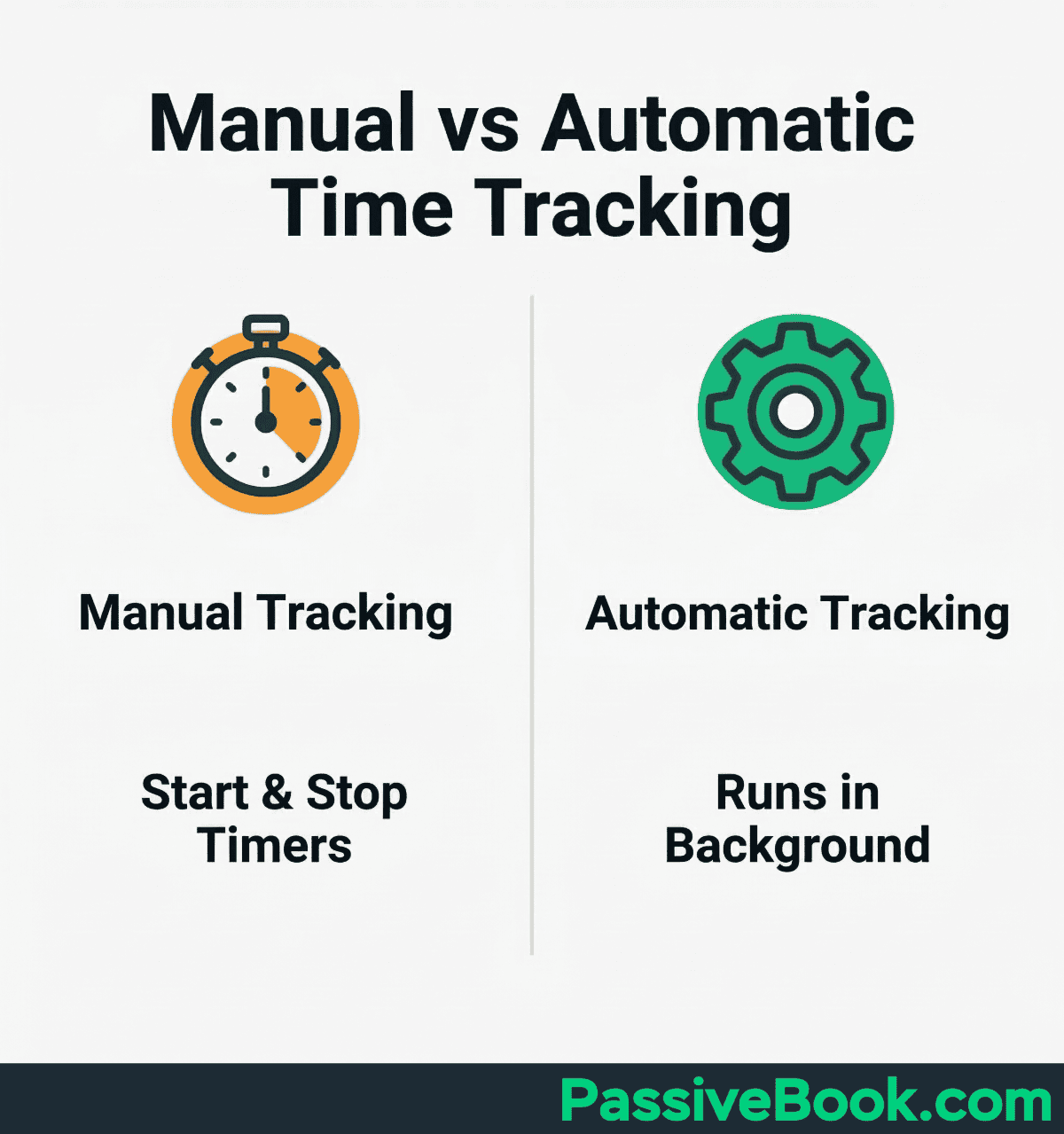
Manual tracking works best when your sessions are focused and predictable. You sit down to write a blog post, start the timer, stop when you finish.
Automatic tracking shines when your work is fragmented or you forget to start timers.
Most solopreneurs assume time tracking is a freelancer tool for billing clients. That mindset costs them visibility into their most valuable asset: their limited working hours.
Why Solopreneurs Need Time Data More Than Anyone
Over 72% of workers have or are considering a side hustle, yet nearly none track their hours. That gap between effort and awareness creates a specific trap for part-time entrepreneurs.
Finite, fragmented side-hustle hours make guesswork costly. An evening you believe you spent working on your blog may be 70% tool-tinkering and 30% writing. Without data, you never know.
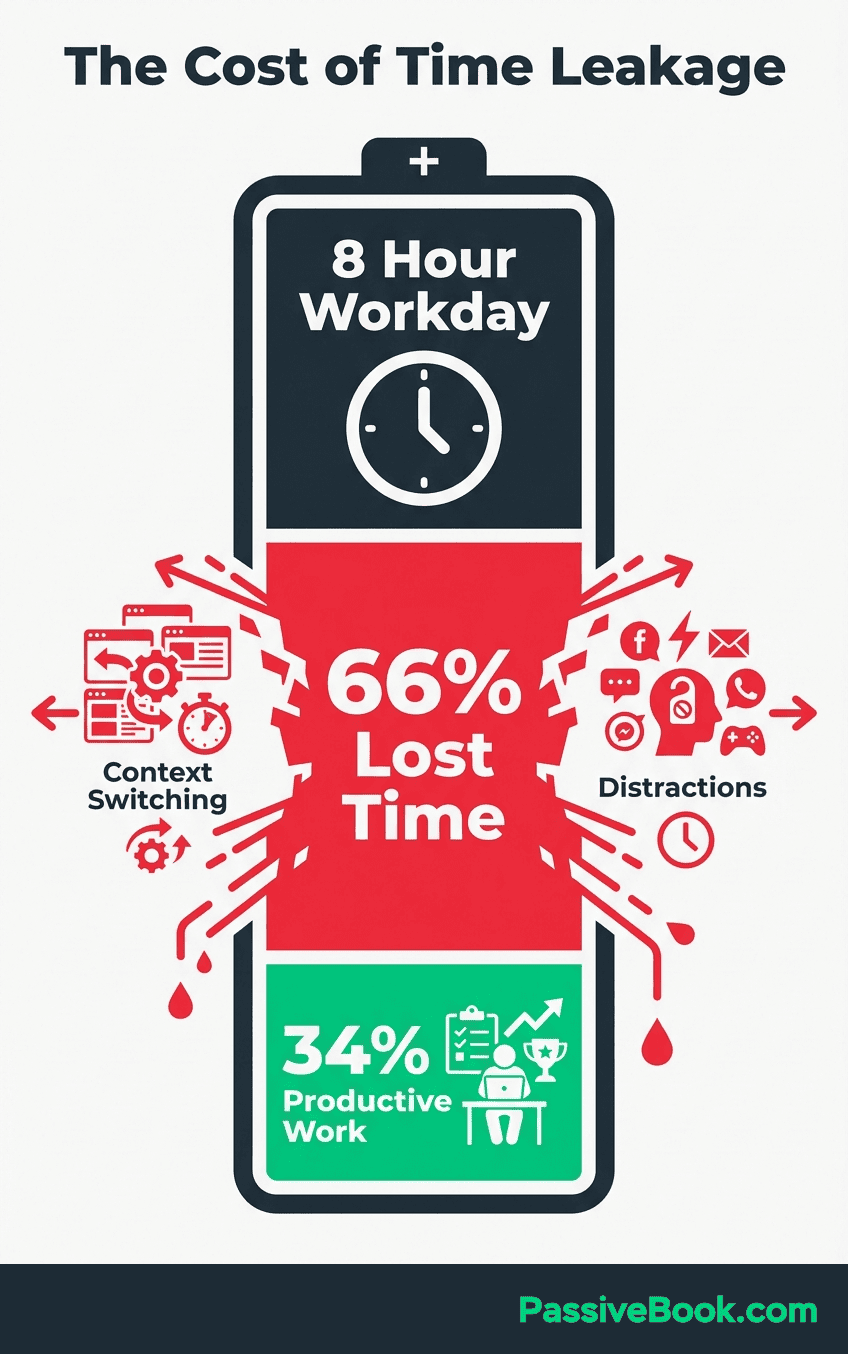
Full-time entrepreneurs have the luxury of eight-hour workdays to absorb inefficiency. Solopreneurs working nights and weekends do not.
Every wasted hour delays the income that could replace your day job.
The “Busy but Broke” Trap
Research shows 35% of solopreneurs report high stress levels compared to salaried employees. The source of that stress is often working hard without measurable progress.
Without tracked data, you cannot distinguish your hundred-dollar tasks from your five-dollar tasks. You feel productive because you worked four hours. But if three of those hours were reformatting a landing page and one hour was writing the sales email that converted, your productivity is an illusion.
The trap is emotional, not logical. Busy feels like progress. A full calendar feels like ambition. But neither pays your bills or builds your business.
Time tracking data breaks the illusion by showing you exactly which activities generate income and which activities generate only the feeling of work.
“Time Tracking Is for Freelancers, Not Me” – Why That Belief Is Costing You
A solopreneur on r/Solopreneur worked fifty-plus hours per week for six months and earned four hundred dollars total. Then they tracked their time for thirty days and discovered only four hours per week generated revenue.
That realization changed everything. Not because tracking magically created more time, but because visibility enabled better decisions. They cut the forty-six non-revenue hours and focused the four that mattered.
Tracking time without a client invoice is still valuable. It exposes which tasks in your business generate income and which tasks consume your evenings.
Freelancers track time to bill clients. Solopreneurs track time to stop billing themselves for work that doesn’t matter.
Why Time Tracking Fails (And How to Avoid It)
I tried time tracking three times before it stuck. The first attempt involved a complex spreadsheet with fourteen categories and conditional formatting. I abandoned it in five days. The second attempt used an expensive app built for agencies. I never opened it after the first week. The third attempt started with four categories and a free tool. That one worked.
Most time tracking tools are built for agency billing, not a solo YouTuber trying to understand how much time scripting takes versus editing. Using a wrong-fit tool without a weekly review habit is data hoarding, not productivity.
Over-engineering your system on day one kills the habit before it forms. Too many categories, complex tagging rules, or mandatory fields create friction. Friction kills consistency. Start with four categories maximum.
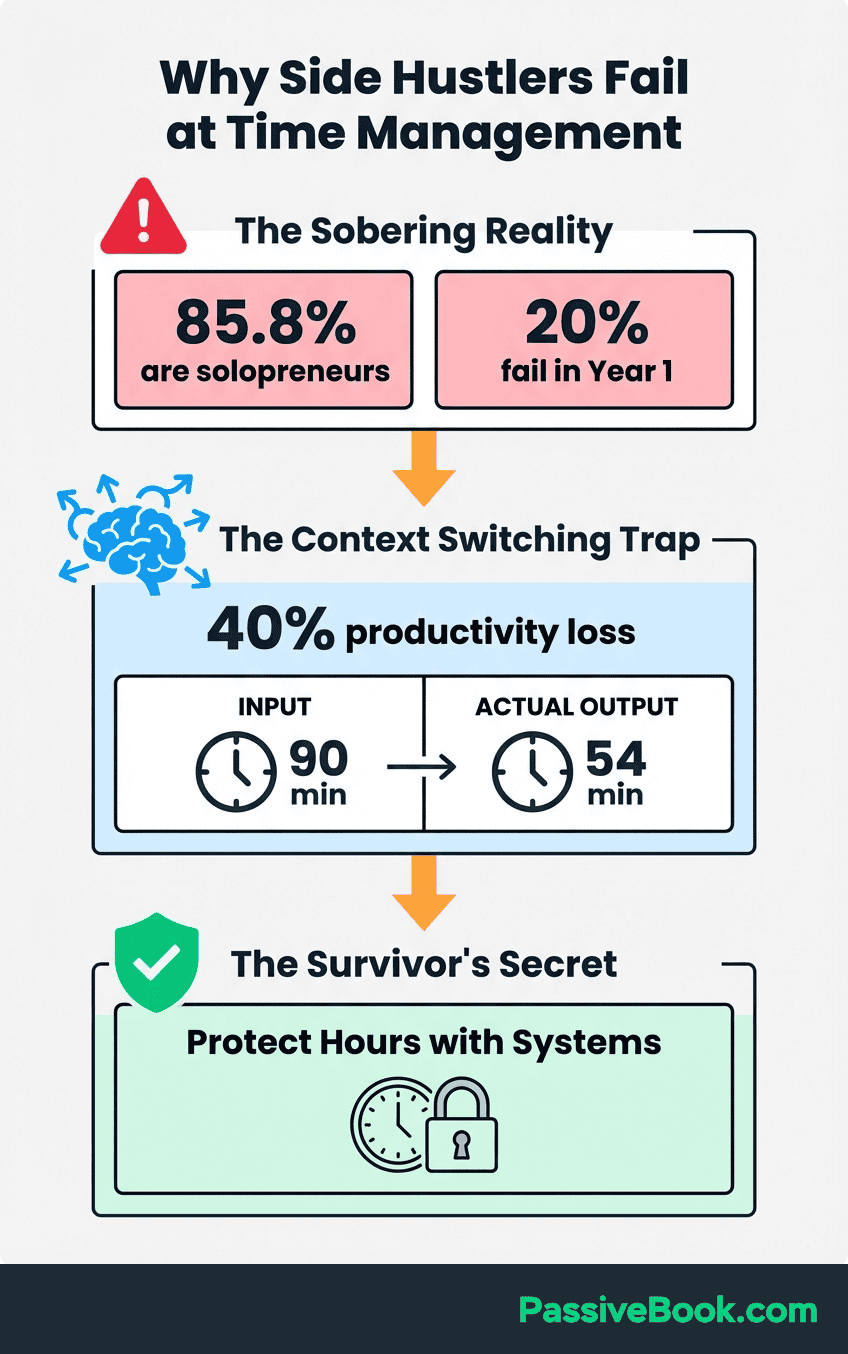
Tracking without reviewing creates a second failure mode. According to Microsoft’s 2026 Work Trend Index, workers spend fifty-seven percent of their time communicating in meetings and emails. That leaves under half the day for skilled, revenue-generating work.
Tracking without a weekly review means this invisible loss never gets surfaced or fixed. You collect data but never act on it.
The solution is a structured baseline audit before you build any system. Set up a recurring fifteen-minute Friday review where you examine your week’s data and make one small adjustment for next week.
How to Run a 7-Day Time Audit on Your Side Business
Before you install any software or create a system, spend one week logging every work session manually. Use a notes app, a spreadsheet, or paper. Track in thirty-minute blocks. The goal is to capture your current reality, not optimize it yet.
Log honestly, not aspirationally. Include the social media rabbit holes, the thirty minutes comparing Canva alternatives, the email spirals. Your only job this week is to capture reality, not judge it.
A free Google Sheets timesheet with columns for Date, Task, Category, and Duration is sufficient for your audit week. No formulas required. No pivot tables. Just raw data entry.
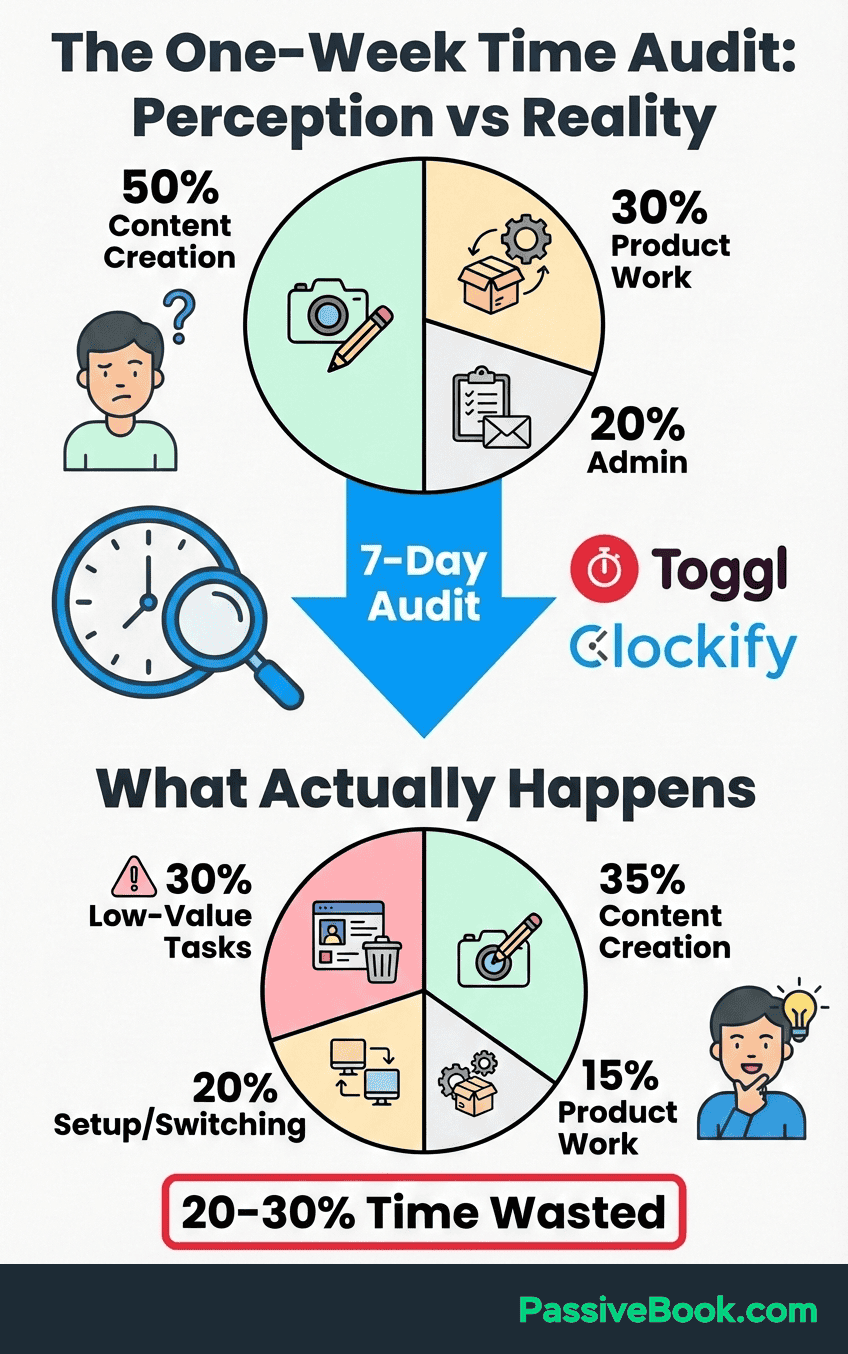
At week’s end, tally hours by category. Add up all your content creation time. Add up all your admin time. Add up all your marketing time. The ratio of effective time spent on revenue work versus administrative work is your most important first insight.
Most solopreneurs discover they spend thirty to forty percent of their side-hustle hours on email, reformatting documents, and tool configuration.
Those hours feel productive in the moment but generate zero revenue and build zero assets.
The seven-day audit makes this visible. Once visible, you can fix it.
How to Categorize Your Time: Revenue, Growth, and Admin
A survey by Time etc. found entrepreneurs spend an average of thirty-six percent of their work week on administrative tasks rather than effective time spent on revenue work. These tasks have zero direct impact on revenue. Your time audit will reveal your own ratio.
Label every time entry with one of three tags: Revenue, Growth, or Admin. Revenue includes content creation, product listings, and publishing. Growth includes outreach, SEO research, and audience-building. Admin includes email, invoicing, and reformatting.
This three-category system is intentionally simple. You can add subcategories later, but most solopreneurs need to see the big picture first. The big picture is usually shocking.
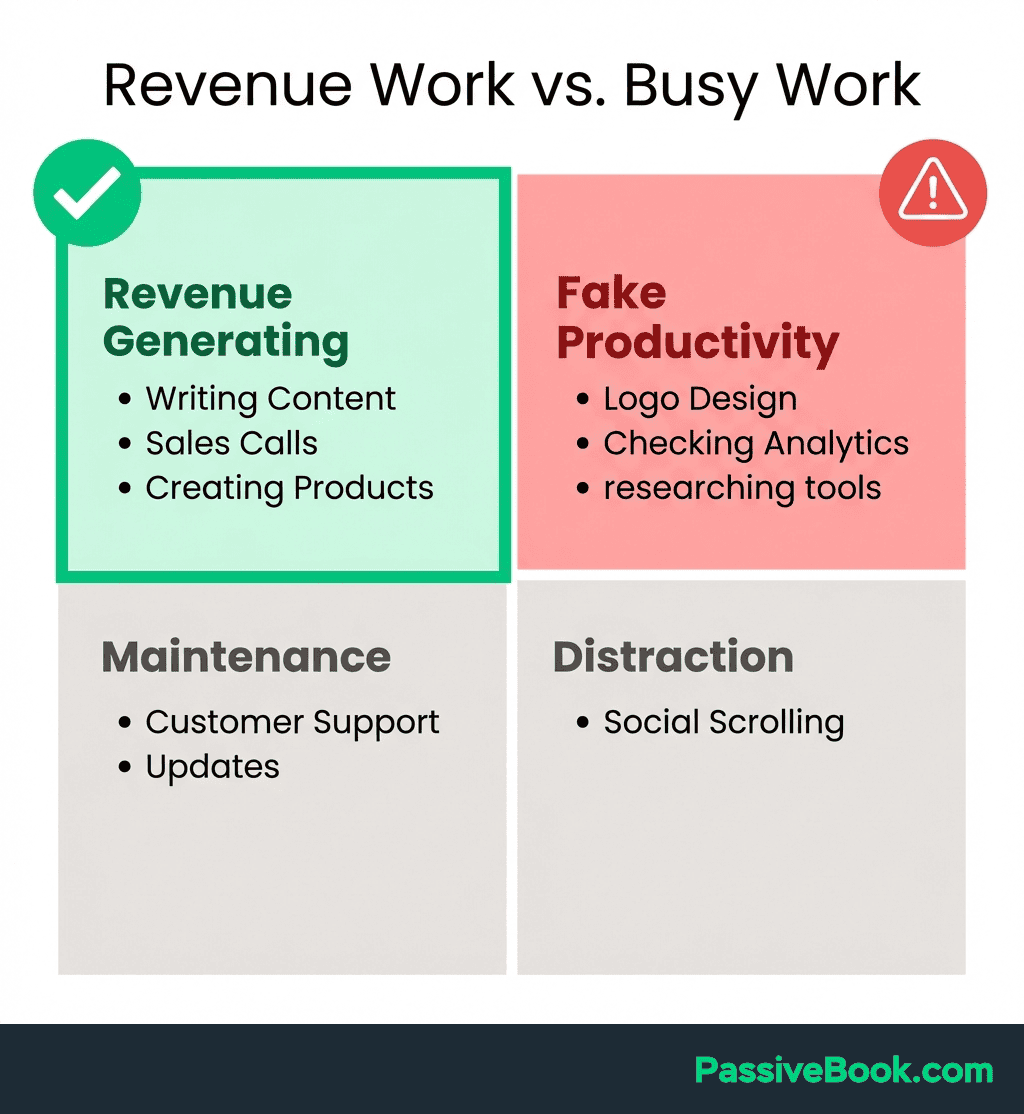
Apply the Pareto Principle: twenty percent of your activities drive eighty percent of your results. Tracked data shows you exactly which twenty percent matters.
For a blogger, writing and publishing articles is Revenue. SEO keyword research is Growth. Reformatting old posts for visual consistency is Admin. The first two build your business. The third one feels important but rarely moves the needle.
Once you see that half your hours go to Admin tasks, you can ruthlessly cut or automate them. But you cannot cut what you cannot see.
For example, if you spend three hours weekly reformatting blog images, create a Canva template once and reuse it. That three-hour task becomes a fifteen-minute task.
The 3 Best Free Time Tracking Tools for Solopreneurs
The only criteria that matter for a budget-conscious solopreneur when choosing time tracking apps: a genuinely free tier, no mandatory team setup, and cross-device access. Expensive time tracking apps built for agencies are overkill when you just need to see where your evenings go.
All three tools below meet that bar. Pick one and use it for thirty days before evaluating alternatives. Switching tools mid-experiment destroys the data continuity needed to spot real patterns.
Which tool should you choose? Pick based on your tracking style, not feature count. If you forget to start timers, choose ActivityWatch for automatic capture. If you want one-click simplicity with mobile access, choose Toggl Track. If you organize work by projects and want weekly email summaries, choose Harvest. The best tool is the one you’ll use consistently for thirty days.
Toggl Track: Best for Low-Friction, One-Click Tracking
Toggl Track’s free plan supports up to five users, never expires, and includes over 100 integrations. Tekpon’s independent pricing review confirms these details.
Single-click start and stop makes it realistic to track between a day job and a side-hustle session. You click once when you start writing. You click once when you stop. The timer runs in the background.
Best for creators like YouTubers, podcasters, and course builders who need the lowest possible friction to log a work session. If starting a timer feels like a chore, you won’t do it consistently. Toggl removes that friction.
The mobile app syncs across devices in real-time, so you can start a timer during your commute and stop it when you sit down at your laptop. No data loss, no duplicate entries.
Price: Free (up to 5 users)
Best For: Creators who need one-click tracking with zero friction
Key Feature: Browser extension and mobile app for cross-device tracking
Harvest: Best for Structured Project Management Tracking
Harvest’s free plan supports one user with unlimited time tracking. PCMag independently reviewed it as a top pick for independent professionals.
A solo blogger using Harvest for project management can create separate projects for SEO articles, email newsletter, and social media, then view a visual hours-per-project breakdown each week. This project-based structure makes it easy to see which content type consumes the most time.
Ideal for solopreneurs running a blog or dropshipping store with distinct work categories that need separate reporting. If you want to know whether YouTube videos take more time than blog posts, Harvest shows you in seconds.
The weekly email report summarizes your tracked time by project without requiring you to log in. This passive accountability helps maintain the habit.
Price: Free (1 user, unlimited projects)
Best For: Bloggers and store owners who think in projects, not tasks
Key Feature: Automatic weekly email summaries of time by project
ActivityWatch: Best Free Option for the Forgetful Solopreneur
ActivityWatch is one hundred percent free and open-source. No trial period, no subscription upsell, no team features you don’t need. It runs silently in the background, auto-logging every app and website with full local data storage. Your work habits never leave your device.
A solopreneur who forgets to start a timer can review their automatically-captured daily log each Friday and retroactively tag sessions in under five minutes. Zero real-time friction.
Best for side-hustlers who know they won’t remember to start a timer. ActivityWatch captures your real session, not your ideal one, with no monthly cost ever.
The privacy-first design means your data never touches a cloud server. For solopreneurs concerned about data tracking or surveillance, this is the only genuinely private option.
Price: Free forever (open-source)
Best For: Solopreneurs who forget to start timers but still want accurate data
Key Feature: Fully automatic tracking with local-only data storage
How to Set up Your Time Tracking System in 30 Minutes
Create four to six projects matching your business pillars: Content Creation, Product or Store, Marketing, Admin or Email, Learning. Install the browser extension so tracking follows you across every device.
Pair tracking with time blocking. Assign calendar slots to task types. Tuesday seven to nine PM equals content only. Start your timer at the block’s start. This creates a trigger: calendar block starts, timer starts.
Set a recurring fifteen-minute Friday calendar block to review your weekly report. Timesheets.com confirms regular data reviews surface inefficiencies entrepreneurs never notice in the flow of work.
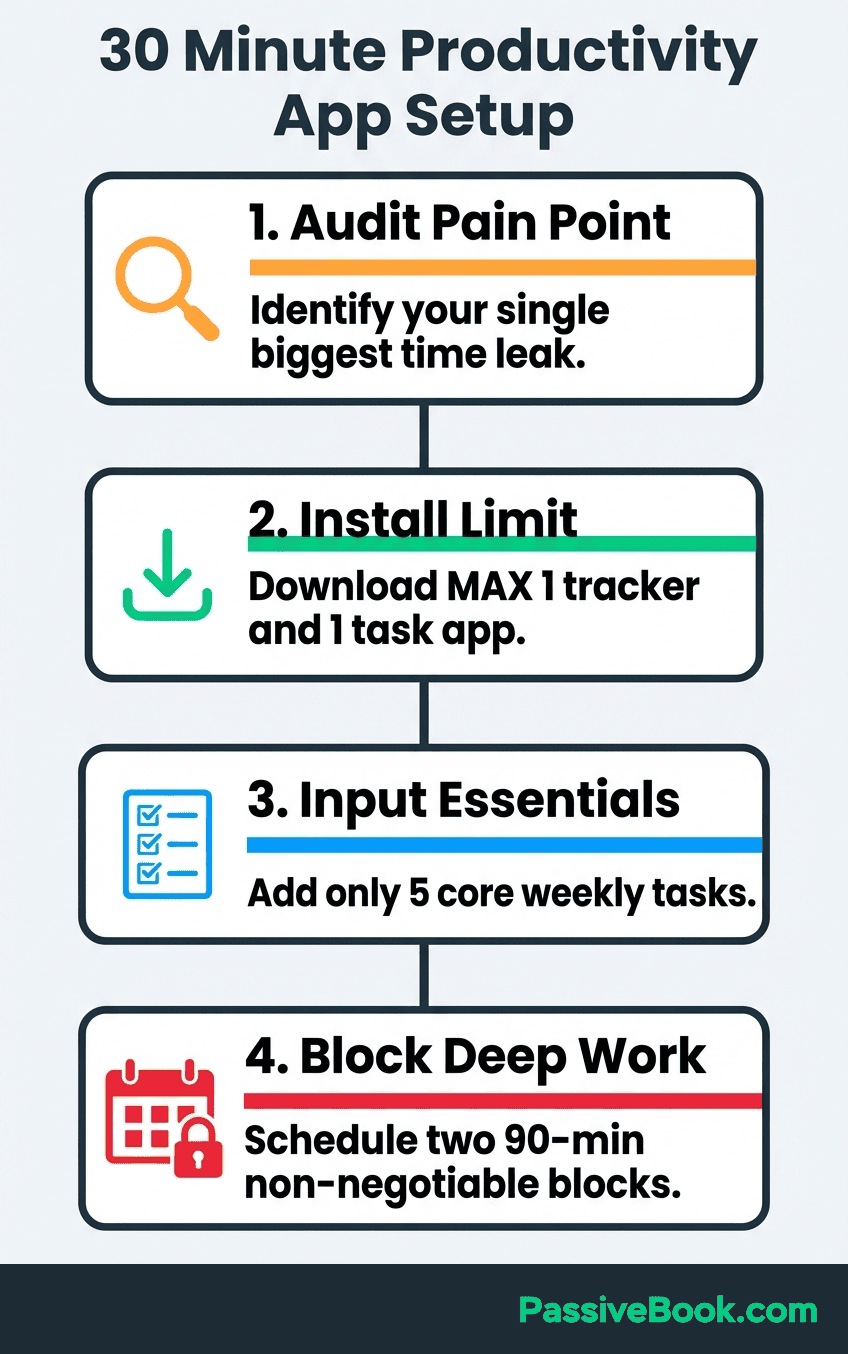
Choose one tool and commit for thirty days. Switching mid-experiment destroys the data continuity needed to spot real patterns. Thirty days is long enough to see recurring inefficiencies but short enough to stay motivated.
During your Friday review, ask three questions. Which task took longer than expected? Look at category totals to see what consumed the most hours. Then identify one thing to eliminate or automate next week.
Your first week of data will look messy. Your second week will show patterns. By week four, you will have enough data to make one significant change to your schedule.
How AI Is Reshaping Time Tracking for Solopreneurs
AI tools now let solopreneurs automate ten to forty percent of their daily workload, and those saved hours must be re-tracked and redeployed intentionally, or they vanish into other low-value tasks.
AI-powered passive trackers like TimeCamp AI automatically assign your computer activity to projects and tasks without manual tagging. The system adapts to your unique work patterns over time, learning which apps belong to which project.
For example, if you consistently open Canva while working on blog post graphics, TimeCamp AI will start auto-tagging Canva sessions as Content Creation. If you switch to Notion for outlining, it tags that as Content Creation too.
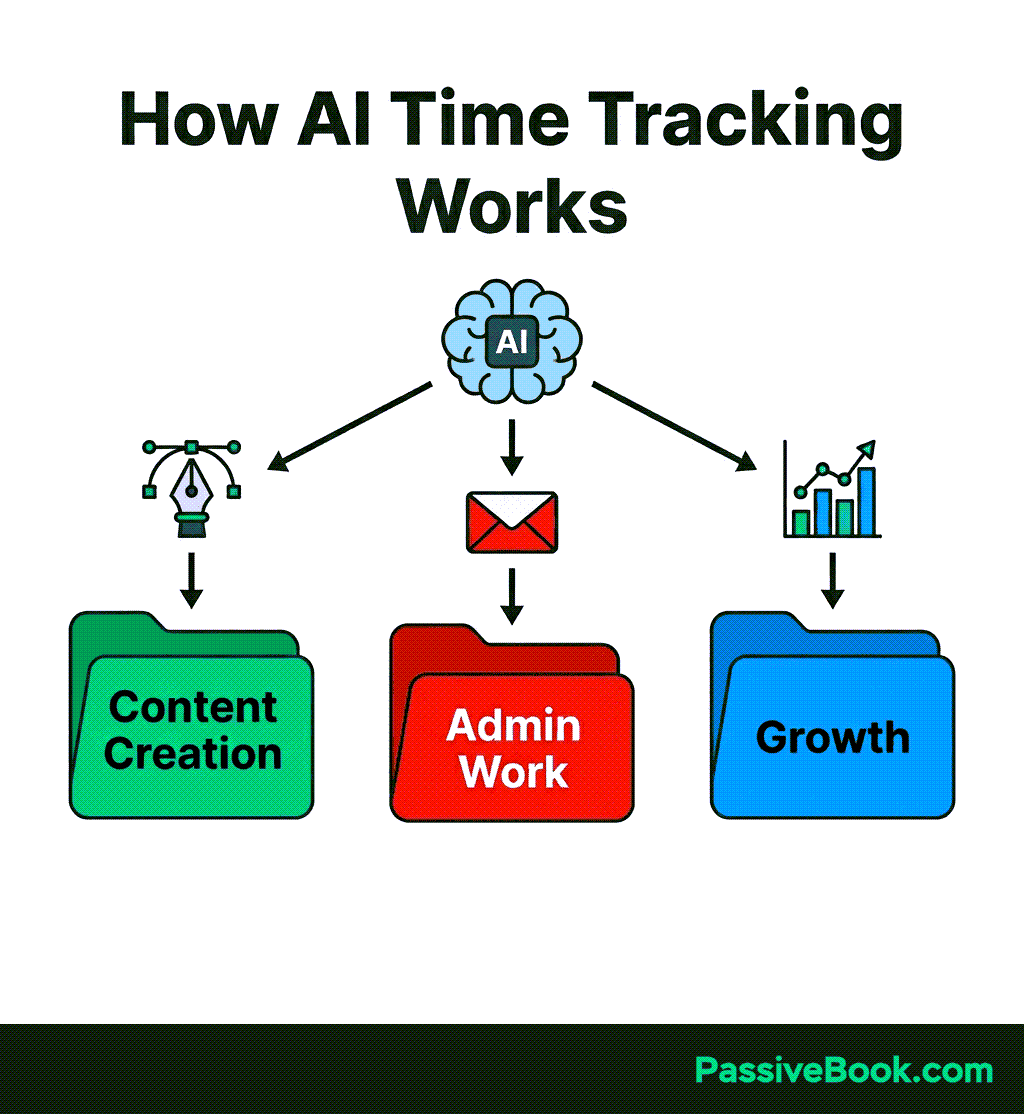
This eliminates the most common failure point in manual time tracking: forgetting to start the timer or tagging sessions incorrectly. The AI does the categorization work for you based on observed patterns.
The challenge is verification. AI-categorized data is only useful if you review and correct it weekly. An AI might tag YouTube browsing as Research when it was procrastination. Your Friday review catches those errors and trains the system to be more accurate.
How to Turn Weekly Time Data Into Business Decisions
After one month of tracking, calculate your effective hourly rate. Total side-hustle income divided by total hours tracked equals your true dollars per hour. Microsoft’s Work Trend Index found workers spend fifty-seven percent of their time on communication rather than focused creation. Your effective hourly rate calculation makes this invisible cost visible in dollar terms.
When I ran this calculation after my first month of tracking Passive Book, my effective rate was eleven dollars per hour. My day job paid me four times that. The data was brutal, but it forced a critical decision: either improve the rate or admit the business wasn’t viable yet.
I used the data to identify which content types generated income fastest. Email newsletters converted at three times the rate of blog posts per hour invested. I shifted my schedule to prioritize newsletters.
Within three months, my effective rate climbed to thirty-two dollars per hour.
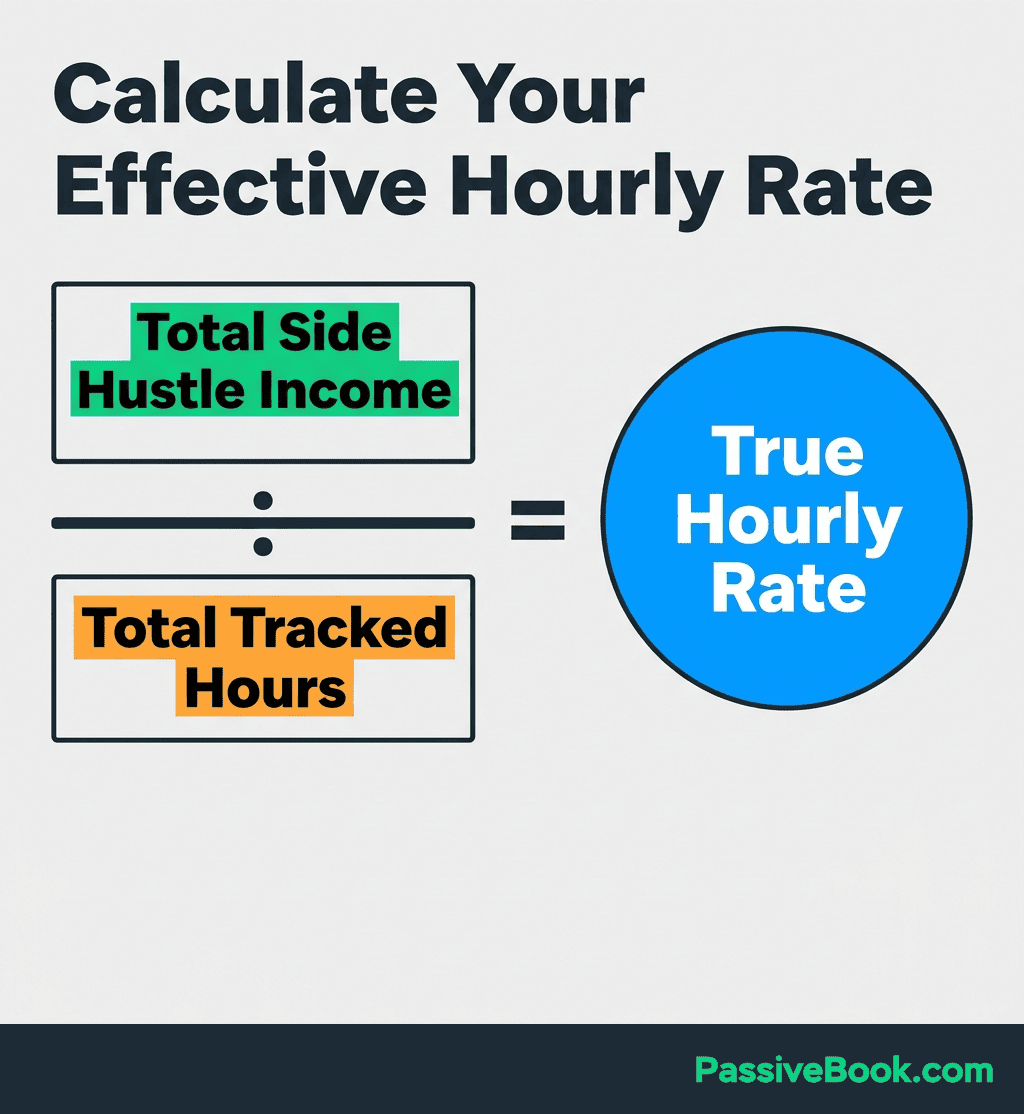
Run the full-time threshold test: when your tracked income divided by tracked hours produces an effective hourly rate matching your day-job rate, with three months of consistent data proving repeatability, you have data-driven permission to plan your exit.
Use Parkinson’s Law as your enforcement tool. Once tracked data shows a task takes forty-five minutes, time-box it to forty-five minutes and stop letting it expand. Tasks expand to fill available time. Data lets you set the boundary.
The Productive Solopreneur’s weekly review framework shows how a thirty-minute Friday review can reveal that one content type drives three times the revenue per hour compared to another, giving you the data to pivot your schedule accordingly.
For example, if your data shows YouTube videos take eight hours to produce and generate fifty dollars per video, while blog posts take three hours and generate thirty dollars per post, your effective rate is higher for blog posts. That insight changes your content strategy.
Frequently Asked Questions
Do I Need to Track Every Single Minute, or Just Dedicated Work Sessions?
Track dedicated work sessions only. Logging every bathroom break or coffee refill creates tracking fatigue and adds zero value. Focus on sessions where you sit down with intent to work on your business. A thirty-minute minimum threshold works well because anything shorter is usually a quick email check, not deep work.
How Long Should I Track Before the Data Becomes Useful Enough to Act on?
Thirty days is the minimum for spotting patterns. Week one shows your baseline, week two reveals outliers, and weeks three and four confirm whether those outliers are patterns or exceptions.After thirty days, you will have enough data to make one significant schedule change and measure its impact.
How Do I Track Time Consistently When My Schedule Changes Week to Week?
Pair time tracking with existing habits, not rigid schedules. If your work sessions happen at unpredictable times, set a visual cue like placing your phone face-down when you start working and face-up when you stop. Link starting the timer to the phone-flip action. Consistency comes from triggers, not perfect schedules.
How Do I Use Time Tracking Data to Decide When to Go Full-Time on My Side Hustle?
Run the full-time threshold test: calculate your effective hourly rate (total income divided by total tracked hours) every month for three consecutive months. When that rate matches or exceeds your day-job hourly rate with consistent data proving it is repeatable, not a lucky spike, you have the financial permission to plan your exit. Track for at least ninety days to confirm the pattern holds.
Will Tracking Time Make My Side Hustle Feel Like a Job and Kill My Motivation?
Only if you treat tracking as surveillance instead of feedback. Frame your Friday review as a strategy session, not a performance audit. Ask which tasks energized you and which drained you, then use that data to do more of the former. The goal is not to squeeze more hours from your evenings but to spend your limited hours on work that matters.
What Next?
You now have a clear system to track your time, identify where your hours go, and use that data to make better decisions for your online business. Whether you choose Toggl for simplicity, Harvest for project clarity, or ActivityWatch for automatic tracking, the tool matters less than the habit of weekly reviews.
Building a side business while working full-time is hard enough without guessing where your limited hours disappear. Time tracking removes the guesswork and replaces it with data you can act on.
If this guide helped clarify your next steps, use the share buttons below to pass it along to another solopreneur drowning in busy work. And here is my question for you: what is the one task you suspect is stealing the most hours from your side hustle right now? Drop your answer in the comments. I read every single one.
Share this post with your friends & followers: