I spent three years cycling through to-do list systems that looked productive but kept me stuck. Color-coded apps. Complex productivity frameworks. Notion templates with 47 database properties. Each one started strong and collapsed within weeks.
The 2021 membership site disaster was the worst. I built a Notion dashboard with recurring task templates, progress trackers, and a content calendar. Spent three hours setting it up. Used it for nine days. Then it became digital clutter I avoided opening.
The problem wasn’t my discipline. It was that I was using employee-designed tools to run a business where I played every role. If your current list makes you feel guilty instead of focused, you need a different system entirely, one built for the chaos of solo entrepreneurship.
This guide shows you how to build a lightweight to-do list framework for staying focused on tasks that connect to real business outcomes. You’ll learn to separate revenue work from busywork, protect your limited time with batching and time-blocking, and run a 15-minute weekly review that keeps the whole system honest. You don’t need a $15/month app. You need a system that matches your actual workflow.

- •What Is an Effective to-Do List for Online Entrepreneurs?
- •Why Your to-Do List Keeps You Busy but Not Growing
- •Step 1: Do a Weekly Brain Dump to Clear Your Mental Backlog
- •Step 2: Separate Revenue Tasks From Busywork - Every Single Week
- •Step 3: Set Your Daily MIT (Most Important Task) Before Anything Else
- •Step 4: Batch Similar Tasks to Protect Deep Work Time
- •Step 5: Time-Block Your to-Do List Into Real Calendar Slots
- •Step 6: Run a 15-Minute Weekly Review to Keep Your List Honest
- •Why Complex Productivity Systems Backfire for Solopreneurs
- •How AI Is Changing Solopreneur Task Management Right Now
- •The Best Free and Low-Cost Tools to Run This System
- •Frequently Asked Questions
- •What Next?
What Is an Effective to-Do List for Online Entrepreneurs?
An effective to-do list for online entrepreneurs is a focused daily shortlist showing exactly which 1–3 tasks move your business forward today. Not a running brain dump. Not a guilt inventory of everything you should be doing. A strategic filter that protects your limited hours from noise.
Your current list makes you feel guilty instead of focused. That’s not a discipline problem. It’s a system design problem that a smarter framework fixes. Most generic to-do list advice assumes you have a single role and a manager setting priorities. You don’t. You’re the creator, the marketer, and the admin, all at once.
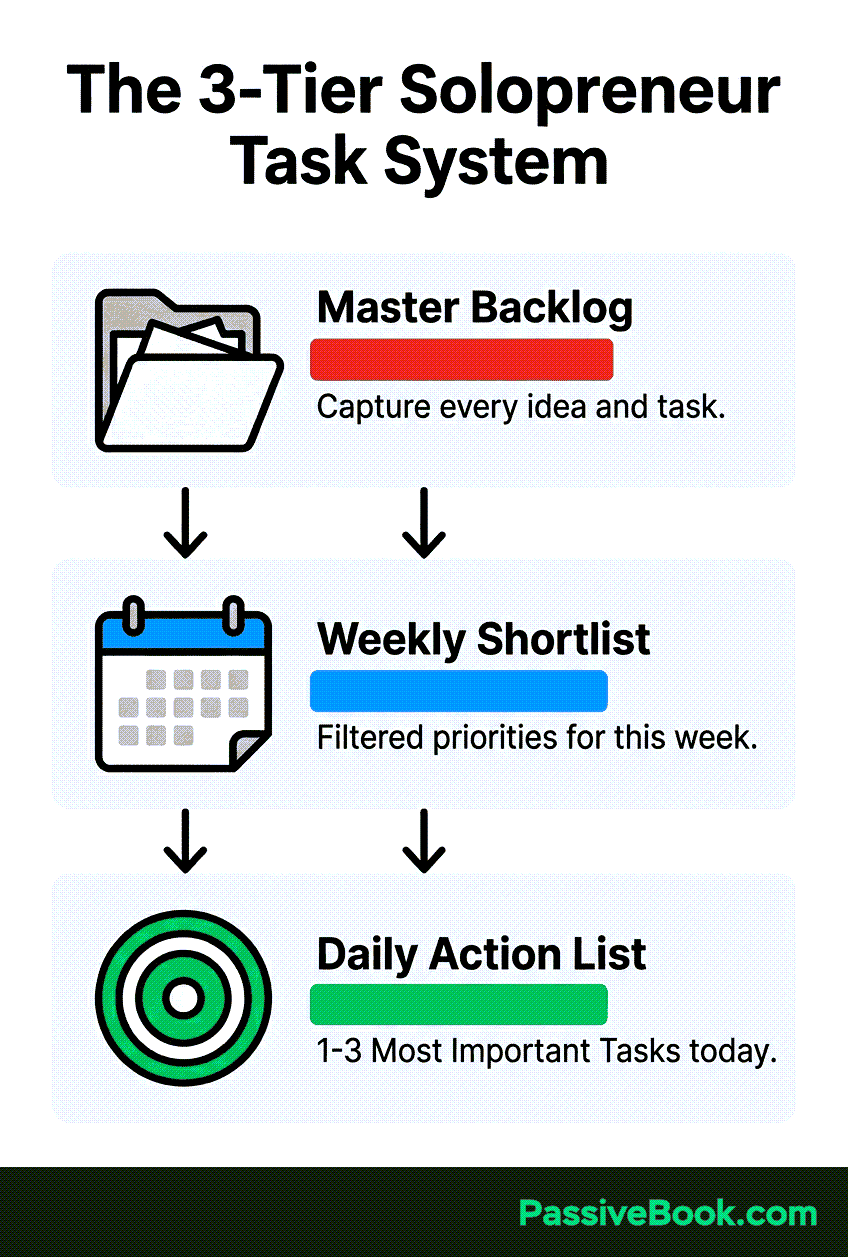
The framework has three core layers working together. A master backlog holds every task you’ve captured. A weekly shortlist narrows that down to this week’s priorities. A daily action list surfaces today’s Most Important Tasks. This three-tier structure keeps the chaos contained while ensuring critical work never gets buried.
It connects every task to a revenue or growth outcome. Solopreneurs face unique pressure: 35% report high stress compared to 26% of business owners with teams. The difference is role overload without support. Your to-do list must act as that support system, constantly asking: does this task grow the business, or just keep you busy?
Why Your to-Do List Keeps You Busy but Not Growing
Generic to-do list apps are built for employees responding to a boss. They assume someone else sets priorities and your job is execution. But solopreneurs self-direct across creator, marketer, and admin roles simultaneously. No one tells you which task matters most today. The app just shows you everything.
A flat, unprioritized list becomes a guilt inventory. Tasks accumulate faster than they get done. You start every morning staring at 40 items knowing you’ll finish maybe five. The list grows. The guilt compounds. You feel permanently behind even when working hard.
Asana’s State of Work report reveals the structural problem: 60% of knowledge workers’ time is consumed by coordination work, scheduling, status updates, communication, rather than skilled, revenue-generating output. For solopreneurs, that percentage is higher because you’re coordinating with yourself across multiple roles.
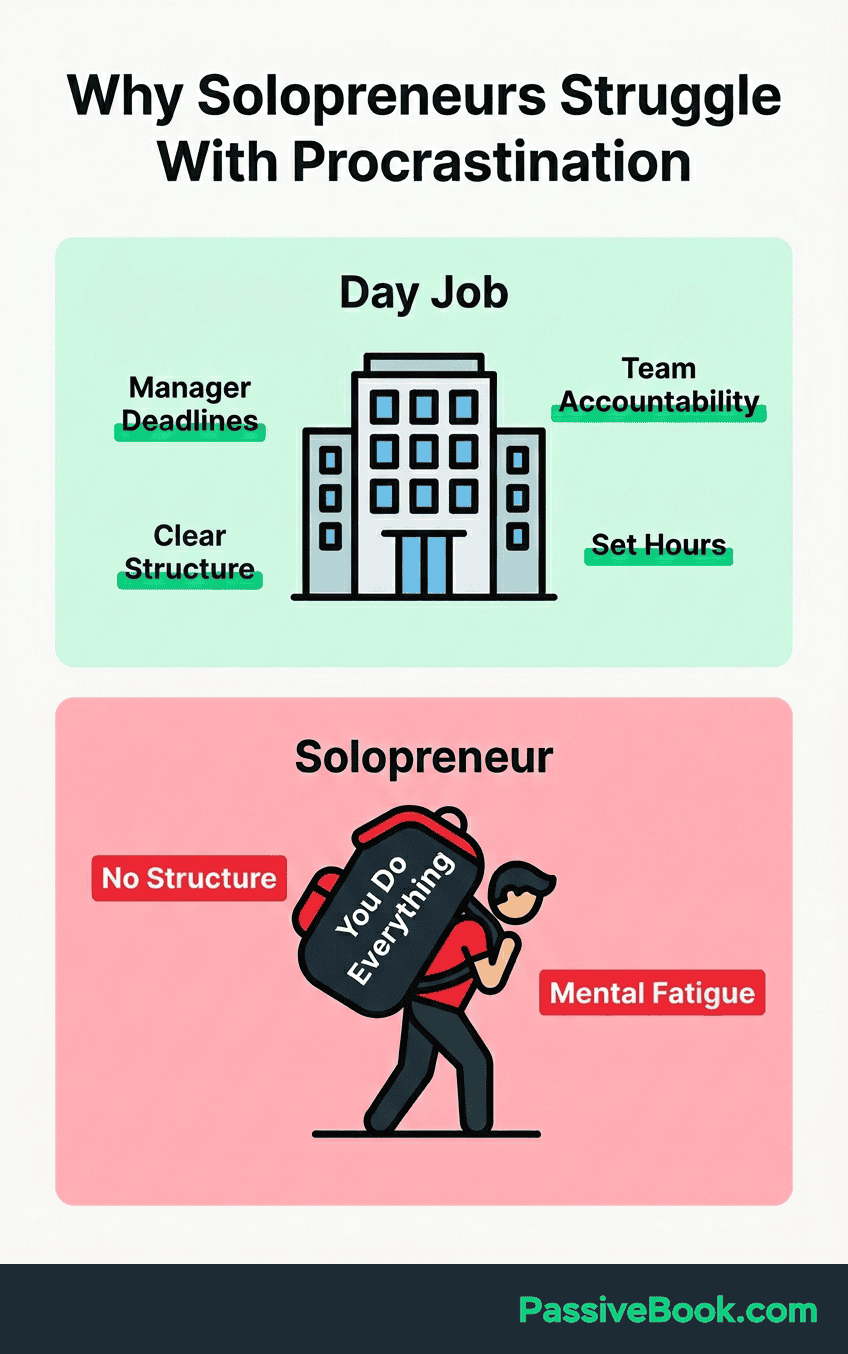
I learned this in 2021 running a membership site while holding a corporate job. My list had 60+ items spanning content creation, member support, email sequences, and site maintenance. I’d finish seven tasks and feel like I’d accomplished nothing because the needle didn’t move. The list wasn’t the problem. Treating all tasks as equal priority was.
The solution isn’t working harder or finding a better app. It’s redesigning the list itself to separate signal from noise before you ever see it.
Step 1: Do a Weekly Brain Dump to Clear Your Mental Backlog
Once a week, write every task, idea, and “don’t forget” out of your head onto one uncurated list. No filtering. No ordering. No judging whether it’s important. Just dump everything creating mental pressure into a single document. Open notes, invoice that client, research new plugins, fix that broken link. All of it.
The Zeigarnik Effect, documented by Psychology Today, shows that unwritten tasks create persistent cognitive burden. Your brain keeps reminding you because it doesn’t trust the task is safely stored. Writing it down signals the loop is closed. The mental RAM clears.
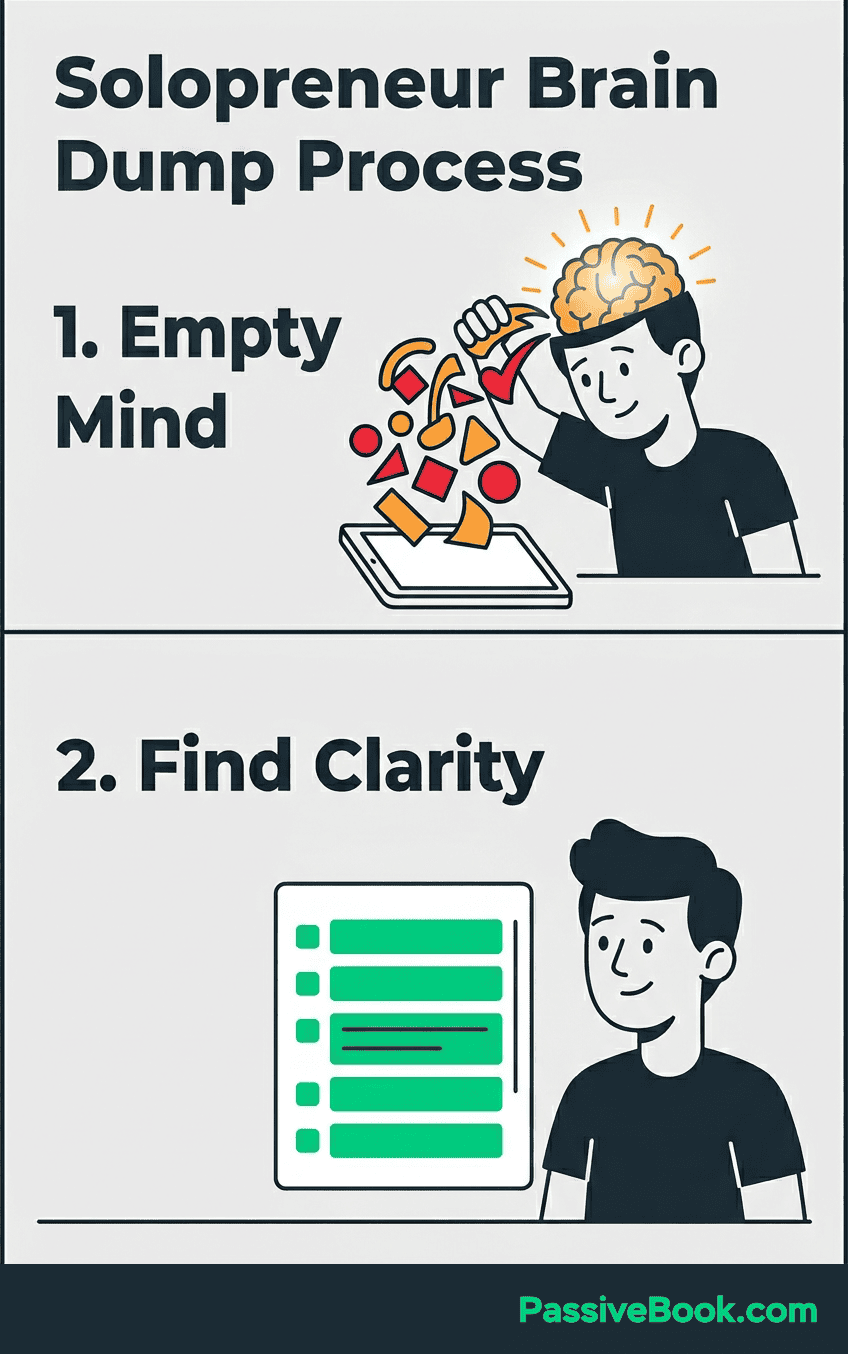
After the dump, sort each item into three buckets. Actionable this week goes into your weekly shortlist. Someday/maybe goes into a separate holding list you’ll review monthly. Delete entirely means exactly that, ideas that sounded good but don’t serve your current business goals get removed, not postponed.
Do this once per week, not daily. I do mine Sunday evenings before the work week starts. That timing lets you plan strategically rather than reactively. You’re looking at the full week ahead, not just tomorrow’s fires. The rhythm matters as much as the action.
Step 2: Separate Revenue Tasks From Busywork – Every Single Week
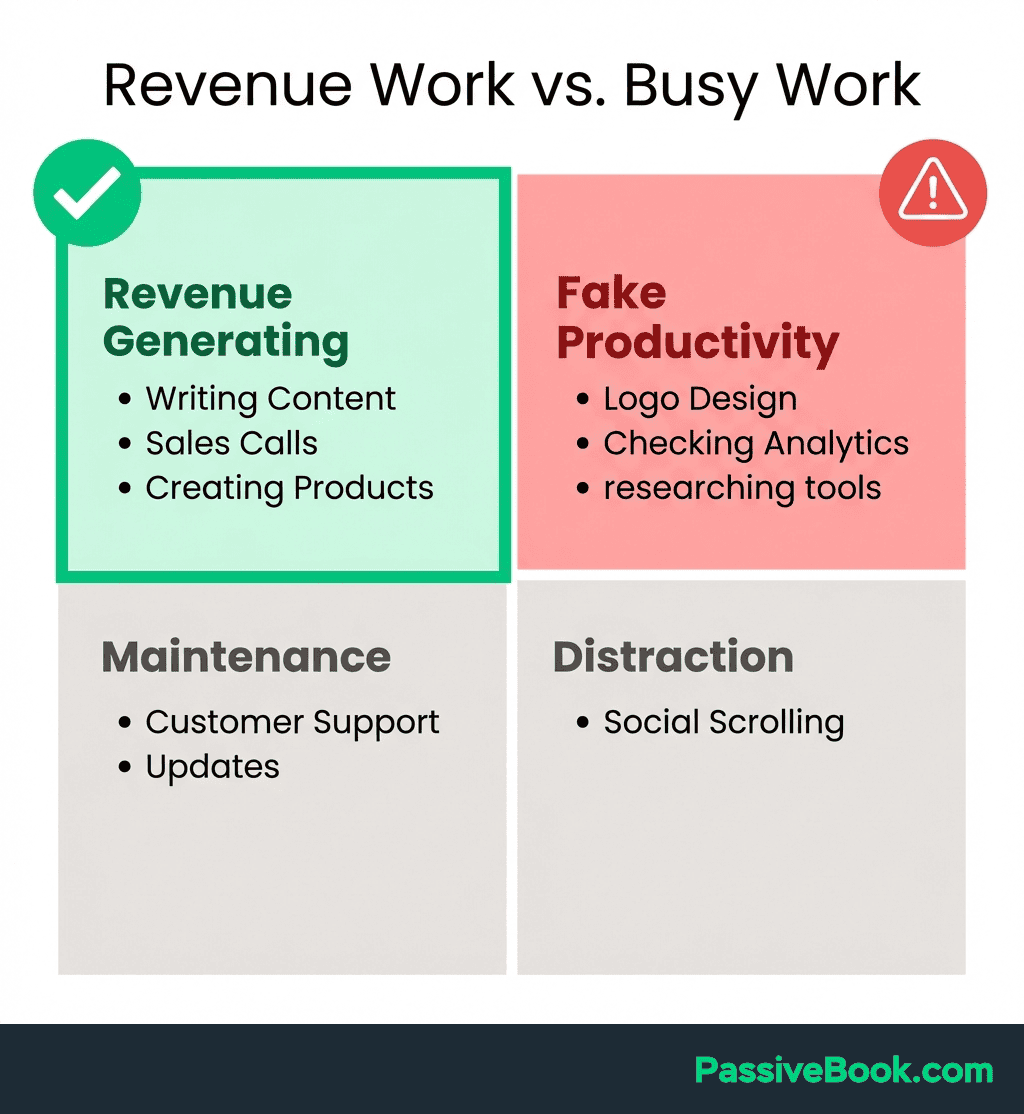
Here’s where most people fail: they treat all tasks as equally important. They’re not. Separate every item from your brain dump into three buckets. Growth tasks directly generate revenue or build audience: publish content, list products, schedule three Pinterest pins, research one blog post keyword. Maintenance tasks keep the lights on but don’t move the needle: scheduling, bookkeeping, inbox management. Reactive tasks are impulse responses: notification checks, fixing non-critical bugs, tweaking designs that already work.
Seeing all three in writing makes it immediately visible where your week is leaking. Solopreneurs discover they’re spending 70% of their time on maintenance and reactive work, then wondering why the business isn’t growing.
Every task is either a $500 task or a $10 task. A $500 task directly generates revenue or builds the audience that will generate revenue. Writing a blog post that ranks for a buying-intent keyword is a $500 task. Reorganizing your Notion workspace for the third time is a $10 task. Your weekly shortlist must always lead with $500 tasks.
A simple color-code or label in any free tool takes 60 seconds and transforms how you see your week. I use green for revenue, blue for admin. The visual split is brutal and clarifying. If Tuesday has five blue tasks and zero green ones, I know I’m about to waste a day.
This sorting happens during the weekly brain dump, not daily. You decide once what matters this week, then execute. The alternative is re-deciding priorities every morning, which guarantees you’ll drift toward easier, less valuable work.
Step 3: Set Your Daily MIT (Most Important Task) Before Anything Else
Before you open email, Slack, or anything else, ask yourself: what are the 1–3 tasks that would make today a win? These are your Most Important Tasks (MITs). Not vague intentions. Not categories. Specific, completable tasks tied to revenue or growth.
A Shopify store owner working evenings might set their MIT as “write product descriptions for 3 new items.” That’s specific. It’s completable in 60 minutes. It’s directly tied to sales. “Work on the store” is not an MIT. It’s a category that could consume three hours without moving anything forward.
Justin Welsh, who grew his one-person business past $8 million, states: “Too many people have to-do lists. Not enough people have avoid-at-all-costs lists.” MIT is elimination before addition. You’re not just choosing what to do. You’re choosing what not to do, which is the only way to stay focused when you’re playing five business roles at once.

Pair the MIT method with an Eisenhower-style filter. Ask: “Is this important to my business goals, or does it just feel urgent?” Email feels urgent. Publishing the blog post you’ve been drafting is important. Only genuinely important tasks earn MIT status. Urgency without importance is a trap.
I set my three MITs the night before. That way I wake up knowing exactly what success looks like today, and I’m not making priority decisions when I’m already tired. The decision is made. I just execute.
Step 4: Batch Similar Tasks to Protect Deep Work Time
Group like tasks into single dedicated sessions. Write all your social media captions on Monday. Record all videos on Saturday. Answer all emails in one 30-minute window. The goal is keeping your brain in one mode per session instead of constantly switching contexts.
Asana’s research shows context-switching reduces productive output by up to 40%. Every time you jump from writing to email to design and back, you lose 10-15 minutes to mental recalibration. Batching eliminates this by protecting extended focus blocks.
A WordPress blogger who batches all writing on Monday, all image creation on Tuesday, and all scheduling on Wednesday turns a chaotic daily mix into a role-specific, distraction-free workflow. Monday they’re a writer. Tuesday they’re a designer. Wednesday they’re a publisher. Each day has a clear identity.
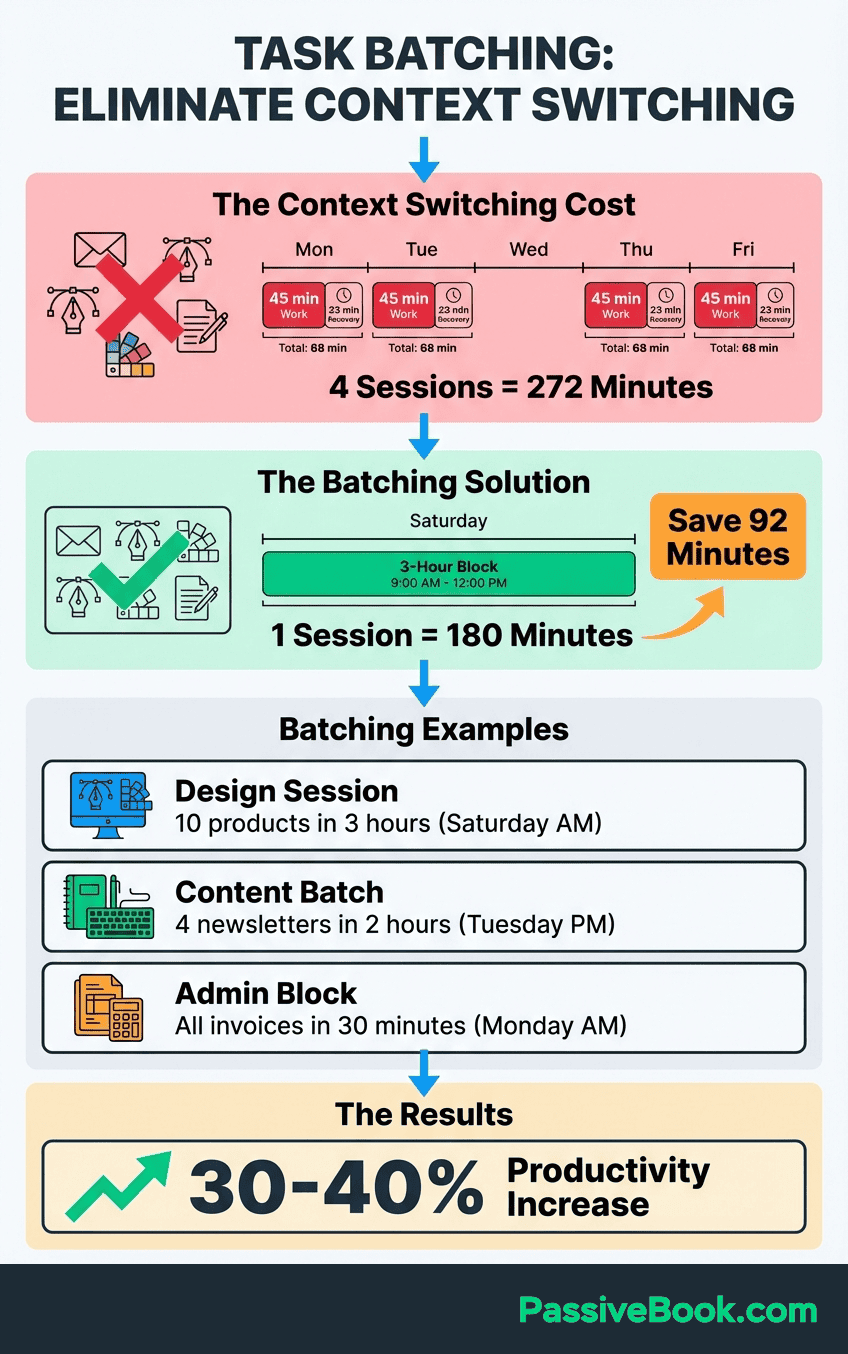
This works with limited time. If you only have 90-minute evening blocks, batch within those constraints. Monday evening is writing only. Tuesday evening is recording only. You’re not doing less. You’re eliminating the 40% productivity tax that comes from constant switching.
I batch all Passive Book writing on Tuesday and Thursday mornings before my day job. Pinterest pin creation happens Saturday afternoons. Email sequences get written once a month in a single three-hour block. The rest of the month, I don’t think about email. That’s the point.
The resistance to batching sounds like “but I need flexibility.” What you actually need is momentum. Flexibility without structure is just reactive chaos disguised as adaptability.
Step 5: Time-Block Your to-Do List Into Real Calendar Slots
Your to-do list is a suggestion. Your calendar is a commitment. Time-blocking is the bridge between the two. It means assigning each MIT and batched task to a specific time window in your calendar. Not just adding it to a list and hoping it happens. Actually blocking 6:00-7:30 AM for “write blog post outline” and treating that block as non-negotiable as a client meeting would be.
Match task type to your energy. Pair your highest-focus MIT with your peak energy window. For me that’s 6-8 AM before my day job starts. Admin tasks go in the low-energy afternoon slot after lunch when deep focus is harder. You’re working with your biology, not against it.
A blogger with 90-minute evening blocks can apply the Ivy Lee Method. Choose your top six tasks the night before. Work through them in strict priority order. Don’t move to task two until task one is complete or blocked. This makes every minute intentional.
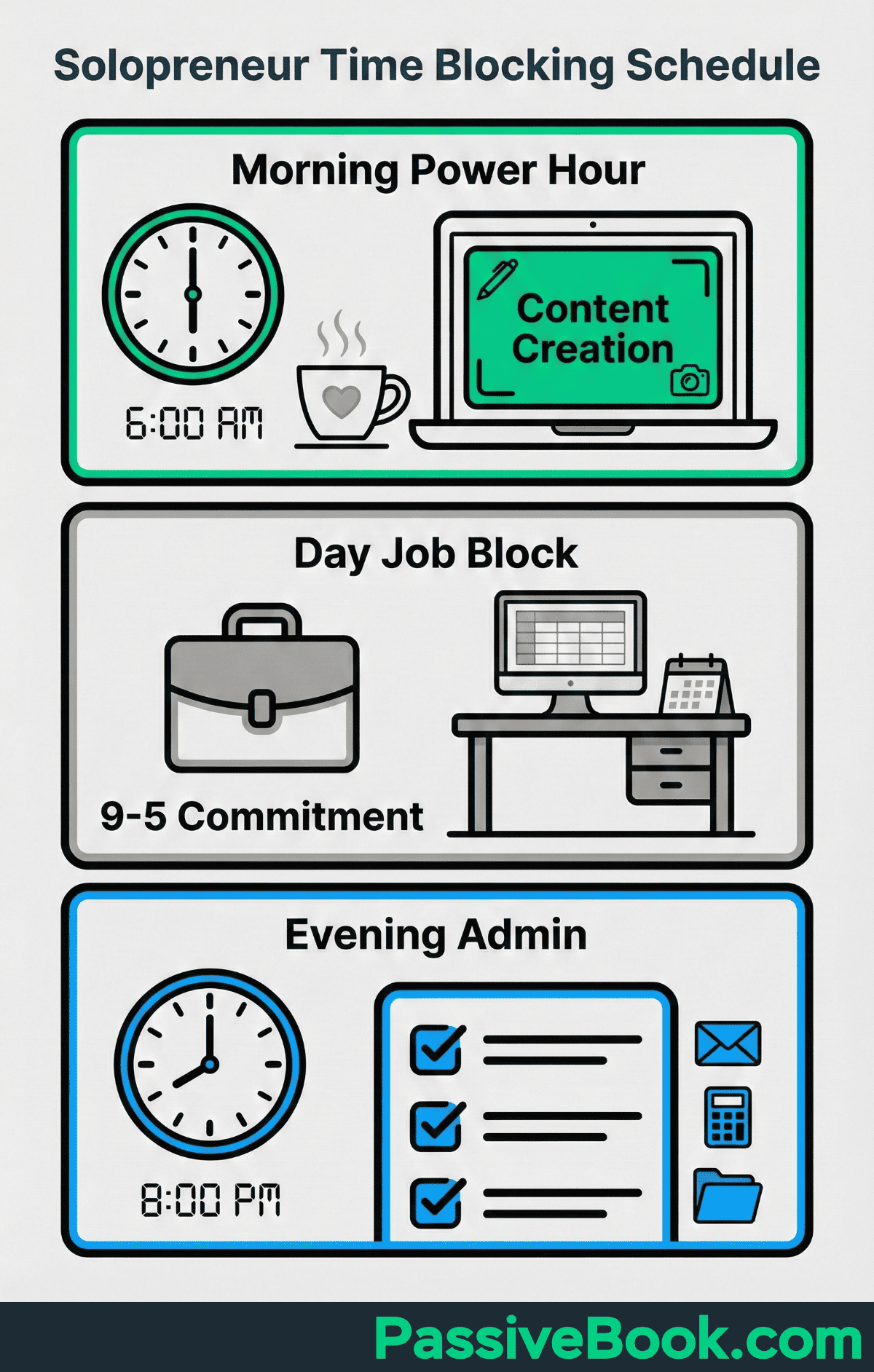
The psychological shift is significant. A task on a list is a suggestion. A task on your calendar is a commitment. Your brain treats calendar blocks differently. They feel real. Protected. When 6 AM arrives and “write blog post” is on the calendar, you write. When it’s just on a list, you’ll find 17 reasons to do something easier first.
I use Google Calendar for this with color-coding. Green blocks are revenue work. Blue blocks are admin. White blocks are flex time for overflow or emergencies. If Wednesday has mostly blue blocks, I know before the day starts that I need to move something.
Step 6: Run a 15-Minute Weekly Review to Keep Your List Honest
Every Sunday or Friday, spend 15 minutes running this exact sequence. First five minutes: open your task list and mark everything you completed this week as done. Delete it or archive it. Next five minutes: scan what’s left and ask, “Does this still matter?” If it’s been sitting for three weeks untouched, either delete it or move it to a “someday/maybe” list. Final five minutes: pick your top three MITs for Monday and time-block them in your calendar. Done.
Tiago Forte, author of Building a Second Brain, uses a four-step ritual: email triage, calendar review, notes capture, and task selection. Any solopreneur can replicate it using only free tools. His system proves that weekly reviews don’t need complexity to work.
A weekly review kills zombie tasks. These are items living on your list for three weeks that silently drain motivation every time you see them. You haven’t done them because they’re either not actually important or they’re blocked by something else. The review forces the decision: schedule it with a real plan, defer it to someday/maybe, or delete it completely.
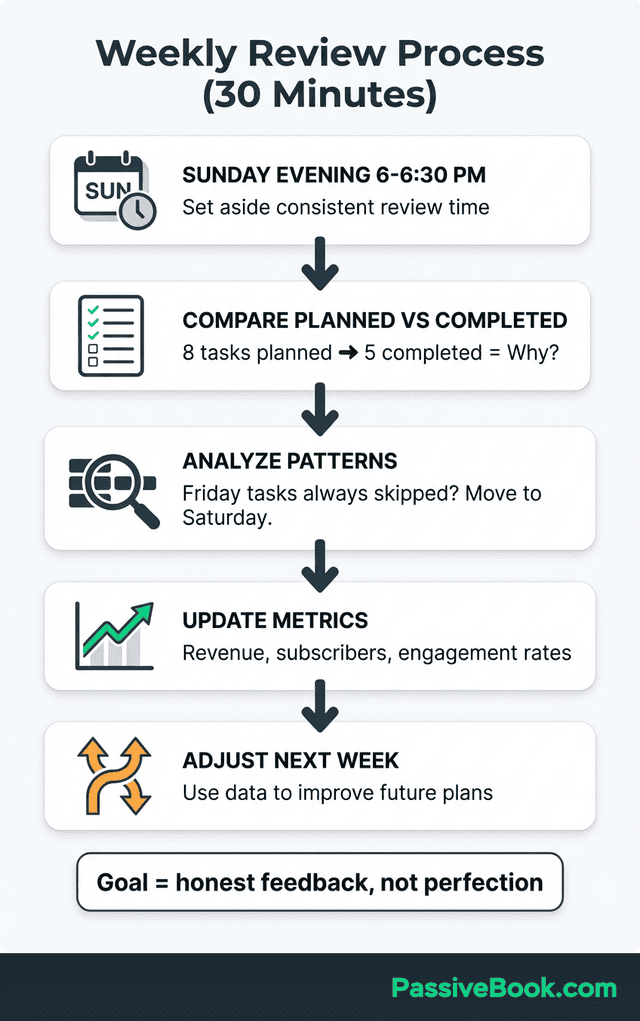
This 15-minute block has the highest return on time invested of anything in the framework. It’s the difference between a system that compounds and one that slowly unravels. I do mine Sunday evenings. The week ahead is blank. I have perspective on what just happened. It’s the perfect moment to recalibrate.
Why Complex Productivity Systems Backfire for Solopreneurs
The more complex your system becomes, the more time you spend managing the system rather than doing the work. The tool becomes the procrastination. You’re reorganizing tags, perfecting database views, and tweaking automation workflows instead of publishing content or shipping products.
Justin Welsh, who built a multi-seven-figure solopreneur business, publicly advocates on LinkedIn: “Simple systems are often the best. Most people overcomplicate productivity with endless apps, complex workflows, and rigid schedules.” He’s right. The complexity creates friction. Friction kills consistency. Inconsistency kills results.
The rule: three MITs plus a maximum of five supporting tasks per day. That’s short enough to finish. Long enough to make real progress. Anything longer is a wishlist, not a plan. Wishlists don’t get completed. They get carried forward until guilt takes over.
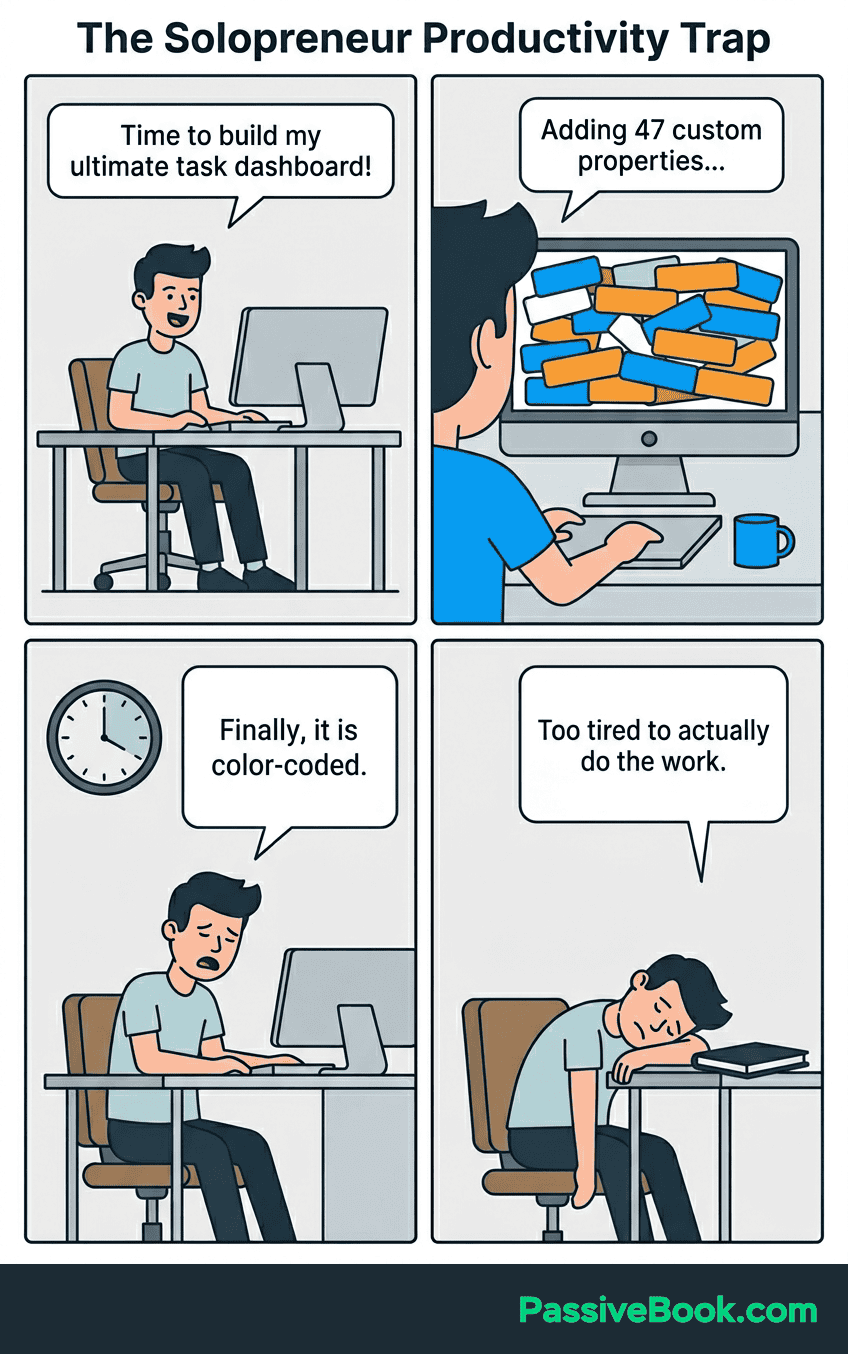
Resist upgrading to paid tools until a free-tier system consistently fails you. Complexity must be earned, not pre-loaded. I used free Notion and a paper notebook for two years before graduating to a paid app. The constraint forced simplicity. Simplicity forced consistency. Consistency built the business.
The productivity industrial complex wants you to believe you need to wake up at 4 AM, meditate, journal, and work 12-hour days to succeed. You don’t. You need to work on the right things for two focused hours. That beats 12 distracted hours every time.
How AI Is Changing Solopreneur Task Management Right Now
A 2026 U.S. Chamber of Commerce study found 58% of small businesses now use generative AI, up from 23% in 2023. Task automation is cited as the primary productivity driver. These tools are directly returning hours lost to admin work. This isn’t future speculation. It’s happening now.
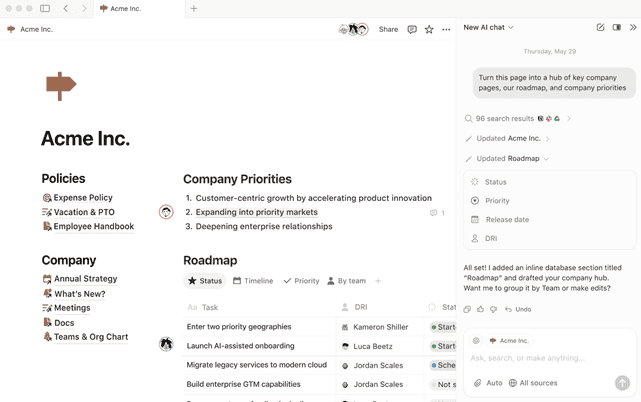
Notion AI can generate a prioritized weekly task list from a raw brain dump in seconds. You paste in your chaotic notes from the week. It outputs a structured list with categories and suggested priorities. This dramatically reduces the setup friction that causes solopreneurs to skip their planning ritual entirely.
Here’s a practical free AI workflow you can use today. Paste your weekly brain dump into ChatGPT Free with this prompt: “Sort these tasks into three buckets: Revenue-generating, Admin, and Delete. Then identify my top 3 MITs for the week.” Takes 60 seconds. Eliminates 20 minutes of manual prioritization. You still make the final call, but the heavy lifting is done.
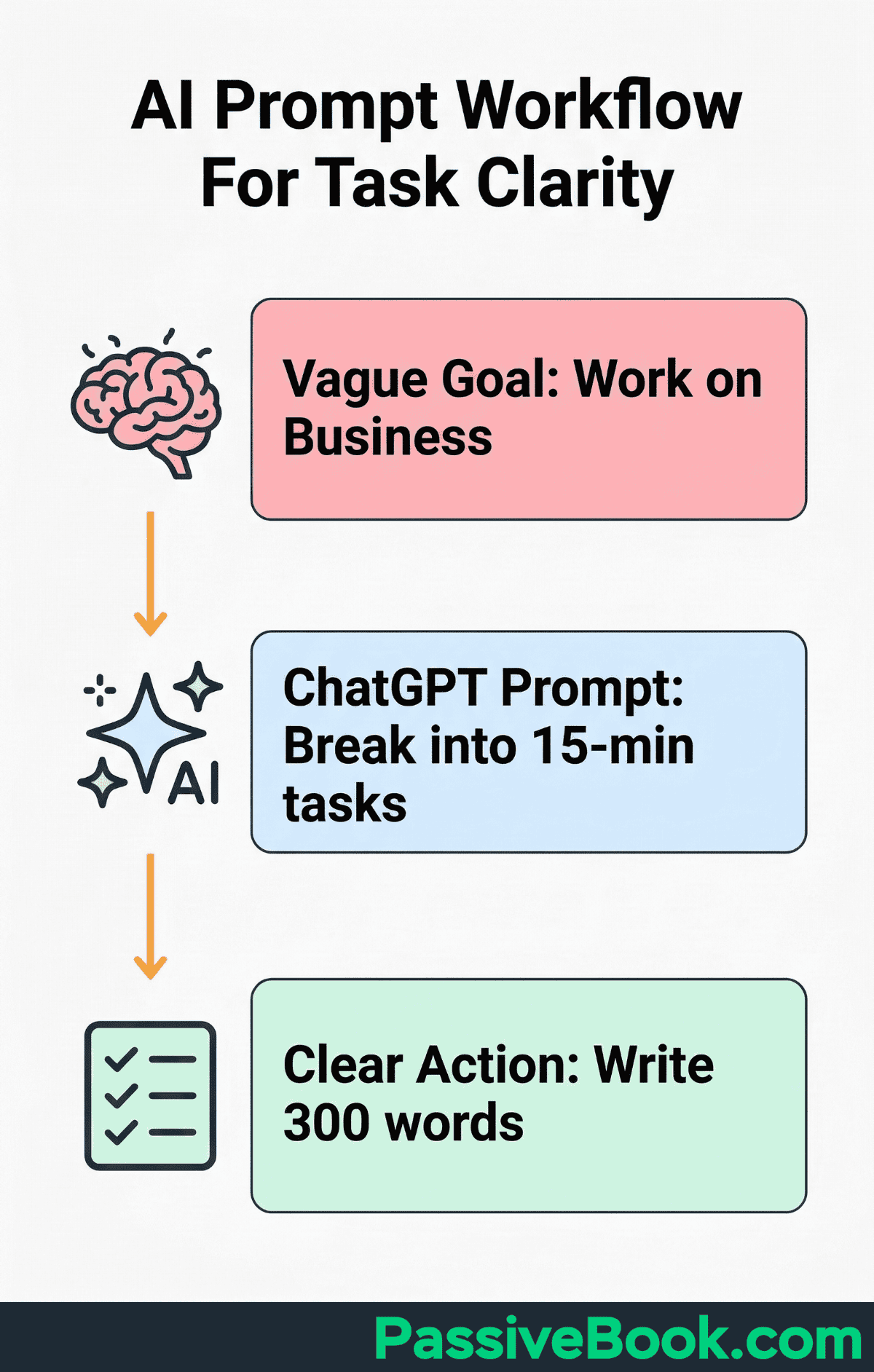
I built a custom n8n workflow that pulls all my Notion tasks every Sunday at 8 PM and feeds them into a Claude prompt. It returns a prioritized list in 60 seconds. I review it, adjust priorities based on my business context, and I’m done. That’s it. No manual sorting. No decision fatigue. Automation doing the grunt work while I do the strategy.
AI is most valuable for reducing setup cost, not replacing judgment. Let AI build your task scaffolding. Then you decide which MITs go to the top based on your business context and current priorities. The tool speeds up the mechanical sorting. You provide the strategic layer that only you understand.
The Best Free and Low-Cost Tools to Run This System
TickTick on the free plan is NYT Wirecutter’s top free pick. It includes calendar view, Kanban board, habit tracker, and Pomodoro timer built in. The free tier supports nine lists and 99 tasks per list. That’s more than enough for most solopreneurs. You get recurring tasks, priority levels, and cross-platform sync without paying anything.
Todoist on the free plan supports five active projects, recurring tasks, and natural language input. You can type “publish post Friday 9am” and it automatically sets the date and time. Ideal for fast, frictionless task capture on any device. The free tier is surprisingly generous for side-hustlers who don’t need advanced collaboration features.
Notion on the free plan doubles as task manager, content calendar, and business wiki. Best for bloggers and course creators who want one centralized, customizable workspace. You can build a simple task database in 10 minutes or download a free template. The learning curve is steeper than dedicated to-do apps, but the flexibility pays off if you stick with it.
The hybrid approach works too. Use a paper notebook for morning MIT-setting. Use a digital app for your master backlog and recurring tasks. The tactile act of writing three tasks by hand creates commitment. The digital system handles everything else. The best system is the one you actually use consistently, not the one with the most features.
A critical rule: don’t pay for any productivity tool in your first 90 days. The free tiers of TickTick, Todoist, and Notion are more than enough to run a six-figure side hustle. I used free Notion for two years before upgrading. The constraint forced simplicity. Paid tools won’t make you more disciplined. They’ll just make you poorer.
Frequently Asked Questions
How Many Tasks Should Be on a Solopreneur’s Daily to-Do List?
Three Most Important Tasks (MITs) plus a maximum of five supporting tasks. Your MITs are the revenue-generating or audience-building tasks that define success for the day. Supporting tasks are necessary admin work that keeps operations running. If you consistently can’t finish this list, you’re overloading your day or underestimating task duration.
Should I Use a Paper Planner or a Digital to-Do List App for My Side Hustle?
Use whichever you’ll check consistently, but a hybrid approach works best. Write your three daily MITs on paper each morning for psychological commitment. Keep your full backlog and recurring tasks in a digital app for searchability and sync across devices. Paper creates intentionality, digital provides structure and memory. If you’re worried a paper notebook makes you look less serious, stop. Warren Buffett uses a paper planner. So do half the founders I know making seven figures. The tool doesn’t make you legitimate. Shipping does.
How Do I Handle Tasks That Keep Getting Pushed to Tomorrow?
Ask three questions during your weekly review. Is this task genuinely important, or am I keeping it out of guilt? If it’s important, what’s actually blocking it, do I need information, a decision from someone else, or a prerequisite task completed first? If it’s been pushed for three weeks with no real blockers, delete it completely or move it to a someday/maybe list.
What Next?
You now have a complete to-do list framework built specifically for the chaos of running an online business solo. Weekly brain dumps to clear your head. Revenue task separation to protect your limited hours. Daily MITs to ensure every day moves the needle. Time-blocking to make it real. And a 15-minute weekly review to keep the whole system honest.
This isn’t just another productivity method. It’s the difference between staying perpetually busy and actually growing. I wasted three years bouncing between complex systems before realizing simple and strategic beats elaborate and impressive. Every time.
If you found this guide valuable, hit the share buttons below. Send it to another solopreneur who’s drowning in their current list. And drop a comment: what’s the one task type that always derails your week? I read every response and turn the best questions into future guides.
Share this post with your friends & followers: