I spent my first year as a side-hustler convinced that hustle alone would build my business. I squeezed in work at 5am. Then during lunch breaks. Then after my kids went to bed. But despite the exhaustion, I barely moved the needle on revenue. The problem wasn’t effort. It was chaos.
I was context-switching between tasks so rapidly that nothing meaningful got finished. Then I discovered time blocking, and everything changed. Within 30 days of protecting specific time blocks for high-priority work, I completed my first digital product and launched it to my small email list.
Time blocking isn’t another productivity hack for online business owners. It’s the difference between feeling busy and actually building something profitable. When you’re juggling a day job with your side business, you can’t afford to waste your limited hours on reactive work. This guide will show you exactly how to implement time blocking systems that work in fragmented schedules, which methods fit different business models, and how to protect your most valuable work from constant interruptions. You’ll learn how to control time instead of letting it control you, even when your day job owns most of your calendar.

- •What Time Blocking Is for Online Business Owners
- •Why Time Blocking Fails (and How to Make It Work)
- •How Artificial Intelligence (AI) Is Transforming Time Blocking for Side-hustlers
- The Core Time Blocking Methods That Fit Fragmented Schedules
- •Scheduling High-value Work During Peak Energy Windows
- Setting Up Your First Time Blocking System (Free Tools)
- •Weekly Planning and Time Audit Rituals
- Time Blocking Strategies by Business Model
- •Frequently Asked Questions
- •What Next?
What Time Blocking Is for Online Business Owners
I know this sounds obvious. Everyone says “use a calendar.” But here’s what actually makes time blocking different from regular scheduling.
Time blocking means scheduling specific tasks into specific time slots on your digital calendar. No more reacting to an endless to do list. Instead of writing “create blog post” on a list and hoping you’ll find time, you assign it to Tuesday 6-7:30am. Treat that appointment as non-negotiable. You create time blocks that protect your productive time from interruptions.
This is fundamentally different from a to do list. Your to do list says “write blog post” but it doesn’t tell you when, for how long, or what to do if something interrupts. Time blocks assign specific tasks to specific times. You create an appointment with your work, not just a hope that you’ll find time eventually.
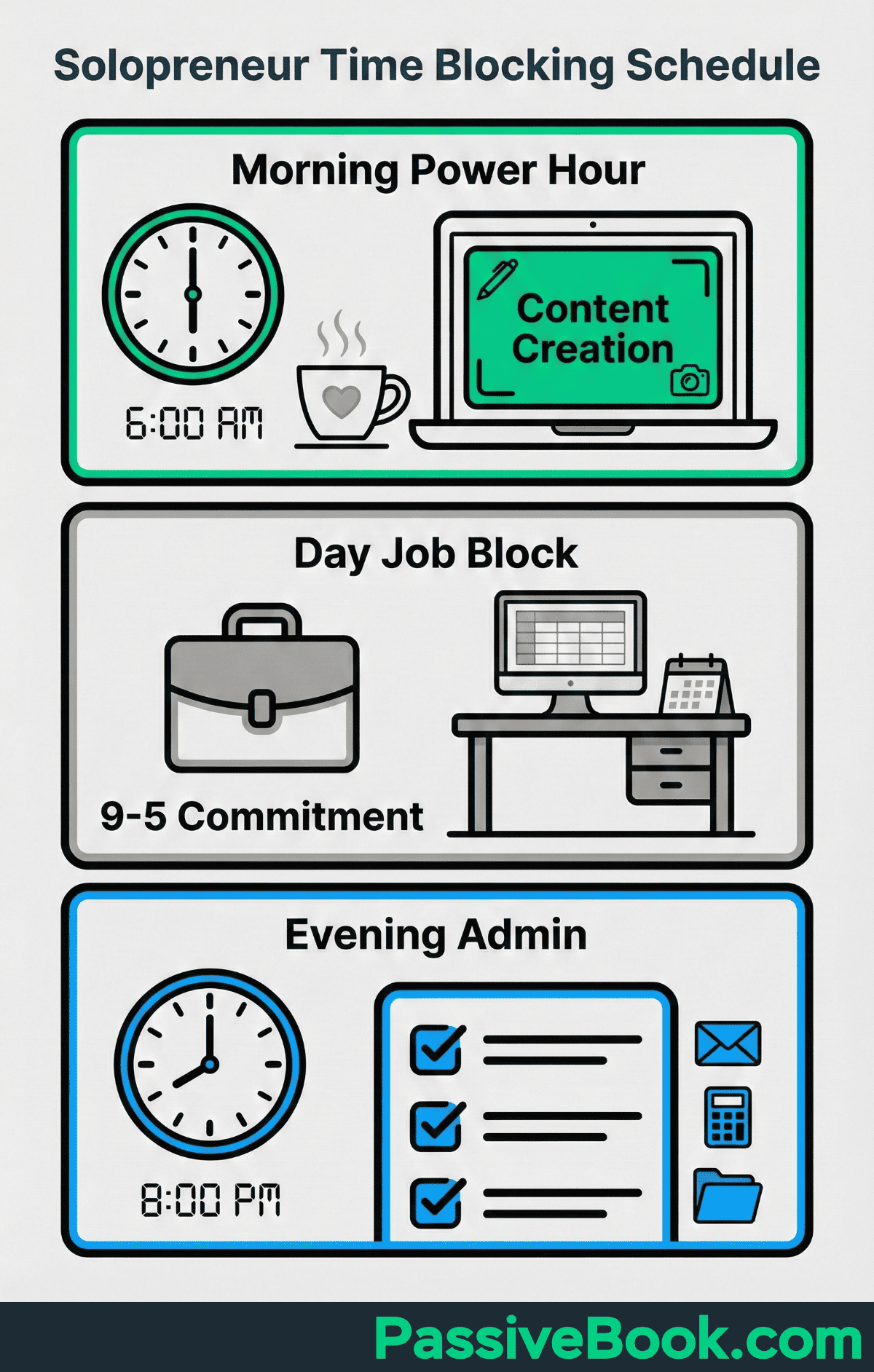
Research shows time blocking improves task completion and reduces procrastination in goal pursuit. The study found that participants who schedule time blocks for their goals were far more likely to follow through than those who simply listed their intentions. For side-hustlers working in stolen hours, this difference between planning and doing becomes the difference between a hobby and a business.
E-commerce seller Emily Odio-Sutton built a six-figure Etsy business by protecting morning blocks for product research before her publishing job. She didn’t have more hours than other side-hustlers.
She just defended specific time slots and used them strategically. Her mornings belonged to revenue work, not email or social media scrolling.
For side-hustlers, success means protecting 8-12 weekly business hours. You’ll complete most of your high-priority blocks, not all of them. You won’t hit 100% consistency while managing a day job and personal life. That’s not the goal. The goal is to schedule time blocks that actually happen most of the week, building momentum through repeated execution rather than perfect adherence. When you control time by scheduling it deliberately, you stop feeling like a victim of your calendar.
Why Time Blocking Fails (and How to Make It Work)
Rigid schedules collapse when your day job changes priorities. Or when family emergencies happen. I learned this the hard way when I created a perfect weekly time blocking system in January. By February it had disintegrated completely.
My boss scheduled last-minute meetings during my protected morning blocks. My daughter got sick and needed pickup from school. The blocks I’d so carefully planned became sources of guilt rather than productivity.
Here’s the problem. Most time blocking advice assumes 8-hour work blocks. Side-hustlers don’t have that. You have 1-3 hour windows. The traditional productivity gurus tell you to block your entire day from 9-5, but they’re not working a corporate job while building a business. They don’t account for the reality that your day job owns most of your calendar and can disrupt your plans at any moment.
Studies show context switching reduces productivity and drains mental energy. Each time you’re pulled from a business task to handle a work emergency, your brain needs 20 minutes to get back in flow.
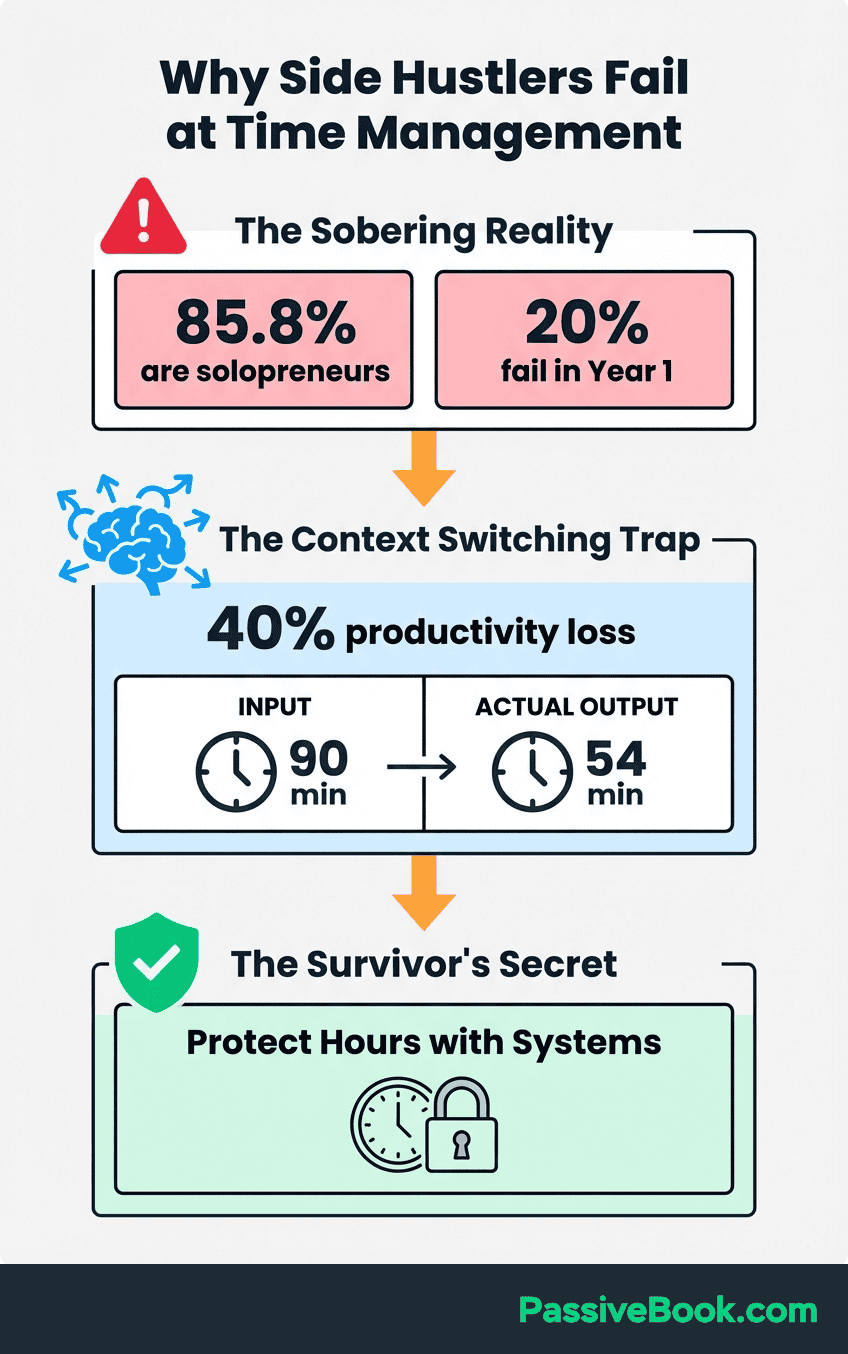
For side-hustlers working in short windows, losing 20 minutes means losing a third of your available work time.
Research on scheduling effectiveness suggests leaving buffer time prevents overcommitment failures. The most successful time blockers don’t pack every minute with tasks. They build in flexibility so that when life happens, the entire system doesn’t collapse. This buffer approach is critical for anyone balancing multiple responsibilities.
Here’s what works better. Set aside buffer blocks 2-3 times weekly. These absorb day job spillover without guilt. Schedule these as “Flex Work” on your calendar. They’re real blocks, just without specific task assignments. When your boss needs something urgent on Tuesday, you shift your business task to Thursday’s buffer block instead of abandoning it entirely. This keeps you moving forward even during chaotic weeks. Use buffer blocks for smaller tasks that don’t require deep focus, like responding to comments or updating product listings.
Use the Rule of Three: if more than three blocks get disrupted in a week, immediately reschedule the remaining blocks. Don’t let disrupted plans pile up as background guilt. As soon as you miss your third block, open your calendar and find new homes for everything else. This active rescheduling prevents the shame spiral that kills time blocking systems.
Designate one wild card day weekly as emergency recovery for missed blocks. Mine is Saturday morning. If the week goes sideways and I miss critical revenue work, Saturday becomes my catch-up window. Knowing this safety valve exists makes it easier to stay flexible during the week without feeling like I’m falling behind permanently.
How Artificial Intelligence (AI) Is Transforming Time Blocking for Side-hustlers
I resisted AI scheduling for months because it felt like overkill for my simple 10-hour weekly schedule. Then I wasted 2 hours one week just rescheduling blocks after surprise meetings. The automation suddenly made sense.
AI-enhanced scheduling is helpful but optional. Free methods work for 90% of side-hustlers. Before you rush to sign up for premium tools, understand that most people building online businesses don’t need artificial intelligence to manage their calendars. The fundamentals of protecting specific time blocks and actually using them will take you further than any automated system.
AI calendar tools like Reclaim.ai automatically defend focus time and reschedule tasks around meetings. The tool connects to your work and personal calendars, identifies gaps, and moves your business blocks when conflicts appear.
Instead of manually rebuilding your week after a surprise meeting gets scheduled, the AI does it for you in seconds.
These tools automatically reschedule disrupted blocks. No manual calendar rebuilding required. When your boss books over your protected Wednesday morning slot, AI scheduling assistants find the next available window and move your task there.
This eliminates the decision fatigue that often kills time blocking momentum. You don’t have to think about where things should go, just whether to accept the suggested time.
Entrepreneur research shows AI scheduling can save professionals 3-5 hours weekly on calendar management. That time savings comes primarily from elimination of back-and-forth rescheduling and the mental load of tracking what needs to move when conflicts arise. For side-hustlers with limited hours, getting 3-5 hours back is meaningful.
Most AI tools offer free tiers sufficient for 10-15 weekly business hours. Reclaim.ai’s free plan handles multiple calendars and basic habit scheduling. Motion and Clockwise also have starter plans that work for solopreneurs who aren’t managing team calendars. You can test AI scheduling without financial commitment to see if the automation actually helps your workflow.
If you want to experiment with AI without dedicated tools, you can ask ChatGPT to analyze your schedule. Copy your week’s commitments into the chat and prompt: “I have these time blocks available: [list times]. I need to schedule these tasks: [list tasks with estimated durations]. Suggest an optimal schedule that groups similar tasks and accounts for my peak energy in mornings.” The AI won’t connect to your calendar automatically, but it will give you a starting framework in seconds.
The Core Time Blocking Methods That Fit Fragmented Schedules
Most productivity advice dumps these methods on you without telling you which one actually fits fragmented schedules. I’ve tried all three. Here’s what works when you’re building a business in stolen hours between other obligations.
Not all time blocking techniques work for side-hustlers with unpredictable schedules. The strategies below are specifically designed for people working in small windows between other obligations. Each method addresses a different challenge: maintaining focus in short work hours, reducing cognitive load on smaller tasks, or creating weekly structure when you’re working around a day job and your available days shift constantly.
The Pomodoro Technique for 1-2 Hour Windows
Work in 25-minute focused intervals with 5-minute breaks between sessions. Set a timer, choose one specific task, and work on nothing else until the timer rings. Use a timer to help stay focused on one task for 25 minutes without distractions.
Then step away from your screen, stretch, grab water, and return for the next interval. This forced rhythm prevents the burnout that comes from trying to push through marathon sessions on limited sleep.
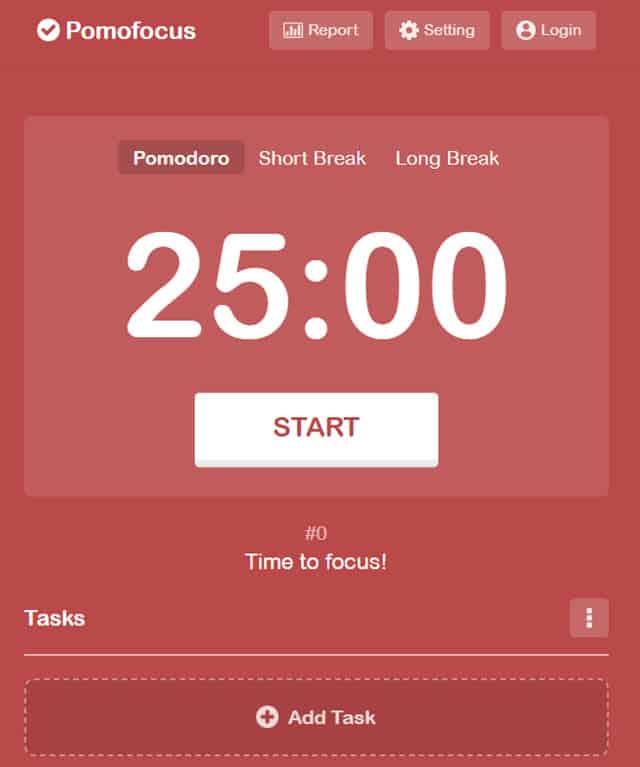
Complete four pomodoros then take a longer 15-30 minute break for deep rest. After two hours of focused work, your brain needs real recovery. Don’t just scroll social media. Take a walk, eat a meal, or do something completely unrelated to screens. This longer break resets your attention for the next work session if you have time for more blocks that day.
Research on the Pomodoro Technique shows it improves focus and reduces mental fatigue. The study found that structured breaks prevented the cognitive depletion that happens during extended work periods.
For side-hustlers working late at night after full workdays, this protection against mental fatigue matters when you’re trying to actually finish tasks.
This method is perfect for side-hustlers working before day jobs or after kids’ bedtime. When you only have 60-90 minutes available, you can’t afford to waste 20 minutes “getting into flow.” The pomodoro structure forces immediate engagement and maximizes the limited time you have. Three pomodoros in a morning session means 75 minutes of actual productive time on your business.
Task Batching for Content Creators
Here’s the secret content creators miss. Group similar tasks like filming multiple videos or writing several blog posts in a single session. Instead of creating one piece of content and then switching to editing, spend Tuesday morning filming five videos back-to-back.
Then schedule Thursday evening as your editing block where you process all five. This separation reduces the mental cost of switching between creative and technical modes.
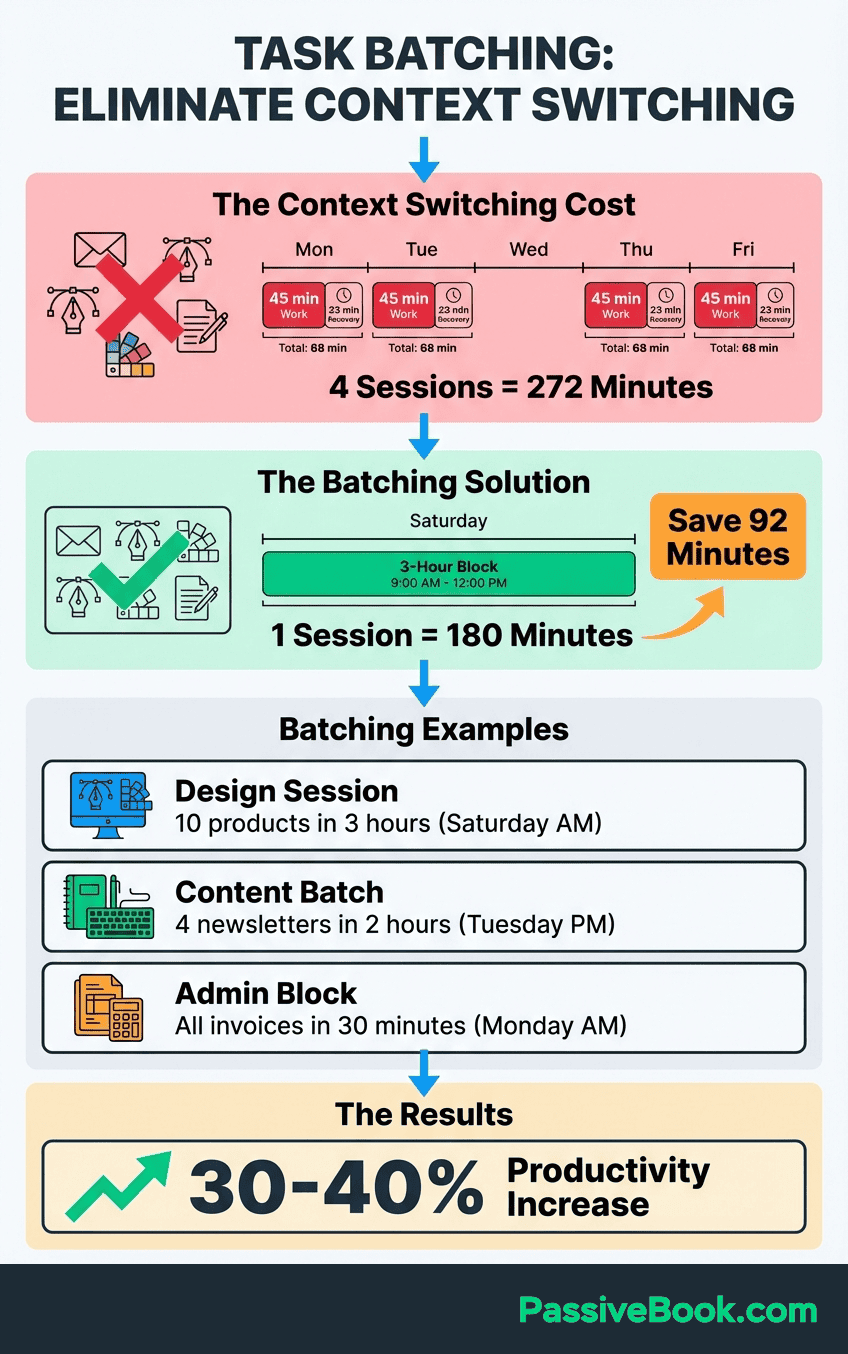
Studies on task batching show grouping similar activities reduces cognitive load and speeds up your work. The research found that participants who batched similar tasks completed work faster and with fewer errors than those who alternated between task types. Your brain doesn’t need to reload context when you’re doing the same type of work repeatedly.
Task batching reduces setup time and maintains creative flow state across similar work. When you’re filming content, you’re in performance mode: energized, speaking clearly, presenting ideas. When you’re editing, you’re in analytical mode: cutting footage, correcting mistakes, optimizing pacing. These are fundamentally different mental states. Switching between them multiple times weekly wastes energy that side-hustlers can’t spare.
Separate creation blocks from editing blocks to optimize different energy types. Schedule content creation during your high-energy windows when ideas flow naturally. Save editing for lower-energy periods when you can follow a checklist without deep creative thinking. This strategic energy allocation helps you produce more content in less total time. When you’re working on social media content creation in the evening after your day job, you don’t want to keep switching mental modes. Batch the creative work, then batch the technical work.
Theme Days for Weekly Structure
Instead of random task assignments, give each day a theme. Monday becomes your content creation day. Tuesday handles marketing and outreach. Wednesday is admin, finances, and customer support. This thematic structure creates mental clarity before you even start working. You know exactly what type of work today requires.
Entrepreneur Jack Dorsey famously uses themed days to manage multiple companies simultaneously. When he ran both Twitter and Square, he assigned different days to each company, with specific themes within those days. While his scale differs from most side-hustlers, the principle remains powerful: containment reduces decision fatigue.
Themed days are easier to protect from day job spillover than random tasks. When someone asks if you can handle something during your Wednesday admin block, you can legitimately say “I’m deep in a different project today, can we talk Friday?” But when your calendar just shows generic “business work,” there’s no clear reason to push back on interruptions.
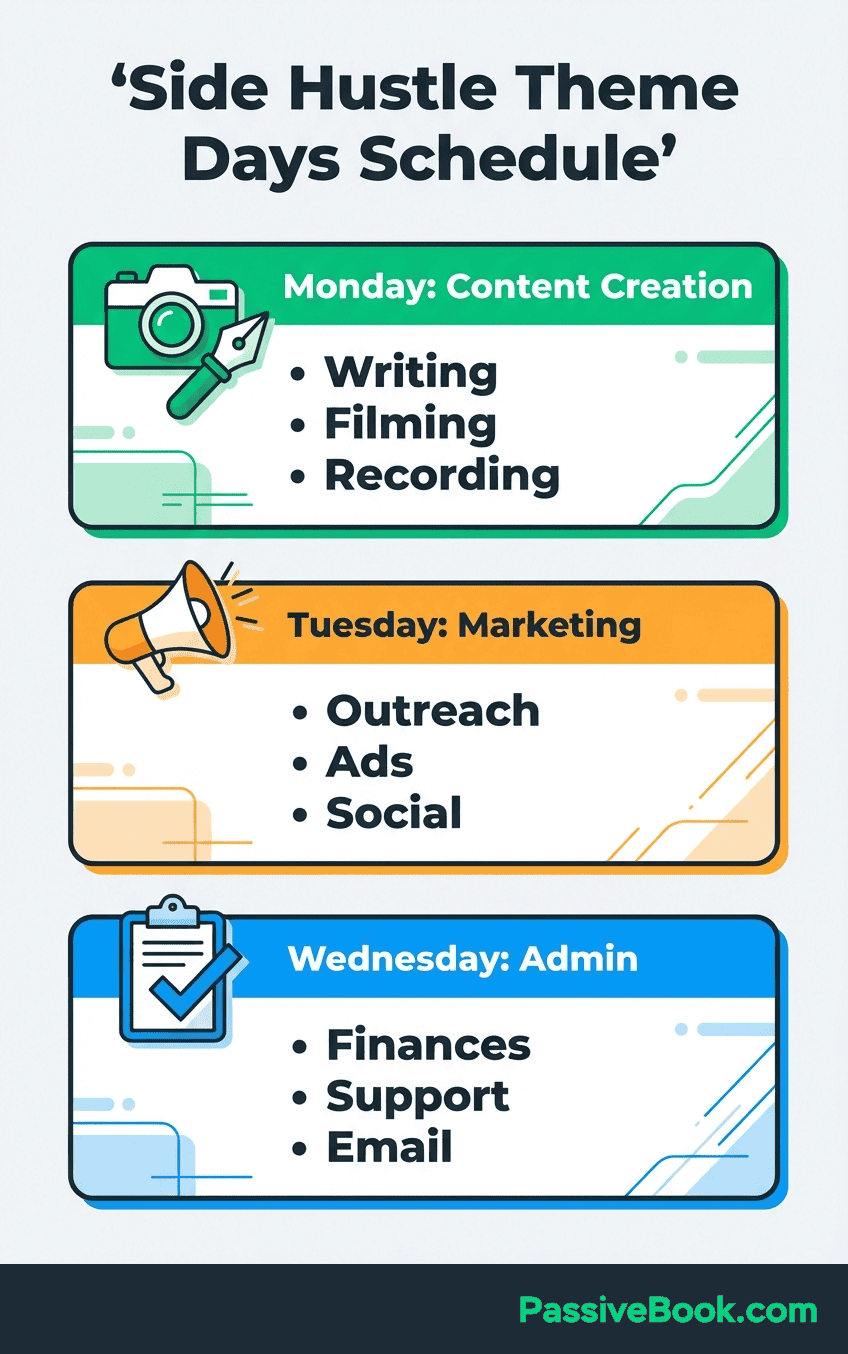
The structure also helps with energy management across the week. Content creation requires a different cognitive state than responding to emails or analyzing metrics. When you theme your days, you can lean into the specific energy each task type requires rather than constantly shifting mental gears.
Here’s a starter template if you have 10 hours weekly. Monday 6-7:30am: Content creation (writing, filming, recording). Tuesday 6-7:30am: Content creation. Wednesday 9-10pm: Admin and customer support. Thursday 9-10pm: Marketing and audience building. Saturday 8-11am: Deep work on strategy or product development. Notice how similar tasks cluster on the same days. This reduces mental switching costs.
Scheduling High-value Work During Peak Energy Windows
Track your energy levels for one full week to identify peak performance windows. Use a simple notes app to record your alertness every two hours: rate yourself 1-5 for mental clarity and motivation. By Friday, you’ll have clear data showing when you’re naturally sharp versus when you’re dragging. This self-knowledge is more valuable than any generic “wake up at 5am” advice.
Research on circadian rhythms shows productivity peaks vary by individual chronotype and require personal tracking. The study found that morning people and night people have genuinely different biological patterns that affect cognitive performance. Forcing yourself to work during low-energy windows wastes the limited time you have available.
Schedule revenue-generating tasks like content creation during high-energy periods only. Don’t use your peak alertness to answer customer emails or organize files. Those administrative tasks can happen when you’re half-awake. Your business grows when you create products, produce content, or develop strategy. These demand your best cognitive hours. Your productive time happens during these high-energy windows. Don’t waste them on email.
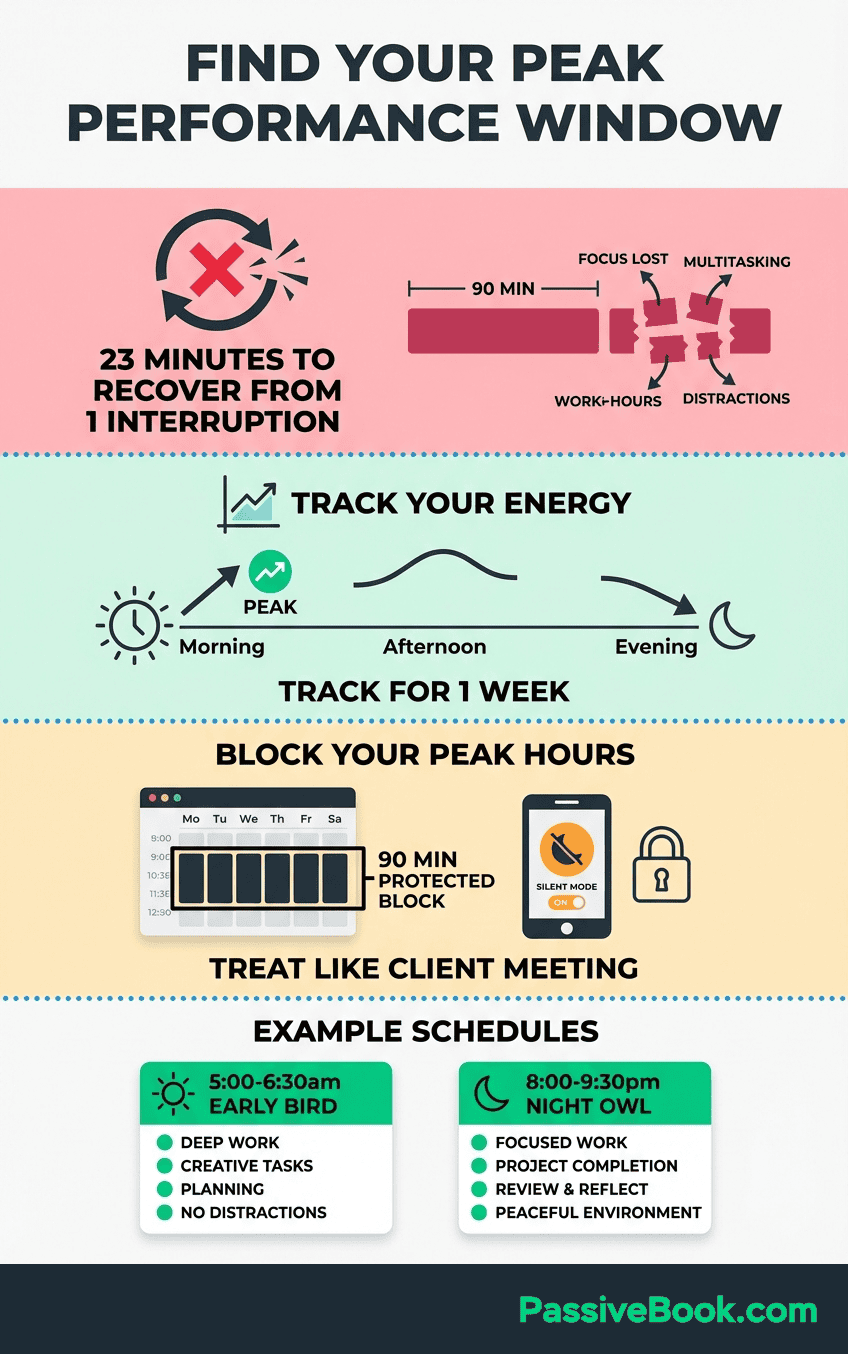
Studies show deep work requires sustained attention blocks with minimal interruptions for complex cognitive tasks. The research indicates that knowledge workers need at least 90 minutes of uninterrupted focus to produce their best work. For side-hustlers, finding even one 90-minute window weekly for deep work can transform output quality. This is your deep work time. When you need know you won’t be interrupted and can stay focused on strategic projects.
Protect your highest-value 90-minute block by scheduling it 48 hours early as “Personal Appointment” on your work calendar. This simple hack prevents colleagues from booking meetings during your protected time without requiring you to explain your side business. When someone tries to schedule over that slot, they see it’s blocked and pick a different time automatically.
I reserve Tuesday and Thursday mornings from 6-7:30am for content creation and strategy work. These 90-minute blocks are completely off-limits. I don’t check email, answer my phone, or allow any distractions. Over a year, those protected blocks have produced 78 blog posts, three email courses, and the strategic foundation for multiple revenue streams. The consistency compounds in ways that sporadic work never does.
Setting Up Your First Time Blocking System (Free Tools)
Google Calendar isn’t sexy. You won’t find productivity gurus hyping it because there’s no affiliate commission. But it’s free and it works, which matters more than features you’ll never use.
You don’t need expensive software to start time blocking. A free digital calendar handles the core requirements: schedule time blocks that protect your most important tasks, defend those blocks from conflicts, and track what gets done. The tools below are free, work across devices, and handle everything you need. Choose one based on your comfort with technology and need for task integration.
Google Calendar for Basic Time Blocking
Create separate calendars for day job, side business, and personal commitments with color-coding. Open Google Calendar settings, add new calendars called “Day Job,” “Business Revenue,” and “Personal,” then assign distinct colors to each. Red for day job tasks makes them visually urgent. Green for business revenue work highlights your growth activities. Blue for personal commitments keeps life obligations visible.
Assign your highest-value blocks to the “Business Revenue” calendar in green. When you look at your week, the green blocks should jump out as protected time that directly builds your business. Everything else (admin tasks, email processing, social media scheduling) goes in a lower-priority color. This visual hierarchy helps you defend the blocks that actually matter.
Set default event durations to 25 or 90 minutes for consistent blocking patterns. Go into Calendar settings and change the default event length from 60 minutes to 25 minutes. This makes it easy to schedule pomodoro sessions or 90-minute deep work blocks without manual adjustment every time. The consistent durations create rhythm in your schedule.
Google Calendar is available on iOS and Android with offline access for checking blocks during your commute. You can review tomorrow’s plan while sitting on the train without burning mobile data. The mobile app also makes it easy to reschedule blocks when conflicts arise. Just drag and drop to a new time slot immediately.
This approach gives you flexibility. You can see your work hours clearly, make sure you don’t overcommit, and stay track of what’s business versus personal. The visual separation helps you control time instead of letting it control you.
Notion for Task-integrated Scheduling
Notion offers free templates for time blocking and productivity workflows at no cost. The platform combines database functionality with calendar views, letting you create a system where tasks and time blocks live in the same place. You can see both what needs to get done and when you’ve scheduled time to actually do it.
Connect tasks directly to calendar blocks for unified planning without tool switching. Create a task database with fields for priority, estimated duration, and status. Then link those tasks to calendar entries so you can drag a task directly onto your weekly calendar view. When the block is complete, marking the task done automatically updates your calendar.
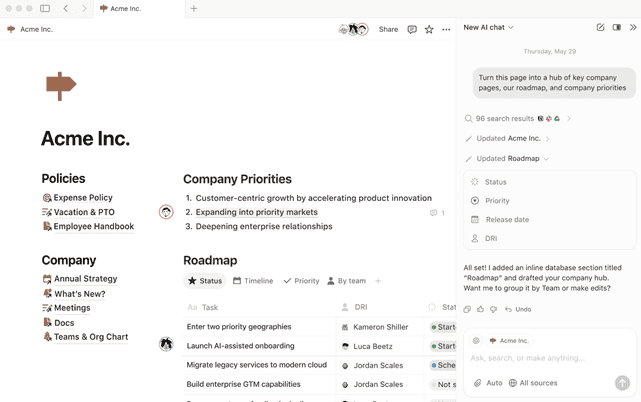
Track time estimates versus actual completion to improve future blocking accuracy. Add a “Time Spent” field to your task database and record how long work actually took. After a month, you’ll notice patterns. Maybe you consistently underestimate editing time or overestimate admin work. Use this data to create more realistic blocks going forward.
Mobile apps sync across devices so morning planning remains accessible during lunch breaks. Open Notion on your phone during your lunch break to review afternoon priorities or reschedule evening blocks based on how the day unfolded. The cross-device sync means your planning system follows you everywhere without manual updates.
What to Expect: Your First 30 Days of Time Blocking
When you start time blocking, expect 40-50% completion rates in week one as you learn to estimate task duration. You’ll discover that writing a blog post takes 90 minutes, not the 45 you allocated. Or that batch filming videos requires setup time you didn’t account for. These revelations are the point. Accurate self-knowledge only comes from tracking real performance. When you start time blocking, you’ll realize your to do list was built on fantasy timelines. A blog post you thought would take 30 minutes actually needs 90. This is progress. You’re learning to manage time based on reality.
Week 2-3 completion rates improve to around 60% as you identify actual energy patterns. You’ll realize that evening blocks never work because you’re exhausted from your day job. Or that 6am works perfectly despite your belief that you’re not a morning person. The data from your attempts reveals your real capacity, not your assumptions about it.
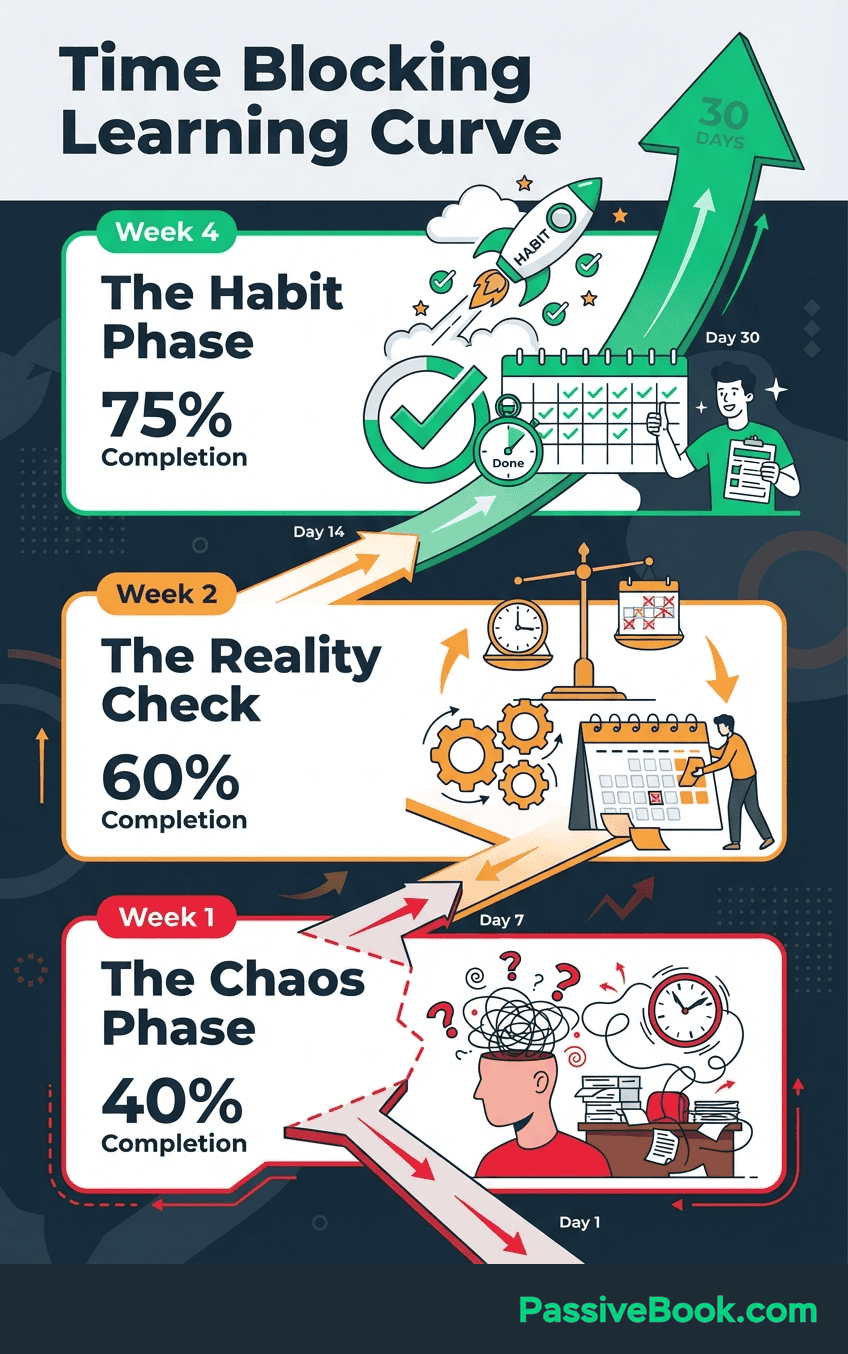
By week 4, most side-hustlers complete about three-quarters of planned blocks and reclaim 3-5 hours weekly. The improvement comes from better time estimates, strategic energy allocation, and ruthless elimination of low-value tasks. You’re not working more hours. You’re working the right hours on the right activities.
Initial discomfort is normal. Discipline compounds after 21-30 days of consistent practice. The first two weeks feel rigid and restrictive. You’ll want to abandon the system when blocks get disrupted. But the people who push through this adjustment period report that time blocking eventually feels liberating rather than constraining. Structure creates freedom by eliminating constant decision-making about what to work on next.
If you hit week 3 and feel like time blocking isn’t working, ask yourself: Am I completing 50% or more of my blocks? If yes, it IS working. You’re just comparing reality to an impossible standard. If no, you need shorter blocks or different timing, not a different system.
Managing Calendar Conflicts Between Day Job and Business
Use separate calendar apps for day job versus business planning to maintain privacy. Keep your work calendar in Outlook or whatever your employer requires. Run your business planning in Google Calendar or Notion. Never connect these systems directly. You don’t want your boss seeing “Film YouTube Video” on the company calendar during work hours.
Create a master view by subscribing to your work calendar in your personal planning tool. Google Calendar lets you add other calendars by URL, giving you a read-only view of your day job commitments. This master view shows both worlds without mixing them, helping you identify genuine gaps in your schedule for business work.
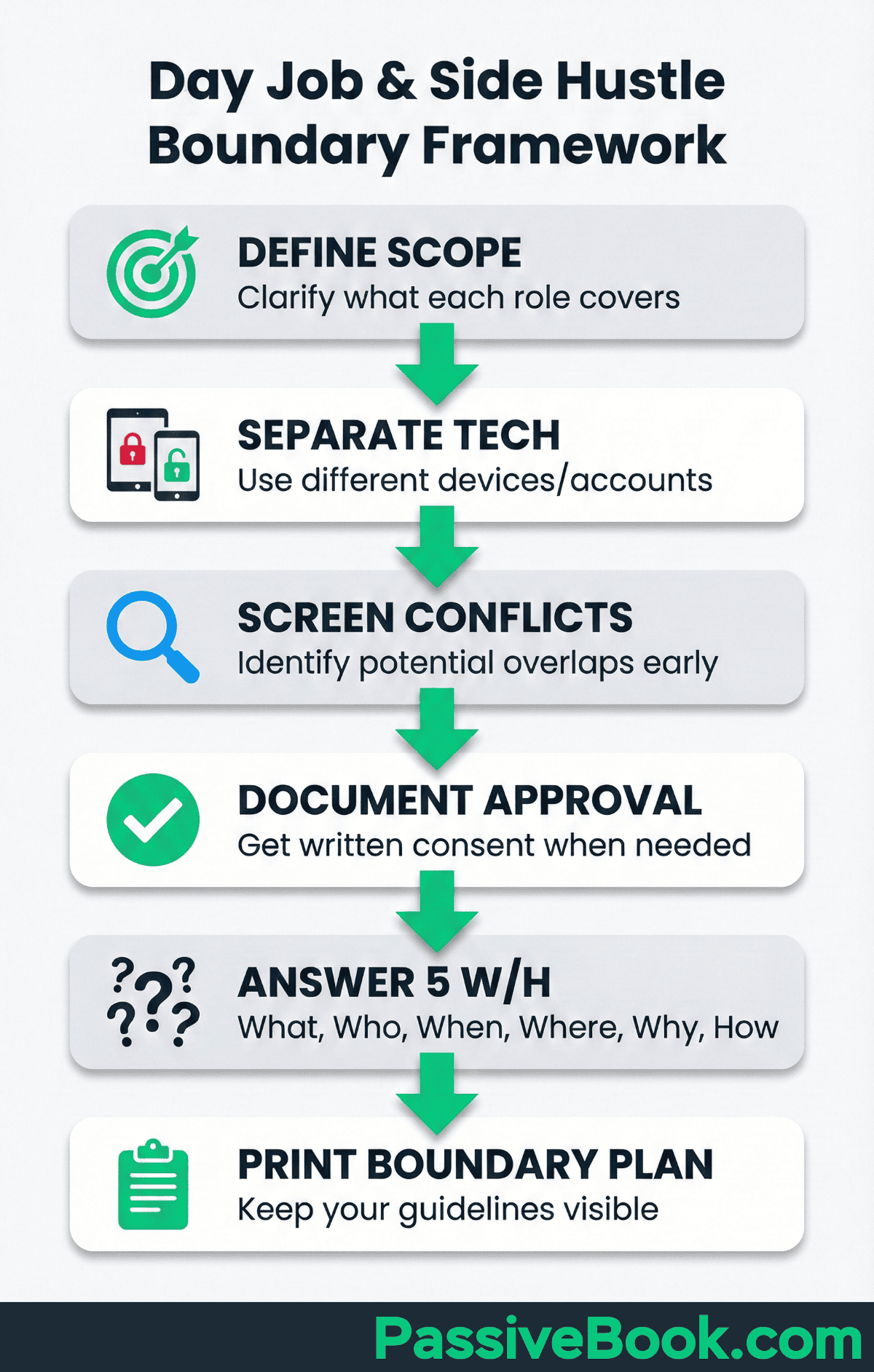
Block business time on your work calendar as generic “Focus Time” to prevent meeting encroachment. Every Monday morning, look at your business priorities for the week. Then add vague blocks to your work calendar like “Deep Work” or “Personal Appointment” during the hours you need for your business. Colleagues can’t book over these blocks, but you haven’t revealed your side business plans.
Weekly Planning and Time Audit Rituals
Research on planning effectiveness shows Sunday evening planning sessions where you start time blocking your week by reviewing your to do list improve weekly goal achievement rates. The study found that people who reviewed their upcoming week and scheduled specific actions were far more likely to complete their goals than those who simply kept a list. For side-hustlers, this Sunday ritual becomes the foundation for a productive week.
Track every activity for one full week to identify time drains and categorize tasks. Use a simple spreadsheet or note on your phone. Every time you switch activities, log what you just did and how long it took. By Sunday, you’ll have brutal clarity about where your hours actually go versus where you think they go.
Time audit studies reveal most professionals underestimate low-value activities consuming their schedules. The research shows that tasks like excessive email checking, unproductive meetings, and social media browsing often consume 10-15 hours weekly without conscious awareness. Once you see these patterns in your own time audit data, cutting them becomes obvious.
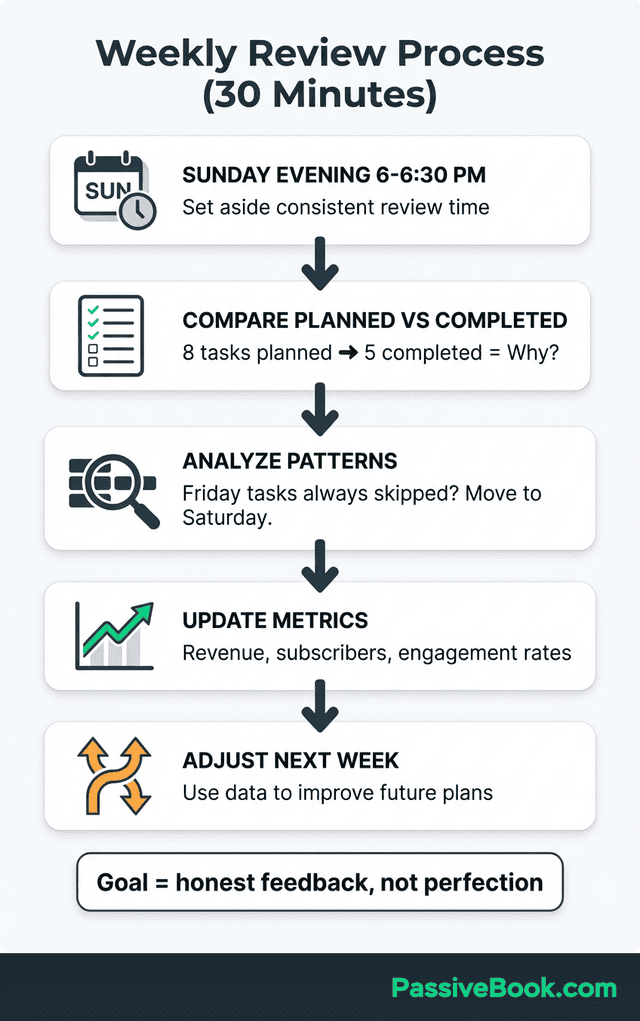
Review your previous week’s blocks to improve future duration estimates and energy allocation. Look at which blocks you completed versus which you skipped or rescheduled. Did Tuesday morning work but Thursday evening fail? Did the 60-minute writing block actually take 90 minutes? Use these insights to design next week’s schedule more accurately.
Block your business time first, then fit day job obligations around revenue priorities. This sounds backwards, but it’s essential for side-hustlers. If you schedule work first and squeeze business into whatever gaps remain, your business gets the worst time slots. Instead, block your peak energy for business, then organize everything else around those protected windows. Your limited work hours should go to revenue-generating activities, not busywork that feels productive but doesn’t grow the business.
During Sunday planning, I ask myself three questions: What will move revenue this week? When am I most alert for that work? What can I delete or delegate? This filter eliminates busywork and focuses my limited hours on activities that actually grow the business. Everything that doesn’t pass this test gets postponed or abandoned.
Time Blocking Strategies by Business Model
I’ve tried three of these five models. The scheduling patterns really are different. What worked for my podcast editing completely failed when I launched products. Match your calendar to your business model, not generic productivity advice.
Different online business models have different rhythms and energy demands. The best time blocking structure for a YouTube creator looks nothing like what works for an e-commerce seller. Below are proven frameworks tailored to specific business types, based on how successful solopreneurs in each category actually protect and use their time.
For YouTube and Podcast Creators
Creator economy research shows successful YouTubers batch production to combat burnout and algorithm pressure. The study found that creators who separated ideation, filming, and editing into distinct sessions reported lower stress and higher consistency than those who tried to produce one complete video at a time.
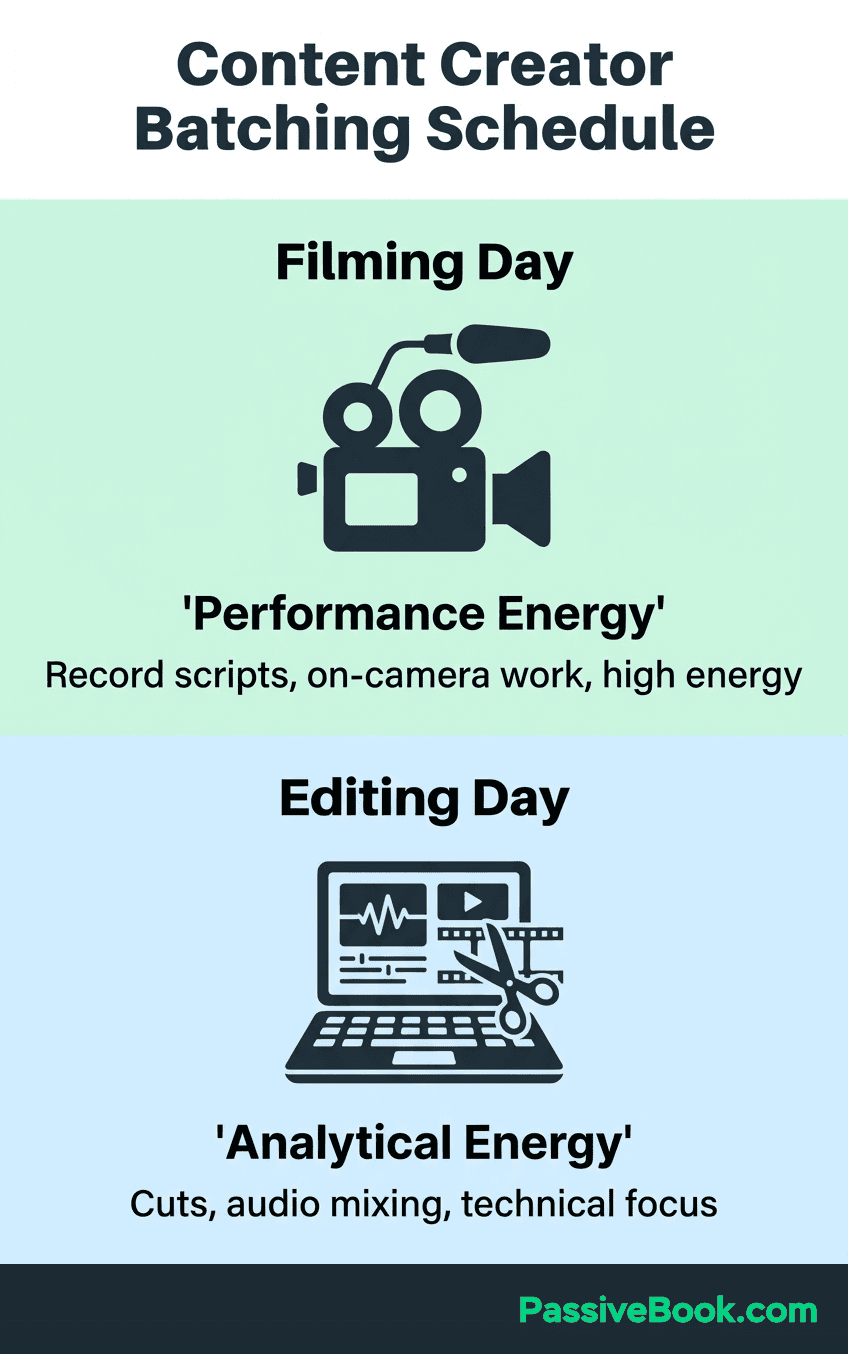
Block filming or recording days separately from editing and publishing days. Schedule Tuesdays for filming. Set up your lighting once, record three video scripts back-to-back, then shut down the equipment. Thursdays become editing days where you process all that raw footage without the pressure of performing on camera. This separation lets you optimize for different mental states.
Schedule ideation blocks during commute time using voice notes on your phone. You don’t need dedicated desk time to brainstorm video topics or script outlines. Open your voice recorder app during your morning commute and talk through ideas as if explaining them to a friend. By the time you reach your desk for a filming block, you already have material ready.
Reserve different energy types for different content stages to maximize output. Filming requires performance energy. You need to be animated, clear, and engaging. Editing requires analytical energy. You’re making technical decisions about cuts and pacing. Thumbnail design requires creative energy. You’re thinking visually about what grabs attention. Don’t force all three into one session when your energy naturally shifts throughout the day.
For E-commerce and Print-on-Demand Sellers
Emily Odio-Sutton built a six-figure Etsy business working 10 hours weekly by blocking early morning hours. She protected 5:30-7:30am before her publishing job for product research and supplier communication. Those two daily hours, consistently defended, generated more results than sporadic evening work that competed with exhaustion and family time.
Block product research and supplier outreach for early morning windows before your day job. Your brain is fresh, your inbox is empty, and nobody is interrupting you yet. Use this time to evaluate trending products, reach out to suppliers with specific questions, or optimize your existing listings. The clarity of morning hours makes research more efficient than late-night sessions.
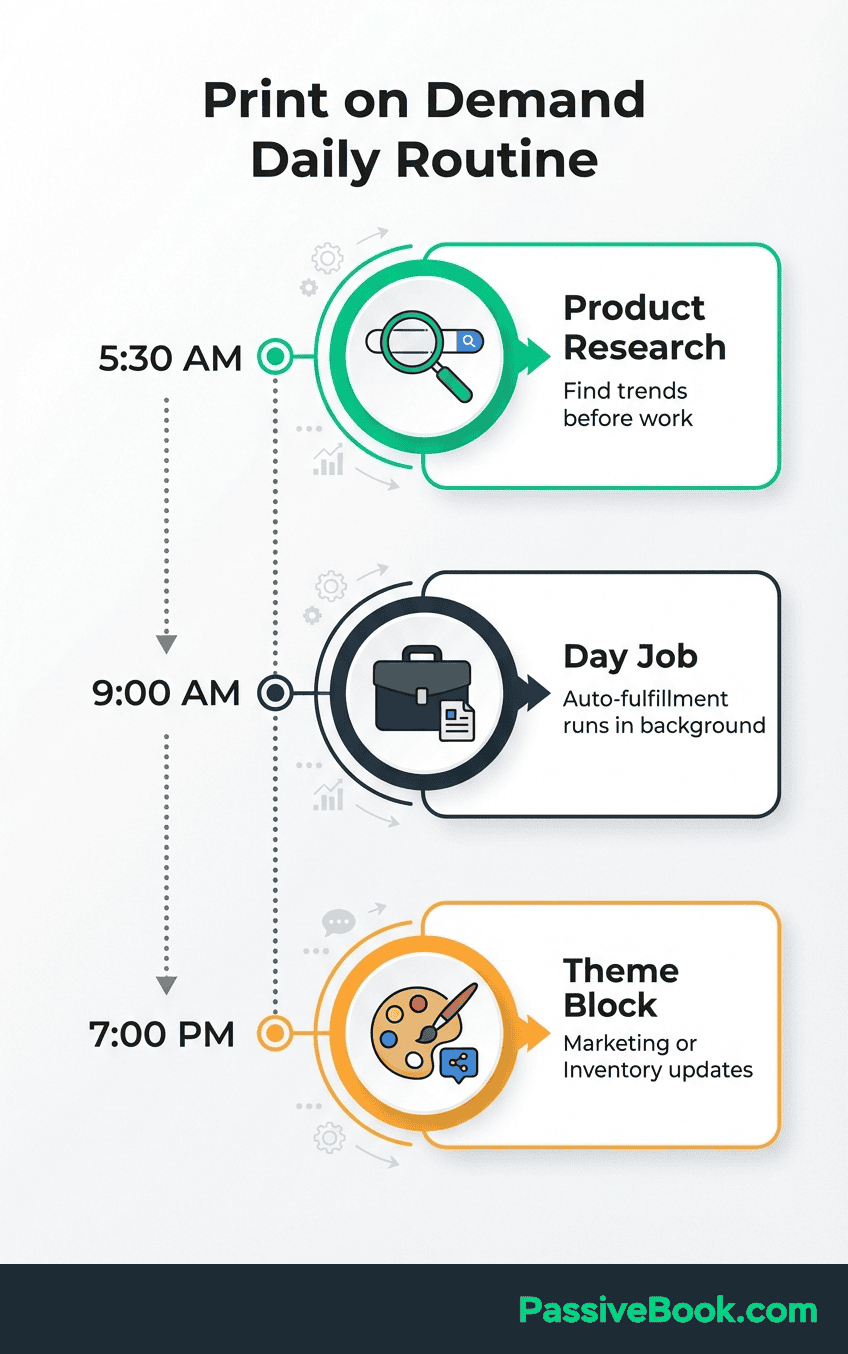
Use automation tools to handle order processing during day job hours. Set up automated order forwarding to your print-on-demand supplier so customer purchases get fulfilled without your involvement. Configure templated responses for common customer questions. The goal is to let your business operate during the 9-5 without constant manual intervention.
Theme specific days for inventory management versus marketing activities to reduce context switching. Mondays handle all inventory-related work: updating listings, checking supplier stock, analyzing which products to discontinue. Wednesdays focus entirely on marketing: creating social media posts, running ads, engaging with your audience. This thematic separation prevents the mental whiplash of jumping between operational and promotional work.
For Course Creators and Coaches
Online course creators report batching content creation in focused blocks increases course completion rates. The article highlights that creators who dedicate full days to recording course modules finish their courses faster and with higher production quality than those who try to create one lesson at a time between other obligations.
Batch all client calls on specific days to preserve content creation time. If you offer coaching alongside courses, schedule all client sessions on Tuesdays and Thursdays only. Never let individual coaching calls fragment your entire week. This creates uninterrupted blocks on Monday, Wednesday, and Friday for course development, marketing, or strategic work that actually grows the business.
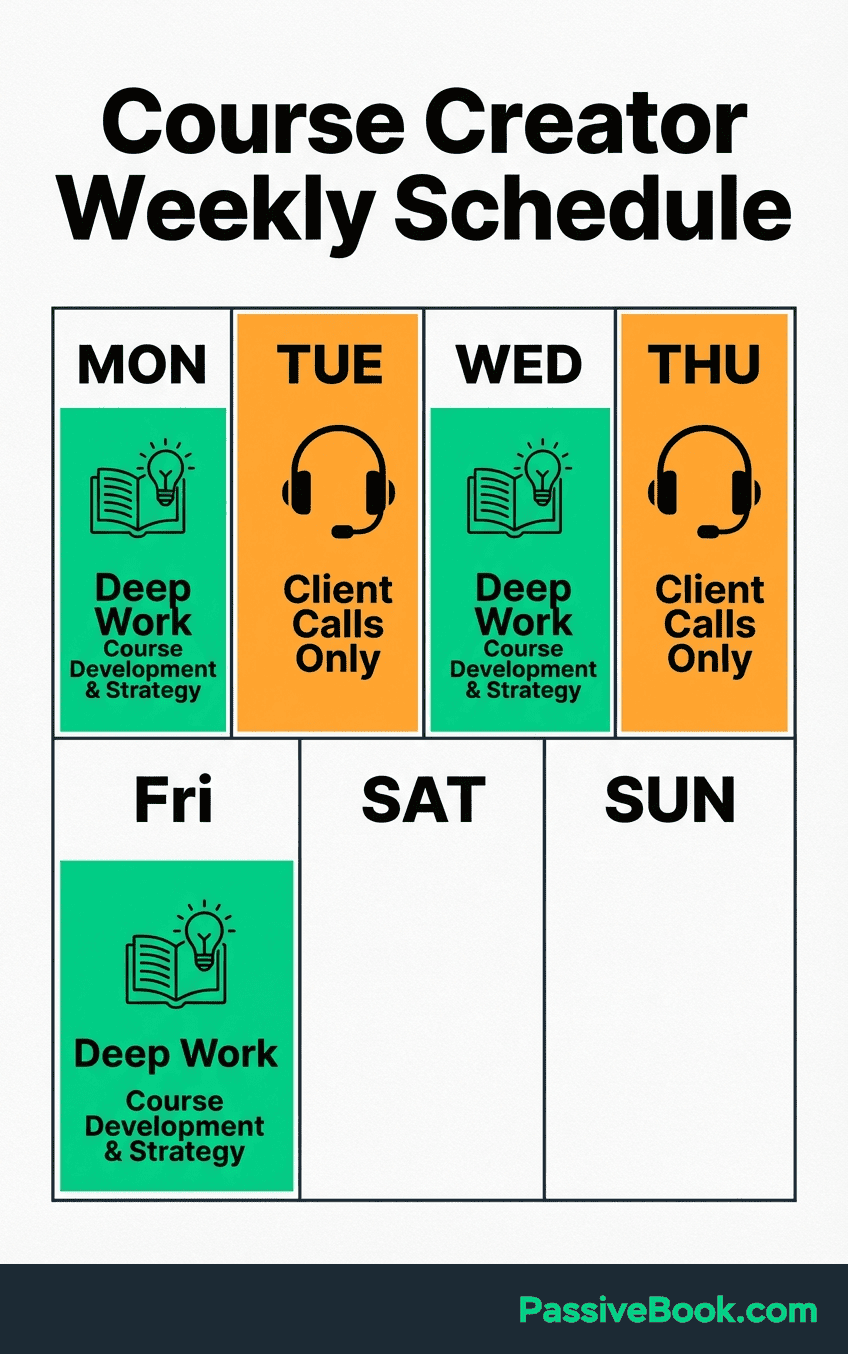
Block course development in 90-minute sprints with 20-minute breaks between sessions. Creating educational content requires sustained focus to maintain coherent narrative flow across lessons. Set a timer for 90 minutes, outline and record one complete module, then fully disconnect for 20 minutes before starting the next module. This rhythm prevents the fragmented courses that students struggle to follow.
Separate planning blocks from delivery blocks for different cognitive demands. Course planning (deciding what to teach, in what order, with which examples) requires creative strategic thinking. Course delivery (recording videos, writing workbooks, building quiz questions) requires execution focus. Don’t try to plan and deliver in the same session. Wednesday morning might be your planning block, while Saturday morning handles the actual recording.
Frequently Asked Questions
Is Time Blocking Good for ADHD (Attention Deficit Hyperactivity Disorder)?
Time blocking can work well for ADHD when adapted to account for executive function challenges. The structure provides external accountability that ADHD brains often need, but rigid schedules without buffer time usually fail. Research suggests people with ADHD benefit from shorter blocks like 25-minute pomodoros rather than 2-hour sessions, and visual cues like color-coded calendars help maintain focus. Some people find it’s a great way to externalize structure their brain doesn’t provide internally. But don’t force yourself to just make it work if pomodoros feel restrictive. Experiment with longer or shorter intervals. Start with just blocking your highest-priority task each day rather than attempting to schedule every minute.
What Next?
You now have the frameworks to transform scattered hustle into focused progress. Time blocking won’t eliminate the challenge of building a business alongside a day job, but it will ensure your limited hours actually compound into meaningful results. The difference between solopreneurs who succeed and those who burn out often comes down to protecting specific time slots and using them strategically rather than just working harder.
Building an online business as a side-hustler is really difficult. You’re competing against people with more time, more money, and more energy. But those advantages disappear when you master time blocking. Consistency beats intensity every time. The person who protects three 90-minute blocks weekly and actually uses them will outpace someone working random 6-hour marathons once a month.
If you found this guide valuable, hit the share buttons below and send it to another side-hustler fighting for time. Better yet, leave a comment with your biggest time blocking challenge. What’s preventing you from protecting your business hours right now? Is it day job unpredictability, family obligations, or just not knowing where to start? Share your specific situation and let’s problem-solve together.
Share this post with your friends & followers: