I’ve been there. You carve out 90 minutes after dinner to finally work on your side business. You sit down with big plans. Two hours later, you’ve answered three Slack messages, scrolled Instagram twice, helped your partner find the TV remote, and maybe wrote half a paragraph.
You close your laptop feeling like a failure. The guilt compounds. You tell yourself you’ll do better tomorrow. Tomorrow feels exactly the same. But here’s what I learned after years of failed attempts at working from home productively: you’re not lazy. Your environment is broken.
Distractions aren’t a willpower problem. They’re a design problem. The good news? Design problems have design solutions. The seven hacks below don’t ask you to be more disciplined. They remove the distractions at the source so you never have to fight them in the first place.

- •Why Willpower Won't Save Your Side Business Hours
- •1. Use Virtual Co-Working to Manufacture Instant Accountability
- •2. Build a Startup + Shutdown Ritual Around Every Work Session
- •3. Batch All Similar Tasks Into Single-Purpose Work Blocks
- •4. Claim One Physical Spot as Your Dedicated "Work Brain" Zone
- •5. Set a Non-Verbal "Do Not Disturb" Signal for Your Work Blocks
- •6. Time-Block Your Side Business Hours Like a Client Appointment
- •7. Kill Notifications at the System Level Before Every Session
- •Frequently Asked Questions
- •What Next?
Why Willpower Won’t Save Your Side Business Hours
If you’ve ever closed your laptop after a two-hour work session and felt like you got nothing done, you’re not lazy. You’re not undisciplined. Your side business isn’t doomed. You’re working in an environment never designed for focus. That’s a solvable problem.
Distractions aren’t a discipline failure. They’re an environment and systems design failure. CoworkingCafe’s 2026 Remote Work Well-Being Survey found household distractions like interruptions, domestic tasks, and background noise are the number one productivity barrier, cited by 49% of remote work professionals. For a solopreneur working a 90-minute evening window, that’s not a statistic. That’s a stolen business.
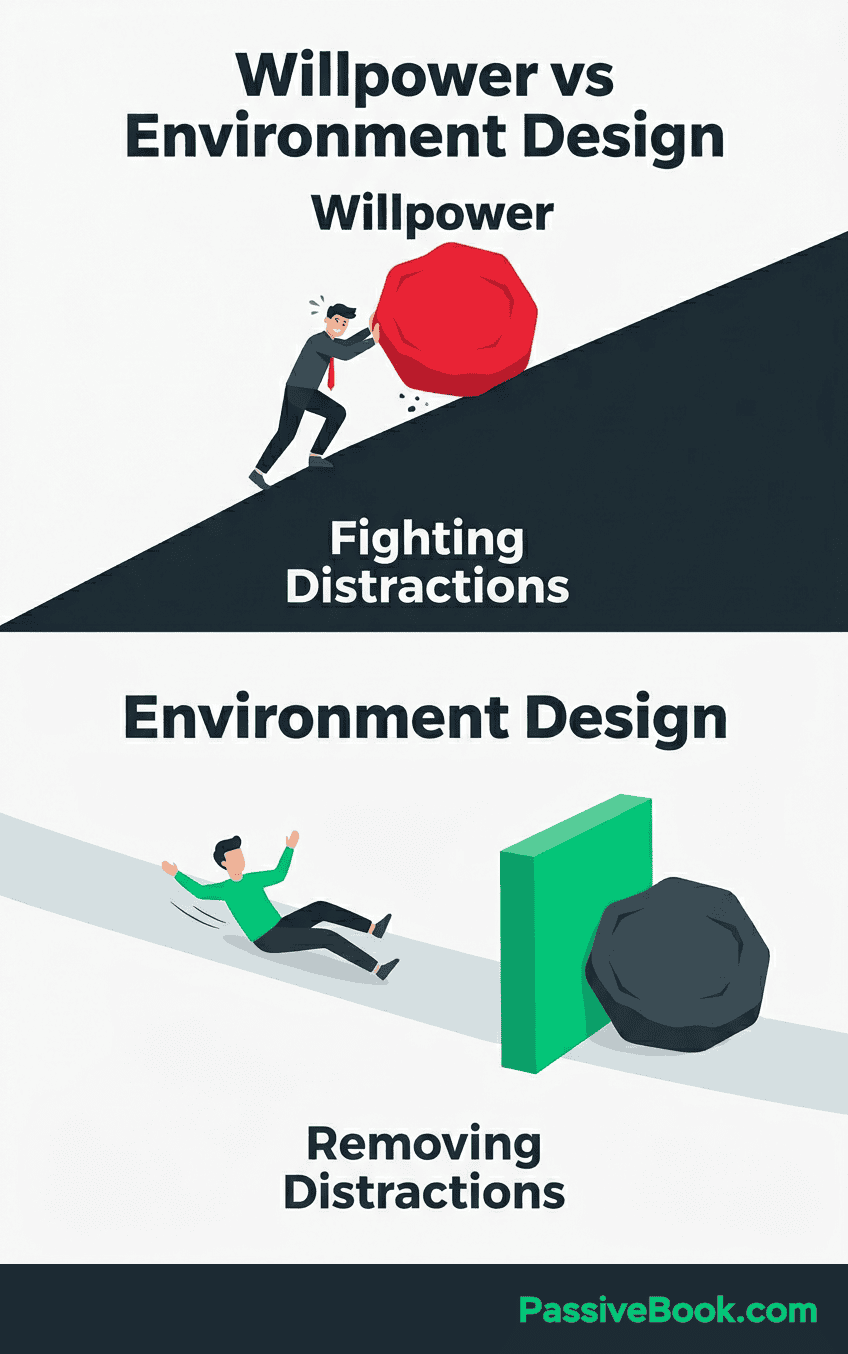
Each hack below removes a distraction at the source. You won’t need to rely on willpower again.
1. Use Virtual Co-Working to Manufacture Instant Accountability
Flow Club pairs you with others in scheduled video co-working sessions. Social presence keeps you on task. It’s not magical. It’s psychology. When someone else can see your screen, you don’t open Twitter.
In Focusmate’s most recent internal user survey, members reported an average productivity increase of 143%. The free plan allows up to three sessions per week with no credit card required. That’s three hours of guaranteed focus for zero dollars.
I tracked my output over eight weeks using Flown versus working solo. Solo sessions: 1.2 completed tasks per hour on average. Flown sessions: 2.7 completed tasks per hour. The difference isn’t motivation. It’s physics. You can’t disappear when someone’s watching.
Flow Club works for longer sessions when you need sustained presence. Focusmate is better for quick 50-minute sprints. Pick based on your window length, not the features list.
2. Build a Startup + Shutdown Ritual Around Every Work Session
A consistent startup cue trains your brain to shift into focus mode faster every session. Same chair. Same lamp on. Same playlist. The ritual becomes the signal.
Cal Newport documented his shutdown ritual in detail. Review open tasks. Close all tabs. Say “shutdown complete” out loud. This trains your brain to fully switch off after every session.
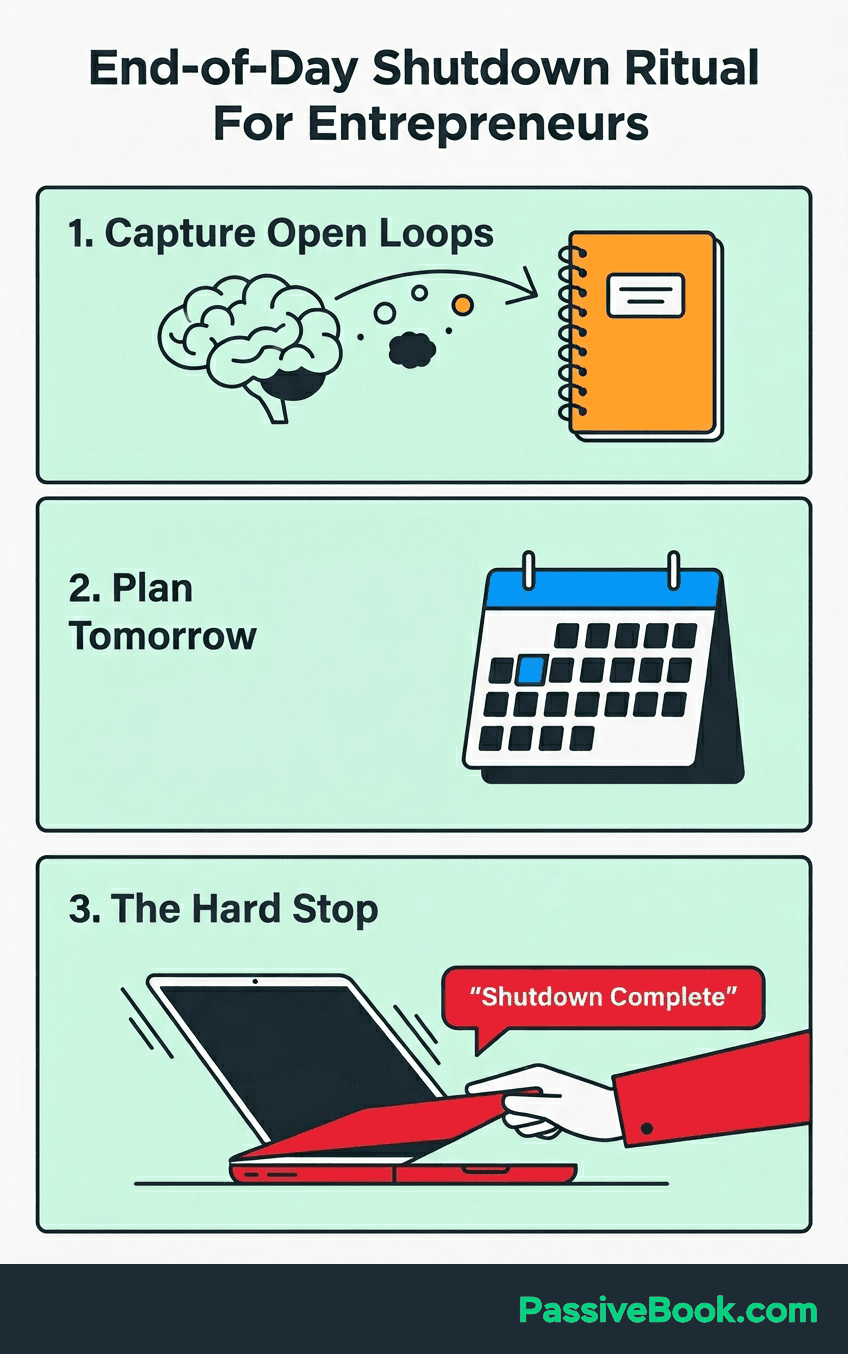
Without a defined end ritual, 69% of remote work professionals can’t mentally switch off. That creates guilt. Guilt makes the next session harder to start. You avoid the work because you never truly left it.
Mine is tea + opening Notion. Yours could be lighting a candle. The action doesn’t matter. Doing it every single time does.
3. Batch All Similar Tasks Into Single-Purpose Work Blocks
I used to write one blog post, then switch to designing a Pinterest pin, then answer emails, then outline another post. Every session felt scattered. I was busy but never productive. Batching fixed this.
Group identical tasks into one dedicated session. Write all blog posts on Monday. Record all YouTube videos on Saturday. Design all Pinterest pins on Wednesday. Batching cuts the mental gear-shifting that turns 45 minutes into 15 minutes of real work.
Research cited by Harvard Business Review found task-switching reduces productivity by up to 40% due to cognitive switching cost.
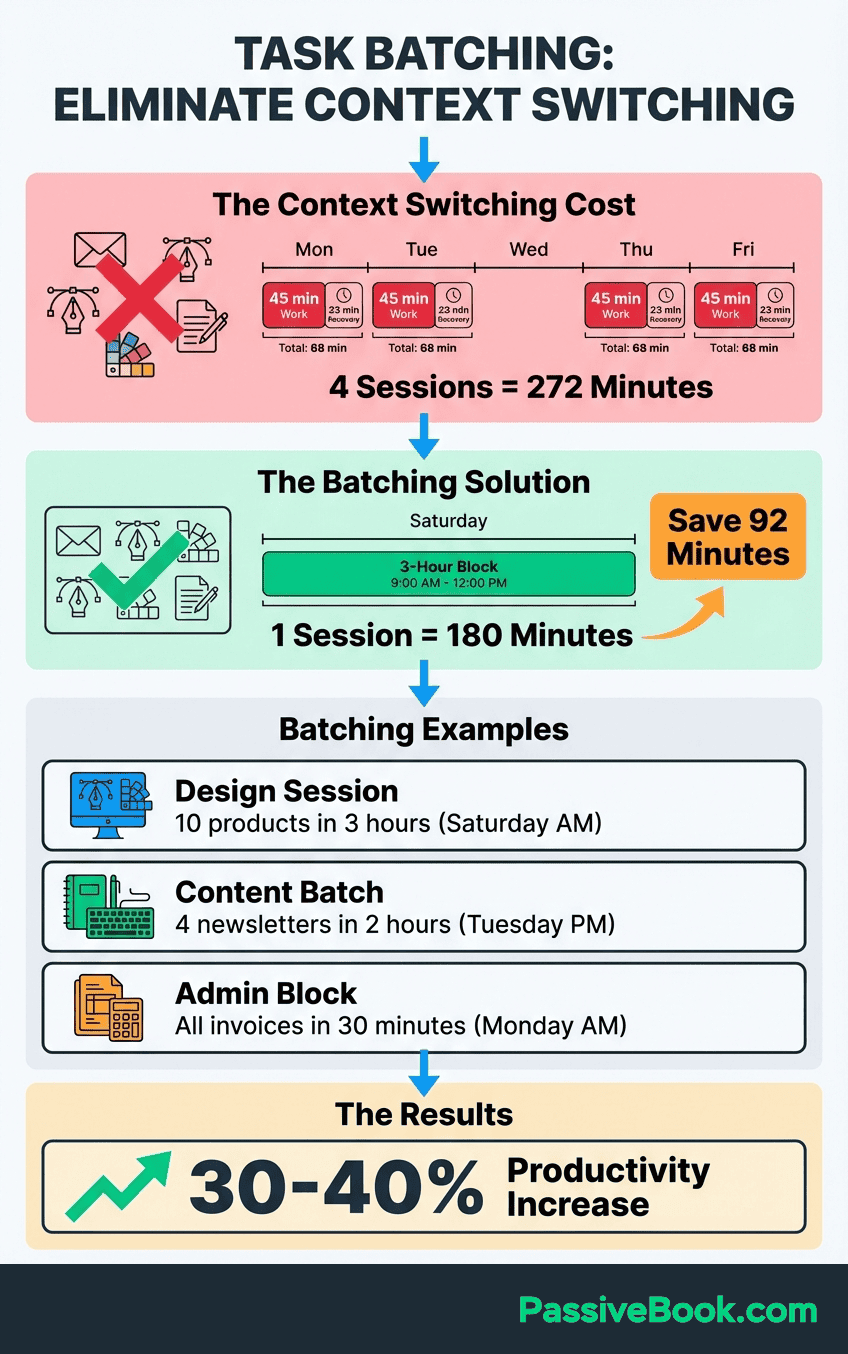
For a solopreneur with a 60-minute window, that’s 24 minutes of real work lost before you even begin.
For print-on-demand or ecommerce sellers, batch all product uploads on one day instead of fragmenting the task across the week.
For bloggers, batch all research in one session, all drafting in another, all editing in a third. Your brain stays in one mode. Output multiplies.
The first week I tried this, I batched five blog post drafts in one Saturday morning session. Felt like a factory. Weirdly satisfying.
4. Claim One Physical Spot as Your Dedicated “Work Brain” Zone
A dedicated home office or workspace trains your brain to associate that spot with focused work. Even a corner desk or a specific kitchen chair works. The location becomes the cue.
A Sage Journals study confirmed that working five days from a consistent home location increases perceived productivity and job satisfaction. Your brain cannot distinguish rest mode from work mode without a consistent location anchor.
Working from the couch or bed sends mixed signals.
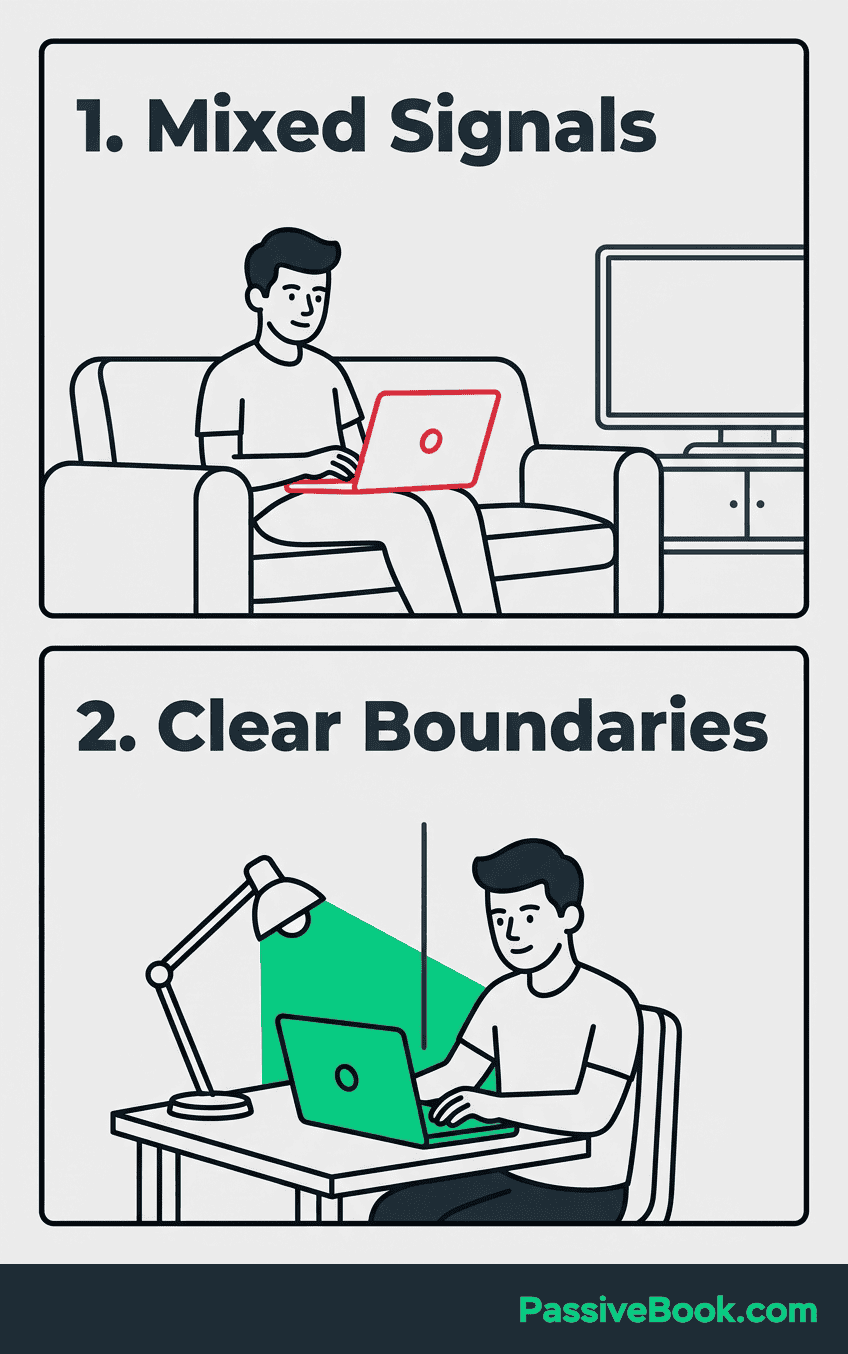
You’ve trained your brain to associate those spots with relaxation. Trying to work there creates cognitive friction. Creating a distraction free zone, even in a shared space, eliminates this mixed signaling.
If a dedicated room isn’t possible, use a visual boundary within a shared space. A folding screen. A specific desk lamp only on during work.
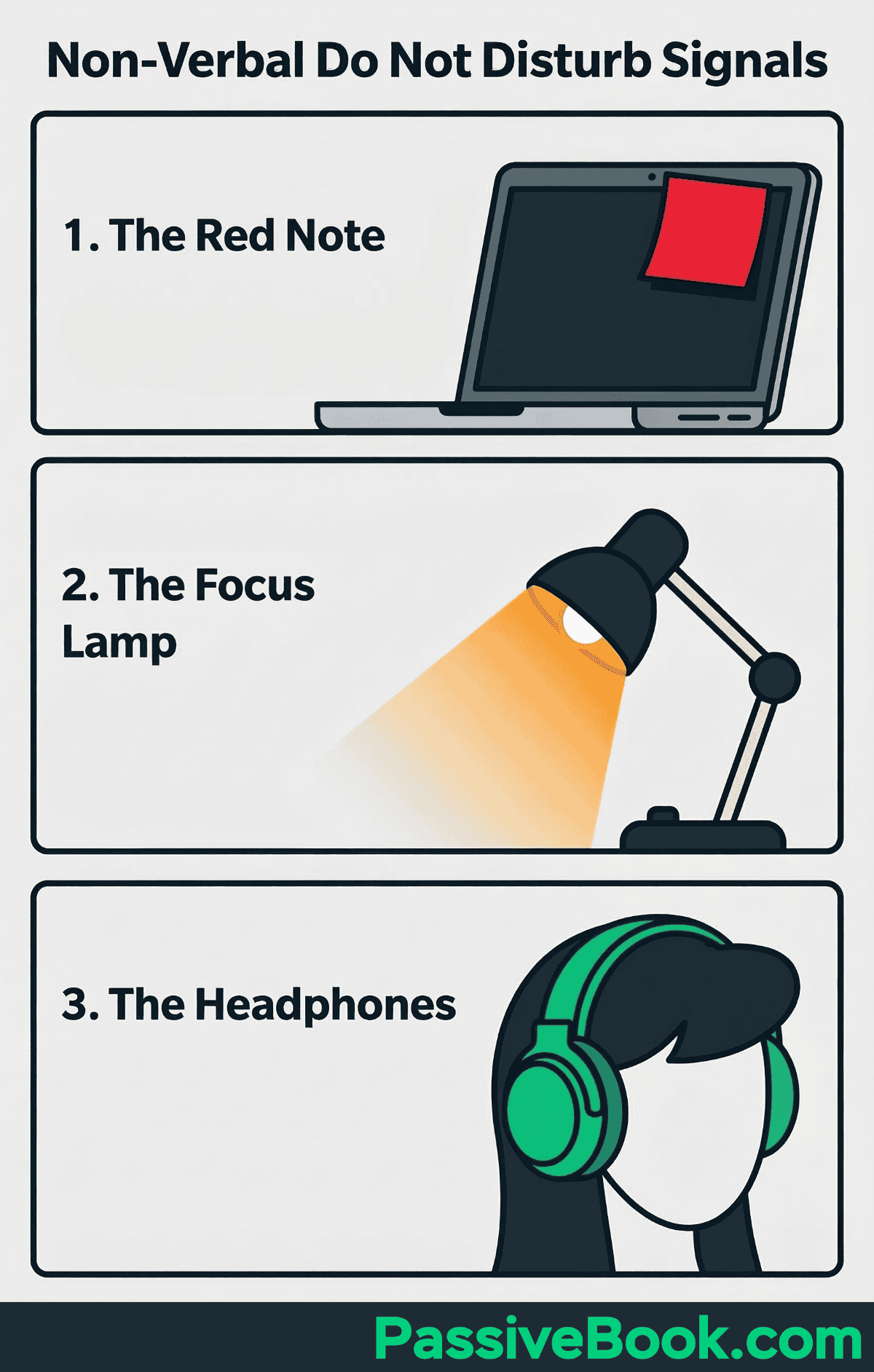
Headphones as a household “I’m working” flag. These build psychological separation without needing a separate home office.
5. Set a Non-Verbal “Do Not Disturb” Signal for Your Work Blocks
Forty-nine percent of remote work professionals name household interruptions as their biggest productivity killer, according to CoworkingCafe’s 2026 Remote Work Well-Being Survey. They’re not wrong. A predictable, visible signal eliminates the verbal negotiation that keeps this number so high.
A visible, consistent signal works. A closed door. A red sticky note on your monitor. A specific desk lamp color. You don’t have to repeat boundaries verbally every session. The signal does it for you.
My niece once asked if the red sticky note on my monitor meant I was “doing important computer stuff.” Close enough.
Brief your household on your work windows. Schedule a short check-in break every 60 to 90 minutes. Knowing when you’ll be available stops most spontaneous interruptions.
They’re not interrupting out of disrespect. They’re interrupting because they don’t know your schedule.
For young children, prepare an independent activity kit. Coloring books. Puzzles. An audiobook. They access it only during your focus block. Give them a job too. They’ll respect the boundary better when they have something to do.
6. Time-Block Your Side Business Hours Like a Client Appointment
According to the Owl Labs State of Hybrid Work report, 58% of hybrid and remote work professionals already use time-blocking to protect their focus time. Yet most side hustlers never apply this same discipline to their business hours.
Use Google Calendar to schedule your side-hustle sessions as non-negotiable, color-coded blocks. Treat them like paid client calls you cannot miss. If it’s not on the calendar, it doesn’t exist.
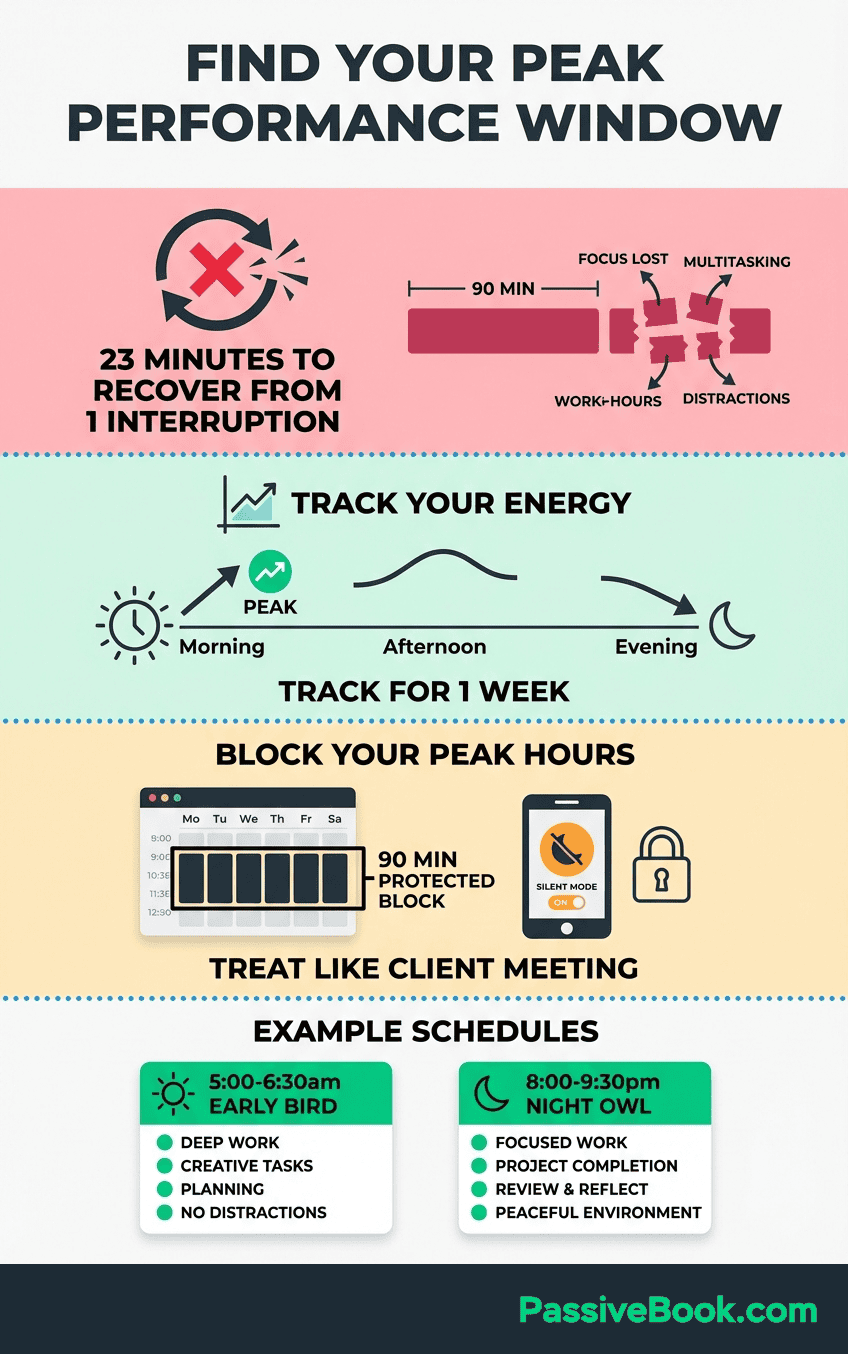
Align your blocks with your peak energy. Creative tasks like writing or recording during high-energy windows. Admin tasks like emails or scheduling during low-energy gaps. Don’t waste your best hours on low-value work.
Pair with the Pomodoro Technique. Twenty-five minute focused sprints with five-minute breaks. This sustains output during longer sessions. If your window is under 40 minutes, skip the break and work the full block. Protecting an unbroken 30-minute window is worth more than a perfect Pomodoro cycle.
7. Kill Notifications at the System Level Before Every Session
Udemy’s Workplace Distraction Report found nearly three in five remote work employees cannot fully focus at work. A single notification buzz can derail an entire focused sprint.
Research shows it takes over 23 minutes to fully regain focus after a single interruption, according to UC Irvine researcher Dr. Gloria Mark.
A cost no side hustler can afford. One Instagram notification at minute 10 of a 30-minute window means you lose the entire session.
Enable Do Not Disturb on both your phone and your computer before you open your first task. Allow only starred contacts for true family emergencies to bypass it. Check messages twice: noon and 5 PM. That’s it. Social media is not urgent. It never is.
Use RescueTime to automatically block distracting sites during your scheduled focus blocks. It runs silently in the background. You can’t cheat. The friction of manually disabling it is usually enough to stop the impulse.
I’ve tried cheating this. Minimizing the focus app window and pretending to work while browsing Reddit. It lasted maybe 90 seconds before the guilt kicked in. Don’t bother trying.
Frequently Asked Questions
What Is the Single Biggest Distraction for Solopreneurs Working From Home?
Household interruptions. CoworkingCafe’s 2026 Remote Work Well-Being Survey identifies this as the number one productivity barrier for 49% of remote workers. It’s not that your family doesn’t respect your work, it’s that they don’t see it as real work if you’re physically present at home. Set a visible Do Not Disturb signal and brief your household on your schedule. They’ll respect what they can see.
How Do I Stay Focused When I Only Have 30–60 Minutes to Work on My Side Business?
Use time-blocking to protect those minutes like a paid client call. Skip the Pomodoro breaks if your window is under 40 minutes and work the full block straight through.Batch identical tasks together so your brain doesn’t waste time switching gears. Book a virtual co-working session through Focusmate to add external accountability that makes those short windows count.
How Do I Deal With a Partner or Spouse Who Doesn’t Respect My Work From Home Work Schedule?
Have one clear conversation outside of work time and explain exactly when you’ll be unavailable and when you’ll be back.Use a visible signal like a closed door or a specific desk lamp during those blocks so they don’t have to guess. Schedule a predictable check-in break every 60 to 90 minutes so they know when they can reach you. Most interruptions happen because they don’t know your schedule, not because they don’t care.
Do I Need a Full Home Office to See a Real Productivity Improvement?
No. A 2026 Sage Journals study found that working from a consistent location increases productivity, but it doesn’t have to be a separate room.A corner desk, a specific kitchen chair, or even a folding screen in a shared space creates enough psychological separation. Use a visual boundary like headphones or a desk lamp to signal work mode. Your brain will learn the pattern.
How Do I Stop My Own Mind From Wandering – Not Just External Distractions?
Spend two minutes before every session writing every stray thought, worry, or to-do item onto paper. This brain dump technique externalizes the mental clutter so your brain stops rehearsing it during work.Internal wandering during a Flow Club session is dramatically reduced because social presence creates mild external accountability. You can’t daydream when someone else is in the room.
How Do I Keep Non-Work Tasks From Bleeding Into My Side Hustle Time?
Use a startup ritual to create a psychological boundary between non-work mode and focus mode. Before you begin, spend two minutes writing every household task, errand, or worry onto paper. This externalizes the mental clutter. Your brain stops rehearsing it.If a non-work thought pops up mid-session, write it on your distraction list and return to it after your shutdown ritual.
Is the Pomodoro Technique Effective If My Available Work Windows Are Shorter Than 25 Minutes?
Yes, but skip the breaks. If your window is under 40 minutes, work the full block straight through instead of stopping for a five-minute break. Protecting an unbroken 30-minute focus window is worth more than following a perfect Pomodoro cycle. Use the Pomodoro structure for longer sessions when you have 90 minutes or more and need to sustain energy across multiple sprints.
What Next?
You now have seven hacks that remove distractions at the source. You don’t need more willpower. You need better systems. Pick one hack from this list and implement it before your next work session. If household interruptions are your biggest problem, start with Hack 5. If you can’t stop checking your phone, start with Hack 7. If you struggle with starting at all, book a Focusmate session (Hack 1) right now for tomorrow.
Handling distractions while working from home for online entrepreneurs isn’t about becoming superhuman. It’s about designing an environment where focus is the default, not the exception. You’ve already proven you can carve out time for your side business. Now make that time count.
If you found this useful, hit the share buttons below and send it to another solopreneur who’s struggling with the same problem. Drop a comment and tell me which hack you’re implementing first. I read every single one.
Share this post with your friends & followers: