I used to check email 40+ times per day. Between customer questions from my ecommerce experiments, collaboration pitches for the blog, course launch notifications, and an endless stream of newsletters I signed up for as “research,” my inbox controlled my schedule. Every notification pulled me out of writing, product research, or content planning. The worst part? Most of those emails didn’t deserve my attention at all.
If you’re drowning in emails while trying to grow your online business, you’re not imagining the problem. The strategies below are the exact systems I implemented to reduce email overload and reclaim those hours. Most take under 30 minutes to set up and cost nothing.
You’re probably carrying guilt about unanswered emails right now. Let me say this clearly: you are not obligated to respond instantly. A 24–48 hour response window is the professional standard, and most clients don’t expect real-time replies. The pressure you feel is self-imposed, and the systems below will help you let go of it.

- •What Email Overload Is Really Costing Your Solo Business
- 7 Email Systems That Actually Work for One-Person Businesses
- •System 1: The Subscription Purge - Eliminating Volume at the Source
- •System 2: The Two-Address Email Architecture
- •System 3: The Smart Filter and Label Framework
- •System 4: The Canned Response Library
- •System 5: The Boundary-Setting Auto-Responder
- •System 6: The Email Batching Protocol - The System That Makes All Others Stick
- •System 7: AI-Assisted Triage - the Paid Upgrade That Automates Everything Else
- •Frequently Asked Questions
- •What Next?
What Email Overload Is Really Costing Your Solo Business
Email isn’t just annoying. It’s silently destroying your most valuable resource: focused work time.
McKinsey research confirms knowledge workers spend 28% of their workweek on email. For a solopreneur carving out 15 hours per week around a day job, that’s over 4 hours lost to inbox management alone. That’s four hours you could spend creating content, building products, or connecting with customers.
The volume itself has become unsustainable.
Microsoft’s Work Trend Index revealed the average knowledge worker now receives 117 emails per day, with 40% of people checking email before 6 AM. Unlike a team that can distribute that load, a solopreneur absorbs every single message.
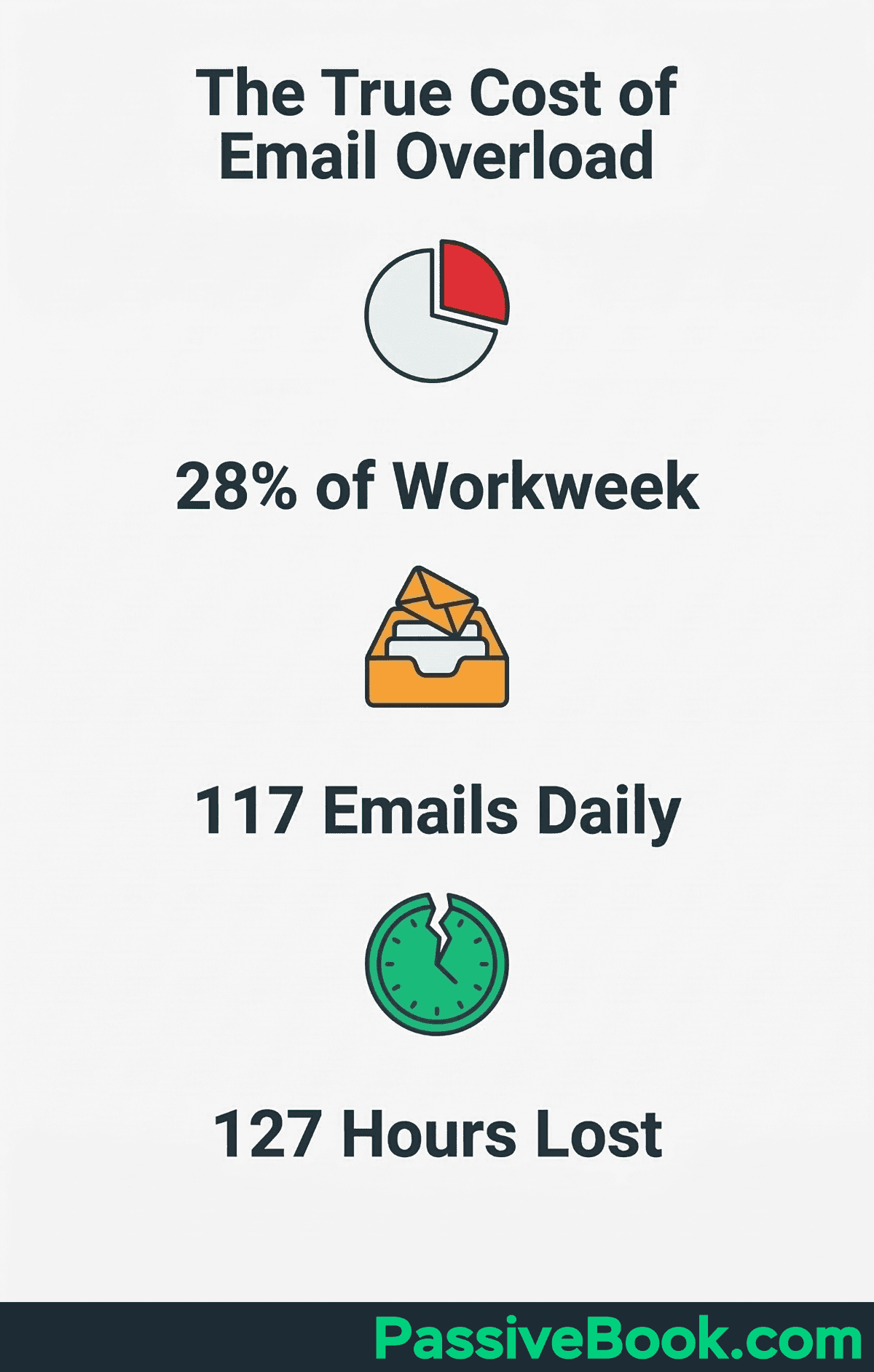
127 hours lost annually just to regaining focus after email interruptions. That’s roughly 15 full working days per year spent rebuilding concentration you already had.
The “Inbox Zero” obsession makes this worse. The quest for a clean inbox creates counterproductive anxiety that distracts from higher-value work. You don’t need zero unread emails. You need a system that processes the right messages at the right time.
One final reality check: a 24–48 hour response time is the accepted professional standard. You are not obligated to respond instantly, and most clients don’t expect it. The pressure you feel is often self-imposed.
7 Email Systems That Actually Work for One-Person Businesses
These aren’t theoretical productivity hacks. They’re structural changes you implement once and benefit from daily.
Systems 1–6 are entirely free and each takes under 30 minutes to set up. Start there before spending a cent. System 7 is the optional paid upgrade, designed for after the free foundation is in place.
Each system can stand alone, but they compound. Every system you add makes the others more effective. A subscription purge reduces the volume your filters must process. Your two-address architecture feeds cleaner data to your labels. Your canned responses become faster to deploy when batching focuses your energy.
The order matters. Most solopreneurs try batching first and fail because the volume is still overwhelming. Start by cutting what arrives, then organize what remains, then control when you engage with it.
System 1: The Subscription Purge – Eliminating Volume at the Source
The fastest way to reduce email overload is to stop emails from arriving in the first place.
Course creators and bloggers are vulnerable to this problem. Newsletters you signed up for as “research” often account for 30–50 emails per week delivering zero revenue.
Every productivity newsletter, every marketing digest, every “weekly roundup” from a tool you tried once adds up. I once found 19 different newsletter subscriptions from “productivity experts” telling me how to save time. The irony was not lost on me.
SaneBox’s inbox data shows only 24% of received emails warrant inbox placement. That means 76% of what lands in your email inbox should never arrive. Subscriptions are the easiest category to eliminate permanently.
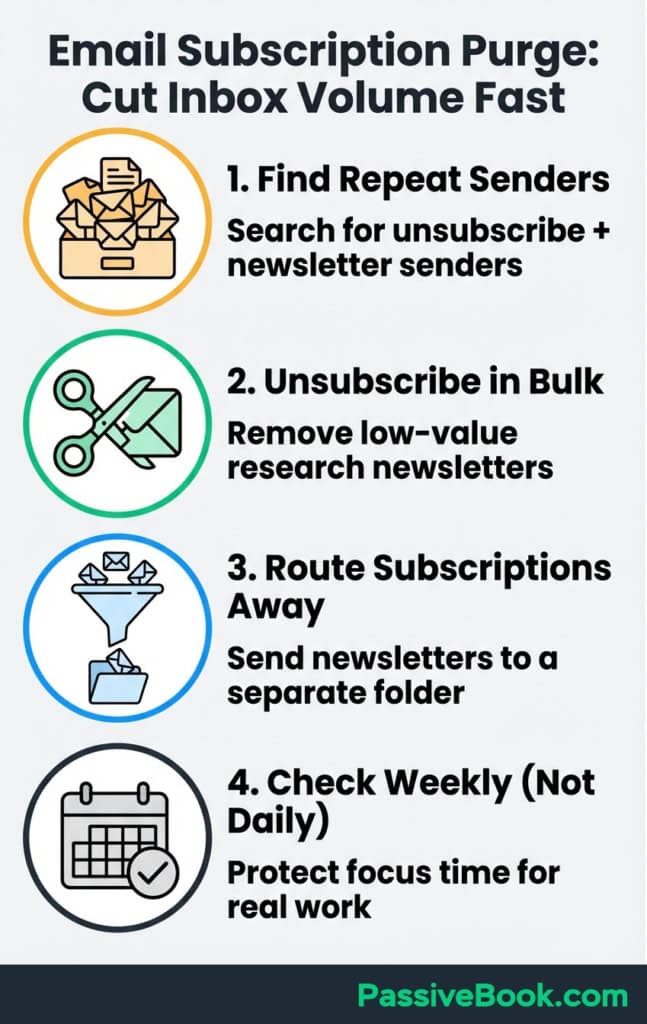
Use Leave Me Alone to audit and bulk-unsubscribe in a single focused session. It’s privacy-focused and surfaces all subscriptions in one dashboard. You’ll see exactly which senders flood your inbox and unsubscribe with one click.
From now on, route all new subscriptions to a dedicated `[email protected]` address. Route it to a separate folder you check weekly or monthly. This keeps subscriptions from polluting your primary working inbox again.
The subscription purge is a one-time action with permanent ROI. Do it first.
System 2: The Two-Address Email Architecture
Here’s the truth: you can’t discipline your way out of a structural problem. If all email types flow to one address, you’ll never escape the noise.
Route email types to separate addresses from the start. One address handles clients and real conversations. One public address absorbs cold pitches, PR requests, and form submissions. This single structural decision means your primary inbox contains only emails requiring a genuine decision.
I learned this the hard way after watching a client pitch land in the same inbox as a shipping notification for socks I ordered at 2 AM.
Everything else gets checked on a lower-priority schedule. You’re not ignoring it. You’re processing it when it doesn’t interrupt revenue-generating work.
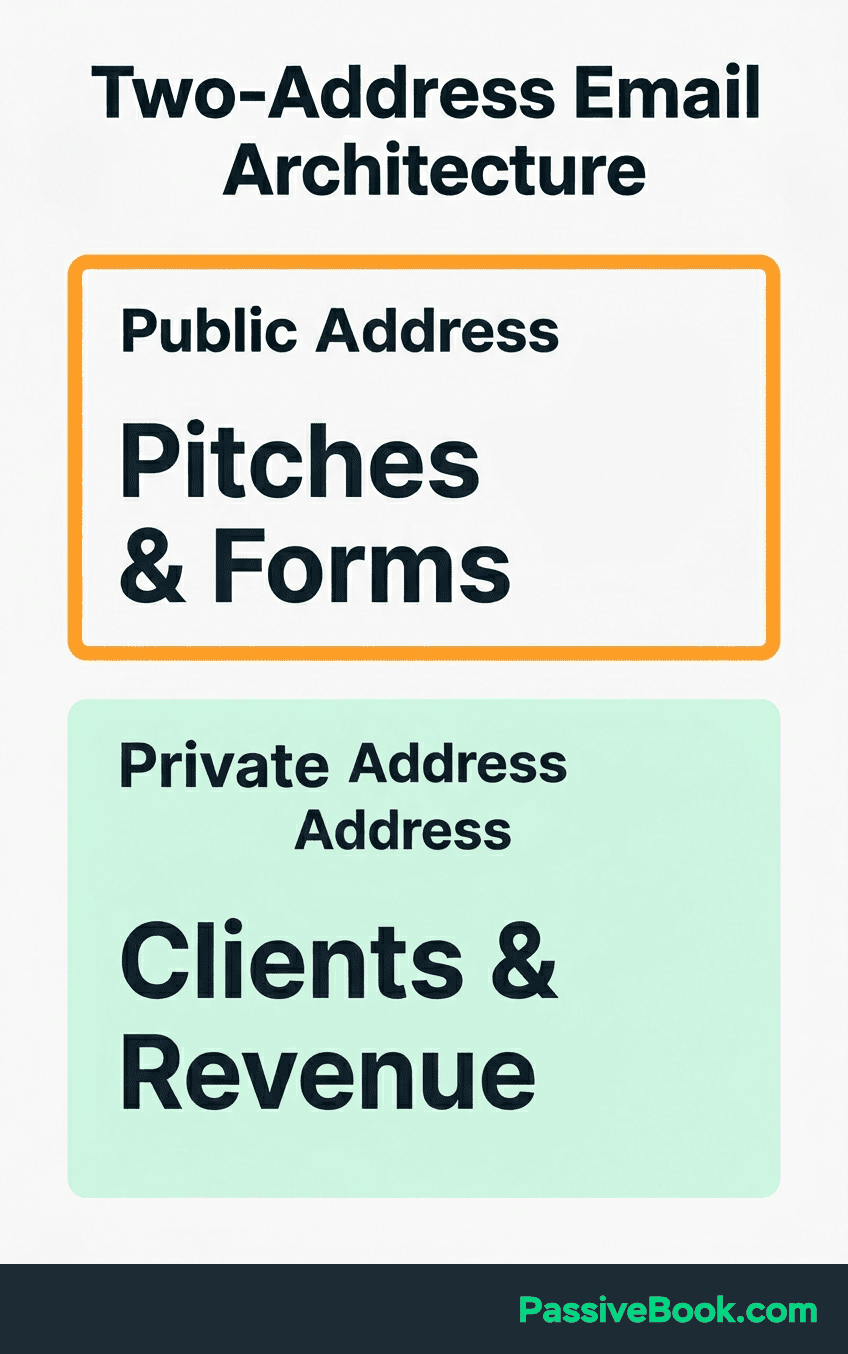
A separate professional email address as a structural boundary. One you stop checking entirely during personal time. This makes the split both a productivity and wellbeing decision.
Use free Gmail aliases or your domain host’s email routing to manage both addresses from one login. Zero additional cost. If you’re using Cloudflare for DNS, their email forwarding is free and handles this perfectly.
Bloggers and content creators should publish the secondary address in your “Contact” page and media kit. Reserve the primary address for people you’ve already vetted or ongoing client relationships.
System 3: The Smart Filter and Label Framework
You’ve cut volume and separated email types. Now organize what’s left.
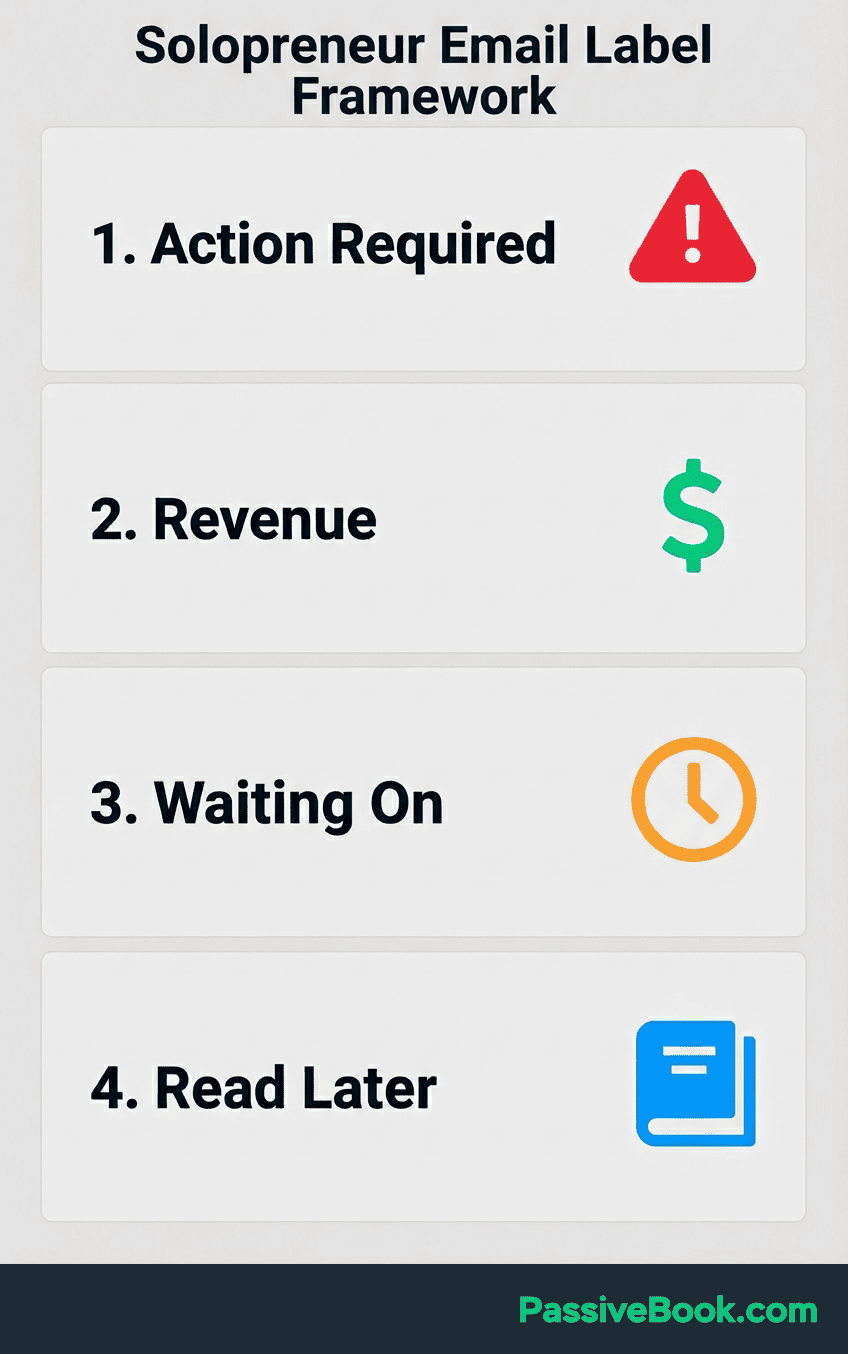
It’s easy to over-engineer this and create a maintenance burden that defeats the purpose. Limit yourself to a maximum of 4–5 labels only. I use Action Required, Revenue, Waiting On, and FYI/Read Later. More than this forces you to constantly decide which label fits, slowing down every email you process.
Create your first filter in under 2 minutes. In Gmail, search `from:(paypal.com OR stripe.com)`, click the three-dot menu, select ‘Filter messages like these,’ then choose ‘Skip Inbox’ and ‘Apply label: Revenue.’ Click ‘Create filter.’ Every PayPal and Stripe email now auto-archives to your Revenue label, out of your inbox.
Ecommerce sellers should create a filter for all order confirmation and shipping notification emails. Route them from Shopify, PayPal, and suppliers to auto-skip the inbox and land in a Revenue/FYI label. These are informational, not important messages requiring immediate action. You’ll check them when fulfilling orders or reconciling revenue, not every time they arrive.
after a one-time setup. No ongoing manual sorting required. Turn it on, let it learn your behavior for a week, and it handles the rest.
The goal isn’t a spotless inbox. It’s a system that surfaces what matters and hides what doesn’t.
System 4: The Canned Response Library
You answer the same questions weekly. Collaboration pitches. Pricing inquiries. Refund requests. Polite “not a fit” declines. Stop rewriting these from scratch.
Build a personal library of 8–12 pre-written replies covering your most frequent email types. Gmail’s built-in Templates feature inserts a full pre-written reply in two clicks.
Personalize the first line, let the template handle the rest. No add-on required.
I spent three years rewriting the same ‘thanks but this isn’t a fit for my audience’ email. Three years. The day I saved it as a template felt like a minor miracle.
Email templates are a proven time-saver. HubSpot’s email productivity research identifies reusable templates as a leading strategy for cutting time spent on repetitive replies.
Bloggers and content creators need three templates minimum. First, a polite “not a fit” for PR pitches that don’t align with your audience. Second, your media kit response for genuine brand inquiries. Third, a reply for reader questions you’ve already answered in a published post. Include a direct link to the relevant article.
Your templates should sound like you, not a robot. Write them once with your natural voice, save them, and deploy them when the situation matches. The reader gets a thoughtful reply. You save 10 minutes.
System 5: The Boundary-Setting Auto-Responder
A strategically written auto-reply does two things simultaneously. It removes your psychological pressure to respond instantly. And it sets professional expectations before the sender feels ignored. It gives you permission to protect your time without feeling unprofessional.
Keep your auto-reply simple. Three parts cover it: Your check windows, like “I process email at 11 AM and 4 PM.” Your typical response time, such as “within 1 business day.” And one alternative path for genuine urgencies, like a contact form or secondary email for time-sensitive client issues.
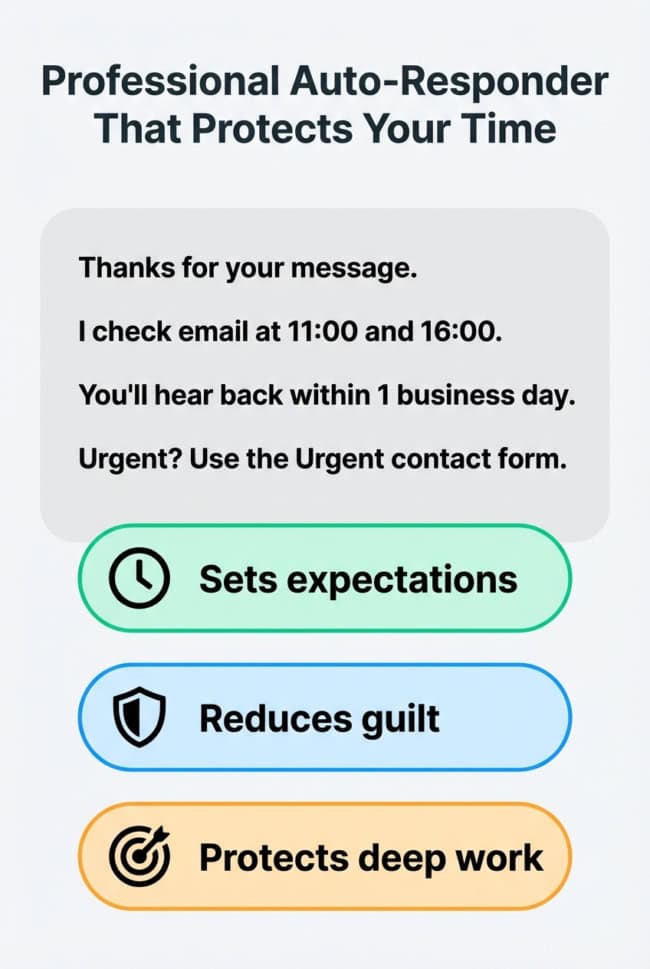
Entrepreneurs who set work-life boundaries experience measurably less burnout. An auto-responder is the simplest, most enforceable boundary a solopreneur can install today.
Review Entrepreneur’s boundary-setting framework for auto-responder language that sounds human and professional, not robotic or dismissive. The goal is to communicate reliability, not inaccessibility.
Most email clients let you set an auto-responder in under two minutes. Gmail calls it “Vacation responder,” but you can use it year-round. Write it once, enable it, and let it do the psychological work for you.
System 6: The Email Batching Protocol – The System That Makes All Others Stick
This is the make-or-break system. Without batching, everything else crumbles.
I tested this across multiple businesses. When I was running ecommerce stores while working corporate, I checked email constantly. Order notifications, supplier updates, and customer questions pulled me out of product research or listing optimization.
My email inbox ran my day. The shift happened when I committed to two fixed daily windows: 11:30 AM and 4:30 PM. Phone notifications off. Desktop alerts disabled. Email simply didn’t exist outside those windows. The first week felt uncomfortable. By week three, I couldn’t imagine going back.
Within a month, I’d reclaimed 90 minutes per day. That’s 7.5 hours per week I redirected to writing blog content and building digital products. My email time dropped from around 2 hours daily to two 20-minute sessions.
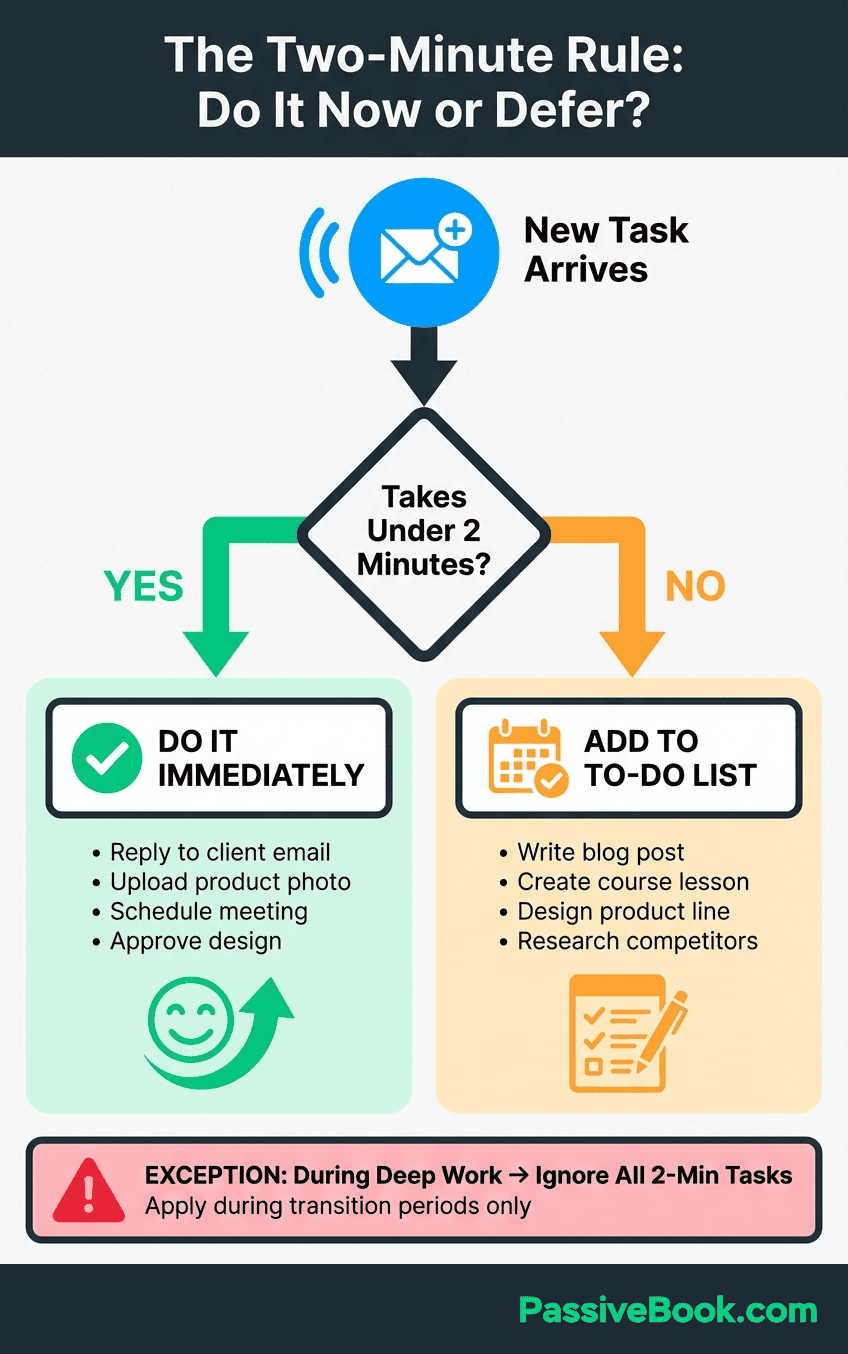
Productivity consultant Dave Crenshaw reports clients who switch to two dedicated email blocks per day cut their total email time in half. Forbes research by executive coach Luciana Paulise found that those who check email less frequently report significantly lower stress and a greater sense of accomplishment.
During each batch session, apply David Allen’s GTD Two-Minute Rule. Reply immediately if it takes under two minutes. Defer everything else to a task list and archive the email. This keeps your inbox from becoming a to-do list.
Turn off every notification. Email badges on your phone, desktop pop-ups, smartwatch alerts. All of them train you to react instead of control. Batching works when email can’t interrupt you between your chosen windows.
If two windows feel impossible, start with three. The number matters less than the commitment to never check outside those times. You’ll respond emails within 24 hours. That’s professional. That’s sustainable.
System 7: AI-Assisted Triage – the Paid Upgrade That Automates Everything Else
After Systems 1–6 are in place, deploy AI filtering to handle residual volume. It eliminates the root cause of emails arriving in the wrong place rather than treating the symptom.
SaneBox starts at $7 per month and uses behavioral AI to learn which senders matter. The rest routes to a `SaneLater` folder you review on demand when it suits your workflow. It adapts to your behavior without manual rules.
Kevin at Solopreneur Tools documented his 6-month SaneBox experience, reporting he saves approximately 2 hours every week on inbox management. Time he redirects to revenue-generating work. His review details his exact setup and SaneLater configuration.
Free first: Gmail’s built-in Priority Inbox handles basic triage at zero cost. Set it up before deciding if SaneBox’s AI is worth the monthly fee. SaneBox also offers a 14-day free trial with no credit card required, so you can test it risk-free after your free systems are running.
If your time is worth $50 per hour and SaneBox saves you 2 hours weekly, that’s $100 in reclaimed value every week for a $7 monthly cost. The ROI justifies itself in the first week.
But after the free foundation is in place. Don’t throw money at a problem you can solve with 90 minutes of setup work and some self-discipline. AI can’t fix a structural problem. It optimizes a system that already works.
Frequently Asked Questions
What Should I Do With the Thousands of Unread Emails Already Sitting in My Inbox?
Select all, archive all, start fresh. Your unread backlog is a sunk cost that will never get processed. Create a “Pre-2026 Archive” label if the idea of losing them feels risky, then move on. The systems above prevent the backlog from rebuilding.
Is It Unprofessional to Not Reply to Emails the Same Day?
No. A 24–48 hour response window is the accepted professional standard for non-urgent communication. Batching your replies into two focused windows per day still keeps you well within that timeframe. Focus on delivering relevant information in your reply rather than speed. Clients value thoughtful, complete replies over instant ones.
How Many Times Per Day Should a Solopreneur Actually Check Their Email?
Two fixed windows is the ideal balance for most one-person businesses. Morning and late afternoon covers most time zones and gives you time to act on any requests that need same-day attention. Three windows works if your business requires faster turnaround, but going beyond that reintroduces the constant-interruption problem.
What Is the Fastest Way to Reduce Email Volume Without Risking Missing Something Important?
Start with System 1, the subscription purge. Use Leave Me Alone to unsubscribe from newsletters and automated senders that deliver zero value. Then implement System 2, the two-address architecture, to route low-priority emails away from your primary inbox. These two structural changes cut volume by 40–60% in the first week without touching a single important message.
Do I Need to Pay for a Tool Like Sanebox, or Can I Build This Entire System for Free?
Systems 1–6 are completely free and handle the majority of email overload for most solopreneurs. SaneBox is an optional optimization layer that makes sense after the free foundation is working. Test Gmail’s free Priority Inbox first, then consider SaneBox’s 14-day trial if you want AI-powered automation.
How Do I Handle Urgent Client or Customer Emails When I’m on a Batch-Only Schedule?
Include one alternative path in your auto-responder for genuine urgencies, like a contact form labeled “Urgent” or a secondary email address you check more frequently. Most “urgent” emails aren’t actually urgent. For the rare exceptions, give clients a clearly marked path and honor it when they use it.
How Do Content Creators and Ecommerce Sellers Manage the Different Types of Emails They Receive?
Content creators should use the two-address system to separate PR pitches and reader questions from client work, then deploy canned responses for the most common inquiries. Ecommerce sellers should auto-label order confirmations, shipping notifications, and supplier updates so they bypass the inbox entirely and route to a folder checked during fulfillment sessions. Both groups benefit most from batching, which prevents email from interrupting content creation or product research.
What Next?
You’ve just learned seven systems that together reclaim the hours email has been stealing from your business. The subscription purge, the two-address architecture, smart filters, canned responses, the auto-responder, batching, and optional AI triage. Each one works independently. Together, they compound into a system that lets you control your inbox instead of letting it control you.
These represent best practices for solo email management.
Managing email overload isn’t a personality flaw or a time management failure. It’s a structural problem that requires structural solutions. The systems above are those solutions. Start with System 1 today. You’ll see results by tomorrow.
Here’s what these systems did for me: I went from checking email 40+ times per day to twice. My daily email time dropped from 2+ hours to 40 minutes total. That’s 80 minutes per day back in my calendar, over 6 hours weekly I now spend on content creation and product development instead of inbox management.
If one of these systems saved you even an hour this week, share this article using the buttons below. Another solopreneur drowning in their inbox needs to see it. And drop a comment telling me which system you’re implementing first. I want to know which one resonates most with people actually running one-person businesses.
Share this post with your friends & followers: