You paid for hosting, renewed a design tool and hired someone to fix a product file. Months later, the charges are on your statements, but the receipts are scattered across email accounts and download folders.
Now tax preparation includes a second job: remembering what you bought and finding proof. A missing record can also leave a legitimate business cost out of your totals.
You don’t need an accounting qualification to get organized. You need records you can find and explain. This guide shows how to build that routine with a spreadsheet or app, without turning every purchase into paperwork homework.
1. Choose a Spreadsheet or Expense-Tracking App
I would start with a spreadsheet if you can comfortably enter purchases and check them against statements. Keeping track of business expenses gets easier when the tool matches the amount of work you actually have.
For U.S. federal taxes, the IRS allows a recordkeeping system suited to your business, provided it clearly shows income and expenses. Expensive software isn’t a requirement.
These are two practical starting options:
| Tool | Entry Method | Receipt Handling | Cost | Availability | Best Fit |
|---|---|---|---|---|---|
| Google Sheets with receipt folders | Enter purchases manually | Save documents in folders and link them to expense rows | Free with a Google Account | Where Google services are available | Straightforward spending you can review manually |
| Wave Starter | Manual bookkeeping entries | Keep separate receipt folders unless you add paid receipt capture | Free basic plan; automatic bank imports and receipt scanning are paid features | Businesses in the U.S. and Canada, excluding U.S. territories | Basic bookkeeping with accounting reports |
Choose an app when repeated entry, receipt collection or transaction imports would help you keep records complete. I wouldn’t pay for automation while purchases are still easy to handle manually, but I wouldn’t cling to a free spreadsheet that keeps falling behind either.
Before committing to an app, check that it supports your country, payment accounts and currencies. Also check whether you can export transactions and retrieve your documents.
Keep one main expense record. A spreadsheet alongside an app is fine for analysis, but maintaining two competing purchase lists creates more checking work. Move to fuller accounting software when unpaid bills, inventory or other needs exceed what your sheet handles.
For the examples below, imagine you sell printable quilting patterns. The amounts illustrate the workflow; they aren’t actual platform fees or typical results. The routine works across countries, but apply your local deduction and document-retention rules. U.S. tax requirements are labeled where they appear.
2. Separate Business Spending From Personal Spending
Use a dedicated account or payment method for business purchases where practical. Move recurring charges, such as hosting and layout software, onto it.
That gives you fewer personal transactions to sort through. It also makes an unfamiliar charge easier to investigate.
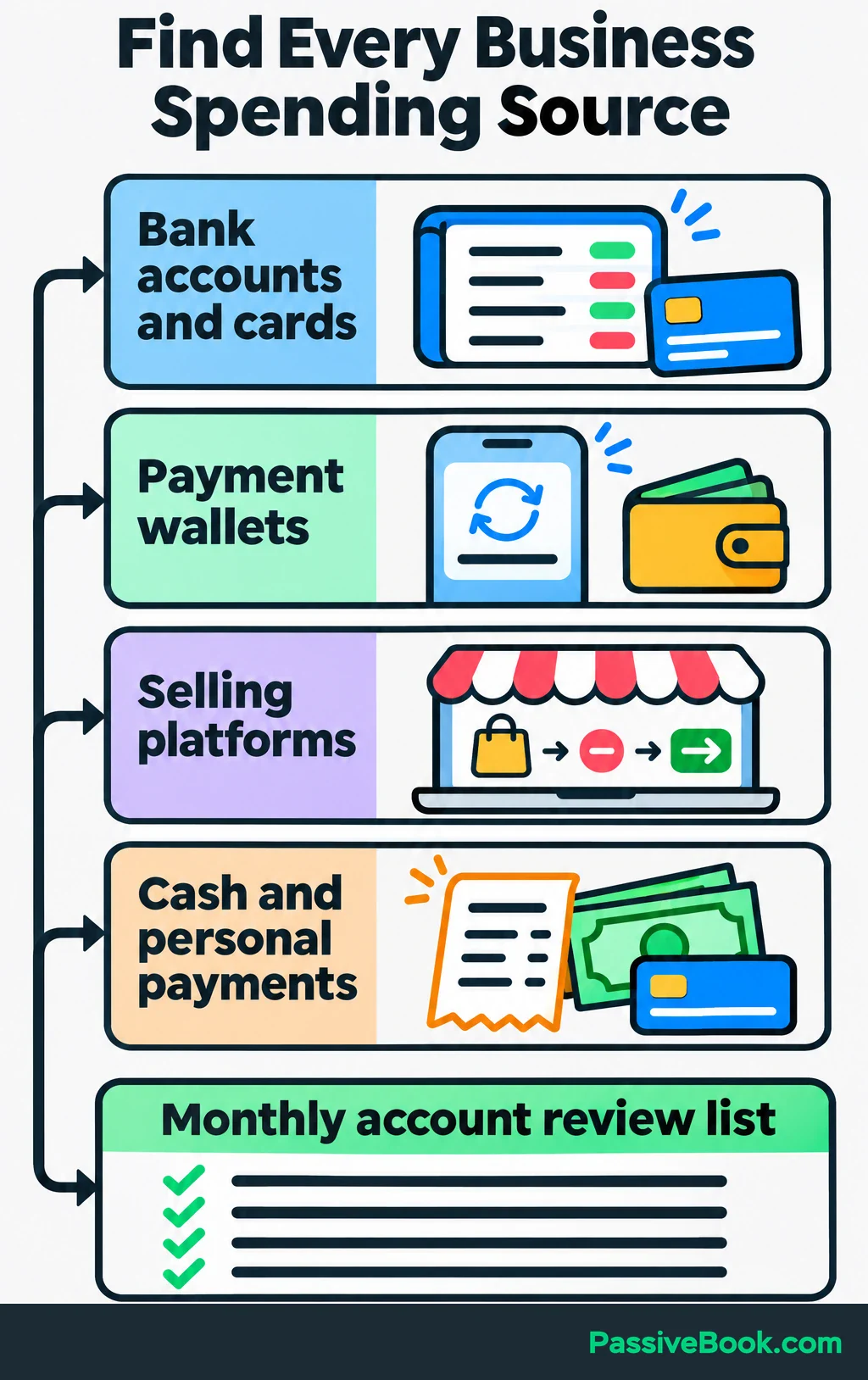
Write down every place business spending can happen:
- Bank accounts and credit cards.
- Payment wallets, such as PayPal.
- Selling platforms that deduct fees before paying you.
- Cash and personal accounts occasionally used for business purchases.
Use this list during your monthly review. Otherwise, it’s easy to check the main bank account and forget a subscription paid through a wallet.
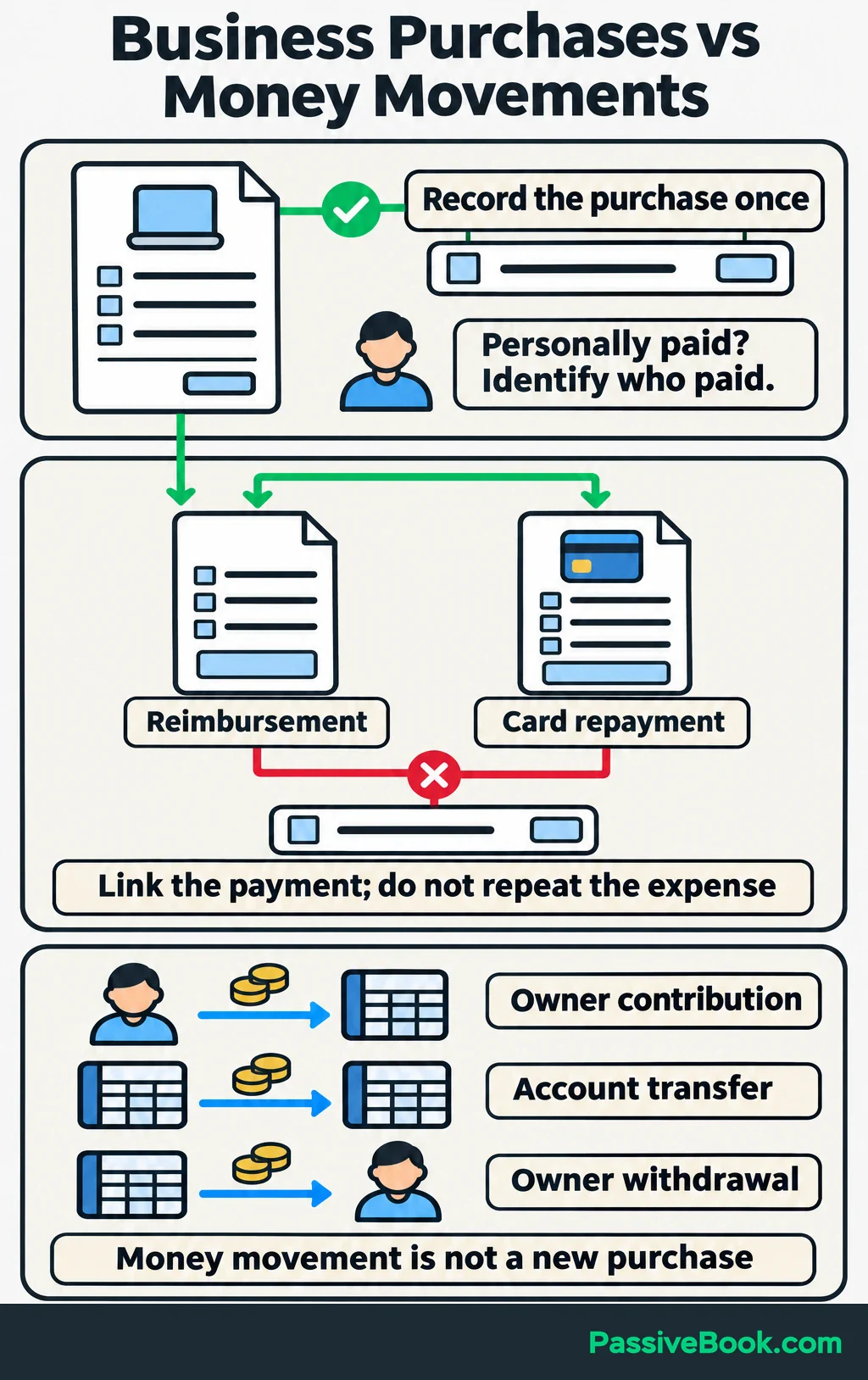
If you pay for a business purchase personally, record it with the receipt and identify who paid. Link any later reimbursement to that purchase so you don’t count the expense twice.
Keep purchases separate from money movements. Adding your own money to the business, withdrawing money, transferring between accounts and repaying a credit card aren’t new purchase expenses. If you already recorded the layout-software charge, paying the card bill doesn’t create another software expense.
Start capturing new purchases now. Then work through older statements in manageable batches, marking each completed period so you know what remains.
3. Record and Categorize Each Purchase
Set Up the Fields Your Expense Log Needs
Give each purchase its own row. The row should explain what happened and lead you to the documents that support it.
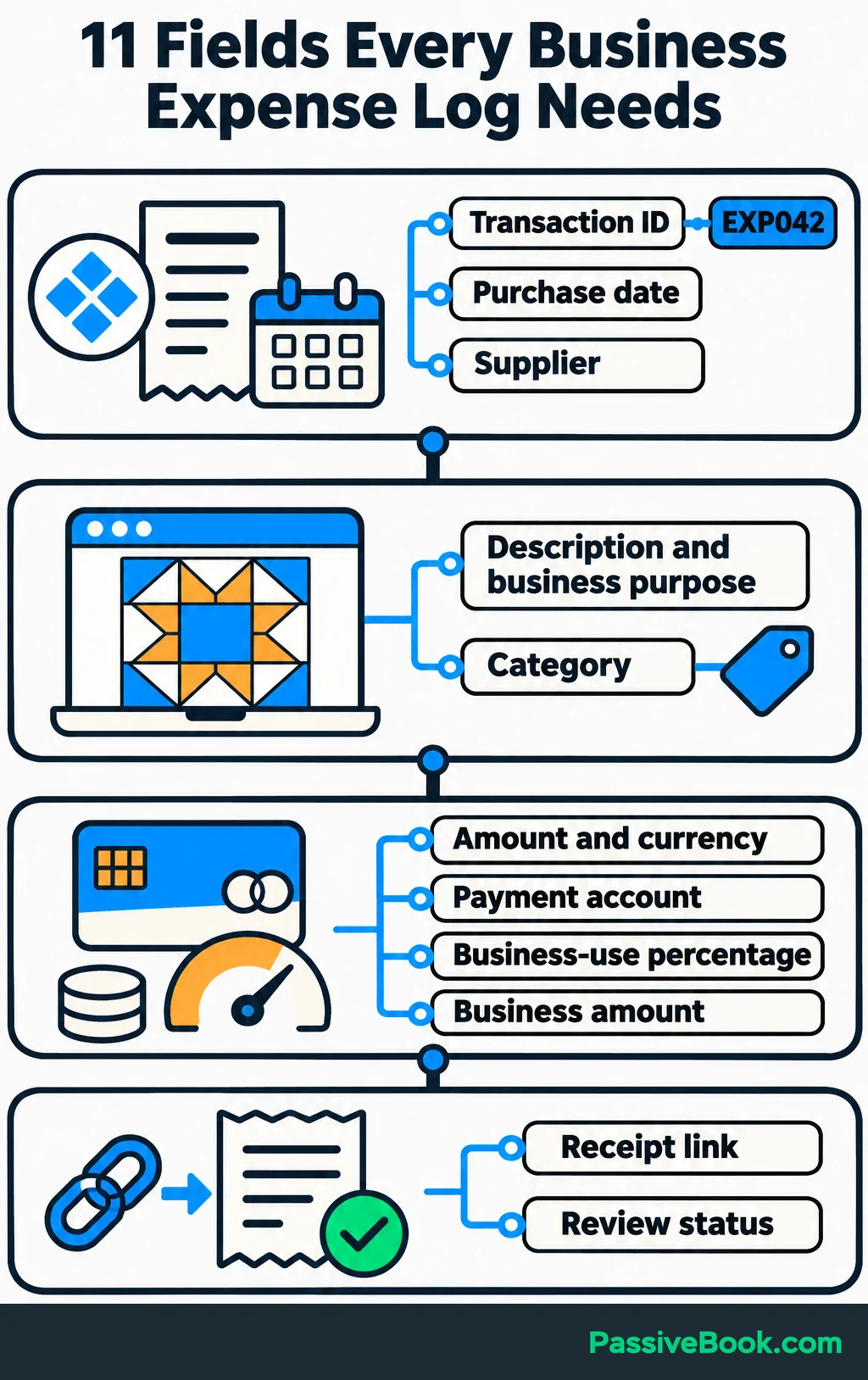
Set up these columns:
| Column | What to Record |
|---|---|
| Transaction ID | A unique reference, such as EXP042 |
| Purchase date | The date shown on the purchase document |
| Supplier | The business or person you bought from |
| Description and business purpose | What you bought and why the business needed it |
| Category | A consistent label, such as Software |
| Amount and currency | The full purchase amount and its currency |
| Payment account | The card, bank account, wallet or person that paid |
| Receipt link | A link to the receipt and related supporting files |
| Review status | For example, Needs receipt, Needs review or Checked |
| Business-use percentage | The supported business share of a mixed-use purchase |
| Business amount | The amount allocated to business use |
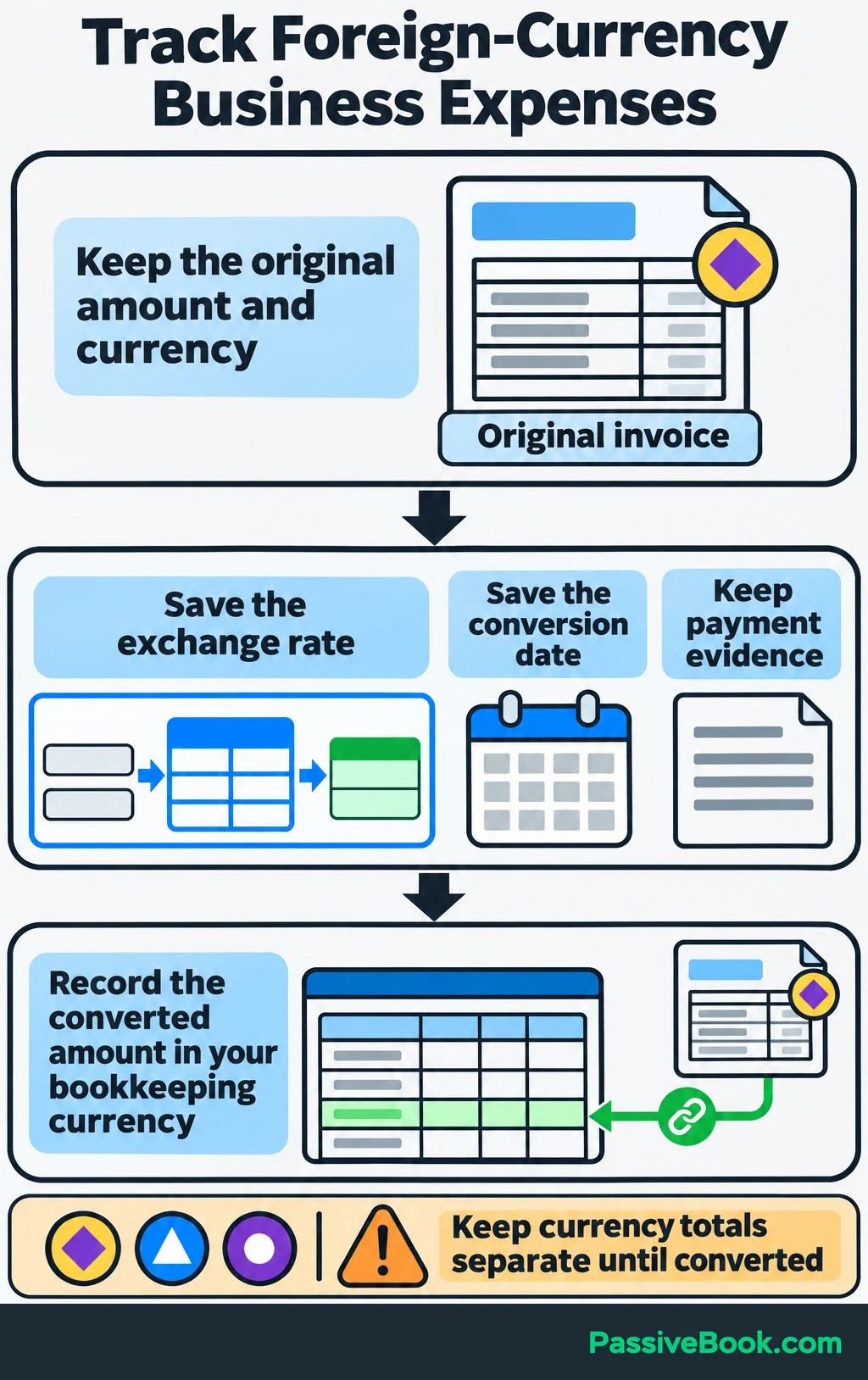
For foreign purchases, keep the original amount and currency alongside the converted amount in the currency you use for your records—your bookkeeping currency. Save the exchange rate and conversion date, along with the payment record, so you can explain any differences later.
If invoice and payment dates differ, record both. Use your accounting method to assign the reporting period. For U.S. taxes, cash accounting generally follows payment timing, while accrual accounting generally follows when an expense is incurred. IRS Publication 583 explains the distinction.
Enter each purchase once. When importing transactions, match them to existing entries before adding new ones. If you split a purchase across categories, give the rows a shared transaction reference and receipt link.
I once found a software charge for one of my digital-product sites under a billing name I didn’t recognize. I had saved the invoice, but I still had to open it to remember which project used the tool. Since then, I’ve added a short purpose note when recording purchases. For the quilting-pattern shop, “Layout software for printable quilting patterns” is useful; “online purchase” tells you almost nothing.
Use dropdowns for categories so “Software,” “Apps” and “Subscriptions” don’t become three versions of the same label. Summarize business amounts by month and category, and keep the original rows underneath. Total currencies separately until you have converted them to your bookkeeping currency.
Use a Short, Consistent Category List
Start with categories that describe what you buy. You can add more when a real purchase needs one.
| Category | What Belongs There | Example |
|---|---|---|
| Website costs | Hosting, domains and website services | Hosting for the quilting-pattern shop |
| Software | Tools used to create or run the business | A layout-software subscription |
| Contractor services | Work purchased from independent providers | Diagrams commissioned for a quilting pattern |
| Marketing | Promotion and related services | A paid placement in a quilting newsletter |
| Payment-processing fees | Fees charged for handling customer payments | A fee shown in the payment processor’s report |
| Professional services | Accounting, legal and similar business services | An accountant’s business-record review |
| Phone and internet | The supported business share of connectivity costs | Business use of a shared internet connection |
| Supplies | Materials used in business work | Paper and ink for testing pattern printouts |
Categorize the purchase by what it was, rather than the merchant’s name. A marketplace might sell both software and printing supplies.
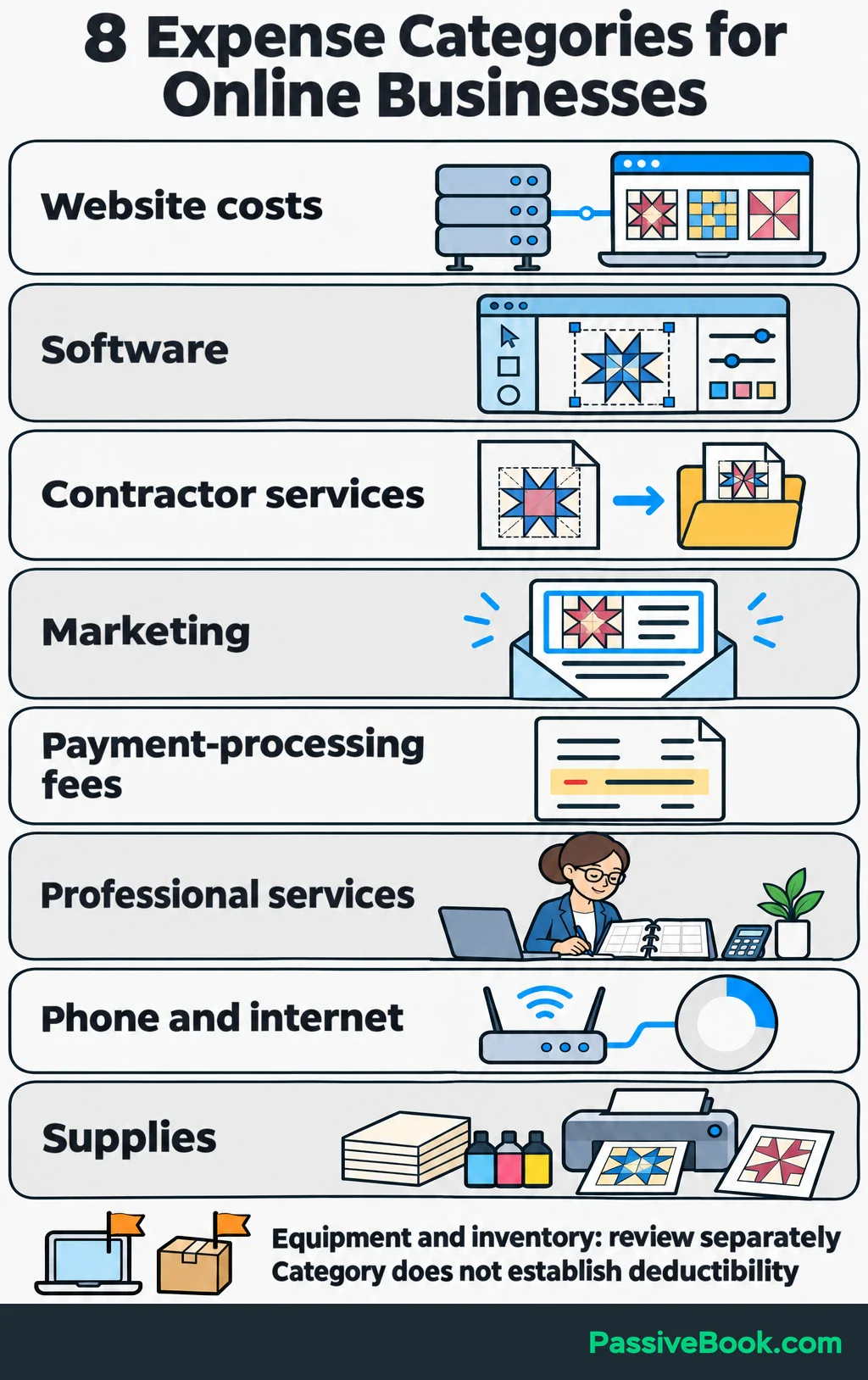
Flag equipment and inventory for review instead of automatically putting them into routine operating expenses. Keep their purchase details and documents while you confirm how they should be treated.
A category also doesn’t make a purchase deductible. For U.S. sole proprietors, a deductible business expense generally must be ordinary and necessary: common and accepted in your field, and helpful and appropriate for your business. Personal portions are generally excluded. The IRS business-expense rules explain these requirements.
Separate Business Portions and Record Refunds
For a receipt containing business and personal items, identify the business items and record only their business portion in your business totals.
Shared services need an allocation note. Keep the full bill and explain how you determined business use, using records that support the split.
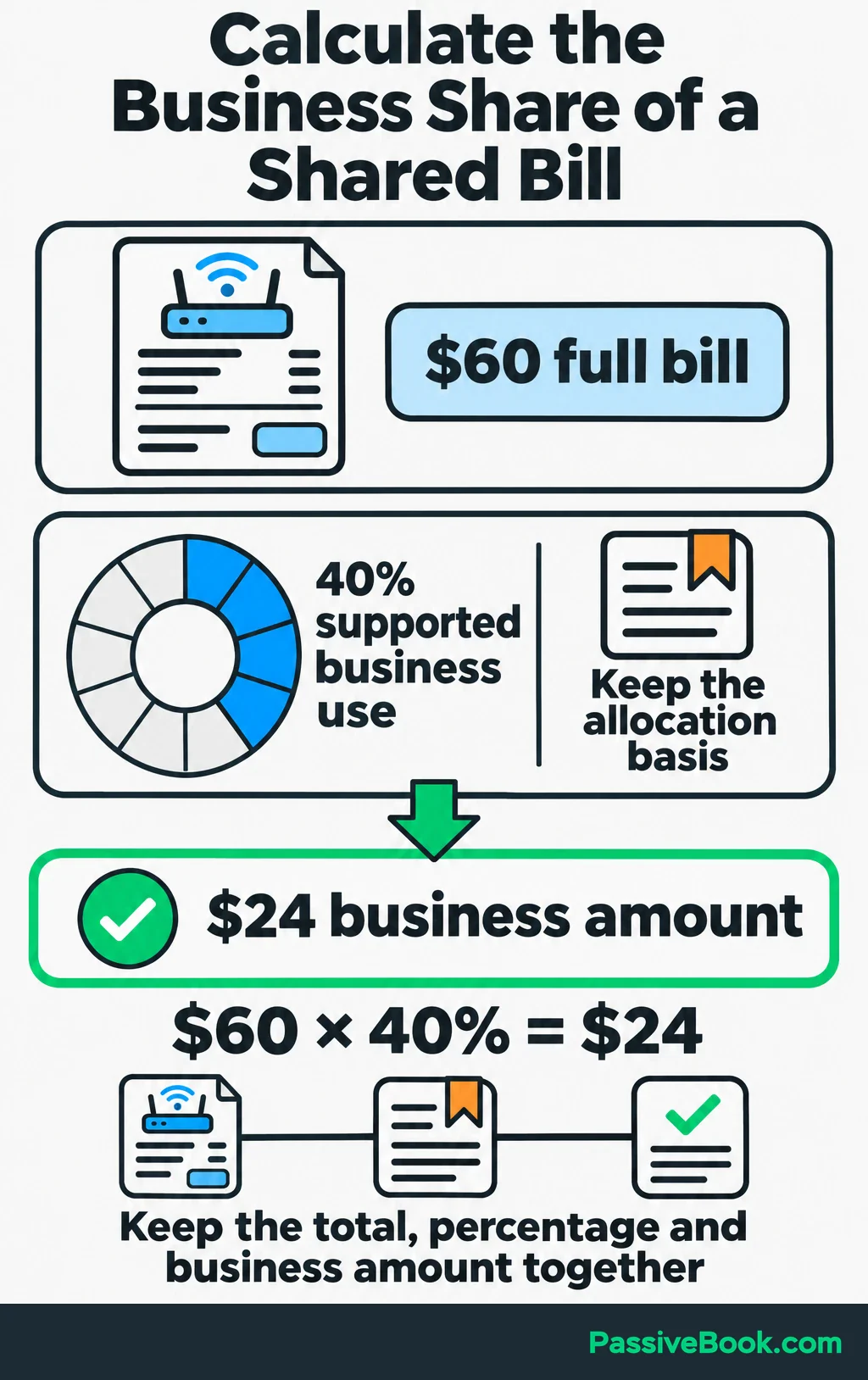
For example, suppose an internet bill totals $60 and your records support 40% business use. You’re calculating the business share of that bill:
$60 × 40% = $24 business allocation
Keep the $60 total, the 40% allocation and the $24 business amount together. The percentage needs a basis beyond “that seems about right.”
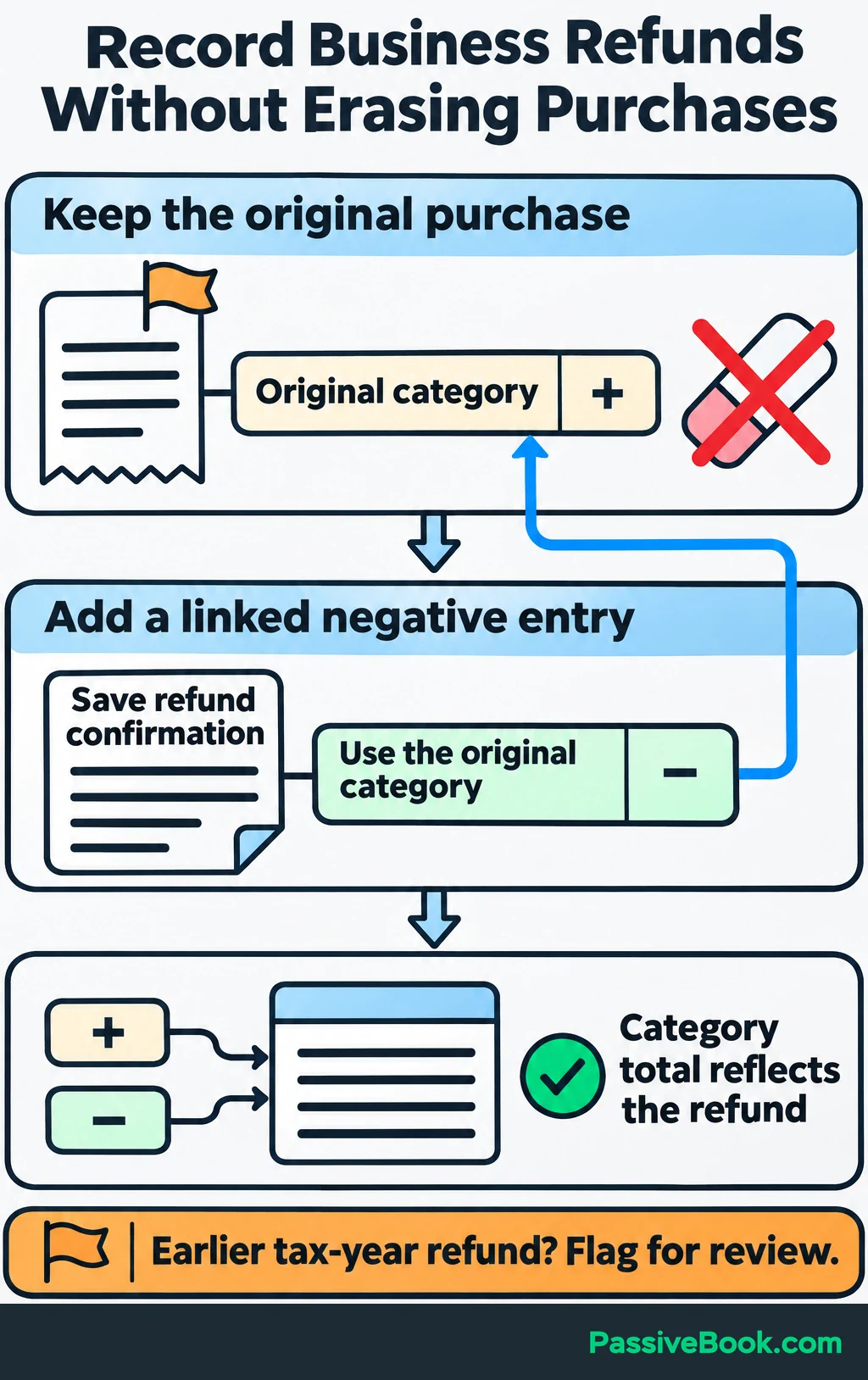
Record purchase refunds as linked reductions in the original category, and keep the refund confirmation. A separate negative entry preserves the trail better than quietly changing the old purchase amount. Flag refunds relating to earlier tax years for review.
4. Save Receipts and Proof of Payment
Save the document when you record the purchase. Download supplier invoices and emailed receipts, and photograph paper receipts while they’re still readable.
Capture the whole document, including item descriptions, dates, amounts and currency. A cropped image showing only the total leaves out much of the useful information.
Keep itemized documents alongside payment evidence. For U.S. expense records, the supporting documents should establish the supplier, date, amount, purchase and payment. The IRS notes that several documents may be needed. A bank statement can show money leaving your account without explaining what you bought.
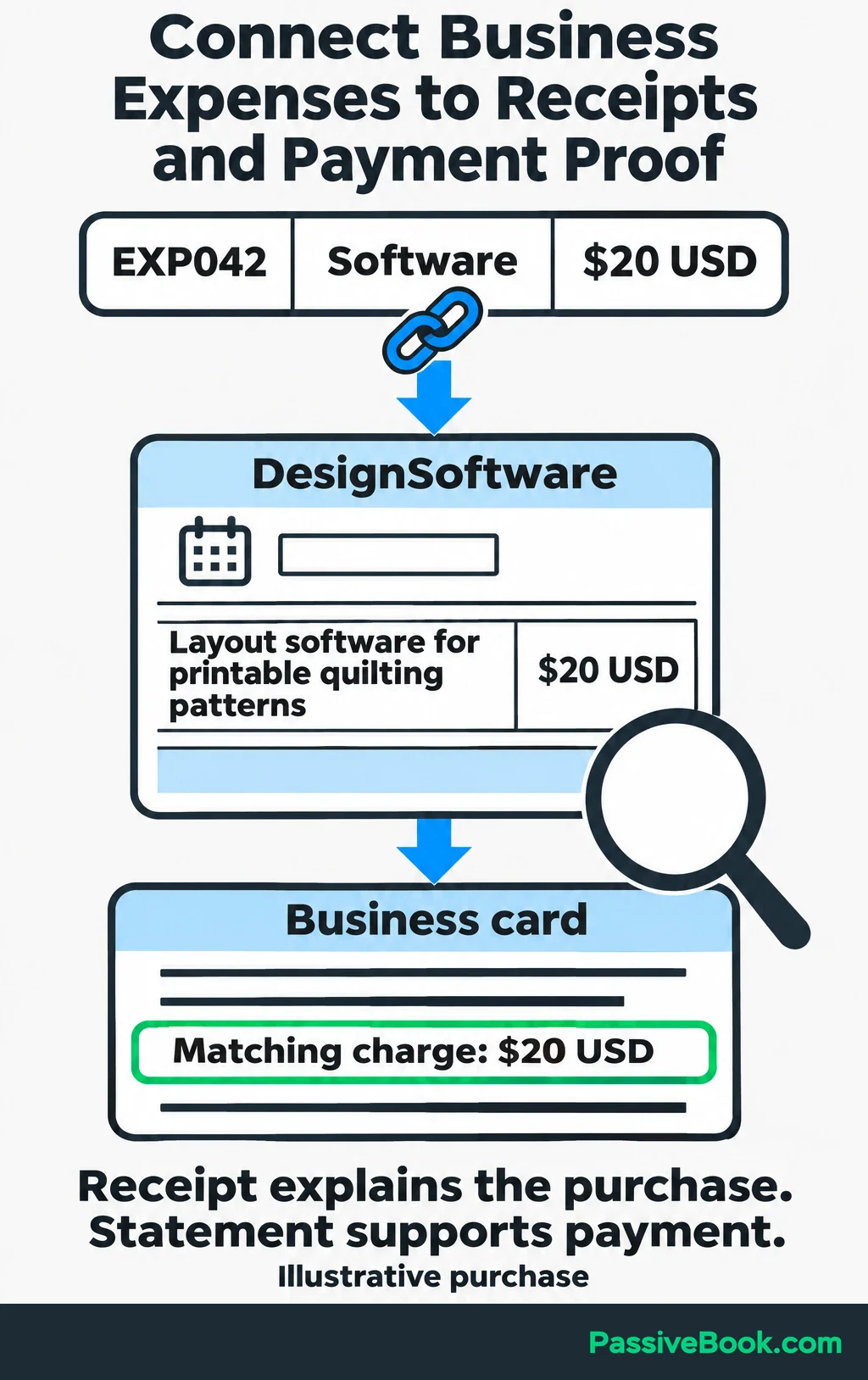
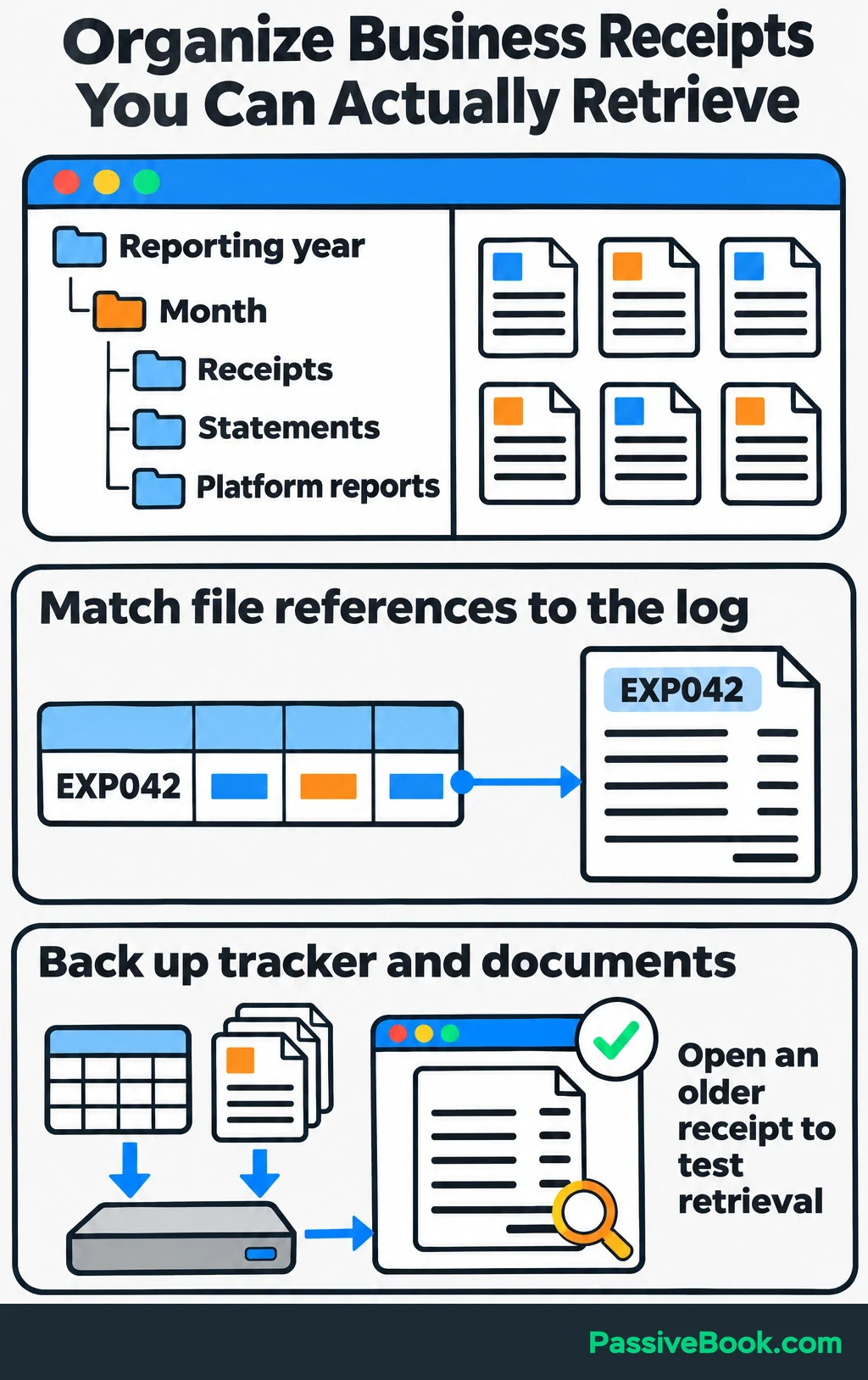
Create folders by reporting year and month, with separate folders for statements and platform reports. Use a filename that connects the document to the log:
2026-10-12_DesignSoftware_20USD_EXP042.pdf
Here’s one completed purchase record for the quilting-pattern shop:
| Field | Completed Entry |
|---|---|
| Transaction ID | EXP042 |
| Purchase date | October 12, 2026 |
| Supplier | DesignSoftware, an illustrative supplier |
| Description and business purpose | Layout software for printable quilting patterns |
| Category | Software |
| Amount and currency | $20 USD |
| Payment account | Business card |
| Business-use percentage | 100% |
| Business amount | $20 USD |
| Receipt reference | 2026-10-12_DesignSoftware_20USD_EXP042.pdf |
| Payment evidence | October business-card statement showing the matching $20 charge |
| Review status | Checked against the receipt and statement |
In your actual tracker, turn the receipt reference into a link to the saved file. Link the statement too, and note which charge matches. That gives you a path from the expense total back to the purchase and its payment.
You can use our expense workbook to create this record without building the sheet yourself. Start with one purchase; the worked examples show how to handle refunds, shared costs and platform fees when they come up.
Free Business Expense Workbook




If a receipt is missing, request a replacement from the supplier. Keep any available invoice, order confirmation and payment record, and leave the entry marked for follow-up.
Digital copies must remain complete, accurate, readable and reproducible. Before discarding paper originals for U.S. tax records, make sure your storage process has been tested and meets the IRS electronic-record requirements.
Back up both the tracker and its documents separately from the working copies. Occasionally retrieve an older purchase and open its files. A backup that can’t produce the receipt isn’t doing its job.
5. Review New Expenses and Reconcile Statements
Clear New Transactions Regularly
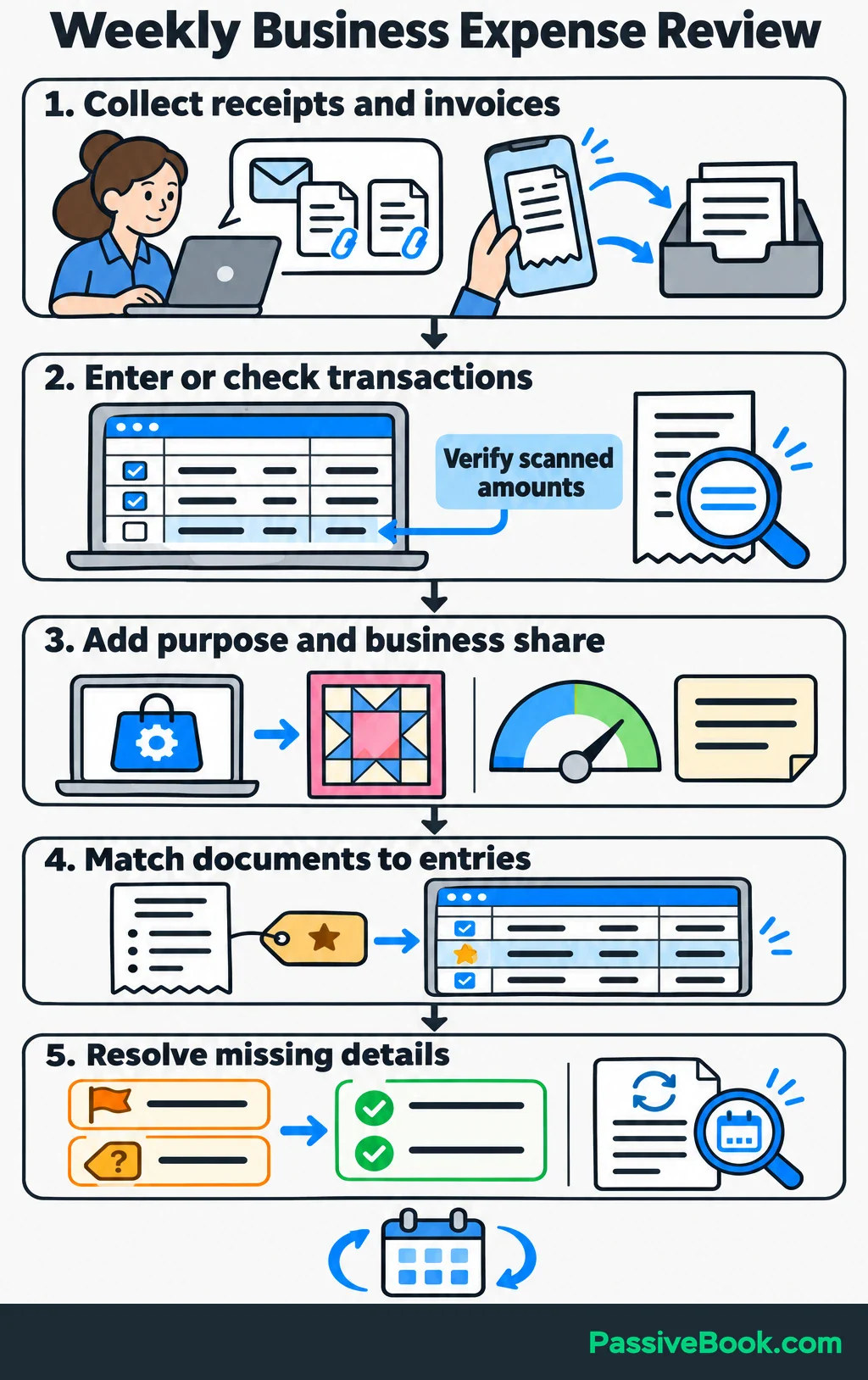
I would start with a weekly review. Put it on your calendar and use the same checklist each time:
- Collect new receipts and invoices.
- Enter purchases or check imported transactions.
- Complete purpose notes and business-use allocations.
- Match documents to their entries.
- Resolve missing receipts and uncertain categories.
Verify scanned amounts before accepting them. Receipt capture can reduce typing, but you still need to check the result.
Automate categories only when the treatment is predictable. A recurring layout-software charge is a reasonable candidate. A mixed shopping order needs a closer look.
Review subscriptions at the same time. Confirm that you have the latest receipt and still need the service. A forgotten subscription is an expensive reminder that “automatic” and “useful” are different things.
Match Every Account Against Its Statements
When monthly statements arrive, work through every account on your spending list. Match each business purchase to its log entry and investigate anything left over.
Look for omitted purchases, duplicates, refunds, fees and amounts that don’t match. Identify transfers and card repayments separately. Note transactions still waiting to appear on a statement so they aren’t mistaken for missing payments.
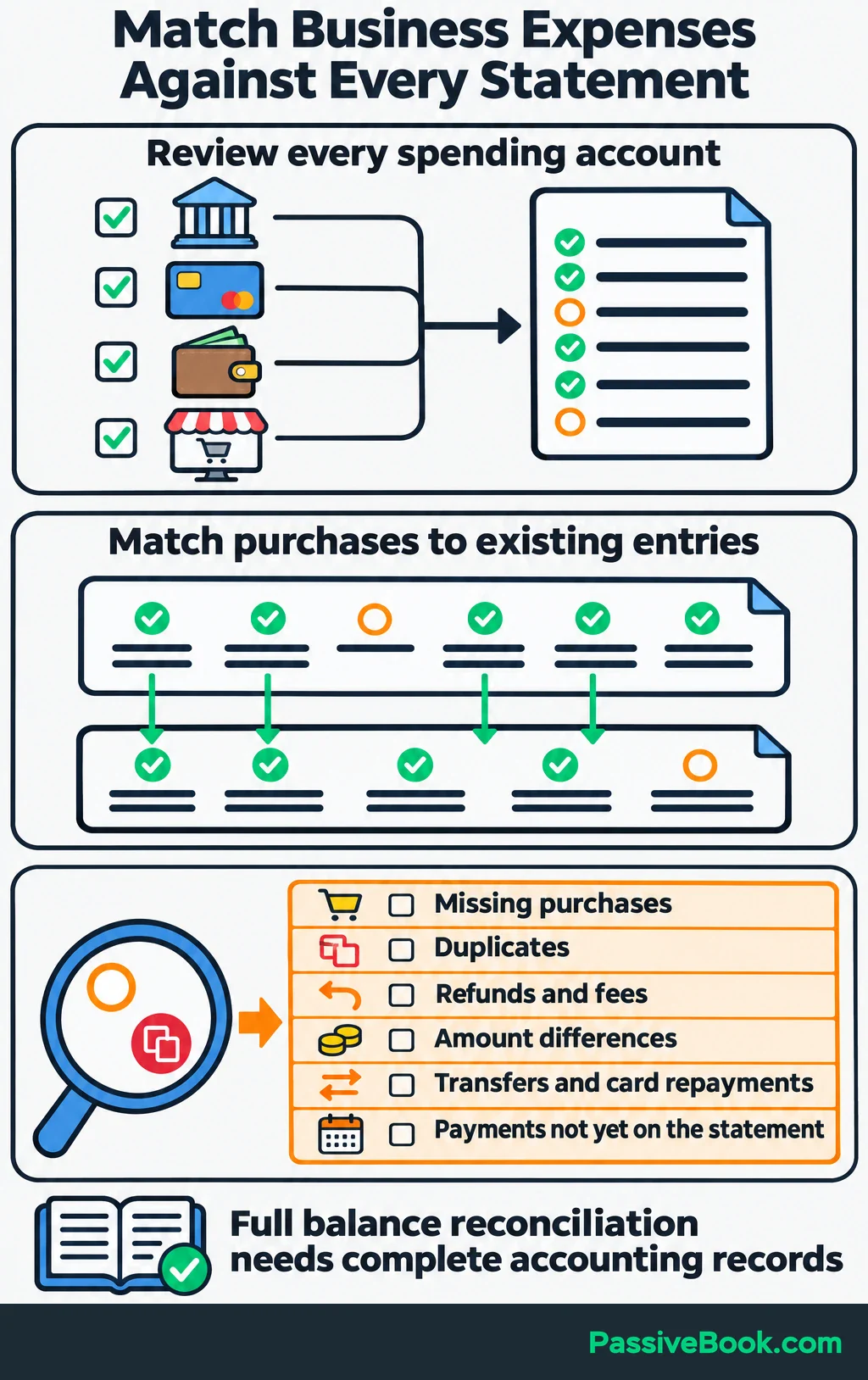
An expense-only log won’t explain the entire change in a bank balance because it doesn’t include every sale, transfer or withdrawal. Use full accounting records when reconciling opening and closing account balances in bookkeeping software.
Selling platforms need another check because fees can be deducted before the payout reaches your bank. Compare the platform report with your records, record each fee once and save the report.
For illustration, suppose your quilting patterns generate $100 in sales and the processor withholds a $3 fee. With no taxes, refunds or other adjustments, the payout is:
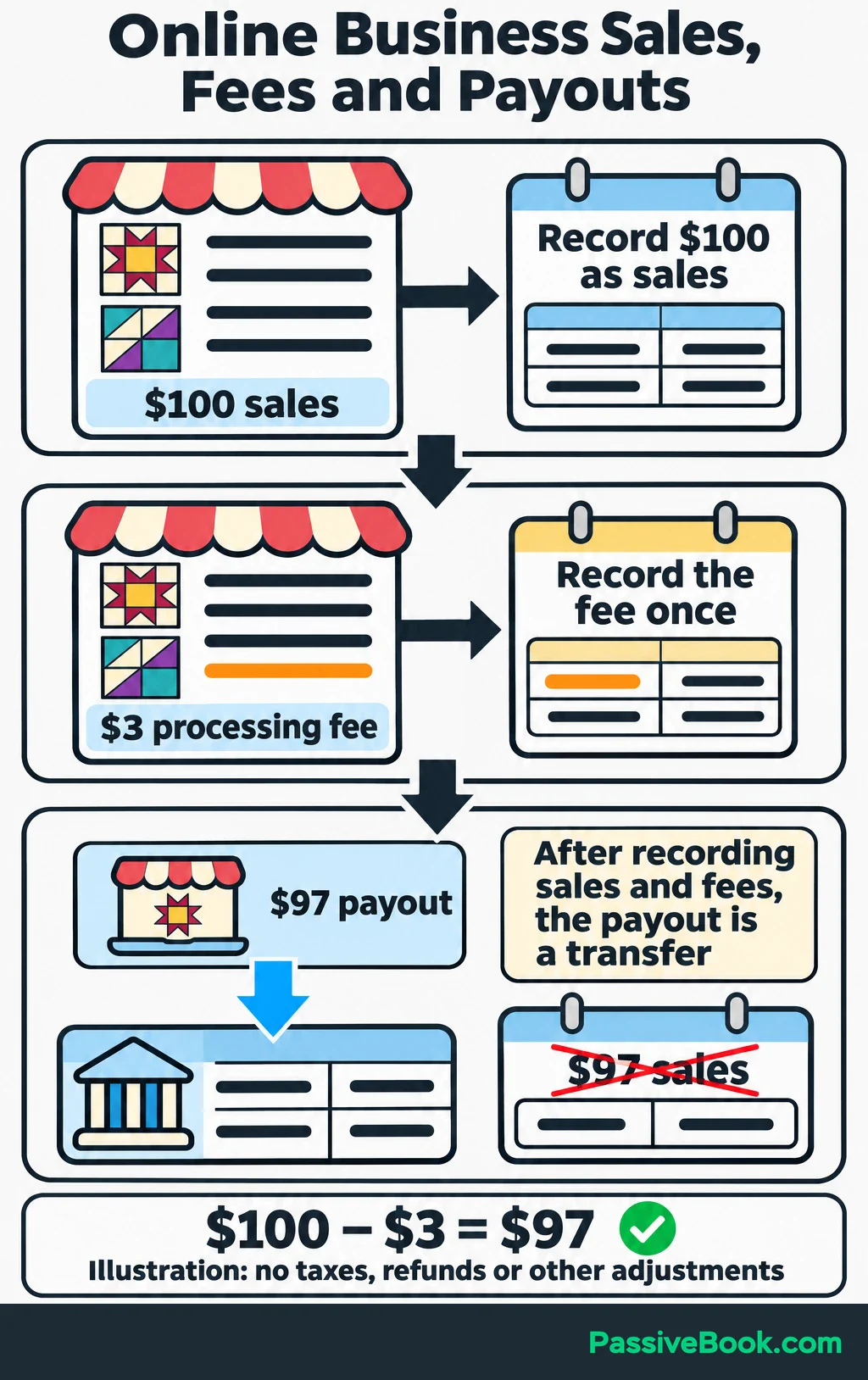
$100 sales − $3 processing fee = $97 payout
Record the $100 in your sales records and the $3 in your expense records. Once both are recorded, the $97 movement from the platform balance to your bank is a transfer. Treating the deposit as the whole sale would hide the fee and understate sales.
Finish by reviewing monthly category totals. An unexpected jump in software spending deserves a look, even if every transaction has a receipt. Then clear any remaining missing-document flags or leave a specific follow-up note.
6. Keep a Complete File Ready for Tax Preparation
At the end of the reporting period, export your expense register and category totals. Keep them with the documents that explain the numbers.
Your completed file should contain:
- The detailed expense register and category summary.
- Receipts, invoices and payment evidence.
- Account statements and selling-platform reports.
- Business-use allocation notes.
- A list of unresolved questions tied to transaction IDs.
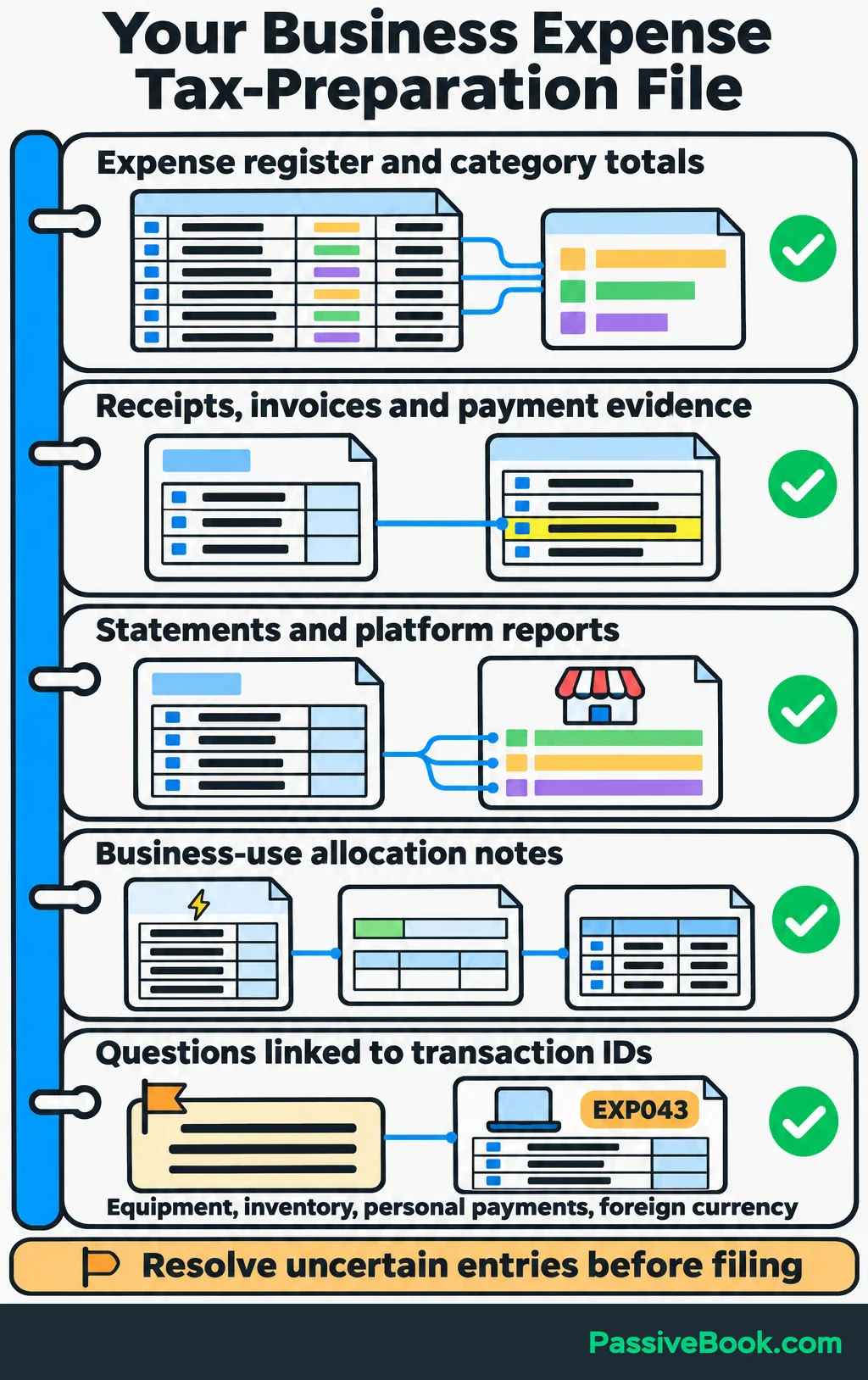
Resolve uncertain entries before using the totals for filing. Give your tax professional specific questions about equipment, inventory, personally paid purchases and foreign-currency transactions. For an equipment purchase, ask, “Can I deduct the laptop in EXP043 this year, or should I spread its cost over several years?” That gives your tax professional a specific purchase and a decision to check.
Set retention dates using the rules that apply to your business. For U.S. income-tax records, the general period is three years after filing, with early returns treated as filed on the due date. Exceptions require longer retention, and property records can remain relevant beyond disposal. Check the IRS retention rules and any other applicable requirements before deleting files.
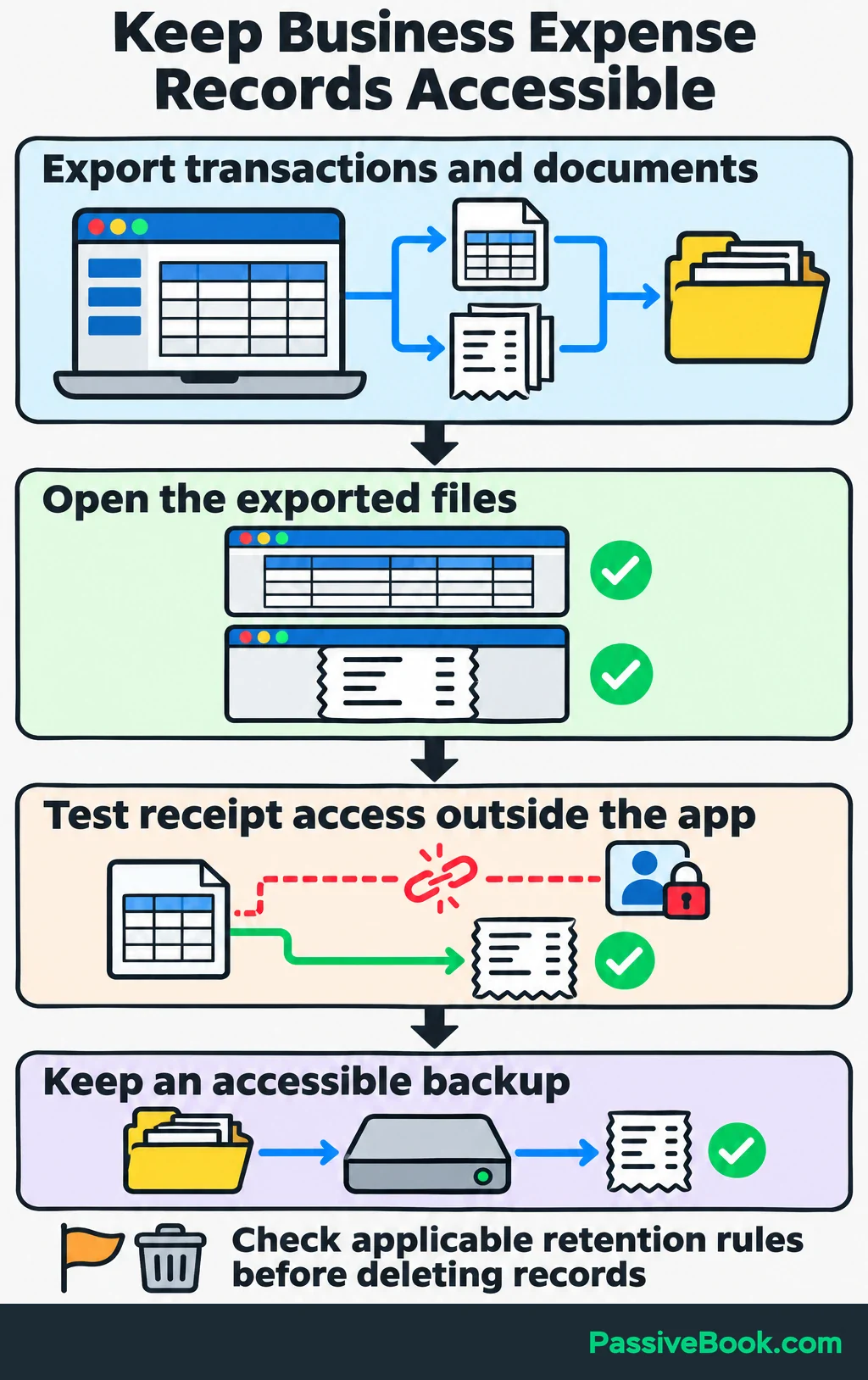
Keep an accessible backup of the completed records. Before leaving an app, export both transactions and supporting documents, and check that the files open. A transaction export won’t help much if its receipt links lead to an account you can no longer access.
Continue the same routine into the next reporting period. You shouldn’t need to rebuild your system every time tax preparation comes around.
What Next?
Create your expense log and use your next purchase to check the whole process: record it, save its documents and make sure you can retrieve them from the row.
Use the social buttons to share this guide when the conversation turns to receipt chaos or tax preparation. A simple routine is easier to put into practice than another promise to “get organized.”
Which part of your current process is hardest to maintain: recording purchases, saving receipts or checking statements? Share your experience in the comments, and bring any other questions too.
Share this post with your friends & followers:

