I spent two years running Passive Book like a circus act, juggling blog posts, Pinterest pins, email sequences, and affiliate links entirely from memory. Every time I sat down to publish an article, I’d waste 15 minutes asking myself, “Did I add the Pinterest pin last time? What about the affiliate disclosure?” One month I forgot to schedule the newsletter. Another time I missed tracking parameters on three affiliate links and lost attribution on $180 in commissions.
The breaking point came when I tried to delegate basic tasks to a freelancer. I couldn’t explain my process without sitting next to them because everything lived in my head. Then came the second realization: AI tools like Claude and ChatGPT could handle repetitive tasks autonomously, but only if I could feed them clear, structured instructions. Vague prompts produced vague results, just like vague instructions produced confused freelancers.
That’s when I started documenting standard operating procedures. Not because I wanted to build corporate systems, but because I was tired of being the bottleneck in my own business, and I realized SOPs were the key to delegating effectively to both humans and AI.
- •What Are Standard Operating Procedures (SOPs)
- •Why SOPs Matter for Time-Strapped Solopreneurs
- •When Your Online Business Actually Needs SOPs
- The 30-Minute SOP Creation Method
- What to Include in Every SOP You Create
- Free Tools for Creating SOPs (No Enterprise Software Needed)
- •How AI Transformed SOP Creation
- SOP Examples by Online Business Type
- •Making SOPs Work Long-Term: Usage & Maintenance
- Using SOPs to Delegate Without Losing Control
- •Frequently Asked Questions
- •What Next?
What Are Standard Operating Procedures (SOPs)
Standard Operating Procedures are simple, documented instructions showing exactly how to complete recurring tasks in your online business. Think of them like recipes you follow every time you publish a blog post, process an order, or prepare a YouTube video.
The documentation prevents costly mistakes when you’re working in fragmented sessions between your day job. Relying on memory means you’re more likely to skip steps. Forgotten affiliate link tracking parameters. Missing end screens on YouTube videos. Incomplete product variant options in your store.
I know, I know. “Documentation” sounds boring. Like something your corporate manager forced you to do. But stick with me. This is different.
These aren’t the mistakes that happen once. They compound over weeks and months, quietly eroding your revenue and reputation.
What SOPs are NOT: lengthy corporate manuals that take weeks to write. They’re not instructions for one-time tasks you’ll never repeat. And they’re not rigid rules preventing you from adapting when circumstances change.
The best SOPs are working documents. Short enough to reference during rushed work sessions. Clear enough that someone else could follow them. Flexible enough to update when your tools or strategy evolve.
Why SOPs Matter for Time-Strapped Solopreneurs
SOPs free mental bandwidth by storing processes externally instead of relying on memory during fragmented work sessions. When you only have an hour before dinner to work on your business, you can’t afford to spend 20 minutes trying to remember how you formatted your last newsletter.
They eliminate time waste from reinventing the wheel on tasks you’ve already solved. Every time you reconstruct a process from scratch, you’re burning limited creative energy on logistics instead of growth.
Documentation enables confident delegation when you’re ready to hire help or hand tasks to AI agents. If everything lives in your head, you become the permanent bottleneck. No human freelancer or AI tool can execute your vision because they don’t know what’s in your brain. A freelancer needs clear instructions. An AI agent needs a structured prompt or workflow definition. Both start with the same thing: a documented SOP.
About 17% of service-based businesses (including ecommerce) fail in their first year, often due to operational inconsistency. Forgetting to fulfill orders promptly. Inconsistent product descriptions. Missed follow-ups with customers. These mistakes create negative reviews and lost repeat customers that hurt new stores.
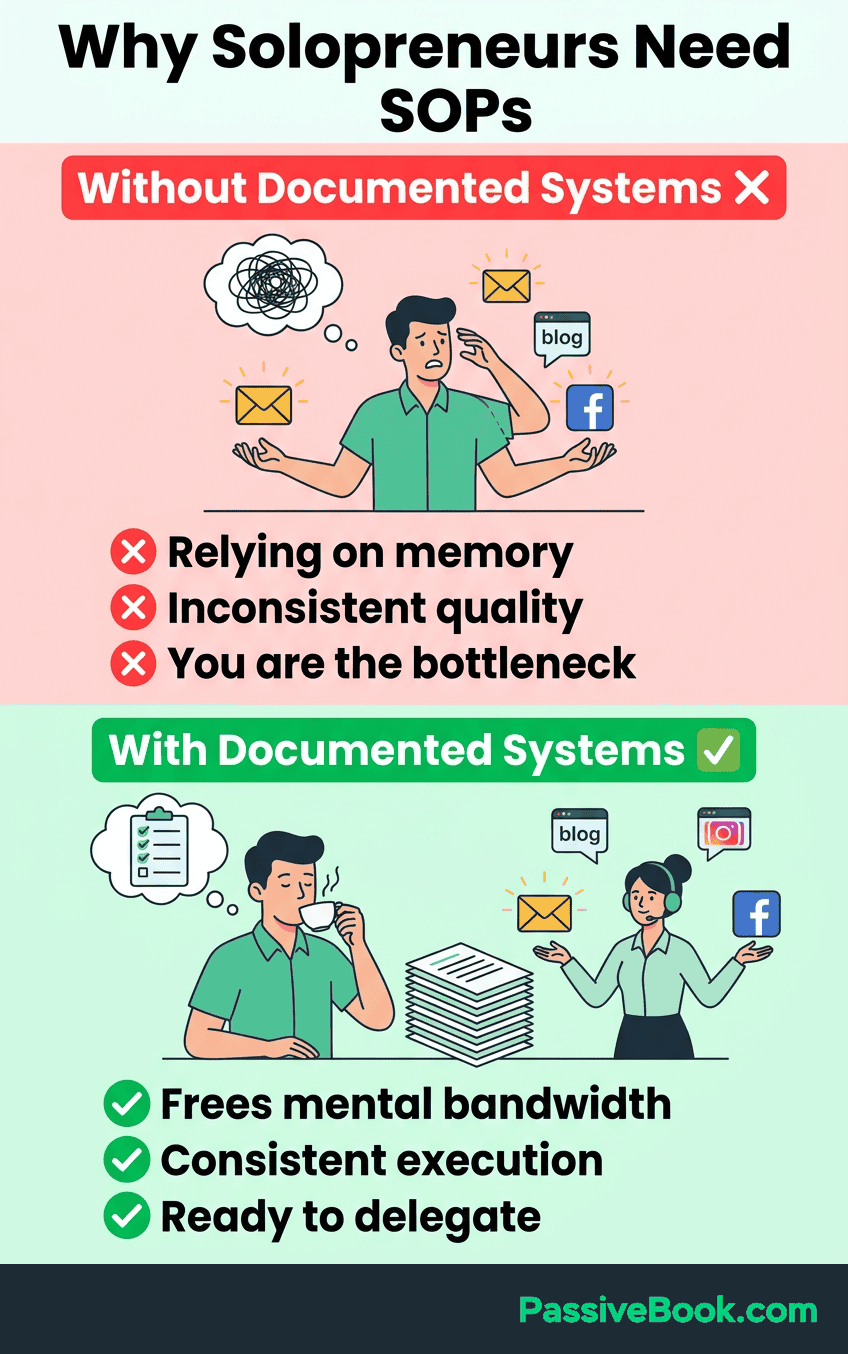
SOPs transform your business from dependent on your constant presence to running smoothly when you step away. Whether you get sick, take a vacation, or just need a mental health weekend, documented processes mean your business doesn’t collapse. And with AI agents, documented processes don’t just survive your absence. They run actively while you’re away, executing tasks on autopilot instead of waiting in a queue.
Solopreneurs running blogs, YouTube channels, and online stores recognize that operational clarity is competitive advantage.
Without SOPs, your business becomes unsellable. No one will buy an operation they can’t run without you. Your knowledge and systems are the actual asset, not just your current revenue.
AI-powered automation now makes SOPs even more critical. Tools like Claude, ChatGPT, and specialized workflow platforms can execute documented processes automatically. But they need clear SOPs to work from.
Your documented process becomes the instruction set for automation.
When Your Online Business Actually Needs SOPs
You’ve done the same task three or more times and forget steps between sessions. This is the clearest signal. If you’re asking yourself “wait, how did I do this last month?” the process is important enough to repeat but forgettable enough to waste time reconstructing.
Without SOPs, you can’t maintain high quality work when juggling multiple tasks. Missed newsletter sends. Incomplete product listings. Forgotten affiliate links. Your audience notices when execution quality varies wildly from week to week.
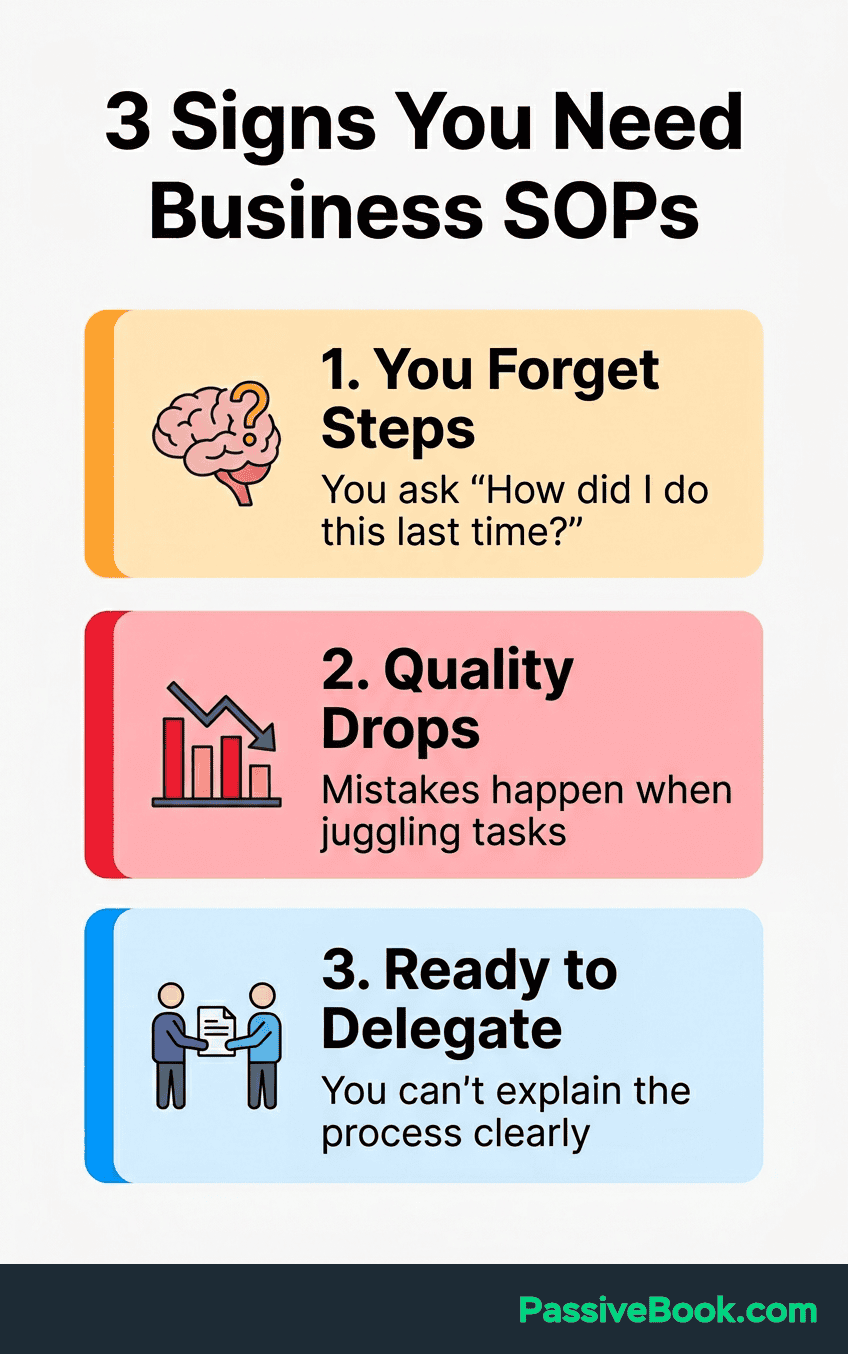
You’re ready to delegate to a freelancer or an AI agent but can’t explain your process clearly without doing it yourself. If you have to sit next to someone and walk them through every click, or you’re rewriting the same AI prompt from scratch every time, you don’t have a process. You have undocumented tribal knowledge.
You’ve experienced one of these situations. Maybe all three. That’s not failure, it’s growth. Your business reached the point where keeping everything in your head became the limiting factor.
If you’re thinking “I’m too small for SOPs,” you’re wrong. Size doesn’t matter. Consistency does. Even a one-person YouTube channel with 500 subscribers benefits from documented processes.
The 30-Minute SOP Creation Method
Speed matters more than perfection. Any documented process beats keeping everything in your head. I tested this method across Passive Book’s blog publishing, Pinterest distribution, and email workflows. Each SOP took under 30 minutes to create.
The goal isn’t a polished corporate manual. It’s a working document you can actually use next week when you sit down to do the task again.
Step 1: Pick One Recurring Task That Causes Problems
Choose tasks you do monthly that take over 15 minutes each time. Prioritize processes causing quality issues. Newsletter formatting. Product photography workflow. YouTube video upload procedures.
Start with revenue-generating tasks first. Document how you prepare affiliate review posts before you document how you organize your Google Drive. Avoid rare or complex processes initially.
Examples that work well: weekly newsletter assembly, YouTube video upload checklist, product photography for new store items, monthly affiliate report review. Don’t try documenting “setting up a website” or other complex one-off tasks.
Step 2: Document While Doing (Not From Memory)
Solo business owner Anna Yang documented every process using Loom screen recordings when hiring her first contractor. Here’s why that approach works.
This is where most people fail. They sit down to write SOPs from memory and produce idealized versions of what they think they do, not what they actually do.
Instead, record yourself doing the task using Loom or screen recording tools. Capture what you actually do in real-time. Your forgotten steps, workarounds, and decision making points.
Type steps into Google Docs or Notion as you complete each action. Don’t wait until the end of the recording. Document simultaneously.
She recorded herself doing tasks like publishing content and managing her Google Drive, then used Loom AI to generate written SOPs from the recordings.
For Passive Book’s Pinterest distribution workflow, I hit record on Loom, then talked through my process while creating and scheduling five pins. The recording captured everything: which folder I pulled images from, how I titled pins, where I found hashtags, what time I scheduled posts.
Step 3: Structure With Action Verbs and Tools
Convert your recording into 5-8 action steps using simple language. Start each step with a verb: open, click, select, copy, paste, review.
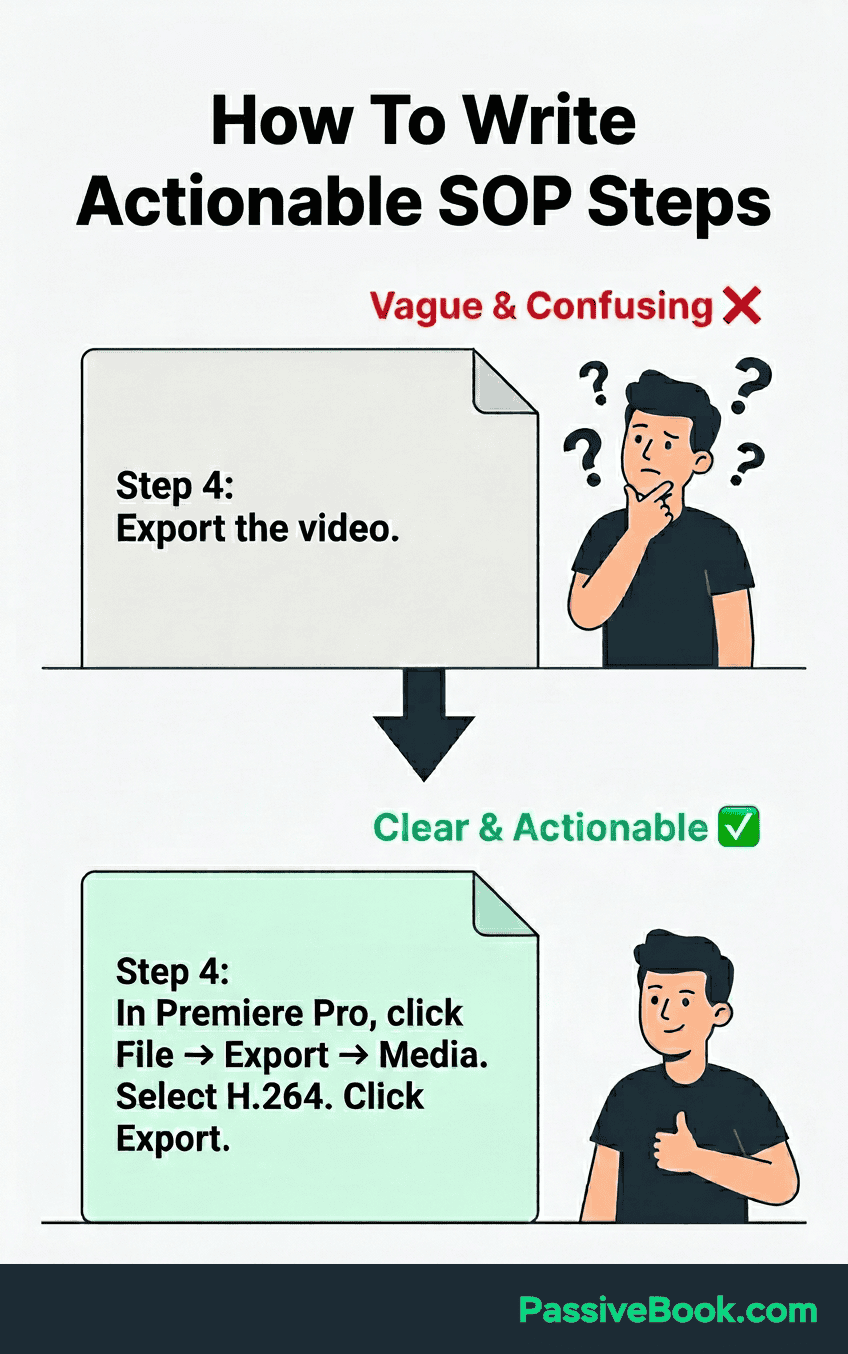
Make sure to include exact tool names, button locations, menu paths, and decision making points. “Export video” is too vague. “In Adobe Premiere: File → Export → Media → Select H.264 preset → Click Export” is actionable.
Add screenshots only where truly necessary. Every screenshot becomes maintenance burden later when your interface updates. Most steps work fine with clear written instructions.
Step 4: Test and Refine Immediately
Wait 24 hours, then follow your own SOP without referencing memory. Pretend you’re a stranger reading these instructions for the first time.
Note anywhere you got confused or needed to improvise. These are gaps. If you had to open a different browser tab to check something, that information belongs in the SOP.
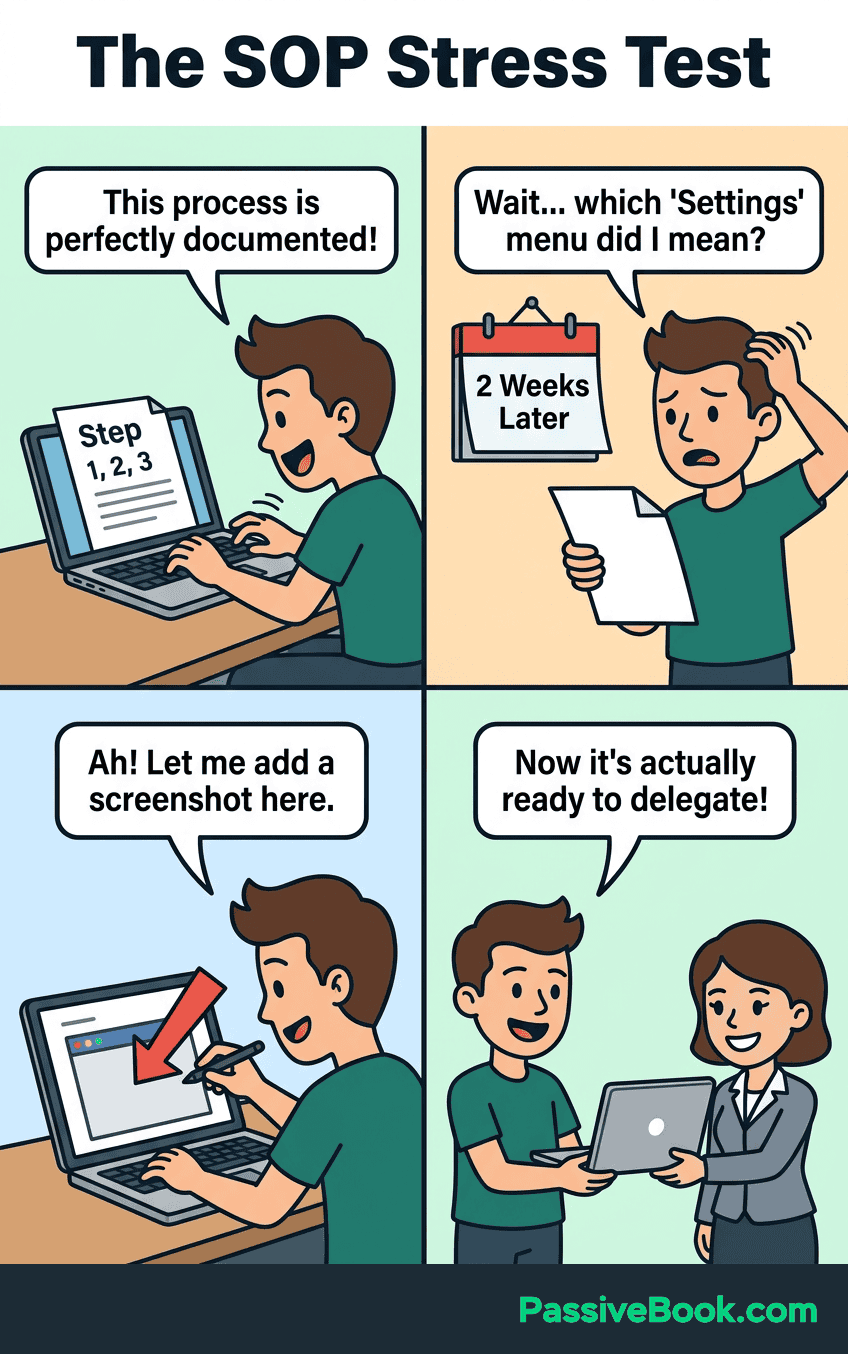
Update immediately before forgetting what you discovered during testing. This is the most important step people skip. Your fresh experience of following the SOP is the best data you’ll ever have for improving it.
Don’t aim for perfection with your SOP draft. Your first version will be 80% complete at best. That’s fine. An 80% complete SOP you actually use beats a perfect document you never reference.
What to Include in Every SOP You Create
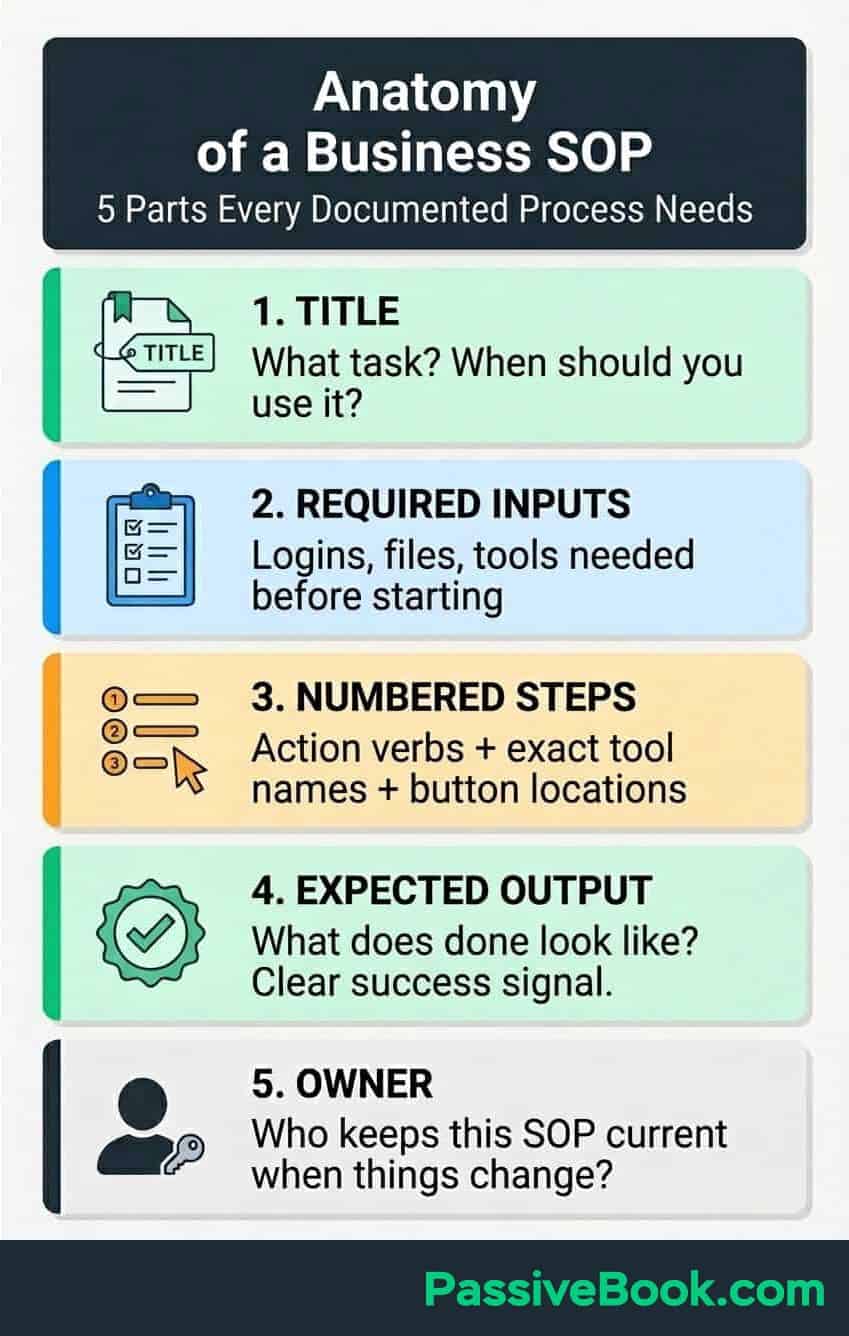
Clear title describing the task and when to use this SOP makes it easy to follow. “Blog Post Publishing Process” tells you everything. “Documentation” tells you nothing. (I learned this after creating 11 SOPs all titled “Process” and spending 10 minutes hunting for the right one.)
Required inputs before starting. Logins, files, completed prerequisites, brand guidelines. If someone needs your Canva login and brand colors loaded before starting, say that upfront.
Numbered steps in chronological order using action verbs with exact tool names. This best practices approach ensures anyone can follow your process. “Click the blue ‘Publish’ button in the top right corner of WordPress dashboard” beats “Publish the post.”
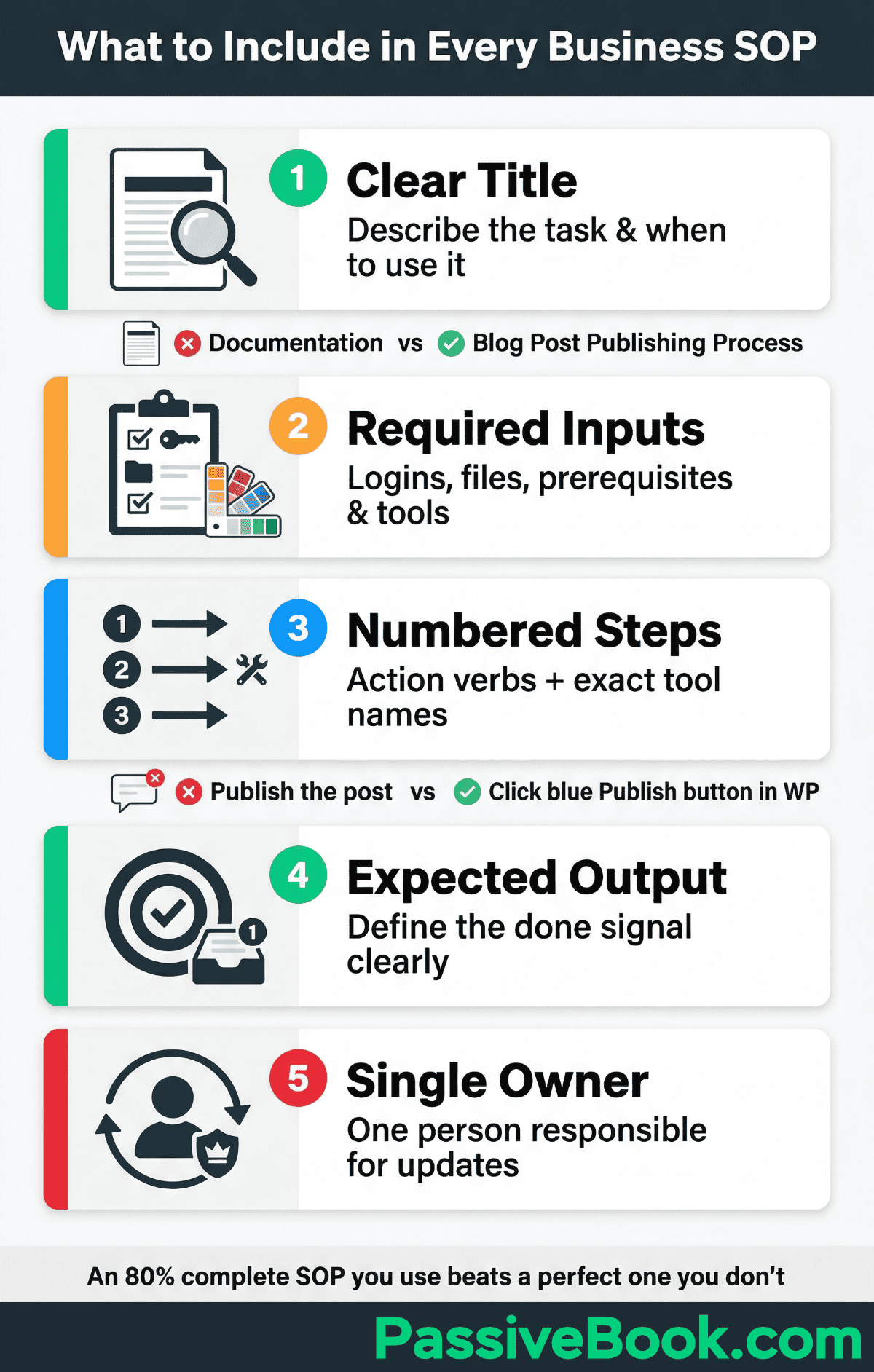
Expected output or completion signal so you know you’re done. “Newsletter appears in FluentCRM Sent folder and test email arrives in your inbox within 5 minutes” gives clear success criteria.
Single person responsible for keeping the SOP current when the process changes. Even if that person is you. Assign ownership explicitly or the document becomes outdated noise.
Common failures and recovery belong in the SOP too. Record the symptom, likely cause, and a manual workaround for each failure you have already encountered. If an automation or third-party tool breaks, the fallback should tell you exactly how to complete the critical step until the normal process is restored.
Solo entrepreneur Anna Yang’s template demonstrates this structure perfectly. Her Loom-generated SOPs include the task name, why it matters to her business, required logins and files, step by step actions, and the expected final outcome.
This same structure works when your “executor” is an AI agent instead of a human. The clearer your steps and decision criteria, the better an AI tool can follow them without hallucinating or improvising.
What NOT to Do
Writing corporate 20-page documents instead of scannable bullet points you can reference quickly during rushed work sessions wastes everyone’s time. You need something you can skim in 90 seconds, not a novel.
Using insider jargon or assumptions makes SOPs useless for delegation to freelancers unfamiliar with your business. Write for someone who’s never seen your tools before. Common SOP mistakes include assuming tool knowledge.
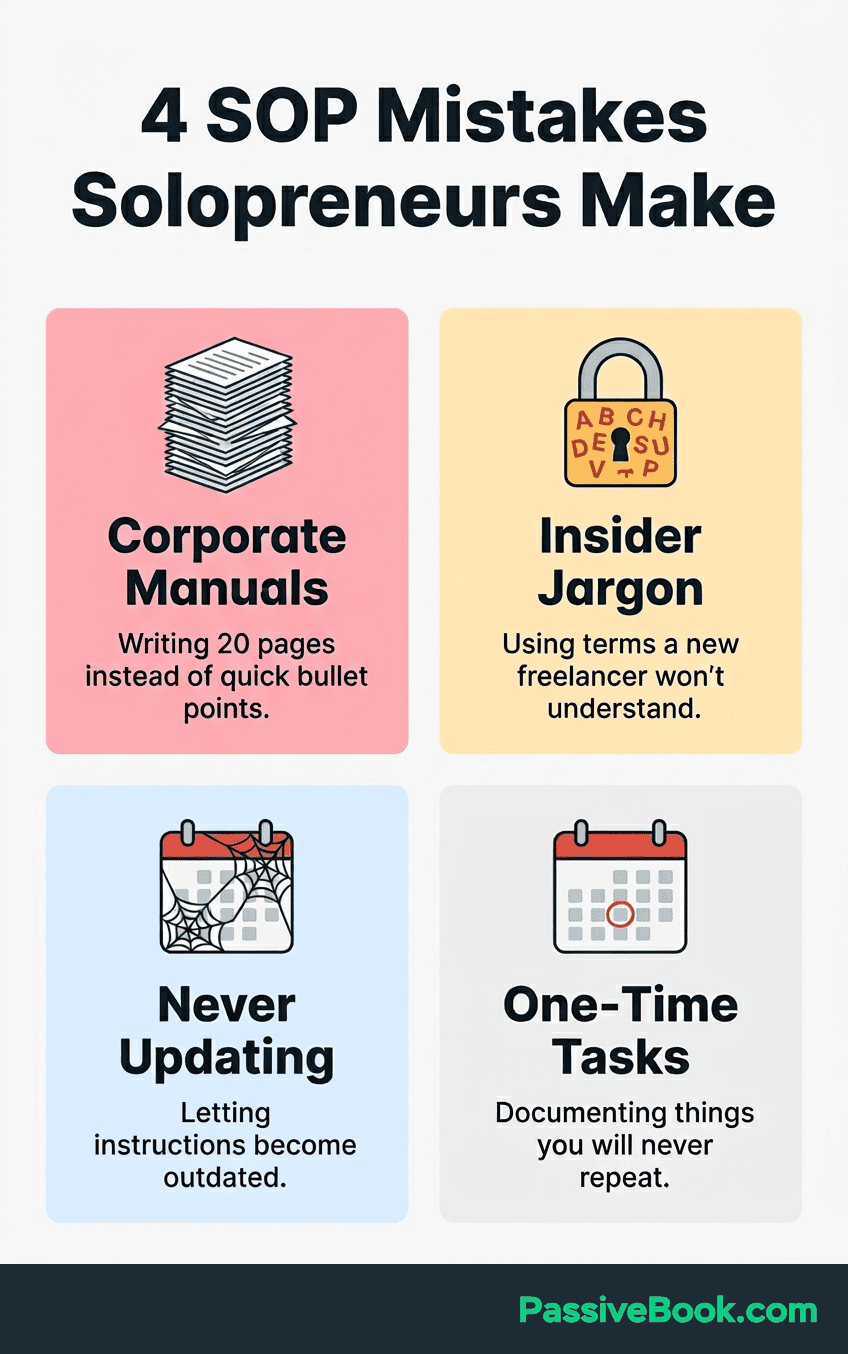
Creating SOPs once then never updating as tools evolve produces outdated documentation that’s worse than none. Stale SOPs create confusion and mistakes when the interface no longer matches your instructions.
Documenting one-time tasks instead of repeatable workflows worth systematizing. Don’t write an SOP for “migrating your email list to a new platform.” Do write one for “adding new subscribers to welcome sequence.”
Free Tools for Creating SOPs (No Enterprise Software Needed)
You don’t need expensive SOP software like Trainual or Process Street when you’re running a side hustle. The best tool is the one you’re already using daily and won’t abandon in three months.
Start with tools you already use instead of adding new platforms to your workflow. Every new app is another login to remember and another interface to learn. Most successful solopreneurs document everything with free tools before considering paid options.
Google Docs for Simple Documentation
Free with a familiar interface, built-in version history, and works offline. Google Docs is probably already open in your browser right now.
Create a dedicated “SOPs” folder with clear naming conventions like “SOP-BlogPublishing-v2” or “SOP-ProductPhotography-2026.” Version numbers in filenames help you track which document is current when you’re updating processes.
Prefer a descriptive action-and-tool name such as “How to Schedule Pinterest Pins in Native Scheduler” over a vague label like “Pinterest Process v2.” Add a version or date only when you need to distinguish revisions.
Use headings and bullet points in your SOP format for easy scanning during rushed work sessions. Your future self working at 11 PM after a long day will thank you for clear formatting.
Notion for Searchable SOP Libraries
Notion free plan supports unlimited pages with full-text search. As your SOP collection grows past 10-15 documents, searchability becomes critical.
Database view filters SOPs by business area, frequency, or last updated date. You can create custom views showing only your weekly tasks or only your ecommerce workflows.
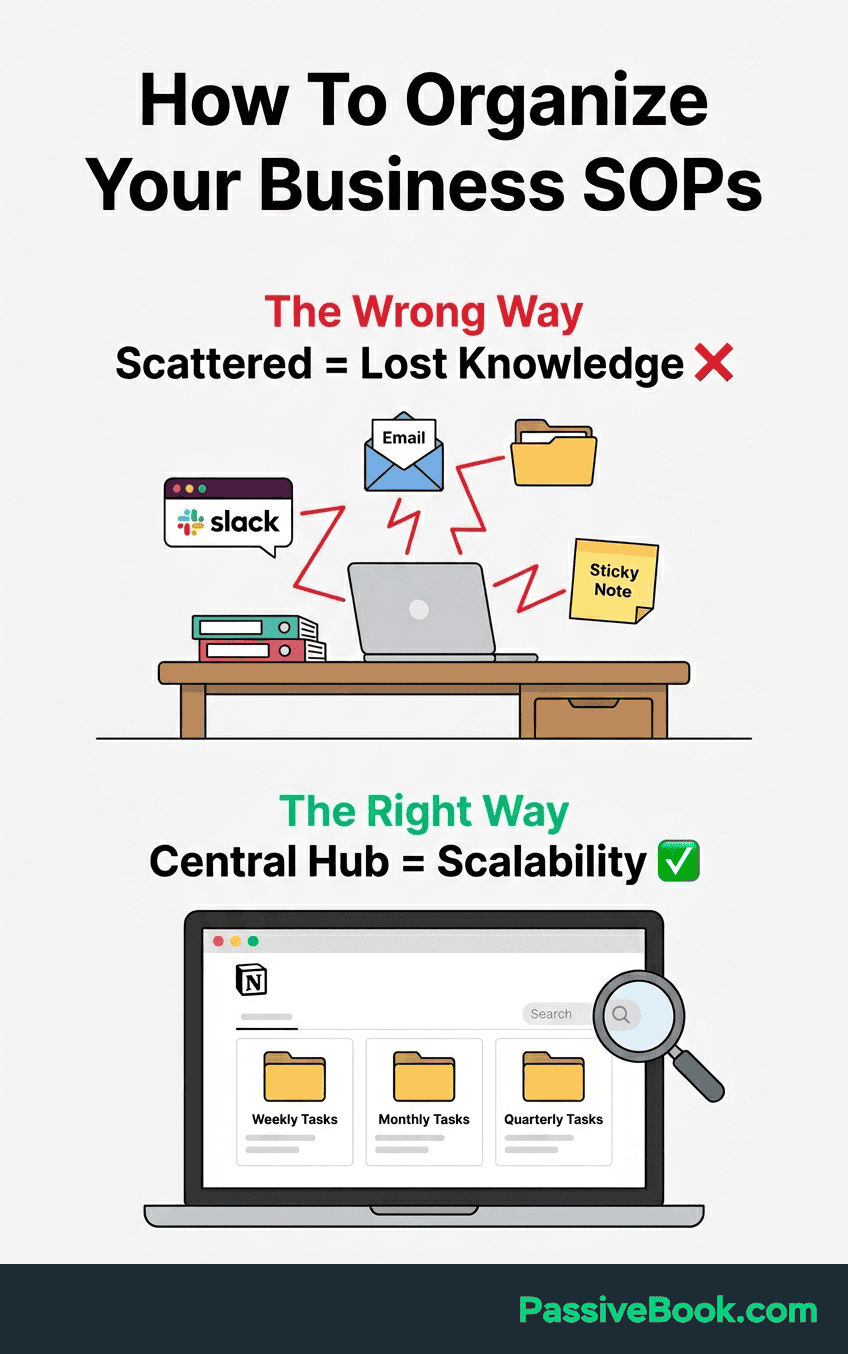
Templates speed up creating similar SOPs like social media posting processes. Build one template for “social media SOP” and duplicate it for Instagram, Pinterest, and YouTube with minimal customization.
I use Notion for all Passive Book SOPs because the database structure lets me tag each process by platform, frequency, and whether it’s delegatable. Quick filters show me exactly what I need without scrolling through dozens of unrelated documents.
Loom for Screen Recording SOPs
Loom free tier includes 25 videos with unlimited length. That’s enough for most solopreneurs to document their entire core workflow library.
Capture screen and voice while performing the task, narrating each step aloud. The video preserves context that’s hard to explain in text: cursor movements, where you’re looking, your decision-making process.
Embed the video link in written SOPs for visual learners or complex software workflows. Some people need to see the clicks, not just read about them. Loom lets you serve both learning styles with one recording session.
How AI Transformed SOP Creation
AI-powered documentation tools can now automatically capture screenshots and generate instructions as you work. The technology went from “interesting experiment” to “actually useful” in the past year.
Paste rough notes into Claude or ChatGPT requesting a clearer step by step version for someone new. I do this constantly. My initial documentation while working is messy shorthand. AI polishes it into something another person can actually follow.
The prompt I use: “Convert these rough notes into a clear SOP with numbered steps using action verbs. Target audience is a freelancer who’s never used these tools before.” Then I paste my notes and get back properly formatted instructions in 30 seconds.
AI reduces SOP creation time from hours to minutes. I used this exact workflow for Passive Book’s Pinterest distribution process. Thirty minutes of screen recording and rough notes. Five minutes of AI cleanup. Done.
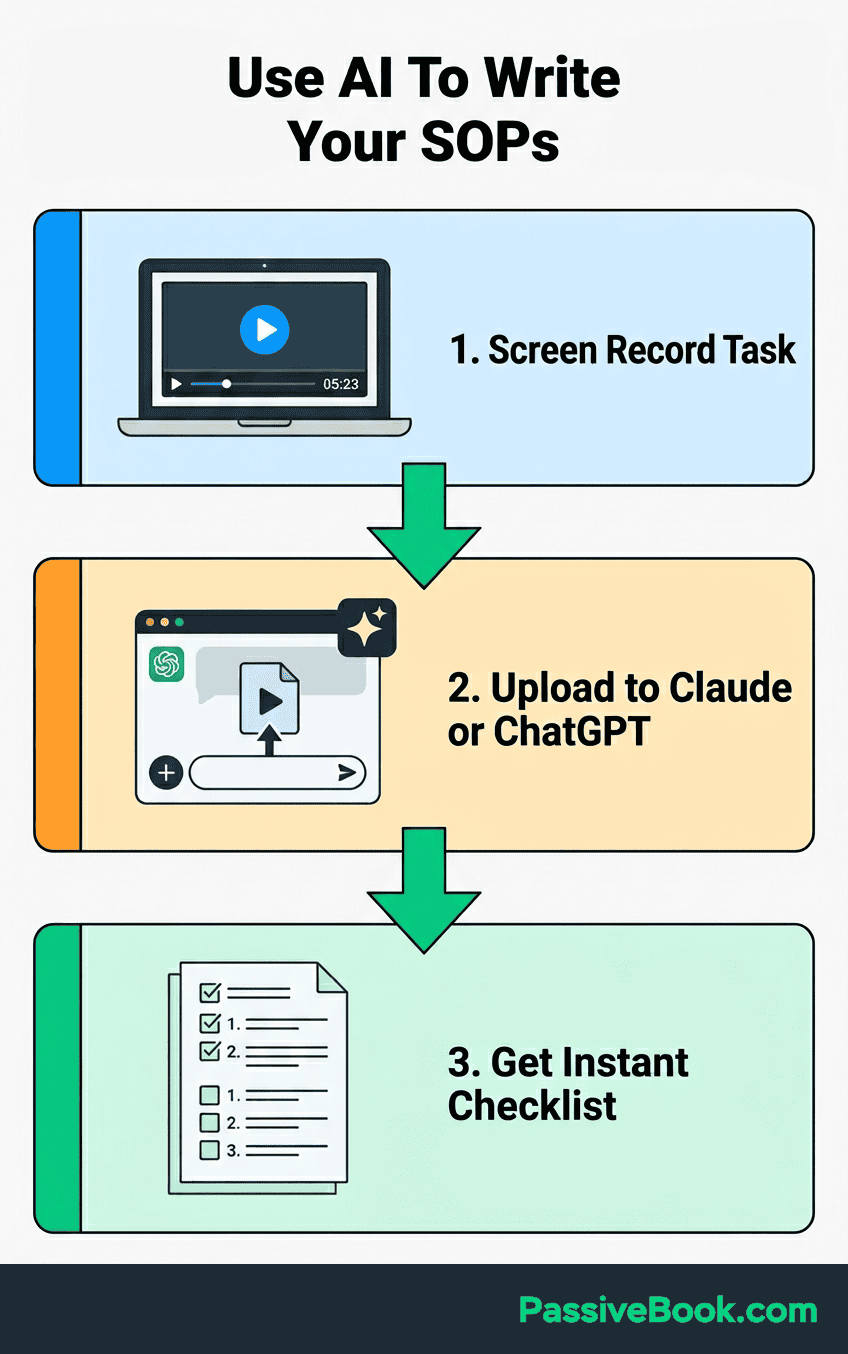
For advanced automation, connect Loom recordings directly to your knowledge base using tools like n8n. I use this to automatically save new SOPs to the right Notion database and notify my task management system when a process changes.
The n8n workflow looks like this: Loom recording uploaded → Loom AI generates transcript → n8n sends transcript to Claude for formatting → formatted SOP saved to Notion → Slack notification sent. Zero manual steps after I hit “stop recording.”
But here’s what AI doesn’t replace: actually doing the task once to document it. You can’t ask ChatGPT to write your blog publishing SOP from scratch. It will give you generic advice that doesn’t match your tools, your brand, or your workflow. AI polishes your brain dump. It doesn’t create knowledge from nothing.
Here’s the beautiful irony though: once AI helps you create a polished SOP, that same SOP becomes the instruction set for AI to execute the task. You use AI to document the process, then use AI to run the process. The SOP is the bridge between the two.
SOP Examples by Online Business Type
Focus SOPs on revenue-generating and consistency-critical tasks first before documenting everything. You don’t need 50 SOPs. You need 8-12 really good ones covering the work you do weekly or monthly.
Below are SOP examples organized by business model. Skip to the section matching your business, then adapt the examples to your specific tools and workflow.
YouTube Channel SOPs
Video publishing checklist prevents the small mistakes that hurt watch time. Thumbnail upload, end screens pointing to relevant videos, tags from your keyword research, playlist assignment so viewers binge your content, pinned comment with your call-to-action, description links to affiliate products or your website.
Batch filming setup saves 20 minutes per video when you record multiple pieces of content in one session. Camera settings documented so you’re not guessing at ISO and aperture. Lighting positions marked on the floor with tape. Audio check routine confirming your mic is actually recording. Backup recording confirmation on your phone as insurance.
Comment moderation workflow creates consistency in audience interaction. Reply vs heart vs hide vs report decision tree with examples. Which types of questions get full replies, which get a heart, which get hidden for spam, which get reported for harassment.
AI delegation opportunity: your comment moderation decision tree translates directly into an AI classification prompt. Feed comments to an AI agent with your criteria, and it drafts replies, flags spam, and sorts by priority. You approve the batch instead of reading every comment individually.
Blog and Content Site SOPs
I publish 4-6 articles monthly on Passive Book. Here’s the checklist that prevents mistakes.
Rank Math optimization hitting green lights on focus keyword and readability. Featured image sizing to exact pixel dimensions for fast loading. Internal linking strategy connecting to three related articles. Social sharing with pre-written posts for Pinterest, Twitter, and LinkedIn.
Affiliate link insertion standards maintain FTC compliance and tracking accuracy. Disclosure placement at the top of reviews and within 100 words of first affiliate link. Link formatting using your URL shortener or cloaking plugin. Tracking parameters appended to every URL so you know which content drives sales. Cloaking setup in your link management tool.
Newsletter assembly from blog content follows a repeatable structure. Excerpt selection pulling the most compelling 150 words from your latest post. Call-to-action placement driving clicks back to your site. FluentCRM scheduling for optimal send time based on your open rate data.
AI delegation opportunity: feed your newsletter SOP to Claude or ChatGPT with your latest article, and it generates the excerpt, subject line, and CTA copy in your brand voice. You review and hit send instead of writing from scratch.
For Passive Book, my article publishing SOP includes 11 specific steps from Rank Math configuration through Pinterest pin creation. Every step has exact tool names and button locations. I can publish a complete article in 25 minutes now instead of the 45 minutes it took when I was winging it.
Ecommerce and Dropshipping SOPs
Fulfillment errors killed my first ecommerce store in 2014. These SOPs prevent the mistakes that generate negative reviews.
Description template with benefit-focused bullet points and specifications section. Photo editing requirements specifying white background, specific resolution, and consistent lighting. Pricing calculation formula building in product cost, shipping, payment processing fees, and target margin. Variant setup for size, color, or other options with individual SKUs.
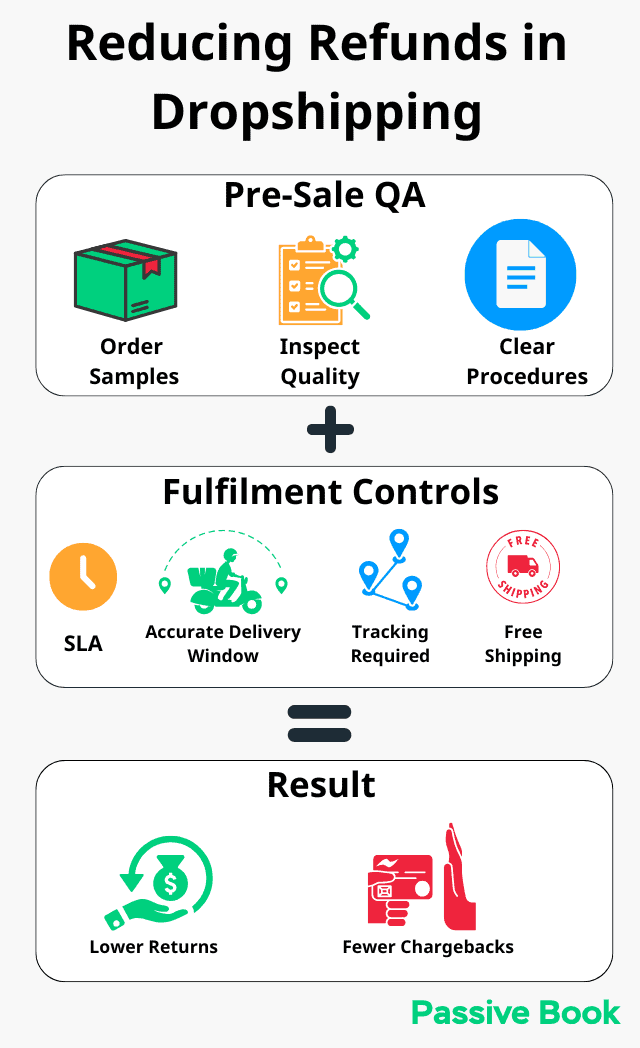
Order fulfillment workflow prevents the negative reviews that kill ecommerce stores. Supplier notification within 2 hours of order placement. Tracking number update to customer via automated email. Confirmation email template thanking them and setting delivery expectations.
Return processing with clear authorization criteria. Refund authorization criteria defining which returns you accept and which you reject. Restocking steps for returned inventory. Customer communication timeline keeping them informed at each stage.
AI delegation opportunity: your refund authorization criteria become a decision tree an AI agent can evaluate automatically. Customer submits return request → AI checks against your SOP criteria (within return window, product condition, order value) → approves or escalates to you. You handle exceptions instead of every single return.
Digital Product Business SOPs
What prevents course launches from becoming chaotic disasters? These three SOPs coordinate the moving pieces.
Teachable sales page elements including headline formula, benefit bullets, testimonial placement, and guarantee copy. Email sequence setup in FluentCRM with five pre-launch emails and three post-launch emails. Stripe testing confirming payment flows work and students receive access immediately.
Student onboarding creates positive first impressions. TutorLMS access granting within 5 minutes of purchase. Welcome email with login instructions and course roadmap. Community invitation link to Slack or Circle depending on your platform.
Product delivery for downloadable goods. Gumroad file hosting with version control when you update products. Download link generation and expiration settings. Purchase confirmation automation sending license keys or bonus materials.
AI delegation opportunity: your student onboarding SOP can power an AI chatbot that answers common “How do I access my course?” questions using your documented steps. Instead of answering the same email 50 times, the AI references your SOP and handles it instantly.
Making SOPs Work Long-Term: Usage & Maintenance
Pin your most-used SOPs where you’ll actually see them. Bookmark the Google Doc for your publishing checklist. Add the Notion link to your Trello card template. Keep Loom recordings in the same folder as the files they reference.
Link SOPs in task descriptions, pinned team chat messages, or browser bookmark folders for specific workflows. The goal is zero friction between “I need to do this task” and “I’m following the SOP.”
Link each procedure to the next related procedure and keep a simple index by workflow. For example, a publishing SOP can link to image preparation, SEO review, distribution, and analytics steps. These links let you follow the process without remembering what comes next.
Let doers edit SOPs directly. The person executing the process knows what’s missing or outdated better than anyone. If you hire a freelancer to handle your newsletter, give them editing access to that SOP. When AI agents execute your SOPs, review the output for gaps. If the AI consistently mishandles a step, the SOP probably needs more precision at that point, not a different AI tool.
Make “update SOP if anything changed” the final step in every process. This one habit prevents documentation drift. Every time you complete a task, you spend 30 seconds noting whether the SOP still matches reality.
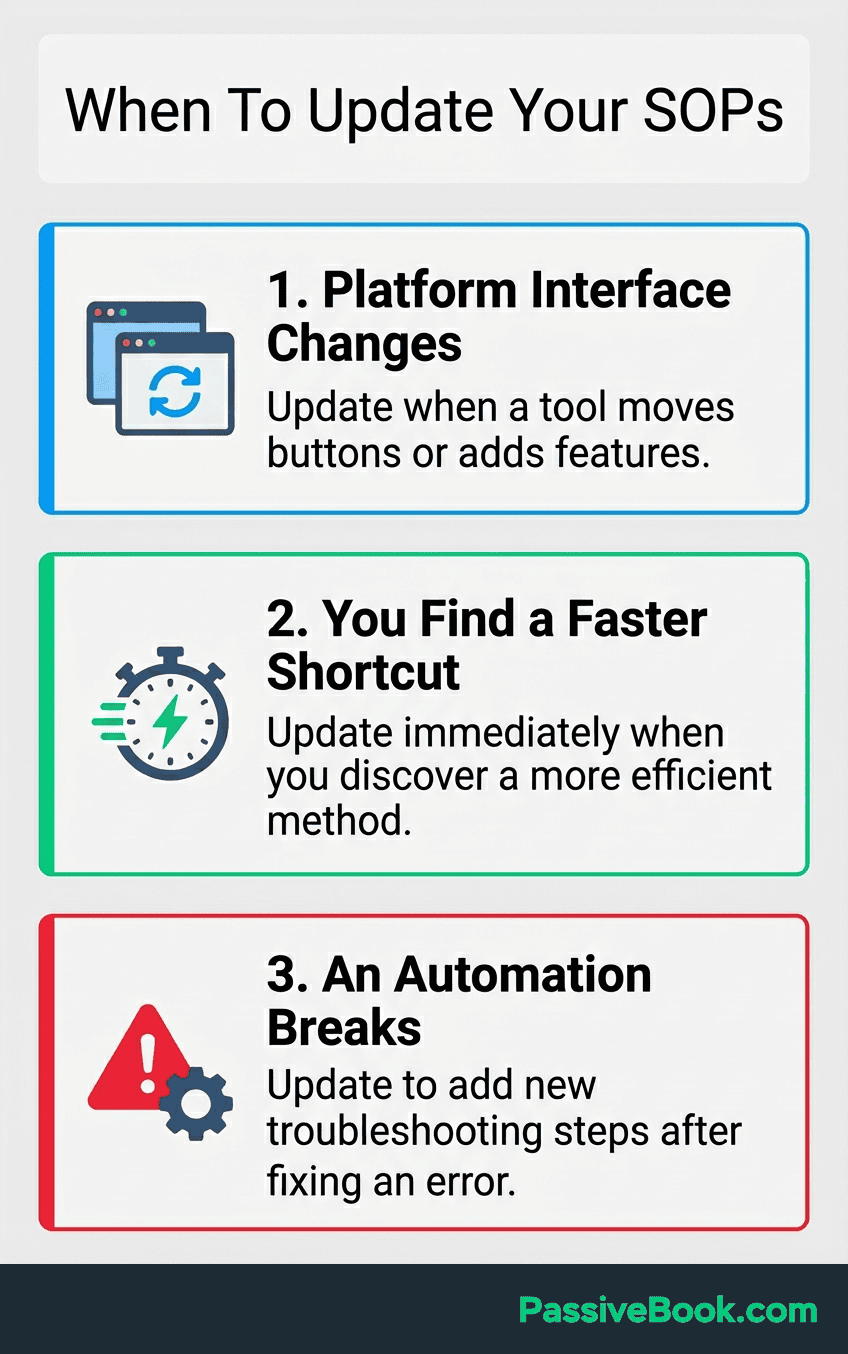
Note needed changes while using SOPs instead of scheduling separate review time. Quick edits during the task take less time than dedicated update sessions later. If you notice a button moved in your email software, update the SOP right then. Don’t add “review SOPs” to your calendar and batch the updates.
Archive outdated SOPs to an “Archive” folder with a date stamp instead of deleting completely. You might want to reference old workflows later. I keep archived SOPs for abandoned processes like my old MailerLite setup even though I migrated to FluentCRM. The historical context helps when troubleshooting.
Quality drops signal your SOP needs updating instead of arbitrary calendar-based reviews. If you start making mistakes or feeling confused during a familiar task, the documentation probably drifted from reality. Trust your frustration as a signal.
Using SOPs to Delegate Without Losing Control
SOPs provide clear instructions that freelancers and AI agents follow independently, making delegation 10x easier. Whether you’re handing a task to a human or feeding it to an AI workflow, the principle is identical: you’re not paying someone (or burning API credits) to figure out your process through trial and error. You’re giving them a documented system to execute.
Test your SOP by having someone unfamiliar with the task follow it without asking questions. If they get stuck or confused, those are gaps in your documentation. Fix them before hiring.
Platforms like Fiverr and Upwork become viable once your processes are documented. You can hire confidently knowing the freelancer has clear instructions instead of vague directions. Similarly, AI automation platforms like n8n, Make, and Zapier become dramatically more effective when you have documented SOPs to convert into automated workflows.
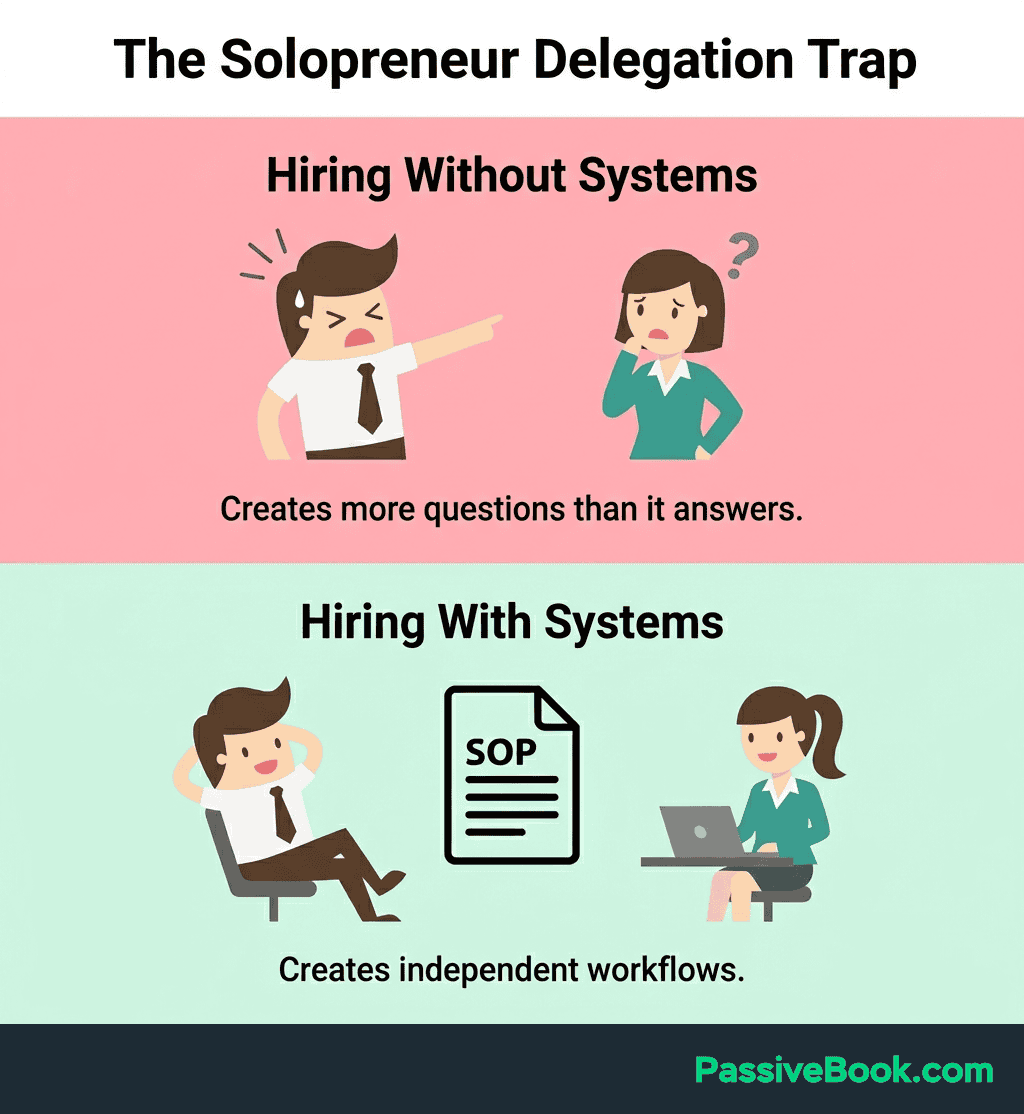
Give freelancers editing access so they can update SOPs when discovering gaps or improvements. They’ll find steps you forgot or inefficiencies you’re blind to because you’ve done it the same way for months. When AI agents execute your SOPs, review their output logs for the same purpose. If an AI consistently produces unexpected results at a specific step, that’s a documentation gap you need to fix.
Start with low-risk tasks where mistakes are easily reversible. Comment replies, image formatting, or data entry work well for first delegation, whether you’re handing them to a freelancer or an AI agent. Don’t hand someone (or something) your ad account with $500 daily spend and expect them to figure it out.
Avoid delegating revenue-critical tasks like ad spend management or customer refunds until you’ve verified the freelancer or AI agent follows your SOPs accurately on smaller tasks first. Build trust incrementally.
Delegating to AI Agents
The same delegation principles apply to AI, with one critical difference: freelancers need context and judgment cues, while AI agents need precision and structure.
Your SOP becomes the system prompt or task specification for the AI. The numbered steps become instructions. The decision points become if/then logic. The expected output becomes the success criteria the AI aims for.
Start with deterministic, low-risk tasks where the output is predictable: formatting blog posts, generating social media captions from templates, processing data into reports, or drafting emails from predefined structures. These are tasks where your SOP can describe the exact input, transformation, and output.
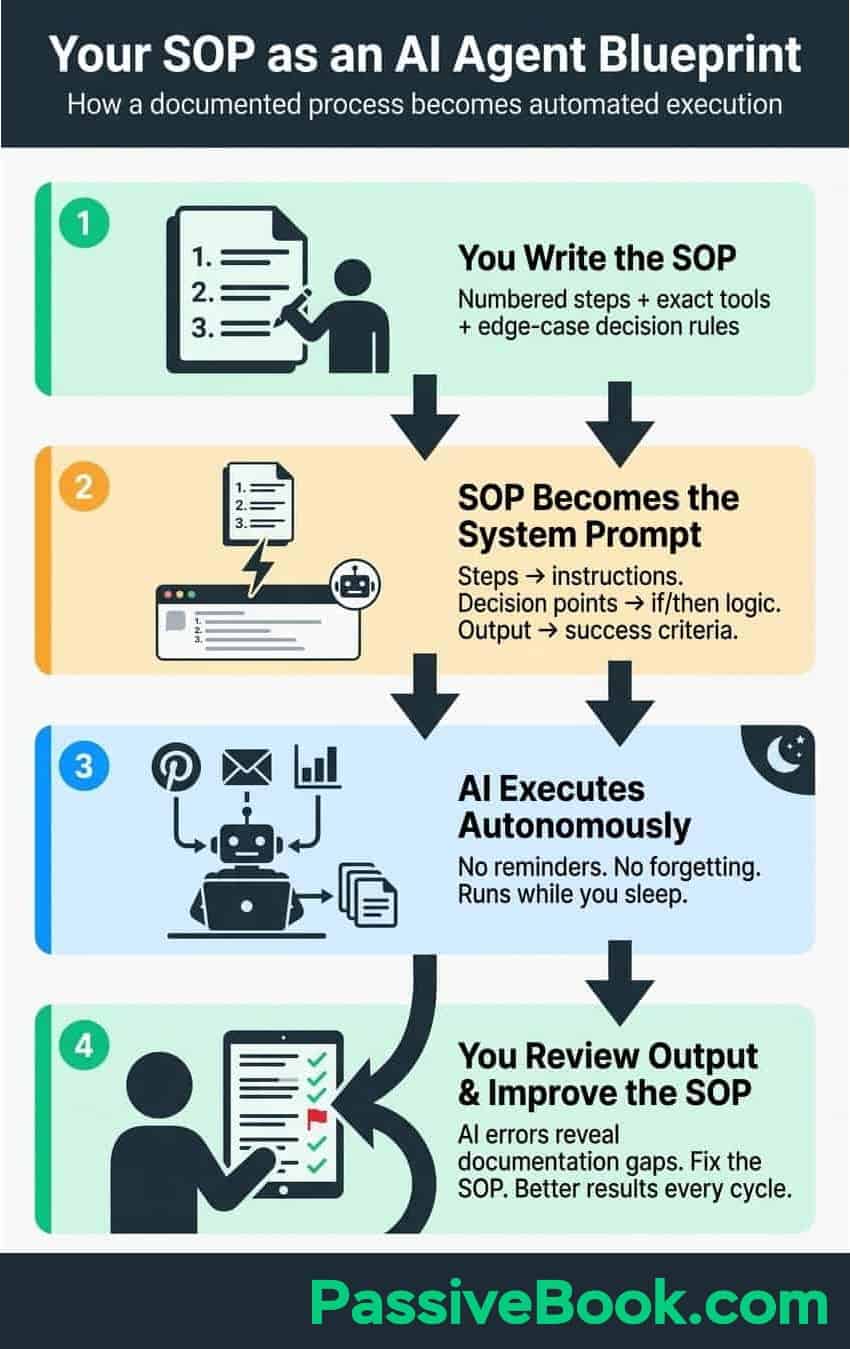
For example, my Pinterest pin creation SOP became the instruction set for an n8n automation workflow. The SOP specifies: pull the article title, generate a pin description under 500 characters using specific keywords, apply the brand template in Canva, and schedule to the correct board. An AI agent follows these steps without me touching Pinterest for weeks at a time.
The key difference from human delegation: AI doesn’t get bored, forget steps, or need motivation. But it also doesn’t ask clarifying questions when something is ambiguous. Your SOP needs to be explicit about edge cases. “If the article has no featured image, skip the pin” is the kind of decision rule humans figure out intuitively but AI needs spelled out.
Gradually increase complexity as you validate accuracy. Move from formatting tasks to content generation, then to multi-step workflows that chain several SOPs together. The same trust-building ladder applies: prove the AI handles simple tasks reliably before handing it anything revenue-critical.
Frequently Asked Questions
Do I Really Need to Document Everything?
No. You don’t need to document everything. Start with 8-12 SOPs covering your weekly and monthly recurring tasks. Most solopreneurs need SOPs for content publishing, customer communication, product fulfillment, and financial tracking. You don’t need documentation for every possible task. Focus on revenue-generating work and consistency-critical processes first. Add more SOPs only when you catch yourself reinventing the wheel on a task you’ve done multiple times.
What’s the Simplest SOP Template That Actually Works?
Create a simple template with these sections: SOP Title, When to Use This, Required Tools/Access, Step by Step Instructions (numbered), Expected Outcome, and Owner. Copy this structure into Google Docs and save it as “SOP-Template” in your documentation folder. Every time you need to document a new process, duplicate this template and fill in the sections while performing the actual task to capture what you really do instead of what you think you do.
Can I Use SOPs to Delegate Tasks to AI Tools?
Absolutely. SOPs are essentially structured prompts for AI agents. Convert your numbered steps into clear instructions, define the expected input and output, and specify decision criteria for edge cases. Tools like Claude, ChatGPT, and workflow automation platforms like n8n can execute well-documented SOPs with minimal supervision. Start with formatting, scheduling, and data processing tasks before graduating to content creation or customer communication.
What Next?
Creating standard operating procedures for your online business transforms chaos into systems. You’ve learned the 30-minute method, identified which free tools match your workflow, and seen examples across different business models. Now you have a path from “everything in my head” to documented processes someone else, or an AI agent, could follow.
SOPs feel tedious when you’re drowning in urgent tasks. I get it. But six months from now, you’ll thank yourself for investing an hour this week documenting your publishing workflow or order fulfillment process.
If you found this guide helpful, hit the social share buttons below. Share it with another solopreneur who’s overwhelmed by trying to remember every detail of their business. They’ll appreciate the practical framework as much as you did.
Drop a comment below: What’s the one task you keep reinventing every time instead of documenting once? I’m curious which processes cause the most frustration for other business owners.
Share this post with your friends & followers: