I spent years doing everything manually because I didn’t trust AI tools. Then I built a custom content pipeline using Claude that cut my article production from days to hours. The breakthrough wasn’t the technology. It was realizing I’d been trading my most valuable asset (time) for tasks a machine could handle in seconds.
You’re juggling a side business with a day job, drowning in repetitive tasks, and wondering if you should use AI tools or just add another thing to learn. I get the resistance. You might feel like “real” entrepreneurs handle everything themselves, or that automating makes you somehow less capable. That’s hustle culture talking. Every successful solopreneur I know automates ruthlessly. The ones still doing everything manually either burn out or stay stuck at the same revenue ceiling for years.
This guide cuts through the noise with 13 tools that deliver immediate ROI, plus the honest truth about which ones you actually need and which are just subscription traps. The fear of wasting $20 monthly on a tool that doesn’t work is real when you’re bootstrapping. That’s why every recommendation here includes a free tier or trial. Test before you commit.

- •What AI Tools Actually Do for Time-Starved Solopreneurs
- Why Most Solopreneurs Waste Time (And Money) on AI Tools
- •1. Claude - Long-Form Content Without the Robot Voice
- •2. ChatGPT - Quick Wins for Daily Busywork
- •3. n8n - Automation That Stops Bleeding Monthly Fees
- •4. Canva - Design Without the Designer Price Tag
- •5. FluentCRM - Email Marketing Without Subscriber Penalties
- •6. Notion - Second Brain That Actually Thinks
- •7. Perplexity - Research in Minutes, Not Browser Tabs
- •8. Zapier - The Beginner-Friendly Alternative to n8n (If You Value Time Over Money)
- •9. Grammarly - Polish Without the Perfectionism Spiral
- •10. Otter.ai - Meeting Notes Without the Manual Labor
- •11. Descript - Podcast Editing in Text, Not Waveforms
- •12. Calendly - Scheduling Without Email Ping-Pong
- •13. Ubersuggest - SEO Research Without Enterprise Pricing
- •The Uncomfortable Truth About "10x" Productivity Claims
- How to Build Your AI Stack Without Tool Overload
- •Frequently Asked Questions
- •What Next?
What AI Tools Actually Do for Time-Starved Solopreneurs
AI tools use machine learning to handle knowledge work requiring human decision-making like writing, analysis, and strategic planning. These are the repetitive cognitive tasks that drain your hours.
Unlike basic automation with simple IF-THEN rules, AI learns patterns from your content and workflows. It generates original outputs instead of just moving data between apps.
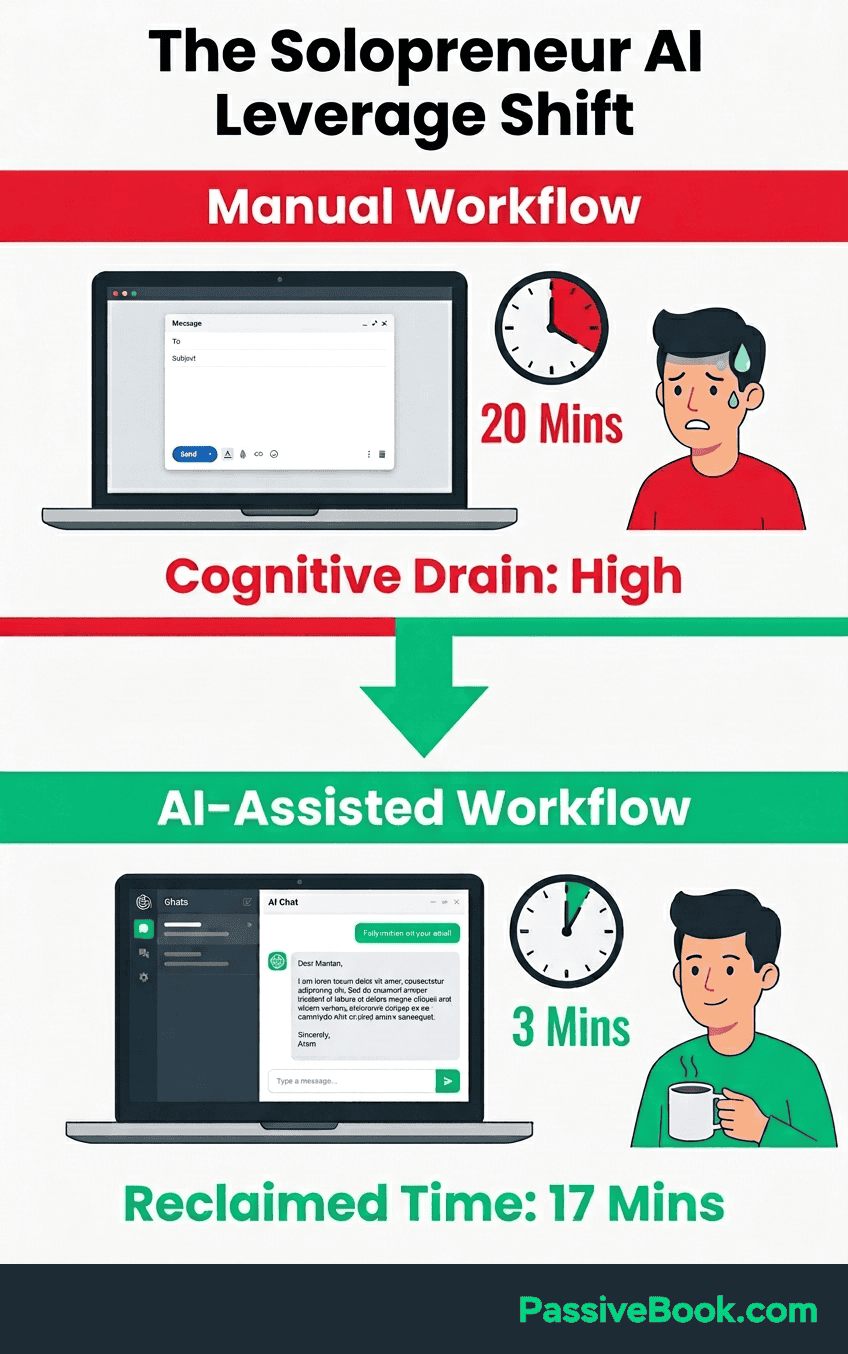
I spent my first month thinking AI was just autocomplete on steroids. Then I fed Claude my last 10 articles and watched it nail my voice on the first try. That’s when I understood the difference between tools and actual leverage.
Research shows AI automates 10-40% of daily workload, reclaiming 20+ hours weekly for revenue-generating work. That’s half a workweek back in your pocket.
The cost comparison is stark. A complete AI stack runs $75-150 monthly. Hiring part-time help costs $800+ for the same output. When you use AI for repetitive cognitive work, you’re not replacing human judgment. You’re eliminating the busywork that prevents you from exercising it.
Why Most Solopreneurs Waste Time (And Money) on AI Tools
I’ve made this mistake myself. You see a promising tool, sign up for the trial, forget to cancel, and suddenly you’re paying for three writing assistants that do the exact same thing.
Tom, a freelance designer, spent $347 monthly on ChatGPT Plus, Jasper, Copy.ai, and Writesonic. All four handled identical writing tasks. After 90 days using only ChatGPT’s free tier, he realized 80% of features overlapped. He cut his spending by 94% with zero productivity loss.
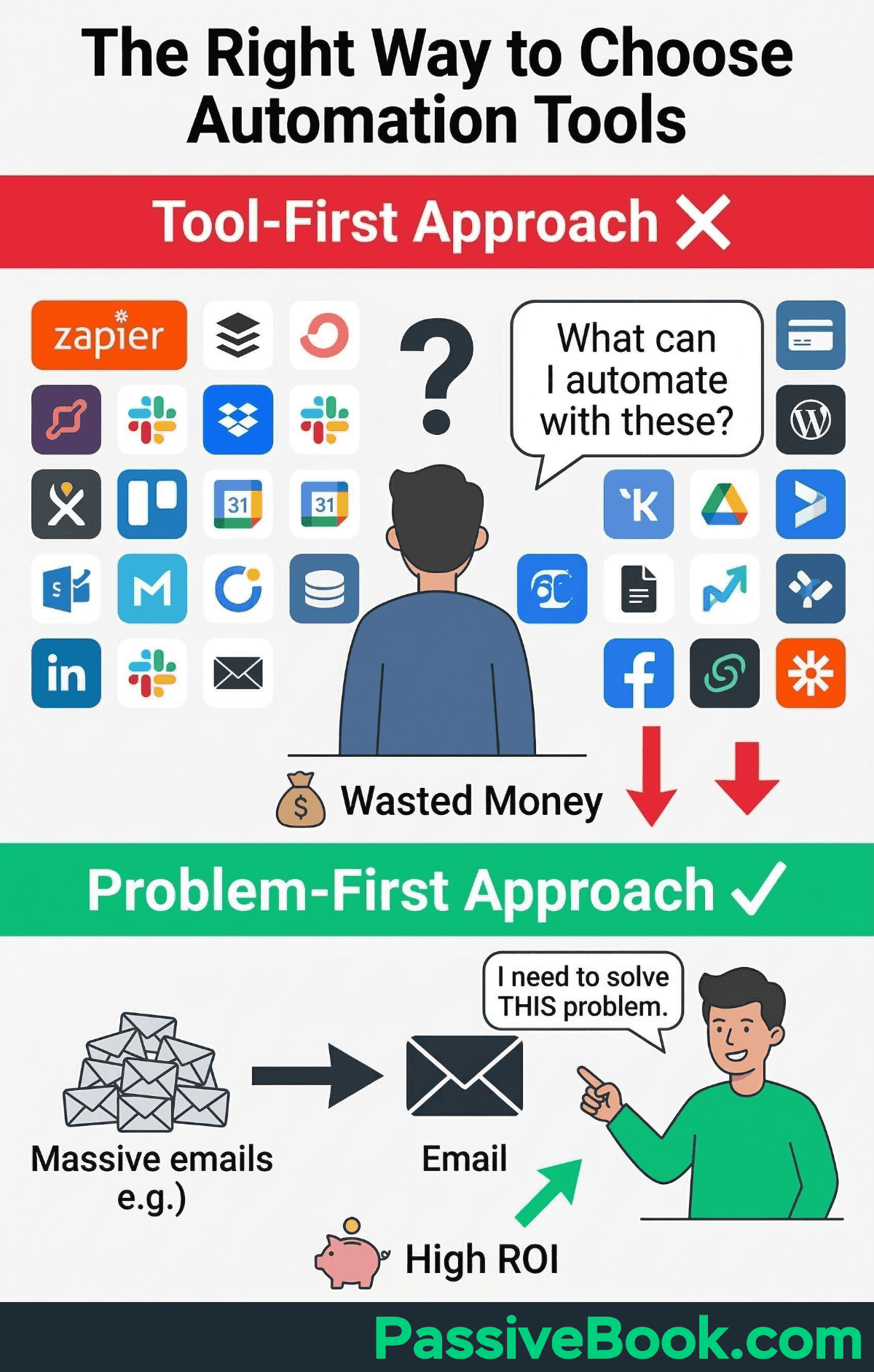
95% of AI pilot projects fail due to unclear outcomes or steep learning curves. You don’t need more subscriptions. You need a workflow that actually fits your business.
ROI comes from workflow redesign, not collecting tools. The question isn’t “What can this AI do?” but “What specific task is eating 10+ hours of my week?” Start there, then find the tool that solves that one problem.
Most solopreneurs chase features instead of solving bottlenecks. They subscribe to everything, use nothing consistently, and wonder why their productivity didn’t change. The tools work when you know exactly what you’re automating and why.
1. Claude – Long-Form Content Without the Robot Voice
I built my entire content pipeline around Claude because it’s the only AI that doesn’t sound like a corporate press release. When I paste a 3,000-word blog post and ask it to match my voice, it actually delivers.
The 200,000 token context window handles entire blog post outlines or multiple documents simultaneously. You can feed it your last five published articles and say “write like this” instead of fighting generic AI prose.
Quick Start: Copy-paste any piece of writing you’ve published – an email newsletter, a social media post, even a LinkedIn article. Then prompt: “Analyze my writing style and create 3 outlines for [topic] matching this voice.” You’ll have your next week of content mapped in under 10 minutes.
Best For: Long-form content creators who need consistent brand voice across 2,000+ word articles.
Skip this if: You only need occasional email drafts. ChatGPT’s free tier handles short-form tasks without another subscription.
Pricing: $20 monthly for Pro with unlimited usage. Free tier gives you enough to test whether the voice matching actually works for your content.
2. ChatGPT – Quick Wins for Daily Busywork
ChatGPT handles the grunt work that doesn’t need deep context. Email drafts, meeting agendas, the kind of stuff that doesn’t deserve 20 minutes of your brain space. It’s fast and sufficient for most daily tasks.
Sarah, a virtual assistant service owner, uses ChatGPT to draft client onboarding emails and meeting agendas. She reclaimed 6+ hours weekly without paying for premium AI subscriptions.
Drafting a client onboarding email manually: 15-20 minutes. ChatGPT draft needing light editing: 3 minutes. That’s 12+ hours saved annually on email alone for a service business with 50 new clients per year.
The free tier covers most solopreneur needs. You get access to premium models with reasonable daily limits and no commitment. Perfect for testing whether AI fits your workflow before spending money.
Quick Start: Save as custom instruction: “I’m a solopreneur with [business type]. Keep responses under 200 words and actionable.” Then just type your request and press enter. No complex prompts needed. This trains ChatGPT to match your communication style from day one.
Best For: Solopreneurs who need AI assistance for varied tasks without the learning curve of specialized tools.
Pricing: Free tier sufficient for most. Plus plan at $20 monthly adds faster responses and priority access during peak hours.
3. n8n – Automation That Stops Bleeding Monthly Fees
I use n8n to automate cross-posting, email sequences, and Pinterest distribution workflows. It’s the reason I’m not paying Zapier $360 yearly for the same functionality.
The self-hosted option eliminates recurring SaaS costs. You own the infrastructure and the workflows. No execution limits, no surprise overages when your business scales.
Set it up once on a cheap VPS or use their cloud version if you’re non-technical. Either way, you’re looking at significant savings versus traditional automation platforms.
Quick Start: If you’ve never used automation before, try a Zapier template first to understand the concept. Once you see how it works, migrate to n8n for cost savings. Use their pre-built “New Blog Post to Social Media” template. Connect your RSS feed to three social platforms. You’ll have automated content distribution running within 30 minutes.
Best For: Budget-conscious solopreneurs comfortable with basic tech setup or willing to invest 2-3 hours learning.
Pricing: Free self-hosted version saves around $500 yearly. Cloud version at approximately $24 monthly (€24) for non-technical setup.
4. Canva – Design Without the Designer Price Tag
Mike, a fitness blogger, creates 8 Pinterest pins per post in 20 minutes using Magic Resize. Those pins generate 40% of his blog traffic without hiring designers at $300-500 monthly. His pins look professional enough that his audience assumes he has a designer. He doesn’t. He has templates and 10 minutes.
Canva eliminates the learning curve of professional design software. Templates give you 80% of the design work done. You just customize colors, Swap images, adjust text.
The Magic Resize feature alone justifies the Pro subscription. Create one design, instantly adapt it for Pinterest, Instagram, Facebook, Twitter. The AI features handle background removal and design suggestions. Not perfect, but good enough to avoid freelancer costs for routine visuals.
Quick Start: Search “Pinterest pin template” in Canva. Customize with your brand colors. Save as template. Generate 5 variations in 10 minutes. Schedule to Pinterest using their native scheduler.
Best For: Content creators needing consistent visual assets across multiple platforms without design skills.
Pricing: Free tier handles 90% of solopreneur needs. Pro at $119.99 yearly adds AI features and Magic Resize.
5. FluentCRM – Email Marketing Without Subscriber Penalties
I use FluentCRM for PassiveBook’s email automation because I refuse to pay per-subscriber pricing. It’s a WordPress plugin with full data control and no monthly ransom as your list grows.
The plugin handles welcome sequences, segmentation, and basic automation without sending your data to third-party servers. You own everything. Your subscriber data never leaves your server, which matters when you’re building an audience and need to maintain control over your privacy policy and data compliance. No surprise bills when you hit 1,001 subscribers.
Setup takes longer than hosted platforms, but the savings compound. Year one might feel like a wash. Year three, when you have 5,000 subscribers, you’ve saved thousands versus Kit or MailerLite.
Quick Start: Prerequisite – this only works if you have a WordPress website. If you’re on Wix, Squarespace, or don’t have a website yet, use Kit’s free tier instead. Create 3-email welcome sequence using “New Subscriber” automation template. Write the first email today, schedule day 3 and day 7 follow-ups. Your basic funnel runs in under an hour.
Best For: WordPress users with technical comfort who want email marketing without recurring costs tied to list growth.
Pricing: Free plugin with one-time cost. No per-subscriber pricing ever.
6. Notion – Second Brain That Actually Thinks
Type /ai in any Notion doc to expand bullet points into paragraphs or generate summaries instantly. The AI features integrate directly into your workspace, eliminating copy-paste between tools.
Rachel, a newsletter writer, maintains her content calendar and research notes in one workspace. She uses the /ai command to turn outlines into a complete AI draft in 15 minutes versus 2 hours staring at blank docs.
Notion replaces multiple subscriptions. Content calendar, task manager, knowledge base, writing assistant all in one database. Notion‘s learning curve scares people off. Two weeks in, you’ll forget how you ever managed a business with scattered Google Docs and lost Trello cards.
Quick Start: Create “Content Calendar” database from template. Type /ai to generate 10 content ideas for your niche. Expand the best three into outlines using the same command.
Pricing: Free version includes limited AI trial. Business plan at $20 monthly per user provides full AI access with unlimited queries.
7. Perplexity – Research in Minutes, Not Browser Tabs
Perplexity provides sourced answers with citations instead of generic search results. You ask a question, it delivers a researched answer with links to original sources. No more opening 20 browser tabs to validate information.
Traditional research for one article: opening 15-20 tabs, reading, taking notes equals 90 minutes. Perplexity with follow-up questions: 10 minutes for the same depth. Cut research time by 85%.
This accelerates content research by 10x. Ask “What are the top 5 pain points for [your target audience] in 2026?” You have validated your next 3 content pieces in under 5 minutes, with the cited sources for deeper context.
Quick Start: Use it to validate your next content angle. Ask about your audience’s biggest challenges, then cross-reference the cited sources for deeper context.
Best For: Content creators and researchers who need quick, sourced answers without deep-diving into Google results.
Pricing: Free unlimited basic searches. Pro at $20 monthly for 300+ daily queries and access to advanced AI models.
8. Zapier – The Beginner-Friendly Alternative to n8n (If You Value Time Over Money)
David, an Etsy shop owner, automated order fulfillment connecting Etsy to Google Sheets to email confirmations. This eliminated 8 hours weekly of manual data entry without writing a single line of code.
Zapier automates workflows across over 5,000 apps with pre-built templates requiring no coding. Click, connect, done. The interface is intuitive enough to build your first automation in under 10 minutes.
Zapier‘s simplicity costs $360 yearly versus n8n’s free option. That’s the “I don’t want to think about this” tax. Sometimes it’s worth paying. If you’re technical or willing to learn, n8n offers better value. If you need automation today without a learning curve, Zapier wins.
Quick Start: Connect Gmail and Google Sheets using “Save Attachments to Google Drive” template. Automatically organize client files without manual downloads.
Best For: Non-technical solopreneurs who need reliable automation immediately without infrastructure management.
Pricing: Free plan with 100 tasks monthly. Professional at $29.99 monthly for active workflows with 750 tasks.
9. Grammarly – Polish Without the Perfectionism Spiral
Grammarly catches passive voice and tightens rambling sentences automatically in real-time. The browser extension works in WordPress, Google Docs, and email clients without copying text between applications.
Most solopreneurs overthink their writing. You write a client email, reread it six times, second-guess every word choice. Grammarly gives you instant feedback so you can ship faster with confidence.
The time savings isn’t in the editing. It’s in the confidence to ship faster. Most solopreneurs spend 20 minutes writing, 30 minutes second-guessing. Grammarly cuts the second-guessing to 5 minutes.
The tone detection shows when your “helpful” email reads as passive-aggressive, or when your sales copy sounds desperate instead of confident. If you’re worried that using AI makes your work “less authentic” or “cheating somehow,” you’re optimizing for suffering instead of results. Your clients and audience don’t care if you drafted an email in 15 minutes or 3 minutes. They care if it solves their problem.
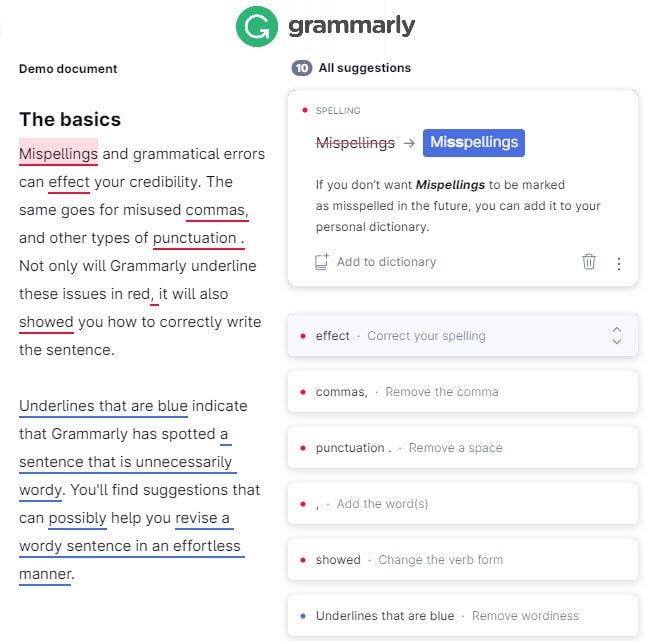
Quick Start: Install browser extension. Write your next client email in Gmail. Accept the top 3 suggestions to see instant clarity improvements. You’ll notice tighter, more confident writing immediately.
Best For: Solopreneurs who write frequently but lack confidence in their editing skills.
Pricing: Free version handles 90% of solopreneur writing needs. Pro at $12 monthly (annual billing) adds tone detection and advanced grammar.
10. Otter.ai – Meeting Notes Without the Manual Labor
Otter.ai transcribes client calls and podcast interviews with AI-generated summaries automatically. You focus on the conversation instead of frantically typing notes or trying to remember key points three days later.
The AI summary feature extracts action items without re-listening to full recordings for follow-ups. Record an hour-long client call, get a 3-paragraph summary with timestamped action items in under 2 minutes.
This is essential if you do any video content, client calls, or interviews. The transcription accuracy is high enough to use directly in show notes or blog content repurposing.
Quick Start: Record your next client call or content brainstorm. Use AI summary to create meeting notes and extract 3 action items in under 2 minutes. Send to your client before they’ve finished their post-call coffee.
Best For: Solopreneurs doing regular calls, interviews, or creating audio/video content.
Pricing: Free tier includes 300 minutes monthly. Pro at $16.99 monthly (or $8.33 monthly with annual billing) for longer recordings and advanced features.
11. Descript – Podcast Editing in Text, Not Waveforms
Ever spend 6 hours editing a podcast episode? Emma, a solopreneur running a marketing podcast, cut editing time from 6 hours to 45 minutes per episode using text-based editing. She went from bi-weekly publishing to weekly, growing her audience 3x in 6 months.
Descript auto-transcribes your audio, then you edit by deleting words in the transcript. Remove a sentence from the text, it removes that audio. No waveform scrubbing, no precise cutting, no technical audio knowledge required.
The filler word removal feature alone saves massive time. Click “Remove Filler Words” and it automatically strips out every “um,” “uh,” and “like” without touching the rest of your content.
Quick Start: Upload your last podcast or video. Click “Remove Filler Words.” Trim 10-15% of runtime automatically without touching a waveform. Export and publish in half your usual editing time.
Best For: Podcasters and YouTubers who want to edit content without learning traditional audio editing software.
Pricing: Creator plan at $24 monthly (annual billing) or $35 monthly. Essential for podcasters and YouTubers, overkill for everyone else.
12. Calendly – Scheduling Without Email Ping-Pong
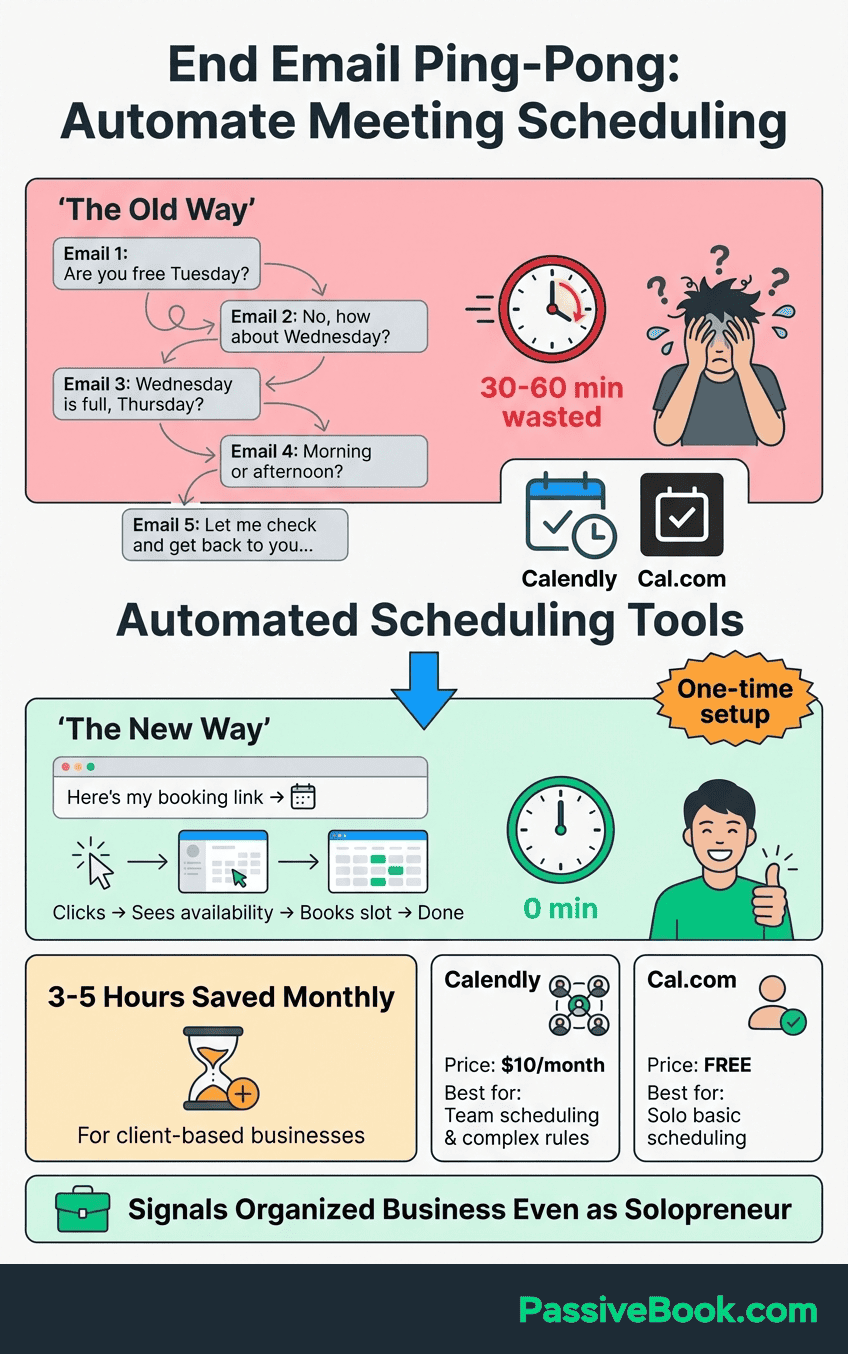
Client scheduling eats 2-3 hours weekly for most service businesses. Calendly eliminates 10+ back-and-forth emails per client booking automatically. You send one link, they pick a time that works for both calendars, confirmation emails go out. Done.
Each scheduling exchange: 7 emails over 2-3 days equals 30 minutes of cumulative time spent. Calendly link: 1 email, instant booking, 2 minutes. For 10 calls monthly, that’s 4.5 hours saved.
The integration with Google Calendar prevents double-bookings across commitments. Your availability updates in real-time, so you never accidentally schedule two clients at once. The user experience seems simple until you realize you’ve been wasting hours weekly on scheduling logistics that a booking link solves completely.
Quick Start: Connect Google Calendar. Create “30-minute Discovery Call” event. Share link in your next 3 outbound emails to eliminate scheduling back-and-forth. Watch your inbox anxiety drop.
Best For: Service-based solopreneurs taking regular client calls or consultations.
Pricing: Free tier allows unlimited meetings with basic customization. Paid plans from $12 monthly add team features and advanced integrations.
13. Ubersuggest – SEO Research Without Enterprise Pricing
I recommend Ubersuggest for budget-conscious creators validating content angles. It reveals keyword gaps competitors miss and question-based queries searchers actually use, without the $99+ monthly cost of Ahrefs or SEMRush.
The “Content Ideas” tab shows you actual questions people ask about your topic. These become your article headings. You’re writing content that directly answers search intent instead of guessing what might rank.
The lifetime deal option is rare in the SEO tool space. Pay once, own it forever. No monthly subscriptions bleeding your budget as your content library grows.
Quick Start: Type in the topic you write about most (e.g., “email marketing” or “meal prep”). That’s your main keyword. Go to “Content Ideas” tab. Identify 3 question-based queries your competitors haven’t covered. You’ve just mapped your next week of content.
Best For: Content creators and bloggers who need keyword research without enterprise-level budgets.
Pricing: Lifetime deal available starting at $120 for individual plan versus Ahrefs at $99+ monthly or SEMRush at $129+ monthly.
The Uncomfortable Truth About “10x” Productivity Claims
Here’s what “10x” actually means. Each individual tool delivers 2-3x gains in its specific domain. The 10x productivity comes from stacking multiple AI tools across your entire workflow.
The math works like this. If you spend 40 hours weekly and cut 30% through automation (12 hours saved) while using AI to work 3x faster on the remaining 70% (28 hours completed in 9 hours), you’ve compressed 40 hours into 21 hours. Stack that with better prioritization and you approach 10x impact on revenue-generating activities specifically, not total work hours.
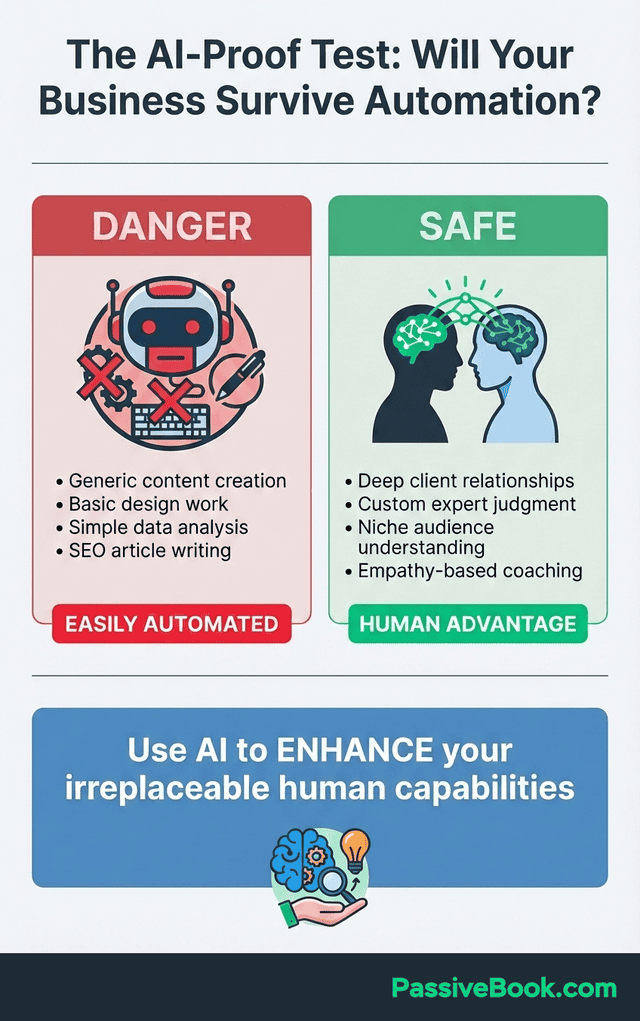
But AI handles only the 30-40% that’s repeatable busywork: email responses, social captions, transcription, scheduling, first-draft content, research summaries. It can’t replace the 60-70% requiring judgment: positioning, pricing, relationship building, creative direction, strategic pivots based on market feedback. The part requiring emotional intelligence and lived experience stays human.
Jessica, a part-time course creator, tracked her first 90 days. Week 1-2 she was 20% slower while learning. Week 3-6 she broke even with her manual speed. Week 7-12 she hit 2x faster on content.
Month 4 and beyond she maintained stable 3x productivity on automated workflows. Her lesson: “The first month felt like wasted time until compound effects kicked in.” You’ll experience the same dip before the gains appear. Plan for it instead of quitting at week three.
Years ago, I would have dismissed AI tools as hype. Now I’ve built my entire content operation around them. The difference is I stopped chasing every new tool and focused on the handful that actually moved the needle.
How to Build Your AI Stack Without Tool Overload
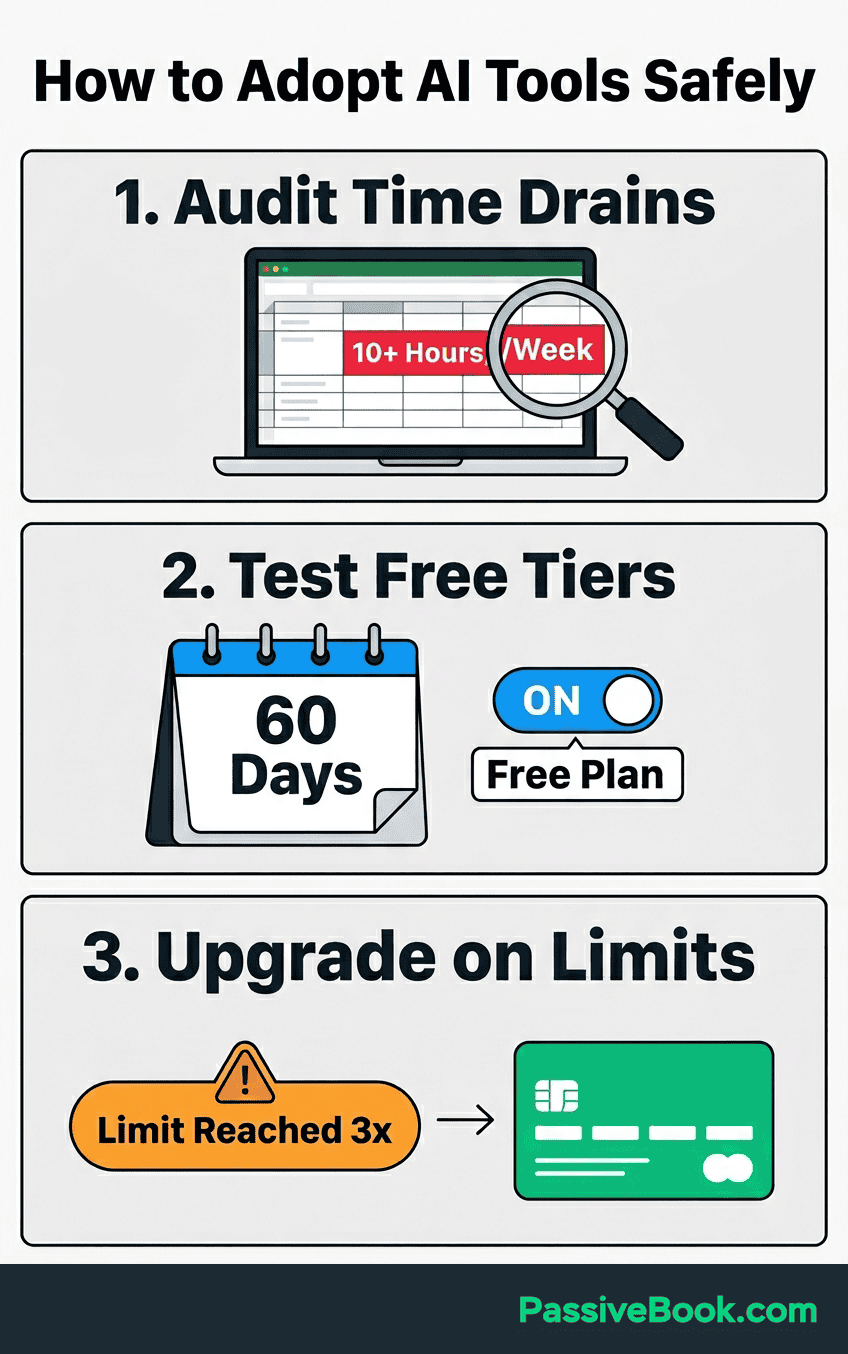
Track where you spend 10+ hours weekly on repetitive tasks for one week. You don’t need fancy time-tracking software. A simple spreadsheet showing where your time goes is enough. You need the actual data before buying subscriptions based on what sounds useful.
Start using AI tools on free tiers for 60 days before committing to paid plans. Claude free, ChatGPT free, Canva free, Notion free, Calendly free, Grammarly free, FluentCRM one-time cost. This covers 80% of needs at minimal monthly cost. Test everything before paying.
A complete AI stack runs $75-150 monthly depending on your specific workflow. Core setup: Claude Pro at $20, ChatGPT free, n8n self-hosted free, Canva free, Notion AI at $20, Grammarly free, Calendly free, FluentCRM one-time. Add tool-specific subscriptions like Descript ($24) or Otter.ai ($17) only if you’re actively creating audio or video content.
If you’re working this around a day job, you have maybe 5-10 hours weekly for your side business. Spending 3 of those hours manually doing what AI handles in 30 minutes means you’re choosing busy work over revenue work.
Start with one tool addressing your biggest time drain for 30 days before adding a second. I’ve watched solopreneurs sign up for six tools simultaneously, get overwhelmed, and abandon all of them within two weeks.
Only upgrade to paid tiers when you hit feature limits 3+ times in one week. That’s your signal that the free version can’t support your actual usage. Until then, save your money.
The 3-Tool Starter Combo That Actually Works Together
Most solopreneurs overthink integration. You don’t need every tool talking to every other tool. You need 2-3 tools that handle your most time-consuming workflow end-to-end.
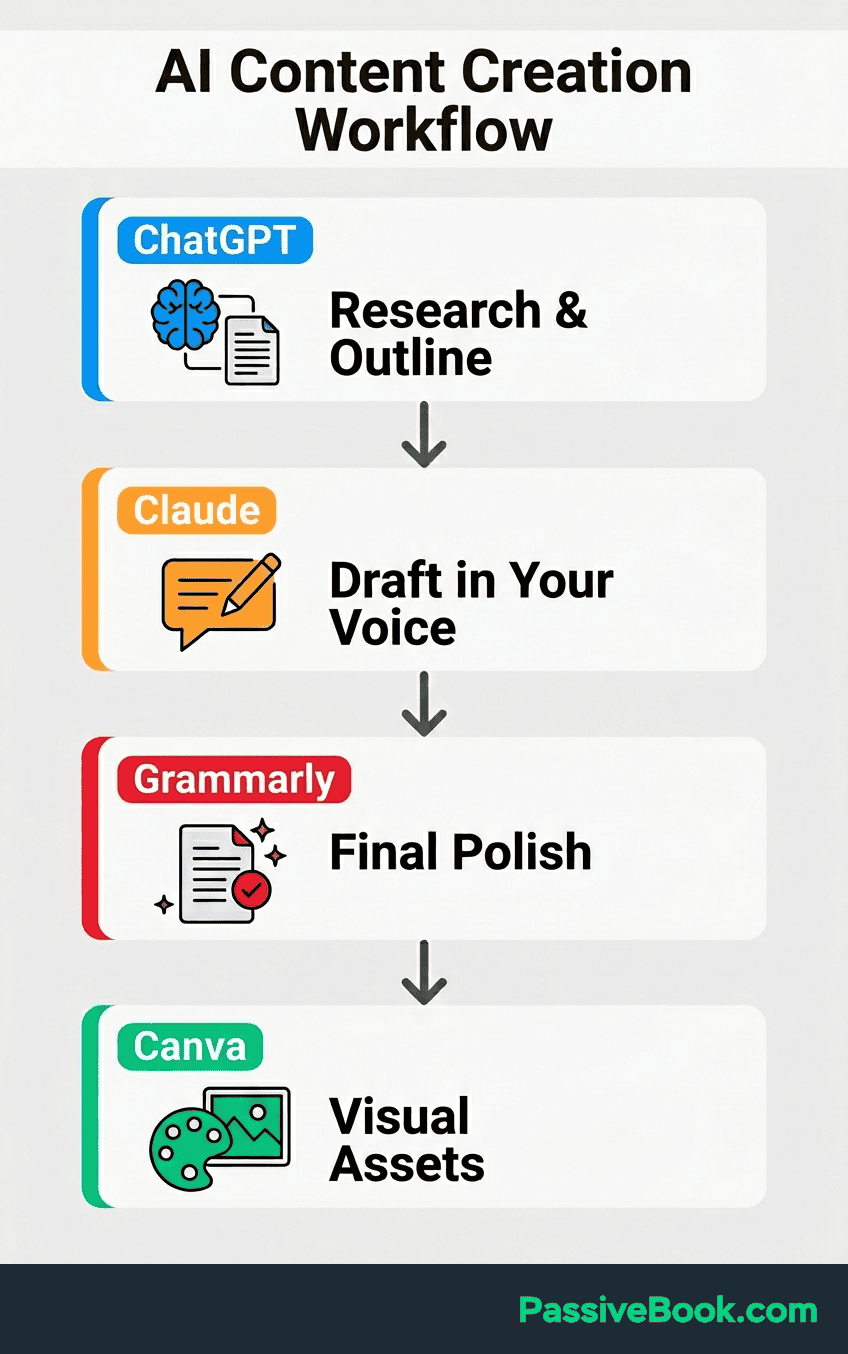
Content Creation Workflow: ChatGPT (research and outline) then Claude (first draft with your voice) then Grammarly (final polish) then Canva (visual assets) then WordPress (publish). Each tool outputs what the next one needs. No fancy integrations required, just copy-paste between steps.
Client Management Workflow: Calendly (booking) connects to Google Calendar (scheduling) then Otter.ai (call notes) then ChatGPT (follow-up email draft) then Gmail (send). The “integration” is your calendar link in the confirmation email and the transcript in your follow-up.
Social Media Workflow: Claude (caption drafts for the week) then Canva (visual variants) then n8n or Zapier (schedule across platforms) then Pinterest native scheduler (pin distribution). Write once, distribute everywhere, without logging into five platforms daily.
Start with one workflow. Get it smooth. Then add a second. Trying to automate everything at once guarantees you’ll automate nothing.
What If I’m Not Technical Enough for This?
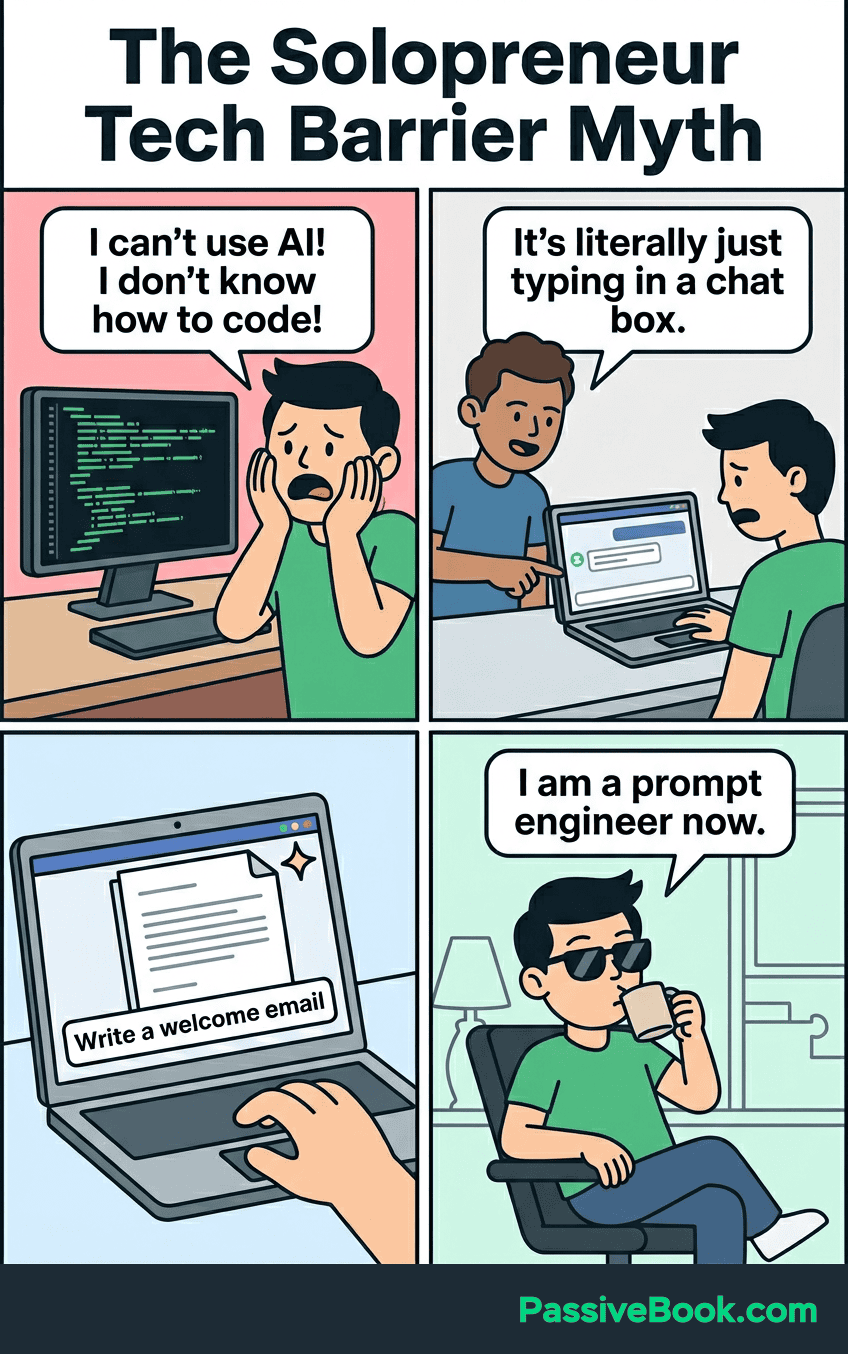
You don’t need to understand how AI works to use AI tools effectively. I’m not a machine learning engineer. I just know which buttons to press and what prompts get results. You don’t know how the algorithm works, and you don’t need to. I don’t know the machine learning architecture behind Claude. I just know it writes better than other tools.
The “technical” barrier is mostly in your head. If you can use Google Docs, you can use ChatGPT. If you can connect your bank account to budgeting software, you can set up Zapier or n8n. The interfaces are designed for non-technical users because that’s 90% of the customer base.
Start with tools requiring zero setup. ChatGPT free tier, Grammarly browser extension, Calendly. You’re using them within 5 minutes of signup. Build confidence there before touching anything requiring configuration.
The steepest learning curve in this entire list is n8n, and even that has pre-built templates you can use without writing code. If it feels overwhelming, use Zapier instead and pay the convenience premium. There’s no prize for suffering through technical friction when a $30 monthly tool solves it.
Frequently Asked Questions
Which AI Tool Should I Start With First as a Solopreneur?
Start with ChatGPT’s free tier to handle daily busywork like email drafts and quick content outlines. It requires zero learning curve and costs nothing while you validate whether AI fits your workflow. Once you’re using it daily for a month, add Claude if you write long-form content or n8n if you need automation.
Are Free AI Tools Good Enough or Do I Need Paid Plans Immediately?
Free tiers are genuinely sufficient for the first 60-90 days while you build AI habits. ChatGPT free, Claude free, Canva free, and Notion free cover most solopreneur needs without paid subscriptions. Upgrade only when you hit specific feature limits three times in one week, signaling actual need versus perceived urgency.
How Long Before AI Tools Actually Save Me Time Instead of Creating More Work?
Expect weeks 1-2 to feel 20% slower as you learn the tools and workflows. You’ll break even with your manual speed around week 3-6. Real productivity gains appear week 7-12 when you’ve built muscle memory and optimized prompts.The compound effects that make AI feel effortless kick in around month 4. Jessica’s 90-day timeline is the realistic expectation, not instant transformation.
What’s the Realistic Total Monthly Cost for a Complete AI Stack?
A complete AI stack costs $75-150 monthly depending on your content type and automation needs. Core tools run around $40 monthly with Claude Pro and Notion AI, while adding specialized tools like Descript for podcasting or Otter.ai for transcription pushes you toward the higher end. Compare this to hiring part-time help at $800+ monthly for equivalent output.
Will AI-Generated Content Hurt My SEO or Make Me Sound Robotic?
Using AI to generate content doesn’t hurt SEO when you add your unique perspective, experience, and voice. Search engines penalize generic, unhelpful content regardless of whether AI or humans wrote it. Use AI to handle research, outlines, and structure, then inject your specific examples, contrarian takes, and personality in the editing phase.
Can AI Tools Really Replace Hiring Help for My Side Business?
AI tools replace specific tasks, not entire roles requiring human judgment and relationship building. They handle email drafts, content outlines, transcription, scheduling, and research that would cost $800+ monthly to outsource. You still need humans for strategy, positioning, client relationships, and creative direction. The 60-70% of business requiring emotional intelligence and context stays yours.
What Next?
You now have a blueprint for using AI tools to reclaim 20+ hours weekly without burning through your budget. The 13 tools covered here solve specific problems. Pick the ones addressing your biggest time drains first, not the ones that sound coolest.
Building an AI-powered workflow isn’t magic. It’s messy at first, frustrating during week two when you’re slower than before, then suddenly effortless around month three when you’ve forgotten how you ever worked without these systems.
If this guide saved you from subscribing to six redundant tools or helped you identify your first automation, share it with another time-starved solopreneur using the buttons below. They’ll thank you for cutting through the noise. Drop a comment telling me which tool you’re implementing first and what task you’re most excited to automate. I read every response and often reply with specific implementation tips.
Share this post with your friends & followers: