Your next article needs a brief, the free download needs a signup page, and the follow-up emails still need writing. AI can draft all three, but a folder full of drafts does not give you a working campaign.
The expensive part comes when you spend your spare evening checking claims, fixing vague copy and connecting pieces that promise different things. This guide shows how to use AI for marketing through one connected campaign, from customer questions to sales, and how to measure whether it saves enough time to keep.
Start With One Marketing Bottleneck
Choose a recurring task with a clear finish line. “Grow my business” gives AI too many decisions. “Turn these customer questions into an article brief” gives you something you can check.
Start where work keeps getting stuck:
- Attracting visitors: Turn customer questions into useful article briefs.
- Generating signups: Improve the page offering your free resource.
- Converting buyers: Draft emails that explain the offer and answer purchase questions.
- Encouraging repeat purchases: Help customers use their purchase before suggesting something related.
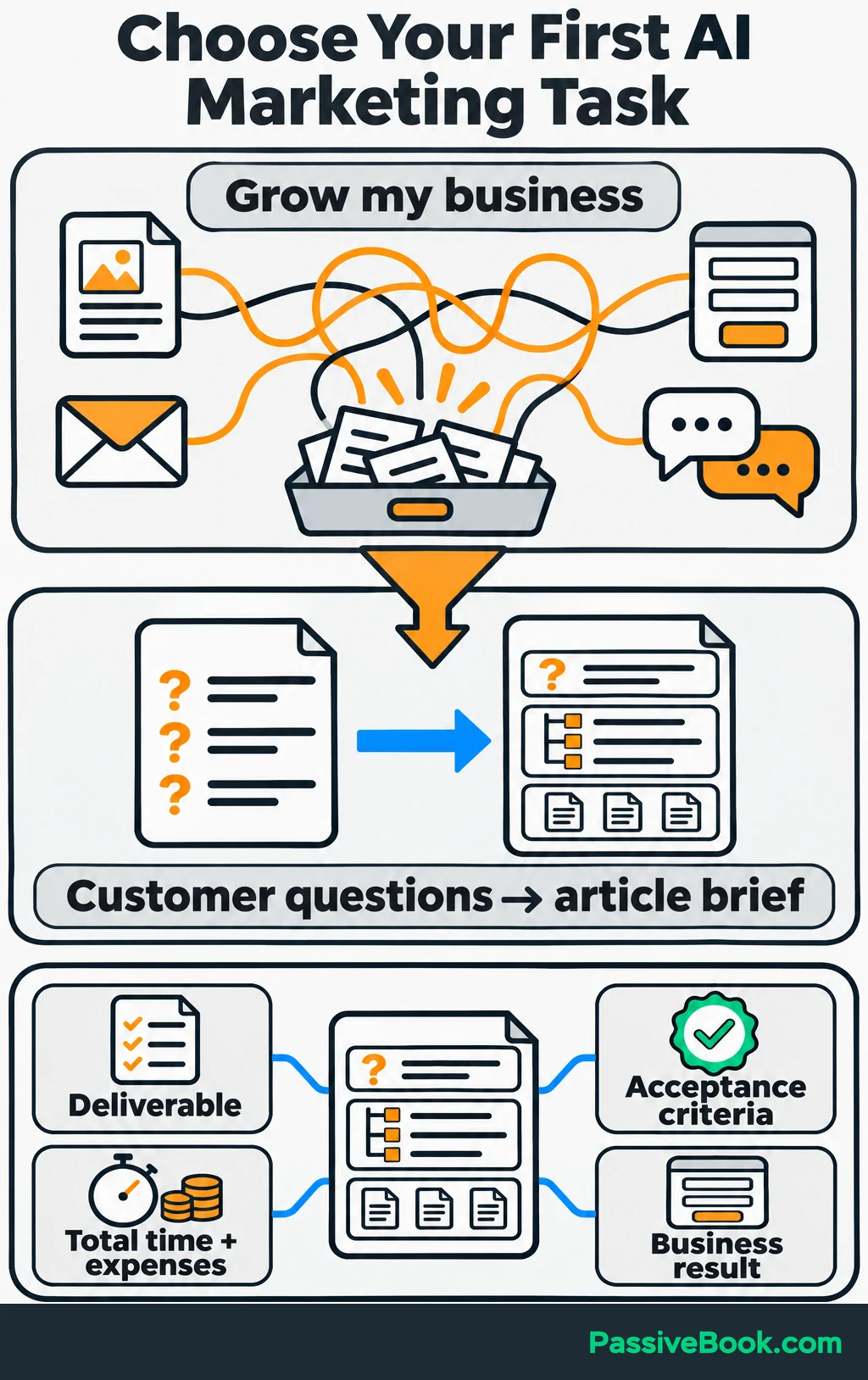
For your first test, write down the deliverable, what makes it acceptable, how long it currently takes and which business result it supports. Include editing time and expenses. Otherwise, a fast first draft can hide a slow afternoon of repairs.
Throughout this guide, imagine you run an online shop selling printable dog-friendly road-trip planners. Helpful articles lead to a free packing checklist, and an email sequence introduces the paid planner. The shop, product details, customer snippets and figures are illustrative.
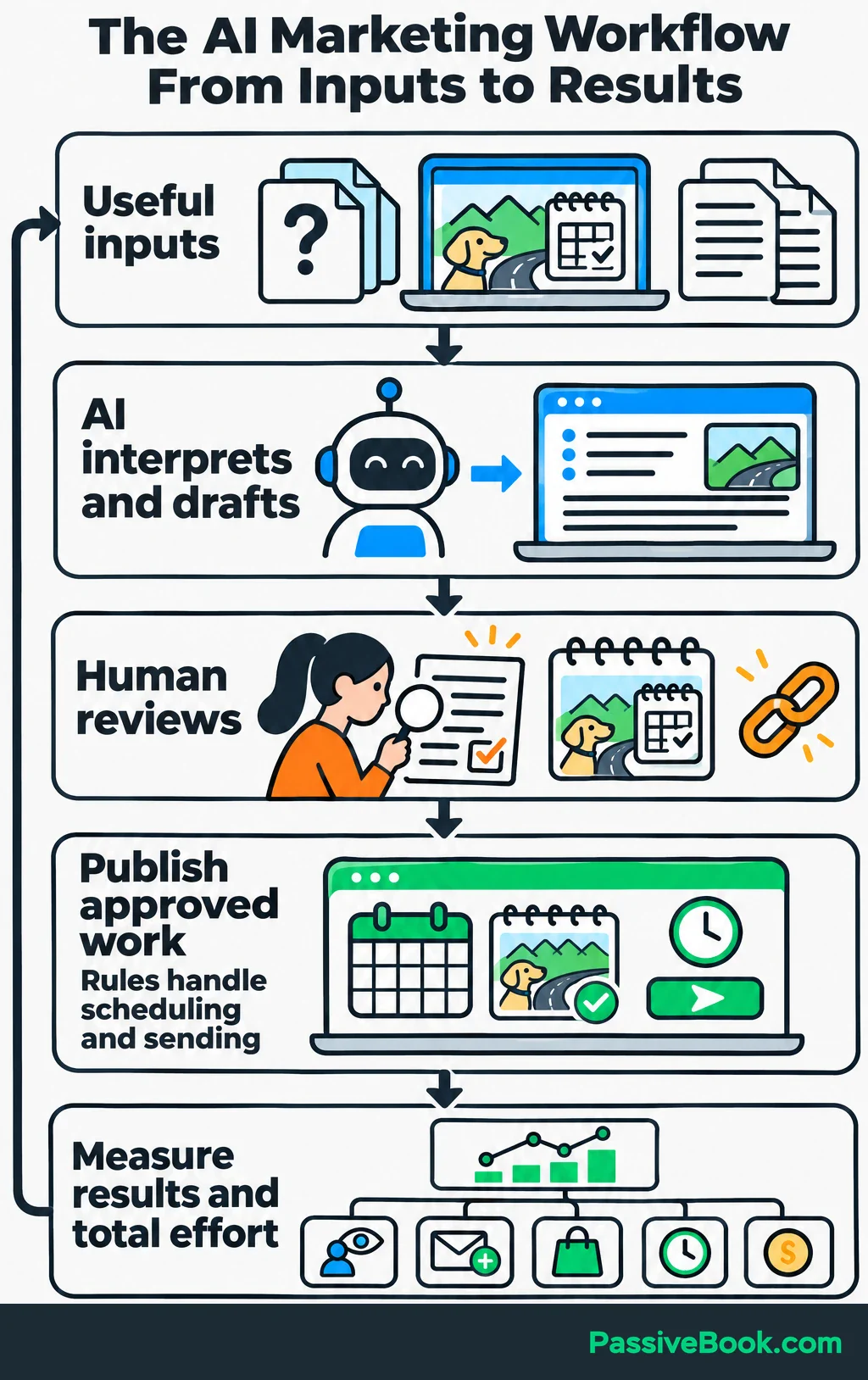
The basic process stays the same:
Useful inputs → AI task → human review → publication → measurement.
AI handles interpretation and drafting. Ordinary automation moves files, schedules approved content and sends established email sequences. Your email platform can handle a two-day delay and send an approved email.
Choose Tools for the Workflow
Start with one general-purpose assistant and the publishing, email and analytics tools you already have.
I prefer Claude for long-form writing and editing. But I would compare assistants using the same brief before paying for another subscription. Judge the finished work and total revision time. An impressive first paragraph is a poor buying test.
| Task | Candidate Tool | Required Inputs | Human Review | Cost Considerations |
|---|---|---|---|---|
| Draft and adapt copy | Claude | Business brief, source material and approved writing samples | Check facts, voice and offer details | Test whether usage allowances cover your normal workload |
| Research and draft | Gemini | A focused question, relevant files and source requirements | Open underlying sources and check their claims | Compare research access and limits before upgrading |
| Create graphics | Canva | Approved copy, real product previews and a design example | Check text, layout and product accuracy | Check whether the needed AI features and assets require payment |
| Connect working steps | Make or n8n | Trigger, required fields, approval rule and destination | Review drafts and handle failed runs | Include connector usage, AI charges, hosting and maintenance |
These tools overlap in some jobs. You do not need both assistants simply because both appear in the table.
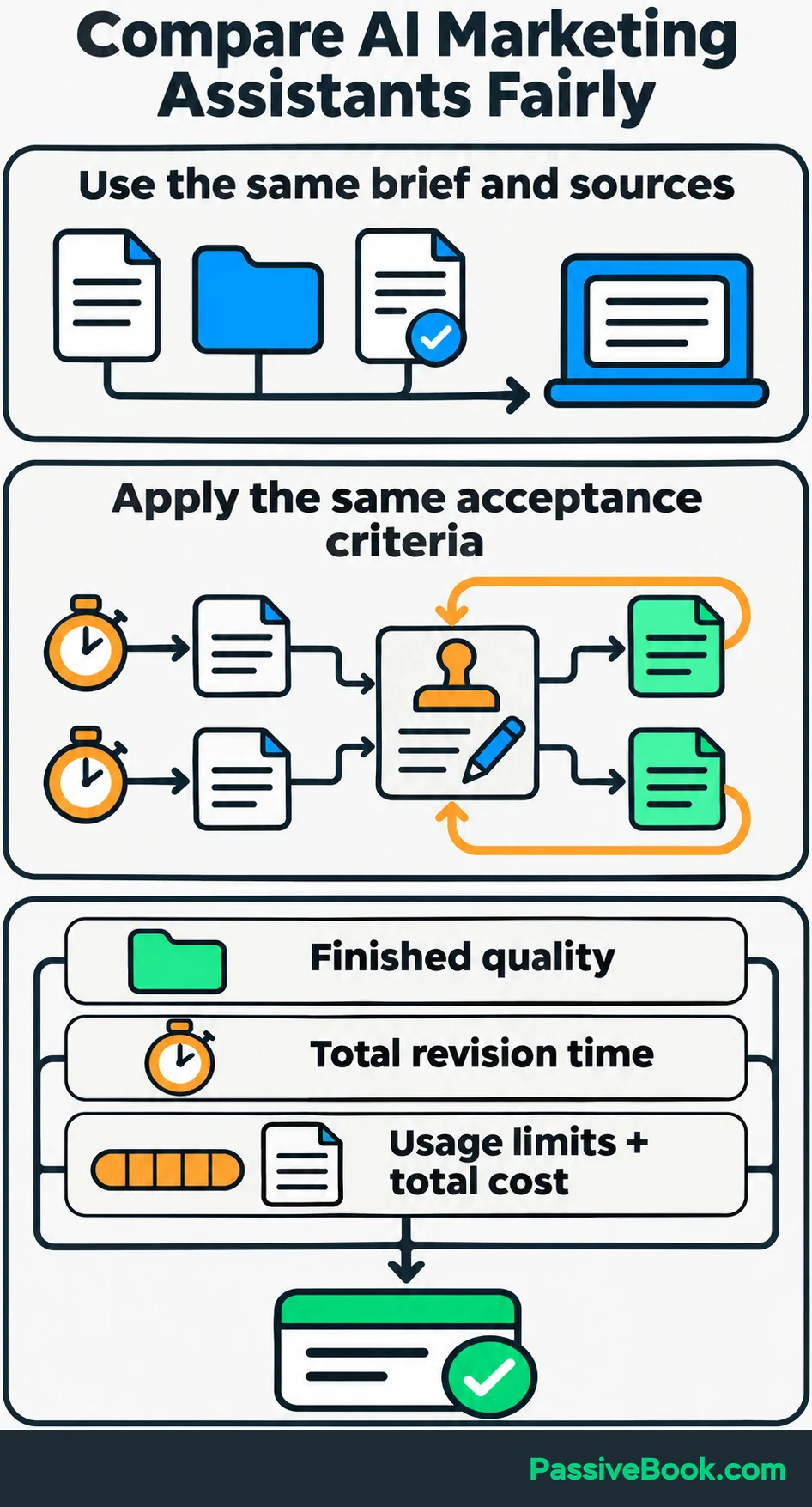
For research that needs current sources, Gemini’s Deep Research can prepare a report using Google Search and selected files or connected sources. Check the sources behind the report before using its claims.
Canva serves a different purpose: its AI tools can generate and revise designs through instructions. For product marketing, I would still supply real screenshots of the planner pages. A generated page that looks better than the download creates a customer-service problem.
Add Make or n8n to move work between apps only after the manual process works. I would choose Make for a straightforward hosted setup. I use n8n to connect tools, but self-hosting includes managing configuration, updates and ongoing operation. Count that work before calling it cheap.
Also check how AI usage is billed. With some connections, you pay the automation platform and the AI provider separately; Make explains those differences by connection type.
Give AI a Reusable Marketing Brief
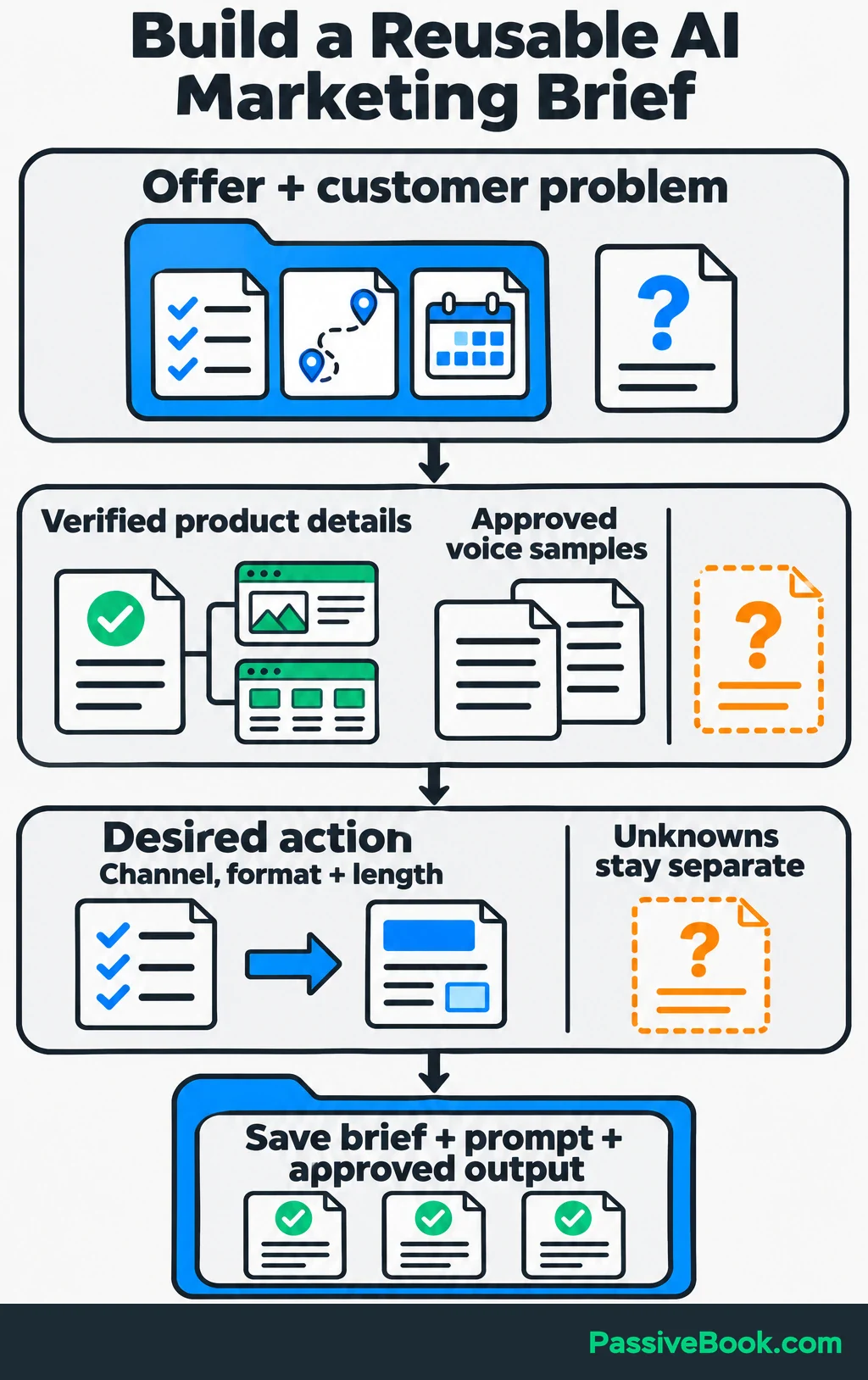
A reusable brief saves you from explaining your business in every chat. Keep it short enough to maintain, but specific enough to prevent guesswork.
Include:
- Offer: What you sell, what it contains and what it excludes.
- Customer problem: The task or frustration the offer addresses.
- Verified details: Features, format, delivery, printing instructions and purchase terms.
- Desired action: Read an article, download a checklist or view the product.
- Voice: Two or three approved writing samples.
- Output requirements: Channel, format, length and anything the draft must include.
- Unknowns: Questions that need an answer before publication.
For the planner shop, attach sample PDF pages. Explain that the free checklist covers packing, while the paid planner adds itinerary pages, booking details and a place to record where travel documents are stored.
Keep proposed features separate from features customers can already buy.
On one of my digital-product sites, I kept asking AI for “more specific” sales copy. Each revision found a new way to say the product would make life easier. I finally supplied the actual page contents and an example of their use. That produced benefits I could check against the product. Now I check the inputs before requesting another rewrite.
Use this prompt with your brief:
Using the attached business brief and source material, create [deliverable] for [channel].
Help readers [goal] and lead to [action].
Match the supplied writing examples. Return [format and length].
Use supported facts. List missing information separately instead of filling gaps. Do not invent testimonials, results, deadlines or personal experiences.
Give revisions a clear target: “Explain the itinerary page using the supplied preview” is more useful than “Make this compelling.”
Before uploading customer material, remove unnecessary names, email addresses, order details and identifying information. Check access, retention and training settings for the account you plan to use. If UK data-protection law (UK GDPR) applies, limit personal data to what you need for the task, as the ICO’s data-minimisation guidance explains.
Save the brief, successful prompt and approved output together. That becomes your starting point next time.
Turn Customer Questions Into a Campaign Brief
Collect questions before asking AI for campaign ideas. Useful inputs include product enquiries, surveys, reviews, support messages and search queries.
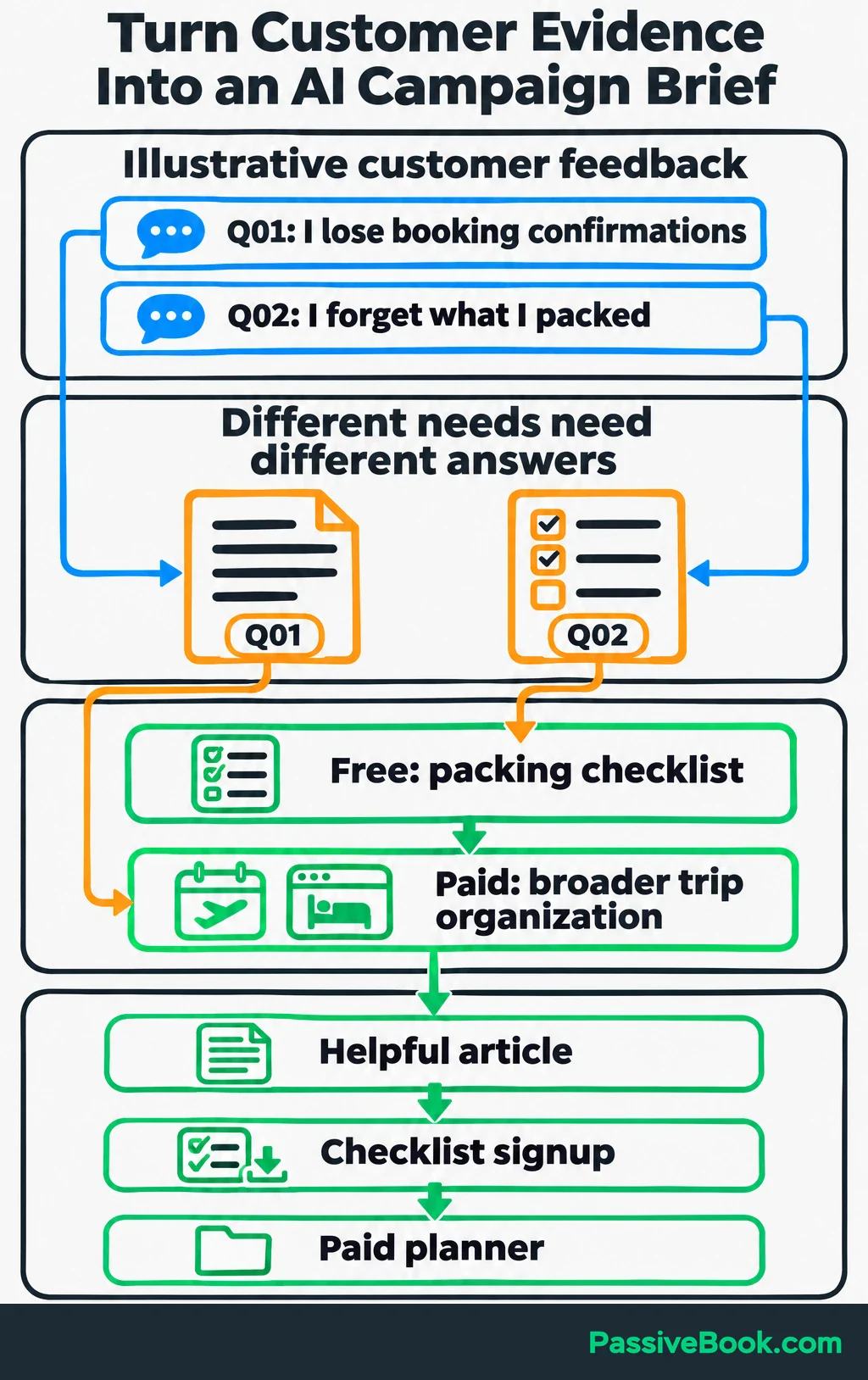
Give each item a source ID, such as Q01, so you can trace a proposed theme back to the original wording.
Then ask:
Group this feedback into recurring needs, desired outcomes and purchase objections.
For each theme, return supporting source IDs, representative wording and a possible marketing response.
Separate what customers said from your interpretation. Report how many distinct sources support each theme.
Read the underlying comments before choosing a message. AI can group “I lose booking confirmations” and “I forget what I packed” under organization, but those problems may call for different answers.
Generated keywords also do not establish demand or search volume. Check customer evidence, relevant search results or keyword data before committing weeks of work.
Choose one problem your offer can address. The planner campaign might use this brief:
- Problem: Packing tasks, booking details and document locations are scattered.
- Useful answer: Show how to keep each type of information in a clear place.
- Offer connection: The free checklist handles packing; the paid planner adds itinerary and document-organizing pages.
- Evidence needed: Relevant customer questions and actual page previews.
- Primary channel: A helpful article, distributed through Pinterest.
- Next action: Download the packing checklist.
That connection gives every asset a job. The article helps with the problem, the checklist helps readers start, and the paid planner offers a fuller way to organize the trip.
Research competing offers or current facts when they could change the message. Use the underlying sources rather than copying an AI summary into your brief.
Create and Distribute Useful Content
Draft an Article That Answers One Customer Question
Choose a question the reader can act on and your offer can support.
For this campaign: “How can I organize packing and paperwork for a road trip with my dog?”
Ask for an outline first:
Outline an article answering this question using the approved campaign brief, customer questions and product previews.
Put the main answer early. Include practical steps and useful demonstrations. Identify missing information.
Introduce the free packing checklist where it helps readers act, without interrupting the answer.
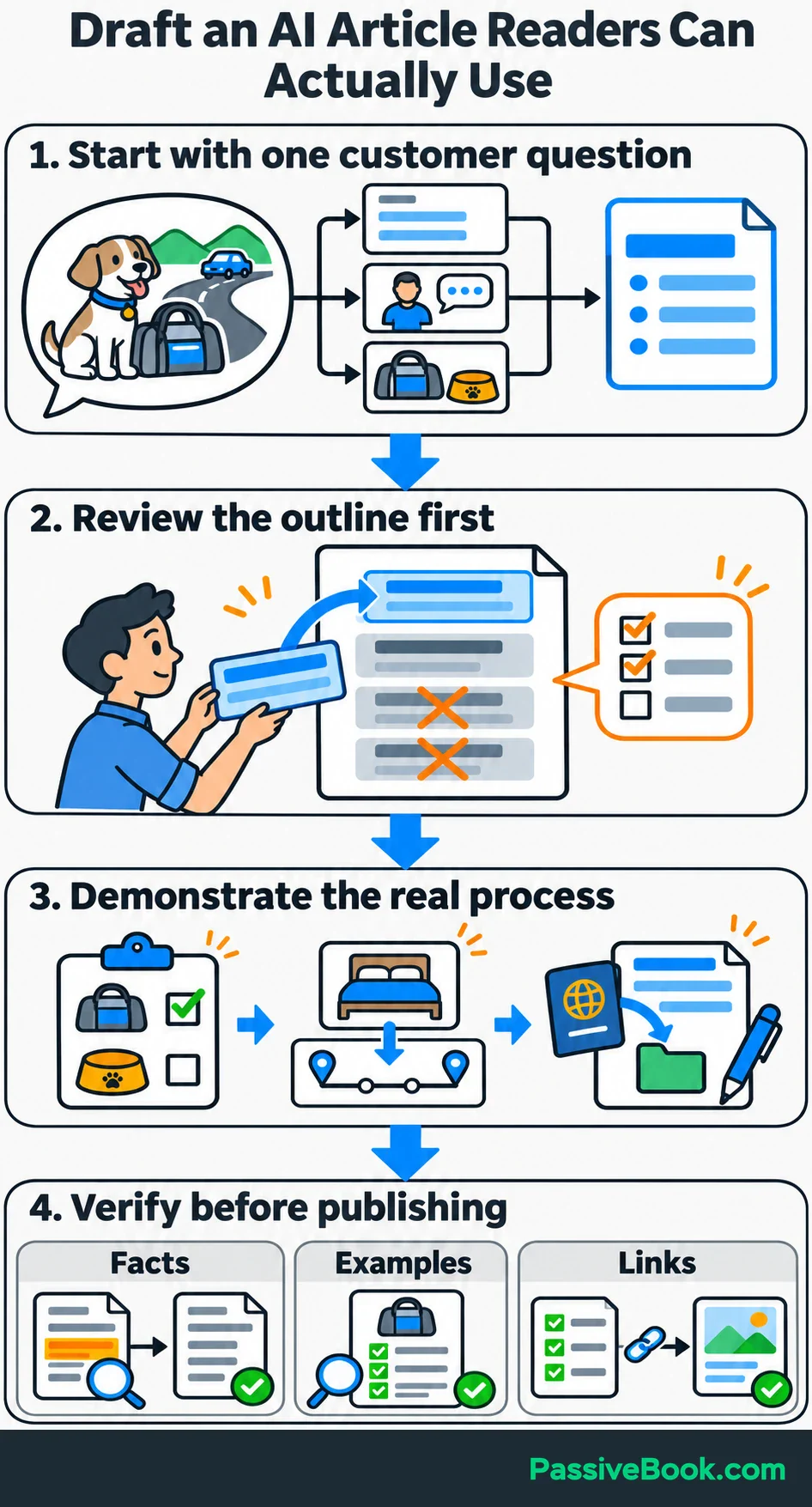
Review the structure before requesting a full draft. Remove sections that repeat the same advice or wander into questions you cannot answer well.
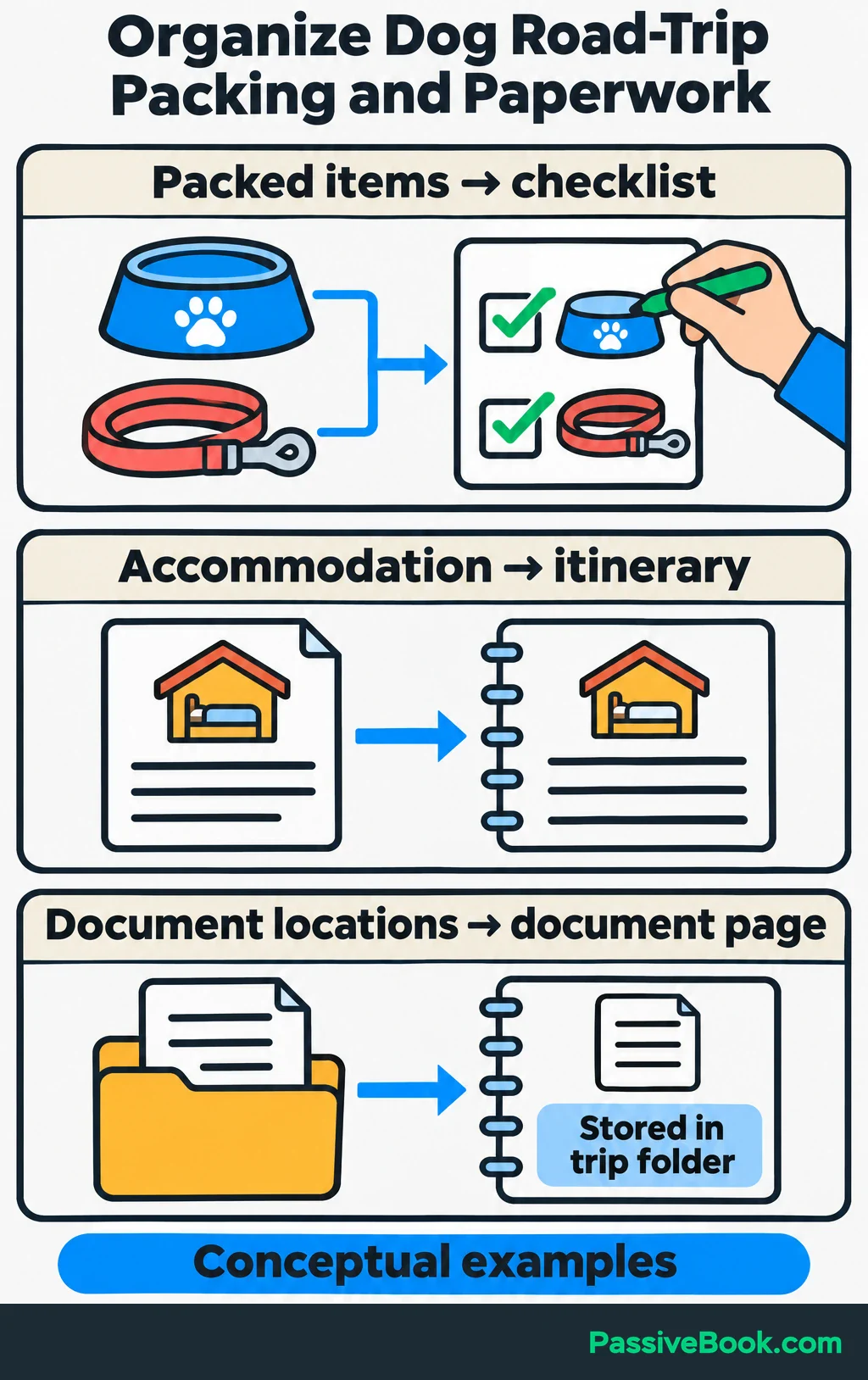
Then add the details AI cannot know about your process or product. Replace “Stay organized” with a demonstration:
Tick off packed items on the checklist. Put accommodation details on the itinerary page, and record where you have stored each travel document on the document page.
The article should help even if the reader never buys.
Before publishing, check that:
- The opening answers the question.
- Instructions are complete enough to follow.
- Examples match the actual download.
- Factual claims and citations match their original sources.
- The checklist link works.
If the draft starts making medical or destination-specific travel claims, verify those separately with appropriate sources or remove them when they are outside the article’s purpose.
Google’s guidance calls for manual fact-checking and review of AI content, and warns that generating many pages without added value may violate its spam policies. More pages are not a useful target when every page needs rescuing.
Adapt the Approved Article for Distribution
Repurpose the approved article. Drafting every channel from the original idea gives AI more chances to change the promise.
Supply the finished article, destination URL, intended action and channel requirements:
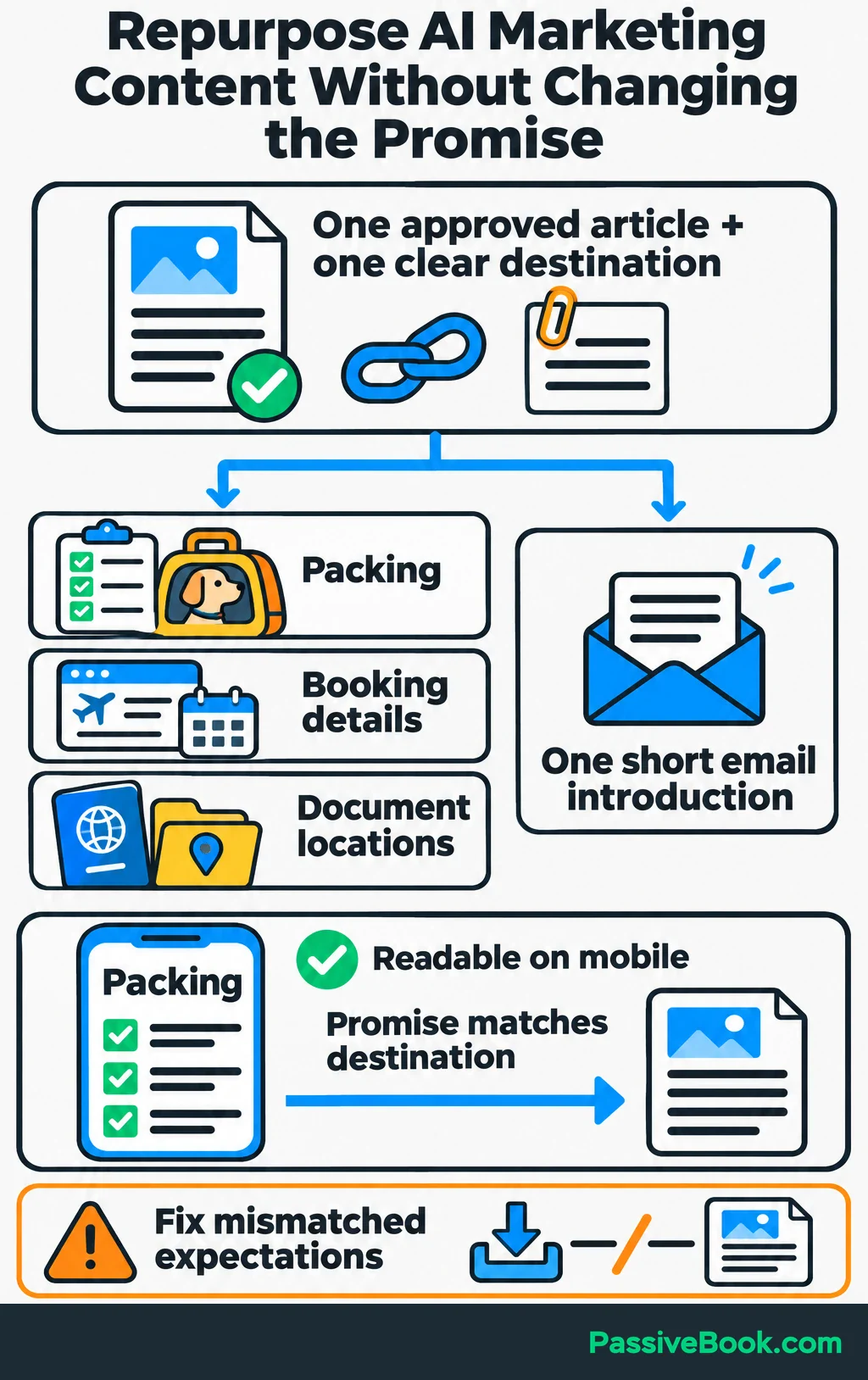
Create three Pinterest promotional concepts and one short email introduction from this approved article.
For each Pinterest concept, give the reader problem, headline, visual idea and destination.
Preserve the factual meaning and distinguish the free checklist from the paid planner.
The three concepts could emphasize packing, finding booking details or keeping document locations together. Choose the angle that makes the article’s value clearest.
One concrete asset might use:
Keep your dog’s road-trip packing list in one place.
Pair that line with a real checklist preview in Canva. If it links to the article, make that destination clear. Do not promise an immediate download and then send people through an unrelated page.
Make sure the text is readable on a phone and the destination link works. Add alternative text—a short description of the image—for people using screen readers. The graphic should show enough of the product to explain it without pretending a tiny screenshot is readable.
Schedule approved assets through your existing tools. For Pinterest, I would start with its native scheduler before buying another subscription.
Judge distribution by relevant visits, checklist signups and purchases alongside engagement. A saved graphic is encouraging, but it does not tell you whether the campaign brought anyone closer to buying.
Turn Interest Into Signups and Sales
Write a Landing Page That Matches the Promise
Give AI the traffic source, the visitor’s problem, the exact resource and the desired action.
Ask for two versions:
Draft two headline-and-benefit variations for the free checklist page.
One should emphasize packing organization; the other should emphasize having a packing list ready to use.
Keep the resource, product facts and call to action consistent. Do not imply that the free checklist includes the paid planner.
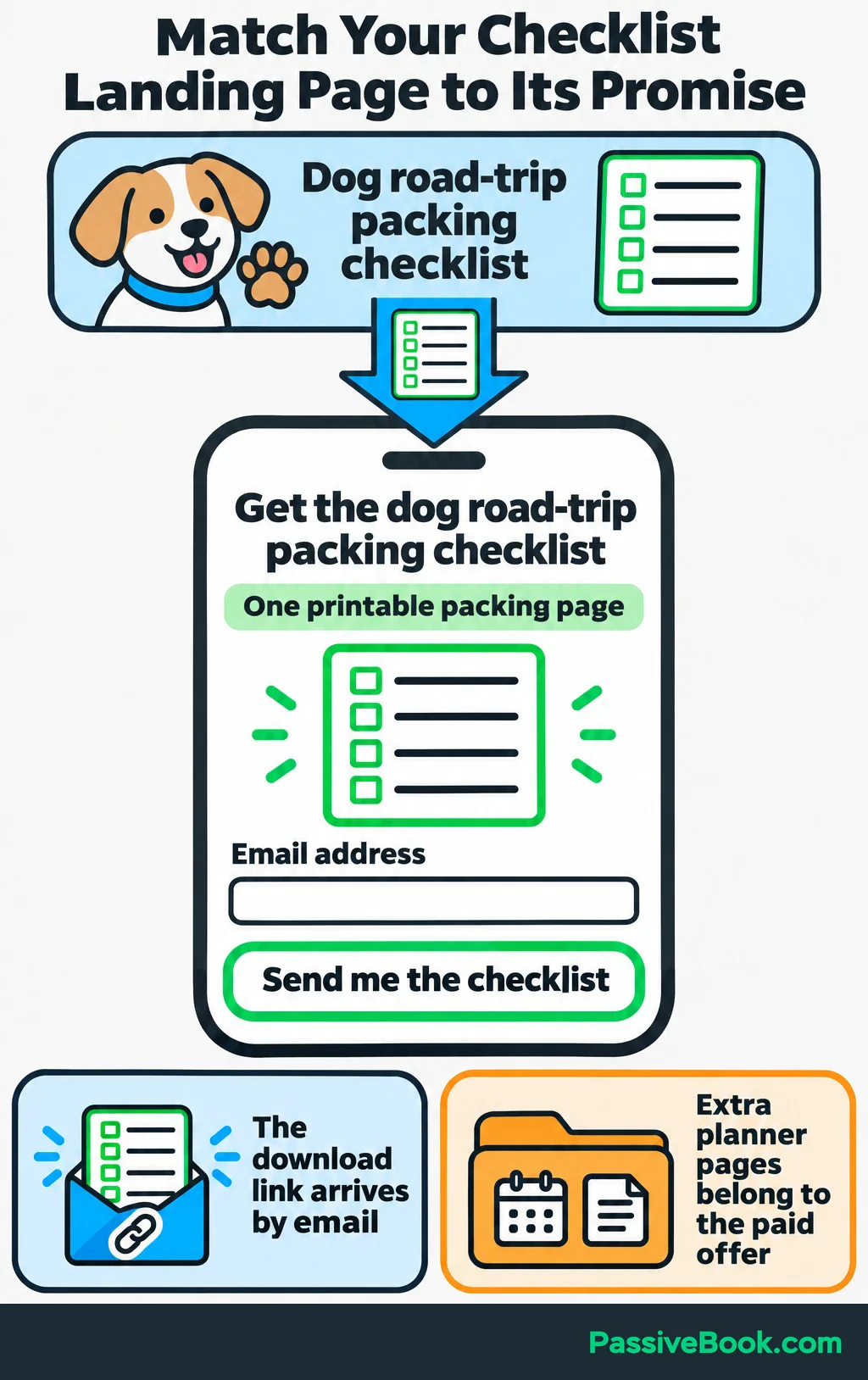
A compact page could read:
Get the dog road-trip packing checklist
Put your packing list on one printable page so you can add trip-specific items and tick things off as you pack.
Download the PDF, print a copy and keep it with your trip notes.
[Insert a preview of the actual checklist.]
Email address: [email field]
Send me the checklist
The download link will arrive by email.
State any additional marketing emails clearly beside the form, and collect permission where required.
For the paid page, show what the planner adds through real previews: itinerary space, booking details and document-organizing pages. Replace “Everything you need for a perfect trip” with features the buyer can inspect.
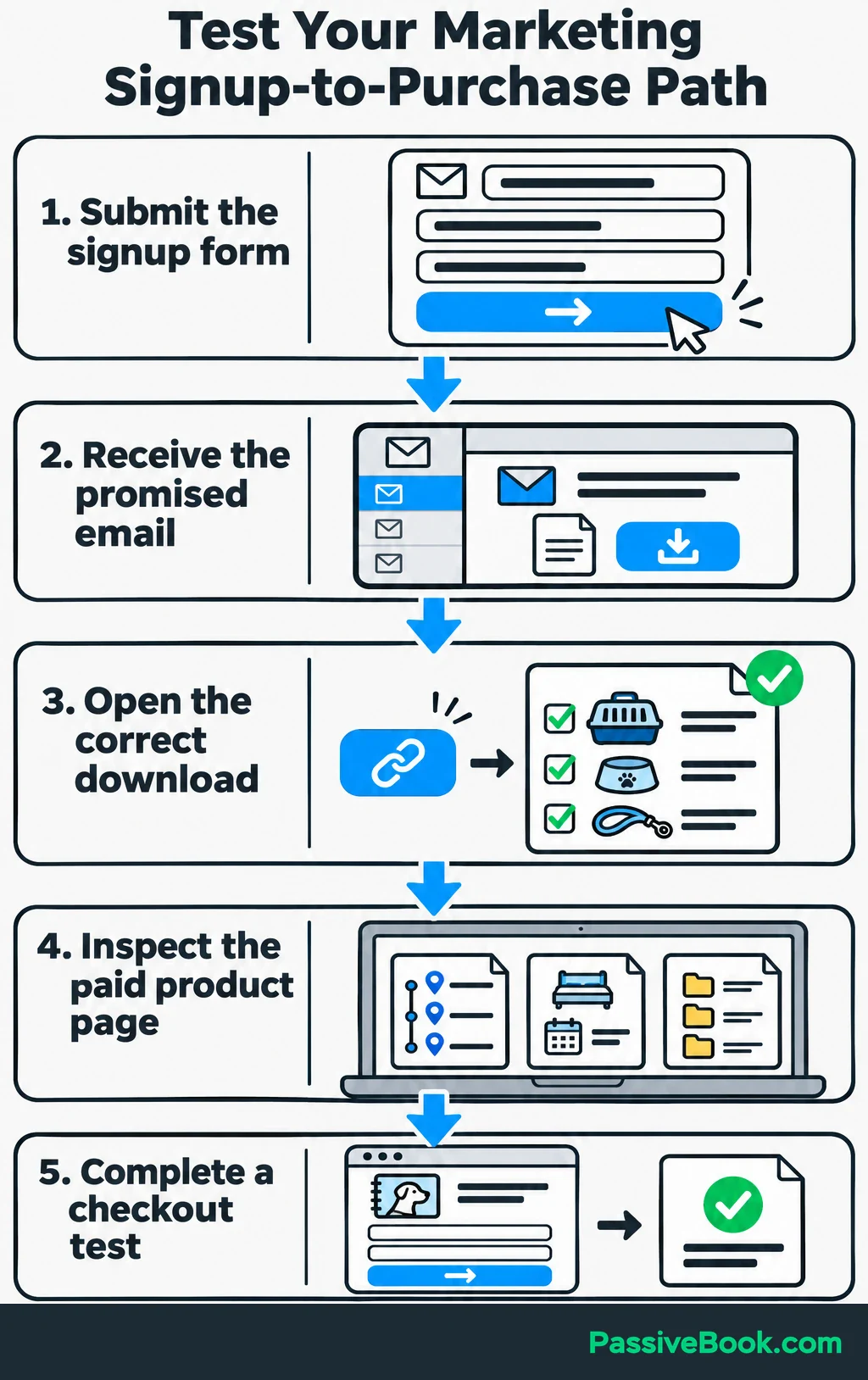
Then test the whole path: signup, email delivery, download, product page and checkout. Good copy cannot fix a missing file.
If you already run ads, use the same process to draft variations that preserve the offer. I would not start paying for traffic just to test whether AI can write an ad.
Build an Email Sequence Around the Next Action
Decide each email’s job before drafting. Otherwise, AI often writes three introductions followed by three versions of “Buy now.”
For this campaign, use a simple progression:
| Purpose | Sample Subject | Primary Action | |
|---|---|---|---|
| Delivery | Provide the promised resource | Your road-trip packing checklist | Download the checklist |
| Help | Show how to use it and organize related details | Put your trip details in one place | Read the organizing walkthrough |
| Offer | Explain what the paid planner adds | A look inside the complete road-trip planner | View the planner |
Ask AI to draft from that plan:
Write these three emails using the approved checklist, article, product facts and customer questions.
Return each email’s purpose, subject, body and one primary call to action.
Keep the messages distinct. Do not invent urgency, reviews or product results.
Here is a complete offer email you can adapt after replacing the bracketed details:
Subject: A look inside the complete road-trip planner
Hi,
Your packing checklist gives you one place to track what goes in the car. If you also want somewhere to keep the rest of your trip details, I made the complete dog road-trip planner.
It includes printable pages for packing, a daily itinerary, accommodation and booking details, and notes on where you have stored your travel documents.
The free checklist may be enough if packing is the only part you want help with. The paid planner adds those extra pages so you can keep more of the trip together.
You can see the sample pages and current price here:
View the complete road-trip planner: [product-page link]
Thanks,
[Your name]
[Shop name]
This is a promotional email about the planner.
[Valid postal address]
Unsubscribe: [unsubscribe link]
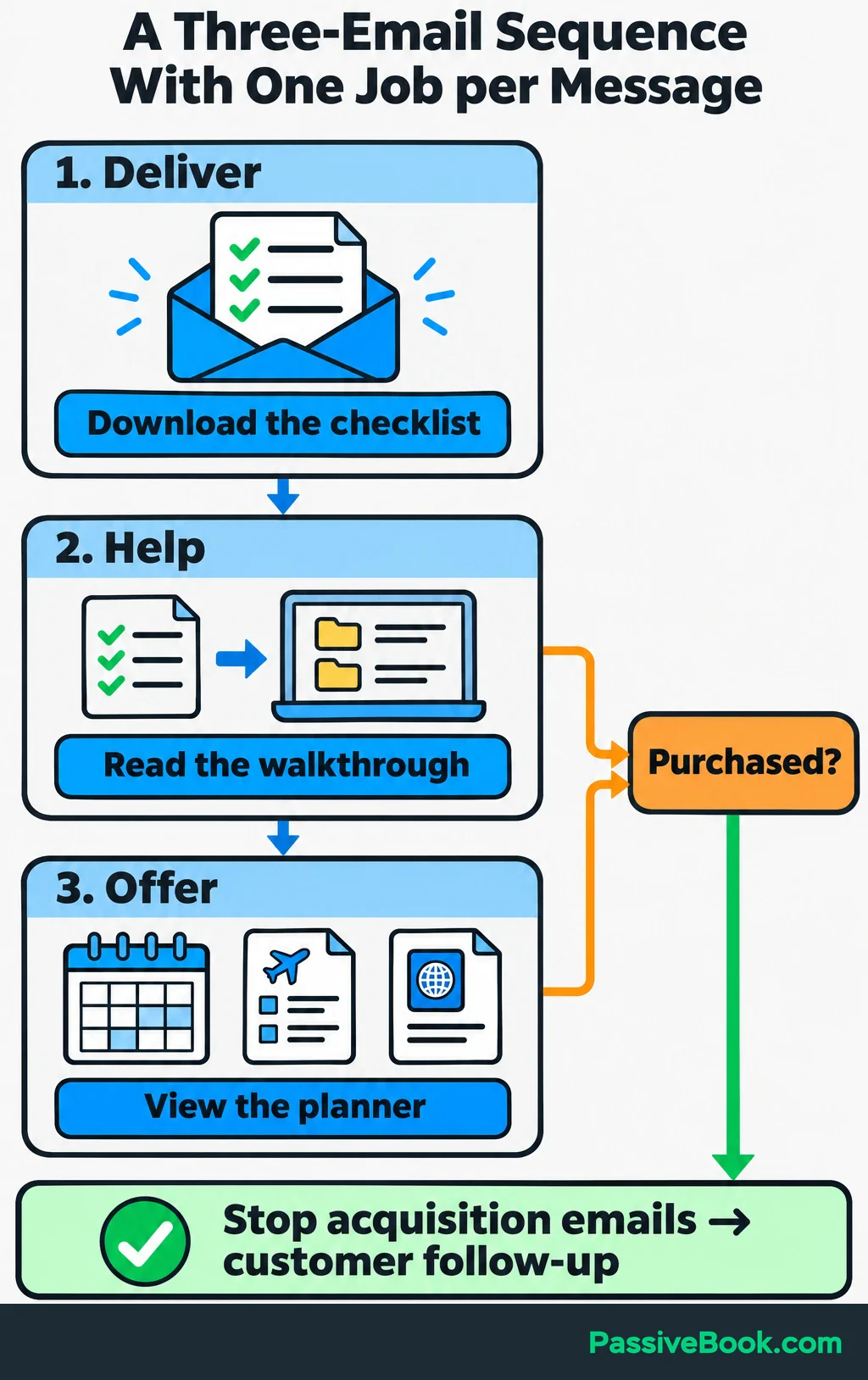
Review the sequence together for repetition and conflicting promises. Test it using a fresh subscriber address, then test what happens when that subscriber purchases.
The example above still needs your product details and voice. AI Copywriting Studio uses those inputs to draft a connected page-and-email set, so you can review the pieces together.

Free AI Copywriting Studio




Use your email platform’s rules to stop acquisition messages after a purchase and send the appropriate customer follow-up. Approved sequences can run automatically; they do not need fresh AI copy for every recipient.
For WordPress, I would choose FluentCRM for email automation and budget separately for delivery. Kit or MailerLite are alternatives when you prefer a hosted setup. Keep an existing platform if it already handles the job.
Collect marketing permission where required and follow the rules that apply to your audience. For U.S. commercial email, requirements include accurate sender information and subject lines, clear advertising identification, a valid postal address and an easy opt-out. Opt-outs must be honored within 10 business days. The FTC’s CAN-SPAM guide explains the requirements.
Measure Whether AI Improves the Workflow
Find the Next Marketing Improvement
Track visits and checklist signups from the article, then product-page visits and purchases from email. These steps show where readers stop.
Suppose that during one reporting week, the checklist page receives 1,000 visits and 40 of those visits include a completed signup. Count each visit once, even if the form fires twice.
The signup rate is:
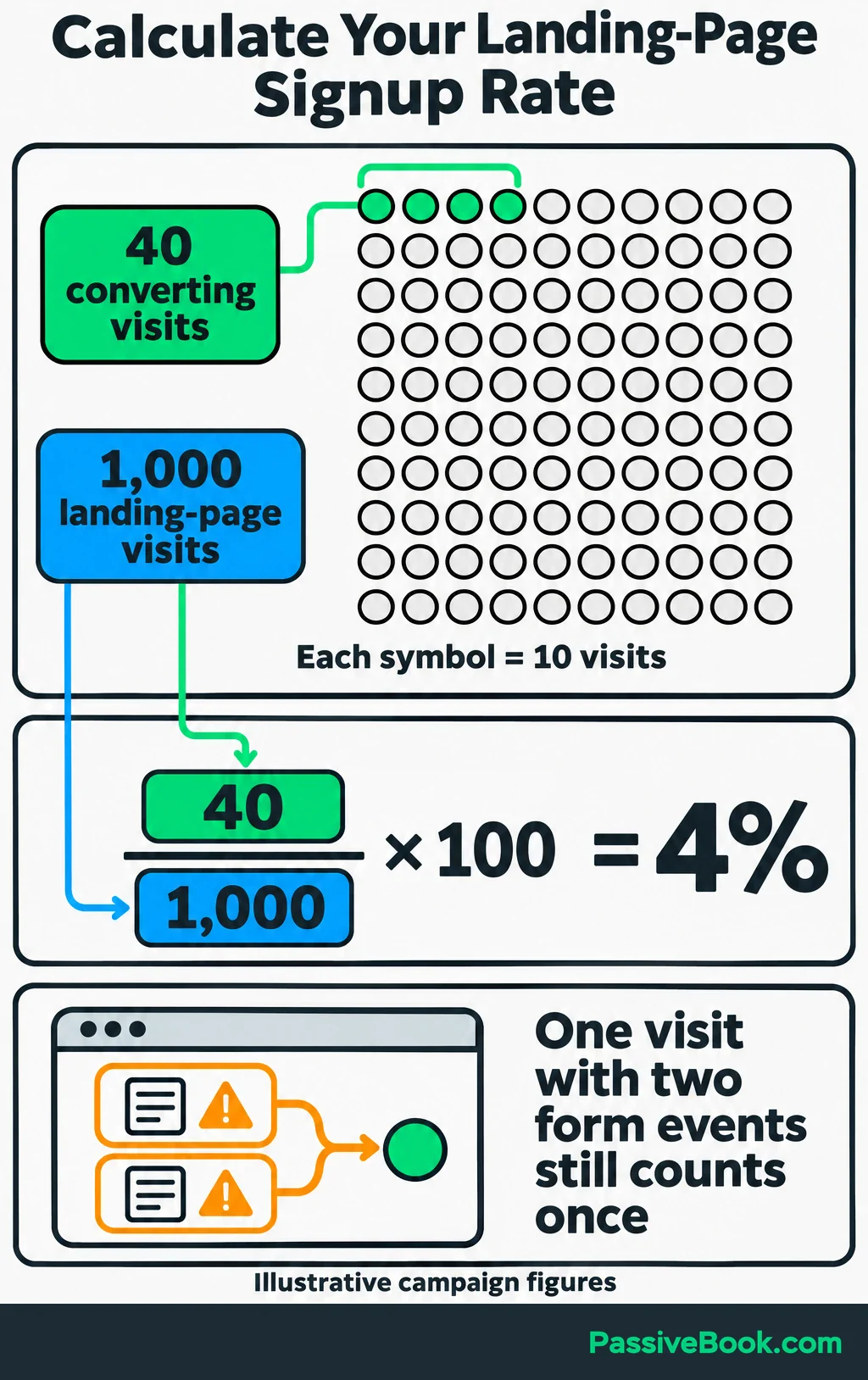
40 converting visits ÷ 1,000 landing-page visits × 100 = 4%
For email purchases, use buyers from the delivered-recipient group you are measuring and allow the same purchase window for each comparison. Do not divide all shop orders by the number of people who received one email.
Add campaign tags to external links so Google Analytics can identify the source, channel and campaign. Use a content tag to distinguish variations; Google’s campaign URL guide explains the fields:
utm_source=pinterest
utm_medium=social
utm_campaign=dog_road_trip
utm_content=packing_preview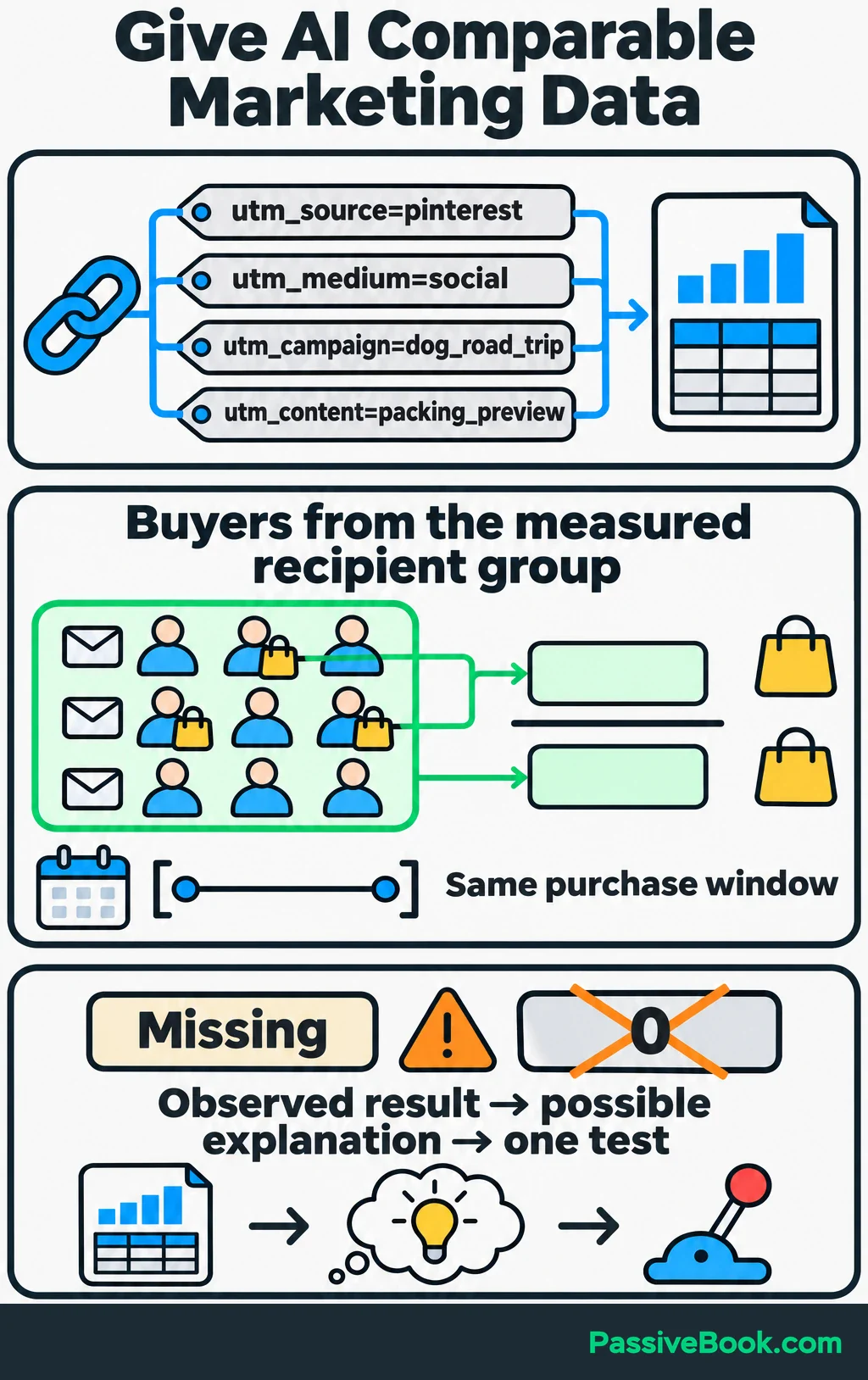
Give AI a clean export with reporting dates, metric definitions and consistent units. Mark missing values as missing rather than zero.
Then ask:
Calculate signup and purchase rates using the supplied definitions.
Show your arithmetic and identify one weak transition. Suggest one change to test.
Separate observed results from possible explanations. Flag missing data rather than estimating it.
Check AI’s calculations against your reports. If signups are weak, test the form before changing the checklist promise. If few product-page visitors buy, inspect the offer, previews and checkout.
Test one change at a time under similar conditions. A sales increase alone does not show that AI caused it.
Compare the Full Cost With the Useful Output
Count approved outputs and record all time and added expenses, including rejected drafts, briefing, verification, editing, setup and maintenance. Track business results alongside those costs.
Here is an illustrative first-cycle scorecard:
| Workflow | Approved Outputs | Baseline Labor | AI-Assisted Labor | Setup and Maintenance | Incremental Expenses | Conversions | Next Decision |
|---|---|---|---|---|---|---|---|
| Promotional graphics and copy | 8 assets | 12 hours | 6 hours | 2 hours | $12 in added usage | Not measured yet | Repeat once and track signups |
The baseline assumes eight assets taking 90 minutes each, or 12 hours. With AI, each takes 45 minutes including review, so production takes six hours. Setup and maintenance add another two hours.
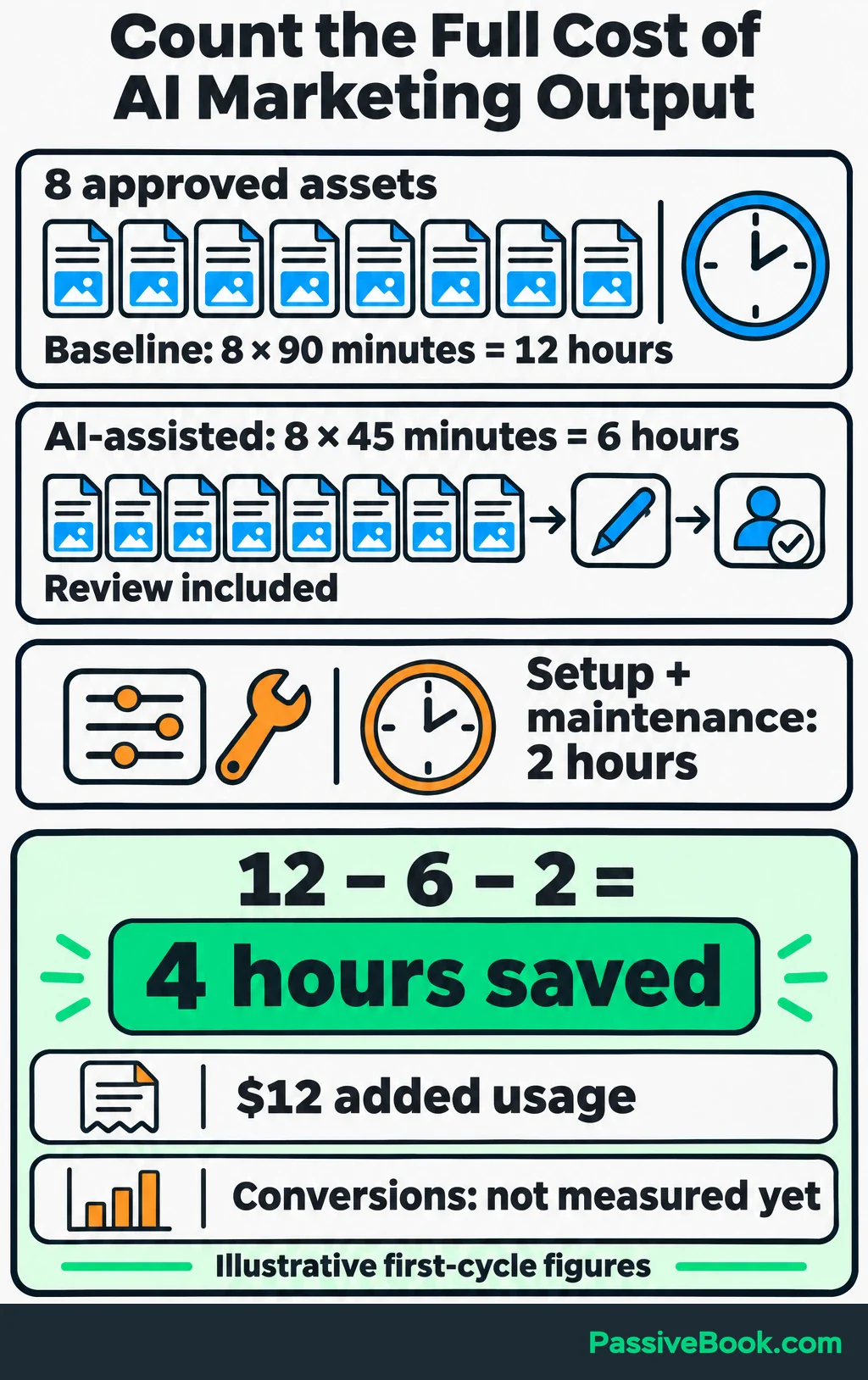
That leaves:
12 hours − 6 hours − 2 hours = 4 hours saved
Later cycles may need less setup, but keep counting maintenance. The four hours saved reduce bills only if they replace paid work you would otherwise need.
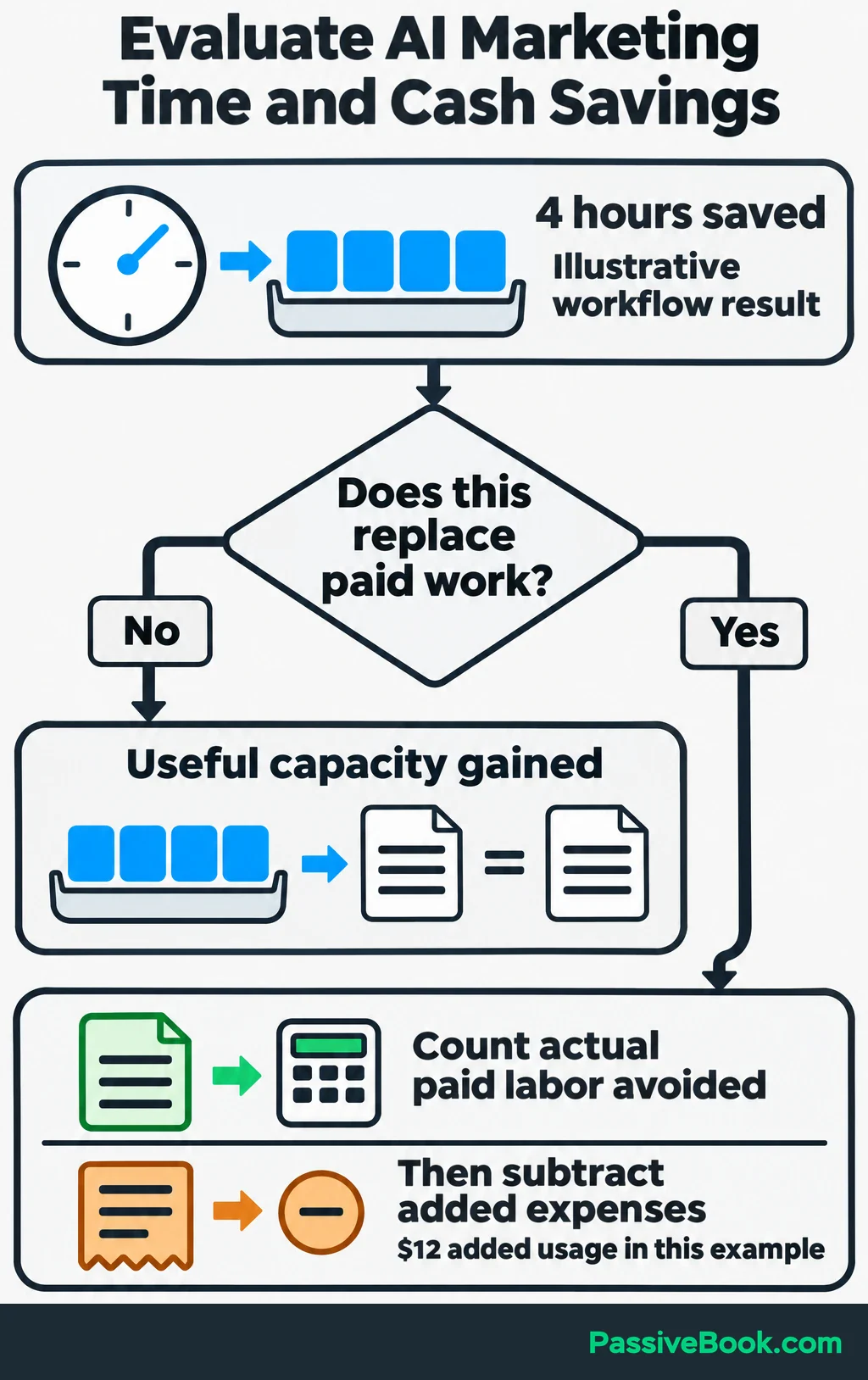
To assess growth, subtract payment fees, refunds and other variable costs from additional revenue, then compare what remains with added tool expenses.
I would keep a workflow that saves useful time and maintains quality, even while business results are still being measured. I would revise one that needs constant rewriting and expand one only after its value repeats.
A subscription should earn its place through approved work. “I might need it eventually” is how a small tool stack acquires dependents.
Automate the Steps That Already Work
Automate once the manual process reliably produces acceptable work.
I used Claude Code, an AI coding tool, to build a custom article-production workflow in Python. It cut my production time from days to hours. I also use n8n to connect tools. That result came from my particular process and does not tell you how much time your first workflow will save.
Begin with a small chain:
Approved article → AI promotional drafts → review queue → approved scheduling → publication record.
Document five things:
- Trigger: An article is marked approved.
- Required inputs: Final text, destination URL, campaign brief and design requirements.
- Expected output: Promotional drafts linked to their source article.
- Approval condition: Facts, visuals, copy and links have passed review.
- Destination: The approved schedule and publication log.
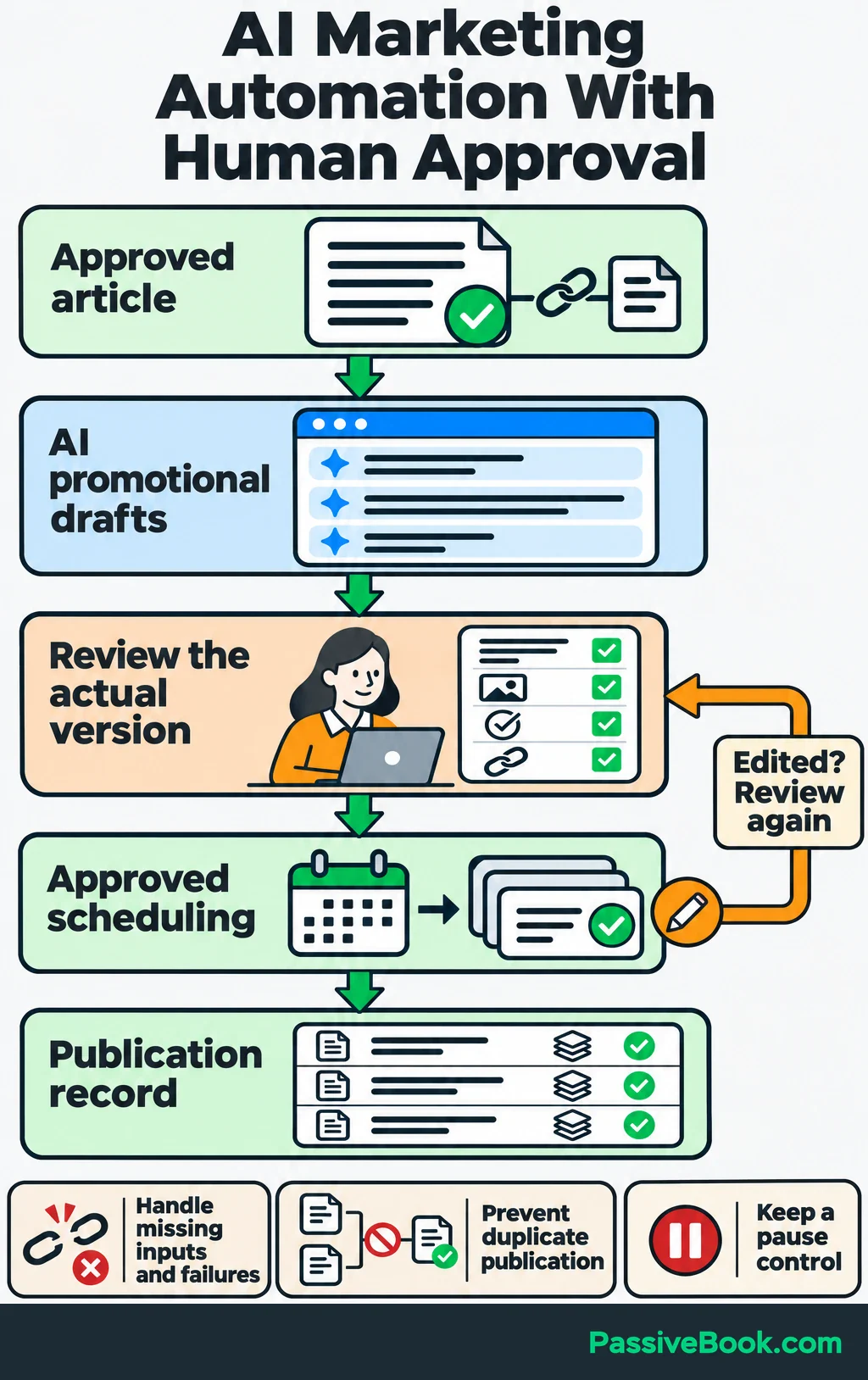
Use rules for predictable actions and AI for drafting or interpretation. A status change can move an asset into a queue. AI can suggest three headlines.
Require approval before newly generated public content or customer-facing messages go out. If you use an AI agent that can take actions in other apps, n8n’s human-review feature can pause a tool action until a person approves or denies it.
Approval should apply to the actual version being published. If the copy changes afterward, send it back for review.
Test what happens when an article has no URL, a draft is rejected, a connection fails or the same trigger arrives twice. Record completion status, route failures somewhere you will notice and keep a simple way to pause the workflow.
Store the source asset, prompt version and approval status with each output. Add successful examples to the reusable brief before connecting more channels. More connections will spread a weak draft faster, so improve the inputs first.
What Next?
Pick one recurring marketing task and run it once with a reusable brief. Record the time spent through final approval, then compare it with your usual process.
Use the social buttons to share this guide when you want a practical starting point for a leaner marketing system.
Which task would you hand to AI first, and what would make its output good enough to use? Leave your answer in the comments, along with any other questions.
Share this post with your friends & followers:

