A customer asks you to text when a product returns to stock. That sounds simple until you need to record their permission, send the right link, and stop the alert if they buy first.
Do it manually and those small jobs pile up. Automate it carelessly and you can send an unwanted promotion straight to someone’s phone.
That risk makes it hard to know when texting is worth the effort. This guide takes a campaign from signup to sale, so you can send relevant messages without handling each one yourself and judge whether they cover their cost.
How Does SMS Marketing Work?
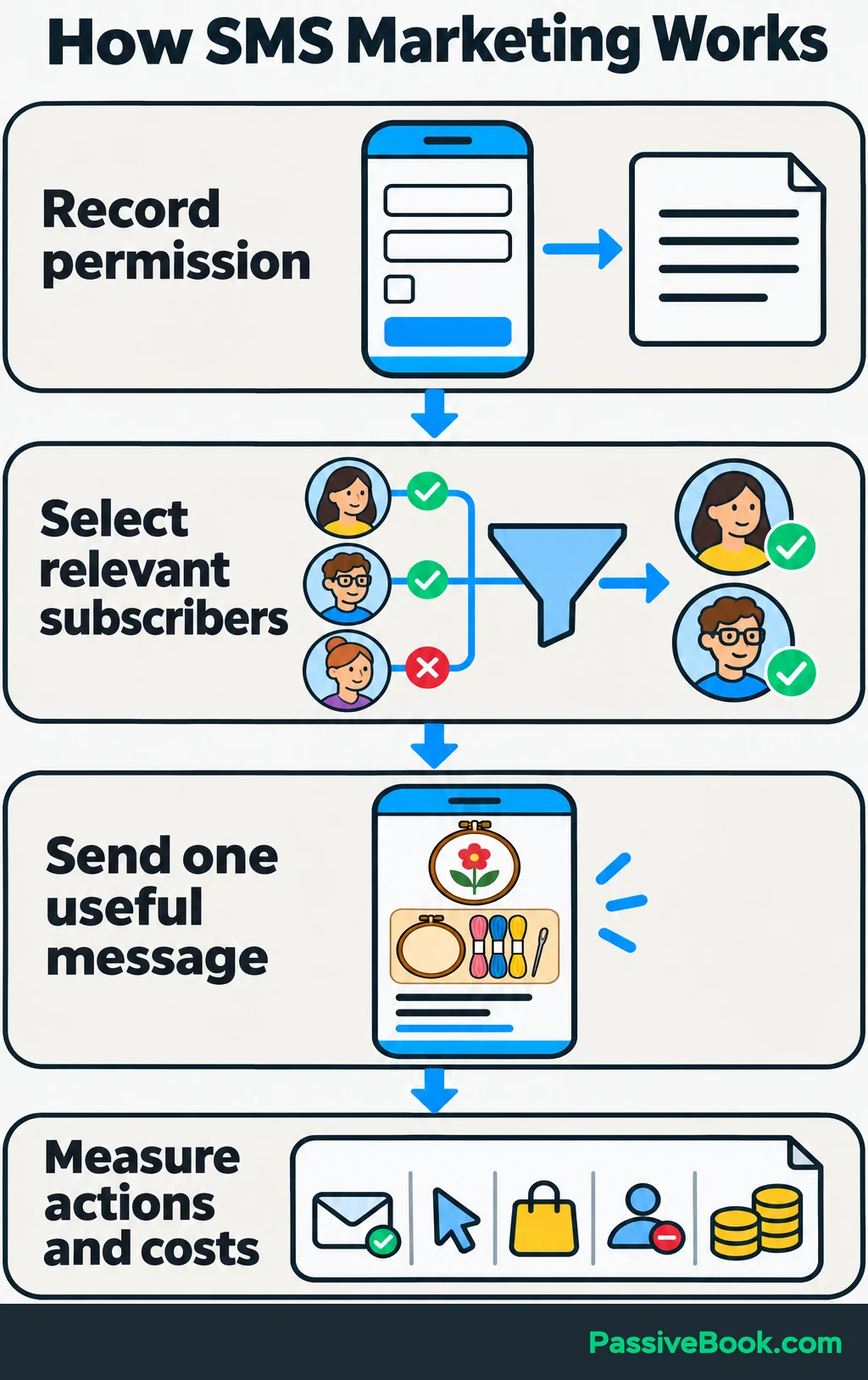
SMS marketing lets you send promotional texts to people who have agreed to receive them. The basic process is straightforward:
- Collect permission and record what the person agreed to receive.
- Select subscribers who qualify for a particular message.
- Send a short text with a clear reason to act.
- Track delivery, clicks, purchases, opt-outs, and costs.
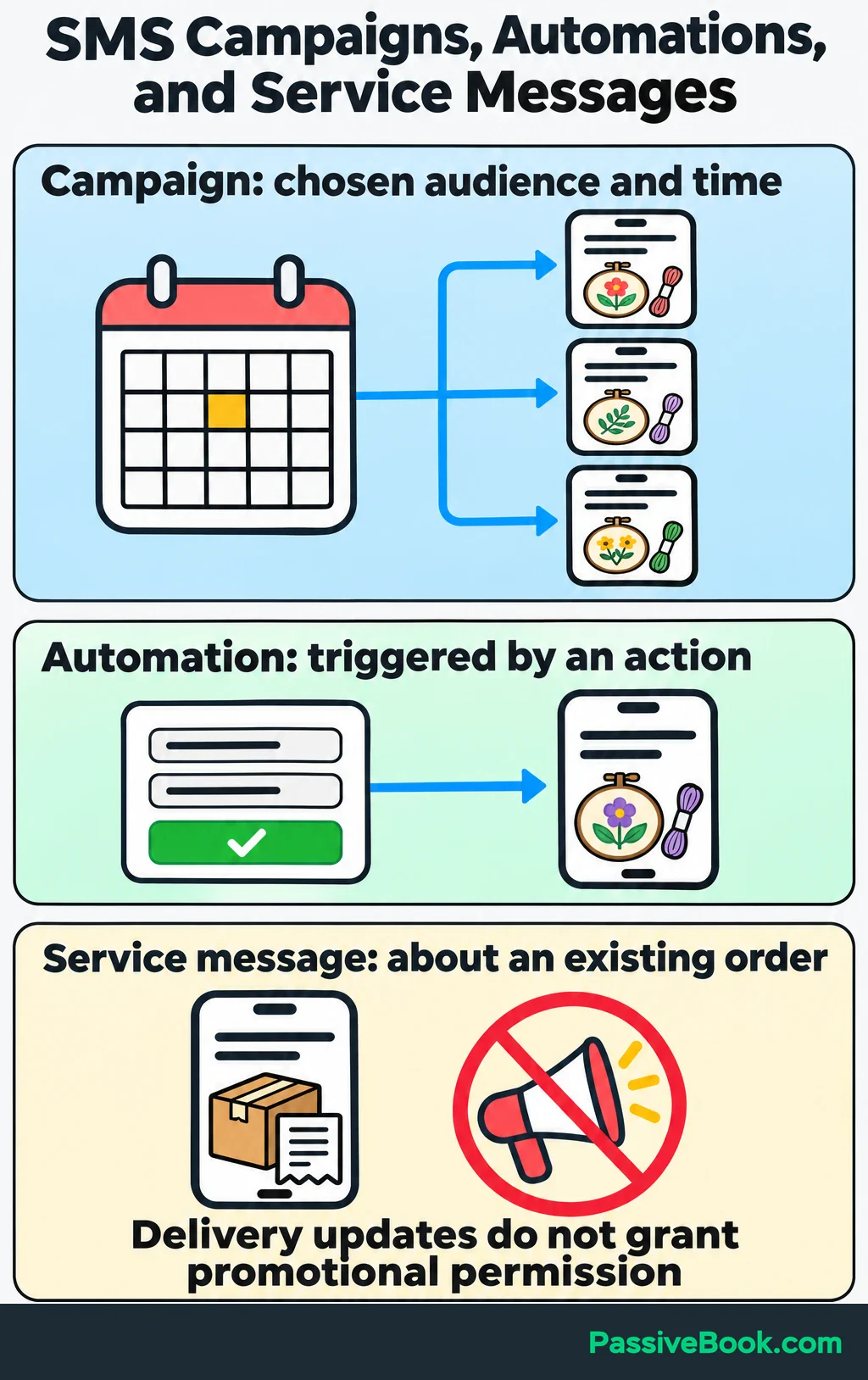
A campaign goes to a selected group at a chosen time. An automation sends when someone meets a condition, such as completing signup or requesting a restock alert.
Keep promotions separate from service messages. An order confirmation concerns an existing purchase, while a new-product offer encourages another one. Permission to send delivery updates does not establish permission to send promotions. Twilio’s messaging policy makes this distinction.
I would use SMS for messages whose timing matters: a requested restock, relevant launch, or genuine deadline. Put detailed instructions, comparisons, and longer stories in email or on your website.
You don’t need a large list to learn how to use SMS marketing. A small audience that asked to hear from you gives you somewhere sensible to start. But if you rarely have anything timely to say, I would build email first.
Also, standard SMS has no native read receipts. A delivery report does not tell you someone opened the text, so judge engagement through actions you can measure. Twilio documents read status for supported channels such as RCS and WhatsApp.
For the examples below, imagine you run HoopKit, an online shop selling beginner embroidery kits. The shop, messages, usage forecasts, and sales figures are illustrations.
Choose One Goal for Your First Campaign
Write down three things before choosing software: who should receive the message, why they should care, and what you want them to do.
Make the action specific enough to measure. “Get more engagement” leaves too much room for a flattering report. “Sell the new kit to interested subscribers” gives you a purchase to track.
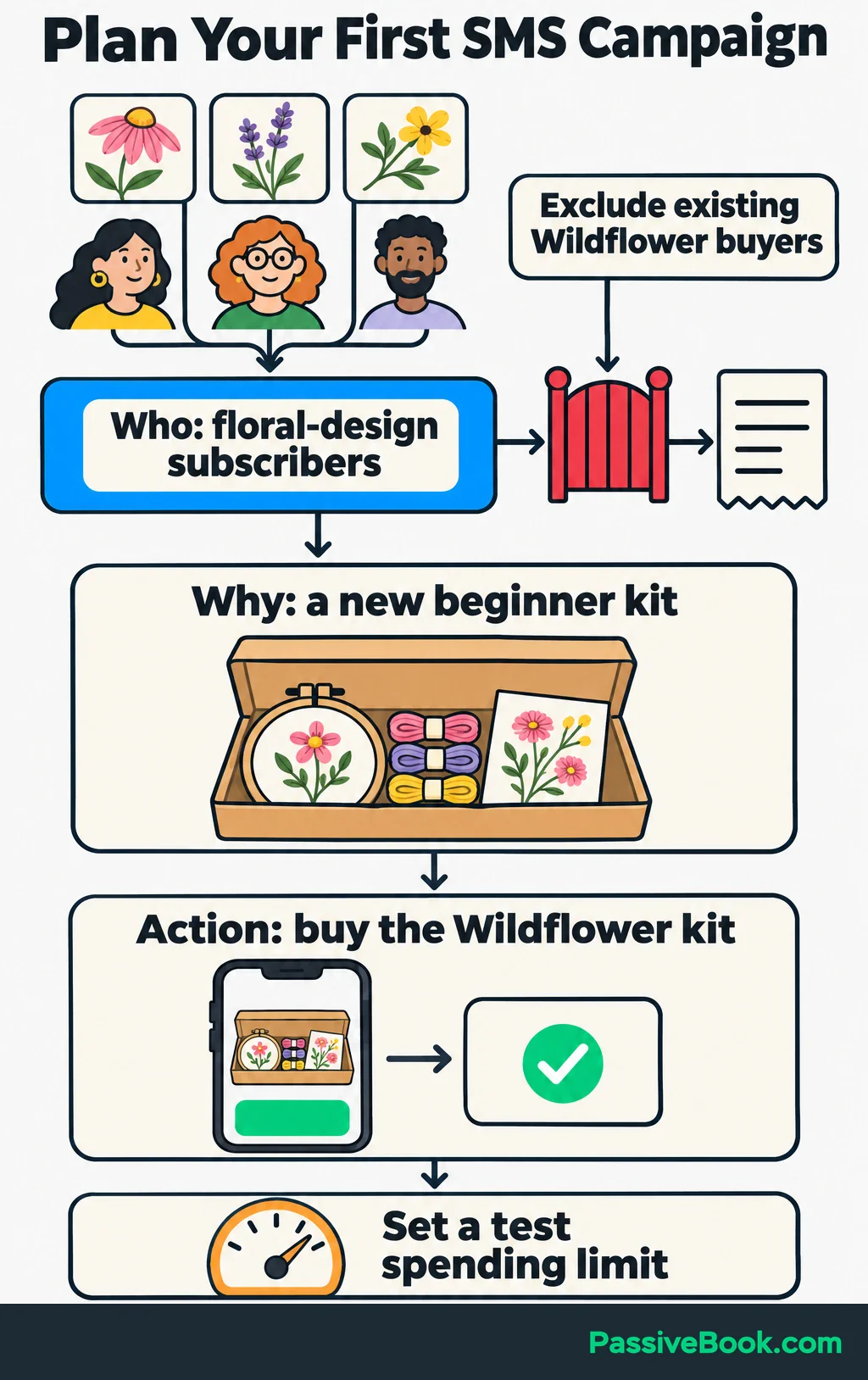
For HoopKit, the first campaign invites subscribers interested in floral embroidery to buy the new Wildflower beginner kit. People who already bought it are excluded.
The benefit can be availability, early access, or an offer. A discount is optional, and I would skip one unless the remaining margin can cover messaging costs.
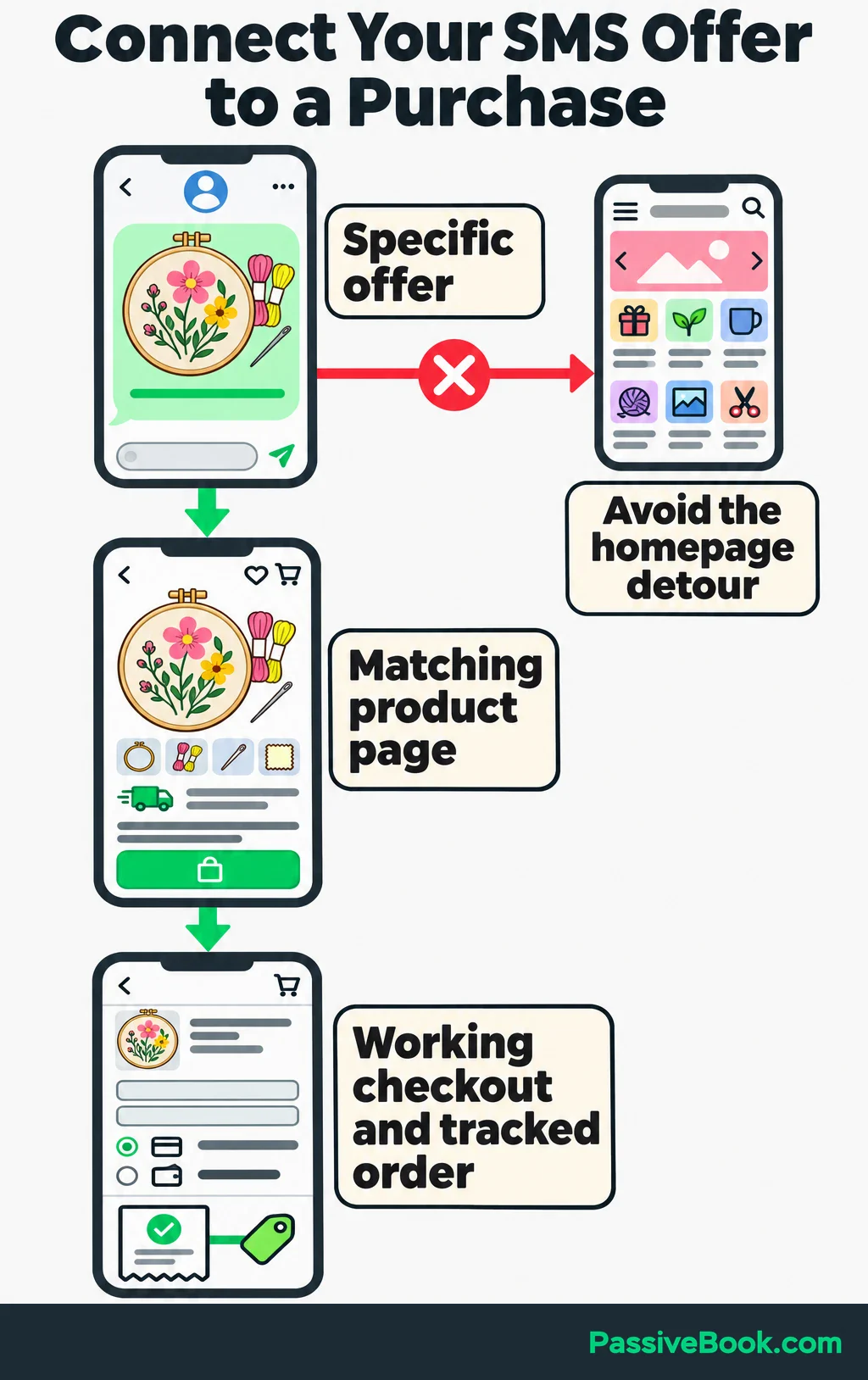
Before sending, make sure:
- The link opens the matching product page.
- The page explains what buyers receive.
- Checkout works on a phone.
- Completed orders can be connected to the campaign.
- You have a spending limit for the test.
Don’t send people to the homepage and make them hunt for the thing you just offered.
Choose an SMS Platform Within Your Budget
Estimate the Complete Bill
Start by counting message segments, because one text on a customer’s phone can contain several billable parts.
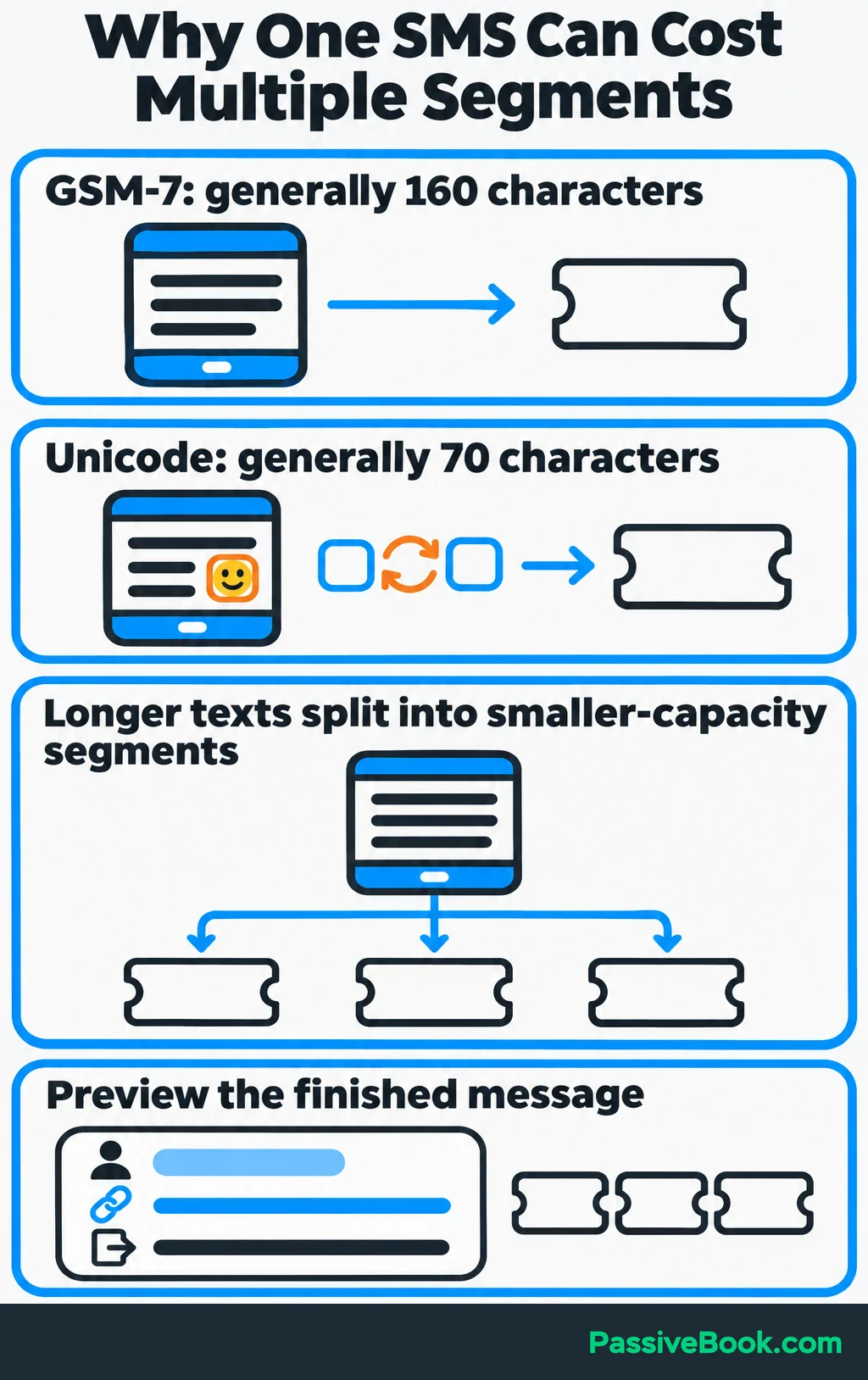
A single SMS generally holds up to 160 characters using GSM-7, the encoding used for many common letters and symbols. Unicode encoding, often triggered by emoji or certain punctuation, generally allows 70. Longer messages split into segments with smaller capacities. Twilio explains these limits and encoding changes.
Use the platform’s segment preview on the finished message, including personalized text, the final link, and unsubscribe wording. A draft that fits before those additions may cost more afterward.
Estimate campaigns and automated messages together for each recipient country. Suppose HoopKit sends two campaigns to 100 people each, plus 30 welcome messages and 20 restock alerts in one month. At one segment per message:
(100 × 2) + 30 + 20 = 250 outbound segments
At two segments each, that becomes 500. Add any chargeable incoming messages separately.
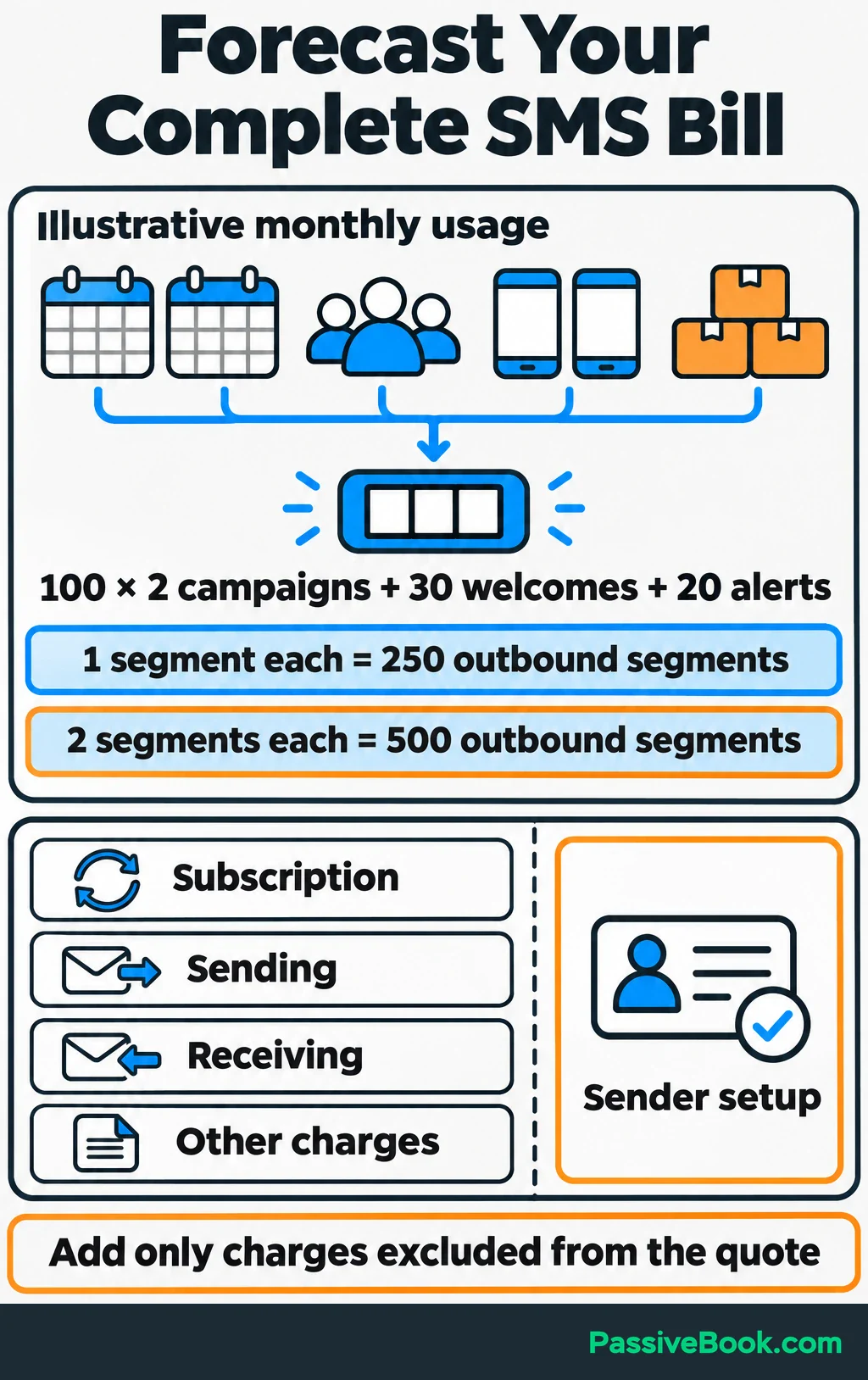
Use that forecast to compare the whole bill:
| Cost | What to check |
|---|---|
| Subscription | The recurring charge and usage already included |
| Sending | Segment rates, destination countries, overages, and carrier fees |
| Receiving | Whether replies consume credits or incur charges |
| Sender setup | Number rental, registration, and verification charges |
| Other charges | Taxes and any separate integration costs |
Add only charges excluded from the quoted price. Keep one-time setup charges separate from recurring costs, and check whether exceeding your allowance triggers an automatic upgrade.
Before choosing a plan, put the quotes beside your order margin. This planner shows what you can spend on a first test and how much additional business it would need to bring in.
Free SMS Profit Planner




Match the Platform to Your Store and Workflow
Choose software that can send your first campaign and react to signups, purchases, and stock changes.
At minimum, check recipient-country support, consent records, unsubscribe suppression, audience filters, scheduling, a reply inbox, spending controls, and purchase reporting.
Two options worth comparing are:
| Platform | When I would consider it | Budget check |
|---|---|---|
| SlickText | You want dedicated texting tools with signup forms, segments, an inbox, and automated workflows | Plans use credits, and carrier fees are additional. Apply your forecast to its current pricing. |
| Klaviyo | You want email and SMS workflows connected to store activity | Messaging plans use dollar-based allowances with rates that vary by destination and sending setup. Carrier fees are included in its messaging rates. |
For a WooCommerce store, Klaviyo can use synced store activity to trigger email and SMS automations. Check whether your existing tools can also stop follow-ups after a purchase before adding a subscription.
For HoopKit, I would choose the simplest option that records permission, receives purchase events, and supports the planned alerts. A cheap sender becomes expensive if you must update buyer exclusions by hand.
Build a Subscriber List With Clear Permission
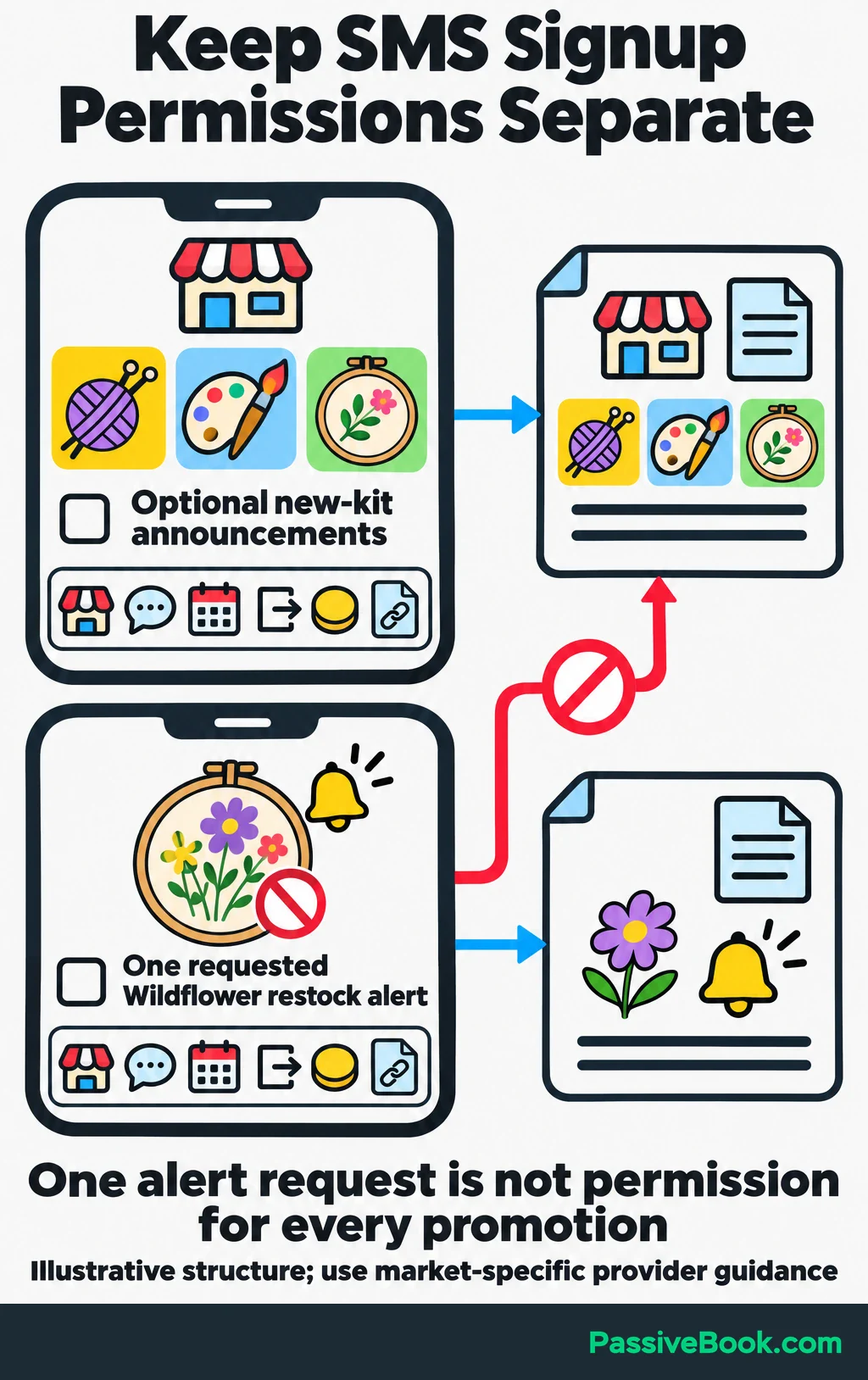
Offer a separate, optional SMS signup on relevant pages or at checkout. Leave the choice unchecked, and explain what someone will receive beside the signup action.
That explanation should cover:
- Your business name.
- The purpose of the messages.
- The expected frequency.
- How to unsubscribe.
- Any applicable message and data charges.
- Links to your privacy policy and messaging terms.
Match the promise to the actual program. For HoopKit, that might mean occasional new-kit announcements, with a separate choice for a particular kit’s restock alert. Requesting one alert should not quietly enroll someone in every future promotion.
Before publishing, check the consent, do-not-call, registration, and other requirements for the markets you will text. In the US, marketing texts covered by the federal autodialer rules require prior express written consent, and that agreement cannot be a condition of purchase. The federal rules set out these requirements.
Use your provider’s market-specific form guidance to implement the required disclosures and agreement.
Keep the phone number, consent wording or form version, timestamp, signup source, and confirmation status. A confirmation step helps verify control of the number, but it does not replace the disclosures needed to obtain permission.
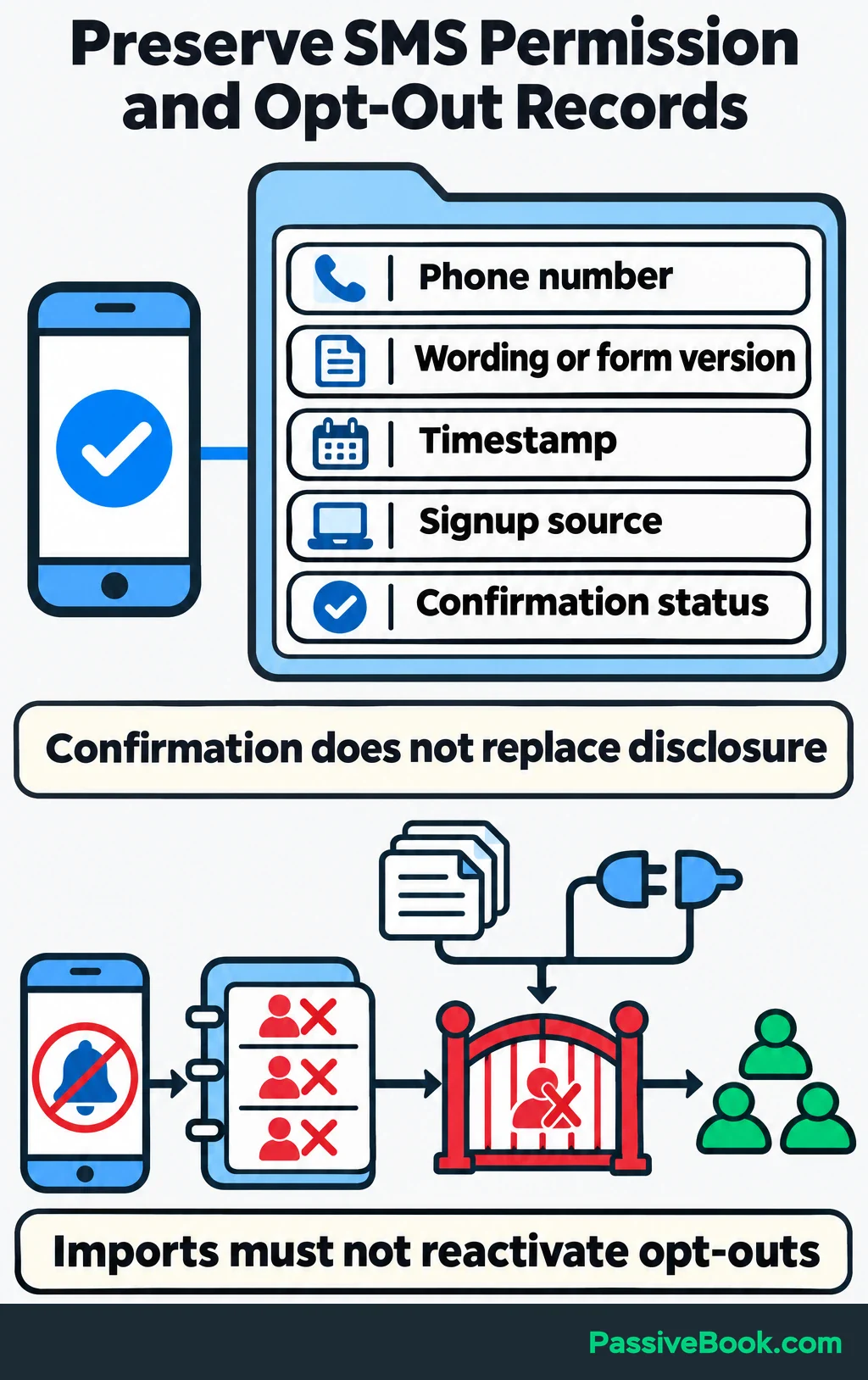
You can invite existing email subscribers to join through a signup link. Their email subscription and SMS choice remain separate.
I would skip purchased lists completely. Numbers collected for shipping or customer service also stay out of promotional campaigns unless their owners separately opt in.
Keep unsubscribed contacts on a suppression list so imports and integrations cannot accidentally make them eligible again.
Select Subscribers Who Will Find the Message Relevant
Start with distinctions that change what someone should receive. You don’t need a dozen audience groups before your first send.
For HoopKit, useful groups include:
- Subscribers interested in floral designs who have not bought the Wildflower kit.
- Existing kit customers who qualify for a different offer.
- Subscribers waiting for one named kit to return.
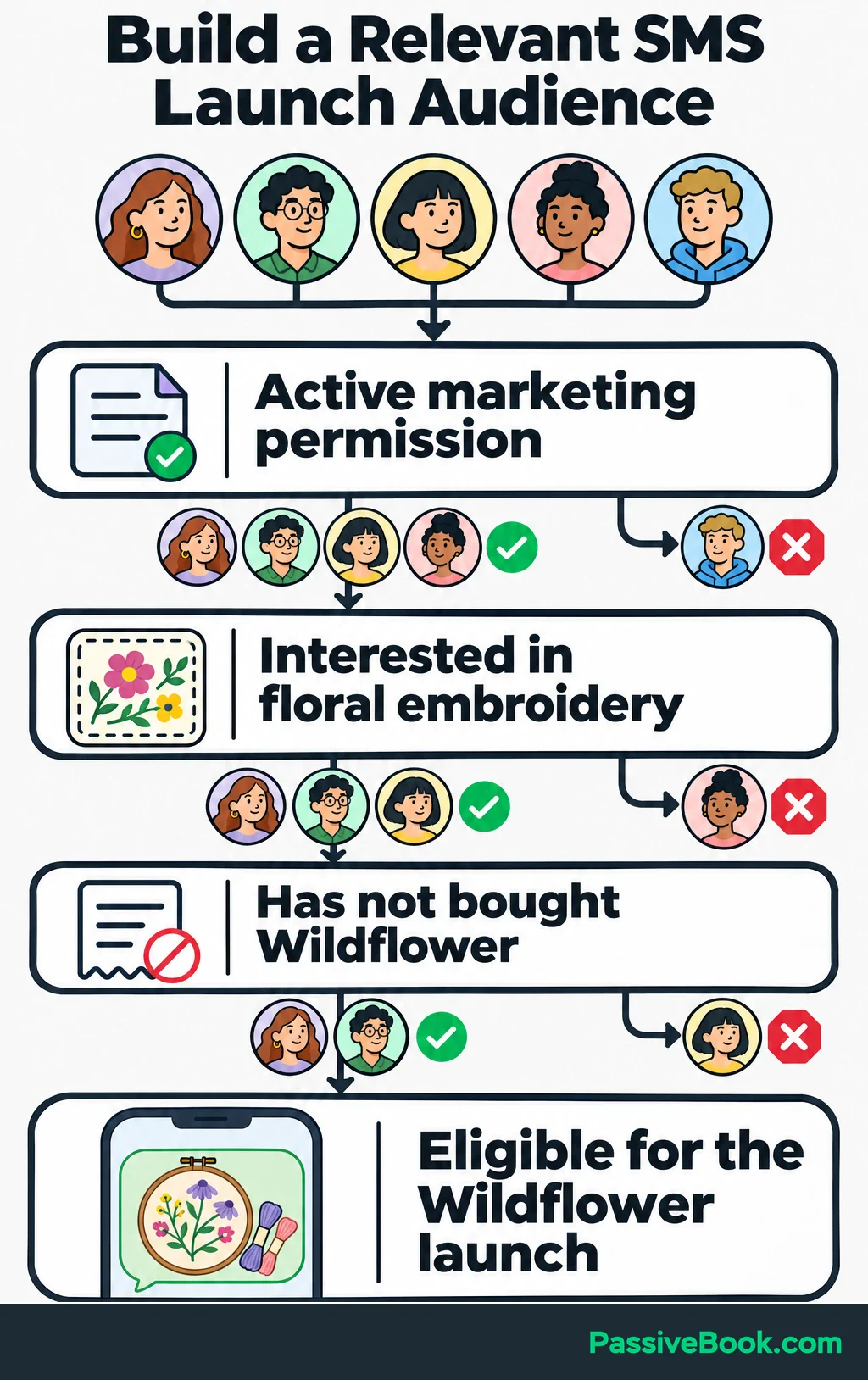
Turn those groups into explicit rules. The Wildflower launch requires active marketing permission and an interest in floral embroidery. A completed Wildflower purchase removes the person from that campaign.
Use purchase events to update these rules automatically. Collect an optional design preference only if you will use it to change the message or product someone receives.
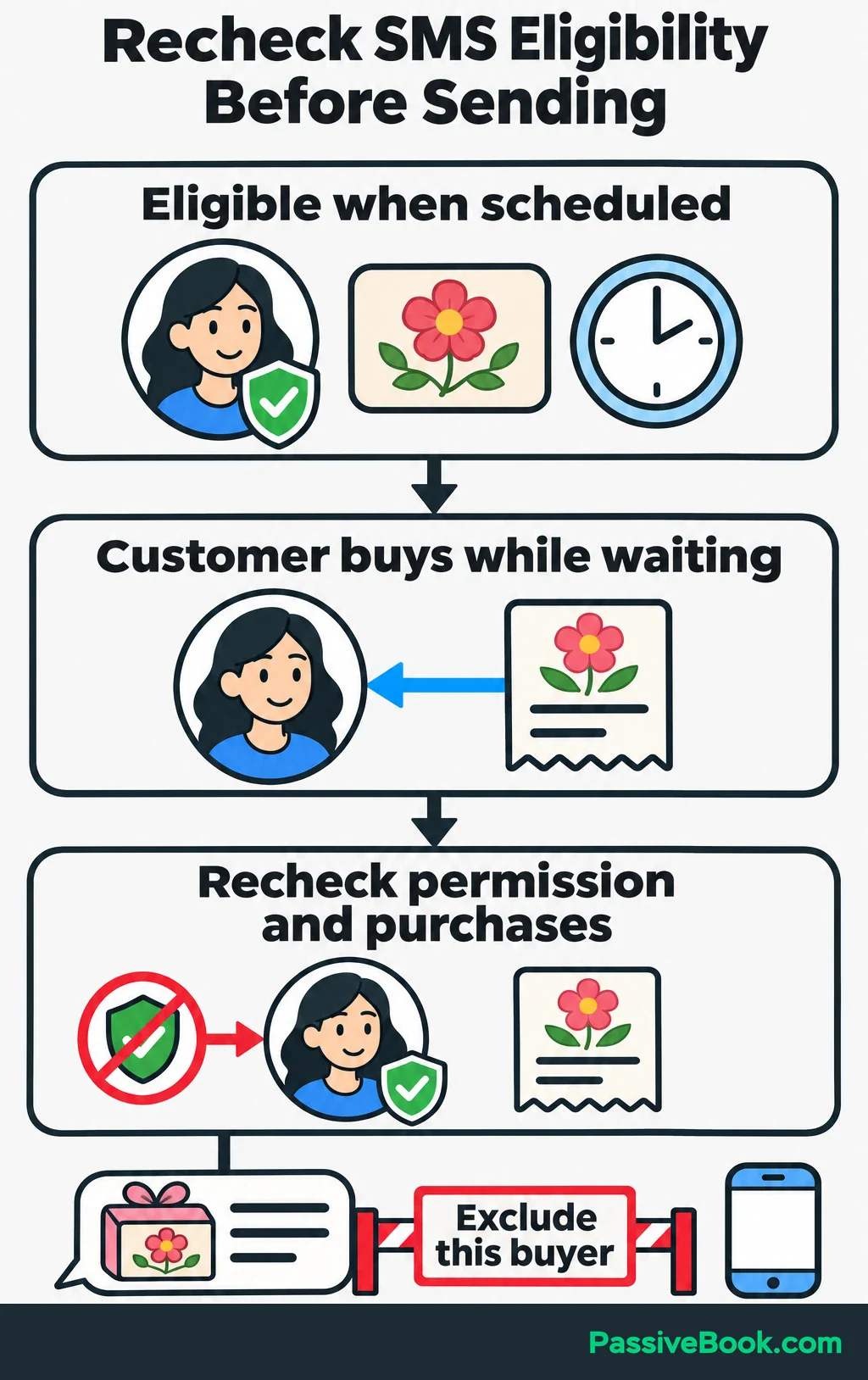
I care more about that kind of personalization than adding a first name. “The kit you requested is back” earns its place. A name pasted onto an unrelated offer does very little.
Where you use personal details, provide a fallback for missing data. Recheck consent and purchase exclusions immediately before sending, including after any scheduling delay.
Write and Launch Your First SMS Campaign
Complete the sender registration or verification required for your destination and number type before launching.
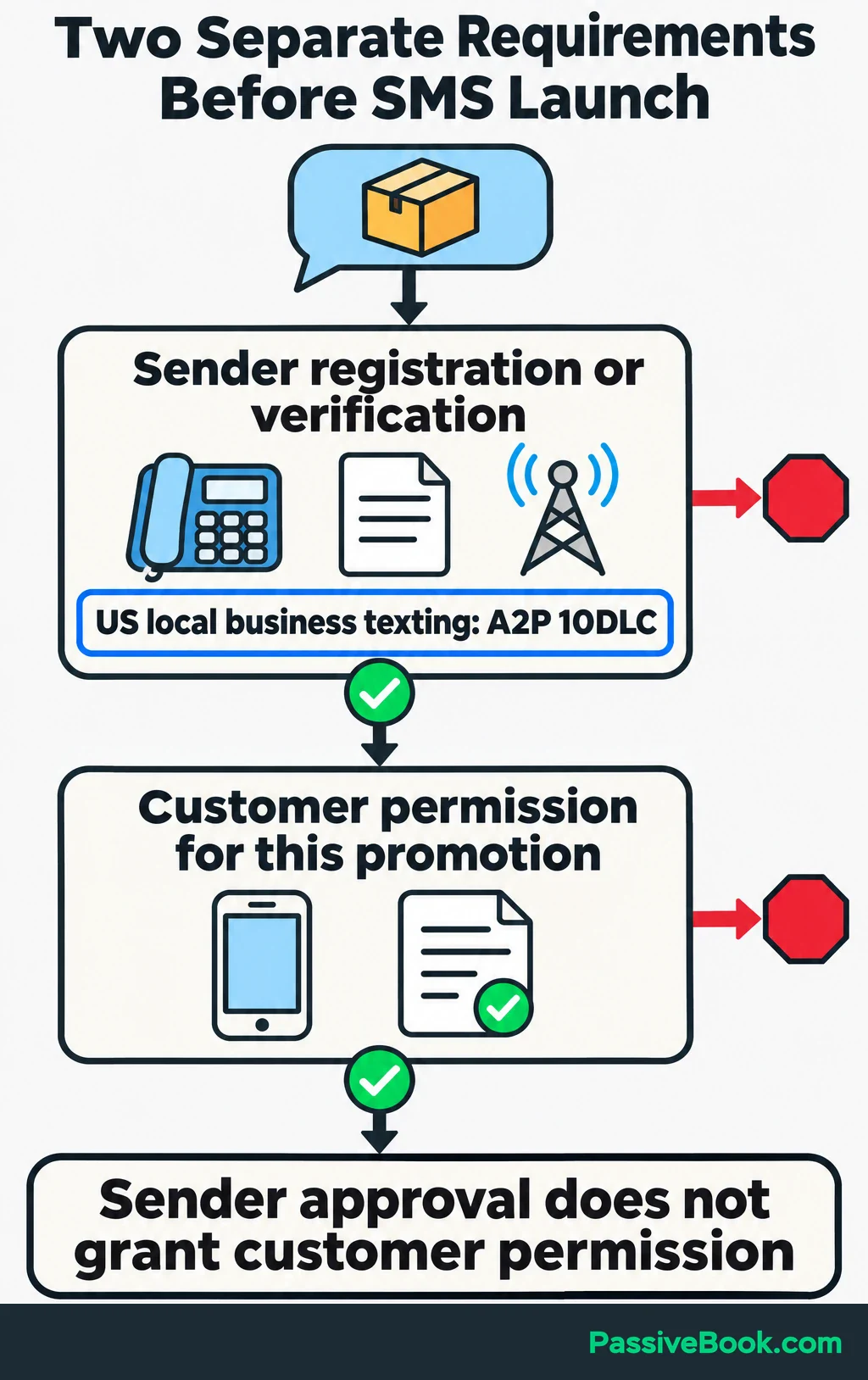
For example, application-based messages sent to US recipients through local 10-digit numbers require A2P 10DLC registration. That is the carrier registration system for this type of business texting. Twilio explains who must register.
Your provider should guide you through the relevant process. Sender approval and customer permission are separate requirements.
Write One Message Around One Action
Build the text around four parts: your business name, a relevant benefit, one action, and an unsubscribe instruction.
Here is a complete launch message you can adapt:
HoopKit: Try floral embroidery with our new Wildflower beginner kit. Shop the kit:
. Reply STOP to opt out.
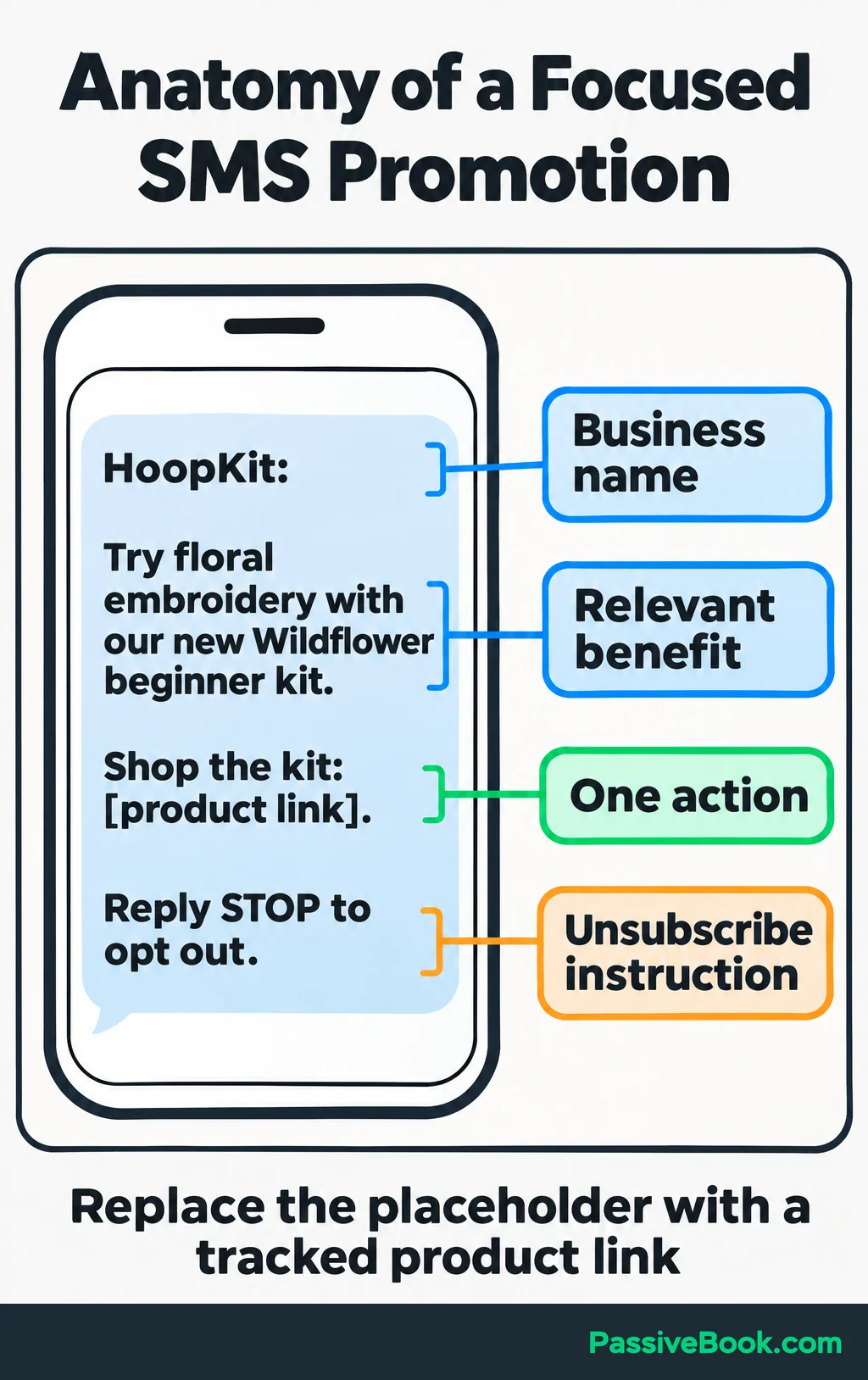
Replace the placeholder with a campaign-specific tracked link to the kit. Use a recognizable branded destination where your platform supports one.
The message gives the reader enough information to decide whether to visit. The product page can explain the contents, difficulty level, delivery, and price.
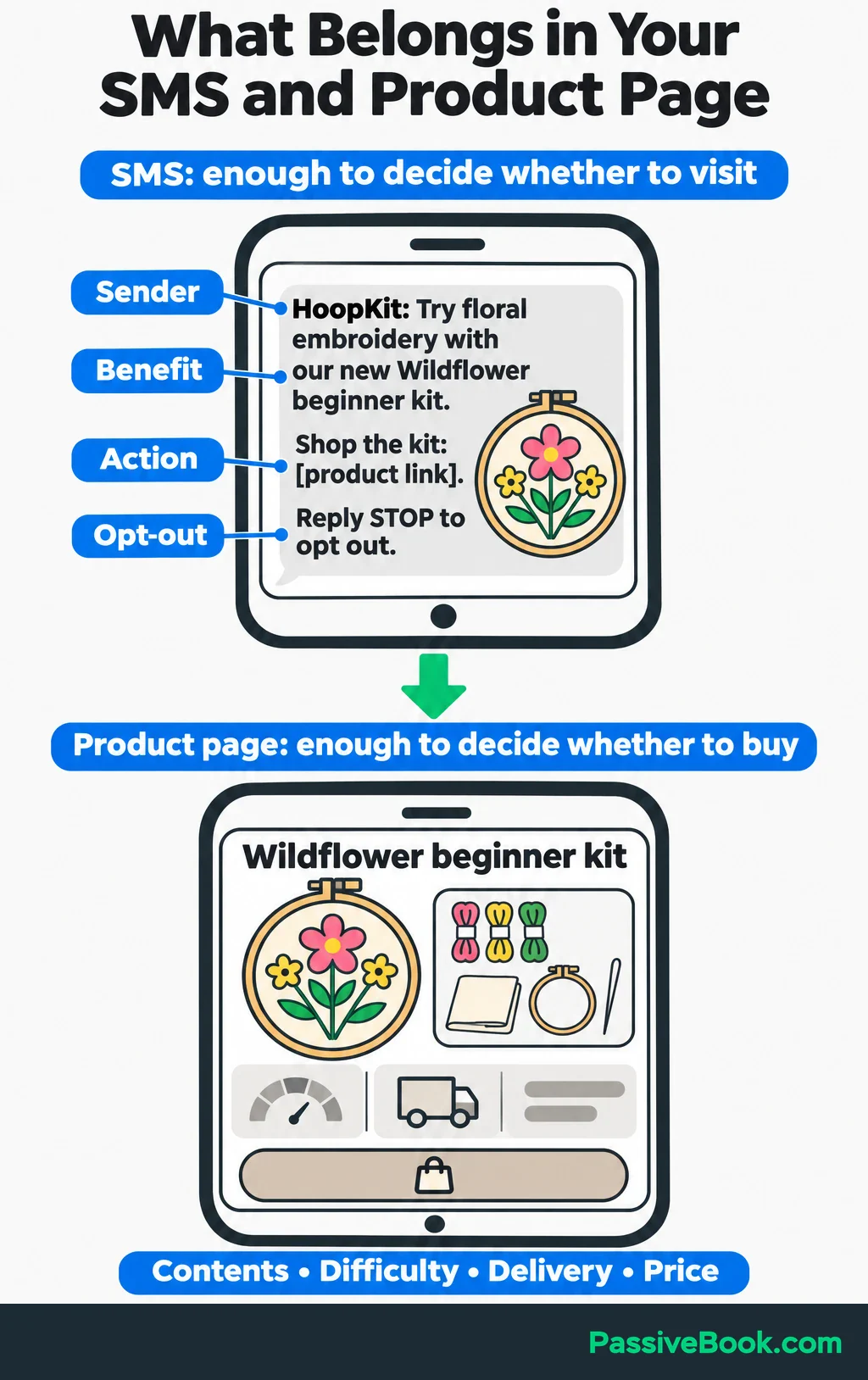
Preview the final text for meaning, missing personalization, and billable segments. The samples here assume a two-way sending number that accepts STOP replies.
If the example still feels hard to adapt, AI Messaging Studio can write a version using your offer and what subscribers asked to receive. You’ll have a concrete draft to test in your sending platform.
Free AI Messaging Studio
Test the Complete Customer Journey
Send a test to a phone and follow the journey through checkout.
Check the sender identity, formatting, links, personalization fallbacks, product availability, mobile page, payment process, and purchase reporting. A working link is only the beginning of that test.
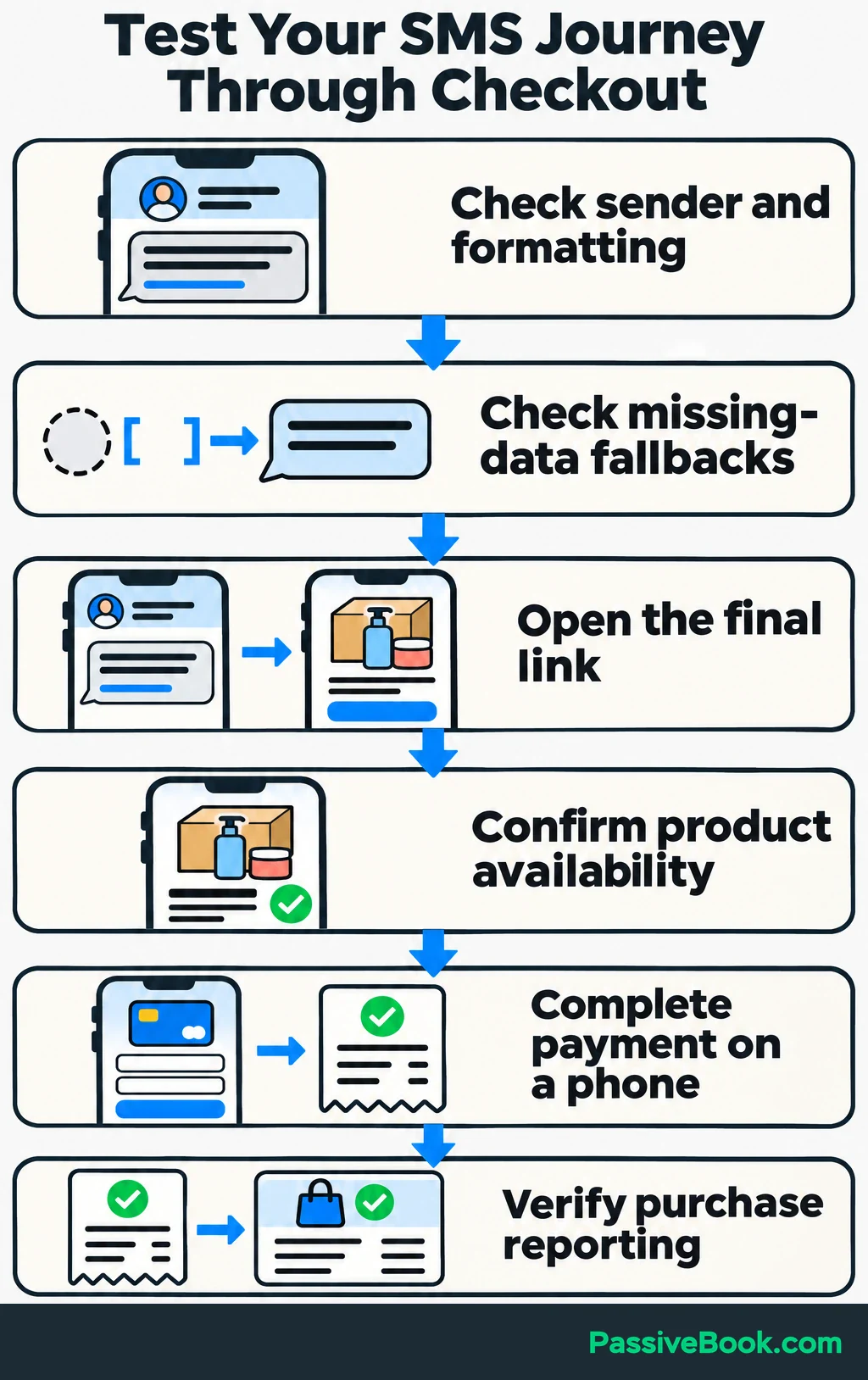
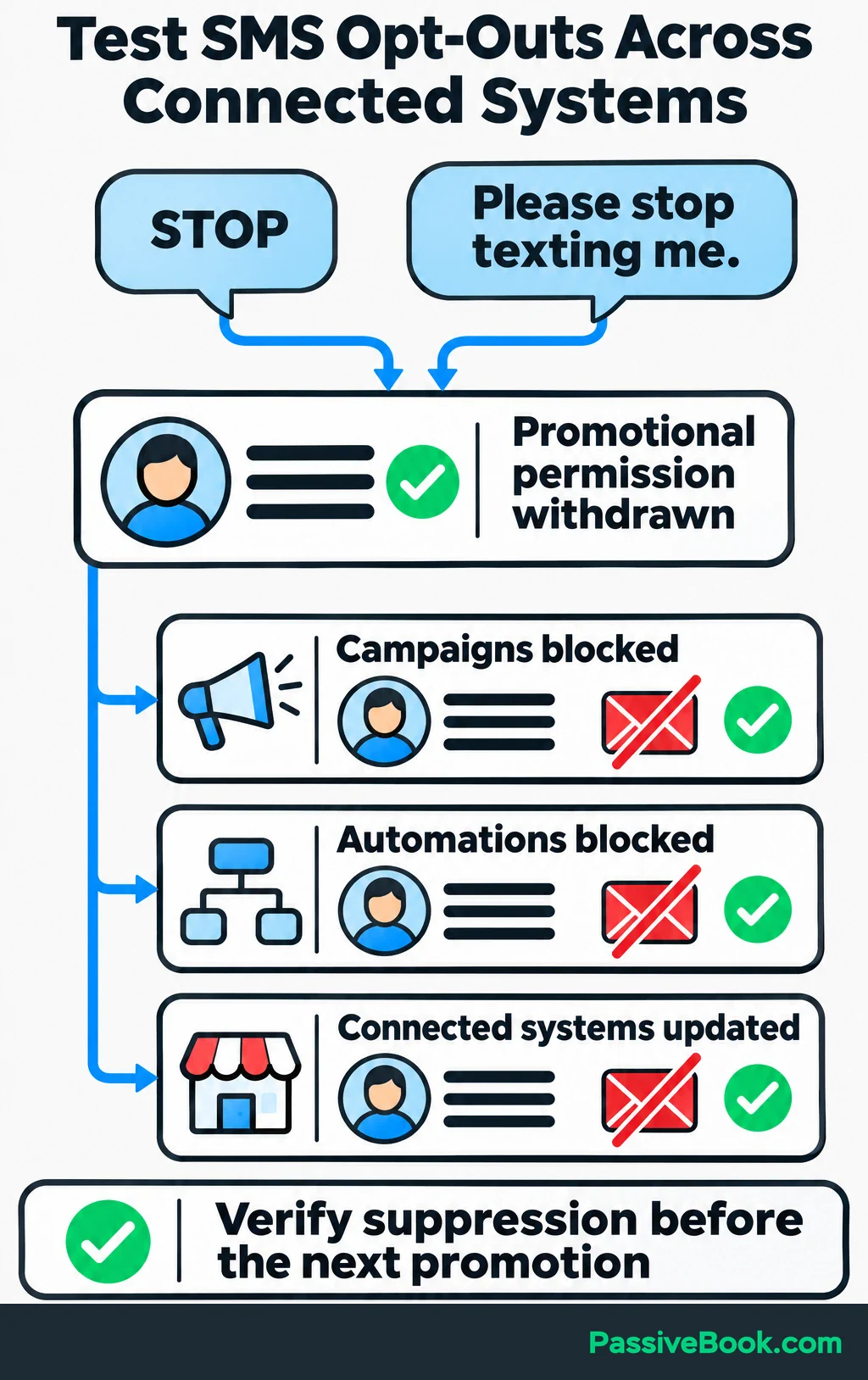
Then test unsubscribing. Try STOP and a plain-language request such as “Please stop texting me.” For texts covered by its consent-revocation provisions, the FCC recognizes reasonable withdrawal methods beyond a single keyword. The rules describe those methods.
Confirm that suppression happens before another promotional send and reaches connected systems.
Schedule using recipient-local time, with the country, state, and day restrictions that apply. Check how your platform determines location and whether campaigns and automations use the same controls. Location settings can rely on profile data, area codes, or country defaults, as Klaviyo’s quiet-hours documentation illustrates.
Keep the total cadence within what subscribers were promised. Count automated promotions as well as campaigns.
Before launch, review the final audience size and projected charge. Afterward, watch delivery errors, opt-outs, and replies. Even if you are the only person handling questions, give yourself a specific time to check the inbox.
Automate Messages Triggered by Subscriber Actions
Write the workflow in plain words before building it: what starts it, who qualifies, when it sends, what it says, and what stops it.
My preference for automation comes from running other parts of my businesses. On one digital-product site, I found a buyer could still enter an email follow-up asking them to buy the download they had just purchased. The email worked and checkout worked, but the exit condition did not.
That experience is why I test the stopping rules as carefully as the message. The same check belongs in an SMS workflow.
Start with the SMS platform’s native automation. I use n8n to connect repeated business tasks, but I would add it here only when the built-in tools cannot handle a necessary connection.
Welcome New Subscribers
Trigger the welcome after signup and any required confirmation. Identify the shop, deliver any promised benefit, and explain what messages will follow.
For HoopKit, a short welcome could read:
HoopKit: Welcome! New-kit alerts will arrive here. Browse beginner kits:
. Reply STOP to opt out.
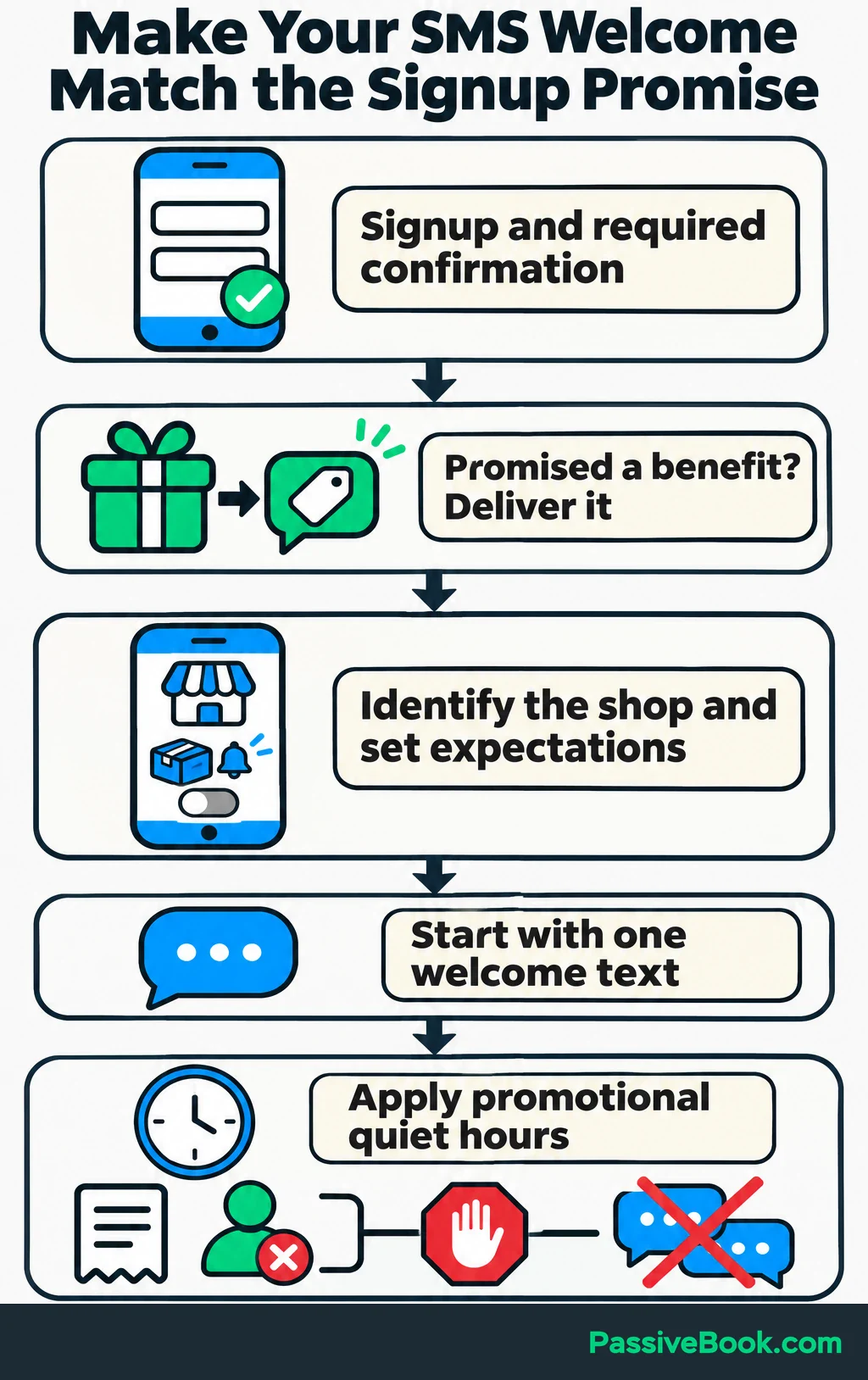
If signup promised a discount or resource, deliver that instead of a generic browsing invitation.
I would begin with one welcome text. Add another only when it serves a clear purpose, and stop purchase-focused follow-ups when someone buys or withdraws permission.
Apply the relevant quiet hours to promotional welcome content.
Send Requested Restock Alerts
Record the exact product someone requested. When that product returns, check the request, permission, stock, and purchase status immediately before sending.
HoopKit’s alert could say:
HoopKit: The Wildflower kit you requested is back. Get your kit:
. Reply STOP to opt out.
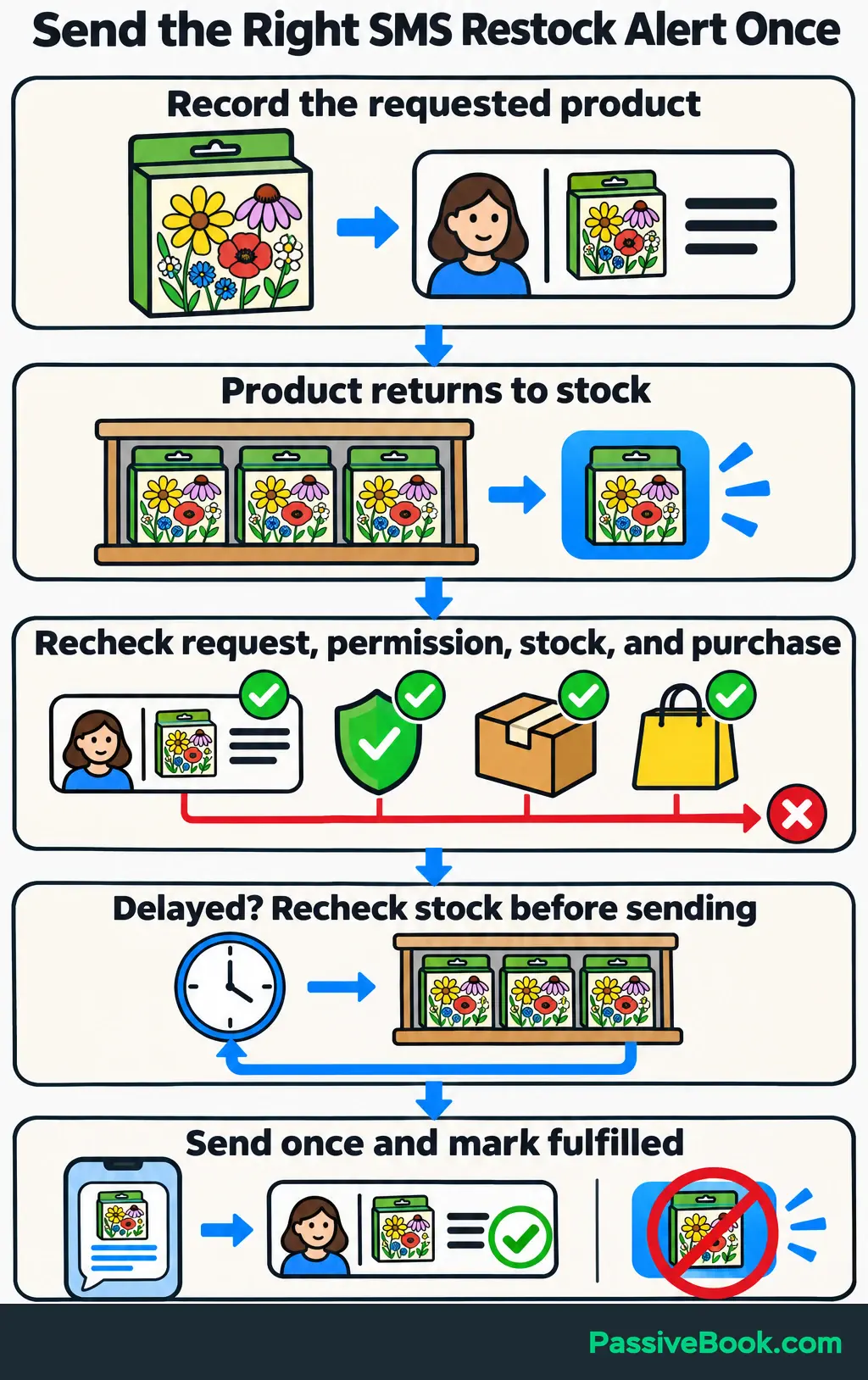
Mark the request fulfilled after sending. Prevent a repeated inventory event from producing the same alert again.
If quiet hours delay the text, check stock again when the delay ends. An alert about unavailable stock has missed its entire purpose.
Keep Automated Sends Under Control
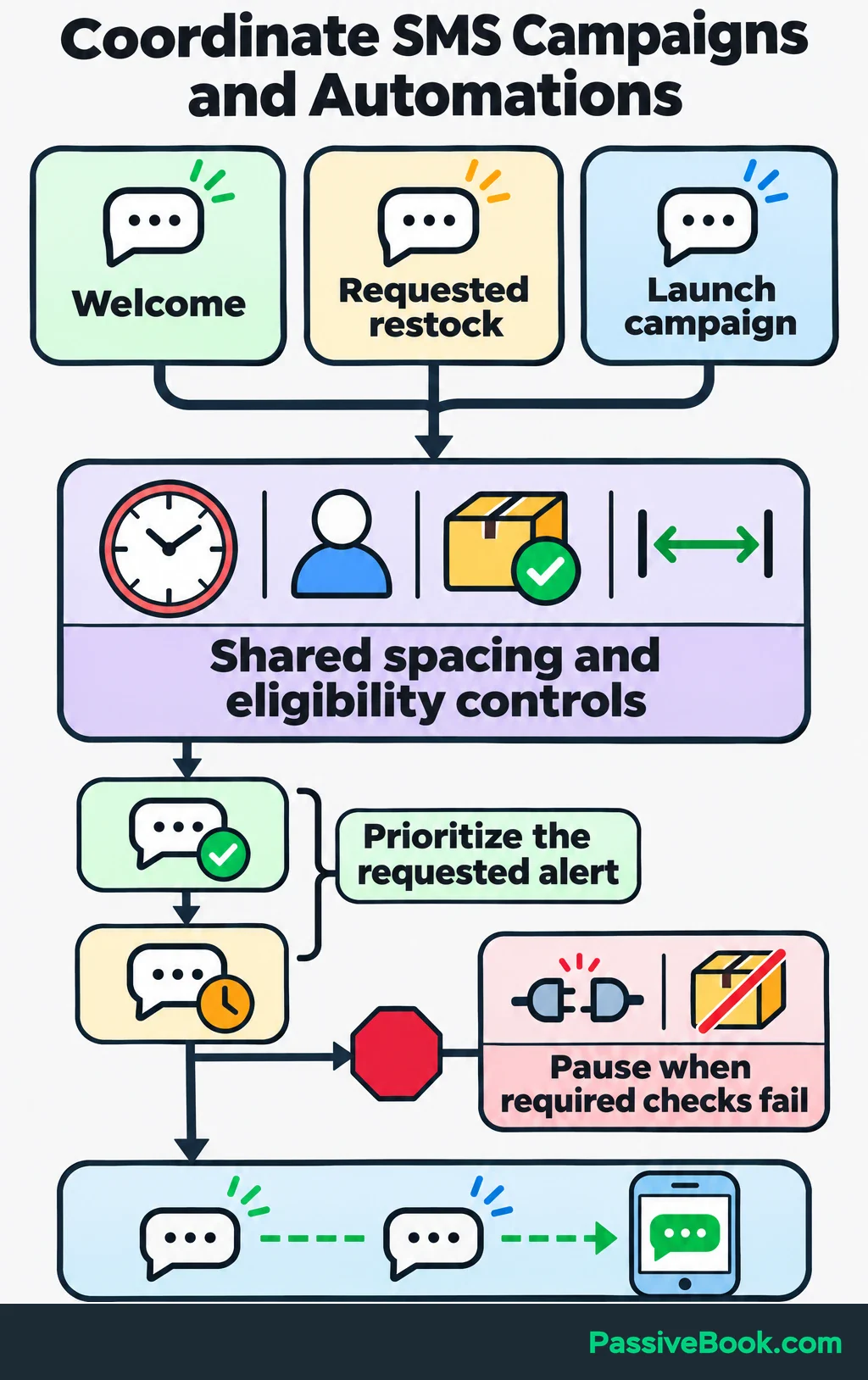
Set shared spacing rules across campaigns and automations. Otherwise, a welcome, restock alert, and launch campaign can all reach the same person close together.
Give requested alerts priority over a general promotion when they compete for the same sending window. Use email for longer explanations rather than copying every message across both channels.
Before activation, test these cases:
- A subscriber buys before the scheduled message.
- Someone opts out while waiting in a workflow.
- The same trigger arrives twice.
- Quiet hours delay the send.
- Stock sells out before the alert goes out.
- A missing or failed integration prevents eligibility checks.
Review failures and unanswered replies regularly. Pause the affected workflow when inventory data, offers, or integrations stop working. Automation should remove repeated work, but it still needs an owner.
Measure Sales and Improve the Next Send
Track Actions and Costs
For each campaign, count sent and delivered messages. For click, purchase, and opt-out rates, count only people whose message was delivered and actions within a fixed window, such as seven days after the send. Count each person once per metric and exclude unrelated purchases or opt-outs.
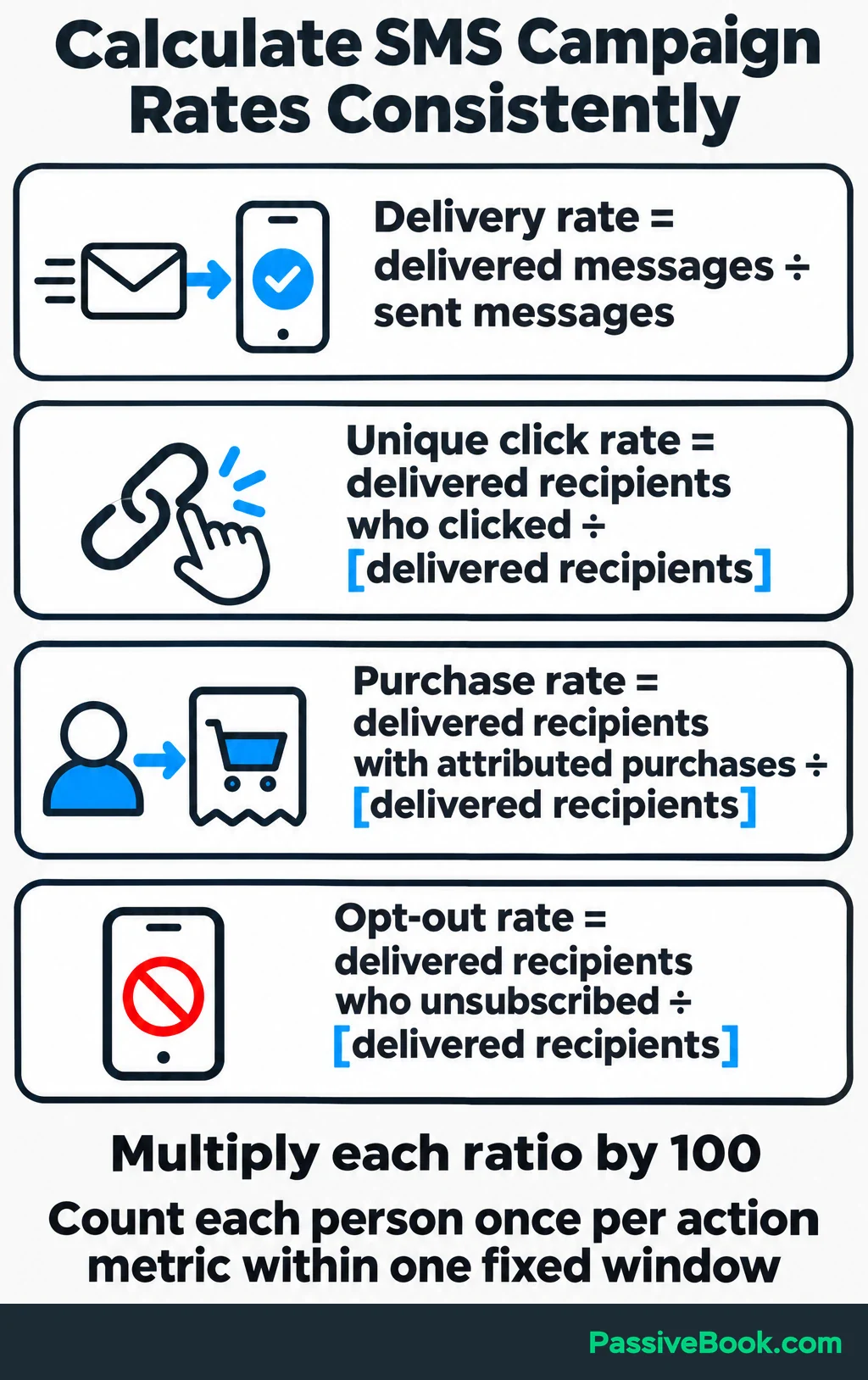
Multiply each ratio below by 100 to express it as a percentage.
| Metric | Calculation |
|---|---|
| Delivery rate | Delivered messages ÷ sent messages |
| Unique click rate | Delivered recipients who clicked ÷ recipients with delivered messages |
| Purchase rate | Delivered recipients with attributed purchases ÷ recipients with delivered messages |
| Opt-out rate | Delivered recipients who unsubscribed ÷ recipients with delivered messages |
Record orders, revenue, refunds, and total SMS costs too. Keep campaigns separate from welcome and restock automations.
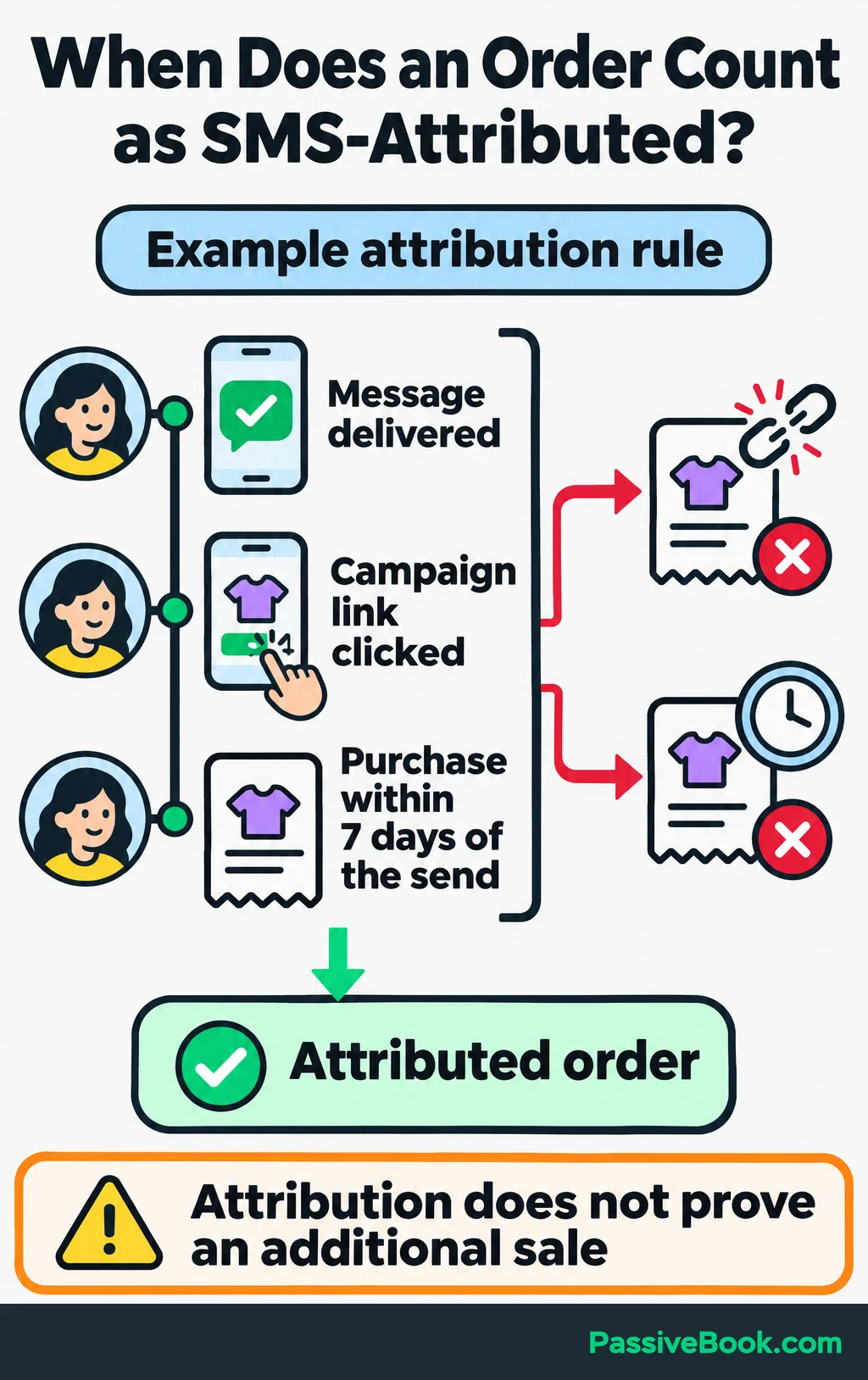
Match campaign-tagged links to store orders using one attribution rule. For example, credit an order only if a delivered recipient clicked the campaign link before purchasing and bought within seven days of the send.
These attributed orders follow your reporting rule; they do not prove how many extra sales SMS caused.
Calculate Contribution After SMS Costs
Start with sales after discounts and refunds, then subtract product costs, payment fees, fulfillment, and other costs that vary with orders. That leaves the contribution available to cover SMS and other business costs. Subtract SMS costs for the same reporting period.
Suppose HoopKit’s complete monthly SMS cost is $60, and each kit order leaves $16 after variable costs. To cover the SMS bill, the shop needs enough additional orders to contribute at least $60:
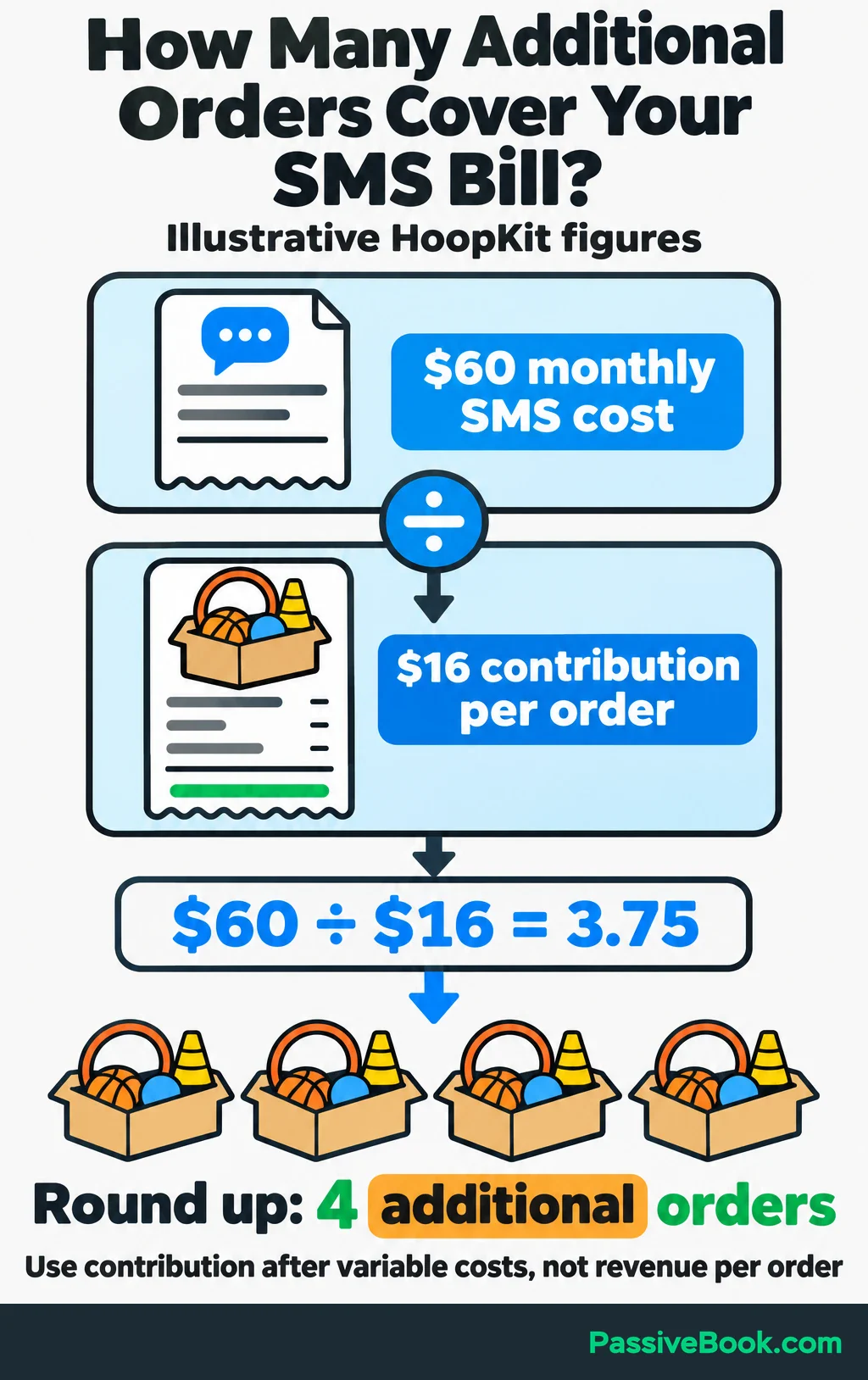
$60 ÷ $16 = 3.75
Round up to four additional orders to break even on SMS costs.
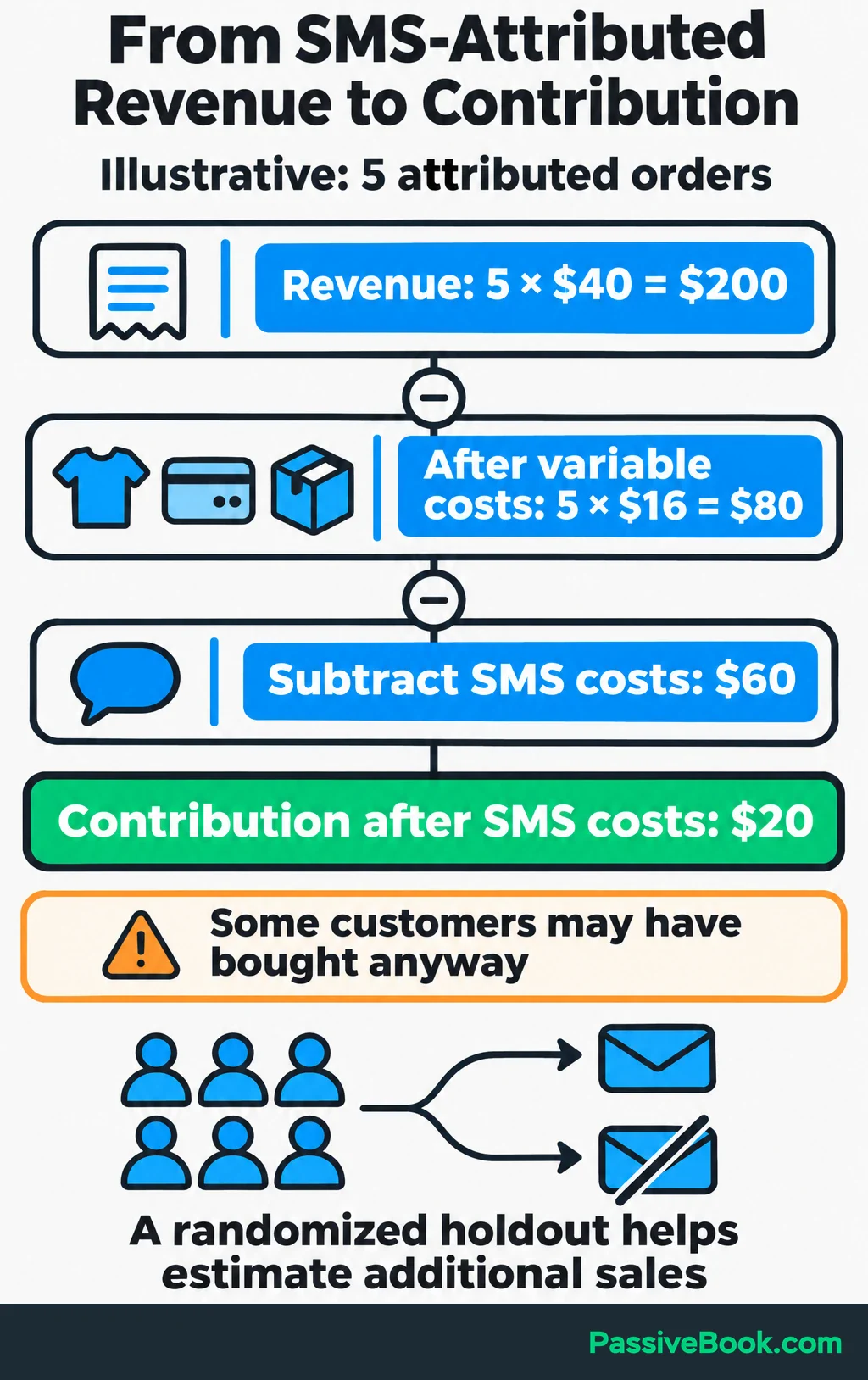
Now suppose five orders are attributed to SMS, each with $40 in revenue:
| Item | Illustrative result |
|---|---|
| Revenue from five attributed orders | $200 |
| Contribution before SMS costs: 5 × $16 | $80 |
| Monthly SMS costs | $60 |
| Contribution after SMS costs from attributed orders | $20 |
The $20 includes orders from customers who might have bought anyway. Once your audience supports a useful comparison, randomly divide eligible subscribers into two groups and withhold the promotion from one to estimate additional sales.
Fix the Next Bottleneck
Use the report to choose what to fix:
- Failed delivery: inspect error reports, sender approval, and list quality.
- Few clicks: review the audience, benefit, and call to action. For HoopKit, I would target floral-design subscribers before trying stronger sales language.
- Few purchases after clicks: check availability, total cost, delivery information, and mobile checkout. Make sure the page matches the text.
- Rising opt-outs: reduce frequency or narrow the audience.
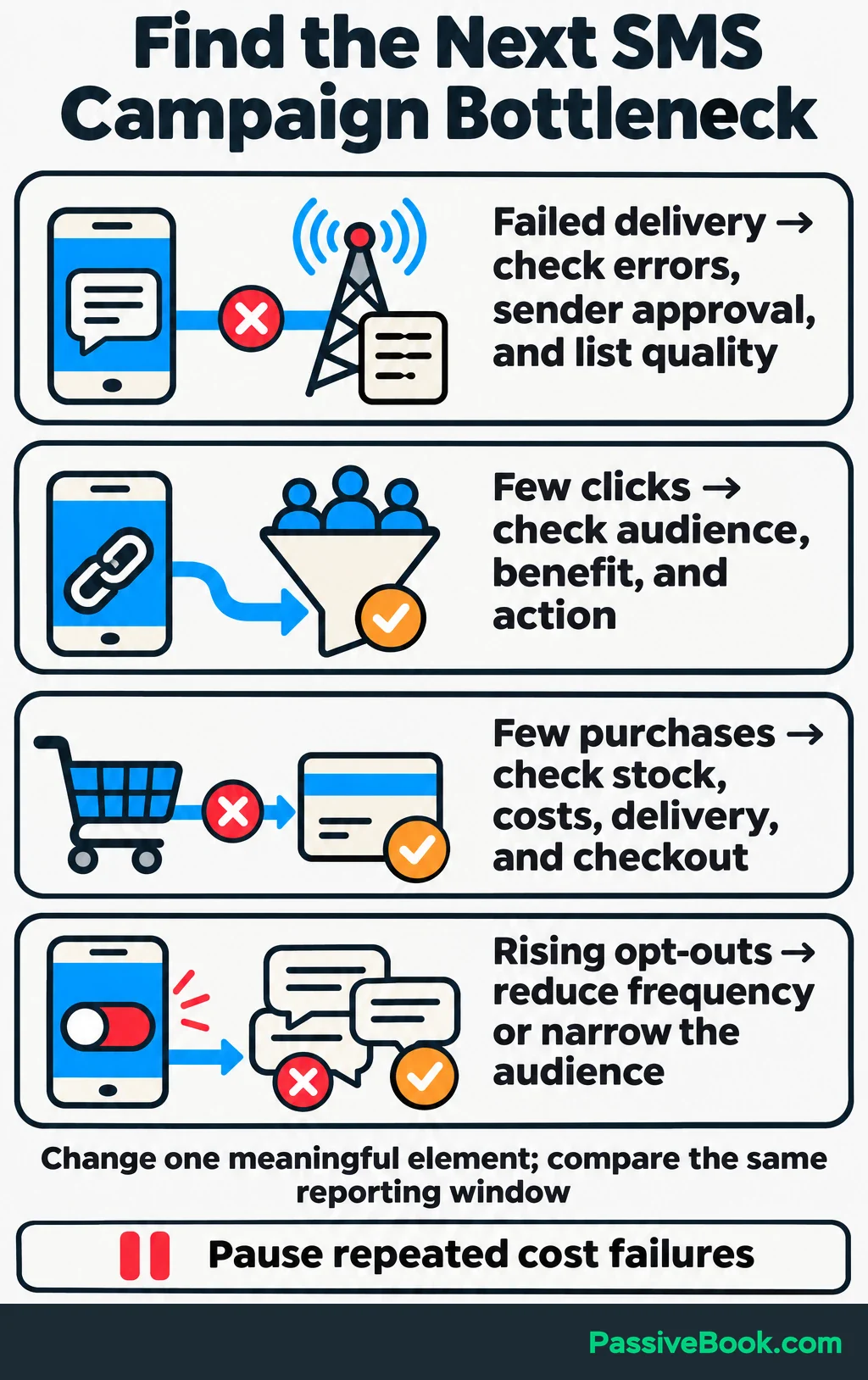
Pause campaigns that repeatedly fail to cover their costs. Change one meaningful element at a time and compare using the same definitions and reporting window. With a small audience, avoid declaring a winning strategy from one extra click.
What Next?
Write one campaign brief today: the eligible audience, useful offer, desired action, and maximum spend. Then check whether you can record permission and track the resulting orders before scheduling it.
Use the social buttons to share this guide when discussing a first SMS campaign—it gives you a common checklist for permission, costs, and follow-up.
What would make a text from your business worth receiving? Share your answer or any other questions in the comments.
Share this post with your friends & followers:

