A stack of flyers can leave your counter without telling you whether anyone took the next step. Even if you see someone scan the QR code, you still don’t know whether they requested a guide, booked an appointment or bought anything.
That leaves you guessing when it’s time to pay for another print run. We’ll follow a cat-bed shop’s campaign from the printed offer to completed guide requests, so you can decide which placements deserve more of your budget.
Choose One Campaign Outcome
Start by deciding what someone should complete after scanning: request a guide, book an appointment, register for an event or buy a product.
A scan is a step toward that result. It doesn’t tell you whether the person found anything useful.
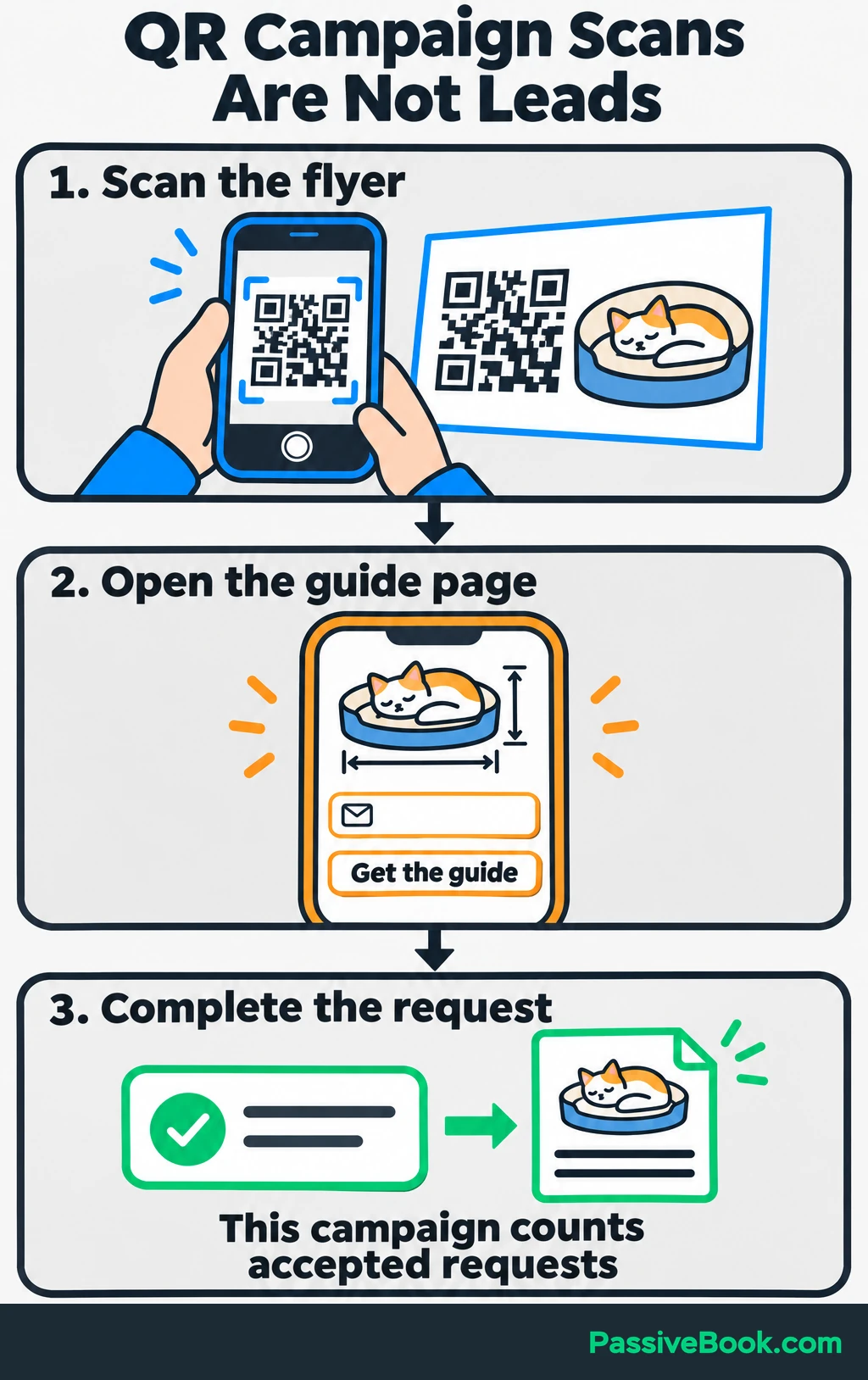
Throughout this guide, imagine you run an online shop selling washable cat beds. You’re offering a cat-bed size guide through pet-shop flyers and an event display. The copy and results are illustrative.
For this campaign, a lead is someone who completes a guide request, and that’s the result you’ll count. Someone comparing sizes gets a page offering the guide. Someone responding to an offer for a particular bed should go straight to that product.
Write the scan promise before designing the flyer:
Scan for the cat-bed size guide.
That gives the code a job. “Scan me” mostly gives it a personality.
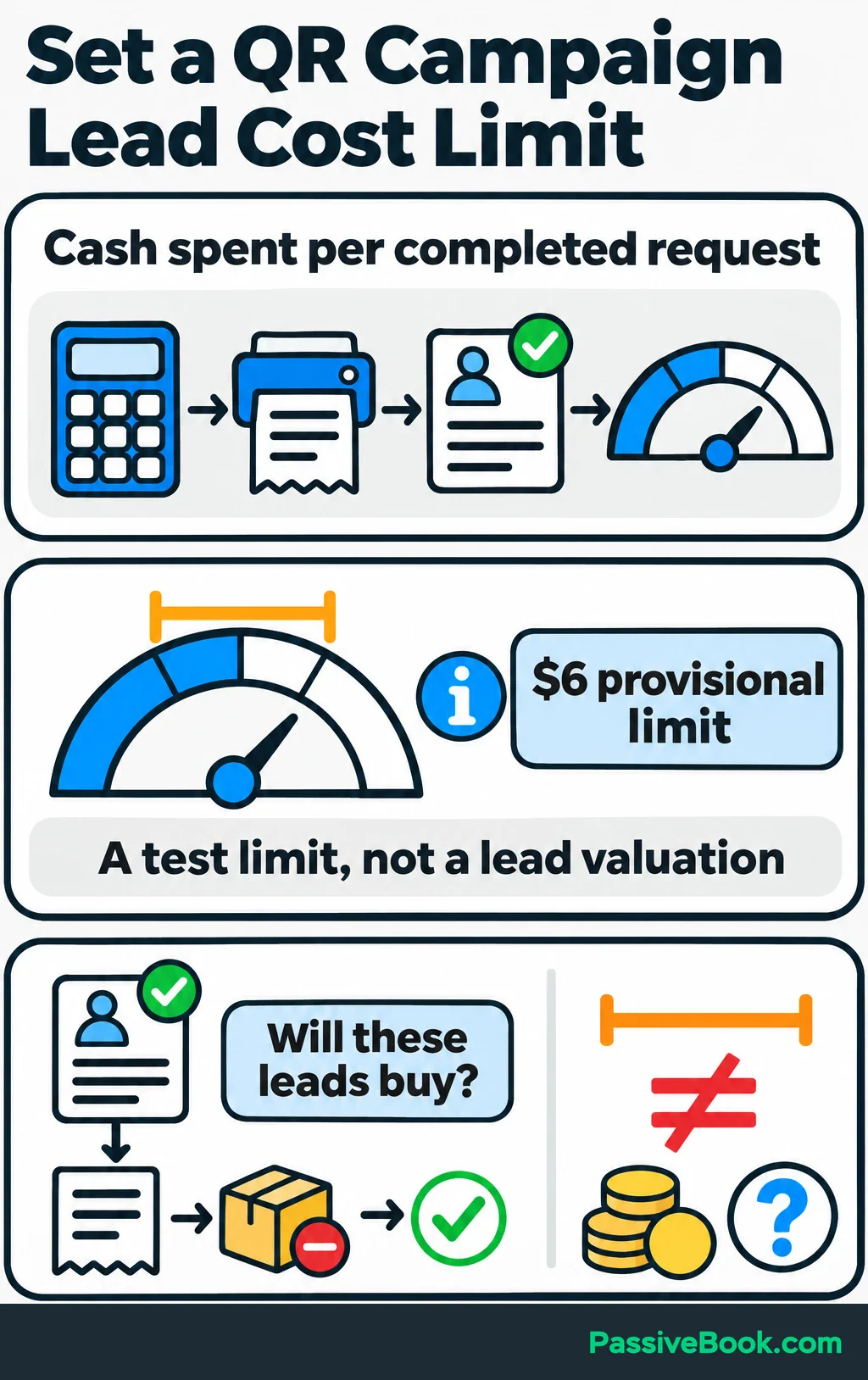
Also decide what you can afford to pay for a completed request. Base that limit on what a lead is likely to earn after product costs and other expenses. Use your own sales history where you have it. If you don’t, set a small test budget and treat lead value as something you still need to learn.
For our example, suppose you set a provisional cash-cost limit of $6 per guide request. That’s a test limit, not evidence that every request is worth $6.
Match the Placement to a Reason to Scan
Choose a place where people can notice the offer, pause safely and reach the code with their phone. Then match the promise to what they need at that moment.
Check the viewing distance, lighting, available space and mobile connection. An event display people can approach gives them a fair chance. A tiny code behind a busy counter makes them work for it.
The same shop could use QR codes in several ways, but each placement needs its own purpose:
| Placement | Customer Need | Scan Promise | Destination | Measurable Action |
|---|---|---|---|---|
| Pet-shop flyer or event display | Choose a bed size | “Scan for the cat-bed size guide” | Guide request page | Successful guide request |
| Printed product offer | Inspect the featured bed | “Scan to shop this washable bed” | Featured bed’s product page | Completed purchase |
| Packaging | Learn how to wash the bed | “Scan for washing instructions” | Care page | Washing-instructions section reached |
| Package insert | Find a compatible spare cover | “Scan to find a cover that fits” | Matching cover page | Completed cover purchase |
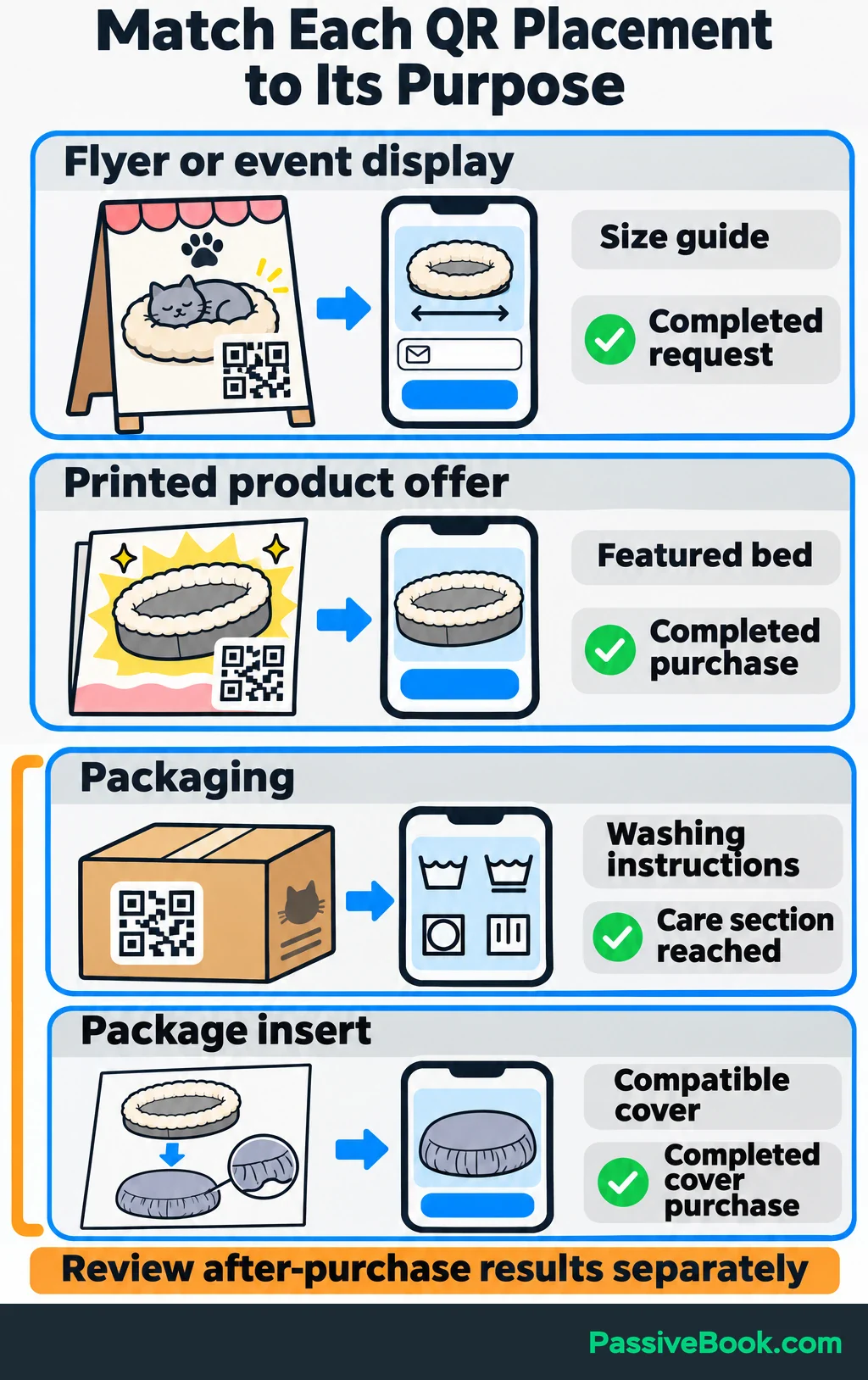
For the acquisition campaign, I would start with the flyer and event display. Packaging reaches people who already bought, so its support and repeat-purchase results belong in a separate review.
Keep the code beside its promise and instruction. On packaging, use a visible, flat area away from folds, seams and surfaces that bend.
Use ordinary clickable links in emails, webpages and social posts people read on their phones. A QR code can help during a presentation because viewers can continue on their own device. In a mobile email, a link already does that job.
Build a Mobile Page That Delivers the Promise
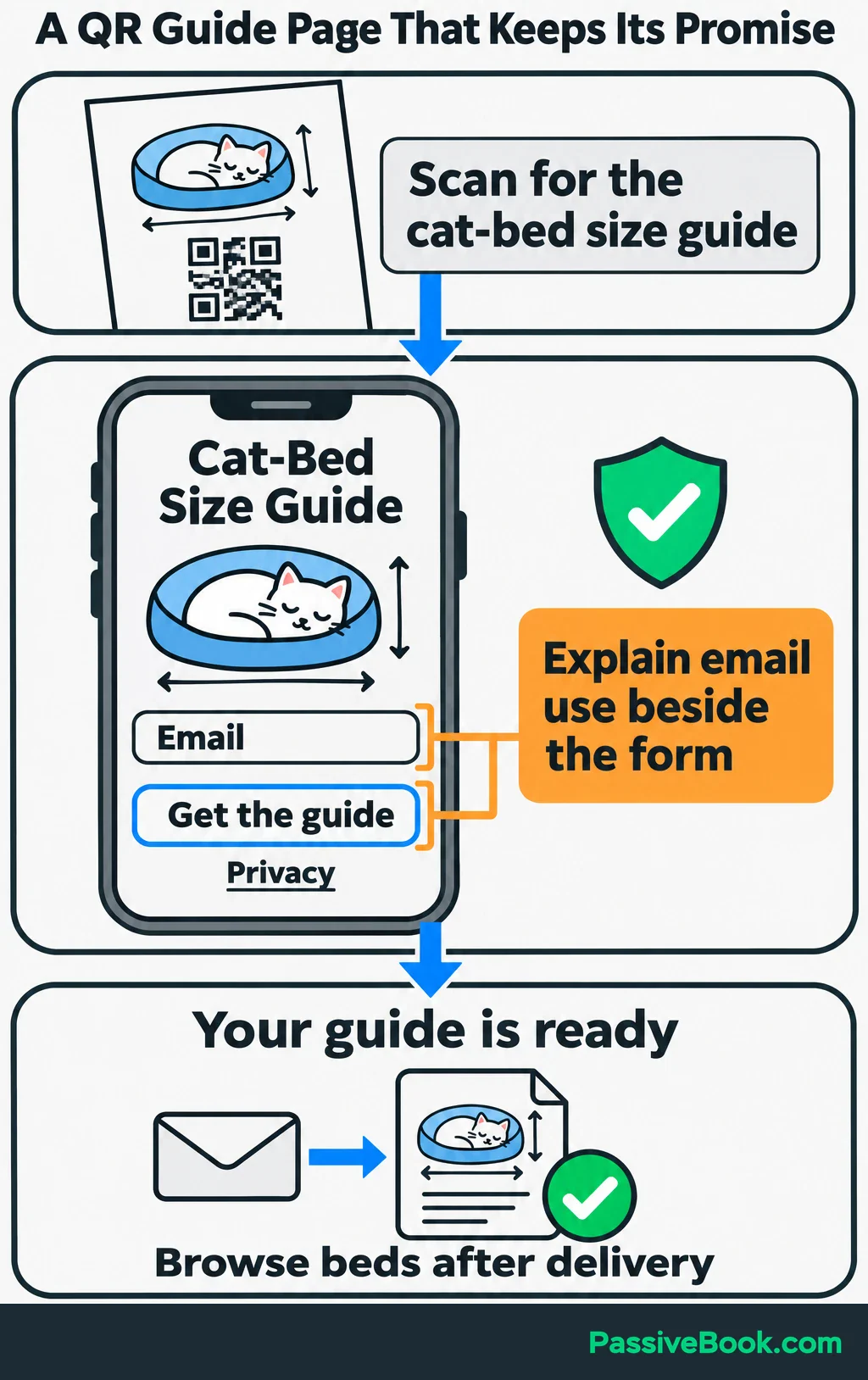
Send people directly to the page that fulfills the printed offer. Repeat the promise near the top and give the page one primary action.
For the size-guide campaign, that means requesting the guide. Product browsing can come after delivery.
I caught this problem while testing a QR link in a printable workbook from one of my digital-product sites. The code worked, but it opened the shop catalog and left the reader to find the promised resource. I replaced that destination with a page for the resource itself. Now I check the destination before spending time on the artwork.
For your campaign, a short page excerpt could read:
Cat-Bed Size Guide
Compare sleeping-space measurements and choose a size for your cat’s usual sleeping position.
Enter your email to get the guide.
Ask for an email address if that’s all you need. A phone number, postal address and account password don’t help someone choose a bed.
If you have the offer but not the wording, the AI Copywriting Studio can draft the message beside your code and the page it opens. It also writes the confirmation and delivery copy so the promise stays consistent.

Free AI Copywriting Studio




Make the page comfortable to use on a phone:
- Keep text readable without zooming.
- Use buttons and form fields that are easy to tap.
- Remove menus or pop-ups that distract from the request.
- Keep images and downloads small enough to load comfortably on mobile data.
After a successful request, show a confirmation page with the guide available. If you promise email delivery, test that email too. Once the guide is delivered, offer a clear next step such as browsing beds by size.
Explain how you’ll use the email address beside the form and link to your privacy information. The UK’s ICO guidance on collecting leads requires transparency when collecting details. Check the rules that apply to your audience before adding promotional follow-up; requesting a guide shouldn’t silently enroll someone in unrelated marketing.
If you already use WordPress, I would build this page on your existing site. GenerateBlocks can handle the layout and Fluent Forms can collect requests. You don’t need another landing-page subscription for one form.
Choose a Static or Dynamic QR Code
A website QR code stores a URL. Someone scans it with their phone’s camera and taps the link to open the destination.
With a static code, the encoded information stays fixed. If it contains your guide page’s URL, you can still update that page’s content while keeping the address working.
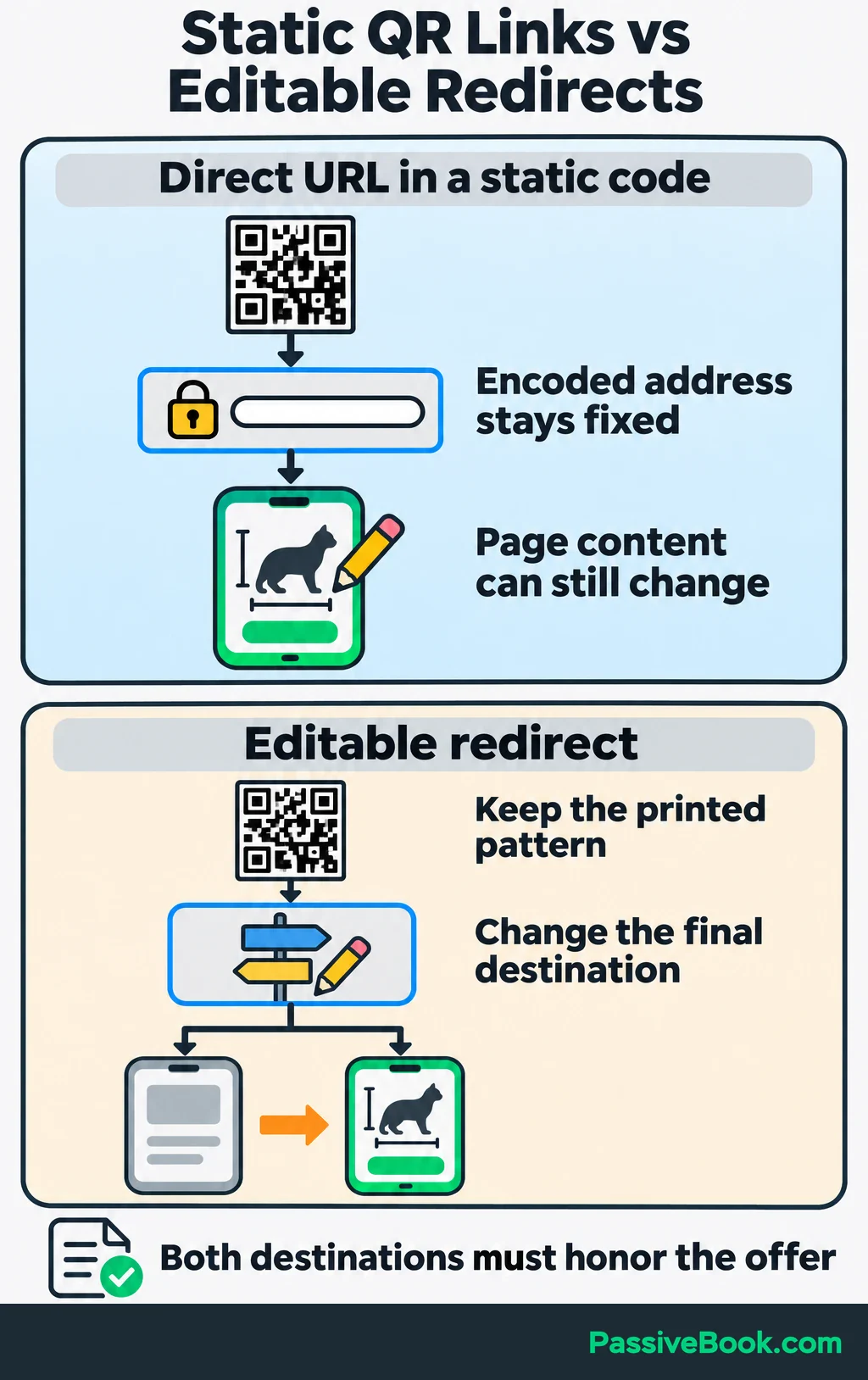
A dynamic code usually contains a redirect URL: an address that forwards visitors to another page. You can change the final destination without changing the printed pattern. QR TIGER’s explanation describes this mechanism and its use of service-owned or custom domains.
Here’s the practical choice:
| Decision | Direct URL in a Static Code | Editable Redirect |
|---|---|---|
| Changing the destination | Keep the encoded address working and update its page | Change where the redirect sends visitors |
| URL ownership | Use a page address on your domain | Use your own domain or the provider’s address |
| Ongoing cost | No QR subscription needed for a basic generated code; hosting still applies | May involve a subscription or your own redirect setup |
| Reporting | Website analytics measures resulting visits and actions | Redirect reporting may add scan counts |
| Dependence | Your domain and website must remain available | The redirect must also remain active |
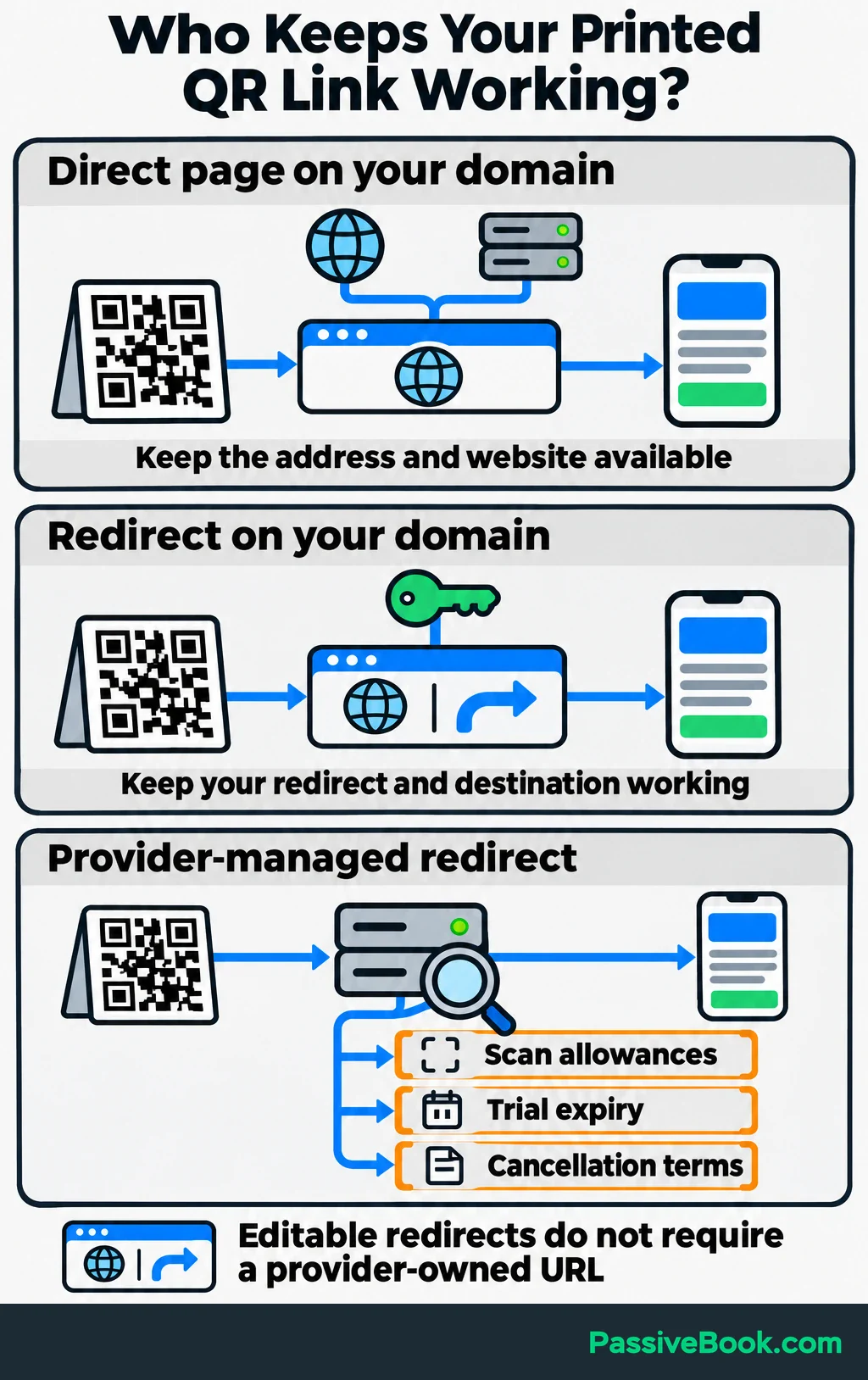
For this small campaign, I would use a stable page on a domain you control and a basic static code. An editable redirect makes more sense when materials will circulate for a long time and destinations may change.
You can also run a redirect on your own domain. “Dynamic” doesn’t require renting a QR provider’s address.
Before choosing a service, check scan allowances, trial expiry and cancellation terms. Keep the encoded address working for as long as the materials remain in circulation. Any replacement destination should still honor the printed promise.
Set up Placement and Conversion Tracking
Give Each Placement Its Own Tagged Link
Give the flyer and event display different URLs, even when they open the same page. Add campaign labels, called UTM parameters, after the page address so Google Analytics can record which placement brought each visit.
Use these consistently:
utm_sourceidentifies the placement, such aspet_shop_flyer.utm_mediumgroups the channel. Useqrthroughout this campaign.utm_campaignidentifies the shared campaign, such ascat_bed_size_guide.utm_contentis optional and distinguishes artwork or message versions.
Use your full website address when creating the code. Replace yourshop.com below with your domain:
https://yourshop.com/cat-bed-size-guide?utm_source=pet_shop_flyer&utm_medium=qr&utm_campaign=cat_bed_size_guide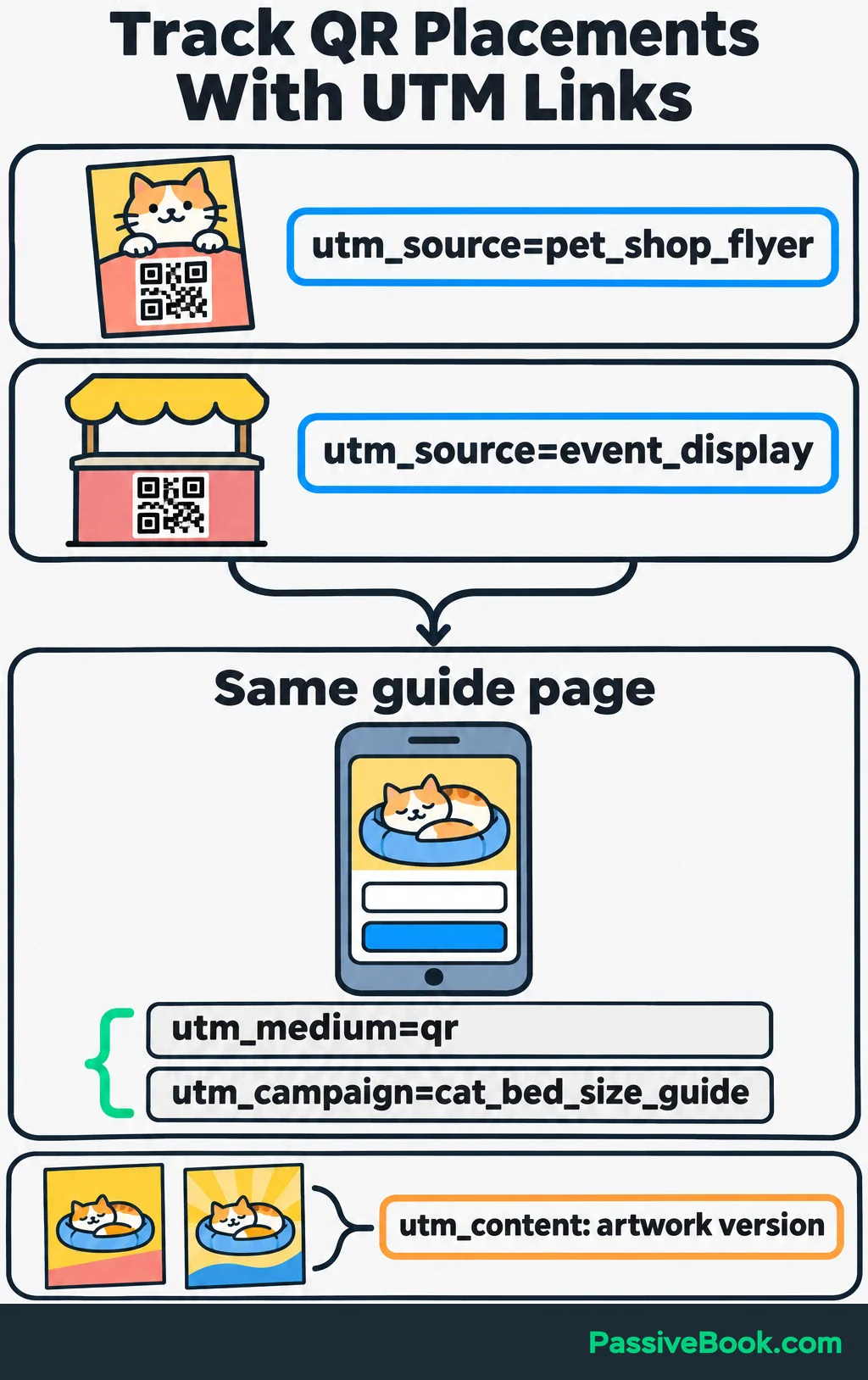
For the event display, change the source to event_display. Keep spelling and capitalization consistent.
A static code can contain this tagged URL. You don’t need a paid dynamic-code plan to measure website visits.
Keep a spreadsheet or Notion table with each placement’s promise, destination, artwork, launch date, spending and results. If you use a redirect, record both the address encoded in the QR code and its final tagged destination.
You can use the Campaign Link Manager instead of building that table from scratch. It creates your tagged links and shows how many completed actions your test needs to meet your limit before you print.
Free Campaign Link Manager
Measure the Completed Action
For the guide, record a generate_lead event in Google Analytics after the form accepts the request. Mark it as a key event to highlight it in reports. Google’s confirmation-page method can track this, but reloading that page can repeat the event. Check lead totals against accepted form records.
To connect requests to later purchases, save utm_source with each request using a hidden form field that reads it from the URL. Verify that redirects and any external checkout or booking service pass it through.
Keep these measurements separate:
- Provider Scans: Recorded requests to the provider’s QR redirect.
- Website Sessions: Visits recorded by your website analytics.
- Completed Actions: Accepted guide requests, registrations or orders.
These totals can differ because people scan more than once, leave before the page loads or decline analytics tracking. Scan counts don’t equal unique people.
Keep customer emails in your form or order system. They don’t belong in campaign URLs.
Generate a Code People Can Scan
Once the assigned URL works and tracking is ready, paste it into a QR generator and download the artwork. A free generator is enough for a basic direct-link code. If you already design your flyers there, Canva offers free QR generation.
Check the generated code’s encoded URL before placing it in your design. It should contain the address you intended to print.
Use a dark pattern on a plain light background and preserve its square shape. Put your branding around the code rather than decorating the working pattern.
Leave an empty border on every side. DENSO WAVE specifies a quiet zone four modules wide, where a module is one of the small squares that forms the code. Text, borders and pictures must stay outside that space.
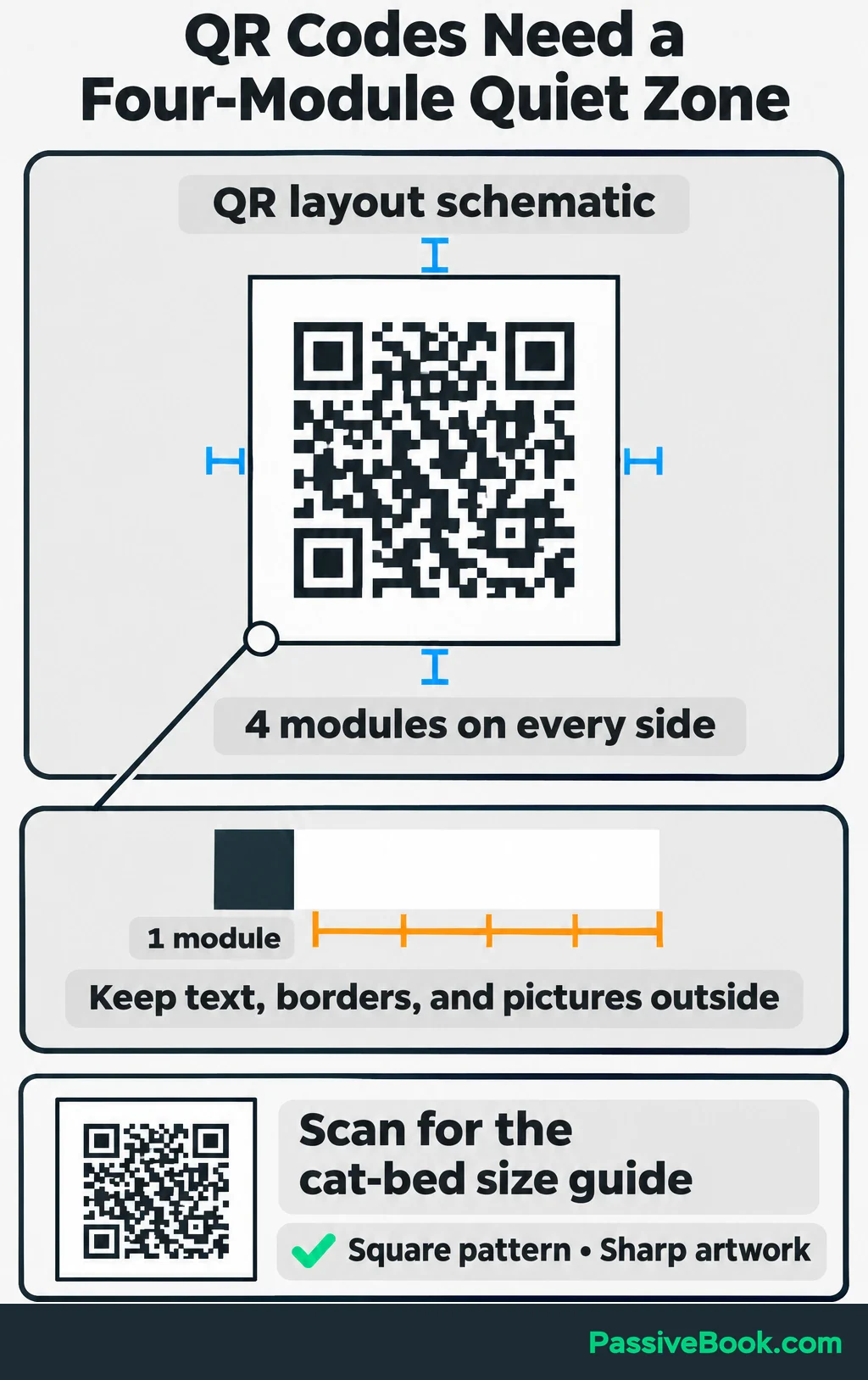
Export sharp artwork suitable for printing, preferably vector artwork when available. Avoid enlarging a small screenshot.
Choose the physical size for the setting. A flyer held in someone’s hand and a display viewed from several feet away need different treatment. Code density, print quality and viewing distance all affect what works, so use a printed proof to settle the choice.
Beside the code, include:
- The benefit: “Scan for the cat-bed size guide.”
- A brief instruction if needed: “Open your phone camera and tap the link.”
- A readable short URL on your domain as another way to reach the guide.
Make that short address work before printing it. If you want typed visits attributed to the placement, give each placement its own short address and forward it to the matching tagged destination.
For QR images in digital documents, add descriptive alt text and a clickable equivalent link. Section508.gov’s accessibility guidance explains why people need an alternative to scanning.
Test the Complete Journey Before Printing
Test the printed material and the completed action together. A code that scans successfully has passed only the first check.
Print a proof at the intended size on the intended material, then work through the journey:
- Scan it with multiple phones, including an iPhone and an Android, using their ordinary camera scanning.
- Try the actual viewing distance, angle and lighting. Check glare, folds and packaging curves where relevant.
- Open the page using mobile data and check that it loads comfortably.
- Complete the form and confirm that the guide arrives or becomes available.
- Open the fallback short URL and confirm it reaches the same offer.
- Check that analytics records the correct placement and that the accepted request carries its source.
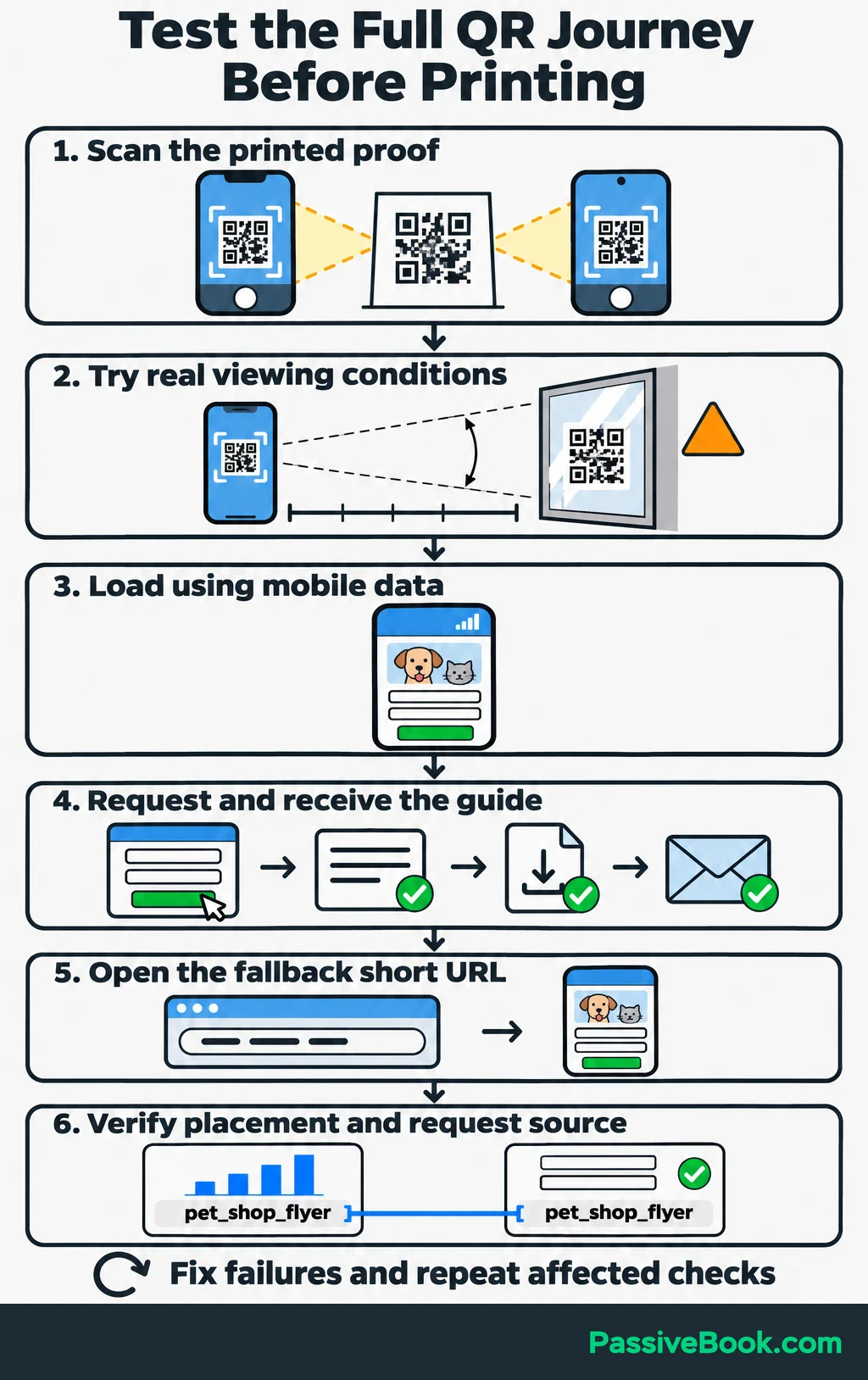
If the code needs several attempts, enlarge it or change its position. Don’t rely on visitors being as patient as the person who designed the flyer.
For an editable redirect, change the destination and scan the same printed proof again. Confirm that the printed promise still makes sense and that tracking survives the redirect.
Fix failures and repeat the affected checks. Keep test requests separate from campaign results.
Launch a Small Campaign and Improve the Weak Step
Start with limited distribution. For the cat-bed shop, that could mean one pet-shop placement and one event display, each using its own code.
Record how many flyers you distribute, when the display goes up and what you spend. Inspect installed materials too. A working code can still disappear behind another sign.
Choose a review point before launch. Review an event after it ends and allow time for follow-up purchases. Give a continuing flyer placement a defined trial period.
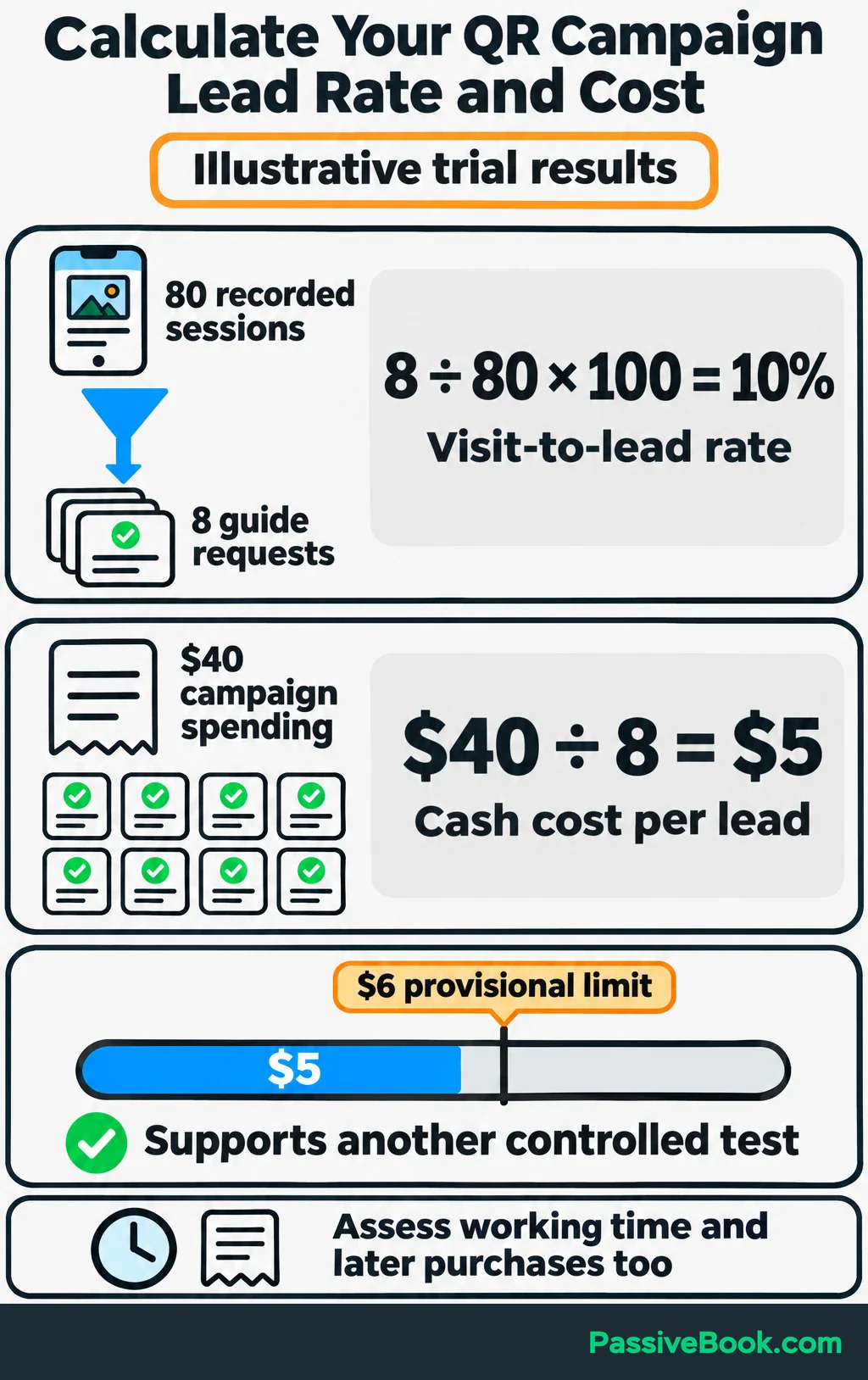
For the visit-to-lead rate, divide completed guide requests from recorded campaign sessions by the number of those sessions. Use the same placement and reporting period for both counts.
For cash cost per lead, count campaign cash spending and the completed leads attributable to that campaign. Include printing, placement fees and any QR-service cost used for it.
Suppose the trial produces these assumed results:
| Measure | Illustrative Result |
|---|---|
| Campaign cash spending | $40 |
| Recorded campaign landing-page sessions | 80 |
| Completed guide requests attributed to those sessions | 8 |
| Visit-to-lead rate: 8 ÷ 80 × 100 | 10% |
| Cash cost per lead: $40 ÷ 8 | $5 |
The $5 cash cost falls below the provisional $6 limit. That supports another controlled test, but you still need to learn whether those leads buy.
Include your working time when assessing the campaign’s full cost. A cheap print run can become expensive if it needs constant manual attention. Once delivery works, automate the guide email through your existing email tool.
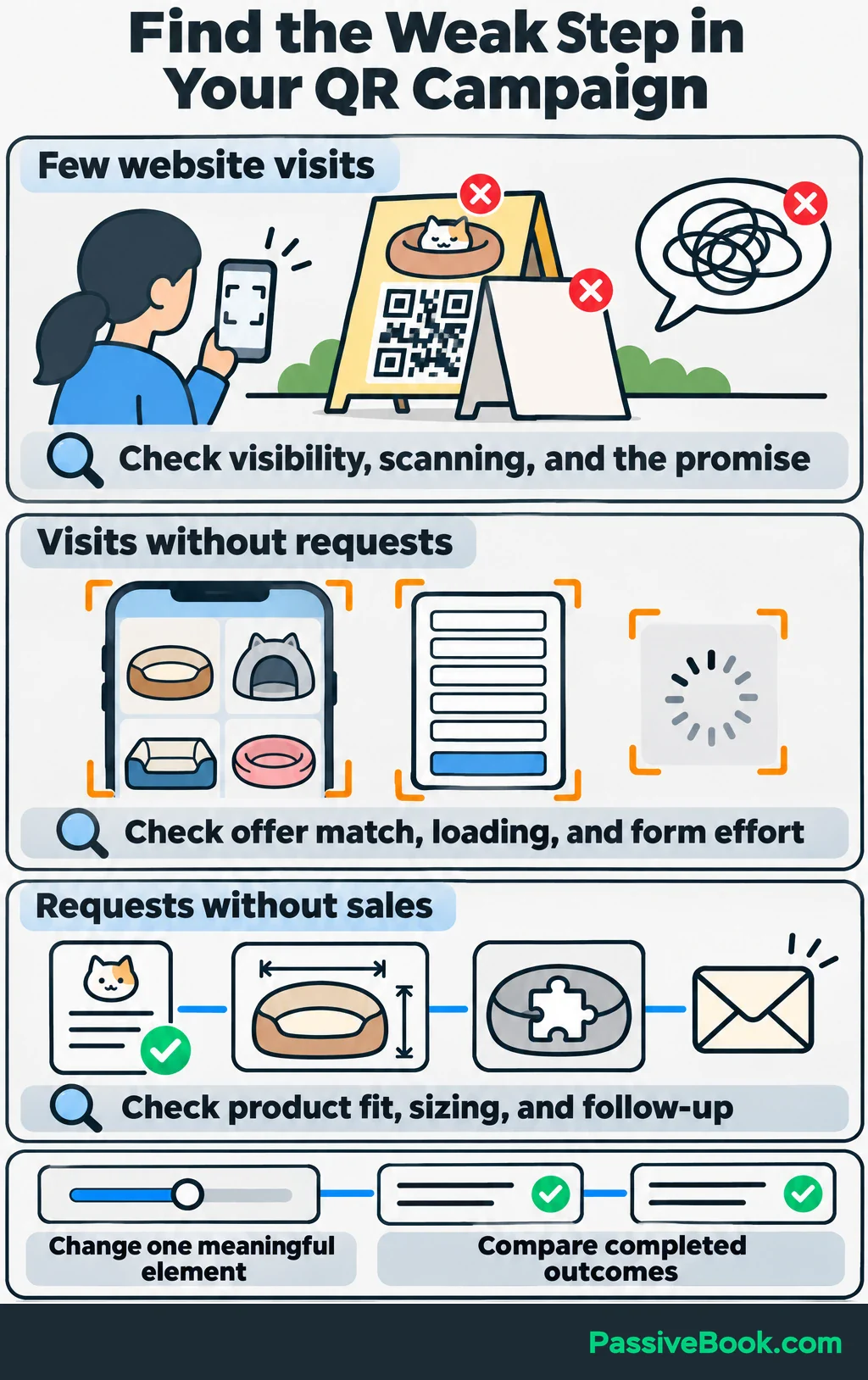
Use the results to choose what to fix:
- Few Visits: Check visibility, scan reliability and whether the promise gives people enough reason to act.
- Visits Without Requests: Check that the page matches the offer, loads well and asks for little effort.
- Requests Without Sales: Check product fit, sizing guidance and relevant follow-up before printing more flyers.
Change one meaningful element at a time, such as the scan promise or form length. Compare completed outcomes under similar conditions. Eight requests provide a useful starting point, but small differences between versions aren’t a verdict.
Expand placements that bring useful outcomes at an acceptable cost. Keep checking the live codes and destinations while printed materials remain in circulation.
What Next?
Write the scan promise for one placement, then open its intended destination on your phone. Check whether someone can get exactly what you promised without hunting around.
Use the social buttons to share this guide when planning your next print campaign together—it gives everyone the same checks before money goes to the printer.
Which physical touchpoint could lead to a useful, measurable action in your business? Share your choice in the comments, and bring any other questions about setting it up.
Share this post with your friends & followers:

