You invite people to a new group, get a few introductions, and wait for the conversation to start. By the following week, you’re posting questions just to keep the place moving.
That can become another unpaid job, especially when you’re fitting the group around paid work. Each unanswered post leaves you deciding whether to step in again or let the conversation stall. This guide follows a small community from its first invitations to ongoing participation, showing how members can get useful responses without you supplying every conversation.
1. Define What Members Will Achieve Together
Start with a recurring problem that members can help one another solve. They might need feedback, practical answers, accountability, or help using something they bought.
Followers and subscribers give you people to invite, but a community needs interaction between members. If every useful exchange runs through you, plan for that workload.
Write a promise using this structure:
This community helps [people with a shared need] achieve [outcome] through [shared activity].
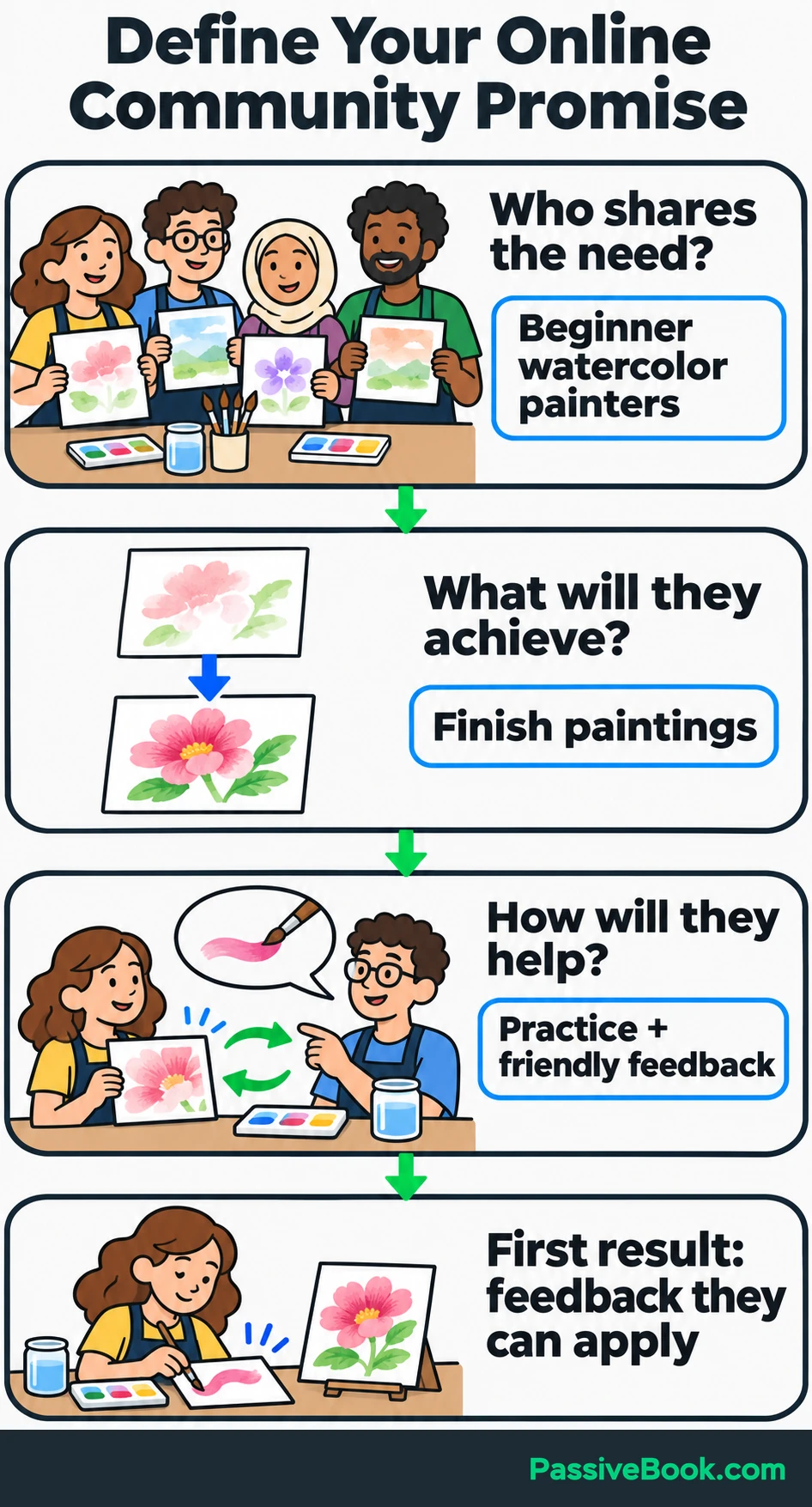
Throughout this guide, imagine you sell beginner watercolor courses. You want to create a place where painters finish projects through practice and constructive feedback. The activities, copy, and figures below are illustrations.
Your promise could be:
Finish watercolor paintings through regular practice and friendly feedback.
Now explain why members need one another. They can share unfinished work, compare approaches, and suggest things to try between lessons.
Choose the first useful result before planning content. Here, a painter posts one difficulty and receives feedback they can apply. That gives you something concrete to design for and measure.
2. Design an Experience You Can Sustain
Create a Repeatable Participation Loop
Give members a small sequence they can repeat:
- Share a question or an attempt.
- Receive a useful response.
- Try the suggestion.
- Return with an update.
Choose one recurring activity that carries this sequence. For the painting group, I would start with a weekly work-in-progress exchange.
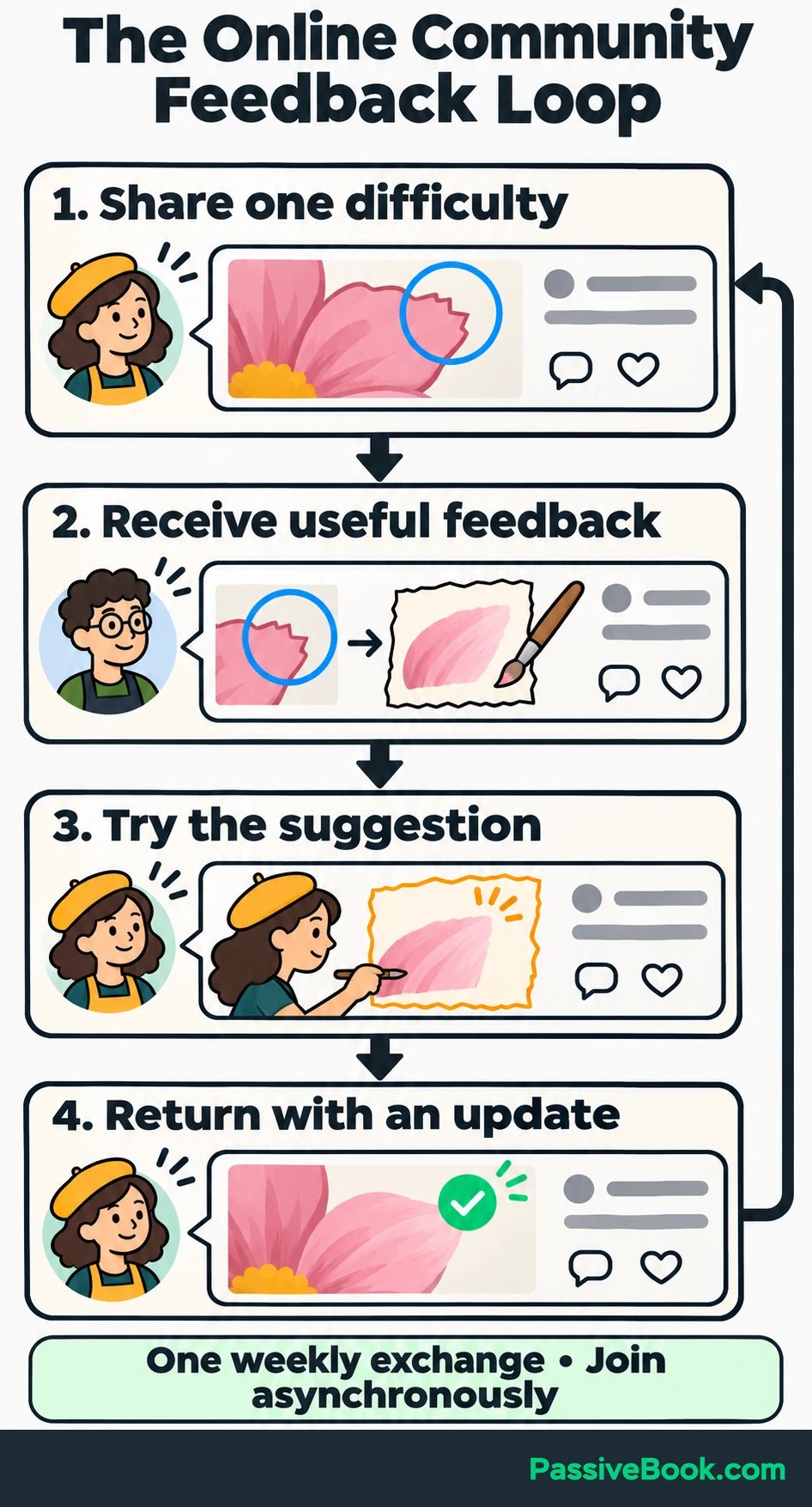
Members post a painting and identify one difficulty early in the week. Others suggest an experiment, and the painter returns later to show what changed.
Keep participation asynchronous so people can join around work and other commitments. A feedback exchange doesn’t need everyone online at once.
I would skip daily prompts at launch. First, find out whether members want to complete the weekly activity. Seven unanswered questions give you seven things to worry about.
Decide What Free or Paid Access Includes
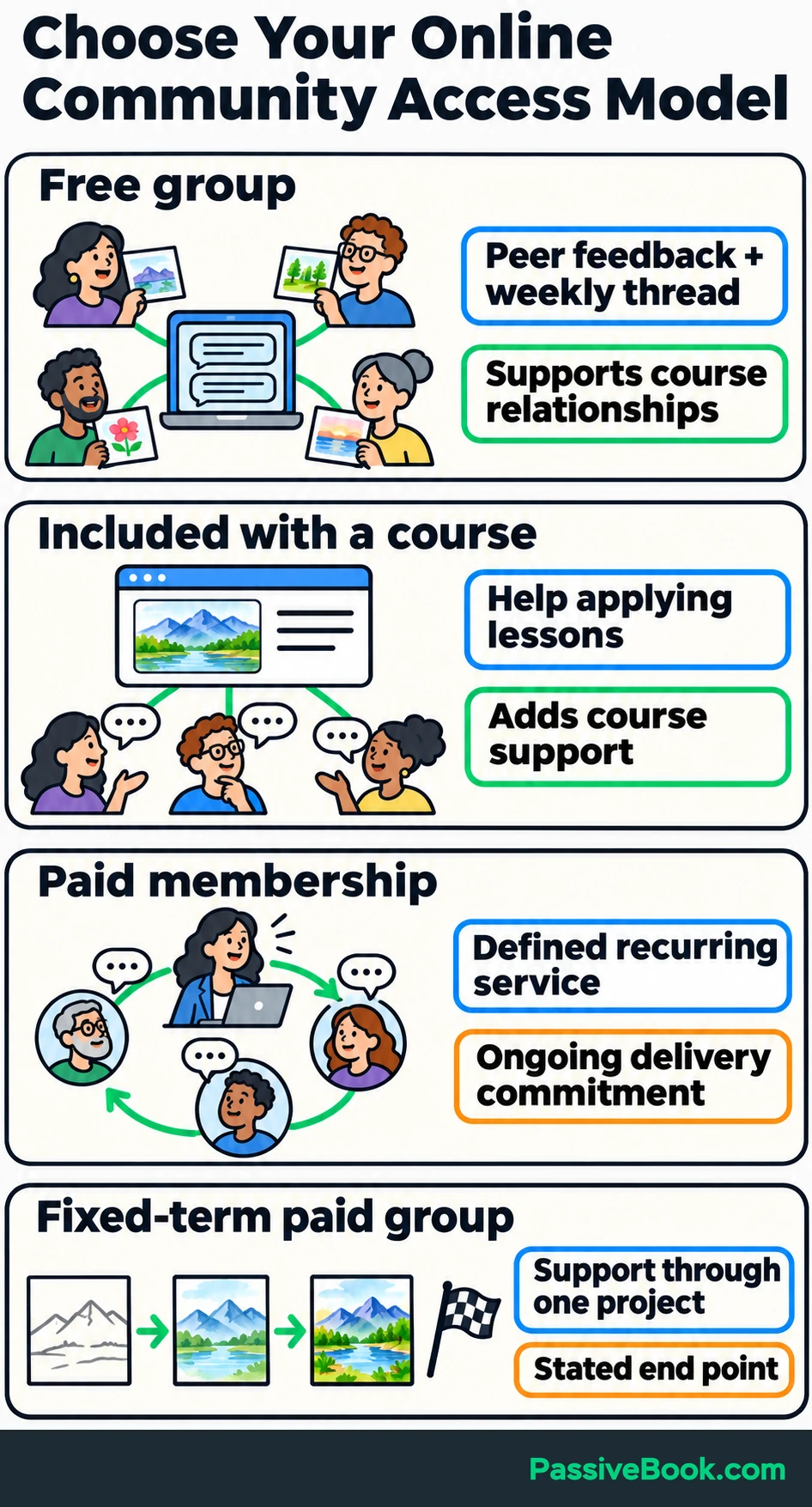
Choose how the experience supports your business before deciding whether to charge.
| Access Model | What Members Receive | How It Supports the Business |
|---|---|---|
| Free group | Peer feedback and a weekly thread you host | Gives people a reason to keep practicing and stay connected to your courses |
| Group included with a course | Help applying lessons alongside other buyers | Adds support to the course offer |
| Paid membership | A defined, recurring service, such as facilitated feedback | Earns membership revenue in exchange for a clear delivery commitment |
| Fixed-term paid group | Support through one project with a stated end date | Lets you sell and test a bounded experience |
For the watercolor example, I would test a free exchange first. If members want reliable instructor feedback, test a paid, fixed-term group with that service clearly included.
An ongoing membership needs an ongoing reason to stay. “Access to the group” tells buyers where they can go, but very little about what they will receive.
Around 2021, I spent six months building a membership site alongside my corporate job. I abandoned it because constant premium-content production was unsustainable. I had built a recurring deadline into the offer, and keeping that promise competed with the job paying my bills.
That experience shapes my choice here: I would define the hosting commitment before promising more content.
Write down:
- Facilitation: The activity you run and whether you provide individual feedback.
- Availability: When you review posts and unanswered questions.
- Capacity: Time for preparation, replies, moderation, administration, and follow-up.
- Business Goal: One outcome to track, such as course purchases or paid renewals.
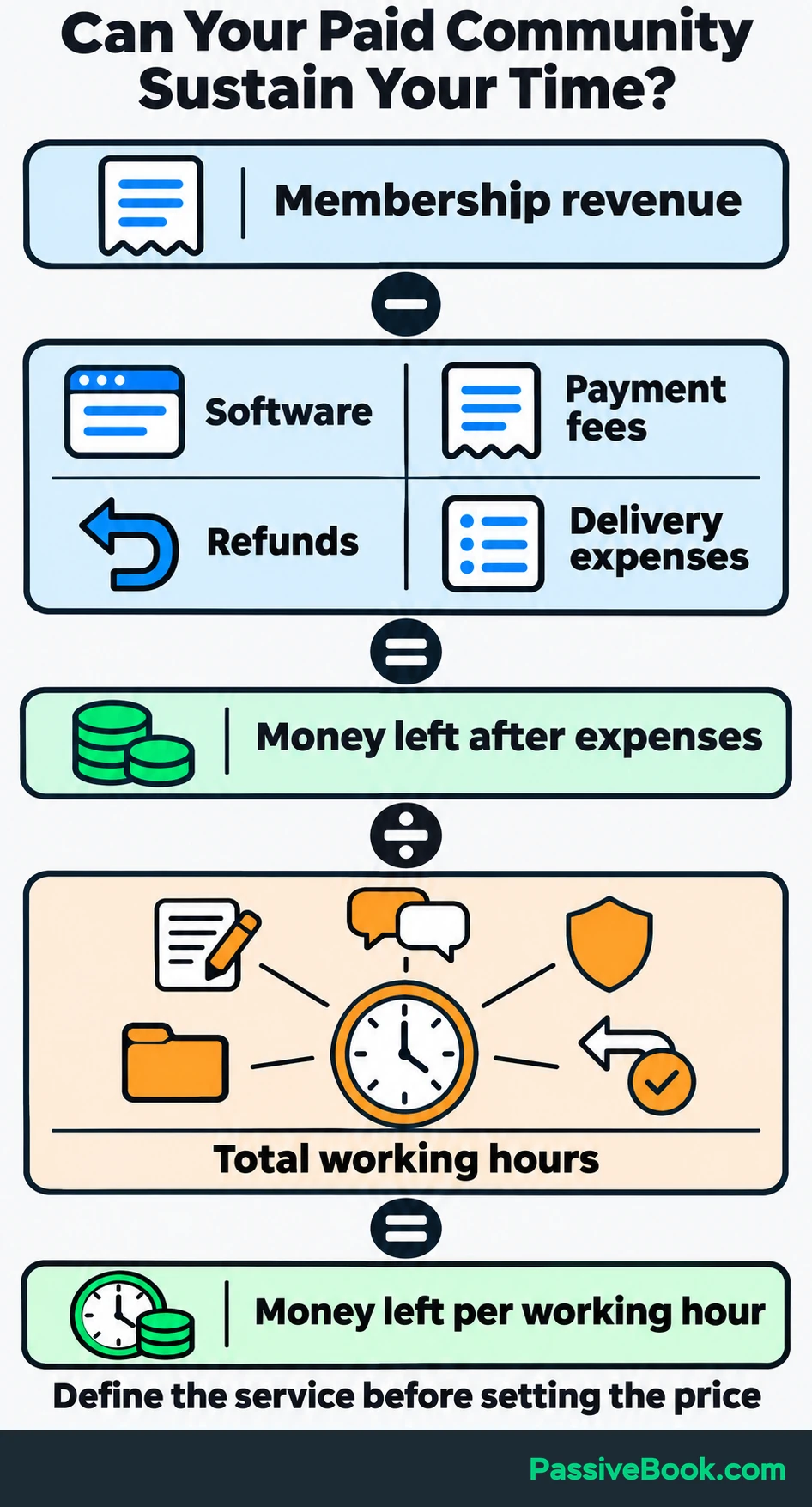
For paid access, estimate the money left after software, payment fees, refunds, and delivery expenses. Then compare that amount with your working hours. An offer can collect recurring revenue and still pay you badly.
There is evidence that communities can support sales. The study Social Dollars estimated increased spending from community membership at an entertainment retailer. Its main analysis covered existing loyalty-card customers who bought before and after the community launched, so it supports possible business value rather than a revenue forecast for your group. Read the study.
3. Test Demand Before Building the Platform
Talk to prospective members about what they already do when they get stuck. Recent behavior gives you more to work with than enthusiasm for an idea.
Ask:
- “Tell me about the last painting you stopped working on.”
- “Where did you look for help?”
- “What was still difficult afterward?”
- “Would feedback from another painter have helped? What would you have needed from them?”
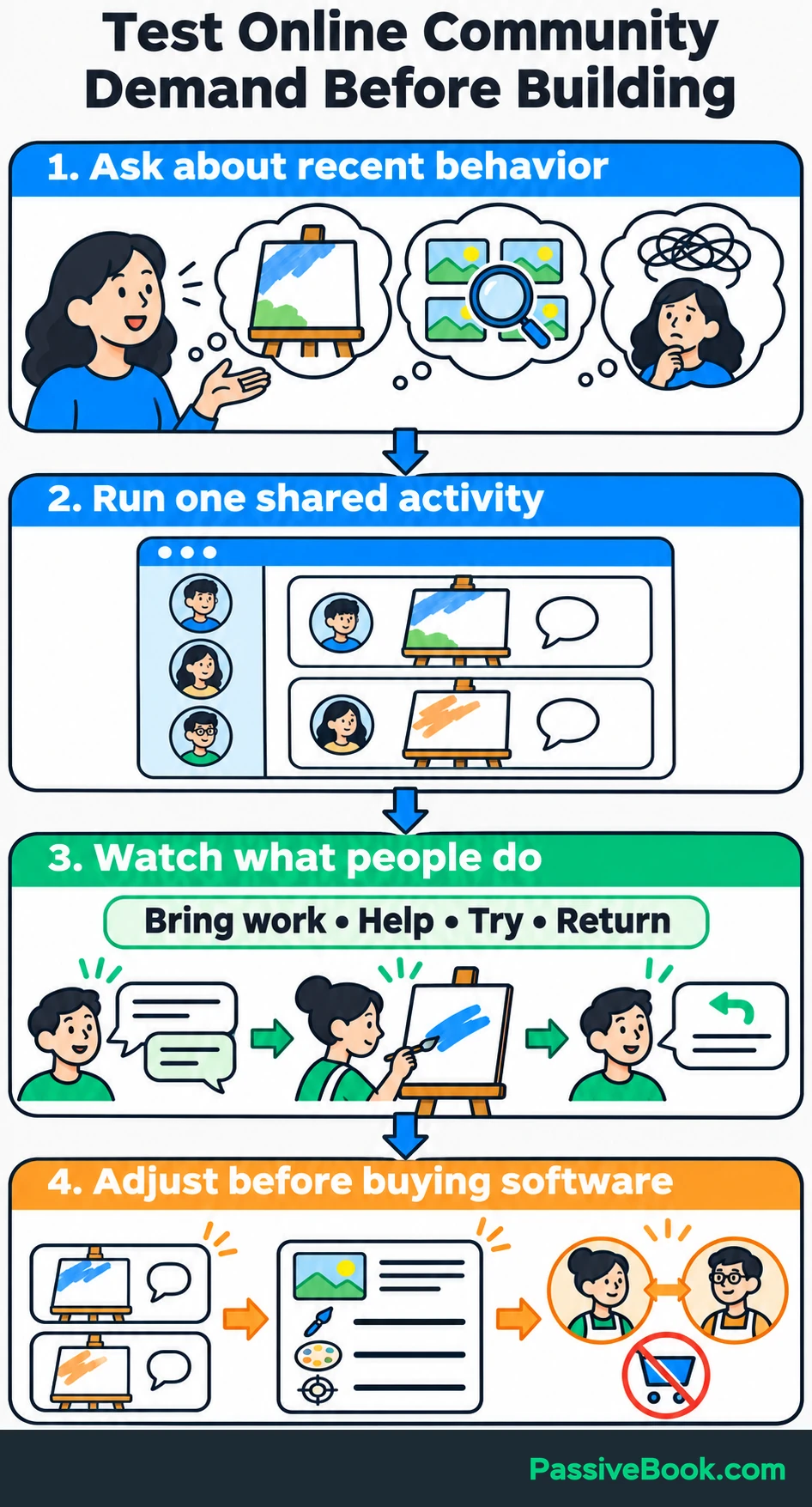
Keep the questions tied to their experience. “Would you join my amazing community?” mostly tests their willingness to be polite.
Next, invite a small group to one shared activity using a communication tool they already know. Ask each person to bring an unfinished painting and one question.
Watch for useful behavior: people bring work, respond to someone else, try a suggestion, or ask when the next exchange will happen.
If everyone arrives but waits for you to teach, investigate why. They may need a feedback format, a better mix of experience, or a different offer. Adjust that before buying a platform.
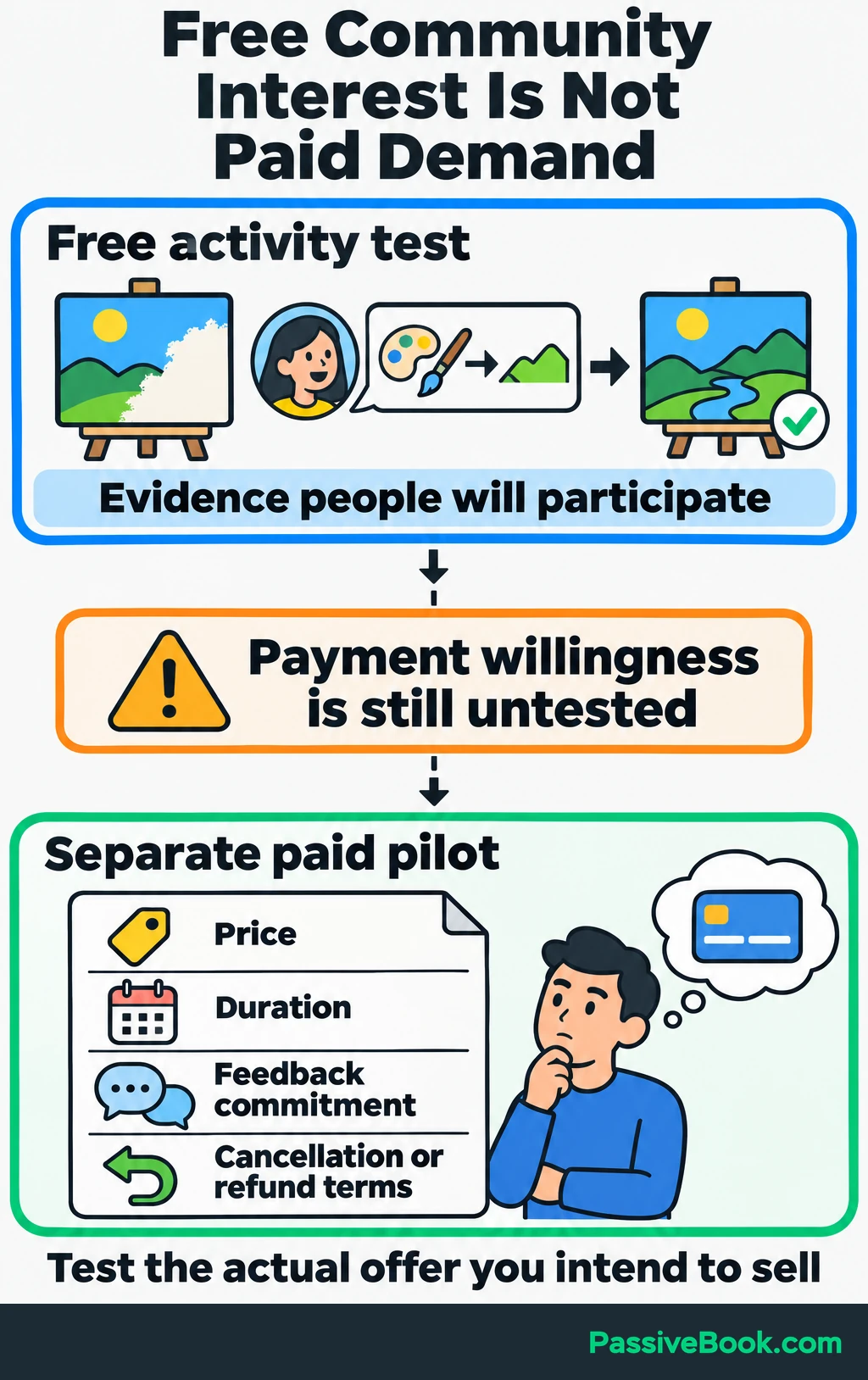
Test paid access separately. Describe the pilot’s price, duration, feedback commitment, and cancellation or refund terms. Agreeing to join a free group doesn’t establish willingness to pay for ongoing facilitation.
4. Choose a Platform That Fits Member Participation
Match the Platform to the Main Activity
Test the full activity on each shortlisted platform. Can someone join, upload a painting, receive a reply, and find the discussion again?
Also check whether prospective members already use it.
| Platform | Suitable Member Activity | Cost Model | Main Constraint |
|---|---|---|---|
| Facebook Groups | Sharing work and discussing it with people who already use Facebook | Free group hosting | Members need Facebook accounts, and public-group contributions are visible beyond the group |
| Familiar mobile conversation and quick progress updates | Free standard group use | Members of discussion groups can see one another’s phone numbers, including in groups within a Community | |
| Discord | Project feedback in forum channels, which keep replies with each post | Free group hosting, with optional paid features | Forum channels require enabling Discord’s Community features; new users may need help with channels and notifications |
| Discourse | Questions and project discussions members will revisit | Free hosted option; paid hosting and self-hosting options | Members must get used to topic-based discussion |
| Circle | Combining discussions, courses, events, and paid access | Subscription plus transaction and payment-processing fees | A recurring software bill before the community proves its value |
| Substack Chat | Discussion attached to an existing newsletter | Free publishing; platform and processing fees on paid subscriptions | Best suited to a community centered on a Substack publication |
For the watercolor group, I would choose a private Facebook Group if the test participants already use Facebook. If they don’t, I would test Discourse for keeping each painting and its feedback together.
Check Costs and Exit Options
Compare the plan required for your actual activity. Include hosting, payment fees, integrations, and the time you spend administering it. For example, Circle paywall payments incur both Circle transaction fees and Stripe processing fees. Circle explains those fees here.
Before committing, check three exports separately:
- Member Records: Contact details, profiles, and subscription status.
- Discussions: Posts, replies, and their organization.
- Files: Uploaded images and resources.
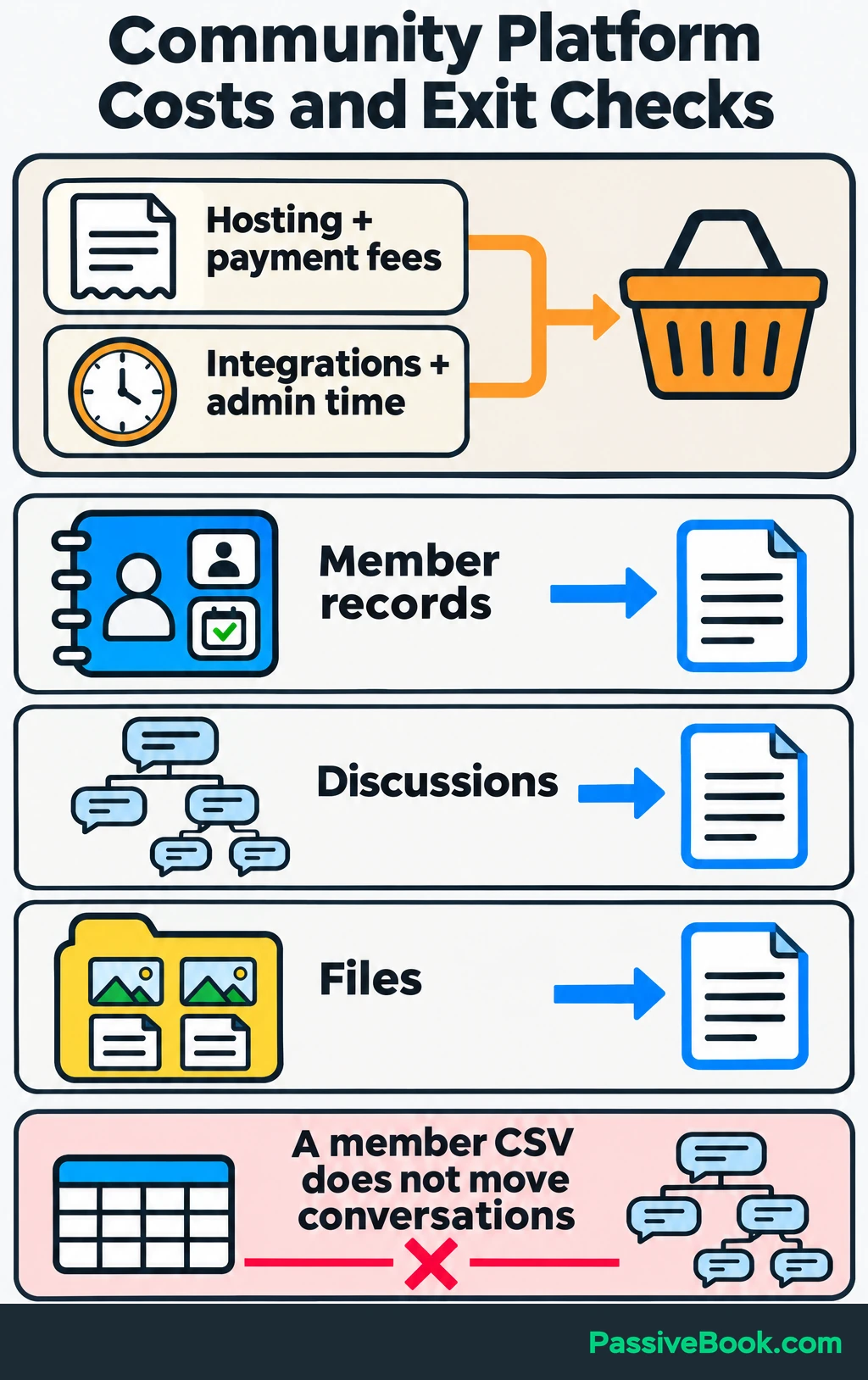
Circle’s member CSV includes contact and profile information. Check discussion exports separately; that file won’t move the conversations.
Offer a separate email opt-in and keep copies of essential resources you create. Email gives you another way to maintain contact, but it doesn’t replace member discussion.
5. Prepare a Small, Welcoming Space
Make the First Visit Easy
Create only the spaces needed for the initial experience:
- Start Here: The promise, participation instructions, rules, and help route.
- Main Discussion: The weekly activity and member questions.
- Essential Resources: A small collection of guidance members repeatedly need.
Your welcome guide should answer five questions: What happens here? What should I do first? When does the activity happen? When is the host available? Where can I get help?
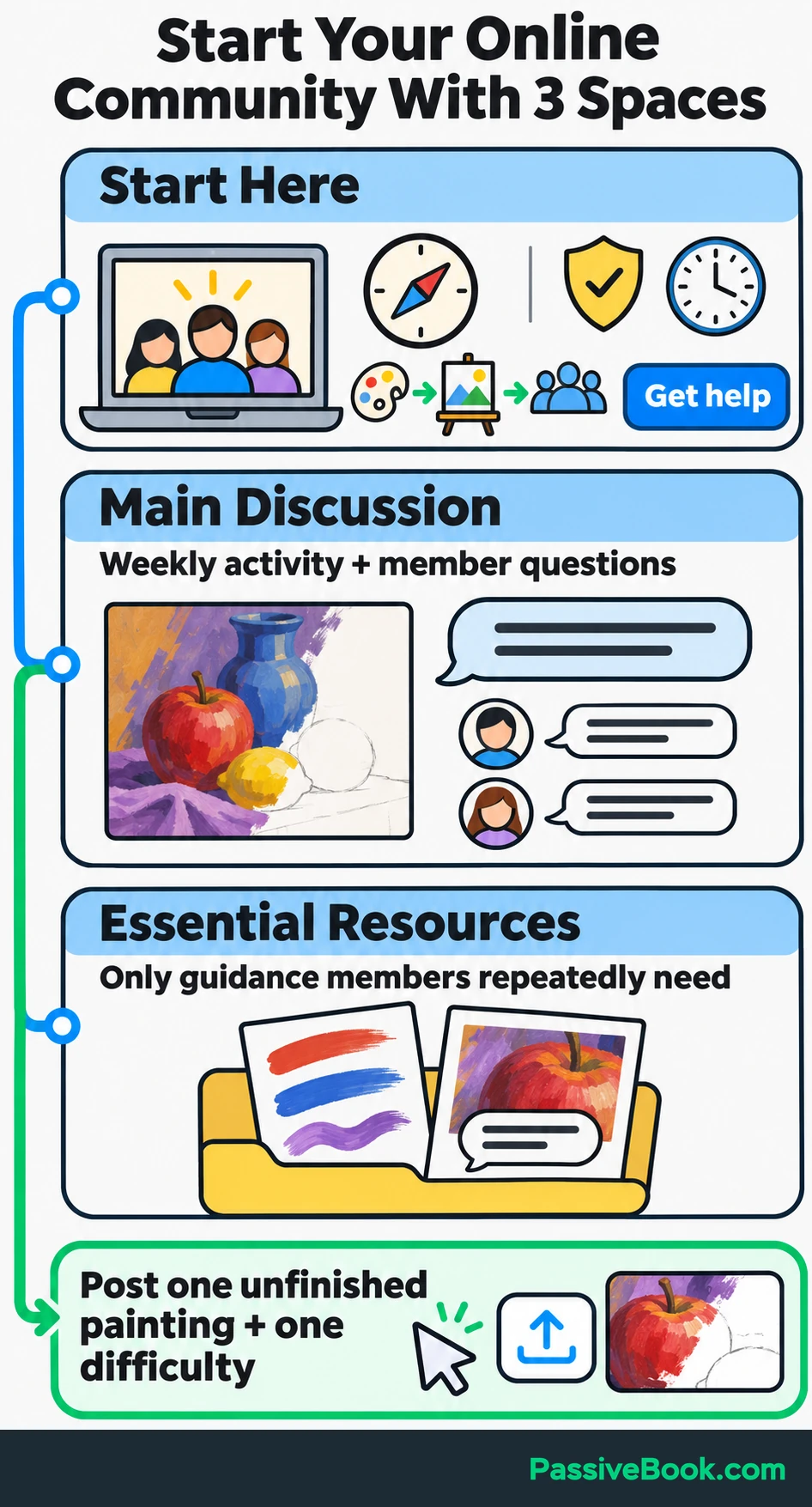
Keep the first contribution small:
Post one unfinished painting and tell us which part you want help with.
Seed a few discussions that show what a useful exchange looks like. Share your own work, identify a difficulty, and demonstrate a practical response. Clearly label any demonstration exchange rather than inventing member activity.
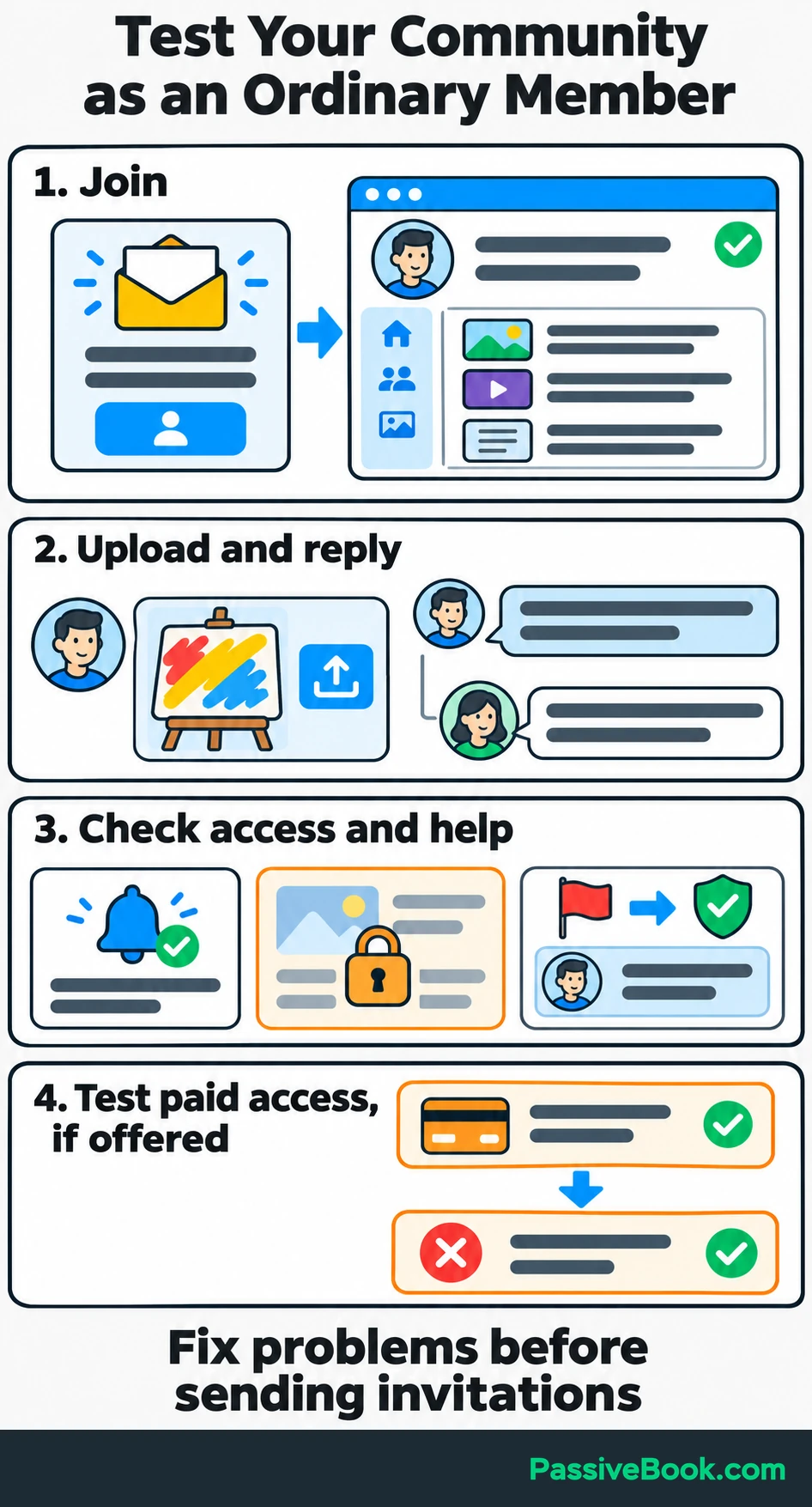
Then test the space from an ordinary member account. Check joining, image uploads, replies, notifications, permissions, and reporting. For paid access, also test payment and cancellation.
Fix those problems before sending invitations. A welcome guide can’t compensate for a broken joining link.
Establish Clear Moderation
Write rules around the behavior your activity needs. For the painting group, I would include:
- Feedback: Discuss the work respectfully and suggest a practical next attempt.
- Beginner Questions: Make room for basic questions without ridicule.
- Promotion: Keep sales links within any designated area and prohibit unsolicited sales messages.
- Privacy: Don’t republish another member’s work or private messages without permission.
- Reporting: Give members a private way to contact the host about a problem.
Explain who can see contributions, and tell members what personal information to keep out of posts.
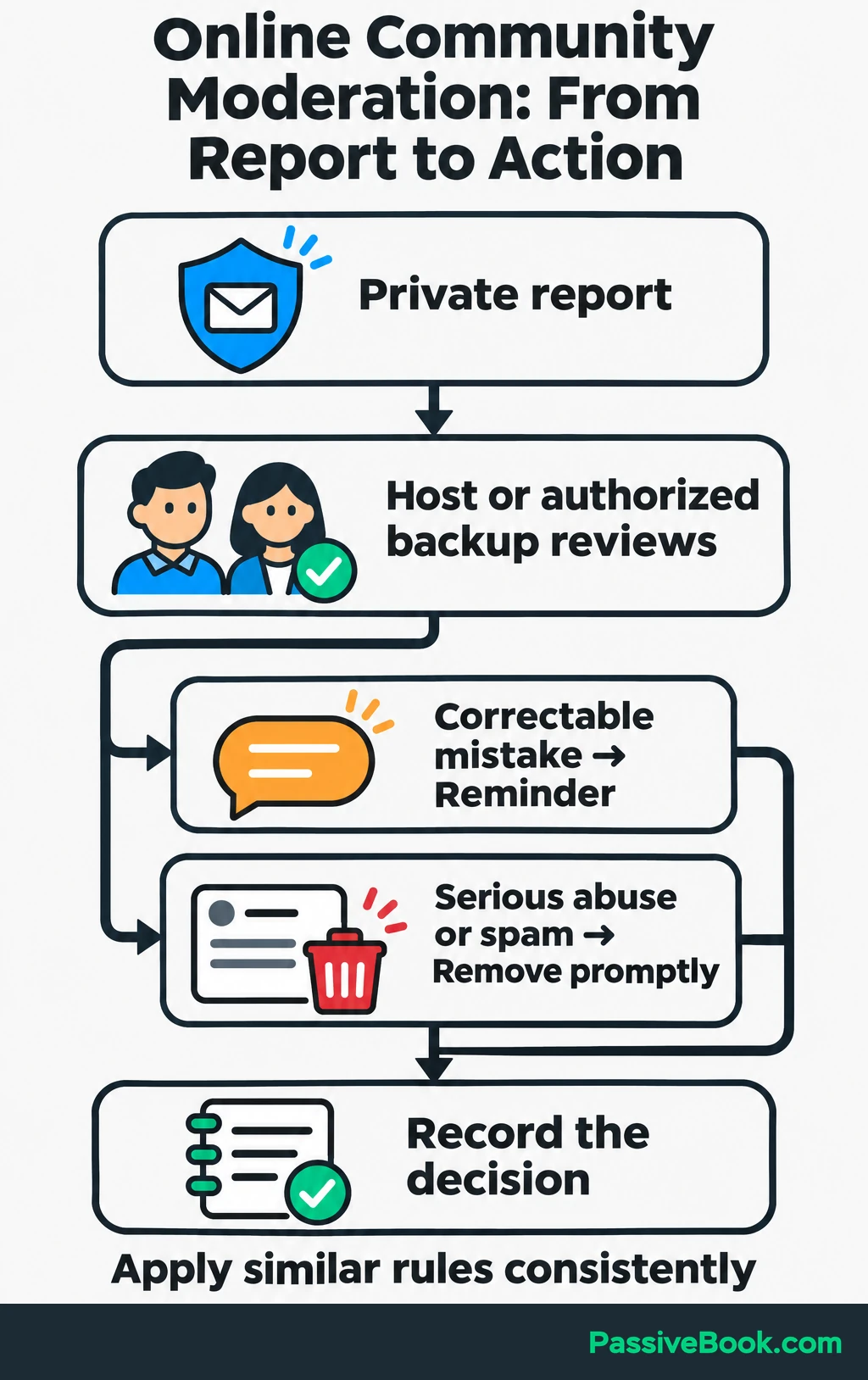
Assign responsibility for reports and unanswered questions, including during your absence. A trusted backup needs clear authority, not just an admin badge.
Use reminders for correctable mistakes and remove serious abuse or spam promptly. Keep a short record of decisions so similar situations receive consistent treatment.
6. Invite Founding Members and Help Them Get a First Result
Invite a group small enough for you to welcome personally. Choose people with compatible goals and enough relevant experience to help one another. You don’t need experts, but you do need more than a room full of people waiting for you.
Start with relevant customers, subscribers, readers, or personal contacts when those relationships exist.
Without an audience, contribute useful answers in established spaces. Where promotion is permitted, invite interested people individually. Avoid dropping the same link into every discussion that contains the word “watercolor.”
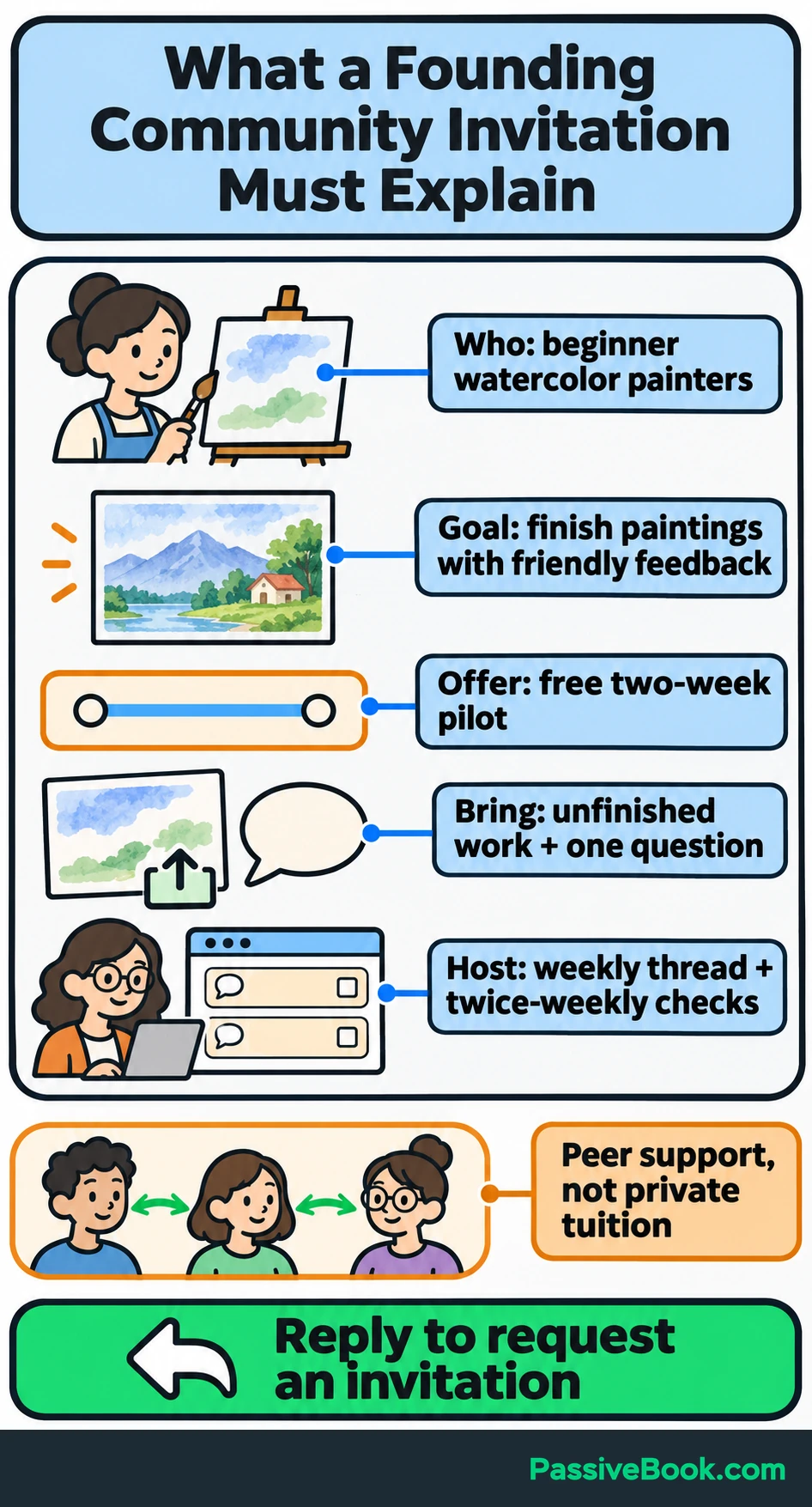
Make each invitation specific. Here is a complete sample for the free pilot:
Hi [Name],
I’m starting a small feedback group for beginners who want to finish their watercolor paintings.
For this free two-week pilot, we’ll share unfinished work, give friendly feedback, and return with an update on what we tried. You can participate whenever it fits your schedule.
Bring one unfinished painting and one question to our first exchange next Monday. I’ll host the weekly thread and check unanswered posts on Tuesdays and Fridays. Members will also help one another, so this isn’t private tuition.
Would you like to join? Reply and I’ll send the invitation and group guidelines.
For a paid pilot, replace the free-access sentence with the price, duration, exact service, and a link to the full terms. Don’t make people join to discover what they are buying.
The invitation above is for a painting group. This AI Skill writes a version for your community, along with the welcome message and first exchange, so members know what to do when they arrive.

Free AI Community Host




Once someone arrives, give them one posting template:
I’m painting [subject]. I want to achieve [effect]. I’m stuck on [difficulty].
Respond to early posts and connect people with relevant experience. If someone has practiced soft edges, ask whether they can suggest one experiment to a painter struggling with a hard outline.
Then follow up on what the painter tried. Help them complete a useful exchange before adding profile forms, introductions, badges, or other tasks.
If newcomers stay silent, ask what blocked them. They may have no painting ready, feel nervous about sharing, or simply not understand where to post. Each problem needs a different fix.
7. Keep Members Returning Without Constant Posting
Facilitate Useful Exchanges
Run the recurring activity you promised and ask questions people can answer from experience.
“Which part of this painting are you trying to improve?” gives someone a clear starting point. “Any thoughts?” leaves them to invent the task.
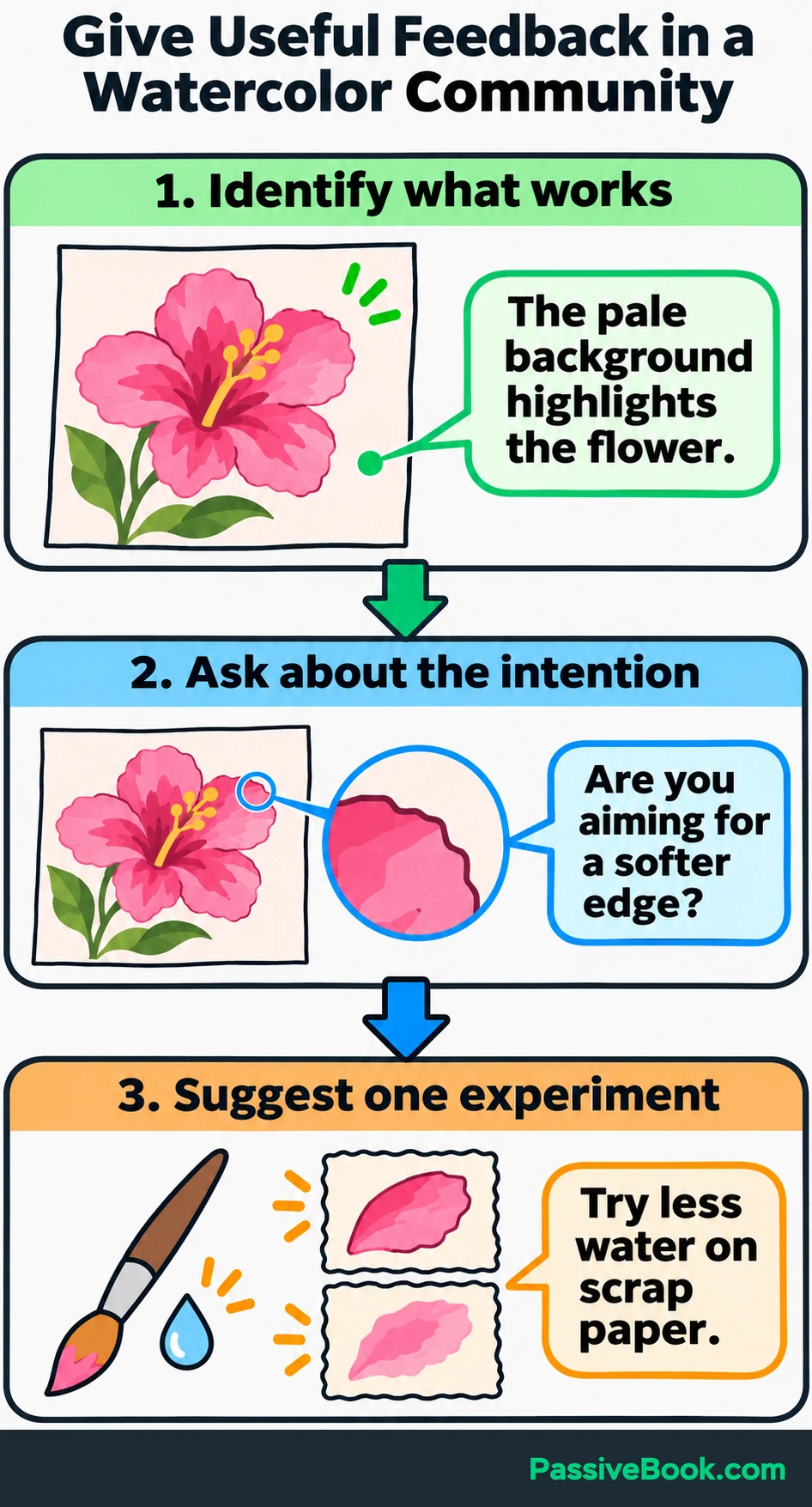
Teach a short feedback format:
- Identify something that works.
- Ask what the painter intended.
- Suggest one practical experiment.
A response might say:
The pale background keeps attention on the flower. Are you aiming for a softer petal edge? Try that edge on scrap paper with less water and compare the result.
Bring unanswered posts back into view and invite a relevant member to help. Leave room for members to answer before supplying every response yourself.
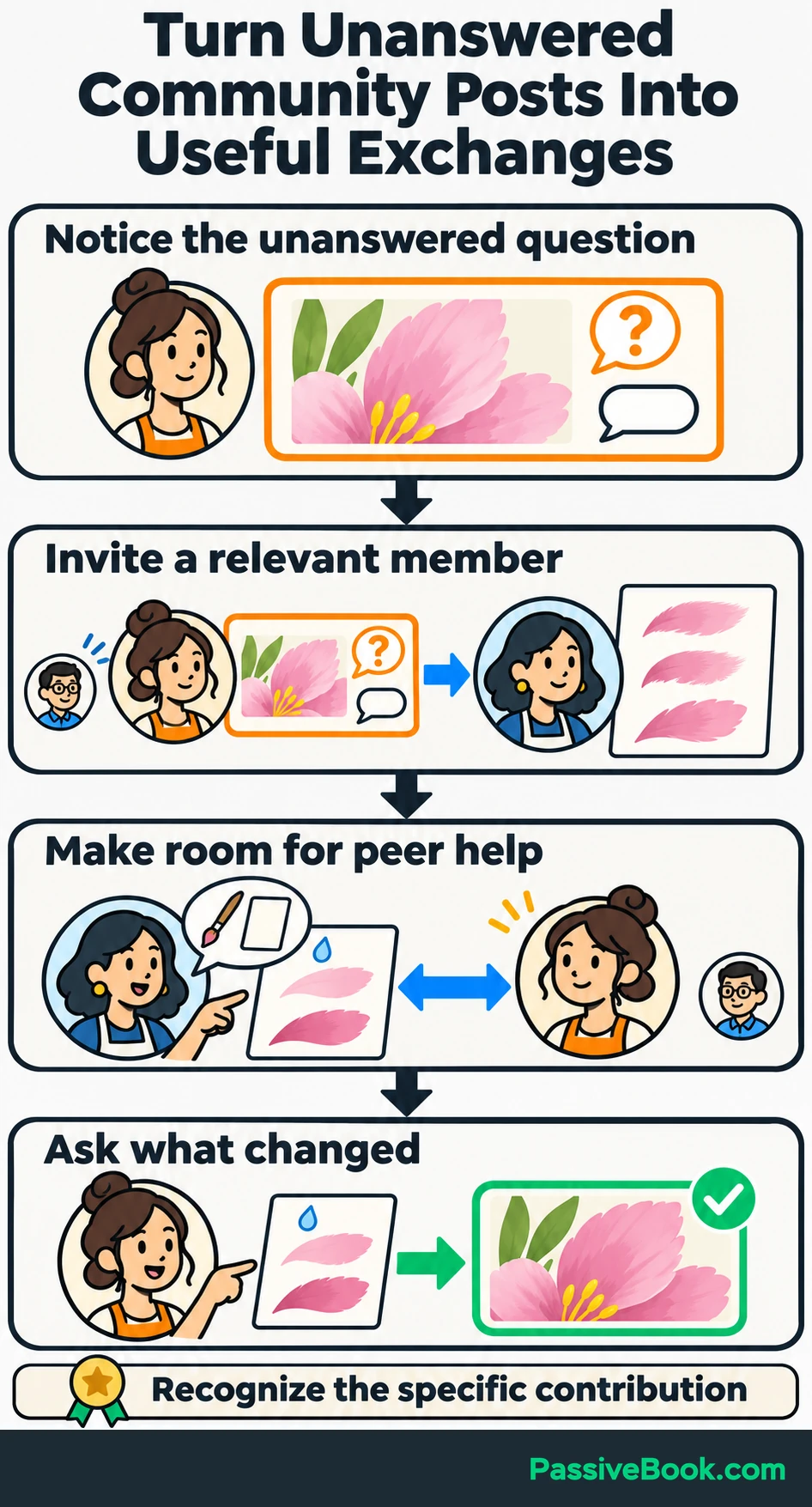
Recognize useful contributions with specifics: “Your suggestion gave them something small to test.” Then close the exchange by inviting the painter to show the revised area and explain what they used.
Allow quiet participation too. Ask occasional readers whether seeing other people’s work helps them and what would make contributing easier.
Add workshops, challenges, or new spaces when a repeated need appears. An empty calendar slot doesn’t need an event.
Share and Simplify Routine Work
Batch preparation and reviews around the availability you set. Keep a short list of unanswered posts, reports, and follow-ups so you don’t have to read every discussion from the beginning.
Turn repeated answers into a brief resource and link it when needed. Keep it close to the conversation where people need it.
Give willing members bounded responsibilities, such as welcoming newcomers or hosting one feedback thread. Agree on the task, time involved, escalation route, and backup.
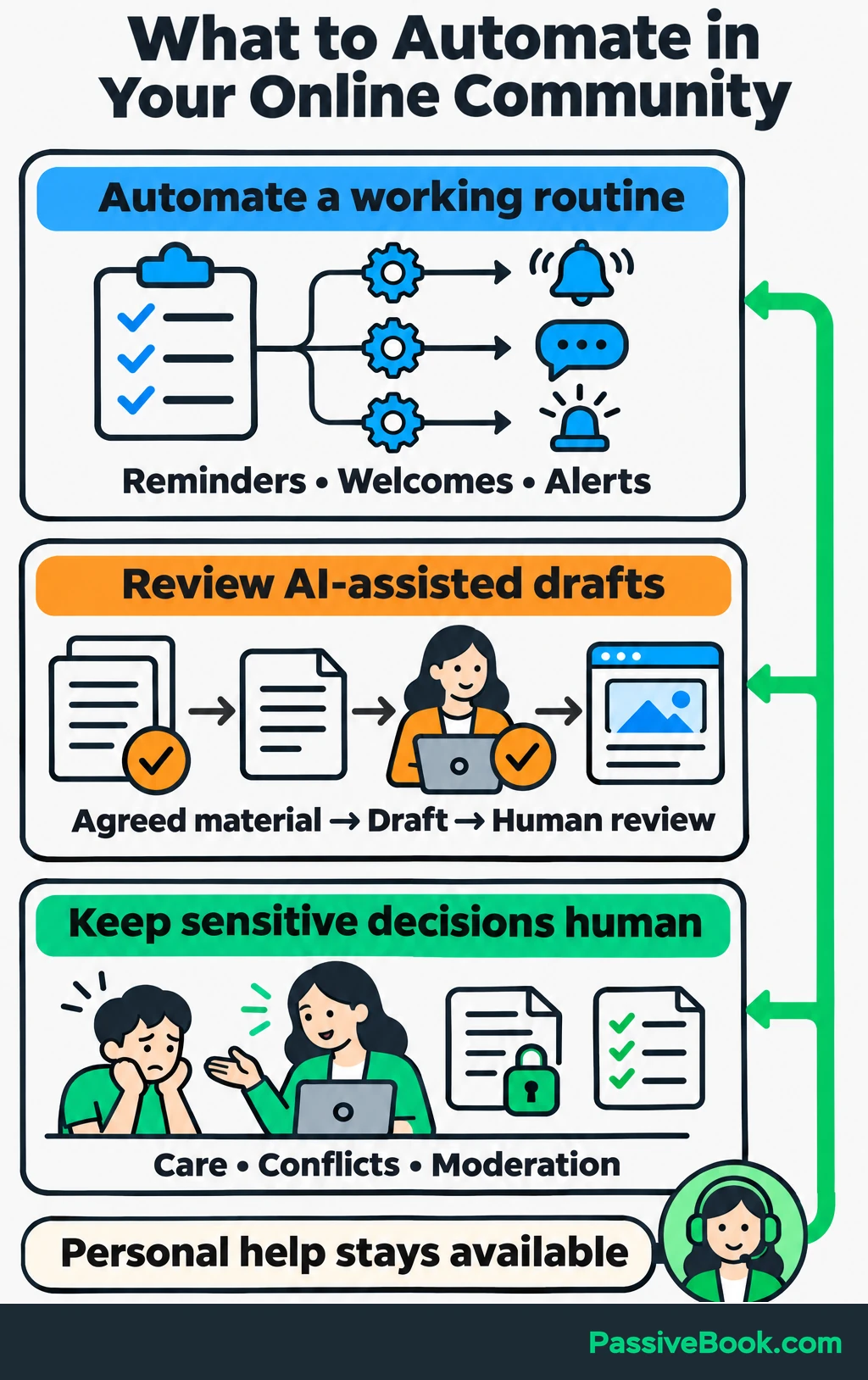
Once a manual process works, automate the routine parts. Make or n8n can connect supported tools to send welcome messages, reminders, or administrative alerts. Keep a clear route to personal help.
AI can draft prompts or prepare a recap from material members have agreed may be used that way. Review it before publishing. Keep sensitive replies, conflicts, and moderation decisions with a person.
I would automate the reminder to return with an update. I would write the response to a discouraged beginner myself.
Track your hours and remove activities that consume time without helping members progress. If you keep exceeding your limit, narrow the offer or arrange support before inviting more people.
8. Measure Member Value and Fix Participation Problems
Measure whether useful exchanges happen and whether you can sustain them.
Start with a small set:
- First Result: Newcomers who share work and receive actionable feedback.
- Return Participation: Members who come back for the next relevant activity.
- Response Coverage: Questions receiving useful replies within your stated review window.
- Hosting Time: Hours spent preparing, facilitating, moderating, and administering.
- Business Outcome: The course purchases, referrals, or paid renewals you chose to track.
Define each measure consistently. You might count a newcomer as “activated” when they share a painting and receive actionable feedback within seven days of joining.
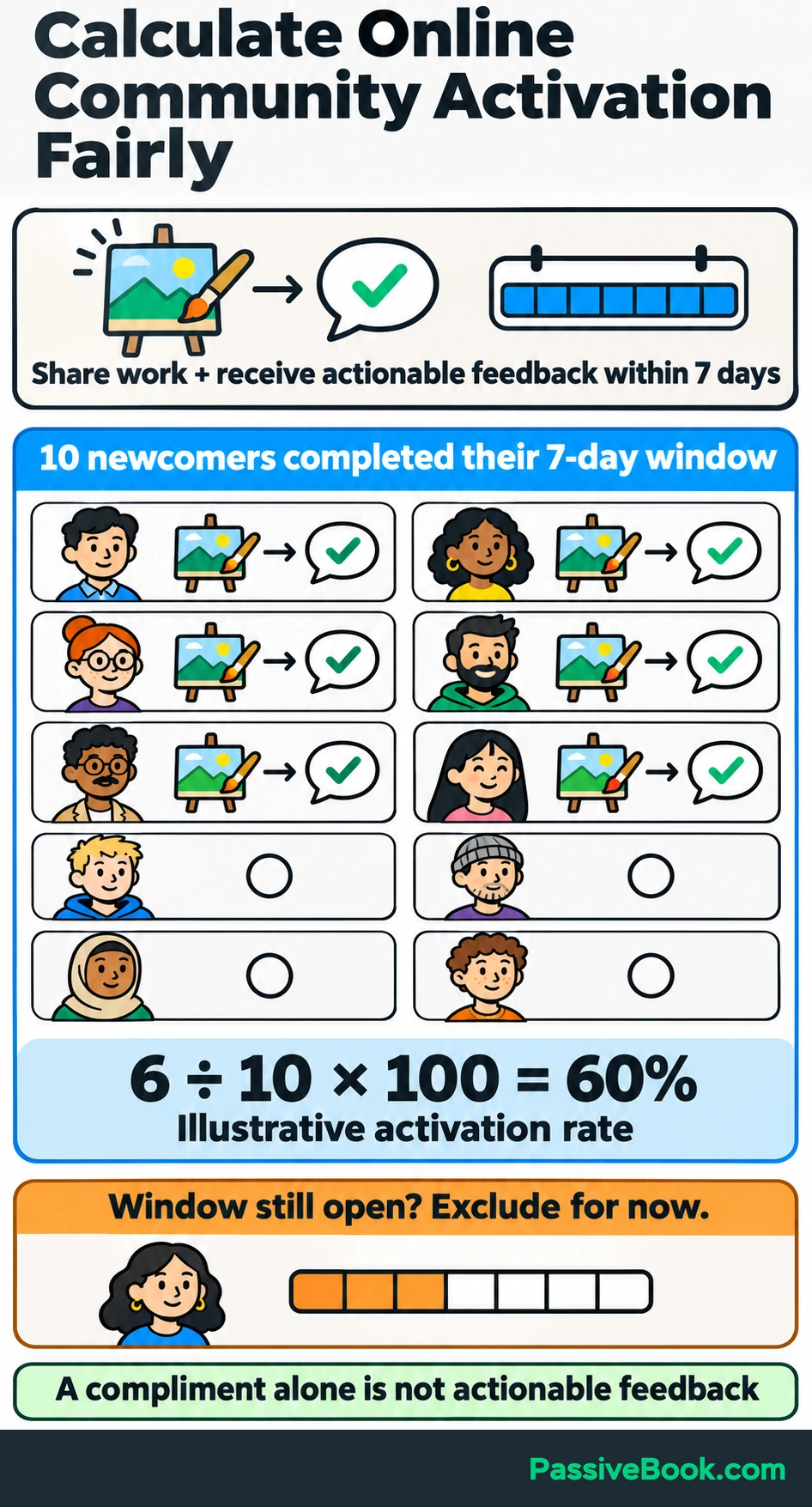
Only include newcomers whose full seven-day window has elapsed. Otherwise, someone who joined yesterday gets counted as a failure before they have had a fair chance.
For illustration, if six of ten eligible newcomers meet that definition, activation is 60%: six divided by ten, multiplied by 100. Read the exchanges too, because a reply saying “nice painting” doesn’t meet the definition.
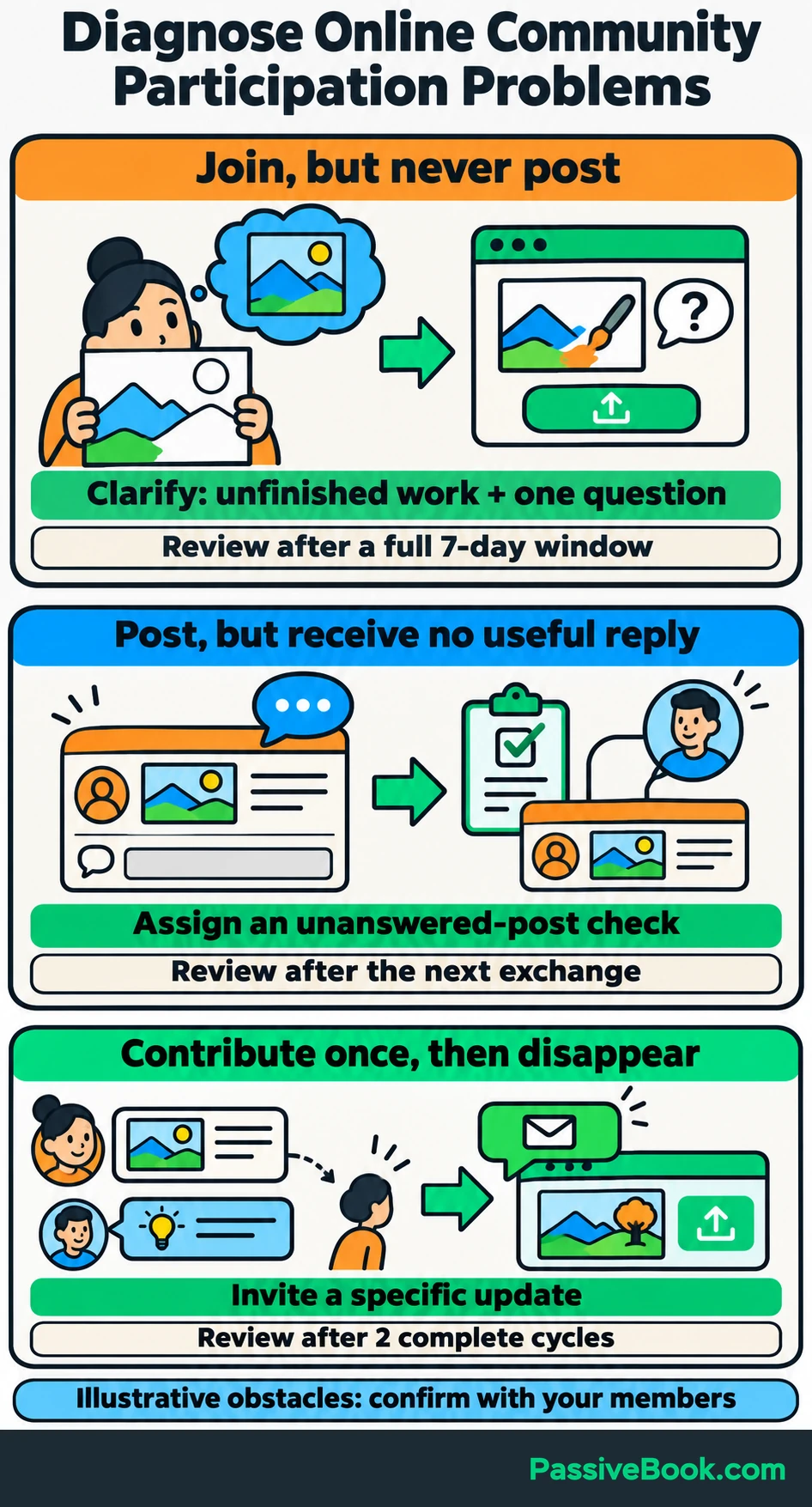
Use a small review table to connect observations with action. The member comments below illustrate what you might learn; collect your own before treating an obstacle as confirmed.
| Observation | Member Feedback | Action | Review Date |
|---|---|---|---|
| People join but don’t post | “I thought I needed a finished painting.” | Ask for one unfinished area and one question | After newcomers have a full seven days with the revised task |
| Paintings receive no useful replies | “I posted, but I didn’t know whether anyone had seen it.” | Assign an unanswered-post check and invite relevant helpers | At the end of the next weekly exchange |
| Members contribute once and disappear | “I got advice, but there was no follow-up.” | Add a specific invitation to share the revised area | After two complete exchange cycles |
Track purchases associated with participation, but don’t assume the community caused them. People who already like your courses may also be more likely to join.
For paid access, ask departing members whether the promised experience was delivered and what made continuing less useful.
Change one meaningful part at a time, then give members enough time to complete the activity. Check both their outcomes and your workload before changing something else.
9. Grow Through Useful Experiences and Referrals
Expand invitations when newcomers receive useful responses, members return, and hosting fits your available hours.
Choose one discovery channel that already suits the business. That could be relevant articles, email, social posts, partnerships, or helpful participation in established communities.
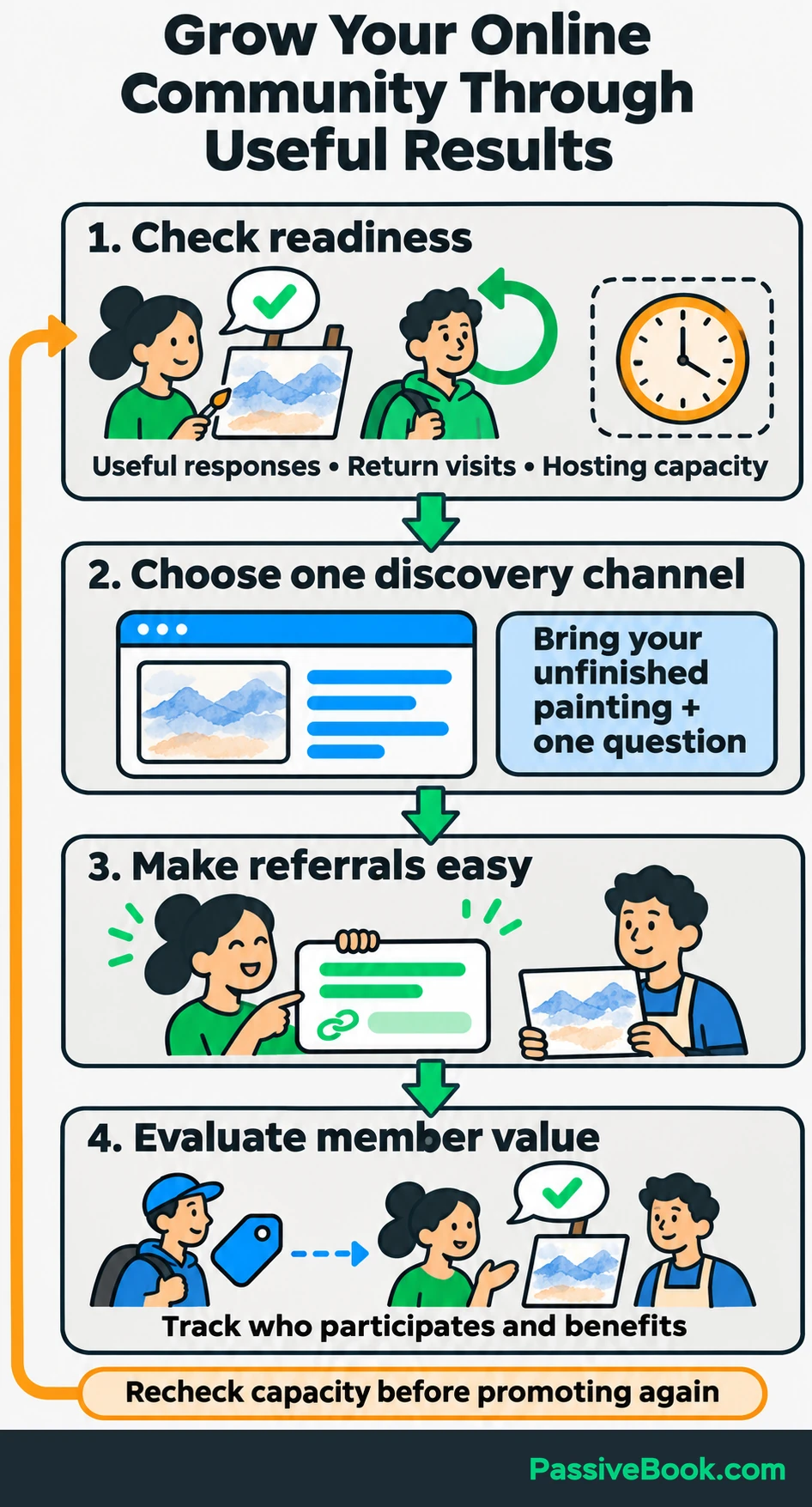
For the watercolor business, I would place an invitation beside a relevant painting tutorial:
Trying this exercise? Bring your unfinished painting and one question to our next beginner feedback exchange.
That connects the invitation to something the reader is already doing. “Join our community” asks them to imagine the benefit themselves.
Ask members who have benefited to invite a person with a matching goal. Give them a short description and direct joining link so they don’t have to write your pitch.
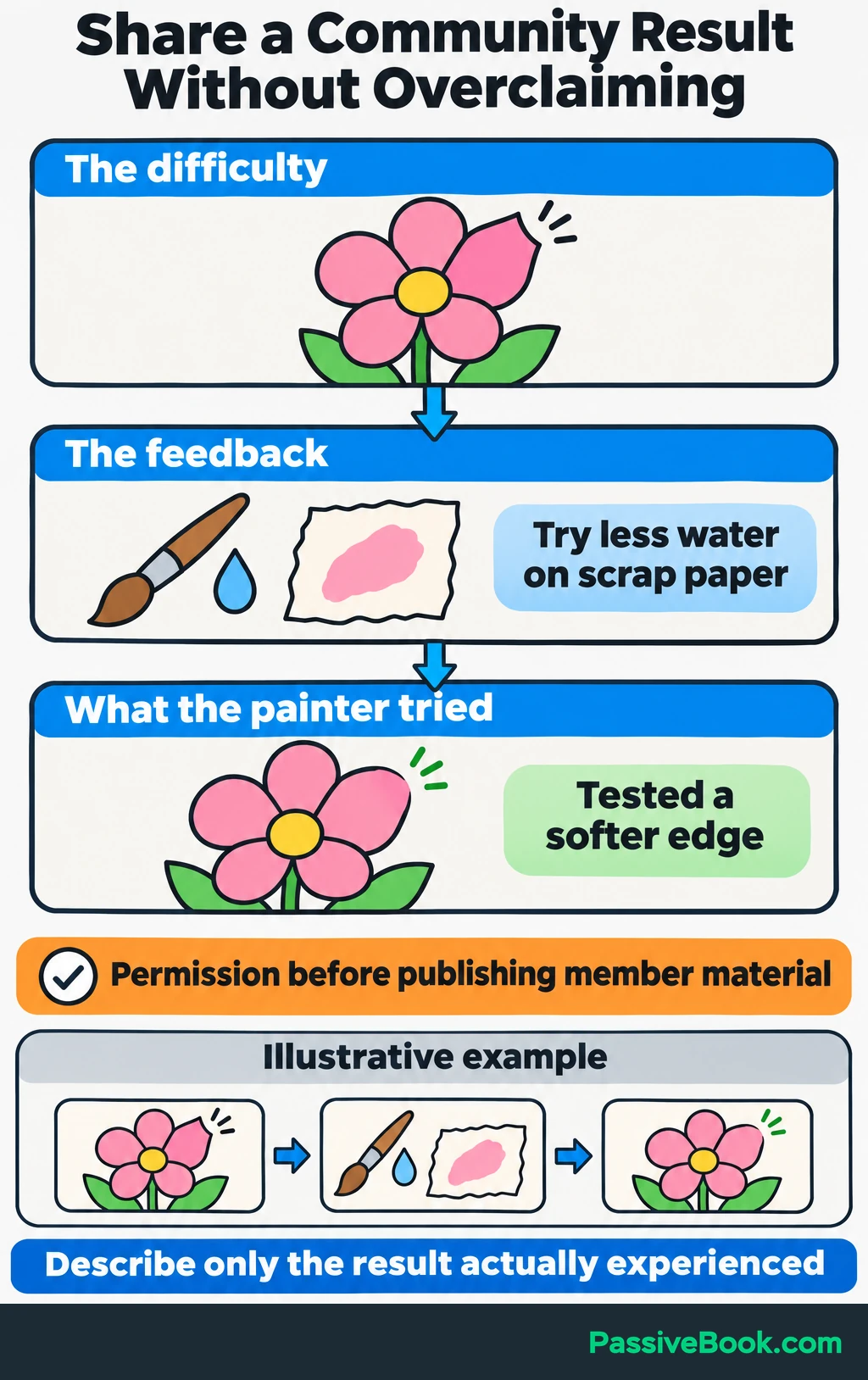
You can also share a preview of the process: a painting difficulty, the feedback offered, and what the painter tried afterward. Get permission before publishing member work, private exchanges, or testimonials, and describe only the result they actually experienced.
Record where newcomers heard about the group. Then check which sources bring people who participate and benefit.
I would expand the channel bringing useful participants, even if another produces more signups. More members also means more people waiting for a response, so check that capacity before the next promotion.
What Next?
Write your community’s one-sentence promise and invite a small group to one feedback exchange. Use what happens there to decide whether a dedicated space is worth building.
Use the social buttons to share this guide when you’re discussing a community launch—it gives that conversation a practical starting point.
What useful result would make your first members want to return? Share it in the comments, and bring any other questions too.
Share this post with your friends & followers:

