A customer says pickup took too long, and the review is already public. You want to answer, but you also have appointments to finish and no clear record of what happened.
Leave it unanswered and future customers see only the complaint.
Reply in a hurry and you might publish something you wish you could take back. The routine below helps you handle that pressure: find feedback promptly, respond to praise and complaints, request honest reviews, and follow through on problems without turning review management into another full-time job.
Set Up One Review Inbox
Start by finding the profiles customers already use. Search your business name, location, and common spelling variations. Focus on places where people leave feedback or compare you with other options.
For a local business, Google deserves attention. Google says more reviews and positive ratings can help local rankings, alongside factors such as relevance, distance, and how well-known the business is. That makes reviews worth managing, but they cannot guarantee a particular position. Google’s local-ranking guidance.
Throughout this guide, we’ll use Maple Street Grooming, an illustrative neighborhood business offering puppy appointments. Its reviews, replies, and service changes show how the process works.
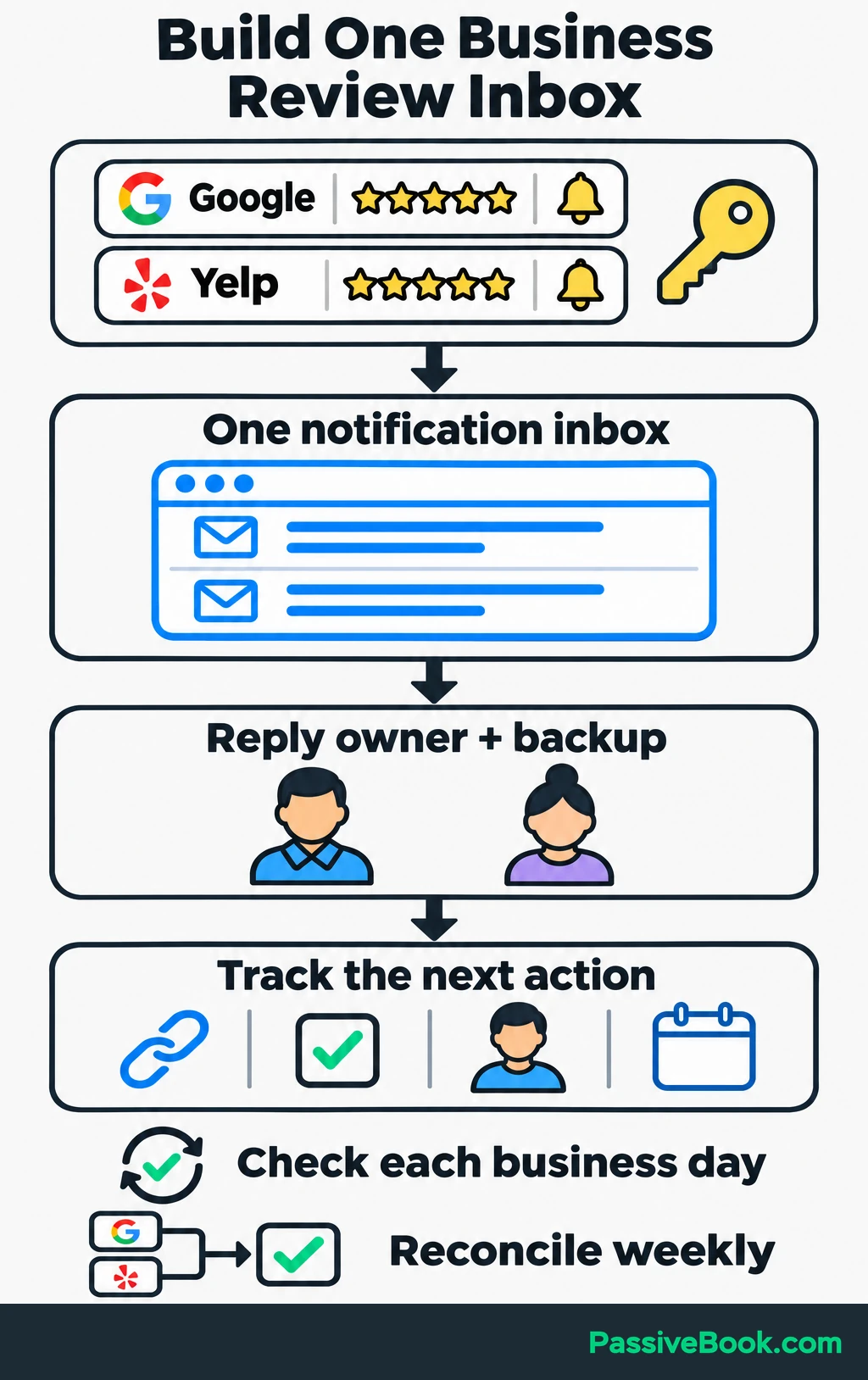
For Maple Street Grooming, I would start with Google and Yelp. Adding five more platforms before checking those two reliably would create more places to forget.
Claim the relevant profiles, recover any missing access, and keep ownership under accounts you control. Give staff their own management access where available. Google requires business verification before you can reply.
If you operate entirely online, monitor your storefront and relevant review sites instead. Online-only businesses are not eligible for a Google Business Profile. Google’s eligibility rules.
Then build a small system:
- Inbox: Enable review notifications and route them to one email inbox you check.
- Responsibility: Name one person who owns replies and a backup if you have one.
- Tracker: Use a spreadsheet or Notion table to record each review, its status, and the next action.
- Schedule: Check each business day and compare the tracker with the original platform pages once a week.
Your tracker needs the platform, review link, posting date, rating, issue, priority, responsible person, response status, and next follow-up date. Keep appointment records, payment information, and private customer details elsewhere.
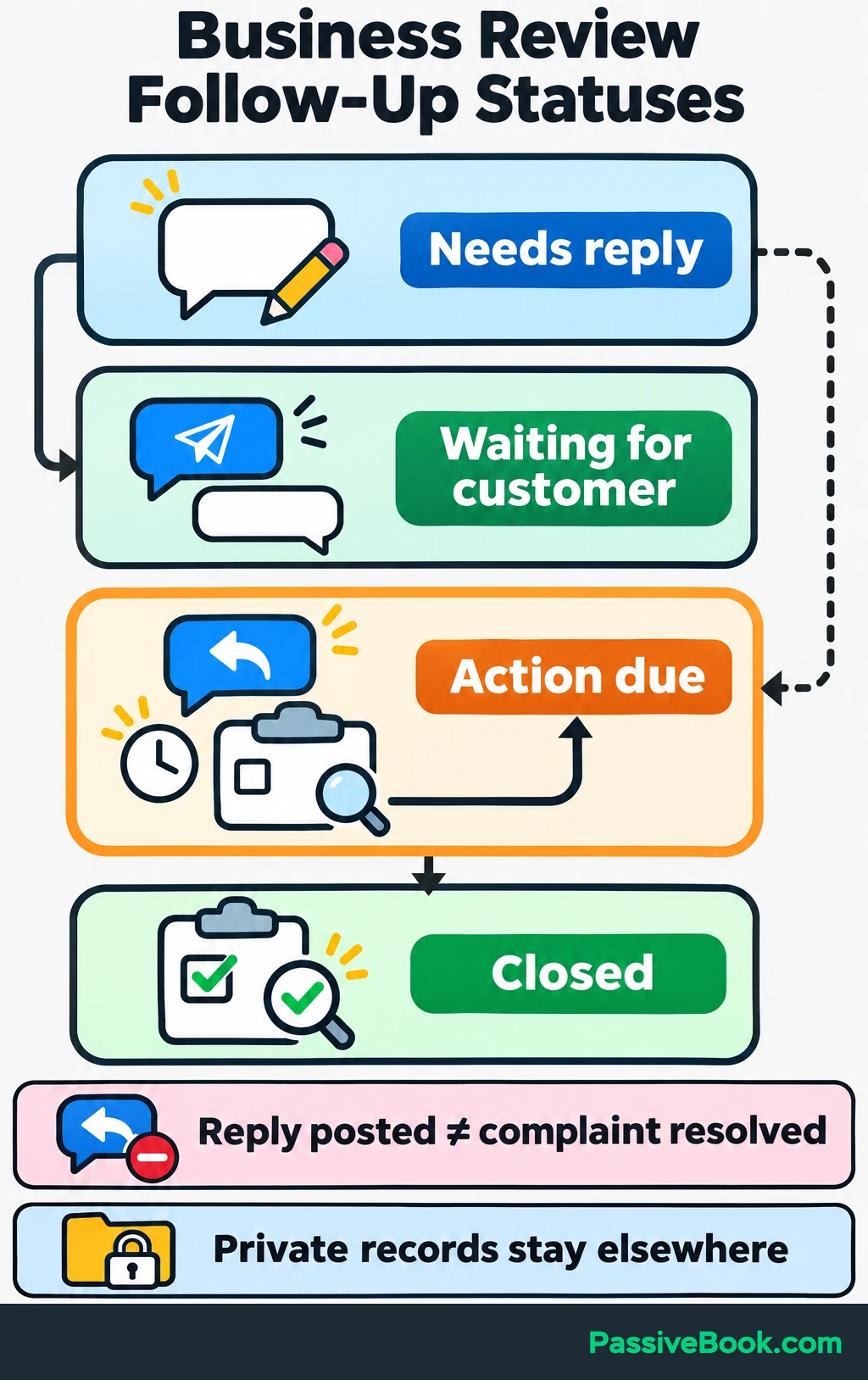
Use statuses that describe what remains to be done: “Needs reply,” “Waiting for customer,” “Action due,” and “Closed.”
A public reply does not close a complaint. If you promised to investigate a delayed pickup, that task stays open until someone checks it and follows up.
Respond to Reviews Professionally
Read the whole review before writing. Then check the appointment or transaction records and speak to anyone involved.
Prioritize the problem rather than the star rating. A four-star review mentioning an unexpected charge needs more attention than a one-star rating with no explanation.
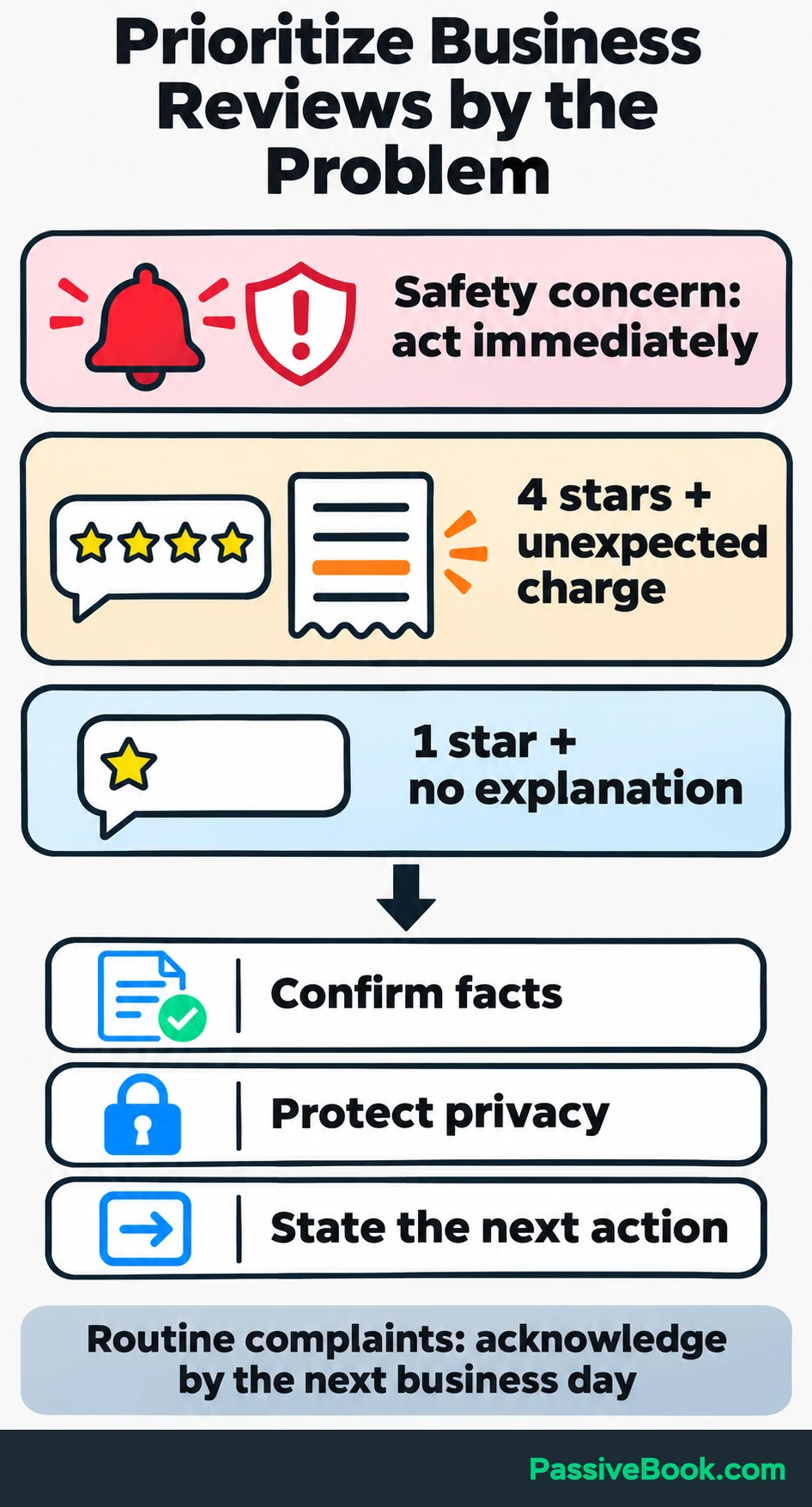
I would aim to acknowledge routine complaints by the next business day. Treat that as a working target, and handle urgent safety concerns as soon as you see them.
Before publishing, check three things:
- Accuracy: Does the reply stick to facts you have confirmed?
- Privacy: Have you kept customer records and sensitive details out?
- Next action: Does the reader understand what happens now?
Keep the reply short enough that someone comparing businesses can follow it. You are answering the customer, but future customers can read the exchange too.
Thank Customers for Positive Reviews
Thank the reviewer and mention one detail they actually shared. You do not need to turn every compliment into a sales pitch.
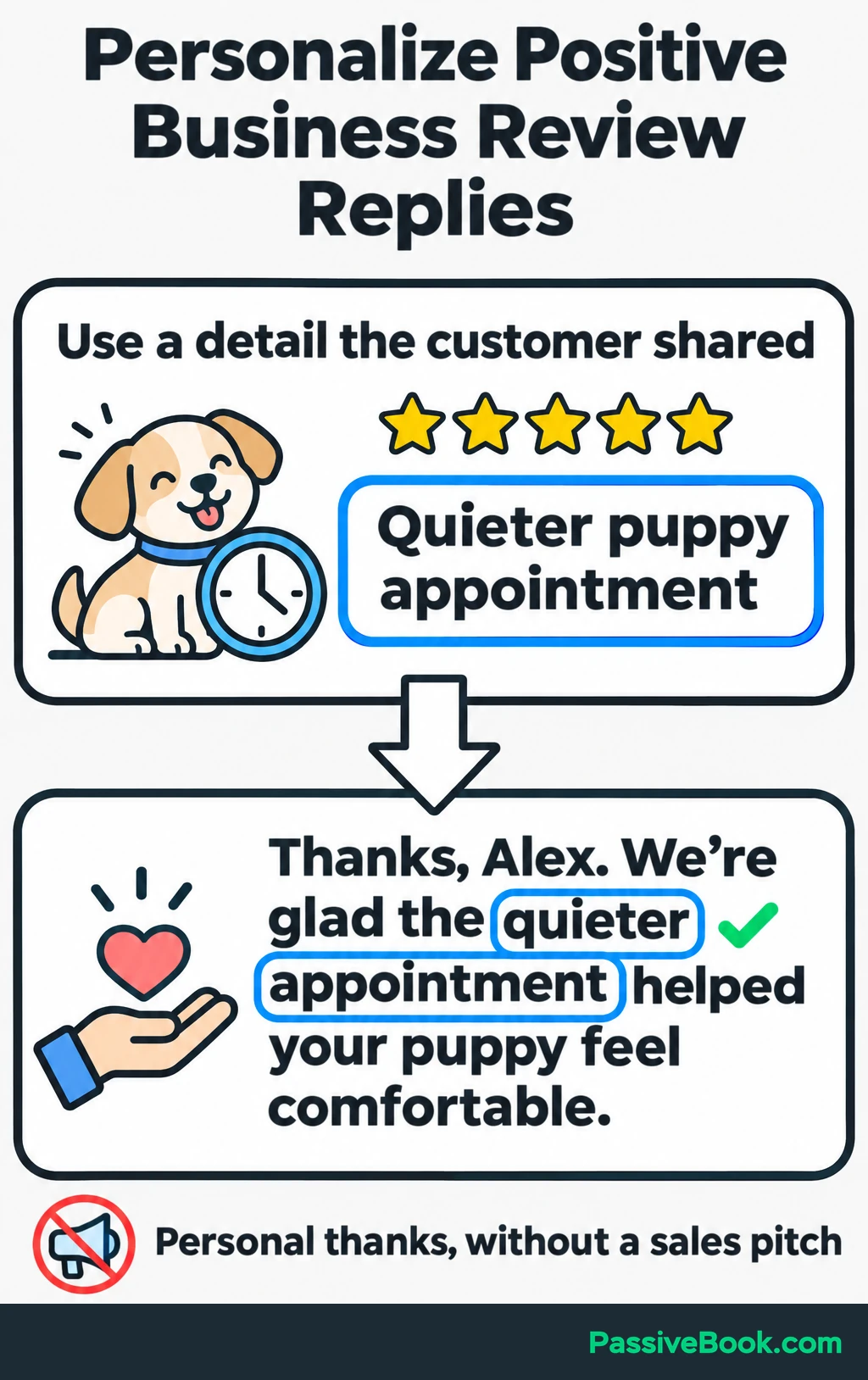
If a customer praises a quieter puppy appointment, Maple Street Grooming could reply:
Thanks, Alex. We’re glad the quieter appointment helped your puppy feel comfortable. We appreciate you sharing your experience.
That detail makes the response personal without adding much writing time.
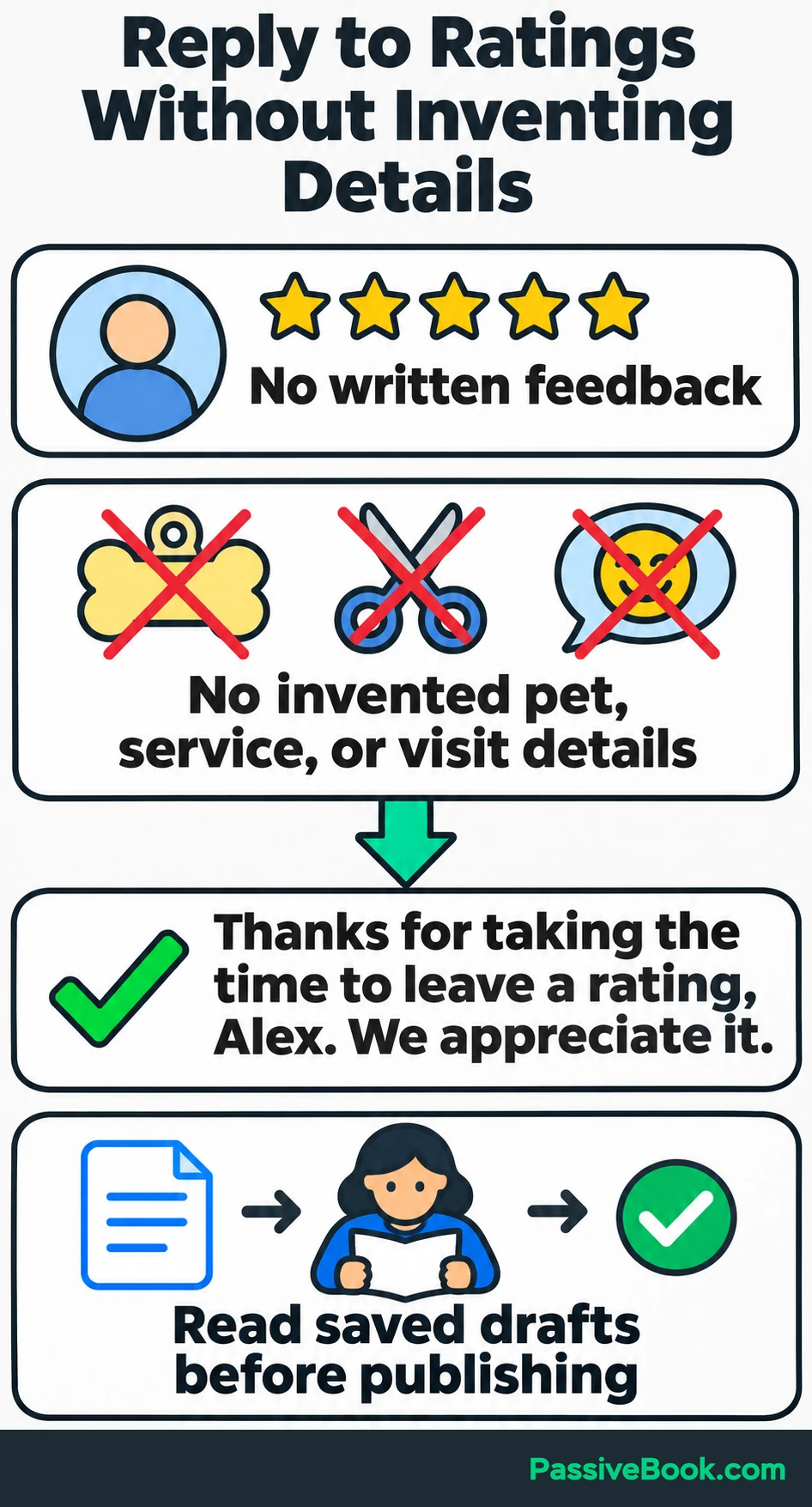
For a positive rating with no written feedback, keep it simple:
Thanks for taking the time to leave a rating, Alex. We appreciate it.
Do not invent a happy visit, name a pet, or mention a service the reviewer never discussed. Saved drafts help, but they still need a human read before publishing.
Address Negative and Mixed Reviews
A useful response acknowledges the concern, accepts responsibility for a confirmed mistake, and explains the next action. Give the customer one private contact route when you need more details.
Suppose Maple Street Grooming confirms that pickup ran late and nobody contacted the customer. A complete reply could be:
I’m sorry pickup ran later than promised and we didn’t update you. I’ll review how we send delay notices before the next appointment day. Please email [business email] so I can discuss your visit with you. —[Owner’s name]
Replace the placeholders with your email address and name.
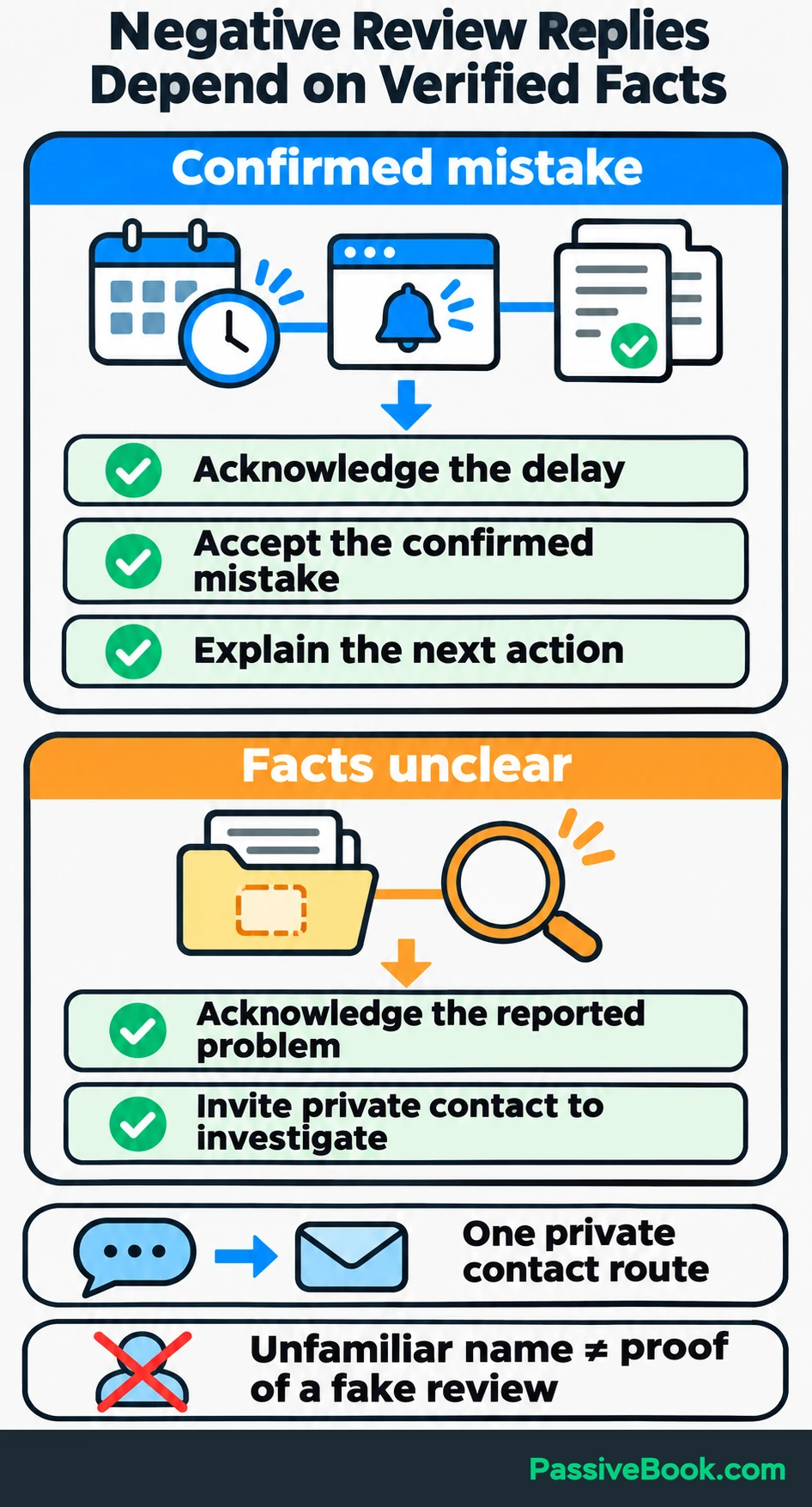
When the facts are unclear, acknowledge the reported problem without filling in the gaps:
I’m sorry to hear about the pickup confusion. I’d like to check what happened. Please email [business email] with your appointment date so I can review it with you. —[Owner’s name]
An unfamiliar reviewer name does not prove a review is fake. Someone else may have booked the appointment, or the customer may use a different name online.
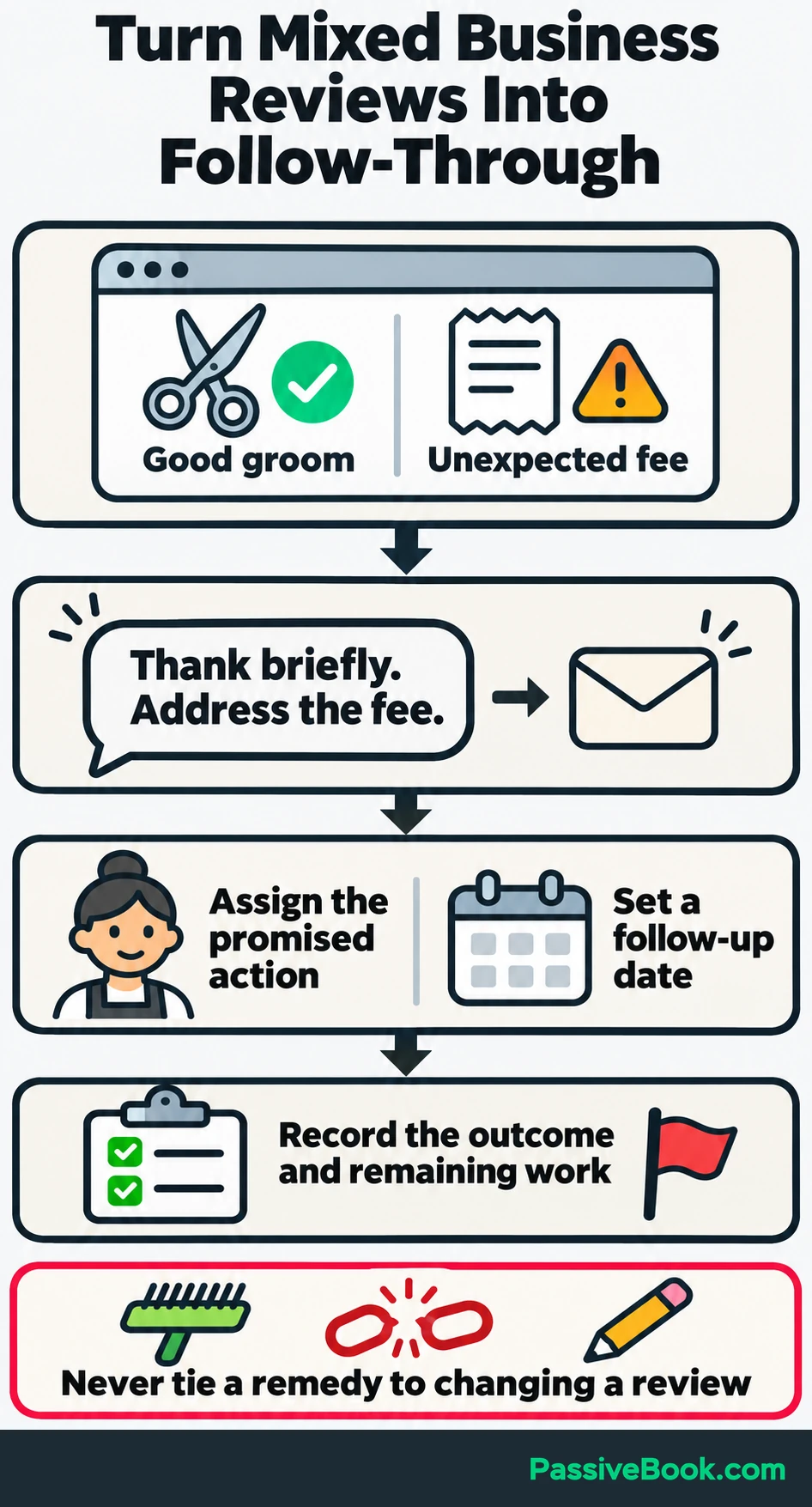
Mixed reviews deserve the same care. If someone praises the groom but complains about a surprise fee, thank them briefly and address the fee. Answering only the compliment makes the reply look evasive.
On Yelp, acknowledge the concern publicly and use a direct message for details. Avoid posting booking records or arguing through a long comment thread.
Once you publish:
- Assign the promised action to a person.
- Give it a follow-up date.
- Record what happened and whether anything remains unresolved.
Keep refunds and service corrections independent of any request to change or remove a review. If a public update would help, describe the relevant improvement without revealing private details: “We now contact customers when the expected pickup time changes.”
Escalate Serious Allegations
Claims involving injury, animal welfare, discrimination, threats, or legal disputes need the owner’s attention before anyone discusses details publicly.
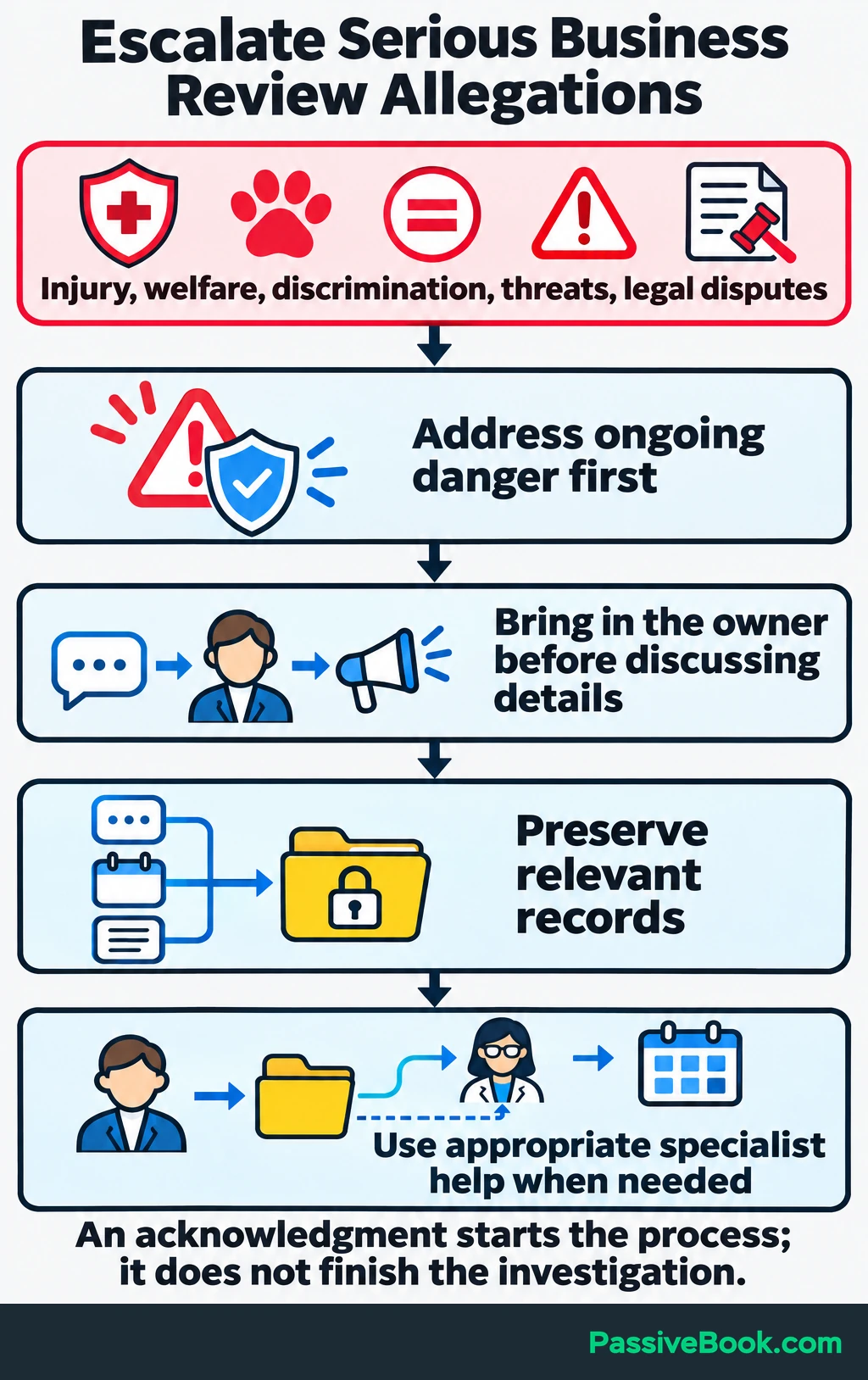
Address any ongoing danger first. Preserve relevant messages, appointment notes, and other records, and involve an appropriate specialist when needed.
A brief acknowledgment can give the customer a route to the responsible person:
We take this concern seriously. Please contact [responsible person] at [business contact] so we can review the details directly.
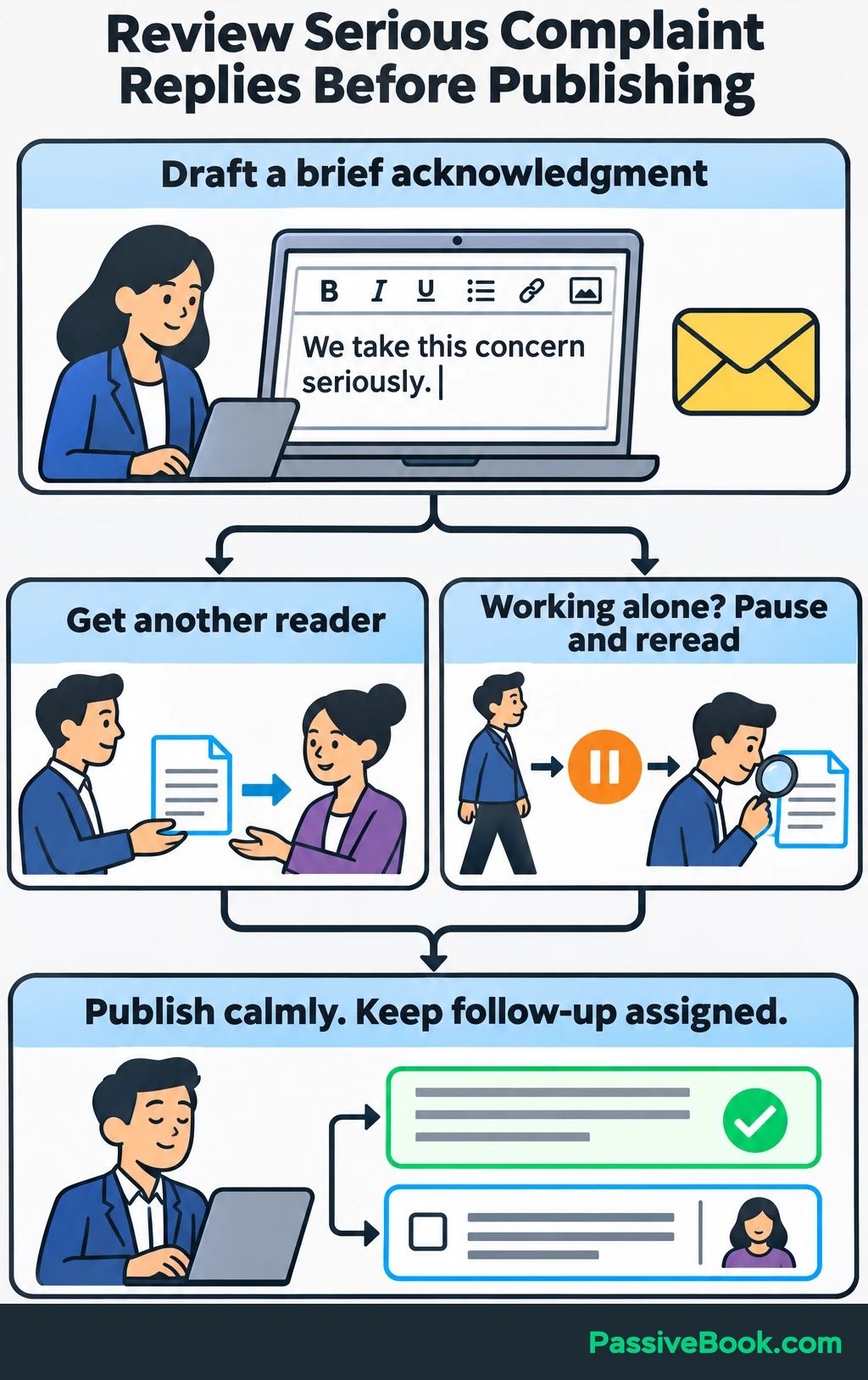
This is an opening response, so the investigation still needs an owner and a follow-up.
Have another person read an emotionally charged reply before it goes live. If you work alone, draft it, step away, and reread it. I would rather send a calm response after a short pause than spend the evening defending an angry one.
Report Reviews That Violate Platform Rules
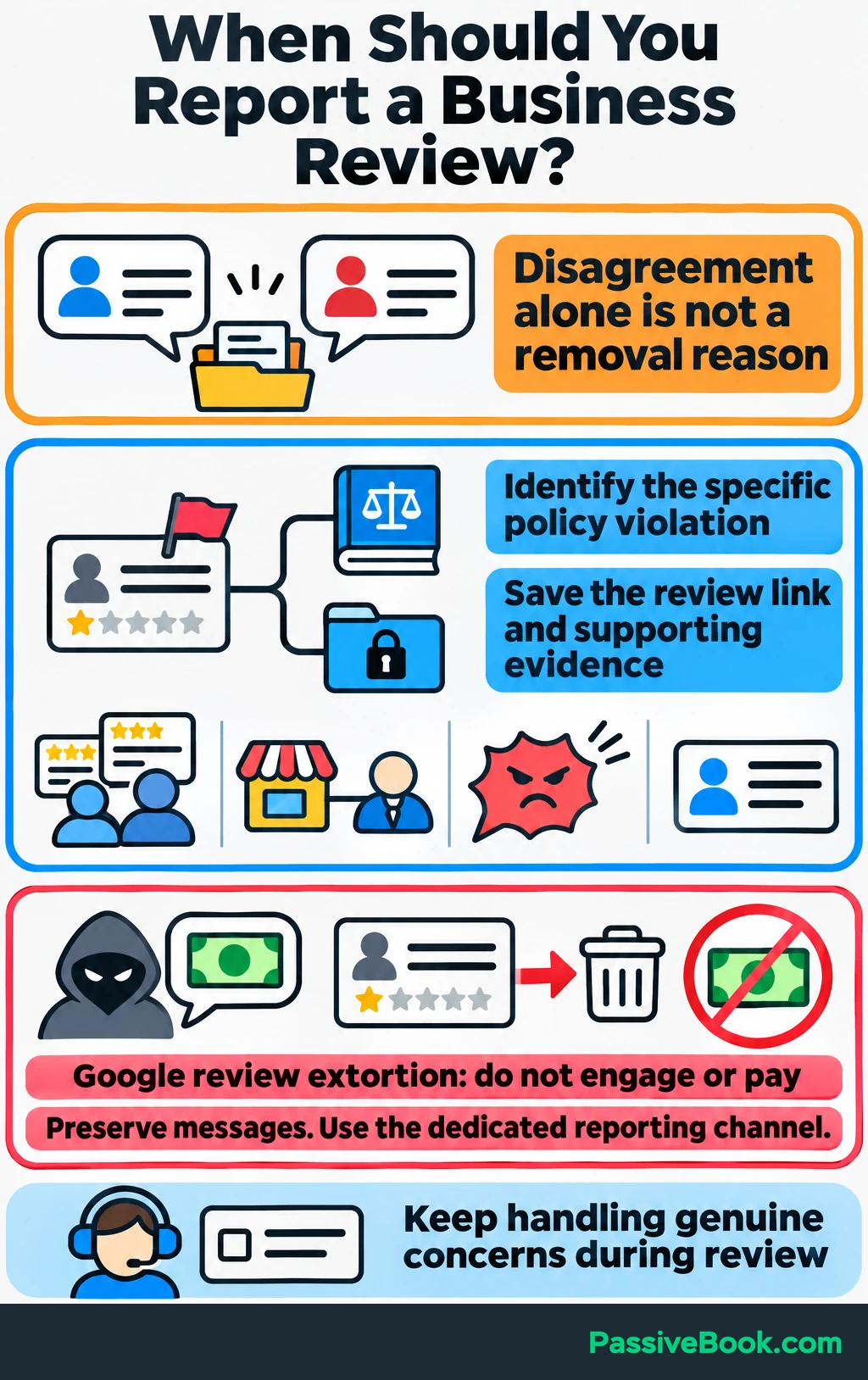
A review can be unfair in your view and still be allowed. Google removes reviews for policy violations, and disagreement with a customer’s account is not enough.
When you believe a review breaks a rule:
- Save the review link, screenshots, and dates.
- Identify the specific rule involved.
- Gather supporting records without publishing them.
- Report the violation and track the decision.
Possible grounds include fake engagement, a conflict of interest, harassment, or disclosure of private information. Explain what supports your report rather than simply calling the review fake.
For Google, use its Reviews Management Tool to check the outcome. If a rejected report has grounds for a challenge, Google provides a one-time appeal. Google’s reporting and appeal guidance.
Yelp also assesses reported reviews against its content rules and generally does not take sides in factual disputes. Report a clear violation, but keep handling any genuine customer concern while the report is reviewed. Yelp’s moderation guidance.
If someone demands money, goods, or services to remove Google reviews, preserve the communications and review links. Google advises businesses not to engage or pay and provides a dedicated reporting channel for these extortion attempts. Google’s extortion-reporting guidance.
I would skip any service promising guaranteed removal of ordinary criticism. You need a clear reason for reporting a review and a record of what happened.
Request Honest Reviews Within Each Platform’s Rules
Choose a consistent point after customers have experienced your service. Then apply the same invitation rule regardless of whether they seemed pleased.
For Maple Street Grooming, that could mean one Google review invitation the day after each completed appointment, with a set limit on repeat invitations to regular customers.
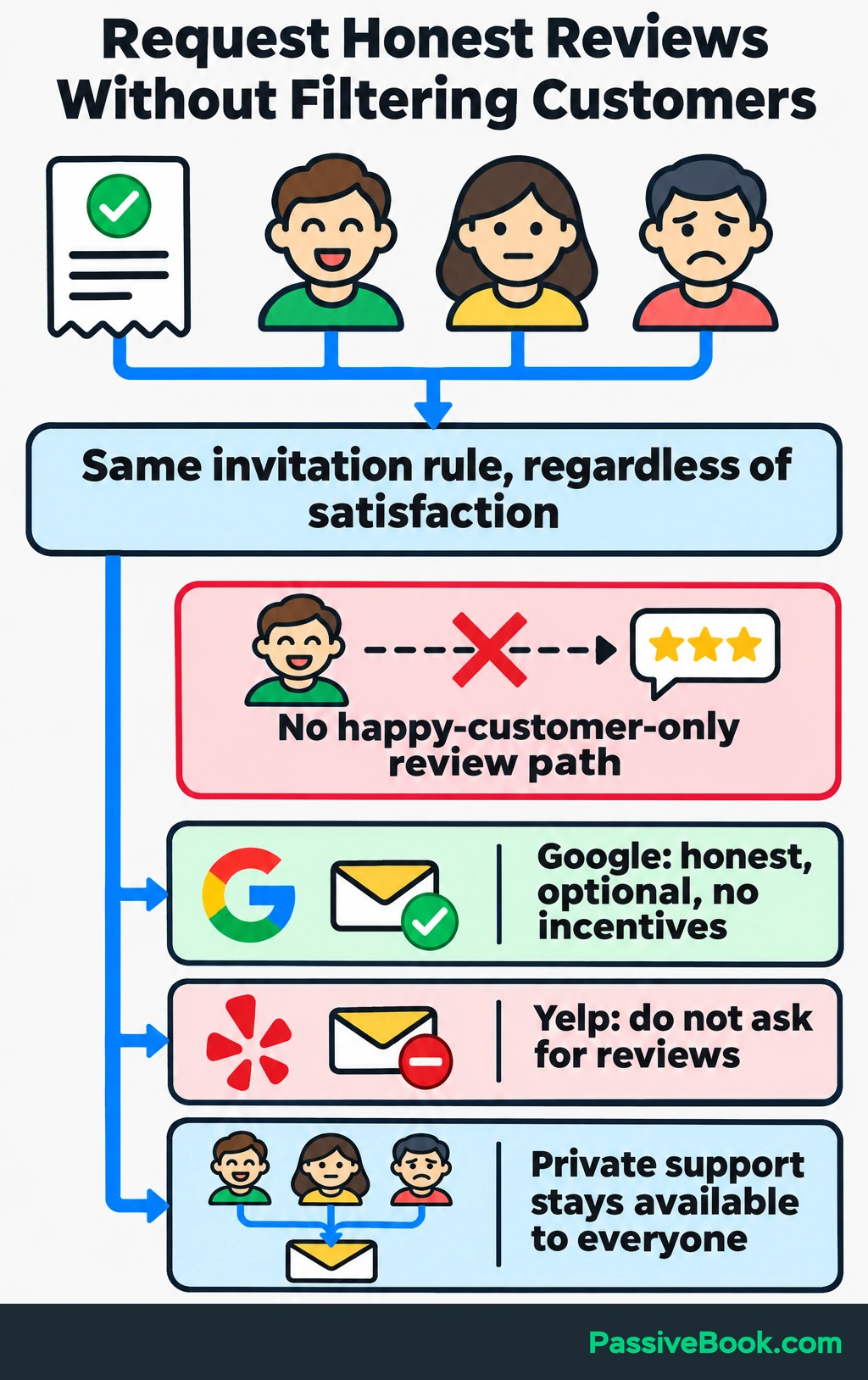
Keep private support available to everyone. Avoid a survey that sends happy customers to a public review page while directing unhappy customers only to support. That approach filters who gets invited to speak publicly.
For US operations, the FTC’s review rule addresses fake reviews and bans rewards offered on condition that a review is positive or negative. Review sites can set stricter rules, so follow the policy of the site you use. FTC guidance on consumer reviews.
Send Neutral Google Review Invitations
Ask for an honest account, keep the request optional, and make the link easy to use.
Here is a complete email you can adapt:
Subject: How was your visit to Maple Street Grooming?
Hi [first name],
Thanks for visiting Maple Street Grooming. If you’d like, please share an honest Google review of your experience:
[Google review link]
If you have a question or need help after your visit, you can reply to this email.
Thanks,
[Owner’s name]
Maple Street Grooming

For a text, shorten it:
Thanks for visiting Maple Street Grooming. Would you share an honest review of your experience? It’s optional: [Google review link]. For help with your visit, contact [business contact].
Google permits genuine review requests without incentives or attempts to influence the rating or wording. Do not offer discounts, request five stars, supply keywords to include, or pressure customers to post while on the premises. Google’s review-request policies.
A QR code can make the link convenient, but scanning it should remain the customer’s choice.
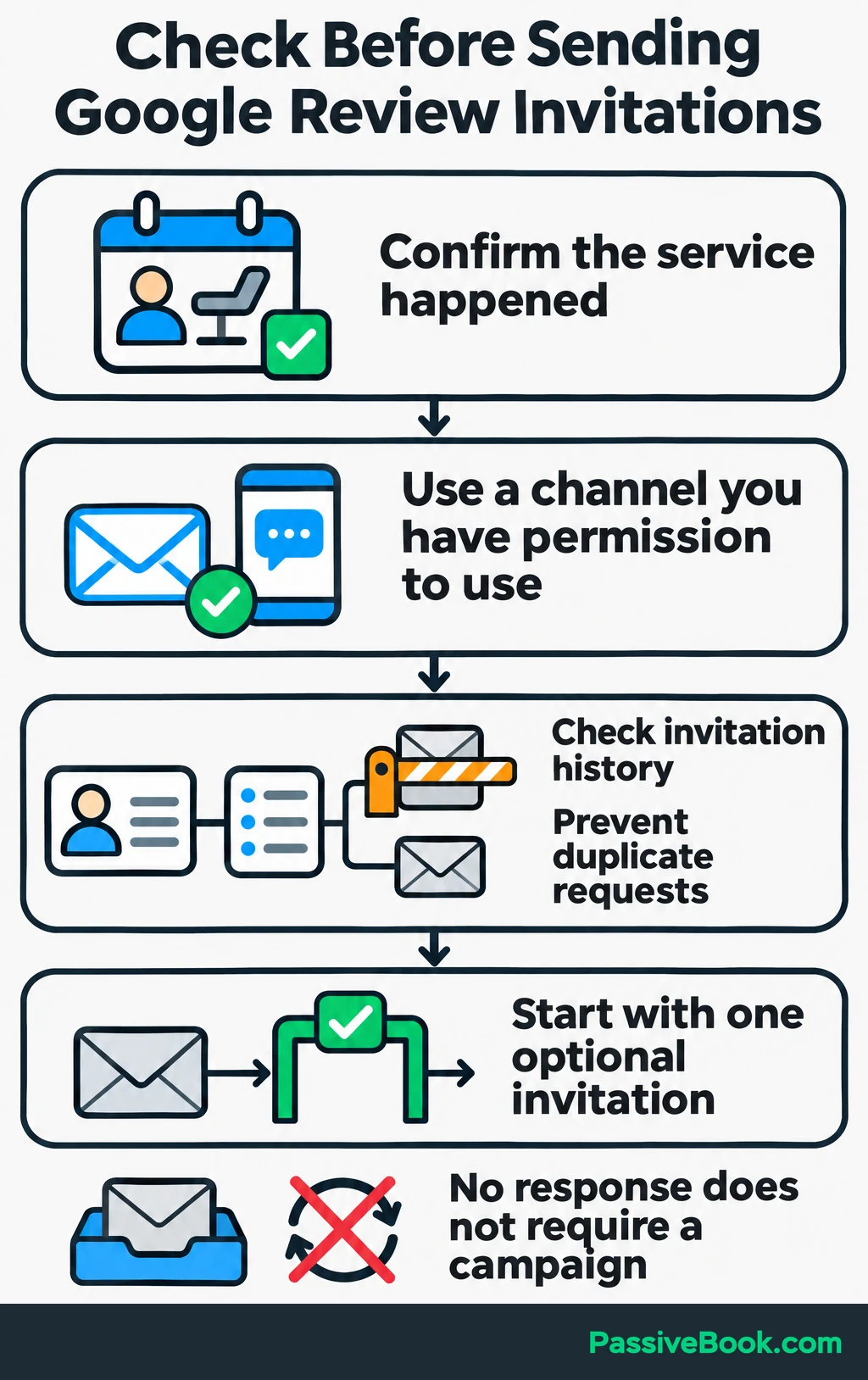
Build the invitation into the completed-appointment workflow. Check that the service actually happened, send through a channel you have permission to use, and prevent duplicate requests.
I would start with one invitation. An unanswered request does not need to become a campaign.
Keep Yelp Out of Review-Request Campaigns
Yelp says businesses should not ask for reviews. That includes requests to customers, mailing-list subscribers, friends, and family, as well as requests following surveys. Yelp’s “Don’t Ask for Reviews” guidance.
For Maple Street Grooming, that means:
- Email and text: Leave Yelp out of review-request messages.
- Checkout: Do not add a verbal Yelp review request.
- Staff goals: Avoid competitions or targets for collecting Yelp reviews.
- Automation: Configure each review destination separately.
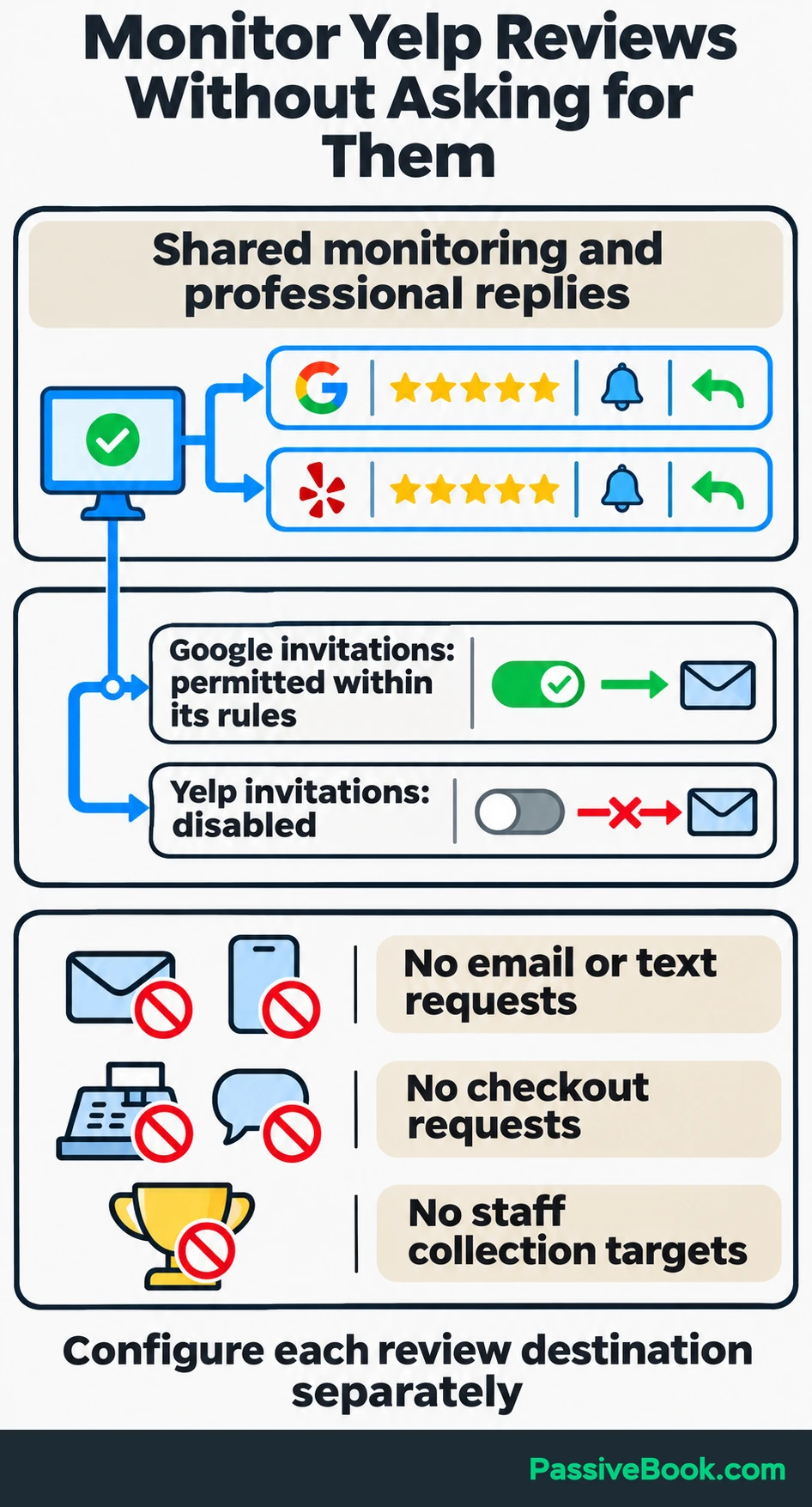
You can still keep the Yelp profile accurate, monitor incoming reviews, and respond professionally. The monitoring process can be shared with Google; the request settings need different rules.
Check this before switching on any tool that promises to “send customers to all your review sites.”
Turn Review Feedback Into Business Improvements
Replies handle the conversation. Improvements address what caused it.
During your weekly check, group feedback into a few useful themes. For Maple Street Grooming, those might be pickup timing, price clarity, communication, and puppy comfort.
Read the praise too. If customers repeatedly value quieter appointments, preserve that practice when adjusting the schedule.
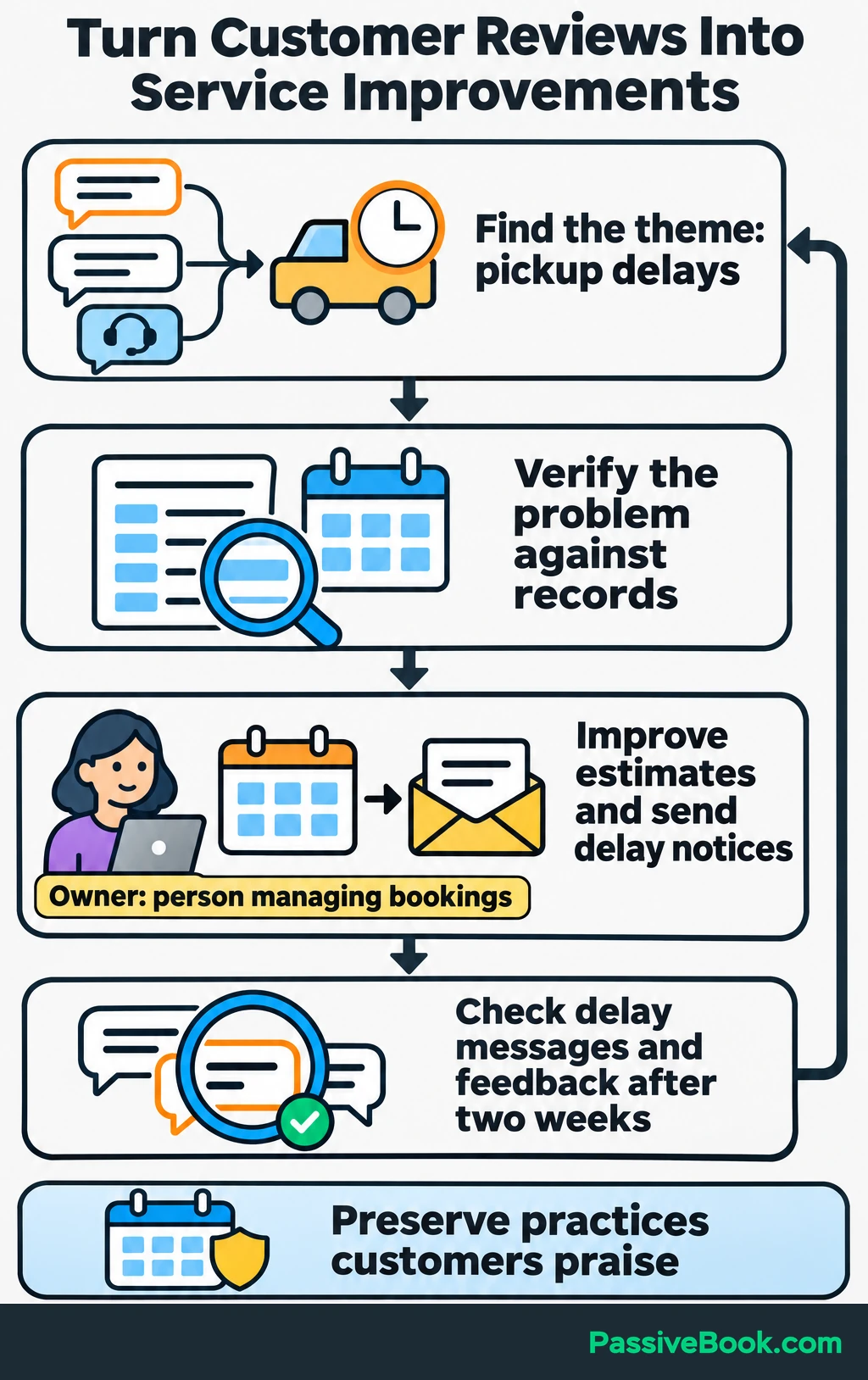
Compare complaints with appointment records and support messages. One review may reveal a serious problem, while several similar comments may point to a routine process that needs changing.
Prioritize by seriousness, recurrence, and what you can fix. A credible safety concern deserves immediate investigation even if nobody has raised it before.
Give each change a concrete action, an owner, and a date to check it:
| Feedback | Action | Owner | Check |
|---|---|---|---|
| Pickup estimates keep slipping | Give a realistic pickup window and contact customers when it changes | Person managing bookings | Review delay messages and later feedback after two weeks |
| Customers mention unexpected charges | Explain possible extra charges before service and confirm approval | Person checking customers in | Check appointment notes and new pricing questions weekly |
| Quieter puppy appointments receive praise | Keep those slots distinct when changing the schedule | Owner | Check that bookings still allow the quieter setup |
When one of my rushed digital courses attracted few sales and a bad review, I started drafting a reply that explained what I had intended to teach. But checking the course against the offer was more useful: an explanation would not improve what the buyer received. I took the course down.
I use that same check with service feedback. Before polishing the response, ask what needs changing in the thing the customer experienced.
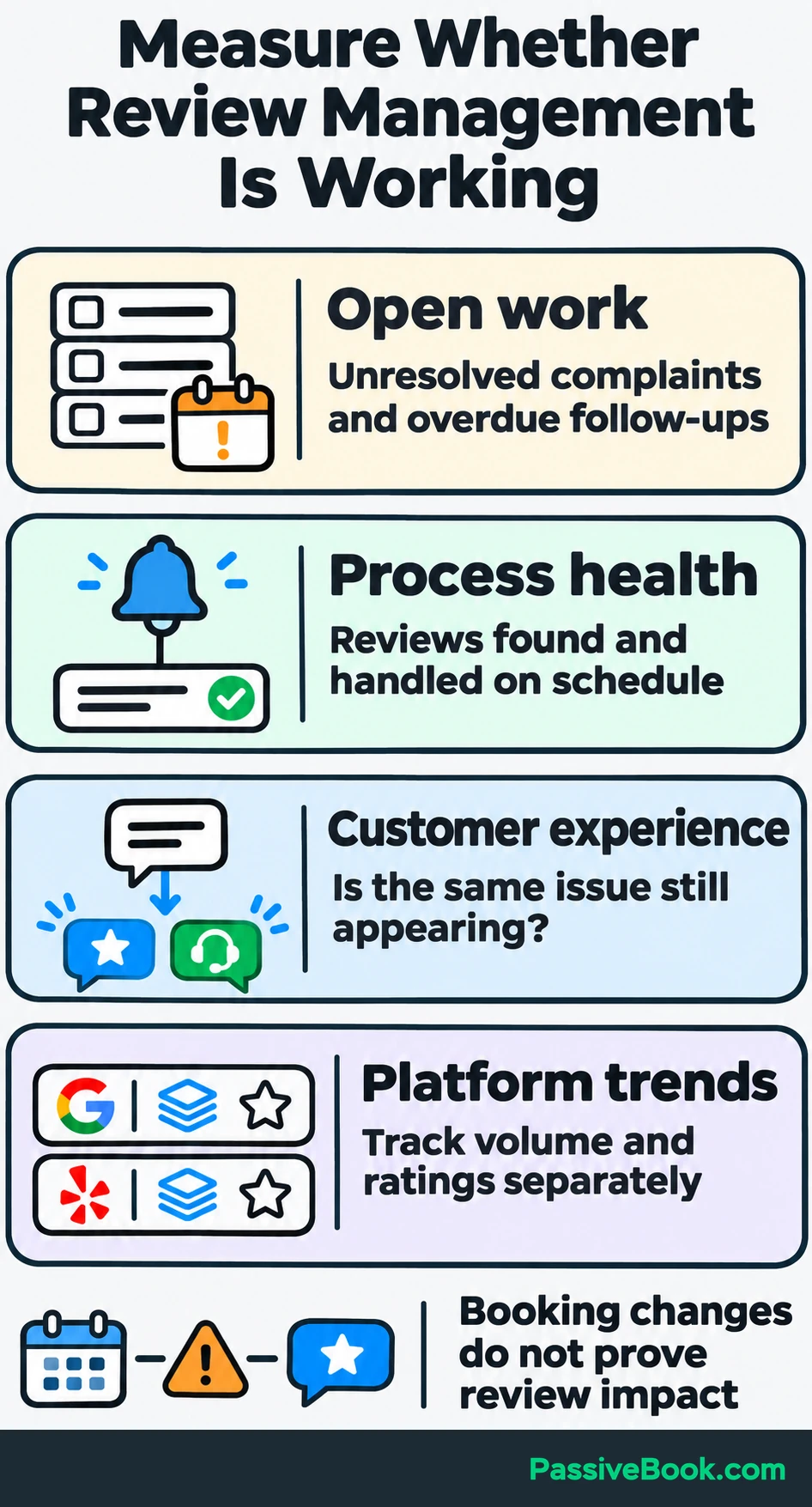
Keep measurement small:
- Open work: Which complaints still need action, and which follow-ups are overdue?
- Process health: Are new reviews being found and handled on schedule?
- Customer experience: Is the issue you changed appearing in later reviews or support messages?
- Platform trends: How are review volume and ratings changing on Google and Yelp separately?
If you also track bookings, compare them over time, but avoid crediting every increase to reviews. Prices, availability, and demand may have changed too.
The first useful result is a process you can trust and fewer unresolved problems.
Choose Tools That Reduce Routine Work
I would start by managing reviews directly through Google Business Profile and Yelp for Business, with one email inbox, saved response drafts, and a spreadsheet or Notion tracker.
Each part has a job. Notifications flag new feedback, drafts reduce writing time, and the tracker holds responsibility and follow-up dates.
Dedicated review software becomes worth testing when you repeatedly miss reviews, duplicate replies, or lose tasks between people or locations. Buy it to solve a problem you can name.
Use this checklist when comparing options:
| What to compare | What to test before paying |
|---|---|
| Supported platforms | Connect your actual Google and Yelp profiles rather than relying on a logo list |
| Monitoring and replies | Compare the queue with the original listings and, where supported, publish an approved reply to an actual review |
| Alerts | Confirm that a new review reaches the person responsible |
| Assignments and approval | Move a complaint from the first reader to the owner and confirm who can publish |
| Review requests | Confirm Google invitations can run while Yelp requests remain disabled |
| Data export | Export review links, task owners, statuses, and follow-up dates |
| Total recurring cost | Include extra locations, users, messaging charges, and required add-ons |
Keep access to the original platforms because some tasks may still require it. You should also retain account ownership and a portable record of unfinished work.
Once the manual process works reliably, automate routine jobs such as reminders, assignments, and permitted review invitations. Keep human approval for public replies, remedies, and serious complaints.
If you already use Make or n8n to connect apps and automate tasks, check whether they can handle those routine steps before adding another subscription. A custom automation is only cheaper if maintaining it does not eat the time it saves.
Claude or ChatGPT can help summarize anonymized feedback and draft replies. Give the tool verified facts and a narrow task:
Draft a brief public response to this review. Acknowledge the complaint and invite private contact. Use only the verified facts below. Do not invent a refund, explanation, or promised outcome. Keep private customer information out.
Review: [anonymized review]
Verified facts: [confirmed facts]
Action I will take: [specific action]
Business contact: [public contact]
Read every draft before publishing. AI can produce a confident explanation for something that never happened, and your business name will sit above it.
If you want help beyond the starter prompt, the AI Customer Support Studio lists facts to verify and drafts the message you need. It also handles private follow-ups when a public acknowledgment is only the first step.

Free AI Customer Support Studio




Keep paid tools when they reduce missed work or save enough handling time to justify the cost. A dashboard that needs constant supervision has misunderstood the assignment.
What Next?
Find your Google and Yelp profiles, enable notifications, and put every unresolved review into one tracker. Choose the next action and follow-up date for each one before setting up automation.
If this gives you a clearer way to handle feedback, use the social buttons to share the guide and help make calm, useful replies more common.
Which part of managing reviews takes the most effort for you: finding them, answering them, or completing the follow-up? Share your experience or any other questions in the comments.
Share this post with your friends & followers:

