You can spend a weekend making a free guide and still struggle to explain why anyone should download it. A polished cover won’t solve that problem, and adding another twenty pages gives you more work before you know whether the offer helps.
Choosing between a checklist, a template, and a short course can mean more guessing: will people use it, and will it attract anyone interested in what you sell?
That uncertainty can turn a quick freebie into weeks of production. The eight formats below show what each helps a subscriber do, followed by a planner example with signup copy, automatic delivery, and a way to measure new subscribers.
Choose a Problem Your Future Customers Need Solved
Start with what you sell and work backward. What does someone need to do before they can use your paid product or service?
A lead magnet is a resource offered in exchange for an email signup. A useful one helps a future customer finish that smaller task. It might help them compare options, answer a question, or prepare for the next step. It should still be useful if they never buy.
Requesting that resource and agreeing to ongoing marketing emails are separate choices. Keep that distinction clear when you build the form and measure results.
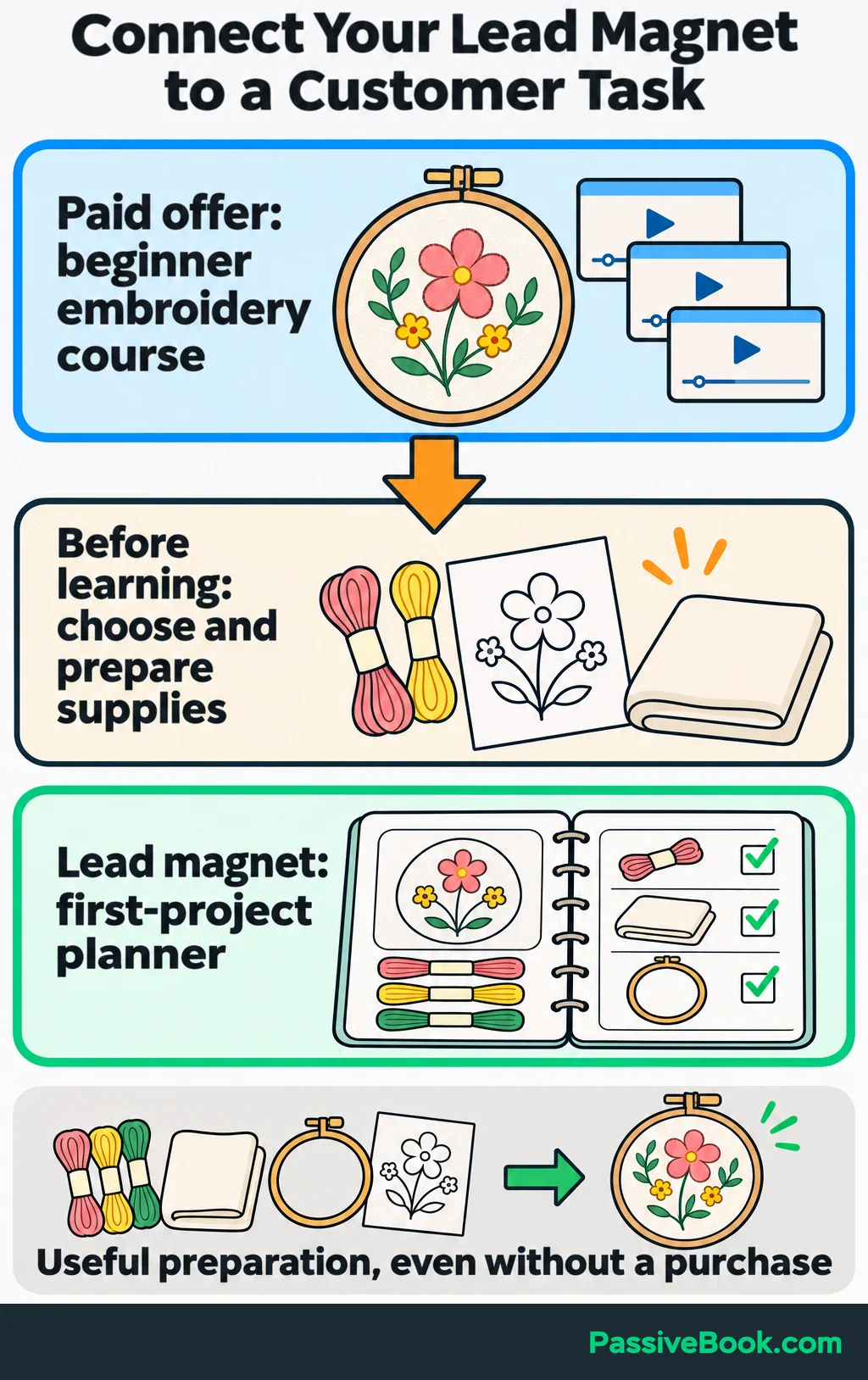
For the examples throughout this article, imagine you sell a beginner hand-embroidery course through a business called Thread & Petal. The introductory project is a small floral hoop. All offers, copy, and figures are illustrations.
The course teaches people how to stitch and finish projects. Before that, a beginner needs to choose a pattern, gather supplies, and prepare the fabric. Helping them prepare their first project creates a sensible connection to the course.
To find your own starting point, look for questions in:
- Customer conversations and support requests.
- Comments on relevant articles or posts.
- Replies to your emails.
- Questions people ask before buying.
Without that feedback, ask prospective customers: “What’s stopping you from starting?” Follow up until you understand the actual task. “I need help getting started” is too broad. “I don’t know which supplies I need” gives you something to build.
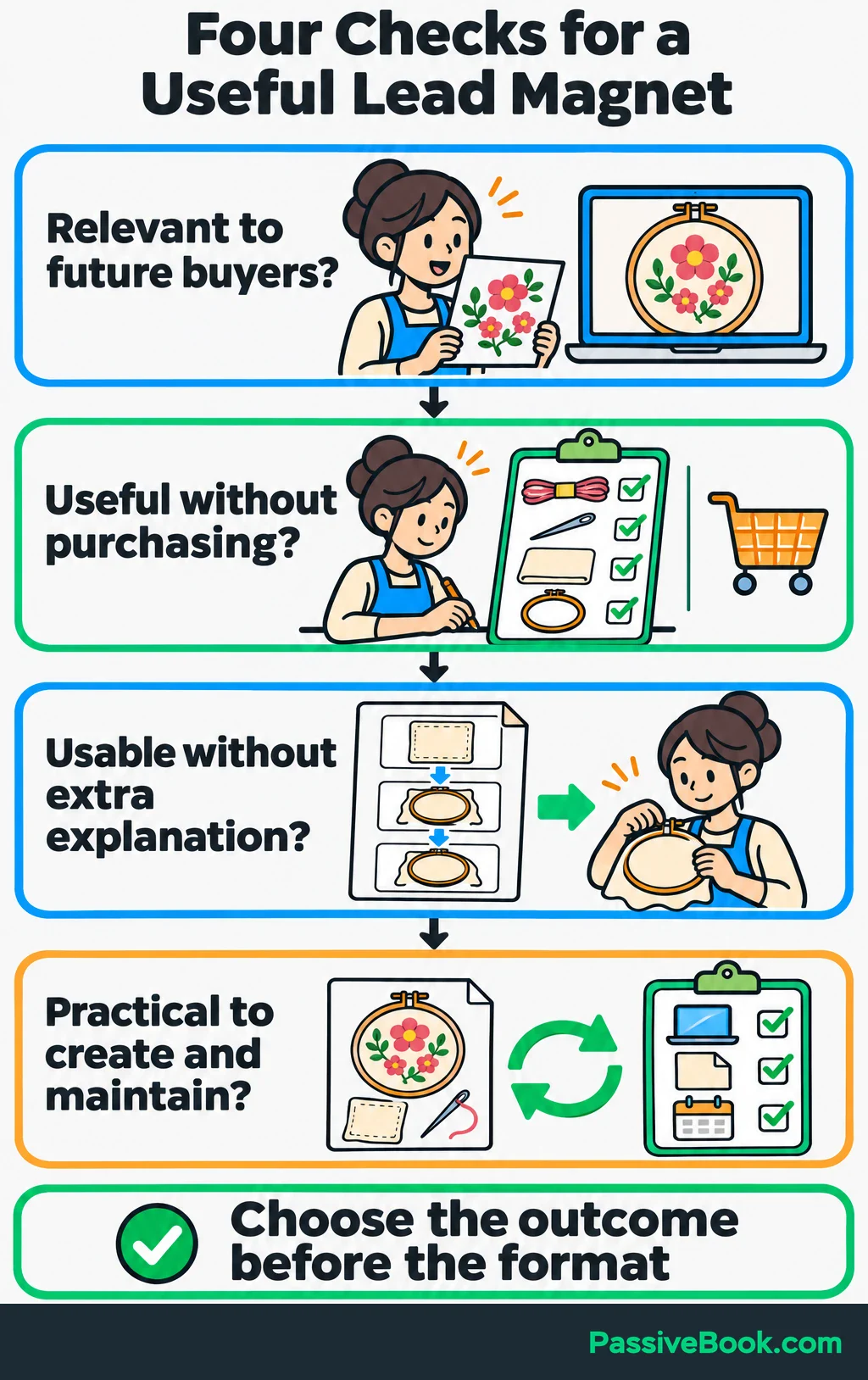
Compare your ideas using four questions:
- Would someone interested in my paid offer need this?
- Does it produce a useful result without a purchase?
- Can a newcomer use it without extra explanation?
- Can I create and maintain it with the time I have?
I would choose the clearest useful outcome over the most impressive format. You can pick the file type afterward.
Eight Lead Magnet Ideas Matched to Subscriber Needs
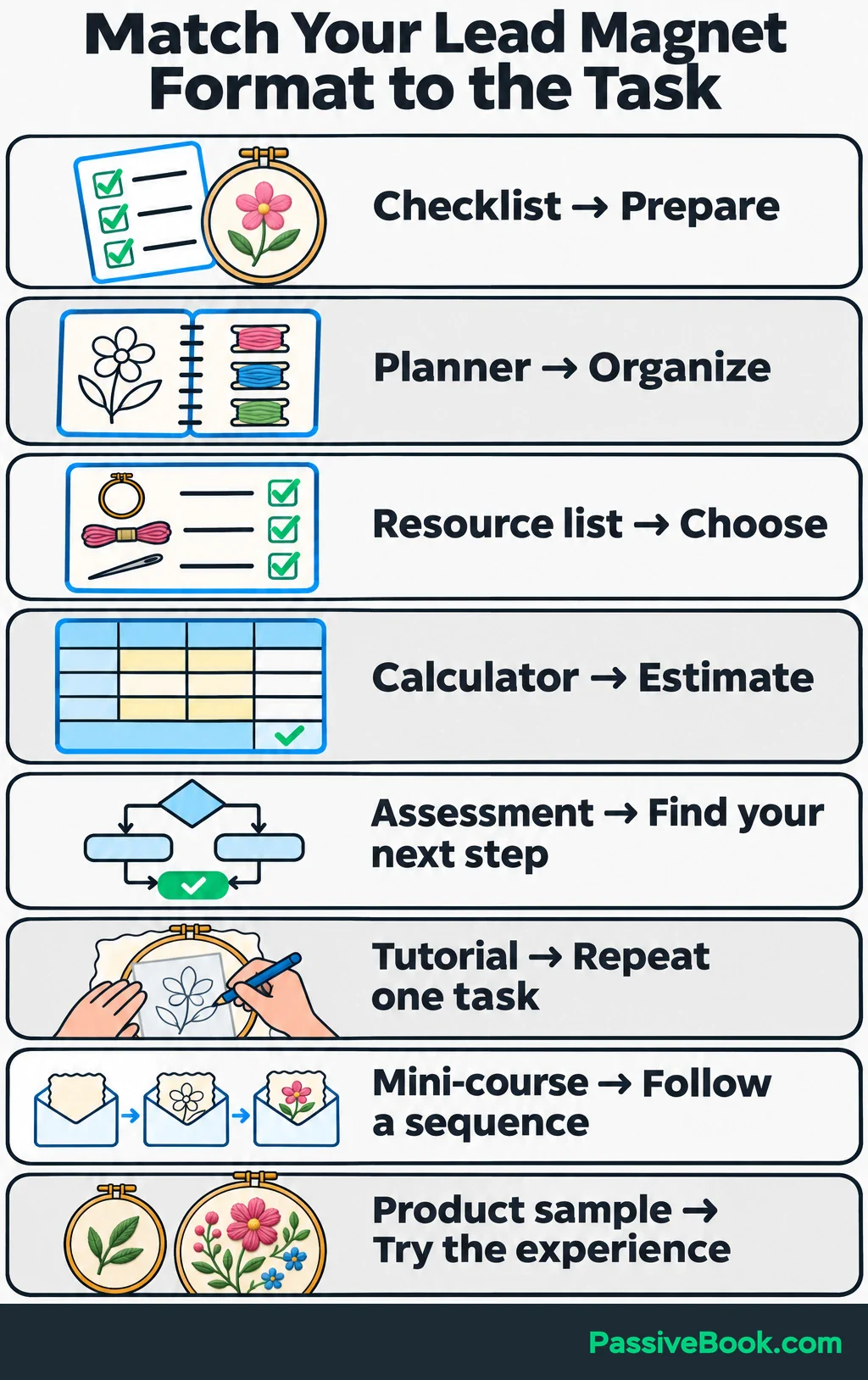
Choose the format that makes the task easiest to finish. Someone trying to price supplies needs a calculation. Someone trying to copy a technique may need pictures.
Here’s how the eight options compare for the embroidery business. Effort refers to the work needed for a useful first version.
| Format | Best-fit task | Subscriber effort | Creation effort | Connection to the paid offer |
|---|---|---|---|---|
| Checklist | Prepare the first hoop | Check items and complete missing steps | Write and test an ordered list | Gets the project ready for course lessons |
| Editable planner | Organize the first project | Fill in choices and supplies | Build a worksheet and completed example | Helps learners arrive with a workable plan |
| Curated resource list | Choose suitable supplies | Compare recommendations and shop | Check products and maintain links | Helps learners get materials used in the course |
| Calculator | Estimate supply costs | Enter quantities and prices | Build and test spreadsheet formulas | Helps learners plan their project spending |
| Self-assessment | Find the next unfinished step | Answer questions and follow a result | Write questions and check each recommendation | Points toward the relevant starting lesson |
| Short tutorial | Transfer the floral pattern | Watch or read, then repeat the task | Capture clear images or a recording | Demonstrates the teaching approach |
| Email mini-course | Prepare through several stages | Complete one action per lesson | Create lessons and delivery automation | Introduces the sequence used in the course |
| Product sample | Stitch a small leaf motif | Gather materials and complete the sample | Package a standalone course excerpt | Shows what learning from the full product feels like |
These formats can overlap. A planner might include a budget calculator, and a sample lesson might contain a tutorial.
That doesn’t mean you need to combine them. Start with one offer and add something only when the task requires it.
1. A Checklist for Completing One Task
Use a checklist when someone knows the goal but needs help remembering what to do.
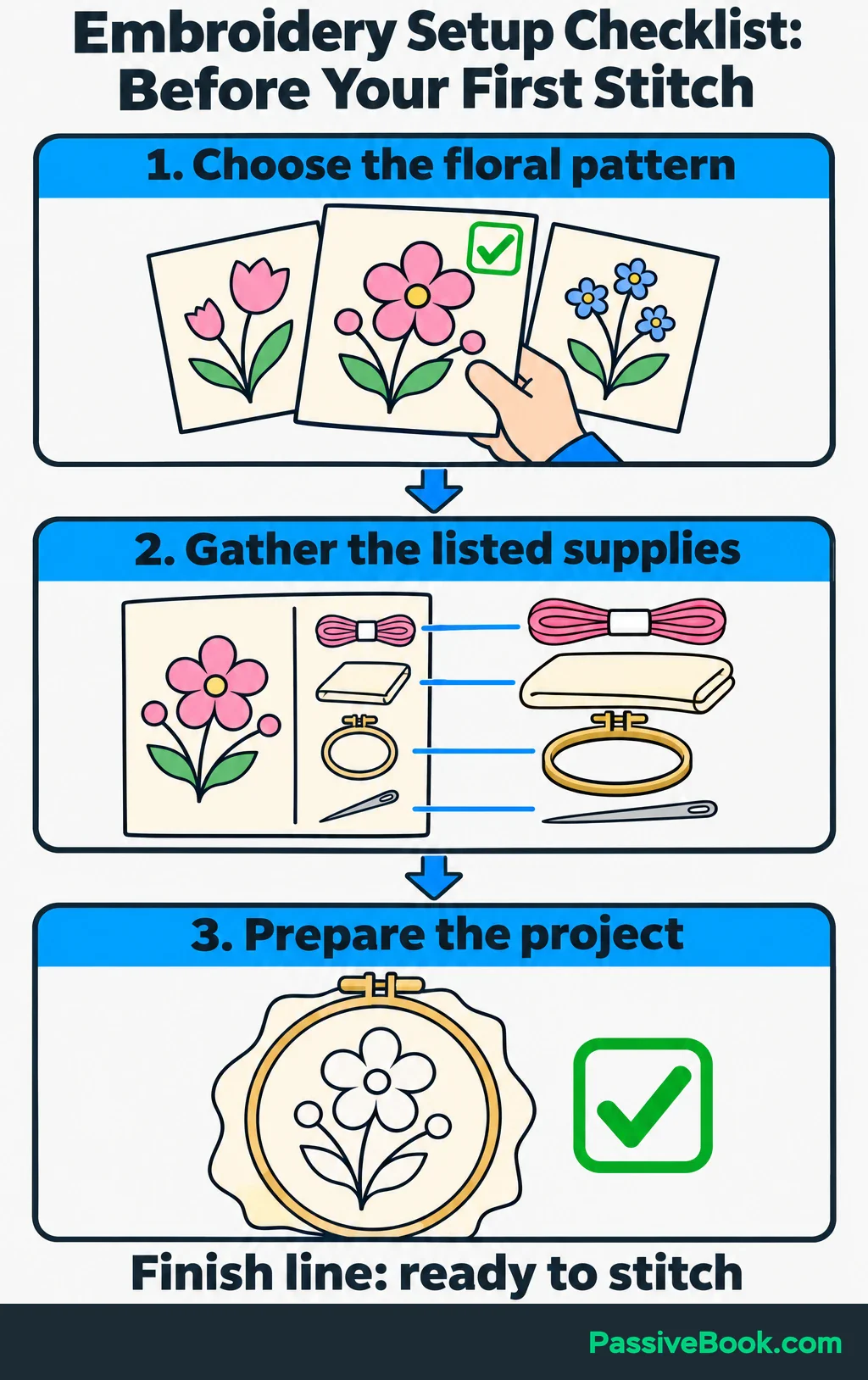
Put actions in the order they happen and make completion visible. “Prepare your materials” is vague. “Gather every item listed beside your chosen pattern” gives the reader a check they can perform.
For the course, the offer could be:
Before Your First Stitch: An Embroidery Setup Checklist
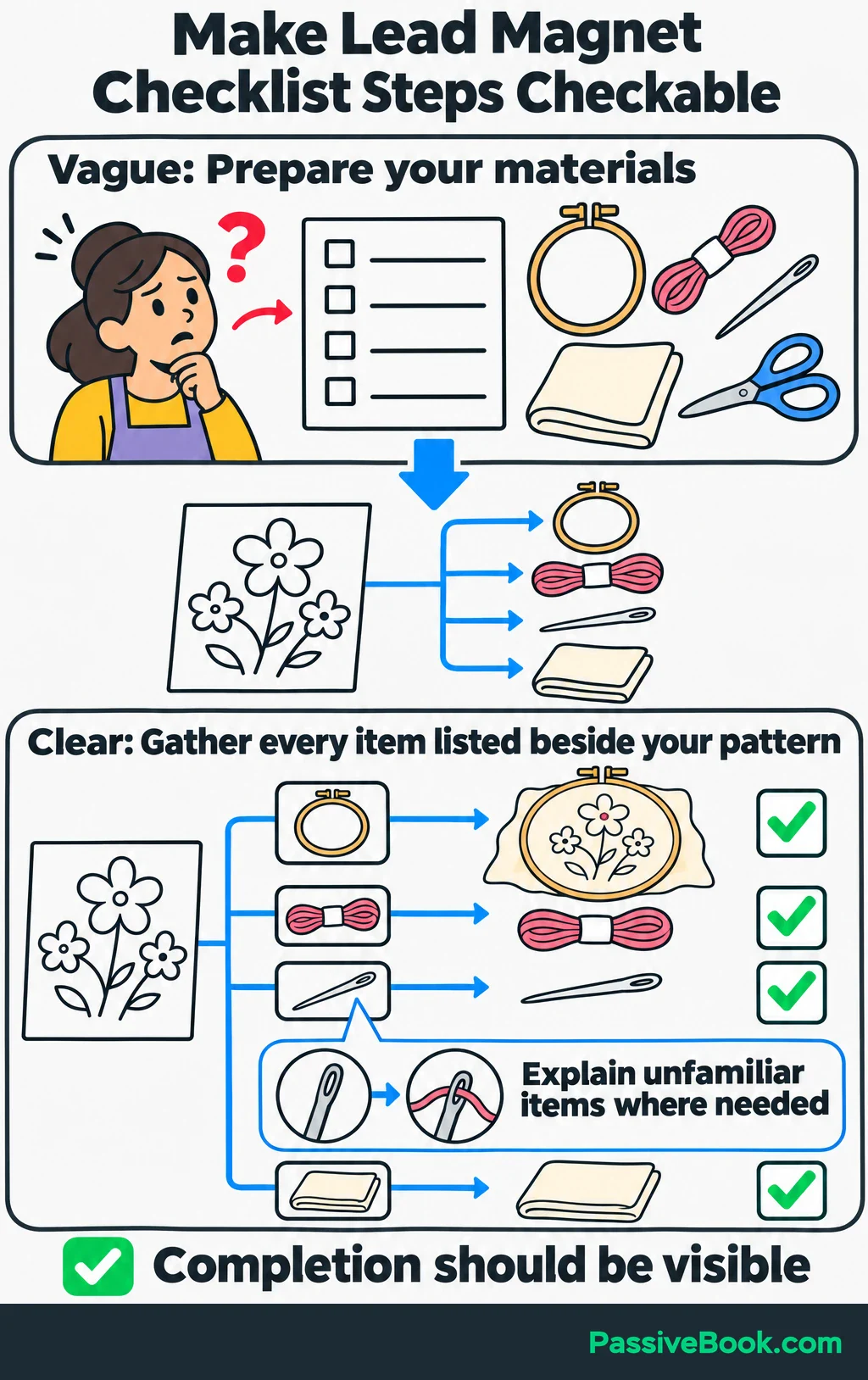
It would cover choosing the floral pattern, checking supplies, and preparing the project. Explain unfamiliar items beside the step that needs them.
Keep a firm finish line: the hoop is ready to stitch. Don’t turn a preparation checklist into an entire embroidery handbook.
2. An Editable Planner or Template
Choose a template when the reader would otherwise face a blank page.
Give them useful fields, a short instruction for each, and a completed example. Offer a printable version if writing by hand suits the task, or an editable file if they need to change it later.
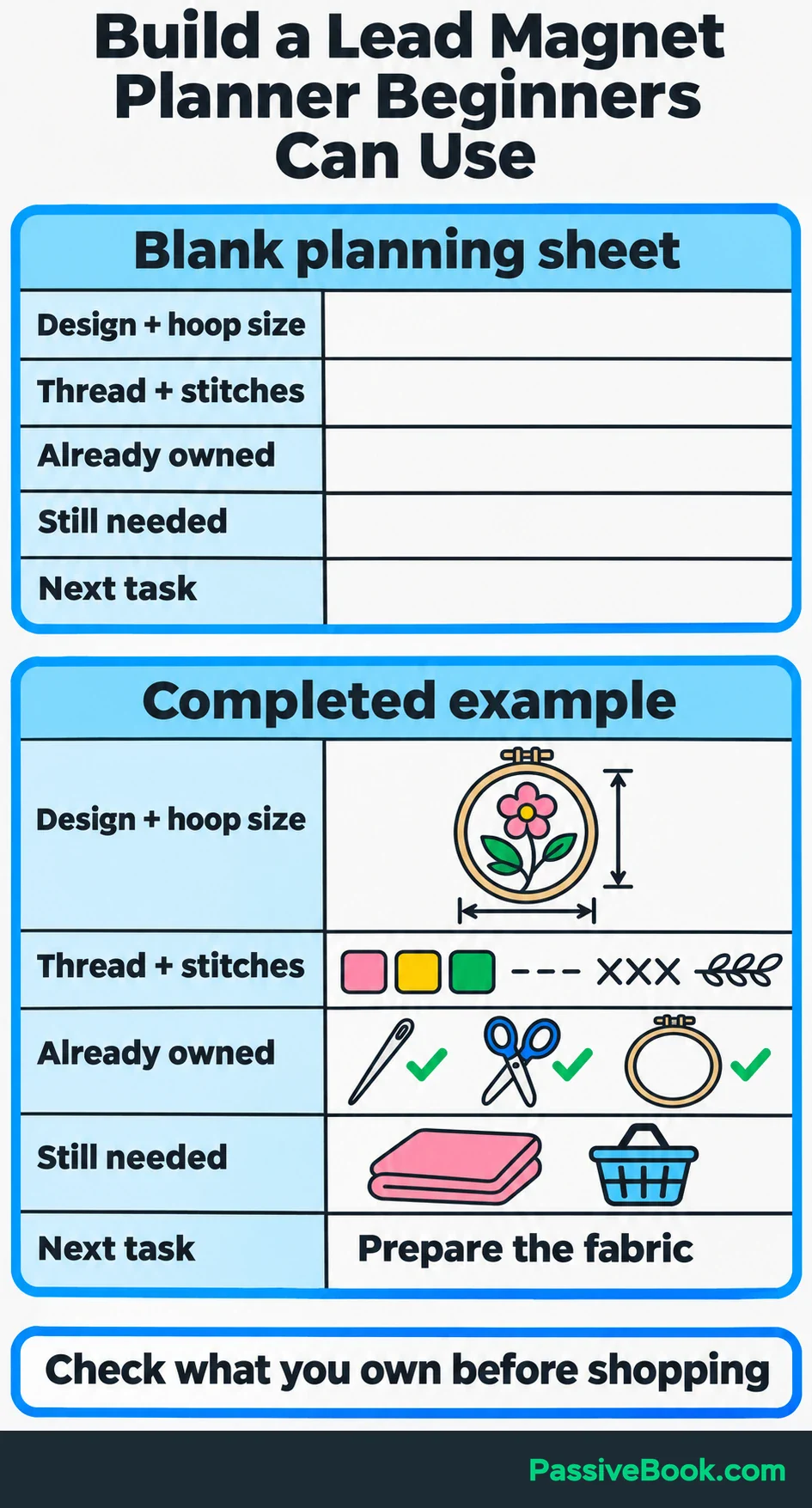
The first-project planner could include:
- Chosen design and intended hoop size.
- Thread colors and stitches used.
- Supplies already owned.
- Supplies still needed.
- The next preparation task.
A short instruction might read:
Check what you already own before filling in the shopping list.
For this example, I would start with the planner. It helps a beginner make concrete choices, and you can build it without recording lessons or maintaining product recommendations.
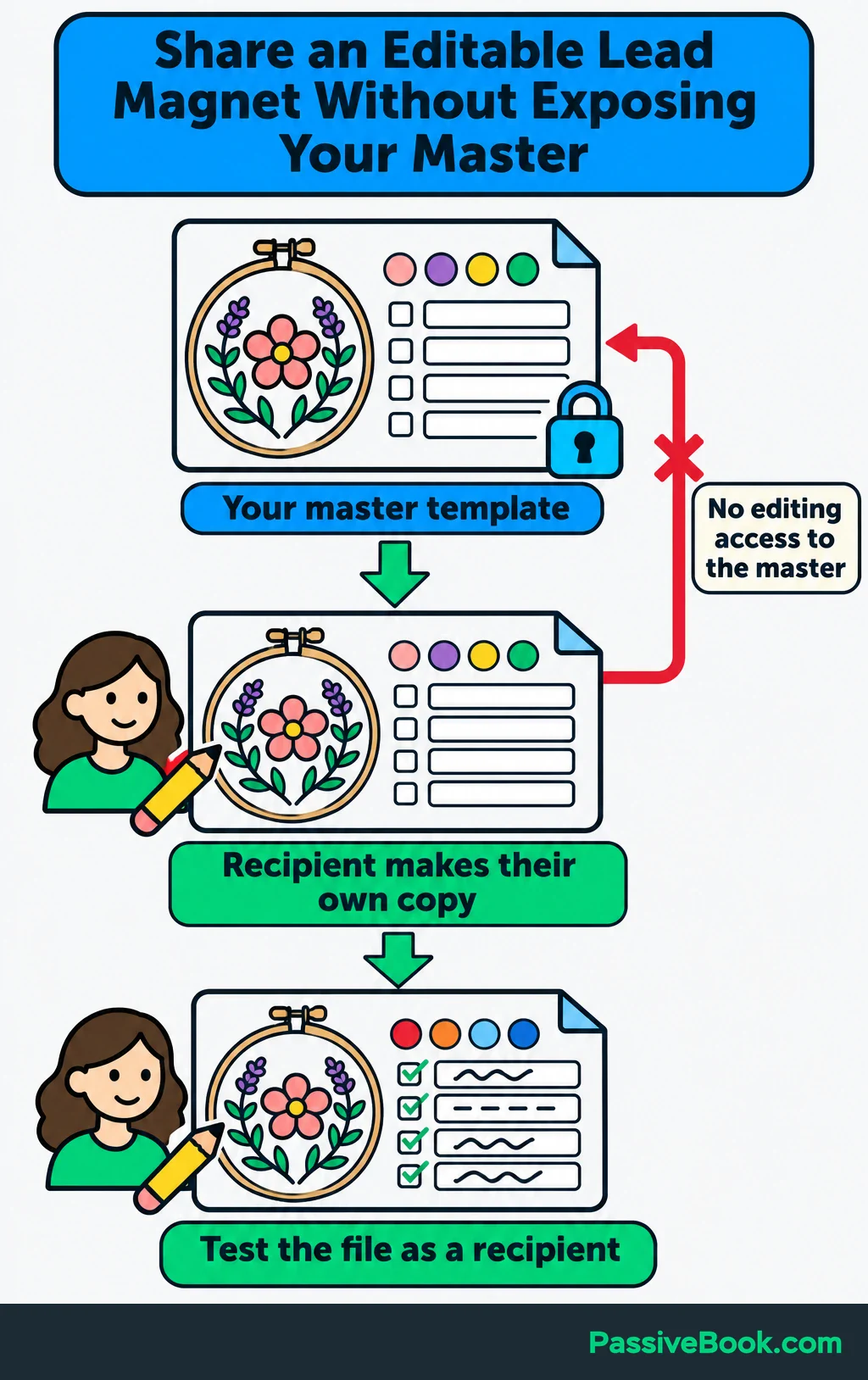
Test the file as a recipient. They should be able to make their own copy without gaining editing access to your master.
3. A Curated Resource List for Making a Decision
A useful resource list explains what to choose and why. A page of links leaves the decision with the reader.
Start with selection criteria, then recommend only what meets them. Separate essentials from optional extras so beginners can act without buying everything.
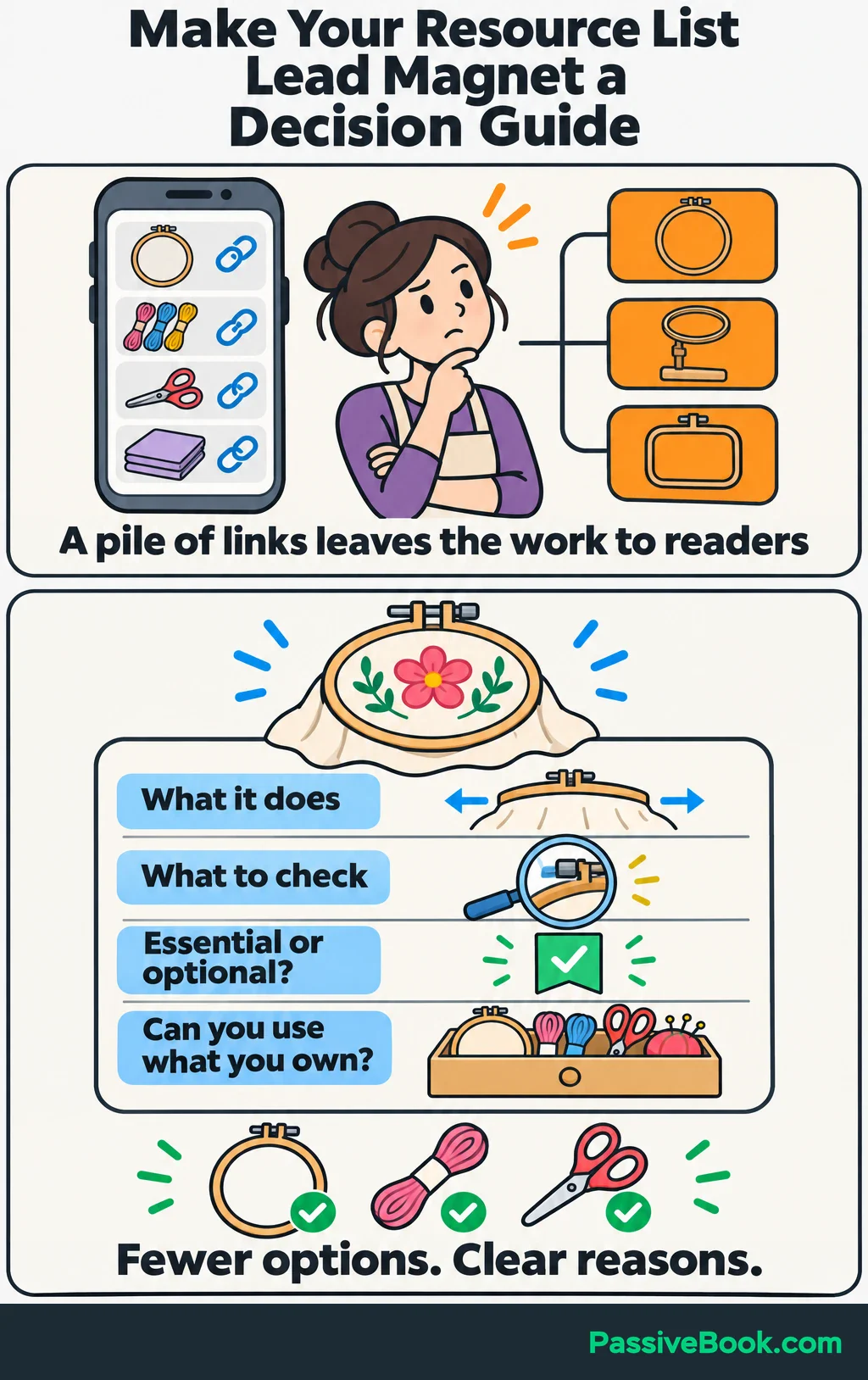
For a first-hoop shopping guide, each entry could explain:
- What the item does.
- What to check before buying.
- Whether it is essential for this project.
- Whether something the reader already owns will do.
Keep the selection small enough to make the decision easier. I would skip a giant “ultimate tools” list here. It creates more comparisons for someone who is already unsure.
Choose this format only if you’re willing to check recommendations and replace broken or unsuitable links.
4. A Calculator for Answering a Numerical Question
Use a calculator when a few inputs can produce an answer the reader needs.
Start with a spreadsheet if it handles the job. Label input cells clearly, show what the result includes, and protect formula cells from accidental edits where practical.
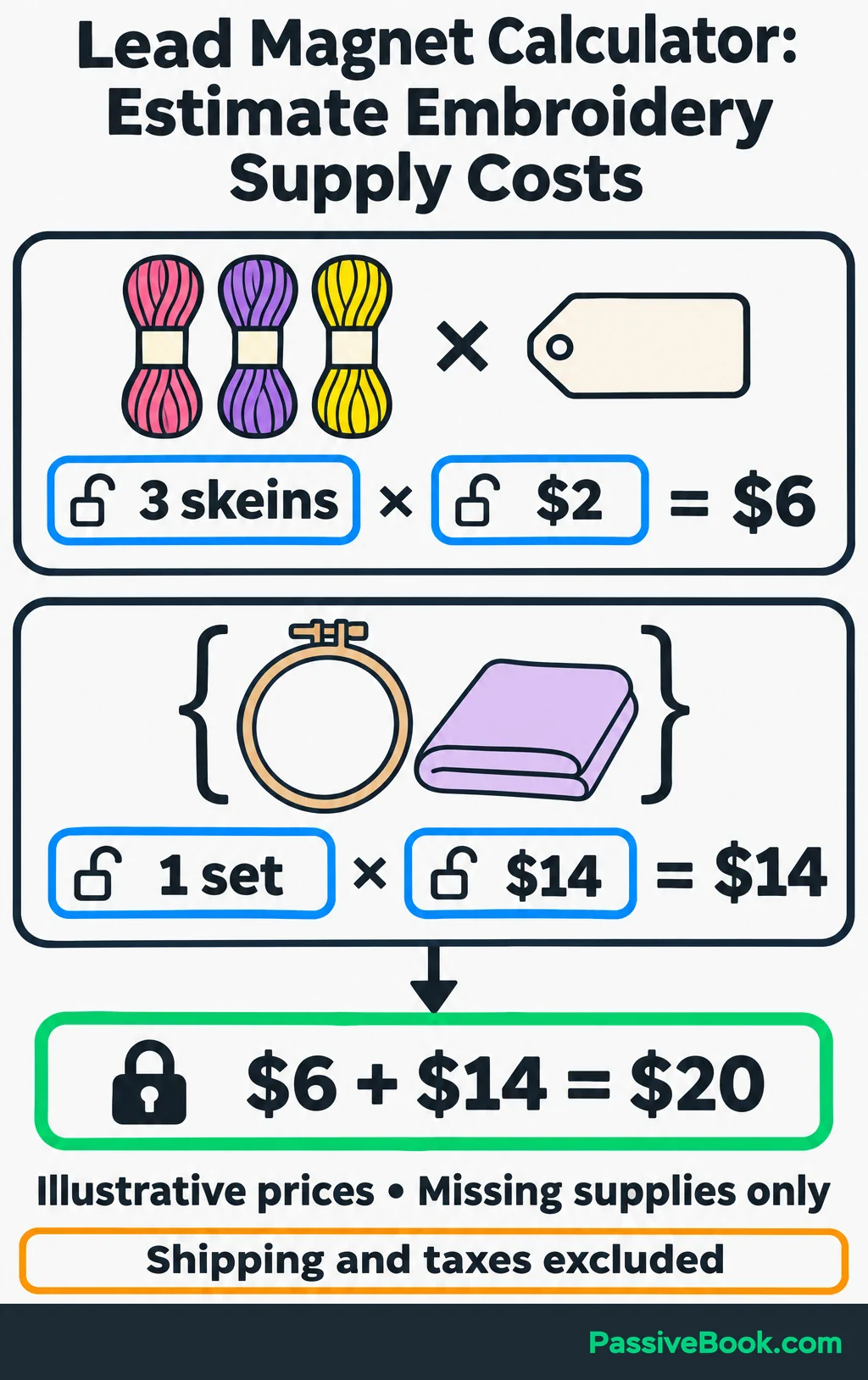
For the embroidery project, the calculator would add the cost of supplies still needed. Each line counts the quantity being purchased multiplied by its unit price.
Using assumed figures:
| Supply | Quantity | Unit price | Line total |
|---|---|---|---|
| Thread skeins | 3 | $2 | $6 |
| Hoop and fabric | 1 set | $14 | $14 |
| Total before shipping and taxes | — | — | $20 |
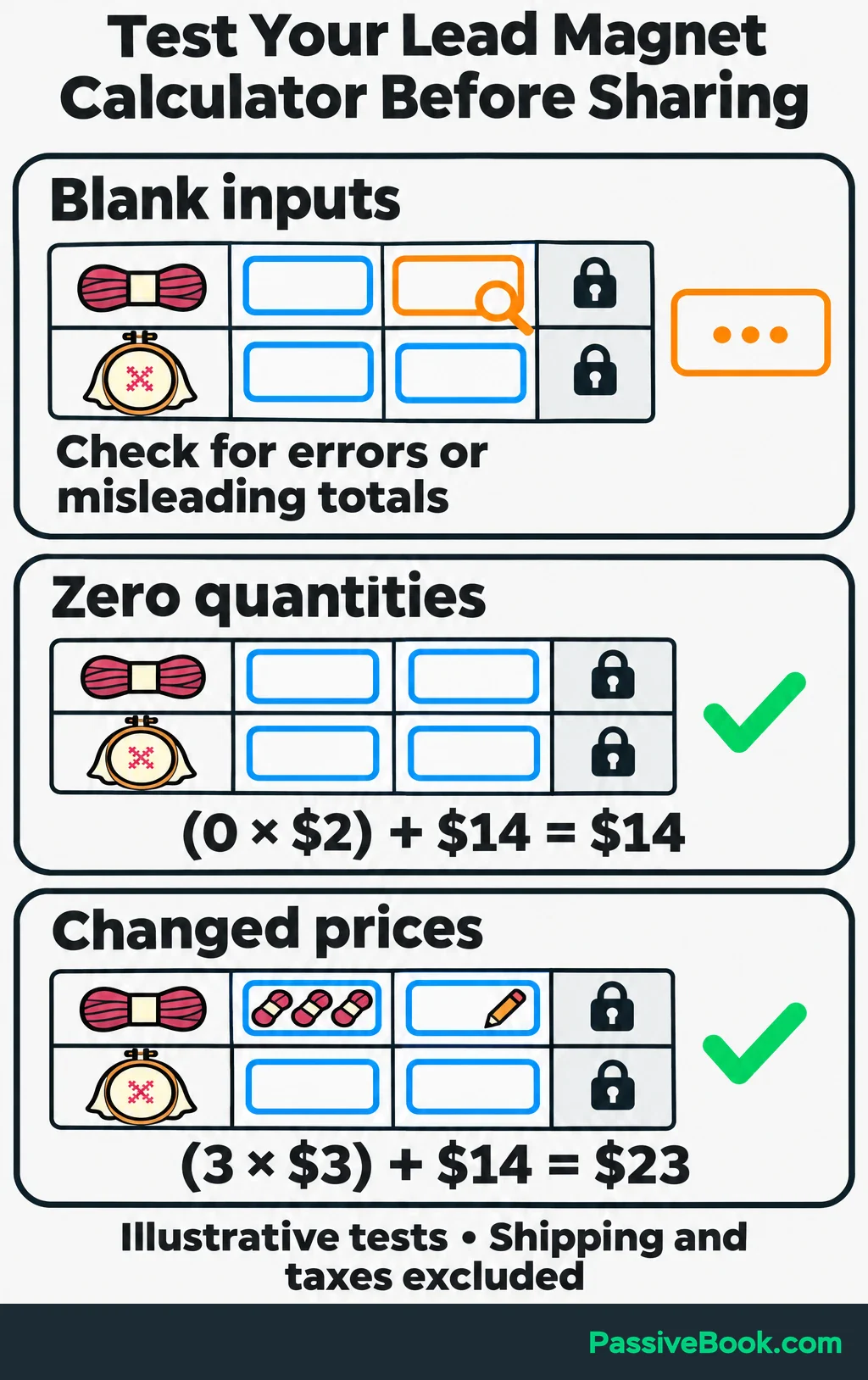
The calculation is (3 × $2) + $14 = $20. Shipping and taxes are excluded, so the reader adds their own.
Test blank inputs, zero quantities, and changed prices. The useful part is a dependable answer, not an impressive dashboard.
5. A Self-assessment for Choosing the Next Step
An assessment helps when people arrive at different starting points.
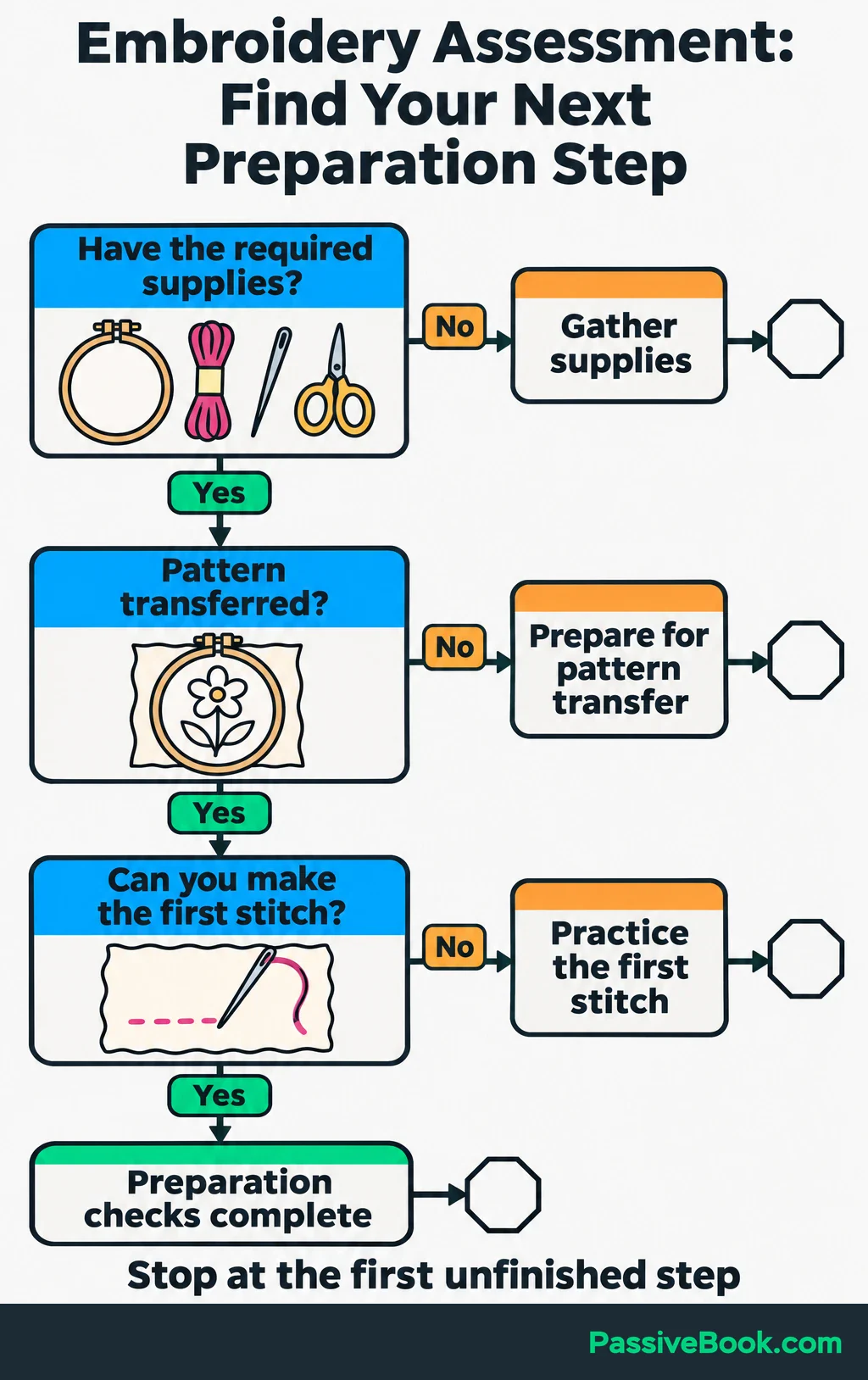
Ask only questions that change what they should do next. Then give each result a plain explanation and one action.
For the first floral hoop, the worksheet might ask whether the reader has the required supplies, has transferred the pattern, and can make the first stitch. The earliest unfinished task determines the recommendation.
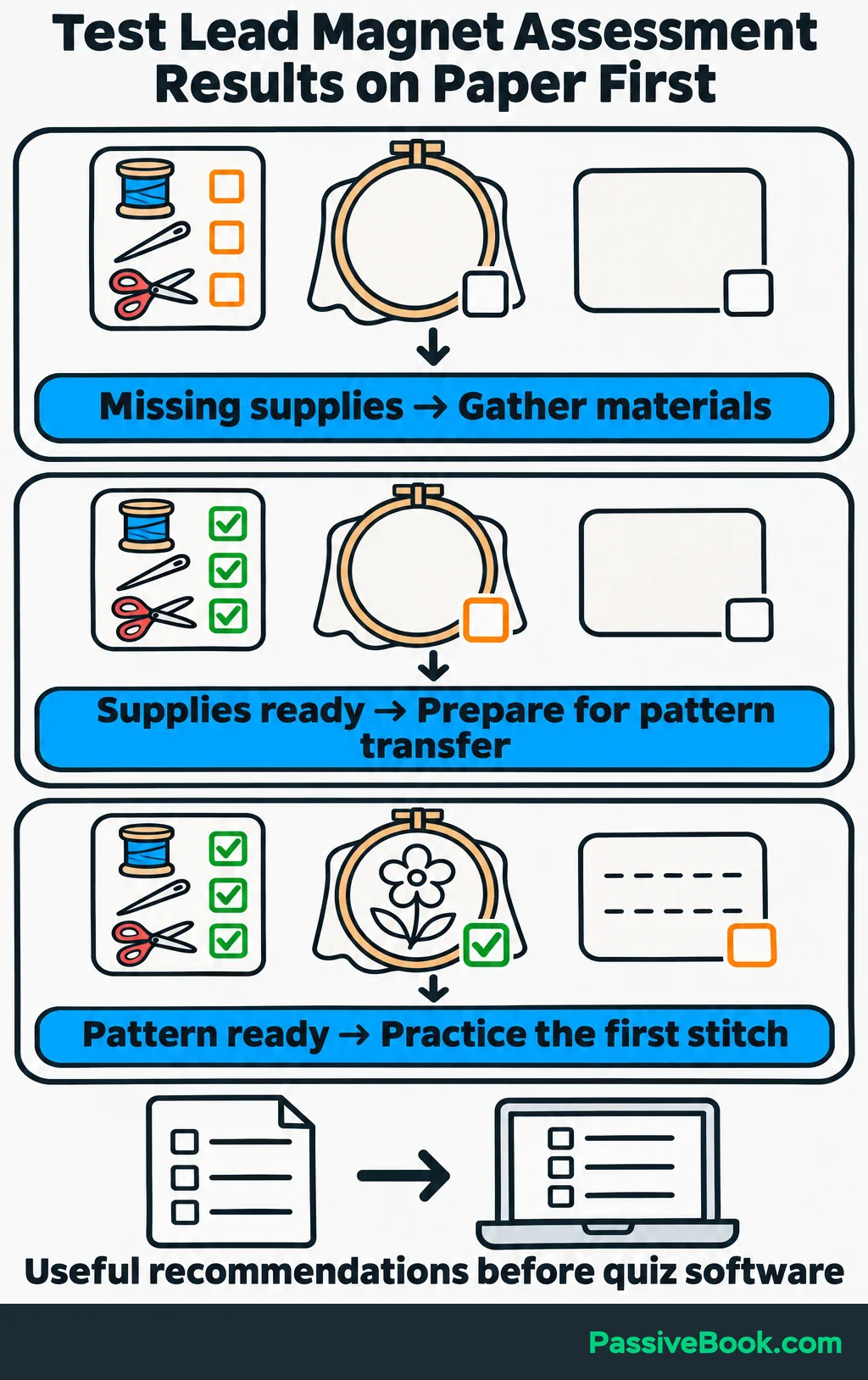
One result could say:
Your next step is pattern transfer. Gather the materials listed in the transfer guide before you begin.
I would test this as a worksheet before building an interactive quiz. If the questions don’t produce useful recommendations on paper, quiz software won’t improve them.
6. A Short Tutorial for Learning One Task
Choose a tutorial when seeing the process helps someone repeat it.
Show one task from start to finish. Include the materials, the important intermediate stages, and what completion looks like.
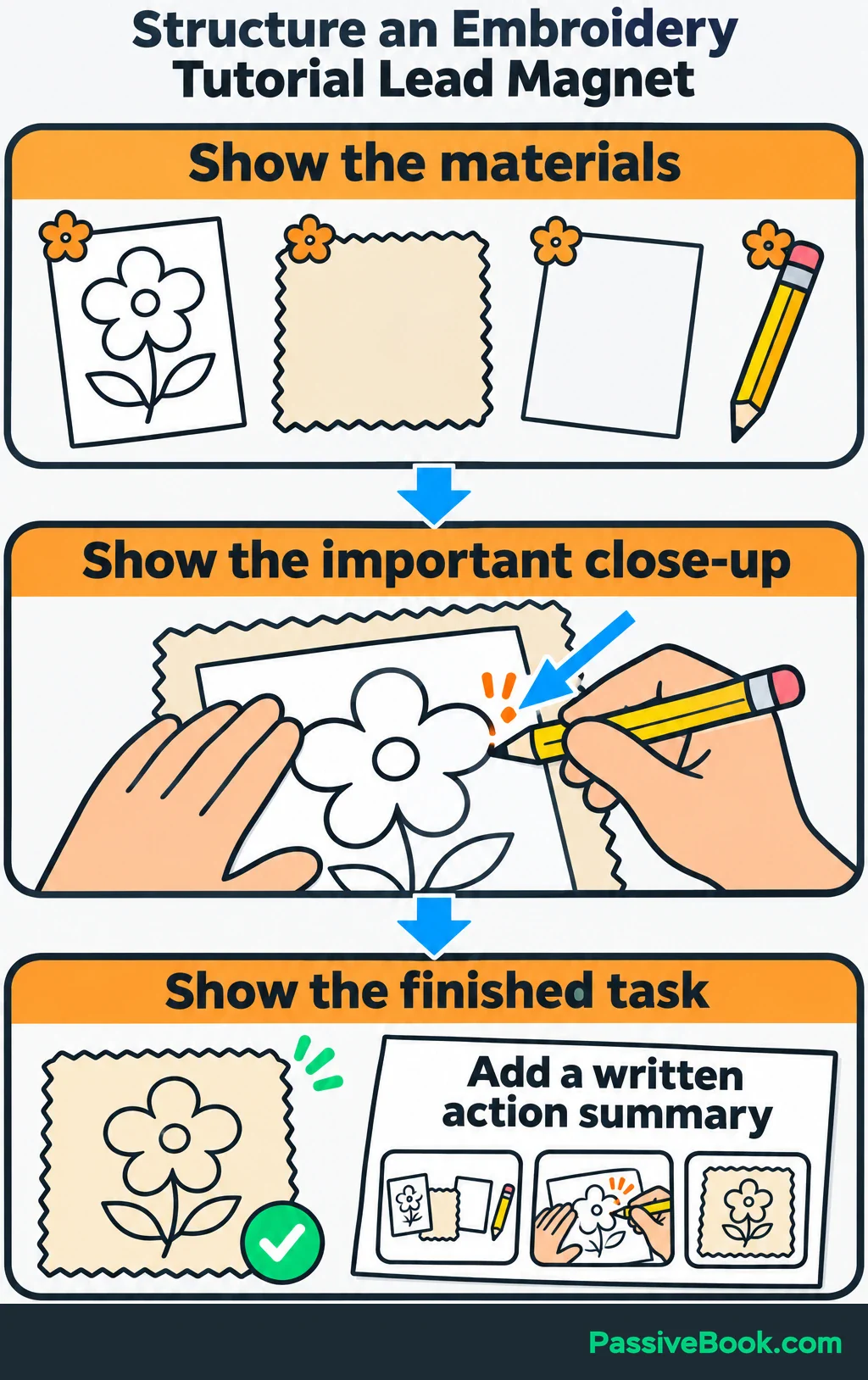
For the embroidery offer, an annotated walkthrough could show how to transfer the floral pattern onto fabric. Close-up images may be enough; you don’t need to appear on camera.
Include a written action summary beside a video so subscribers can work without replaying it repeatedly. If a step needs a close view, show the close view. A long introduction won’t make the hands easier to see.
7. An Email Mini-course for Completing a Sequence
A mini-course makes sense when doing one action prepares someone for the next.
State the lesson count and schedule before signup. Each message should contain a useful action, including the first one.
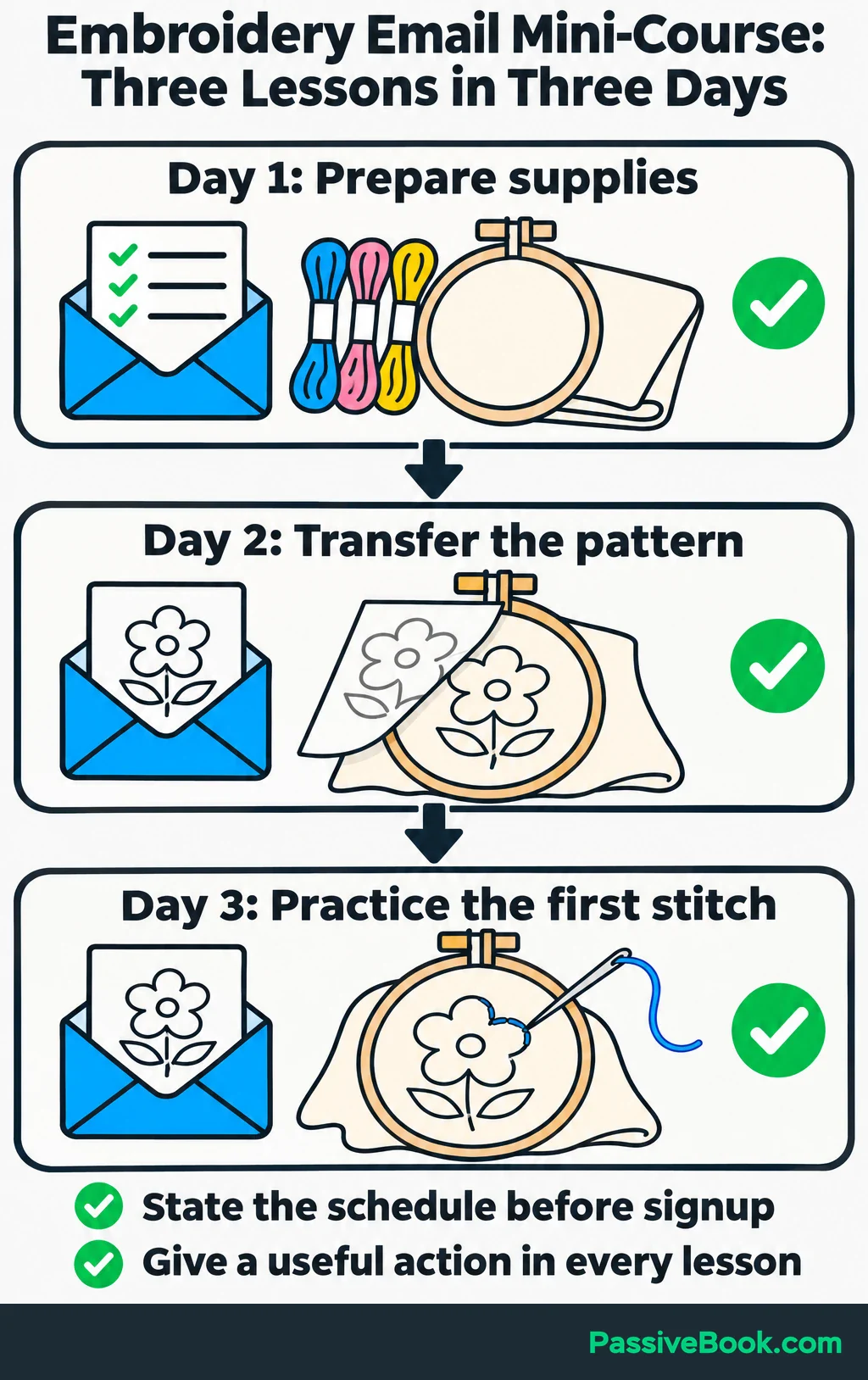
For example:
Prepare Your First Floral Hoop: Three Lessons Delivered Over Three Days
The lessons could cover supply preparation, pattern transfer, and practice of the first stitch.
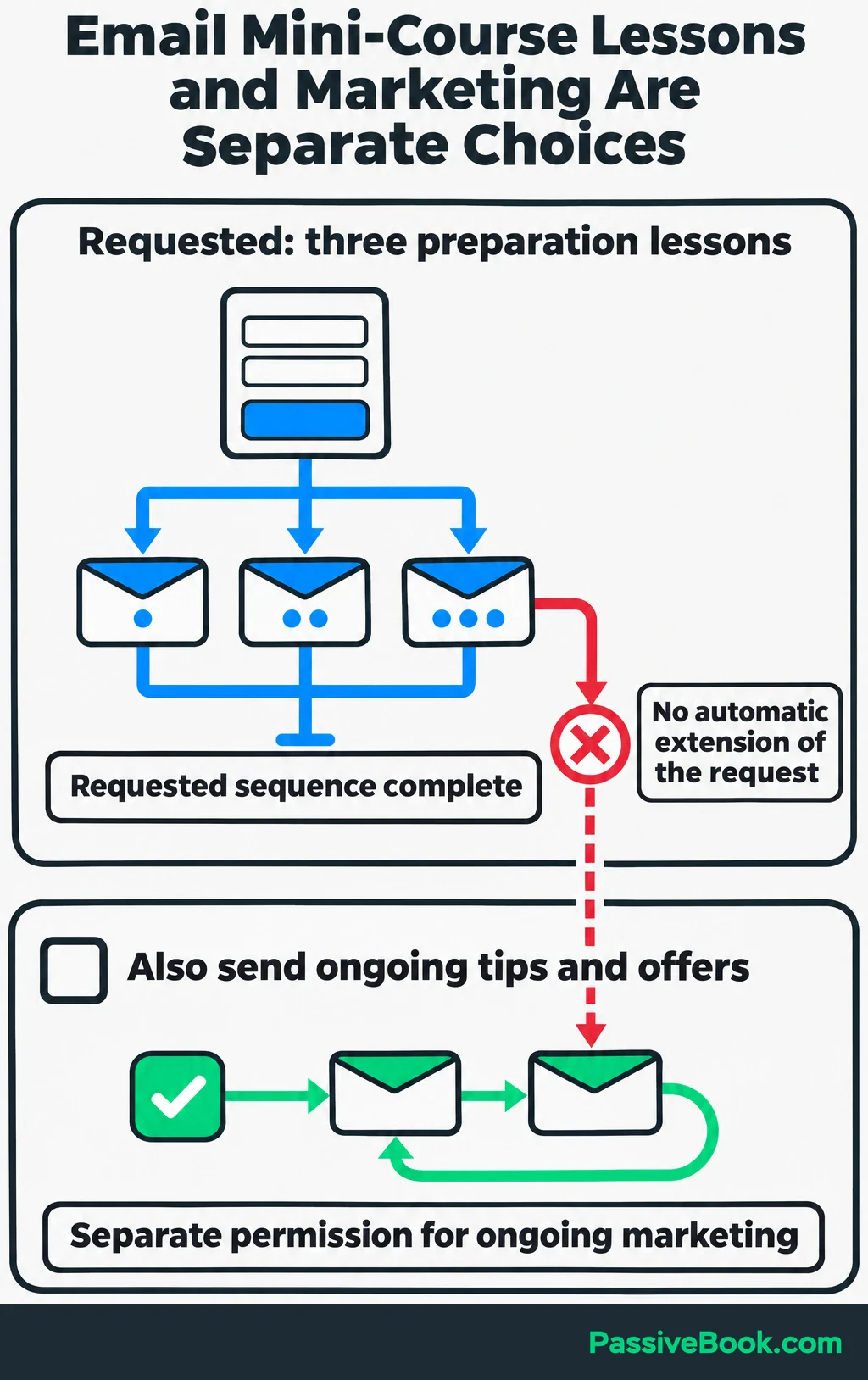
Keep those requested lessons separate from permission for ongoing promotional emails. Signing up for three lessons shouldn’t quietly become an agreement to receive everything you send afterward.
I would choose this format only when the spacing helps the learner. Otherwise, one resource is simpler to use and maintain.
8. A Useful Sample of Your Paid Product
A sample lets someone experience your product while completing a small task.
Choose a lesson, chapter, or template that works on its own. Include every essential part needed for the promised result.
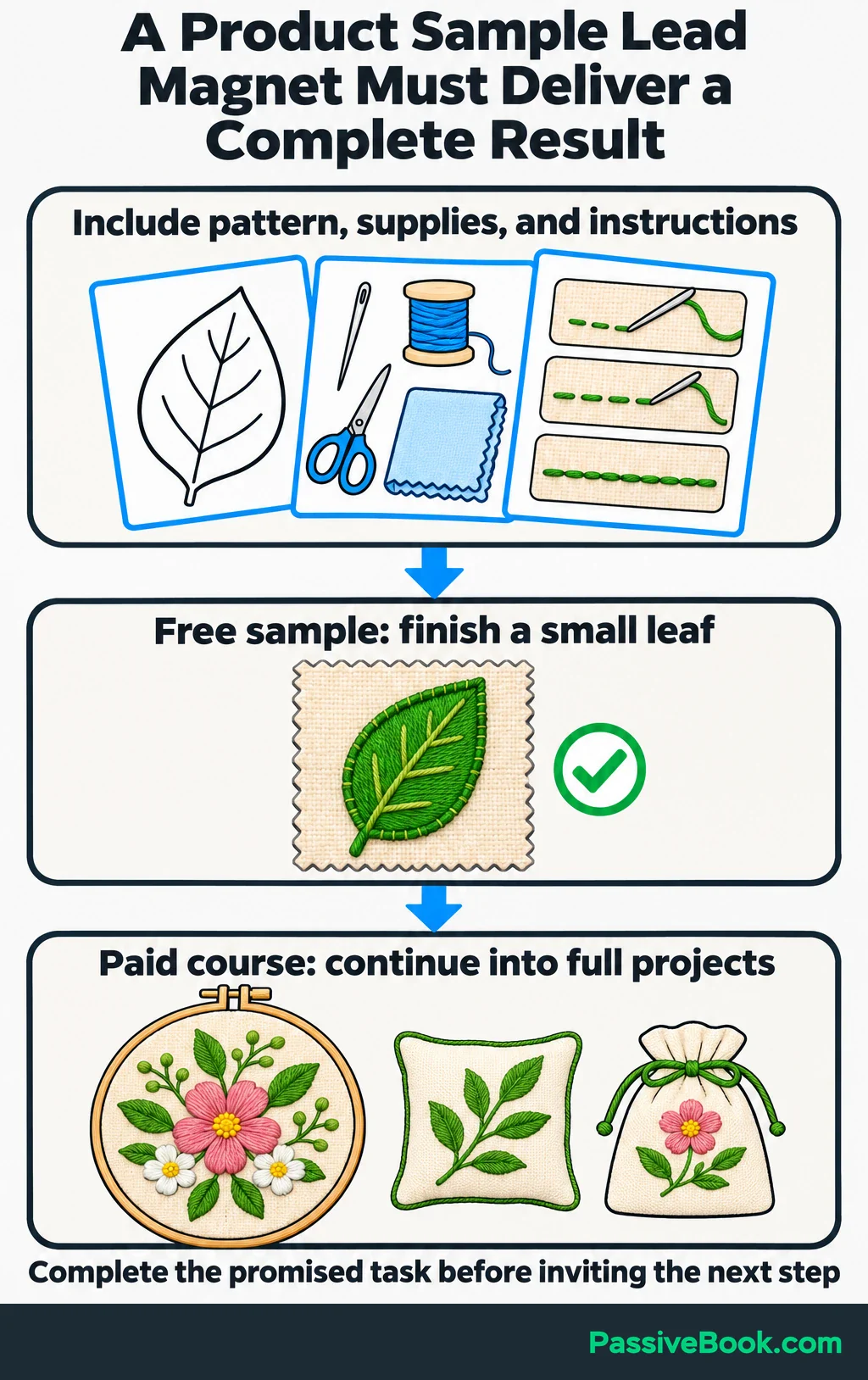
For the course, that might be a small leaf motif with its pattern, supply list, and stitching instructions. The subscriber finishes a leaf, and the paid course continues into the floral hoop and further projects.
Explain that continuation clearly. Don’t stop the free instructions just before the essential finishing step. That teaches the reader something about your business, but probably not what you intended.
Create the Smallest Useful Version
Write a one-sentence promise before making the resource. Name the task and the result.
For the planner:
Organize your pattern, thread colors, and supplies so you know what to prepare for your first floral hoop.
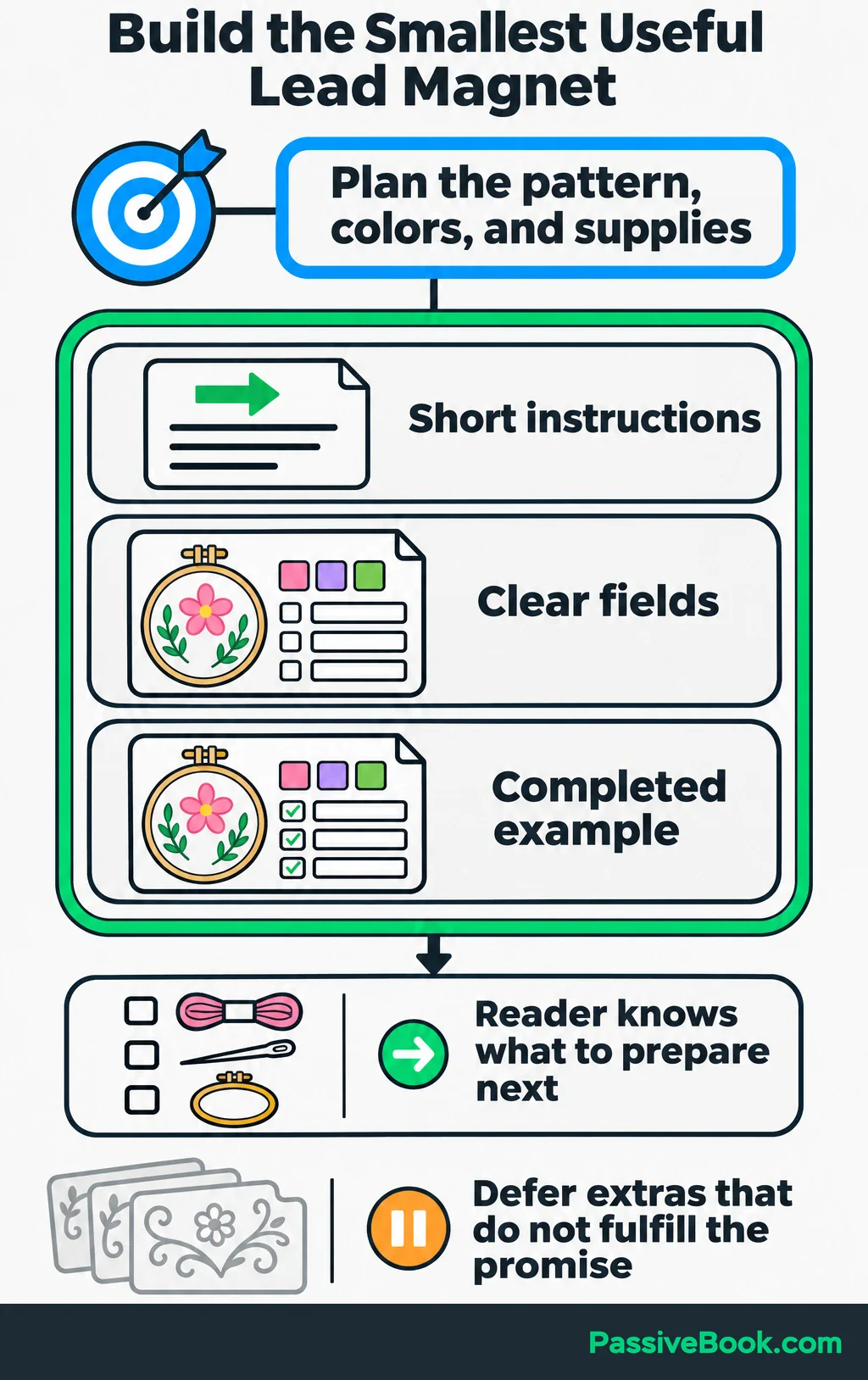
Now build only what fulfills that promise. A short introduction, clear fields, and one completed example may be enough.
If you have useful notes but no finished resource, AI Resource Builder can turn them into a short first draft. It also writes the signup copy and delivery email around the same promise.
Free AI Resource Builder




Reuse material from an existing product or article when it fits, but remove references that require prior knowledge. “Use the supplies from the previous lesson” doesn’t help someone who has never seen that lesson.
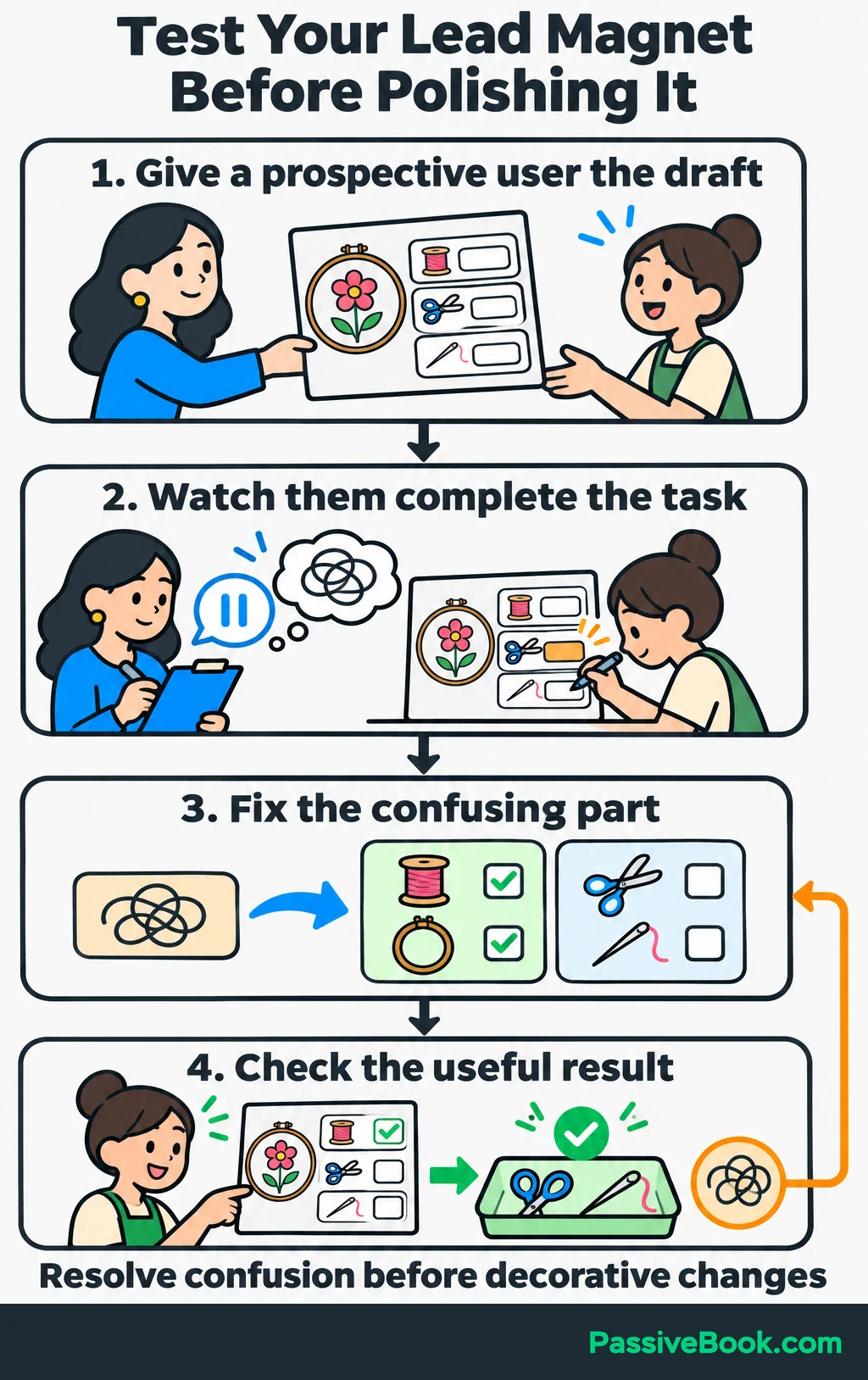
I once launched a course without checking whether prospective buyers wanted it. It made few sales, received a bad review, and I withdrew it. That experience is why I want someone to try a resource before I spend more time polishing it.
Give the draft to prospective users and ask them to complete the task. Watch where they pause, what they misunderstand, and what they need to ask.
For the planner, check whether someone can identify missing supplies and name their next preparation step. Fix those problems before adjusting colors or adding decorative pages. Attractive confusion is still confusion.
Write a Clear Opt-in Offer
Lead with the outcome, then explain what people receive and how they’ll use it.
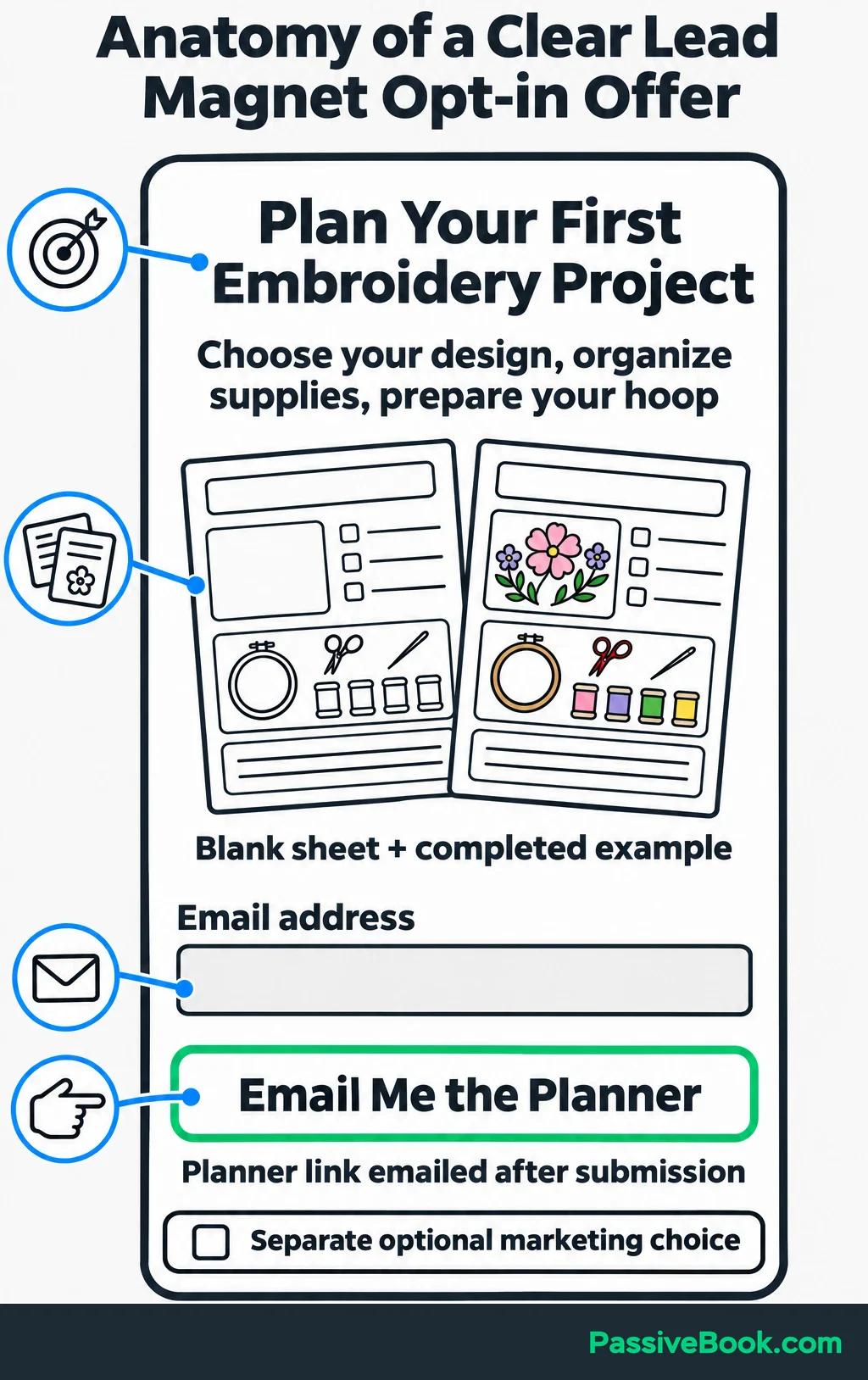
A readable preview can show the worksheet’s fields more clearly than another paragraph. Keep the signup form beside that explanation, and start with an email field. Add other fields only when you need them to deliver or personalize the resource.
Here’s complete signup copy for the planner. Replace the bracketed items before publishing.
Plan Your First Embroidery Project
Use this free printable planner to choose your floral design, organize supplies, and prepare your first hoop.
Get a blank planning sheet and a completed example. Print the sheet, check what you already own, and list what you still need.
Email address: [Email field]
☐ Also send me Thread & Petal’s weekly embroidery tips and occasional course offers. I can unsubscribe at any time.
[Email Me the Planner]
We’ll email the planner link after you submit this form, whether or not you choose the extra emails.
Read our [Privacy Notice].
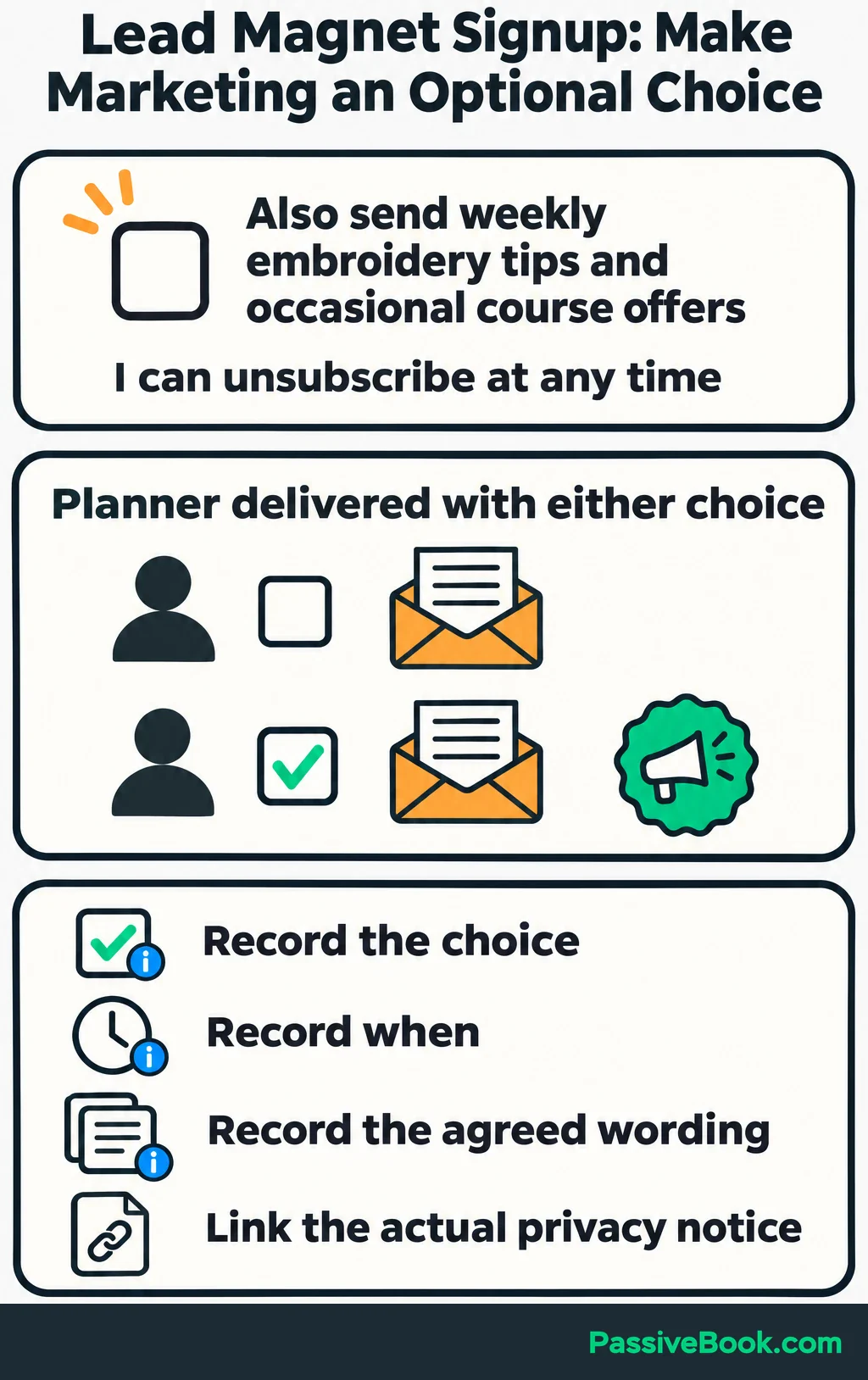
Leave the marketing checkbox unticked. Link the actual privacy notice and record the person’s choice, when they made it, and the wording they agreed to.
For individuals in the UK, unsolicited marketing emails generally require consent, though limited exceptions apply. A resource request alone shouldn’t be treated as blanket permission for promotions, and marketing emails need an easy unsubscribe. The Information Commissioner’s Office, the UK privacy regulator, explains the rules and exceptions.
Connect Signup to Automatic Delivery
Check your existing email tools first. You need a form, a way to deliver the resource, and a way to send follow-up only to people with the relevant permission.
On WordPress, I would use Fluent Forms to collect signups and FluentCRM to automate marketing emails. FluentSMTP connects WordPress to a sending service such as Amazon SES. Include that service’s charges when comparing costs.
If you prefer a hosted setup, I would consider MailerLite for its forms and automated email workflows. Check that the plan supports your intended workflow before building it.
For the planner, configure the process like this:
- Store the resource at a stable link that recipients can open without requesting access.
- Make the form send a resource-delivery email when someone requests the planner.
- Record the requested resource separately from marketing permission.
- Add people who choose marketing to the appropriate subscription process.
- If you require address confirmation (double opt-in), send a confirmation email. Activate the marketing subscription only after the person clicks its link.
- Send relevant follow-up only while their marketing permission remains active.
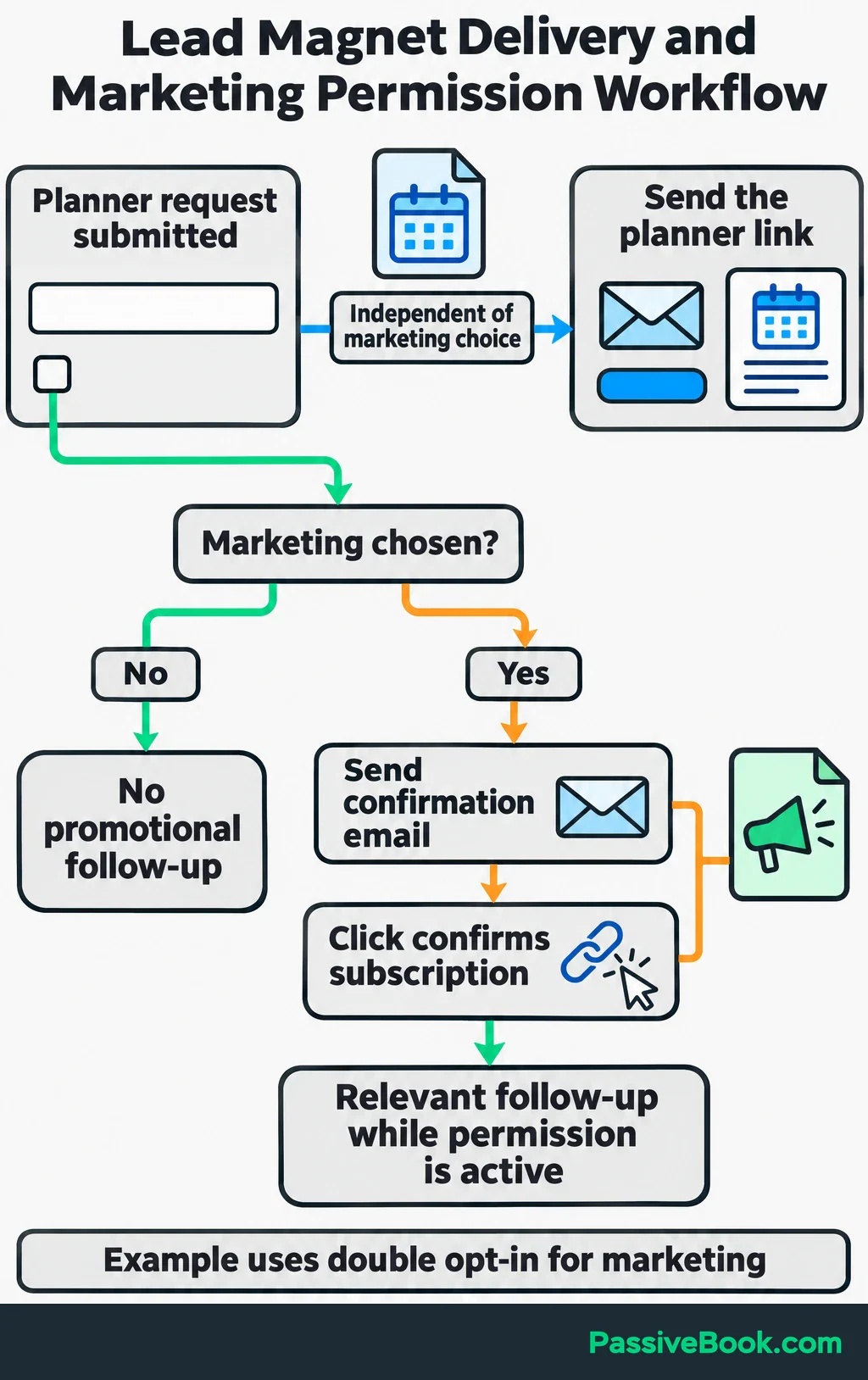
In this example, the planner arrives after form submission, while marketing waits for confirmation. That matches the promise on the form. Keep resource delivery separate so a subscription setting doesn’t accidentally block it.
Here’s a delivery email you can adapt:
Subject: Your First Embroidery Project Planner
Hi,
Here’s the planner you requested from Thread & Petal:
[Open Your Project Planner]
Start with the “Supplies I Already Own” section. Check those items before adding anything to your shopping list.
The completed example shows one way to organize a small floral hoop project. Use the blank sheet for your own choices.
If the link doesn’t open, reply to this email and we’ll help.
Thread & Petal
Replace the link and make sure replies reach an inbox you check.
For marketing subscribers, a later email could explain how to use the finished plan, then introduce the course as the next step for learning the stitches. Check purchase status before sending course promotions so buyers don’t keep receiving the same invitation.
Before launch, authenticate your sending domain using your provider’s instructions. SPF, DKIM, and DMARC are checks that help receiving services verify your emails. Google recommends setting up all three.
Finally, test the published form with a fresh address and an existing subscriber. Check delivery, confirmation, file access, mobile readability, follow-up, and unsubscribe. Also test the resource-only option. Existing subscribers should receive access without being counted again or having their permission settings overwritten.
Put the Offer Where the Problem Already Appears
Place the form where the reader is about to need the resource.
For the planner, that means content about choosing a first embroidery project or preparing supplies. Put the invitation near the preparation step, where the worksheet helps someone act.
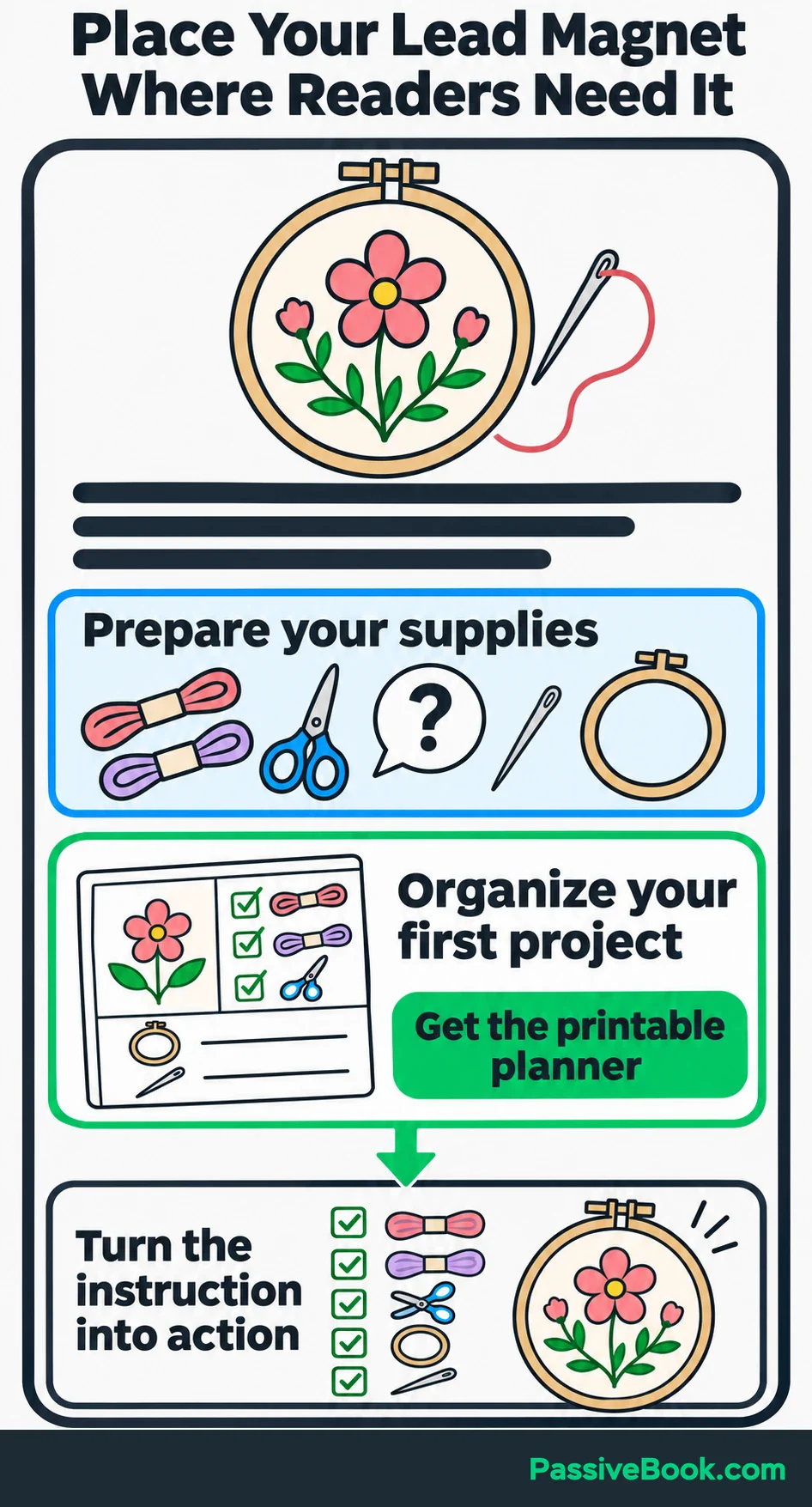
A short invitation could say:
Ready to organize your first project? Get the printable planner and turn these choices into a supply list.
Create a dedicated signup page for links from Pinterest, search-friendly articles, or other relevant channels. Keep the promise consistent between the promotion and the page.
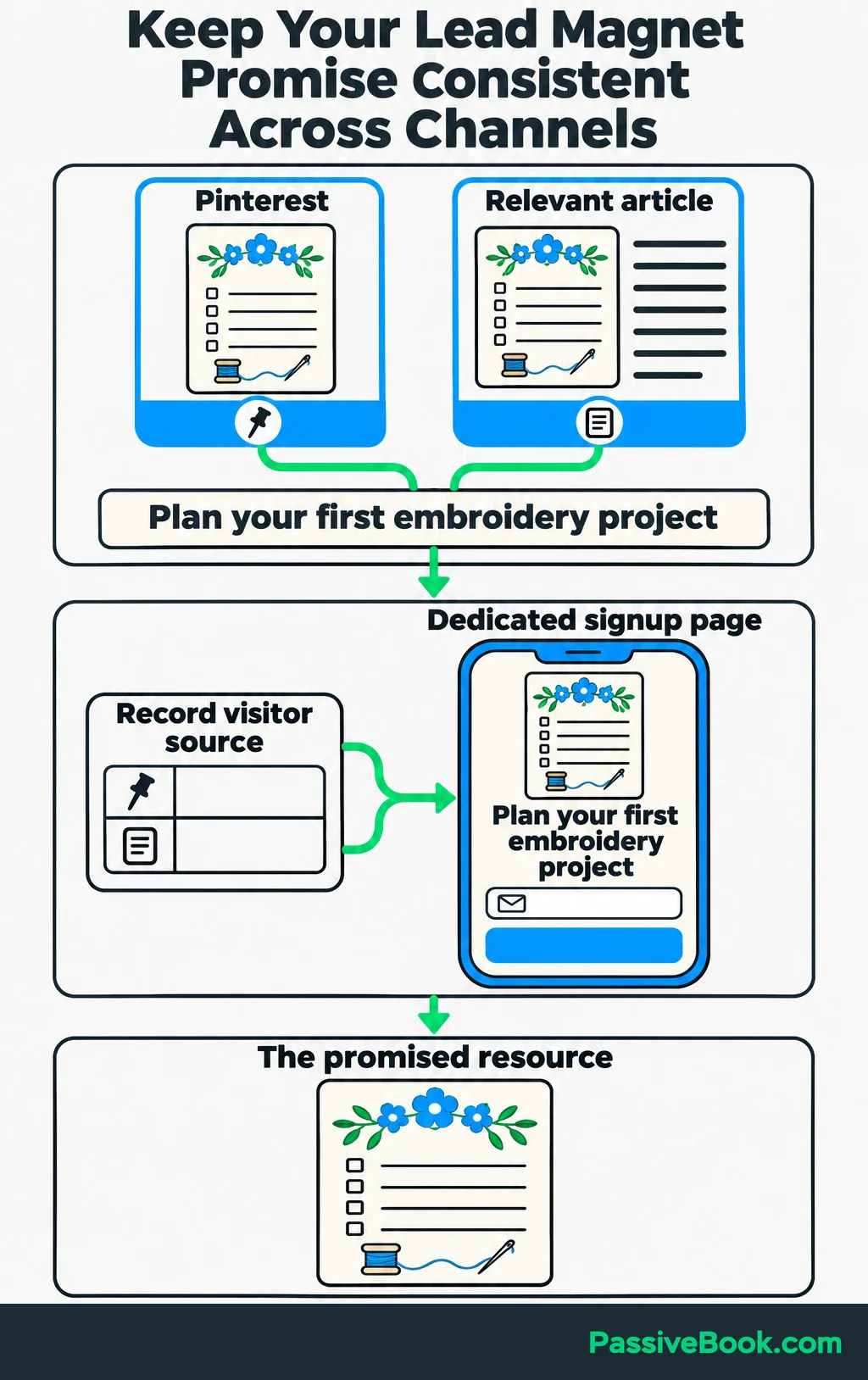
Reuse the same resource across suitable evergreen content. You don’t need a new download for every article.
Record where visitors came from so you can compare sources later. Add another lead magnet when you find a distinct customer problem that the planner cannot solve.
Measure Opt-ins and Improve the Weakest Step
Track Conversion, Subscriber Growth, and Engagement
Keep resource requests, marketing subscribers, and list growth separate. They answer different questions.
To measure subscriber conversion, count new marketing subscribers who came from the offer’s signup-page visitors. Divide that count by the number of unique visitors in the same group, then multiply by 100.
Subscriber conversion rate = new marketing subscribers from those visitors ÷ unique signup-page visitors × 100
Count confirmed subscribers when confirmation is required. Use the same reporting period and confirmation window when comparing results. Existing subscribers requesting another resource aren’t new additions.
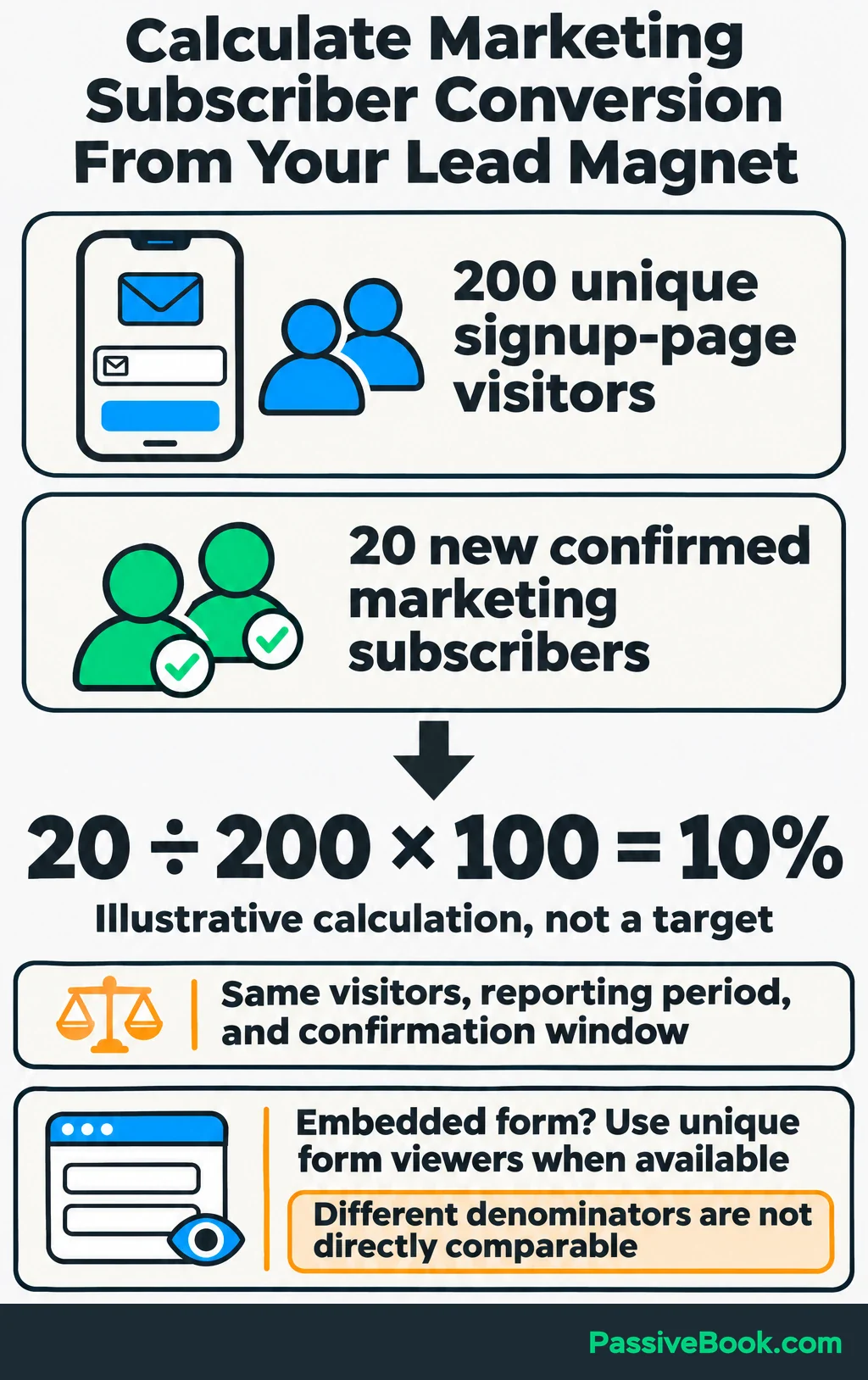
For illustration, 200 unique visitors who produce 20 new confirmed marketing subscribers give you:
20 ÷ 200 × 100 = 10%
That is an example calculation, not a target or promised result.
For an embedded form, use unique form viewers when that measurement is available. Don’t compare that rate directly with one based on all article visitors, because some readers may never reach the form.
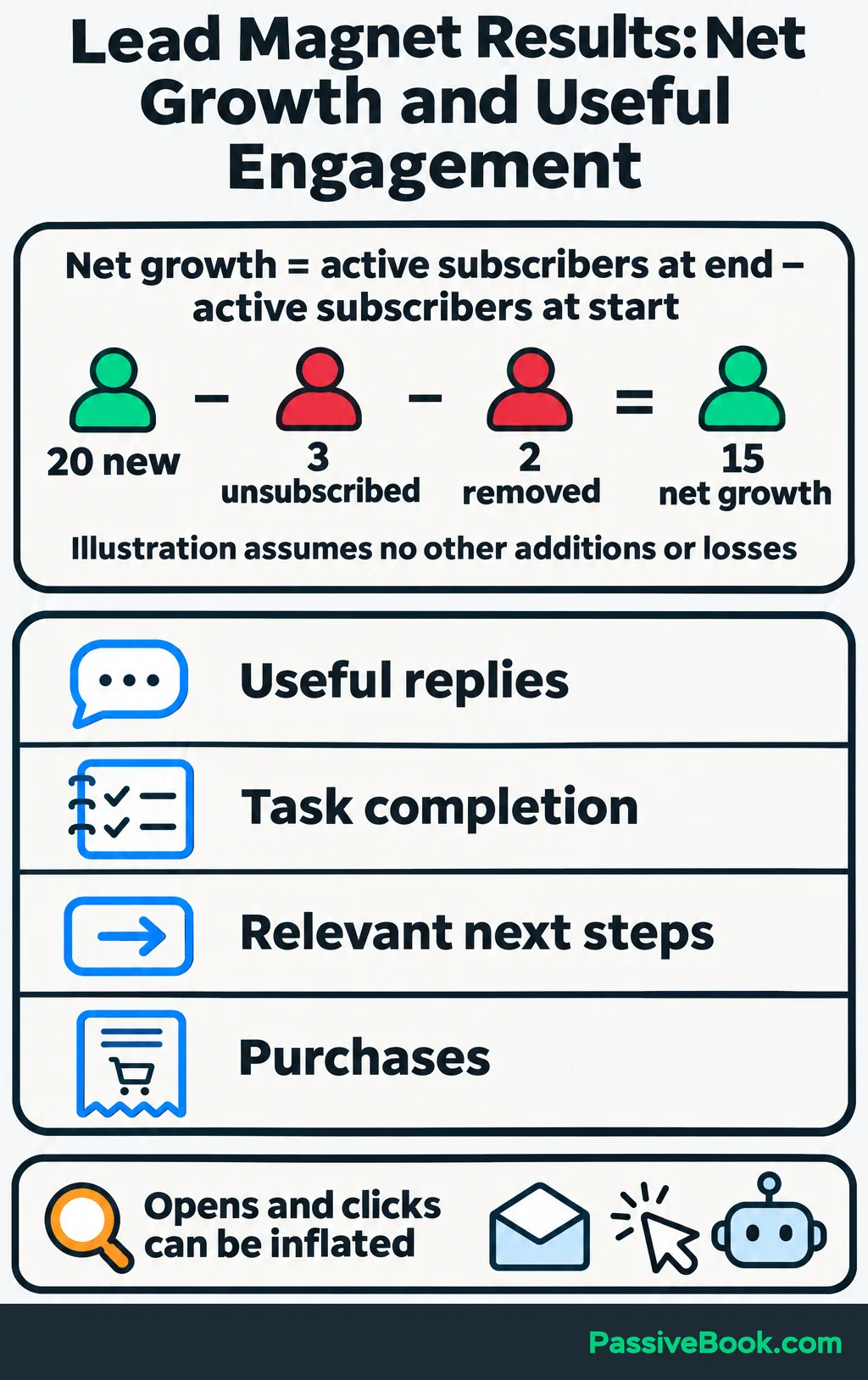
Net list growth measures the change in your active marketing subscriber total:
Net list growth = active subscribers at the end − active subscribers at the start
If the 20 new subscribers were the only additions, and three people unsubscribed while two were removed, net growth would be 15.
Then look beyond acquisition:
- Did subscribers reply with useful questions?
- Could they complete the task?
- Did they take a relevant next step toward the paid offer?
- Did any become customers?
Opens and clicks can provide clues, but privacy features can inflate opens and automated security checks can inflate both opens and clicks. Brevo explains these effects. Read those reports alongside replies, completed tasks, and purchases.
Fix the Bottleneck Before Creating Another Freebie
Find the weakest step before making another resource.
| What you observe | What I would check first |
|---|---|
| Few relevant visitors reach the offer | Placement in suitable content and links from relevant channels |
| Visitors arrive but rarely submit | Whether the promise matches what brought them there |
| Resource requests rise but marketing subscriptions don’t | Whether the ongoing emails have a clear, relevant benefit |
| People submit but don’t confirm | Confirmation instructions and whether the email arrives |
| People request the resource but struggle to access it | Delivery timing, links, and file permissions |
| People use it but show little interest in the course | Whether the resource attracts prospective buyers and the follow-up answers their next question |
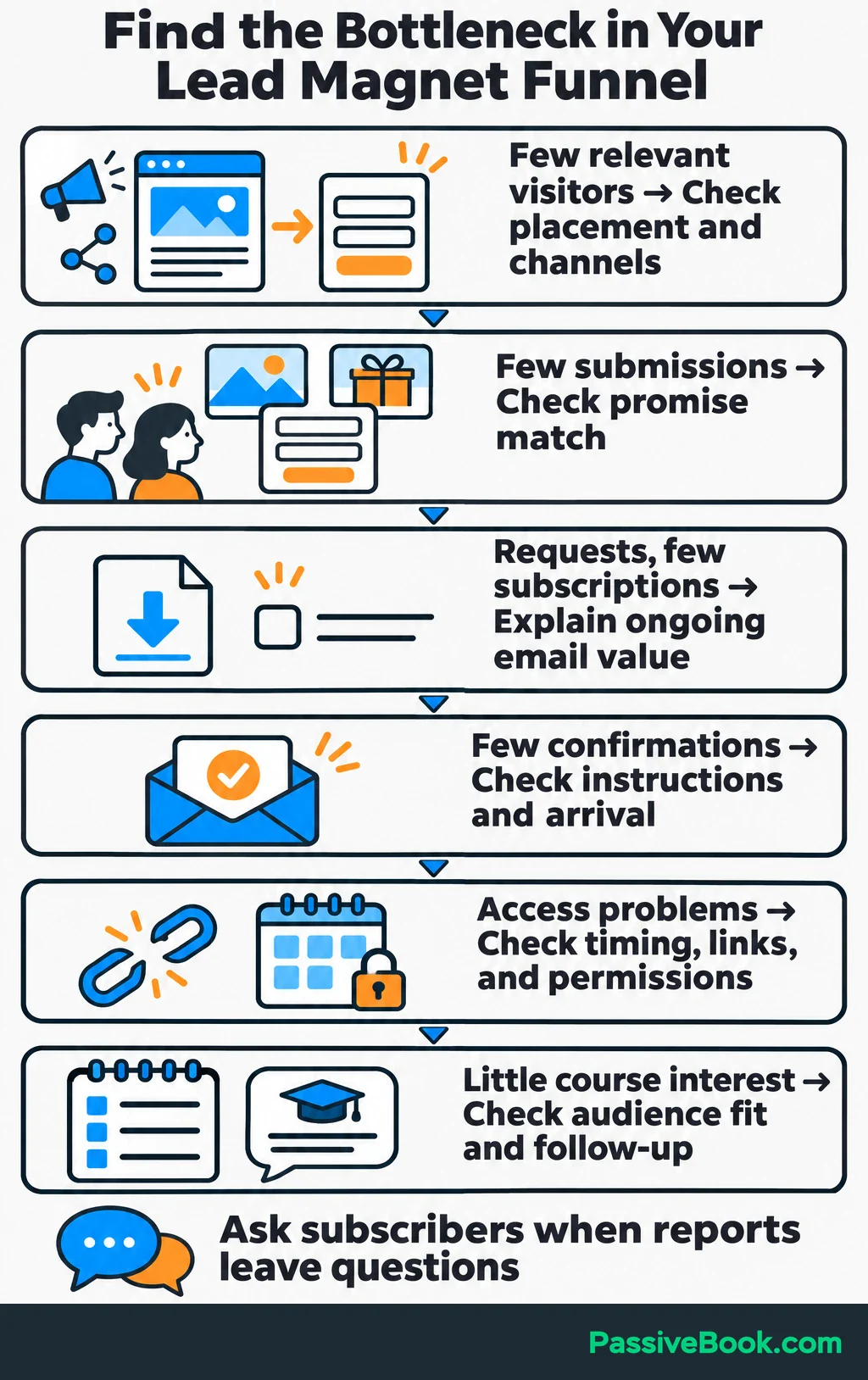
Ask subscribers what stopped them when the reports leave you guessing.
Change one meaningful element at a time. You might clarify the headline, add a readable preview, or move the form beside the relevant instruction.
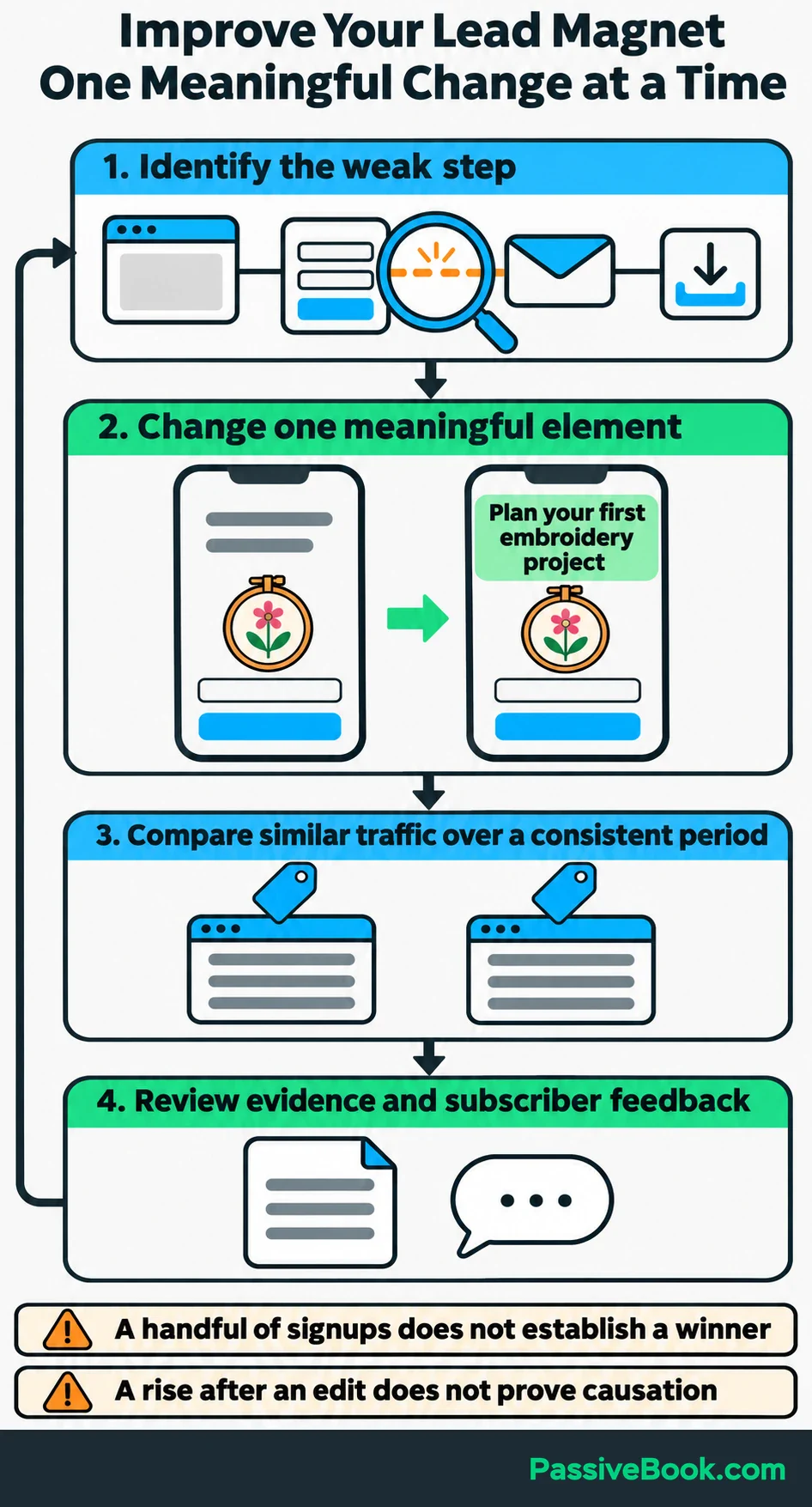
Compare similar traffic sources over a consistent period. A handful of signups won’t establish a winning format, and a rise after an edit doesn’t prove the edit caused it.
I would improve a useful planner with a confusing offer before building a second freebie. Otherwise, you may end up maintaining two resources while leaving the same signup problem untouched.
What Next?
Write one sentence naming the small task your free resource will help someone finish. Use it to choose a format, then make a draft that a prospective customer can try.
Use the social buttons to share this guide if it would help make the choice between a simple resource and another weekend of unnecessary production.
What task keeps blocking your future customers before they’re ready to buy? Share it in the comments, and bring any questions about choosing or launching your offer.
Share this post with your friends & followers:

